 User Guide
M.2 GPS
CTIM-000454 Revision 0.01 2021-03-01
PREFACE
Disclaimer
The information contained within this user’s guide, including but not limited to any product specification, is subject to change without notice.
Connect Tech assumes no liability for any damages incurred directly or indirectly from any technical or typographical errors or omissions contained herein or for discrepancies between the product and the user’s guide.
Customer Support Overview
If you experience difficulties after reading the manual and/or using the product, contact the Connect Tech reseller from which you purchased the product. In most cases, the reseller can help you with product installation and difficulties.
In the event that the reseller is unable to resolve your problem, our highly qualified support staff can assist you. Our support section is available 24 hours a day, 7 days a week on our website at: https://connecttech.com/support/resource-center/. See the contact information section below for more information on how to contact us directly. Our technical support is always free.
Contact Information
| Contact Information | |
| Mail/Courier | Connect Tech Inc. Technical Support 42 Arrow Road Guelph, Ontario Canada N1K 1S6 |
| Contact Information | [email protected] [email protected] www.connecttech.com Toll-Free: 800-426-8979 (North America only) Telephone: +1-519-836-1291 Facsimile: 519-836-4878 (on-line 24 hours) |
| Support | Please go to the Connect Tech Resource Center for product manuals, installation guides, device drivers, BSPs, and technical tips. Submit your technical support questions to our support engineers. Technical Support representatives are available Monday through Friday, from 8:30 a.m. to 5:00 p.m. Eastern Standard Time. |
Limited Product Warranty
Connect Tech Inc. provides a 2-year Warranty for this product. Should this product, in Connect Tech Inc.’s opinion, fail to be in good working order during the warranty period, Connect Tech Inc. will, at its option, repair or replace this product at no charge, provided that the product has not been subjected to abuse, misuse, accident, disaster or non-Connect Tech Inc. authorized modification or repair.
You may obtain warranty service by delivering this product to an authorized Connect Tech Inc. business partner or to Connect Tech Inc. along with proof of purchase. The product returned to Connect Tech Inc.
must be pre-authorized by Connect Tech Inc. with an RMA (Return Material Authorization) number marked on the outside of the package and sent prepaid, insured and packaged for safe shipment.
Connect Tech Inc. will return this product by prepaid ground shipment service.
The Connect Tech Inc. Limited Warranty is only valid over the serviceable life of the product. This is defined as the period during which all components are available. Should the product prove to be irreparable, Connect Tech Inc. reserves the right to substitute an equivalent product if available or to retract the Warranty if no replacement is available.
The above warranty is the only warranty authorized by Connect Tech Inc. Under no circumstances will Connect Tech Inc. be liable in any way for any damages, including any lost profits, lost savings or other incidental or consequential damages arising out of the use of, or inability to use, such product.
Copyright Notice
The information contained in this document is subject to change without notice. Connect Tech Inc. shall not be liable for errors contained herein or for incidental consequential damages in connection with the furnishing, performance, or use of this material. This document contains proprietary information that is protected by copyright. All rights are reserved. No part of this document may be photocopied, reproduced, or translated to another language without the prior written consent of Connect Tech, Inc.
Copyright © 2021 by Connect Tech, Inc.
Trademark Acknowledgment
Connect Tech, Inc. acknowledges all trademarks, registered trademarks, and/or copyrights referred to in this document as the property of their respective owners. Not listing all possible trademarks or copyright acknowledgments does not constitute a lack of acknowledgment to the rightful owners of the trademarks and copyrights mentioned in this document.
ESD Warning

Electronic components and circuits are sensitive to ElectroStatic Discharge (ESD). When handling any circuit board assemblies including Connect Tech COM Express carrier assemblies, it is recommended that ESD safety precautions be observed. ESD safe best practices include, but are not limited to:
- Leaving circuit boards in their antistatic packaging until they are ready to be installed.
- Using a grounded wrist strap when handling circuit boards, at a minimum you should touch a grounded metal object to dissipate any static charge that may be present on you.
- Only handling circuit boards in ESD safe areas, which may include ESD floor and table mats, wrist strap stations, and ESD safe lab coats.
- Avoid handling circuit boards in carpeted areas.
- Try to handle the board by the edges, avoiding contact with components.
REVISION HISTORY
| Revision | Date | Changes |
| 0.00 | 2016-03-18 | Initial Release |
| 0.01 | 2021-03-01 | Updated format Replaced GPS-06T PN /w MSG095 |
INTRODUCTION
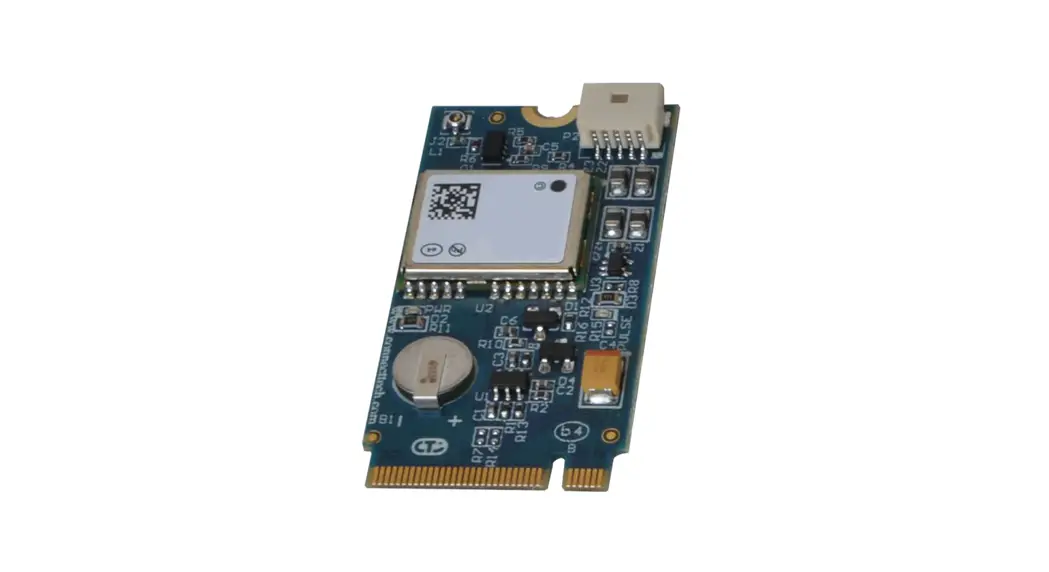
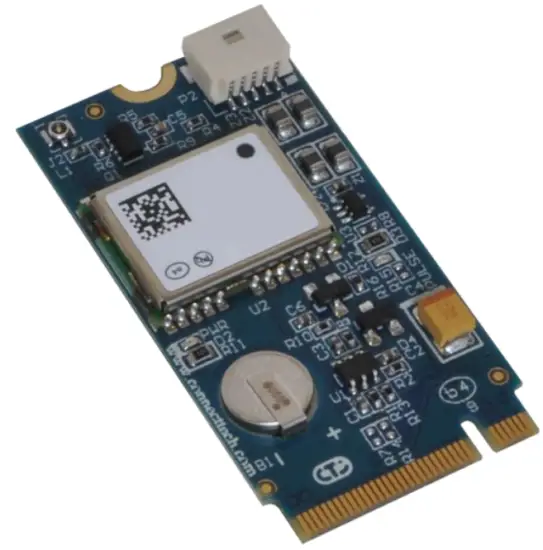
Connect Tech’s M.2 GPS is a GNSS receiver based on the very small industry-standard M.2 Type-2242-S3B form factor. Using the USB bus, the M.2 GPS provides global positioning and time-stamp information, while taking up little space and power within a system. Also considering the existing support for Windows and Linux, the M.2 GPS can be easily integrated into any existing system, as well as easily implemented into new systems.
Product Features and Specifications
| Specifications | |
| Dimensions | 42 mm x 22 mm (M.2 Type-2242-S3-B) |
| Antenna Connector | HSC (MHF4), support for active antennas only |
| GPS | GPS, GLONASS, QZSS, Galileo UBX, RTCM, NMEA protocols |
| I/O | IMPULSE output synchronized with GPS time grid WHEELTICK input (used for Automotive Dead Reckoning) FWD input (used for Automotive Dead Reckoning) External Interrupt Input External Battery Input |
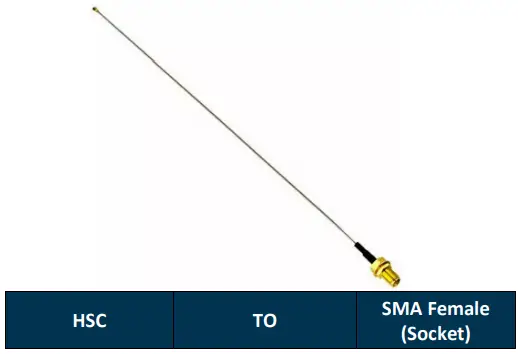
| Cables | CBG162: External I/O Cable CBG214: HSC (MHF4) to SMA Female Cable |
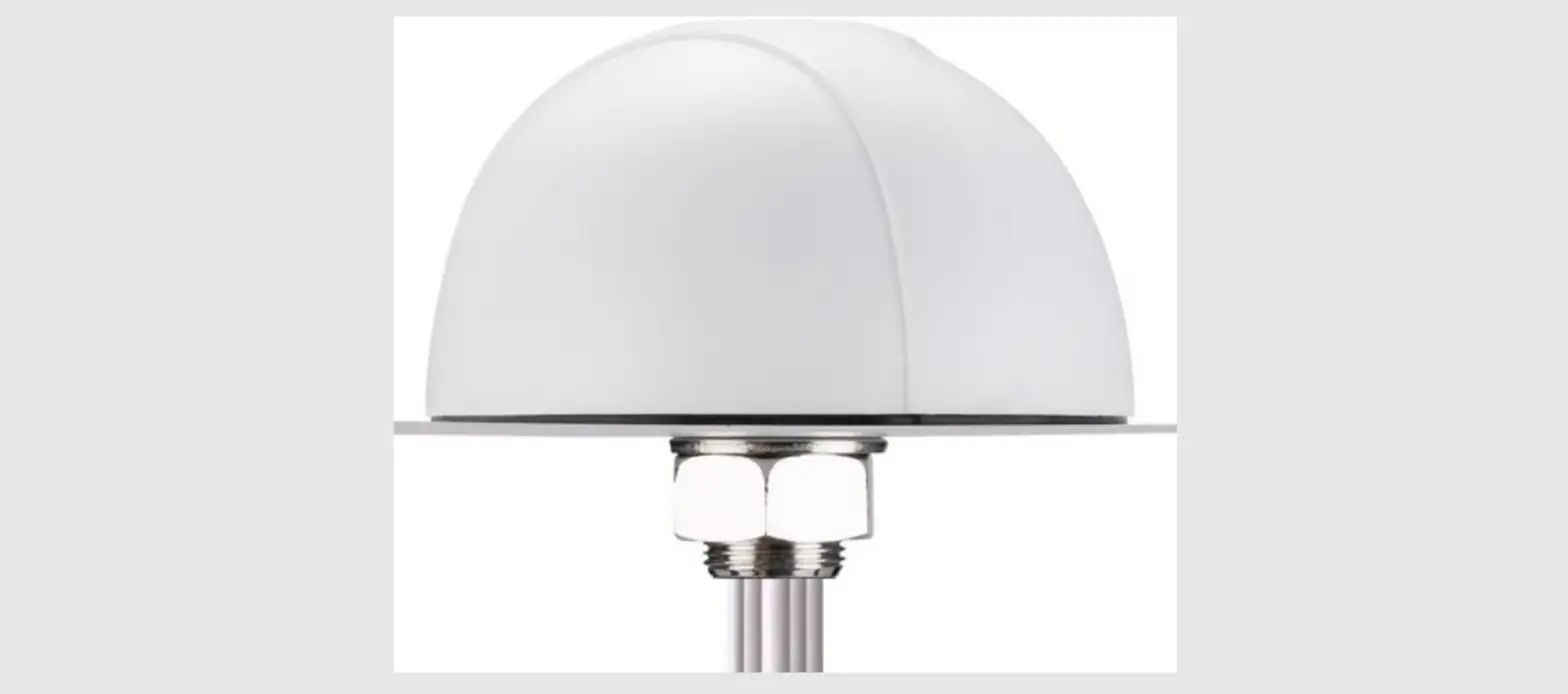
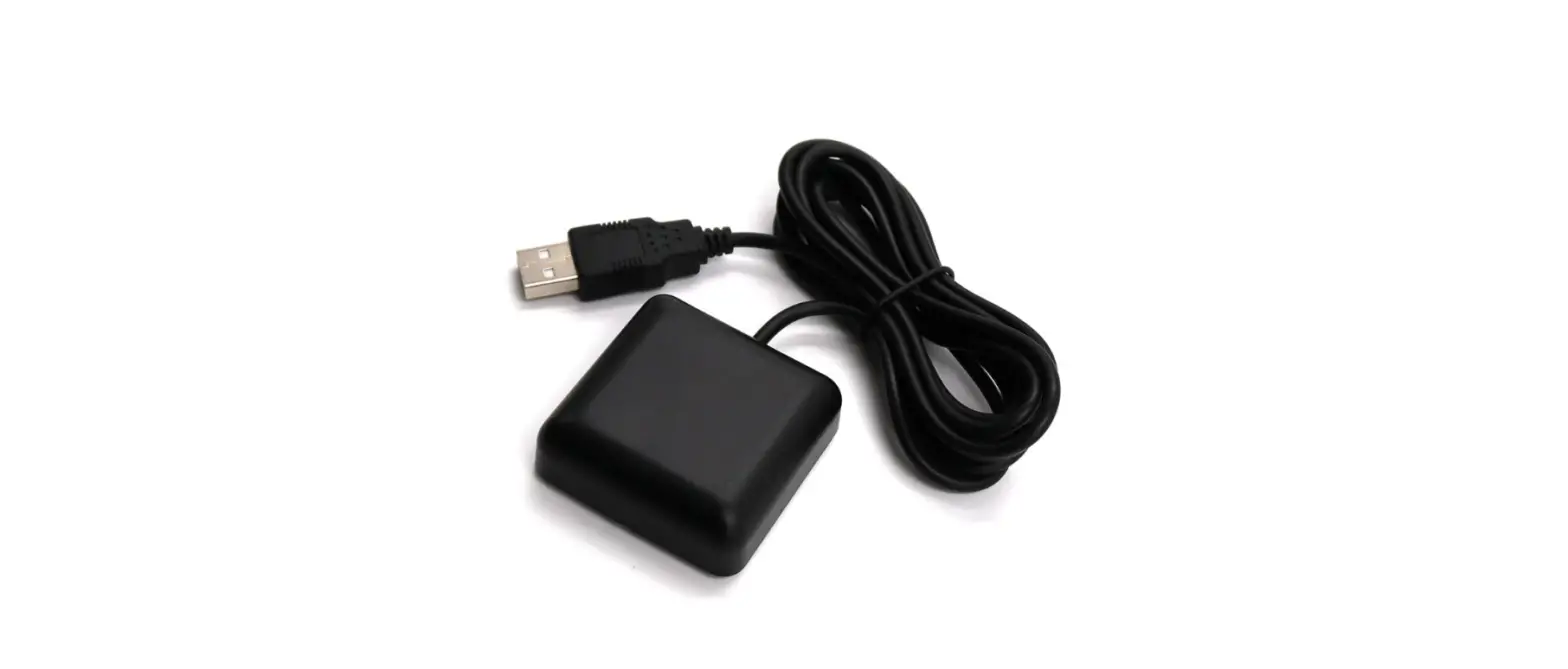
| Antenna | MSG095, VTGPSA-9, Active GPS/GLONASS antennas only |
| Environmental | -40ºC to +85ºC |
| Warranty and Support | 2 Years |
Part Numbers / Ordering Information
| Part Number | |
| M2G201 | M.2 GPS Receiver (Battery not included) populated with NEO-7N module |
| M2G202 | M.2 GPS Receiver (Battery included) populated with NEO-7N module |
| M2G203 | M.2 GPS Receiver (Battery not included) populated with NEO-M8N module |
| M2G204 | M.2 GPS Receiver (Battery included) populated with NEO-M8N module |
| M2G205 | M.2 GPS Receiver (Battery not included) populated with NEO-M8L module, supports Automotive Dead Reckoning |
| M2G206 | M.2 GPS Receiver (Battery included) populated with NEO-M8L module, supports Automotive Dead Reckoning |
PRODUCT OVERVIEW
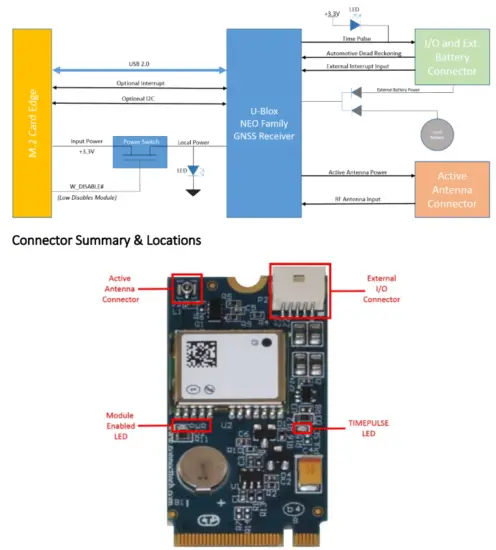
Block Diagram
Interface Pin-outs
M.2 Edge Connector
The M.2 GPS pin-out is compliant with the M.2 Socket 2 with B Key. This module uses only +3.3V for input power and all I/O is +3.3V signaling.
| Function | M.2 Card Edge Connector | 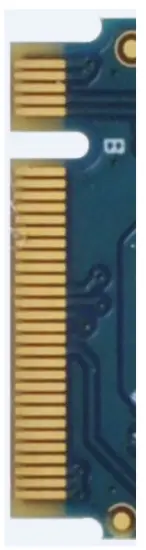 | |||
| Location | P3 | ||||
| Pinout | Signal | Pin | Pin | Signal | |
| NC | 1 | 2 | +3.3V | ||
| GND | 3 | 4 | +3.3V | ||
| GND | 5 | 6 | NC | ||
| USB_D+ | 7 | 8 | W_DISABLE1# | ||
| USB_D- | 9 | 10 | NC | ||
| GND | 11 | 12 | Connector Key | ||
| Connector Key | 13 | 14 | Connector Key | ||
| Connector Key | 15 | 16 | Connector Key | ||
| Connector Key | 17 | 18 | Connector Key | ||
| Connector Key | 19 | 20 | NC | ||
| CONFIG_O (GND) | 21 | 22 | NC | ||
| NC | 23 | 24 | NC | ||
| NC | 25 | 26 | NC | ||
| GND | 27 | 28 | NC | ||
| NC | 29 | 30 | NC | ||
| NC | 31 | 32 | NC | ||
| GND | 33 | 34 | NC | ||
| NC | 35 | 36 | NC | ||
| NC | 37 | 38 | NC | ||
| GND | 39 | 40 | M.2 GNSS SCL | ||
| NC | 41 | 42 | M.2 GNSS SDA | ||
| NC | 43 | 44 | M.2 GNSS IRAQ | ||
| GND | 45 | 46 | NC | ||
| NC | 47 | 48 | NC | ||
| NC | 49 | 50 | RESET# | ||
| GND | 51 | 52 | NC | ||
| NC | 53 | 54 | NC | ||
| NC | 55 | 56 | NC | ||
| GND | 57 | 58 | NC | ||
| NC | 59 | 60 | NC | ||
| NC | 61 | 62 | NC | ||
| NC | 63 | 64 | NC | ||
| NC | 65 | 66 | NC | ||
| NC | 67 | 68 | NC | ||
| CONFIG_1 (GND) | 69 | 70 | +3.3V | ||
| GND | 71 | 72 | +3.3V | ||
External I/O Connector
| Function | External I/O Connector | 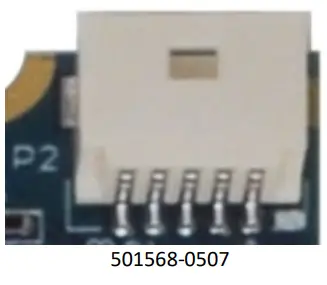 | ||
| Location | P2 | |||
| Connector PN | 501568-0507 – Manufacturer: Molex | |||
| Mating Connector PN | 501330-0500 – Manufacturer: Molex CTI Cable #: CBG162 | |||
| Pinout | Pin | Signal | Description | |
| EXT_INT / WHEELTICK | External Interrupt Input or Speed pulse input | |||
| 2 | TIMEPULSE | Time pulse Output | ||
| 3 | FWD | Forward/Reverse indicator | ||
| 4 | GND | Digital Ground | ||
| 5 | EXT_BAT | External Battery Input | ||
The pinout for the I/O connector is outlined in the table below.
NOTE: WHEELTICK is only available on M2G205 and M2G206, otherwise this signal is EXT_INT
NOTE: FWD is only available on M2G205 and M2G206, otherwise it is not connected and should be left floating
Active Antenna Connector
| Function | Active Antenna Connector | 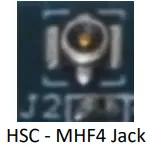 |
| Location | J2 | |
| Connector PN | MM4829-2702RA4 – Manufacturer: Murata | |
| Mating Connector PN | HSC – MHF4 Socket Standard CTI Cable #: CBG214 |
DETAILED FEATURE DESCRIPTION
USB
The M.2 GPS uses a USB 2.0 Full Speed (12Mb/s) interface as the primary communication bus. The USB interface is connected between the GPS receiver and the M.2 card edge connector (pins 7/9).
TIMEPULSE
The TIMEPULSE output is a buffered and ESD-protected signal from the GPS receiver. This signal connects to pin 2 of the External I/O Connector. It also drives the TIMEPULSE LED. By default, when satellites are not fixed this signal is High (3.3V). When satellites are fixed, this signal pulses at 1 pulse per second (1Hz) with a 20% duty cycle (200ms High, 800ms Low). For more information see the Receiver Description Including Protocol Specification document for your GPS receiver found in the Software Support section of this document.
W_DISABLE1#
The W_DISABLE# input from the M.2 card edge connector (pin 8) can be used to enable and disable power to the M.2 GPS module. When W_DISABLE1# is low, the module is disabled and no power is applied to the M.2 GPS. When W_DISABLE1# is High, the module is enabled and powered on. This signal is locally pulled up to 3.3V through a 100K ohm resistor.
External Interrupt Input/WHEELTICK
Input The external interrupt/WHEELTICK input is an ESD-protected input signal from the external I/O connector to the GPS receiver. On modules that do not support Automotive Dead Reckoning, this signal will always be an External Interrupt input, and this input can be used for control of the GPS receiver or for aid. On modules that support Automotive Dead Reckoning (M2G205/M2G206), this signal is by default used as the WHEELTICK input and is used to provide speed pulse information to the module. If the speed pulse information is available from the host processor, then the information can be provided using software messages in the UBX protocol. If using software messages to provide speed pulse information, this signal can be configured as an external interrupt input. See the Receiver Description Including the Protocol Specification document for your GPS receiver found in the Software Support section of this document. If this signal is not used, it should be left floating. Do not exceed 3.6V on this signal.
FWD
The forward/reverse signal is an ESD-protected input used on modules that support Automotive Dead Reckoning. This signal is used to indicate the moving direction of the module. An active high indicates moving forward and a low for moving backward. If the forward/reverse information is available from a host processor, then this information can be provided to the module using software messages in the UBX protocol. For more information see the Receiver Description Including Protocol Specification document for your GPS receiver found in the Software Support section of this document. On modules that do not support Automotive Dead Reckoning, this signal should be left floating. Do not exceed 3.6V on this signal.
External Battery
The external battery input in an ESD protected input from the External I/O Connector to the backup voltage supply of the GPS receiver. The purpose of a battery signal is to power internal memory for GPS almanac, ephemeris, and last position retention through power cycles. The voltage on this input signal should be greater than 2.0V and less than 3.6V. The supply of this signal should be able to provide at least 20uA continuous at room temperature, and 50uA at +85 degrees Celsius.
Local Battery and BAT_EN Header
There is a local battery supply on the M.2 GPS. The purpose of a battery signal is to power internal memory for GPS almanac, ephemeris, and last position retention through power cycles. The design includes an MS621 rechargeable battery that recharges itself when the unit is powered on. When power is removed from the unit the GPS receiver will typically consume 15uA on its battery supply input at room temperature and 24uA at 85 degrees Celsius.
On-Board Indicator LEDs
| LED | Description |
| TIMEPULSE | TIMEPULSE visual indicator. This LED will blink at the rate and duty cycle of the TIMEPULSE output. |
| PWR | ON: indicates the module is powered on and enabled OFF: indicated the module is not powered and is disabled *the module is enabled/disabled using the W_DISABLE1# input from the M.2 card edge connector |
Software Support for the NEO-7 and NEO-M8 GPS Receivers
The USB drivers for the NEO-7 and NEO-M8 GPS Receivers can be found on the u-Blox website: https://www.u-blox.com/en/productresources?f[0]=property_file_product_filter%3A2668&f[1]=field_file_category%3A221
For configuration and setting options for the NEO-7 GPS receiver, please refer to the u-Blox 7 Receiver Description Including Protocol Specification V14 found on the u-Blox website: https://www.u-blox.com/en/product-resources?f[0]=field_file_category%3A209
For configuration and setting options for the NEO-M8N GPS receiver, please refer to the u-Blox M8 Receiver Description Including Protocol Specification found on the u-Blox website: https://www.u-blox.com/en/product-resources?f[0]=field_file_category%3A209
Changing the configuring of the NEO modules is best accomplished using the u-center application provided by u-Blox. To get the u-center application for windows, please see the link below: https://www.u-blox.com/en/product/u-center-windows
CABLES
CBG162 – External I/O Cable

| 501330-0500 | Signal | Open End (Un-terminated) |
| 1 | See I/O Connector Section for pin-out | Un-terminated |
| 2 | Un-terminated | |
| 3 | Un-terminated | |
| 4 | Un-terminated | |
| 5 | Un-terminated |
CBG214 – Murata HSC to SMA Female Cable
Document: CTIM-000454
Revision: 0.01
Date: 2021-03-01
CONNECT TECH
www.connecttech.com
[email protected]
CONNECT TECH INC. 142 ARROW ROAD, GUELPH, ON N1K 1S6 CANADA I TEL: +1.519.836.1291 I TOLL: 800.426.8979
 Connect Tech Inc., Embedded Computing Experts
 Resource Center - Connect Tech Inc.
 Product resources | u-blox