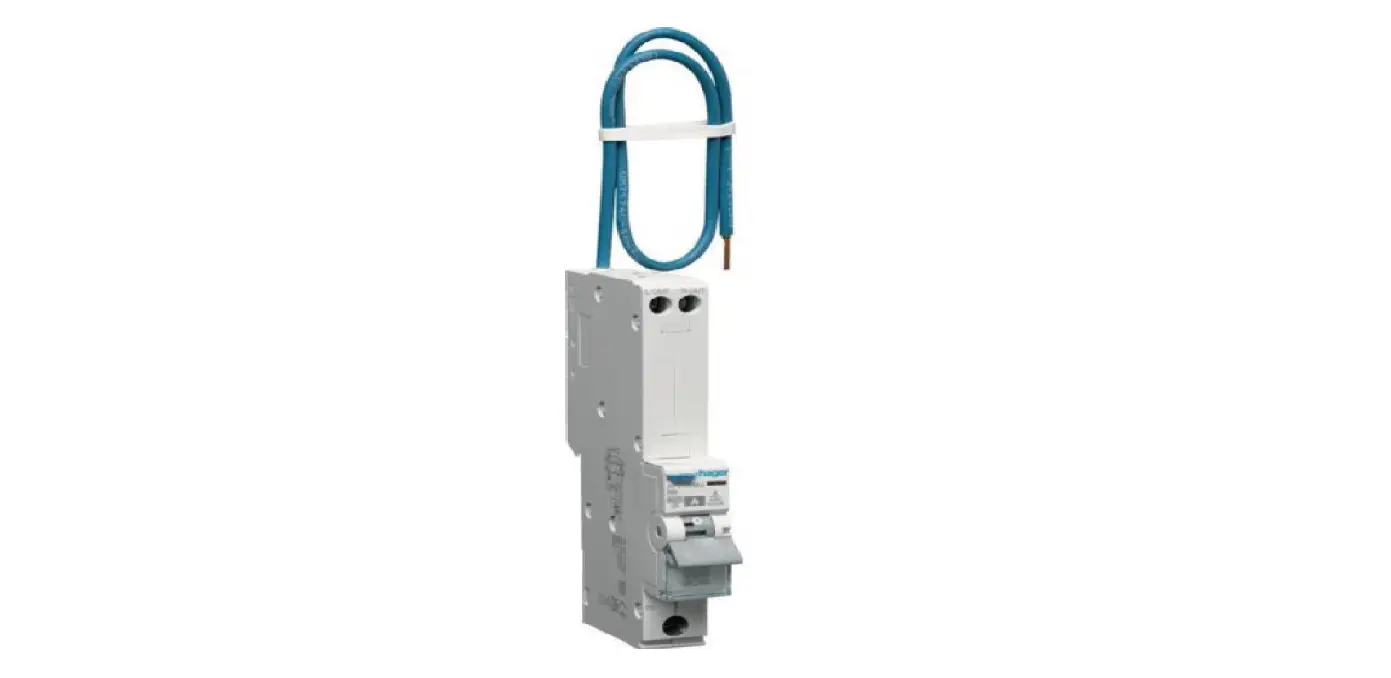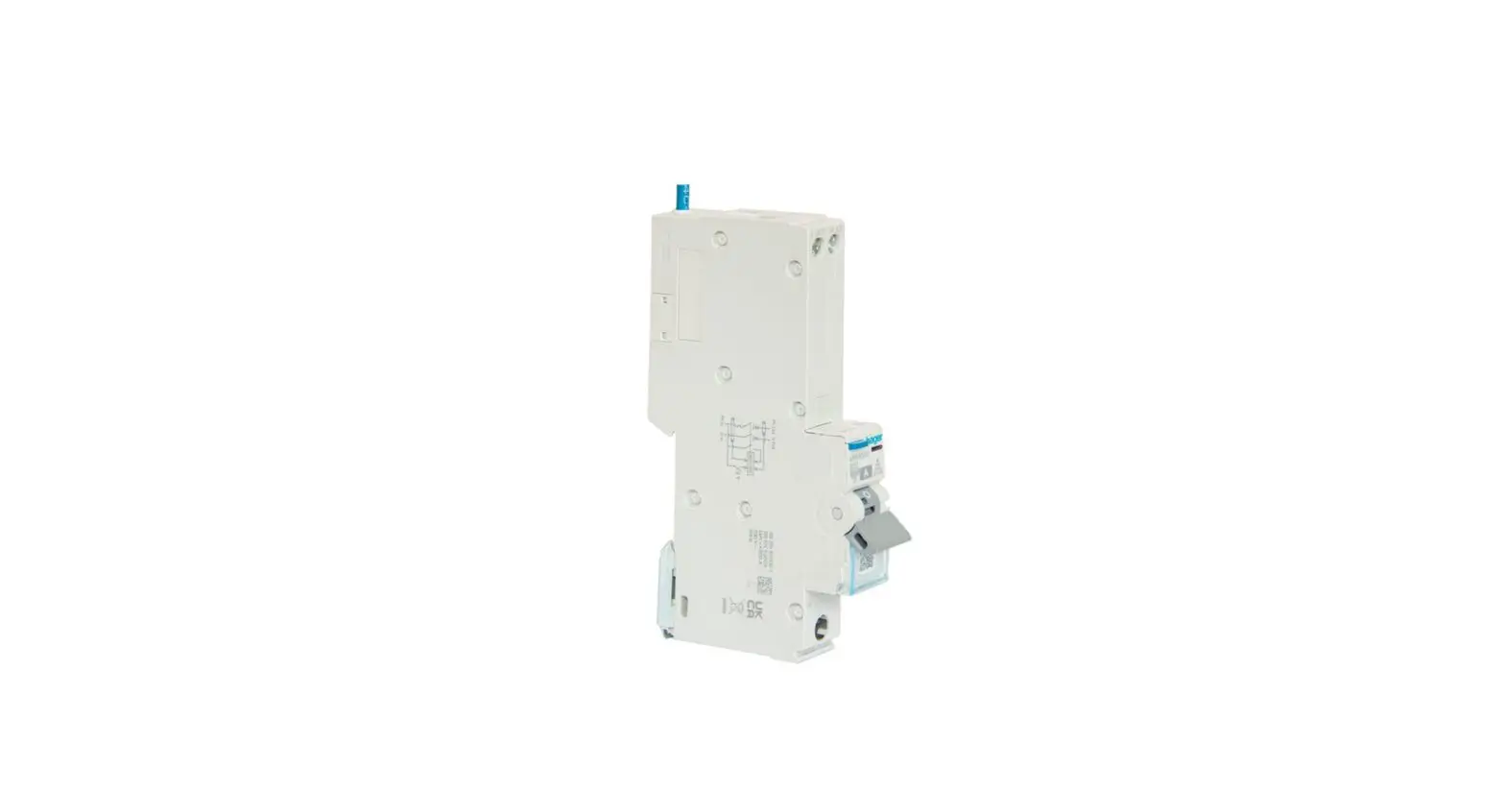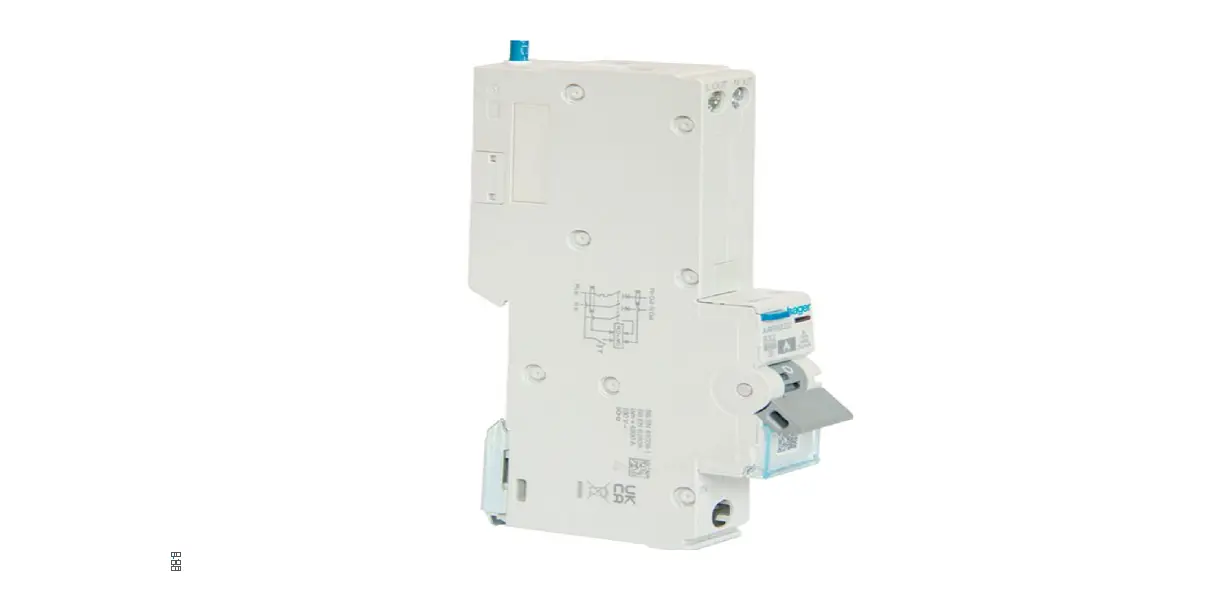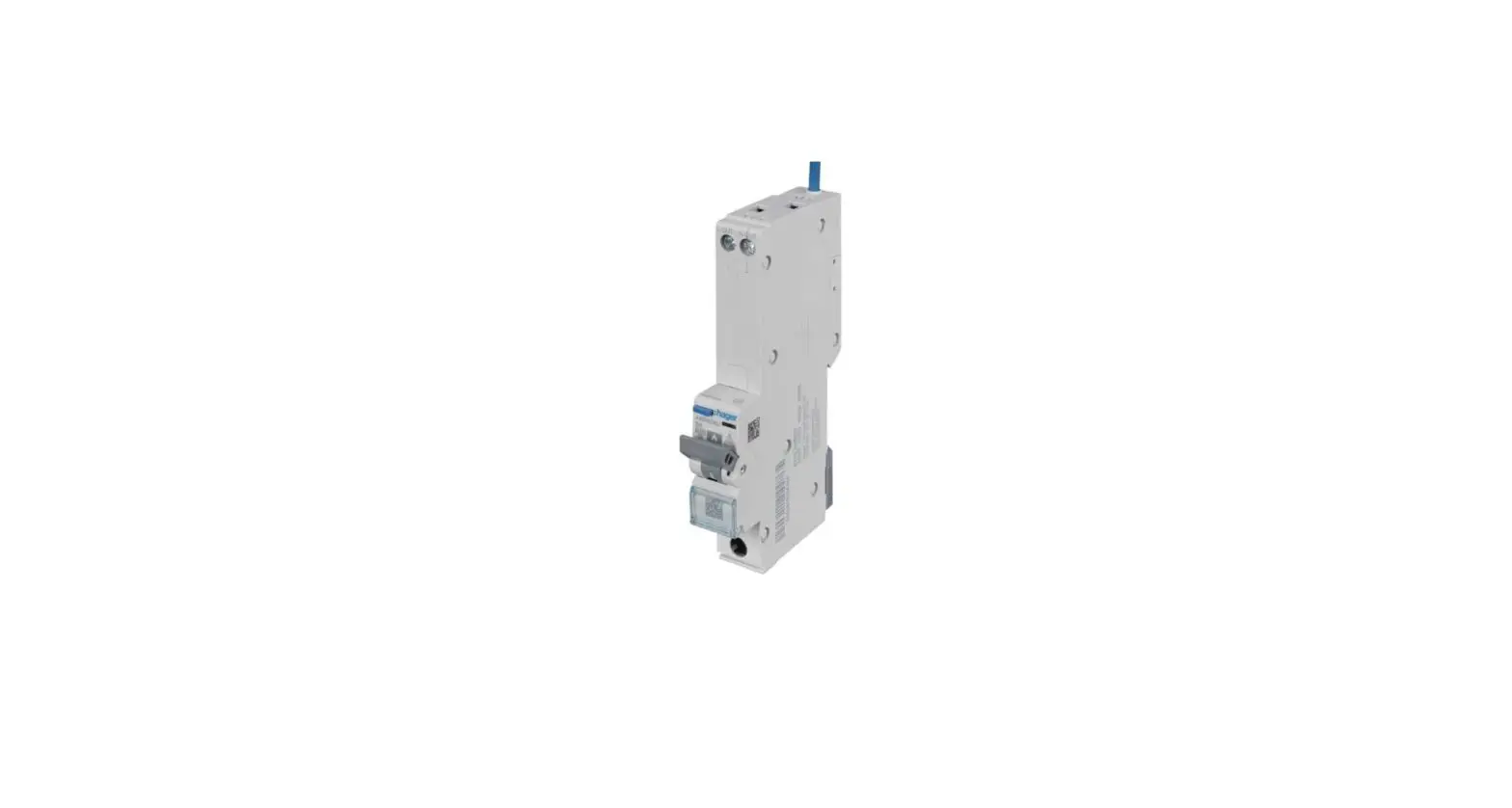

hager ARR906U RCBO with Dangerous Arc Detection
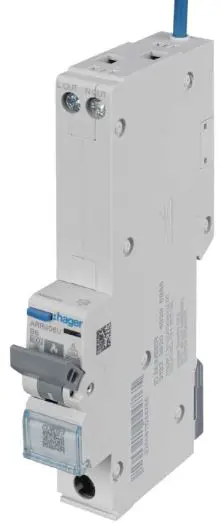
ARR906U
- RCBO with dangerous arc detection 1M 6A B 6kA
ARR910U
- RCBO with dangerous arc detection 1M 10A B 6kA
ARR916U
- RCBO with dangerous arc detection 1M 16A B 6kA
ARR920U
- RCBO with dangerous arc detection 1M 20A B 6kA
ARR925U
- RCBO with dangerous arc detection 1M 25A B 6kA
ARR932U
- RCBO with dangerous arc detection 1M 32A B 6kA
Information
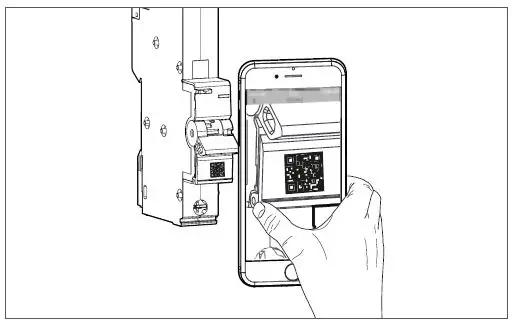
- For more information, scan the QR-Code on the product.
- For further technical information and for installation in Hager Distribution Board, review the Installation Guidance Notes available in the products download section on Hager website.
Safety notice
- The AFDD (Arc Fault Detection Device) may only be installed, connected and serviced by a qualified electrician. Before mounting, the AFDD must be checked for external damage.
- If any damage or other defect is found, the device must not be mounted.
- The national regulations, safety regulations and installation standards BS 7671 must be observed. RCD characteristics 5 Idn compliance (according to table 1 & 2 BS EN 61009-1) for RCDs.
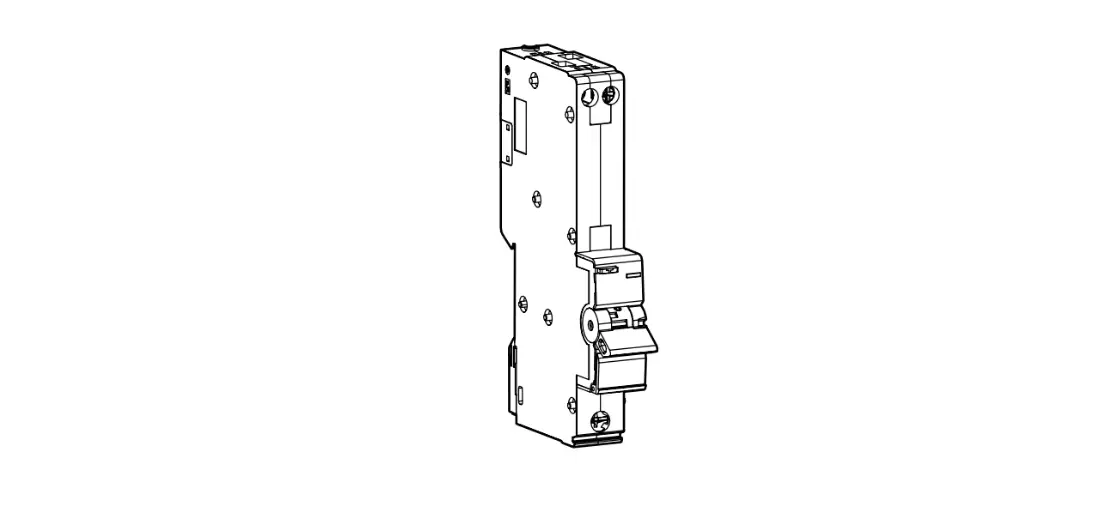
Design and layout of the device
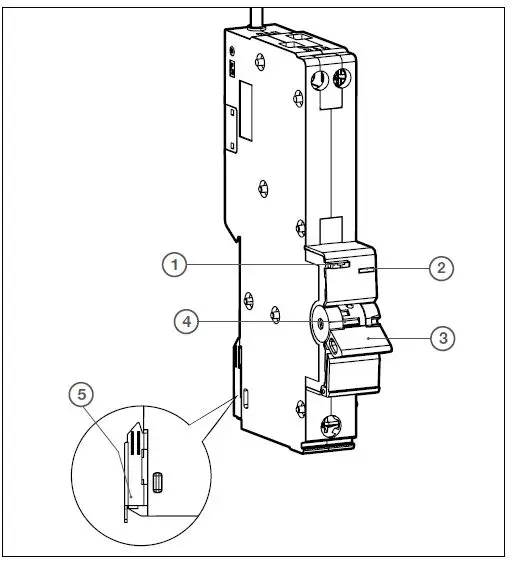
- Test button
- LED status display
- Handle
- Yellow flag
- Mounting metal rail clip
Function
- RCBO-AFD in 1 module ARRxxxU is a single device consisting of a miniature circuit breaker (MCB) unit and residual current detection (RCD) unit with integrated Arc fault detection (AFD) unit (3 in 1).
- The AFDD mitigates the risk of a fire in the final electrical circuits of a fixed installation due to arcing fault currents, which under certain conditions present a fire ignition risk due to dangerous arc fault.
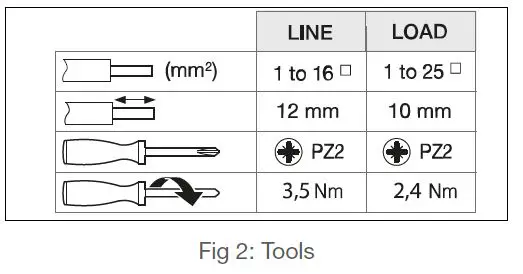
Tools
Installation and electrical connection
DANGER!
- Electric shock when touching live parts! Electric shock can lead to death!
- Before commencing work ensure suitable isolation procedures have been followed.
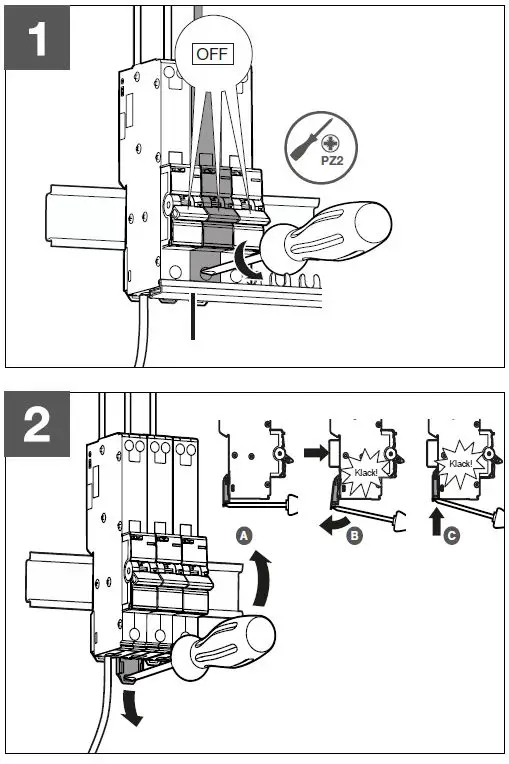
Mount device
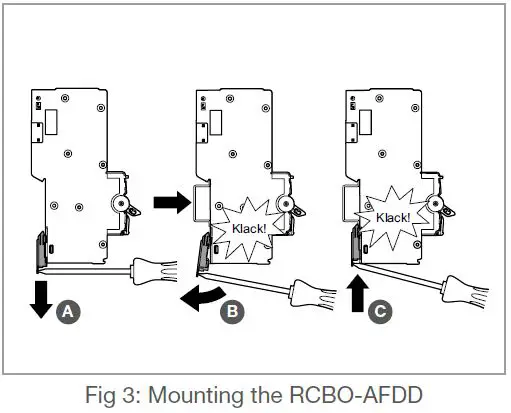
- Open the rail clip.
- Insert the AFDD until it is connected.
- Press the metal clamp down.
- The AFDD is fixed on the rail.
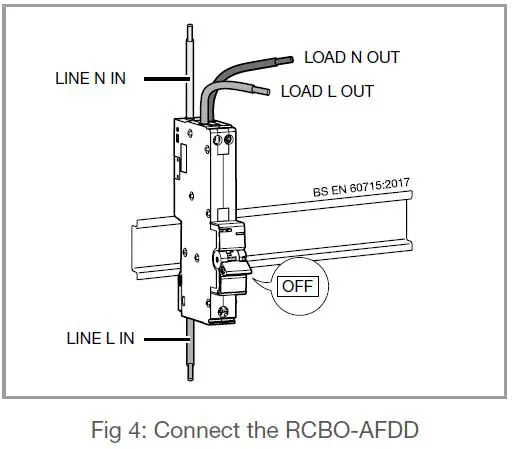
Connect device
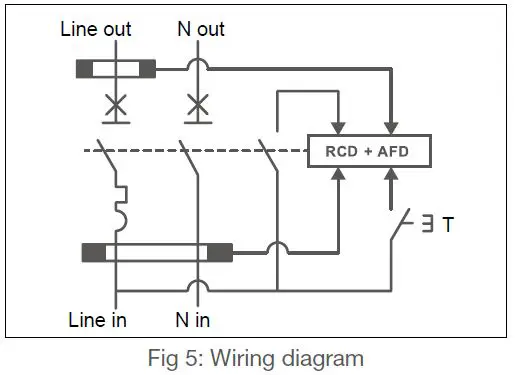
Wiring diagram
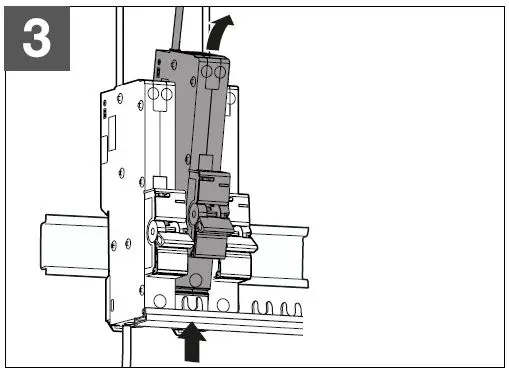
Disassembly
Testing
The test button T is used for testing the device. The AFDD should trip following a short press of the test button. Following this the device can be switched on again.
Test device
ATTENTION!
- Insulation tests at 500V DC may damage this product!
- Do this test only when the handle is off.
- If the handle is OFF you don’t have to disconnect the cable.
Notice
- The AFDD function must be tested after installation.The supply voltage must be present.
- The RCBO-AFDD must trip within one second. If the device does not trip, it must be replaced by a competent electrician.
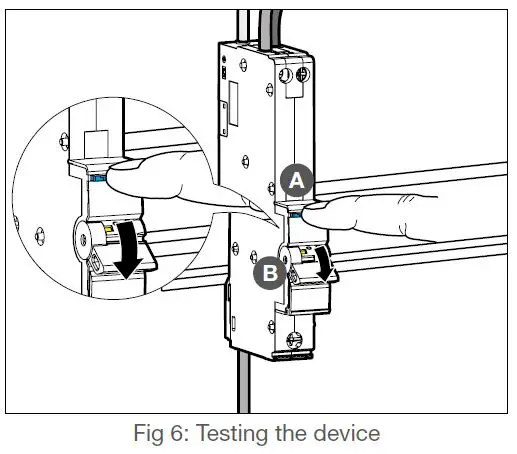
- Short press the test button T. The RCBO-AFDD tripped, i.e. the circuit must switch off.
Notice
If the AFDD does not trip, check the status of the LED (table 1).
LED status for troubleshooting
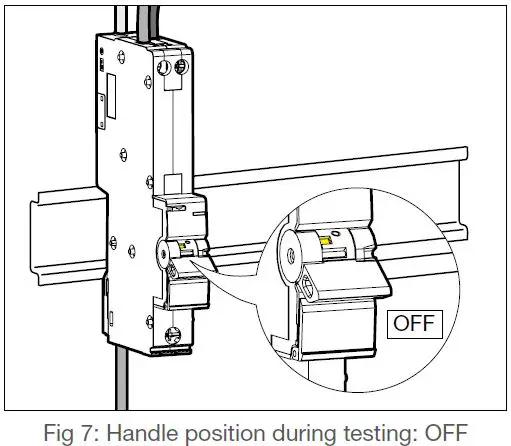
- The handle is in the OFF position.
- Keep the test button T pressed, to open the color code.
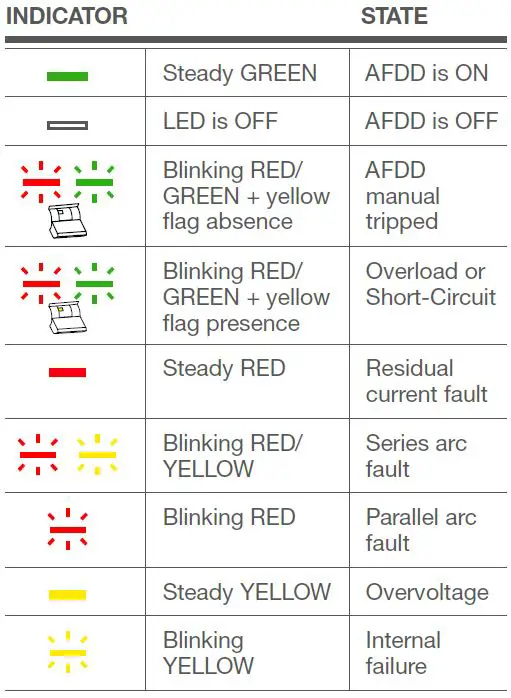
Table 1: LED status display for standard troubleshooting.
Notice
In case of an internal failure, replace the AFDD and contact Hager technical support.
Connection to mobile phone
- A mobile phone (iphone, operating with IOS14 or above, or Android, operating with Android 7 or above) is required to use those functions.
Notice
- Using the connected functions with your mobile phone requires activating network functions (Bluetooth, WiFi) and to accept the application terms of use & privacy notice.
- Only Bluetooth 4.2 or above is supported.
- Install the Hager Pilot mobile application on your mobile phone.
- Follow further instructions on the mobile application.
LED status for Bluetooth® connection
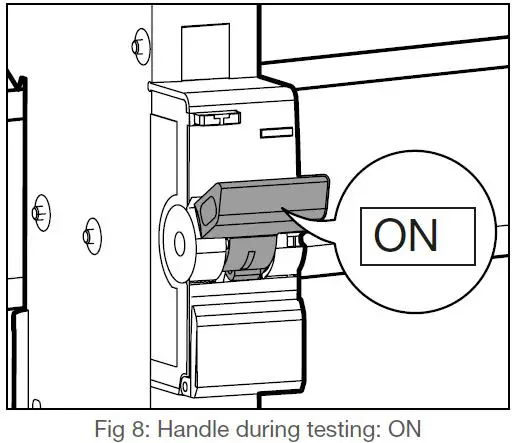
- The handle is in the ON position.
- Press the test button T for 5 seconds to activate bluetooth mode.
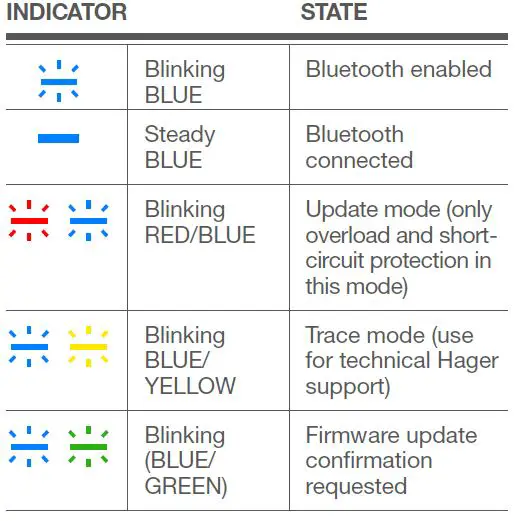
Table 2: LED status display for Bluetooth® connection
EU and UKCA Declaration
Hereby, Hager Electro SAS , declares that the AFDD products are in compliance with SI 2017/1206 Radio Equipment Regulations 2017 and with radio emission directive 2014/53/EU Operating frequency band 2.4 to 2.483 GHz. Maximum radio frequency power 10mW. Declarations of conformity can be downloaded on www.hager.com.
- T +44 1 952 677 899
- [email protected].
- Technical Support: 01952 675689
- www.hager.com/uk.
- hager.com – 01.2023

 Hager worldwide
 Hager worldwide