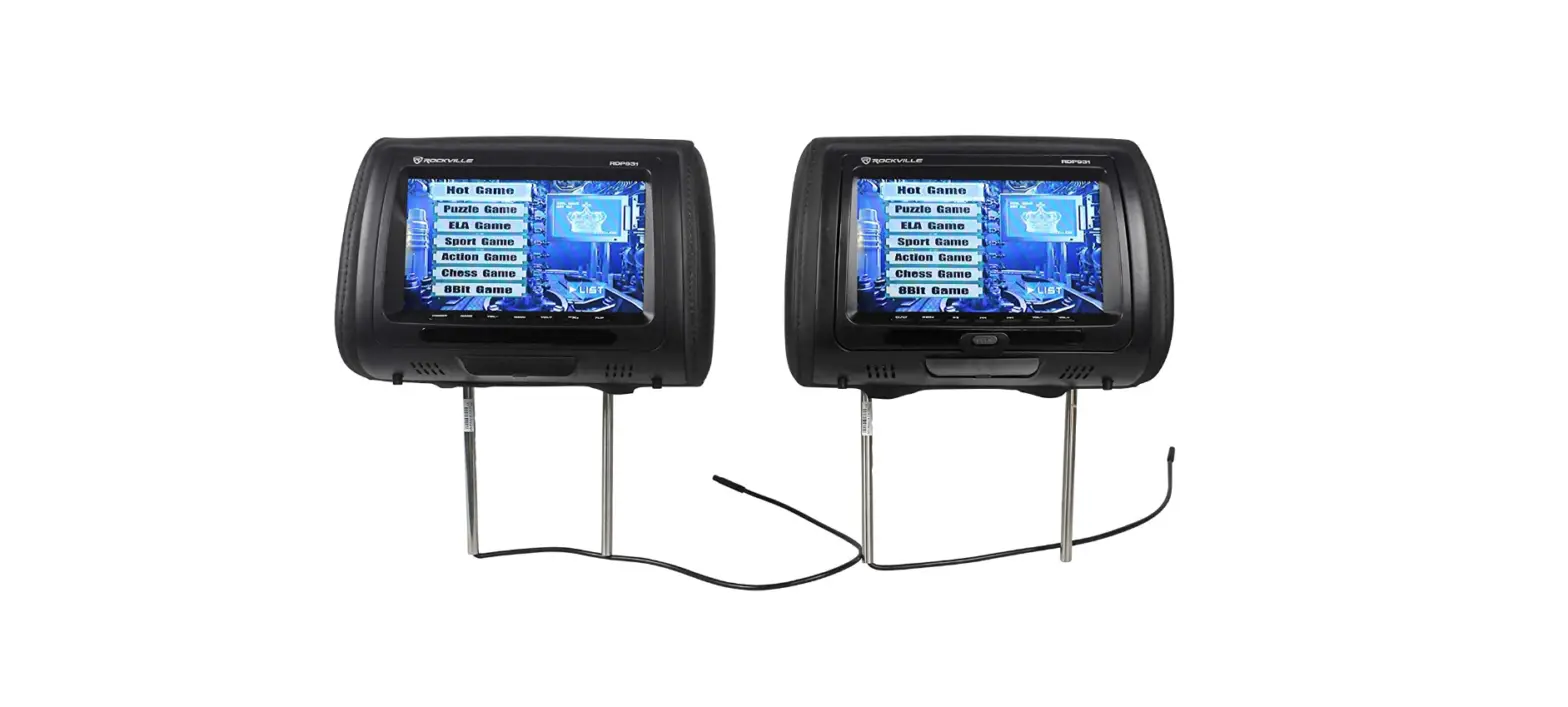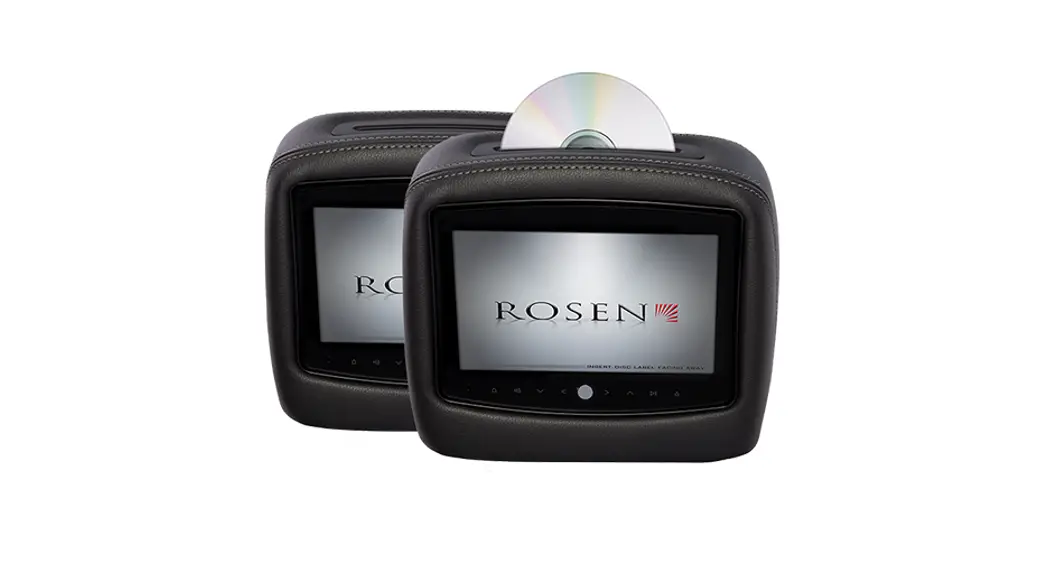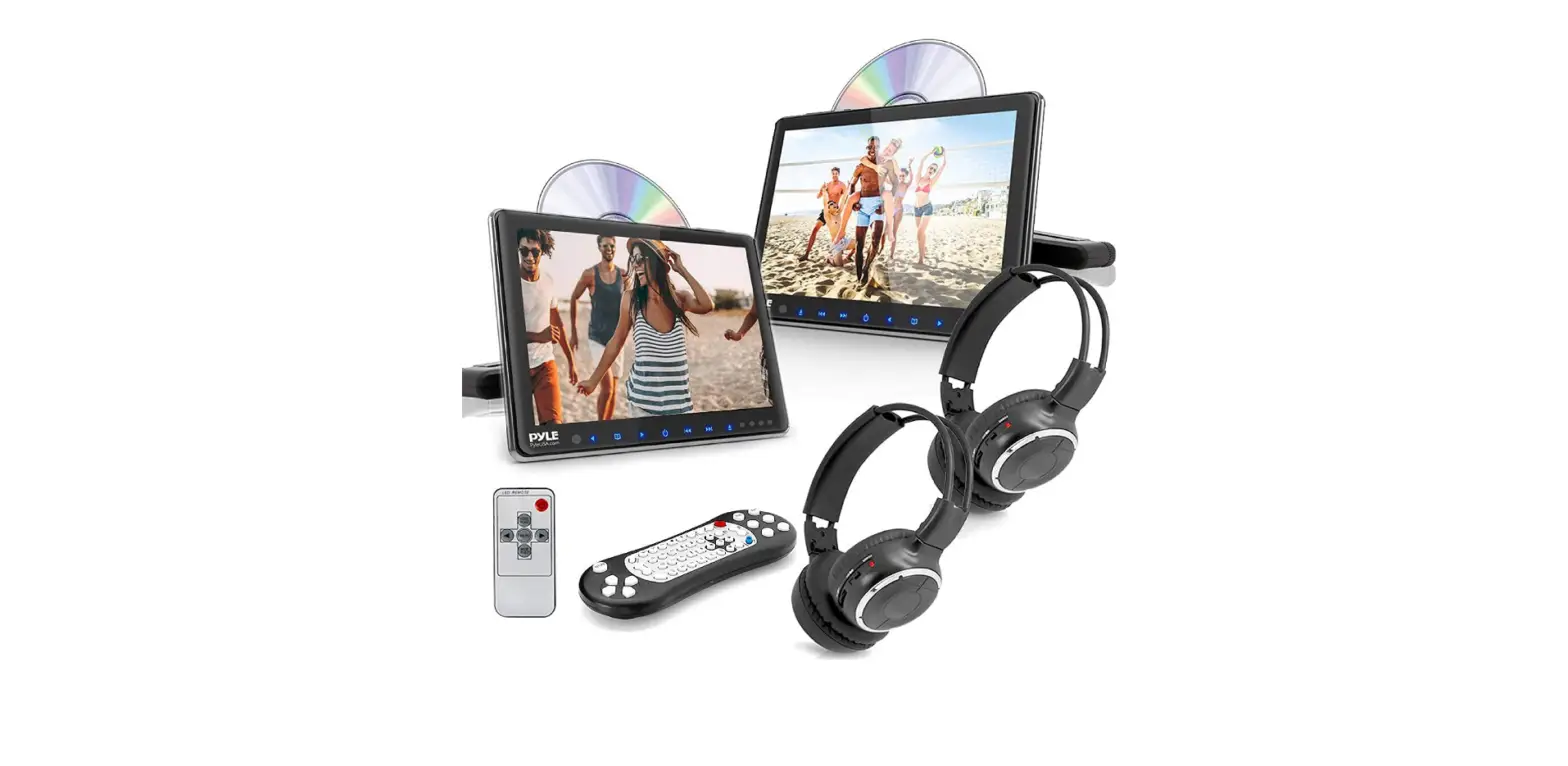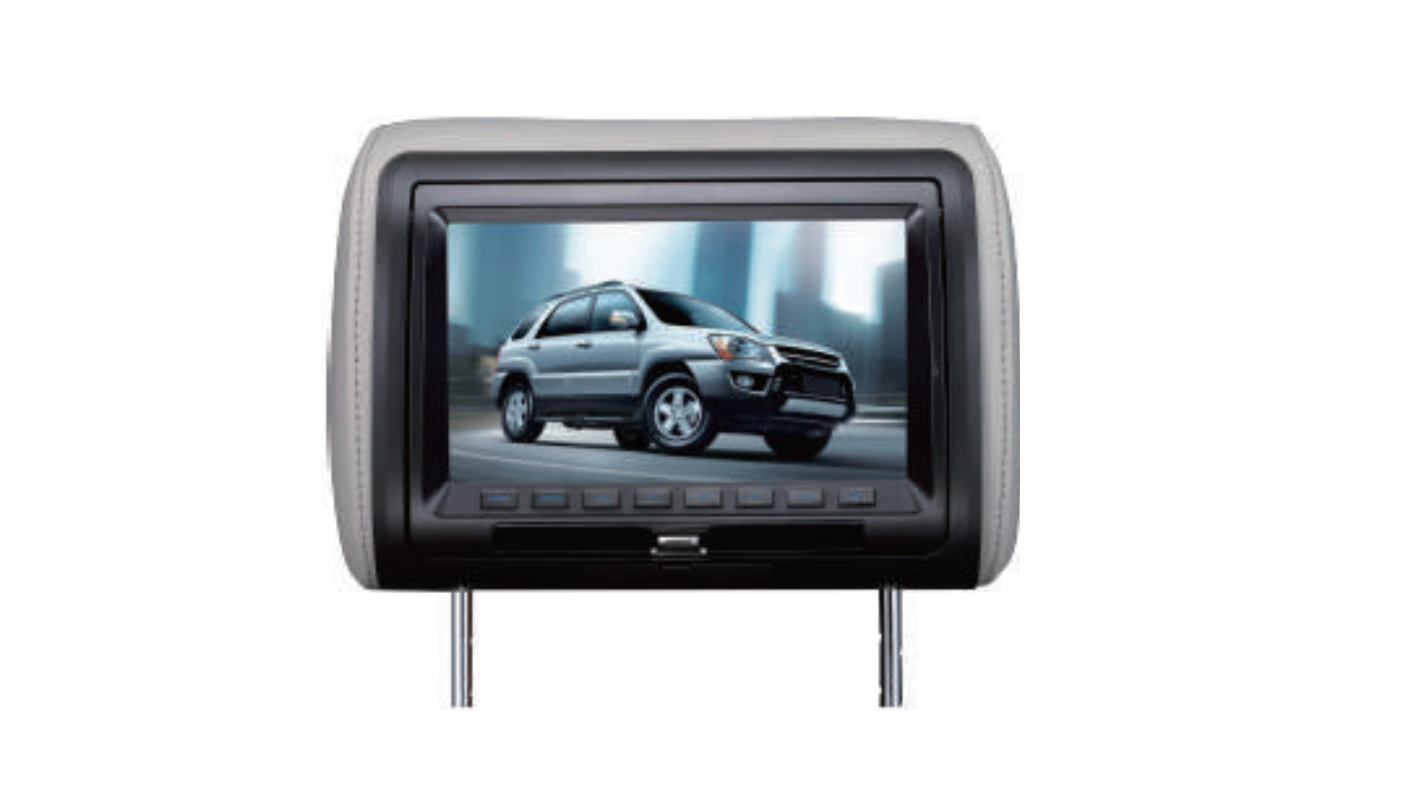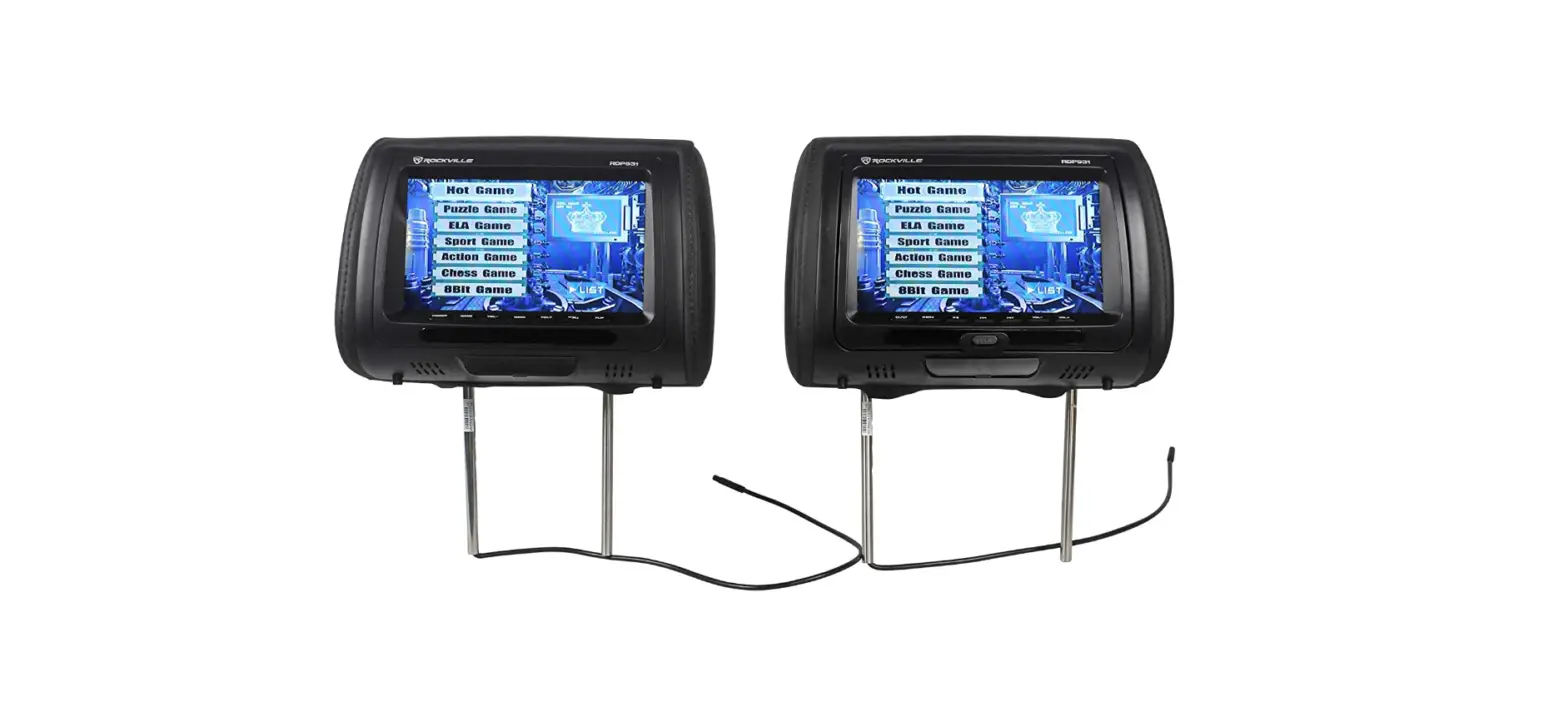

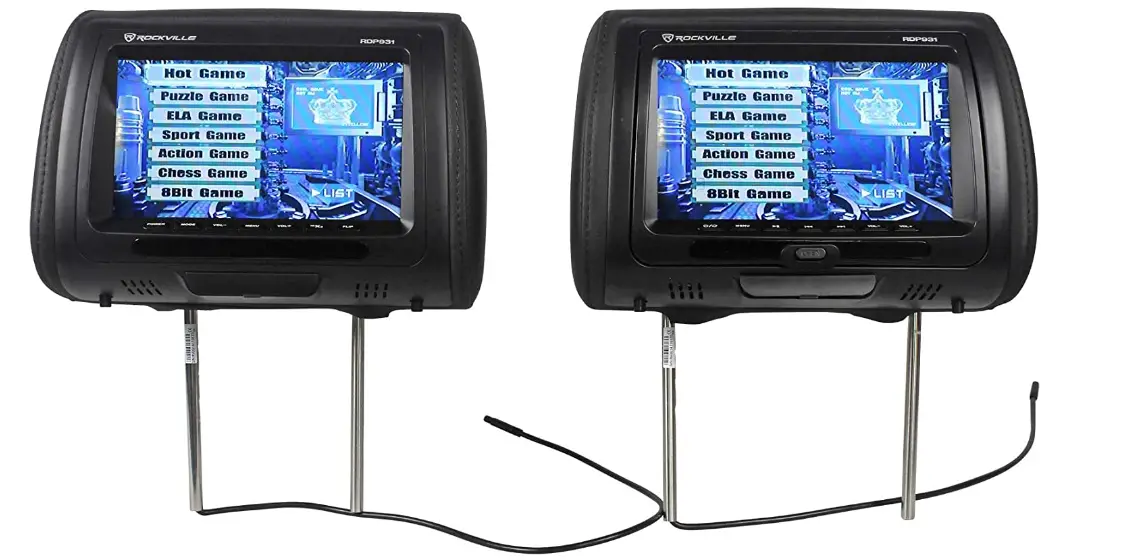
Rockville RVD951-BK 9-Black Dual DVD/USB/HDMI/SD Car Headrest Monitors
 SPECIFICATION
 FRONT PANEL OPERATION
 SPECIFICATION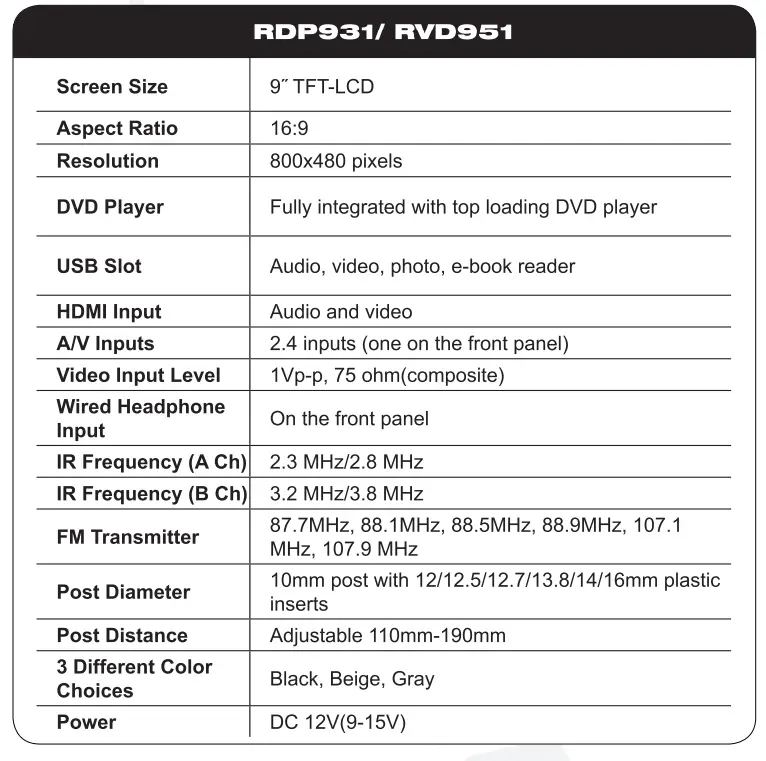
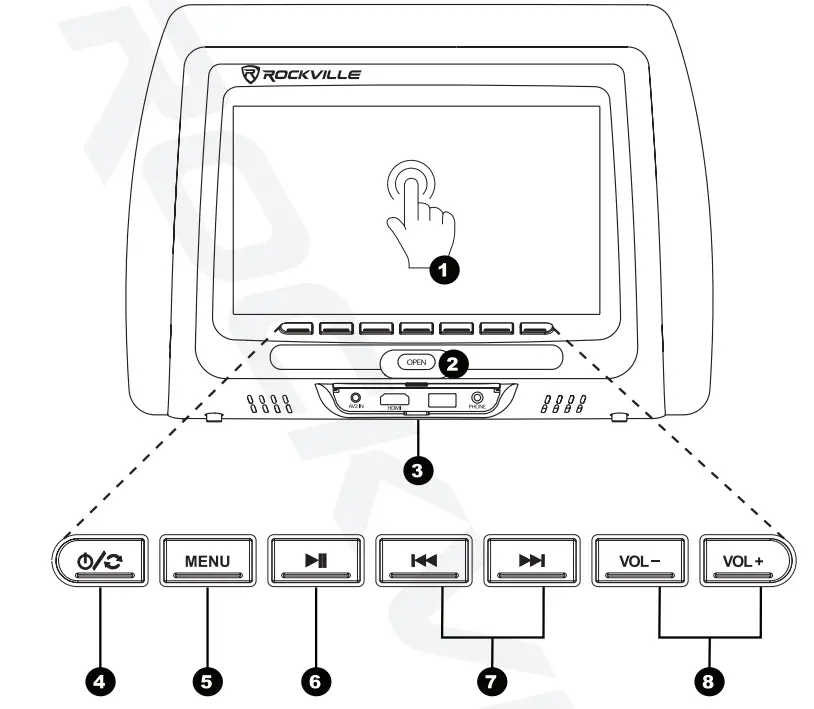
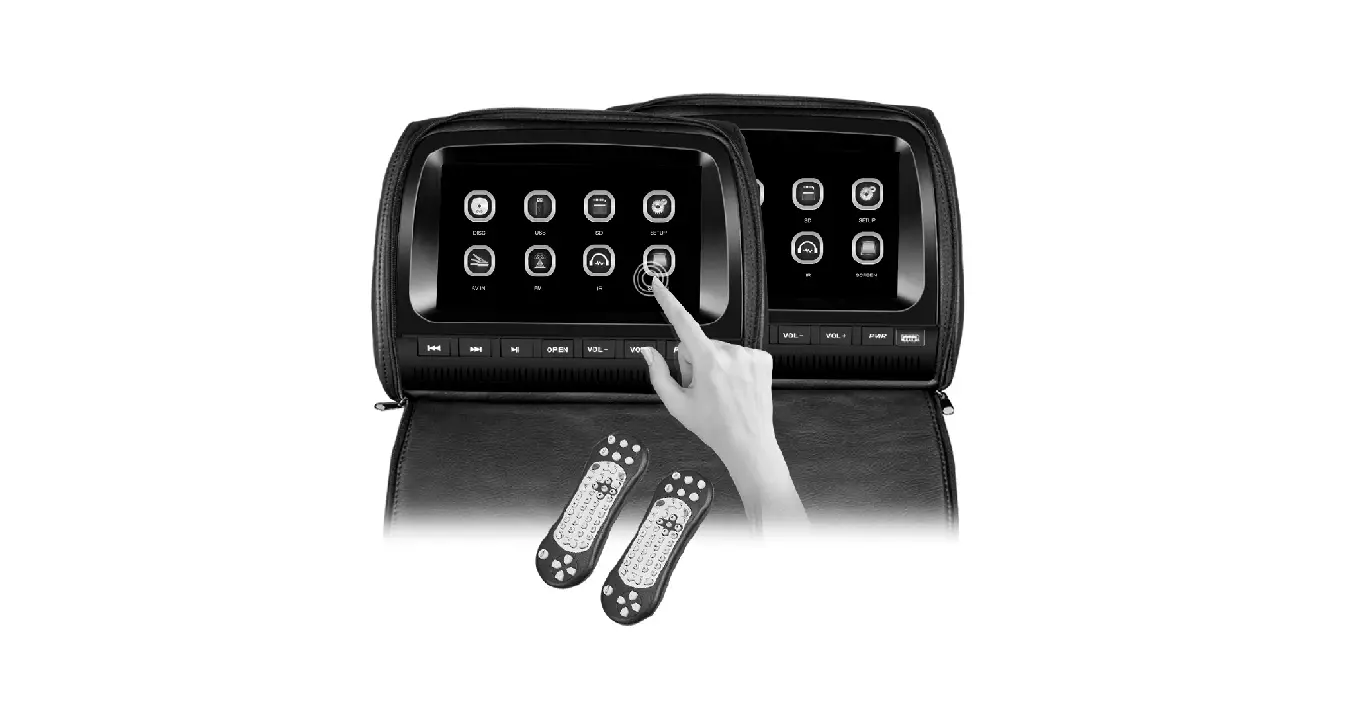
- Touch Screen
*Touch capabilities only available on the RTSVD961 unit (see pg.9 for more information) - Open
Open the disc loading tray - Media Bay
Various media inputs and outputs are available (See pg.# for more details) - Power/Switch
Hold for power on and off, quick press to switch between different inputs - Menu
Open the system menu to access settings (see pg.# for more information) - Play/Pause
Installation pipes - Play/Pause
Previous/Next to skip next - Volume Down/Up
Volume up/volume down
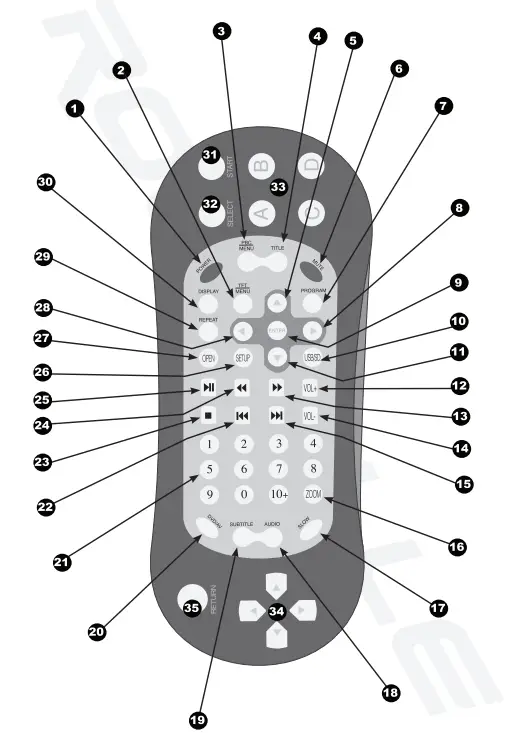
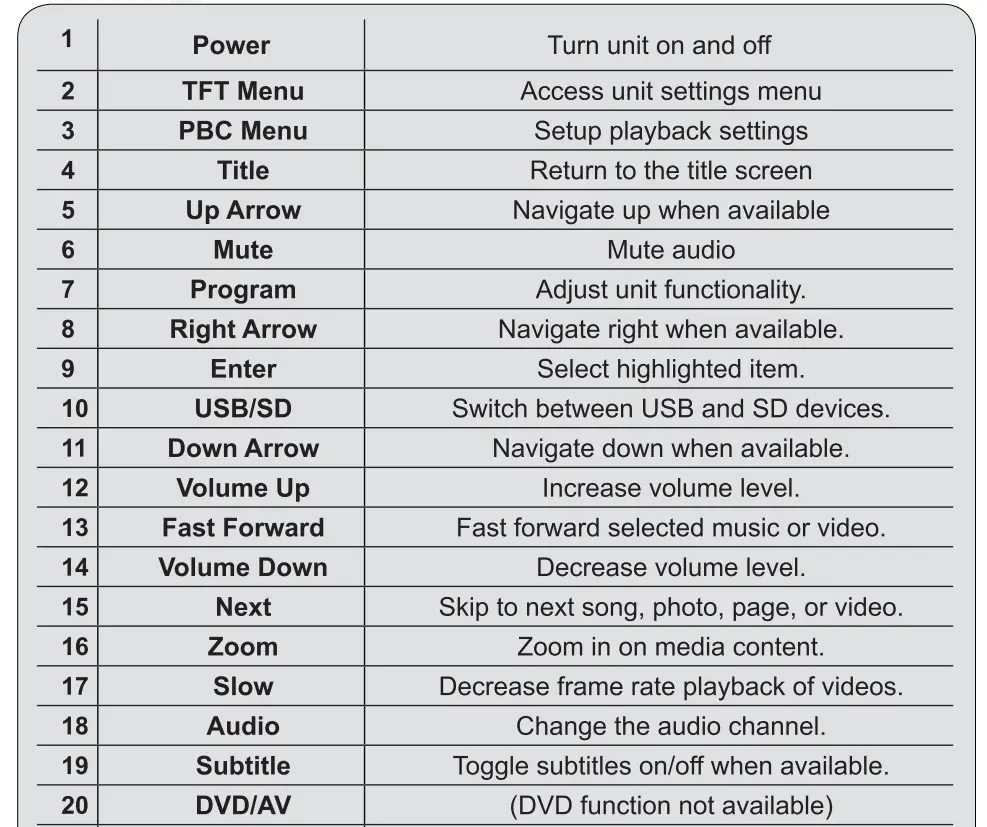
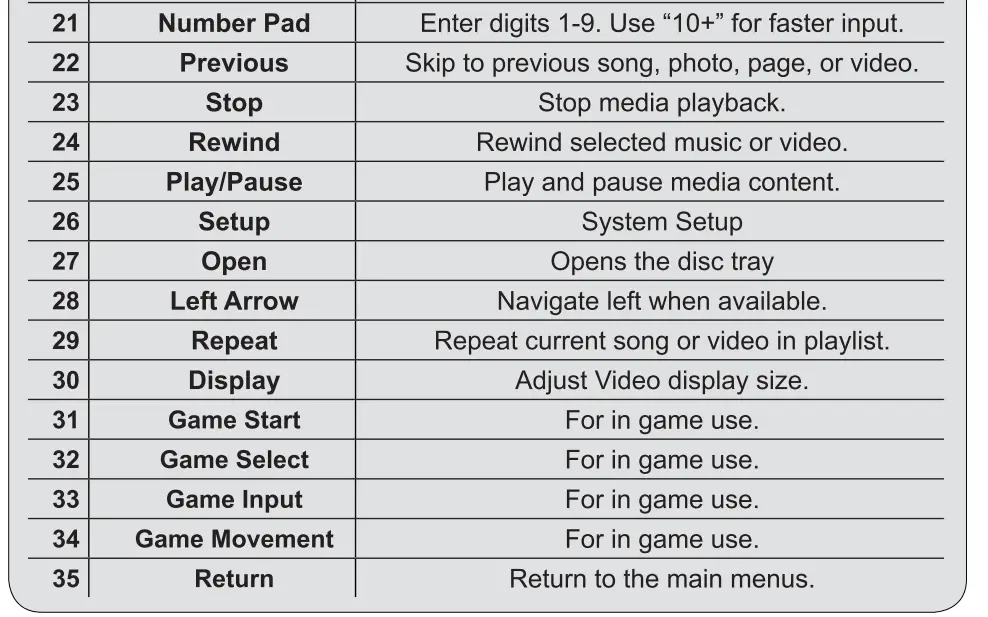
REMOTE

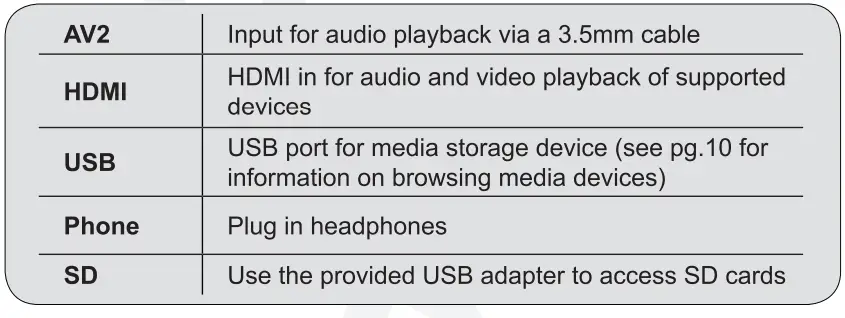
 MEDIA DEVICES

 MEDIA DEVICES
Supported Video Types
- AVI
- DIVX
- MPG
- DAT
- FLV
- RMVB
- VOB
- MP4
- MOV
- OGG
- ASF
Supported Audio Types
- MP3
- WMA
Supported Photo Types
- JPG
- PNG
- BMP
Supported E-BOOK TYPE
- TXT
Supported GAME TYPE
- SMF
DVD OPERATION
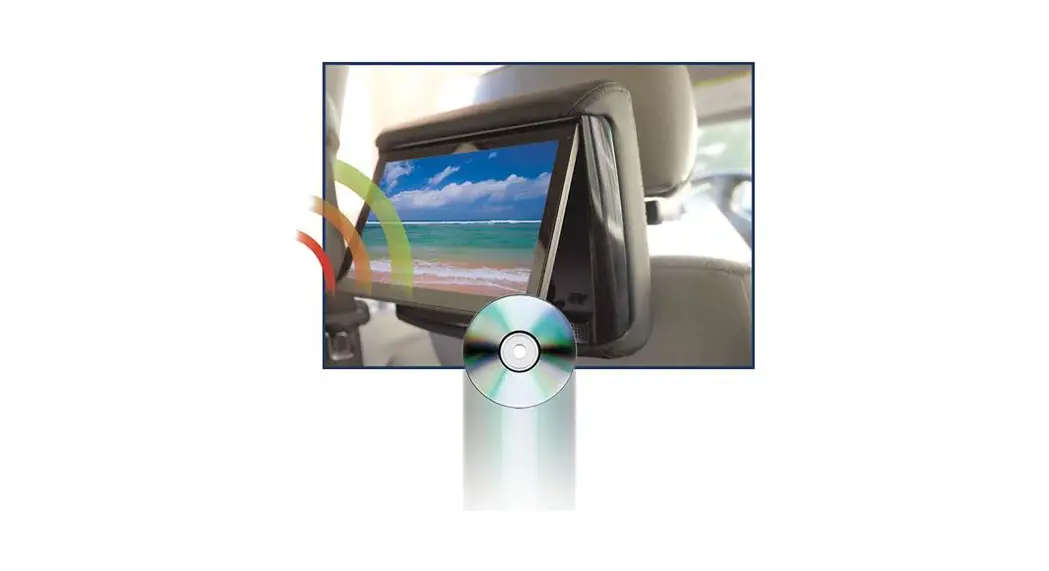
- Insert disc into the slot with the label facing up
- Playback will begin automatically
- To return to DVD playback press MODE on the unit front panel until DISC is selected
- Use the remote or the unit front panel to conrol playback
Supported Disc Types
- DVD
- S-VCD
- VCD
- Audio CD
- MP3 Disc
TOUCH DVD CONTROL
Touch capabilities only available on the RTSVD961 unit. 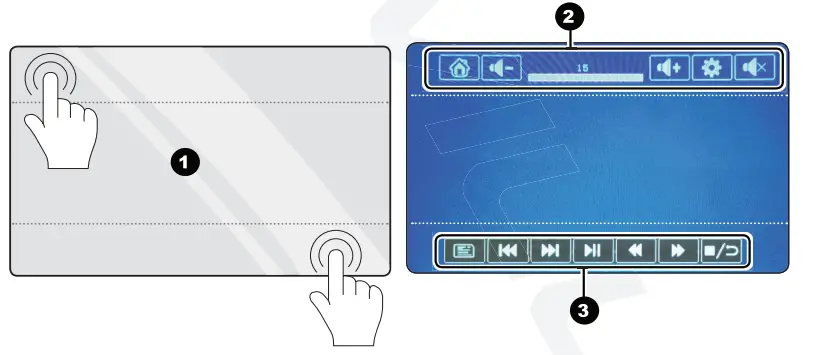
- Touch Points
While in DVD playback only the top and bottom areas are touch compatible - Top Menu
Return home, increase/decrease volume, access DVD settings, and mute - Playback Menu
The playback menu provides the basic playback options
BROWSING FILS
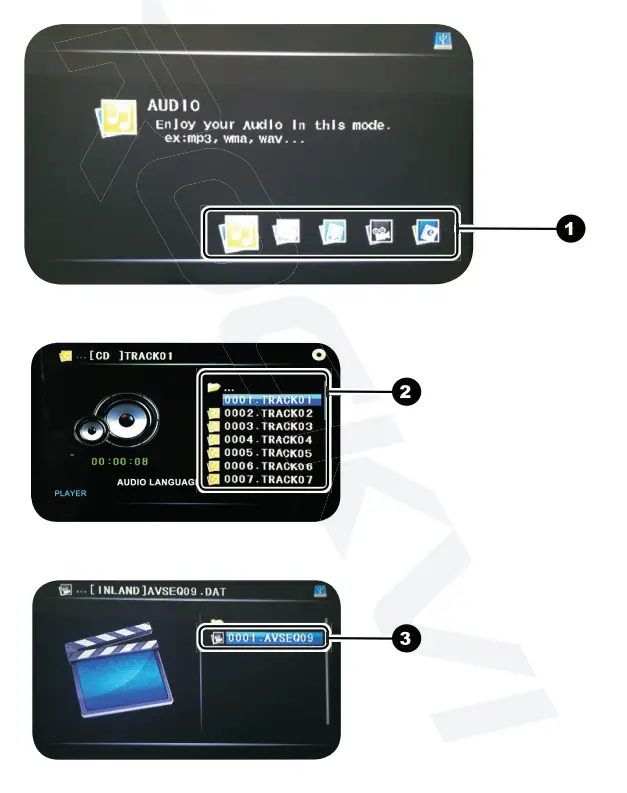
- Select the type of media you’d like to browse
- Audio/Photo/GamesNideo/Books
- Browse folders by selecting them to see their contents or select CB to return to the previous folder
- Select the desired file to begin playback (See pg.8s for list of supported file types)
SETTING
- PICTURE
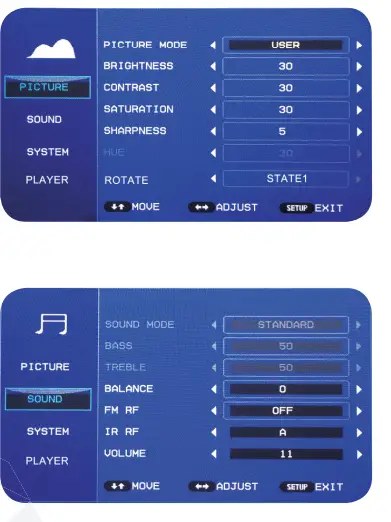
Fine tune the display settings. Brightness, contrast, saturation, sharpness, hue, and orientation. Adjust manually or use one of the presets found under “Picture Mode”.
- Sound
Fine tune the sound settings. Bass, Treble, Balance, FM Radio Frequency, IR Radio Frequency, Volume. Adjust manually or use one of the presets found under “Sound Mode”. - System
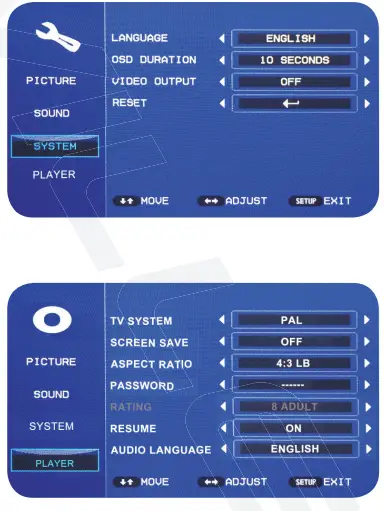
Change system settings. Language, OSD Duration, Video Output, Reset. OSD Duration changes the amount of time the menu will wait before disappearing from inactivity. Reset restore the factory default settings.
- Player
Adjust disc playback options. TV system, screen save, aspect ratio, password, rating, resume, audio language. TV system switches between PAL and NTSC mode. Use password and rating to set parental restrictions for child use.
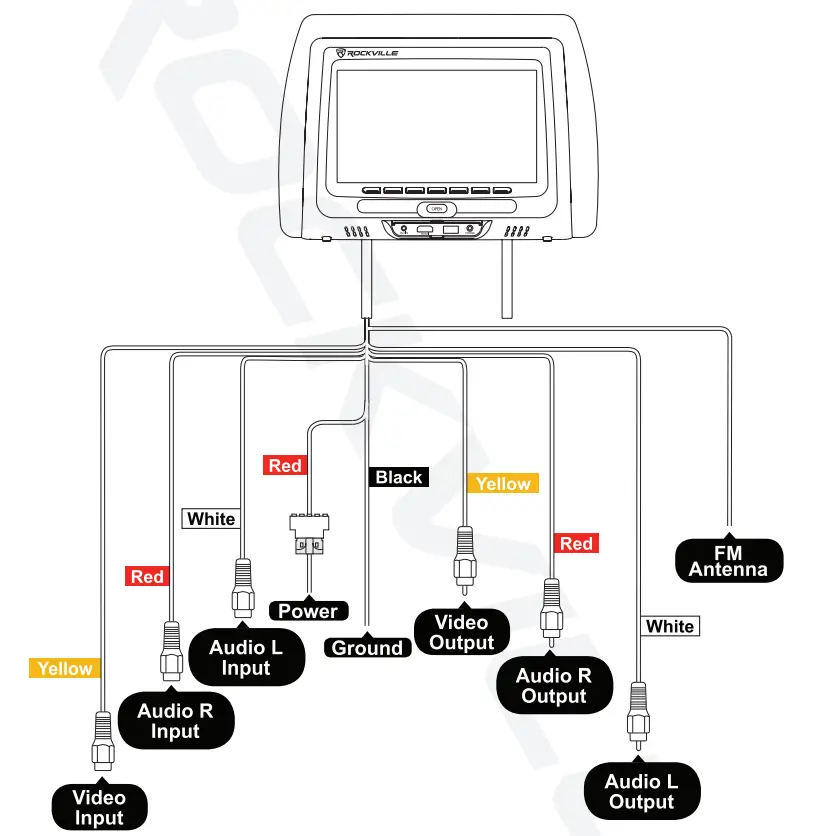
WIRING DIAGRAM
INSTALLNATION
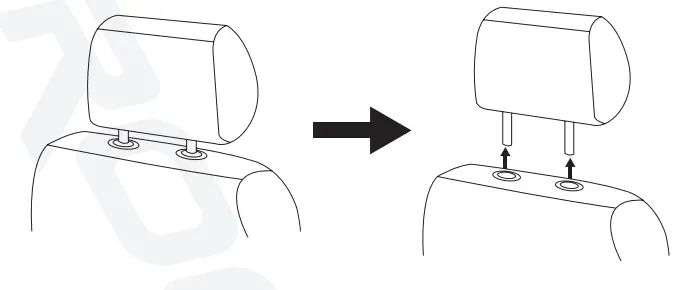
- Remove the existing headrest from the seat
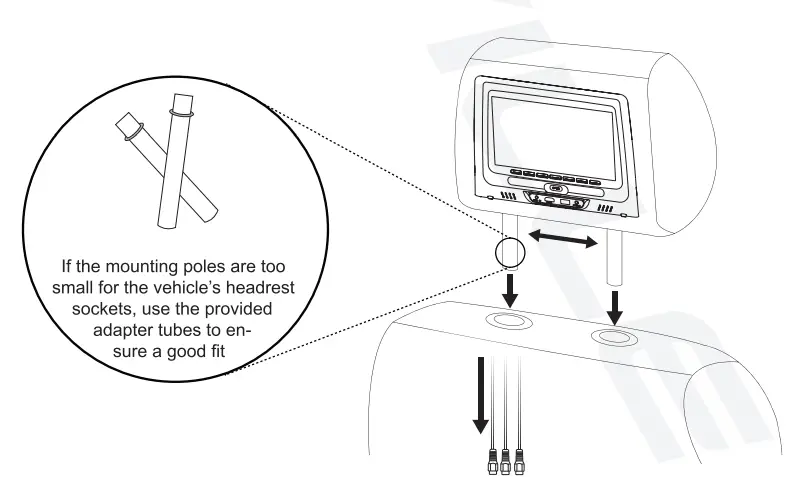
- Adjust the mountings poles of the Rockville headrest unit to fit in the vehicle’s headrest sockets
- Feed the wiring through the hole, down to the bottom of the seat (make sure none of the cables are pinched)
- Once the wires are through, finish inserting the Rockville headrest unit unit it clicks into place
- You can now adjust the height of the unit as you would the vehicle’s factory headrest unit
- Refer to the wiring guide for proper connection of wires

TROUBLESHOOTING
FAQS
Can these play what’s on the head unit if wired also does or not?!
Yes, if it’s wired correctly. But you will have to purchase additional components.
Will this fit a 2017 nissan altima
They fit a 2017 Nissian pathfinder
Is it possible to purchase a second set of connection cables so we can easily switch between our two vehicles?
Yes, But make sure the cables are easily accessible and rigidly secured.
Is it a pair of headrest or just one?
It’s a pair
Will blue ray work
No.
How easy is the install really? Can power come from power cord on power seat? How do each of the headrests power together and play together?
Yes, I hardwired headrest to rear cigarette lighter.
Will this work in a 2006 dodge charger?
probably, they are adjustable for different cars. I have used in my Rav 4 and Camry
Will these mates fit a 2019 Ford F-150 Lariat?
They should. The poles are adjustable from 4″ to 7″. I have mine installed on a Toyota Corolla.
Can you use an amazon firestick in the usb?
The firestick is hdmi, it wont plug into a USB port
Will it fit lexus rx400 2009?
Unfortunately I’m not sure… I bought this for my son’s mother when she gave us the money. She has a Subaru car.
all cords be hidden?
You have to hide them.
Is there a way i can split payment between 2 cards ?
it plays thur fm radio of your choosing for station
do they both have the hemi input sd cards or usb inputs or the just the one with the dvd player have it
Yes it comes with sd card reader to plug in on usb inputs
How does the color match to a black ram 2500?
They are gloss black match up pretty good
Can you power the 2 screens via one cigarette lighter?
These screens are for being hard wired not cig lighter
Are these bluetooth ?
No these are not Bluetooth. They are only monitors.
would it fit 2017 traverse?
These sets are not vehicle specific. They come with a ton of plastic adapters to fit probably any vehicle out there.. I’ve had my set in a PT cruiser and a ford F150 limited adapters fit both seats no problem. They are amazing I have 3 children and they have held up for 2 years now not one problem besides power connectors sometimes get loose and tv will go out.. I just put electrical tape to hold together once I plugged connection together. This stopped that issue, I definitely recommend these units. Dealer installed tv’s can run you 800 to 1500 dollars and these do the same thing. The headrests were larger than my factory ones but not a issue for me. Hope this helps someone that is interested in buying these.