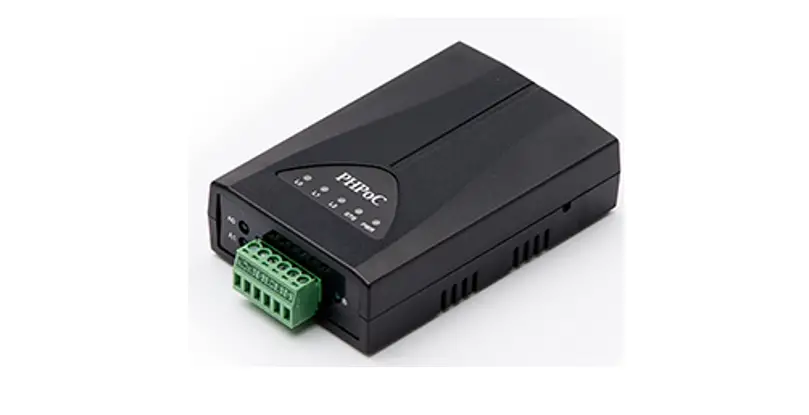

PHPoC P5H-151 IoT Gateway Device
Overview
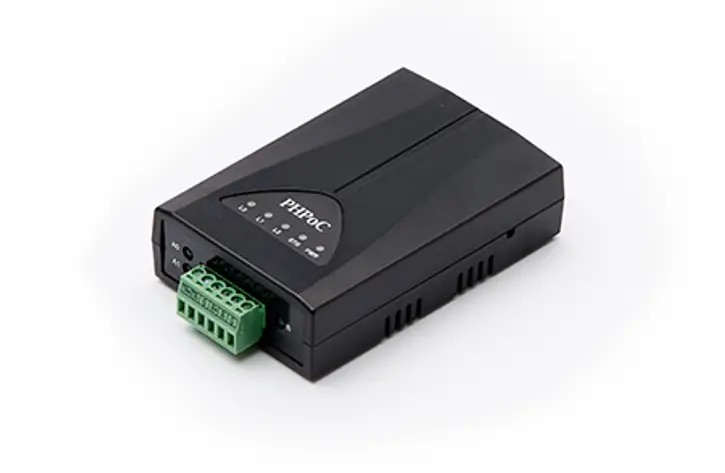
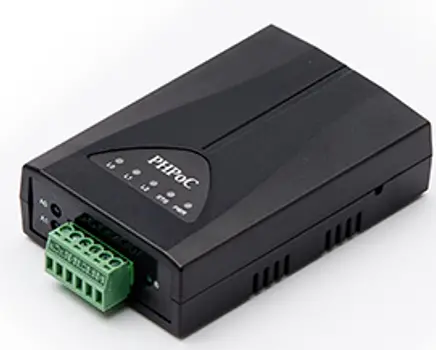
- The P5H-152 is a programmable device that provides Ethernet function. Because this product equipped a serial port which can be selected to RS485 or RS422, you can connect a variety of serial devices to a network.
- Programming on this product requires the use of PHPoC (PHP on Chip). PHPoC is quite similar in syntax to PHP, the general-purpose scripting language. Therefore, anyone with experience in programming can easily learn and use it.
- Although PHPoC and PHP are quite similar in syntax, they are clearly different programming languages. Refer to the PHPoC Language Reference and PHPoC vs PHP for detailed information.
Features
- self-developed PHPoC interpreter
- simple development environment via USB
- 10/100Mbps Ethernet
- a serial port which can be selected to RS485 or RS422 6 user-defined LEDs
- self-developed TCP/IP stacks
- Web Server
- WebSocket, TLS
- various libraries (Email, DNS, MySQL and Etc.)
- dedicated development tool (PHPoC Debugger)
H/W Specification
| Power | Input Power | DC Jack, 5V (±0.5V) |
| Current Consumption | typical – approximately 273mA | |
| Dimension | 89mm x 57mm x 24mm | |
| Weight | approximately 69g | |
| Interface | Serial Port | D-SUB 9-pin Male Connector, an RS232 port |
| Network | 10/100Mbps Ethernet | |
| USB | USB Device Port – for PC connection | |
| LED | 9 LEDs (System: 4, User-defined: 6) | |
| Temperature (storage/operating) | -40℃ ~ 85℃ | |
| Environment | RoHS Compliant | |
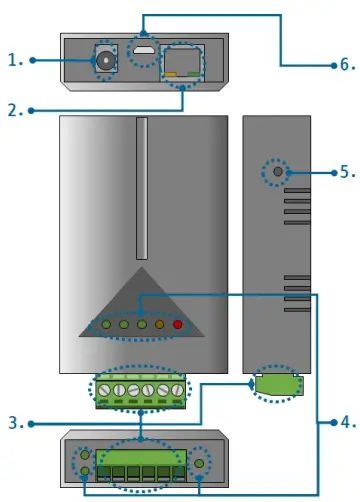
Layout
Supplying Power
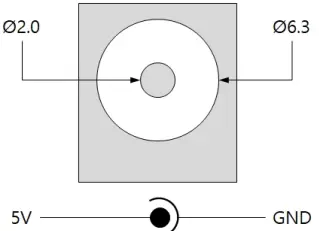
DC 5V Input
This port is the input port for supplying power. The input voltage is DC 5V(±0.5V) and the specification is as follows:
Ethernet
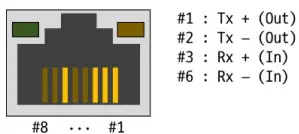
Ethernet port supports 10/100Mbps Ethernet. This port is an RJ45 connector and it is mapped to NET0 for programming.
Serial Port
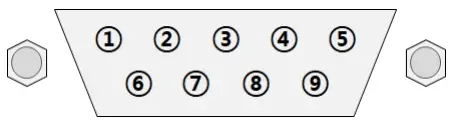
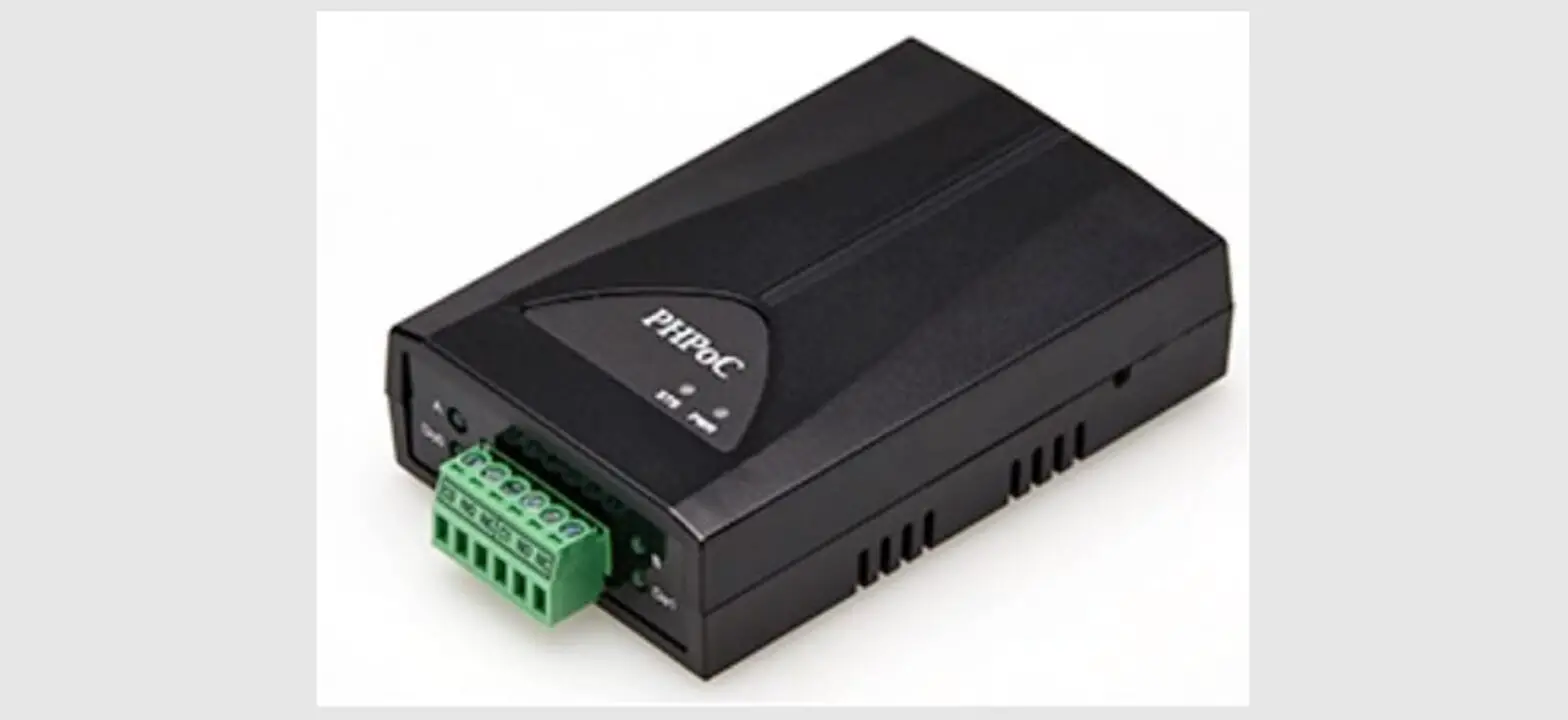
The type of serial port of P5H-152 can be selected to either RS485 or RS422. This port is a 6-pole terminal block and is mapped to UART0 for programming.
Setting flow control is required to use RS485 on UART0. For more details, please refer to the PHPoC Device Programming Guide for p40 document.
| Num | Lable | Description | Level | I/O | Wiring |
| 1 | TR+ | Data + | RS485 | In/Out | Required |
| 2 | TR- | Data – | RS485 | In/Out | Required |
| 3 | GND | Ground | Ground | – | Required(3 or 6) |
| 6 | GND | Ground | Ground | – | Required(3 or 6) |
pin assignment of RS422
| Num | Lable | Description | Level | I/O | Wiring |
| 1 | TX+ | Transmit Data + | RS422 | Out | Required |
| 2 | TX- | Transmit Data – | RS422 | Out | Required |
| 3 | GND | Ground | Ground | – | Required(3 or 6) |
| 4 | RX+ | Receive Data + | RS422 | In | Required |
| 5 | RX- | Receive Data – | RS422 | In | Required |
| 6 | GND | Ground | Ground | – | Required(3 or 6) |
LED
This product has 10 LEDs. The user-defined LEDs are turned on when you output LOW to the UIO pin connected.
| Lable | Color | Description | UIO pin |
| PWR | Red | System LED – supplying power | N/A |
| STS | Yellow | System LED – system status | N/A |
| L0 | Green | User-defined LED | UIO1.8 |
| L1 | Green | User-defined LED | UIO1.7 |
| L2 | Green | User-defined LED | UIO1.6 |
| A0 | Green | User-defined LED | UIO1.9 |
| A1 | Green | User-defined LED | UIO0.30 |
| B | Green | User-defined LED | UIO0.31 |
| RJ45_G | Green | System LED – system status | N/A |
| RJ45_Y | Yellow | System LED – network link status | N/A |
Function Button
The function button, which is inside the hole of the side panel, is used to operate this product as a button setup mode.
USB Device Port for connection with PC
The USB device port is to connect with PC. You can access to P5H-152 via development tool by connecting USB cable to this port.
Software (IDE)
PHPoC Debugger
PHPoC Debugger is a software used for developing and setting PHPoC products. You need to install this program on your PC for using PHPoC.
- PHPoC Debugger Download Page
- PHPoC Debugger Manual
Functions and Features of PHPoC Debugger
- Upload files from local PC to PHPoC
- Download files in PHPoC to local PC
- Edit files stored in PHPoC
- Debug PHPoC scripts
- Monitor resources of PHPoC
- Configure parameters of PHPoC
- Upgrade Firmware of PHPoC
- Support MS Windows O/S
Connecting Product
USB Connection
- Connect the USB device port of P5H-152 to your PC via a USB cable.
- Run PHPoC Debugger
- Select connected COM PORT and press connect
 ) button.
 - If USB is successfully connected, connect button will be inactivated and disconnect button ) will be activated
 ) button.
 ) will be activated
Remote Connection
P5H-152 provides the remote connection. Please refer to the PHPoC Debugger manual page for details.
Reset
Settings Reset
Settings Reset makes all settings of your PHPoC products to factory default.
Settings Reset Procedure
| Step | Action | Product State | STS LED |
| 1 | Press function button shortly (less than 1 second) | Button setup mode | On |
| 2 | Keep pressing the function button over 5 seconds | Preparing initialization | Blink very rapidly |
| 3 | Check if the STS LED is turned OFF | Initialization ready | Off |
| 4 | Release the function button right after the STS is OFF.(※ If you don’t release the button within 2 seconds, the state go back to the step 3) | Progressing initialization | On |
| 5 | Rebooting automatically | Initial state | Off |
Factory Reset
Factory Reset makes all settings of your PHPoC products to factory default including a password. Futhermore, all files stored in flash memory are deleted as well as certificate. Because of this, you have to backup your files before doing Factory Reset. To progresss the Factory Reset, the PHPoC Debugger is required.
Factory Reset Procedure
Web Interface
PHPoC itself has a webserver to provide a web interface. When receiving a HTTP request, it executes the php script in the requested file (if there) and respond to the client. Webserver is independent of PHPoC main script. TCP 80 is used for web server and you can use the interface via Internet Explorer, Chrome or any other web browsers.
How to use web interface
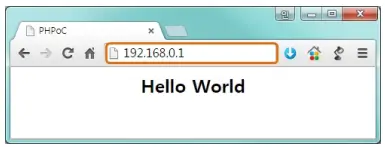
To use the web interface, “index.php” file should be in the file system of your PHPoC. Connect to this page by entering device IP address after connecting it to network.
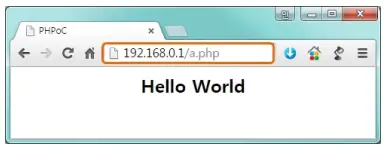
If the name of file is not “index.php”, just specify the name of file after the IP address with slash mark.
Practical Use of Web Interface
Since the web server executes the php script in the requested file, user can put php code in the in the requested file to interact with peripherals. It is worth noting that there is other way to interact with the peripherals in real-time from web interface. This can be done by using websocket.
Setting Passwords
If you set a password for the product, you must enter the password when connecting the product via USB or network.
Please refer to the PHPoC Debugger manual page for details.
Escaping Infinite Reset
PHPoC basically runs scripts when it boots up. Therefore, it is possible that a PHPoC cannot be escaped from infinite reboot when script contains system command such as “reboot”. To solve this problem, it is required to stop the running script.
Refer to the following.
- Entering ISP mode
Make your PHPoC product to enter ISP mode by supplying power while pressing FUNC button. In the ISP mode, you can access to PHPoC by PHPoC Debugger without running a script. - Connect to PHPoC
Connect a PC to PHPoC via a USB cable and connect to the port via PHPoC Debugger. A message window related with ISP mode will be popped up. - Reboot PHPoC
Reboot PHPoC by using “Reboot a product” menu in PHPoC Debugger. After rebooting, PHPoC stops running script even it is not in the ISP mode. - Correct source code
Correct the source code to prevent infinite reboot state.
Device Information
| Device | Quantity | Path | Note |
| NET | 1 | /mmap/net0 | – |
| TCP | 5 | /mmap/tcp0~4 | – |
| UDP | 5 | /mmap/udp0~4 | – |
| UART | 1 | /mmap/uart0 | – |
| UIO | 2 | /mmap/uio0~1 | LED 6(pin #0.30~31, #1.6~9), TXDE(#0.8) |
| ST | 8 | /mmap/st0~7 | – |
| UM | 4 | /mmap/um0~3 | – |
| NM | 1 | /mmap/nm0 | – |
| RTC | 1 | /mmap/rtc0 | – |
Refer to the PHPoC Device Programming Guide for p40 for detailed information about using devices.
Documents / Resources
 | PHPoC P5H-151 IoT Gateway Device [pdf] User Manual P5H-151, IoT Gateway Device, P5H-151 IoT Gateway Device, Gateway Device, Gateway |