
BINAR PRODUCTION SYSTEMS
Industrial IoT Gateway
LP304
USER MANUAL 
System overview
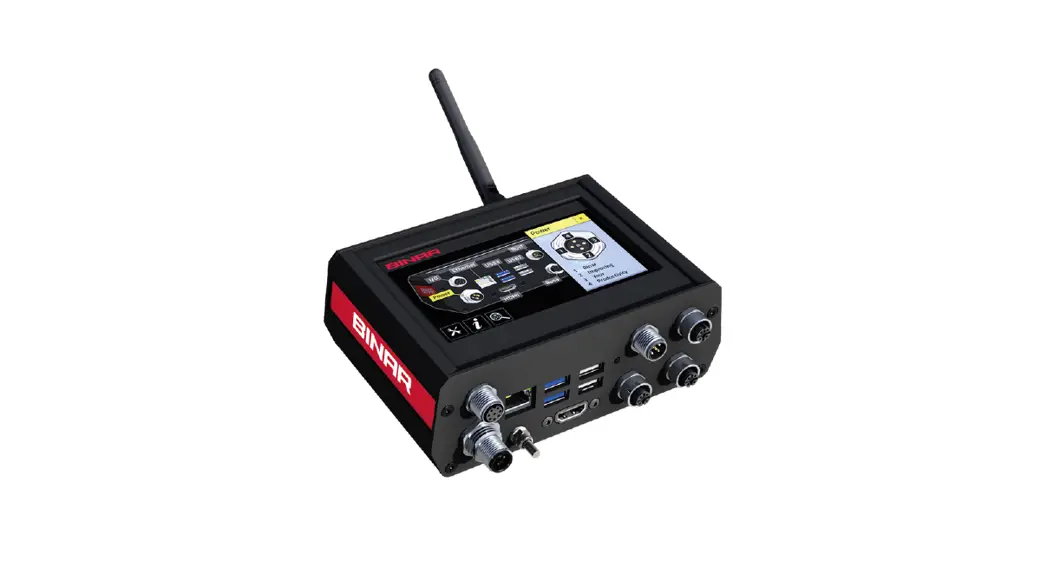
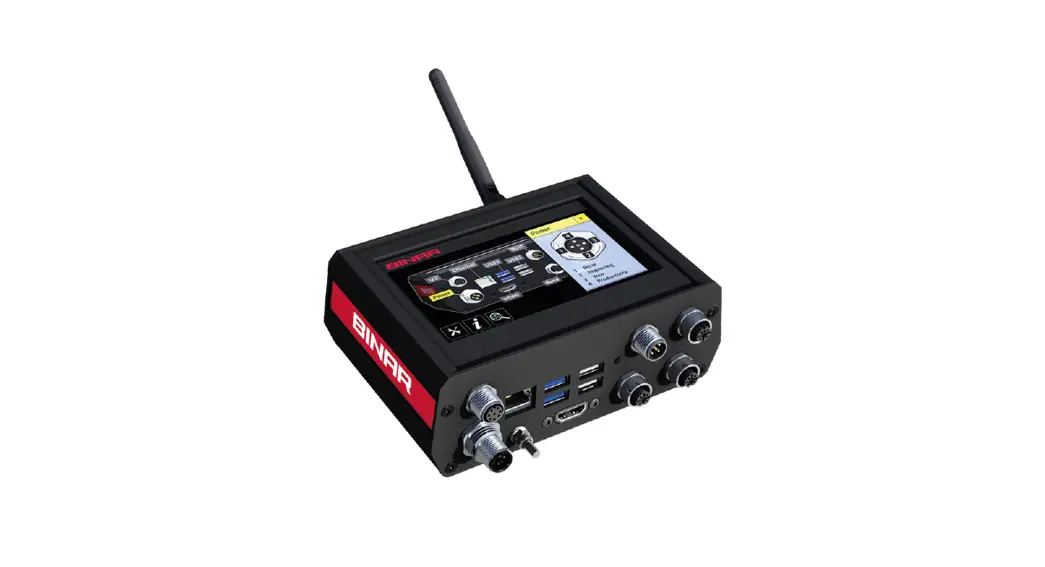
The LP304 is a powerful industrial IoT Gateway that enables master systems to control equipment on the production shop floor.
Binary has a broad range of products that are used to build efficient support systems for Lean Manufacturing. The gateway acts as a bridge between a master system and the different hardware modules on the shop floor. Master systems may connect to the LP304 gateway using:
ETHERNET
CAN
The gateway has a built-in MQTT broker to support very efficient and lightweight message exchanges between devices. The system can communicate via modern protocols such as REST and MQTT to control all kinds of I/O devices including all Binar CAN products such as Pick to Light, BiDisp3 LED Displays, CAN Buttons and Binar Wireless
System slaves.
As an option, it may be connected as a slave in a Binar system with an LP305 Gateway.
Binar Wireless System
The LP304 is equipped with the new Binar Wireless System that adds wireless capability to low-energy I/O points like Andon buttons, smart tools, and more.
User interface
2.1 The main menu 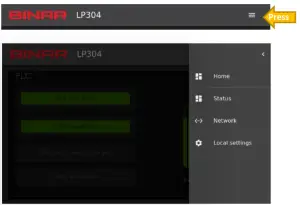
Home Return to Home page
Status Show System status page
Network Configure Network Settings
Local settings Show Local Settings page
2.2 System 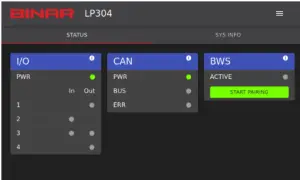
Section I/O
Shows the I/O signal status (In or/and Out) Active or Not
Section CAN
Shows status for the CAN bus (connectors X1 and X2)
Section BWS
Show if BWS (Binar wireless System) is active or Not and what devices are contacted throw it.
2.3 Network 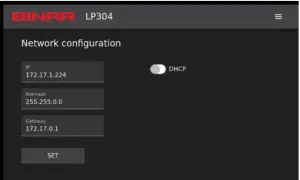 Write Network setting
Write the network configuration info and press “SET” to save it, or active “DHCP” for dynamic IP address.
2.4 Local Settings 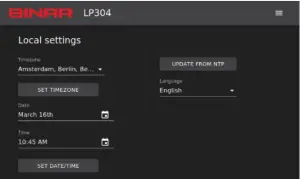 Timezone
Chose the time zone and press “SET TIMEZONE”.
Date & Time
Set the date and time and press “SET DATE/TIME”.
Language
Chose the preferred language form the list available.
Connectors
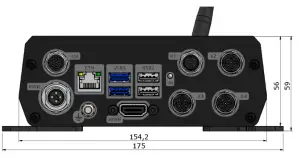
3.1- Connectors overview
1. I/O CONNECTOR: 4 IN, 2 OUT. M12, 8 poles
2. Ethernet: RJ45
3. CAN: 3A: IN or 24VDC max 4Amp, M12 5 pin male A code 3B: OUT, M12 5 pin female A code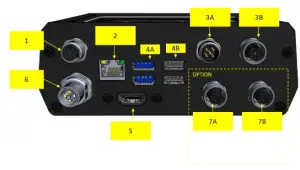 4. USB: 4A: USB 2.0 4B: USB 3.0
6. Power in 24VDC, Max 4Amp. M12, 4 pin T code
8. Wireless Antenna: Binar Wireless System (BWS) antenna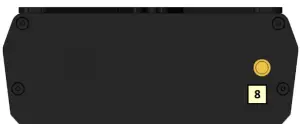
Future Options
5. HDMI:
7. LP304P PROFINET: 7A IN & 7BOUT, M12 4 pin female D code
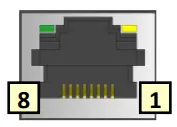 | RJ45 8/8 Modular-contact Pin Signal 1 Transmit + 2 Transmit – 3 Receive + 6 Receive – (4,5,7,8 nc) |
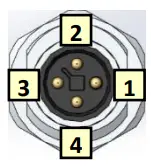 | POWER IN 4 pin M12 male T code Pin Signal 1 +24 V 2 NC 3 0V 4 NC |
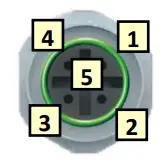 | CAN OUT 5 pin M12 female A code Pin Signal 1 Shield 2 +24V 3 0V 4 CAN high 5 CAN low |
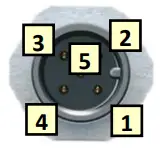 | CAN IN 5 pin M12 male A code Pin Signal 1 Shield 2 +24V 3 0V 4 CAN high 5 CAN low |
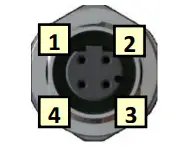 | Future Option: PROFINET 4 pin M12 female D code Pin Signal 1 TX+ 2 RX+ 3 TX- 4 RX- |
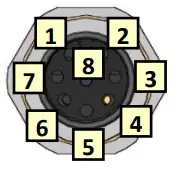 | I/O CONNECTOR 8 pin M12 female A code Pin Signal 1 +24V 2 In1/Out1 3 0V 4 In2 5 +24V 6 In3/Out2 7 0V 8 In4 |
3.2- Parts and accessories
| PART NO | DESCRIPTION | WHEN TO USE |
| 51326 | Power Supply LP-PW14 24VDC 4Amp | To supply CAN bus single with power. |
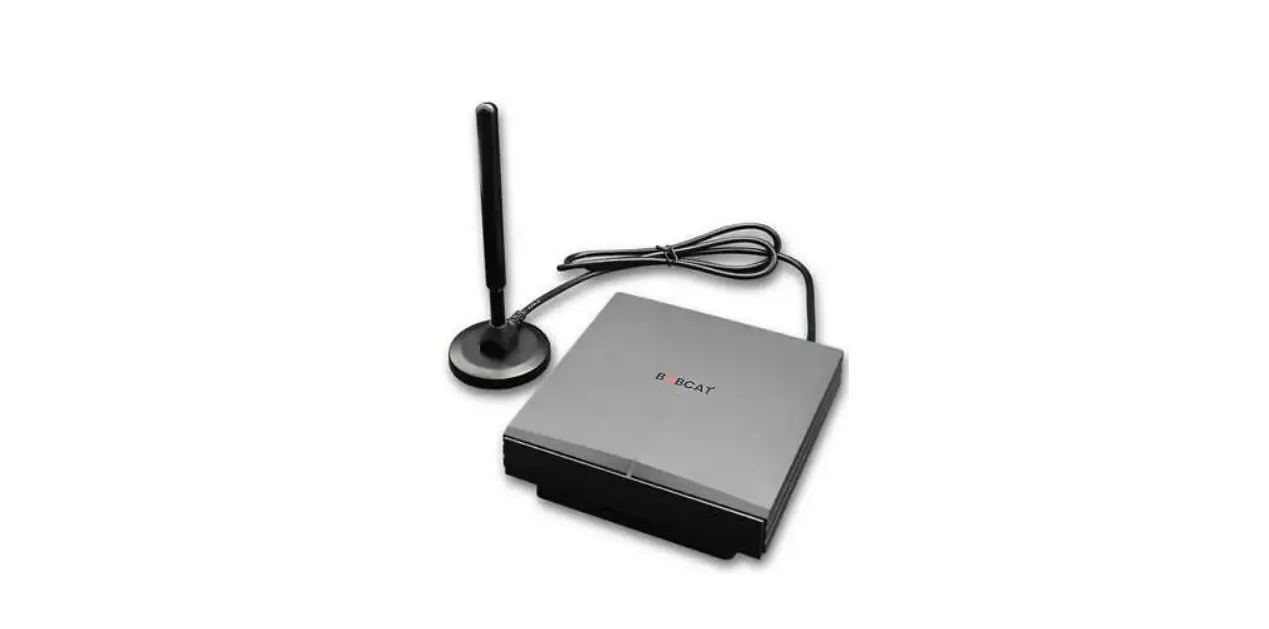
| 35423 | Binar Wireless antenna | When wireless connection to BWS (Binar Wireless System) is required. |
| 50151 | Binar Wireless Antenna incl Ext cord and bracket | When LP304 needs a better wireless signal. |
4- Mechanical dimensions and mounting
LP304 comes with mounting brackets attached and mounting is done by means of four screws, size M5 to M6 (see dimensions below).
Mounting is preferably done in the line of sight of the connected tool, with the display at least at the operator’s eye level, preferably a bit higher. DO NOT place LP304 in a metal enclosure as that would block the wireless communication.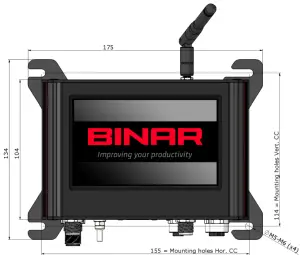
Technical Data
| TECHNICAL DATA | DATA |
| Power supply | 20-30 VDC |
| Data transfer | CAN, 1 IN & 1 OUT Ethernet, 1 port Binar Wireless System |
| Protocols device interface | REST, MQTT |
| CE | RED & RoHS |
| Temperature range | 0 – 50 °C |
| Humidity | 0 – 95 % non-condensing |
| Enclosure | IP41 |
| Mounting | Mounted with screws |
| Weight | 650 g |
| Dimensions | w 150 x h 142 x d 55 mm |
BINAR WIRELSS SYSTEM
| Frequency | 2.4 GHz |
| Output | +5 dBm |
| Type | IEEE 802.15.4 |
| Communication | IPv6, 6lowPAN |
| Encryption | AES-128 |
| Wireless range open air | 50 meters |
FCC Warning
This device complies with part 15 of the FCC Rules. Operation is subject to the following two conditions: (1) This device may not cause harmful interference, and (2) this device must accept any interference received, including interference that may cause undesired operation.
Any changes or modifications not expressly approved by the party responsible for compliance could void the user’s authority to operate the equipment.
Note: This equipment has been tested and found to comply with the limits for a Class B digital device, pursuant to part 15 of the FCC Rules. These limits are designed to provide reasonable protection against harmful interference in a residential installation. This equipment generates uses and can radiate radio frequency energy and, if not installed and used in accordance with the instructions, may cause harmful interference to radio communications. However, there is no guarantee that interference will not occur in a particular installation. If this equipment does cause harmful interference to radio or television reception, which can be determined by turning the equipment off and on, the user is encouraged to try to correct the interference by one or more of the following measures:
-Reorient or relocate the receiving antenna.
-Increase the separation between the equipment and receiver.
-Connect the equipment into an outlet on a circuit different from that to which the receiver is connected.
-Consult the dealer or an experienced radio/TV technician for help.
Binar Solutions AB
Box 2001
SE-461 11 TROLLHÄTTAN
Sweden
Tel +46 (0)520 47 32 00
e-mail [email protected]
website www.binarsolutions.com