
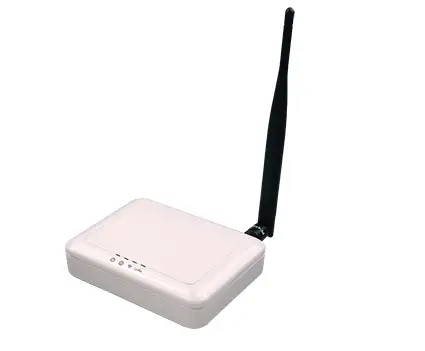
BROWAN WLRGFM-100 Femto Lite IoT Gateway
Introduction
Purpose and Scope
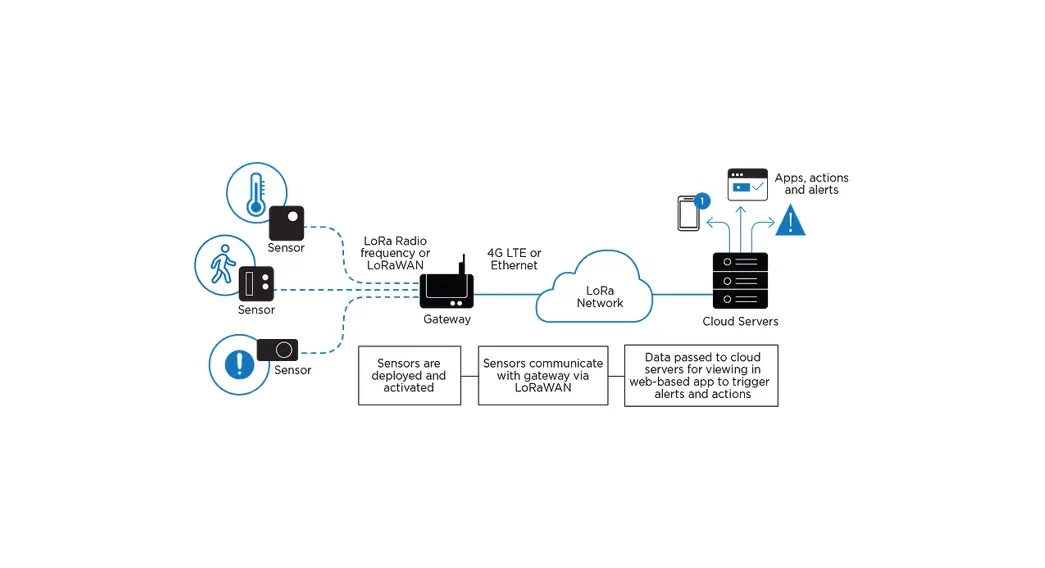
The purpose of this document is to describe the main functions, user manual, supported features, and system architecture of the WLRRTES-106 Femto Lite Indoor Gateway based on the latest LoRaWAN specification.
Product Design
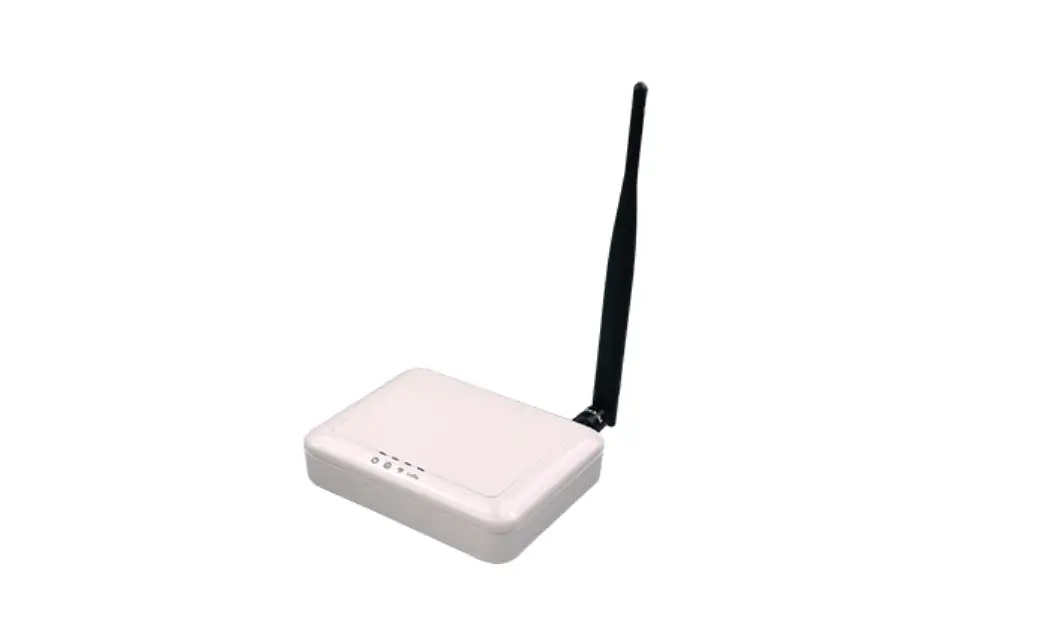
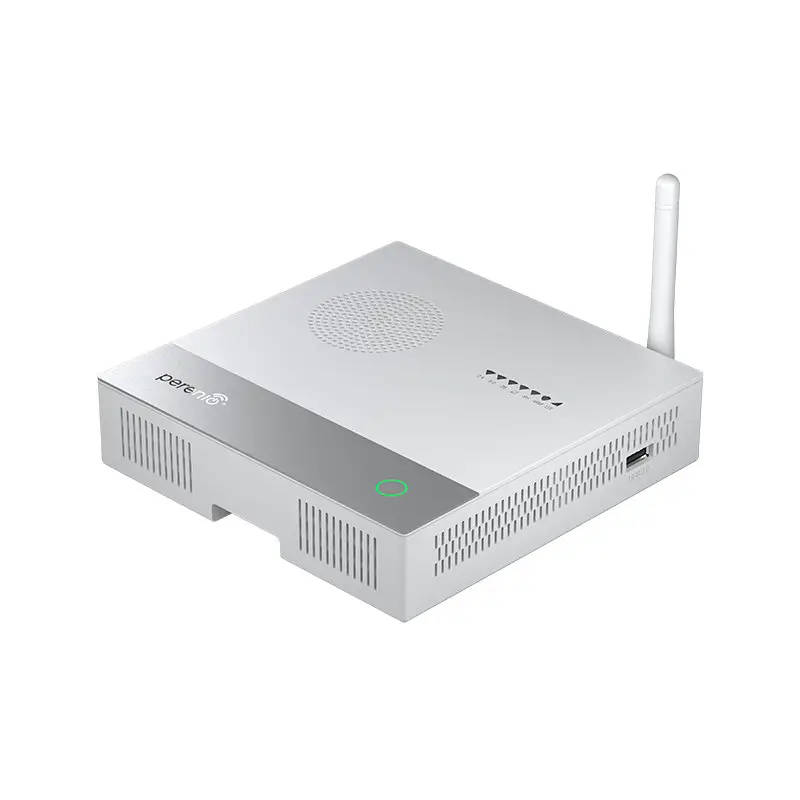
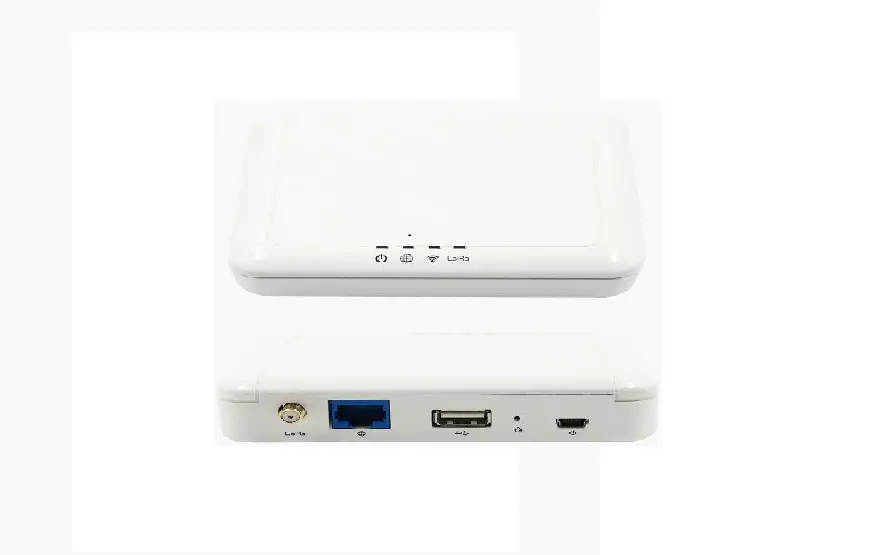
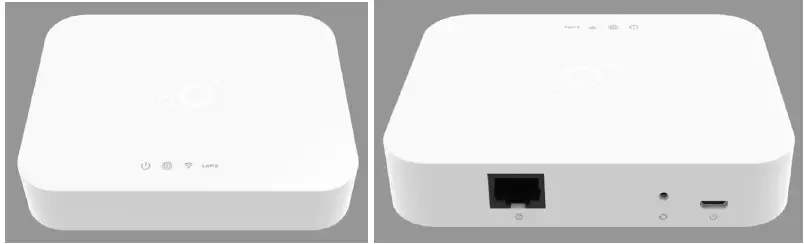
The dimension of WLRRTES-106 Femto Lite IoT Gateway is with the dimension of 116 x 91 x 27 mm, and with one LAN port, one Micro-USB port for 5V DC power input, four LED indicators, and one reset button.
Product Features
- Up to 8 concurrent channels for LoRa transmission
- Built-in 2.4G 802.11b/g/n Wireless LAN
- Various Internet connection: Ethernet, WiFi
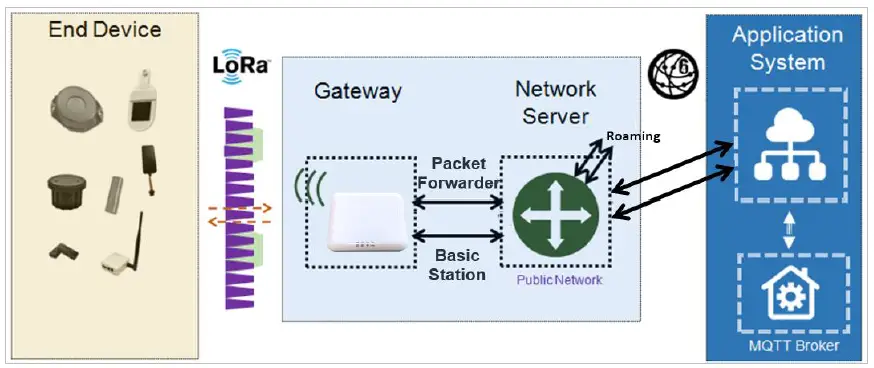
- Support LoRaWan 1.0.3 packet forwarder and Basic Station mode (switched through local WEB GUI)
- Ethernet/WiFi Configuration through local Web GUI and APP
- Web UI for LoRa network server configuration
- Support Listen Before Talk for downlink
- Support F/W upgrade through Browan OTA
- Internal antennas for LoRa and WiFi connection
System Architecture
Definitions, Acronyms and Abbreviations
| Item | Description |
| LPWAN | Low-Power Wide-Area Network |
| LoRaWAN™ | LoRaWAN™ is a Low Power Wide Area Network (LPWAN) specification intended for wireless battery-operated Things in a regional, national or global network. |
| ABP | Activation by Personalization |
| OTAA | Over-The-Air Activation |
| TBD | To Be Defined |
Reference
| Document | Author |
| LoRaWAN Specification v1.0.3 | LoRa Alliance |
| RP002-1.0.1 LoRaWAN Regional Parameters | LoRa Alliance |
| LoRaWAN Backend Interfaces Specification v1.0 | LoRa Alliance |
Hardware Details
LED Indicators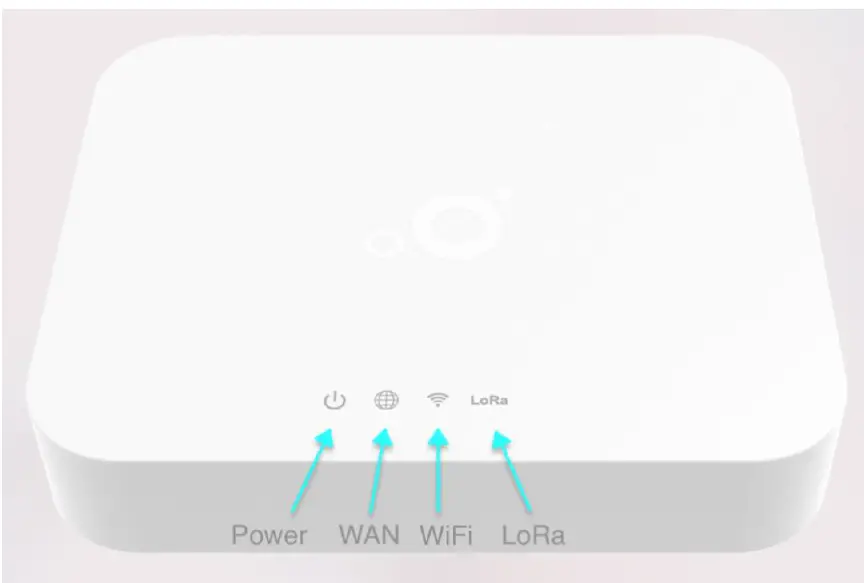
LED sequence: Power(System), WAN, WiFi, LoRa Four Blue.
Solid LED is for static status, blanking means system is upgrading or active devices linked to the corresponding port.
| Solid On | Blinking | Off | |
| Power System(Blue) | Power ON | Booting (ignore bootloader) | Power Off |
| WAN(Blue) | Ethernet Plug and got IP Addr | Connecting | Unplug |
| Wireless(Blue) | WiFi Station Mode and got IP Addr | Connecting | Wireless Disable |
| LoRa(Blue) | LoRa is work | Connecting | LoRa is not work |
I/O Ports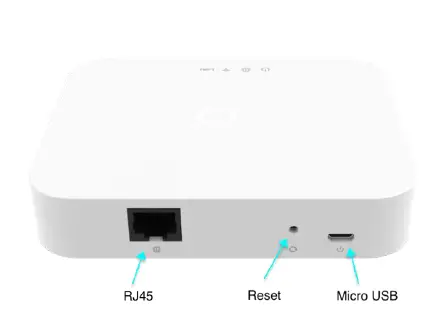
| Port | Coun t | Description |
| RJ45 | 1 | WAN port of the device |
| Reset | 1 | Reset to default (5 seconds to reset settings to factory default) |
| Micro USB | 1 | Power input via USB adaptor(5VDC/2A) |
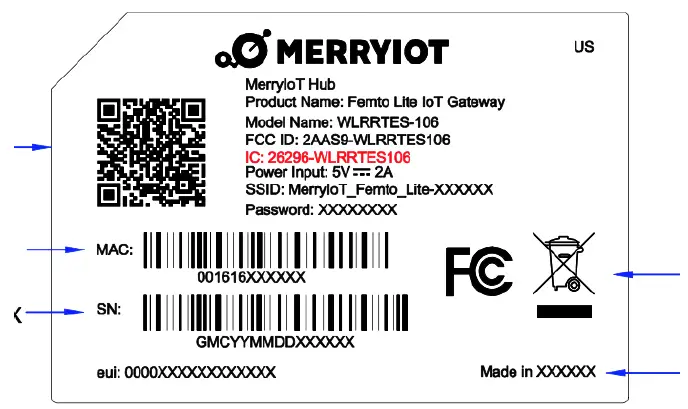
Back Label
The marking information is located at the bottom of apparatus.
WLRRTES-106
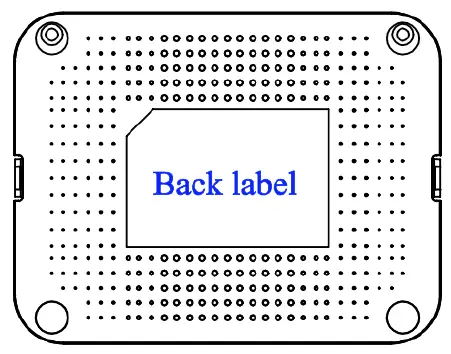
BACK LABEL
Package Label
| N o. | Item | Description |
| 1 | Product BOX | Gift Box |
| 2 | Labeling | Model/ MAC/ Serial Number/ Type Approval |
Package Content
| N o. | Description | Quantity |
| 1 | Femto Lite IoT Gateway/MerryIoT Hub | 1 |
| 2 | Power adapter (100-240VAC 50/60Hz to 5VDC/2A) | 1 |
| 3 | Ethernet Cable 1 meter (UTP) | 1 |
System Specification
Hardware Specification
| N o. | Item | Description |
| 1 | Model Name | WLRRTES-106 |
| 2 | Frequency Band | US 902~928MHz |
| 3 | CPU | Xtensa® single-/dual-core 32-bit LX6 microprocessor(s) up to 240MHz |
| 4 | RAM/Flash | 64Mb/ 32Mb |
| 5 | RF Transceiver | – SX1308 with SX1257 & SX1276 |
| 6 | Number of Channels | 8 concurrent channels |
| 7 | WiFi | 802.11 b/g/n 1T1R , 2.4GHz |
| 8 | WAN Port | One RJ-45 10/100Base-T/TX, Autosensing, Auto-MDIX |
| 9 | Transmit RF Power | 0.5W (up to 27 dBm) |
| 10 | Receive Sensitivity | Down to -142 dBm |
| 11 | Modulation | Based on LoRaWAN |
| 12 | Security | AES 128 |
| 13 | USB Port | One Mirco USB for power input |
| 14 | Working Temperature | Operating: 0℃ ~ 40℃ Storage: -20℃ ~ 70℃ |
| 15 | Working Humidity | Operating: 10 ~ 85% (Non-Condensing) Storage: 5 ~ 90% (Non-Condensing) |
| 16 | Power Supply | 5VDC/2A via Micro-USB port |
| 17 | Antenna Type | Built-in Wi-Fi antenna and LoRa antenna |
| 18 | Indicators | 4 LED indicators |
| 19 | Dimensions | L:116 x W:91 x H:27 mm |
| 20 | Weight | 160 g |
LoRa Specification
| N o. | Item | Description |
| 1 | Standard | LoRaWAN v1.0.3 |
| 2 | LoRa Classes | – Class A: supported – Class B: to be supported in later release – Class C: supported |
| 3 | ADR | Adaptive data rate is supported to control spreading factor of nodes |
| 4 | Activation | Both Activation-by-Personalization (ABP) and Over-the-Air- Activation (OTAA) are supported |
| 5 | MAC Commands | LoRaWAN v1.0.3 |
LoRa RF Specification
| No . | Item | Capability | Remarks |
| 1 | Frequency Range | – EU 862~870 MHz | |
| 2 | Channel Band Width | 125KHz | |
| 3 | Maximum Output Power | Up to 27 dBm | |
| 4 | Sensitivity | -142 dBm | BW=125KHz with SF=10 |
Software Specification
Configuration/Performance/Capability
| Req. # | Features | Description | comment |
| PR-0001 | Network Configuration | WiFi or Ethernet switch Configuration | |
| PR-0002 | Performance | Gateway SHOULD support Class A/C end-device | |
| PR-0003 | WiFi | Femto_Lite-xxxxxx where the last digits are the last 6 digits of the MAC address. | |
|
PR-0004 |
WiFi Password | WiFi Password:(Printed in the back label) – 8 characters – Random English uppercase and lowercase, 2~9 numbers ( default Skip: 0,O,1,I,l, o ) | |
Basic Features
| Req. # | Features | Description | comment |
| PR-1001 | OTA | Support OTA through Browan OTA Server(option enable/disable) | |
| PR-1002 | Upgrade FW | Support upgrade FW feature through Local WEB | |
| PR-1003 | WiFi Config | Support WiFi configuration through local Web GUI – Scan SSID – Switch to Station mode and connect to the selected SSID | |
| PR-1004 | Reset Button | 5 sec press: Factory reset (wipe out WiFi credentials, Ethernet and LNS credentials) | |
| PR-1005 | LED | 1. Refer to Table 1 LED Behavior. | |
| PR-1006 | Ethernet Config | Support DHCP/Static IP Setting | |
| PR-1007 | Single WAN | Support Single WAN setting through Local WEB |
LoRaWAN features
| Req. # | Features | Description | comment |
| PR-2001 | Basic Station | Compatible with Standard LoRa Basic Station – Semetch CUPS/LNS | |
| PR-2002 | Packet Forwarder | Compatible with Semtech LoRa Packet Forwarder | |
| PR-2003 | Packet Forwarder Setting | Import json file for configuration | |
|
PR-2004 |
Basic Station Setting | ● Option 1: CUPS access is DISABLED and only LNS configuration is allowed. Configuration and FOTA happen via AWS IoT and gateway has just the LNS configuration ● Option 2: CUPS access is ALLOWED and LNS configuration is known via CUPS. But it requires a public key and LNS configuration update in CUPS to point to the desired LNS. ○ LNS URI + Port Number ○ Public Key for the gateway which has been registered with CUPS ○ Customers will then need to add MAC, Private key, and claim code onto their CUPS |
Regulatory Specification
| No . | Item | Standard |
| 1 | FCC | TBD |
| 2 | Telec | TBD |
|
3 |
CE | EN 300 328 V2.2.2(included EN 62311/EN 50665/EN 50385) EN 300 220-2 V3.1.1 EN 301 489-1 V2.2.3 EN 301 489-3 V2.1.1 EN 301 489-17 V3.2.4 EN 55032 / EN 55024 EN 62368-1 LVD |
| 4 | RCM | TBD |
Reliability Specification
| No. | Item | Specification |
| 1 | MTBF | 300,000 @ 40 ℃ |
User Manual
Connect Femto Lite
You can connect to the gateway via WiFi interface which the SSID and password are printed on the back label by default.
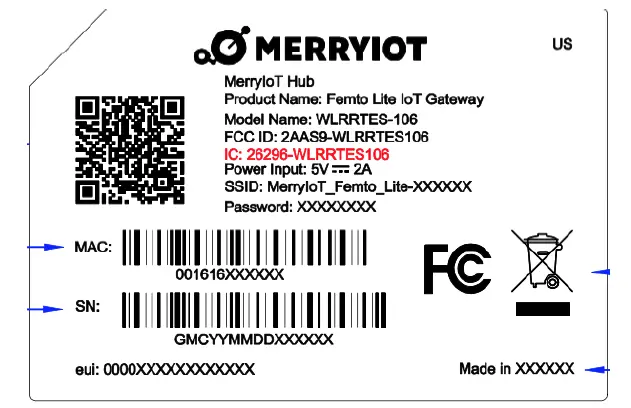
The rule of gateway SSID is Femto_Lite where the last digits are the last 6 digits of the MAC address
The PC will fetch the IP address of range 192.168.4.x except 192.168.4.1 assigned by the AP.
Femto Lite Setting
Open the web browser(ex: Chrome) after connecting to the gateway via IP address “192.168.4.1” Now you can configure the gateway through the WEB UI.
STEP 1: SET WAN: The gateway support either “Ethernet” or “Wi-Fi” connection as the internet backhaul.
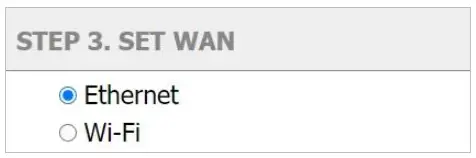
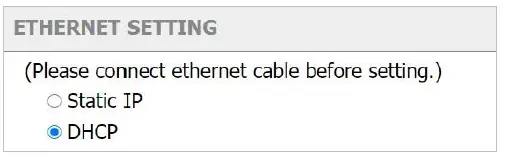
Ethernet Setting
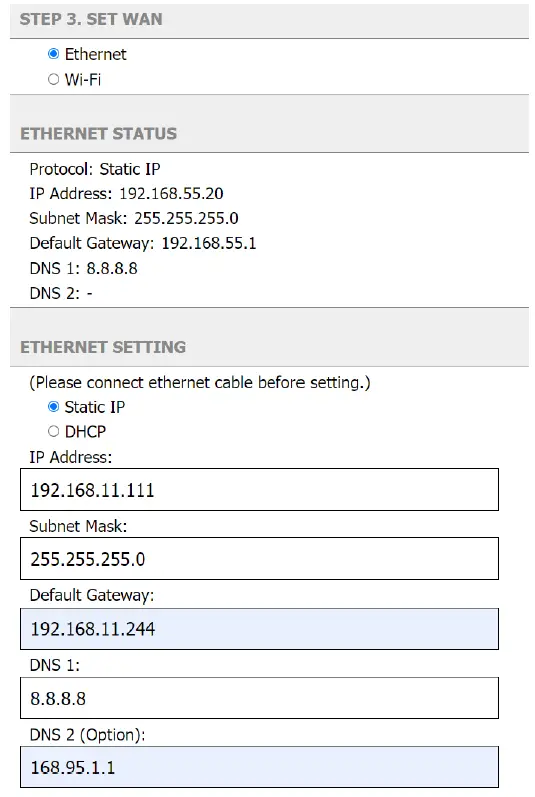
ETHERNET STATUS – The information of IP address/Subnet Mask/Gateway/DNS.
ETHERNET SETTING – Configure the IP address of WAN.[Static IP/DHCP client] Static IP – Setup the IP address/Subnet Mask/Default Gateway/DNS of the static IP.
DHCP – The IP address/Subnet Mask/Default Gateway/DNS will be assigned by the DHCP server.
STEP Wi-Fi
The gateway WiFi interface is the Access Point by default which SSID is printed on the back label. The administrator can only access the WEB UI through the Access Point mode to configure the gateway. The gateway will be the WiFi client and won’t access the WEB UI after enabling the WiFi interface as the internet backhaul connection.
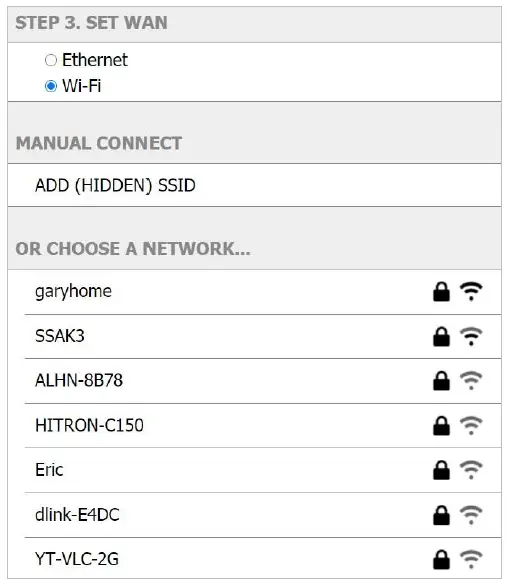
MANUAL CONNECT – Specify the remote AP SSID and enter the password if necessary.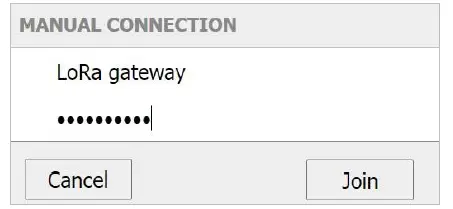
The gateway will scan the neighbor’s access point automatically. Just click the SSID for the WiFi connection.
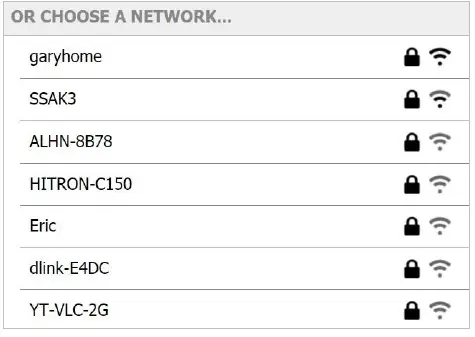
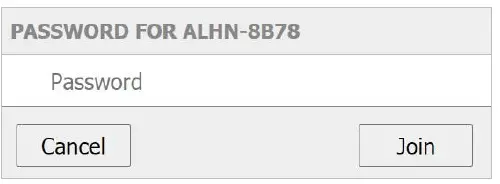
Enter a WiFi password if it is necessary for the connection.
Federal Communication Commission Interference Statement
This equipment has been tested and found to comply with the limits for a Class B digital device, pursuant to Part 15 of the FCC Rules. These limits are designed to provide reasonable protection against harmful interference in a residential installation. This equipment generates, uses, and can radiate radio frequency energy and, if not installed and used in accordance with the instructions, may cause harmful interference to radio communications. However, there is no guarantee that interference will not occur in a particular installation. If this equipment does cause harmful interference to radio or television reception, which can be determined by turning the equipment off and on, the user is encouraged to try to correct the interference by one of the following measures:
- Reorient or relocate the receiving antenna.
- Increase the separation between the equipment and receiver
- Connect the equipment into an outlet on a circuit different from that to which the receiver is connected.
- Consult the dealer or an experienced radio/TV technician for help.
FCC Caution: Any changes or modifications not expressly approved by the party responsible for compliance could void the user’s authority to operate this equipment.
This device complies with Part 15 of the FCC Rules. Operation is subject to the following two conditions: (1) This device may not cause harmful interference, and (2) this device must accept any interference received, including interference that may cause undesired operation.
IMPORTANT NOTE
Radiation Exposure Statement:
This equipment complies with FCC radiation exposure limits set forth for an uncontrolled environment. This equipment should be installed and operated with a minimum distance of 20cm between the radiator & your body. This transmitter must not be co-located or operating in conjunction with any other antenna or transmitter. Country Code selection feature to be disabled for products marketed to the US/CANADA Operation of this device is restricted to indoor use only.
Industry Canada statement:
This device contains license-exempt transmitter(s)/receiver(s) that comply with Innovation, Science, and Economic Development Canada’s license-exempt RSS(s). Operation is subject to the following two conditions:
- This device may not cause interference
- This device must accept any interference, including interference that may cause undesired operation of the device
Radiation Exposure Statement:
This equipment complies with Canada’s radiation exposure limits set forth for an uncontrolled environment. This equipment should be installed and operated with a minimum distance of 20cm between the radiator & your body.