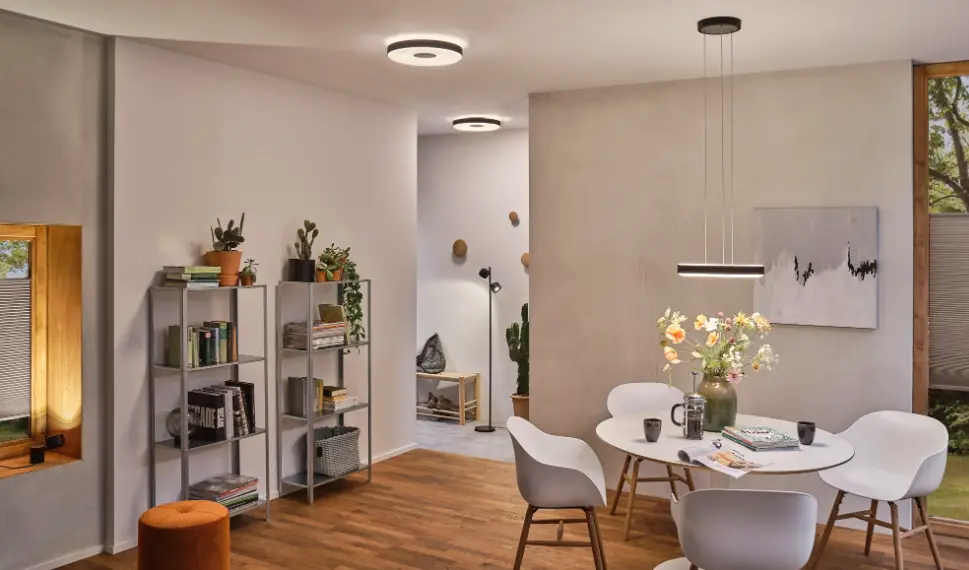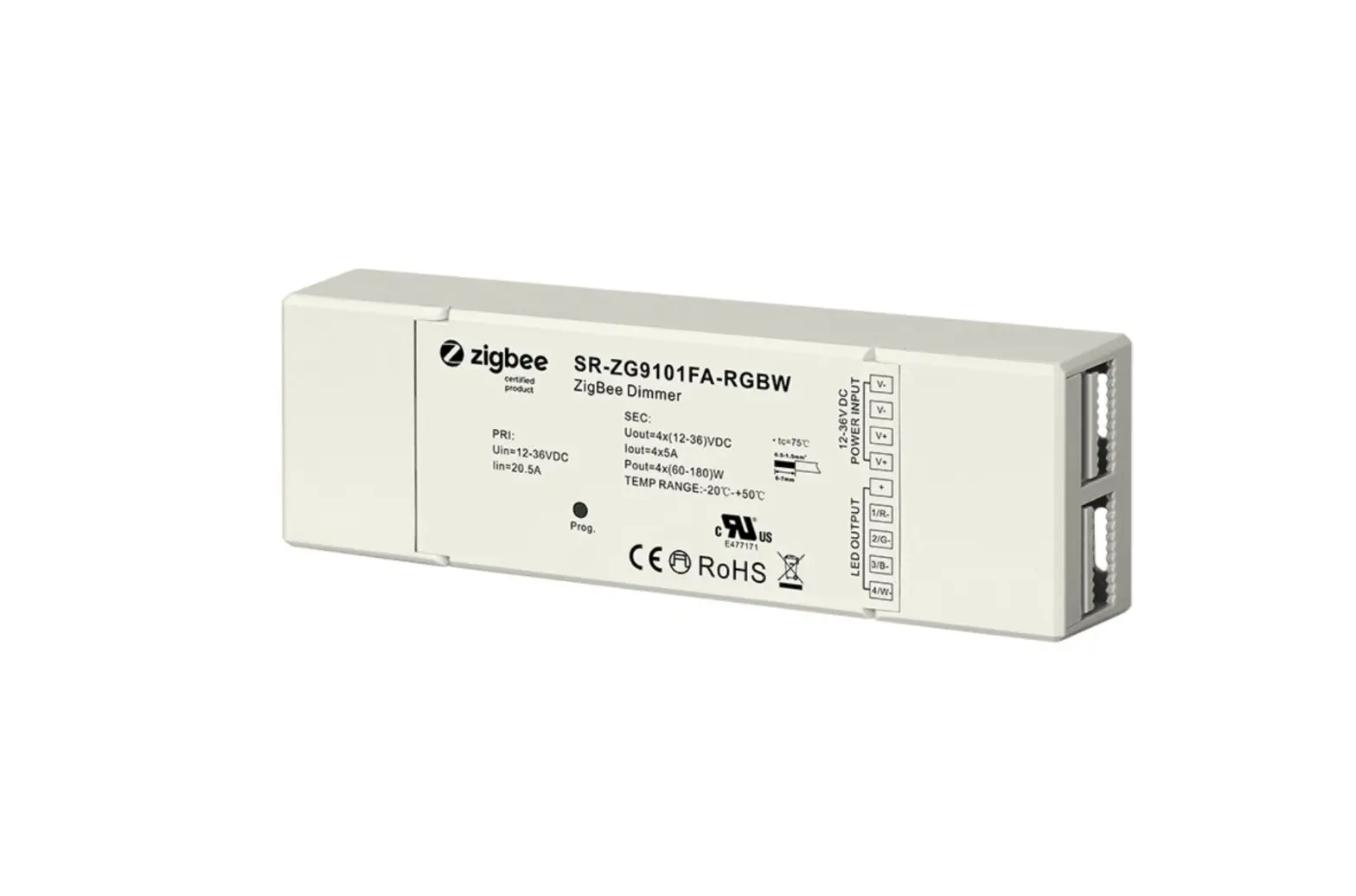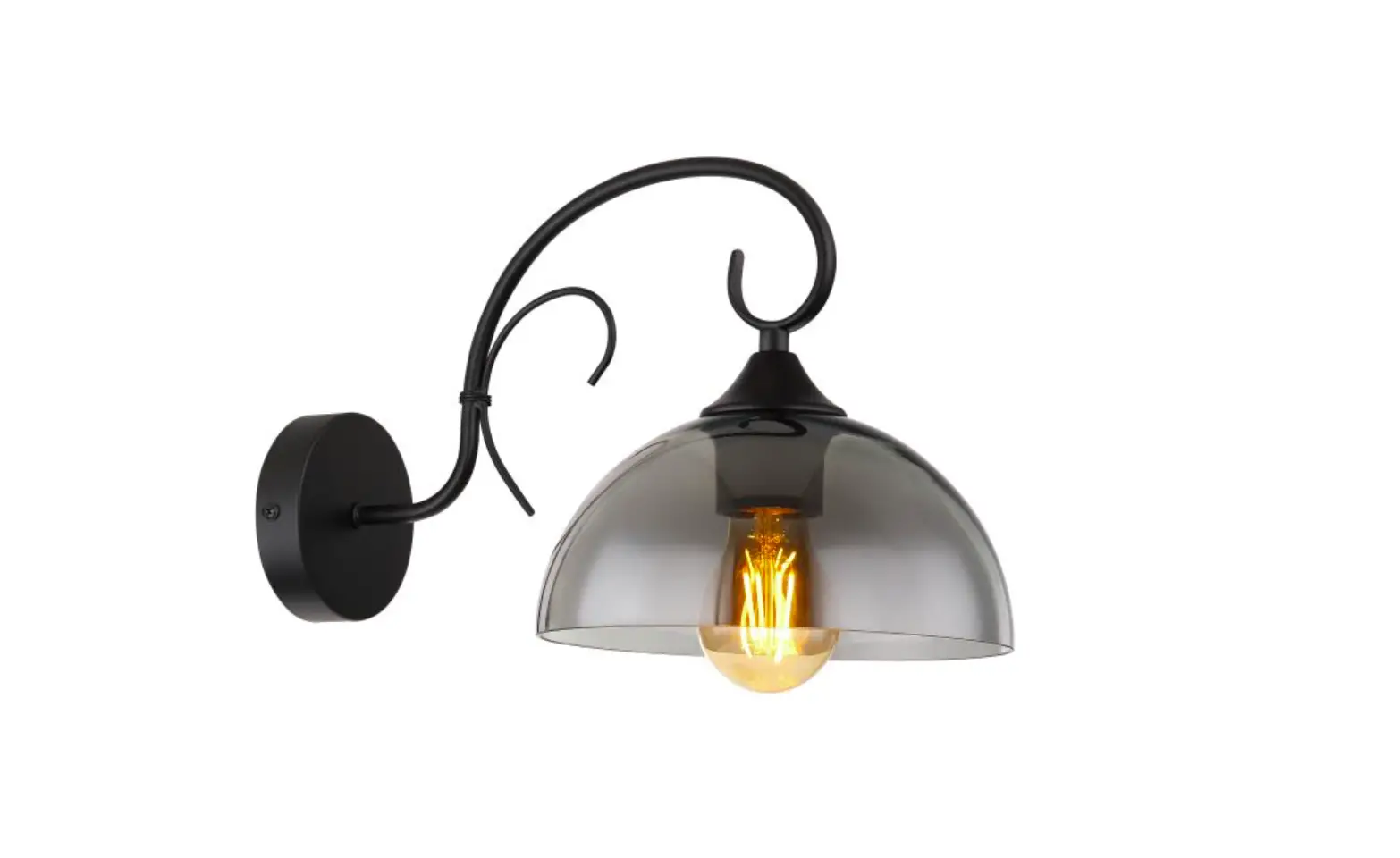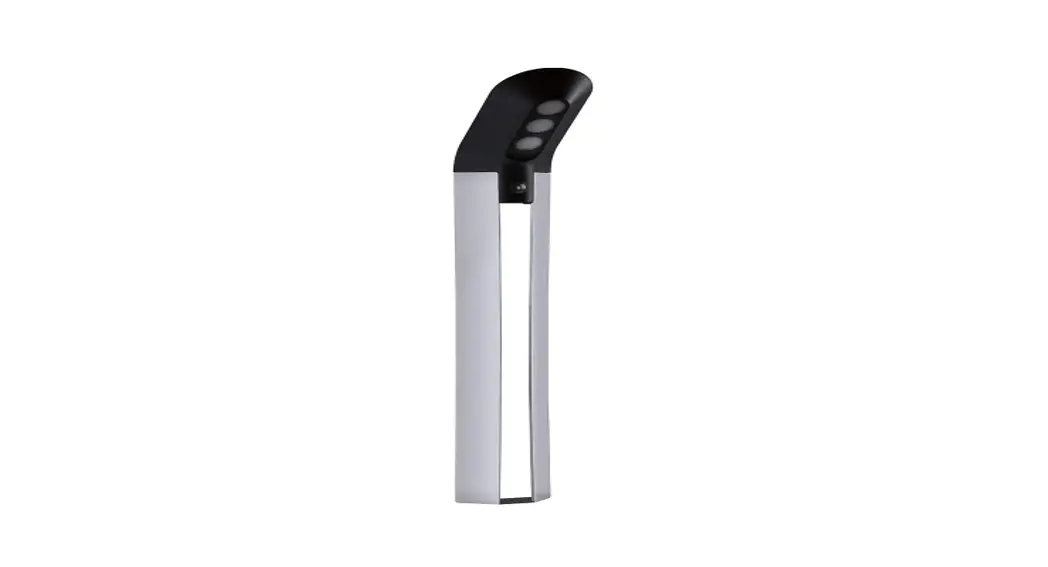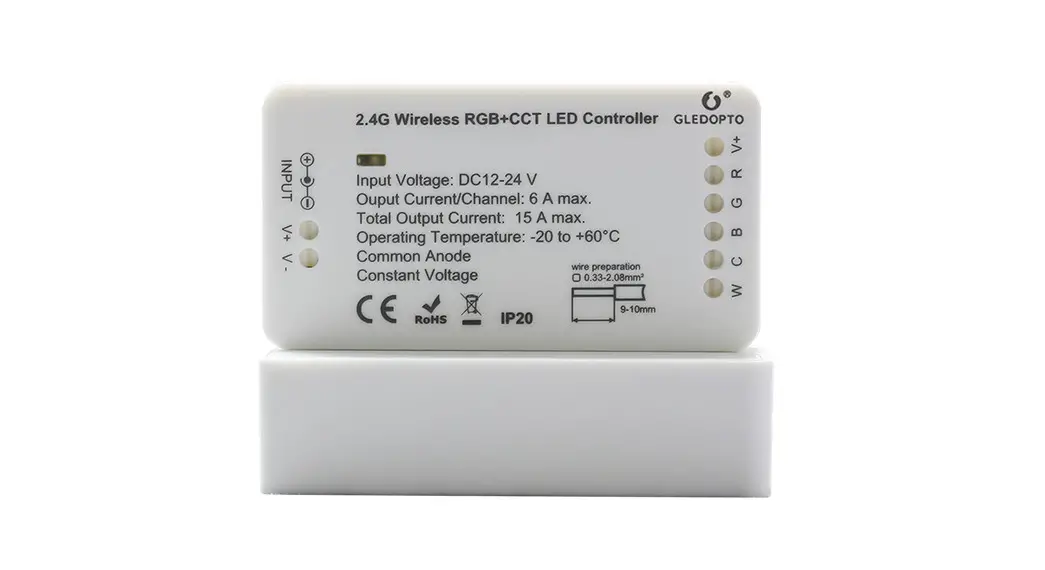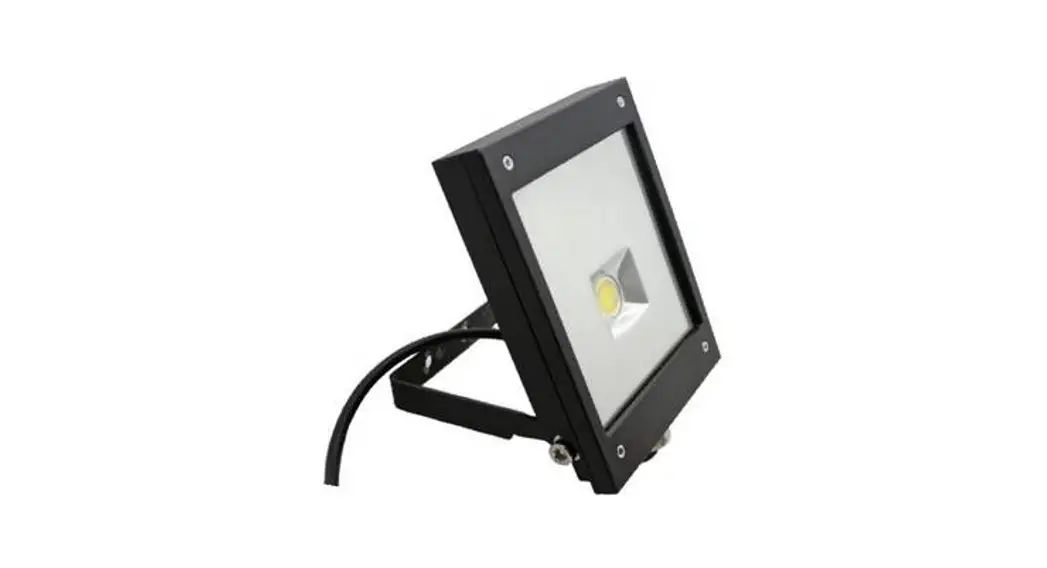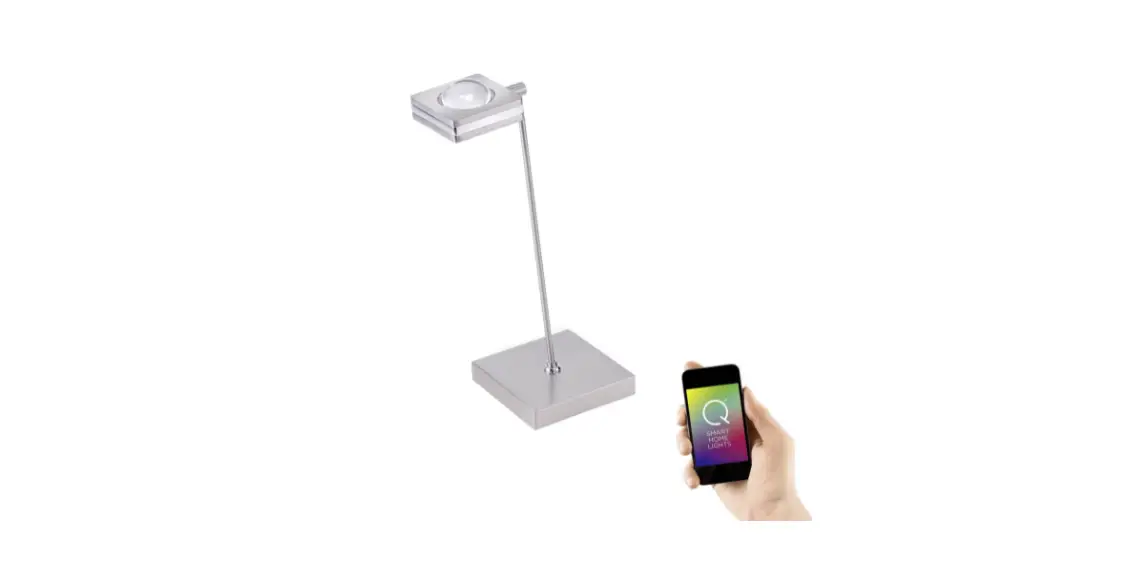

INDOOR PRODUCT PRO
User Instruction

GL-S-004P ZigBee Pro Indoor Lights
Features:
Gateways/hubs Gledopto zigbee products Directly work with: HUE, Amazon echo plus, SmartThings, Homee etc Via Hue gateway, can work with google home, all other alexa devices
App work with Hue gateway:
Hue, hue essential, hueparty, hue Disco, iConnectHue, Hue Widget, Light DJ, etc
Work with Home Assistant:
http://bitly.ws/dELh
Work with Homekit:
http://bitly.ws/ejZY
Sync effect with screenbloom:
Sync your lights with movies, music, and games, Enjoy the lighting effect which synchronizes with the plot of the picture immediately,and experience the more delicate atmosphere lighting effect.
How to sync?
Please follow this website: http://www.screenbloom.com/
Sync Show Demo: https://youtube/zZjtJMy_774
Q&A or more info,please go to: www.gledopto.com or email to [email protected], or https://www.reddit.com/r/Gledopto_Support
RGB+CCT Remote Control (c1-Rc-006z)
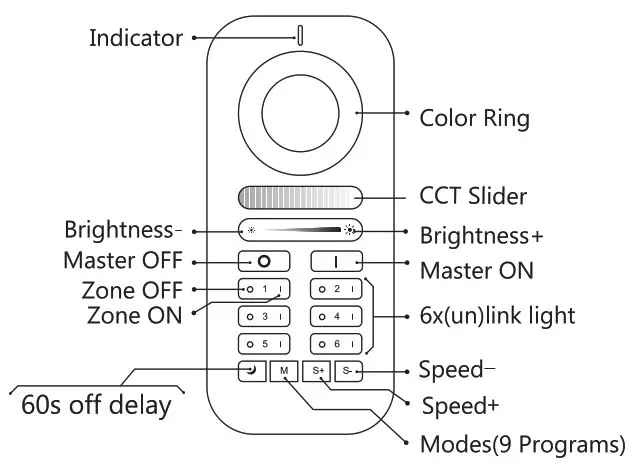
This manual describes RGB+CCT remote control used for our RGB+CCT products Remote control can control the LED lights up to six different Zones, change the color, dim/brighten the lights, warm/cool white, different programs. In this manual, you will learn.
Battery Installation
Please take the remote control and carefully press the battery cover and push it away in a downward motion. Install two AAA batteries, exactly match the negative (- ) pole of each battery to the largest spring. Don’t touch the color ring when you install the batteries. Place the battery cover back and install tightly.
 LED-Trading Tobias Ebert
Schoeneicher Str. 42, Schoeneiche b. Berlin, Germany, 15566
0049 30 64168917 [email protected]
How to link & use with remote control
- Within 3 seconds after the light power on, click the “on” button in the group to perform code matching. The LED light turns green means successful code matching.
- Long prees the “off” button of the remote control to enter the night mode, and the brightness and color can still be adjusted at this time.
- Long prees the small moon key to enter the 60 seconds delay shutdown state.
- Click the “M” key to enter automatic mode.
How to unlink
- Within 4s of powering on the light, press the “main on” button 5 times continuously, and the light flashes, indicating that the light is unpaired from all the remote controls that have been coded, and will not be controlled by any remote control.
- Within 4s of powering on the light, press the paired “group on” button 5 times continuously, and the light flashes, indicating that the light is unpaired from the remote control and will not be controlled by the remote control. Other paired remote controls can still be controlled.
Mode description
Mode 1: Static warm light (warm light alone)
Mode 2: Static white light (cold light and warm light are equally bright)
Mode 3: Static cold light (cold light alone)
Mode 4: Static red light
Mode 5: Static green light
Mode 6: Static blue light
Mode 7: RGB fade in fade out (Color fade in fade out from red to green, then to blue, then to red, and so on, speed adjustable.)
Mode 8: RGB flash (Color flash from red to green, then to blue, then to red, and so on, speed adjustable.)
Mode 9: Color breathing (In this mode, the brightness of current color will cycle from from 100%-0%, then from 0%-100%. At the same time, you can switch the color and have a cycle repeatedly. Pressing switch /mode button to exit this mode.)
How to link & use with zigbee hub
These devices works with many ZigBee Light Link /ZigBee 3.0 Gateways like Philips Hue, Amazon Echo Plus or SmartThings.
Installation:
- Turn off the Power.
- Plug in the Bulb.
- Now you can connect it with the gateway.
Connection with Gateway:
- Start the device searching on the ZigBee Light Link/ZigBee 3.0 Gateway, it could take some time.If the Gateway does not find the device, plug power off/on or make a reset.
- After finding the device, the light will turn green,then you can save it to the rooms/groups.
- Now you can use the device.
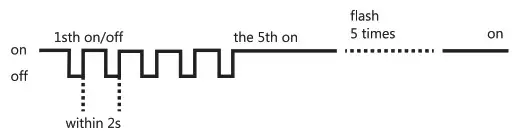
Reset:
- Switch on your device.
- Now switch off and on within 2 seconds.
- Repeat off/on five times.
- Reset is done when the device is switched on in the fifth time and the LED light will be fully bright and flashing for 4 times.
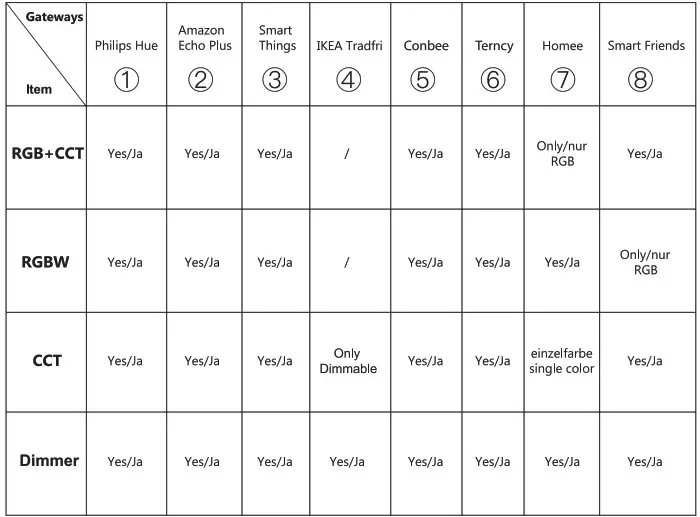
Compability Chart
***
①②③④⑤⑥ are already tested by GLEDOPTO, ⑦⑧ are from our customers, just for your information, not verified by GLEDOPTO.
RGB+CCT Spotlight
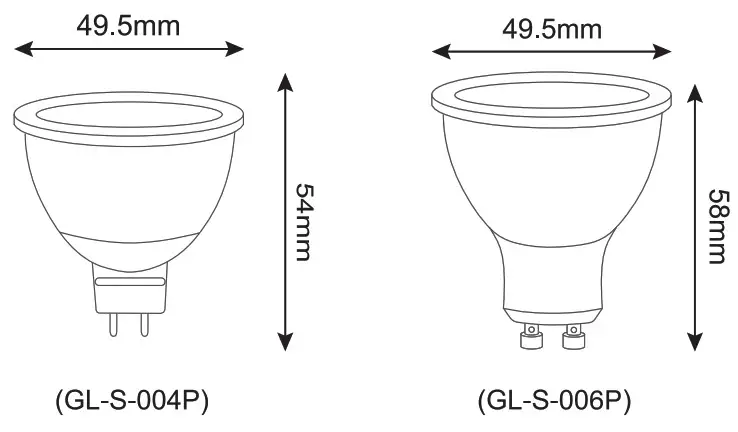
Parameter
| Product model | GL-S-004P | GL-S-006P |
| Input voltage | AC/DC12V(MR16) | AC100ri240V(GU10) |
| Power | 4W | 5W |
| Color temperature | 2200-6500K | |
| Luminous Flux | 250—’300LM | 300-450LM |
| Beam angle | 25° | 30° |
| Housing | Aluminum+Plastic | |
| Working Temp | -20°C-60°C | |
| CRI | >80 | |
| LED Quantity | 1.5W RGB 5050 2pcs 1.0W 3030 6pcs | 1.5W RGB 3030 2pcs 1.0W 3030 8pcs |
Features:
- Compatible with ZIGBEE hub,APP control,Voice control.
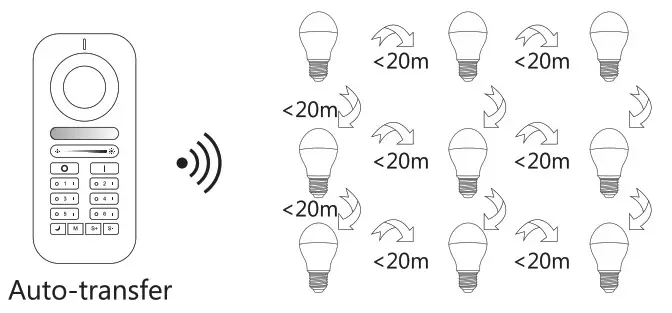
- Wireless 6-Zone touch remote control,control distance at least 20 meters.
- 16 million colors change,dimmable from 1% to 100%.
- Color temperature from 2200K to 6500K.
- Saturation control——Whhite and RGB.
- 60s off delay.
Attention:
- Link the lightbulb with the remote control or the smart phone App before use.
- Make sure the voltage is between AC100~240V or AD/DC12V.
- Avoid using under high temperature or moisture.
- Make sure the power is off before intallation.
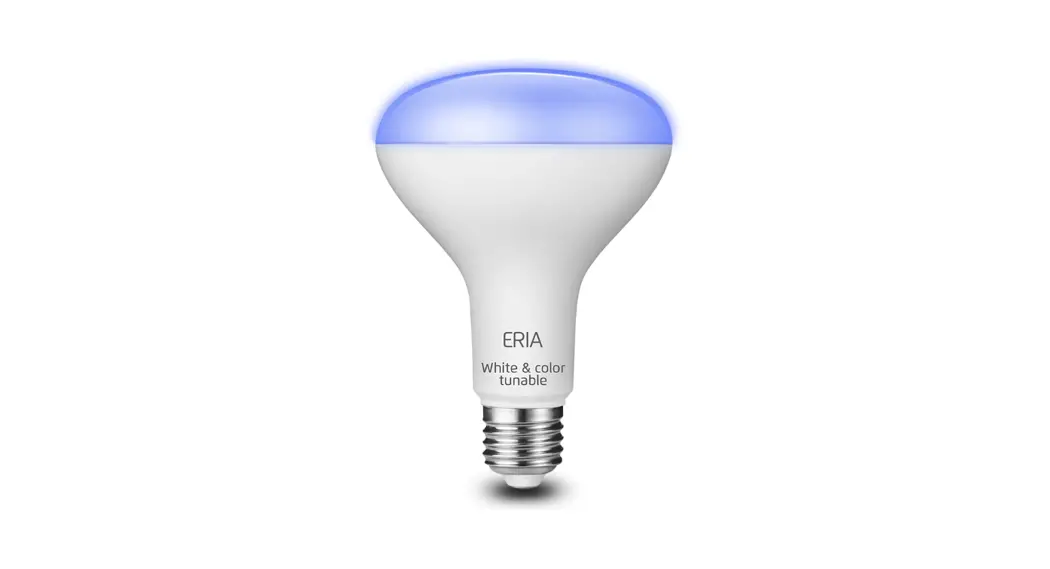
RGB+CCT Bulb
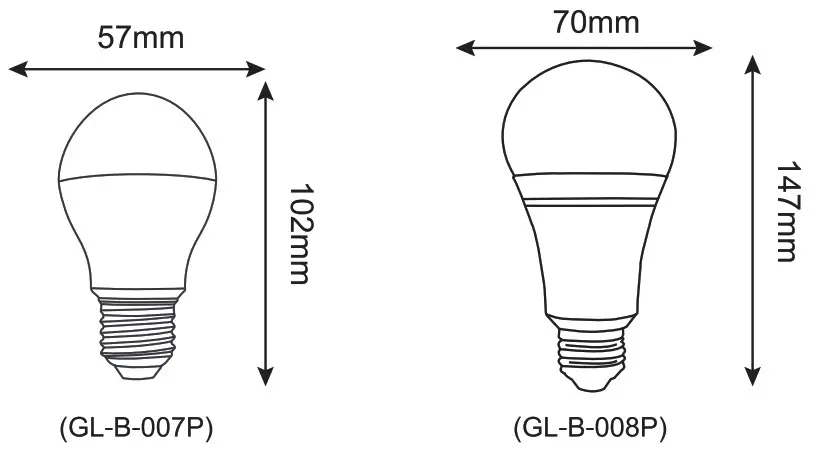
Parameter
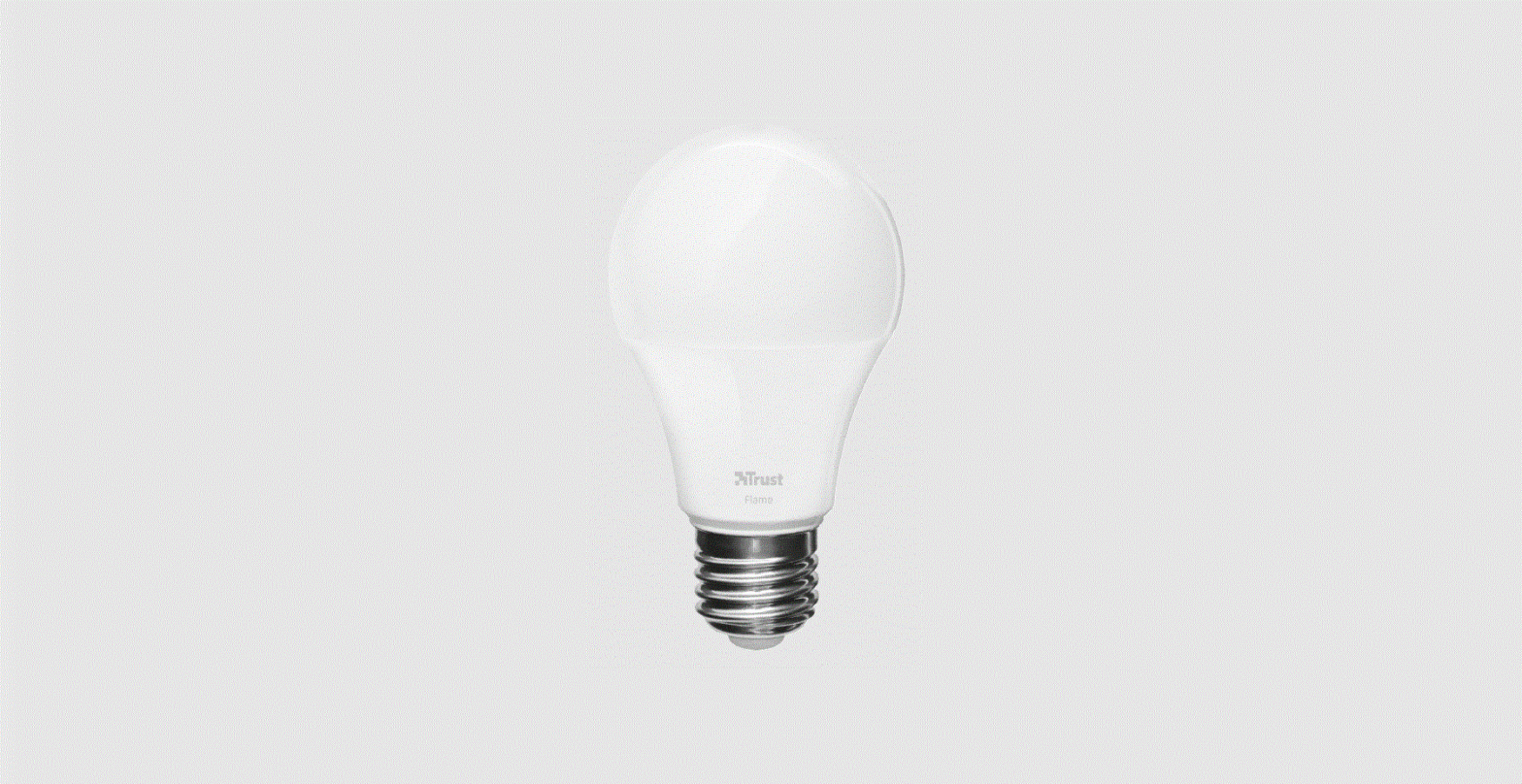
| Power:6W Baes:E27/E26/B22 Input Voltage: AC 100~240V Color temperature:2200-6500K Luminous Flux:500-550LM Light Efficiency:90LM/W Life span:50000h Working Temp:-20~60 degrees Material: Aluminum housing+PC Cover | Power:12W Baes:E27/E26 Input Voltage: AC 100~240V Color temperature:2200-6500K Luminous Flux:900-1100LM Light Efficiency:3OLM/W Life span:50000h Working Temp:-20~60 degrees Material: Aluminum housing |
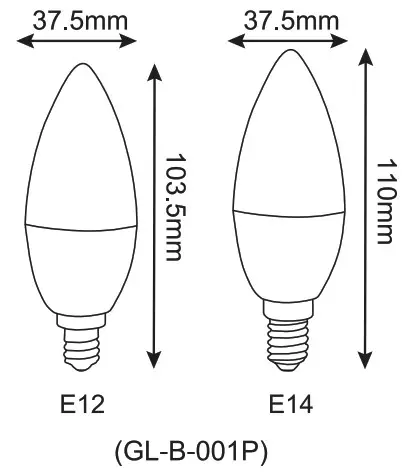
Parameter
| Power:4W CRI:>80 PF:>0.5 Lifespan:50000 hours Input voltage : AC100~240V Color temperature:2200~6500K | Luminous Flux : 250~300LM Working Temp : -20°C~60°C Housing : Plastic + Aluminum Size : ®37.5*103.5mm(E12) ©37.5*110mm(E14) |
LED Filament Bulb
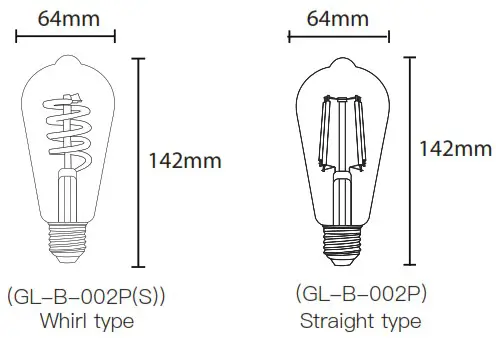
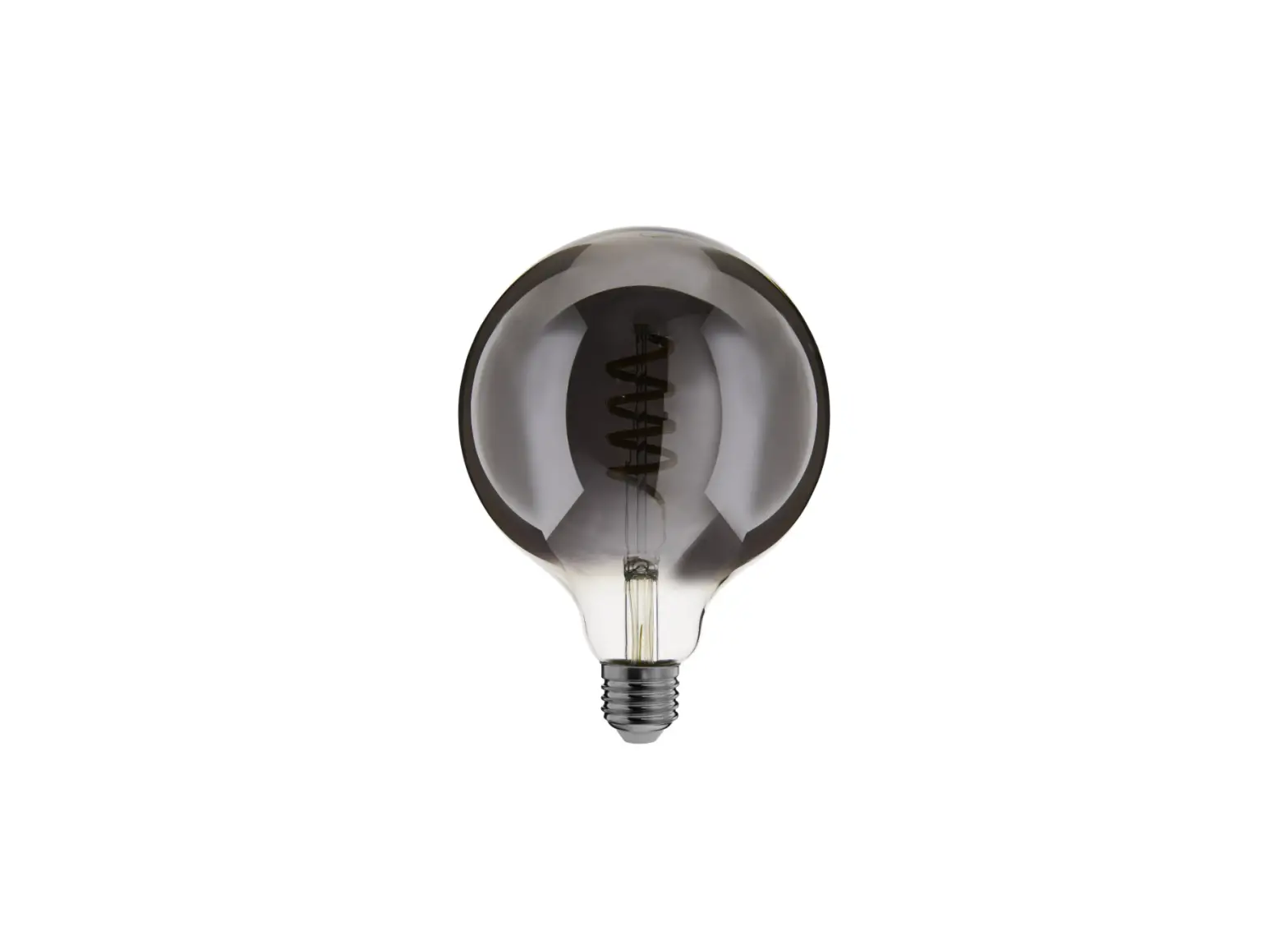
| Parameter Power: 7W Shape: ST64 Model: GL-B-002P(S) Size: 664x142mm N.W.: 47.0g G.W.:89.4g Input Voltage: AC 220~240V Input Current: 6@mMA Max 50Hz Color Temperature: 1800k~6500k Luminous Flux: 520LM~680LM Working Temp: -20°C~45°C Zigbee Distance: >50m RF Distance: >30m CRI: >80 Material: Aluminum+Glass | Parameter Power: 7W Shape: ST64 Model: GL-B-002P Size: 064x142mm N.W.: 45.3g G.W.:87.7g Input Voltage: AC 220~240V Input Current: 6(0mA Max 50Hz Color Temperature: 2200k~6500k Luminous Flux: 800LM Working Temp: -20°C~45°C Zigbee Distance: >50m RF Distance: >30m CRI: >80 Material: Aluminum+Glass |
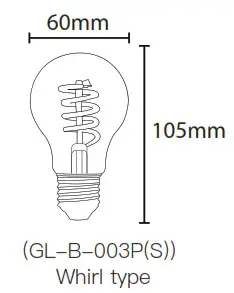 | Parameter Power: 7W Shape: A60 Model: GL-B-003P(S) Size: 060x105mm N.W.: 37.4g G.W.: 68.6g Input Voltage: AC 220~240V Input Current: 6(OmMA Max 50Hz Color Temperature: 1800k~6500k Luminous Flux: 520LM~680LM Working Temp: -20°C~45°C Zigbee Distance: >50m RF Distance: >30m CRI: >80 Material: Aluminum+Glass |
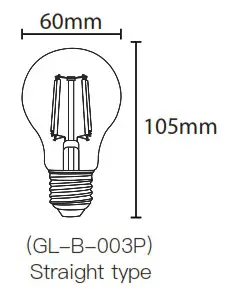 | Parameter Power: 7W Shape: A60 Model: GL-B-003P Size: ®60x105mm N.W.: 35.7g G.W.: 66.9g Input Voltage: AC 220~240V Input Current: 6(0mA Max 50Hz Color Temperature: 2200k~6500k Luminous Flux: 800LM Working Temp: -20°C~45°C Zigbee Distance: >50m RF Distance: >30m CRI: >80 Material: Aluminum+Glass |
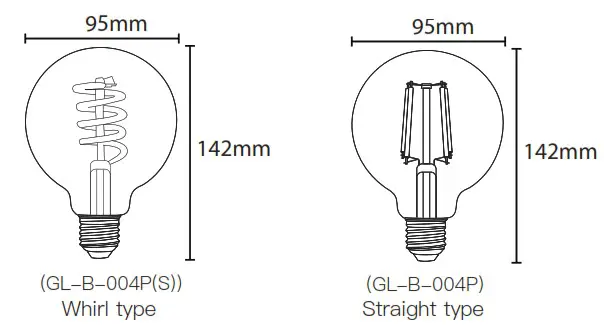
| Parameter Power: 7W Shape: G95 Model: GL-B-004P(S) Size: 095x142mm N.W.: 61.2g G.W.: 119.0g Input Voltage: AC 220~240V Input Current: (OMA Max 50Hz Color Temperature: 1800k~6500k Luminous Flux: 520LM~680LM Working Temp: -20°C~45°C Zigbee Distance: >50m RF Distance: >30m CRI: >80 Material: Aluminum+Glass | Parameter Power: 7W Shape: G95 Model: GL-B-004P Size: 095x142mm N.W.: 59.52g G.W.: 117.3g Input Voltage: AC 220~240V Input Current: 6(0mMA Max 50Hz Color Temperature: 2200k~6500k Luminous Flux: 800LM Working Temp: -20°C~45°C Zigbee Distance: >50m RF Distance: >30m CRI: >80 Material: Aluminum+Glass |
Power on status:
Power on and off for 3 times and the light will flash for 2 times, then the light will remember the on/ off status. Repeat the operation again to cancel this function, the light will be on by default when powered on.
This function only applies to Filament Bulb.
RGB+CCT Downlight
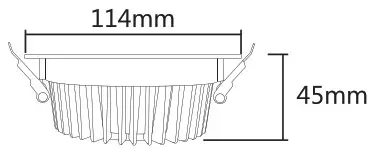 | Power: 6W Hole Size: 100~110mm Light efficiency: 95LM/W Luminous Flux: 470~570LM |
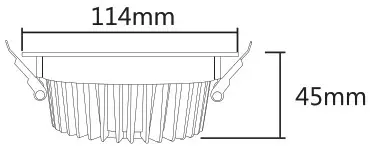 | Power: 9W Hole Size: 100~110mm Light efficiency: 85LM/W Luminous Flux: 600~750LM |
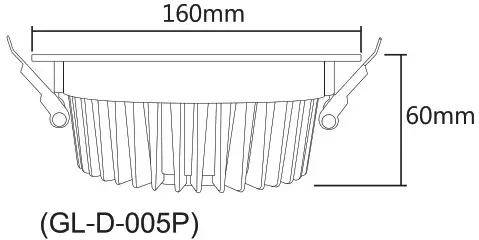 | Power: 12W Hole Size: 140~150mm Light efficiency: 1OOLM/W Luminous Flux: 1000~1200LM |
Parameter
| CRI: >80 PF>0.5 Lifespan: 50000hours Beam Angle: 120° | SDCM: <5 Input Voltage: AC 100~240V Color temperature: 2200~6500K Material: Aluminum+PC Cover |
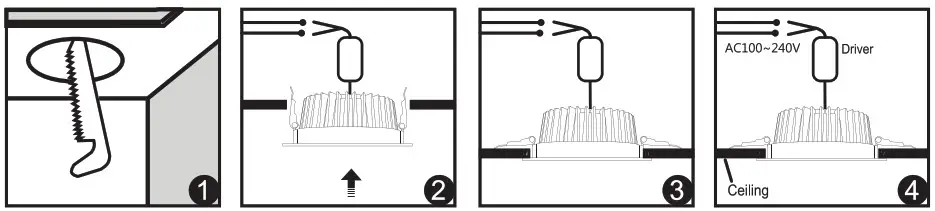
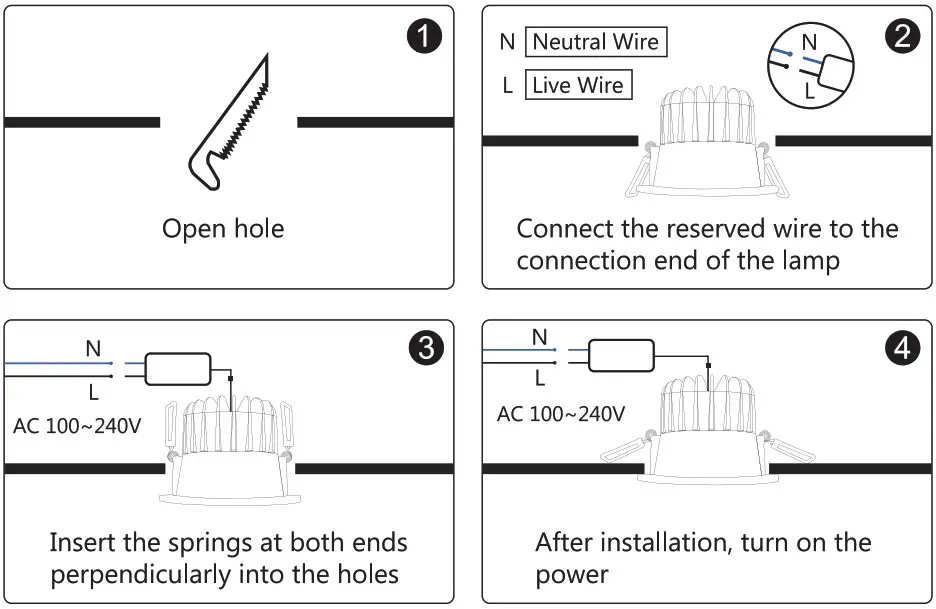
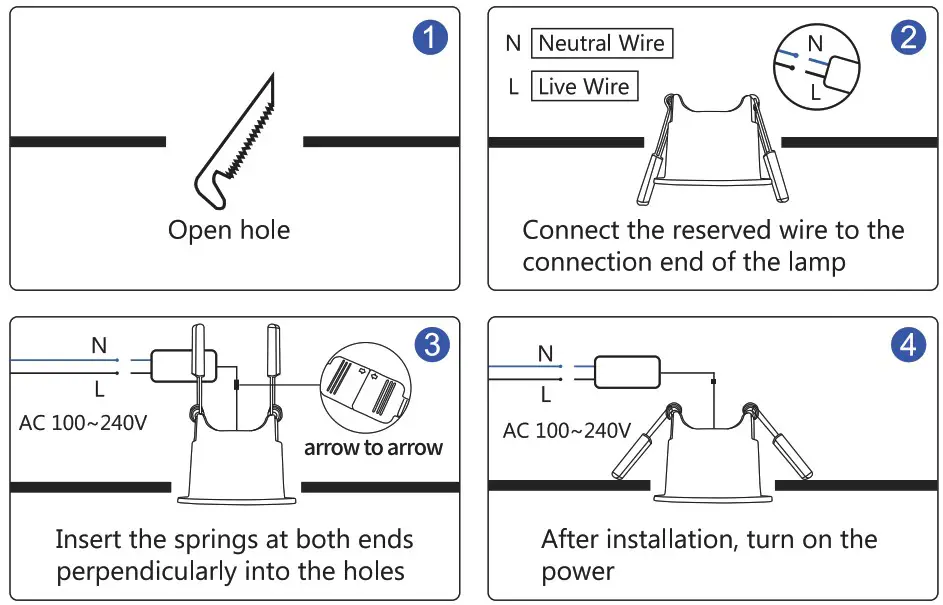
- Please open the hole on the ceiling according to the correct size of Diagram 1.
- Push in the two spring elements, make sure that they are deployed and anchored on the back of the ceiling Diagram 2 and 3.
- Connect the driver properly according to the wire connection Diagram 4.
RGB+CCT Downlight (IP54)
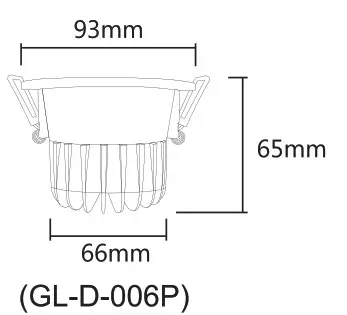 | Power: 6W Hole Size: 80mm(3.15in) Light efficiency: 60LM/W Luminous Flux: 280~350LM |
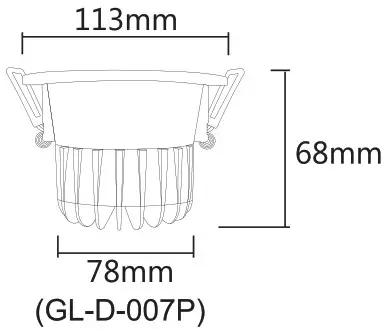 | Power: 12W Hole Size: 95mm(3.74in) Light efficiency: 67LM/W Luminous Flux: 660~800LM |
Parameter
| CRI: >80 PF>0.5 Lifespan: 50000hours Beam Angle: 60° | SDCM: <5 Input Voltage: AC 100~240V Color temperature: 2200~6500K Material: Aluminum+PC Cover |
RGB+CCT Downlight (CRI>90)
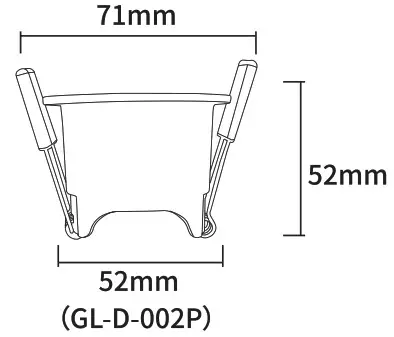 | Power: 6w Hole Size: 60mm(2.36in) Light efficiency: 52LM/W Luminous Flux: 270~370LM |
Parameter
| CRI: >90 PF>0.5 Lifespan: 50000hours Beam Angle: 60° | SDCM: <5 Input Voltage: AC 100~240V Color temperature: 2200~6500K Material: Aluminum+PC Cover |
- Please check whether the input voltage of the constant voltage power supply is in accordance with the Lamps, and please check the connection of both the cathode and anode.
- The working Voltage is AC100-240V, the Lamps will be broken if the voltage is higher than 240V.
- Non-professional user cannot dismantle the Lamps directly, otherwise, it may cause fire and electric shock.
- The working temperature is -20~45°C; Do not use the device to direct sunlight, moist and other high temperature area.
- Please do not use Lamps around the mental area and high magnetic field, otherwise, it will badly affect the Use effect.
Disclaimers
- This manual may contain inaccuracies or discrepancies of the product operations, or typographical errors. Our company will update the contents of this manual according to the improvements and changes of product functions, and regularly improve and update the software and hardware of products described in this manual. The updates will be shown in the latest edition of this manual without further notice.
- Due to the continuous adoption of new technologies by our company, the product parameters will be changed without any notice in prior.
- This manual is only for reference and guidance for customers. It does not guarantee that it is completely consistent with the actual product. The actual application is subject to the actual product.
- The parts, components and accessories mentioned in this manual do not represent the standard configuration of the product. The detailed configuration is subject to the packing list.
- All texts, tables and pictures in this manual are protected by the relevant national laws, and may not be used without permission by supplier.
- The copyright and right of the final interpretation of this manual are reserved by our company.
GL-IP-I-001 vi9