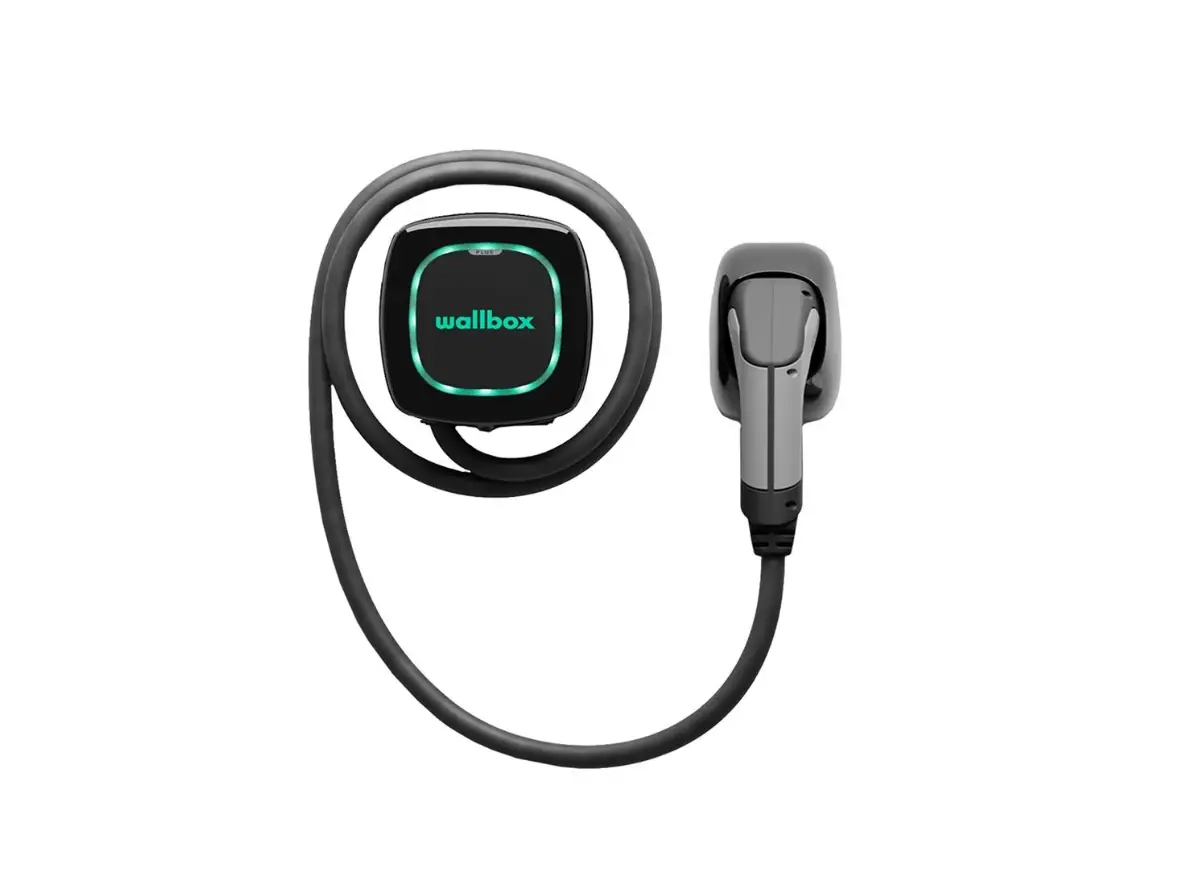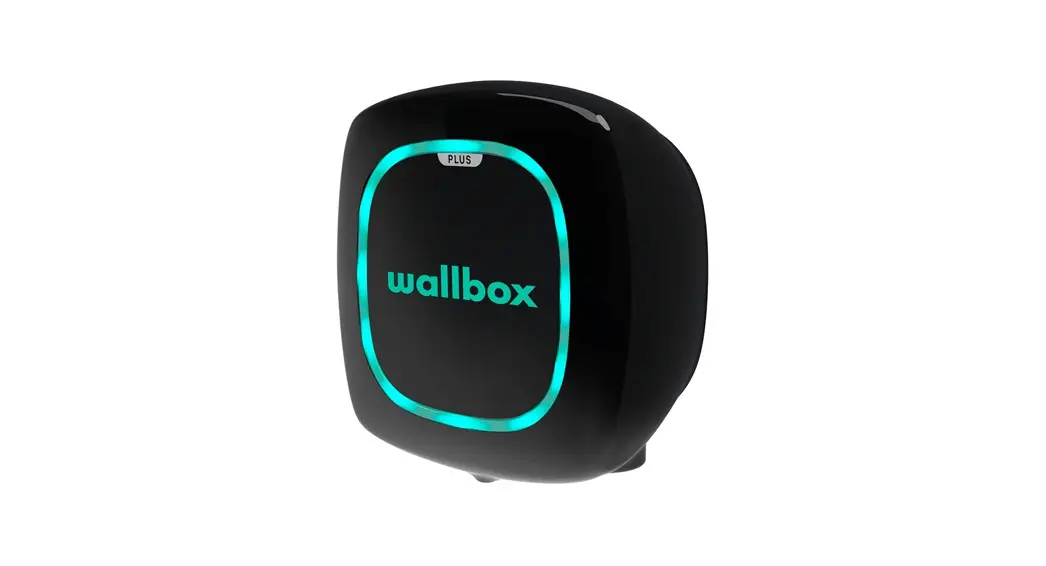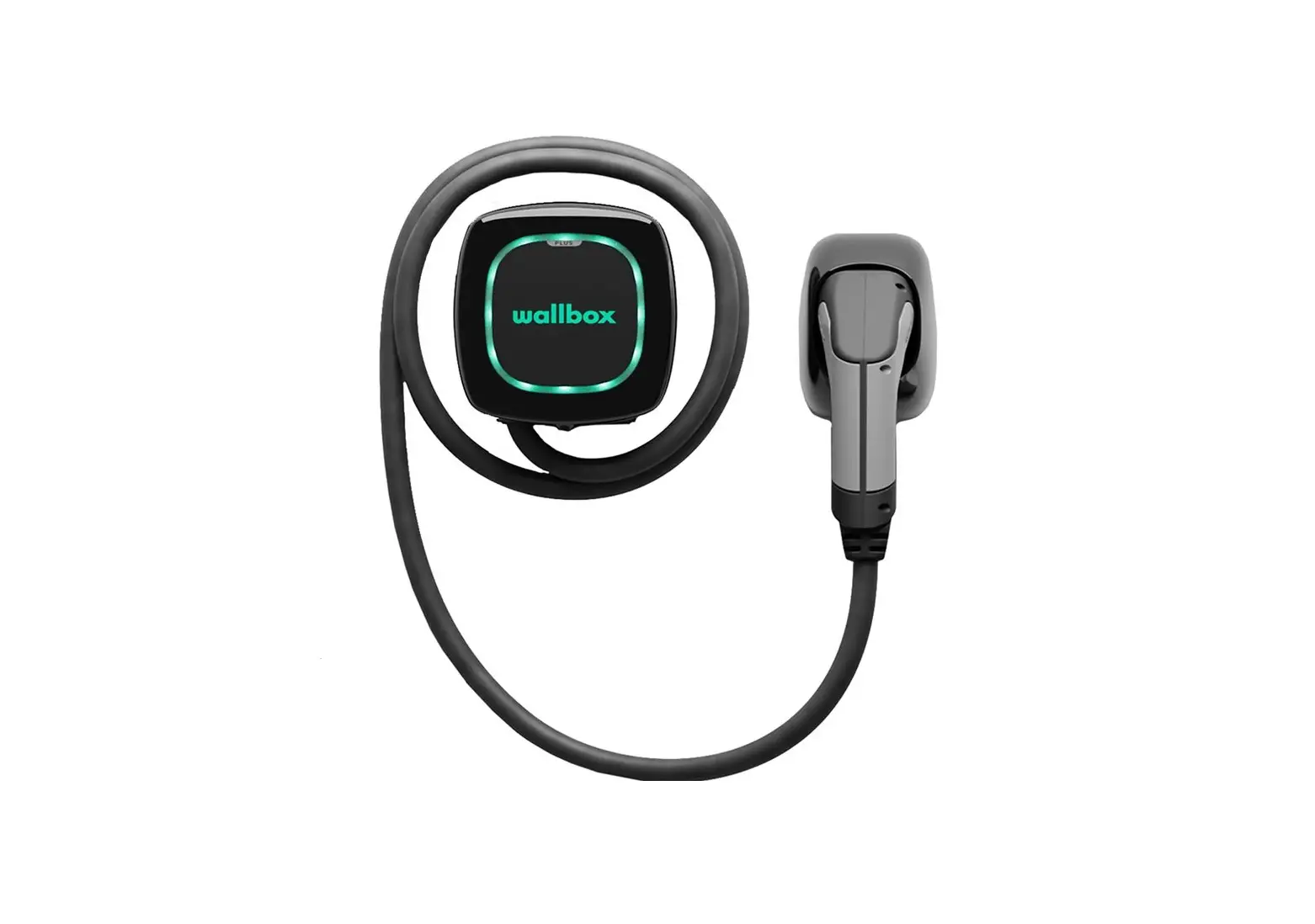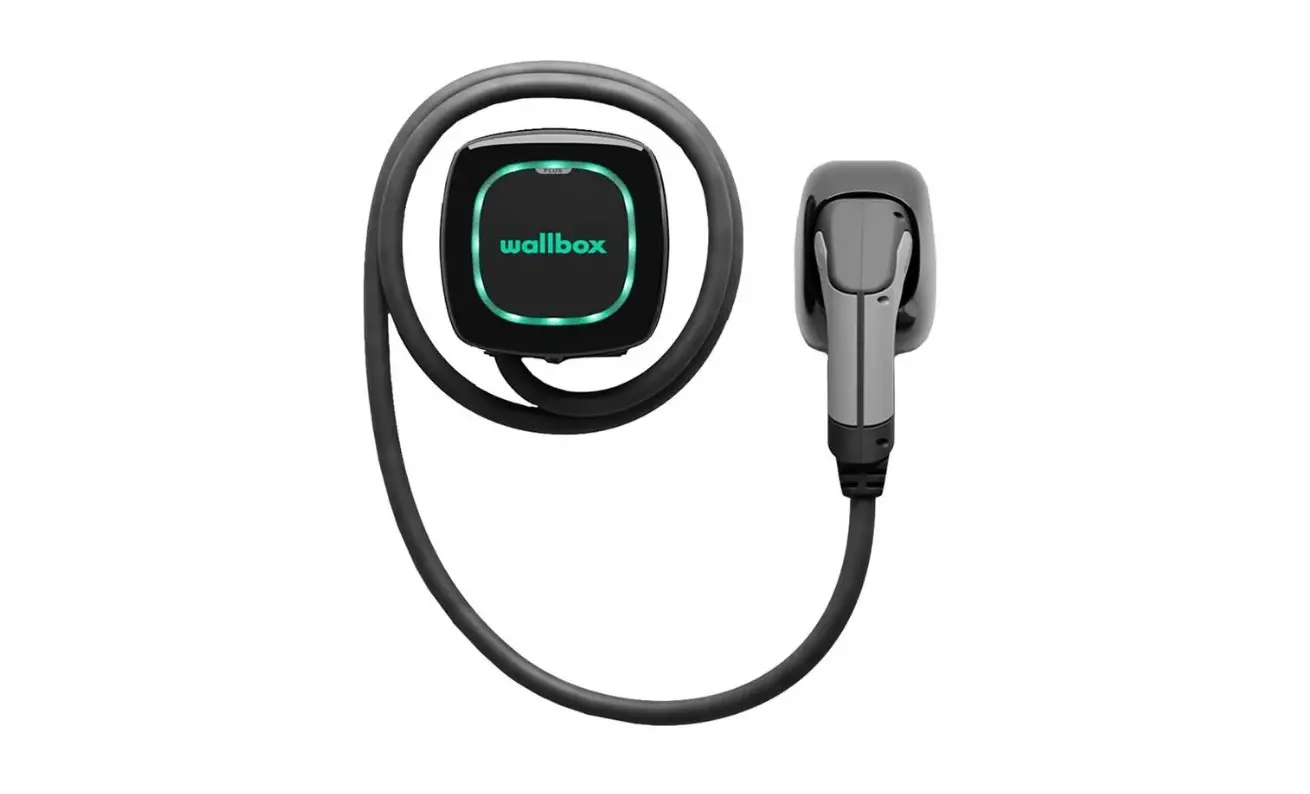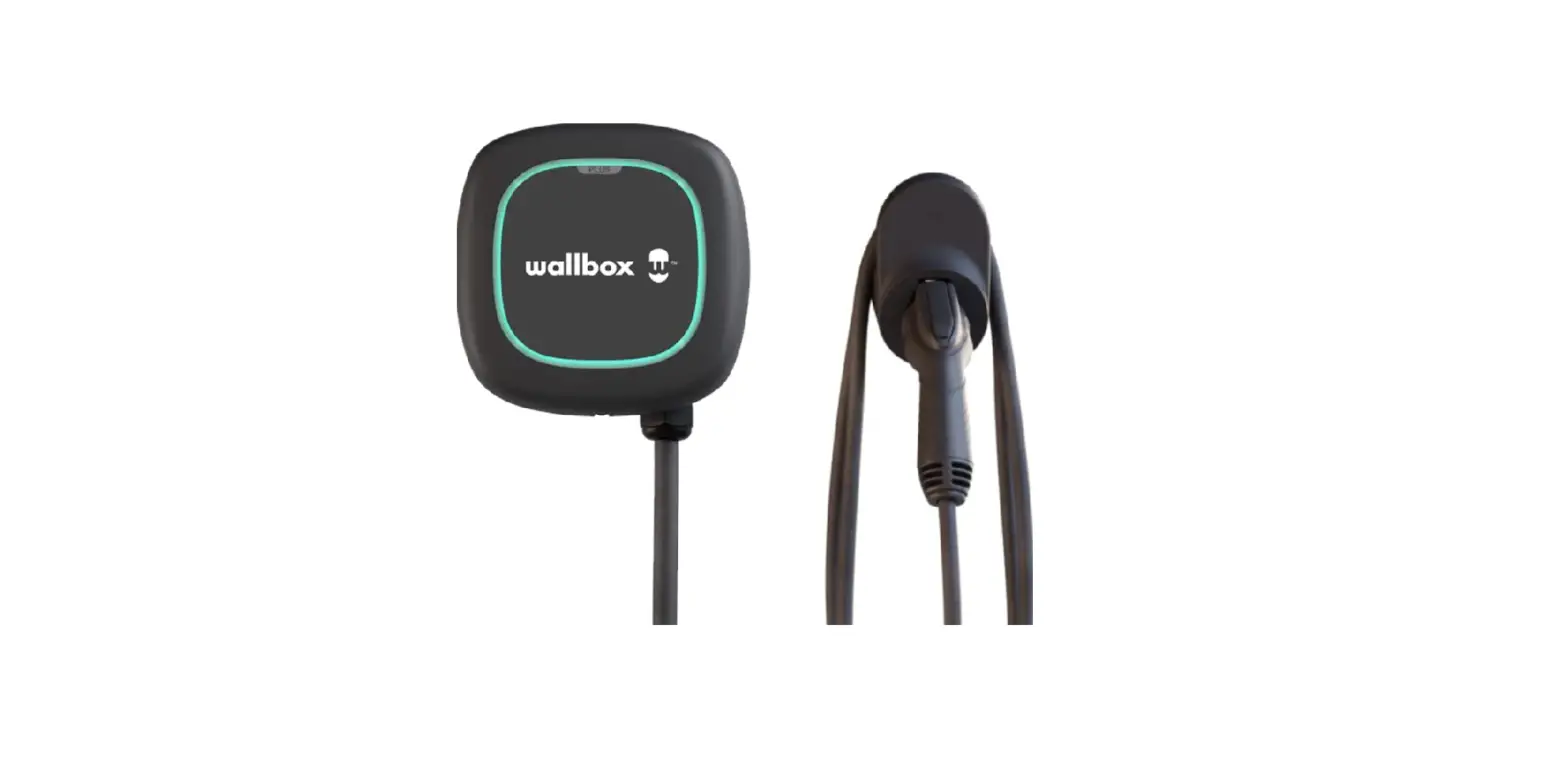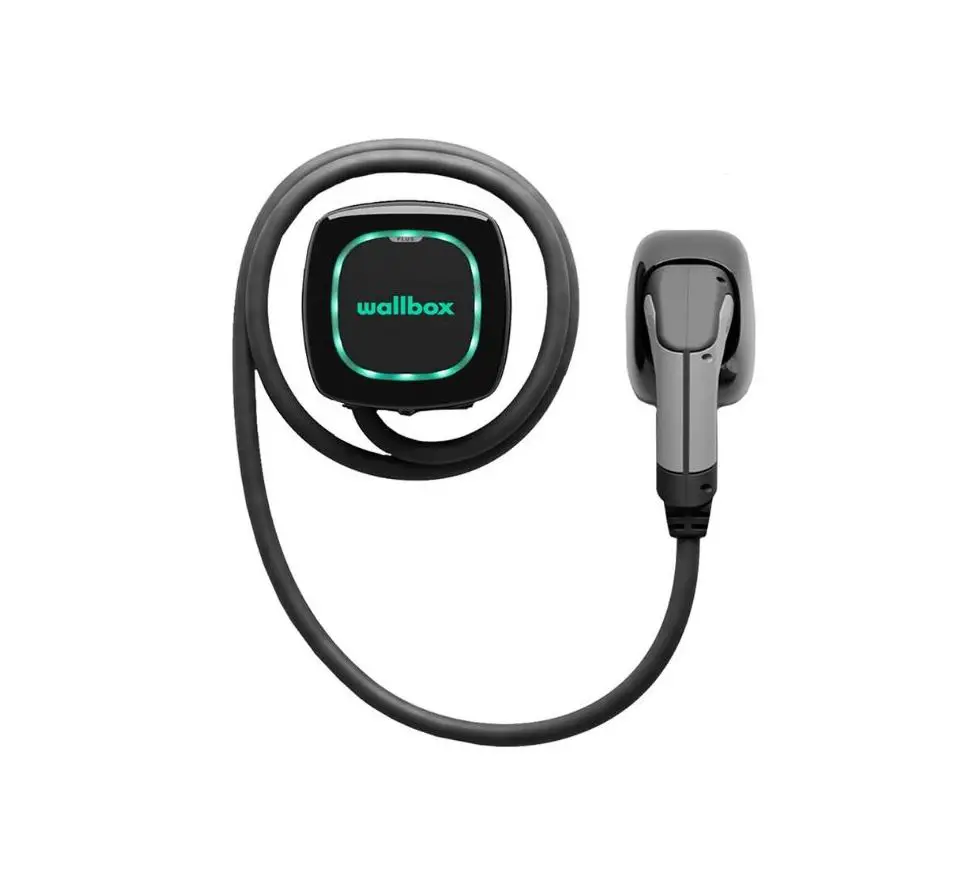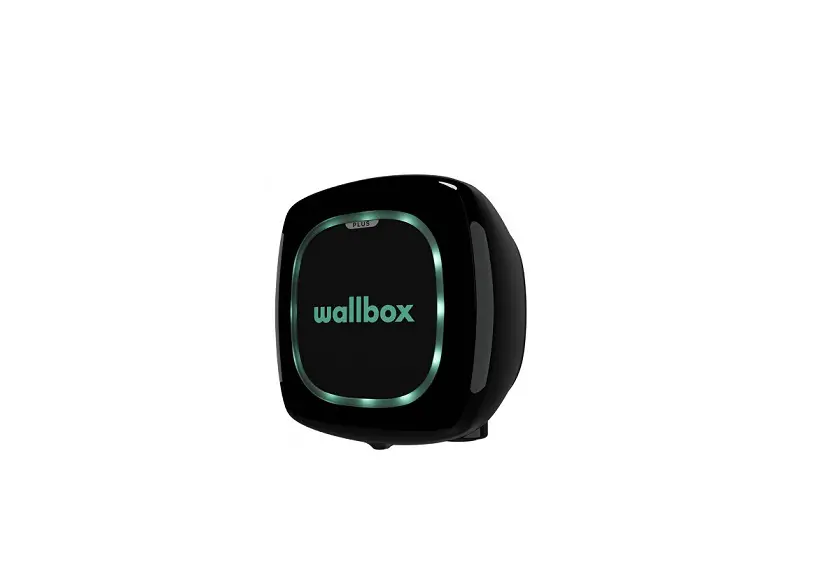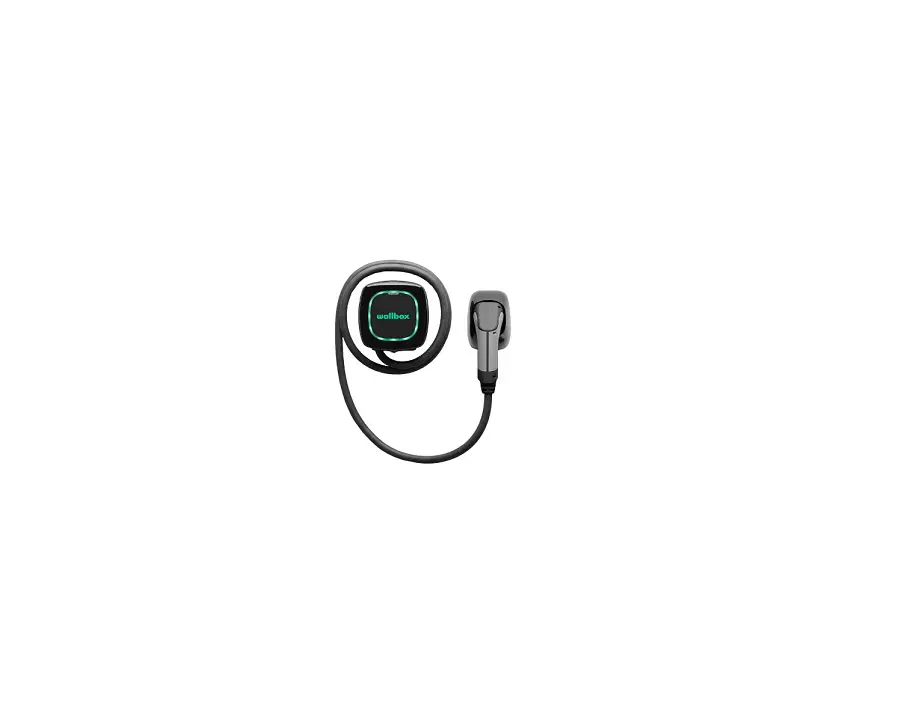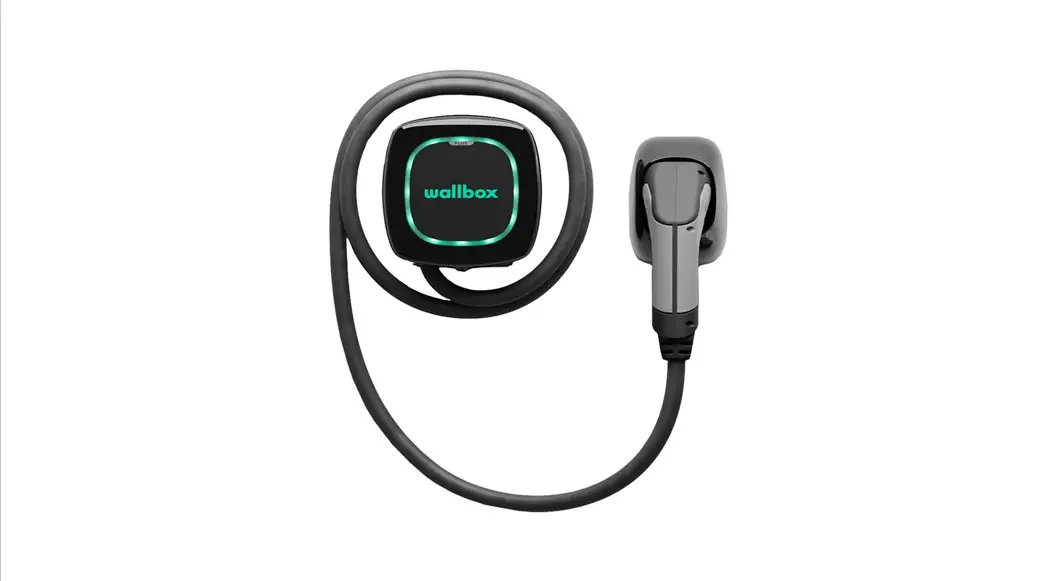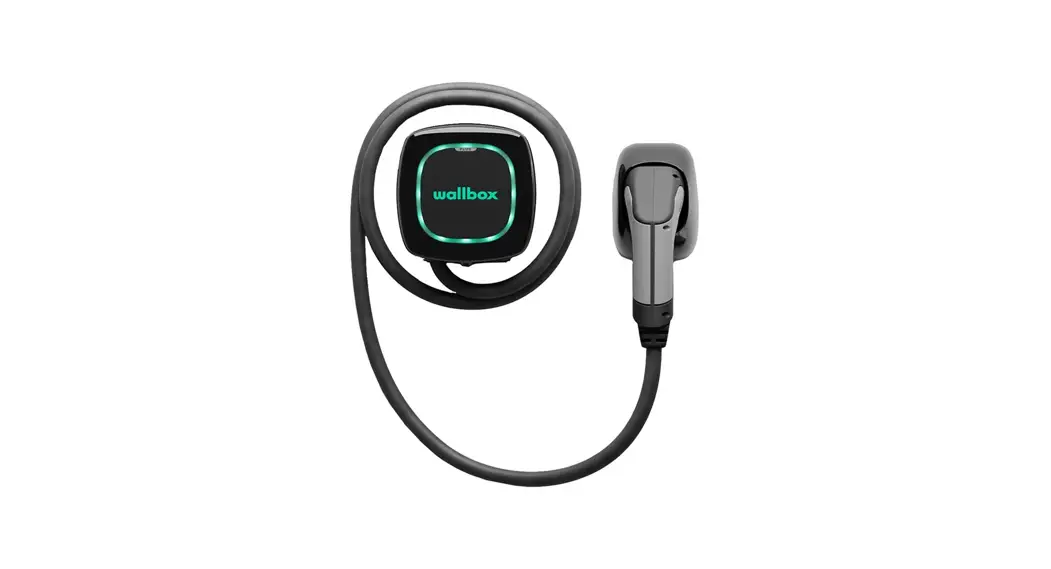

PULSAR PLUS
Installation Guide
GETTING STARTED
Data Sheet
General specifications
| Model | Pulsar Plus |
| Cable length | 25ft |
| Color | Matte black |
| Charging protocol | SAE J1772 |
| Dimensions | 7.8” x 7.9” x 3.9” (without cable) |
| Weight | 4.4lbs (without cable) |
| Operating temperature | -22ºF to 104ºF (-30ºC to 40ºC) |
| Storage temperature | -40ºF to 158ºF (-40°C to 70°C) |
| Electrical safety | UL 2594, UL 2231 |
| EMC compliance | FCC Part 15 Class B, CAN ICES-003B / NMB-003B |
Electrical specifications
| Charging Power | 9.6kW | 11.5kW |
| Rated Current | 40A | 48A |
| Rated voltage AC ± 10% | 208/240 V (Level 2) | |
| Connector type | SAE J1772 Type 1 | |
| Configurable current | From 6A to rated current | |
| Rated frequency | 60Hz | |
| Enclosure protection rating | Type 4 per UL 50E | |
| Power input connection | Plug connected (NEMA 14-50P) or hardwired |
Part number structure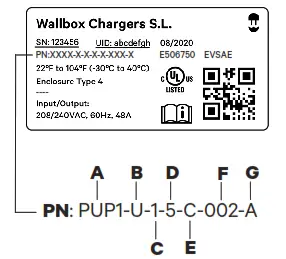
| Code | Definition | ||
| A | Model | PUP1 | Pulsar Plus NA |
| B | Cable | U | 25ft |
| C | EVC | 1 | Type 1 |
| D | Power | 5 6 | 9.6kW 11.5kW |
| E | Version | 0 N C G | Hardwired Plug-in version Hardwired + OCPP NEMA 14-50P + OCPP |
| F | Custom | 002 | Black |
| G | Revision | X | Revision X |
 FCC Note
This equipment has been tested and found to comply with the limits for a Class B digital device, pursuant to part 15 of the FCC Rules.
These limits are designed to provide reasonable protection against harmful interference in a residential installation.
This equipment generates, uses and can radiate radio frequency energy and, if not installed and used in accordance with the instructions, may cause harmful interference to radio communications. However, there is no guarantee that interference will not occur in a particular installation.
If this equipment does cause harmful interference to radio or television reception, which can be determined by turning the equipment off and on, the user is encouraged to try to correct the interference by one or more of the following measures:
- Reorient or relocate the receiving antenna of the affected ratio or television.
- Increase the separation between the charger and any affected devices.
- Connect the charger to an outlet on a circuit different from the one to which any affected devices are connected.
- Consult the dealer or an experienced radio/TV technician for help.
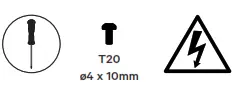
Safety icons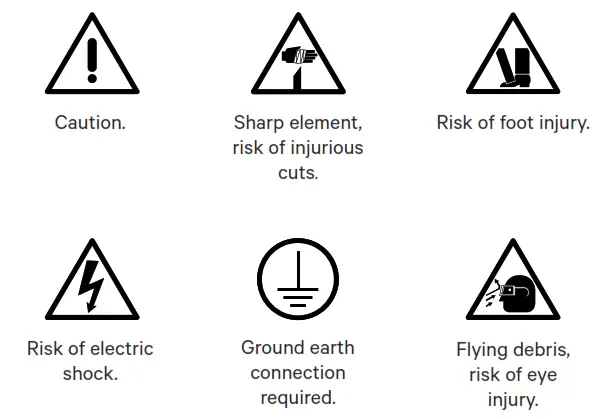
Package contents
Components
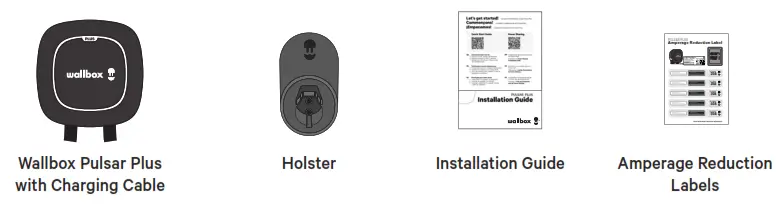
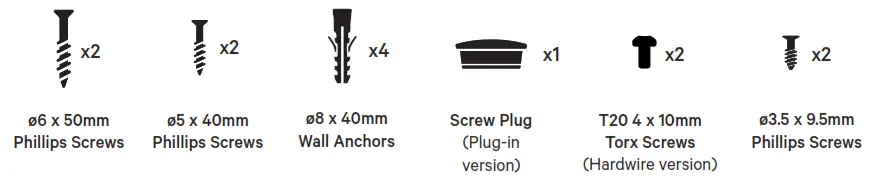
Included mounting parts
Required tools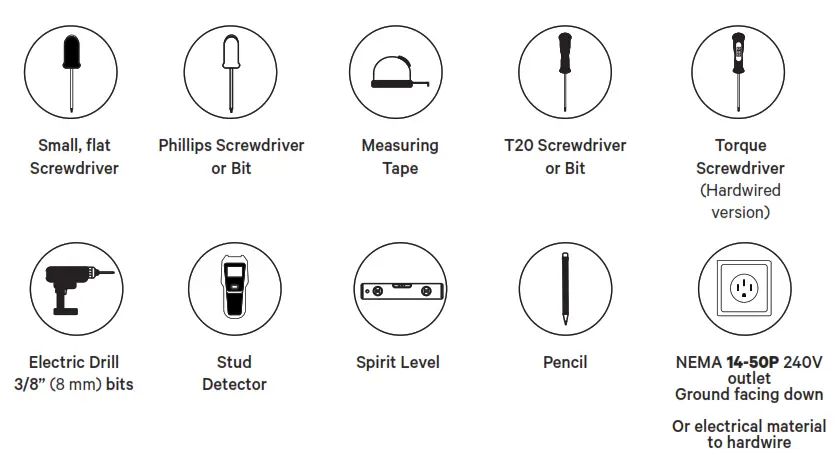
Before installing Pulsar Plus Before installing your charger, be sure to obtain any required permits and/or approvals in accordance with applicable codes, regulations, and ordinances for electrical installations.
Prepare the charger for installation
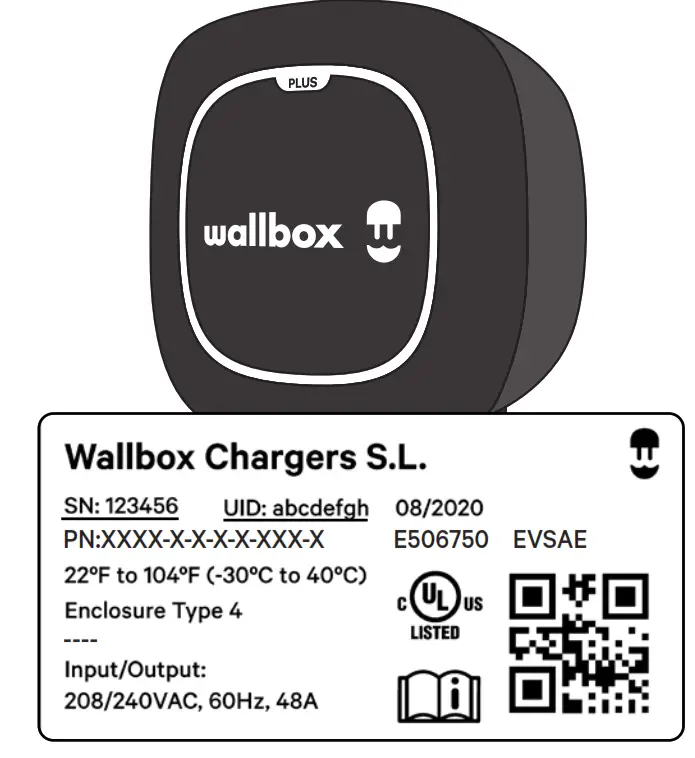
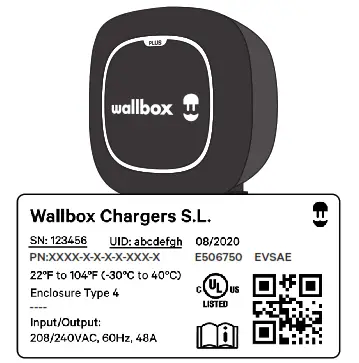
Before getting started, carefully lift the charger from the packaging, remove the cardboard covering the cables, and carefully unfasten the plastic cable ties on the EV cable bundle. Leave the cables in the box until needed to ensure they do not get damaged during installation. Check the product label to identify the model/ version of your charger. Make note of the serial number (SN) and unique identification number (UID) as you will need these to complete the registration of your charger.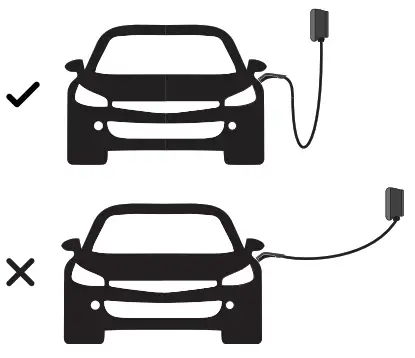
Location
For the placement of your charger, consider how you will normally park your car, the location of the vehicle’s charge port, and the length of the charging cable (25 feet/750cm).
NOTE: You should always have enough slack in the charging cable so as not to apply tension to the cable or the cable connections. For secure mounting, you will want to install your charger on a vertical wall stud or on a solid wall with appropriate mounting anchors.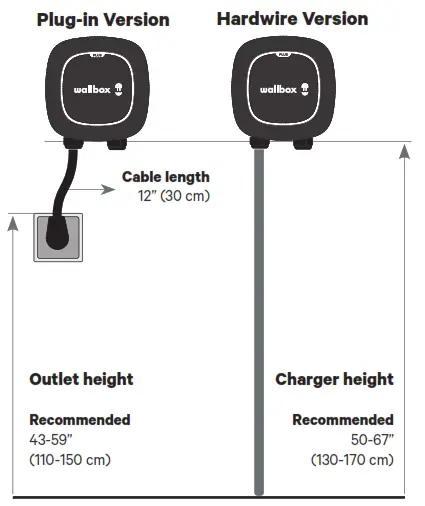
Positioning
We recommend installing your charger as shown in the diagram on the left. Note that the minimum installation height must be at least 18” (46cm), measured from the bottom of your charger. Wallbox recommends an installation height of 50-67” (130-170cm). With NEMA cable installations, be sure to take into consideration the 12” (30cm) length of
NEMA cable when positioning your charger in relation to the NEMA receptacle. For hardwire installations, the wiring may use either the rear or bottom access ports in your charger. Be sure to note that the power supply wiring and conduit (if used) will need to be placed on the left side of your charger. 40A NEMA Plug-in installation: page 9. 40A or 48A Hardwire installation: page 12.
INSTALLATION
NEMA plug-in installation
Refer to one of the corresponding sub-sections below for an existing NEMA outlet or for installing a new NEMA outlet.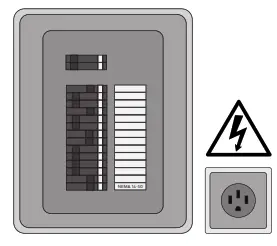
Existing NEMA outlet
If you already have a NEMA outlet, ensure that:
- It complies with local electrical codes.
- It has a designated circuit breaker and electrical wiring that are dimensioned appropriately.
 Switch off the circuit breaker of the electrical outlet before installing your charger.
 Switch off the circuit breaker of the electrical outlet before installing your charger.
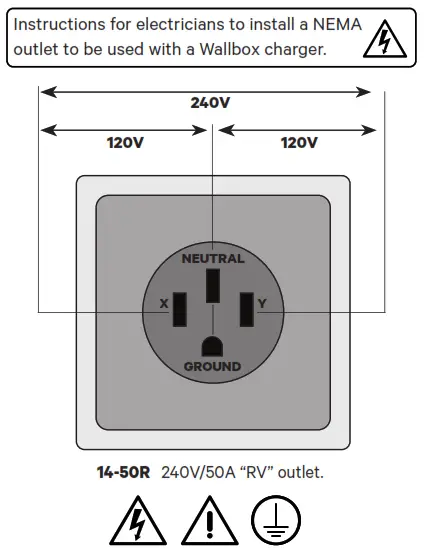 NEMA outlet installation
When installing a NEMA 14-50 outlet, be sure the ground pin is facing down as shown in the diagram on the left.
Important recommendations
- Ensure you have the correct permits for this electrical installation.
- Remember that the NEMA outlet must be placed on the left side of the charger as shown at page 8.
- Keep in mind that the power supply cable length is limited to 12” (30cm).
- Ensure the electrical panel supports a 240V dedicated circuit with a new, dedicated twopole circuit breaker.
- CAUTION: To reduce the risk of fire, connect only to a circuit with a branch circuit overcurrent protection of 50A in accordance with ANSI/NFPA 70 (US) C22.2 NO.280-13 (Canada).
NEMA plug-in installation
Ensure the NEMA receptacle is correctly installed before connecting your charger. See instructions on Page 9.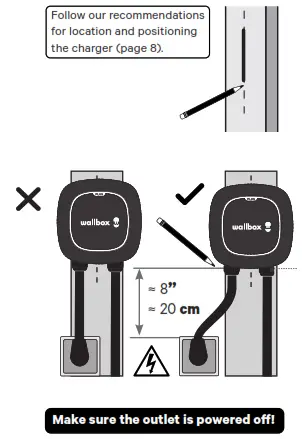
Placement
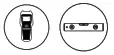
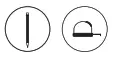
- Using a wall stud finder, find the wall stud nearest to the NEMA outlet. Mark a vertical line approximately 20” (50cm) in length in line with the wall stud.
Alternately you may find a suitable location on a solid wall.
- Ensure that the placement of the NEMAoutlet and your charger will allow for an adequate connection of the 12” (30cm) NEMA cable.
- Carefully lift the charger from the box, plug the NEMA cable into the outlet, and position the charger centered on the vertical line. Position the charger such that the NEMA cable has a gentle curve and is not stretched. Mark a horizontal line at the bottom of the charger.

- Unplug your charger and carefully place it back in the packaging box while you continue.
Installing the wallplate
- Remove the tape from the wallplate to detach it from the charger.
- Place the wallplate with the bottom edge aligned with the horizontal line and the center holes aligned with the vertical line. Mark the location of the holes.
Make sure the outlet is powered off!

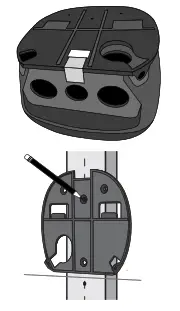
NEMA plug-in installation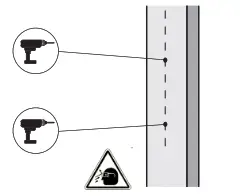
3. Drill two holes with an appropriate-sized bit.
Place the wallplate in alignment with the holes.
If you are mounting your charger on a solid wall, use the wall anchors provided with your charger.
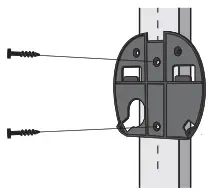 4. Firmly mount the wallplate using the provided wall screws. Do not over-tighten the screws.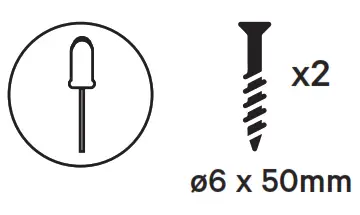
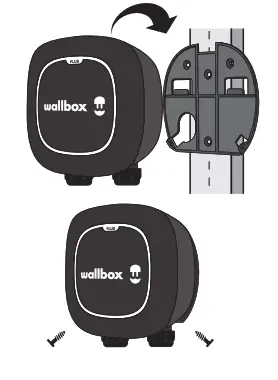
Mounting
- Carefully remove your charger from the packaging box and hang your charger from the top of the wallplate.
- Secure the charger to the wallplate using the provided wallplate screws. Do not overtighten.
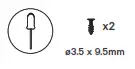
Proceed to the instructions for installing the holster and operating your charger, pages 16-17.
Hardwired installation
Installation of your Wallbox charger with a permanent power supply.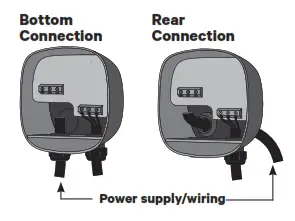
Determine wiring entry
Before hardwire installation, determine which entry port you will be using for your power supply wiring or conduit. Your charger can be connected from either the rear or bottom entry ports. Choose the most appropriate connection based on the placement of your wiring or conduit.
Be sure to note that the power supply entry for either port will be on the left side of your charger. Ensure that you locate your charger so that the power supply wiring or conduit is accessible on the left side of your charger.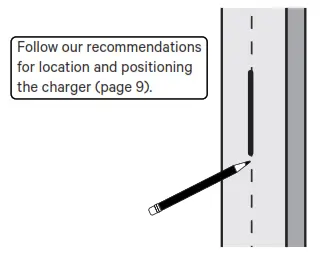
Placement
Using a wall stud finder, find the wall stud nearest to and on the right side of the power supply wiring.
Mark a vertical line approximately 20” (50cm) in length in line with the wall stud at the approximate height of your mounting.
Alternately you may find a suitable location on a solid wall.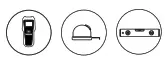
Preparing your charger
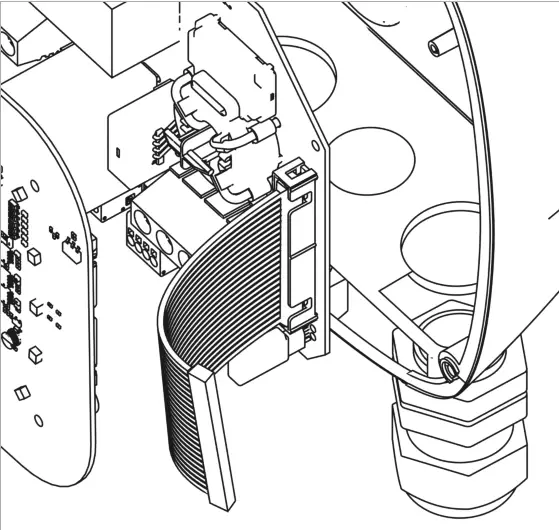
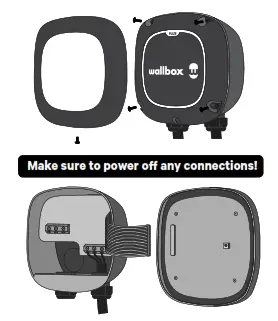
Hardwire installation requires opening your charger to access and connect the hardwire power supply connection.
- Remove the cover frame from the front of your charger by removing the bottom screw that affixes the frame to the cover.
- Remove the four corner screws on the cover and carefully lift the cover.
- From the cover, carefully detach the ribbon cable. Set the cover aside.
Removing the NEMA 14-50P cable
40A NEMA Model only
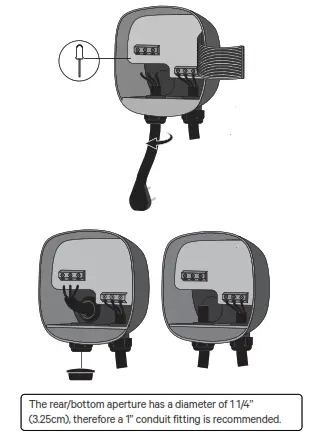
- To disconnect the NEMA power cable wiring, unscrew the terminal screws as shown in the diagram on the left.
- Loosen the left cable gland in a counterclockwise direction and pull down on the NEMA cable to release it from your charger. Safely store or dispose of the NEMAcable.
For bottom wiring installations
Use a small screwdriver to cut a slit in the rubber grommet to create an opening for your power supply wiring. Alternately, if you are using a conduit for the rear attachment, remove the grommet and attach the conduit fitting.
• For 40A model rear wiring installations, remove the bottom cable gland and attach the provided screw plug to cover the bottom port.
For rear wiring installations
Remove the attached cable gland (40A model) or screw plug (48A model) to allow the attachment of the conduit fitting.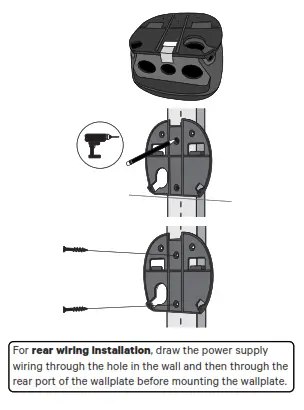
Installing the wallplate
- Remove the tape from the wallplate to detach it from the charger.
- Place the wallplate with the center holes aligned with the vertical line drawn earlier. Mark the location of the holes.
For rear wiring installation, also mark the location of the rear power entry port. - Drill two holes with an appropriate sized bit.
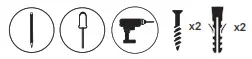
Place the wallplate in alignment with the holes and firmly mount the wallplate using the provided wall screws. Do not over-tighten the screws.
• If you are mounting your charger on a solid wall, use the wall anchors provided with your charger.
Mounting the charger
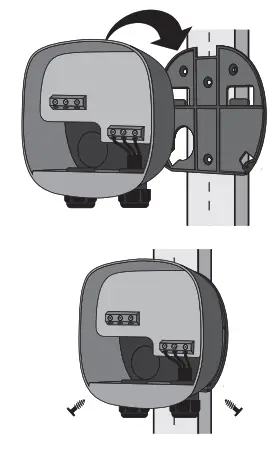
- Carefully remove your charger from the packaging box and hang it from the top of the wallplate.
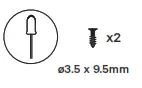
For rear wiring installation, feed the power supply wires through the rear port (and through the rubber grommet, if not using conduit) with enough length to easily connect the wires to the terminals. - Replace the two wallplate screws to secure your charger to the wallplate. Do not over-tighten.
Electrical wiring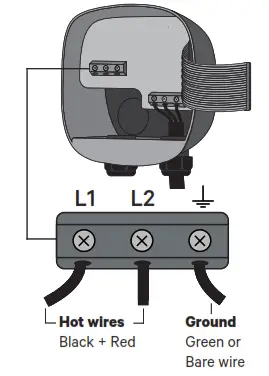
- For bottom wiring installation, feed the power supply wires through the bottom port with enough length to easily connect the wires to the terminals.
NOTE: If using a conduit connection, pull the wiring through before connecting the conduit. - Connect the electrical wires according to the diagram on the left.
- Use copper conductors only within the wire size range of 10 to 6 AWG (6mm² to 16mm²).
- Strip 1/2” (12mm) of insulation off each wire, insert the wires per the diagram, and tighten each connector screw to 11.5in·lbs (1.3N·m).
Ensure the electrical panel supports a 208/240V dedicated circuit with a new, dedicated two-pole circuit breaker, rated for the selected amperage (see following section). The voltage between the hot wires (L1 and L2) must be 208/240V.
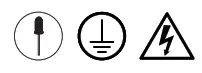
CAUTION To reduce the risk of fire, only connect your charger to a circuit with a branch circuit overcurrent protection of 125% of the selected max amperage setting of the device in accordance with ANSI/NFPA 70 (US) C22.2 NO 280 13 (Canada).
Rated current adjustment
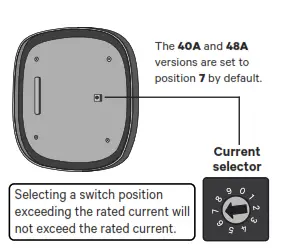
- Both the 40A and 48A versions of Pulsar Plus can be adjusted from 16A to the maximum rated amperage of each model. If you are installing your charger on a circuit rated lower than the maximum rating for your charger, you can use the current selector to manually set a lower maximum current.
Hardwire installations - On your charger cover, locate the current selector and set the rotary switch to the appropriate setting per the chart below.
| Position | Amps | Circuit Breaker Rating |
| 2 | 16A | 20A |
| 3 | 20A | 25A |
| 4 | 24A | 30A |
| 5 | 32A | 40A |
| 6 | 40A | 50A |
| 7 | 48A | 60A |
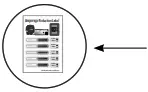 3. When setting your charger’s currently lower than the max. rating, use the label corresponding to your selected current value from the enclosed amperage reduction label sheet and affix it over the existing label on your charger.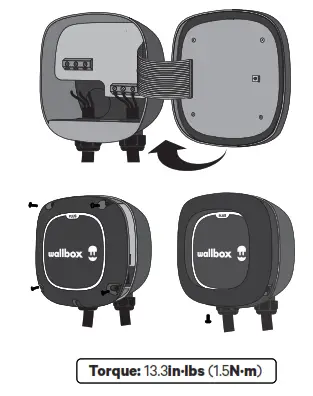
Closing the charger
- Carefully reattach the communications cable to your charger cover and close the cover of your charger.
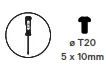
- Insert the four corner screws to secure your charger cover. Do not over-tighten.
- Making sure to properly align the bottom screw opening, place the cover frame on your charger and attach the frame with the screw. Do not over-tighten.
Proceed to the instructions for installing the holster and operating your charger, pages 16-17.
Holster
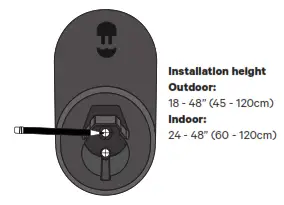
Installing the holster
The holster is used to store your EV connector when not in use. You may place the holster wherever it is most convenient, being sure that the location does not place any tension on the charging cable.
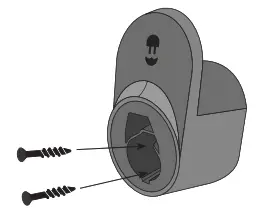
- For a secure mounting, locate the holster on a vertical wall stud or similar solid wall. Mark the two screw holes.


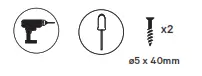
- Drill two holes were marked with an appropriately sized drill bit, align the holster, and securely fasten the holster with the two provided screws. Do not over-tighten.


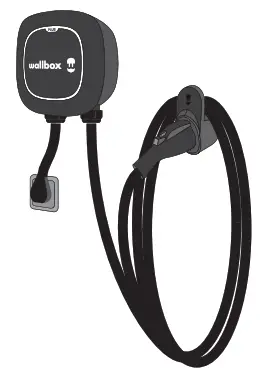
- Drape the charging cable around your charger and dock your EV connector in the holster.
• You may drape the charging cable on the holster, the charger, or both. Proceed to the instructions for operating your charger at page 17.

Operating
NOTE: Once you have powered on the connected circuit, your charger will be ready to charge your EV. To fully access your charger functions and control your charger remotely, however, you will need to download the myWallbox app to a mobile device (smartphone or tablet) and register your charger following the directions below.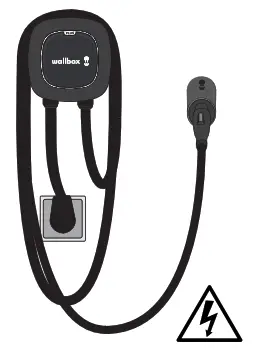
Powering on
If you have installed a NEMA plug-in model, insert the NEMA plug in the receptacle. For all models, once all electrical connections have been safely made, switch on the power to the circuit from the circuit breaker.
The charger LED ring should light up in steady green. If the LEDs are not lighting, power off the circuit at the circuit breaker and contact your electrician to ensure proper electrical installation.
Guide to LEDs
Green: Ready.
Light blue: Connected to EV, ready for the charge.
Dark blue (pulsing): Charging.
Yellow: Locked.
Red: Error (see the troubleshooting section at page 18).
 |  |
| https://itunes.apple.com/es/app/wallbox/id1188288011?mt=8 | https://play.google.com/store/apps/details?id=com.wallbox |
Registering and connecting your charger
Download the myWallbox app to your smartphone or tablet, log in and follow the on-screen instructions to create an account and register your charger. You will need to verify your account with a valid email address. Once you have created your account, launch the app and follow the on-screen instructions for connecting to and registering your charger. To connect your charger, you will need to enter the serial number (SN) and unique identification number (UID). This information may be found on your charger label.
If you have any difficulty connecting your charger to your mailbox app, please refer to the “Help & Support” link on the app under your user profile. If you have trouble with the app, please go to support.wallbox.com/na.
Operating
 Compatibility
This Wallbox charger can be used with any Battery or Plug-In Hybrid Electric Vehicle (BEV/ PHEV) that is compliant with SAE J1772 (Including Teslas using the Tesla provided adapter).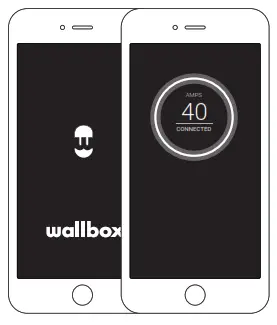
Charging
With your charger powered, connect the EV connector to your vehicle’s charge port/input. Connecting your charger will automatically initiate the charging process.
If you are using the mailbox app and have either locked your charger or set a charging schedule, the charging process will not start until you use myWallbox to unlock your charger or until the scheduled charging time.
Troubleshooting
If the LED halo is red (error notification), it means your charger has detected a safety issue with your electrical connection or vehicle.
Note that some errors will initiate an automatic reset after 15 seconds if the detected fault is resolved.
If the error does not automatically reset, unplug the EV connector from the vehicle and cycle through a power-off/power-on sequence by switching off the circuit at the circuit breaker and then switching it back on.
If the error persists, contact Wallbox customer service for additional instructions on how to resolve the error.
Service
Need more assistance? Contact Wallbox customer servic
(888) 787-5780
support.wallbox.com/na
[email protected]
Revision History
Version 1.0
Date of Publication 04/25/2022
Summary of Changes Change of logo and removal of “Made in Spain” from the label.

www.wallbox.com
support.wallbox.com/na
 Home - Wallbox Academy
 Wallbox | Smart, electric car charging stations