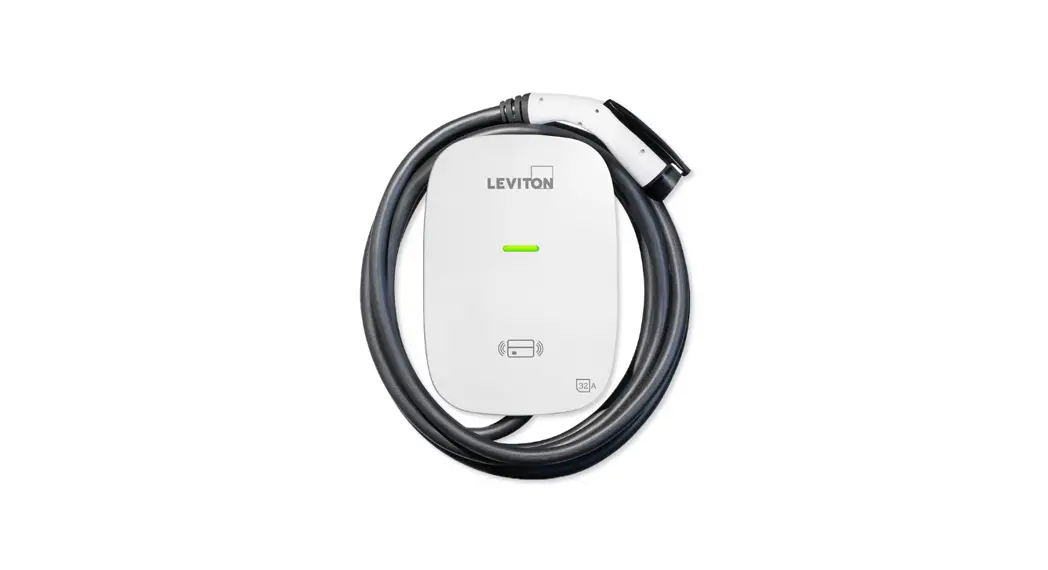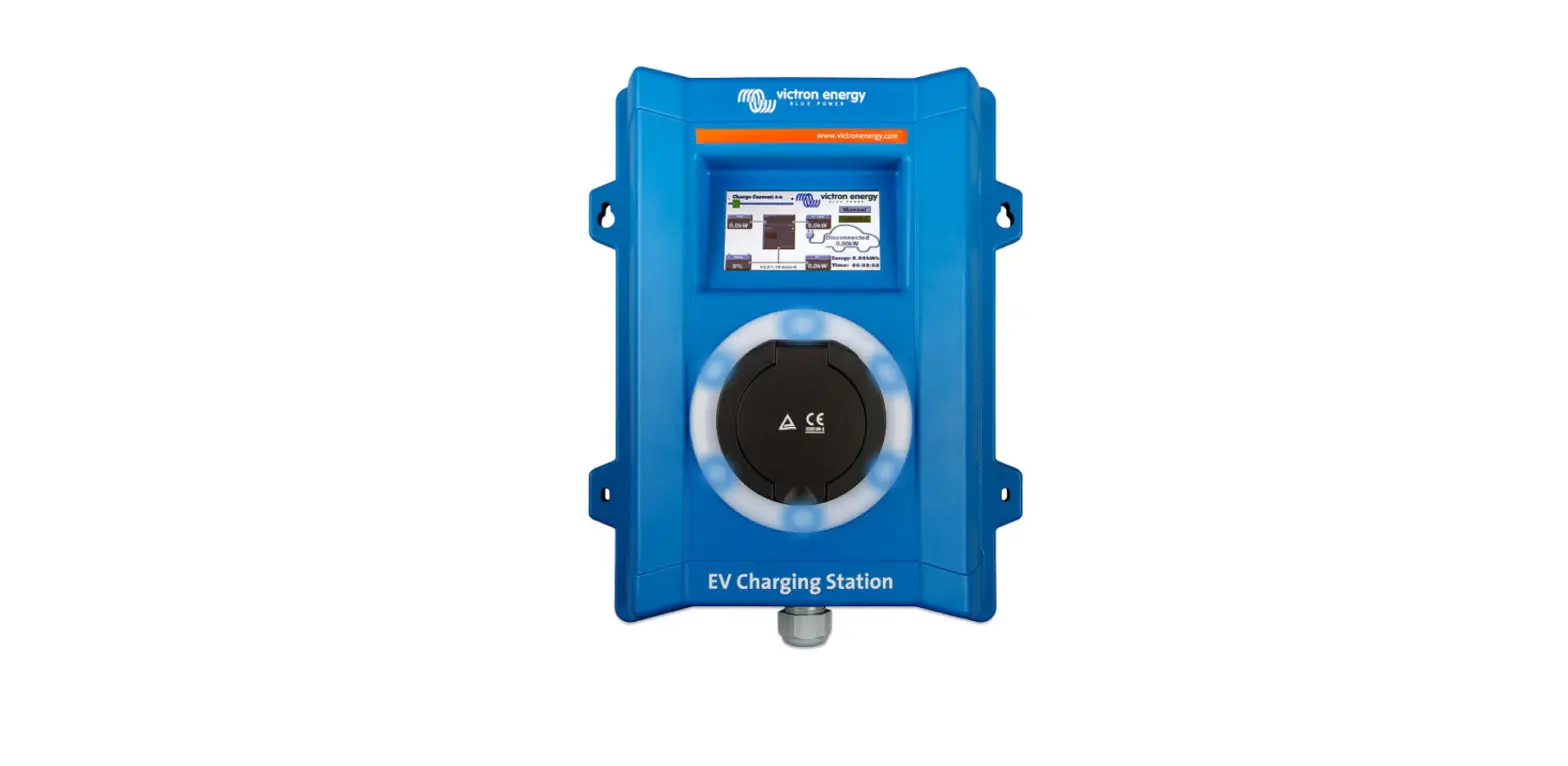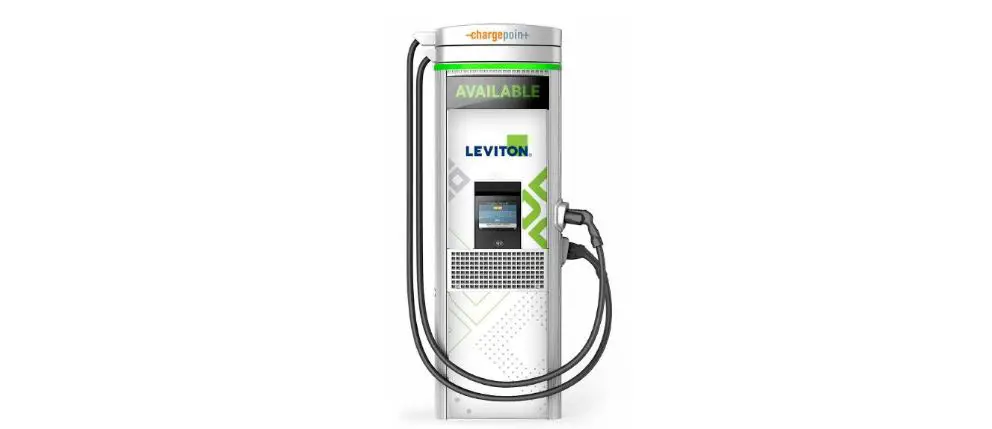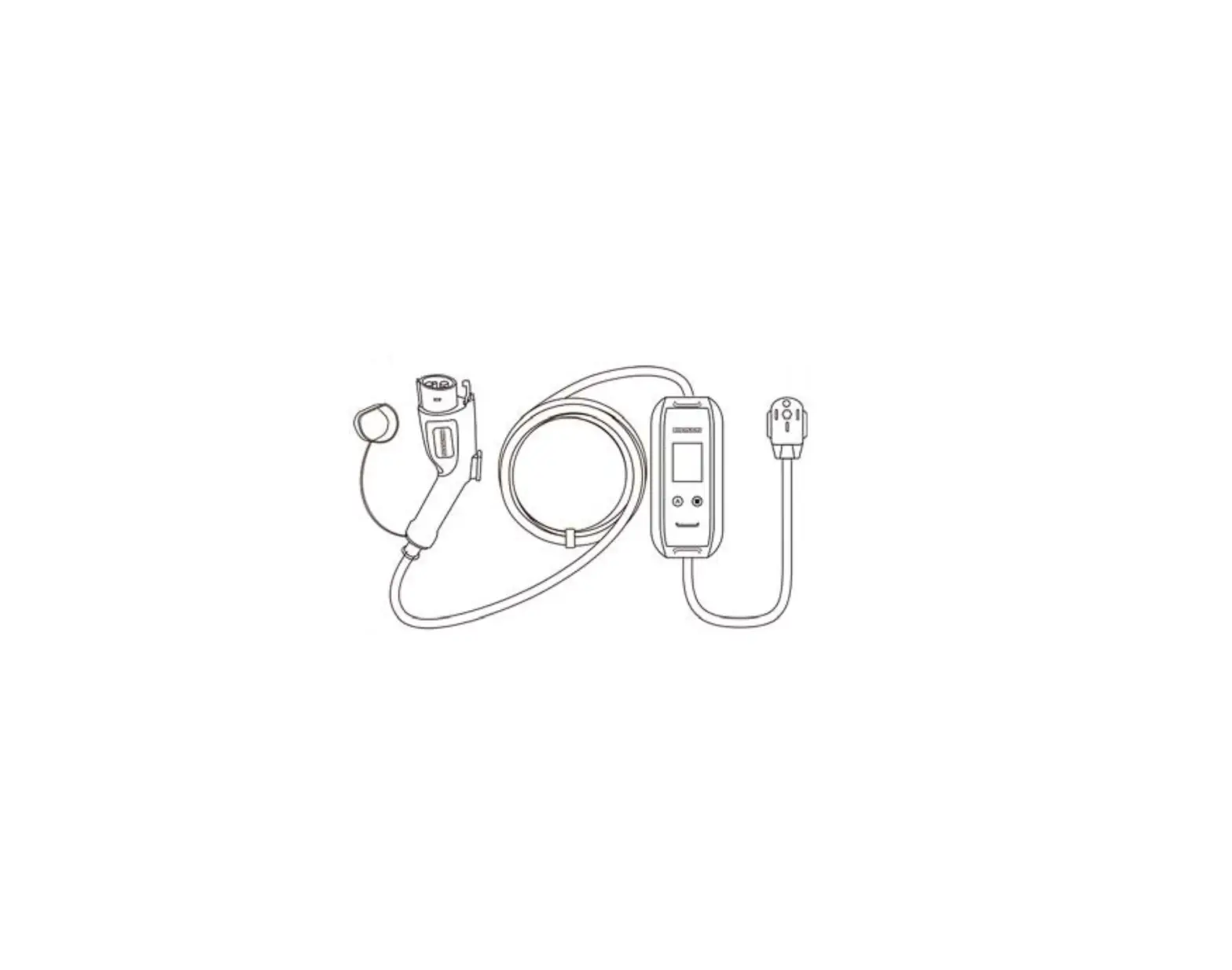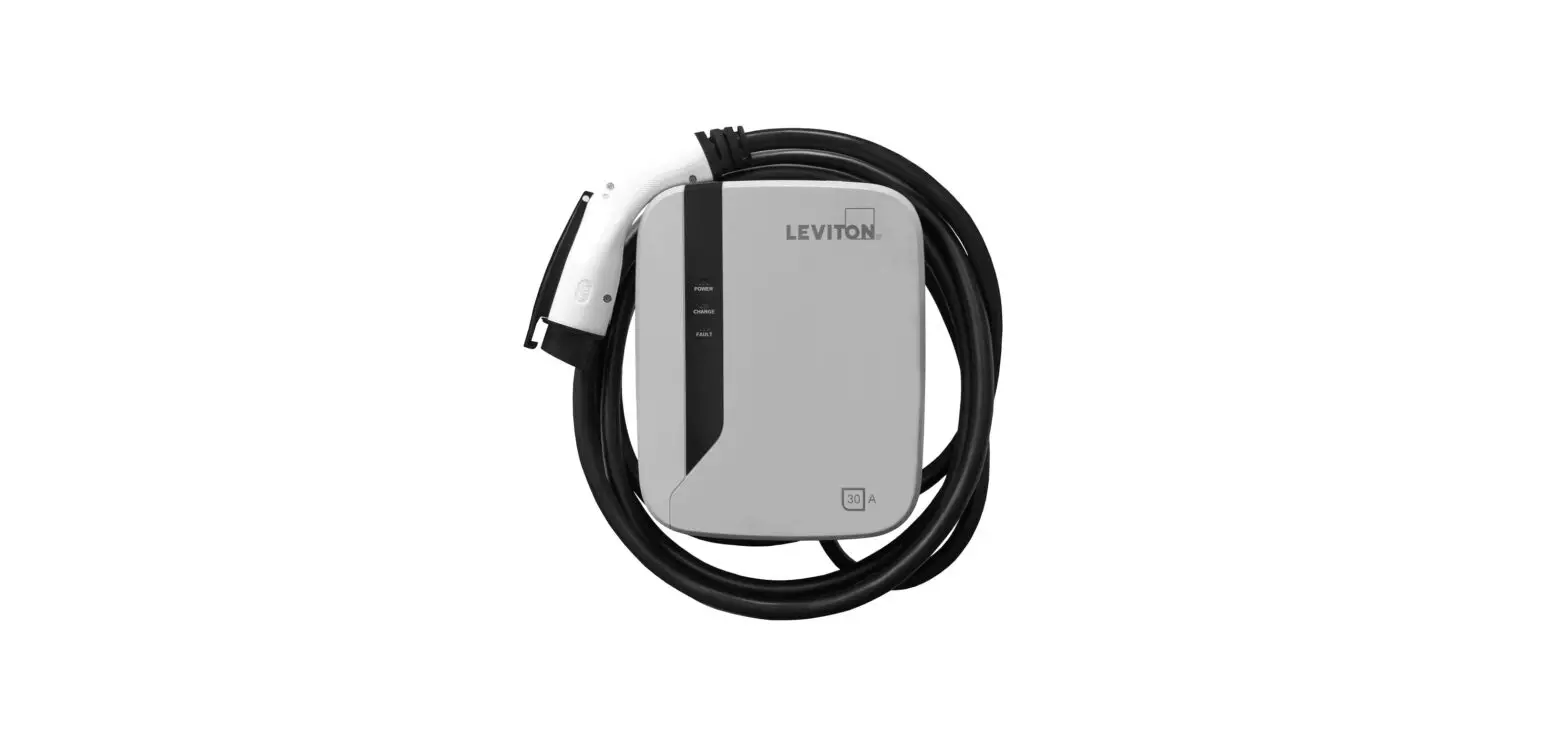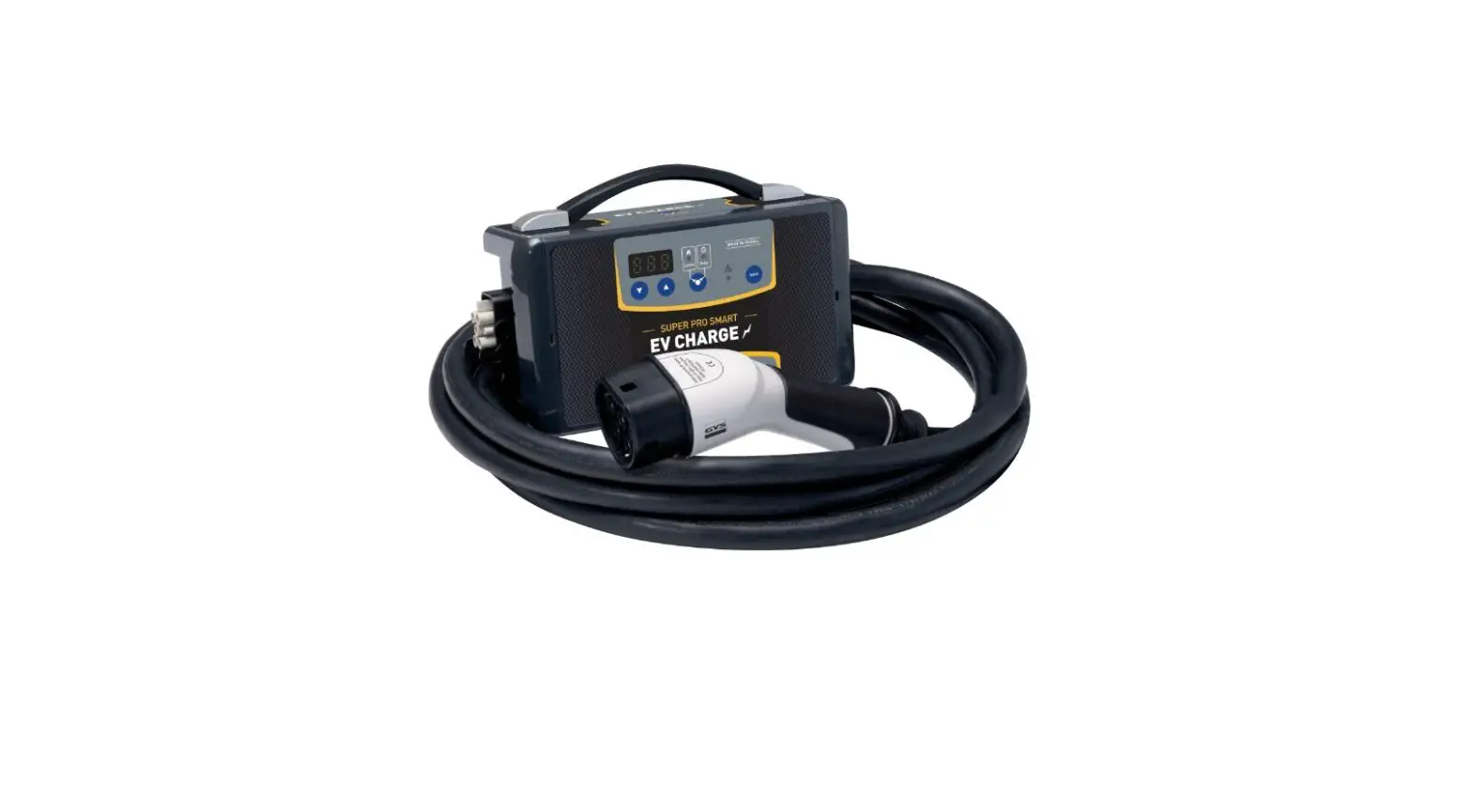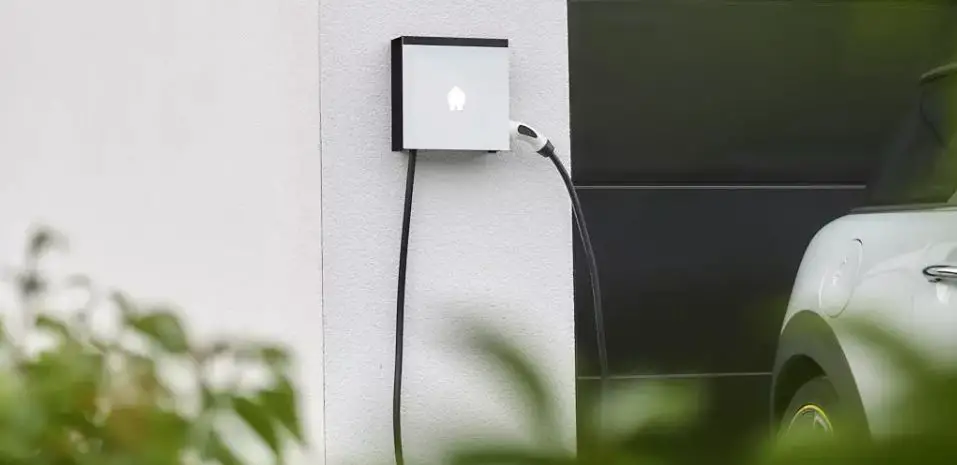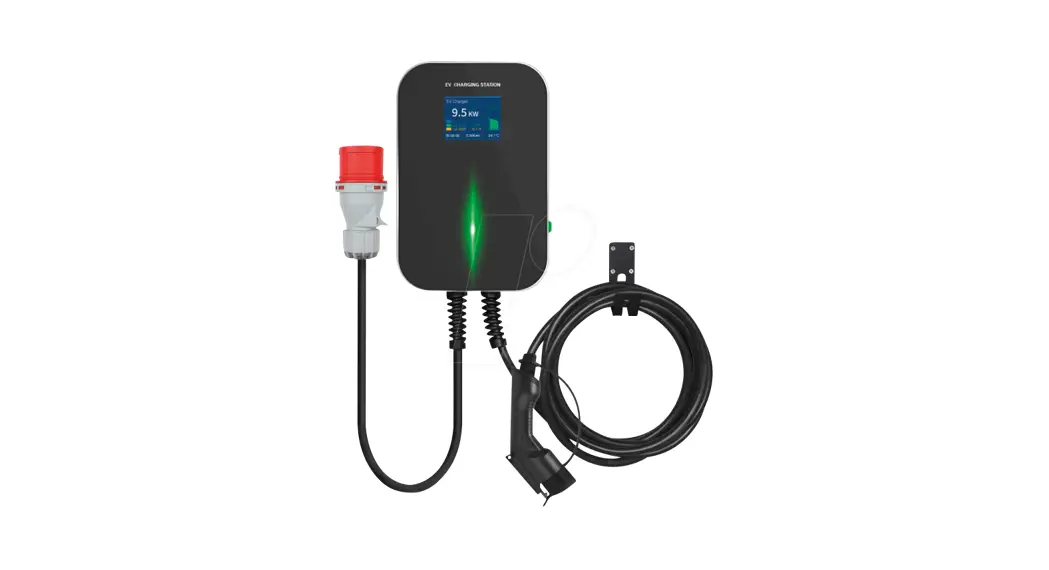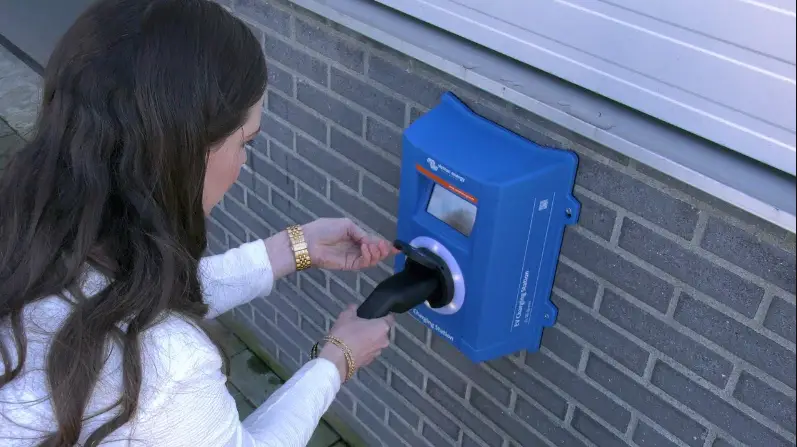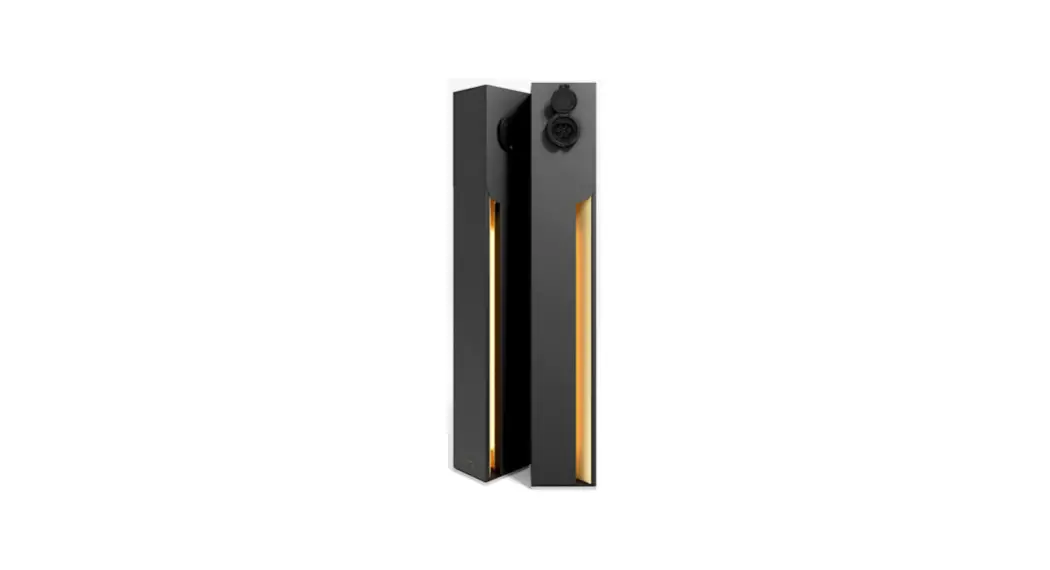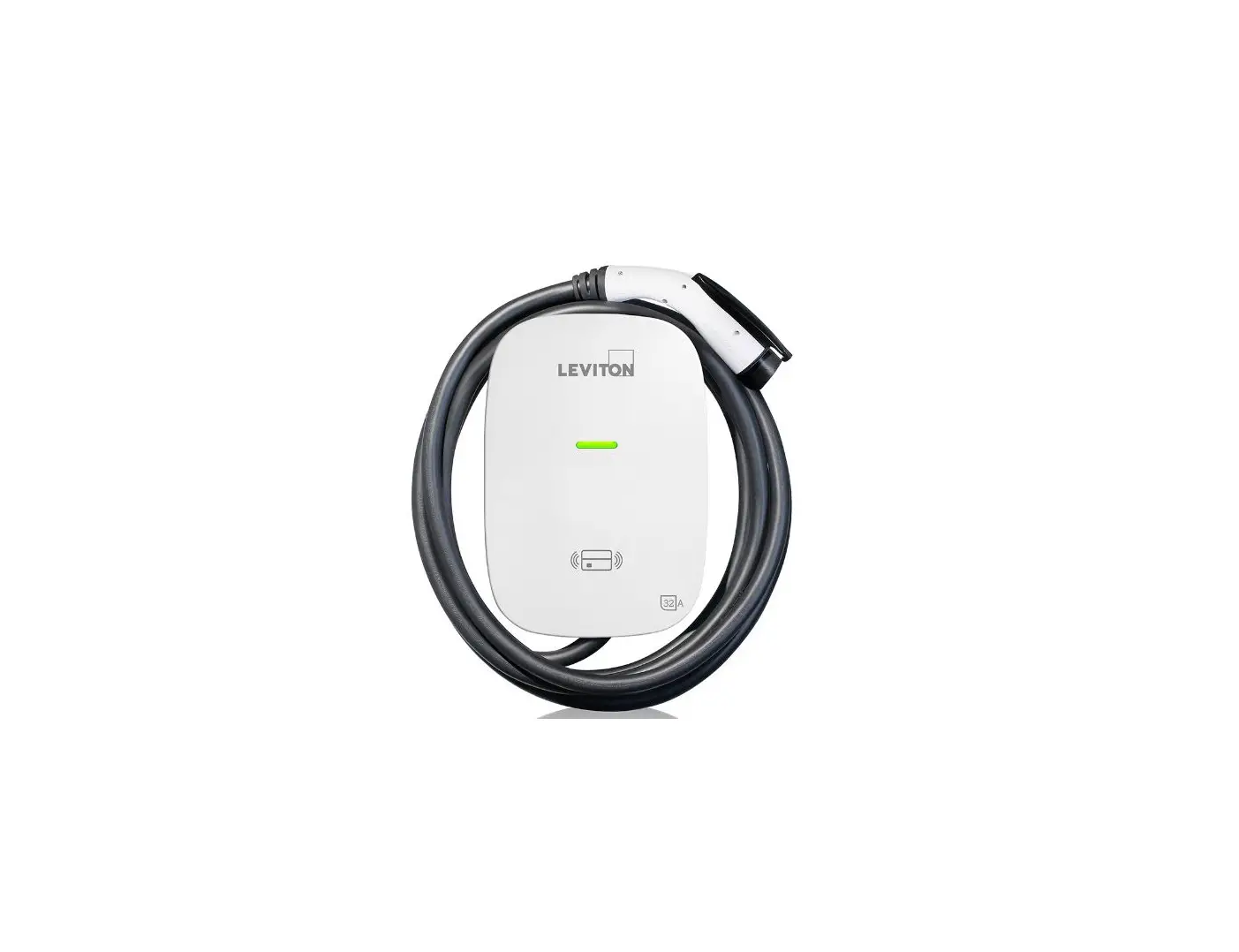

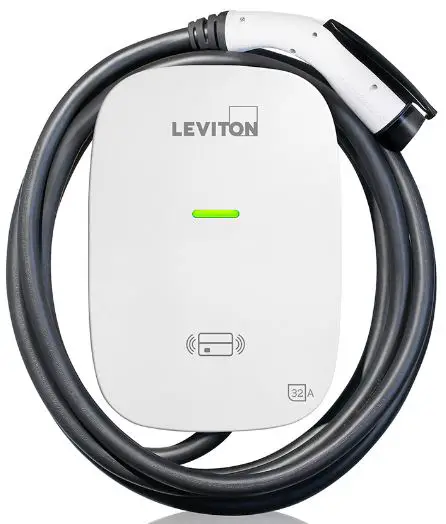
LEVITON EV320 Electric Vehicle Charging Station
Product Information
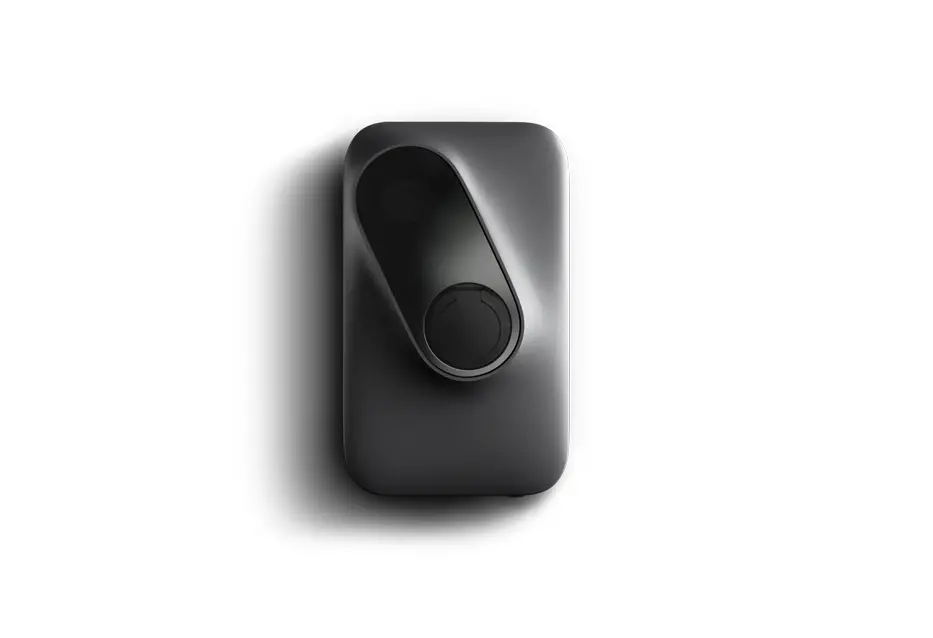
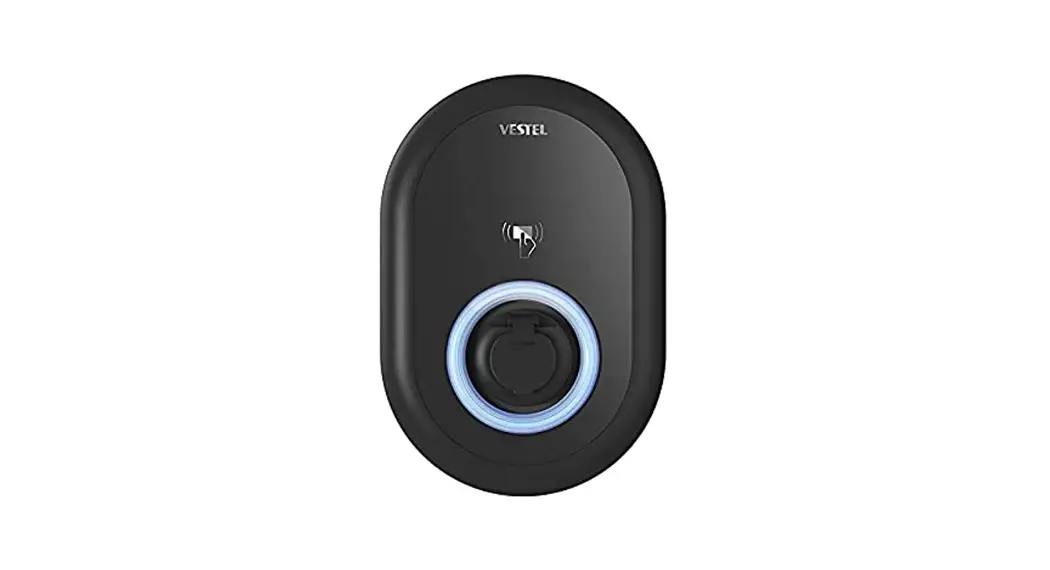
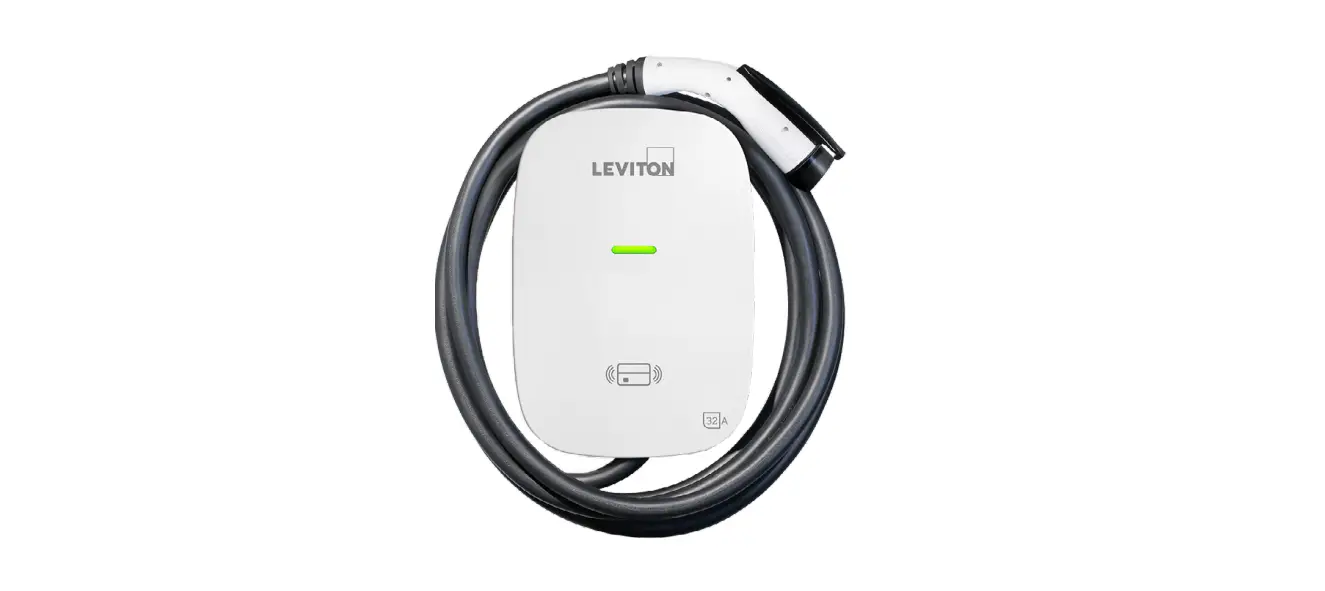
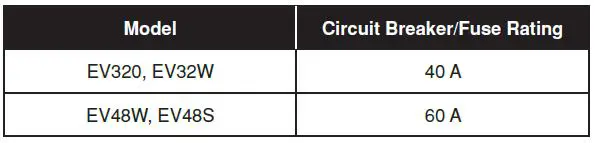
The product is a wall-mounted electric vehicle (EV) charger with a model name of EV320, EV32W, EV48W, or EV48S. It has a rated input voltage and output current of either 32A or 48A, depending on the model. The charger is designed to be compatible with the SAE J1772 Level 2 charging standard and comes with a charging cable for the vehicle. The device has a circuit breaker/fuse rating of either 40A or 60A, depending on the model.
Safety and Specifications
The device is designed to meet safety standards and comes with a user manual that includes safety instructions. The device has input and output protection, an output interface, and protection against different weather conditions. The device also has an RJ45 cable inlet for LAN or Wi-Fi connection, depending on the version. The cable length for charging is specified in the user manual.
Dimensions
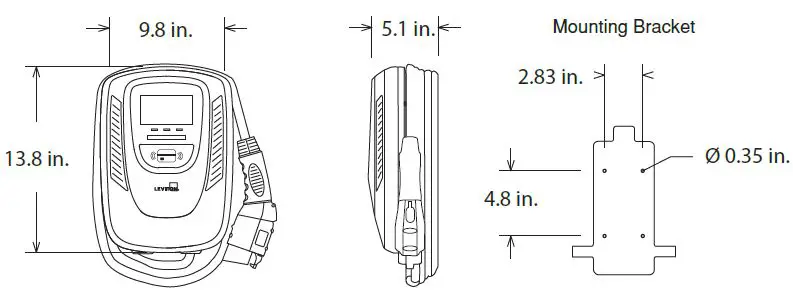
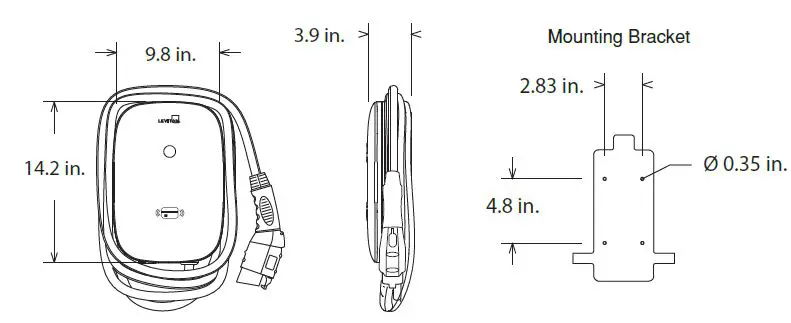
The dimensions of the EV48S charger are 9.8 inches by 13.8 inches by 5.1 inches, including the mounting bracket. The dimensions of the EV320, EV32W, and EV48W chargers are 9.8 inches by 3.9 inches by 14.2 inches, including the mounting bracket.
Status Light Key
The charger has an indication light that shows the status of the device. When in standby mode, the READY light stays steady in blue.
After the vehicle connector is connected to the vehicle inlet, the CHARGE light is constantly lit in green while waiting for charge.
When charging, the CHARGE light flashes in green.
Product Usage Instructions
Warnings
Before installing or wiring the device, make sure to turn off power at the circuit breaker or fuse and test that the power is off. Do not remove circuit protective devices or any other component until power is turned off. Carefully read the charging instructions in your vehicle’s manual before charging and follow the safety instructions provided in the user manual to avoid risk of death, injuries, and damage to the device.
Installation
Incorrect installation and testing of the charger couldpotentially damage either the vehicle’s battery and/or the device itself. Ensure that the charging cable is well positioned during charging so it will not be stepped on, tripped over, or subjected to damage or stress. Follow the installation instructions provided in the user manual and use the tools listed. The device is designed only for vehicles that are compatible with the SAE J1772 Level 2 charging standard.
WARNINGS
Safety Instructions
WARNING: TO AVOID FIRE, SHOCK OR DEATH, TURN OFF POWER at the circuit breaker or fuse, and test that the power is off before wiring! Do not remove circuit protective devices or any other component until power is turned off.
WARNING: TO AVOID FIRE, SHOCK, SERIOUS INJURY, DEATH, OR DAMAGE TO THE CHARGER, carefully read the charging instructions in your vehicle’s manual before charging and heed the following warnings:
Failure to follow the safety instructions can result in risk of death, injuries and damage to the device! The producer assumes no liability for claims resulting from this!
- Risk of electric shock. Do not remove cover or attempt to open the enclosure of the device. No user serviceable parts inside.
- This device should be installed, adjusted, and serviced by qualified electrical personnel familiar with the construction and operation of this type of charger and the dangers involved.
- The device is designed only for vehicles that are compatible with the SAE J1772 Level 2 charging standard.
- Do not install or use the charger near flammable, explosive, corrosive, or combustible materials, chemicals, or vapors.
- Do not use the charger if it is defective, appears cracked, frayed, broken, or damaged.
- Do not use the charger when you are in the vehicle, or the charger is exposed to severe rain, snow, or other severe weather.
- When transporting the charger, handle with care and do not drag or step on the device.
- Do not touch the charging connector terminal with sharp metallic objects for preventing damage.
- Do not forcefully pull the charging cable, damage it with sharp objects, put fingers, or insert foreign objects into any part of the charging connector.
- Risk of explosion. This device has arcing or sparking parts that should not be exposed to flammable vapors.
- Connect only to a circuit providing branch circuit overcurrent protection in accordance with the National Electrical Code, ANSI/NFPA 70 (United States), the Canadian Electrical Code, Part I, C22.1. Canada), or NOM-001-SEDE (Mexico)
Incorrect installation and testing of the charger could potentially damage either the vehicle’s battery and/or the device itself. Any resulting damage is excluded from the warranty for the device
Ensure that the charging cable is well positioned during charging so it will not be stepped on, tripped over, or subjected to damage or stress.
The device is designed only for vehicles that are compatible with the SAE J1772 Level 2 charging standard.
SAFETY AND SPECIFICATIONS
| Design Safety Standards |
| UL2594: Electric Vehicle Supply Equipment |
| UL 2231-1: Personnel Protection Systems for Electric Vehicle (EV) Supply Circuits: General Requirements |
| UL 2231-2: Personnel Protection Systems for Electric Vehicle (EV) Supply Circuits: Particular Requirements for Protection Devices for Use in Charging Systems |
| UL 2251: Plugs, Receptacles and Couplers for Electric Vehicles |
| UL 62: Flexible Cords and Cables |
| UL 991: Tests for Safety-Related Controls Employing Solid-State Devices |
| UL 1998: Software in Programmable Components |
| NFPA 70 Article 625: National Electrical Code, Electric Vehicle Charging System |
| UL840 (Clearance and Creepage) |
| Specifications | |
| Model Name | EV320, EV32W, EV48W, EV48S |
| Rated Input Voltage | 200-240 VAC / Single Phase |
| Rated Output Current | 32A / 48A |
| AC Power Frequency | 50/60 Hz |
| Input Protection | UVP, OVP, RCD, SPD,Ground Fault Protection |
| Output Protection | OCP, OTP, Control Pilot Fault Protection |
| Output Interface | SAE J1772 AC Charging Connector |
| Storage Temperature | -40°F(-40°C) to + 158°F(70°C) |
| Operation Temperature | -22°F(-30°C) to + 122°F(50°C) |
| Relative Operation Humidity | 95% RH Maximum |
| Relative Storage Humidity | 95% RH Maximum |
| RJ45 Cable lnlet – LAN Version or Wi-Fi | 10M / 100M Base-T |
| Wi-Fi Function – Wi-Fi Version | 802.11 b/g/n |
| Cable Length | 18 Ft. |
| Protection Level | IK08 & IP54 |
| Installation Type | Wall mount or pedestal mount |
| Altitude | < 2000 m |
| Weight | 5.5 ± 0.5kg |
| Dimensions | 350.52 mm. x 248.92 mm. x 129.54 mm. |
| Status Indication | Red, Green, Blue LED |
TOOLS NEEDED
| # | Product Name | Quantity |
| 1 | AC Charger (With Charging Cable) | 1 |
| 2 | User Manual | 1 |
| 3 | Wall Mounted Bracket | 1 |
| 4 | M5 teeth screws | 2 |
| 5 | M6 Hexagonal Expansion Screws | 4 |
| 6 | Standard RFID Card | 2 |
| 7 | Administrator RFID card | 1 |
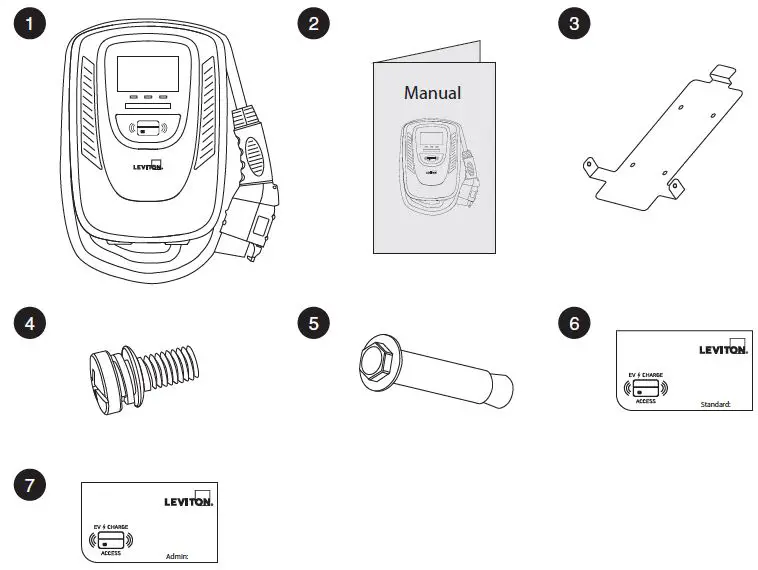
Tools required before installing the Wall-Mounted charger:
- Wire stripper
- Phillips screwdriver
- Adjustable Wrench
- Voltmeter or digital multimeter
(for measuring AC voltage at the installation site) - Level
- Pencil or marker
- Drill
BASIC INTERFACE
EV48S
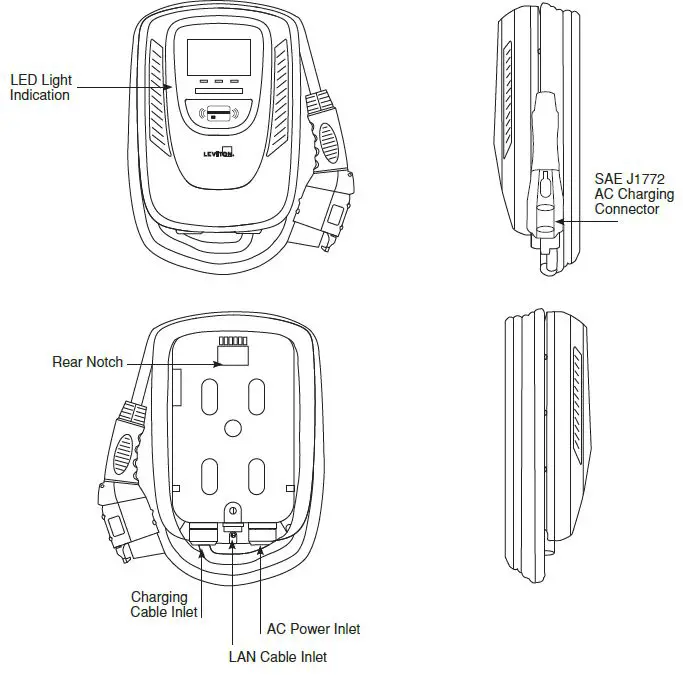
EV320/
EV32W
EV48W
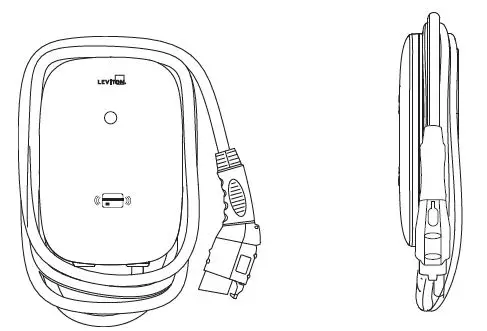
DIMENSIONS
Main Size of Charger – EV48S
Main Size of Charger – EV320, EV32W and EV48W
STATUS LIGHT KEY
Status Description of the Charger Indication Light
| Status of Charger Indication Light | |
 | Standby – Blue Light The READY light stays steady in standby mode. |
 | Waiting for Charge – Green Light After the vehicle connector is connected to the vehicle inlet,the CHARGE light is constantly lit. |
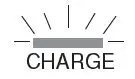 | Charging – Green Light Flashing The CHARGE light flashes while charging |
 | Fault – Red Light The red light is lit while fault. Please refer to section 9 “Error and Warning Messages” for detailed information. |
Safety Requirements:
- Be sure to preview the user manual and ensure local building and electrical codes are reviewed before installing the AC charger.
- The AC charger should be installed by a qualified technician according to the user manual and local safety regulations.
- Use appropriate protection when connecting to the main power distribution cable.
- Type B, C or D breaker with the rating current for table should be installed in the upstream AC distribution box.
- Disconnect switch for each ungrounded conductor of AC input shall be provided by others in accordance with the National Electrical Code, ANSI/NFPA 70.
PRODUCT INSTALLATION
Wiring
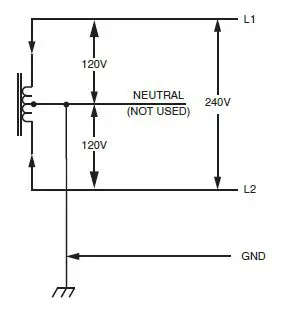
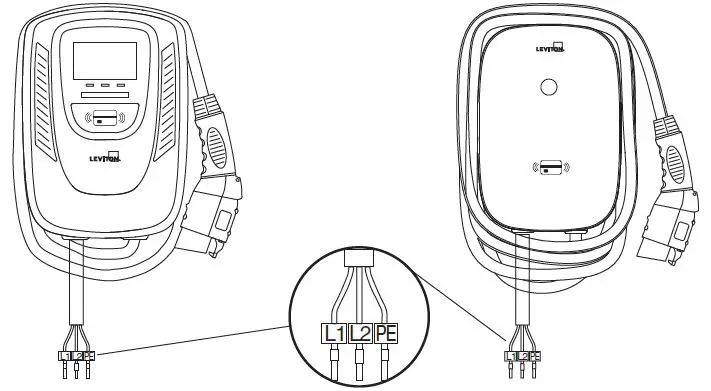
240V Single Phase –
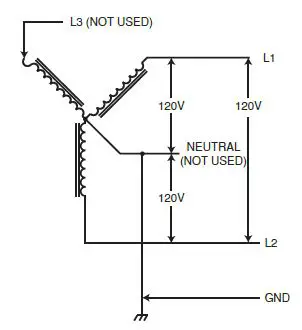
WARNING: The two phases used must each measure 120V to Ground. Earth ground must be connected to neutral at only one point, usually at the breaker panel.
208V 3-Phase, Wye-Connected –
WARNING: The 208V feed is from a y-connection power grid, and the AC charger can connect to L1 and L2, L2 and L3, L1 and L3. Earth ground must be connected to neutral at only one point, usually at the breaker panel. Leave the unused leg open. Do not connect it to a Neutral bar, or to ground. Be sure the center point is Earth ground somewhere in the system.
| Circuit Breaker Options Table | ||
| Output Amperage Amps | 32A | 48A |
| Circuit Breaker Options Amps | 40A | 60A |
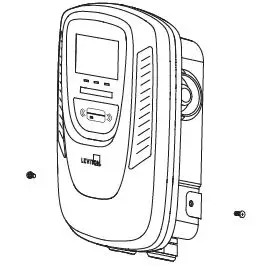
Wall-Mounted Bracket Installation
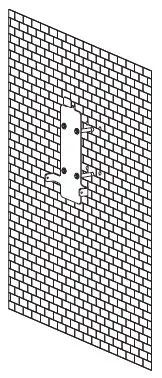
- Set the positions of the four (4) screw holes and drill them, with a diameter of .35 in. (9 mm.) and a depth of 2.05 in. (52 mm.).
- Use 4 sets expansion screw and M6 screw to fix the wall-mounted bracket on the wall.
- Use anchors appropriate for the wall substrate that you’re mounting to

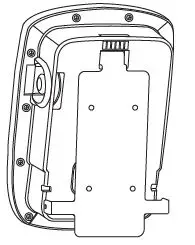
- Align the rear notch of charger into the wall-mounted bracket and fit the screw holes of the right and left side.

- Fix two M5 screws to complete the installation.
OPERATING INSTRUCTIONS
Operating Procedures
- User authorization
- Connect to Vehicle Charging Inlet
- Charging Message
- Charging completed
NOTE: Device may need to be activated or de-activate with RFID cards. EV320 will be shipped with RFID inactive. EV32W, EV48W and EV48S will be shipped standard with RFID active.
Operating Steps
NOTE: RFID access control is disabled by default on all units. See section 8.3 for operation with RFID enabled
| Operating Steps | |
| 1. Standby – Blue Light After power-on, blue(READY), green(CHARGE) and red light (FAULT) all lit. Enter standby mode and the blue light (READY) is steady on.The time from power on to the green light on is 1.5 minutes. |
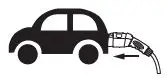 | 2. Plug in Connector Please plug the charging connector into the vehicle charging inlet. when you tap the RFID card first, it needs to complete the insertion of the charging connector within 2 minutes, otherwise you need to tap the RFID card again. |
| 3. Charging The green light (CHARGE) turns to flash automatically, charging is in process. NOTE: • If the red light (FAULT) is lit, plug-in the vehicle connector again. • If red light is still lit, please refer to “Error and Warning Messages.” |
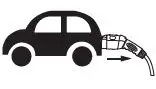 | 4. Charging Finished When charging is finished, the green light (CHARGE) is constantly lit, press the button on connector to stop charging. |
To Restrict User Activation via RFID Card
Activation and Usage
NOTE: Activation of RFID access control is ONLY required when access to charging will be restricted only for RFID card holders. If no restriction is required (open charging) this step is NOT required.
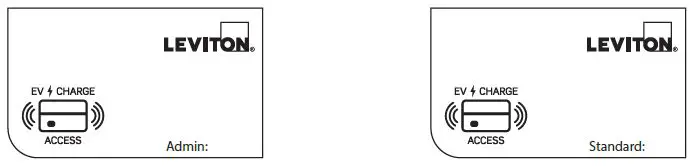
- Identify Your Card
- All units come with 1 administrative (admin) card and 2 standard cards as marked on the cards
- Admin cards are used to activate RFID access control and should be kept by charger owner
- Standard cards are used to enable charging by users

- Activate RFID Access Control
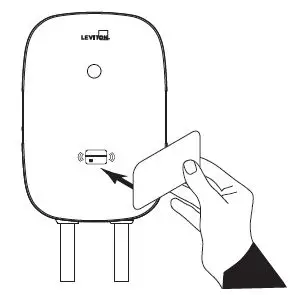
WARNING: Once enabled, RFID access control cannot be disabled. If you prefer to keep this as an unrestricted unit, do not activate this card.- To enable RFID access control, hold the admin card to the RFID sensor image on the front of the charger until you hear a beep. RFID access control is now enabled.
- To enable charging with RFID card(s)
- Charging can be enabled with your standard RFID cards
- Enable charging.
TAP your RFID card to the front of the charger over the image of the RFID. The POWER light will turn solid green when the RFID card has enabled the unit to charge.
- Start charging.
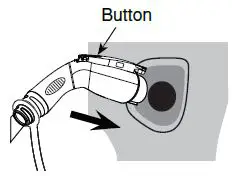
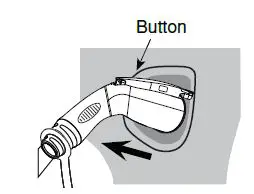
Press and hold the black button on the top of the charge plug and insert it into the inlet on your car. Charging starts automatically. The CHARGE light will flash green.
- How to stop and restart.
To stop charging, press black button on top of charge plug to remove plug. To restart charging, tap your RFID card, press black button and reinsert.
- After charging is complete.
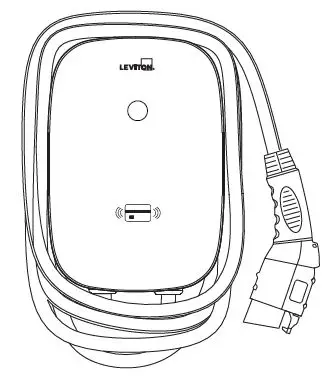
NOTE: When charging is complete, loop charging cable over station to prevent tripping hazard.
- Enable charging.
- Charging can be enabled with your standard RFID cards
NOTE: If the charging station is not being used for an extended period of time, it should be turned off
ERROR AND WARNING MESSAGES
| Status | Blue | Green | Red | Remark |
| Input OVP | – | – | 1 flash followed by 3 sec pause | Auto Recover |
| Input UVP | – | – | 2 flashes followed by 3 sec pause | Auto Recover |
| Output OCP | – | – | 3 flashes followed by 3 sec pause | Auto Recover |
| OTP | – | – | 4 flashes followed by 3 sec pause | Auto Recover |
| RCD Abnormal | – | – | 5 flashes followed by 3 sec pause | Auto Recover |
| Ground Fault | – | – | 6 flashes followed by 3 sec pause | Auto Recover |
| Control Pilot Fault | – | – | Flicker | Auto Recover |
| MCU Self-Test Fail | – | – | Constantly Bright | Auto Recover |
| RCD Self-Test Fail | – | – | Constantly Bright | Contact Customer Service |
| Relay Self-Test Fail | – | – | Constantly Bright | Contact Customer Service |
| RCD Abnormal Stop Charging | – | – | Constantly Bright | Contact Customer Service |
| Output OCP Stop Charging | – | – | Constantly Bright | Contact Customer Service |
| OTP Stop Charging | – | – | Constantly Bright | Contact Customer Service |
MAINTENANCE AND REPAIR
Daily Maintenance
WARNINGS
- Avoid moisture or water in the charger. If there is water or moisture, it is necessary to immediately power off to avoid immediate danger, and notify professional personnel to carry out maintenance before next use.
CAUTIONS
- Please keep the charger clean and in a clean area with low humidity.
Do not install it in an environment near the sea, with high oil, high humidity, or high dust. - If there is any damage or dirt on the vehicle connector, charging cable, or vehicle connector holder, please contact the maintenance personnel immediately.
- Please use the charger properly. Do not hit or press hard on the case. If the case is damaged,
please contact a professional technician. - Avoid placing the charger near hot objects and at high temperature locations and away from dangerous substances such as flammable gases and corrosive materials.
- Do not place external objects or heavy objects on the charger to avoid danger.
FCC AND WARRANTY
FCC STATEMENT:
This device complies with Part 15 of the FCC Rules and ISED License-exempt RSS standard(s). Operation is subject to the following two conditions: (1) This device may not cause harmful interference, and (2) This device must accept any interference received, including interference that may cause undesired operation. Changes or modifications not expressly approved by Leviton could void the user’s authority to operate the equipment.
These limits are designed to provide reasonable protection against harmful interference in a commercial installation. This equipment generates, uses and can radiate radio frequency energy and, if not installed and used in accordance with the instructions, may cause harmful interference to radio communications. However, there is no guarantee that interference will not occur in a particular installation.
If this equipment does cause harmful interference to radio or television reception, which can be determined by turning the equipment off and on, the user is encouraged to try to correct the interference by one or more of the following measures:
- Reorient or relocate the receiving antenna.
- Increase the separation between the equipment and receiver.
- Connect the equipment into an outlet on a circuit different from that to which the receiver is connected.
- Consult the dealer or an experienced radio/TV technician for help.
This Class A digital apparatus complies with Canadian CAN ICES-3(A)/NMB-3(A)
FCC SUPPLIER’S DECLARATION OF CONFORMITY:
This device manufactured by Leviton Manufacturing Co., Inc. 201 North Service Road, Melville, NY 11747.
www.leviton.com. This device complies with part 15 of the FCC Rules. Operation is subject to the following two conditions: (1) This device may not cause harmful interference, and (2) this device must accept any interference received, including interference that may cause undesired operation.
TRADEMARK DISCLAIMER:
Leviton and the Leviton logo are trademarks of Leviton Manufacturing Co., Inc. Use herein of third party trademarks, service marks,trade names, brand names and/or product names are for informational purposes only, are/may be the trademarks of their respective owners; such use is not meant to imply affiliation, sponsorship, or endorsement.
Leviton Manufacturing Co., Inc.
201 North Service Road, Melville, NY 11747
Visit Leviton’s website at www.leviton.com
© 2022 Leviton Manufacturing Co., Inc. All rights reserved.
Specifications and price subject to change at any time without notice.
FOR CANADA ONLY
For warranty information and/or product returns, residents of Canada should contact Leviton in writing at Leviton Manufacturing of Canada ULC to the attention of the Quality Assurance Department, 165 Hymus Blvd, Pointe-Claire (Quebec), Canada H9R 1E9 or by telephone at 1 800 405-5320.
LIMITED WARRANTY AND EXCLUSIONS
Leviton warrants to the original consumer purchaser and not for the benefit of anyone else that this product at the time of its sale by Leviton is free of defects in materials and workmanship under normal and proper use from the purchase date. Leviton’s only obligation is to correct such defects by repair or replacement, at its option. For details visit www.leviton.com or call 1-800-824-3005. This warranty excludes and there is disclaimed liability for labor for removal of this product or reinstallation. This warranty is void if this product is installed improperly or in an improper environment, overloaded, misused, opened, abused, or altered in any manner, or is not used under normal operating conditions or not in accordance with any labels or instructions. There are no other or implied warranties of any kind, including merchant ability and fitness for a particular purpose, but if any implied warranty is required by the applicable jurisdiction, the duration of any such implied warranty, including merchantability and fitness for a particular purpose, is limited. Leviton is not liable for incidental, indirect, special, or consequential damages, including without limitation, damage to, or loss of use of, any equipment, lost sales or profits or delay or failure to perform this warranty obligation. The remedies provided herein are the exclusive remedies under this warranty, whether based on contract, tort or otherwise.
For Technical Assistance Call: 1-800-824-3005 (USA Only) or 1-800-405-5320 (Canada Only) www.leviton.com
EV48S MODEL – 3 YEARS
EV320, EV32W AND EV48W MODELS – 2 YEARS