 SQUAIR MONITOR
INSTRUCTION MANUAL
 know what you breathe
CONTACT
| Address | Phone | Online |
| 706, 7th floor, Crown heights, Rohini Sec-10, New delhi-110085, India | 73918-73918 | Email: [email protected] Website: www.pranaair.com |
GETTING STARTED
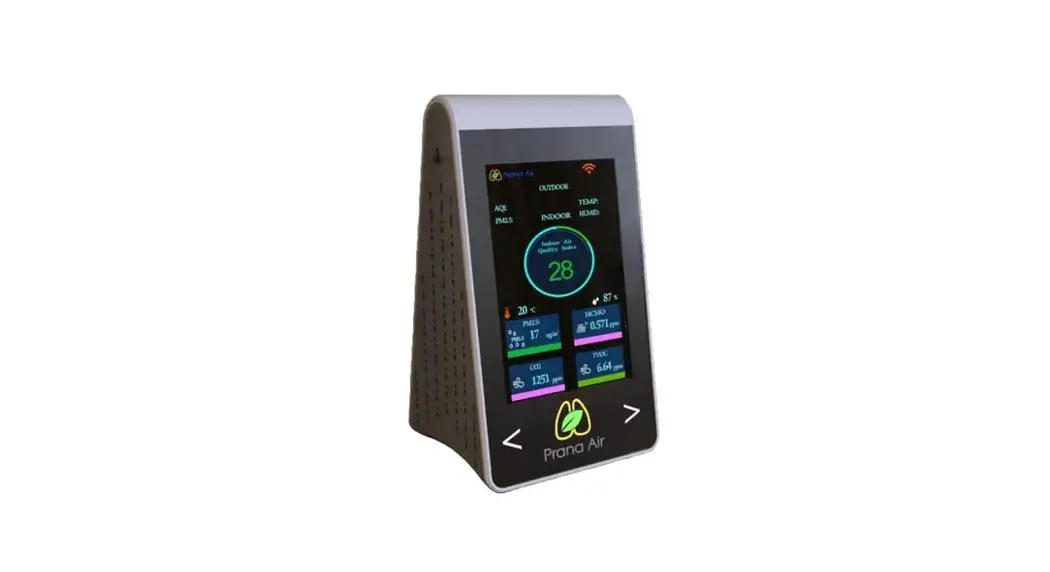
KNOW YOUR SQUAIR
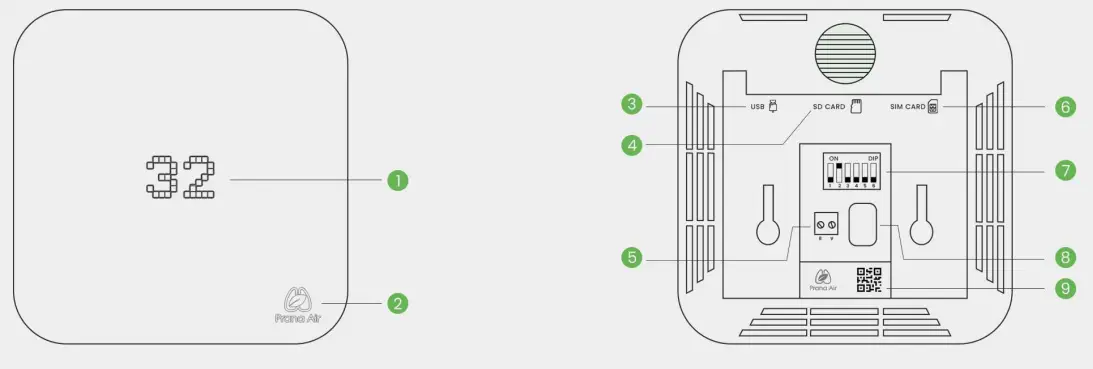
For your reference:
| 1. LED light 2. Button 3. USB inlet 4. SD Card inlet 5. RS485 inlet | 6. SIM Card inlet 7. Control buttons 8. Power socket 9. Device id QR Code |
HOW TO CONNECT
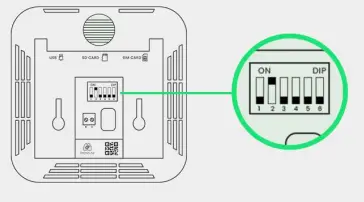
- On the back side of your SQUAIR make sure switch Number 2 is ON and rest all switches are down.

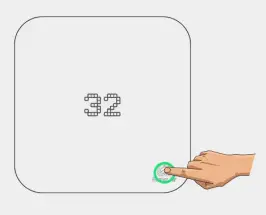
- Put your SQUAIR in AP mode, long press Prana air logo until you see “AP” on the LED Screen.

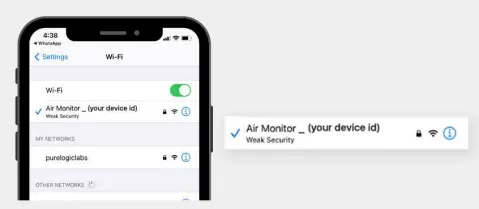
- Search for “Air monitor_(your device id)” network in your phone’s Wi-Fi settings and connect to it with password “12345678″

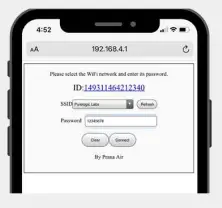
- Open your browser and type “192.168.4.1″ in the address bar. SSID: Select the wifi you want your SQUAIR to connect.

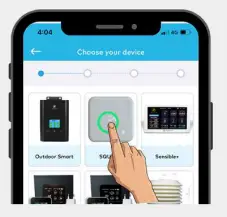
- Open AQI App on your phone and create an account or simply log in if you already have one. Go to my devices and select SQUAIR from the given options

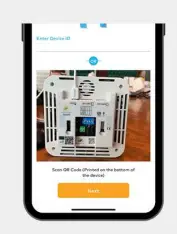
- Enter the Device ID printed on the back side of SQUAIR or scan the QR code printed there.
Configure the device name of your choice.
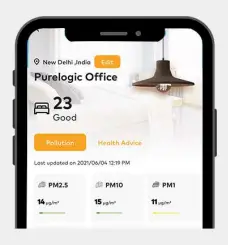
- Your device is now connected successfully, the data will be shown in the AQI dashboard.

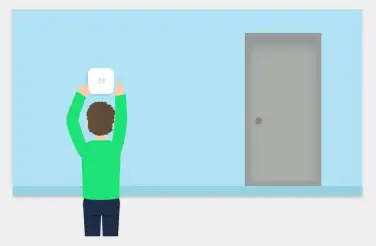
- Place the SQUAIR Monitor anywhere inside your home, office, restaurant, clinic etc.

 Visit us:
www.pranaair.com