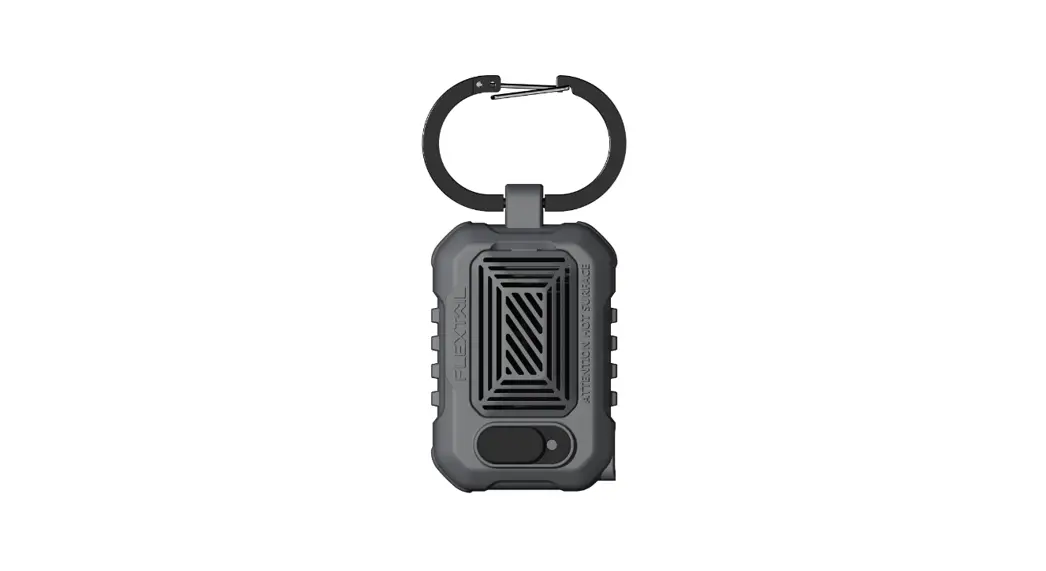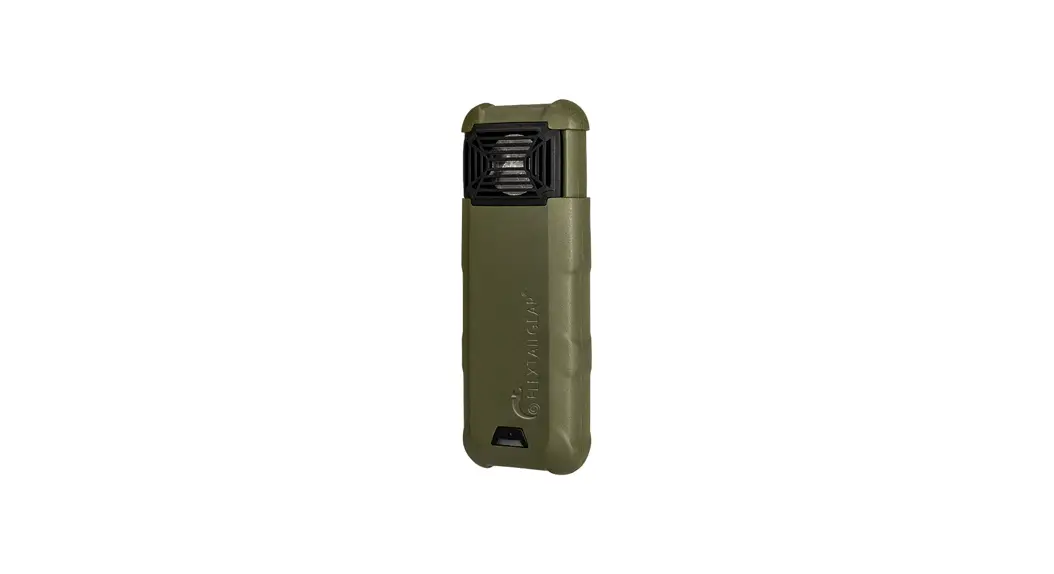
 MAX REPEL
User Manual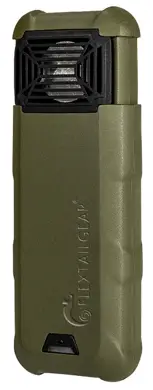
M R-01N R210908
 IMPORTANT: READ ALL INSTRUCTIONS BEFORE USE.
ATTENTION: THIS PRODUCT IS INTENDED FOR ADULT USE ONLY. THIS PRODUCT IS NOT A TOY.
Product Introduction
Product Parameter
| Size | 133*48.5*27.5mm |
| Weight | 210g |
| Material | PC、ABS、PBT、PET |
| Battery Capacity | 9600mAh |
| Rated Voltage | 4.2V |
| Power Rating | 4W |
| Modes | Camping Mode:10FT Protection zone |
| Outdoor Mode:30FT Protection zone | |
| Heated Temperature | Camping Mode |
| Outdoor Mode | |
| What’s in the Box | FLEXTAILGEAR MAX REPEL*1, Lanyard*1, TYPE C Charging Cable*1 FLEXTAILGEAR FLEXTAILGEAR FLEXTAILGEAR USB Type-C |
To Use Max Repel
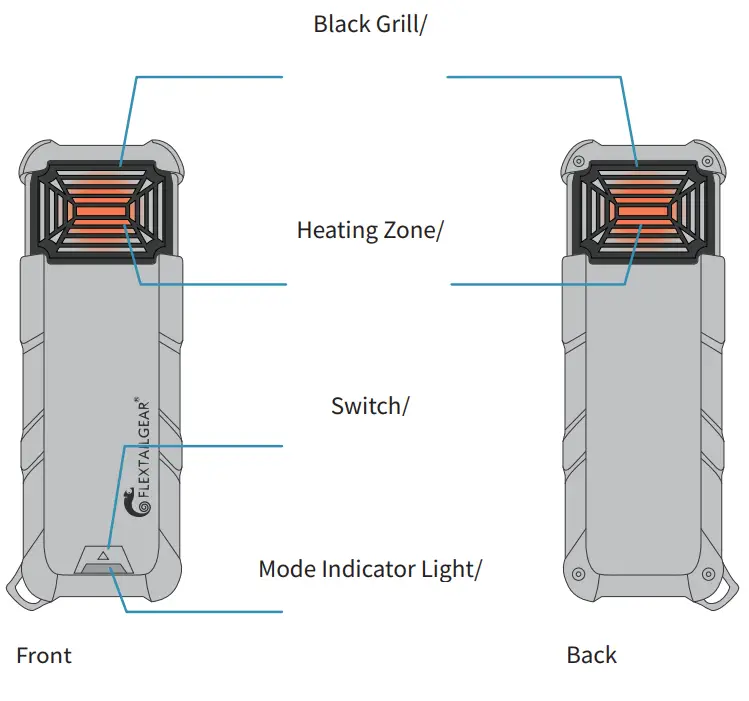
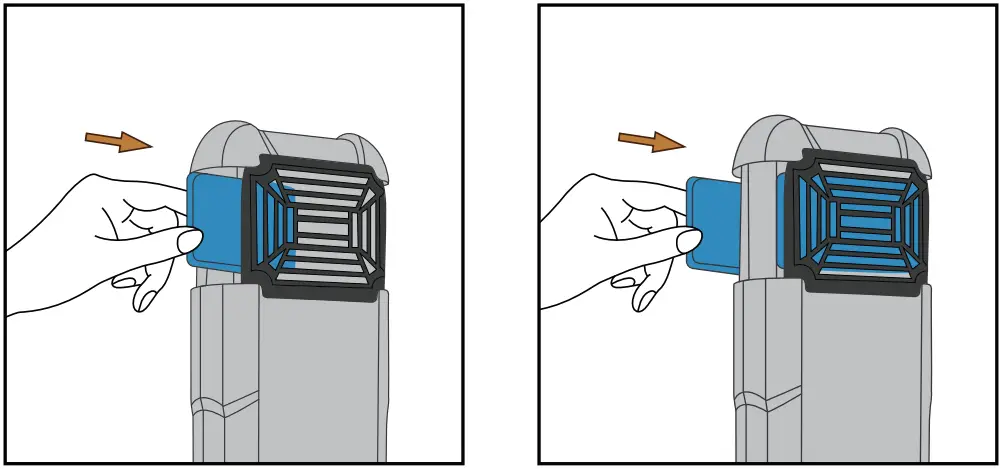
- Remove one or two FLEXTAILGEAR Max Repel Mat(s) from the wrapper. Insert the mat(s) under Max Repel’s black grill(s).

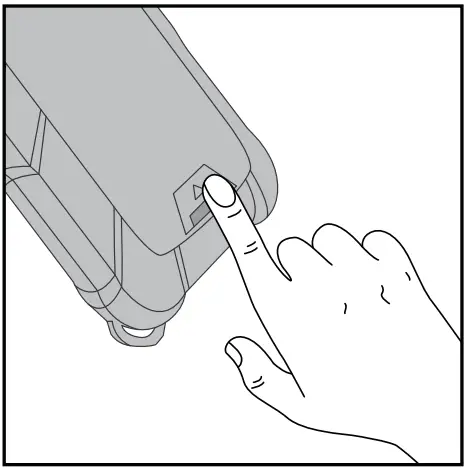
- Press and hold the switch for 2 seconds to activate Max Repel.

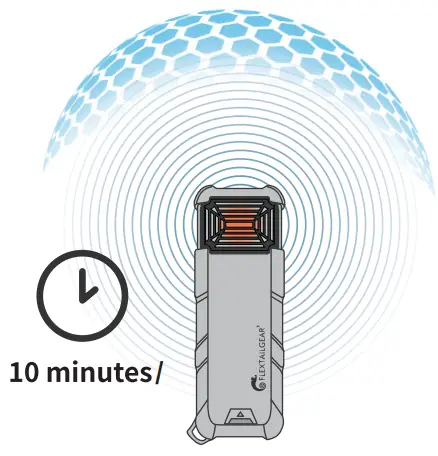
- It can take up to 10 minutes for the Zone to fully establish.

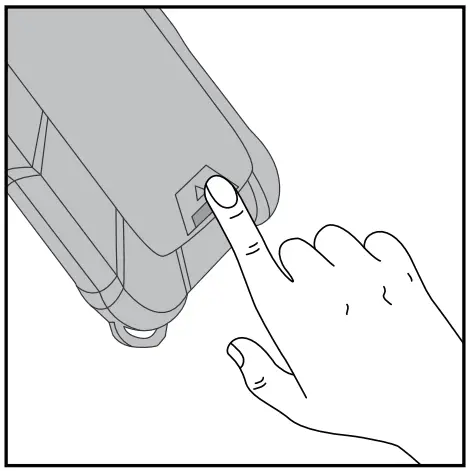
- When finish using the Max Repel, press and hold the switch for 2 seconds to turn it off and let it cool completely.

To Switch Mode
After the product is activated, the initial mode is camping mode.
Outdoor Mode (High Mode)
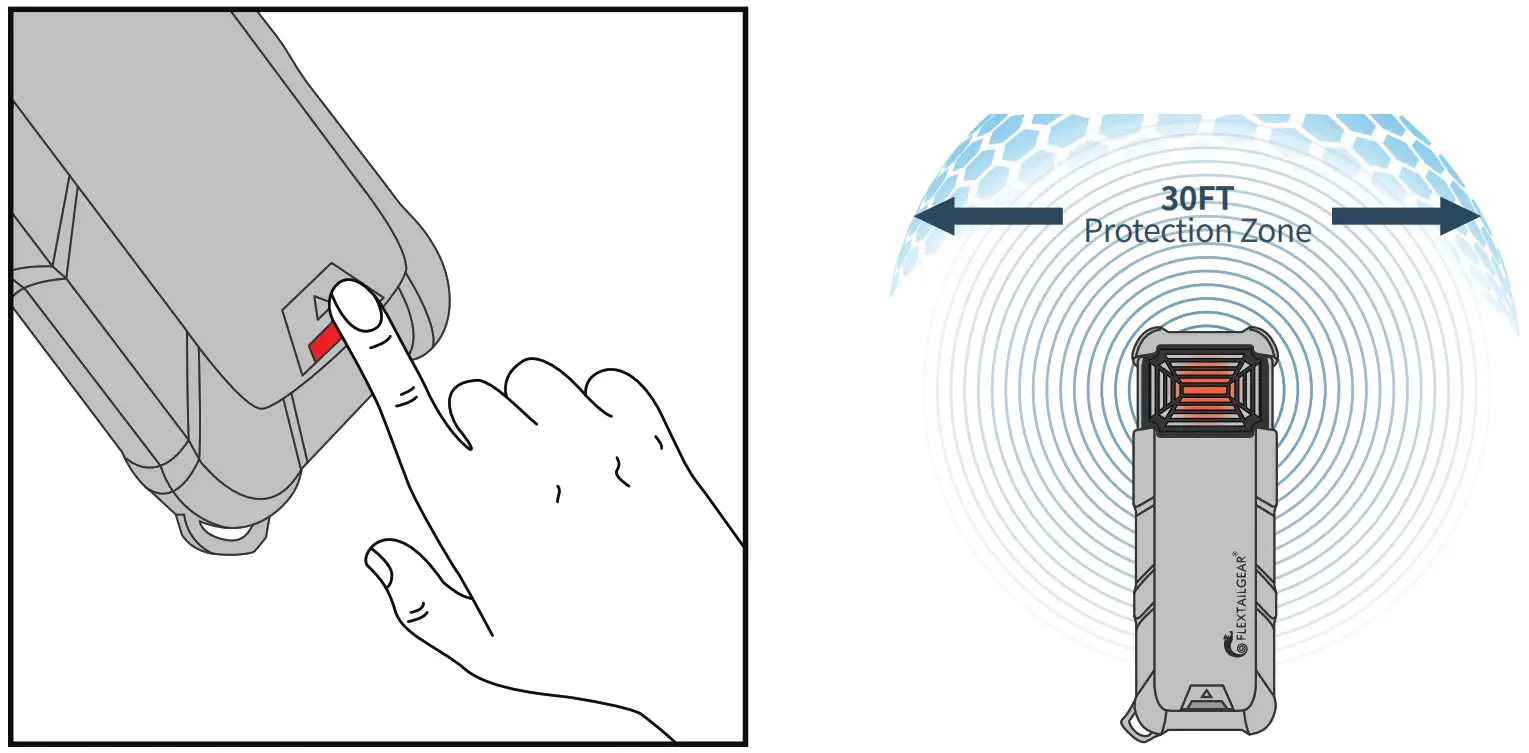
Press the switch one time, and the mode indicator light turns red.
Camping Mode (Low Mode)
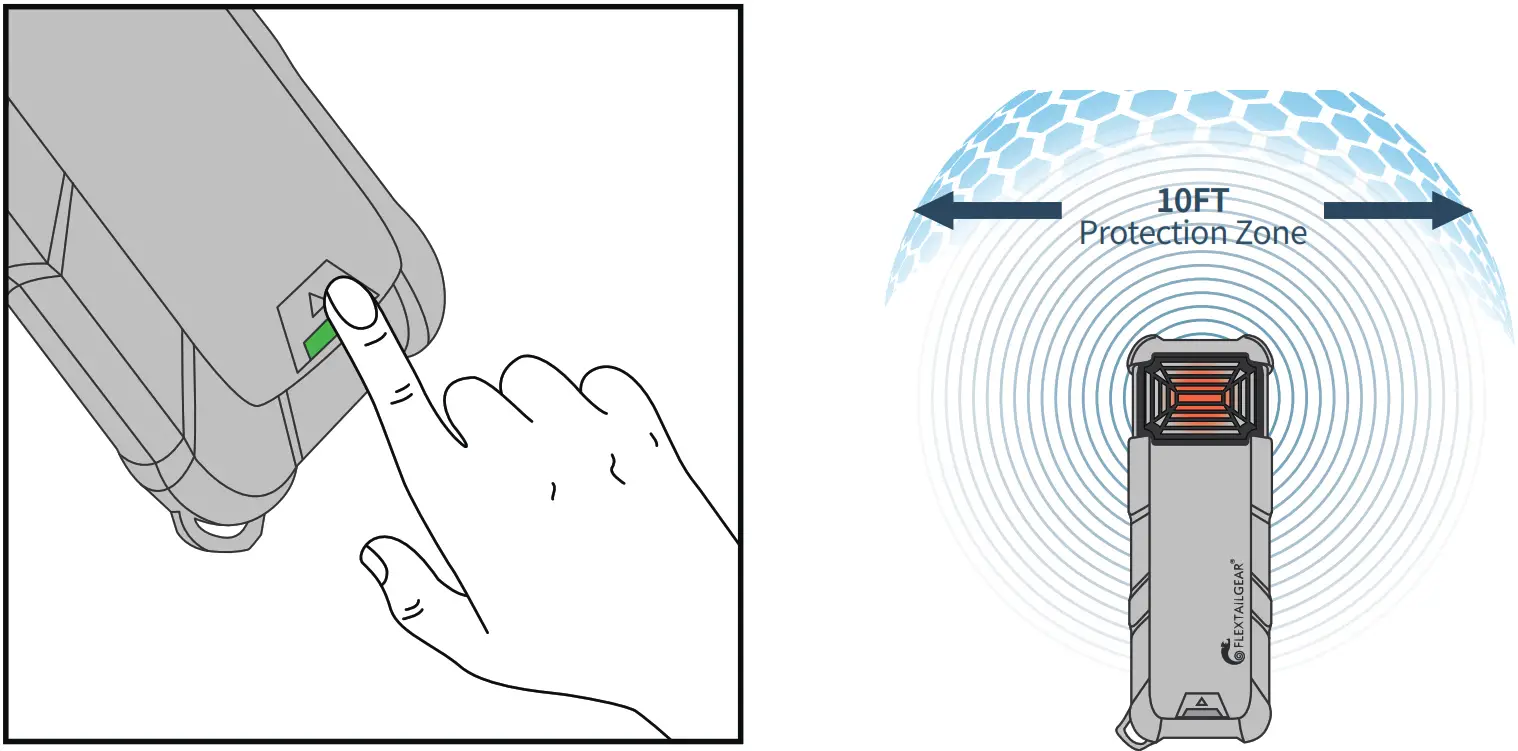
Press the switch one time, and the mode indicator light turns green.
To Replace Max Repal Mat
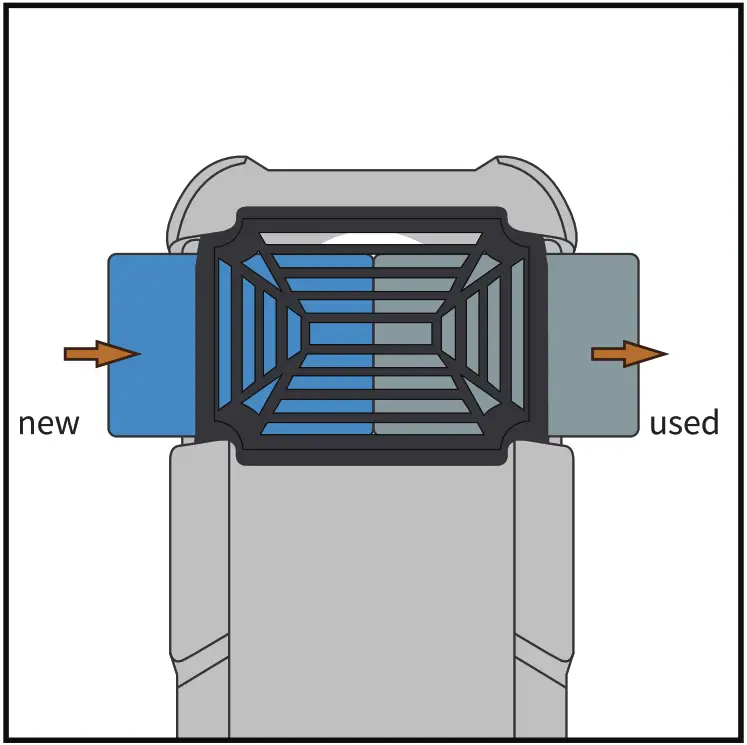
Make sure the device is off and cool, and push the used mat out by inserting a fresh one.
Charge Your Device
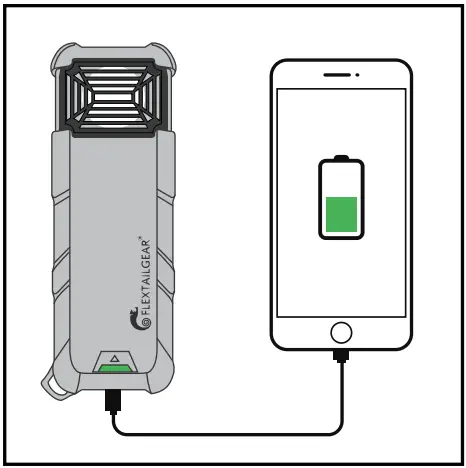
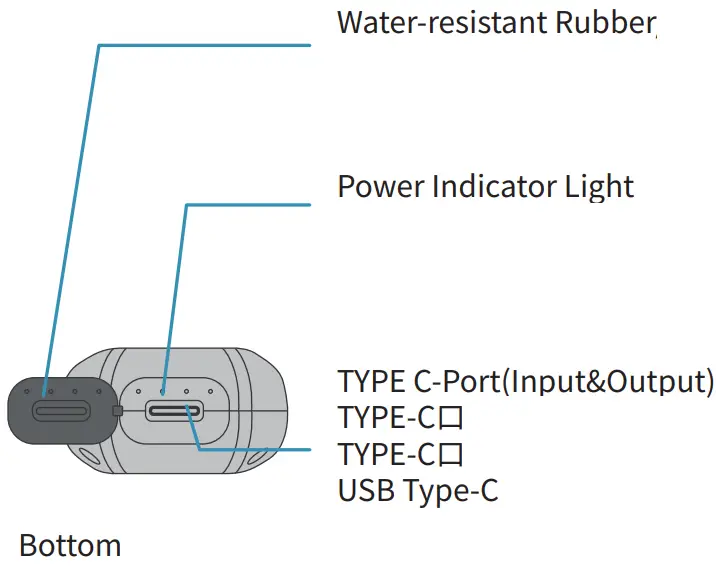
Power Indicator
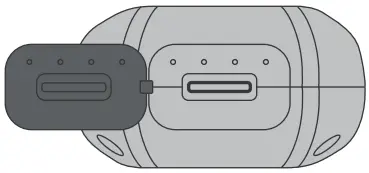
INPUT | OUTPUT |
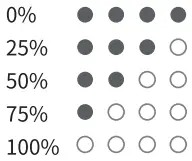 | 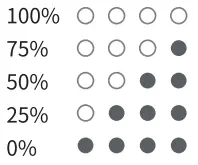 |
How To Place The Device
- Better put it in the center of the desired repellent zone.
- If it is windy, place the repellent upwind of where you are sitting.
- Do not cover repellent while it is in use.
- To protect the larger area, please insert two mats or use multiple repellents.
Warnings
- Do not remove the battery from the equipment housing.
- Do not use the product if the battery pack is damaged.
- Do not put it in the water for a long time.
- To reduce the risk of injury, close supervision is necessary when a product is used near children. KEEP OUT OF REACH OF CHILDREN.
- Do not put fingers, metal, or other foreign objects in the product.
- If there is any leak, odor, or deformation in the battery pack, please discontinue use and dispose of it immediately.
- Do not use it in a closed room or in a tent where the air is not flowing.
- Do not modify or attempt to repair the device by yourself.For service, contact FLEXTAILGEAR.
Storage And Transportation
- This product contains a Li-ion battery which is affected by certain transportation restrictions. Please check the package before transportation.
- Do not store the product with a dead battery for a long time. Li-ion battery products need to be charged at least once every 3 months.
- Do not expose the repellent at a temperature above 140°F.
- Store it at room temperature and dry environment.
Warranty
- For the defects in material and workmanship of the product, The original retail purchaser of this product (Buyer) will be provided warranty service for one year based on purchase data by FLEXTAILGEAR.
- If the Buyer discovers a covered defect, the Buyer should return the product to the place of purchase. If this is not available, please return the product to the address specified by us.The product will be repaired or replaced at our destination.
- We will supply the repair and replacement service during the warranty period(within 1 year). If the warranty period expires, We reserve the right to require proof of purchase for all warranty claims.
Warranties Exclusions
- We do not warrant if the product is worn or torn by normal use, unauthorized modifications or alternations, improper use, improper maintenance, accident, misuse, negligence, damage, or is used for purposes that were not designed.
- This warranty gives you specific rights, and you may also have other rights which vary from state to state.
- Except for expressly stated in this Warranty, we shall not be liable for direct, indirect, incidental, or other types of damages arising out of, or resulting from the use of the Product. This warranty is in lieu of all other warranties, expressed or implied, including, but not limited to, implied warranties of merchantability or fitness for a particular purpose(some states do not allow the exclusion or limitation of incidental or consequential damages or allow limitations on the duration of an implied warranty, so the above exclusions may not apply to you.)
Still, Have Questions?
Email us: [email protected]
Guarantee Card
Product Information
Model: ……………
Purchase Date …………….
Color ……………..
Purchase Area ……………..
Client Information
Name …………………
Tel …………….
Email ……………
Address …………..
Mark ………….