
Installation Manual
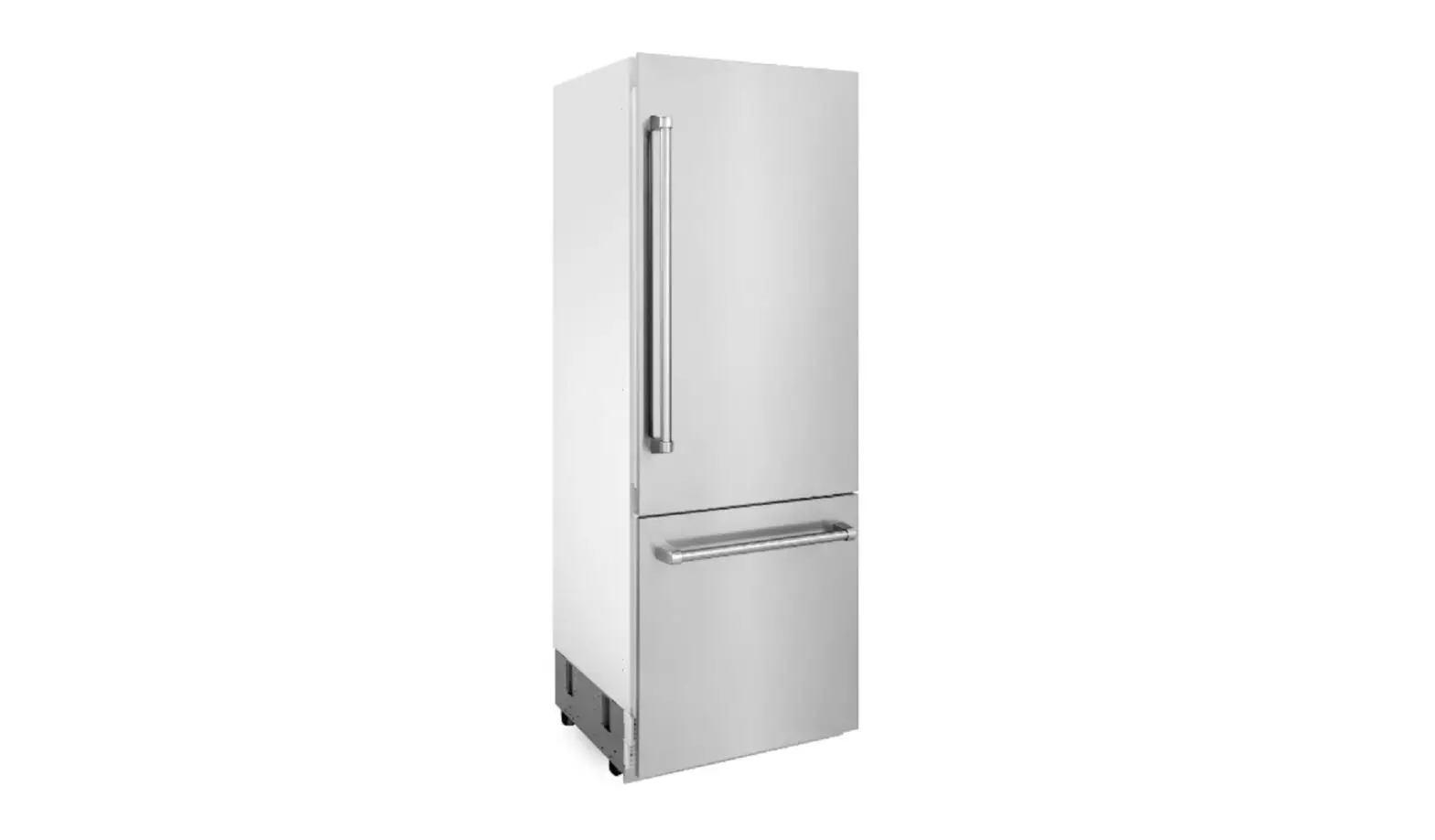
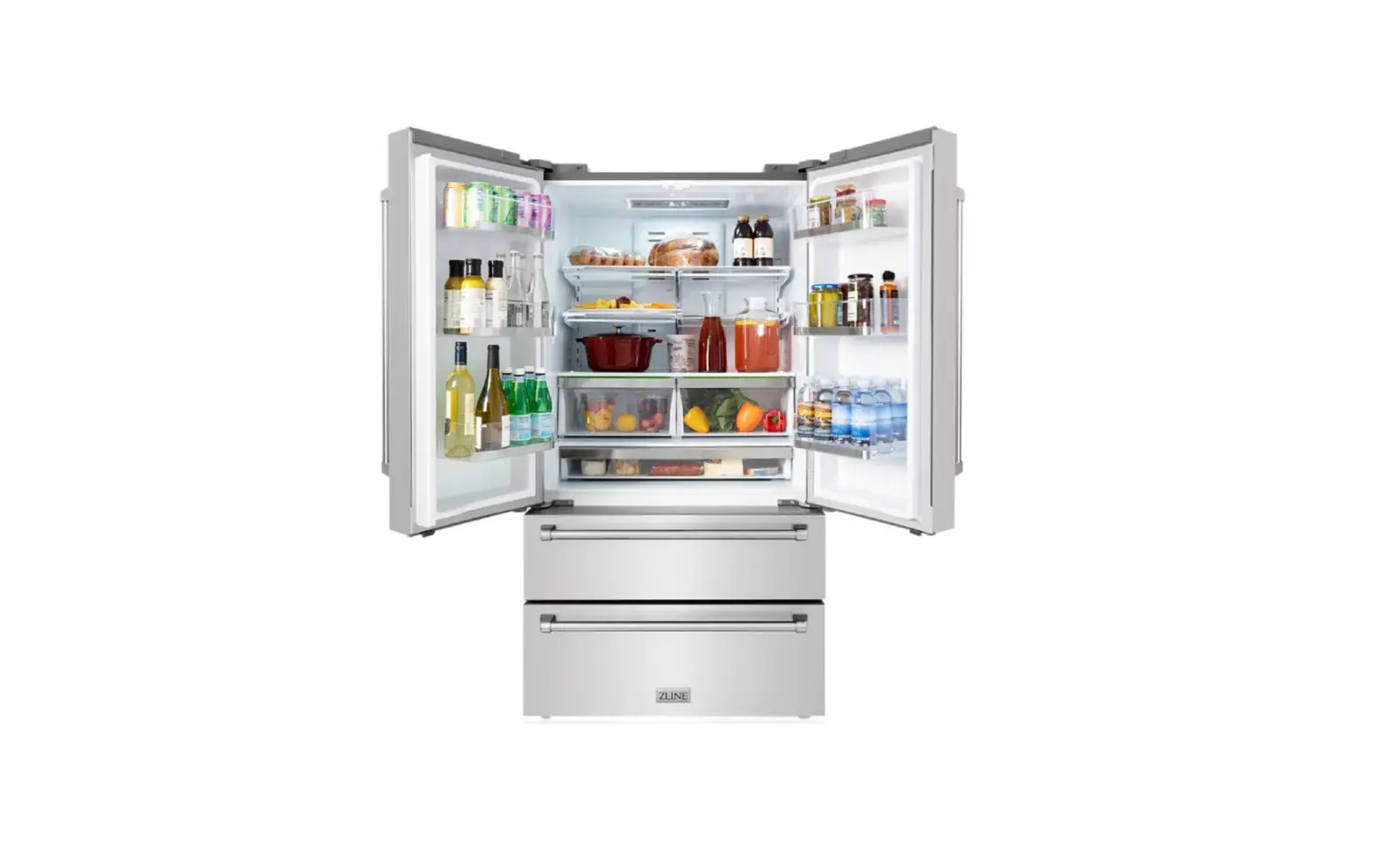
DUAL BUILT-IN REFRIGERATOR
www.zlinekitchen.com

Dual Built-In Refrigerator
ZLINE Kitchen and Bath provides Attainable Luxury, where the kitchen and bath of your dreams is never out of reach. Through our unique designs and unparalleled quality, we’re dedicated to providing you an elevated experience in the heart of your home. With an endless selection of features and finishes, our inspiration is your reality.

ZLINE is fueled by a passion for innovation; A relentless pursuit of bringing the highest end luxury designs and professional features into everyone’s homes. Because we continually strive to improve our products, we may change specifications and designs without prior notice.
 WARNING: This product can expose you to chemicals including nickel, which is known to the State of California to cause cancer. For more information, go to www.P65Warnings.ca.gov.
INSTALLATION
Product Specifications
DUAL INSTALLATION COMPONENTS
Tools and Parts
| Part | Image | Description | Quantity |
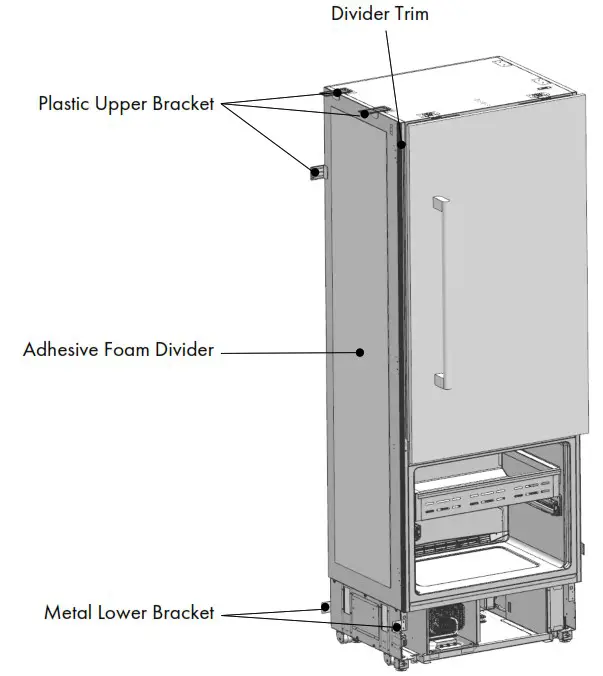
| Adhesive Foam Divider |  | 1/8” x 15 3/4″ x 68 7/8″ | 1 |
| Plastic Upper Bracket | 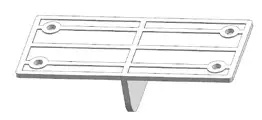 | 1/8” x 2″ x 4 1/2″ | 3 |
| Metal Lower Bracket | 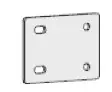 | 1/16″ x 1 5/8″ x 2 1/4″ | 2 |
| Screw |  | Phillips head | 20 |
| Center Trim | 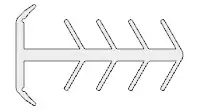 | 73 3/4″ long | 1 |
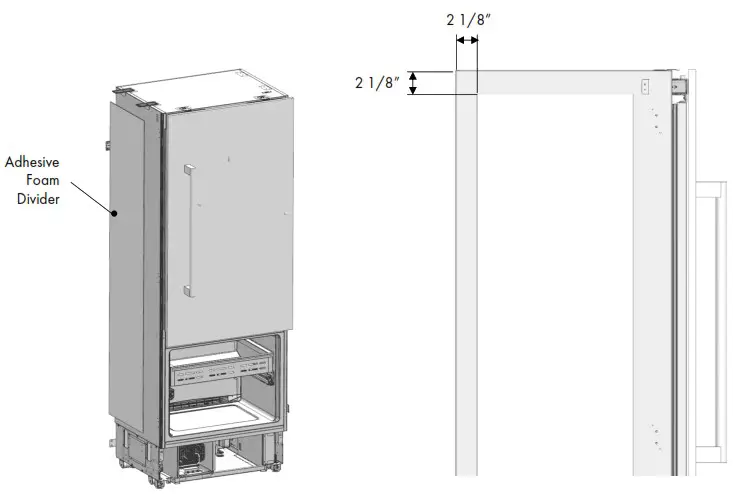
Attach the Adhesive Foam Divider
- Approach the refrigerators from behind and angle one of them out.
- Next, measure 2 1/8″ from both the top and left corner of the side of the unit.
- Using a level, ensure the divider remains parallel to the edge of the unit.
- Peel the protective sticker off the divider and carefully press into place.

Mount Brackets
MOUNT UPPER BRACKETS AND LOWER BACK BRACKET TO CONNECT THE REFRIGERATORS
- On the back of one unit near the top, find the location for one plastic mounting bracket and screw into place with two screws, ensuring the small arm is pointed in.
- Move to the top of the unit to install the other two plastic mounting brackets with two screws.
- At the back base of the unit, install the metal lower bracket by unscrewing the two existing screws, sliding into place and re-screwing both screws. Unscrew the same two screws on the other unit and set aside for later.

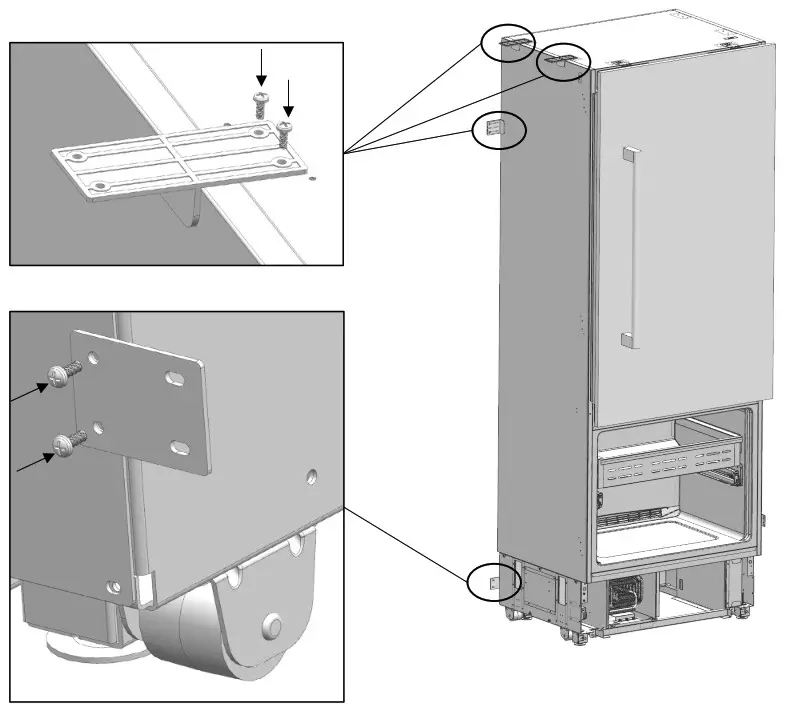
Connect Brackets
CONNECT UPPER BRACKETS TO CONNECT THE REFRIGERATORS
- Realign both refrigerators so they are flush and line up with the opening where they will be installed.
- Finish installing the plastic mounting bracket on the back with the other two screws to connect both units. Do the same with both brackets on top.

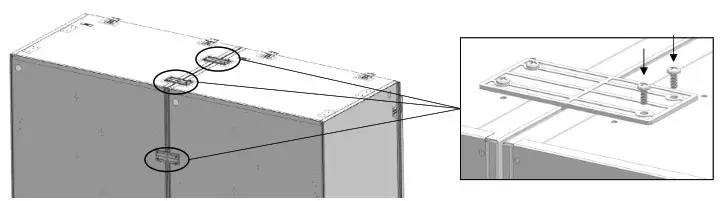
CONNECT LOWER BRACKETS TO CONNECT THE REFRIGERATORS
- At the back base of the unit, finish installing the metal lower bracket by screwing in the two screws set aside earlier.
- Install the last metal lower bracket on the front base of both units using the remaining four screws.

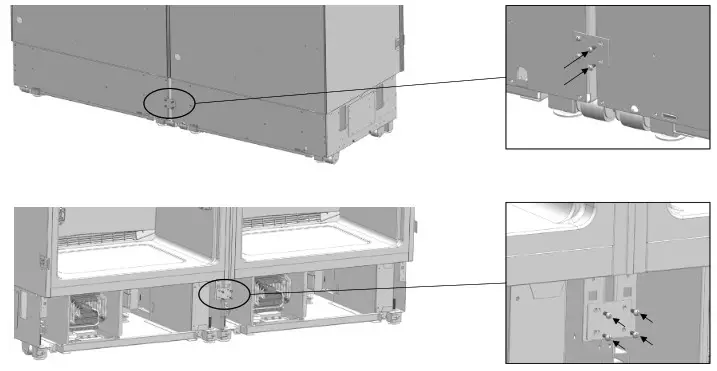
Install Divider Trim
After ensuring both units are in alignment and everything is level, insert divider trim between both units and lightly pound into place with the back of your fist.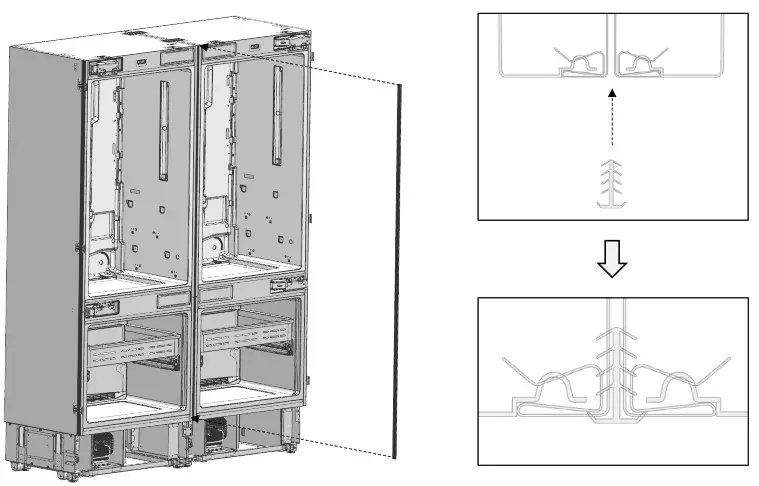
Scan the QR code to watch an installation video.

Push Into Place
- Before pushing into place, install the necessary power and water connections (refer to your RBIV-30 installation manual).
- Uninstall the door on the left unit and reorientate the inside drawers and hinges so the handle to the door pulls out to the left — opposite of the door on the right unit — then reinstall the door (refer to your RBIV-30 installation manual).
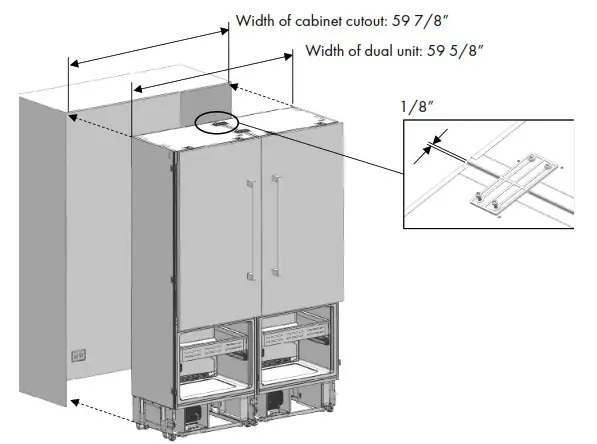
- Carefully push the dual unit into the cabinet and ensure there is a 1/8″ gap on either side.

Scan the QR code to watch an installation video.

 WARNING: ZLINE RBIV-30 refrigerators are top-heavy and weigh 342 WARNING pounds. The dual unit weights close to 700 pounds. Take care when installing the product; two-person assembly is highly recommended.
Leveling Refrigerators
LEVELING REFRIGERATORS
- After pushing the dual unit into the cabinet, the feet need to be raised in order to secure the product to the anti-tip brackets provided with the RBIV-30 installation kit.
- Raise the front feet first to reduce risk of the product falling frontward.
- Using a drill and bit shown below, adjust each foot as needed in a clockwise motion.
- After adjusting the feet, use a level to ensure the dual unit is level in both width and depth.

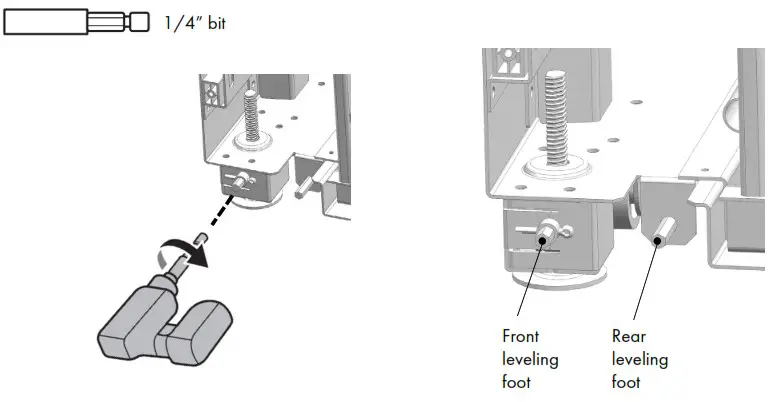
WARNING: The front and rear legs have a maximum height adjustment of WARNING 1 9/16″. Raising the units higher may damage the front and rear leveling components. If greater height is required, the installer may raise the units on a sheet of plywood or runners.
Installation Completion
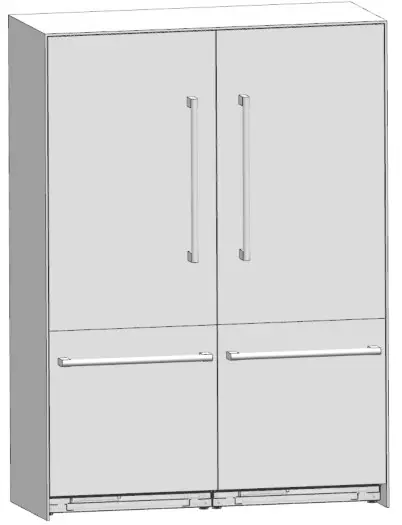
INSTALLATION COMPLETE
Refer to your RBIV-30 installation manual as needed for other installation procedures.
Need to purchase a part or accessory for your ZLINE product? Visit ZLINEparts.com, ZLINE’s official parts distribution partner.

www.zlinekitchen.com
1-614-777-5004[email protected]
 P65Warnings.ca.gov
 ZLINE Kitchen and Bath
 ZLINE Kitchen and Bath Parts & Accessories