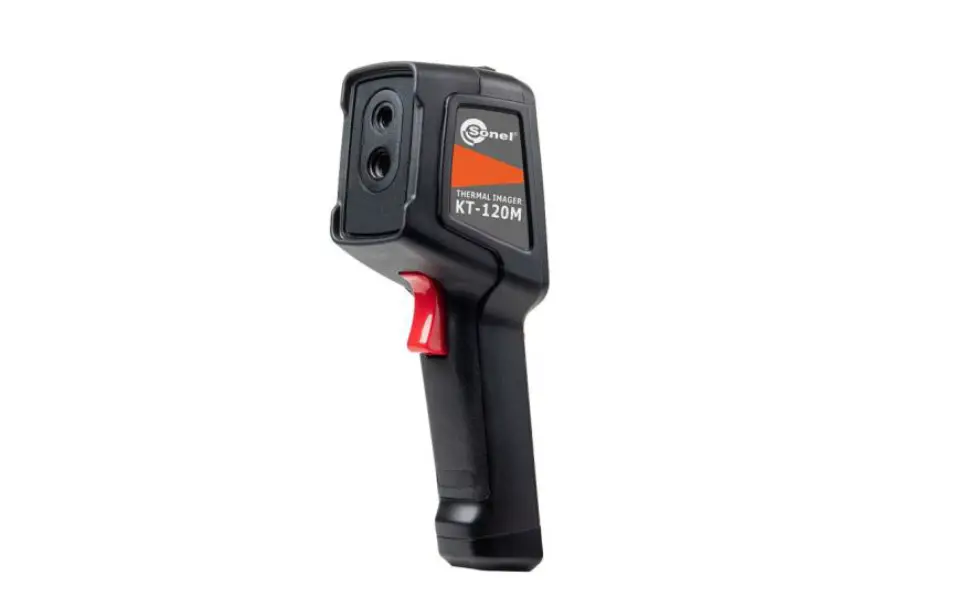
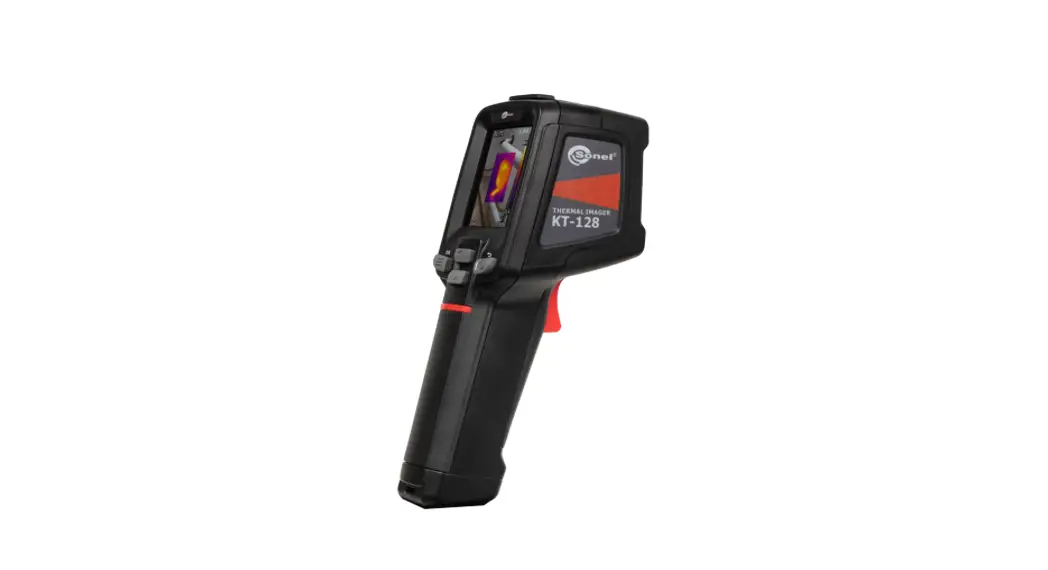
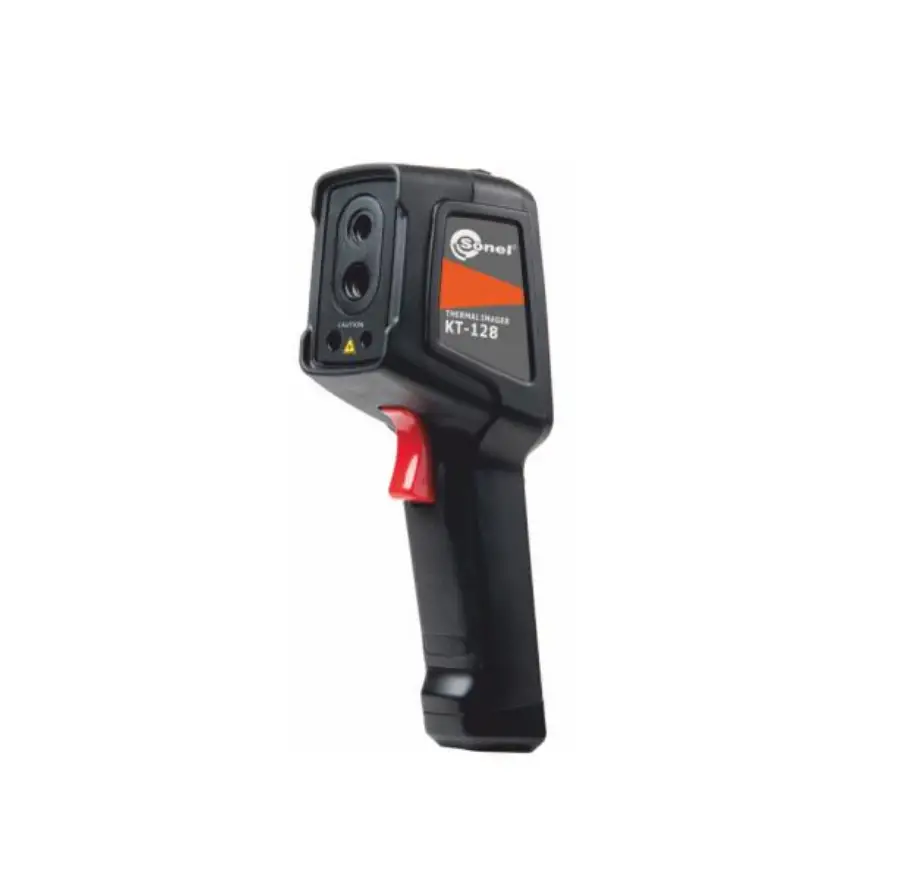
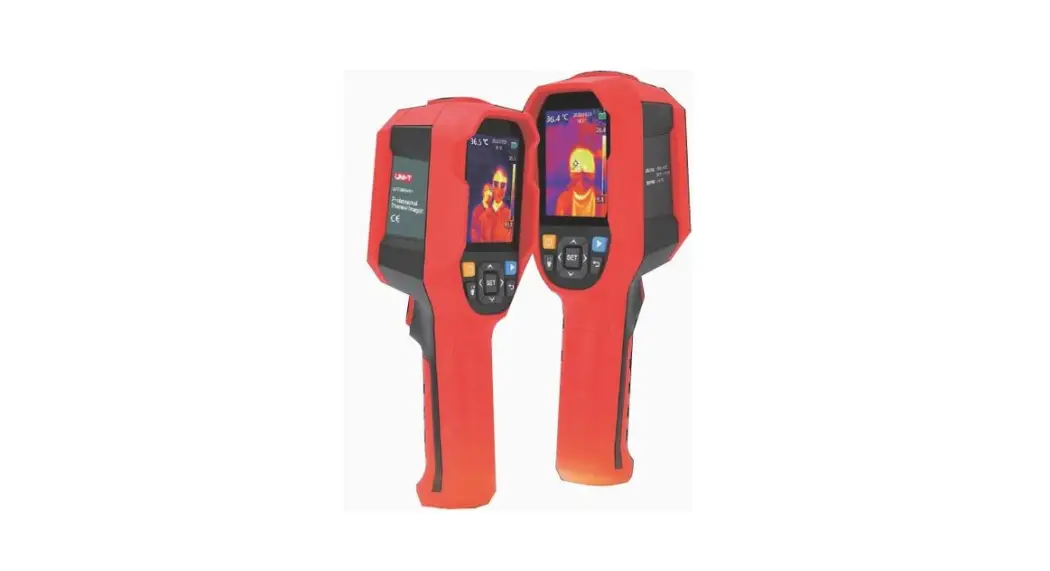
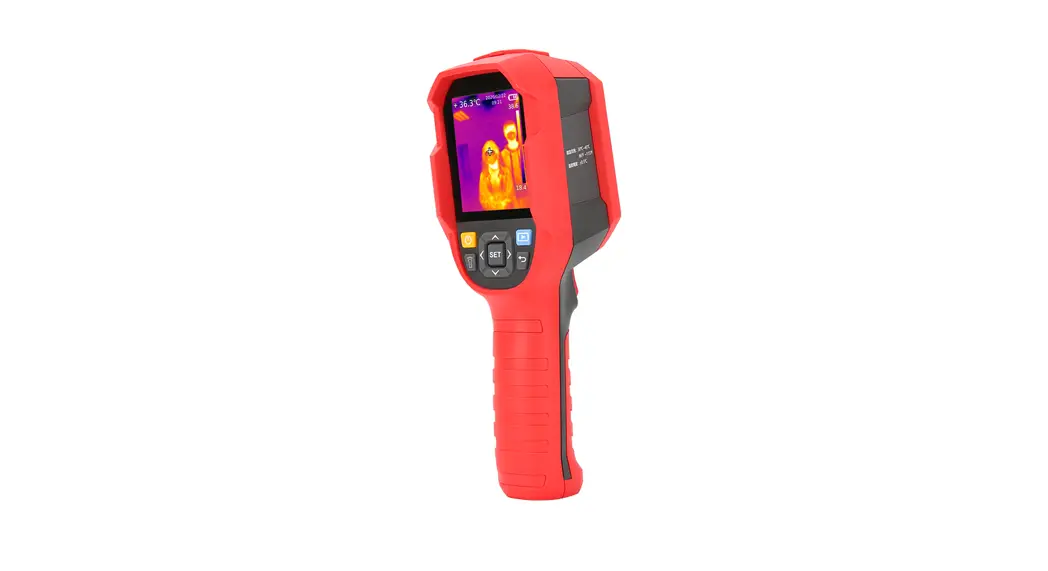
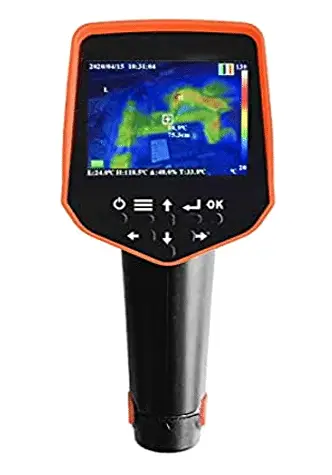
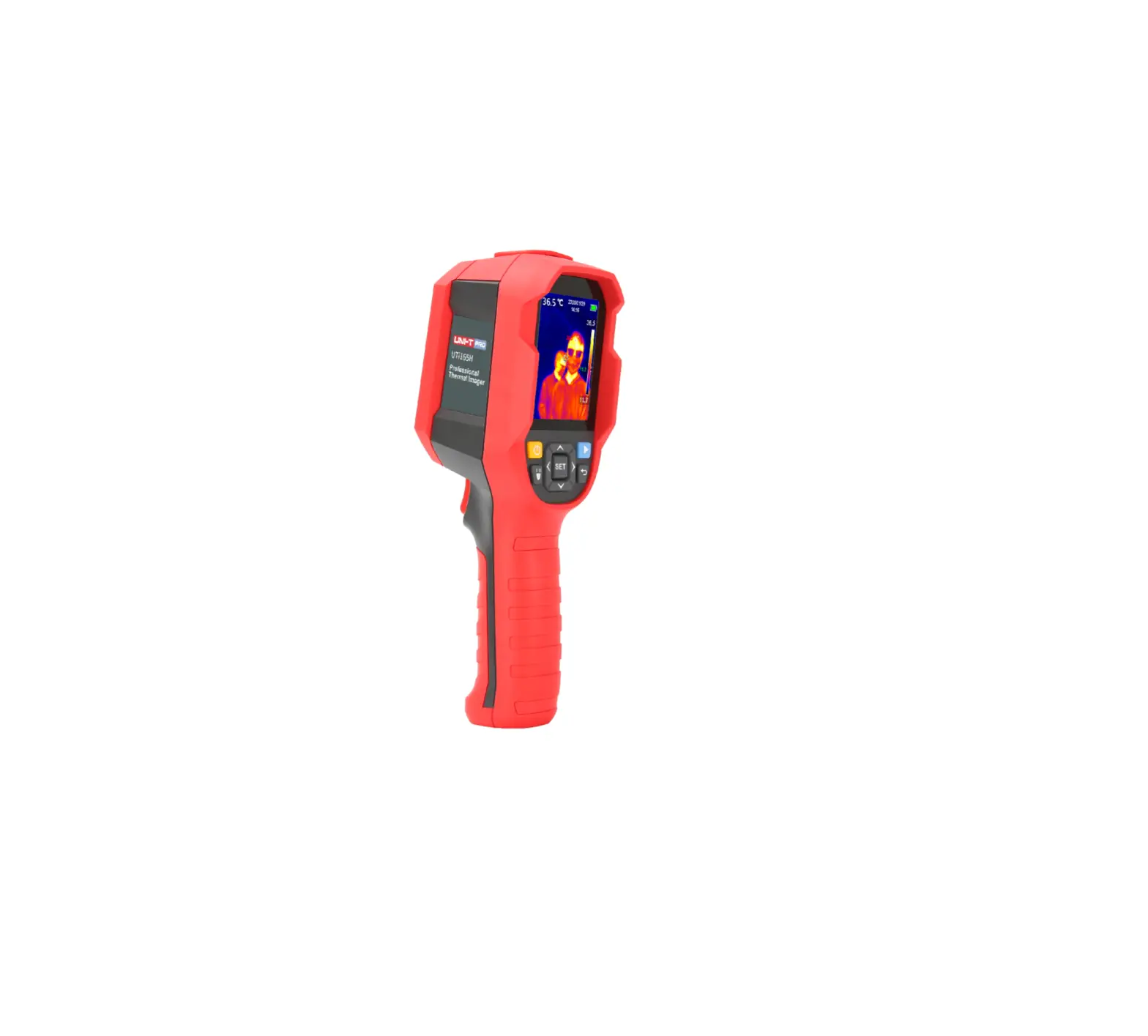
KT-128 Thermal Imagers and Pyrometers Device
Product Information:
- Product name: Kamera Termowizyjna KT-128 KT-256 KT-256F
- Manufacturer: SONEL S.A.
- Version: 3.00
- Date: 31.05.2023
Product Usage Instructions:
- Safety Symbols: The following symbols are used on the
device and/or in this manual:- Do not dispose with household waste
- Caution, laser radiation. Class 2 laser device. Risk of eye
injury
- Safety: Please follow the safety guidelines below when
using the camera:- Do not use the camera in rooms with special conditions, such as
explosive or fire-prone atmospheres. - Do not use the camera if it is partially or completely
malfunctioning. - Only use the provided power supply. Repairs should only be
performed by authorized service centers. - Avoid exposing the thermal camera to dust and moisture. Make
sure it is adequately protected from splashing when used near
water. - When the thermal camera is not in use or being prepared for
transport, store the device and its accessories in a protective
case. - Wait at least 15 seconds before turning on the camera again
after turning it off. - Avoid throwing, hitting, or shaking the camera and its
accessories intensively to prevent damage. - Only use the provided SD memory card.
- When transferring the camera from a warm place to a cold place,
or vice versa, it is recommended to turn off the camera and leave
it in the new location for approximately 60 minutes before turning
it on. Rapid temperature changes can affect temperature measurement
accuracy and even damage the infrared sensor.
- Do not use the camera in rooms with special conditions, such as
INSTRUKCJA OBSLUGI
1
USER MANUAL
23
MANUAL DE USO
45
KT-128 KT-256 KT-256F
v3.00 31.05.2023 1
INSTRUKCJA OBSLUGI
KAMERA TERMOWIZYJNA KT-128 KT-256 KT-256F
SONEL S.A. ul. Wokulskiego 11
58-100 widnica
Wersja 3.00 31.05.2023 1
Dzikujemy za zakup naszej kamery termowizyjnej. Kamera serii KT jest nowoczesnym, wysokiej jakoci przyrzdem pomiarowym, latwym i bezpiecznym w obsludze. Przeczytanie niniejszej instrukcji pozwoli unikn bldów przy pomiarach i zapobiegnie ewentualnym problemom przy obsludze kamery.
Wyroby firmy Sonel S.A. produkowane s pod nadzorem systemu kontroli jakoci ISO9001:2008 w zakresie projektowania, produkcji oraz serwisu. Majc na uwadze cigly rozwój naszych produktów zastrzegamy sobie prawo do wprowadzania zmian i usprawnie w kamerze termowizyjnej oraz programie, opisanych w niniejszej instrukcji bez uprzedniego powiadomienia. Uyte w instrukcji obrazki mog w pewnym stopniu róni si od rzeczywistoci.
Prawa autorskie © Sonel S.A. 2023. Wszelkie prawa zastrzeone
2 KT-128 KT-256 KT-256F INSTRUKCJA OBSLUGI
SPIS TRECI
1 Informacje ogólne ………………………………………………….. 4 1.1 Symbole bezpieczestwa……………………………………………… 4 1.2 Bezpieczestwo………………………………………………………….. 4
2 Opis funkcjonalny ………………………………………………….. 7
2.1 Kamera ……………………………………………………………………… 7 2.2 Ekran ………………………………………………………………………… 8
3 Szybki start ……………………………………………………………. 9 3.1 Wlczanie/wylczanie kamery ………………………………………. 9 3.2 Wykonywanie i zapisywanie termogramów ……………………….. 9 3.3 Automatyczna ostro obrazu ……………………………………… 10
4 Funkcje specjalne ………………………………………………… 11
4.1 Latarka ……………………………………………………………………. 11
4.2
Poziom i zakres skali temperatur …….. 11
4.3 Tryb przechwytywania obrazu……………………………………… 12 4.4 Pliki przegldanie, usuwanie …………………………………….. 13 4.5 Pliki przenoszenie do komputera……………………………….. 13 4.6 Przywracanie ustawie fabrycznych……………………………… 13
4.7 Formatowanie karty SD ……………………………………………… 13
5 Rozwizywanie problemów …………………………………… 14
6 Menu, ustawienia, funkcje …………………………………….. 15
7 Zasilanie urzdzenia, ladowanie akumulatorów……… 16
8 Czyszczenie i konserwacja …………………………………… 18
9 Magazynowanie……………………………………………………. 19
10 Rozbiórka i utylizacja……………………………………………. 19
11 Dane techniczne…………………………………………………… 20
12 Akcesoria…………………………………………………………….. 21 12.1 Akcesoria standardowe………………………………………………. 21 12.2 Akcesoria opcjonalne…………………………………………………. 21
13 Producent ……………………………………………………………. 22
KT-128 KT-256 KT-256F INSTRUKCJA OBSLUGI
3
1 Informacje ogólne
1.1 Symbole bezpieczestwa
Ponisze symbole zostaly uyte na przyrzdzie i/lub w niniejszej instrukcji:
Deklaracja zgodnoci z dyrektywami Unii Europejskiej (Conformité Européenne)
Nie wyrzuca z innymi odpadami komunalnymi
Uwaga, promieniowanie laserowe. Urzdzenie laserowe klasy 2. Ryzyko podranienia oczu
1.2 Bezpieczestwo
Przed rozpoczciem eksploatacji kamery naley dokladnie zapozna si z niniejsz instrukcj i zastosowa si do przepisów bezpieczestwa i zalece producenta.
Zastosowanie kamery inne ni podane w niniejszej instrukcji moe spowo-
dowa uszkodzenie przyrzdu i by ródlem powanego niebezpieczestwa dla uytkownika.
Kamery nie wolno stosowa w pomieszczeniach o specjalnych warunkach,
np. o atmosferze niebezpiecznej pod wzgldem wybuchowym i poarowym.
Niedopuszczalne jest uywanie kamery, która ulegla uszkodzeniu i jest cal-
kowicie lub czciowo niesprawna.
Nie wolno uywa innego zasilacza, ni dostarczony z kamer. Naprawy mog by wykonywane wylcznie przez autoryzowany serwis.
Kamera termowizyjna KT-128 / 256 / 256F przeznaczona jest do wykonywania pomiarów i rejestracji obrazów w podczerwieni. Zostala skonstruowana w sposób zapewniajcy uytkownikowi maksimum wydajnoci i bezpieczestwa w czasie pracy. Niemniej jednak wymagane jest przestrzeganie nastpujcych wa-
4 KT-128 KT-256 KT-256F INSTRUKCJA OBSLUGI
runków i zalece (dodatkowo, z wszelkimi rodkami ostronoci obowizujcymi na danym stanowisku pracy lub w obszarze roboczym):
Podczas pomiarów naley utrzymywa kamer w stabilnej pozycji. Nie uywa kamery w temperaturach przekraczajcych zakres jej tempera-
tur roboczych i przechowywania.
Nie kierowa kamery w stron ródel promieniowania cieplnego o bar-
dzo wysokiej intensywnoci, takich jak sloce, lasery, luk spawalniczy, itp.
Nie naraa kamery termowizyjnej na kontakt z kurzem i wilgoci. Podczas
korzystania z urzdzenia w pobliu wody upewni si, e jest ono odpowiednio chronione przed zachlapaniem.
Gdy kamera termowizyjna nie jest uywana lub jest przygotowywana do
transportu, upewni si, e urzdzenie i jego akcesoria s przechowywane w etui ochronnym.
Nie wlcza ponownie kamery przed uplywem 15 sekund po jej uprzed-
nim wylczeniu.
Nie rzuca, nie uderza ani nie wstrzsa intensywnie kamer i jej oprzyrzdo-
waniem, aby unikn ich uszkodzenia.
Nie próbowa otwiera kamery, poniewa dzialanie takie powoduje utra-
t gwarancji.
Uywa wylcznie karty pamici SD dostarczonej z kamer. W trakcie eksploatacji kamery, jeeli zaistnieje konieczno przeniesienia jej z
cieplego miejsca do zimnego lub odwrotnie, np. z wntrza pomieszczenia na zewntrz lub odwrotnie, naley wylczy zasilanie kamery i pozostawi j w nowym miejscu pracy przez ok. 60 minut. Dopiero po uplywie tego czasu mona wlczy kamer i rozpocz normaln eksploatacj z dokladnym pomiarem. Gwaltowne i szybkie zmiany temperatury otoczenia mog spowodowa bld pomiaru temperatury, a nawet uszkodzenie czujnika podczerwieni.
Kalibracja detektora – kamera w trakcie pracy przeprowadza co pewien
czas autokalibracj, trwajc okolo 2 sekund.
W zwizku z ciglym rozwojem oprogramowania przyrzdu, wy-
gld wywietlacza moe by nieco inny ni przedstawiony w niniejszej instrukcji.
Dla zachowania wlaciwych parametrów akumulatorów, ladowanie
nieuywanych akumulatorów naley powtarza co 3 miesice.
KT-128 KT-256 KT-256F INSTRUKCJA OBSLUGI
5
UWAGA!
Kamera termowizyjna KT-128 / 256 / 256F nie zawiera adnych
czci, które moglyby by naprawiane przez uytkownika. Nigdy nie naley podejmowa prób rozmontowywania lub przerabiania kamery. Otwarcie urzdzenia uniewania gwarancj.
Naley uywa wylcznie akcesoriów wymienionych w rozdz. 12.
Stosowanie innych akcesoriów nie gwarantuje poprawnej pracy oraz moe spowodowa uszkodzenie kamery.
OSTRZEENIE PROMIENIOWANIE LASEROWE NIE KIEROWA WZROKU W STRON WIZKI
LASEROWEJ —————————————————————-
Dlugo fali 645-655 nm Moc wyjciowa <1 mW
Laser klasy 2
Nie naley kierowa wzroku w stron wizki laserowej. Promieniowanie lasera stwarza zagroenia dla nieoslo-
nitych oczu. Konieczne jest stosowanie okularów ochronnych.
6 KT-128 KT-256 KT-256F INSTRUKCJA OBSLUGI
2 Opis funkcjonalny 2.1 Kamera
Obiektyw kamery wiatla widzialnego Obiektyw kamery podczerwieni Wskanik laserowy Latarka LED
Przycisk automatycznej ostroci Przycisk spustowy Gniazdo USB Gniazdo karty pamici
Ucho paska Gwint statywu Ekran LCD Przycisk GÓRA Przycisk MENU
Przycisk DÓL Przycisk ZASILANIE
KT-128 KT-256 KT-256F INSTRUKCJA OBSLUGI
7
2.2 Ekran
Po wlczeniu kamery na ekranie w czasie rzeczywistym wy-
wietlany jest obraz w podczerwieni.
Temperatura obiektu jest
wywietlana przez caly czas (lewy górny róg).
W zalenoci od ustawie
dokonanych wg rozdz. 6, na
ekranie moe widnie równie punkt centralny czy obszar pomiaru z tempera-
turami: maksymaln oraz minimaln.
Jeli wg rozdz. 6 wlczono
wskanik laserowy, informujca o tym kontrolka wywietli si obok symbolu baterii.
Istniej nastpujce tryby obrazu:
IR obraz w podczerwieni,
VL obraz z kamery wizualnej,
MIF obraz termiczny naloony na obraz
widzialny,
PIP obraz wizualny z naloonym obrazem IR z punktem
centralnym lub obszarem pomiarowym.
Tryb mona przelcza za pomoc przycisków . Zatwierdzenie wyboru przyciskiem . Wyjcie z menu przyciskiem .
8 KT-128 KT-256 KT-256F INSTRUKCJA OBSLUGI
3 Szybki start
3.1 Wlczanie/wylczanie kamery
Aby wlczy kamer, nacinij i przytrzymaj przycisk
przez
ponad 3 sekundy. Kamera wywietli logo powitalne i rozpocznie roz-
ruch, w tym autokontrol. Po zakoczeniu autokontroli kamera jest go-
towa do pracy i przechodzi w tryb wywietlania obrazu w podczerwieni
w czasie rzeczywistym.
Aby wylczy kamer, nacinij i przytrzymaj przycisk , a ekran zganie.
W celu uzyskania prawidlowych wskaza kamera musi je ustabilizowa. Stabilizacja moe potrwa ok. 10 minut od wlczenia przyrzdu.
3.2 Wykonywanie i zapisywanie termogramów
W trybie obrazu w czasie rzeczywistym wyceluj kamer w badany
obiekt.
Nacinij i przytrzymaj spust uaktywni si wskanik laserowy
ulatwiajcy okrelenie celu (jeeli laser jest wlczony zob. rozdz. 6).
Pu spust obraz zostanie zamroony.
Wybierz [] (przycisk
), by zapisa termogram lub [x] (przy-
cisk ), by go nie zapisywa.
Nastpnie kamera wróci do trybu obrazu w czasie rzeczywistym.
KT-128 KT-256 KT-256F INSTRUKCJA OBSLUGI
9
3.3 Automatyczna ostro obrazu
Aby uzyska ostry obraz, nacinij spust .
10 KT-128 KT-256 KT-256F INSTRUKCJA OBSLUGI
4 Funkcje specjalne
4.1 Latarka
Aby wlczy/wylczy latark:
wlcz odpowiedni opcj w Menu Owietlenie.
nacinij i przytrzymaj przycisk .
4.2
Poziom i zakres skali tem-
peratur
Skal temperatur mona regulowa na trzy sposoby: automatyczny (A), pólautomatyczny (S) i rczny (M).
Nacinij i przytrzymaj przycisk
, aby przej do ustawie.
Kade kolejne nacinicie przelcza tryb regulacji skali w ko-
lejnoci A, S, M.
o Tryb pólautomatyczny (S) w tym trybie mona ustawi
warto T, czyli rónic midzy maksymaln a minimaln wartoci temperatury na skali.
Aby zwikszy warto T, za pomoc przycisków wybierz w interfejsie strzalk ,,”, a nastpnie
naciskaj .
Aby zmniejszy warto T, za pomoc przycisków wybierz w interfejsie strzalk ,,”, a nastpnie
naciskaj .
KT-128 KT-256 KT-256F INSTRUKCJA OBSLUGI 11
o Tryb rczny (M) w tym trybie mona ustawi maksymaln
(Tmax) i minimaln (Tmin) temperatur na skali. Aby jednoczenie podwyszy wartoci Tmax i Tmin (czyli przesun skal w gór), za pomoc przycisków wybierz w interfejsie strzalk ,,”, a nastpnie naciskaj przycisk . Aby jednoczenie obniy wartoci Tmax i Tmin (czyli przesun skal w dól), za pomoc przycisków wybierz w interfejsie strzalk ,,”, a nastpnie naciskaj przycisk . Aby jednoczenie obniy warto Tmax i podwyszy warto Tmin (czyli zawzi skal), za pomoc przycisków wybierz w interfejsie strzalk ,,”, a nastpnie naciskaj przycisk . Aby jednoczenie podwyszy warto Tmax i obniy warto Tmin (czyli rozszerzy skal), za pomoc przycisków wybierz w interfejsie strzalk ,,”, a nastpnie naciskaj przycisk .
o Tryb automatyczny (A) w tym trybie wartoci Tmax i Tmin
s ustawiane automatycznie na podstawie obrazu w czasie rzeczywistym. Nie mona ich regulowa rcznie.
Nacinij przycisk , aby zapisa i wyj z ustawie.
4.3 Tryb przechwytywania obrazu
Aby wykorzysta ten tryb, musisz skorzysta z zewntrznej aplikacji PC do przechwytywania obrazu wideo.
Zainstaluj na komputerze program do przechwytywania obrazu
wideo.
Podlcz kamer do komputera za pomoc przewodu USB. W aplikacji wybierz tryb przechwytywania obrazu.
12 KT-128 KT-256 KT-256F INSTRUKCJA OBSLUGI
4.4 Pliki przegldanie, usuwanie
Nacinij krótko przycisk , by otworzy menu ustawie.
Przyciskami
wybierz pozycj Galeria, a nastpnie Prze-
gld. Pojawi si lista zdj.
Przelczaj zdjcia przyciskami .
Aby usun zdjcie, nacinij krótko przycisk
, przyciskami
wybierz [] i zatwierd wybór przyciskiem .
4.5 Pliki przenoszenie do komputera
W celu przeniesienia termogramów do komputera podlcz do niego kamer za pomoc kabla USB lub zainstaluj w nim kart pamici kamery. Na wykrytej pamici znajduj si dane pliki.
4.6 Przywracanie ustawie fabrycznych
Aby przywróci ustawienia fabryczne, przejd do Menu Reset i nacinij przycisk , aby potwierdzi reset.
4.7 Formatowanie karty SD
Aby wyczyci kart SD, przejd do Menu Format SD i nacinij przycisk , aby potwierdzi formatowanie.
KT-128 KT-256 KT-256F INSTRUKCJA OBSLUGI 13
5 Rozwizywanie problemów
Problemy
Przyczyny
Czynnoci
Kamera si nie wlcza.
Akumulator na wyczerpaniu
Wtyczka zasilacza nie jest wloona poprawnie.
Naladuj akumulator.
Wycignij wtyczk i wló j w sposób prawidlowy.
Niewyrany obraz w podczer-
wieni.
Obiektyw jest zaparowany lub brudny.
Wyczy obiektyw.
Niewyrany obraz wizualny
Zbyt ciemne otoczenie.
Obiektyw jest zaparowany lub brudny.
Zapewni owietlenie. Wyczy obiektyw.
Niedokladny pomiar tempe-
ratury
Nieprawidlowo ustawiona emisyjno i/lub odleglo od obiektu.
Dlugi czas bez kalibracji.
Zmieni parametry.
Zleci producentowi kalibracj kamery.
14 KT-128 KT-256 KT-256F INSTRUKCJA OBSLUGI
6 Menu, ustawienia, funkcje
Nacinij , by wej w menu ustawie. Uywajc przycisków
podwietl pozycje. Wejd w nie i zmie ustawienia za pomoc .
Wró do menu uywajc . Dostpne s nastpujce pozycje.
Galeria id do listy obrazów.
ZakresT. wywietla zakres pomiaru temperatury.
Emisyjno zmiana emisyjnoci obiektu badanego.
Paleta wybór palety barw.
P. Centralny wlczanie/wylczanie punktu centralnego widocz-
nego na ekranie.
Jednostka T jednostka temperatury: ºC lub ºF.
ROIMeasure obszar pomiaru.
Alarm alarm temperaturowy: ustawienie dolnej i górnej tempera-
tury progowej. Uyj przycisków , by nastawi temperatury.
Pom. Odbic. temperatura otoczenia. Uyj przycisków , by
ustawi temperatur.
Odleglo odleglo od badanego obiektu. Uyj przycisków
, by ustawi dystans.
Jednostka odlegloci.
Auto off automatyczne wylczenie: wylczone lub po czasie 5,
10, 20 min.
Jasno niska/rednia/wysoka jasno ekranu.
Laser wskanik laserowy wlczony/wylczony.
Owietlenie latarka wlczona/wylczona.
Data/czas.
Jzyk.
Reset uyj przycisków , by wybra polecenie.
Format SD uyj przycisków , by wybra polecenie.
PIPtransp. przezroczysto nakladanego obrazu IR: 0%, 30%,
60%, 90%.
Widocz. pokazuje w Galerii zdjcia w wietle widzialnym.
KT-128 KT-256 KT-256F INSTRUKCJA OBSLUGI 15
Tryb USB tryb pracy po podlczeniu do zewntrznego urzdze-
nia przez przewód USB: przesylanie plików/przechwytywanie obrazu.
Info kam. informacje o kamerze.
7 Zasilanie urzdzenia, ladowanie akumulatorów
Kamera zasilana jest z wewntrznego akumulatora. Moe równie by zasilana za pomoc zasilacza sieciowego.
Aby naladowa akumulator kamery serii KT, wystarczy podlczy zasilacz do gniazda USB wylczonej kamery. Ladowanie nie odbywa si jednak w trakcie pracy kamery.
Jeeli kamera ma by nieuywana dluszy czas, zaleca si co 3 miesice doladowa akumulator.
Przechowuj akumulatory naladowane do 50% w suchym, chlodnym i
dobrze wentylowanym miejscu oraz chro je przed bezporednim naslonecznieniem. Akumulator przechowywany w stanie calkowitego rozladowania moe ulec uszkodzeniu. Temperatura otoczenia dla dlugiego przechowywania powinna by utrzymywana w granicach 5°C…25°C.
Laduj akumulatory w chlodnym i przewiewnym miejscu w temperatu-
rze 10°C…28°C. Nowoczesne szybkie ladowarki wykrywaj zarówno zbyt nisk, jak i zbyt wysok temperatur akumulatorów i odpowiednio reaguj na te sytuacje. Zbyt niska temperatura powinna uniemoliwi rozpoczcie procesu ladowania, który móglby nieodwracalnie uszkodzi akumulator. Wzrost temperatury akumulatora moe spowodowa wyciek elektrolitu, a nawet zapalenie si lub wybuch akumulatora.
Nie przekraczaj prdu ladowania, gdy moe doj do zaplonu lub
,,spuchnicia” akumulatora. ,,Spuchnitych” akumulatorów nie wolno uywa.
Nie laduj ani nie uywaj akumulatorów w temperaturach ekstremal-
nych. Skrajne temperatury redukuj ywotno akumulatorów. Bezwzgldnie przestrzegaj znamionowej temperatury pracy. Nie wrzucaj akumulatorów do ognia.
16 KT-128 KT-256 KT-256F INSTRUKCJA OBSLUGI
Ogniwa Li-Ion s wraliwe na uszkodzenia mechaniczne. Takie
uszkodzenia mog przyczyni si do ich trwalego uszkodzenia, a co za tym idzie do zaplonu lub wybuchu.
Jakakolwiek ingerencja w struktur akumulatora Li-Ion moe dopro-
wadzi do jego uszkodzenia. Skutkiem tego moe by jego zapalenie si lub wybuch.
W przypadku zwarcia biegunów akumulatora + i moe doj do jego
trwalego uszkodzenia, a nawet zaplonu lub wybuchu.
Nie zanurzaj akumulatora Li-Ion w cieczach ani nie przechowuj w wa-
runkach wysokiej wilgotnoci.
W razie kontaktu elektrolitu, który znajduje si w akumulatorze Li-Ion z
oczami lub skór niezwlocznie przeplucz te miejsca du iloci wody i skontaktuj si z lekarzem. Chro akumulator przed osobami postronnymi i dziemi.
W momencie zauwaenia jakichkolwiek zmian w akumulatorze Li-Ion
(m.in. kolor, puchnicie, zbyt dua temperatura) zaprzesta jego uywania. Akumulatory Li-Ion uszkodzone mechanicznie, przeladowane lub nadmiernie wyladowane nie nadaj si do uytkowania.
Uywanie akumulatora niezgodnie z przeznaczeniem moe spowodo-
wa jego trwale uszkodzenie. Moe to skutkowa jego zaplonem. Sprzedawca wraz z producentem nie ponosz odpowiedzialnoci za ewentualne szkody powstale w wyniku nieprawidlowego obchodzenia si akumulatorem Li-Ion.
KT-128 KT-256 KT-256F INSTRUKCJA OBSLUGI 17
8 Czyszczenie i konserwacja
UWAGA!
Naley stosowa jedynie metody konserwacji podane
przez producenta w niniejszej instrukcji.
Kamera termowizyjna nie posiada adnych czci, które
moglyby by naprawiane przez uytkownika. Nie naley samodzielnie podejmowa próby rozmontowywania lub przerabiania kamery. Otwarcie urzdzenia uniewania gwarancj.
Obudow kamery – wszystkie powierzchnie nie bdce elemen-
tami optycznymi kamery – mona czyci mikk, wilgotn szmatk przy uyciu ogólnie dostpnych, lagodnych detergentów. Nie naley uywa adnych rozpuszczalników ani rodków czyszczcych, które moglyby porysowa obudow (proszki, pasty itp.). Podczas czyszczenia kamera musi by wylczona.
Soczewki obiektywu kamery termowizyjnej dziki swej powloce
antyrefleksyjnej s najczulsz i zarazem najdrosz czci kamery (soczewka ma kluczowe znaczenie dla radiometrycznych moliwoci systemu podczerwieni). Powierzchnie optyczne naley czyci tylko wtedy, gdy s widocznie zabrudzone. Nie wolno dotyka palcami odslonitych powierzchni soczewki, poniewa brud pozostawiany przez odciski palców moe by szkodliwy dla powlok i szkla obiektywu.
Do czyszczenia optyki kamery i akcesoriów nie mona stosowa
adnych rodków chemicznych. Uywa czystej, suchej i mikkiej chusteczki.
18 KT-128 KT-256 KT-256F INSTRUKCJA OBSLUGI
9 Magazynowanie
Przy przechowywaniu przyrzdu naley przestrzega poniszych zalece:
upewni si, e kamera i jej akcesoria s suche, dopuszcza si temperatury przechowywania podane w danych
technicznych,
aby unikn calkowitego rozladowania akumulatorów przy dlu-
szym przechowywaniu, naley je co jaki czas doladowywa (zalecany czasookres: 3 miesice).
10 Rozbiórka i utylizacja
Zuyty sprzt elektryczny i elektroniczny naley gromadzi selek-
tywnie, tj. nie umieszcza z odpadami innego rodzaju.
Zuyty sprzt elektroniczny naley przekaza do punktu zbiórki
zgodnie z Ustaw o zuytym sprzcie elektrycznym i elektronicznym.
Przed przekazaniem sprztu do punktu zbiórki nie naley samo-
dzielnie demontowa adnych czci z tego sprztu.
Naley przestrzega lokalnych przepisów dotyczcych wyrzucania
opakowa, zuytych baterii i akumulatorów.
KT-128 KT-256 KT-256F INSTRUKCJA OBSLUGI 19
Rozdzielczo detektora Zakres spektralny Czstotliwo wywietlania klatek Czulo Ostro Rozdzielczo przestrzenna IFOV Min. odleglo do uzyskania ostrego obrazu Obiektyw (pole widzenia / ogniskowa)
Wywietlacz Tryb obrazu
Zakres temperatur
Dokladno
Tryb analizy obrazu Palety Wspólczynnik emisyjnoci Korekta pomiaru Format zapisu zdj Wbudowane funkcje Interfejsy
Zasilanie
Temperatura robocza Temperatura przechowywania Stopie ochrony obudowy Certyfikaty Waga Wymiary
11 Dane techniczne
KT-128
Kamera
KT-256
KT-256F
120 x 90 / 17 µm VOx
256 x 192 / 12 µm VOx
7,5~14 µm
25 Hz
60 mK Stala ogniskowa
45 mK Automatyczna
7,6 mrad
3,75 mrad
1,71 mrad
0,5 m
0,3 m
0,5 m
50° x 38°/2,28 mm
56° x 48°/3,2 mm
25° x 19°/7 mm
Obraz
2,4″ 240 x 320 px LCD
IR / Wizualny / PiP
IR / Wizualny / Infrafusion MIF / PiP
Pomiar temperatury
Zakres 1: -20°C…+150°C
Zakres 1: -20°C…+150°C
Zakres 2: 100°C…+400°C
Zakres 2: 100°C…+550°C
±2°C lub ±2% odczytu
(temperatura otoczenia 15°C…30°C, temperatura obiektu 0°C)
Funkcje
Punkt. 3 obszary. Wskazanie temperatury: min, max. Alarm temperaturowy
6
Ustawiany od 0,01 do 1,00 lub z listy
Ustawiana odleglo, temp. otoczenia (odbita)
JPG
Kamera zdj wizualnych 2 MPix, latarka LED, wskanik laserowy
Port kart microSD (maks. 32 GB), USB typ C, statyw
Bateria Li-Ion
(czas pracy >5 godzin),
wbudowana ladowarka
Bateria Li-Ion (czas pracy >16 godzin),
(czas ladowania <2,5 go- wbudowana ladowarka (czas ladowania <2,5 godziny),
dziny),
zasilacz AC 110-230 V, 50/60 Hz
zasilacz AC 110-230 V,
50/60 Hz
Warunki rodowiskowe
-10°C…50°C
-15°C…50°C
-40°C…70°C
ok. 0,35 kg
IP54
CE, ROHS, FCC ok. 0,38 kg
194 x 61,5 x 76 mm
20 KT-128 KT-256 KT-256F INSTRUKCJA OBSLUGI
12 Akcesoria
Aktualne zestawienie akcesoriów znajduje si na stronie internetowej producenta.
12.1 Akcesoria standardowe
W sklad standardowego kompletu dostarczanego przez producenta wcho-
dz:
Kamera KT-128 / 256 / 256F
Zasilacz USB WAZASZ20
Przewód USB typu C WAPRZUSBC
Karta microSD 16 GB WAPOZMSD16
Karta microSD 32 GB WAPOZMSD32
Pasek WAPOZPAS1
Instrukcja obslugi
Deklaracja sprawdzenia
12.2 Akcesoria opcjonalne
Dodatkowo u producenta i dystrybutorów mona zakupi nastpujce elementy nie wchodzce w sklad wyposaenia standardowego:
wiadectwo wzorcowania z akredytacj
KT-128 KT-256 KT-256F INSTRUKCJA OBSLUGI 21
13 Producent
Producentem przyrzdu prowadzcym serwis gwarancyjny i pogwarancyjny jest:
SONEL S.A. ul. Wokulskiego 11 58-100 widnica tel. (74) 858 38 00 (Biuro Obslugi Klienta) e-mail: [email protected] internet: www.sonel.pl UWAGA! Do prowadzenia napraw serwisowych upowaniony jest jedynie producent. Wyprodukowano w ChRL na zlecenie SONEL S.A.
22 KT-128 KT-256 KT-256F INSTRUKCJA OBSLUGI
USER MANUAL
THERMAL IMAGER KT-128 KT-256 KT-256F
SONEL S.A. Wokulskiego 11 58-100 widnica
Poland
Version 3.00 31.05.2023 23
Thank you for purchasing our thermal camera. KT camera is a modern, easy and safe measuring device. Please acquaint yourself with the present manual in order to avoid measuring errors and prevent possible problems related to operation of the camera.
All products of Sonel S.A. are manufactured in accordance with Quality Management System which is approved to ISO9001:2008 for the design, manufacturing, and servicing. Due the continuous development of our products, we reserve the right to introduce changes and improvements in the thermal imaging camera and in the software described in this manual without prior notice. Illustrations presented in this manual may slightly differ from the real product.
Copyrights © Sonel S.A. 2023. All rights reserved.
24
KT-128 KT-256 KT-256F USER MANUAL
CONTENTS
1 General information ……………………………………………… 26
1.1 Safety symbols …………………………………………………………. 26 1.2 Safety ……………………………………………………………………… 26
2 Functional description………………………………………….. 29
2.1 The imager ………………………………………………………………. 29 2.2 Display…………………………………………………………………….. 30
3 Quick start …………………………………………………………… 31
3.1 Turning the camera ON/OFF……………………………………….. 31 3.2 Capturing and saving images………………………………………. 31 3.3 Autofocus…………………………………………………………………. 32
4 Special features……………………………………………………. 33
4.1 Floodlight …………………………………………………………………. 33
4.2
Temperature scale level and range …. 33
4.3 Image capture mode ………………………………………………….. 34 4.4 Files viewing, deleting ……………………………………………… 35 4.5 Files transfer to the computer……………………………………. 35 4.6 Restoring factory settings……………………………………………. 35
4.7 Formatting the SD card ………………………………………………. 35
5 Troubleshooting…………………………………………………… 36
6 Menu, settings, functions ……………………………………… 37
7 Power supply, battery charging…………………………….. 38
8 Cleaning and maintenance……………………………………. 40
9 Storing ………………………………………………………………… 41
10 Dismantling and disposal……………………………………… 41
11 Specifications………………………………………………………. 42
12 Accessories …………………………………………………………. 43 12.1 Standard accessories ………………………………………………… 43 12.2 Optional accessories………………………………………………….. 43
13 Manufacturer ……………………………………………………….. 44
KT-128 KT-256 KT-256F USER MANUAL
25
1 General information 1.1 Safety symbols
The following international symbols are used in the device and/or in this manual:
Declaration of Conformity with EU directives (Conformité Européenne)
Do not dispose of with other household waste
Caution, laser radiation. Class 2 laser device. Risk of eye irritation.
1.2 Safety
Before you proceed to operate the camera, acquaint yourself thoroughly with the present manual and observe the safety regulations and specifications defined by the producer.
Any application that differs from those specified in this manual may re-
sult in damage to the device and constitute a source of danger for the user.
The camera must not be used in rooms where special conditions are
present e.g. fire and explosion risk.
It is forbidden to use damaged or malfunctioning camera. Do not use any other adapter than the one supplied with the camera. Repairs may be performed only by an authorised service point.
KT-128 / 256 / 256F thermal camera is designed to measure and record the images in the infrared. It is designed to provide the user with maximum performance and safety during the work. However, the following guidelines and recommendations must be observed at all times (in addition to all binding precautions applicable at individual work stands and work areas):
26
KT-128 KT-256 KT-256F USER MANUAL
Keep the camera steady when performing the measurements. Do not use the camera in temperatures exceeding its working and
storage temperature ranges.
Do not direct the camera toward very high intensity radiation
sources such as the sun, lasers or welding arcs etc.
Do not expose the camera to dust and moisture. When operating the
device near water, ensure that it is adequately guarded against splashes.
When the camera is not in use or is to be transported, ensure that the
unit and its accessories are stored in the protective carry case.
Do not re-switch on the camera until 15 seconds later after switching it
off.
Do not throw, knock or shake intensely the camera and its compo-
nents in order to avoid the damage.
Do not attempt to open the camera body, as this action will void the
warranty.
Use only the SD memory card supplied with the camera. During operation, if the camera is to be moved from hot/cold place to
cold/hot place, e.g. from inside/outside to outside/inside of a room, switch off the camera and leave it in the new workplace for ca. 60 minutes. Only after that time, turn it on and start normal operation with an accurate temperature measurement. Sudden and rapid changes in ambient temperature may cause fault temperature measurement and even damage camera’s IR detector.
Calibration of the detector during operation, the camera performs au-
to-calibration from time to time, which takes approx. 2 seconds.
Due to continuous development of the instrument’s software,
the actual appearance of the display may slightly differ from the display presented in this manual.
To maintain required parameters of rechargeable batteries,
unused rechargeable batteries should be charged every 3 months.
KT-128 KT-256 KT-256F USER MANUAL
27
CAUTION!
KT-128 / 256 / 256F thermal camera has no parts that could be
repaired by the user. Never attempt to disassemble or modify the camera. Opening the device will void the warranty.
Use only accessories listed in section 12. Using other acces-
sories does not ensure proper operation of the camera and may cause its damage.
WARNING
LASER RADIATION DO NOT STARE INTO THE BEAM
OF THE LASER DIODE —————————————————————-
Wavelength 645-655 nm Max. output power <1 mW
Class 2 laser product
Do not point your eyes toward the laser beam. Laser radiation poses hazards to unprotected eyes. It is neces-
sary to use protective goggles.
28
KT-128 KT-256 KT-256F USER MANUAL
2 Functional description 2.1 The imager
Visual lens IR lens Laser pointer LED flashlight
Autofocus button Trigger button USB socket Memory card slot
Strap holder Tripod mount LCD display UP button MENU button DOWN button POWER button
KT-128 KT-256 KT-256F USER MANUAL
29
2.2 Display
After turning on the camera, the infrared image is displayed in real time on the screen.
The temperature of the ob-
ject is displayed for the whole time (upper left corner).
Depending on the settings
made according to sec. 6, the screen may also display the central point or measurement area showing temperatures: maximum and minimum.
If the laser pointer is activat-
ed, as described in sec. 6, an indicator will be displayed next to the battery symbol.
The following image modes are available:
IR infrared image,
VL – visual image from the camera,
MIF infrared image combined with visual
image,
PIP visual image with superimposed IR image, including the
central point or measurement area.
The mode can be switched using buttons. Confirm the selection by pressing button. Exit MENU by pressing button.
30
KT-128 KT-256 KT-256F USER MANUAL
3 Quick start
3.1 Turning the camera ON/OFF
In order to switch the camera on, press and hold
button for
more than 3 sec. The camera will display the welcome logo and
commence the start-up, including the self-check. After completing the
self-check, the camera is ready to work and enters the mode of real-
time display of infrared image.
To switch OFF the camera press and hold screen goes blank.
button until the
In order to obtain the correct indications, the camera must stabilize them. Stabilization may take ca. 10 minutes after the instrument is turned on.
3.2 Capturing and saving images
In the real-time image mode, point the camera into the direction of
the tested object.
Press and hold the trigger – the laser pointer will be activated
to facilitate finding the target (if the laser is turned on – see. sec. 6).
Release the trigger – the image is frozen. Select [] ( button) to save the thermal image or [x] ( but-
ton) to cancel saving.
Then, the camera returns to real-time image mode.
KT-128 KT-256 KT-256F USER MANUAL
31
3.3 Autofocus
For a sharp image, press the trigger .
32
KT-128 KT-256 KT-256F USER MANUAL
4 Special features
4.1 Floodlight
To turn on/off the floodlight:
enable the appropriate option in Menu Floodlight.
press and hold button .
4.2
Temperature scale level
and range
The temperature scale can be adjusted in three ways: automatic (A), semi-automatic (S) and manual (M).
Press and hold button
to enter the settings. Each successive
press of switches the scale adjustment mode in the order of
A, S, M.
o Semi-automatic mode (S) in this mode, you can set the T
value, i.e. the difference between the maximum and minimum
temperature value on the scale.
To increase the T value, use the buttons and select the “” arrow in the interface, then press .
To decrease the T value, use the buttons and select the “” arrow in the interface, then press .
KT-128 KT-256 KT-256F USER MANUAL
33
o Manual mode (M) in this mode you can set the maximum
(Tmax) and minimum (Tmin) temperature on the scale. To increase Tmax and Tmin at the same time (i.e. move the scale up), use the buttons and select the “” arrow on the interface, then press button . To decrease Tmax and Tmin at the same time (i.e. move the scale down), use the buttons and select the “” arrow on the interface, then press button . To decrease Tmax and increase Tmin at the same time (i.e. narrow the scale), use the buttons and select the “” arrow on the interface, then press button . To increase Tmax and decrease Tmax at the same time (i.e. broaden the scale), use the buttons and select the “” arrow on the interface, then press button .
o Auto Mode (A) in this mode, Tmax and Tmin are set auto-
matically based on the real-time image. They cannot be adjusted manually.
Press button to save and exit the settings.
4.3 Image capture mode
To use this mode, you need to use an external PC video capture application.
Install a video capture program on your computer. Connect the camera to the computer using the USB cable. In the application, select the image capture mode.
34
KT-128 KT-256 KT-256F USER MANUAL
4.4 Files viewing, deleting
Briefly press the button to access the menu interface.
Using
buttons select Gallery and Review. Photo list will
appear.
To display another photo press .
In order to delete a photo, press briefly the
button, use but-
tons to select [] and confirm your selection with button.
4.5 Files transfer to the computer
In order to transfer thermal images to a computer, connect the camera via a USB cable or install the camera memory card in the computer. The detected memory will show desired files.
4.6 Restoring factory settings
In order to restore the settings to the factory defaults, go to Menu Reset and press the button to confirm the reset.
4.7 Formatting the SD card
In order to wipe the SD card, go to Menu Format SD and press the button to confirm the formatting.
KT-128 KT-256 KT-256F USER MANUAL
35
5 Troubleshooting
Problems
Causes
What to do
Boot failure.
Low battery.
Reuse battery after charging.
External power source plug is Pull the plug and reinsert it
not inserted properly.
properly.
IR image is not clear.
Lens is misted up or dirty.
Clean lens.
Niewyrany obraz wizualny
Zbyt ciemne otoczenie.
Obiektyw jest zaparowany lub brudny.
Zapewni owietlenie. Wyczy obiektyw.
Imprecise temperature measurement
Emissivity and/or the distance from the object incorrectly set.
Change the parameters.
A long time without calibration.
Order the calibration of the camera from the manufacturer.
36
KT-128 KT-256 KT-256F USER MANUAL
6 Menu, settings, functions
Press
to enter setting menu. Using buttons highlight items.
Enter them and change their value using . Go back using .
Following items are available:
Gallery go to images list,
TempRange display temperature measurement range,
Emissivity changing the emissivity of the tested object.
Palette – selecting the colour palette.
CenterPoint – turning on/off the central point on the screen.
TempUnit temperature unit: ºC or ºF.
ReflMeasure measurement area.
Alarm temperature alarm: setting upper and lower threshold tem-
perature. Use buttons to set the temperatures.
ReflMeasure ambient temperature. Use buttons to set the
temperature.
Distance the distance from the tested object. Use buttons to
set the distance.
Distance unit.
AutoShut automatic shutdown: disabled or 5, 10, 15 min.
ScreenBright low/medium/high screen brightness.
Laser laser pointer on/off.
Floodlight flashlight on/off.
Date/time.
Language.
Reset use buttons to select command.
Format SD use buttons to select command.
PIPtransparent transparency of superimposed IR image: 0%,
30%, 60%, 90%.
Visual shows visual images in Gallery.
USBMode operating mode when connected to an external device
via a USB cable: file transfer/image capture.
Camera info.
KT-128 KT-256 KT-256F USER MANUAL
37
7 Power supply, battery charging
The camera is powered by an internal rechargeable battery. It may be also powered using the AC adapter.
In order to charge a KT camera, just plug in the AC adapter to the camera USB socket when it is switched off. Charging does not take place during operation of the camera.
If the camera is to be inactive for a long time, it is recommended to recharge the rechargeable battery every 3 months.
Store the half-charged battery pack in a dry, cool and well venti-
lated place and protect them from direct sunlight. The battery pack may be damaged if stored when fully discharged. The ambient temperature for prolonged storage should be maintained within the range of 5°C…25°C.
Charge the batteries in a cool, well-ventilated place at a tempera-
ture of 10°C…28°C. Modern fast chargers detect both too low and too high temperature of rechargeable batteries and react to the situation adequately. When the temperature is too low, charging should be prevented as it may irreparably damage the batteries. The increase in temperature of the battery pack may cause electrolyte leakage and even its ignition or explosion.
Do not exceed the charging current, as it may result in ignition or
“swelling” of the battery pack. “Swollen” battery pack must not be used.
Do not charge or use the batteries in extreme temperatures. Ex-
treme temperatures reduce the lifetime of rechargeable batteries. Always observe the rated operating temperature. Do not dispose the battery pack into fire.
Li-Ion cells are sensitive to mechanical damage. This kind of
damage may cause their permanent damage and thus ignition or explosion.
Any interference in the structure of Li-ion battery pack may cause
its damage. This may result in the ignition or explosion.
38
KT-128 KT-256 KT-256F USER MANUAL
A short-circuit of the battery poles “+” and “-” may permanently
damage the battery pack or even cause its fire or explosion.
Do not immerse Li-Ion battery in liquids and do not store in humid
conditions.
If the electrolyte contained in the Lithium-Ion battery pack, con-
tacts eyes or skin, immediately rinse the affected place with plenty of water and consult a doctor. Protect the battery against unauthorised persons and children.
When you notice any changes in the Lithium-Ion battery pack (e.g.
changes in colour, swelling, excessive temperature), stop using the battery pack. Li-Ion batteries that are mechanically damaged, overcharged or excessively discharged are not suitable for use.
Any misuse of the battery may cause its permanent damage. This
may result in the ignition. The seller and the manufacturer shall not be liable for any damages resulting from improper handling LiIon battery pack.
KT-128 KT-256 KT-256F USER MANUAL
39
8 Cleaning and maintenance
NOTE!
Use the below specified methods of maintenance only. The thermal imager does not comprise any parts service-
able by the user. Do not at-tempt to dismantle or modify the camera on your own. Opening the instrument voids the warranty.
Camera enclosure all surfaces, except for optical elements of
the camera, can be cleaned with a soft and moist cloth with generally available mild detergents. Do not use any solvents or cleaning agents that could scratch the enclosure (powder, paste, etc.). During cleaning, the camera must be turned off.
Due to the applied anti-reflective coating, optical lens are the most
sensitive and at the same time the most expensive part of the camera (the lens is of key importance to radiometric capabilities of the infrared system). Optical surfaces should be cleaned only, when they are visibly fouled. Do not touch exposed surfaces of optical lens with fingers, because fouling left with fingerprints can be harmful to coatings and glass of the lens.
Chemical agents must not be used for cleaning the optics and ac-
cessories of the camera. Use a clean, dry and soft cloth.
40
KT-128 KT-256 KT-256F USER MANUAL
9 Storing
When storing the instrument, observe the following guidelines:
make sure the camera and its accessories are dry, allowed are storage temperatures specified in technical specifica-
tions,
in order to avoid complete discharging of rechargeable batteries
during prolonged storage, charge them once in a while (recommended time: 3 months).
10 Dismantling and disposal
Used-up electrical or electronic equipment must be collected se-
lectively, i.e. must not be mixed with waste of other types.
Used-up electronic equipment must be delivered to an appropriate
collection centre in accordance with regulations related to used-up electrical or electronic equipment.
Before delivering the equipment to the collection centre do not at-
tempt to dismantle any of its parts.
Follow local regulations related to disposing of packaging, used-
up batteries and rechargeable batteries.
KT-128 KT-256 KT-256F USER MANUAL
41
Detector resolution Spectral range Frame rate Thermal sensitivity Focus IFOV Min. focus distance Lens (field of view/focal length)
Display Image modes
Temperature range
Accuracy
Image analysis modes Palettes Emissivity Measurement adjustment File format Built-in features Interface
Power supply
Operating temperature Storage temperature Ingress protection Certification Weight Dimensions
11 Specifications
KT-128 Camera
120 x 90 / 17 µm VOx
60 mK
7.6 mrad 0.5 m
Fixed
KT-256
KT-256F
256 x 192 / 12 µm VOx
7.5~14 µm
25 Hz
45 mK
Auto
3.75 mrad
1.71 mrad
0.3 m
0.5 m
50° x 38°/2.28 mm
56° x 48°/3.2 mm
25° x 19°/7 mm
Image
2.4″ 240 x 320 px LCD
IR / Visual / PiP
IR / Visual / Infrafusion MIF / PiP
Temperature measurement
Range 1: -20°C…+150°C
Range 1: -20°C…+150°C
Range 2: 100°C…+400°C
Range 2: 100°C…+550°C
±2°C or ±2% of reading
(for ambient temperature 15°C…30°C, object temp. 0°C)
Functions
Point. 3 areas. Temperature indication: min, max. Temp. alarm
6
Selectable from 0.01 to 1.00 or from the list
Adjustable distance, ambient temperature (reflected)
JPG
Visual camera 2 MPix, LED flashlight, laser pointer
SD card slot (max. 32 GB), USB type C, tripod
Li-Ion battery (over 5 h of
Li-Ion battery (over 16 h of continuous operation),
continuous operation),
built-in charger (max. charging time 2.5 h),
built-in charger (max.
AC adapter 110-230 V (50/60 Hz)
charging time 2.5 h),
AC adapter 110-230 V
(50/60 Hz)
Environmental conditions
-10°C…50°C
-15°C…50°C
-40°C…70°C
IP54
CE, ROHS, FCC
approx. 0.35 kg
approx. 0.38 kg
194 x 61.5 x 76 mm
42
KT-128 KT-256 KT-256F USER MANUAL
12 Accessories
The current list of accessories can be found on the manufacturer’s website.
12.1 Standard accessories
Standard bundle supplied by the manufacturer includes:
KT-128 / 256 / 256F Thermal Imager
USB charger WAZASZ20
Type C USB cable WAPRZUSBC
16 GB microSD card WAPOZMSD16
32 GB microSD card WAPOZMSD32
Wristband WAPOZPAS1
User manual
Declaration of verification
12.2 Optional accessories
Additionally, the following items that are not included in the scope of standard equipment can be purchased from the manufacturer or the distributors:
Calibration certificate with accreditation
KT-128 KT-256 KT-256F USER MANUAL
43
13 Manufacturer
The manufacturer and provider of warranty and post-warranty services for this instrument is:
SONEL S.A. Wokulskiego 11 58-100 widnica
Poland tel. +48 74 858 38 60 fax +48 74 858 38 09 e-mail: [email protected] web page: www.sonel.pl
NOTE!
Only the manufacturer is authorized to perform service repairs.
44
KT-128 KT-256 KT-256F USER MANUAL
MANUAL DE USO
CÁMARA TÉRMICA KT-128 KT-256 KT-256F
SONEL S.A. Wokulskiego 11 58-100 widnica
Polonia
Versión 3.00 31.05.2023 45
Gracias por la compra de nuestra cámara térmica. La cámara de la serie KT es un dispositivo moderno de medición de alta calidad, fácil y seguro de usar. Lea estas instrucciones para evitar errores de medición y prevenir posibles problemas relacionados con el funcionamiento de la cámara.
Los productos de la empresa Sonel S.A. se fabrican bajo la supervisión del sistema de control de calidad ISO9001:2008 en materia de diseño, producción y mantenimiento. Considerando el desarrollo continuo de nuestros productos nos reservamos el derecho a introducir cambios y mejoras de cámaras térmicas y de programa, descritos en el presente manual, sin aviso previo. Las imágenes utilizadas en este manual, en cierta medida, pueden diferir de la realidad.
Derechos de autor © Sonel S.A. 2023. Todos los derechos reservados.
46
KT-128 KT-256 KT-256F MANUAL DE USO
ÍNDICE
1 Información general……………………………………………… 48 1.1 Símbolos de seguridad ………………………………………………. 48
1.2 Seguridad ………………………………………………………………… 48
2 Descripción funcional…………………………………………… 51 2.1 Cámara……………………………………………………………………. 51
2.2 Display…………………………………………………………………….. 52
3 Guía rápida ………………………………………………………….. 53 3.1 ON / OFF de cámara …………………………………………………. 53 3.2 Capturar y guardar imágenes………………………………………. 53 3.3 Enfoque de imagen automático……………………………………. 54
4 Funciones especiales …………………………………………… 55
4.1 Linterna …………………………………………………………………… 55
4.2
Rango y nivel de la escala de
temperatura ……………………………………………………………… 55
4.3 Modo de captura de imagen ……………………………………….. 56 4.4 Archivos visualización, eliminación ……………………………. 57 4.5 Archivos transferencia al ordenador …………………………… 57 4.6 Reestablecer configuración de fábrica ………………………….. 57 4.7 Formateando la tarjera SD ………………………………………….. 57
5 Solución de problemas…………………………………………. 58
6 Menú, configuración, funciones ……………………………. 59
7 Fuente de alimentación, carga de batería………………. 60
8 Limpieza y mantenimiento ……………………………………. 62
9 Almacenamiento ………………………………………………….. 63
10 Desmontaje y utilización ………………………………………. 63
11 Datos técnicos …………………………………………………….. 64
12 Accesorios…………………………………………………………… 65 12.1 Accesorios estándar ………………………………………………….. 65 12.2 Accesorios adicionales ………………………………………………. 65
13 Fabricante ……………………………………………………………. 66
KT-128 KT-256 KT-256F MANUAL DE USO
47
1 Información general 1.1 Símbolos de seguridad
Los siguientes símbolos internacionales se utilizan en el aparato y/o en este manual:
Declaración de conformidad con las directivas de la Unión Europea (Conformité Européenne)
No eliminar junto con otros residuos urbanos
Precaución, radiación láser. Dispositivo láser de clase 2. Riesgo de irritación de los ojos
1.2 Seguridad
Antes de utilizar la cámara, asegúrese de leer esta instrucción y siga las normas de seguridad y las recomendaciones del fabricante.
El uso de cámaras distinto del especificado en este manual, puede causar
daño y ser una fuente de grave peligro para el usuario.
Las cámaras no deben utilizarse en zonas con condiciones especiales,
tales como la atmósfera de peligro en términos de explosión y fuego.
Es inaceptable el uso de la cámara, que ha sido dañada y está
incapacitada total o parcialmente,
No utilice un adaptador distinto del suministrado con la cámara.
Las reparaciones pueden ser realizadas sólo por el servicio técnico
autorizado.
La cámara de imágenes térmica KT-128 / 256 / 256F está diseñada para medir y registrar las imágenes en el infrarrojo. Fue construida de una manera que proporciona al usuario el máximo rendimiento y la seguridad durante el uso. Sin embargo, es necesario que se cumplan las siguientes condiciones y
recomendaciones (además de las medidas cautelares aplicables en el lugar de trabajo o en el área de trabajo):
48
KT-128 KT-256 KT-256F MANUAL DE USO
Sujete la cámara en una posición estable durante las mediciones.
No utilice la cámara a temperaturas superiores de los limites de
temperaturas de funcionamiento y almacenamiento.
No apunte la cámara hacia las fuentes de radiación infrarroja de calor con
una intensidad muy alta, como el sol, el láser, la soldadura de arco, etc.
No exponga la cámara térmica a polvo ni humedad. Cuando use el
dispositivo cerca del agua, asegúrese de que esté protegido contra salpicaduras.
Cuando la cámara térmica no se utiliza o se está preparando para el
transporte, asegúrese de que el dispositivo y sus accesorios se guardan en un estuche protector.
No apague la cámara de nuevo antes de 15 segundos transcurridos
después de que se haya desactivado.
No tire, no golpee ni sacuda la cámara fuertemente ni su instrumentación,
para evitar daños
No intente abrir la cámara para no perder la garantía.
Utilice sólo la tarjeta de memoria SD proporcionada con la cámara.
Durante la explotación de la cámara, si es necesario desplazarla de los
lugares templados a fríos o viceversa, por ejemplo, desde el interior al exterior o viceversa, apague la cámara y deje en el nuevo lugar de trabajo durante 60 minutos. Después puede encenderla y comenzar el uso normal con una medición precisa. Repentinos y rápidos cambios de la temperatura del ambiente pueden causar un error de medición de temperatura, e incluso dañar el sensor de infrarrojos.
Calibración del detector – la cámara durante su funcionamiento activa
periódicamente su calibración automática, que dura aproximadamente 2 segundos.
Debido al continuo desarrollo del software del dispositivo, el
aspecto de la pantalla puede ser un poco diferente al presentado en este manual.
Para guardar los parámetros apropiados de las baterías, la carga
de las baterías en desuso se debe repetir cada 3 meses.
KT-128 KT-256 KT-256F MANUAL DE USO
49
¡ATENCIÓN!
La cámara térmica KT-128 / 256 / 256F no tiene ningunas partes
que puedan ser reparadas por el usuario. No intente desmontar o modificar la cámara. Al abrir el dispositivo se anulará la garantía.
Se deben utilizar sólo los accesorios diseñados para este
dispositivo que aparecen en la sección 12. Uso de otros accesorios no puede asegurar el correcto funcionamiento y puede dañar la cámara
ADVERTENCIA
RADIACIÓN LÁSER NO DIRIGIR LOS OJOS HACIA EL HAZ DE LÁSER —————————————————————-
Longitud de onda 645-655 nm Potencia de salida <1 mW Láser clase 2
No dirija los ojos hacia el rayo láser. La radiación láser supone un peligro para los ojos desprotegidos. Es necesario utilizar gafas protectoras.
50
KT-128 KT-256 KT-256F MANUAL DE USO
2 Descripción funcional 2.1 Cámara
Cámara de luz visible Cámara IR Puntero láser Linterna LED
Botón de enfoque automático Botón de disparo Ranura tarjeta USB
Ranura para tarjetas de memoria
Sujeción correa Montura trípode LCD display Botón hacia ARRIBA
Botón de MENU
Botón hacia ABAJO Botón de ENCENDIDO
KT-128 KT-256 KT-256F MANUAL DE USO
51
2.2 Display
Cuando se enciende la cámara se visualiza la imagen infrarroja
en tiempo real en la pantalla.
La temperatura del objeto
se visualiza en todo momento
(esquina superior izquierda).
Dependiendo de los ajustes
realizados según la sección 6, la pantalla también puede mostrar el punto central o la
zona de medición con la temperatura máxima y mínima.
Si se activa el puntero láser
según la sección 6, el indicador aparecerá al lado del símbolo de la batería.
Existen los siguientes modos de la imagen:
IR la imagen infrarroja,
VL la imagen de la cámara visual,
MIF imagen térmica superpuesta a la
imagen visual,
PIP la imagen visual con la imagen IR superpuesta con el
punto central o la zona de medición.
El modo se puede cambiar con los botones . Confirmación de selección con el botón . Salida del menú con el botón .
52
KT-128 KT-256 KT-256F MANUAL DE USO
3 Guía rápida
3.1 ON / OFF de cámara
Para activar la cámara, mantenga pulsado el botón
durante
más de 3 segundos. La pantalla de la cámara muestra el logotipo de
bienvenida, a continuación, el dispositivo se enciende y se lleva a
cabo un auto-control de la cámara. Después de auto-control, la
cámara está lista para trabajar y pasa en modo de mostrar la imagen
de infrarrojos en tiempo real.
Para apagar la cámara hay que pulsar y mantener pulsado el botón . Mantenga pulsado el botón hasta que la pantalla se apague.
Para obtener las indicaciones correctas, la cámara debe estabilizarlas. La estabilización puede tardar ca. 10 minutos después de encender el instrumento.
3.2 Capturar y guardar imágenes
En el modo de imagen en tiempo real se apunta la cámara en el
objeto examinado.
Pulsar y mantener pulsado el gatillo esto activará el puntero
láser que facilita determinar el objetivo (si el láser está activado ver la sección 6).
Soltar el gatillo la imagen se congela.
Seleccionar [] (el botón
), para guardar la imagen térmica o
[x] (el botón ), para no guardarla.A continuación, la cámara vuelve al modo de la imagen en
tiempo real.
KT-128 KT-256 KT-256F MANUAL DE USO
53
3.3 Enfoque de imagen automático
Para obtener una imagen nítida, presionar el gatillo .
54
KT-128 KT-256 KT-256F MANUAL DE USO
4 Funciones especiales
4.1 Linterna
Para encender/apagar la linterna:
habilitar la opción correspondiente en Menú Iluminación.
pulsar y mantener pulsado el botón .
4.2
Rango y nivel de la escala
de temperatura
La escala de temperatura se puede ajustar de tres maneras: automática (A), semiautomática (S) y manual (M).
Pulsar y mantener pulsado el botón , para pasar a los ajustes.
Cada pulsación sucesiva
cambia el modo de ajuste de
escala en el orden de A, S, M.
o Modo semiautomático (S) en este modo se puede
configurar el valor T, es decir, la diferencia entre el valor de
temperatura máximo y mínimo en la escala.
Para subir el valor de T, con los botones seleccionar la flecha “” en la interfaz, luego
pulsar .
Para bajar el valor de T, con los botones seleccionar la flecha “” en la interfaz, luego
pulsar .
KT-128 KT-256 KT-256F MANUAL DE USO
55
o Modo manual (M) en este modo se puede configurar la
temperatura máxima (Tmax) y mínima (Tmin) en la escala. Para subir Tmax y Tmin al mismo tiempo (es decir, mover la escala hacia arriba), con los botonesseleccionar la flecha “” en la interfaz, luego pulsar el botón . Para bajar Tmax y Tmin al mismo tiempo (es decir, mover la escala hacia abajo), con los botonesseleccionar la flecha “” en la interfaz, luego pulsar el botón . Para bajar Tmax y subir Tmin al mismo tiempo (es decir, hacer la escala más pequeña), con los botonesseleccionar la flecha “” en la interfaz, luego pulsar el botón . Para subir Tmax y bajar Tmin al mismo tiempo (es decir, hacer la escala más grande), con los botonesseleccionar la flecha “” en la interfaz, luego pulsar el botón .
o Modo automático (A) en este modo, Tmax y Tmin se
configuran automáticamente en función de la imagen en tiempo real. No se pueden ajustar manualmente.
Pulsar el botón , para guardar y salir de la configuración.
4.3 Modo de captura de imagen
Para usar este modo, hay que usar una aplicación de captura de vídeo de PC externa.
Instalar un programa de captura de vídeo en el ordenador. Conectar la cámara al ordenador mediante el cable USB. En la aplicación seleccionar el modo de captura de imagen.
56
KT-128 KT-256 KT-256F MANUAL DE USO
4.4 Archivos visualización, eliminación
Brevemente presione la tecla
para acceder al menú de
interfase.
Usando los botones
seleccione Galería y Revisión. La
lista de las fotos aparecerá
Para mostrar otra foto presione .
Para eliminar una foto, presionar brevemente el botón
, con
los botones seleccionar [] y confirmar la selección .
4.5 Archivos transferencia al ordenador
Con el fin de transferir imágenes térmicas al ordenador, conectar la cámara a través del cable USB o instalar una tarjeta de memoria en la cámara. Los archivos deseados están en la memoria detectada.
4.6 Reestablecer configuración de fábrica
Para restaurar la configuración a los valores predeterminados de
fábrica, vaya a Menú Resetear y presione el botón
para
confirmar el reinicio.
4.7 Formateando la tarjera SD
Para borrar la tarjeta SD, vaya a Menú Format SD y presione el botón para confirmar el formateo.
KT-128 KT-256 KT-256F MANUAL DE USO
57
5 Solución de problemas
Problemas
Error de inicio.
La imagen IR no es clara.
Imagen visual borrosa
Medición imprecisa de la temperatura
Causas
Baja batería.
El enchufe de la fuente de alimentación externa no está insertado correctamente.
La lente está empañada o sucia.
Entorno demasiado oscuro.
El objetivo está sucio o cubierto de condensación.
La emisividad y/o la distancia del objeto ajustadas incorrectamente.
Mucho tiempo sin necesidad de calibración.
Que hacer Reutilice la batería después de cargarla.
Retire el enchufe y vuelva a insertarlo correctamente.
Limpiar lente. Proporcionar iluminación. Limpiar la lente.
Cambiar los parámetros.
Encargar la calibración al fabricante de la cámara.
58
KT-128 KT-256 KT-256F MANUAL DE USO
6 Menú, configuración, funciones
Presione
para ingresar al menú de configuración. Usando los
botones se resaltan los ítems. Ingrese y cambie su valor usando
. Vuelva atrás usando . Los siguientes ítems están disponibles:
Galería De Imag va a la lista de imágenes,
Ind De Temp mostrar rango de medición de temperatura,
Emissivity el cambio de emisividad del objeto examinado.
Pallete la elección de la paleta de colores.
Marcatore Centrale activación/desactivación del punto central
visible en la pantalla.
Unidad de Medida la unidad de temperatura: ºC o ºF.
ROIMeasure la zona de medición.
Alarma la alarma de temperatura: el ajuste de la temperatura
umbral superior e inferior. Usar los botones para ajustar la
temperatura.
ReflMeasure la temperatura ambiente. Usar los botones para
ajustar la temperatura.
Distancia la distancia del objeto examinado. Usar los botones
para ajustar la distancia.
Unidad de Distancia.
Auto Off el apagado automático: desactivado o después de 5, 10,
20 min.
Brillo el brillo de la pantalla bajo/medio/alto .
Laser el puntero láser activado/desactivado.
Iluminación linterna encendida/apagada.
Fecha/Hora.
Idioma.
Resetear usar los botones para seleccionar la orden.
Formato SD usar los botones para seleccionar la orden.
Trans PIP la transparencia de la imagen IR superpuesta: 0%,
30%, 60%, 90%.
KT-128 KT-256 KT-256F MANUAL DE USO
59
Luz vis muestra fotos en la Galería en luz visible. USB Modus modo de trabajo cuando se conecta a un dispositivo
externo a través de un cable USB: transferencia de archivos/captura de imágenes.
Datos Camara la información sobre la cámara.
7 Fuente de alimentación, carga de batería
La cámara es alimentada por una batería interna recargable. También se puede alimentar con el adaptador de la red eléctrica.
Para cargar una cámara KT, sólo hay que enchufar el adaptador al conector micro USB de la cámara apagada. No realice la carga durante el funcionamiento de la cámara.
Si la cámara se guarda sin uso durante un tiempo largo, es recomendable recargar la batería cada 3 meses.
Las baterías cargadas hasta el 50% deben ser almacenadas en
un lugar fresco, seco y bien ventilado y protegido de la luz directa del sol. La batería almacenada en un estado de descarga total puede dañarse. La temperatura ambiente durante un almacenamiento prolongado debe mantenerse entre los 5°C … 25°C.
Cargar las baterías en un lugar fresco y bien ventilado a una
temperatura de 10°C…28°C. El cargador moderno rápido detecta tanto la temperatura demasiado baja como demasiado alta de la batería y reacciona a estas estas situaciones. Ante temperaturas demasiado bajas debe impedir el proceso de carga de la batería ya que podría dañarla permanentemente. El aumento de temperatura de la batería puede causar fugas de electrolito e incluso provocar un incendio o explosión de la batería.
No exceder la corriente de carga, ya que la batería puede
encenderse o “hincharse”. Las baterías “hinchadas” no deben ser utilizadas.
60
KT-128 KT-256 KT-256F MANUAL DE USO
No cargar ni utilizar la batería a temperaturas extremas. Las
temperaturas extremas reducen el rendimiento de la batería. Seguir siempre la temperatura nominal de funcionamiento. No tirar las baterías al fuego.
Las células de Li-Ion son sensibles a los daños mecánicos. Estos
daños pueden generar un daño permanente y en efecto, un incendio o explosión.
Toda influencia en la estructura de la batería Li-Ion puede causar
su daño. Eso puede causar su ignición o explosión.
En caso de cortocircuito de los polos + y – la batería puede
dañarse permanentemente e incluso incendiarse o explotar.
No sumergir la batería Li-Ion en líquidos y no guardarla en
condiciones de alta humedad.
En caso de contacto del electrolito que se encuentra dentro de la
batería Li-Ion con ojos o piel, lavar inmediatamente estas zonas con mucha cantidad de agua y acudir al médico. Proteger la batería de terceros y niños.
En el momento de notar algún cambio en la batería Li-Ion (cambio
de color, hinchado, temperatura excesiva) dejar de usarla. Las baterías Li-Ion mecánicamente dañadas, excesivamente cargadas y descargadas no sirven para su uso.
El mal uso de la batería puede causar su daño permanente.
Aquello puede causar su inflamación. El vendedor junto con el fabricante no asumen responsabilidad por los posibles problemas
surgidos como causa del uso incorrecto de la batería Li-Ion.
KT-128 KT-256 KT-256F MANUAL DE USO
61
8 Limpieza y mantenimiento
¡ATENCIÓN!
Utilice sólo los siguientes métodos de conservación. La cámara térmica no tiene ninguna parte que puedan
ser reparadas por el usuario. No intente desmontar o reformar a la cámara. Al abrir el dispositivo anulará la garantía.
La carcaza de la cámara – todas las áreas que no son elementos
de la cámara óptica – se puede limpiar con un paño húmedo con detergente suave. No utilice disolventes o productos de limpieza que puedan rayar la carcasa (polvos, pastas, etc.) Durante la limpieza, la cámara debe ser apagada.
Debido al recubrimiento anti-rreflectante aplicado, las lentes
ópticas son la parte más sensible y, al mismo tiempo, la más cara de la cámara (la lente es de importancia clave para las capacidades radiométricas del sistema de infrarrojos). Las superficies ópticas solo deben limpiarse cuando estén visiblemente sucias. No toque las superficies expuestas de la lente óptica con los dedos, ya que las incrustaciones que quedan con las huellas digitales pueden ser dañinas para los recubrimientos y el vidrio de la lente.
No se deben utilizar agentes químicos para limpiar la óptica y los
accesorios de la cámara. Use un paño limpio, seco y suave.
62
KT-128 KT-256 KT-256F MANUAL DE USO
9 Almacenamiento
Durante el almacenamiento del dispositivo, preste atención a las siguientes instrucciones:
asegúrese de que la cámara y sus accesorios están seco, se permiten las temperaturas de almacenamiento según los datos
técnicos,
para evitar la descarga total de la batería durante un
almacenamiento prolongado se la debe recargar de vez en cuando (tiempo recomendado: 3 meses).
10 Desmontaje y utilización
Los residuos de aparatos eléctricos y electrónicos deben ser
recogidos por separado, es decir, no se depositan con los residuos de otro tipo.
El dispositivo electrónico debe ser llevado a un punto de recogida
conforme con la Ley de residuos de aparatos eléctricos y electrónicos.
Antes de que el equipo sea enviado a un punto de recolección no
intente desarmar cualquier parte del equipo.
Hay que seguir las normativas locales en cuanto a la eliminación
de envases, pilas usadas y baterías.
KT-128 KT-256 KT-256F MANUAL DE USO
63
Resolución del detector Detector Muestreo Sensibilidad Ajuste de nitidez Resolución Espacial (IFOV) Nitidez mín. Lentes (campo de visión/distancia focal)
Display Modo de imagen
Rango de temperatura
Precisión
Modos de análisis de imagen Paletas Coeficiente de emisividad Corrección de medición Formato de archivo de imagen Funciones incorporadas Interfases
Alimentación
Temperatura de operación Temperatura de almacenamiento Carcaza Certificación Peso Dimensiones
11 Datos técnicos
KT-128
KT-256
KT-256F
Cámara
120 x 90 / 17 µm VOx
256 x 192 / 12 µm VOx
7,5~14 µm
25 Hz
60 mK
45 mK
Distancia focal fija
Automático
7,6 mrad
3,75 mrad
1,71 mrad
0,5 m
0,3 m
0,5 m
50° x 38°/2,28 mm
56° x 48°/3,2 mm
25° x 19°/7 mm
Imagen
2,4″ 240 x 320 px LCD
IR / Visual / PiP
IR / Visual / Infrafusion MIF / PiP
Medición de temperatura
Rango 1: -20°C…+150°C
Rango 1: -20°C…+150°C
Rango 2: 100°C…+400°C
Rango 2: 100°C…+550°C
±2°C o ±2% de lectura
(temperatura ambiente 15°C…30°C, temperatura objetivo 0°C)
Funciones
Punto. 3 áreas. Indicación de temperatura: min, max. Alarma de temperatura
6 Ajustable de 0,01 a 1,00 o de la lista Ajuste de distancia, temperatura ambiente (reflejada)
JPG
Cámara de imágenes visuales de 2 MPix, linterna LED, puntero láser
Ranura de tarjeta microSD (máx 32 GB), USB tipo C, trípode
Batería Li-Ion (tiempo de
trabajo >5 horas), cargador incorporado (tiempo de carga <2,5 hora), adaptador AC 110-230 V,
Batería Li-Ion (tiempo de trabajo >16 horas), cargador incorporado (tiempo de carga <2,5 hora),
adaptador AC 110-230 V, 50/60 Hz
50/60 Hz
Condiciones ambientales
-10°C…50°C
-15°C…50°C
aprox. 0,35 kg
-40°C…70°C
IP54 CE. ROHS, FCC
aprox. 0,38 kg 194 x 61,5 x 76 mm
64
KT-128 KT-256 KT-256F MANUAL DE USO
12 Accesorios
La lista actual de accesorios se puede encontrar en el sitio web del fabricante.
12.1 Accesorios estándar
El juego estándar suministrado por el fabricante incluye:
Cámara KT-128 / 256 / 256F Fuente de alimentación (USB) WAZASZ20
Cable de transmisión de datos USB tipo C WAPRZUSBC
Tarjeta microSD 16 GB WAPOZMSD16
Tarjeta microSD 32 GB WAPOZMSD32
Correa para la muñeca WAPOZPAS1
Manual de uso
Declaración de verificación
12.2 Accesorios adicionales
Adicionalmente, del fabricante y de los distribuidores se pueden comprar los siguientes artículos que no están incluidos en el equipamiento estándar:
Certificado de calibración con acreditación
KT-128 KT-256 KT-256F MANUAL DE USO
65
13 Fabricante
El fabricante del dispositivo que presta el servicio de garantía y post-garantía es:
SONEL S.A. Wokulskiego 11 58-100 widnica
Polonia tel. +48 74 858 38 60 fax +48 74 858 38 09 e-mail: [email protected] web page: www.sonel.pl
¡ATENCIÓN!
Para el servicio de reparaciones sólo está autorizado el fabricante.
66
KT-128 KT-256 KT-256F MANUAL DE USO
NOTATKI / NOTES / NOTAS
NOTATKI / NOTES / NOTAS
 Trwałe i stylowe metalowe półki do organizacji domu – Trwałe metalowe regały do przechowywania w domu i firmie
 Sonel S.A.