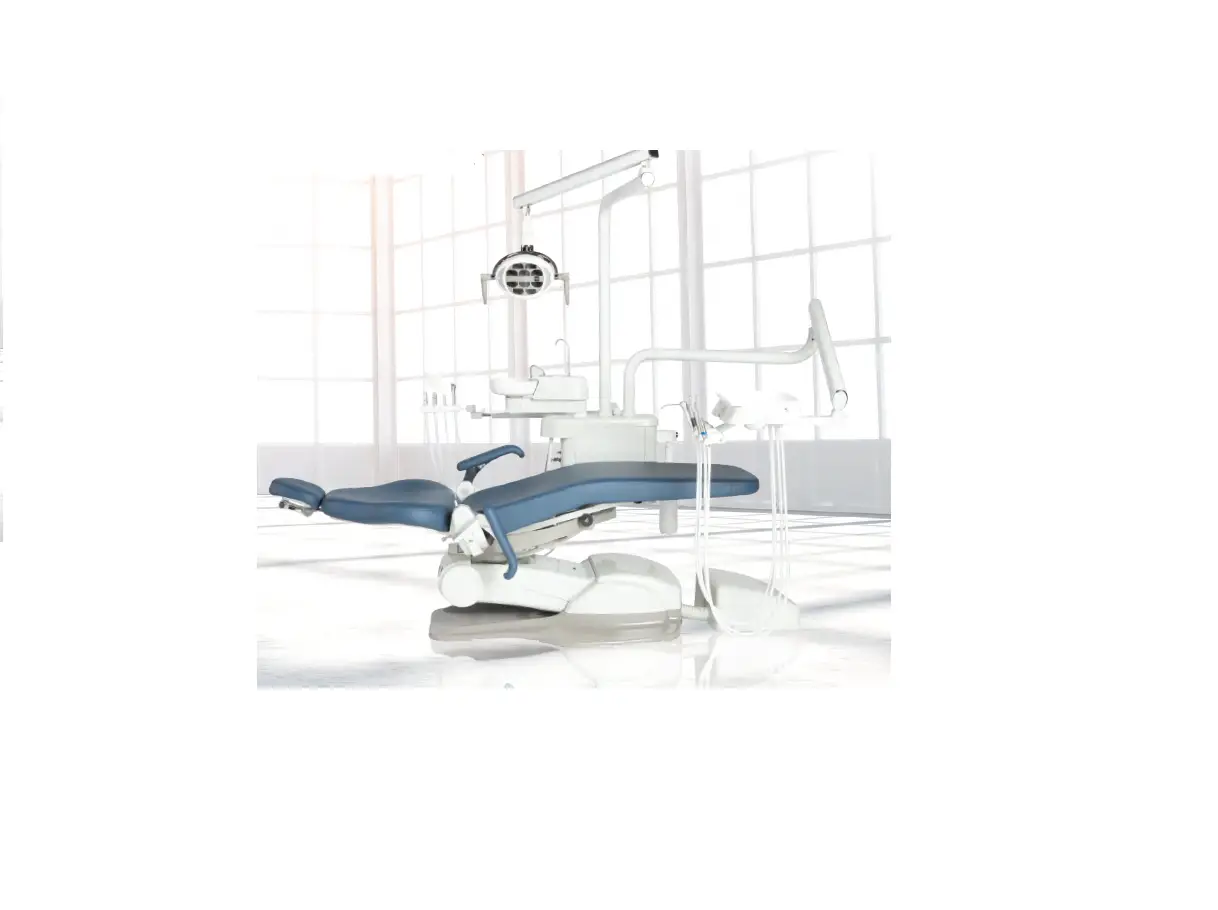
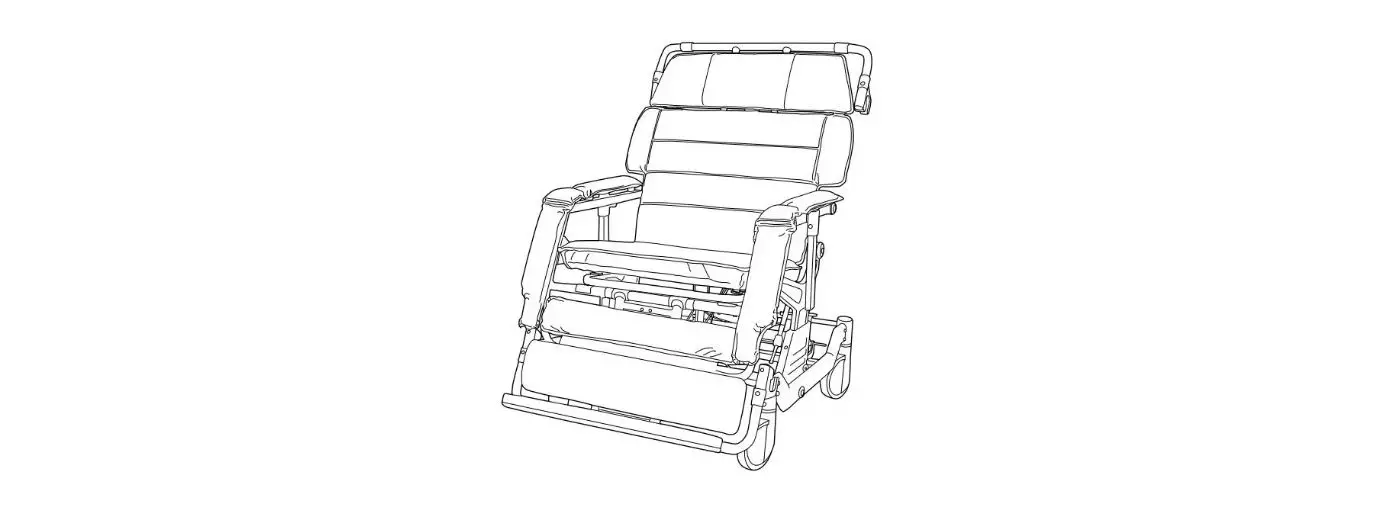
ADC-01CS Portable Dental Chair
ADC-01CS Portable Dental Chair
The ADC-01CS Command Air Portable Dental Chair is designed for
field dentistry and medical treatment. It is fully adjustable from
upright to supine positions. The chair is built with a high
strength steel frame and rugged replaceable vinyl coverings,
allowing for long-term deployment.
Performance Characteristics:
- Dimensions:
- Chair – Folded: 37 x 23 x 9.5
- Chair – Extended: 72 x 28 x 46
- Soft Carrying Case: 38 x 24 x 11
- Mil. Spec Case: 39 x 30 x 16.5
- Mil. Spec Case Volume: 11.17 Cu. Ft.
- Weight:
- Chair Only: 30 lbs.
- In Soft Carrying Case: 34.5 lbs.
- In Mil. Spec. Case: 80 lbs.
- Maximum Load Capacity: Approx. 300 lbs.
- Range of Positions:
- Minimum Seat Height: 11
- Maximum Seat Height: 22
- Backrest: Adjustable from upright (vertical) to supine
(horizontal) positions - Footrest: Adjustable from upright (vertical) to supine
(horizontal) positions
Items Furnished:
- ADC-01CF Command Air Portable Dental Chair
- Soft Padded Carrying Case with Handles
- Mil-Spec Hard Shell Case
- Operation and Maintenance Manual
Chair Set-Up:
- Remove the chair from its carrying case and set it on the
floor, legs down, in its folded position. - Rotate the chair up onto one side and remove the leg adjustment
pins from their storage pouch underneath the chair seat. Insert the
leg adjustment pins into the chair leg tube and into adjustment
link on the right and left side of the chair. - Standing in front of the chair, put your toe on one of the
front chair legs and lift up on the backrest and front seat
portion. Raise chair seat to desired height and lock in place by
inserting leg adjustment pins through the chair leg tube. - When the chair has been raised and the height set, fold forward
the foot and leg portion out horizontally. - Insert right and left arm sling pins into holes on the sides of
the seat frame. - Complete set-up by positioning backrest and placing headrest at
the proper height on the front side of backrest.
Chair Adjustments:
- Seat Height – The ADC-01 chair seat height can be set at any of
the five preset settings. Without a patient in the chair, put your
toe on one of the front chair legs and lift up slightly on the
chair seat. While lifting and holding seat, remove the leg
adjustment pin from the right and left side. Align link with tube
hole in any of the five positions and lock in place by inserting
the pin and chain assembly. - Backrest – The backrest may be set in any position from upright
to full supine. To change the position of the backrest, simply lift
the chrome friction lever on the back side of the backrest, lower
backrest, then release lever to lock.
ADC-01CS
Portable Dental Chair
NSN: 6520-01-446-3783
COMMAND lAIR
OPERATION / SERVICE MANUAL & PARTS LIST
TABLE OF CONTENTS Introduction . . . . . . . . . . . . . . . . . . . . . . . . . . . . . . . . . . . . . . . . . . . . . . . . . . . . . . . . . . . . . . . .3
Purpose . . . . . . . . . . . . . . . . . . . . . . . . . . . . . . . . . . . . . . . . . . . . . . . . . . . . . . . . . . . . .3 Performance Characteristics . . . . . . . . . . . . . . . . . . . . . . . . . . . . . . . . . . . . . . . . . . . .3 Items Furnished . . . . . . . . . . . . . . . . . . . . . . . . . . . . . . . . . . . . . . . . . . . . . . . . . . . . . .3 Operation Instructions . . . . . . . . . . . . . . . . . . . . . . . . . . . . . . . . . . . . . . . . . . . . . . . . . . . . . . .4 Chair Set-Up . . . . . . . . . . . . . . . . . . . . . . . . . . . . . . . . . . . . . . . . . . . . . . . . . . . . . . . . .4 Chair Adjustments . . . . . . . . . . . . . . . . . . . . . . . . . . . . . . . . . . . . . . . . . . . . . . . . . . . .5 Collapsing the Chair . . . . . . . . . . . . . . . . . . . . . . . . . . . . . . . . . . . . . . . . . . . . . . . . . .6 Cleaning & Maintenance . . . . . . . . . . . . . . . . . . . . . . . . . . . . . . . . . . . . . . . . . . . . . . . . . . . . .6 Parts List . . . . . . . . . . . . . . . . . . . . . . . . . . . . . . . . . . . . . . . . . . . . . . . . . . . . . . . . . . . . . . . . . .7 Symbol Definitions . . . . . . . . . . . . . . . . . . . . . . . . . . . . . . . . . . . . . . . . . . . . . . . . . . . . . . . . . .7 Parts Diagram . . . . . . . . . . . . . . . . . . . . . . . . . . . . . . . . . . . . . . . . . . . . . . . . . . . . . . . . . . . . . .8 Warranty . . . . . . . . . . . . . . . . . . . . . . . . . . . . . . . . . . . . . . . . . . . . . . . . . . . . . . . . .Back Cover
TABLE OF ILLUSTRATIONS Figure 1 – Leg Adjustment Pin Location . . . . . . . . . . . . . . . . . . . . . . . . . . . . . . . . . . . . . . . .4 Figure 2 – Leg Adjustment Pin Placement . . . . . . . . . . . . . . . . . . . . . . . . . . . . . . . . . . . . . . .4 Figure 3 – Folding Out Foot/Leg Rest . . . . . . . . . . . . . . . . . . . . . . . . . . . . . . . . . . . . . . . . . .4 Figure 4 – Arm Sling Pin Insertion . . . . . . . . . . . . . . . . . . . . . . . . . . . . . . . . . . . . . . . . . . . . .4 Figure 5 – Backrest adjustment . . . . . . . . . . . . . . . . . . . . . . . . . . . . . . . . . . . . . . . . . . . . . . . .5 Figure 6 – Positioning footrest to vertical . . . . . . . . . . . . . . . . . . . . . . . . . . . . . . . . . . . . . . . .5 Figure 7 – Parts Diagram . . . . . . . . . . . . . . . . . . . . . . . . . . . . . . . . . . . . . . . . . . . . . . . . . . . . .8
Page 2
PURPOSE:
The ADC-01CS Command Air Portable Dental Chair provides patient seating for field dentistry and medical treatment. The ADC-01CS is fully adjustable from upright to supine positions. The ADC-01CS is built with a high strength steel frame and rugged replaceable vinyl coverings, allowing for long-term deployment.
PERFORMANCE CHARACTERISTICS:
Dimensions Chair- Folded: 37″ x 23″ x 9.5″ Extended: 72″ x 28″ x 46″ Soft carrying case: 38″ x 24″ x 11″ Mil. spec case: 39″ x 30″ x 16.5″ Mil. spec case volume: 11.17 Cu. Ft.
Weight Chair only: 30 lbs. In soft carrying case: 34.5 lbs. In Mil. spec. case: 80 lbs. Maximum Load Capacity: Approx. 300 lbs.
Range of Positions Minimum Seat Height: 11″ Maximum Seat Height: 22″ Backrest: Adjustable from upright (vertical) to supine (horizontal) positions Footrest: Adjustable from upright (vertical) to supine (horizontal) positions
ITEMS FURNISHED ADC-01CF Command Air Portable Dental Chair Soft padded carrying case with handles Mil-spec hard shell case Operation and Maintenance Manual
Page 3
CHAIR SET-UP:
1. Remove the chair from its carrying case and set it on the floor, legs down, in its folded position.
2. Rotate the chair up onto one side and remove the leg adjustment pins from their storage pouch underneath the chair seat. (Fig. 1)
Insert Leg Adjustment Pins
Figure 2 – Leg Adjustment Pin Placement
Leg Adjustment Pins
Figure 1 – Leg Adjustment Pin Location
3. Standing in front of the chair, put your toe on one of the front chair legs and lift up on the backrest and front seat portion. Raise chair seat to desired height. Lock in place by inserting leg adjustment pins through chair leg tube and into adjustment link on the right and left side of the chair. (Fig. 2)
4. When the chair has been raised and the height set, the foot and leg portion should be folded forward, out horizontally. It will stop in the horizontal position. (Fig. 3)
Insert Pins Into Frame Holes
Page 4
Figure 4 – Arm Sling Pin Insertion
Figure 3 – Folding Out Foot/Leg Rest
5. Insert right and left arm sling pins into holes on the sides of the seat frame. (Fig. 4)
6. Complete set-up by positioning backrest and placing headrest at the proper height on the front side of backrest.
CHAIR ADJUSTMENTS:
1. Seat Height- The ADC-01 chair seat height can be set at any of the five preset settings. Without a patient in the chair, put your toe on one of the front chair legs and lift up slightly on the chair seat. While lifting and holding seat, remove the leg adjustment pin from the right and left side. Align link with tube hole in any of the five positions and lock in place by inserting the pin and chain assembly. (see Fig. 1)
2. Backrest- The backrest may be set in any position from upright to full supine. To change the position of the backrest, simply lift the chrome friction lever on the back side of the backrest, lower backrest, then release lever to lock.
WARNING
NEVER LOWER THE BACKREST WHEN A PATIENT IS IN THE CHAIR WITHOUT COMPLETELY SUPPORTING THEIR WEIGHT FIRST.
To return the backrest to an upright position, lift backrest to desired position. Backrest will automatically lock in place. (Fig. 5)
Lift lever to position. Release to lock.
Figure 5 – Backrest adjustment
3. Footrest- The footrest may be positioned in the normal horizontal operating position, or allowed to hang down vertically so a patient can be seated in a sitting position. To release footrest into the vertical position, first fold toe section inward, then lift slightly on footrest section. While lifting, pull the black knobs on each side of the chair frame to release and push footrest down into the vertical position. Lock in the vertical position by snapping holding strap around the chair leg frame. To reposition footrest in the horizontal position, unsnap holding strap from frame, lift footrest to the horizontal position until it locks, then unfold toe section out to horizontal. (Fig. 6)
Pull Black Knob to Release
Snap Around Frame
Figure 6 – Positioning footrest to vertical
4. Headrest- The headrest slides freely on its mounting strap and can be positioned at different heights for different size patients.
Page 5
COLLAPSING THE CHAIR:
CAUTION
NEVER FORCE THE CHAIR INTO THE COLLAPSED POSITION. FORCING THE CHAIR DOWN WITHOUT RELEASING THE BACKREST ADJUSTMENT LEVER MAY BEND THE ADJUSTMENT ASSEMBLY AND WILL VOID THE WARRANTY. 1. Fold toe and then leg sections onto seat as it was originally stored. 2. Pull arm slings out of the holes in the chair frame. 3. Put your toe onto one of the front chair legs and lift up slightly on
the seat, then remove height adjustment pins. While supporting chair weight, let the chair fold down toward the floor. 4. As the chair folds down, release the backrest adjustment lever until the chair collapses completely. Rotate the chair up onto one side and insert the leg adjustment pins into their storage pouch underneath the chair seat. 5. Fold the arm slings and headrest onto the chair and place folded chair into carrying case.
CLEANING AND MAINTENANCE:
Although bleach, when diluted to <10% and wiped clean immediately could be used, it is not recommended. The use of barrier covers and mild cleaning solutions is recommended as the primary asepsis approach on chair and stool upholstery instead of relying on chemicals. The use of barriers greatly extends the life of chair and stool upholstery and can be replaced between patients.
WARNING
NEVER SIT ON THE EDGE OF THE SITTING SURFACE. ALWAYS SIT IN THE CENTER OF THE SEAT.
Page 6
Page 7
PARTS LIST
Page 8
Item
1 2 3 4 5 6 7 8 9 10 11 12 13 14 15 16 17 18 19 20 21 22 23 24 25 26 27 28 29 30 31 32 33 34 35 36 37 38 39 40 41 42 43 Not Shown Not Shown Not Shown
Seat Cover Assembly Armrest, right/left Armrest, right/left Cover, backrest Strap, headrest Screw, #8×5/8″ Chrome SEMS Headrest, pillow assembly Armrest support rod assembly Tie Wrap, 30″ Tie Wrap, 13″ Strap, leg C/S, 1/4-20×1″ BtnSoc S/S Hinge, back support Nut, 1/4-20 Nyloc S/S Back Support Assembly Leg adjustment link Hole plug, 1/4″ black Endcap, 1″ domed Leg Assembly, inside Leg Assembly, outside Bolt, 5/16-18 Grade 5 carriage Washer, 5/16 Flat S/S Nut, 5/16-18 Nyloc S/S Endcap, 1″ insert C/S, 1/4-20×1-1/4″ BtnSoc S/S Toe Frame Assembly Nut, 5/16-18 hex S/S Foam, seat pad Spring Pin, 1/4×3/4″ S/S Leg Frame Assembly, complete Knob, 5/16-18 insert cornet Spring, .420Dx.038Wx.875L comp. C/S, 5/16-18×1-1/4″ S/S C/S, 5/16-18×1″ S/S SMS, PanPhl #6 x 5/8″ Tapping Washer, 5/16 SAE S/S Seat Frame Assembly, complete Pin, leg adjustment assembly C/S, 1/4-20×1-3/4″ BtnSoc S/S Hole plug, 3/4″ black Backrest Frame Assembly Spacer, 1/4ID x 3/4OD Coved Spacer, 1/4ID x 3/4OD x .250 thick Case, carrying w/handles Case, green carrying Mil-Spec. Backrest Assembly Complete
Part Number
460451 460447 460447 460462 460449 510239 460450 460444-08 510135 510134 460448 510294 460382-08 510296 330088 460097-08 510201 850026 330099 330101 510242 510266 510126 510204 510295 330091 510103 460576 510251 330093-08 850025 510233 510050 510048 510362 510107 330097-08 460445-08 510027 510263 330089 510261 510379 410193 410100 330090
Quantity
1 1 1 1 1 8 1 2 6 3 1 1 1 8 1 2 2 4 1 1 2 4 2 2 3 1 2 1 2 1 2 2 2 4 2 8 1 2 4 2 1 2 2 1 1 1
Figure 7 – Parts Diagram
PARTS DIAGRAM
Aseptico ADC-01CS Command Air Portable Dental Chair
NOTES
NOTES
WARRANTY:
Aseptico Inc. warrants its new products against defects in material and workmanship under normal and proper use, care, and maintenance for a period of two (2) years from date of original invoice. This two (2) year warranty does NOT apply nor is it extended to products that are not manufactured by Aseptico. These products may be covered by a separate limited warranty provided by the particular manufacturer, and all claims and questions regarding the same are to be directed to the particular manufacturer.
Expendable components, such as batteries, fuses, light bulbs, and tubing sets installed on Aseptico products are specifically excluded and have no warranty. Consumable goods are warranted for the stated expiration date of such goods.
Repair or replacement of any product(s) or part(s) under this warranty does not extend the term of this warranty, and such product(s) or part(s) shall remain covered by the unexpired portion of the warranty period, or for ninety (90) days from the date of return to Aseptico, whichever is later. This limited warranty applies only to the initial or first installation of the product or part.
During the specific warranty periods set forth above, Aseptico will, at its option, repair or replace the product(s) or particular part(s) that are found to be defective in either material or workmanship in part or whole. Aseptico shall be the sole arbiter of such action. In the event of alleged defect under warranty, the purchaser is to notify Aseptico’s Customer Service department promptly. Customer Service will provide Return Material Authorization (RMA) instructions, usually directing that the product be returned for service, shipping prepaid by the buyer or end user, to Aseptico or its designated and authorized warranty service center.
This warranty shall not apply to products (1) that have been subjected to neglect, abuse, misuse, improper installation, inadequate maintenance, or damage due to improper use of cleaning materials or chemicals, or non-compliance with Aseptico’s storage, installation, operation, maintenance or environmental requirements; (2) that have undergone any modification or repair not previously authorized by Aseptico in writing, or service, repair or modification by or from any facility other than an authorized Aseptico service center or technician, or that use non-authorized software or spare or replacement parts; or (3) that fail due to reasonable and normal use or wear and tear, or materials made, furnished or specified by the buyer or end user.
Aseptico does not assume under this warranty any risks or liabilities arising from the clinical use of its products, whether or not such use involves coincidental utilization of products manufactured by others. Under no circumstances will Aseptico be liable or responsible for special, compensatory, incidental, consequential or punitive damages, lost profits, lost sales, or loss of use or loss of business opportunity by or through the use of the product. Aseptico’s sole and maximum liability with respect to the product, other than its obligations set forth above, shall be the total purchase price paid for the product.
P/N 420174 Rev. I ECO 15499 04/2022
P.O. Box 1548 · Woodinville, WA 98072-1548 1-800-426-5913 · 425-487-3157 · Fax: 360-668-8722 email: [email protected] · Internet: www.aseptico.com
 Aseptico Inc | Dental Motors, Portable Dental Equipment, OEM