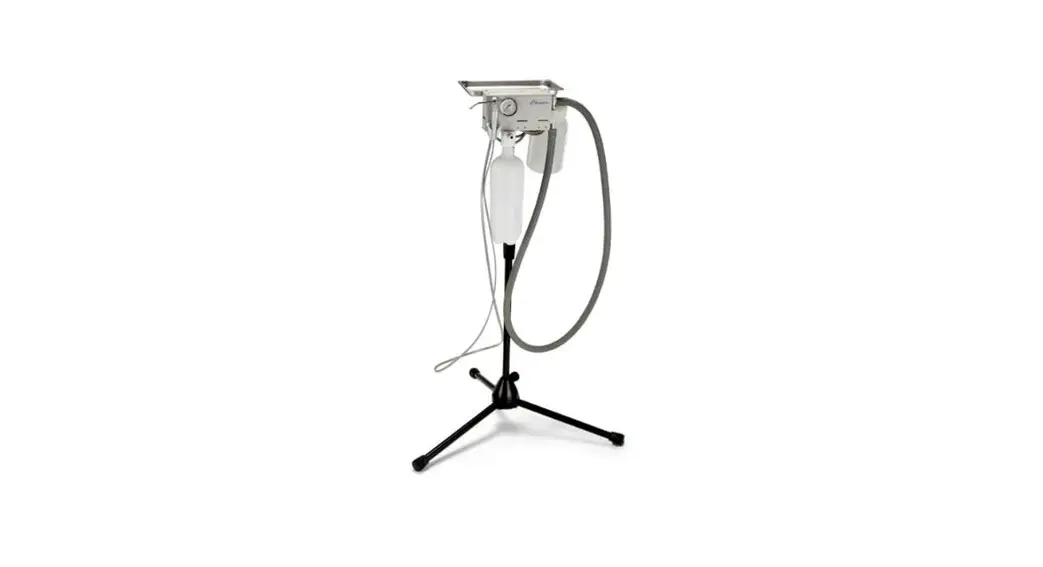
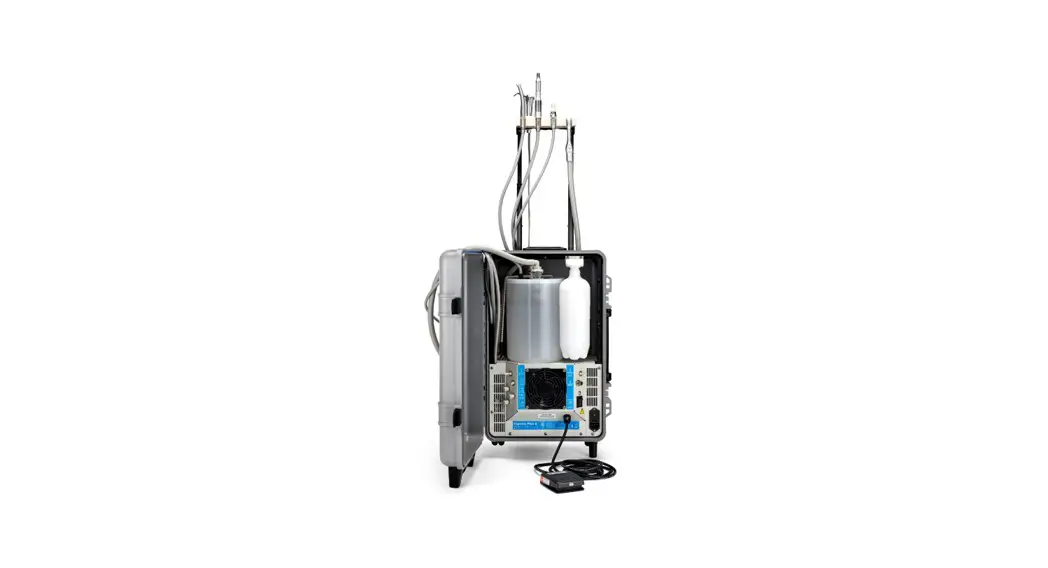
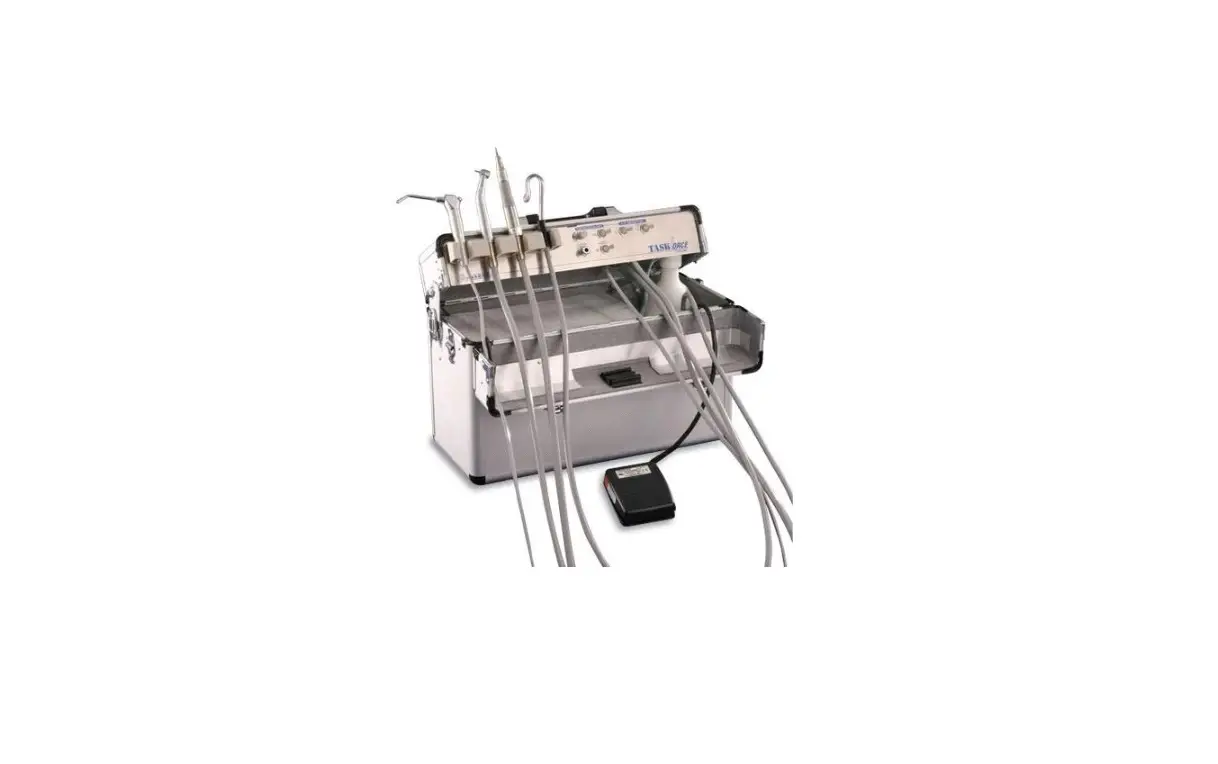
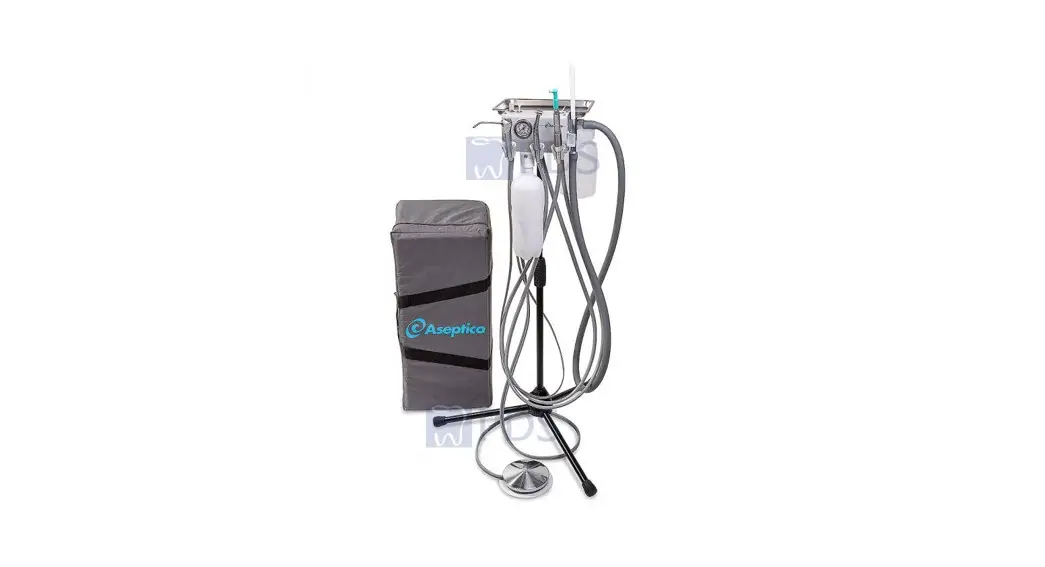
AMC-15 Mobile Dental System
AMC-15 Mobile Dental System
The AMC-15 is a mobile dental system that requires periodic
maintenance and component replacement. This service manual provides
detailed instructions on how to access and replace the compressor
or vacuum pump, peristaltic pump, and pressure switch. It also
includes plumbing and electrical diagrams for 110V and 220V
units.
General Service Information
- Refer to page 6 for O-ring and gasket replacement
instructions. - Call Aseptico at 866-244-2954 to order parts.
Disassembly
Side Panel Removal
- Drain the air tank by opening the valve (Fig. 2 A) on the rear
panel. Place a container under the drain hose (Fig. 2 B) to capture
any moisture that may be in the tank. - Remove the water bottles (Fig. 3 A) from the side panel by
unscrewing them from their caps. - Remove the screw (Fig. 4 A) from the bottom of the side panel
using a 5/32 hex wrench. - Remove the 4 bolts (Fig. 5 A) at the corners of the blue handle
using a 3/16 hex wrench. - Remove the right side panel (Fig. 6 A) from the unit. Do not
lift from the blue handle (Fig. 6 B) as it is not secured to the
panel. Also note how the 2 water supply lines (Fig. 6 C) are
threaded through holes in the side panel and will need to be
re-inserted through the holes when reattaching the side panel. - Remove the left side panel (Fig. 7 A) in the same way as the
right side.
Rear Panel Removal
- Remove the 4 screws (Fig. 8 A) from the corners of the rear
panel using a Phillips screwdriver. - Tip the rear panel (Fig. 9 A) back to expose the interior of
the unit.
Front Panel Removal
- Remove the 2 top screws (Fig. 10 A) from the front panel using
a 5/64 hex wrench. - Remove the 2 front screws (Fig. 11 A) from the front panel
using a 3/32 hex wrench. - Remove the 2 bottom screws (Fig. 12 A) from the front panel
using a 3/32 hex wrench. - Remove the front panel (Fig. 13 A) from the unit just far
enough to access the internal components as needed.
Compressor (or Vacuum Pump) Removal
- Disconnect air lines (Fig. 14 A) using a 5/8 wrench.
- Remove all cable ties (Fig. 15 A) from wiring using a wire
snips. - Locate the 4 bolts (Fig. 20-1 A) holding the base of the
compressor/pump, then locate the holes (Fig. 20-2 A) in the base of
the unit that allow access to those 4 bolts. Remove the 4 bolts
using a 5/32 hex wrench. - Remove the pressure switch cover (Fig. 16 A) (located on the
air tank) using a Phillips screwdriver. - Disconnect the compressor/pump wires (Fig. 17 A) from the
pressure switch using a Phillips screwdriver. - Remove compressor/pump (Fig. 21 A) from unit.
Peristaltic Pump Removal
- Remove the cable tie (Fig. 22 A) from the back of the
peristaltic pump using a wire snips.
Note: Refer to the schematic drawings included at the end of
this manual for more detailed instructions and diagrams.
Usage Instructions
Follow these steps to use the AMC-15 Mobile Dental System:
- Ensure that the unit is properly assembled and all components
are securely attached. - Connect the appropriate electrical and plumbing connections for
your unit (refer to the schematic diagrams in the manual). - Fill the water bottles (located on the side panel) with water
and screw them onto their caps. - Turn on the unit and adjust the pressure as needed using the
pressure switch (located on the air tank). - Use the peristaltic pump to deliver fluids or medications to
patients as needed. - When finished, turn off the unit and disconnect all electrical
and plumbing connections.
Note: Regular maintenance and component replacement is necessary
to ensure proper functioning of the AMC-15 Mobile Dental System.
Refer to the service manual for detailed instructions on how to
access and replace components.
AMC-15
Mobile Dental System
SERVICE MANUAL
AMC-15
GENERAL SERVICE INFORMATION
1. This service manual provides information on how access the components most likely to require replacement: the compressor or vacuum pump, the peristaltic pump and the pressure switch. Refer to page 6 for O-ring and gasket replacement instructions. Refer to the schematic drawings included at the end of this manual for electrical and plumbing diagrams of 110V units and 220V units, as indicated on the drawings. Call Aseptico at 866-244-2954 to order parts.
5. Remove the 4 bolts (Fig. 5 A ) at the corners of the blue handle using a 3/16″ hex wrench. Fig. 5
A
DISASSEMBLY
SIDE PANEL REMOVAL
2. Drain the air tank by opening the valve (Fig. 2 A ) on the rear panel. Place a container under the drain hose (Fig. 2 B ) to capture any moisture that may be in the tank.
Fig. 2
6. Remove the right side panel (Fig. 6 A ) from the unit. Do not lift from the blue handle (Fig. 6 B ) as it is not secured to the panel. Also note how the 2 water supply lines (Fig. 6 C ) are threaded through holes in the side panel and will need to be re-inserted through the holes when reattaching the side panel.
Fig. 6
A B
C B
A
3. Remove the water bottles (Fig. 3 A ) from the side panel by unscrewing them from their caps.
Fig. 3
7. Remove the left side panel (Fig. 7 A ) in the same way as the right side.
Fig. 7
A A
4. Remove the screw (Fig. 4 A ) from the bottom of the side panel using a 5/32″ hex wrench.
Fig. 4
A
2
AMC-15
REAR PANEL REMOVAL
8. Remove the 4 screws (Fig. 8 A ) from the corners of the rear panel using a Phillips screwdriver.
12. Remove the 2 bottom screws (Fig. 12 A ) from the front panel using a 3/32″ hex wrench.
Fig. 12
Fig. 8 A
A
9. Tip the rear panel (Fig. 9 A ) back to expose the interior of the unit.
Fig. 9
13. Remove the front panel (Fig. 13 A ) from the unit just far enough to access the internal components as needed. Fig. 13
A
A
FRONT PANEL REMOVAL
10. Remove the 2 top screws (Fig. 10 A ) from the front panel using a 5/64″ hex wrench.
Fig. 10
COMPRESSOR (OR VACUUM PUMP) REMOVAL
14. Disconnect air lines (Fig. 14 A ) using a 5/8″ wrench. Fig. 14
A
A
11. Remove the 2 front screws (Fig. 11 A ) from the front panel using a 3/32″ hex wrench. Fig. 11
15. Remove all cable ties (Fig. 15 A ) from wiring using a wire snips.
Fig. 15 A
A
3
AMC-15
DISASSEMBLY (Continued)
unit that allow access to those 4 bolts. Remove the 4 bolts using a 5/32″ hex wrench.
16. Remove the pressure switch cover (Fig. 16 A ) (located on the air tank) using a Phillips screwdriver.
Fig. 20-1
Fig. 16 A
A
17. Disconnect the compressor/pump wires (Fig. 17 A ) from the pressure switch using a Phillips screwdriver.
Fig. 17
A
Fig. 20-2
A 21. Remove compressor/pump (Fig. 21 A ) from unit. Fig. 21
18. Disconnect the wires (Fig. 18 A ) from the capacitor. Fig. 18
A 19. Remove the ground wire (Fig. 19 A ) using a 5/16″ wrench. Fig. 19
A
PERISTALTIC PUMP REMOVAL
22. Remove the cable tie (Fig. 22 A ) from the back of the peristaltic pump using a wire snips. Fig. 22
A
A
20. Locate the 4 bolts (Fig. 20-1 A ) holding the base of the compressor/pump, then locate the holes (Fig. 20-2 A ) in the base of the
23. Disconnect the red and black peristaltic pump wires (Fig. 23 A ) from where they join the circuit board. Fig. 23
A
4
AMC-15
24. Flip up the lever (Fig. 24 A ) on top of the peristaltic pump. Fig. 24
A
29. Remove peristaltic pump base (Fig. 29 A ) from unit.
Fig. 29 A
25. Remove the tubing (Fig. 25 A ) from the peristaltic pump. Fig. 25
A
30. When reinstalling peristaltic pump, make sure that the waste hose direction through the pump (Fig. 30 A ) is left to right, as shown.
Fig. 30
26. Remove the screw (Fig. 26 A ) from the peristaltic pump using a #1 Phillips screwdriver.
Fig. 26
A
27. Rotate the front of the peristaltic pump (Fig. 27 A ) 45° counterclockwise, then remove from its base. Fig. 27
A
A
PRESSURE SWITCH REMOVAL
31. Note the locations of the 2 black and 2 white wires, then disconnect (Fig. 31 A ) using a Phillips screwdriver. Fig. 31
A
28. Remove the 4 corner screws (Fig. 28 A ) from the peristaltic pump base using a 1/16″ hex wrench.
Fig. 28
32. Remove the air line (Fig. 32 A ) from the pressure pump using a 1/2″ wrench. Fig. 32
A
A
5
AMC-15
33. Remove the pressure regulator (Fig. 33 A ) from the air tank using a 9/16″ wrench.
Fig. 33
MAINTENANCE
34. Because of its simple design, the unit requires very little maintenance. Call Aseptico at 866-244-2954 to order parts.
3-Way Syringe
A 35. If the syringe starts to leak around the buttons (Fig. 35 A ) or the tip quick-change socket (Fig. 35 B ) due to wear, it is possible to order a syringe rebuild kit from Aseptico. Complete rebuild instructions are included with the kit.
Fig. 35
A B
Water Bottle Gaskets
36. Replace water bottle gaskets (Fig. 36 A ) when worn or damaged. Gently peel old gaskets out of fittings and replace with new gaskets.
Fig. 36
A
6
AMC-15
WARRANTY
Aseptico Inc. warrants its new products against defects in material and workmanship under normal and proper use, care, and maintenance for a period of two (2) years from date of original invoice. This two (2) year warranty does NOT apply nor is it extended to products that are not manufactured by Aseptico. These products may be covered by a separate limited warranty provided by the particular manufacturer, and all claims and questions regarding the same are to be directed to the particular manufacturer.
Expendable components, such as batteries, fuses, light bulbs, and tubing sets installed on Aseptico products are specifically excluded and have no warranty. Consumable goods are warranted for the stated expiration date of such goods.
Repair or replacement of any product(s) or part(s) under this warranty does not extend the term of this warranty, and such product(s) or part(s) shall remain covered by the unexpired portion of the warranty period, or for ninety (90) days from the date of return to Aseptico, whichever is later. This limited warranty applies only to the initial or first installation of the product or part.
During the specific warranty periods set forth above, Aseptico will, at its option, repair or replace the product(s) or particular part(s) that are found to be defective in either material or workmanship in part or whole. Aseptico shall be the sole arbiter of such action. In the event of alleged defect under warranty, the purchaser is to notify Aseptico’s Customer Service department promptly. Customer Service will provide Return Material Authorization (RMA) instructions, usually directing that the product be returned for service, shipping prepaid by the buyer or end user, to Aseptico or its designated and authorized warranty service center.
This warranty shall not apply to products (1) that have been subjected to neglect, abuse, misuse, improper installation, inadequate maintenance, or damage due to improper use of cleaning materials or chemicals, or non-compliance with Aseptico’s storage, installation, operation, maintenance or environmental requirements; (2) that have undergone any modification or repair not previously authorized by Aseptico in writing, or service, repair or modification by or from any facility other than an authorized Aseptico service center or technician, or that use non-authorized software or spare or replacement parts; or (3) that fail due to reasonable and normal use or wear and tear, or materials made, furnished or specified by the buyer or end user.
Aseptico does not assume under this warranty any risks or liabilities arising from the clinical use of its products, whether or not such use involves coincidental utilization of products manufactured by others. Under no circumstances will Aseptico be liable or responsible for special, compensatory, incidental, consequential or punitive damages, lost profits, lost sales, or loss of use or loss of business opportunity by or through the use of the product. Aseptico’s sole and maximum liability with respect to the product, other than its obligations set forth above, shall be the total purchase price paid for the product.
NOTES
7
P/N: 421221 Rev. B ECO 15498 04/2022
P.O. Box 1548 · Woodinville, WA 98072-1548 8333 216th St SE · Woodinville, WA 98072-8060 (800) 426-5913 · (425) 487-3157 · Fax: 425-487-2608
www.aseptico.com · [email protected]
PRINTED IN THE USA
 Aseptico Inc | Dental Motors, Portable Dental Equipment, OEM