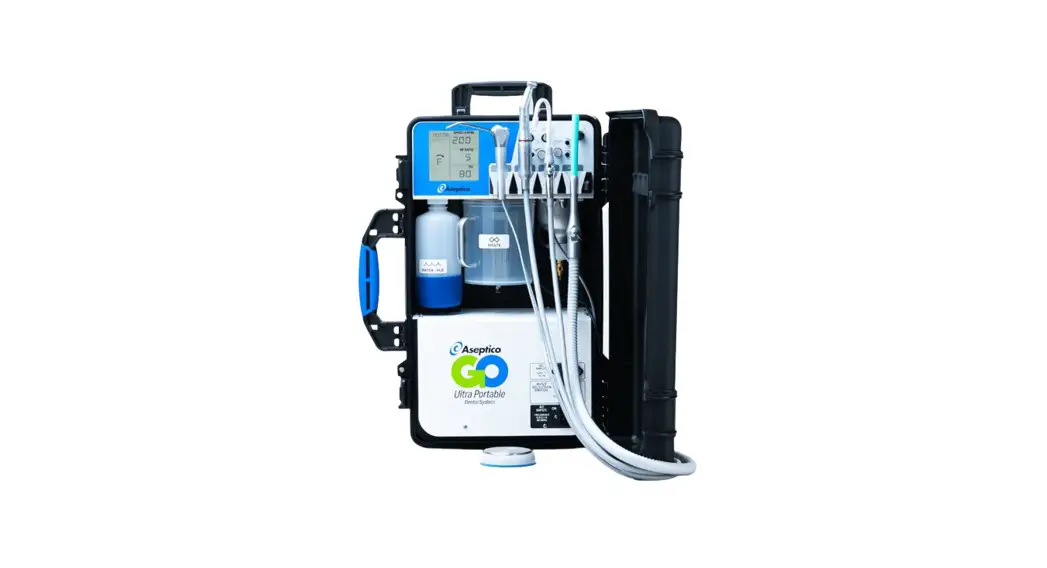
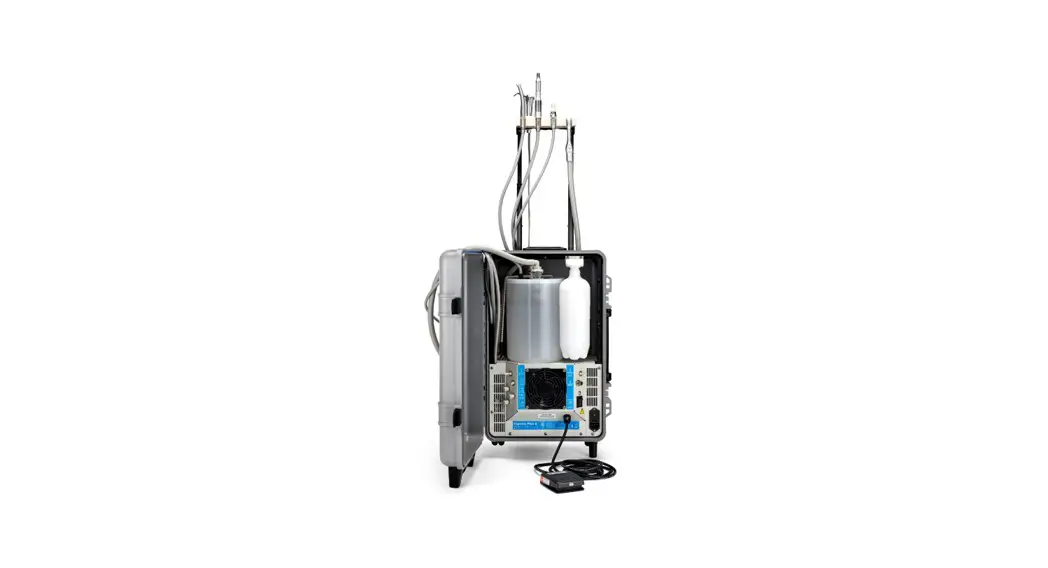
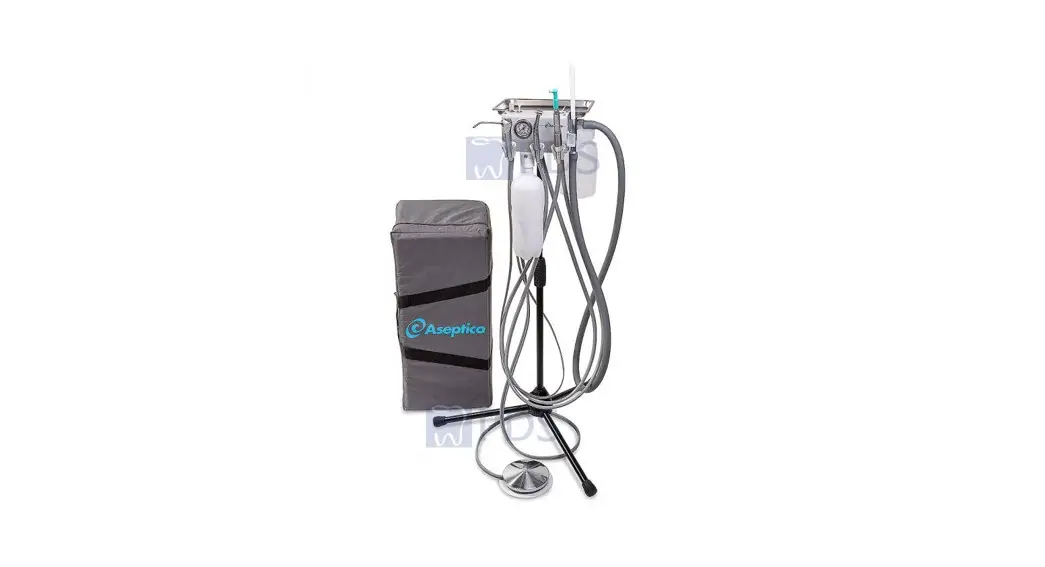
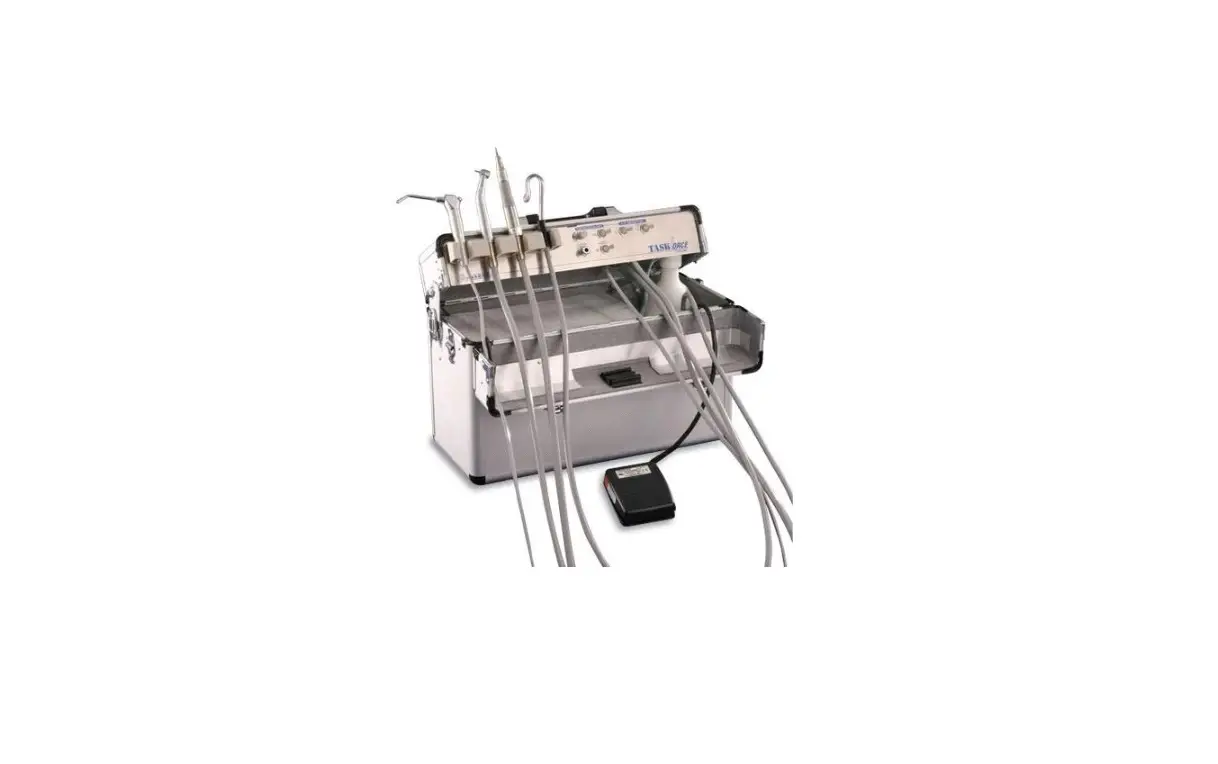
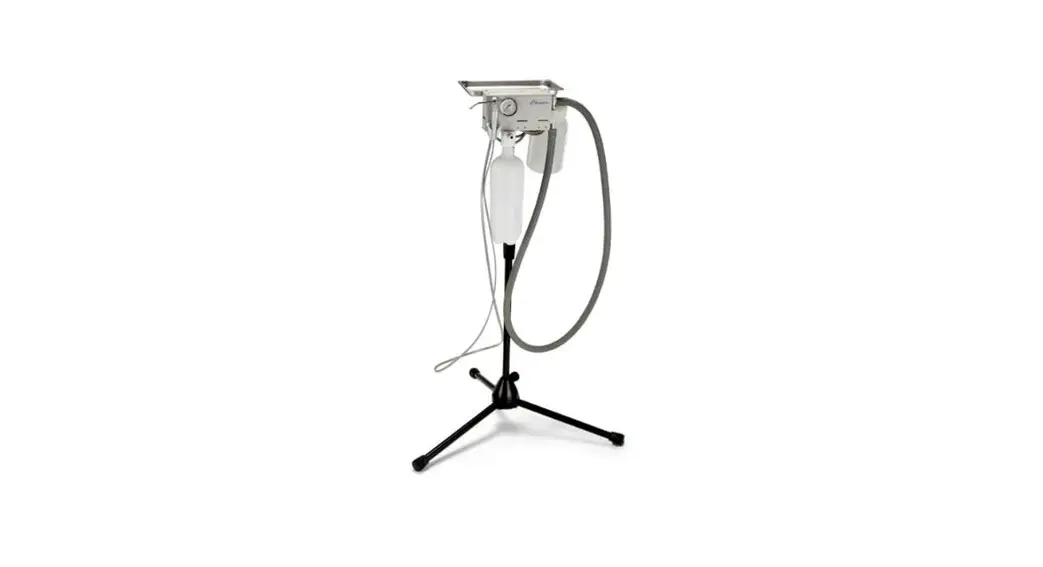
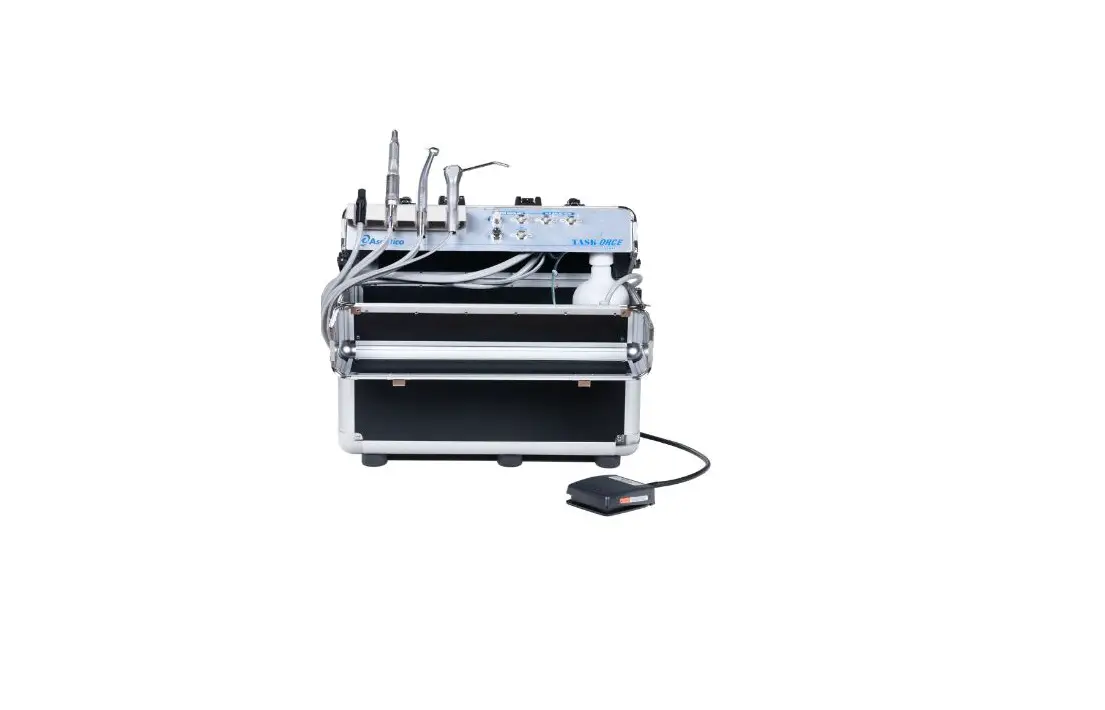
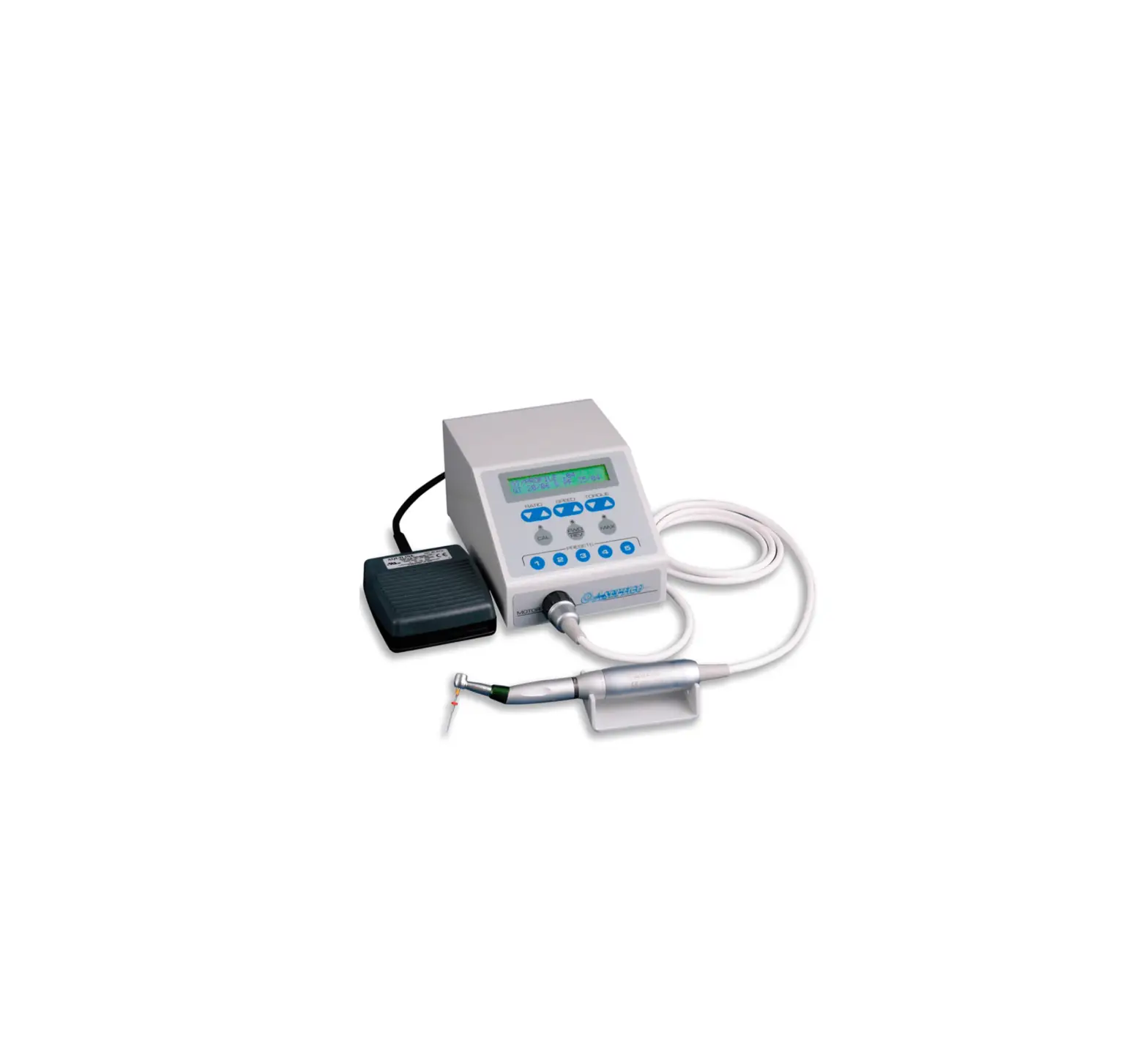
AEU-525 Transport III Portable Dental Unit
AEU-525 AEU-525S Portable Dental System Transport III
Product Information
The AEU-525 (TRANSPORT III PORTABLE DUAL VOLT UNIT 110/220V) /
AEU-525S (TRANSPORT III W/SCALER DUAL VOLT UNIT 110/220V) is a
portable self-contained dental system that is used for endodontic
and general dentistry applications. It is classified as Class I and
Types B and BF Applied Parts according to ANSI/AAMI ES60601-1
standards. It offers ordinary protection but is not suitable for
use in the presence of a flammable anesthetic mixture with air,
oxygen, or nitrous oxide. The device is suitable for use in
industrial areas and hospitals (CISPR 11class A). However, if it is
used in a residential environment (for which CISPR 11 class B is
normally required), it might not offer adequate protection to
radio-frequency communication services. The device has an expected
service life of 7 years, and it does not have essential performance
as defined in IEC 60601-1.
Package Contents
Contents of the package are not mentioned in the manual.
Safety Precautions
- Relevant warnings and remarks should be heeded to prevent
injury to people and damage to property. They are marked as
follows:- WARNING: Serious injury or death may result if
ignored. - CAUTION: Damage to property or the environment
may result if ignored. - NOTE: Important additional information and
hints.
- WARNING: Serious injury or death may result if
- The device should be connected to a receptacle marked Hospital
Grade for reliable grounding. - Any malfunction or deterioration in the characteristics and/or
performance of this device, as well as any inadequacy in its
labelling or the instructions for use which might lead to or might
have led to the death of a patient or user or to a serious
deterioration in his state of health (e.g. Serious Adverse Event);
this information shall be reported immediately to Aseptico Inc.
and/or the Authorized Representative (within the European
Union).
Setting Up the Unit
- Unpack the device and inspect it for any damage during
shipment. - Connect the device to a receptacle marked Hospital Grade for
reliable grounding. - Check the voltage selector switch to ensure that it is set at
the correct voltage for your location (110V or 220V). - Attach the air and water hoses to the device and connect them
to a suitable source. - Attach the handpiece tubing to the device and connect it to the
appropriate handpiece. - If applicable, attach the scaler handpiece and its tubing to
the device. - Turn on the device and adjust the air pressure and water flow
as needed. - Test the handpiece and scaler handpiece (if applicable) for
proper operation before use.
Note: Separate manuals may be provided to cover the operation
and maintenance of other accessories for your unit.
AEU-525 AEU-525S
Portable Dental System Transport III
OPERATION & MAINTENANCE MANUAL
TABLE OF CONTENTS:
Introduction . . . . . . . . . . . . . . . . . . . . . . . . . . . . . .1 Package Contents . . . . . . . . . . . . . . . . . . . . . . . .1 Safety Precautions . . . . . . . . . . . . . . . . . . . . . . . .2 Setting Up the Unit . . . . . . . . . . . . . . . . . . . . . .3-9
Figure 21 – Front & Side View . . . . . . . . . . . . .7 Figure 22 – Back & Side View . . . . . . . . . . . . . .8 Figure 23 – Back View . . . . . . . . . . . . . . . . . . . .9 Operation Functions . . . . . . . . . . . . . . . . . . .10-16 Customizing Electric Motor Settings . . . . . . .12-13 Operation . . . . . . . . . . . . . . . . . . . . . . . . . . .17-18 Sterilization & Maintenance . . . . . . . . . . . . .19-21 Repacking Instructions . . . . . . . . . . . . . . . . . . . .22 Troubleshooting . . . . . . . . . . . . . . . . . . . . . . . . .23 Replacement Parts List . . . . . . . . . . . . . . . . . . .24 Symbol Definitions . . . . . . . . . . . . . . . . . . . . . . .25 Specifications . . . . . . . . . . . . . . . . . . . . . . . . . . .26 Warranty . . . . . . . . . . . . . . . . . . . . . . . . . . . . . . .27 Notes . . . . . . . . . . . . . . . . . . . . . . . . . . . . . . .28-29
Classifications in accordance with ANSI/AAMI ES60601-1:
– Class I
– Types B and BF Applied Parts
– Ordinary Protection – Not suitable for use in the presence of a flammable
anesthetic mixture with air, oxygen, or nitrous oxide.
Note: For reliable grounding, connect to receptacle marked “Hospital Grade”.
Note: The emissions characteristics of this equipment make it suitable for use in industrial areas and hospitals (CISPR 11class A). If it is used in a residential environment (for which CISPR 11 class B is normally required) this equipment might not offer adequate protection to radio-frequency communication services. The user might need to take mitigation measures,such as relocating or re-orienting the equipment.
INDICATIONS FOR USE:
The AEU-525 (TRANSPORT III PORTABLE DUAL VOLT UNIT 110/220V) / AEU-525S (TRANSPORT III W/SCALER DUAL VOLT UNIT 110/220V) is a portable self-contained dental system that is used for endodontic and general dentistry applications.
P.O. Box 1548 · Woodinville, WA 98072 8333 216 th Street S.E. · Woodinville, WA 98072
(425) 487-3157 · (800) 426-5913 www.aseptico.com · [email protected]
To prevent injury to people and damage to property, please heed relevant warnings and remarks. They are marked as follows:
WARNING: Serious injury or death may result if ignored.
CAUTION: Damage to property or the environment may result if ignored.
NOTE:
Important additional information and hints.
This device has been tested and found to comply with the emissions requirements of IEC 60601-1-2:2014. These requirements provide reasonable protection against harmful electromagnetic interference in a typical medical installation. However, high levels of radio-frequency (RF) emissions from electrical devices, such as cellular phones, may disrupt the performance of this device. To mitigate disruptive electromagnetic interference, position this device away from RF transmitters and other sources of electromagnetic energy.
E361057
MEDICAL GENERAL MEDICAL EQUIPMENT AS TO ELECTRICAL SHOCK, FIRE AND MECHANICAL HAZARDS ONLY, IN ACCORDANCE WITH:
ANSI/AAMI ES606011:2005/(R)2012 and A1:2012, C1:2009/(R)2012 and A2:2010/(R)2012 Medical electrical equipment–Part 1: General requirements for basic safety and essential performance.
CAN/CSA C22.2 NO. 60601108 (2013) Medical Electrical Equipment Part 1: General Requirements for Basic Safety and Essential Performance (Adopted IEC 606011:2005, third edition, 200512), Includes Corrigendum 1:2011.
EXPECTEDSERVICELIFE:
7 years,
ESSENTIALPERFORMANCE:
This device does not have ESSENTIAL PERFORMANCE as defined in IEC 60601-1.
RX: FEDERAL LAW RESTRICTS THIS DEVICE TO
i.
SALE BY OR ON THE ORDER OF A DENTIST
Any malfunction or deterioration in the characteristics and/or performance of this device, as well as any inadequacy in its labelling or the instructions for use which might lead to or might have led to the death of a patient or user or to a serious deterioration in his state of health (e.g. Serious Adverse Event); this information shall be reported immediately to Aseptico Inc. and/or the Authorized Representative (within the European Union)
Your new Aseptico AEU-525/AEU-525S Transport III System is the finest portable electric dental system available. The System features a high-torque brushless micro motor with digital controls for the handpiece ratios, speed, torque, motor direction, and LED illumination. The dual-voltage system includes a 3-way air/water syringe, HVE and saliva ejector vacuum systems, a self contained water system, self contained waste system with a near-full level warning and vacuum pump safety shutoff, oilless air compressor, and vacuum pump. The AEU-525S includes the optional ultrasonic scaler. The system comes in a case with built-in wheels and a handle for maximum portability.
Congratulations!
This Transport III System is engineered to provide many years of reliable service. Please read the instructions provided in this manual to receive the best and longest service from your Aseptico equipment. Separate manuals may be provided to cover the operation and maintenance of other accessories for your unit.
PACKAGE CONTENTS:
· Portable Case with Electronic Control, Compressor, and Vacuum Pump · Motor/Cable Assy AE-240SC-40 with LED · TA-90D Syringe 3-Way Air/Water Quick Change Tip · HVE and Saliva Ejector Vacuum Hoses with Valves · Water Supply and Air Reserve Bottles · AE-7PM Footswitch On/Off 4 Pin Male · Power Cords (One each U.S. and Euro) · Handpiece (Purchased separately – see below)
OPTIONAL EQUIPMENT:
· (PN: 330597) Air/Electric Scaler W/Led Module Assy AEU-525 · (PN: 330607) Water Supply Adapter Assy AEU-525 · (PN: AA-60) Ftn Qd 1/4male X 1/4poly Wo/So (Auxiliary Water Outlet Fitting)
HANDPIECES PURCHASED SEPARATELY:
· AHP-72S-FO Handpiece 1:5 Contra Increaser W/FO & Water · AHP-63NAK Handpiece 1:1 Contra Latch · AHP-101 Handpiece 1:1 Straight Low Speed Doriot · AHP-64 Handpiece Straight 1:1 40K · AHP-88MN Handpiece 8:1 Contra Micro-Niti Latch Head Reducer · AHP-88MNP Handpiece 8:1 Contra Micro-Niti Latch Head Reducer
.NOTE: A List of Replacement Parts is Provided on Page 24.
1.
SAFETY PRECAUTIONS:
Aseptico accepts no liability for direct or consequential injury or damage resulting from improper use, arising in particular through the non-observance of the operating instructions, or improper preparation and maintenance.
WARNING:
CAUTION: WARNING:
WARNING: CAUTION: CAUTION: WARNING: CAUTION: WARNING: WARNING:
WARNING:
CAUTION: CAUTION: WARNING:
WARNING:
WARNING:
WARNING: WARNING: WARNING:
WARNING:
Clean, disinfect, and sterilize new or repaired handpieces and instruments before first use and between each patient use. Only use sterilized handpieces and instruments during treatment. Non-sterilized handpieces and instruments may cause bacterial or viral infections. Always sterilize handpieces and instruments after operation. Always examine unit components for damage before commencing treatment. Damaged components must not be used and must be replaced. Use for intended purposes only. Failure to observe the operating instructions may result in the patient or user suffering serious injury or the product being damaged, possibly beyond repair. Before using this product, make sure that you have studied and understood the operating instructions. Do not install where there is a risk of an explosion. The system is not intended for operation in the presence of flammable anesthetics or gases. The lens for the electric motor LED is soft and can be damaged. If the lens needs to be cleaned, use a lint-free swab and isopropyl alcohol – do not use other solvents as they might adversely react with the LED assembly. The system’s electric motor is not recommended for use with endodontic files that have torque limit requirements less than 100 g-cm. Do not use this device for dental implant procedures. Do not run saline solutions through the water system — saline will rust the water filters. For use by qualified and trained personnel only. CONTRAINDICATION: Ultrasonic oscillations emitted by the optional Ultrasonic Scaler may prevent the proper function of cardiac pacemakers. Therefore, Aseptico recommends that patients with a cardiac pacemaker should not be treated with the Ultrasonic Scaler component of the AEU-525S System. The optional Ultrasonic Scaler instrument tips oscillate at high frequency and can fracture during operation. To help prevent the tips from fracturing and possibly injuring the patient, always follow the scaler manufacturer’s operating instructions and recommended ultrasonic power settings. Operating the system without using the High or Low Volume Evacuation can cause the compressor motor to cycle on/off, possibly affecting other electrically powered equipment sharing the same circuit. Dispose of electronic waste and waste containing amalgam in accordance with local regulations. Use of this equipment adjacent to or stacked with other equipment should be avoided because it could result in improper operation. If such use is necessary, this equipment and the other equipment should be observed to verify that they are operating normally. Use of accessories, transducers and cables other than those specified or provided by the manufacturer of this equipment could result in increased electromagnetic emissions or decreased electromagnetic immunity of this equipment and result in improper operation. Portable RF communications equipment (including peripherals such as antenna cables and external antennas) should be used no closer than 30 cm (12 inches) to any part of the unit, including cables specified by the manufacturer. Otherwise, degradation of the performance of this equipment could result. Do not stare into the handmotor LED! The light from the hand motor LED may cause eye injury. Do not stare into the scaler leds! The light from the scaler LEDs may cause eye injury. Under certain conditions of use, the tip of the dental drill, handpiece, or hand motor may exceed 43 °C (109 °F) and can cause thermal injury to the patient. To avoid the risk of overheating, observe the following practices: · Always operate a high-speed handpiece with water coolant. · Do not operate the handmotor continuously for long periods of time. Use the appropriate duty cycle stated
for the hand motor and handpiece selected. · Only touch the bur or file to the tooth of the patient; avoid contacting other parts of the patient with the
device. · Ensure that the ratio setting is set to match the gear ratio of the handpiece being used. · Thoroughly clean and lubricate the E-type handpieces after each use and before sterilization. · Follow the instructions provided with the handpiece from the manufacturer for complete operating and
maintenance instructions. Under certain conditions of use, the tip of the optional ultrasonic scaler may exceed 43 °C (109 °F) and can cause thermal injury to the patient. To avoid the risk of overheating, observe the following practices: · Do not use the scaler dry. If used dry, the Instrument Tip will heat immediately. · Verify that the scaler coolant flow available at the tip is no less than 20ml/min before use on a patient. · Follow the scaler manufacturer’s operating instructions and recommended ultrasonic power settings for
each tip. · Never use the scaler on metal or porcelain restorations.
2.
SETTING UP THE UNIT(*):
1. Unpack the
FIG. 1
Transport III
System from its
shipping carton
(Fig. 1). (Save
cardboard
carton and all
packing
materials in case the unit needs to be
shipped again.)
5. Detach fastener tool from inside case lid (Fig 4a). Use the tool to loosen the four fasteners on the outside of the rear metal door (Fig. 4b). Turn fastener counter-
FIG. 4a
FIG. 4b
FASTENER TOOL
2. Lay Transport III case flat on floor with case lid facing upward (Fig. 2). Open lid.
FIG. 2
FASTENER TOOL
HOLDING STRAP FOOT PEDAL
115V POWER CORD
3. Remove accessories and place them aside for assembly later (Fig. 3).
4. Remove System components from case and place aside temporarily (Fig. 3):
WATER BOTTLE
AIR/ELECTRIC MODULE
WASTE TANK & BUNGEE CORD
FIG. 3
clockwise 1/4 turn, to FIG. 4c loosen. Stand unit upright. Use the fastener tool to loosen the two fasteners on the small metal door located on the top of the case (Fig. 4c). Open case lid and reattach fastener tool to its Velcro® mounting pad, then close and lock case lid. NOTE: This fastener tool can also be used to loosen the air/electric module hold-down screw shown in Figure 13b, page 5.
6. On front (handle) side of unit, pull handle locking tab outward while raising the handle (Fig. 5a). Lift handle all the way up until the locking tab engages the bottom slot (Fig 5b).
FIG. 5a
FIG. 5b
a. Loosen water-bottle holding strap on inside of lid and remove water bottle.
b. Unhook waste-bottle bungee cord and remove waste bottle.
c. Loosen air/electric-module holding strap and remove air/electric module assembly.
LOCKING TAB
BOTTOM SLOT
(*) Also refer to the Aseptico Transport III video at www.aseptico.com for basic setup instructions. 3.
SETTING UP THE UNIT – Cont’d
7. Open the small metal
FIG. 6
door on the
top of the case
and locate the
high and low
LOW
vacuum hose connectors in
VACUUM HOSE
the recess under the door. Pull both hoses all the way out of the
(DOOR)
HIGH VACUUM
HOSE
recess so they extend to the top of the
handle as shown in Fig. 6.
8. (NOTE: The user may choose to interchange Step 8 with Step 9, to facilitate easier setup of the syringe and optional
FIG. 7a
FIG. 7b
MOUNTING BRACKET
9. (NOTE: The user might have chosen to
interchange Step 9 with Step 8, for easier
setup of the syringe and optional scaler.)
Place air/water syringe and optional FIG. 8 scaler into their
OPTIONAL SCALER
respective
instrument holders
on the air/electric
module (refer to the
location-ID label on
top of the module).
(See Fig. 8)
10. Install electric motor connector into receptacle located on bottom of air/electric module (Fig. 9). Align the round dimple on the motor cord connector with the mark on the receptacle and push cord straight into receptacle. To remove motor/cord, pull motor cord connector straight out of receptacle. Place motor into its instrument holder on the module and attach appropriate E-Type handpiece.
FIG. 9
LOCKING KNOB
scaler.) On the back
FIG. 7c
side of the unit,
position the air/
electric module
assembly over the
top of the handle as
shown in Figure 7a,
then lower the assembly so its
LOCKING KNOB
mounting bracket rests on the opening in
the handle (Fig. 7b). Rotate the bottom of
the assembly forward so that its locking
knob aligns with and engages the vertical
slot in the handle (Fig. 7b). Rotate the
locking knob 90° to secure the air/electric
assembly to the handle (Fig. 7c).
MOTOR CONNECTOR ALIGNMENT
DIMPLE
11. Install foot control connector into receptacle located on bottom of air/electric module (Fig. 10). Once the connector pins are properly engaged, tighten the outer sleeve to lock into place. Place foot control on floor.
4.
FIG. 10
FOOT CONTROL CONNECTOR
the seals, resulting in poor performance.) Lock the module into place by handtightening the hold-down thumb-screw on the housing, until snug (Fig 13b).
FIG. 13a
FIG. 13b
12. Fill the water-supply bottle with clean water or other suitable non-saline irrigation fluid and attach to the water bottle cap on the left side of the air/electric module (Fig. 11a). Optional Water-Supply Adapter – Attach the optional water-supply adapter (PN 330607) to the end of the water bottle filter tube (Fig. 11b). Attach the opposite end of the Adapter to the water supply. Toggle the water bottle purge switch to the purge position.
FIG. 11a
FIG. 11b
OPTIONAL WATER SUPPLY
ADAPTER
HOLD-DOWN
CONNECTOR
SCREW
15. Ensure that the lid on the waste container is securely latched onto the container. Hang the container onto the bracket located on the back side of case lid (Fig. 14a). Plug the level-sensor cord connector into the socket located on the motor housing (Fig. 14b). The connector plug and the socket are keyed and fit only in one position. Gently press the connector against the socket and rotate until the connector aligns with and enters the socket. NOTE: If the sensor is accidentally unplugged, a warning beep will sound and the compressor will automatically shut off.
FIG. 14a
FIG. 14b
13. On the back side of the air/electric module, rotate the rear housing downward 180° (Fig. 12). (Note the connector block in the recess directly below the rear housing.)
FIG. 12
REAR HOUSING
CONN. BLOCK
14. Disengage the locking tab on the handle. Slowly and carefully lower the air/electric module down until the rear housing engages the connector block in the recess below (Fig 13a). (NOTE: Ensure that the three O-rings on the housing are lubricated with an appropriate lubricant, preferably containing PTFE. Dry O-rings will damage
SENSOR CORD
WASTE TANK
BRACKET
16. Attach the HVE and saliva ejector hose connectors (white) to their respective ports on the top of the waste tank (Fig. 15a, page 6). Note that the notches in the hose connectors align to the white tabs on the tank. Rotate the white locking latch over the top of the two hose connectors to secure them into position (Fig. 15b, page 6).
5.
SETTING UP THE UNIT – Cont’d
FIG. 15a
FIG. 15b
ROTATING LATCH
SALIVA EJECTOR
HOSE
HVE HOSE ALIGNMENT
TAB
Place the HVE and saliva ejector valves into their respective instrument holders on the air/electric module (refer to the location-ID label on top of the module). Attach the desired evacuator/saliva ejector tips into the valves.
17. Attach the HVE and saliva ejector hose
connectors (black) FIG. 16 from Step # 6, page
3, to their
respective ports on
the top of the waste
tank (Fig. 16).
Rotate the black
locking latch overtop the two hose connectors to
ROTATING LATCH
secure them in place.
18. Toggle the water-bottle purge switch
located on the back side of
FIG. 17
the air/
electric
module to the
“PRESSURE” position (Fig.
WATER BOTTLE PURGE SWITCH
17).
19. Verify that the voltage-selector switch located on the motor housing is set to the proper 115V or 230V power source (Fig. 18). Attach the power cord to the power inlet receptacle and plug into a grounded electrical outlet. NOTE: Ensure that the power cord is correct for the voltage source in the country of use. Turn both rocker switches on the motor
housing to the `ON’ (I) position. The left-
hand switch
FIG. 18
turns the unit power On/Off
POWER ON/OFF
COMPRESSOR ON/OFF
and
also acts as a circuit
VOLTAGE SELECTOR SWITCH
breaker for the whole unit. The right-hand
switch acts as a circuit breaker for the
compressor. Electrical overloads will trip
the two switches. If either switch is found
in a neutral position (midway between `ON’
and `OFF’), check for overload causes and
correct the problem. Then, place the switch
in the `ON’ position. Green LED’s adjacent
to each switch illuminate when the
switches are On. NOTE: When the unit is
in use, it’s compressor motor will
occasionally turn On and Off, to maintain
proper pressure.
20. Ensure that the system FIG. 19
operating pressure is
maintained at 45-55 PSI PRESSURE
(3.10-3.79 bar). The
GAUGE
pressure gauge is
located on the side of
the air/electric module (Fig. 19).
21. Turn all instrument holder and manifold control panel toggle switches to the `ON’ position: toggle the instrument holders toward the red dot (see Fig. 20); toggle the manifold panel switches to the UP position (see Fig. 19). NOTE: If the vacuum comes on, reseat the vacuum handpieces in their holders.
FIG. 20
RED DOTS
6.
FIG. 21 – Transport III – Front View
WATER SUPPLY BOTTLE
WASTE CONTAINER
ELECTRIC MOTOR CONTROL PANEL (Pages 10-13)
LCD DISPLAY
HIGH VOLUME EVACUATOR (HVE)
SALIVA EJECTOR SYRINGE SCALER
ELECTRIC MOTOR
MANIFOLD PANEL (Pages 14 – 15)
HANDPIECE AIR
CONTROLS
SCALER CONTROLS
HANDPIECE WATER
CONTROLS
SYRINGE FLOW
CONTROLS
FOOT CONTROL AUXILIARY WATER OUTPUT CONNECTOR
PRESSURE GAUGE
7.
SETTING UP THE UNIT- Cont’d
FIG. 22 – Transport III – Back View
WATER BOTTLE PURGE SWITCH
AIR/ELECTRIC MODULE ASSEMBLY
WATER BOTTLE
INSTRUMENT HOLDERS (Page 10)
OFF
ON
LOW VACUUM HOSE
HIGH VACUUM HOSE
HVE HOSE
SALIVA EJECTOR
HOSE
WASTE CONTAINER
LEVEL SENSOR
CORD ASSEMBLY
FOOT CONTROL
8.
FIG. 23 – Transport III – Back View
WASTE 85% FULL ALERT LED (Page 16)
RED LED
WATER BOTTLE PURGE SWITCH (Page 6)
WASTE SENSOR CONNECTOR
POWER ENTRY AND CIRCUIT BREAKER PANEL (Page 6)
POWER INLET ON/OFF SWITCH & CIRCUIT BREAKER
POWER CORD
COMPRESSOR ON/OFF SWITCH
& CIRCUIT BREAKER
115V/230V VOLTAGE SELECTOR SWITCH
9.
OPERATION FUNCTIONS:
1. ON/OFF POWER SWITCH & CIRCUIT BREAKER (Fig. 24) – Controls power On/Off to the Transport III. When the unit is turned On, the green LED next to the power switch will illuminate.
2. COMPRESSOR CIRCUIT BREAKER SWITCH (Fig. 24) When the switch is On (circuit closed/continuity complete), the compressor will start and the green LED next to the switch will illuminate. When the switch trips open (continuity interrupted) due to a compressor overload, the switch and LED turn Off. Simply turn the switch back On to reset breaker. NOTE: If switch is found in a neutral position (midway between On and Off), find and correct the fault then turn the switch to the On position. IMPORTANT: The switch should be left in the On position when not in use.
FIG. 24
PWR ON/OFF
COMPRESSOR CIRCUIT BREAKER
be ‘On’ and the instrument removed from its holder before operation can begin. NOTE: The HVE and saliva ejector are not controlled by the Foot Control – they will automatically start when removed from their holders and their toggle switches are On.
4. INSTRUMENT CONTROLS (Figs 26 & 27)
The Transport III includes controls for the
motor, vacuum valve holders, and optional
scaler. These holders include an On/Off
toggle switch
(Fig. 26)
which when turned ‘Off’
OFF
ON
(toggle to the
left), keeps
the instrument
off, even removed
when from
FIG.
26
its holder. When the toggle switch is
turned ‘On’ (toggle toward the red dot), the
instrument will automatically activate when
removed from its holder.
FIG. 27 ELECTRIC SYRINGE SALIVA
HANDPIECE
EJECTOR
OPTIONAL SCALER
HVE
3. ON/OFF FOOT CONTROL (Fig. 25) The
Foot Control provides On/Off operation to
the motor, water, and air coolant to the
handpiece, and the handpiece light, when
the electric motor is removed from its
holder and its water & air toggle switches
are toggled `ON’. The Foot Control also
5. ELECTRIC MOTOR AND CONTROL
provides On/Off operation to the optional
FIG. 25
PANEL (Fig. 28) – There are two different control modes that can be used to operate
ultrasonic scaler and
the Transport III electric motor: Manual
water coolant to the
Mode using the console buttons, or Preset
scaler when the scaler
Mode using the preprogrammed Presets:
is removed from its
A. MANUAL OPERATION – When the
holder and the water
APPLY PRESSURE
electric motor is not running, the user can
toggle switch is toggled `ON’. For instrument
TO ACTIVATE INSTRUMENT
adjust its ratio, speed, torque, motor direction, and motor LED settings using the
operation, apply foot pressure to any part of
control panel keypad (The Preset indicator
the disk. The instrument holder toggle must
in upper left of LCD display will blink on and
10.
off, indicating the change):
PRESET SELECTOR w/DISPLAY
MOTOR DIRECTION (FWD/REV) SELECTOR
w/DISPLAY
ENDODONTIC MODE (ENDO) SELECTOR
w/DISPLAY
ILLUMINATION CONTROL w/DISPLAY
Fig. 28 – Transport III Electric Motor Control Panel
HANDPIECE RATIO SELECTOR w/DISPLAY
CONTROL PANEL STANDBY BUTTON
SPEED (RPM) SELECTOR w/DISPLAY
TORQUE SELECTOR w/DISPLAY
-ORILLUMINATION
SELECTOR
1) Depress the Standby button to turn electric motor control panel on or off. If the console was turned off using the Standby button, the Display will darken and all the buttons, except the Standby button, will become inoperative. Press the Standby button again to turn on the control panel and return the motor to its last used settings.
2) Press the RATIO button repeatedly to select the ratio that matches the handpiece being used. Available ratios are: 1:5, 1:2, 1:1, 5:1, and 8:1. NOTE: The user can reprogram the unit to display only a preferred set of ratio(s) from the five available options. Refer to page 12 for complete instructions on Customizing Ratios.
3) Press the SPEED Up/Down buttons to select the desired operating speed for the handpiece being used. See Figure 29 for handpiece speed ranges.
4) Press the TORQUE Up/Down buttons to select the desired operating torque percen-tage.
Fig. 29 – Transport III Speed Ranges
1:5 10,000 – 200,000 RPM
1:2 4,000 – 80,000 RPM
1:1 2,000 – 40,000 RPM
5:1
400 – 8,000 RPM
8:1* 280 – 5,000 RPM
*280 – 1300 RPM in ENDO Mode
5) Press MOTOR DIRECTION button repeatedly to cycle through and select the Forward (FWD) or Reverse (REV) settings. An audible beep indicates reverse direction when the motor is running.
6) To switch the electric motor to Endodontic operating mode, first select the 8:1 handpiece ratio, then press the MOTOR DIRECTION button repeatedly until the word “ENDO” appears in the Motor Direction window. Next, select the desired Torque level using the UP/DOWN Torque buttons. The unit is then ready to operate in ENDO mode – the rotation of the handpiece will automatically alternate between forward and reverse when the selected torque is reached (in order to free the instrument).
11.
OPERATION FUNCTIONS – Cont’d:
7) Press and release the ILLUMINATION button to turn the handpiece LED On/Off. To activate the handpiece and LED, remove the handpiece from its holder, turn the Illumination button ‘On’, and press the foot pedal to operate the motor. When the foot pedal is released and the motor has stopped, the light will turn off after approximately 20 seconds.
Press and hold the Illumination button for three seconds to enter the LED intensity adjustment mode. When in this mode, press the Torque Up/Down buttons to select the desired illumination in 10% increments, from 10% to 100%. The handpiece LED will automatically turn on and change intensity as the adjustments are made. The display icon will also blink as the adjustments are made. To exit the adjustment mode, press and release the Illumination button.
B. PRESET OPERATION – The Transport III electric motor module is shipped with five preprogrammed factory Presets for each ratio (see Fig. 31, page 13). This allows the user to instantly access a wide range of settings. After the handpiece ratio has been selected, press the Preset Button repeatedly to cycle through five different Presets (P1 – P5). When the desired Preset is displayed, its operating parameters are automatically activated. Each Preset can store the following parameters:
– Bur/Drill Speed – Motor Direction – Torque Setting – LED Light ‘On’ or ‘Off’ – Endo Mode Activation (8:1
handpiece ratio only) NOTE: The electric motor is programmed at the factory to initially start up with Ratio 1:5 and Preset No.1 active. Subsequently, when the System power is turned on, the last settings used will be activated.
12.
CUSTOMIZING RATIOS:
The user can enable or disable individual handpiece ratio options, so that only preferred or commonly used ratios are displayed during the ratio selection process. Follow these steps to reprogram the unit with customized ratio options: 1. Press and hold the Ratio button to enter the Ratio Customization Mode. 2. Press the Ratio button repeatedly to switch between the available ratio options. Each Ratio displays in the Ratio window as the user cycles through the five options. 3. When the desired ratio is displayed, press the Preset button to toggle the ratio to either enabled or disabled status. The word “On” will appear in the Preset display window when enabled, and two dashes “_ _” will appear when disabled (see Figs. 30a & 30b). Fig. 30a -Enabled
Fig. 30b -Disabled
4. Repeat Step 3 above for the remaining four ratio options until only the desired ratios are enabled.
5. Press and hold the Ratio button to exit the Ratio Customization Mode. Only the enabled ratios will be displayed when selecting Ratio options; any ratio that has been disabled will not be displayed (unless you re-enable it).
NOTE: The system must always have at least one ratio option enabled. If the user attempts to disable the last operational ratio, the system will emit a beep sound and ignore the user’s command to disable this remaining option.
NOTE: If the factory defaults are restored, all customized Ratio option settings will be overwritten.
Figure 31 – Factory Default Presets
RATIO 1:5
1:2
PRESET NO. 1 2 3 4 5
1 2 3 4 5
SPEED (RPM) 200,000 150,000 150,000 100,000 100,000
80,000 60,000 60,000 40,000 40,000
DIRECTION
FWD FWD FWD FWD FWD FWD FWD FWD FWD FWD
1
40,000
FWD
2
40,000
FWD
1:1
3
20,000
FWD
4
10,000
FWD
5
8,000
FWD
1
2,000
FWD
2
1,500
FWD
5:1
3
1,200
FWD
4
800
FWD
5
400
FWD
1
300
FWD
8:1
2
300
FWD
(ENDO
3
300
FWD
MODE)
4
300
FWD
5
300
FWD
TORQUE
100 % 100 % 50 % Torque Limit 100 % 50 % Torque Limit 100 % 100 % 50 % Torque Limit 100 % 50 % Torque Limit
100 % 50 % Torque Limit
100 % 100 % 100 % 100 % 100 % 100 % 100 % 100 % 100% 70% 50% 30% 10%
ENDO MODE (8:1 Ratio Only)
— — — — — —
— — — —
—
— — — — —
— — — —
YES YES YES YES YES
HANDPC LED
On On On On On
Off Off Off Off Off
On On On On On On On On On On Off Off Off Off Off
CUSTOMIZING PRESETS: Each Preset can be customized by the user with its own unique set of operating parameters:
1) First select the Ratio, then select the Preset number of the Preset you wish to customize. 2) Adjust the Preset’s speed, torque, handpiece illumination, and motor direction as desired. NOTE: The ENDO Mode feature can only be enabled when an 8:1 ratio is selected. The Preset indicator will blink on and off, indicating a change is in process. 3) Press and hold the Preset button to
save its new settings (a beep will sound). 4) Press the foot pedal to activate the motor and begin operation.
FACTORY DEFAULTS: The electric motor module will retain the factory default settings (Fig. 31) in memory until changed by the user. To recall the original factory defaults, press and hold the PRESET and RATIO buttons simultaneously for approximately 3 seconds. IMPORTANT: When factory defaults are recalled, all usercustomized Ratio and Preset settings will be overwritten.
13.
OPERATION FUNCTIONS – Cont’d:
SLEEP MODE: After 20 minutes of motor inactivity, the electric motor module automatically enables an energy-saving Sleep Mode which turns off the display. When in this mode, three square symbols will blink consecutively across the darkened LCD.
To turn the unit on again and light up the display, the user can either press the standby button on the control panel or remove the handpiece from its holder and then press on the foot pedal. The last used settings will be restored.
6. OPTIONAL SCALER (Fig. 32) The Transport III can be equipped with an optional piezoelectric scaler system that provides adjustable ultrasonic levels and a water coolant system. The scaler includes 3 instrument tips: The #37 instrument is specially developed for subgingival scaling, furcations, supragingival fine scaling and spot removal. The #38 tip is used for lingual and buccal subgingival scaling and furcations. The #39 tip is used for universal lingual and buccal supragingival scaling.
The scaler is controlled by the scaler ultrasonic setting adjustment knob which is located on the left side of the optional air/electric module, on the manifold control panel (see Fig. 32). The ultrasonic intensity can be adjusted by turning the control knob clockwise to maximum or counterclockwise to minimum. When scaling, follow the tip manufacturer’s recommended ultrasonic settings for each tip.
The coolant level is controlled by the scaler water On/Off toggle switch and the coolant flow adjustment knob, located just below the ultrasonic adjustment knob (see Fig. 32). Turn knob counter-clockwise to increase coolant flow; or clockwise to decrease coolant flow.
FIG. 32
SCALER ULTRASONIC CONTROL SWITCH
SCALER COOLANT ON/OFF SWITCH
SCALER COOLANT FLOW ADJUSTMENT SWITCH
Verify that the optional scaler’s coolant flow of no less than 20ml/min is available at the tip.
SEE ACCOMPANYING SCALER DOCUMENTS
WARNING:
Ensure proper coolant flow before using the optional scaler on a patient. Heat emitted by the scaler may damage teeth if coolant water is not atomized at the scaler tip.
7. 3-WAY AIR/WATER SYRINGE (Fig. 33a) · Pressing the left button dispenses water.
· Pressing the right button dispenses air. · Pressing both buttons simultaneously
dispenses an air/water mist. This mist can be adjusted with the two syringe flow control knobs located on the manifold control panel (see Fig. 32b). The top knob adjusts the water flow and the bottom knob adusts the air flow. Turn the knobs clockwise to decrease the flow or counterclockwise to increase the flow.
FIG. 33a
FIG. 33b
AIR
SYRINGE WATER ADJUST
WATER
SYRINGE AIR
ADJUST
14.
8. HANDPIECE CONTROLS: Water – The handpiece water toggle valve allows water to flow to the working handpiece when the foot pedal is depressed. The toggle valve is located on the manifold control panel (see Fig. 34). Place the toggle in the upward position to turn handpiece water On or downward to turn it Off. A water control valve is also provided to adjust the volume of water flow to the handpiece. This valve is located next to the toggle valve (Fig. 34). Air – The handpiece air toggle valve allows air to flow to the working handpiece when the foot pedal is depressed. The toggle valve is located on the manifold control panel (see Fig. 34). Place the toggle in the upward position to turn handpiece air On or downward to turn it Off. An air flow control valve is also provided to adjust the volume of air to the handpiece. This valve is located next to the toggle valve (Fig. 34).
FIG. 34
HANDPIECE WATER ON/OFF VALVE
HANDPIECE WATER ADJUSTMENT VALVE
HANDPIECE AIR ON/OFF VALVE
HANDPIECE AIR ADJUSTMENT VALVE
9. WATER SUPPLY BOTTLE (Fig. 35) – The Transport III incorporates a self-contained pressurized water system. The system consists of one 1-liter bottle with a pressure release toggle valve that allows pressure to be released from the bottle while maintaining system pressure. To refill the water supply bottle:
a.) Toggle the bottle pressure relief valve to “PURGE” (see Fig. 35) to remove pressure from the water bottle.
b.) Unscrew the bottle from its cap. c.) Fill bottle with water or other non-
saline solution. d.) Screw bottle back into its cap. e.) Toggle the pressure relief valve back to
“PRESSURE” to repressurize the bottle.
FIG. 35
TOGGLE VALVE
PRESSURE POSITION
PURGE POSITION WATER
BOTTLE
WARNING:
Before removing the Water Supply Bottle, toggle the water pressure relief valve to the “PURGE” position, allowing pressure to release.
10. AIR BOTTLE (Fig. 36) – The 750ml air
bottle is located inside the upper right
corner of the case and stores pressurized
air for the 3-way air/water syringe. The
bottle includes a filter equipped with a
drain plug that allows condensation to be
removed. To drain condensation, place a
towel or
container below FIG. 36
the filter and
use pliers to
carefully loosen
the black knob
on the bottom DRAIN
of the filter.
PLUG
IMPORTANT:
To open the drain, turn the
AIR BOTTLE
black knob
clockwise
(follow arrow on
“DRAIN ” label); to close drain, turn the
knob counter-clockwise. Do not
overtighten.
15.
OPERATION FUNCTIONS – Cont’d:
WARNING:
Before removing the Air Bottle, vent all reserve air pressure in the bottle. Press the right (Air) button on the 3-Way Air/ Water Syringe, or turn either the HVE or LVE toggle switches `On’ with unit power off, to depressurize the air.
11. HVE AND SALIVA EJECTOR VACUUMS The unit is equipped with a high volume evacuator (HVE) and low volume saliva ejector system (Fig. 37). Both high and low volume systems can operate simultaneously. When the vacuum holder toggle switches are toggled Off (to left side), the vacuum system will stay off, even when the vacuum valves are removed from their holders. When the vacuum holder toggle switches are toggled On (toward the red dot), the vacuum will start automatically when the vacuum valves are removed from their holders.
FIG. 37
TOGGLE SWITCHES
SALIVA EJECTOR
HVE
VALVES
IMPORTANT:
To prevent the HVE and Low Volume (Saliva Ejector) compressor system from running excessively, ensure that the vacuum heads are firmly cradled in their holders after each use and that their control levers are toggled `Off”.
beep and a red LED on the tank lid will flash (see Fig. 38). If both compartments continue to fill, the compressor/vacuum pump will automatically shut down before either compartment reaches 100% full. The alert will sound until the container is emptied – To empty Waste Container:
1. Disconnect vacuum hoses and level sensor wire connector.
2. Detach waste container assembly from unit and carry container and contents to proper waste disposal location.
3. Unsnap lid and empty both container compartments (side-pour out), then rinse out container.
4. Replace lid, reattach container assembly to unit, and reconnect hoses and level sensor.
FIG. 38
85%-FULL LED
SALIVA EJECTOR
12. WASTE CONTAINER — When the HVE or saliva ejector instruments are in use, the
WASTE COMPARTMENT
vacuum pump will run and waste from the vacuum system will collect in the 1.8 liter
HVE WASTE COMPARTMENT
plastic waste container located on the
back side of the unit (Fig. 38). The container provides two separate waste
SENSOR CONNECTOR
compartments: one for HVE and the other
13. AUXILIARY WATER OUTPUT (Fig. 21)–
for the saliva ejector. (The HVE compart-
Water or other solutions placed in the
ment contains a vacuum-intake screen for
water bottle can be withdrawn through the
collecting large debris.) Each compartment
auxiliary water output using an Aseptico
includes its own 85%-full sensor. When
fitting (PN AA-60) attached to tubing. The
either one of these sensors reaches the
output has an auto shutoff to prevent
16.
85%-full level, an audible alert will start to
leakage.
OPERATION:
1. After the Transport III unit has been set up and you have made yourself familiar with the operation functions, you are ready for operation as follows:
2. Turn the power and circuit breaker switches on the rear of the case to the ‘On’ (I) position. The green LEDs next to the switches and the electric motor control panel display will light up, and the unit will pressurize. NOTE: If electric motor control panel doesn’t illuminate, press the Standby Button to turn the panel On.
3. Toggle the instrument holder toggle switch of the instrument to be used to the `On’ position (pointed toward the red dot).
4. Check the pressure gauge on the side of the air/electric module and ensure that the system operating pressure is within the acceptable 45 – 55 PSI range.
5. Using the Electric Motor: a. Attach the proper sterile E-type handpiece to the motor and set the RATIO Selector to match the gear ratio of the handpiece being used (i.e. 1:5 for a 1:5 increaser handpiece, or 8:1 for a 8:1 reduction handpiece).
b. Select the desired preprogrammed PRESET on the display panel, OR, manually adjust the speed, torque, motor direction, electric motor LED, or ENDO settings using the panel keypad:
SPEED – Adjust the up/down SPEED arrows on the display to the desired RPM. NOTE: When selecting the SPEED, ensure that the Ratio Selector matches the handpiece ratio.The RPM display will indicate bur speed when the Ratio Selector is set to the proper gear ratio.
TORQUE – Adjust the up/down TORQUE arrows on the display to the desired torque.
MOTOR DIRECTION – Select either forward (FWD) or reverse (REV) direction on the display.
ILLUMINATION – If using a handpiece with LED illumination, turn the LED button on the display On or Off.
ENDO MODE – To select endodontic operating mode (8:1 handpiece ratio must first be selected) press the Motor Direction button repeatedly until “ENDO” appears in the Motor Direction window.
6. Handpiece Water/Air: Toggle the handpiece water and air toggle valves, located on the side of the air/electric module, to the On position (pointing upward). Adjust the handpiece water and air flow control knobs to the desired settings. (Turn clockwise to decrease flow, counterclockwise to increase.) NOTE: Some compressed air is used to cool the motor and handpiece. This air vents around the LED and axially through the E-coupling to the handpiece.
IMPORTANT: Turn Off the handpiece water and air when using handpieces that do not support internal irrigation.
7. Using the Optional Ultrasonic Scaler: See accompanying documents. a. Toggle the Scaler Water Toggle Switch, located on the side of the optional air/electric module, to the On position (pointing upward).
17.
OPERATION – Cont’d:
b. Screw on a sterile Instrument Tip to the Scaler handpiece and tighten it firmly. Turn carefully backwards approximately 1mm. This will put the tip in a neutral position so it can move freely. IMPORTANT: Rinse the water line before attaching tip by pressing the foot switch and allowing the water to flow for 30 seconds.
c. Turn the Scaler Water Flow Control knob to the desired setting (clockwise to decrease flow, counterclockwise to increase). The water should create a mist around the Scaler tip.
d. Adjust the Scaler Ultrasonic Setting knob to the desired setting.
WARNING: Ensure proper coolant flow before using the optional Scaler on a patient. Heat emitted by the Scaler may damage teeth if coolant water is not atomized at the Scaler tip.
8. Using the 3-Way Air/Water Syringe: a. Use the syringe as necessary for irrigation or drying. Press left button for water, right button for air, or both buttons simultaneously for a mist. IMPORTANT: A plastic dental barrier sheath made for the 3-way syringe must be used on syringes that have not been autoclaved.
b. Adjust the water and air flow by using a screwdriver to turn the two small adjustment screws located on the side of the air/electric module. Upper screw controls water, lower screw controls air. Turn screws clockwise to decrease flows, counterclock-wise to increase flows.
9. Using the HVE and Saliva Ejector Vacuums: Adjust the vacuum pressure on the HVE (high vacuum) and saliva ejector (low vacuum) by moving the control levers on their respective valve heads.
10. Remove the instrument to be used from its holder.
11. Press the foot control to activate motor or scaler and begin operation.
12. Empty the waste container when the 85%full alert sounds or when the red LED located on the container lid flashes. NOTE: The unit’s vacuum system will automatically shut down if the waste tank is not promptly emptied. The audible alert will also continue to sound until the container is emptied.
18.
STERILIZATION AND MAINTENANCE:
Because of its simple design, the Transport III System requires very little maintenance. Any maintenance that is needed can be performed in minutes.
PURGING THE SYSTEM: If the unit will not be used for an extended period of time, or if the unit might be subjected to freezing conditions, the user should purge the system of all water. Simply empty the contents of the water bottle and install it back into its cap, then operate the air/water syringe, scaler, and handpiece with water coolant `ON’ until only air comes through the water lines. Pack the unit and store as normal.
HANDPIECES:
Thorough cleaning and lubrication of E-
type handpieces after each use and before
sterilization is very important to ensure
proper operation and service life of the
handpiece. Follow the instructions
provided with the handpiece for complete
maintenance instructions. When sterilizing
Fig. 39
IMPORTANT! Protect
motor from excess oil
draining from handpieces.
After lubricating and
before autoclaving, stand
handpiece on its base, on
a paper towel, and allow
excess oil to drain (see
Fig. 39).
ELECTRIC MOTOR & CORD ASSEMBLY: The entire Electric Motor and Cord Assembly is fully autoclavable (Fig. 40). Steam autoclave motor/cord assembly at 132° C (270° F) for ten minutes. Loosely coil the motor cord when autoclaving. Avoid sharply bending the cord when autoclaving. Alternatively, wipe down the motor cord with disinfecting solution, and/or sleeve the cord between each patient.
ELECTRIC MOTOR O-RINGS: Replace electric motor O-rings when worn
Fig. 40 – MOTOR & CORD STERILIZATION
The entire motor & cord assembly is steam autoclavable.
WARNING
· Do not attempt to disassemble the motor or motor connector.
· Do not oil or lubricate the motor. · Do not attach a handpiece to the motor while the
motor is running. · Do not bend motor cord sharply. Failure to comply with any of the above instructions may void your warranty.
CAUTION: The Electric Motor is sensitive to shock. Do not
drop or impact motor against a hard surface.
CAUTION FOR ALL STERILIZATION: · Do not exceed 135° C or 275° F · Do not submerge in any solutions · Do not use ultrasonic cleaners
or damaged (see Fig. 41, page 20). Gently peel old O-rings out of grooves and replace with new rings (PN 520069). Occasionally apply non-toxic lubricant (preferably containing PTFE) to O-rings to maintain flexibility. LARGE O-RINGS (On Air/Electric Module and High/Low Vacuum Lines): Keep all O-rings lubricated with PTFE lubricant. Periodically inspect rings for damage or excessive wear — damaged or worn O-rings will create vacuum leaks, degrading system performance.
19.
STERILIZATION AND MAINTENANCE – Cont’d:
Fig. 41
O-Rings (3)
CAUTION: Do not run saline solutions through the water
system — saline will rust the water filters.
LED
MOTOR LED LENS CLEANING:
The lens of the LED light on the motor (see Fig. 33) is soft and can be damaged. It should not be exposed to dust and debris. Excessive dust and debris may cause a drastic decrease in optical output. In the event that the light requires cleaning, first try a gentle swabbing, using a lint-free swab. If needed, use a lint-free swab and isopropyl alcohol to gently remove dirt from the lens. Do not use other solvents as they may adversely react with the LED assembly.
GENERAL CLEANING: The external surfaces of the chassis should be cleaned using a soft cloth moistened with a mild detergent solution. Any external surfaces of the unit that are contacted during use should be wiped down with a soft cloth moistened with a disinfectant at the beginning of each day and between each patient use.
WATER LINES: Disinfect the water lines weekly. Prepare a 1:10 bleach solution (1 part household bleach to 9 parts water). Remove water bottle and discard residual water. Replace empty water bottle and air purge all waterlines. Fill water bottle with bleach solution. Run bleach solution through all lines. Allow bleach solution to stand in lines for 10 minutes. Remove water bottle and discard bleach. Flush water bottle and all lines thoroughly with clean water. Air purge and leave lines dry until next clinical use.
VACUUM SYSTEM: The HVE and low volume saliva ejector valves are fully autoclavable. Remove the valves from their hoses before autoclaving. The vacuum hoses should not be autoclaved. Clean hoses with a disinfectant solution. CAUTION: Use only NON-foaming cleansers in the vacuum lines.
AIR BOTTLE FILTER: Routinely check the air bottle filter once a day for condensation. To drain condensation, place a towel or container below the filter and use pliers to carefully loosen the black knob on the bottom of the filter. IMPORTANT: To open the drain, turn the black knob clockwise (follow arrow on “DRAIN ” label); to close drain, turn the knob counterclockwise. Do not overtighten.
WASTE SYSTEM CLEANING: Empty and clean the waste system whenever the level alert occurs. Also empty and clean it routinely once a day or before the unit is to be shipped or stored. Follow these steps:
1) Empty all waste from the waste container, including any solids trapped in the HVE strainer in the waste container lid. 2) Prepare approximately 2/3 liter of 10% bleach/water solution in a separate container. Submerge the end of the high-vacuum ejector (HVE) into this bleach solution and pull no more than 1/3 liter of the solution through the line into the waste container. Repeat this process for the saliva ejector (low vacuum) line. IMPORTANT: The solution will enter the waste container at a very high rate — Care must be taken not to overfill the container’s waste compartments. 3) Discard bleach solution. All components of the waste container, including the lid assembly and waste container strainer, can be safely rinsed with 10% bleach solution. (NOTE: Take care to ensure that water is kept off the level-sensor electrical connector on the case.) Rinse and dry tanks and the lid. If unit is to be shipped or stored, hang vacuum lines vertically to allow any residual water to drain before packing.
20.
3-WAY AIR/WATER SYRINGE: Depress the right button for air operation, and the left button for water operation. Depressing both buttons will create a mist. The syringe features quick-change autoclavable tips: To remove a tip, press on the locking collar surrounding the tip socket and pull the used tip straight out of the socket (Fig. 42). To insert a new tip, press locking collar and push tip into socket as far as it will go. Release ring and gently tug on tip before using to ensure that tip is securely locked into socket. Syringe Tip Sterilization: 1) Remove contaminated syringe tip. 2) Remove all visible signs of contamination before autoclaving. 3) Autoclave tip at 132° C (270° F) for ten minutes. 4) Sterilize between each patient use.
NOTE: Since only the tips can be autoclaved, it is recommended that the air/water syringe be bagged with a disposable, single-use plastic sleeve between each patient use.
FIG. 42
DEPRESS LOCKING COLLAR
MOTOR/CORD RECEPTACLE O-RINGS The O-rings (PN 520081) for the three water/air ports in the motor/cord receptacle should be replaced if damaged or worn. Use the provided O-ring installer pin and sleeve to replace the O-rings:
1. Remove old O-ring from water or air port fitting.
2. Slide new O-ring over pointed end of installer pin, onto the pin’s shank (see Figure 43).
FIG. 43
O-RING
INSTALLER PIN
3. Insert pointed end of installer pin into open end of installer sleeve until O-ring stops against end of tool.
4. Position concave end of installer pin against end of water/air port fitting (see Figure 44).
FIG. 44
O-RING
WATER/AIR FITTING
5. Push installer sleeve inward, until new
OPTIONAL ULTRASONICSCALER: The optional scaler’s handpiece cover and scaler tips are fully autoclavable. Disinfect and clean the cover and tips before autoclaving. Autoclave at a maximum
O-ring seats into groove on fitting (see Figure 45).
FIG. 45
O-RING
INSTALLER
PIN
temperature of 135º C (275º F) for 10
minutes or 120º C (248º F) for 20 minutes.
Wipe off the scaler handpiece and its silicone hose with a soft cloth. Use a 45% isopropyl and detergent solution. DO NOT
INSTALLER SLEEVE
IMMERSE the handpiece in any fluid or
spray any fluid directly on the handpiece.
21.
TRANSPORT III REPACKING INSTRUCTIONS:
1. Remove all water and liquid wastes from water bottle and/or waste container. Clean the bottle and container per the instructions found on page 20.
2. Remove all accessories (handpieces, evacuator tips, syringe tips, etc.) from the unit and pack into case.
3. Disassemble the system’s components in the reverse order of the instructions provided in the Setup Section, pages 3-9.
FIG. 46
WATER BOTTLE
HOLDING STRAP
AIR/ELECTRIC MODULE
SYRINGE &
HOSES
9. Coil foot pedal cable around pedal, put into plastic bag and place on top of motor housing, in the recess shown in Fig. 46.
10. Coil the two power cords and position on top of the waste tank and air bottle as shown in Fig. 46.
11. Carefully close case lid, taking care not to pinch any internal components.
12. Locate the shipping carton and two foam inserts that were originally shipped with the unit. Position one foam insert into the bottom of the case with the cutout facing up. Grasp the side-handle on the unit case, align it to the cutout in the foam and carefully lower the unit into the insert (Fig. 47).
13. Align the second foam insert to the exposed side of the case and carefully lower it down onto the case. Firmly push the foam down into the cardboard carton so that it’s flush with the edges of the carton (Fig. 48).
FIG. 47
FOOT PEDAL
WASTE TANK
VACUUM
115V
HOSES POWER CORD
4. Strap water bottle into place inside the case lid as shown in Fig. 46.
5. Strap air/electric module into case as shown in Fig. 46 with strap provided.
6. Secure waste tank in place with the tiedown provided. Note “This Side Out” label.
7. Coil motor and cord, put into plastic bag and place in bottom of case, just to the right of the air/electric module. Place syringe assembly on top of motor/cord.
8. Coil suction hoses from waste tank around tank as shown (Fig. 46).
22.
FIG. 48
CAUTION:
BEFORE REPACKING THE TRANSPORT III INTO ITS CASE, ALWAYS REMOVE ALL WATER AND LIQUID WASTES FROM WATER BOTTLE AND
WASTE CONTAINER. ALWAYS LIFT DENTAL UNIT USING THE HAN-
DLES PROVIDED. WHEN TRANSPORTING UNIT, DO NOT PLACE HEAVY OBJECTS ON TOP OF SHIPPING BOX..
TROUBLESHOOTING:
Problem:
Correction:
Unit will not start:
· Check system power connection. · Check if both circuit breaker switches are On. · Check if waste container sensor is connected. · Check if waste container is full. · Check if fan is blocked or inoperative.
Unit starts but trips circuit breaker:
· Check source circuit to see if it is a minimum of 15A. · Check voltage selector switch for proper voltage.
NOTE: Operating the unit off an extension cord is not recommended.
No water pressure:
· Check water supply bottle water level. Verify that cap is tight and not cross-threaded. · Check that water supply pressure toggle is in the `PRESSURE’ position.
Insufficient vacuum:
· Check HVE and saliva ejector vacuum hose assemblies for blockage; empty the HVE strainer. · Check that the waste container lid is properly seated and tightly secured. · Check that holder toggle switch is On.
Insufficient handpiece operation:
· Check the pressure gauge on the side of the air/electric module and ensure that system pressure is sufficient. · Check that handpiece tubing is untangled and not crimped. · Check handpiece connection for missing or broken gasket.
No water to handpiece:
· Check that handpiece water toggle on side of air/electric module is `On’. · Check that the water flow control valve to the handpiece is open (counterclockwise).
No coolant air to handpiece:
· Check that handpiece air toggle on side of air/electric module is `On’. · Check that the air flow control valve to the handpiece is open (counterclockwise).
Electric motor control panel does not · Press Standby Button on control panel. light up when on:
Electric motor control panel lights up when turned on, but handpiece does not turn:
· Check motor plug connection. · Depress foot switch. · Turn holder toggle switch toward red dot. · Increase Torque setting · Check that a file or bur is properly seated in the handpiece.
Electric motor slowing down or sluggish:
· Increase torque setting. · Check for dirty, under-lubricated handpiece. · Check if handpiece lubricant is draining into motor. After lubricating and before
autoclaving, stand handpiece on its base to let excess lubricant drain out.
Electric motor handpiece light does · Confirm that handpiece is a fiberoptic illumination type.
not turn on:
· Press illumination button on control panel to turn light On and/or increase light intensity
Vacuum doesn’t turn off when hoses · Ensure that HVE and saliva ejector vacuum valves are placed firmly in their holders.
are in their holders:
· Check vacuum On/Off toggles on holders.
Pressure fails to stabilize:
· Check that air and water bottles are tight. Check line and fittings for air leaks.
Pressure fails to turn off at 55 PSI:
· Check for broken cable to pressure switch.
Unit fails to build pressure:
· Check that bottles are tight. Check wires for breaks to pressure regulation switch.
Red LED on the waste container is lit: · Empty full waste container. · Check waste level sensor connection. Verify that connector contacts are dry. · Check that floats in waste container move freely.
Compressor is on, but gauge shows · Check unloader valve to see if the valve is switched. Check the line from the compressor to
no increase in pressure:
the valve for a rupture. Check the electrical connections to the valve.
HVE vacuum switch is On (toward · Inspect the toggle lever on the vacuum holder to see if it is stuck. Loosen the set-
red dot), but vacuum doesn’t activate screw under the switch and adjust the switch for proper operation. Check instrument
when hose is removed:
control switches on the air/electric module assembly.
HVE vacuum pressure seems lower: · Check to see if the waste container lid is properly seated and tightly secured.
Saliva ejector switch is On (toward · Inspect the toggle lever on the vacuum holder to see if it is stuck. Loosen the setscrew under the switch and
red dot), but vacuum doesn’t activate adjust the switch for proper operation. Check the toggling connections to the air pilot valve and pump. Check to
when hose is removed:
see if the air pilot valve is functioning by removing the line to the pump and seeing if air is present.
Unit was working and compressor/vacuum pump stops:
· *If interior of case is very hot, wait 20 minutes for internal over-temperature thermostat to reset.
23.
REPLACEMENT PARTS LIST
ITEM
WASTE TANK ASSEMBLY INLINE STRAINER WASTE CONTAINER (HVE STRAINER) O-RING .125ID X .070CS VT70 (AIR-JUNCTION) O-RING .320ID X .O28 CS VITON 70 (E-HEAD) O-RING .042ID X .142 X .050 W VITON (MTR RECEPTCL) O-RING .208 ID X .070 CS VITON AS568-009 (AIR-JUNCTION) O-RING .234ID X .070 CS SILICONE 2-010 (LVE FITTING) O-RING .549ID X .103 CS SILICONE 2-113 (HVE FITTING) FILTER INLINE ONLY 35 MICRON (FOR UNLOADER) FILTER 10-32 THRD STNLS 100 MICRON (WATER BOTTLE) BOTTLE 1 LITER (32 OZ) BLOW MOLDED HDPE (WATER) GASKET (FOR AIR & WATER BOTTLE LID) FILTER AIR 1/4″NPT X 1.19 GAST (INLET FILTER) BOTTLE 750 ML (25 OZ) BLOW MOLDED HDPE (AIR) LINECORD REMOTE US 10 FT HOSP GREY 15A/125A LINECORD REMOTE EURO BLACK 2.5 M O-RING FOR AA-35/36 PKG OF 4 AUTOCLAVABLE O-RING FOR AA-37 SET OF 3/PKG AUTOCLAVABLE SCALER TIP THIN SUBGINGIVAL SCALER TIP SLIM UNIVERSAL SCALER TIP POWER UNIVERSAL SYRINGE TIP AUTOCLAVABLE SYRINGE 3-WAY AIR/WATER QUICK CHANGE TIP MOTOR/CABLE ASSY AE-240SC-40 W/SHORT CABLE
PART NO
330603 462124 520025 520069 520081 520121 520100 520101 730001 730326 730471 730473 730494 730657 840049 840007 AA-35LR AA-37LR ASC-10-PE37 ASC-10-PE38 ASC-10-PE39 TA-1 TA-90D AE-240SC-40
QTY
1 1 3 3 3 3 2 2 1 1 1 3 1 1 1 1 1 1 1 1 1 1 1 1
24.
SYMBOL DEFINITIONS:
Type B Equipment Type BF Equipment Country of Manufacture Consult Instructions For Use Manufacturer Dangerous Voltage Alternating current Air Water Counterclockwise to Increase/Open Clockwise to Decrease/Close Electric Handpiece Syringe Scaler Scaler Tip Ultrasonic Control Model Number
Saliva Ejector High Volume Evacuator (HVE) Pressure Gauge Motor Direction Light Controls Footswitch On/Off Switch – Mains Atmospheric Pressure Limitation Temperature Limitation Humidity Limitation Protective earth (ground) IPX1 Protect Against Dripping Water SN Serial Number Do Not Lift by Top Lid Or Latches Pressurize / Purge Water Bottle Pressure
DO NOT THROW INTO TRASH: Dispose of electronic waste
and waste containing amalgam in accordance with local regulations.
25
SPECIFICATIONS:
Transport III Case Size:
Weight (fully loaded): Power Source:
Power Rating:
17.93″ W x 22.06″ L x 10.43″ H (45.5 cm x 56 cm x 26.5 cm) 57 lbs (25.8 kg) AC Manual-Switching
115 VAC, 50/60 Hz, 4.8/5.6 A or 220 VAC, 60 Hz, 2.8 A or 230 VAC, 50/60 Hz, 2.5/2.8 A
IMPORTANT
When running the system at 50Hz, expect approximately 17% less vacuum and pressure volume due to slower turning of the compressor.
Operating Pressure: . . . . . . . .50-60psi (3.45-4.14 bar)
High Volume Vacuum: . . . . . .5.6 SCFM @ 0.8″ Hg (159 liters/min @ 2 cm Hg) 3.5 SCFM @ 4″ Hg (99 liters/min @ 10 cm Hg)
Low Volume Vacuum: . . . . . .1.2 (+/-.1) SCFM @ 1.5″ Hg (34 (+/-3) liters/min @ 4 cm Hg)
Simultaneous Vacuum: . . . . .High 2.4 SCFM @ 4″ Hg (68 liters/min @ 10 cm Hg) Low 1.2 (+/-.1) SCFM @ 1.5″ Hg (34 (+/-3) liters/min @ 4 cm Hg)
Vacuum/Compressor Pump: 1.1 SCFM @ 50 PSI (31.0 liters/min @ 3.45 bar) Oilless Compressor
Water Reservoir Capacity: 33.9 fl. oz. (1.0 liters)
Air Storage Capacity:
25.4 fl. oz. (750 ml) nominal
Water Flow:
5.07 fl. oz./min (0.15 liter/min)
Waste Container Capacity: 0.48 gallon total/0.24 gal. per side (1.8 liters total/0.90 L per side) (NOTE: Capacities reflect liquid volumes up to shutoff levels.)
Noise Level:
70 dBA @ 3’4″ (1 meter)
Case Duty Cycle:
Continuous
Compressor Duty Cycle: Continuous when operating at 50/60 Hz
Electric Motor Duty Cycle: 17% (1 minute ON / 5 minutes OFF)
Environmental Conditions:
Operating Temperature: 0° to 35° C (32° to 95° F) Transport/Storage Temperature: -20° to 65° C (-4° to 149° F) Relative Humidity: 5% to 95% non-condensing Altitude: 0 to 3048 meters (0 to 10,000 feet)
OPERATING TEMPERATURE
35°C (95°F)
TRANSPORT & STORAGE
TEMPERATURE
65°C (149°F)
0°C
-20°C
5%
(32°F)
(-4°F)
95%
697 hPa
1013.3 hPa
26
WARRANTY
Aseptico warrants its products against defects in material or workmanship for a period of two (2) years, from date of original invoice. Some handpieces are warranted for one year under the same conditions. Other handpieces and expendable components, such as air turbines and light bulbs, are covered by shorter warranty periods, or have no warranty. Aseptico’s sole obligation under product warranty is (at its sole option and discretion) to repair or replace any defective component or product in part or whole. Aseptico shall be the sole arbiter of such action. In the event of alleged defect under warranty, the purchaser is to notify Aseptico’s Customer Service Department promptly. Customer Service will provide instructions, usually directing that the product be returned for service. Shipment to Aseptico and the cost thereof is always the responsibility of the purchaser. Accidental misuse, inappropriate installation, or failure to perform directed maintenance voids the warranty. Deliberately defacing, modifying, or removing the serial number voids the warranty. Aseptico does not assume, under this warranty, any risks or liabilities arising from the clinical use of its products, whether or not such use involves coincidental utilization of products manufactured by others.
27
NOTES:
28
NOTES:
29
P/N: 420996 Rev. L ECO 15557 09/2022
8333 216th Street SE Woodinville, WA 98072
(425) 487-3157 www.aseptico.com
PRINTEDIN THEU.S.A.
 Aseptico Inc | Dental Motors, Portable Dental Equipment, OEM