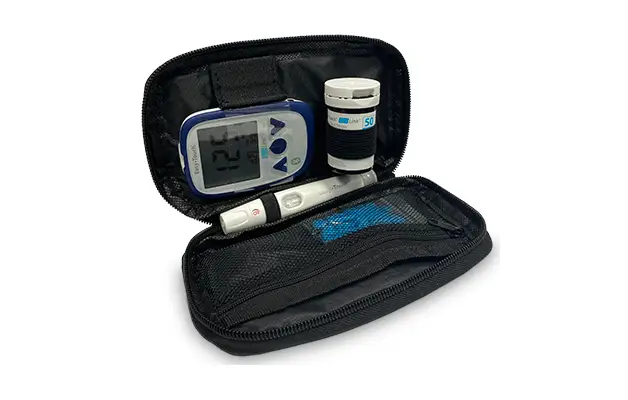
BLU LINK 849001 Glucose Meter Kit User Guide
Battery Replacement
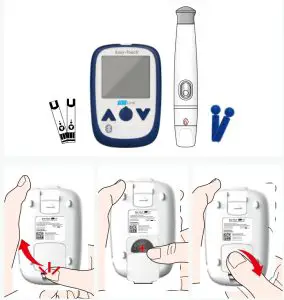
Assembly Instructions
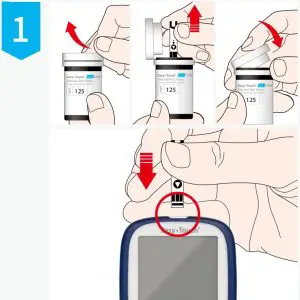
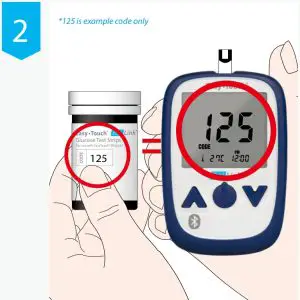
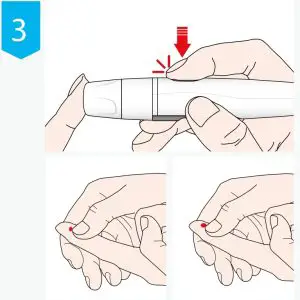
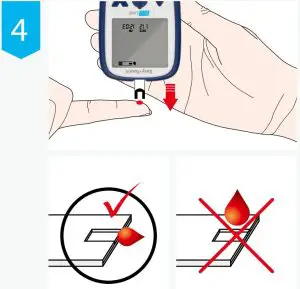
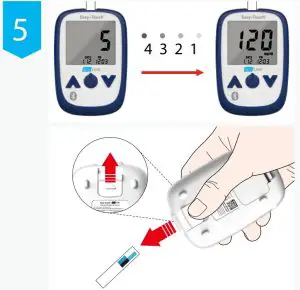
Using Instructions
Troubleshooting
| Message | What it means | Action required |
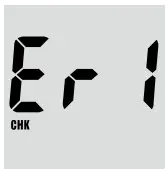
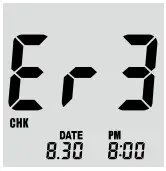
| Hardware is defective. | Reboot the meter by removing and then replace the battery while no test strip is inserted. Contact customer support if the problem persists. |
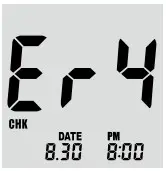
| Test strip may be contaminated or reused. | Please, insert a new test strip and perform your test again. |
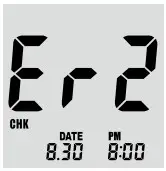
| Insu‑cient amount of blood sample is placed on the test strip. | Please insert a new test strip and apply the blood sample and conrm the window is completely lled. |
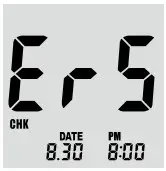
| Test strip is damaged | Please insert a new test strip and perform your test again. |
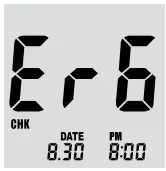
| Blood sample is placed on the test strip before the symbol for blood blinks. | Wait for the meter to display the blinking blood icon before applying your blood sample. |
| 1. Color area of the test strip is dirty, defective or there is too much sunlight. Action required. 2. Inserting another brand of test strip in the meter. | 1. Please insert a new test strip and perform your test again, or if it blinks with “sun”, avoid direct sunlight and retest. Contact customer support if the problem persists. 2. Please insert the correct test strip |
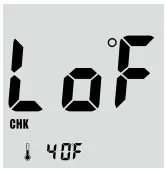
| The ambient temperature is less than 50˚F (10˚C). | Place the meter at a temperature between 50 ~ 104˚F (10 ~ 40˚C) for more than 10 minutes and test again. |
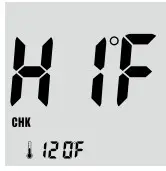 | The ambient temperature is over 104˚F (40˚C). | Place the meter at a temperature between 50 ~ 104˚F (10 ~ 40˚C) for more than 10 minutes and test again. |
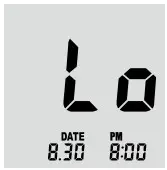
| The test result is less than 20mg/dL. | If “Lo” appears on the LCD screen for the Glucose result, the measured concentration is below 20mg/dL. The test should be repeated to ensure that the test procedure was done correctly. If you are certain the meter is functioning correctly and no errors were made during the test procedure and the blood glucose is still consistently measured as “Lo”, the result may indicate severe hypoglycemia (low blood glucose). You should inform your Healthcare Professional immediately |
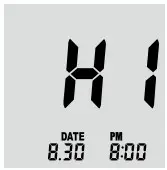
| The test result is over 600mg/dL | If “HI” appears on the LCD screen for the Glucose result,the measured concentration is above 600mg/dL. The test should be repeated to ensure that the test procedure was done correctly. If you are certain the meter is functioning correctly and no errors were made during the test procedure and the blood glucose is still consistently measured as “HI”, the result may indicate severe hyperglycemia (high blood glucose). You should inform your Healthcare Professional immediately. |
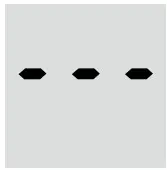
| There are no readings stored in the meter. | – |
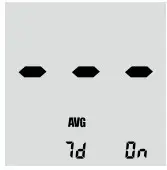
| Not enough readings in the memory to display designated averages. | – |
| The glucose test meter does not turn on. | The battery is dead or ther is a problem with the meter. | Change the battery and if the problem persists, contact our customer support. |
| The glucose test meter does not start after applying the blood sample. | Insu‑cient amount of blood. | Please insert a new test strip and perform you test again. |
| The results are inconsistent. | There may be a problem with the test strips. | Please insert a new test strip and perform your test again. |
Customer Support
Questions or Comments?
Call: 877.358.4342
MHC Medical Products, LLC
8695 Seward Road
Fairfield.Ohio 45011
Web: www.MHCmed.com

 MHCmed.com | Supplier of High Quality Diabetic Products