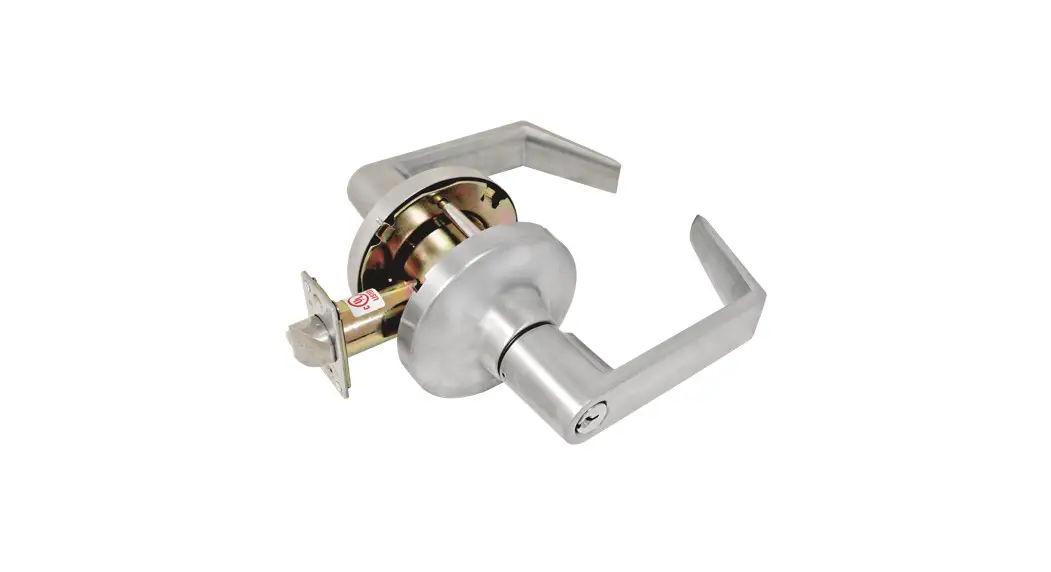

CDC_CD Installation and Template
INSTALLATION INSTRUCTIONS
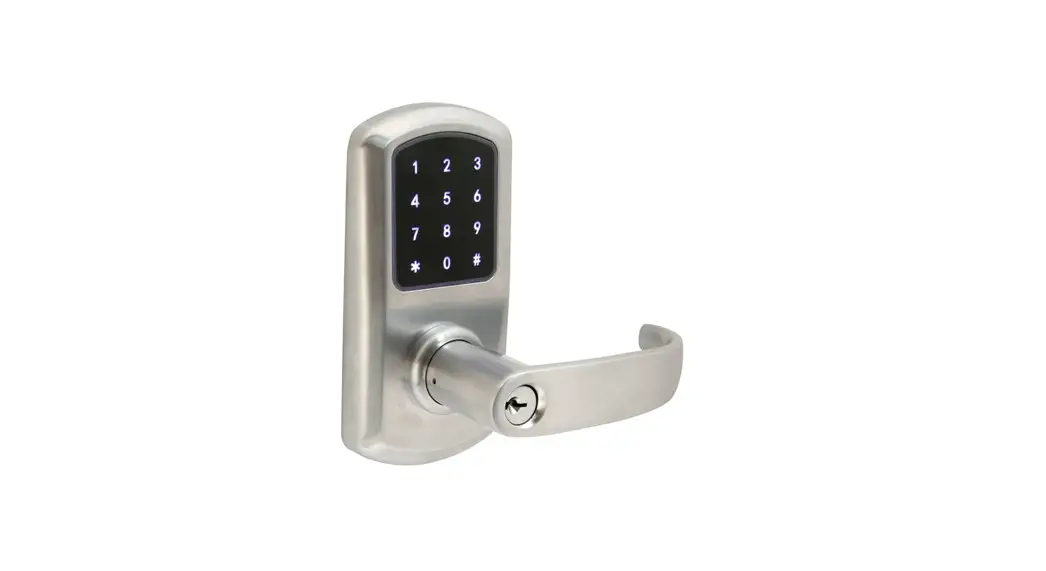
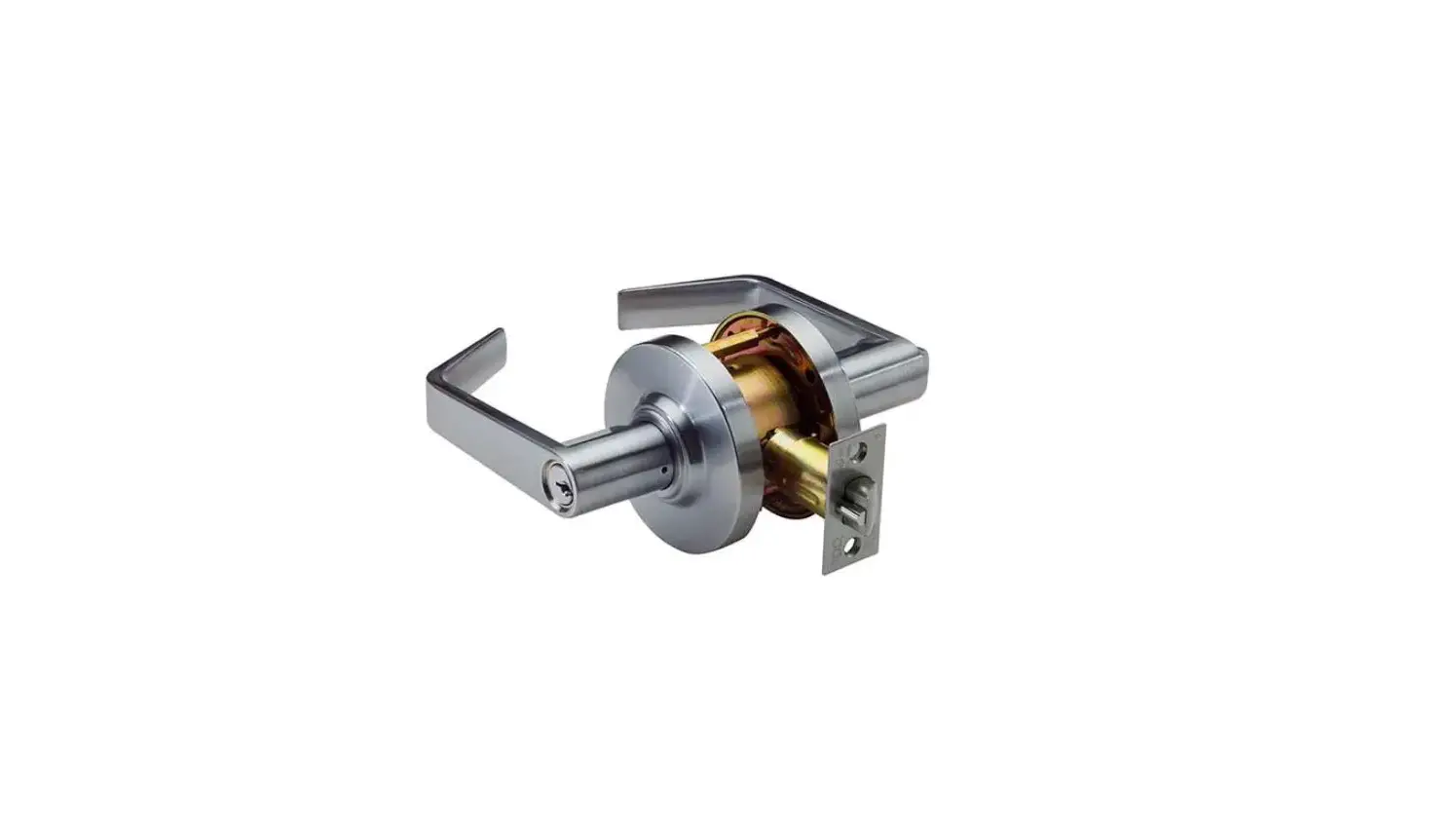
COMMERCIAL KEY-IN-LEVER
FOR USE ON DOORS 1-3/8°~2° (35mm ~ 51mm) THICK
TOOLS RE QUIRED FOR NEW INSTALLATION :
1 Philips head screwdriver
1 2-1/8″ (4mm) hole saw
1 1″ (25.4 mm) drill bit
1 5/16″ (8mm) drill bit
TOOLS REQUIRED FOR REPLACEMENT
1 Philips head screwdriver
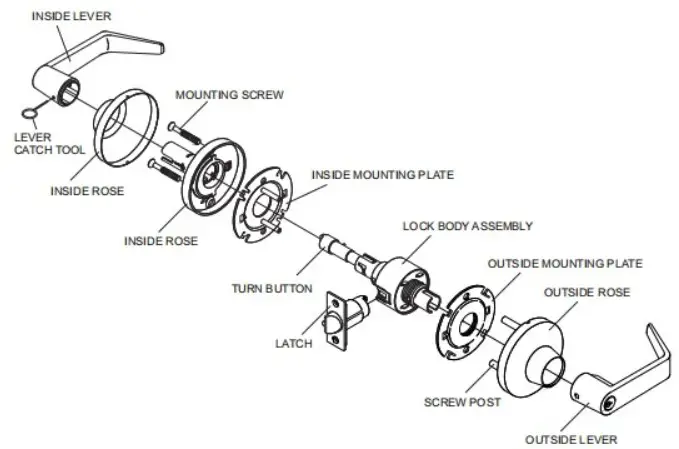
ILLUS TRATIONS ARE SHOWN WITH ENTRY MODEL
INSTALLATION IS SAME FOR PRIVACY AND PASSAGE MODEL AS WELL.
FOLLOWALL STEPS FOR NEW INSTALLATION.
FOLLOW STEPS WX, 4C, 5,6,7,8 FOR REPLACEMENT INSTALLATION
AFTER REMOVAL OF OLD LOCK AND LATCH.
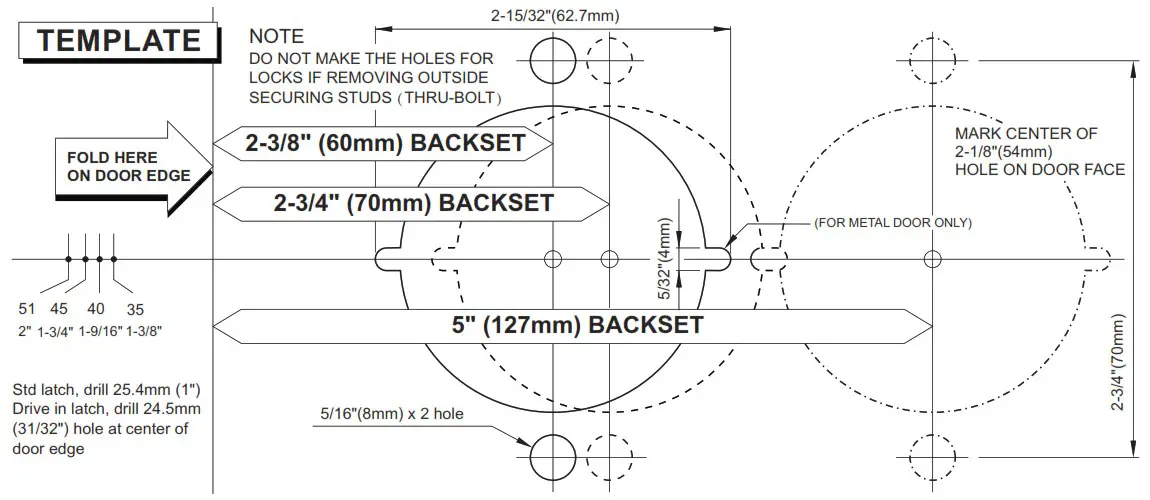
- MARK DOOR
 a. Stat 38° from floor and mark center of door edge.
b. Select backset 2-38″ a 2-3/4″ and mark hole center an door face.
NOTE –BACKSET ON DOOR FACE
MUST BE SAME AS BACKSET OF YOUR LOCK.
c. Mark two holes far screw poet. - DRILL HOLES
 Drill holes as marked.
NOTE.. ORALL 2-148° (54mm)
HOLE FROM BOTH SIDES TO AVOID SPLITTING WOOD. - INSTALL LATCH


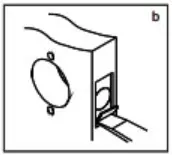
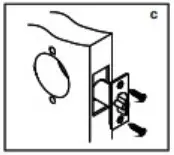
a. insert latch in hole and keep it parallel to door face. b. Chisel 11/84″ (4~4.3 mm) deep or until faceplate flush with door edge. c. Insert latch and Gotten screes.
NOTE.. LATCHBOLT BEVEL MUST FACE TO CLOSING DIRECTION. - INSTALL STRIKE


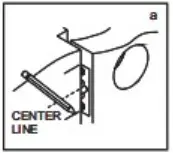
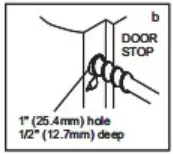
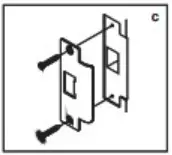
a. Close door to mark horizontal line of strike. b. Measure cane hall of doer highness from door stop to mark vertical canter line of stake. Drill 1″ (25.4msn) hole, 1/2″ (12.7 mm) deep at intersection of horizontal and vertical center lines. c. Cutout jamb 3/3.2″ (2.4mm) deep or unify stake flush with jamb.
Tighten screws securely. - REMOVE INSIDE TRIM
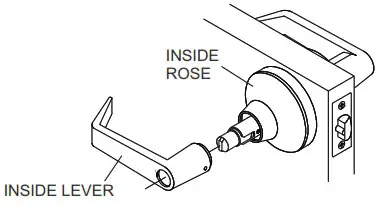
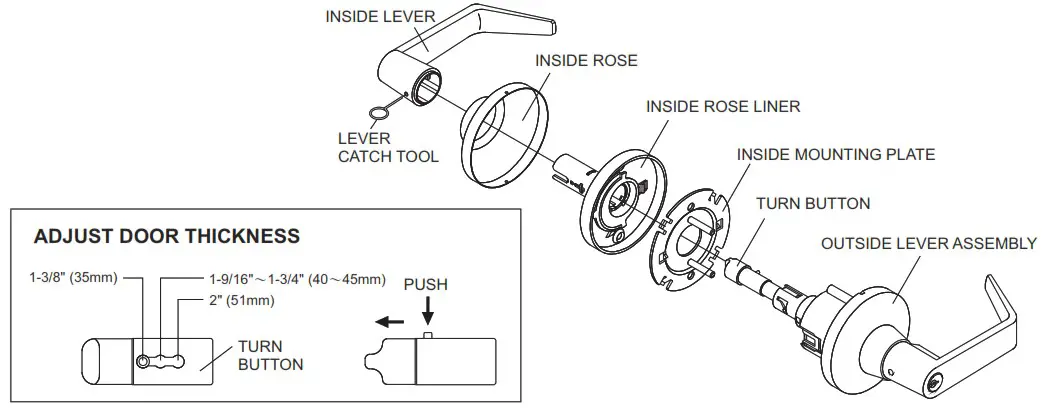
Use lever catch tool to depress lever catch visible under hole of inside lever shank and slide off inside lever, rose liner and mounting plate.
- ADJUST DOOR THICKNESS
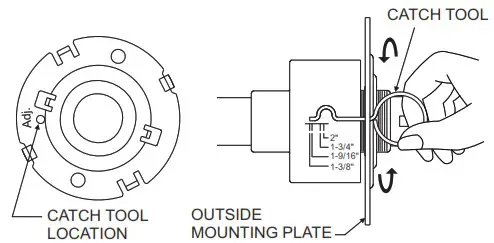
a. Remove outside mounting plate toward cylindrical case.
b. Put the catch tool into the allocated position of outside mounting plate as the illustrating bellow.
c. Rotate outside mounting plate to required door thickness by using a catch tool. CATCH TOOL
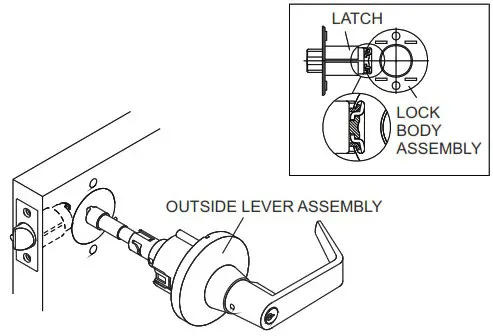
- INSTALL OUTSIDE LEVER ASSEMBLY
Install outside lever assembly on the door. Make sure tail of latch is engaging with retractor correctly as illustrated.
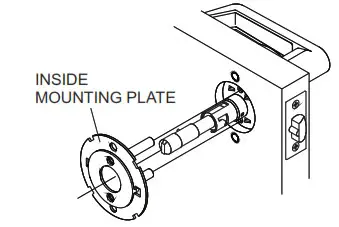
- INSTALL INSIDE MOUNTING PLATE AND ROSE LINER
a. Install inside mounting plate to lock body. b. Press inside rose liner onto mounting plate and tighten mounting screws securely.
- INSTALL INSIDE ROSE AND LEVER
a. Be sure to fit rose in recess of rose liner. b. Depress lever catch with tool provided.
Push inside lever on completely until catch engages in lever.
Confirm lever is secured.
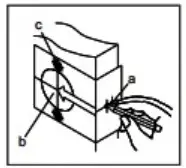 a. Stat 38° from floor and mark center of door edge.
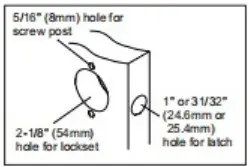 Drill holes as marked.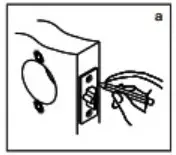
 b. Press inside rose liner onto mounting plate and tighten mounting screws securely.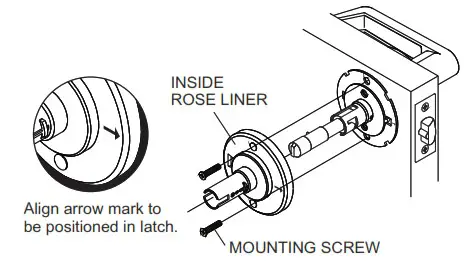
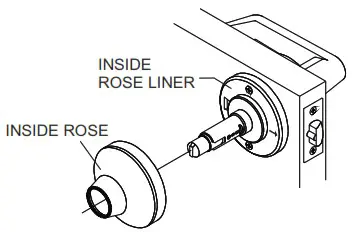 b. Depress lever catch with tool provided.