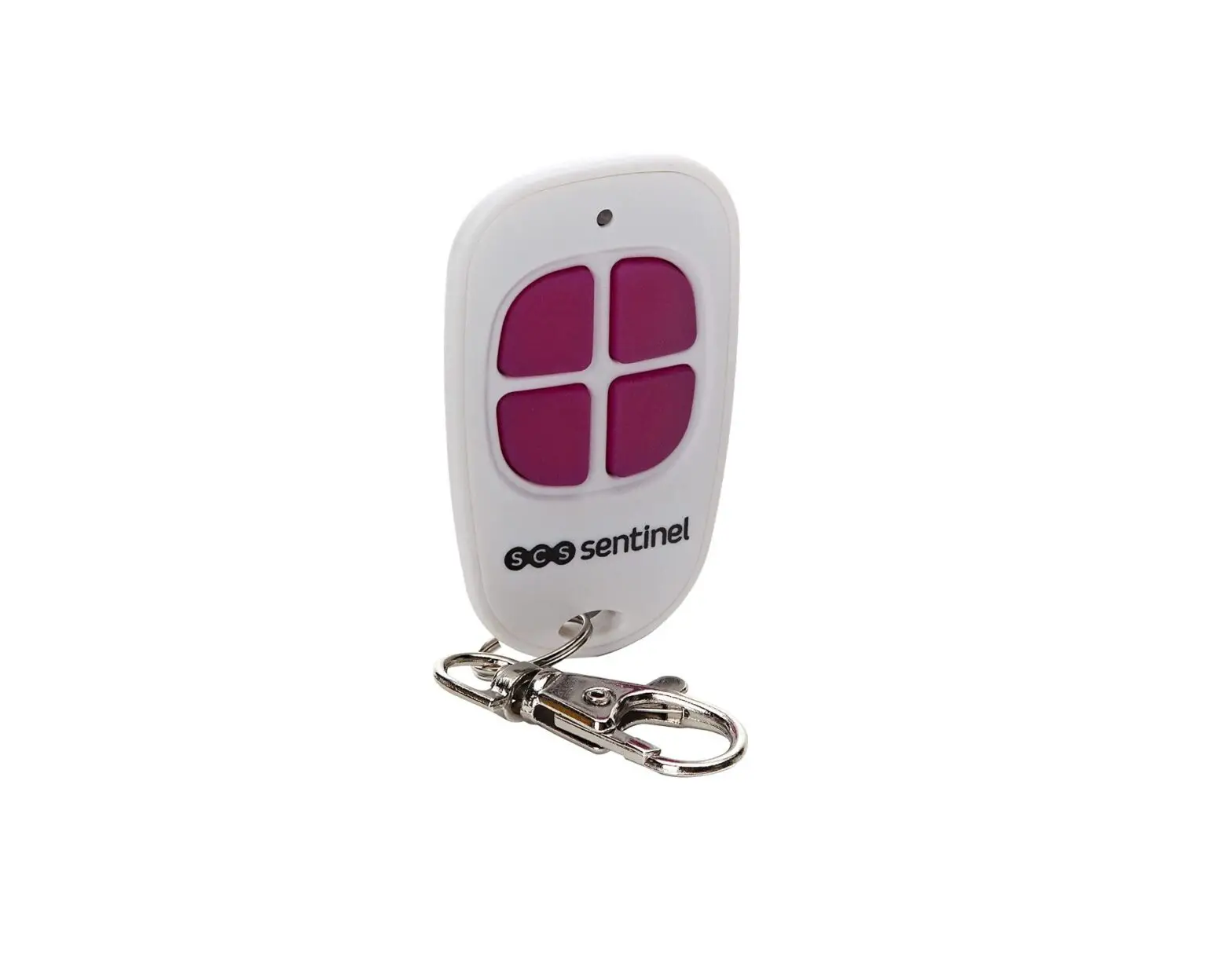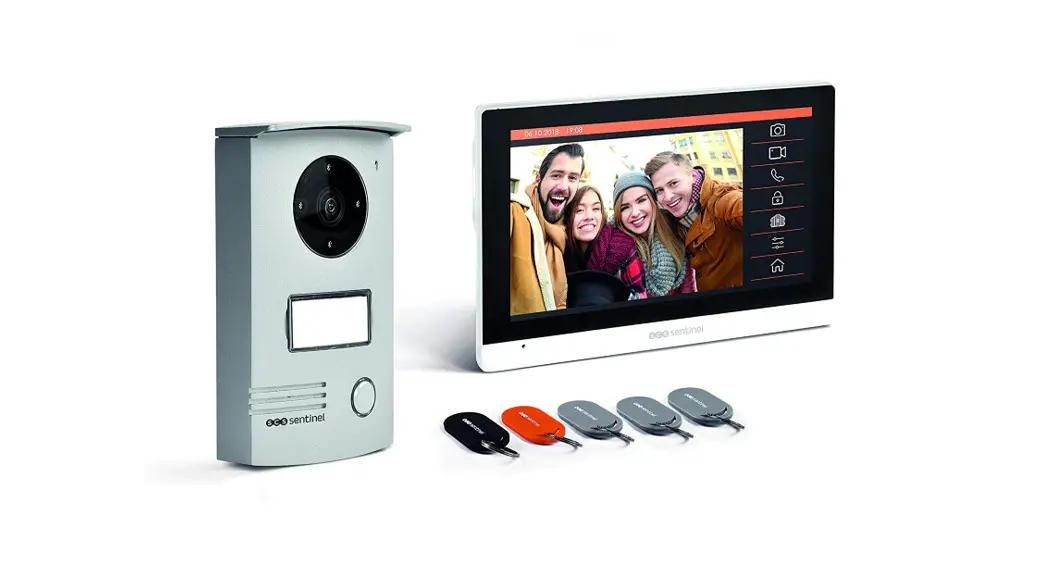

VisioDoor 7+ RFID
PVF0042
Wired Door Entry System
User Manual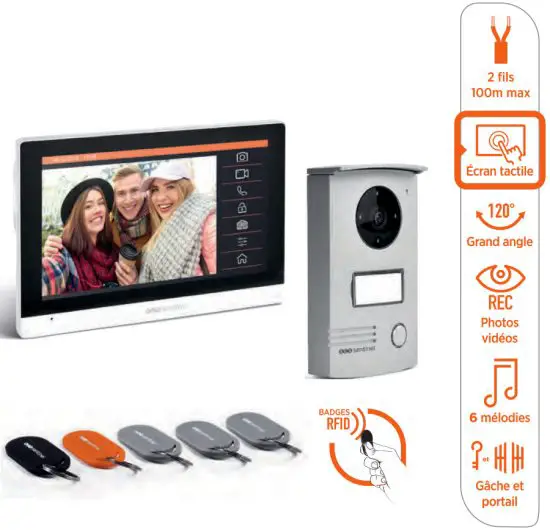
A- SAFETY INSTRUCTIONS
This manual is an integral part of your product.
These instructions are provided for your safety. Read this manual carefully before installing and keep it in a safe place for future reference. Select a suitable location. Make sure you can easily insert screws and wallplugs into the wall. Do not connect your electrical appliance until your equipment is totally installed and controlled. The installation, electric connections and settings must be made using best practices by a specialized and qualified person. The power supply must be installed in a dry place. Check the product is only used for its intended purpose.
B- DESCRIPTION
Bl- Content/ Dimensions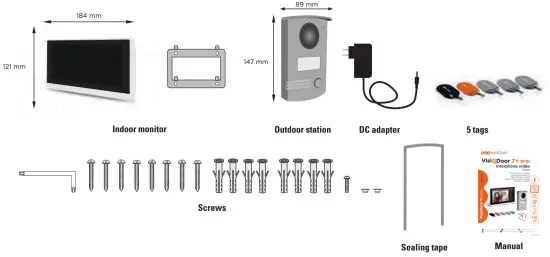
B2- Components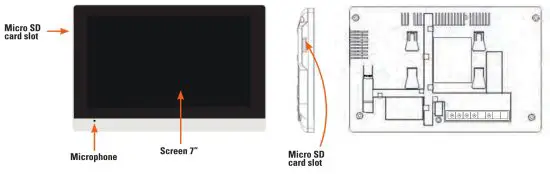
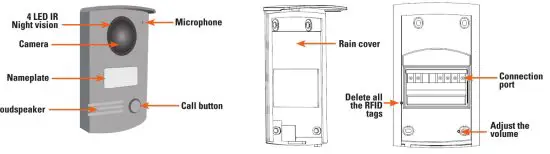
C- WIRING/INSTALLATION
C1 – Installation
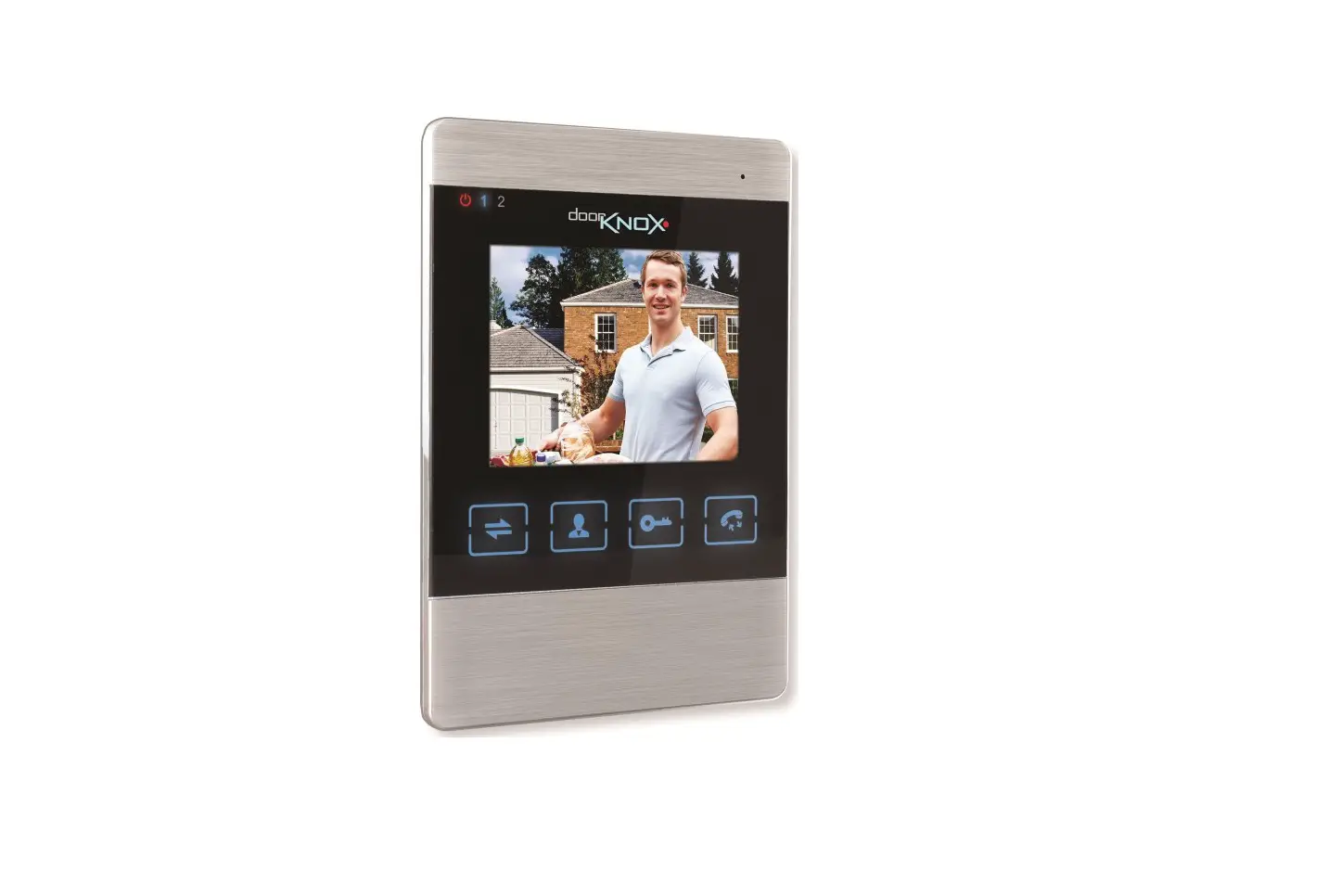
Indoor monitor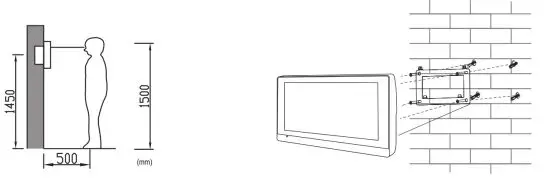 Outdoor station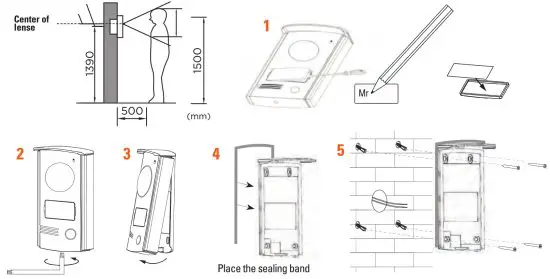
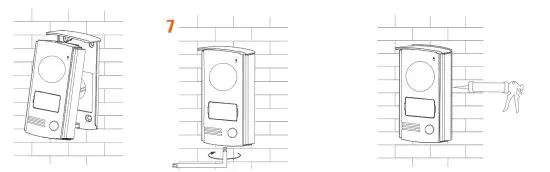
After installing and test, place a transparent acid-free silicone seal at the top and on the sides of the door station (not at the bottom) to avoid any risk of infiltration.
C2- Wiring diagram
You can directly connect the monitor to your electrical panel via a 15V DC 0,8A (minimum) <<rail DIN» transformer. Electrical knowledges are necessary, in this case we advise you to contact a professional.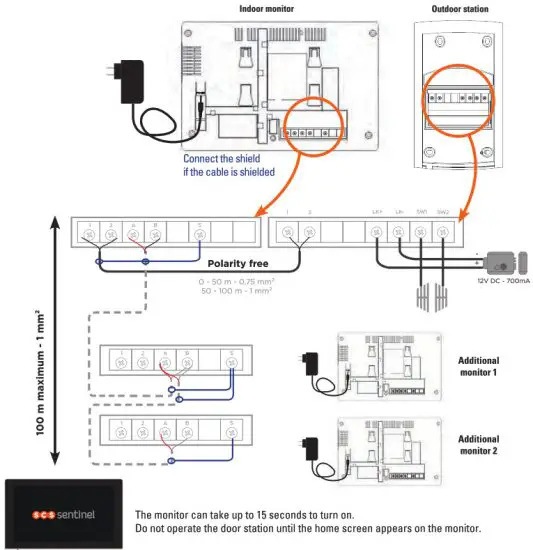
D- USE
D1- Call from the outdoor station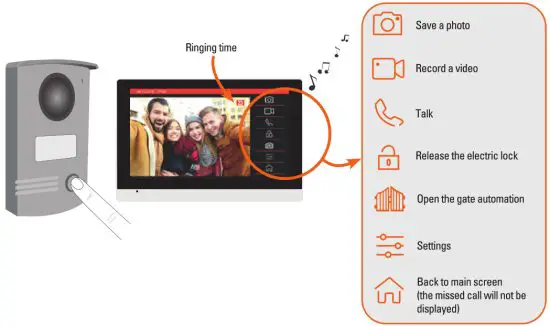 D2- Main screen
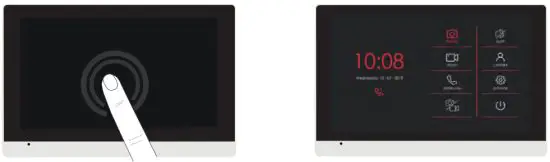
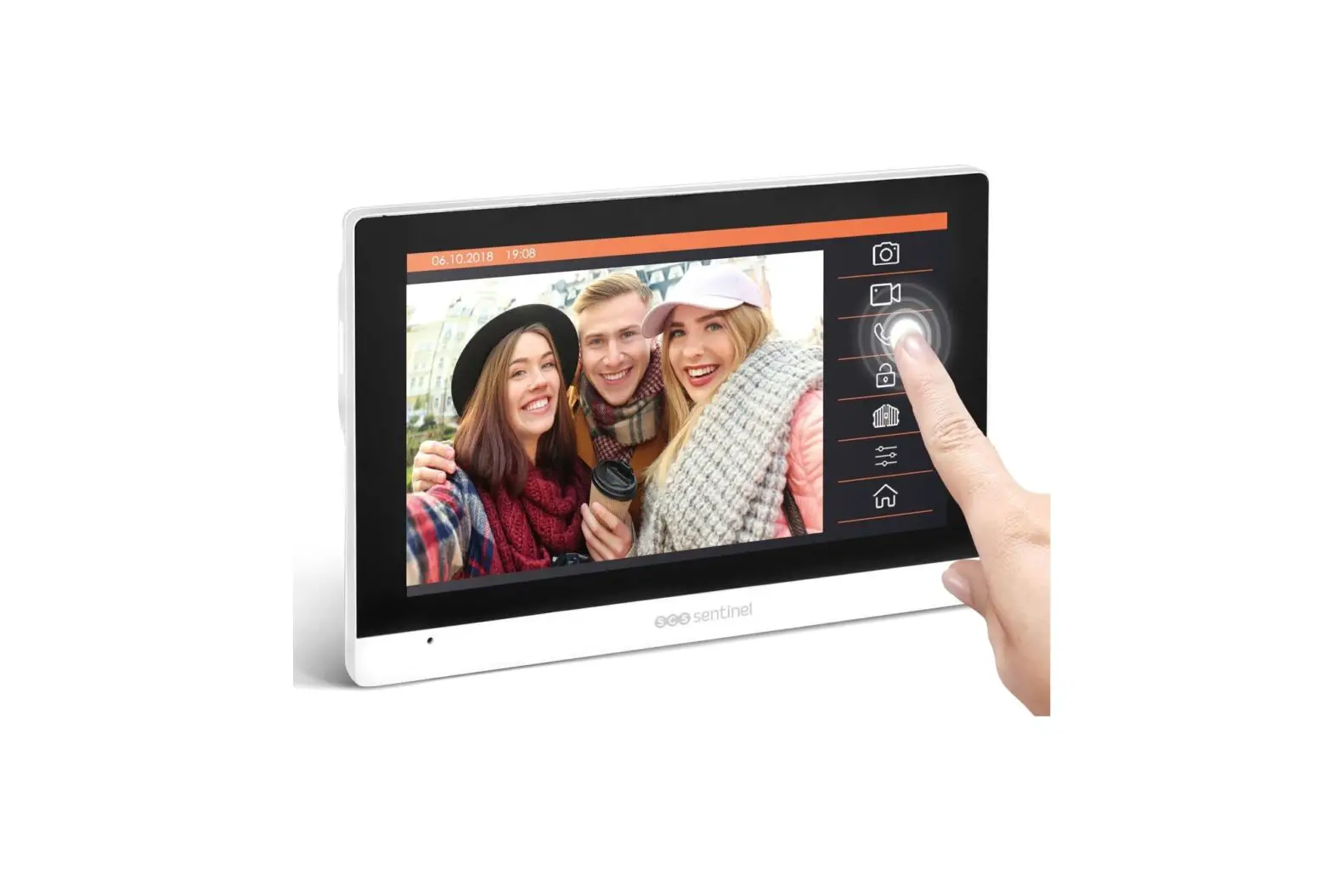
Exit the standby mode, only touch the screen.
 Missed call (please click the photo or video icon to remove the missed call icon)
 Photos display
 Videos display (active if there is a micro SD card)
 Intercom
 Select if the device takes a photo and/or video for each call
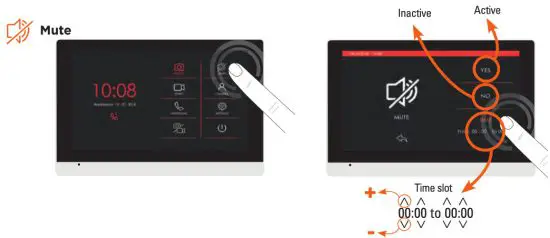
 Mute (this icon will be displayed on the top if the silent mode is selected)
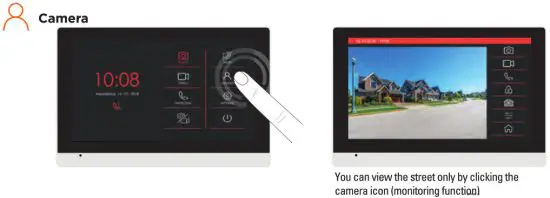
 Camera view/ Monitoring
 Settings
 Standby mode (the screen switch off automatically after 1 minute)
D3- Intercom function
You can connect up to 2 additional monitors to the same outdoor station and talk to another monitor. Press call icons to start/end the call.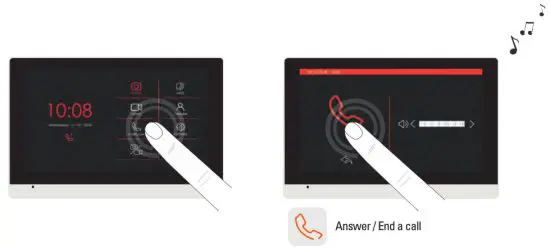
D4- Photos and videos display
Photos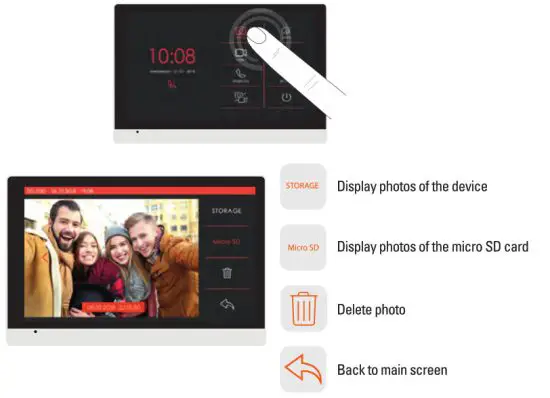 Videos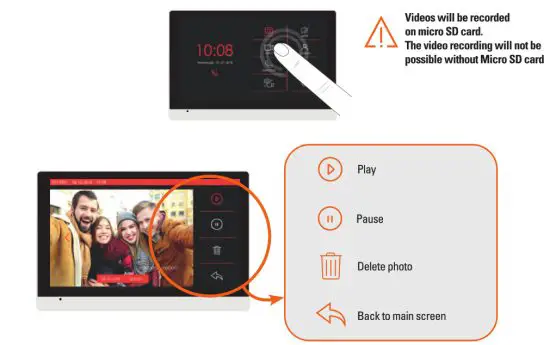
D5- Silent mode
D6- Camera display-monitoring
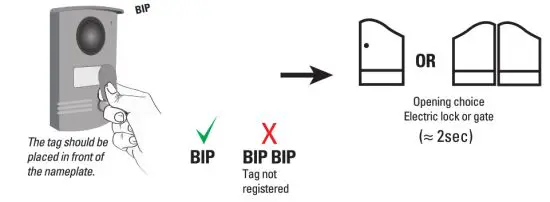
D7- Unlocking
E- SETTINGS
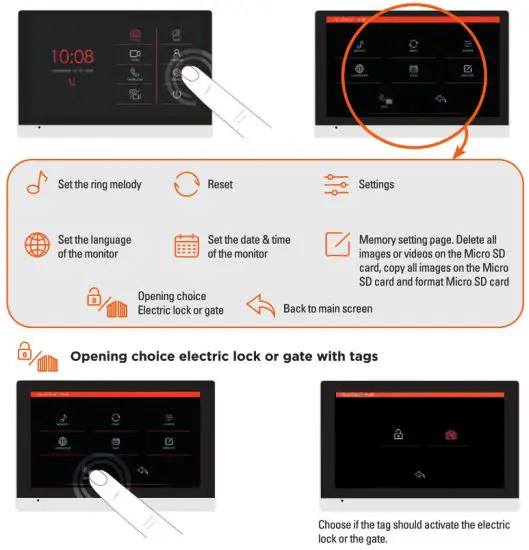
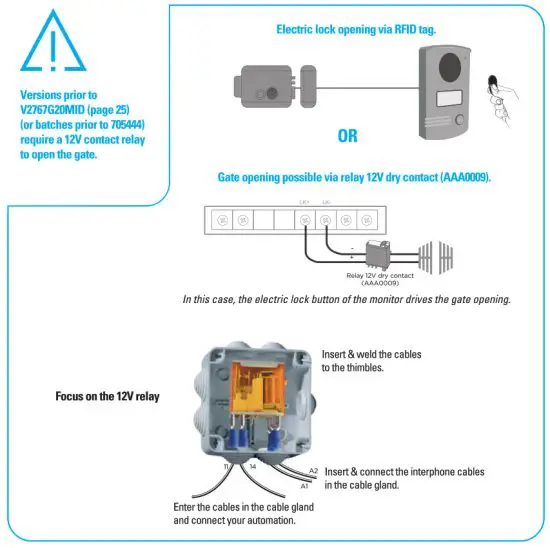
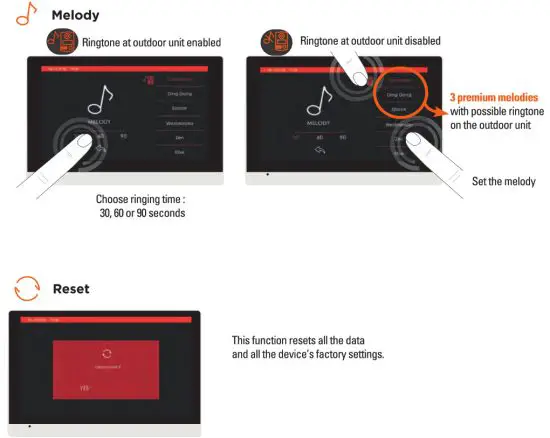
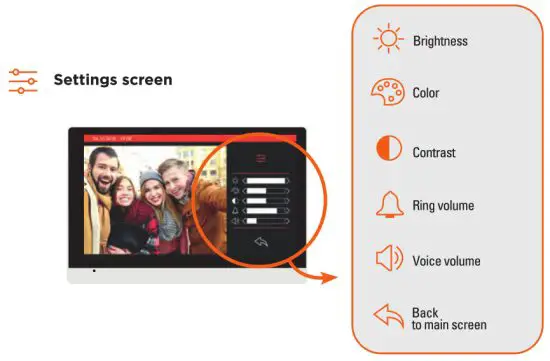
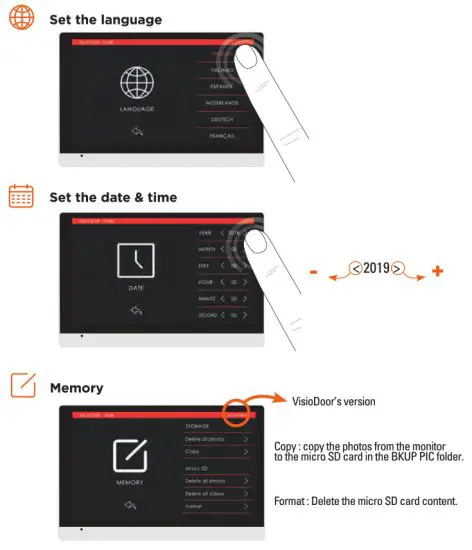
*The unlock option can be set after the monitor is connected with outdoor unit, otherwise the setting is invalid. Versions prior to V2767G20MID (or batches prior to 705444) do not benefit from this function !
(electric lock by default or gate opening via 12V dry contact relay, see page 22).
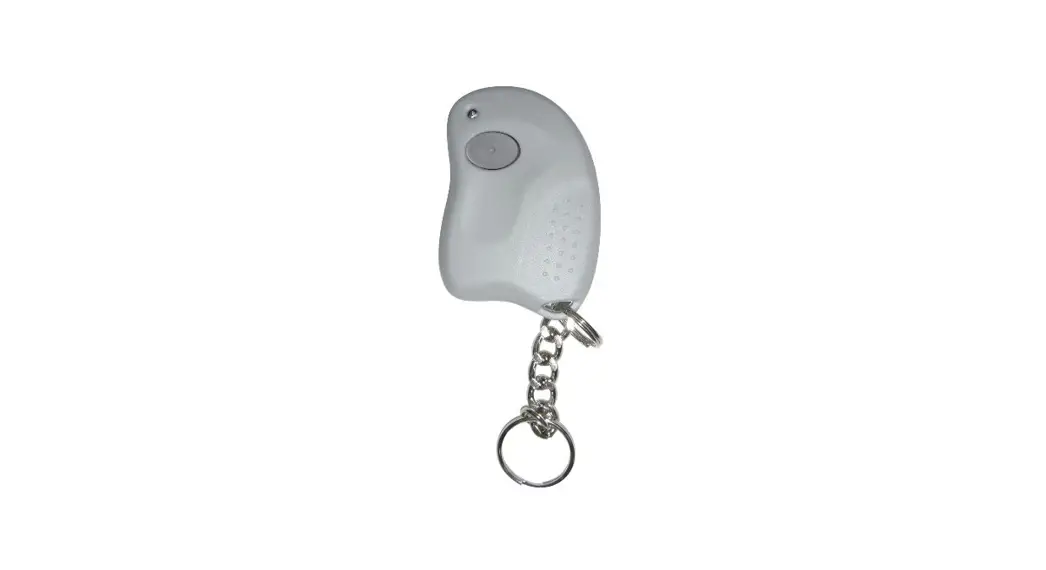
E2- Function RFID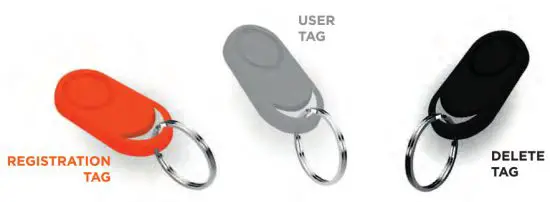
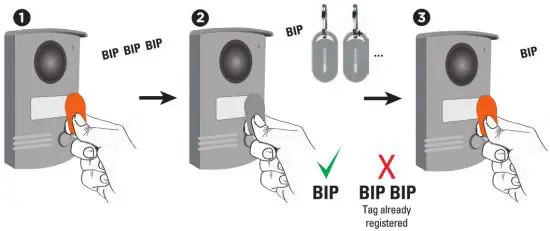
Repeat the step for each tag (10 unlocking tags can be registered)
Deletion of tag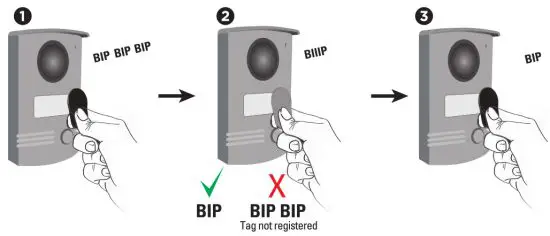 Delete of all the tags (in case of loss or theft)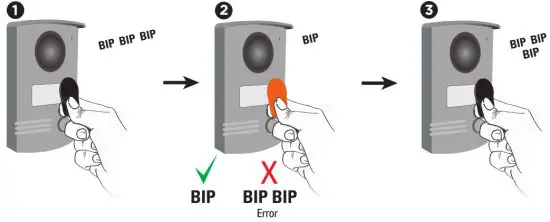
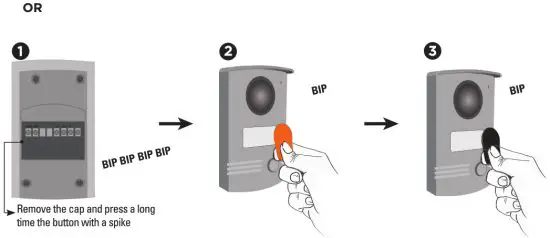
F- TECHNICAL FEATURES
Indoor monitor
| Input power | 15V DC 0,8A |
| Screen | 7 inch digital TFT LCD touch screen |
| LCD resolution | 1024(13GB) x 600 |
| Memory capacity (photos) | Built-in memory (14MB) when full the newest photo will automatically overwrite the oldest one |
| External memory capacity (photos or videos) | MicroSD card (4GB -32 GB class -4-10) MicroSD card must be formated by monitor before using |
| Connection with additional monitor | Support 2 additional monitors |
Outdoor station
| Material | Aluminium alloy |
| Angle view | 120° |
| Night vision | IR LED |
| Operation temperature | -10°C /+ 50°C |
| Protection rating | IP55 |
| Frequency | 125 kHz |
| Maximum transmitted power | < 1mW |
Adapter
Power supply : 220V-240V AC 50/60Hz 0,3A – 15V DC 0,8A
G- WARRANTY
 Warranty 3 years
SCS Sentinel grants to this product a warranty period, beyond the legal time, as a sign of quality and reliability. The invoice will be required as proof of purchase date. Please keep it during the warranty period. Carefully keep the barcode and the proof of purchase, that will be necessary to claim warranty.
H- WARNINGS
- Maintain a minimum distance of 10 cm around the device for sufficient ventilation.
- Be sure that the device is not blocked by paper, tablecloth, curtain or other items that would impede airflow.
- Keep matches, candles and flames away from the device.
- Product functionality can be influenced by a strong electromagnetic interference.
- This equipment is intended for private consumer use only.
- The appliance should not be exposed to dripping or splashing water; no objects filled with liquids, such as vases, should be placed near the appliance.
- The mains plug is used as a disconnect device and shall remain readily operable during intended use.
- The monitor and the adapter must only be used indoors.
- Connect all the parts before switching on the power.
- Only connect your appliance using the provided adapter.
- Do not cause any impact on the elements as their electronics are fragile.
- Do not block the microphone.
- When installing the product, keep the packaging out of reach of children and animals. It is a source of potential danger.
- This appliance is not a toy. It is not designed to be used by children.
 Disconnect the appliance from the main power supply before service. Do not clean the product with solvent, Vlib abrasive or corrosive substances. Only use a soft cloth. Do not spray anything on the appliance.
 Make sure that your appliance is properly maintained and regularly checked in order to detect any sign of wear. Do not use it if a repair or adjustment is needed. Always call on qualified personnel.
 Don’t throw out of order products with the household waste (garbage). The dangerous substances that they are likely to include may harm health or the environment. Make your retailer take back these products or use the selective collect of garbage proposed by your city.



110, rue Pierre-Gilles de Gennes
49300 Cholet – France