
150-10-7
Digital Floor Level Scale
Software Revision 11454
Operation Manual
An ISO 9001 registered company © Rice Lake Weighing Systems. All rights reserved. ® Rice Lake Weighing Systems is a registered trademark of Rice Lake Weighing Systems. All other brand or product names within this publication are trademarks or registered trademarks of their respective companies. All information contained within this publication is, to the best of our knowledge, complete and accurate at the time of publication. Rice Lake Weighing Systems reserves the right to make changes to the technology, features, specifications and design of the equipment without notice. The most current version of this publication, software, firmware, and all other product updates can be found on our website: www.ricelake.com
 Technical training seminars are available through Rice Lake Weighing Systems. Course descriptions and dates can be viewed at ww.ricelake.com/training or obtained by calling 715-234-9171 and asking for the training department. Rice Lake continually offers web-based video training on a growing selection of product-related topics at no cost. Visit www.ricelake.com/webinars
Introduction
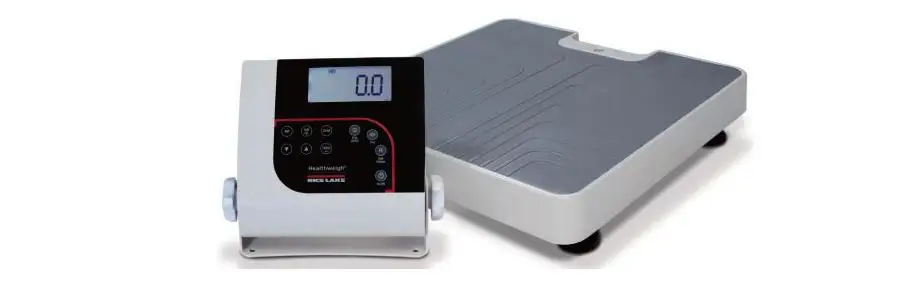
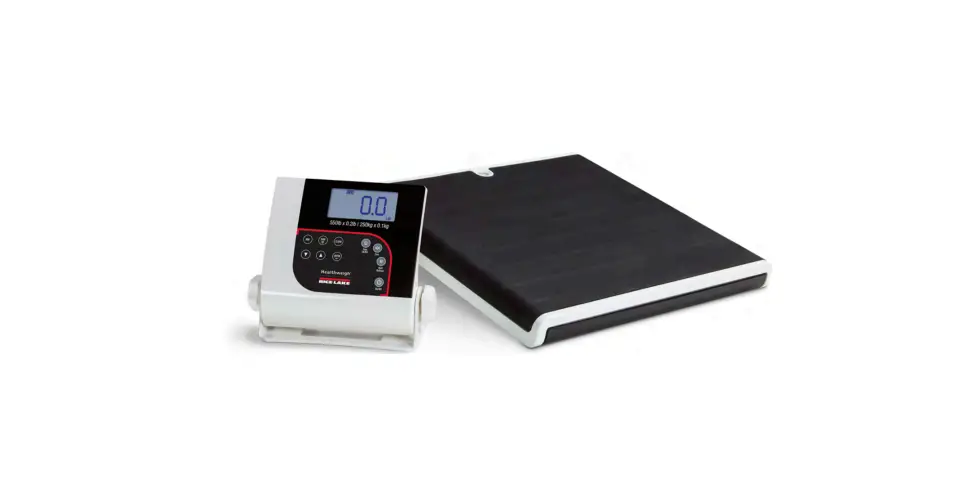
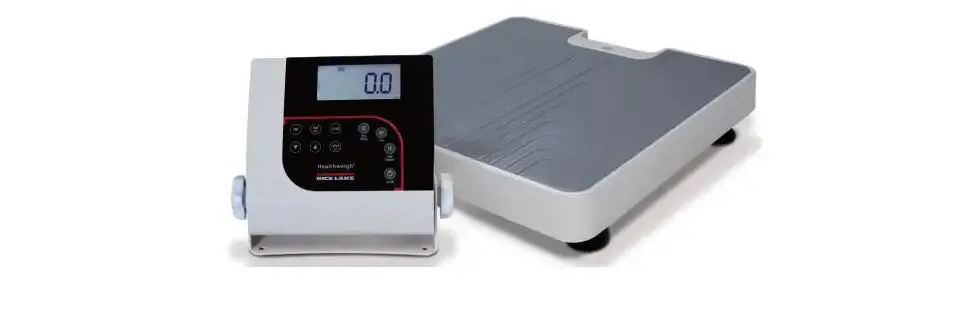
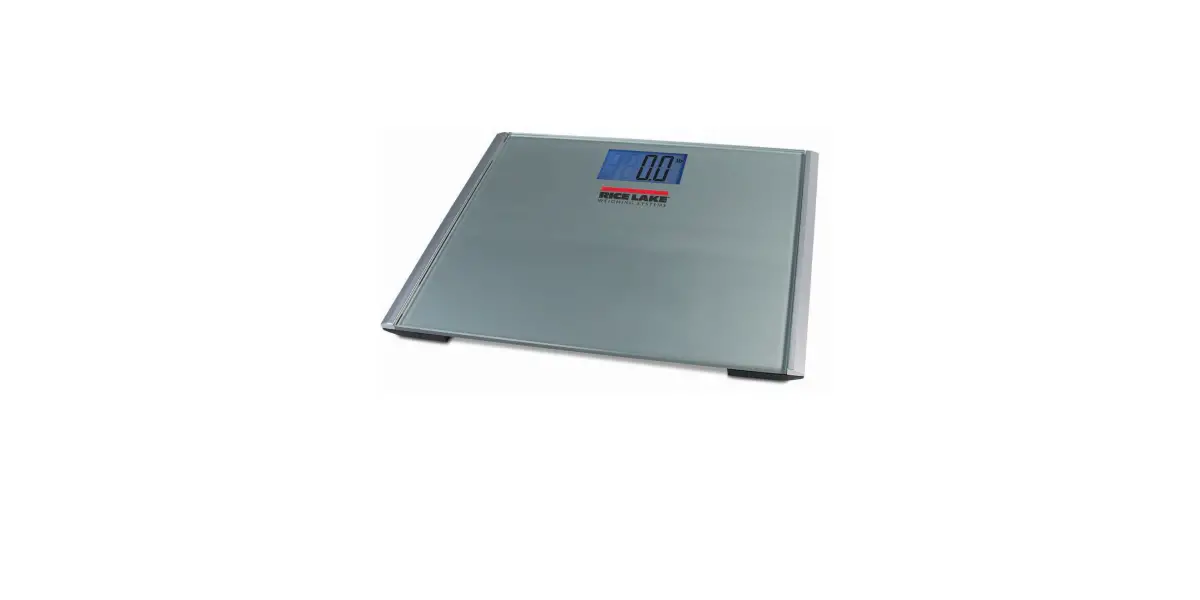
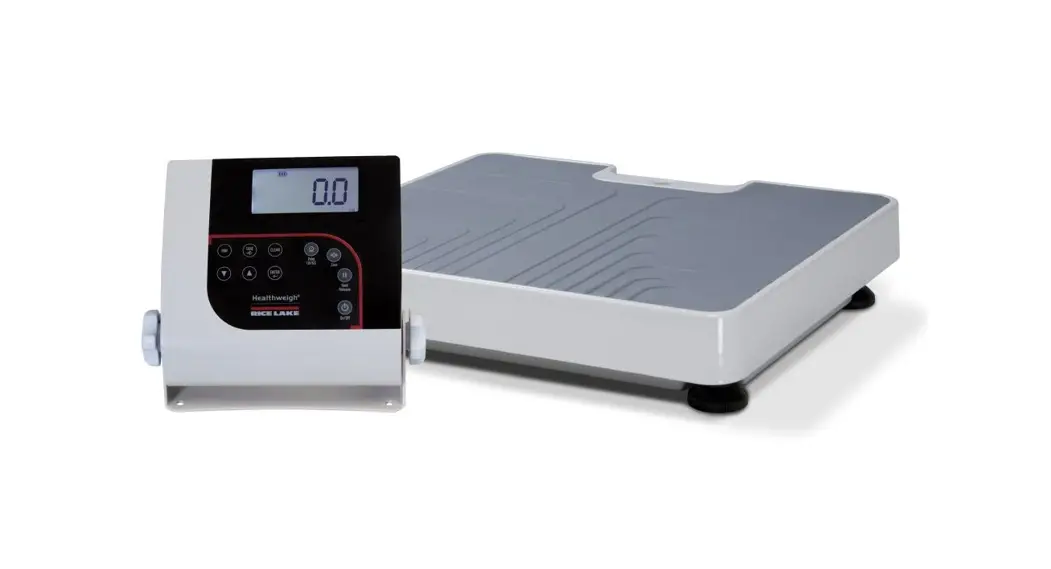
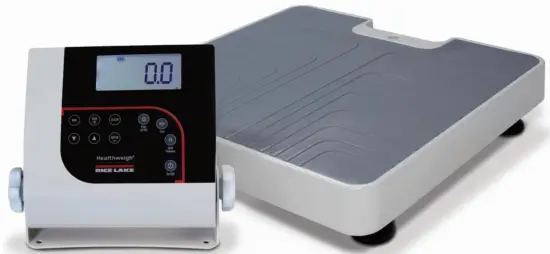
The Rice Lake Digital Floor Level Scale is efficiently designed to provide accurate, reliable and repeatable weight measurements. The large stand alone indicator can be placed on a table or floor and has a sturdy built-in bracket for wall mounting. Manuals and additional resources are available from the Rice Lake Weighing Systems website at www.ricelake.com Warranty information can be found on the website at www.ricelake.com/warranties
Safety Signal Definitions: DANGER Indicates an imminently hazardous situation that, if not avoided, will result in death or serious injury. Includes hazards that are exposed when guards are removed.
 WARNING Indicates a potentially hazardous situation that, if not avoided, could result in serious injury or death. Includes hazards that are exposed when guards are removed. CAUTION Indicates a potentially hazardous situation that, if not avoided, could result in minor or moderate injury.
IMPORTANT Indicates information about procedures that, if not observed, could result in damage to equipment or corruption to and loss of data.
General Safety Do not operate or work on this equipment unless this manual has been read and all instructions are understood. Failure to follow the instructions or heed the warnings could result in injury or death. Contact any Rice Lake Weighing Systems dealer for replacement manuals.
WARNING
Failure to heed could result in serious injury or death.
Do not drop the scale or subject it to violent shocks.
For accurate weighing, the scale must be placed on a flat, stable surface.
Do not transport the scale while someone is standing on it.
Weight exceeding the maximum capacity (550 lb/250 kg) may damage your scale.
Operating at voltages and frequencies other than specified could damage the equipment.
If the LO Bat indicator activates, for accurate weighing, replace the batteries or connect the scale to an AC power source as soon as possible.
Only use power adapters supplied by or purchased from Rice Lake Weighing Systems. The use of a power adapter not from Rice Lake Weighing Systems voids the warranty.
To avoid cross-contamination, the scale should be cleaned regularly. Avoid contact with excessive moisture.
Do not allow minors (children) or inexperienced persons to operate this scale.
Do not jump up and down on the scale.
Do not use in the presence of flammable materials.
Use the scale only to determine the weight of people while standing.
Do not make alterations or modifications to the scale.
People with disabilities, or who are physically frail, should always be assisted by another person when using this scale.
Do not use the scale on slippery surfaces, such as a wet floor.
Do not use this scale when your body/feet are wet, such as after taking a bath.
Scale Assembly
2.1 Unpacking Your Scale
Place the unopened box in an open area that has ample room for unpacking the scale. Parts contained in the shipping box include:
- Scale base and indicator
- Manual
- Serial cable 9.5′ with female DB9 and RJ45 connectors
- AA batteries (6)
2.2 Repacking
If the Rice Lake Digital Floor Level Scale must be returned any reason, it must be properly packed with sufficient packing materials in the original carton. Whenever possible, use the original carton when shipping the scale back.
IMPORTANT Damage caused by improper packaging is not covered by the warranty.
2.3 Setting Up Your Scale
Move the scale into the area where the weighing process will occur. Place the scale on a hard, level surface for the most accurate weighments.
2.3.1 Inserting Batteries
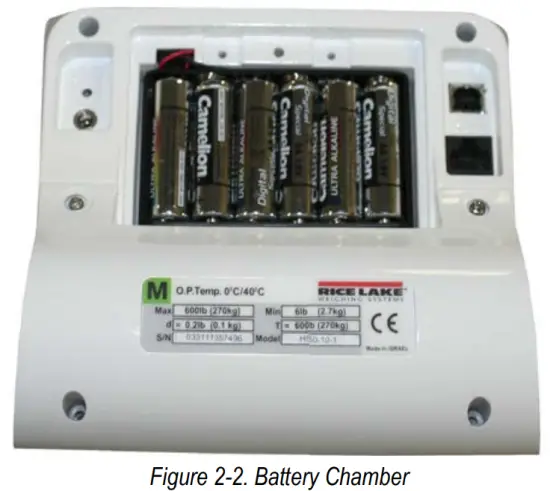
The six AA batteries that come with the scale offer an average of 25 hours of continuous use.
To install the batteries:
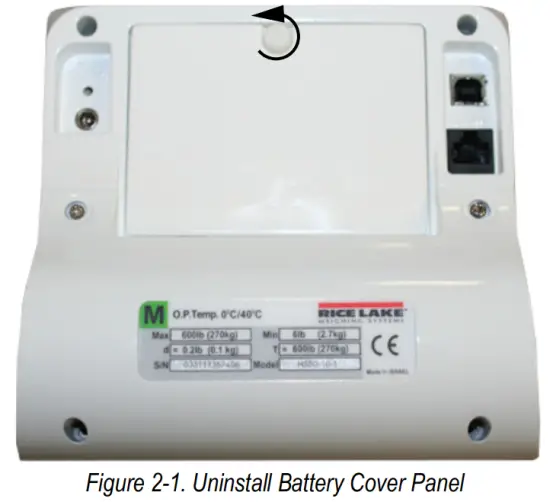
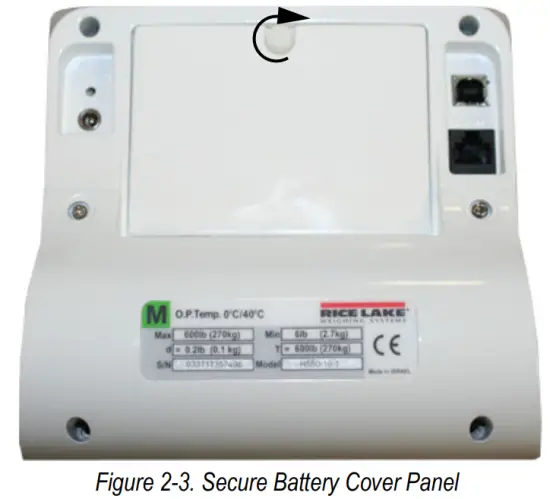
- Remove the battery cover panel of the new display by turning the screw of the battery cover counterclockwise.

- Insert batteries into the battery compartment of the new display.

- Secure the battery cover panel of the new display by turning the screw clockwise.

 Note: If an external power supply or USB power supply is connected, the battery flag on the display is turned off. When using a battery or USB power supply, the backlight power is deducted to 60%.
2.3.2 AC Power Connections
Use the optional 120 VAC or 230 VAC adapter (PN 133077) when power is available. The optional AC power adapter plugs into the back of the indicator. Rice Lake Weighing Systems offers optional AC adapters. Using an unauthorized adapter supplied by Rice Lake Weighing Systems voids all warranties. Connect the optional AC power source shown in Figures 2-4.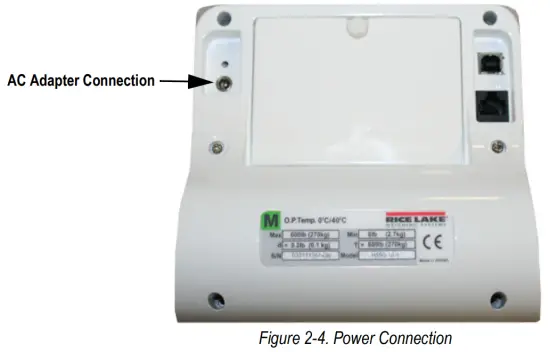 Leveling the Scale
Use the level bubble to check for level and adjust feet as needed.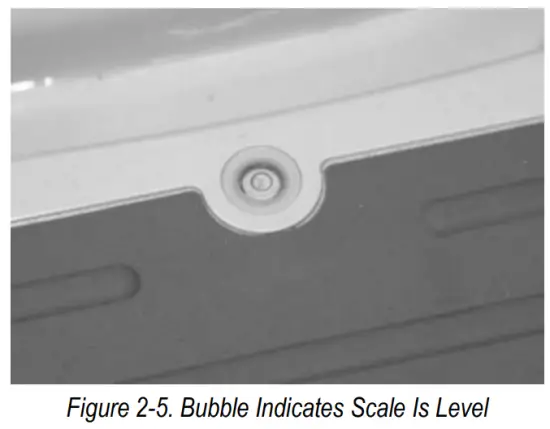
 Note: On a flat surface, adjust the scale feet until the bubble indicates that the scale is level.
Scale Operation
The unit display has 10-front panel keys (Figure 3-1).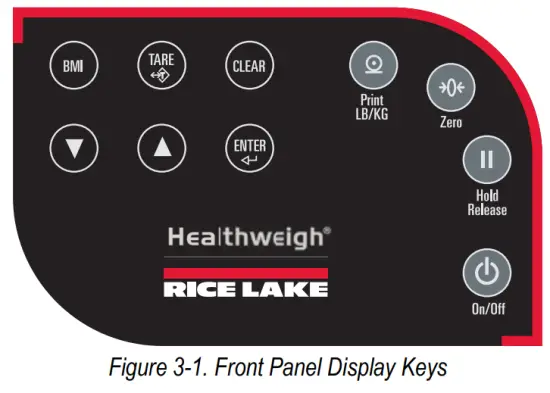
3.1 Key Descriptions
Key functions are described in Table 3-1.
| Key | Name | Function |
On/Off | On/Off | Powers the scale on or off |
| Print LB/KG  | Print LB/KG | Sends data out from the RS-232 port; Allows to toggle between kilograms and pounds providing that it is enabled in Configuration mode; Cannot toggle while in the BMI mode |
Zero | Zero | Clears the weight off the scale and returns it to zero after three seconds; Only functions if the current weight is stable and zero, up to 2% of max weight |
| Hold Release  | Hold Release | Displays the most current weight value on the display; a second press releases the weight value; Not active while in BMI mode |
 | BMI | Enables access to the BMI (Body Mass Index) function; only works if there is a locked weight on the display and the BMI function is turned on in the Configuration mode |
 | TARE | Used to subtract the weight off the scale, for example, oxygen tank, other equipment |
 | CLEAR | Returns to normal weighing when the BMI value is being displayed; While in BMI mode, the height display causes the value to return to the default of 190.0 cm, 5′, 7.5″ |
 | ENTER | Used to accept height in BMI mode; Accepts the value of the parameter last entered and moves to the next stage; press during scale start-up to enter ID display (pre-parameter mode) |
 | Up Arrows | Adjusts height input (0.5″10.5 cm) while in BMI mode; Adjusts the value of the flashing digit/number |
 | Down Arrows | Adjusts height input (0.5″10.5 cm) while in BMI mode; Adjusts the value of the flashing digit/number |
Table 3-1. Key Functions
CAUTION The front panel key display is very sensitive so only a gentle pushing motion is required to obtain results.
3.2 Weighing
Use the following steps to weigh.
- Press
 to turn on the scale. 0.0 prompts along with ZERO on the display.
 - When the patient steps on the scale the display shows the weight of the patient. The LOCK annunciator is on in the upper display and beeps to indicate the end of the weighing process.
- Press
 to change the display from kg to lb.
 - To turn off the scale, press and hold until OFF prompts.
3.3 Hold/Release Function
Use the following steps to use the Hold/Release function.
- Press to turn on the scale. 0.0 prompts along with ZERO on the display.
- Press
 when the patient is on the scale.
 - The weight and HOLD & LOCK annunciators remain on the display when the patient steps off the scale.
- Press again to return to zero.
Note: Pressing will not work while in the Hold/Release function. Note: Pressing prior to the patient getting on the scale will also work.
3.4 Preset Tare
Use the following steps to use the Preset Tare.
- Press to turn on the scale. 0.0 prompts along with ZERO on the display.
- Place the extra weight on the scale.
- Press
 until the display returns to 0.0 and NET prompts on the display.
 - Remove the extra weight from the scale. The weight will prompt with a negative symbol to the left of it.
- Ask the patient to step on the scale with the extra weight. The display identifies the patient weight. The NET annunciator is still active. The weight of the extra weight is stored in memory.
- Repeat Step 5 to cancel the tare weight, press and hold until NET disappears from the display and the display turns back to 0.0 and GROSS prompts.
Note: Tare weight is also canceled when the scale is turned off.
3.5 Toggle Tare
Use the following steps to use the Toggle Tare function.
- Press when the weight is set to 0.0. The default values prompt while 0.0 is flashing (default is programmed to be 33.0 lb/15.0 kg) on the display.
- Use
 and
and  to adjust the value. Press
  to start the tare function. The NET annunciator turns on instead of the GROSS annunciator.
3.6 Using the Body Mass Index (BMI) Function
Use the following steps in determining the BMI.
3.6.1 LB Mode
- Ensure that the scale is at zero.
- Have the patient step on the scale to obtain a weight.
- The LOCK annunciator is illustrated on the display.
- Press.
 The BMI and FT/IN annunciators are lit on the display and a default value of 5′ and 7.5” (5-07.5) is flashing.
 - Pressand to adjust the height value.
- Press.
- The BMI value and BMI annunciator is shown on the display. Press
 to return to the Weighing mode and the BMI function will be turned off.
3.6.2 KG Mode
- Ensure that the scale is at zero.
- Have the patient step on the scale to obtain a weight.
- The LOCK annunciator is illustrated on the display.
- Press. The BMI and CM annunciators are lit on the display and a default value of 170.0 cm (170.0) is flashing.
- Use andto adjust the height value.
- Press.
- The BMI value and BMI annunciator is shown on the display. Press to return to the Weighing mode or step off the scale and the BMI function will be turned off.
RS-232 Communication
The unit comes with an RS-232 port which enables weight data to be transmitted to other devices. The RS-232 cable with DB-9 connector (PN 100719) is available from Rice Lake Weighing Systems, see Figure 4-1 on page 9 for RS-232 connections. The parameters of RS-232 are:
- 9600 baud (selectable baud rate)
- 8 data bits
- 1 stop bit
- No parity
- No handshaking
There are three methods of communication: - Pushbutton keypad print
- Standard remote protocol
- Escape protocol
4.1 Pushbutton Keypad Print
With a stable, in-range weight, press and holdfor at least three seconds, or until the scale emits two quick beeps.Note: If the scale does not beep after five seconds, release as the weight was either in motion or out of range.
- The scale will send out the following 21 character string if displaying just weight and not BMI: xxxxxxxxx<SP>uu<SP>mmmmm<SP><CR><LF>
Where:
xxxxxxxxx is the weight with decimal point and “-” sign if negative uu is the unit (lb or kg) mmmmm is the mode (gross or net)
Examples:
-10 lb net = <SP><SP><SP><SP>-10.0<SP>lb<SP><SP>Net<SP><SP><SP><CR><LF> 10 lb gross = <SP><SP><SP><SP><SP>-10.0<SP>lb<SP>Gross<SP><CR><LF>
- The scale will send out the following data while in BMI mode (displaying the BMI value):
| Setting | Value |
| Gross Weight | 215 lb |
| Tare Weight | 0.0 lb |
| Net Weight | 215 lb |
| Patient height | 6–01.0 ft |
| Patient BMI | 28.4 |
Table 4-1. BMI Data
4.2 USB Connection
The unit has the capability of connecting to a PC using a USB connection and a USB cable (not included). That connection location is shown in Figure 4-1.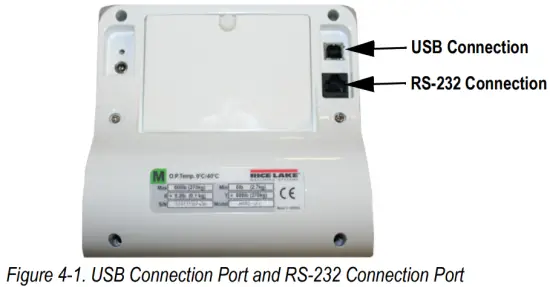
Connecting software and downloads will be addressed by the IT department and may vary. Basic information on USB driver installation using Windows® is described in the following steps and serves only as an example. The USB driver can be downloaded from the Rice Lake Weighing Systems website at the following location; http://www.ricelake.com/software.aspx. Select Medical/Health Scales.
- Select Software.
- Select Get Downloads.
- Select Download to download the driver. Selecting a download will prompt a download notification.
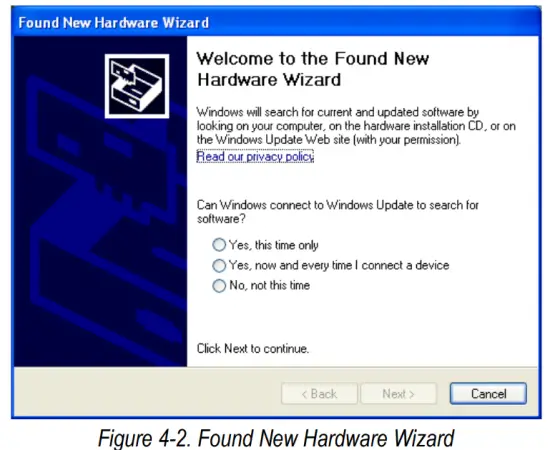
- Found New Hardware Wizard prompts.

- Follow the prompts to complete the installation.
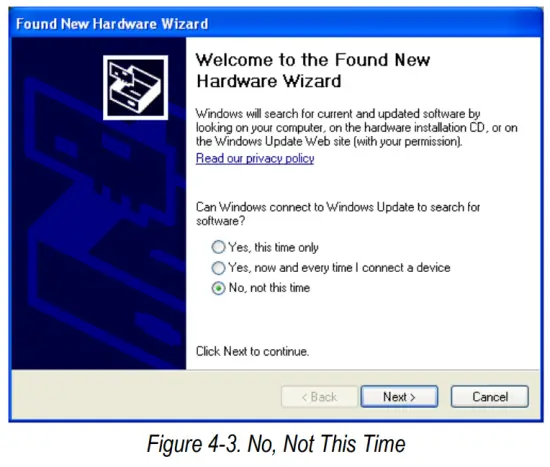
- Select No, not this time then select Next.

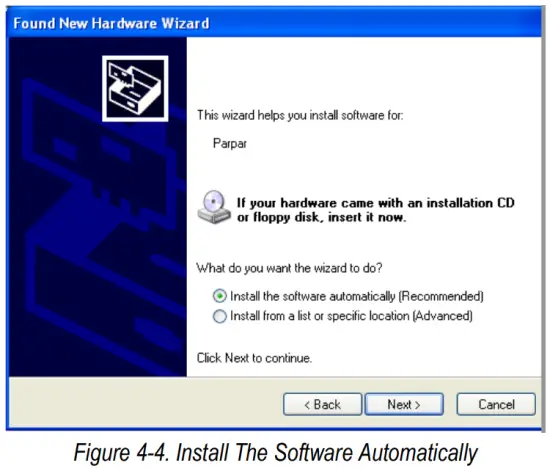
- Select Install the software automatically then select Next.

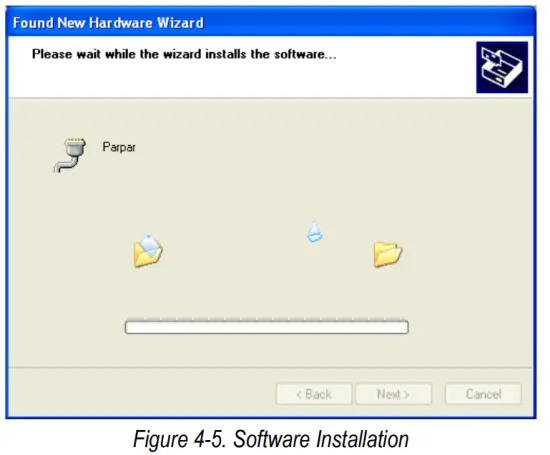
- Allow the driver to install.

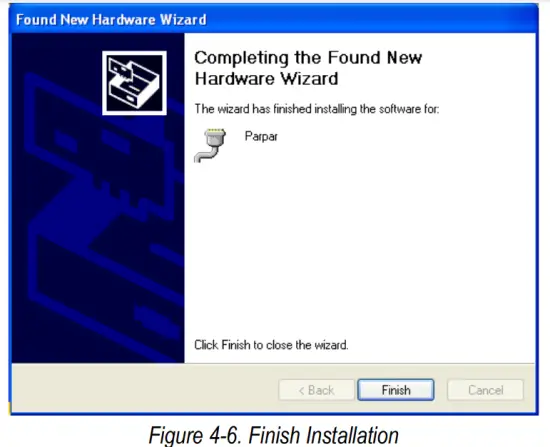
- Completing the Found New Hardware Wizard prompts when installation is complete. Select Finish.

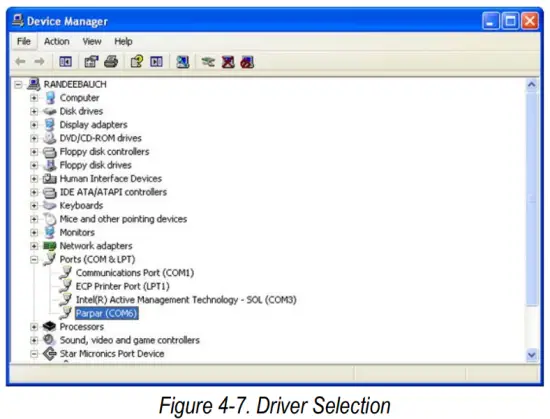
- To verify the installation, view the driver information in Device Manager.

- To print a ticket using the USB driver, open the software driver, and the port assigned to that driver is shown.
- Ensure that the USB cable is properly connected and the unit is on.
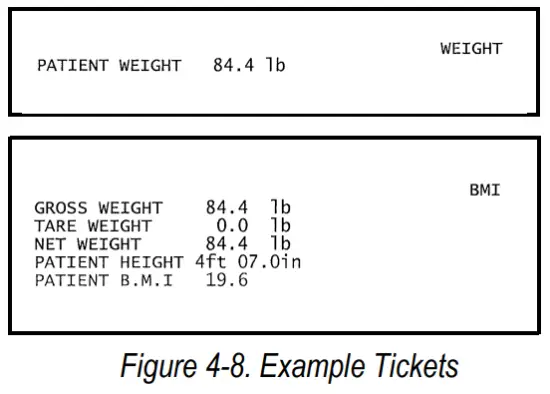
- Another terminal type program (such as Hyperterminal or Putty) needs to be opened and connected through the USB driver to the indicator to be able to see the information being sent to the PC. A port needs to be established, so select the port that is assigned to Parpar and print the ticket. The following example tickets will print.
 Note: A single print ticket has four spaces after “patient weight” and only one space between weight and lb in the examples shown above.
Troubleshooting and Testing
Refer to the following table to check and correct any failure before contacting service personnel.
| Symptom | Possible Cause | Corrective Action |
| Scale does not turn on | Dead battery | Replace battery or connect to AC power |
| Faulty electrical outlet | Use a different electrical outlet | |
| Bad power supply | Replace adapter | |
| Questionable weight or the scale does not zero | The external object is interfering with the scale | Remove the interfering object from the scale |
| The display did not show 0.0 before weighing | Help the patient off the scale, zero the scale and begin the weighing process again | |
| Scale is not placed on a level floor | Ensure the scale is level and begin the weighing process again | |
| The scale is out of calibration | Check the weight with a known weight value | |
| The display shows a STOP message | The load on the scale exceeds the capacity of the scale | Remove the excess weight and use the scale according to manufacturing specifications |
| The display shows LO Bat message | The battery is low | Replace batteries |
| The display shows Err message as detailed below | ||
| Err 2 | Low saturation state (low ND) | The load cell is not connected properly; Check the cables and mechanical connections; if the problem persists, replace the set of load cells |
| Err 3 | High saturation state (high ND) | See Err 2 |
| Err 6 | Unstable weight; Cannot calibrate | Check the load cell mechanical surroundings and ensure nothing is contacting the load cell and that the cables are properly welded |
| SAT | Damaged load cell cable | Replace load cell cable |
Table 5-1. Troubleshooting Table
Maintenance
The following section provides instructions for maintaining and cleaning the unit.
6.1 Basic Maintenance
Before the first use of the scale and after periods of non-use, check the scale for proper operation and function. If the scale does not operate correctly, contact qualified service personnel. Go through the following steps for basic maintenance.
- Check the overall appearance of the entire scale for any obvious signs of damage.
- Inspect the condition of the AC adapter for cord cracking or fraying or for broken or bent prongs.
6.2 Cleaning
Proper care and cleaning are essential to ensure a long life of accurate and effective operation. Before beginning the cleaning process, disconnect the scale from the AC power source.
- Clean all external surfaces with a clean, damp cloth or tissue. Mild soap and water solution may be used. Dry with a clean soft cloth.
- Do not immerse the scale into cleaning or other liquid solutions.
- Do not use isopropyl alcohol or other solutions to clean the display surface.
Warranty
Rice Lake Weighing Systems (Rice Lake) warrants that all Rice Lake brand equipment and systems properly installed by an Authorized Reseller or original equipment manufacturer (OEM) will operate per written specifications as confirmed by the Authorized Reseller/OEM and accepted by Rice Lake. All systems and components are warranted against defects in materials and workmanship for two (2) years from the date of shipment from Rice Lake, unless otherwise stated in the product catalog or
manual.
Rice Lake warrants that the equipment sold hereunder will conform to the current written specifications authorized by Rice Lake. Rice Lake warrants the equipment against faulty workmanship and defective materials. If any equipment fails to conform to these warranties, Rice Lake will, at its option, repair or replace such goods returned within the warranty period subject to the following conditions:
- Upon discovery by the customer of such non-conformity, Rice Lake will be given prompt written notice with a detailed explanation of the alleged deficiencies.
- Individual electronic components returned to Rice Lake for warranty purposes must be packaged to prevent electrostatic discharge (ESD) damage in shipment. Packaging requirements are listed in the publication, “Protecting Your Components from Static Damage in Shipment,” available from Rice Lake Equipment Return Department.
- Examination of such equipment by Rice Lake confirms that the non-conformity actually exists, and was not caused by accident, misuse, neglect, alteration, improper installation, improper repair, or improper testing. Rice Lake shall be the sole judge of all alleged non-conformities.
- Such equipment has not been modified, altered, or changed by any person other than Rice Lake or its duly authorized repair agents.
- Cutting the load cell cable will void the warranty.
- Rice Lake will have a reasonable time to repair or replace the defective equipment. The customer is responsible for shipping the product to Rice Lake. Rice Lake is responsible for shipping the product back to the customer.
- In no event will Rice Lake be responsible for travel time or on-location repairs, including assembly or disassembly of equipment. Nor will Rice Lake be liable for the cost of any repairs made by others.
- On all intrinsically safe equipment, any field repair or modifications void any and all warranties expressed or implied and void F.M. approval.
- Any loose hardware, screws, washers or non-ESD bags of hardware stored inside the indicator will void the warranty. This could cause harm to the repair technicians or damage the CPU board
- If just the board is sent in for repair, the serial number of the product the board is from should accompany the board.
These warranties exclude all other warranties, expressed or implied, including without limitation warranties of merchantability or fitness for a particular purpose. Neither Rice Lake nor Authorized Reseller will, in any event, be liable for incidental or consequential damages at the point of use. Rice Lake and the customer agree that Rice Lake’s sole and exclusive liability hereunder is limited to the repair or replacement of such goods. In accepting this warranty, the customer waives any and all other claims to the warranty. Should the seller be other than Rice Lake, the customer agrees to look only to the seller for warranty claims. No terms, conditions, understanding, or agreements purporting to modify the terms of this warranty shall have any legal effect unless made in writing and signed by a corporate officer of Rice Lake and the customer.
Specifications
Power
120 VAC-9 VDC-60 Hz / 230 VAC-9 VDC-50 Hz
Battery Type
6-AA size Alkaline batteries
Battery Use
25 hours of continuous use
Automatic power-off can be configured
Data Communications
RS-232 with RJ45 jack
USB Connection
Selectable baud rate, default – 9600
8 bits
No parity
1 stop bit
No handshaking
Environmental
Operating Temperature
50 to +95°F (10 to 35°C)
Storage Temperature
32 to 122°F (0 to 50°C)
Humidity
85% relative humidity
Capacity and Graduation
Floor Level Scale
550 lb x 0.2 lb (250 kg x 0.1 kg)
Dimensions (W x L x H)
Platform Dimensions
14.5” x 14.5” x 3”
Certifications and Approvals
RoHS Compliant
© Rice Lake Weighing Systems Specifications are subject to change without notice.
Rice Lake Weighing Systems is an ISO 9001 registered company.
230 W. Coleman St. • Rice Lake, WI 54868 • USA
U.S. 800-472-6703 • Canada/Mexico 800-321-6703 • International 715-234-9171 • Europe +31 (0)26 472 1319
www.ricelake.com
 Rice Lake Weighing Systems