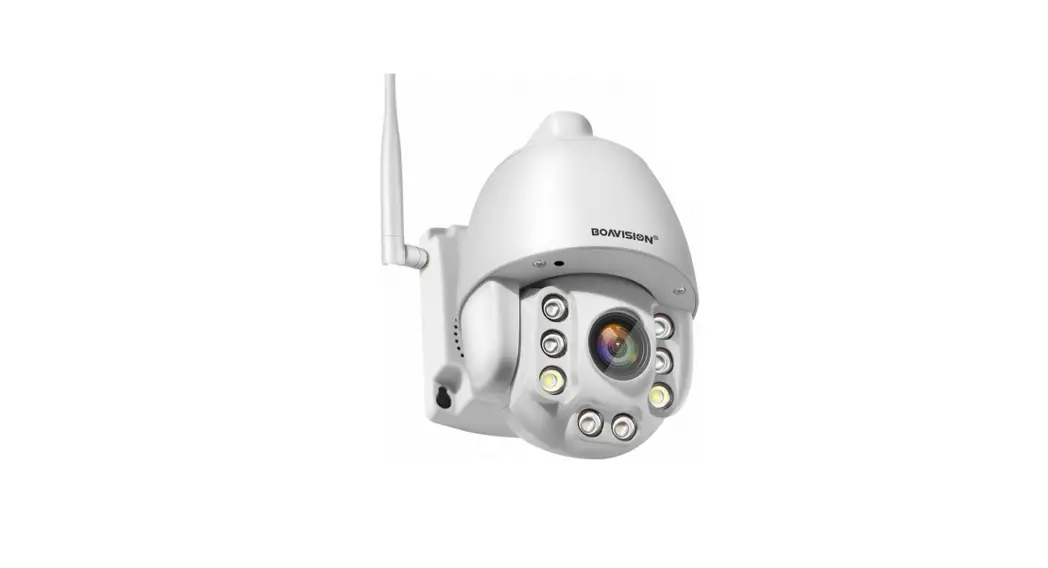
The instructions of WIFI configuration in AP mode
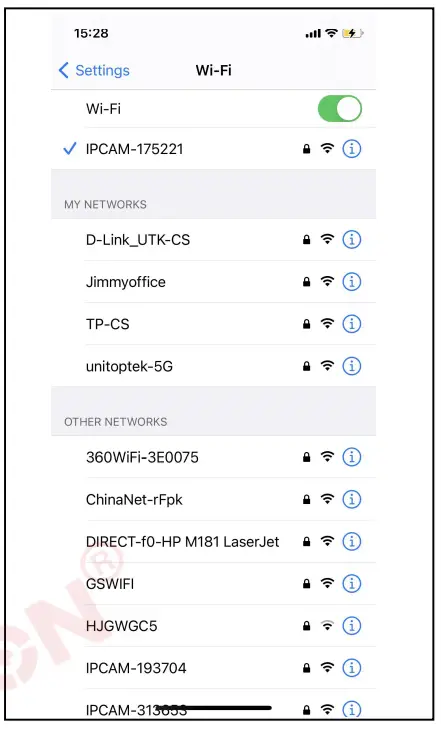
- Please connect the power supply, do not connect a network cable
- Wail around one minute. through the mobile phone WIFI Settings, search out the camera AP SSID;
- The SSID format is the last eight numbers of IPCAM – six numbers. For example ‘IPCAM – 0005118″, the password is “01234567”; Mobile phone connection the SSID is ok;
- As shown in the picture on the right, the mobile phone has been connected to the camera AP.
- Open the mobile phone APP; add the camera; click on the LAN to search device ID; enter the camera password, admin;
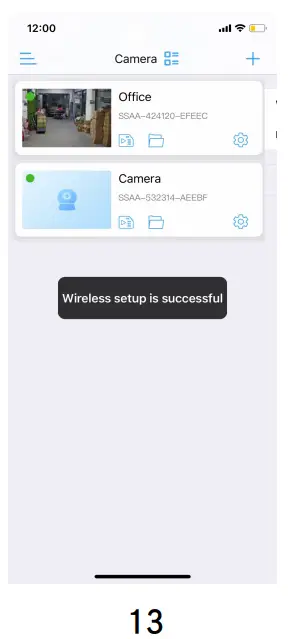
- After adding the camera, enter into the camera Settings, select the WIFI Settings, configure the camera WIFI; wait a few seconds, the device can be connected to the WIFI.
The specific operations as shown in below picture:
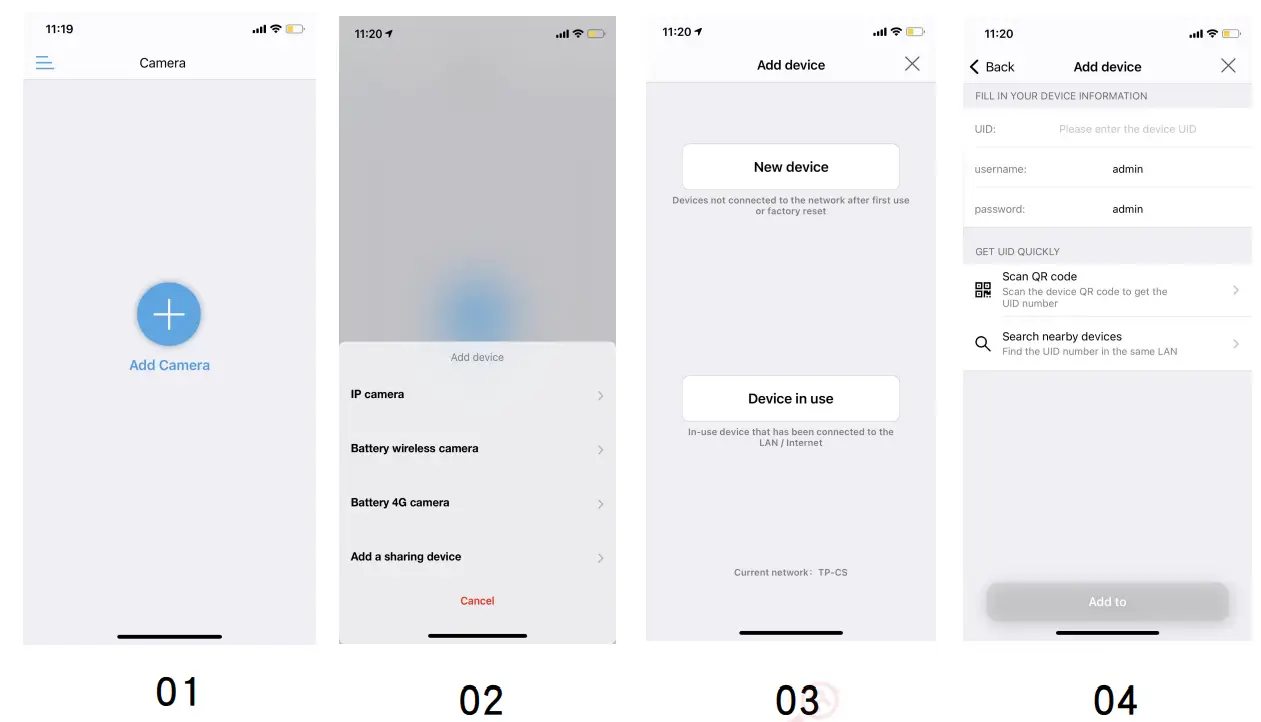
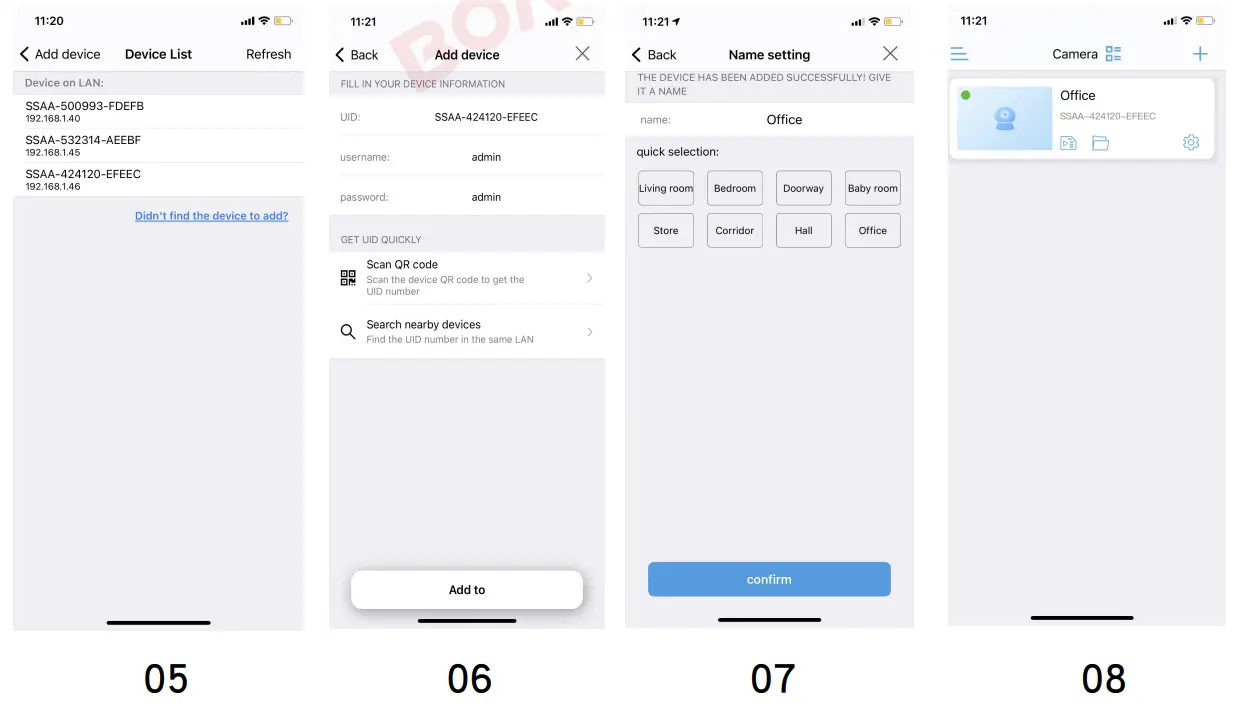
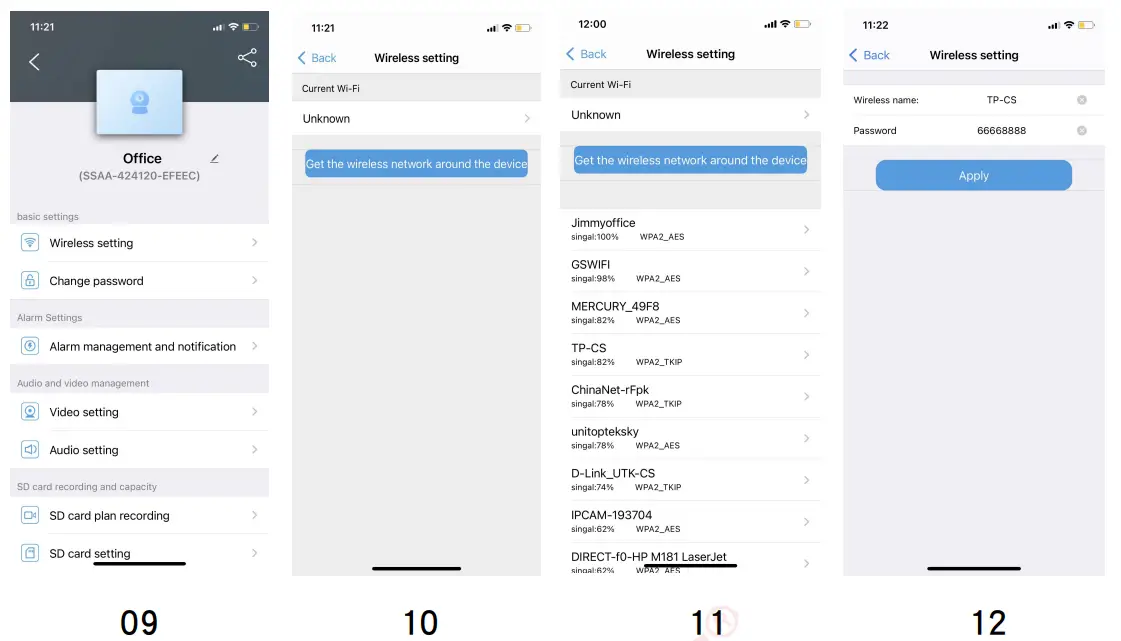 |  |
Tip: After WIFI configuration in AP mode successfully, AP mode will disappear. If you want to use the AP mode, need to restore the camera to factory settings;