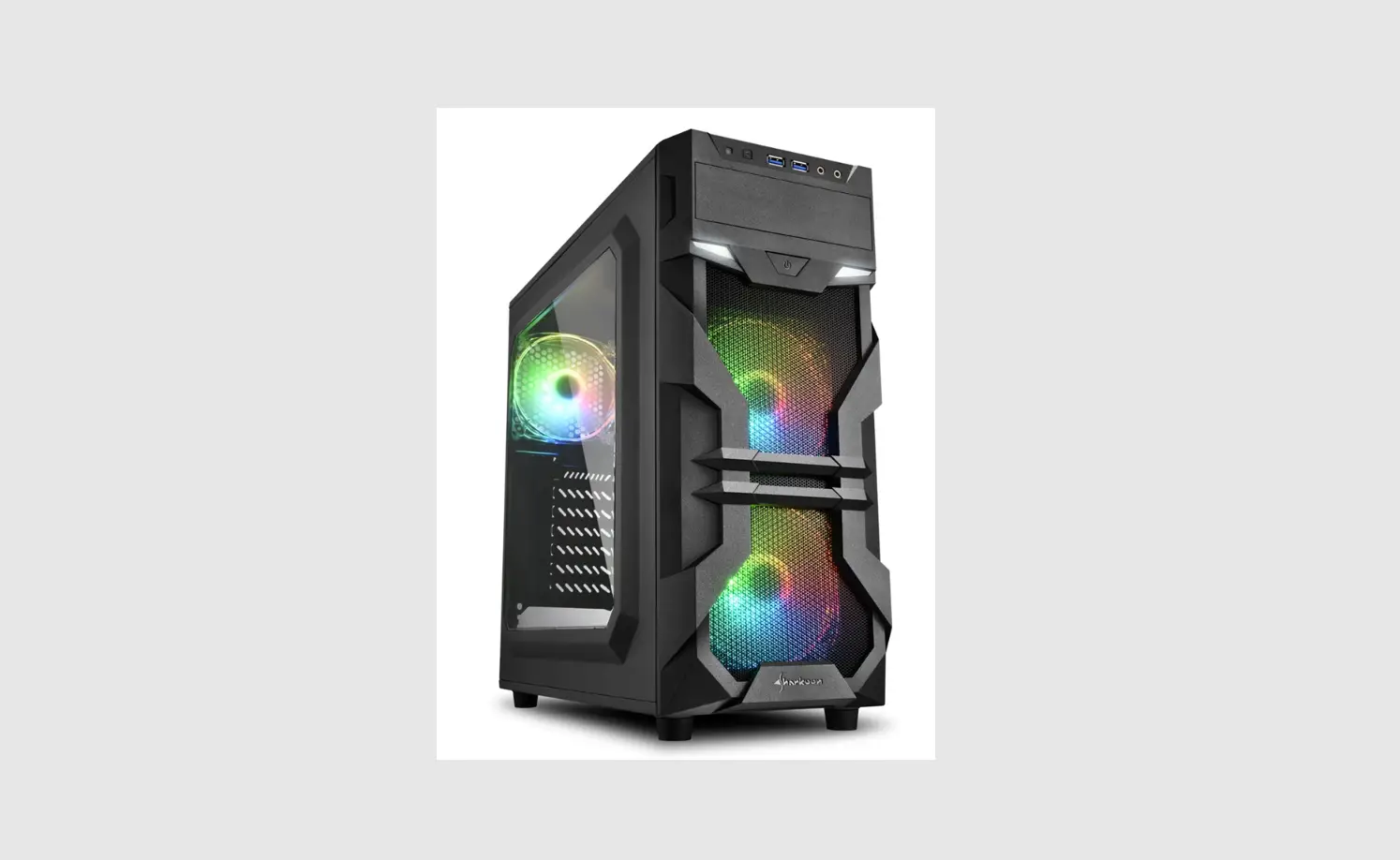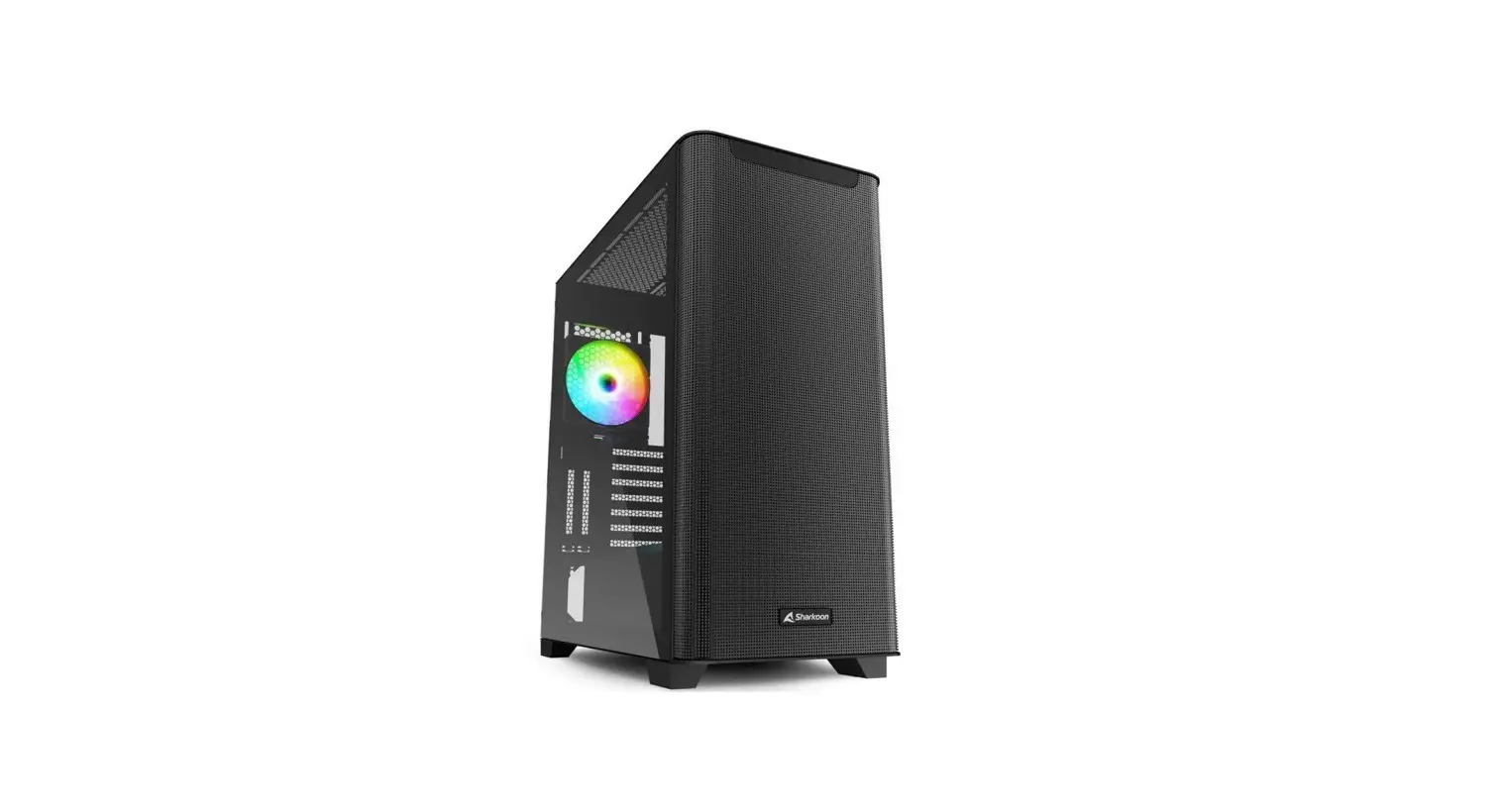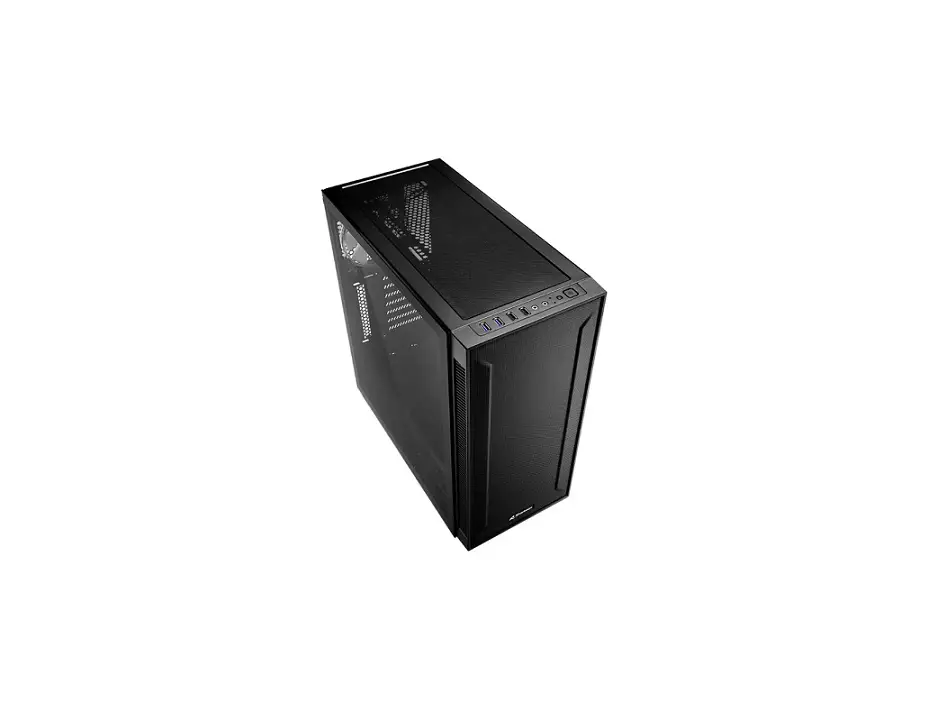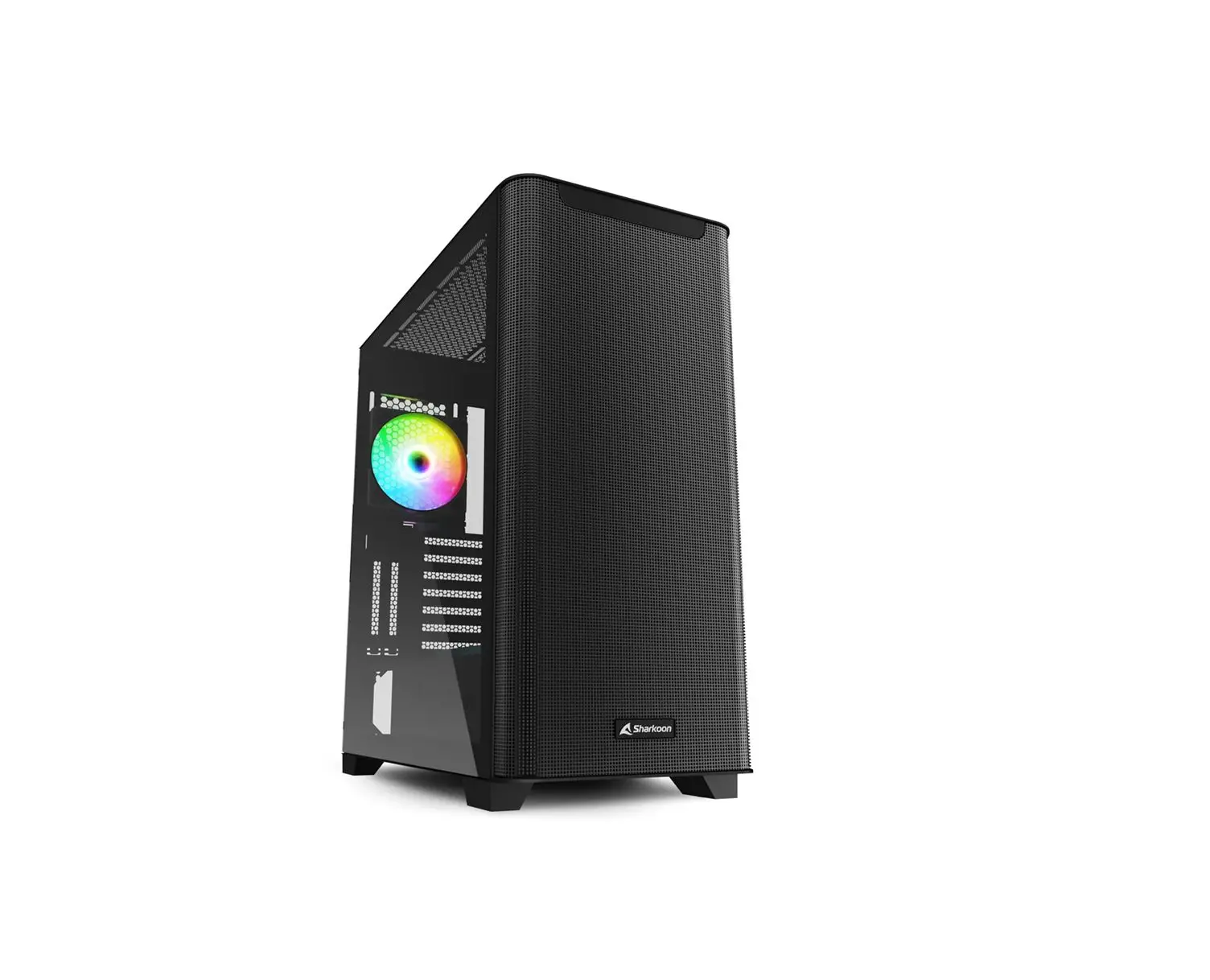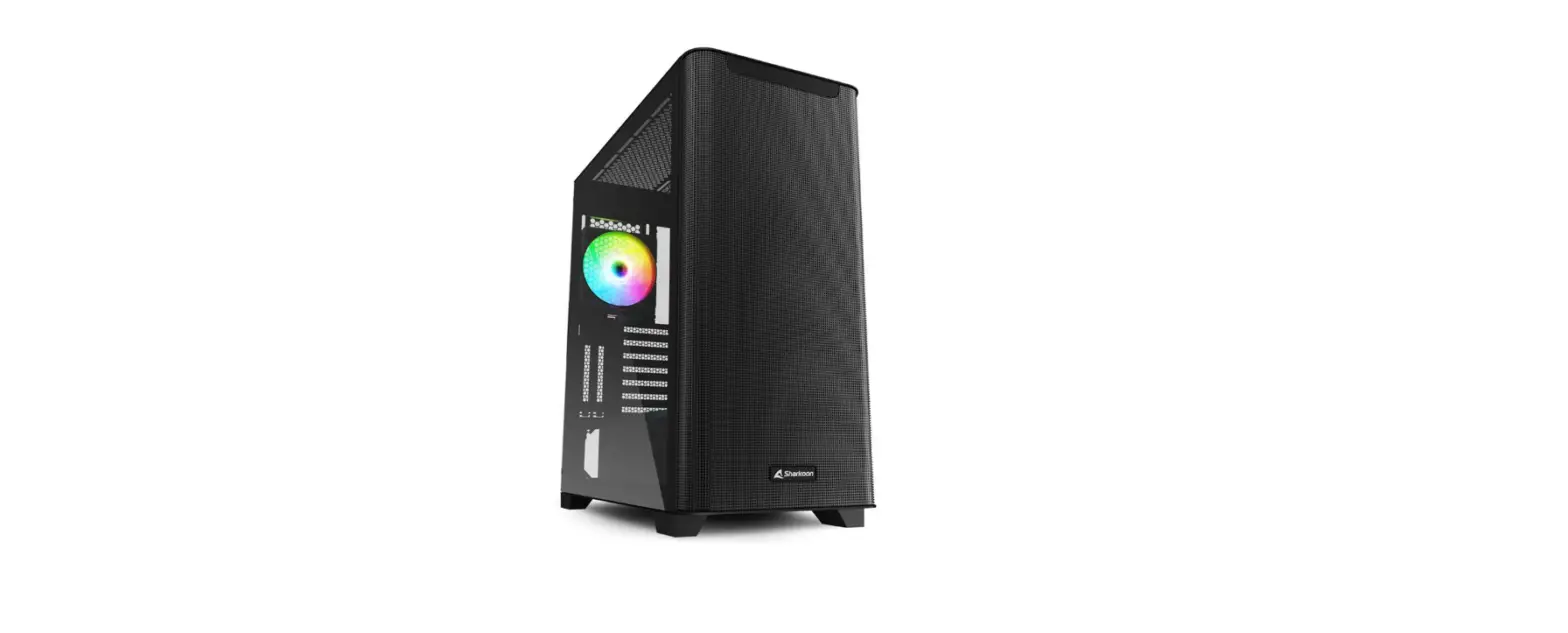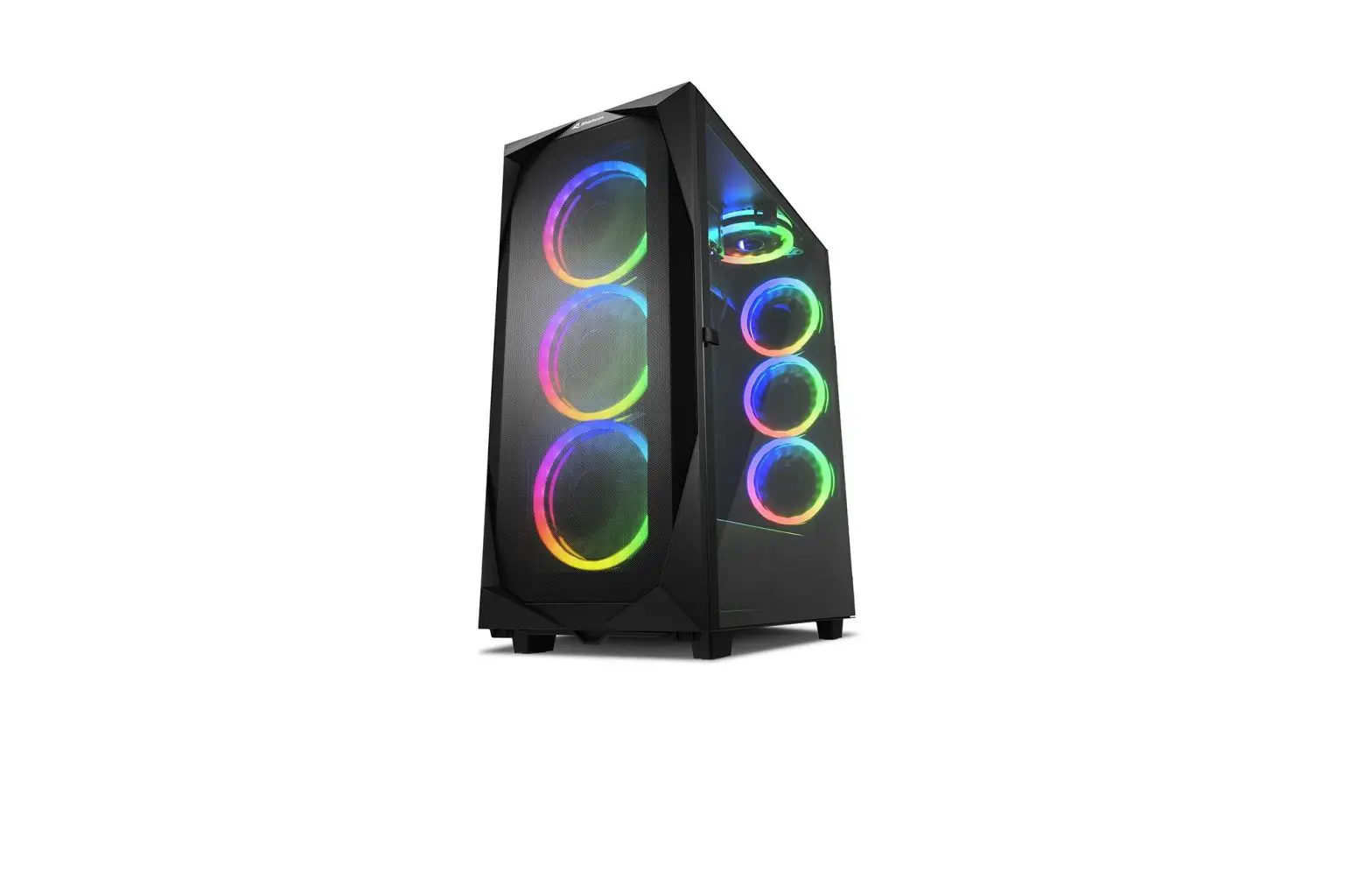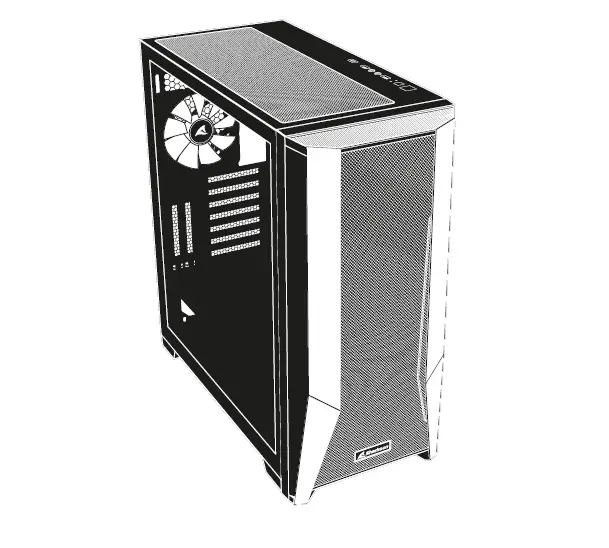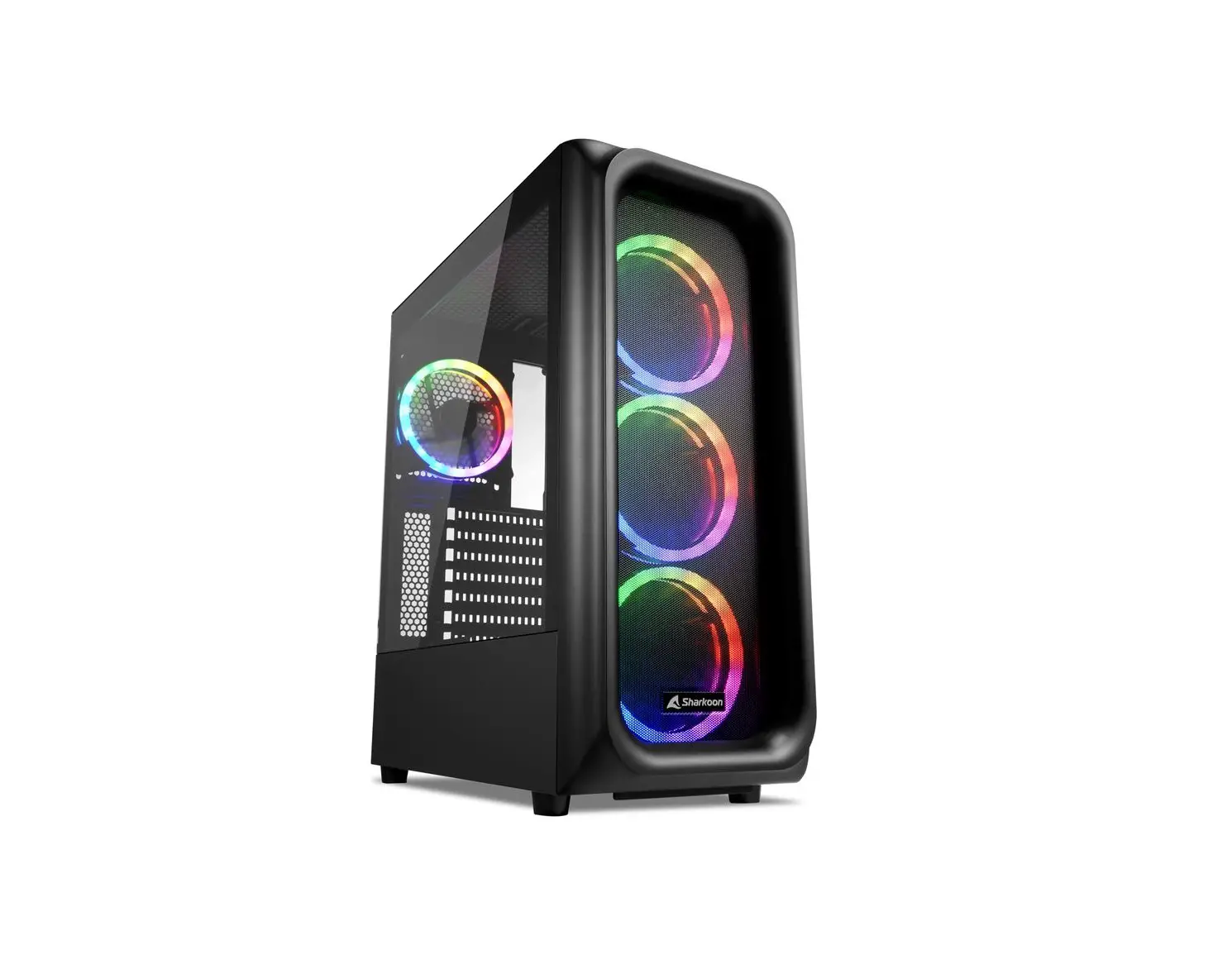

Specifications
General:
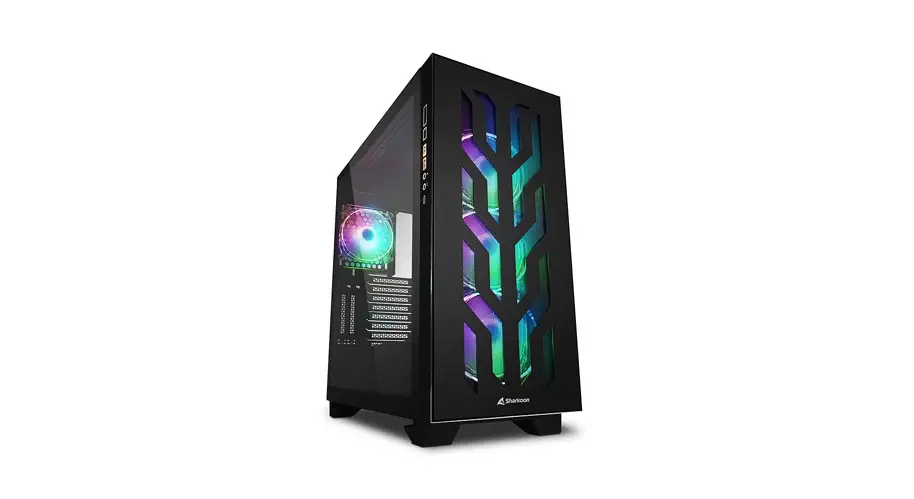
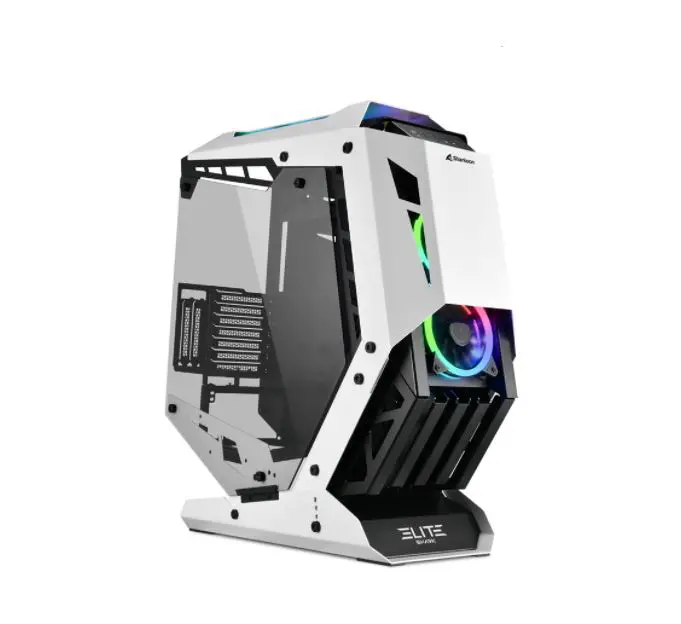
- Form Factor: ATX
- Expansion Slots: 7
- Water Cooling Pump Holder:
- Vertical Graphics Card Kit:
- Interior Painting:
- Cable Management System:
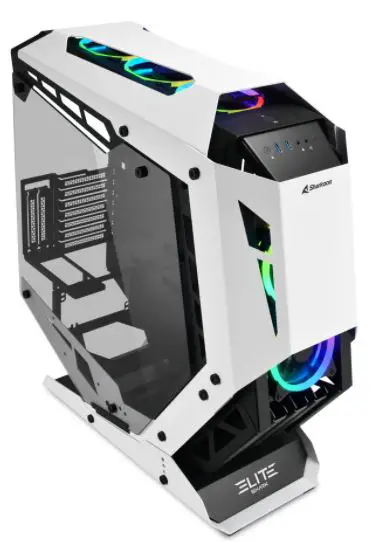
- Side Panel: Tempered Glass
- Dimensions (L x W x H): 63.2 x 25.0 x 67.0 cm
RGB Compatibility:
- Type: Addressable
- Ports: 8
- Manual Control: 20 Modes
- RGB Pinout: 5V-D-G & 5V-D-coded-G
I/O:
- Type-C (USB 3.2 Gen 2) (Top): 1
- USB 3.0 (Top): 2
- Audio (Top): Max. Drive Bays:
- 3.5″: 2
- 2.5″: 6
Fan Configuration:
- Front Panel: 2x 120 mm Addressable RGB LED PWM Fans (Pre-Installed)
- Top Panel: 3x 120 mm Addressable RGB LED PWM Fans (Pre-Installed)
- Side Panel: 3x 120 mm Fans (Optional)
Compatibility:
- Mainboard: Mini-ITX, Micro-ATX, ATX
- Max. Length Graphics Card: 47.5 cm
- Max. Height CPU Cooler: 16.5 cm
- Max. Length Power Supply: 19.5 cm
- Max. Height Radiator incl. Fan (Top): 7.0 cm
- Max. Height Radiator incl. Fan (Side): 9.0 cm
Package Contents:
- ELITE SHARK CA700, Accessory Set, Manual
Package Contents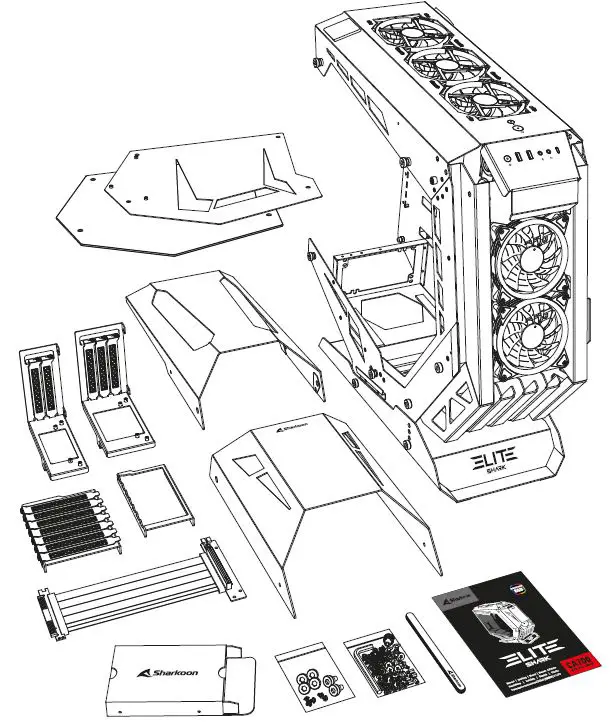
Accessory Set Contents
A Mainboard Installation Washer
B Mainboard & PCIe Cable Screw
C Mainboard Standoff
D 3.5″ HDD Screw
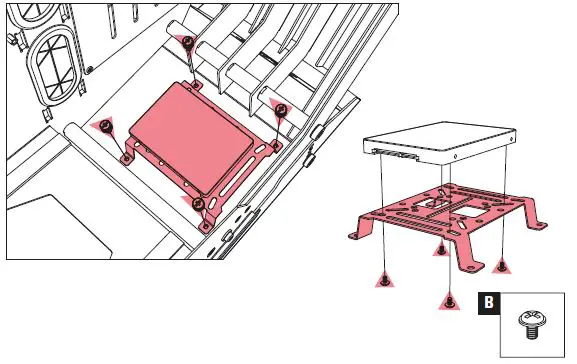
E 2.5″ HDD/SSD Screw
F Power Supply Screw
G Hook-and-Loop Cable Tie
H 3-Port Splitter Cable for PWM Fans
I Fan Screw
J Mainboard Standoff Socket
K Allen Wrench
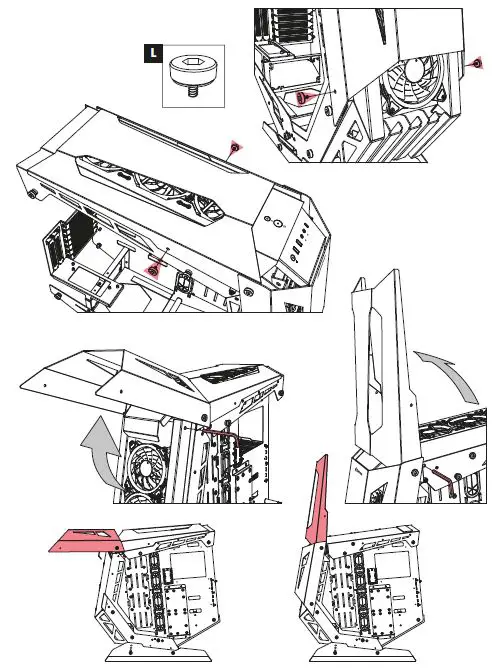
L Front & Top Panel Fixation Screw
M Vertical Graphics Card Kit Screws
N Spare Screws
3.5″ HDD Installation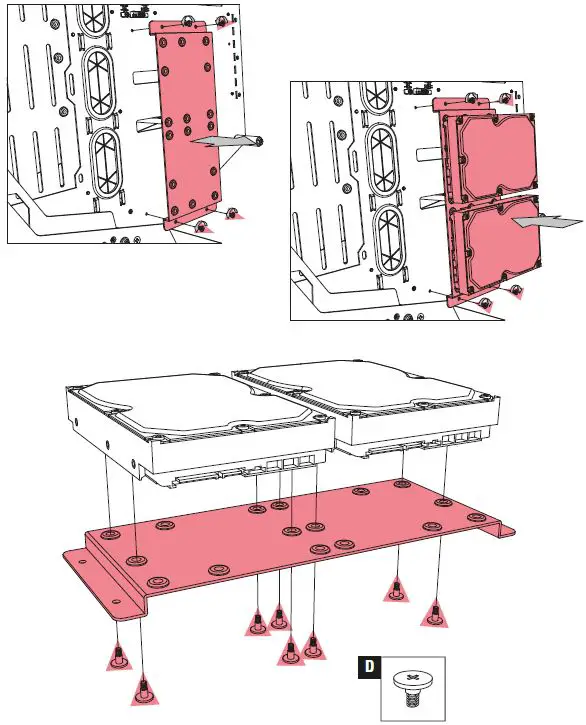
2.5″ HDD/SSD Installation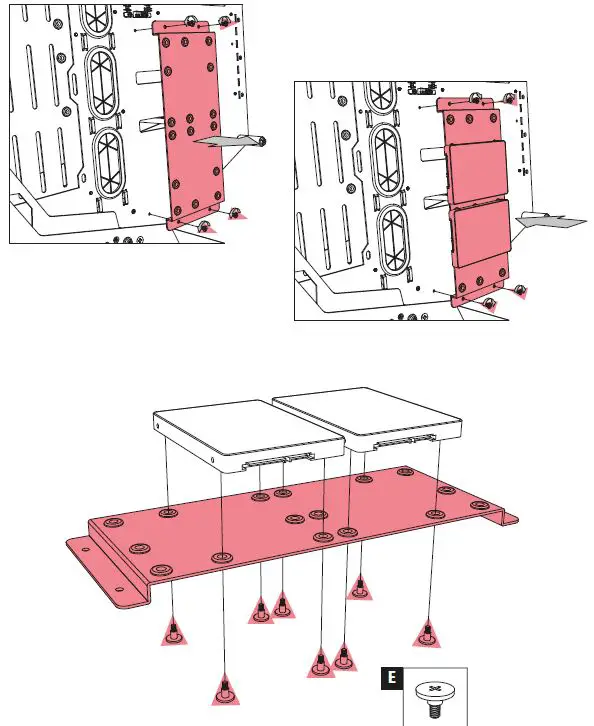
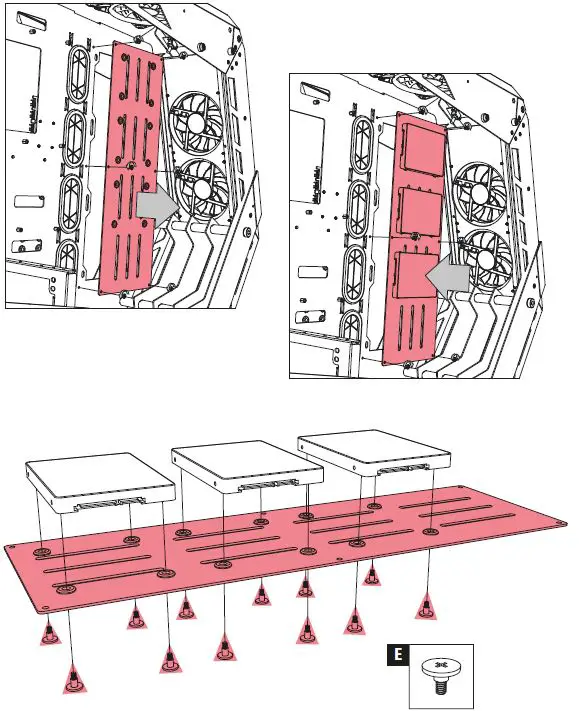
Expansion Slots Bracket Installation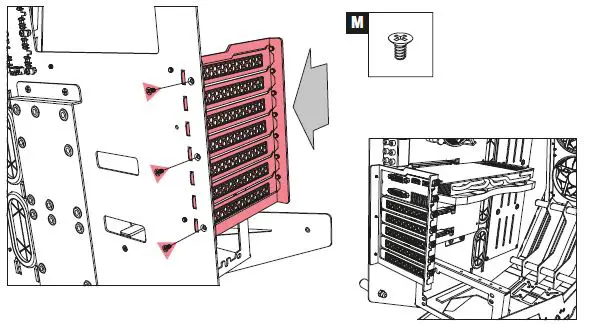
Vertical Graphics Card Installation: 2 Slots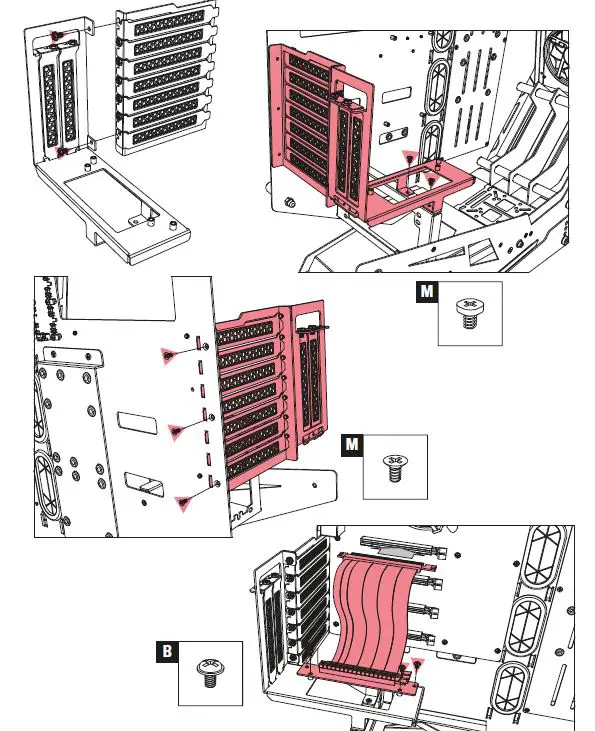
Vertical Graphics Card Installation: 3 Slots 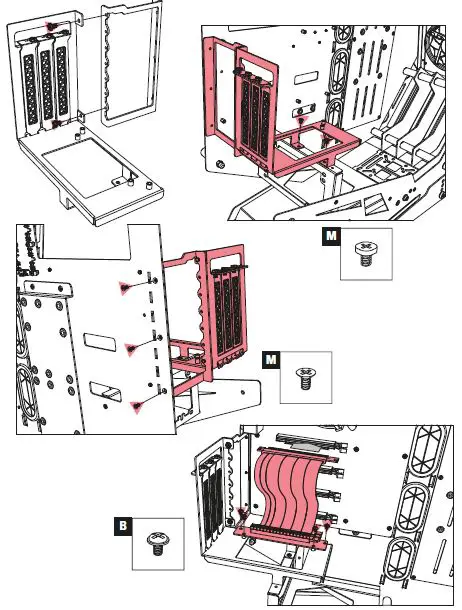
Top Panel Radiator Installation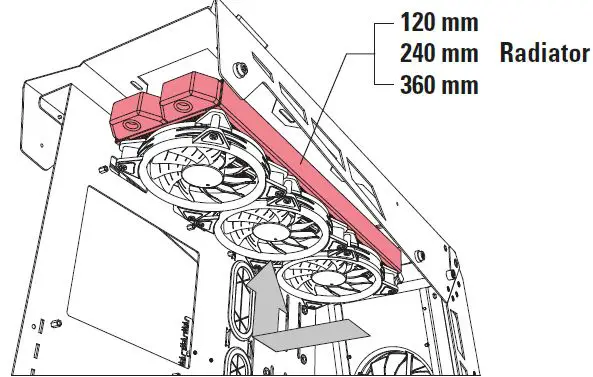
Side Panel Radiator Installation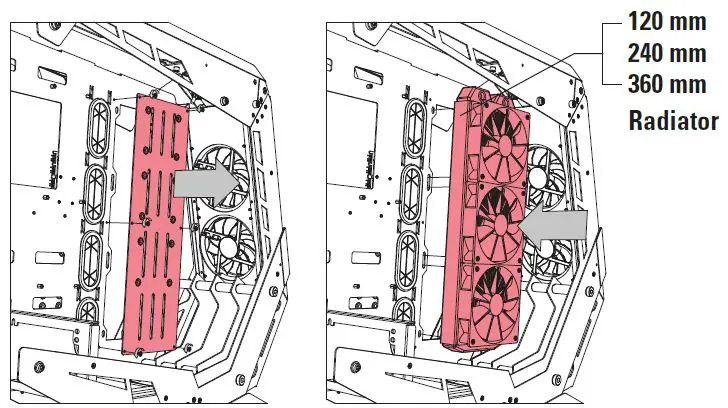
Water Cooling Pump Installation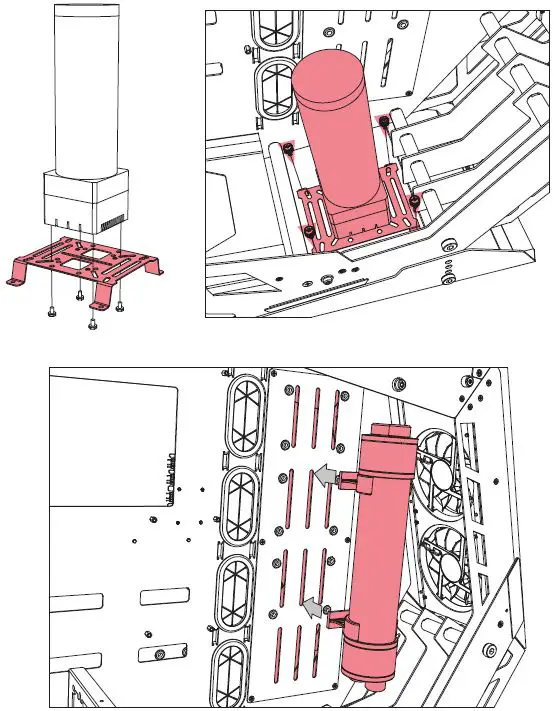
Top and Front Panel Assembly
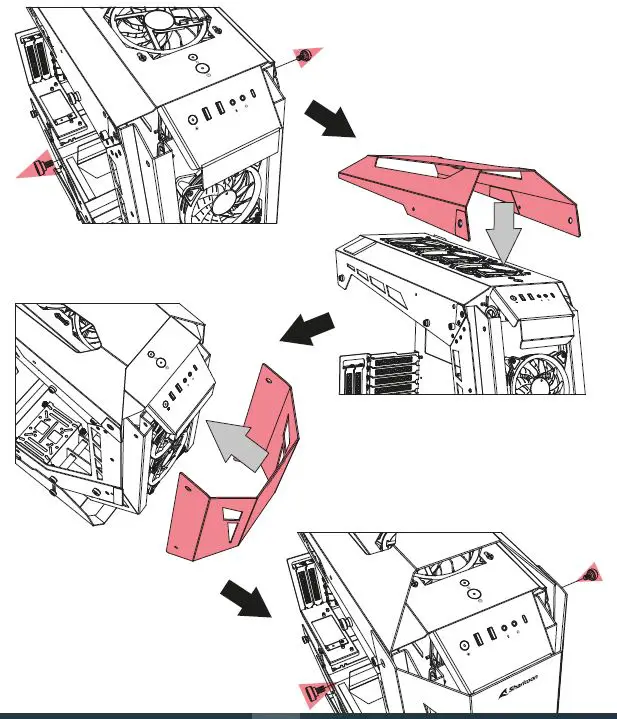
Side Panel Assembly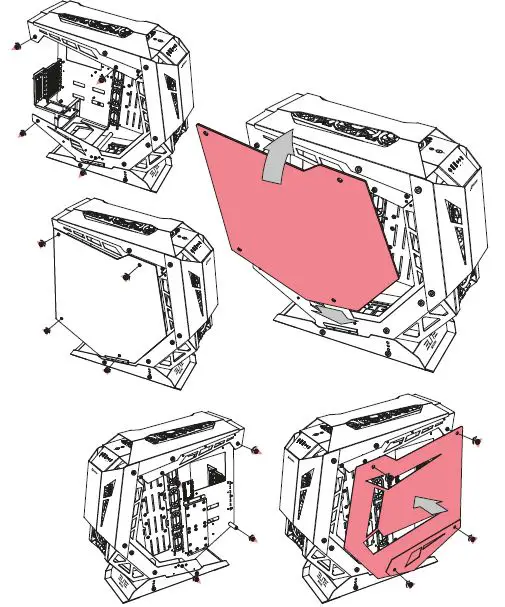
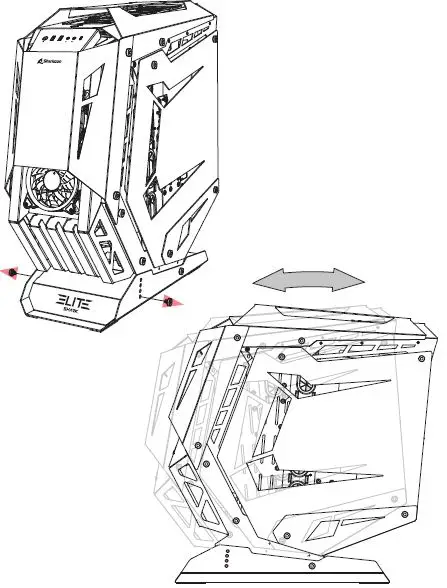
Case Tilt Angle Adjustment
Addressable RGB Control Through Mainboard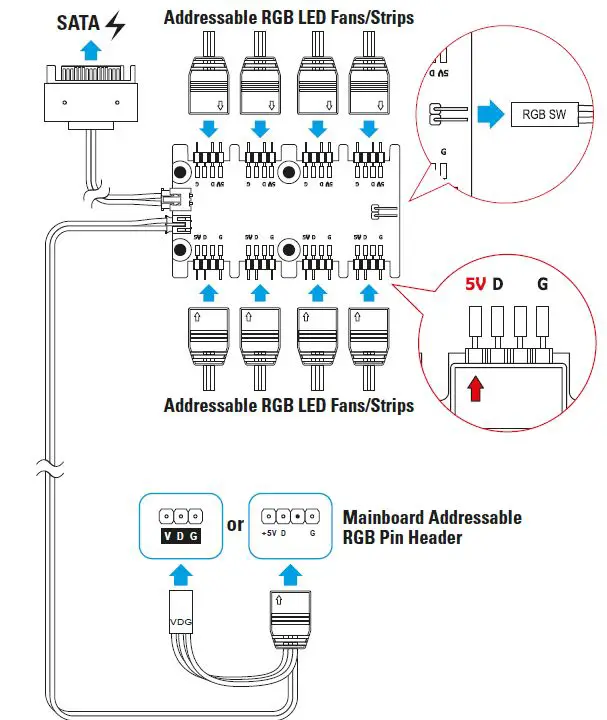
Manual
Addressable RGB Control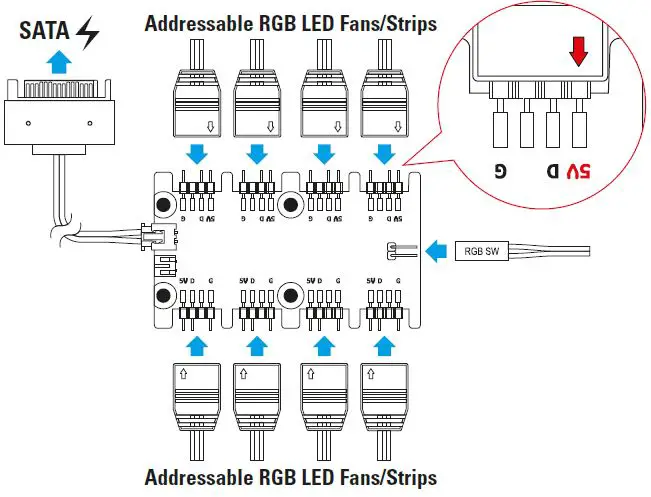
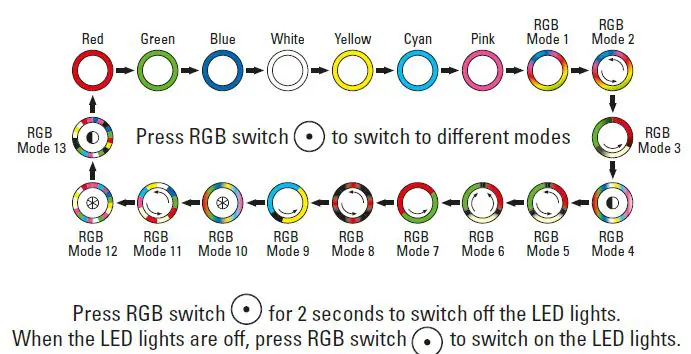
Note
Legal Disclaimer
For potential loss of data, especially due to inappropriate handling, Sharkoon assumes no liability. All named products and descriptions are trademarks and/or registered trademarks of the respective manufacturers and are accepted as protected. As a continuing policy of product improvement at Sharkoon, the design and specifications are subject to change without prior notice. National product specifications may vary. All rights reserved especially (also in extracts) for translation, reprinting, reproduction by copying or other technical means. Infringements will lead to compensation. All rights reserved especially in case of assignation of patent or utility patent. Means of delivery and technical modifications reserved.
Disposal of your old products
Your product is designed and manufactured with high quality materials and components, which can be recycled and reused. When this crossed-out wheeled bin symbol is attached to a product, it means the product is covered by the European Directive 2012/19/EU. Please be informed about the local separate collection system for electrical and electronic products. Please act according to your local rules and do not dispose of your old products with your normal household waste. The correct disposal of your old product will help prevent potential negative consequences to the environment and human health.