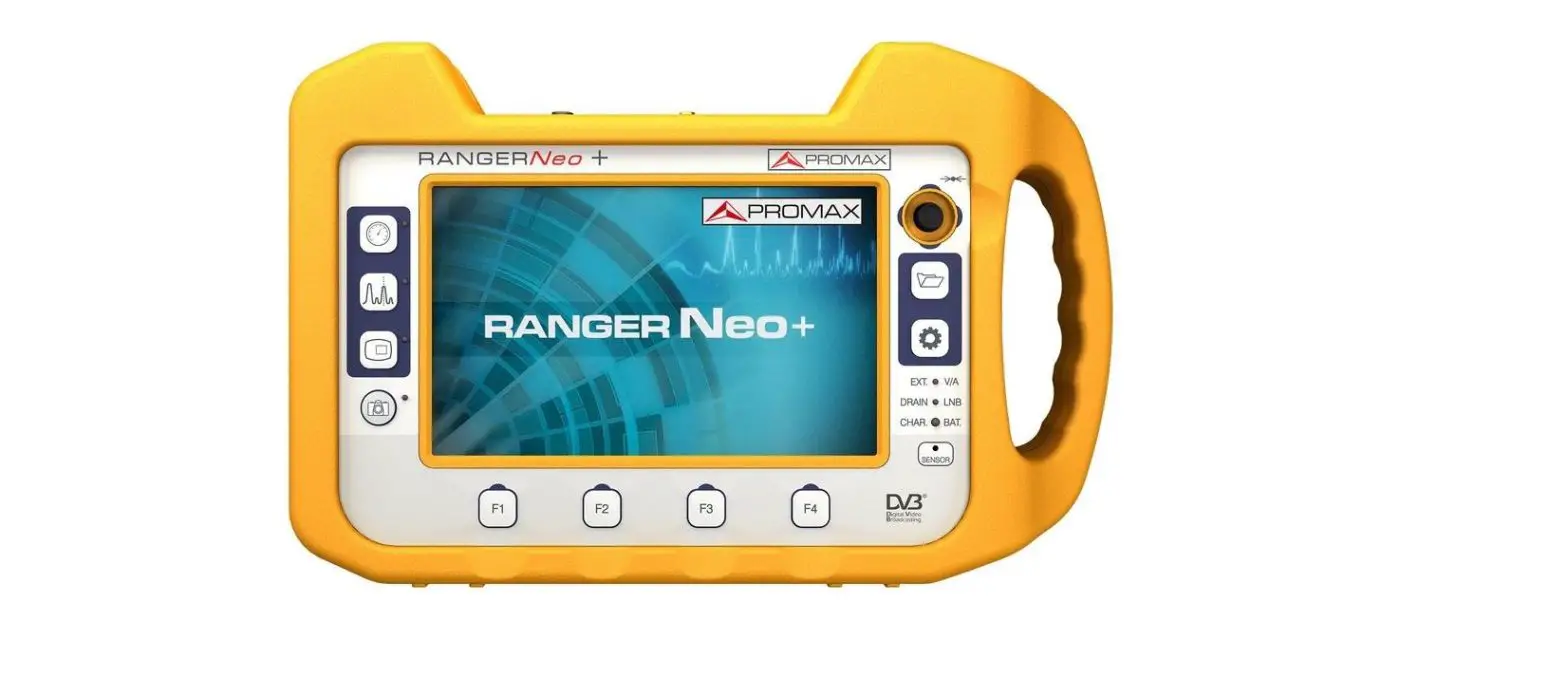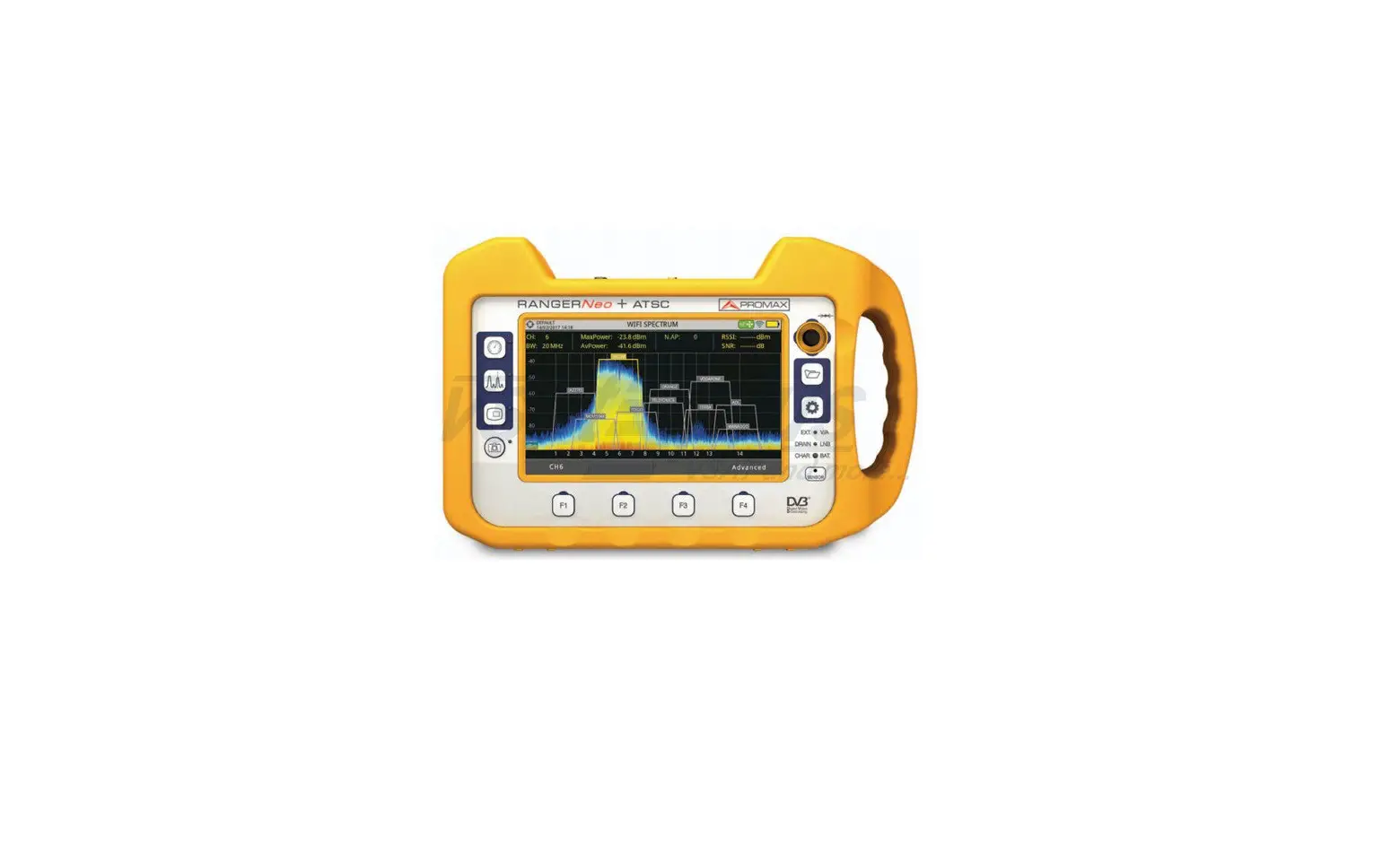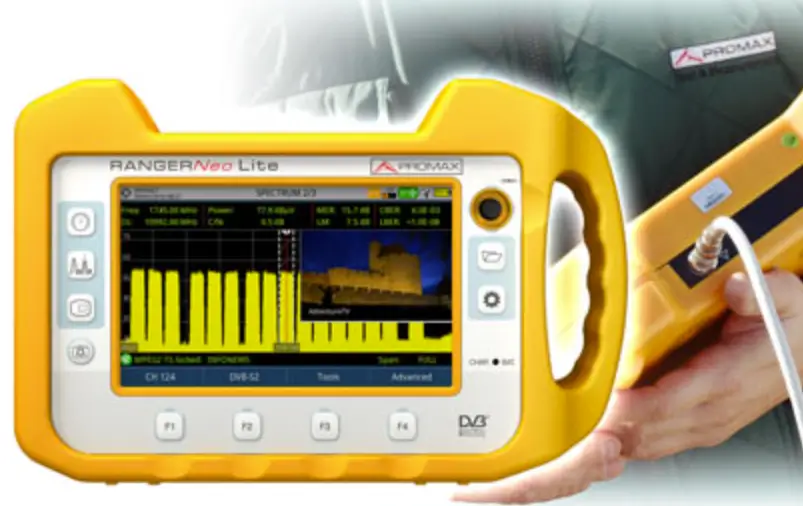

PROMAX RANGER Neo Lite Satellite and Wi-Fi Analyzer
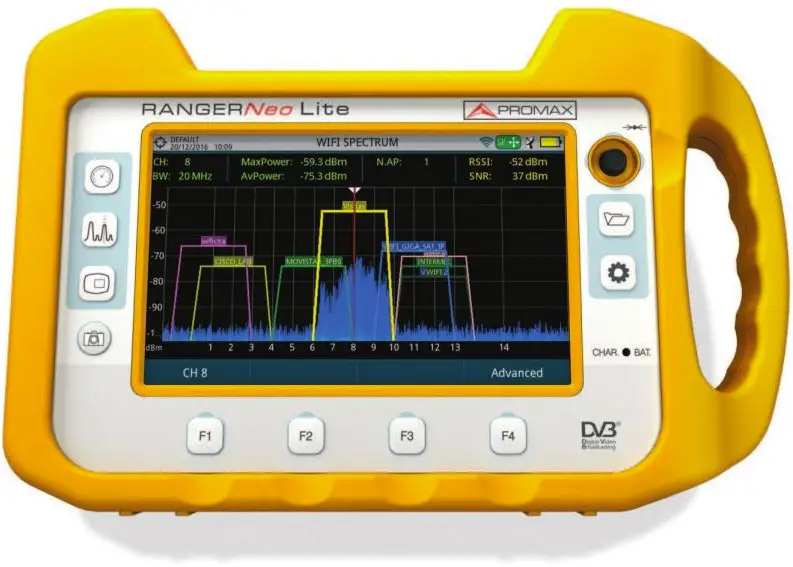
FRONT VIEW
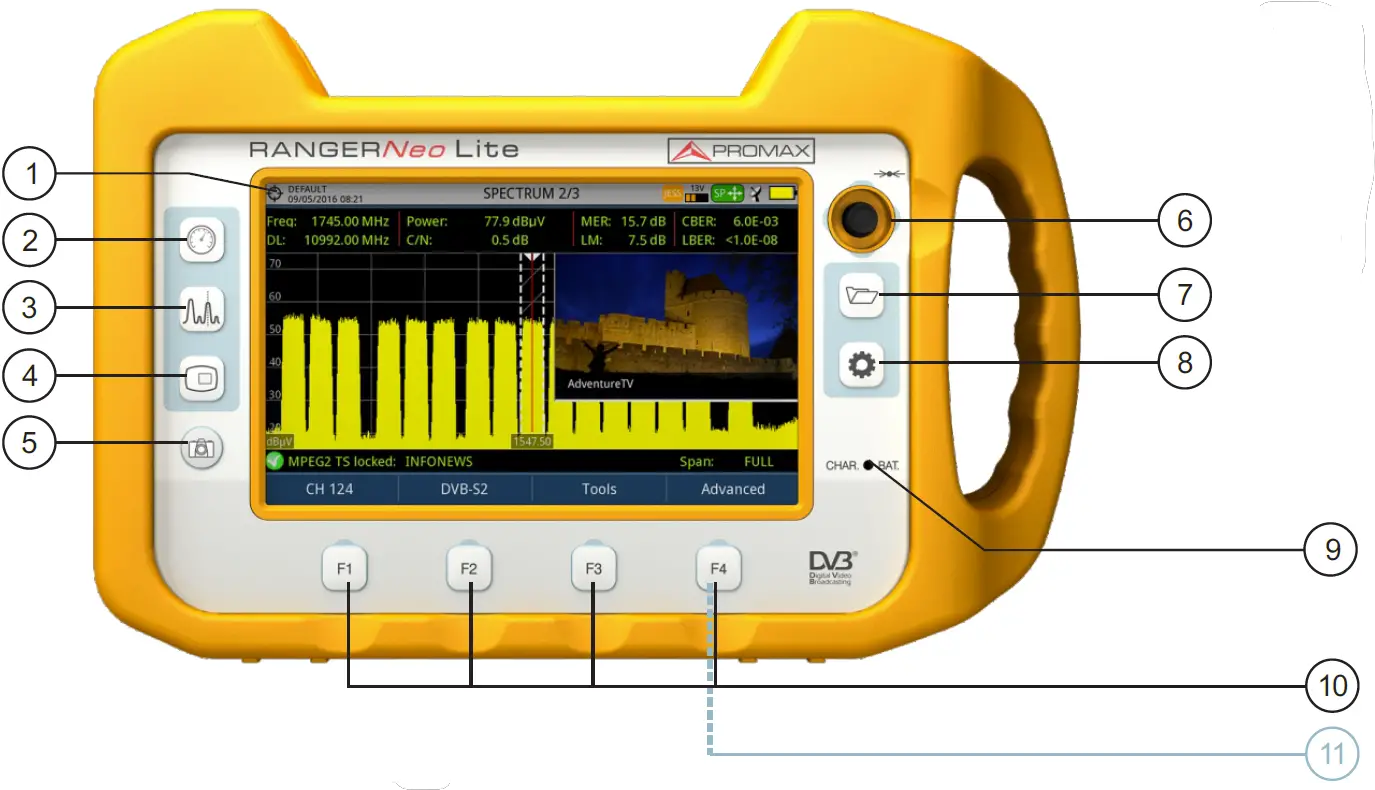
- TFT touch screen
- Measurement key
- Spectrum key
- TV Key
- Export (press>1s)
Reference (press<1s) - Joystick
- Installations management key
- Settings key
- Battery charging indicator
- Softkeys
- Reset (press for 6s and release)
SCREEN ICONS REFERENCE
STATUS BAR
- Battery charging
- Battery not charging. Yellow level indicates charge left
- USB in serial port mode
- Satellite band
- Current voltage, 22 kHz signal and LNB power level
- Terrestrial band
- USB flash drive inserted
- WIFI signal source
- Current installation
- Compressed installation
- SatCR (SCD/EN50494) commands enabled
- JESS (SCD2/EN50607) commands enabled
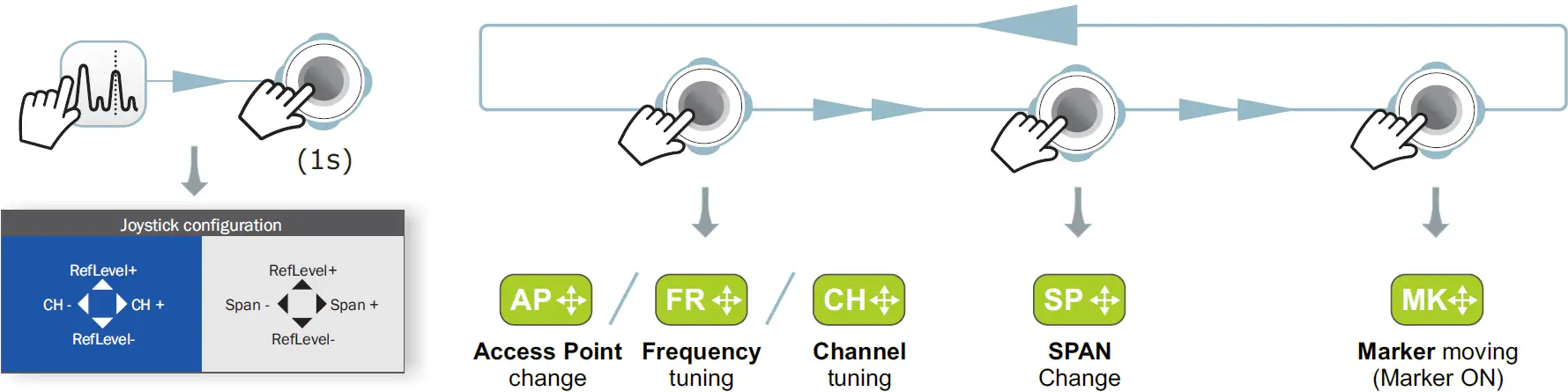
- Joystick multi-function enabled
Two-letter code indicates the exact function:- FR Frequency tuning
- CH Channel tuning
- SP SPAN change
- MK Marker moving
- EC Echo change/zoom
- AP Access Point change
- Task scheduled
SERVICE LIST SELECTOR
- Digital TV service
- Digital radio
- High Definition TV service
- Scrambled service
DIALOG BOXES
- Error message
- Question message
- OK message
- Warning message
- TFT backlight brightness
- Volume
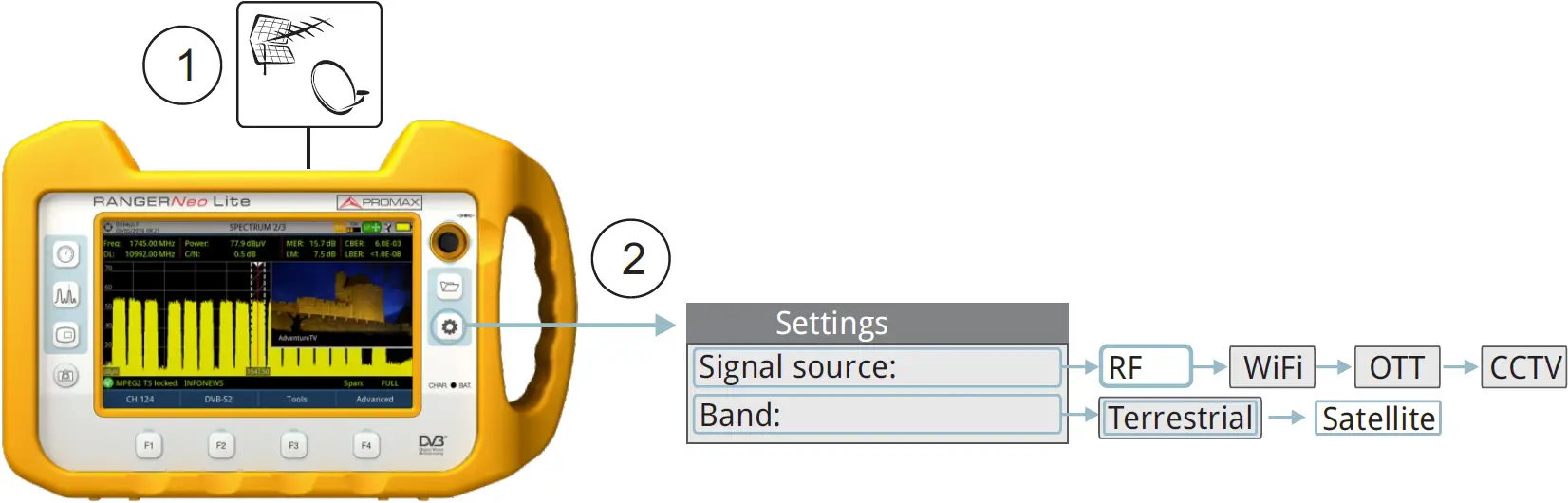
RF SETTINGS
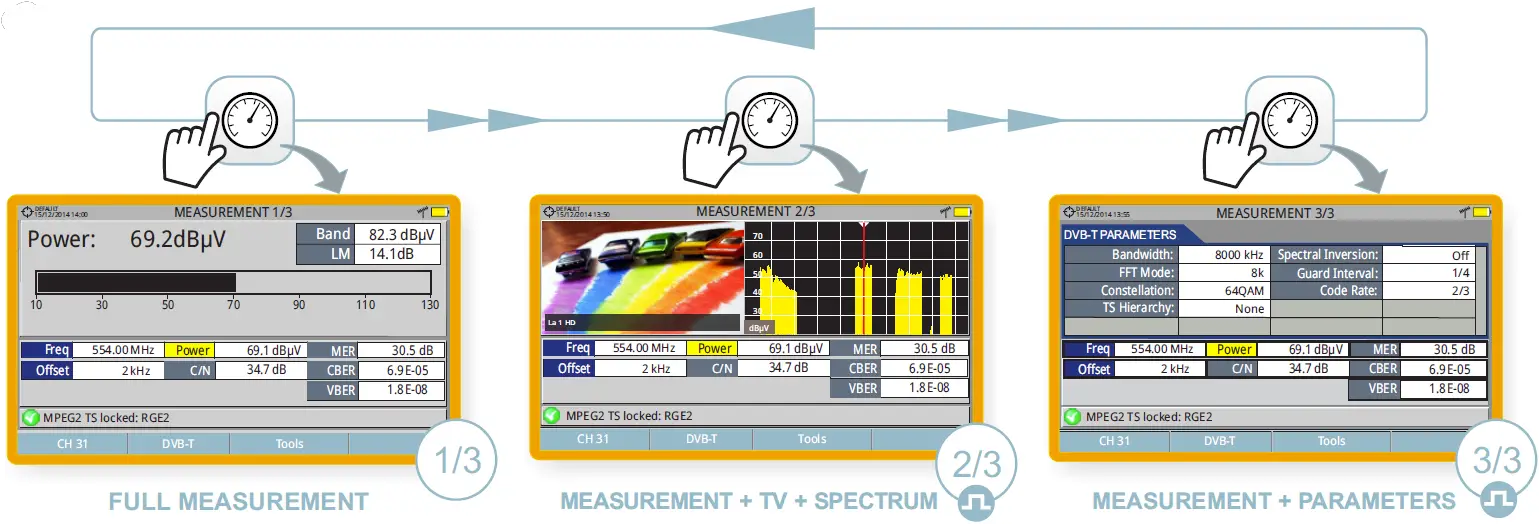
RF SCREENS
MEASUREMENT
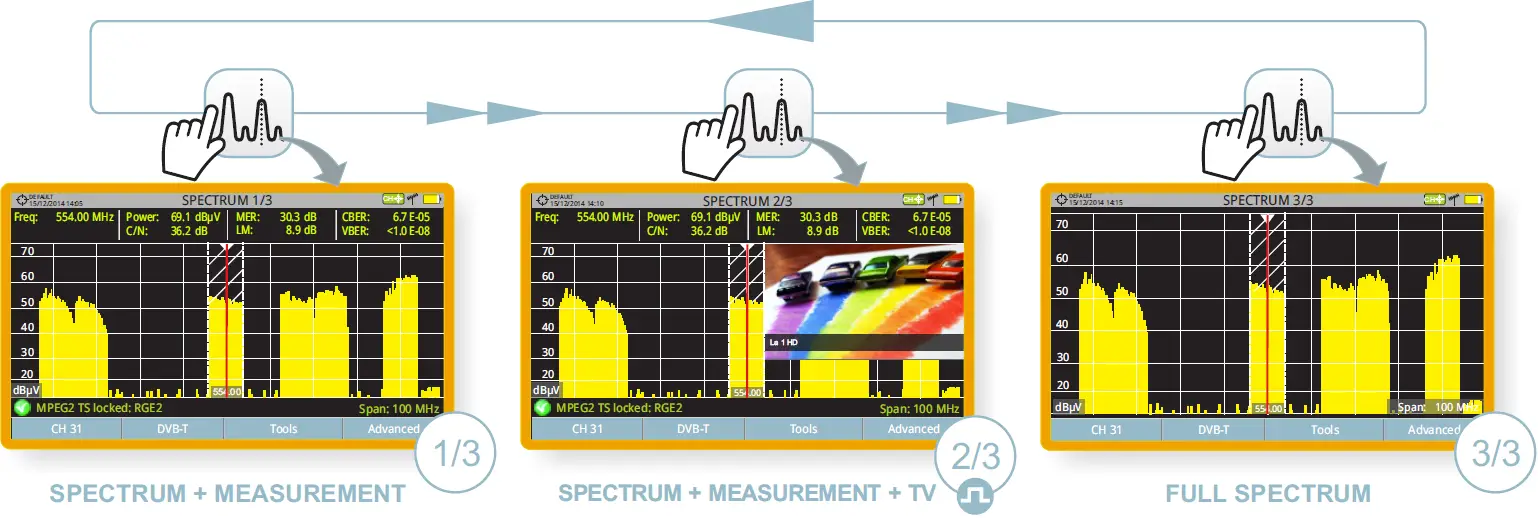
SPECTRUM ANALYSER
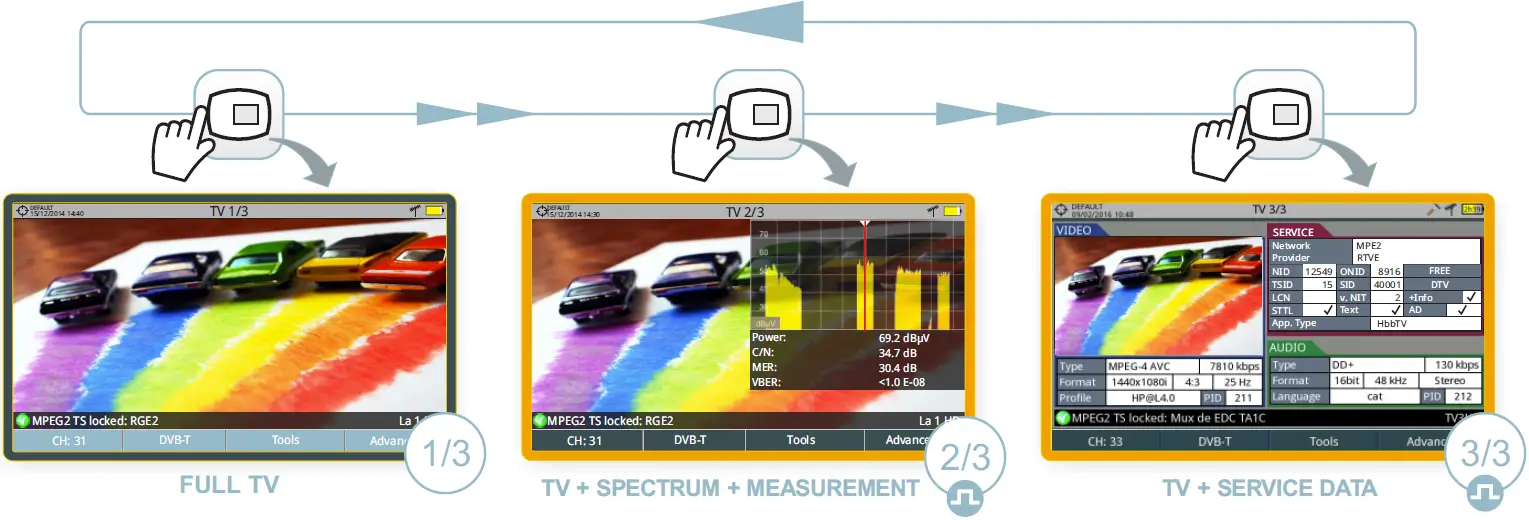
TV MODE
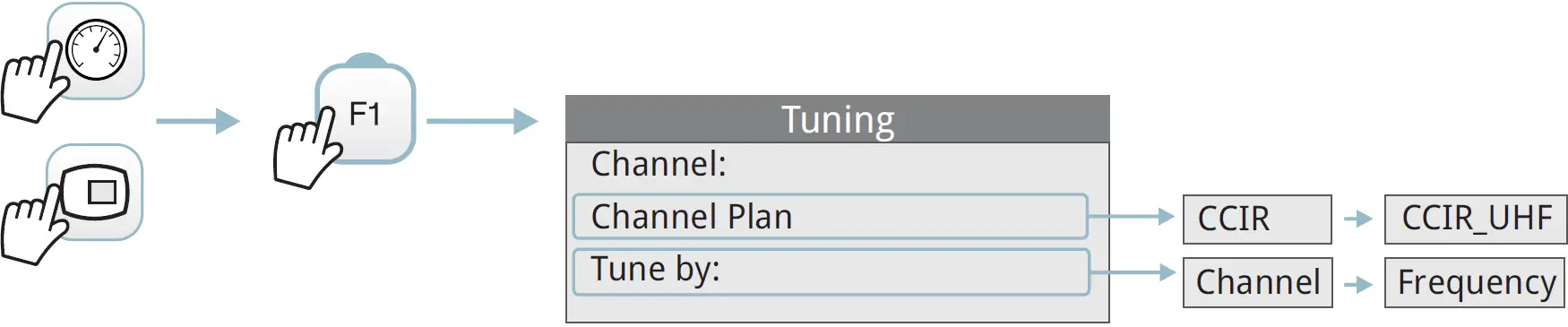
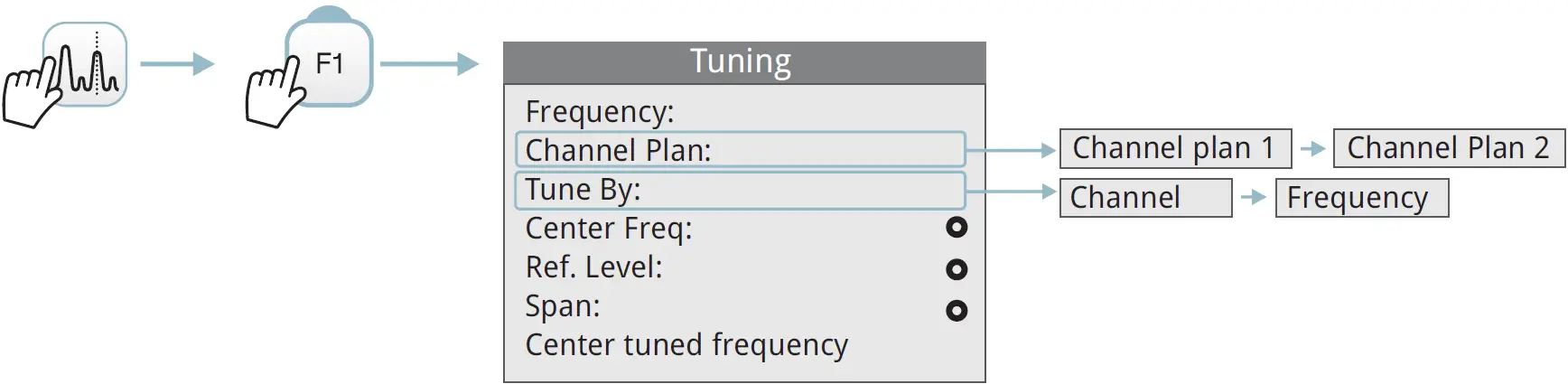
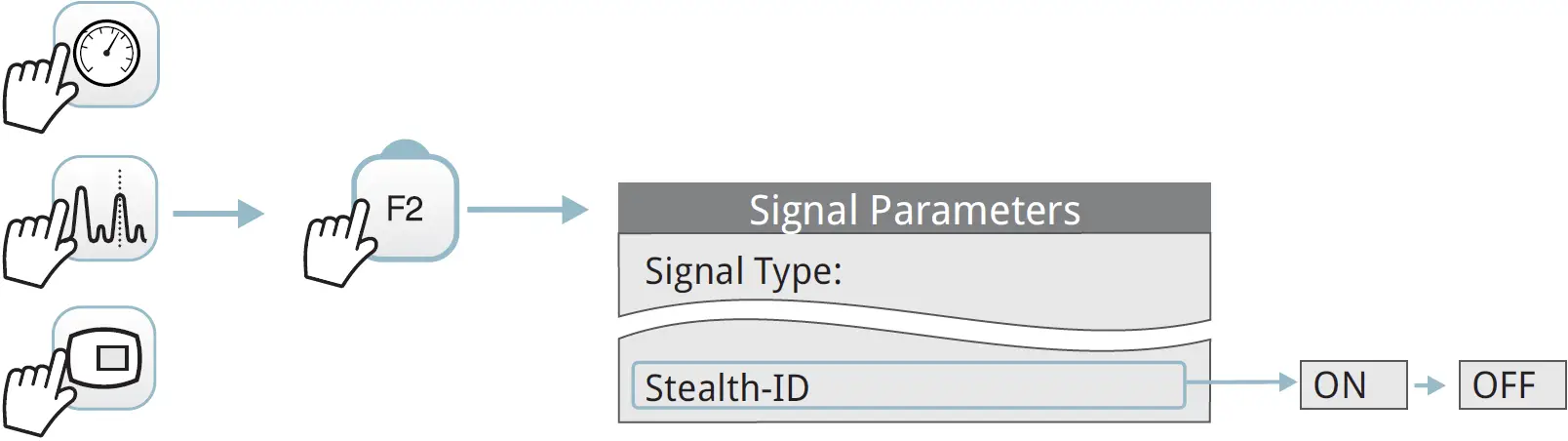
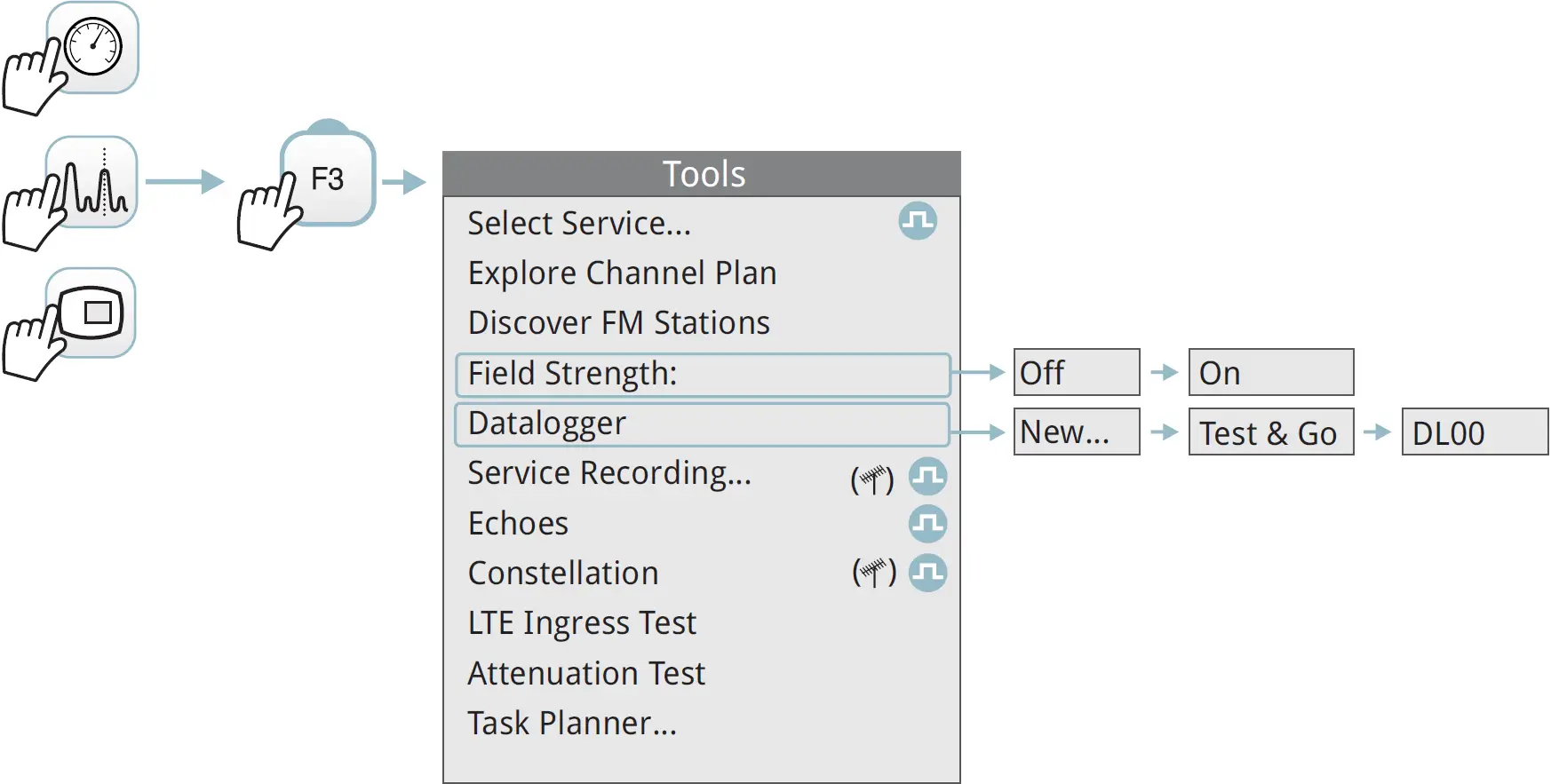
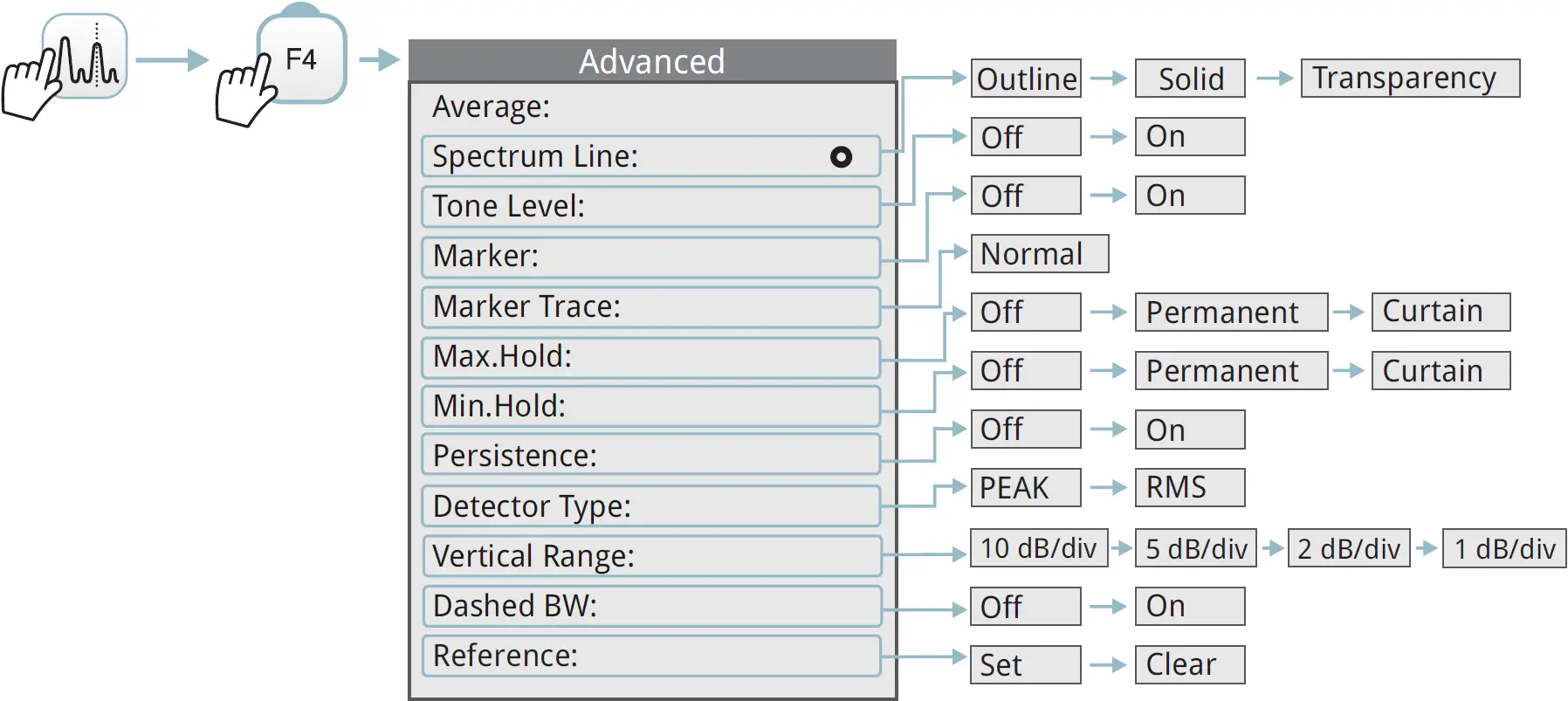
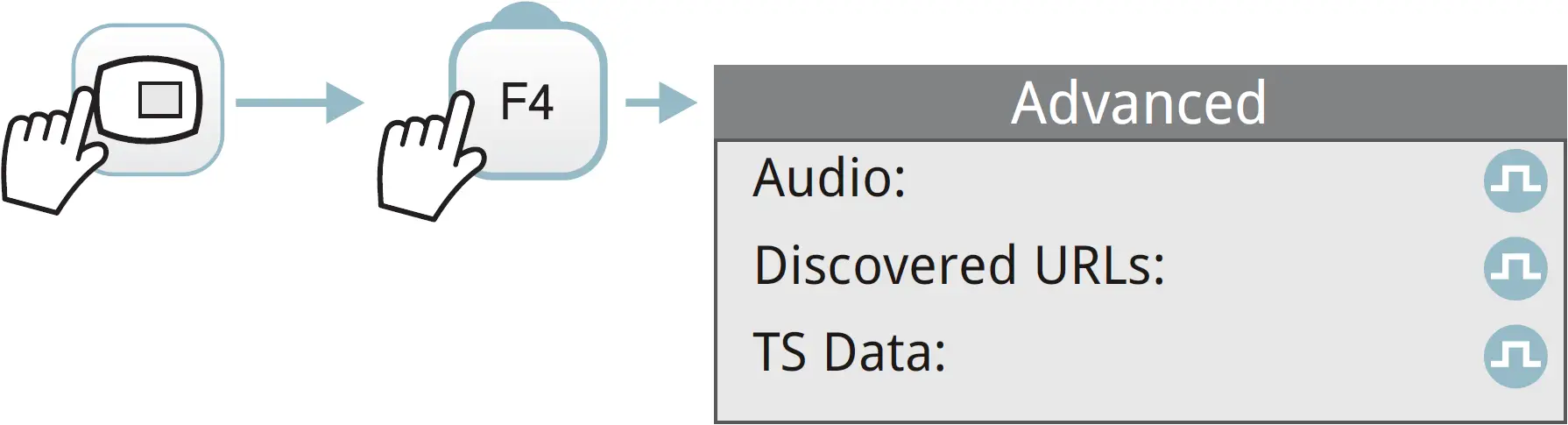
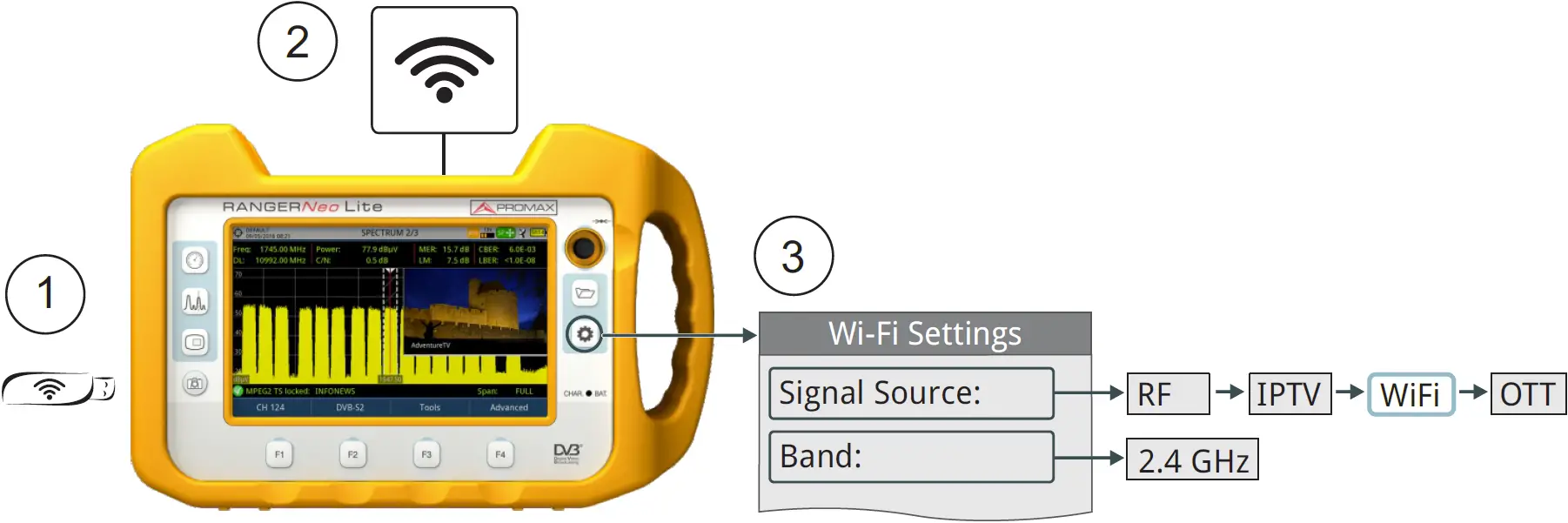
WIFI SETTINGS
WIFI SCREENS
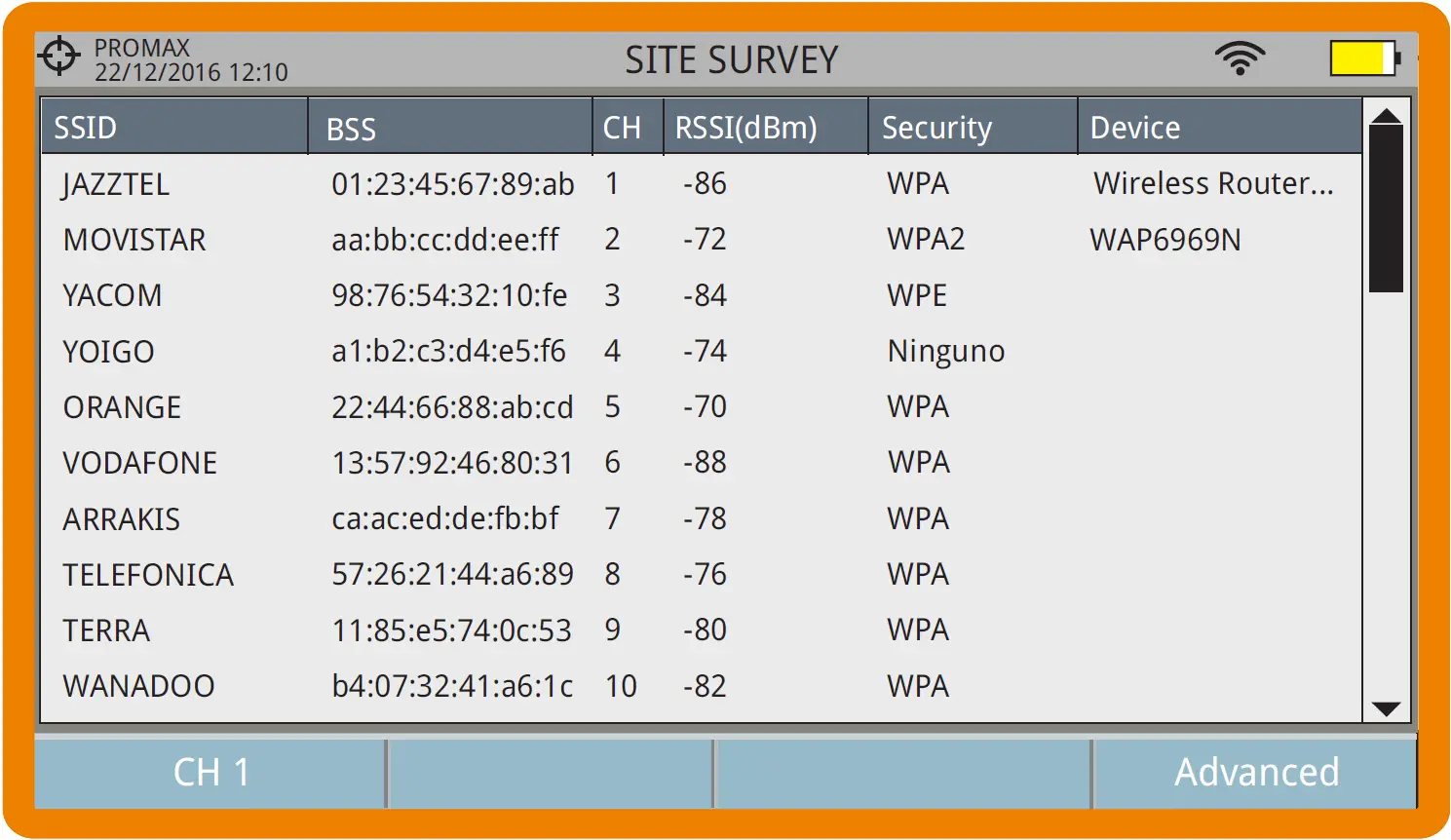
SITE SURVEY
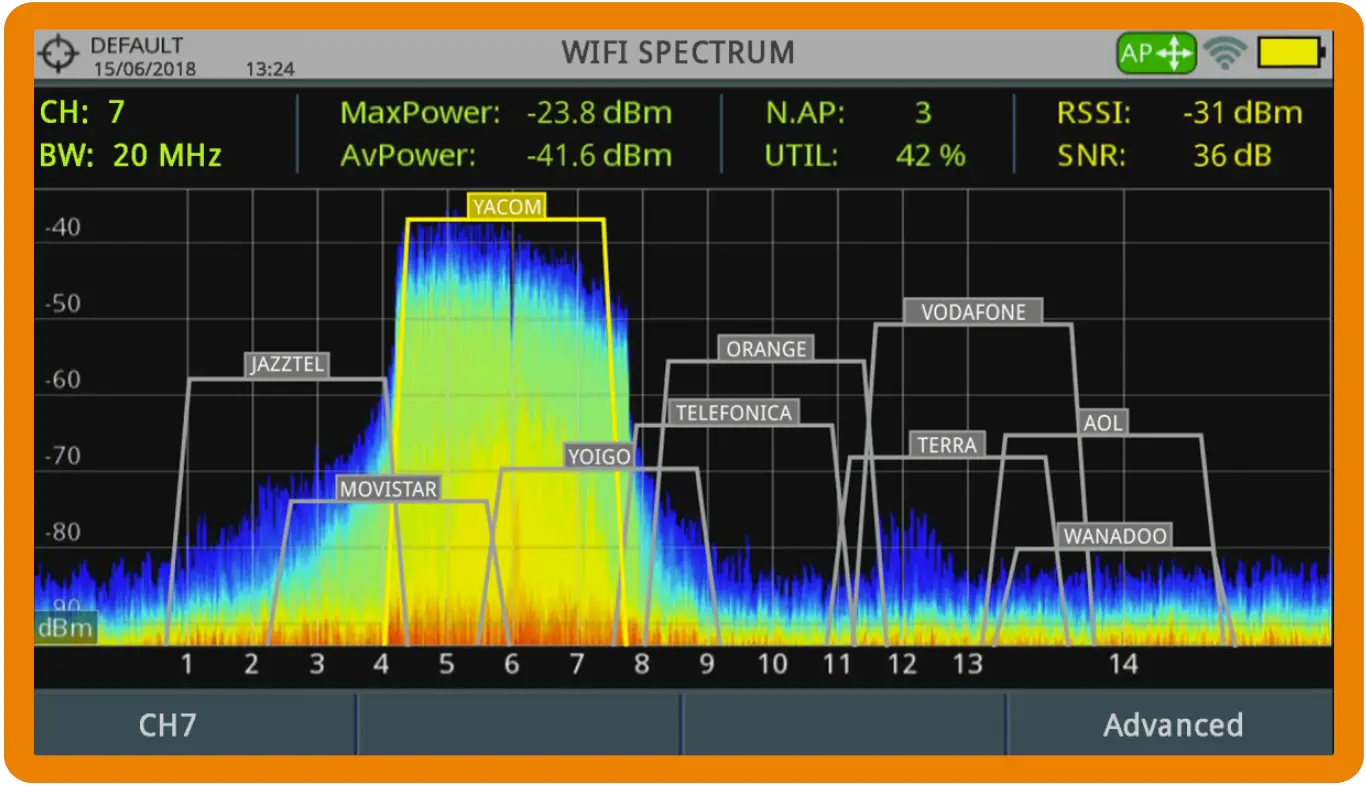
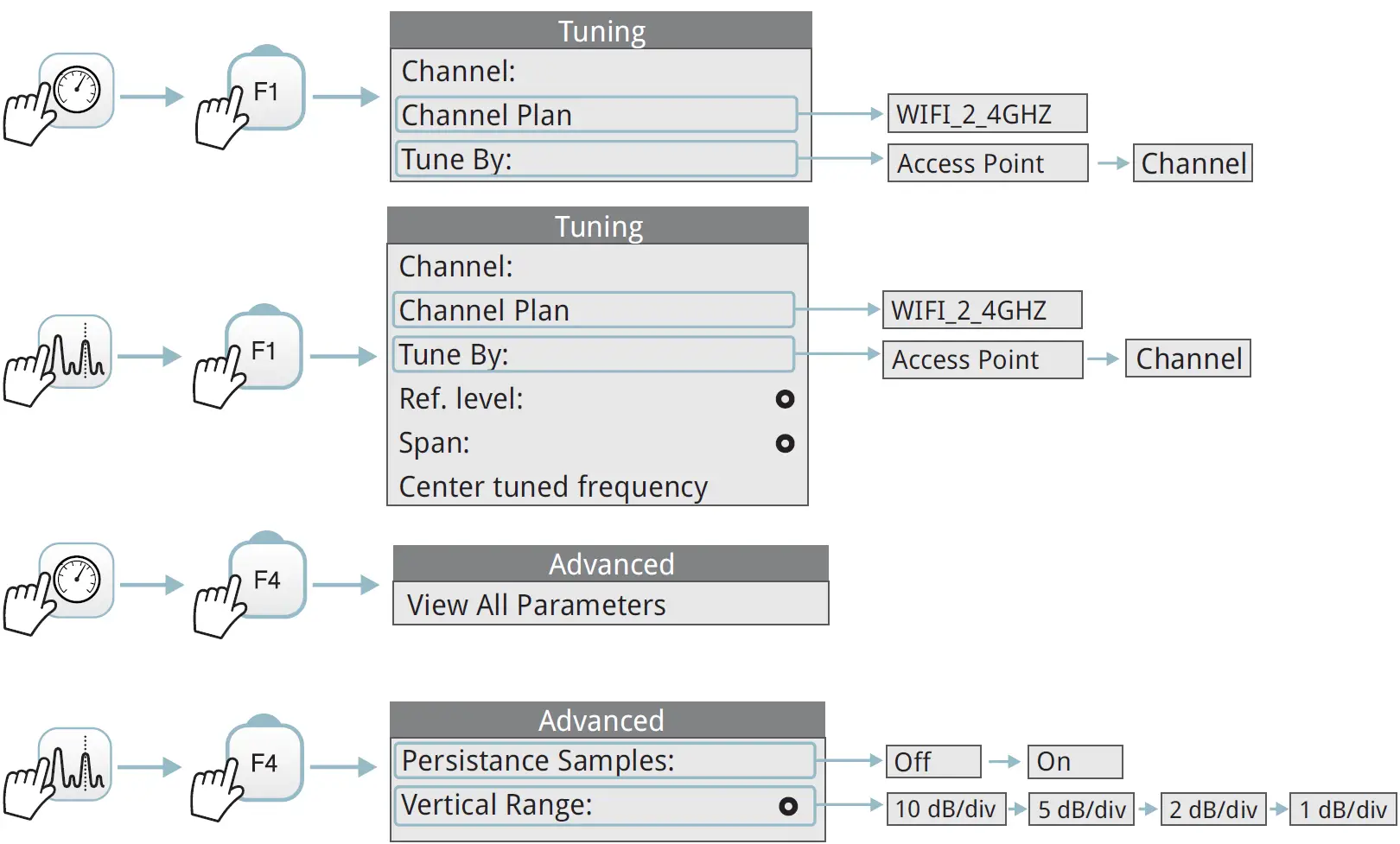
WIFI SPECTRUM
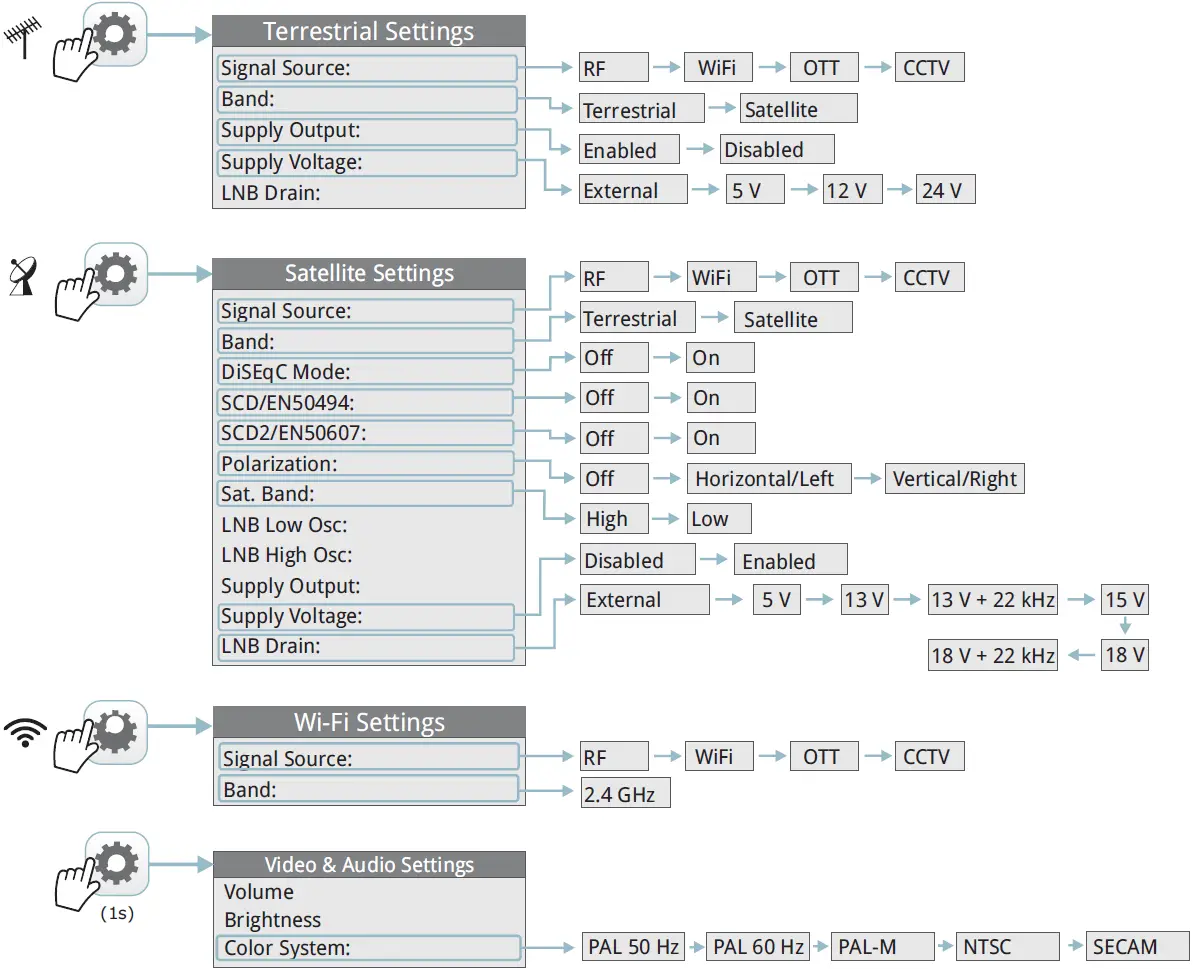
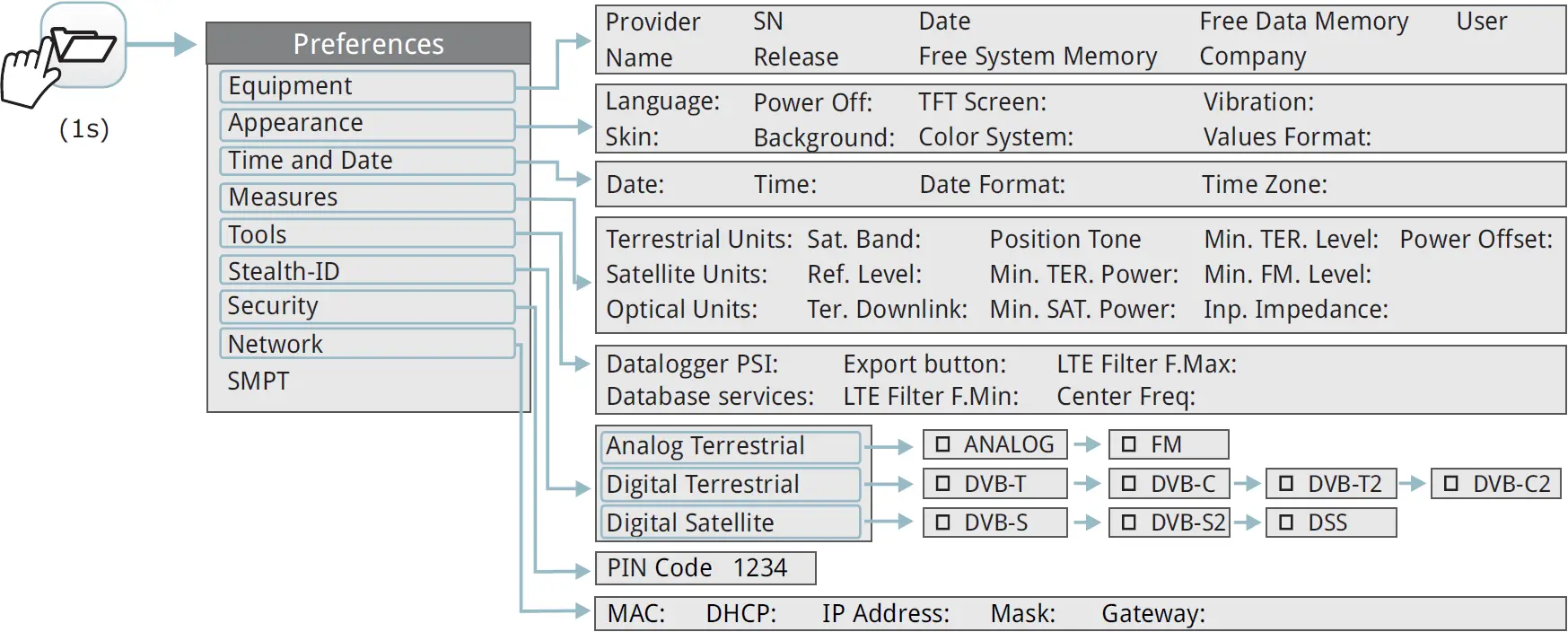
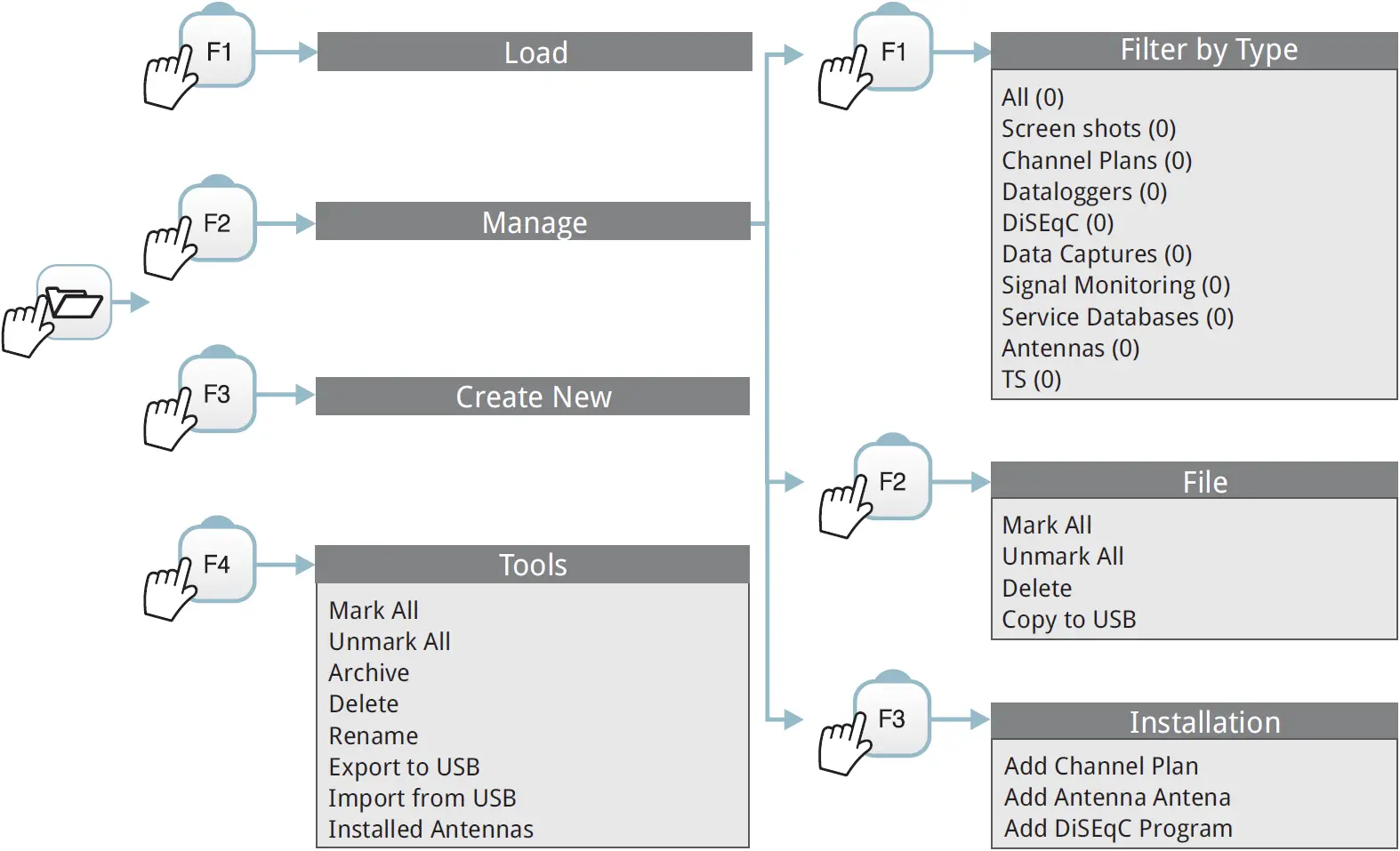
INSTALLATION MANAGEMENT
EXPORT* IMAGE / DATA / SPECTRUM
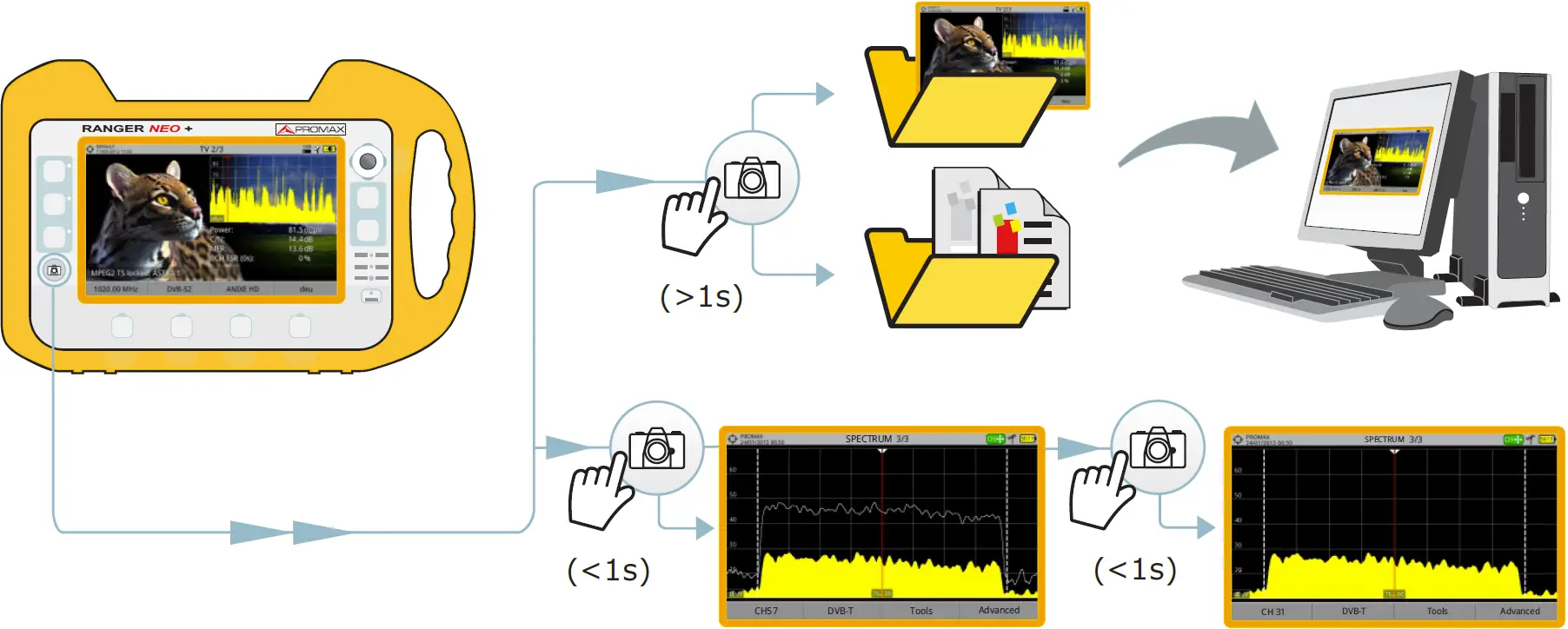
*Export settings in Preferences
JOYSTICK
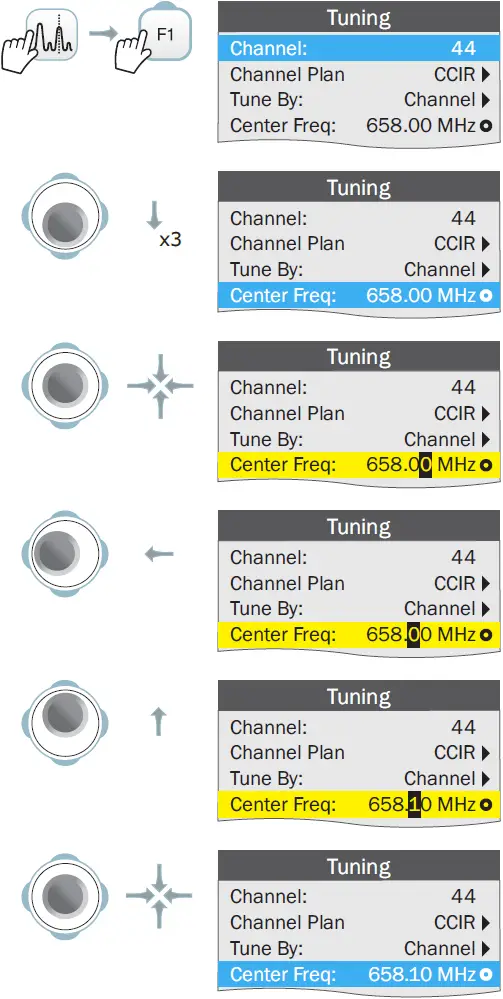
PARAMETER EDITION
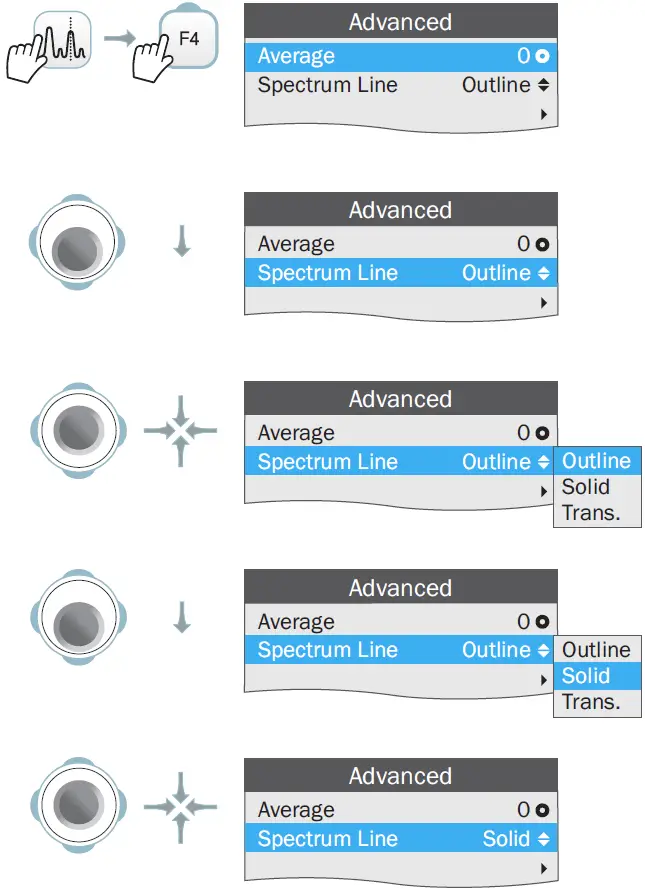
PARAMETER SELECTION
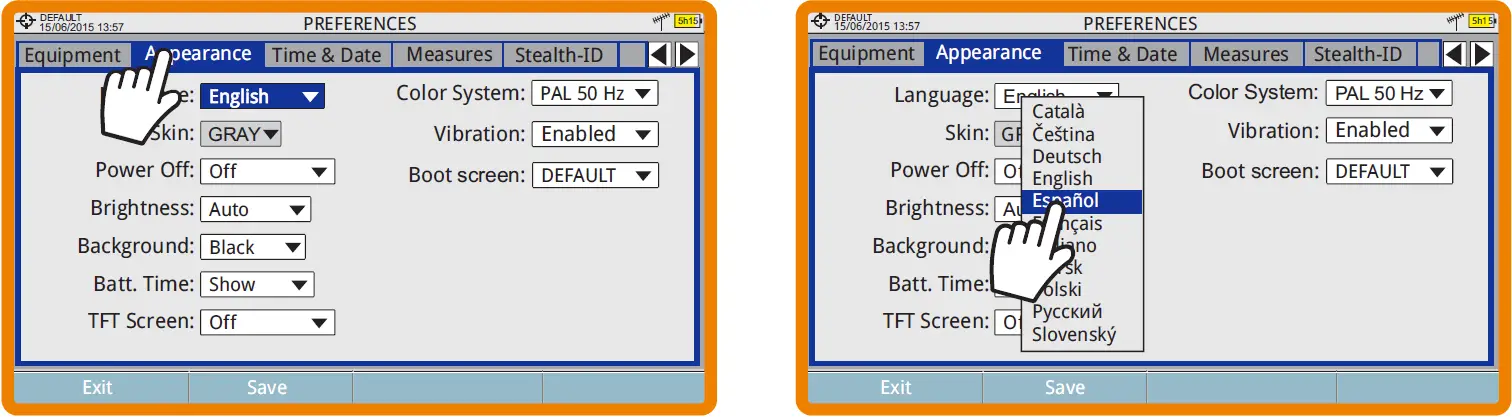
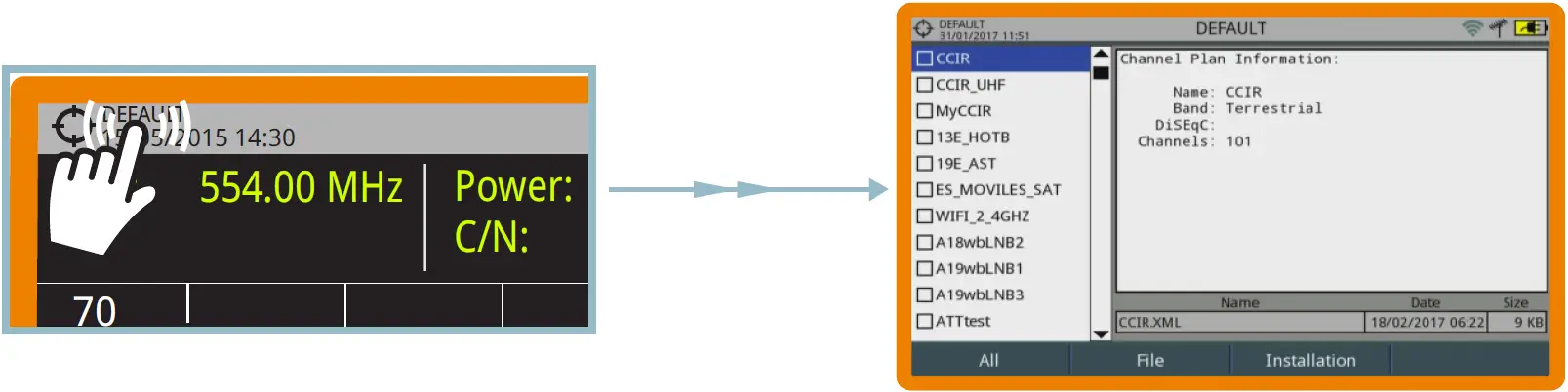
TOUCH SCREEN
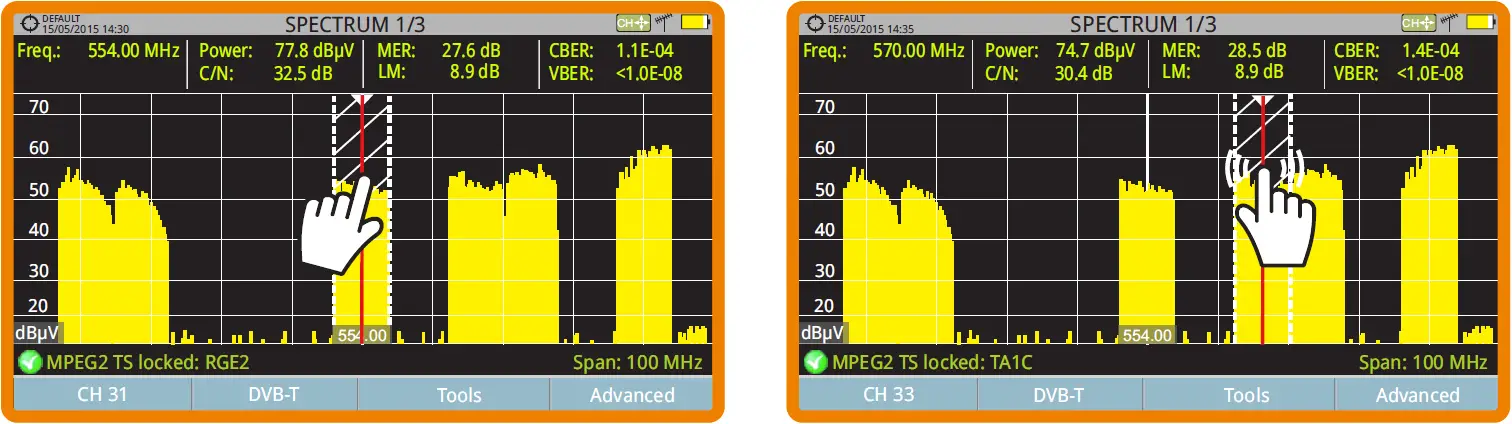
FREQUENCY SELECTION
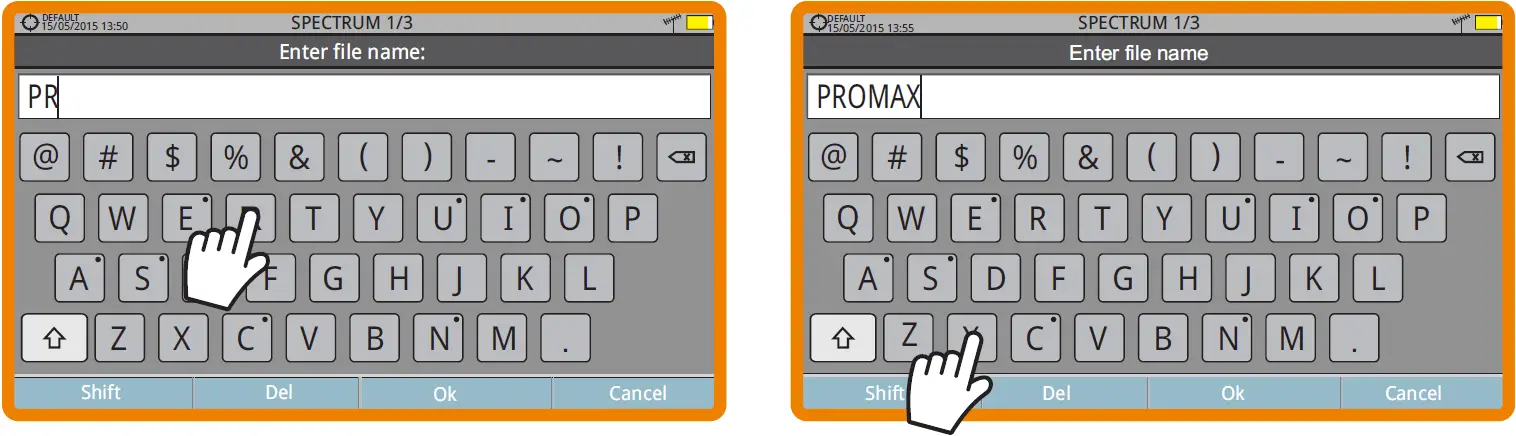
VIRTUAL KEYBOARD WRITING
TOOLBAR
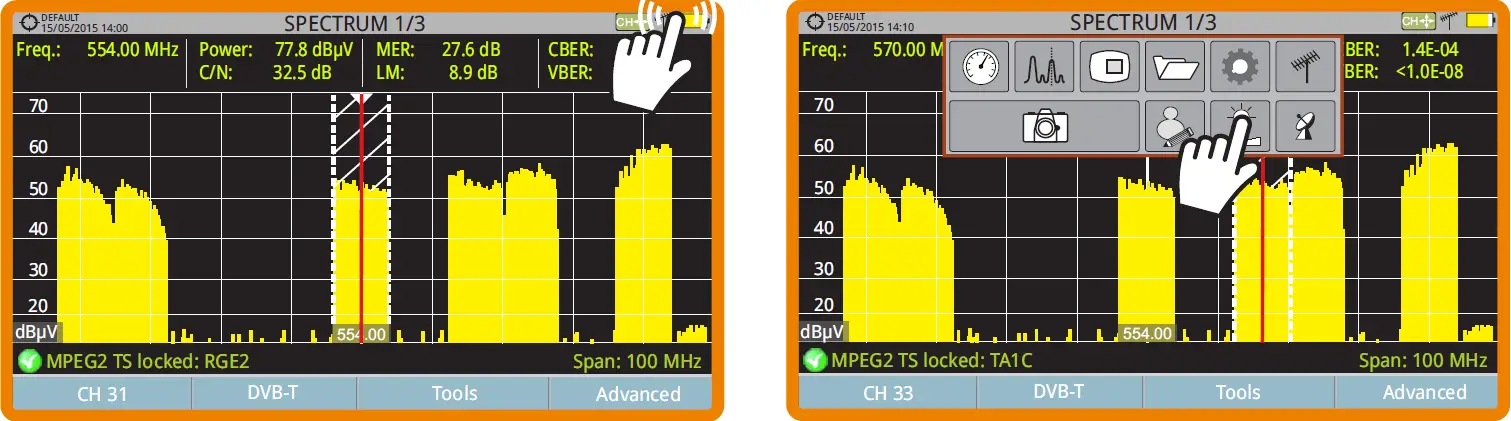
TOOLBAR ICONS
- Measurement Mode
- Spectrum Analyzer Mode
- TV Mode
- Installations Management
- Settings
- Terrestrial Band
- Satellite Band
- Video & Audio Settings
- Preferences
- Screen Capture
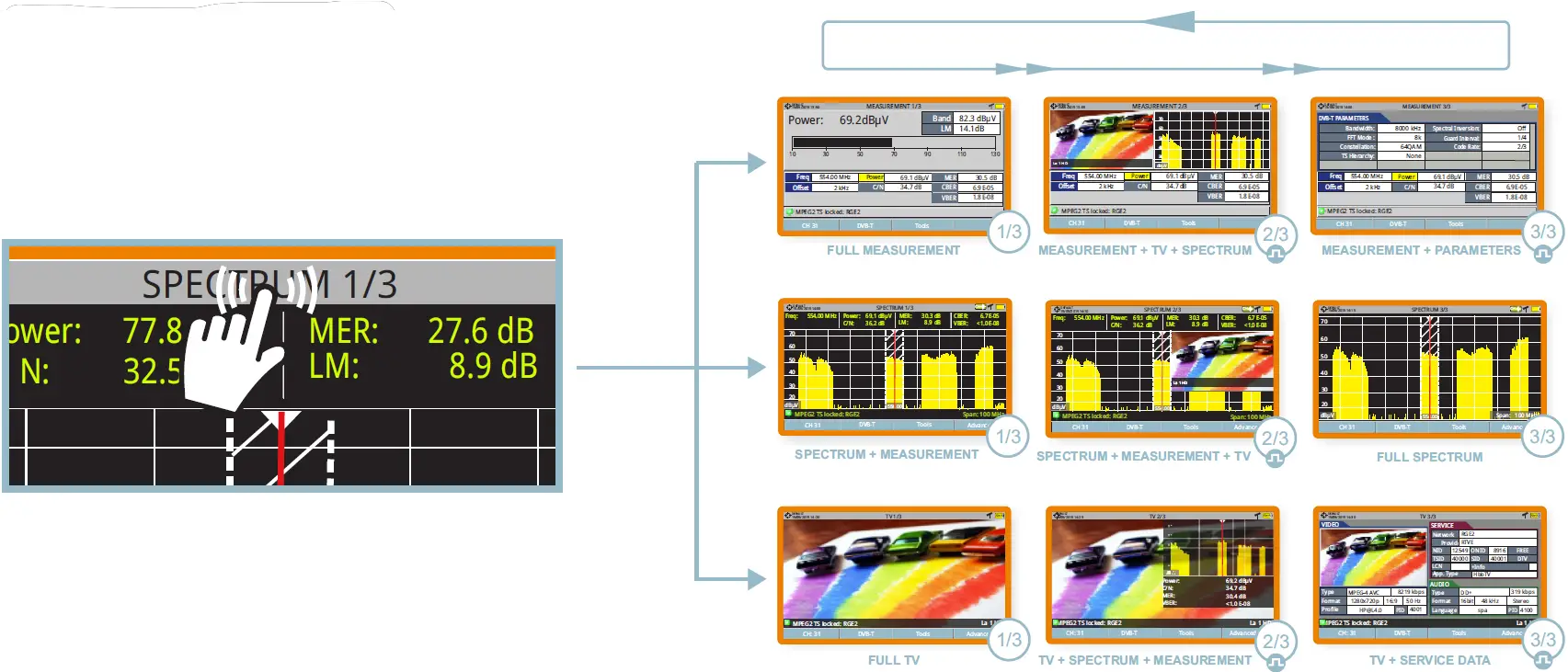
MODE SCREENS
INSTALLATIONS MANAGEMENT
TOP VIEW
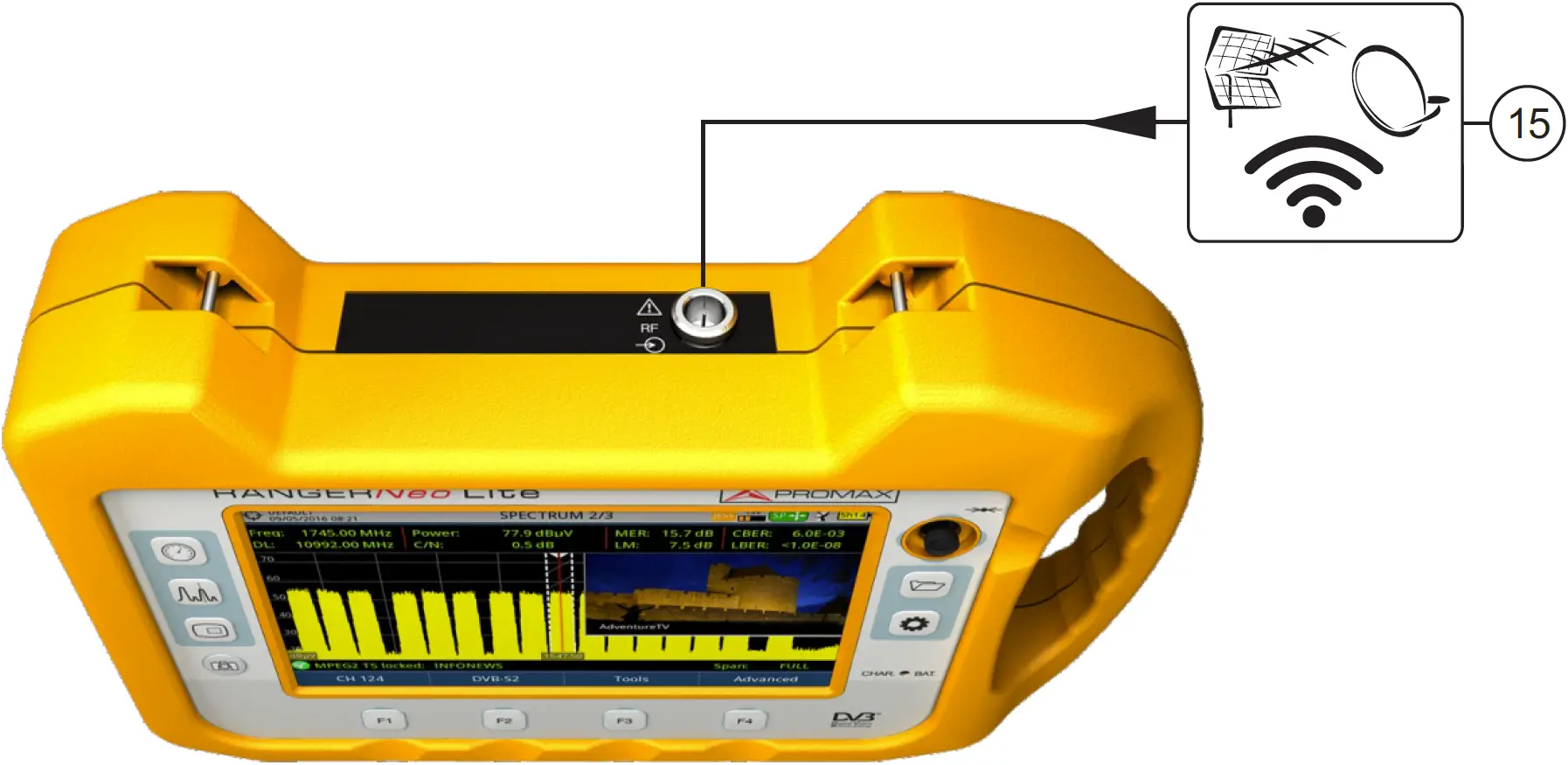
- RF input connector
SIDE VIEW
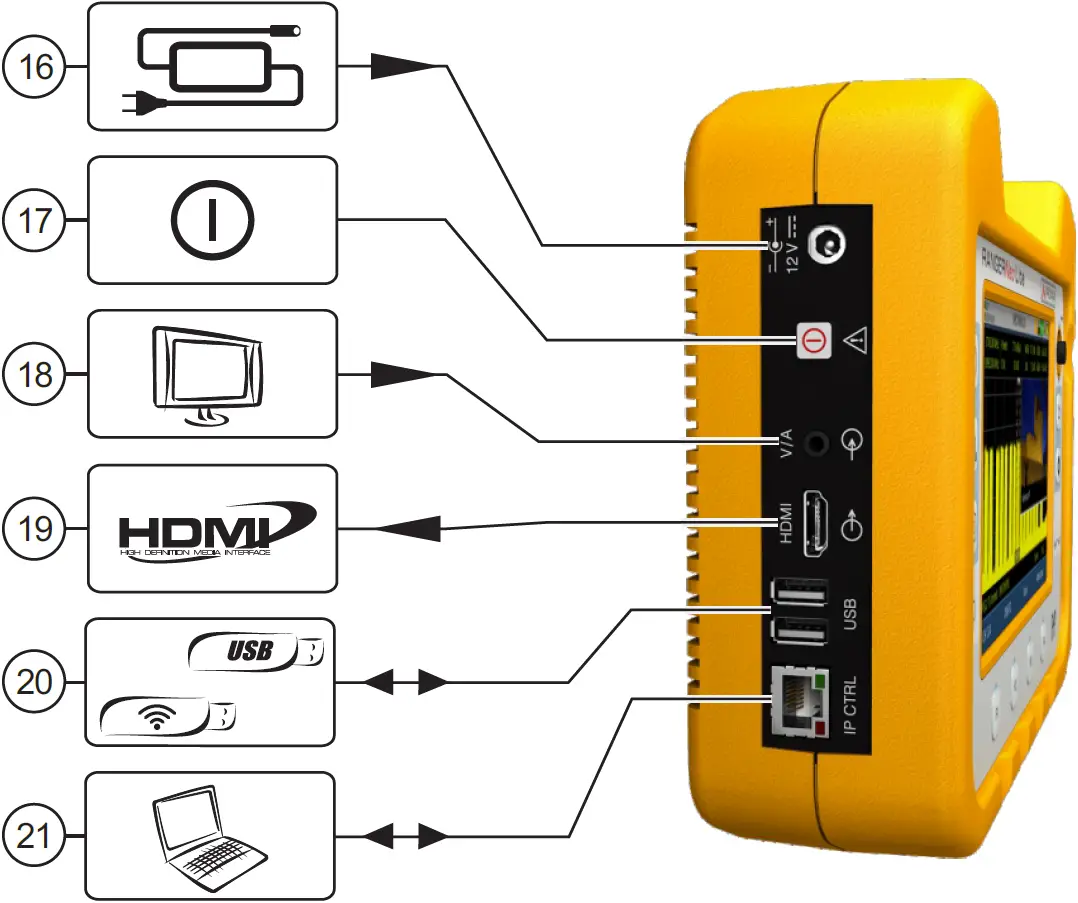
- Power input connector
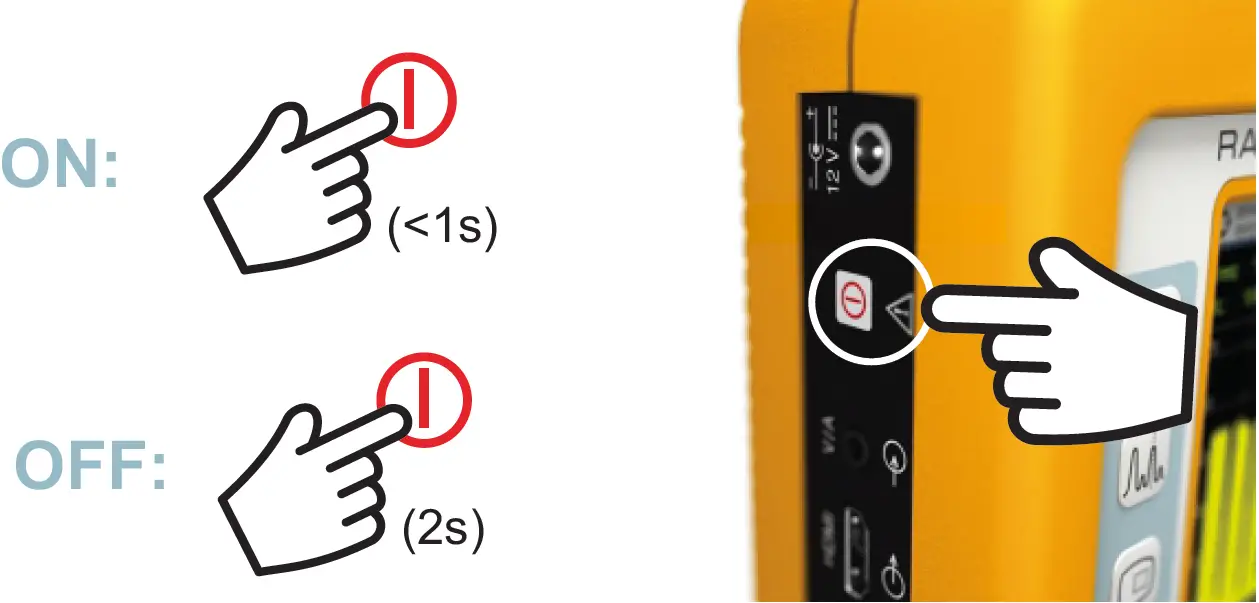
- ON/OFF button
- Video/Audio input
- HDMI output
- USB connectors
- ETHERNET connector for PC (NetUpdate)
RESET
If the device crashes, press the ON/OFF button for 10 seconds. If the device does not respond then press the F4 key for 6 seconds and then release to reset (see user’s manual for more information).
Find the user’s manual on the download area at:
www.promaxelectronics.com