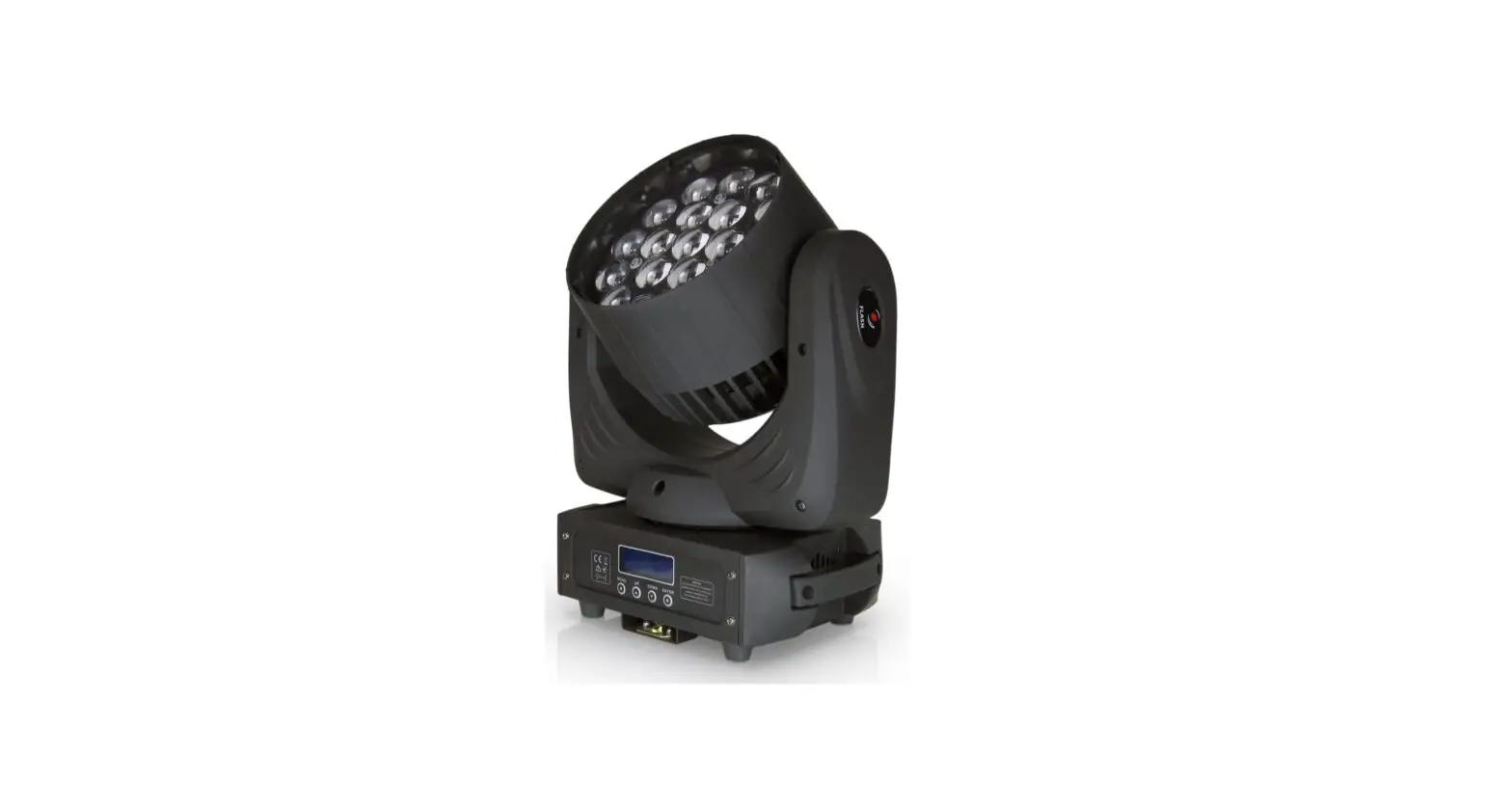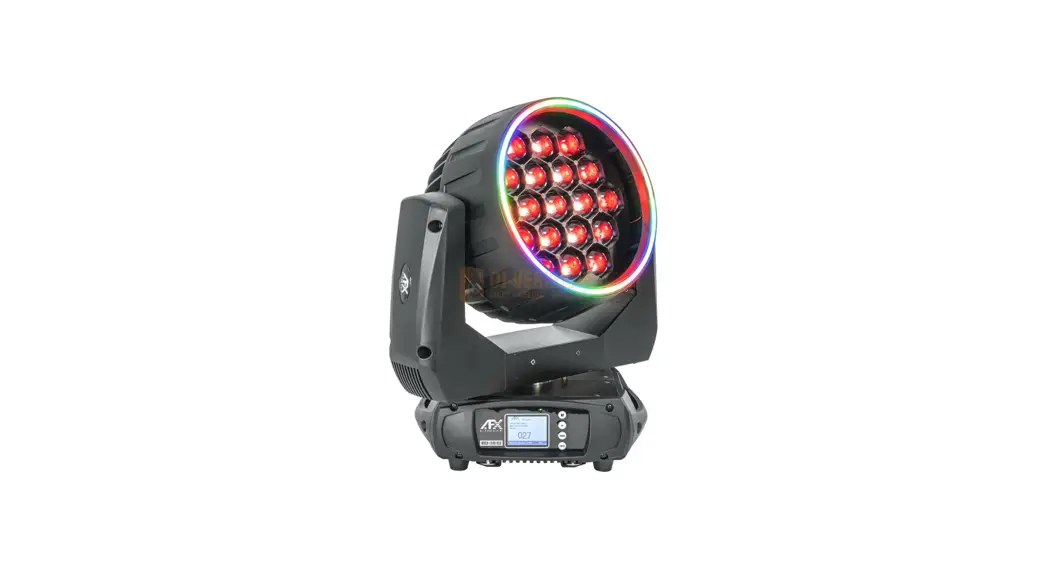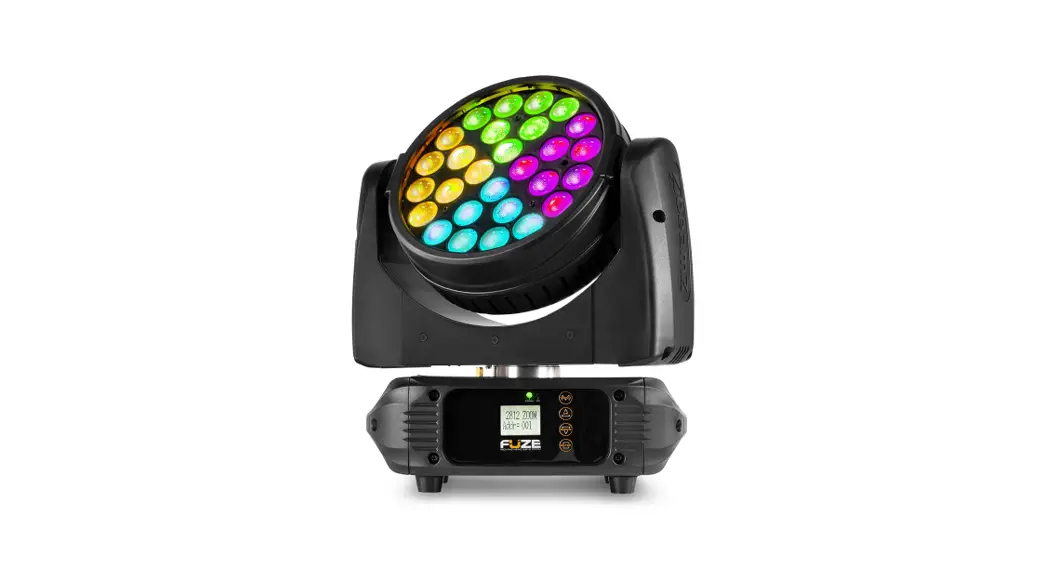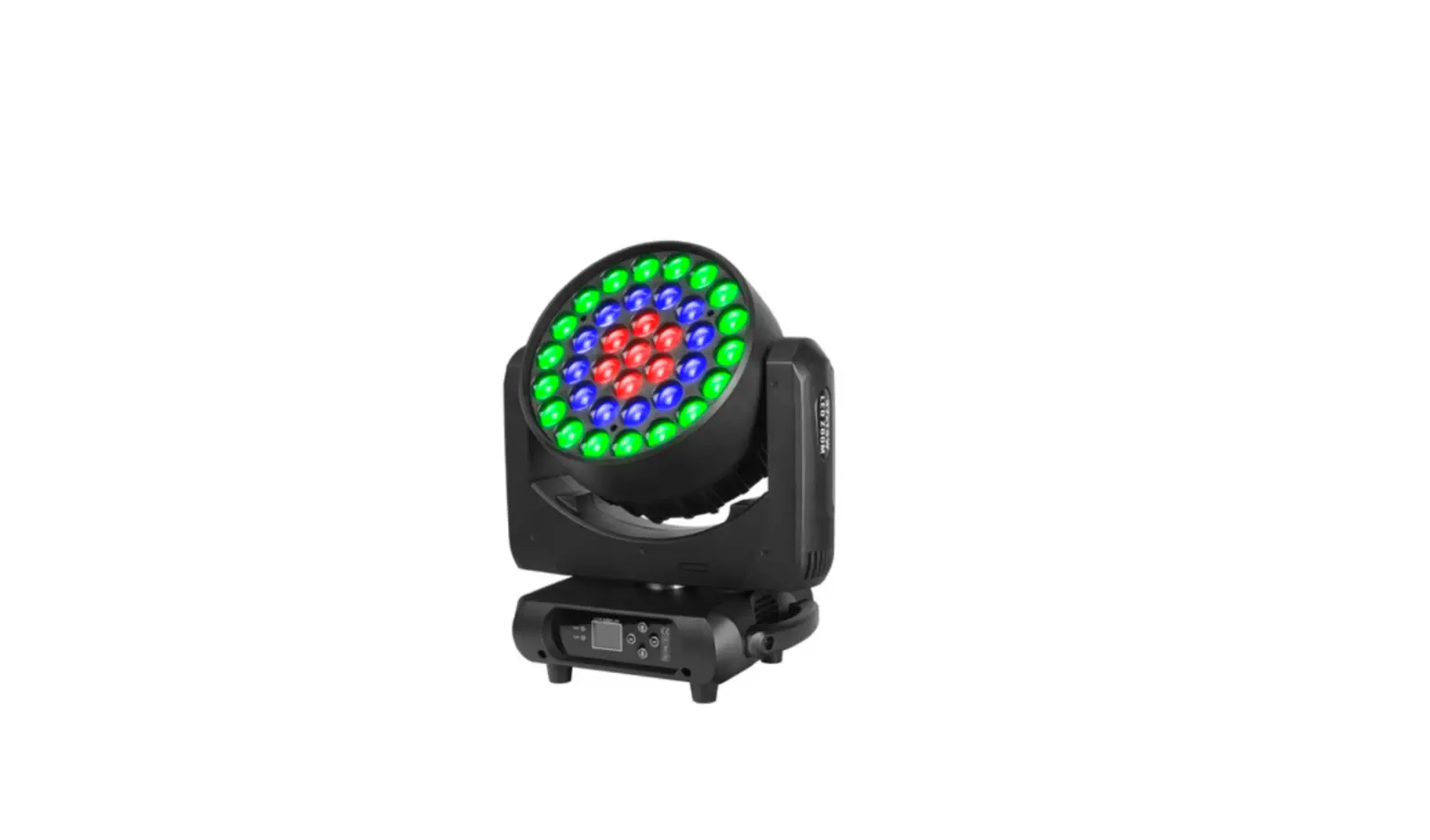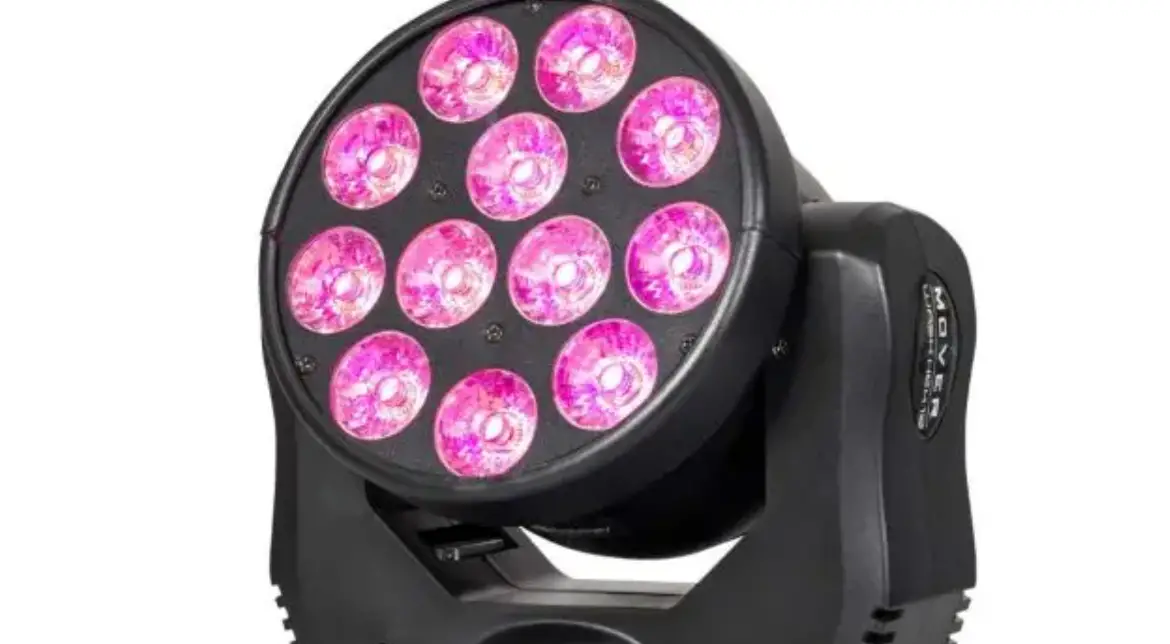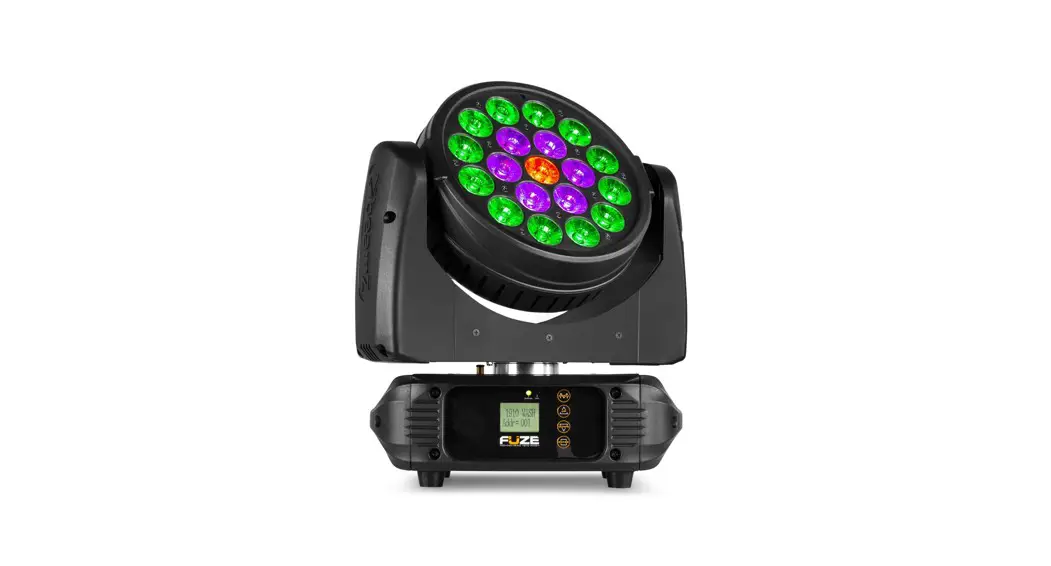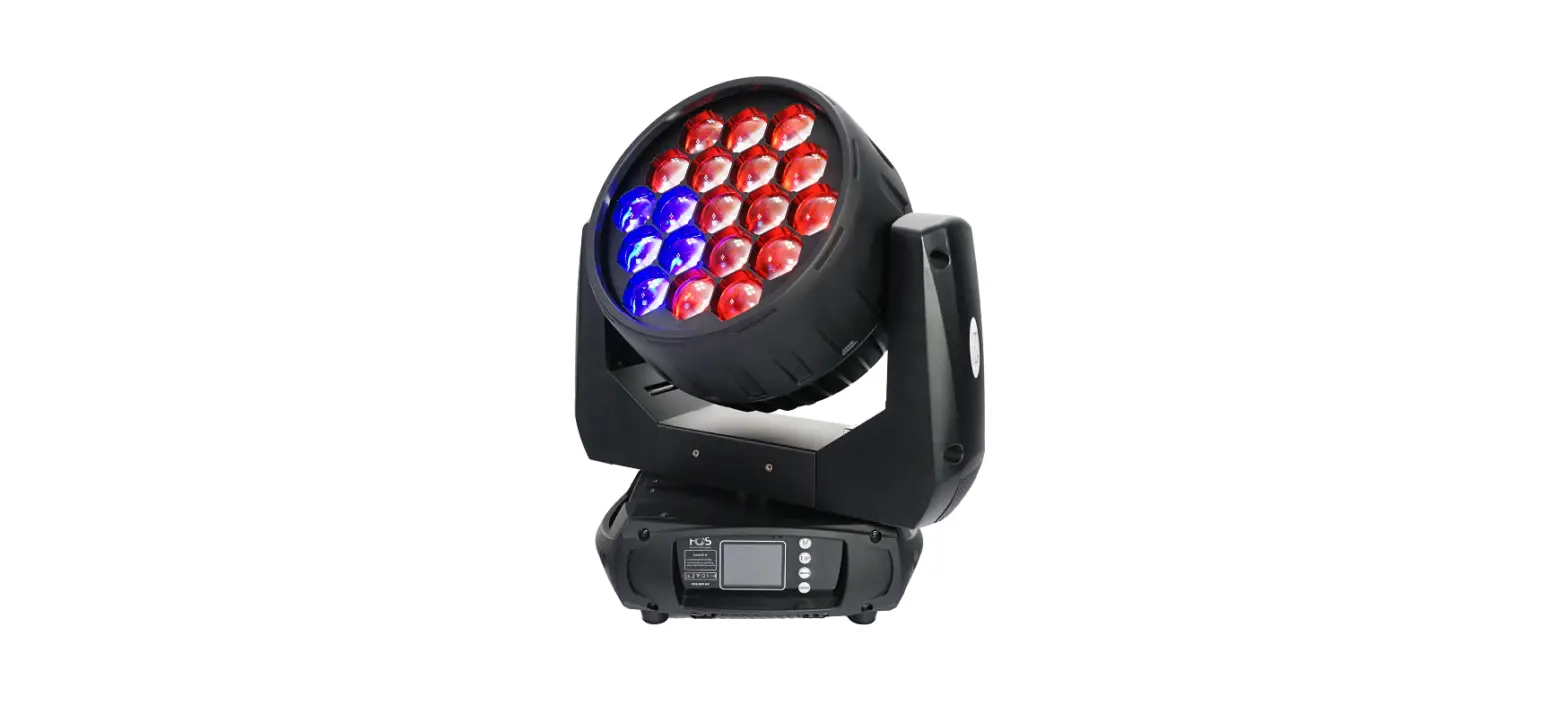

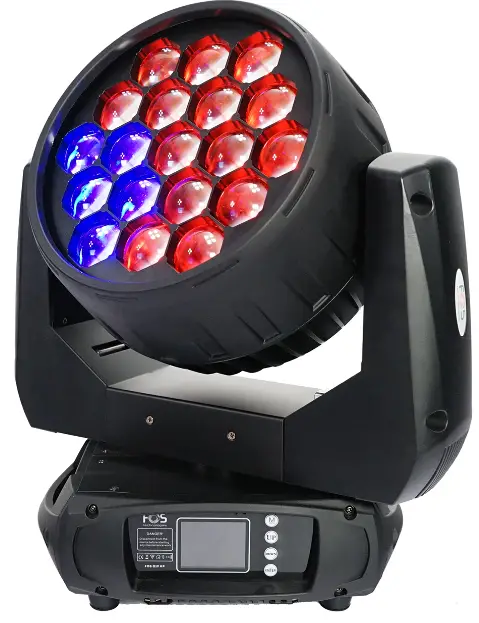
FOS technologies Wash Q19 Moving Head
Safety instructions
Thank you for choosing our FOS ProWash 19, FOR YOUR OWN SAFETY, PLEASE READ THIS USER MANUAL CAREFULLY BEFORE YOU INITIAL START – UP!
CAUTION! Be careful with your operations. with a high voltage you can suffera dangerous electric shock when touching the wires! This device has left our promises in absolutely perfect condition. In order to maintain this condition and to ensure a safe operation, it is absolutely necessary for the user to follow the safety instructions and warning notes written in this manual,
CAUTION! Keep this device away from rain and moisture! Unplug mains lead before opening the housing!
Important
- The manufacturer will not accept liability for any resulting damages caused by the non-observance of this manual or any unauthorized modification to the device.
- Please consider that damages caused by manual modifications to the device are not subject to warranty.
- During the operation the housing becomes hot). Allow the fixture to cool approximately 20 minutes prior to manipulating with it,
- Make sure that the available voltage is not higher than stated on the rear panel.
- WARNING! This unit does not contain an ON/OFF switch, Always disconnect power input cable to completely remove power from unit when not in use or before cleaning or servicing the fixture.
- Make sure that the power cord is never crimped or damaged by sharp edges. Check the device and the power cord from time to time.
- Always disconnect from the mains, when the device is not in use or before cleaning it. Only handle the power cord by the plug. Never pull out the plug by tugging the power cord.
- This device falls under protection class I. Therefore it is essential to connect the yellow/green conductor to earth.
- The electric connection, repairs and servicing must be carried out by a qualified employee.
- Do not connect this device to a dimmer pack.
- Do not switch the fixture on and off in short intervals as this would reduce the lamp’s life.
- During the initial start-up some smoke or smell may arise. This is a normal process and does not necessarily mean that the device is defective.
- Do not touch the device’s housing bare hands during its operation (housing becomes hot)!
- For replacement use lamps and fuses of same type and rating only.
UNPACKING
The FOS ProWash 19 adopts 19°15W RGBW 4-IN-1 LED lamp which features high brightness and stability. Please carefully unpack it when you receive the fixture and check whether it is damaged during the transportation. And please check whether the following items are included inside the box: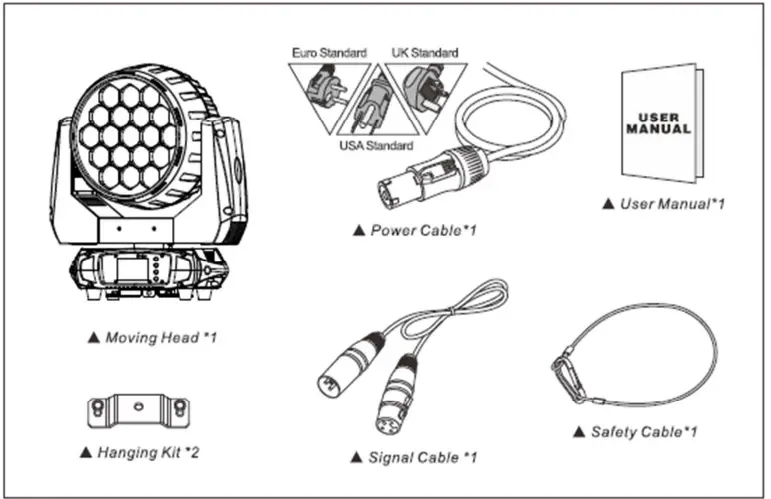
The FOS ProWash 19 is made of a new type of high-temperature strength of engineering plastics and cast aluminum casing with nice outlook, The fixture is designed and manufactured strictly following CE standards, complying with international standard DMX512 protocol. It’s available independently controlled and linkable with each other for operation. And it is applicable for large-scale live performances, theater, studios, nightclubs and discos. This manual covers the important information on installation and applications. Meanwhile, please keep this manual well for future needs.
TECHNICAL INFORMATION
SPECIFICATIONS:
- 19*15W 4-IN-1 RGBW LEDs 50.000 hours life span
- Input Vollage: AC90-260V 50/60Hz
- Control Signal: DMX512, master-slave and sound activated or auto operation
- Control Channel: 16/22/38 DMX channel
- Power Consumption: 350 W
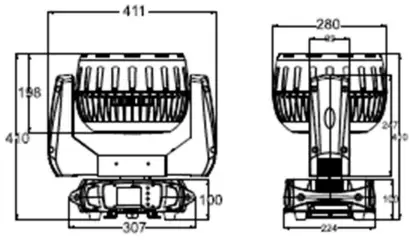
- Dimensions:411(DJ*280(W)*410(H)mm
- Packing Dimensions: 490(D) 280(WI*560(H)mm
- Net Weight: 11.2kg
- Gross Weight: 13,9kg
FEATURES:
- Low power consumption
- Specific optic lens of highly efficient elements integrated with glass tube
- Four groups controlled
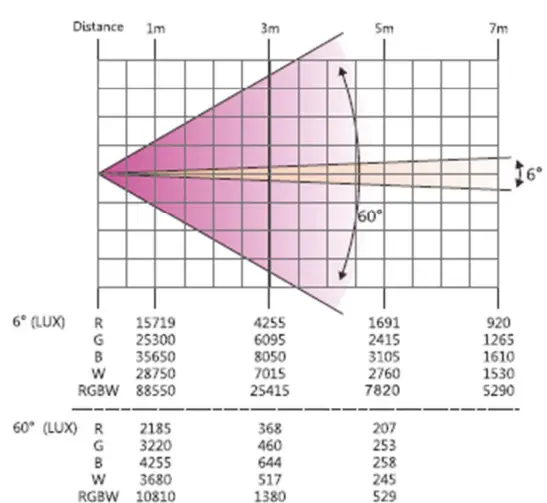
- Fast, smooth and quiet motorized zoom with 6°- 60° angle
- Color temperature Liner up and down in 2700K-8000K
- Even, soft edge and pure color mixing coverage
- Flicker-free sources management
- 8/16 Bit smooth, fast and precise PAN/TILT movement
- 630°/540/360*PAN optional and
- 270°/180°/90°TILT optional
- PAN/TILT reversible advantage
- PAN/TILT calibration available
- Scan position memory, auto reposition after unexpected movement
- 0-100% Smooth linear LED dimmer
- built In default programs for easy operation
- Different Kinds of pre-programmed macro effects with variable speed
- Variable speed strobe effect with 1-25 flashes per second
- Variable pusle and random effects
- Sound control with sensitivity adjustment
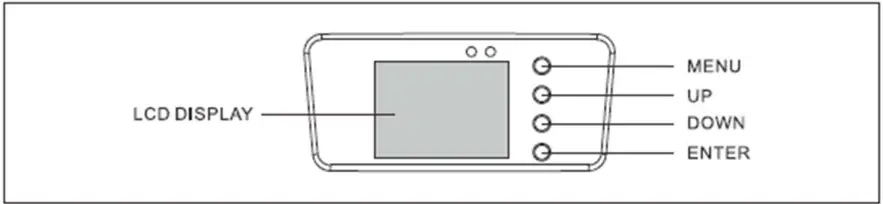
- 2.4* TFT LCD display (320240pix) with 4 control buttons
- LCD display switch-off automatically after 60 seconds
- DMX signal monitoring indicator available
- Lower noise and efficient FAN cooling system
- Efficient low noise self-adjusting fan cooling system
- Constant temperature readout and management function
- Overheat protection management
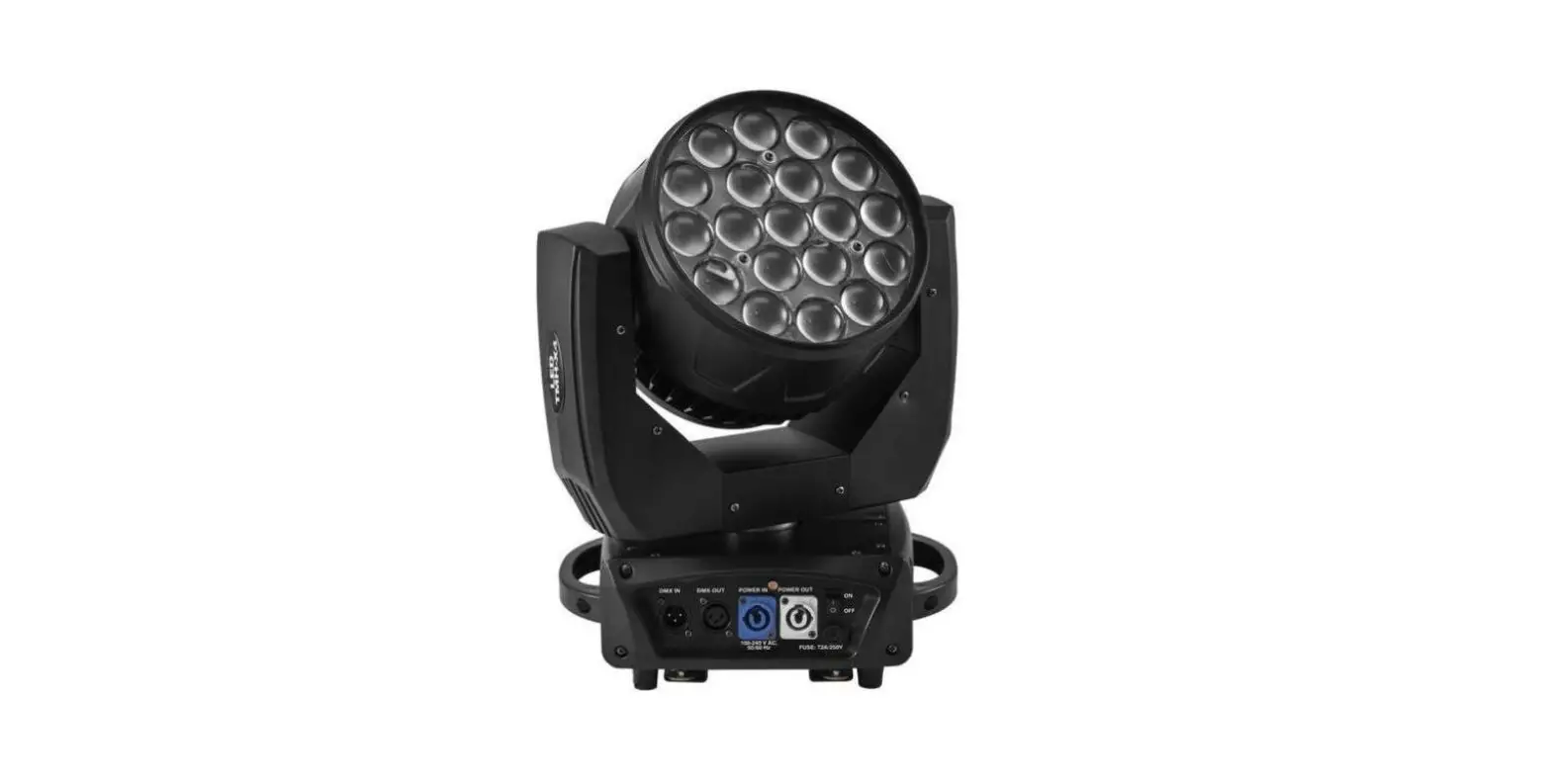
- Powercon IN/ OUT with power switch and fuse
- 3-Pin DMX connectors IN/OUT
- DB rating@1M=54.18dB
- IP20 protection rating
- -35°C – 45°C max ambient temperature
- 2^1/4 turn fastening Omega Clamps (Adaptable vertically and horizontally)
- 1*Safety attachment point
- CE (EMC/LVD) and RoHS certified
PHOTOMETRICS DIAGRAM
OPERATION INSTRUCTIONS
- The FOS ProWash 19 is for beam&wash effect for on-site decoration purpose.
- Don’t turn on the fixture if it’s been through severe temperature difference like after transportation because it might damage the light due to the environment changes. So make sure to operate the fixture until it is in normal temperature,
- This light should be keep away from strong shaking during any transportation or movement.
- Don’t pull up the light by only the head, or it might cause damages to the mechanical parts.
- Don’t expose the fixture in overheat, moisture or environment with too much dust when installing it. And
- don’t lay any power cables on the floor. Or it might cause electronic shock to the people.
- Make sure the installation place is in good safety condition before installing the fixture.
- Make sure to put the safety chain and check whether the screws are screwed properly when installing the fixture.
- Make sure the lens are in good condition. It’s recommended to replace the units if there are any damages or severe scratch.
- Make sure the fixture is operated by qualified personnel who knows the fixture before using.
- Keep the original packages if any second shipment is needed.
- Don’t try to change the fixtures without any instruction by the manufacturer or the appointed repairing agencies.
- It is not in warranty range if there are any malfunctions from not following the user manual to operate or any illegal operation, like shock short circuit, electronic shock, lamp broke, etc.
INSTALLATIONS
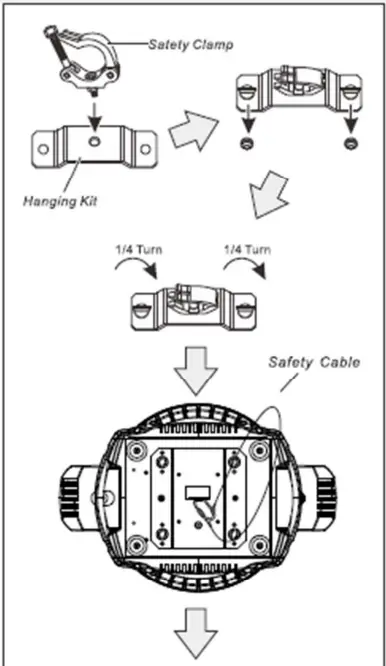
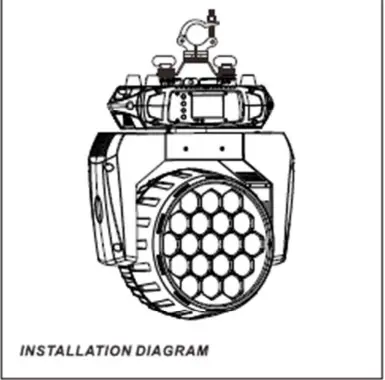
Cautions:
- For added protection mount the fixtures in areas outside walking paths, seating areas, or in areas were the fixture might be reached by unauthorized personnel.
- Before mounting the fixture to any surface, make sure that the installation area can hold a minimum point load of 10 times the device’s weight.
- Fixture installation must always be secured with a secondary safety attachment, such as an appropriate safety cable.
- Never stand directly below the device when mounting, removing, or servicing the fixture, from a ceiling, or set on a flat level surface (see illustration below). Be sure this fixture is kept at least 0.5m (1.5 1 1) away from any flammable materials (decoration etc.).
- Always use and install the supplied safety cable as a safety measure to prevent accidental damage and/or injury in the event the clamp fails.
Mounting points:
Overhead mounting requires extensive experience, including amongst others calculating working load limits, a fine knowledge of the installation material being used, and periodic safety inspection of all installation material and the fixture. If you lack these qualifications, do not attempt the installation yourself. Improper installation can result in bodily injury. Be sure to complete all rigging and installation procedures before connecting the main power cord to the appropriate wall outlet.
CONTROL CONNECTION
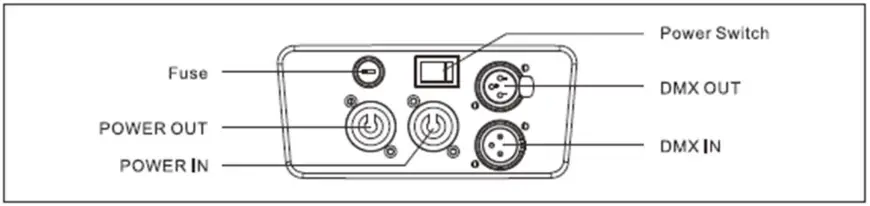
Connect the provided XL cable to the female 3-pin XL output of your controller and the other side to the male 3-pin XL input of the moving head. You can chain multiple Moving head together through serial linking. The cable needed should be two core, screened cable with XL input and output connectors. Please refer to the diagram below. DMX-512 connection with DMX terminator. For installations where the DMX cable has to run a long distance or is in an electrically noisy environment, such as in a discotheque, it is recommended to use a DMX terminator. This helps in preventing corruption of the digital control signal by electrical noise. The DMX terminator is simply an XL plug with a3 resistor connected between pins 2 and 3, which is then plugged into the output XL socket of the last fixture in the chain. Please see the illustrations below.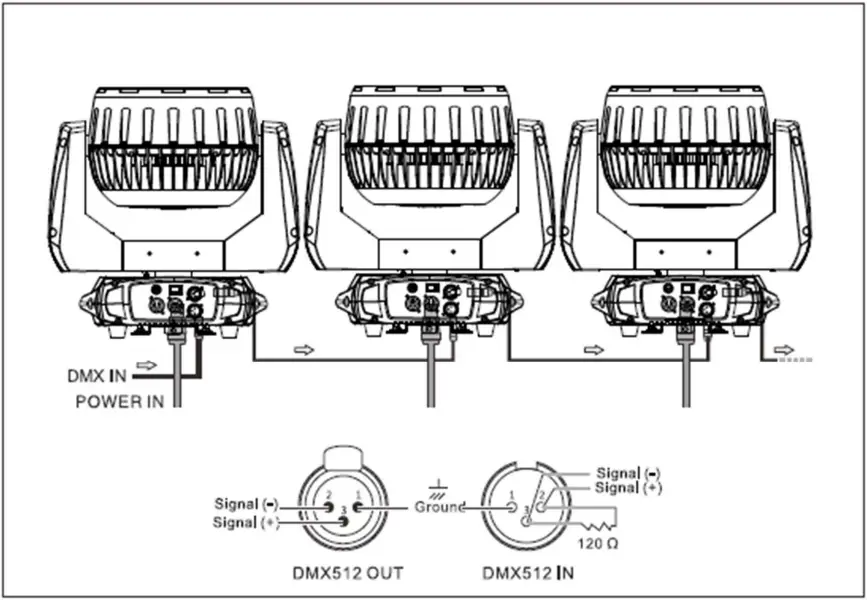
DMX PROTOCOL

| 1 | 1 | 1 | Pan | |
| 0.. 255 | PAN Movement | |||
| 2 | 2 | 2 | Pan-fine | |
| 0.. 255 | Fine control of Pan movement | |||
| 3 | 3 | 3 | Tilt | |
| 0.. 255 | Tilt Movement | |||
| 4 | 4 | 4 | Tile-fine | |
| 0.. 255 | Fine control of Tilt movement | |||
| 5 | 5 | 5 | Soeed oan /tile | |
| 0.. 225 | max to min soeed | |||
| 226.. 235 | blackout bv movement | |||
| 236.. 255 | no function | |||
| 6 | 6 | 6 | Dimmer | |
| 0.. 255 | Dimmer 0%…100% | |||
|
7 |
7 |
7 | Shutter | |
| 0.. 31 | Shutter closed | |||
| 32..63 | shutter ooen | |||
| 64.. 95 | Strobe effect slow to fast | |||
| 96.. 127 | shutter ooen | |||
| 128..159 | Pulse-effect in seauences slow to fast | |||
| 160..191 | shutter ooen | |||
| 192.. 223 | Random strobe effect slow to fast | |||
| 224.. 255 | shutter ooen | |||
| 8 | 8 | 8 | Red | |
| 0.. 255 | 0-100% Red dimmer from dark to briaht | |||
| 9 | 9 | 9 | Green | |
| 0.. 255 | 0-100% Green dimmer from dark to brioht | |||
| 10 | 10 | 10 | Blue | |
| 0.. 255 | 0-100% Blue dimmer from dark to briaht |
| 1 1 | 11 | 11 | White | |
| 0..255 | 0-100% White dimmer from dark to briqht | |||
| 12 | 12 | 12 | Zoom | |
| 0..255 | ln(near)to out(far) | |||
|
13 |
13 |
13 | Virtual colo | |
| 0..0 | No Fu nc tion | |||
| 1.. 13 | Red | |||
| 14.. 27 | Green | |||
| 28.. 41 | Blue | |||
| 42..55 | White | |||
| 56.. 69 | Red+White | |||
| 70.. 83 | Green+White | |||
| 84.. 97 | Blue +Whi te | |||
| 98 .. 111 | Gre en +Blue | |||
| 112..125 | Red+Blue | |||
| 126..139 | Red Green | |||
| 140..153 | Green+Blue+White | |||
| 154..167 | Red+Blue+White | |||
| 168..181 | Re d+Green+ Whit e | |||
| 182 .. 195 | Red+BIue+Green+White | |||
| 196..202 | 2700K | |||
| 203.. 209 | 3200K | |||
| 210.. 216 | 3500K | |||
| 217..223 | 5000K | |||
| 224..230 | 5500K | |||
| 231..237 | 6000K | |||
| 238.. 244 | 6500K | |||
| 245.. 251 | 7000K | |||
| 252.. 255 | 8000K | |||
|
14 |
14 |
14 | Color Temp | |
| 0.. 15 | No Function | |||
| 16.. 45 | Below3200K | |||
| 46.. 75 | 3200K- 3500K | |||
| 76.. 105 | 3500K- 5000K | |||
| 106.. 135 | S000K- 5500K | |||
| 136.. 165 | 5500K- 6000K | |||
| 166.. 195 | 6000K- 6500K | |||
| 196.. 225 | 6500K- 7000K | |||
| 226..255 | 7000K – 8000K |
| 15 | 15 | 15 | Visual Tu 19s en Lamp | |
| 0.. 15 | No Function | |||
| 16.. 255 | runasten lamo effect is oraduallv enhance< | |||
|
16 |
16 | Foreground color for patterns | ||
| 0.. 0 | No Function | |||
| 1.. 13 | Red | |||
| 14.. 27 | Green | |||
| 28.. 41 | Blue | |||
| 42.. 55 | White | |||
| 56.. 69 | Red+White | |||
| 70.. 83 | Green+White | |||
| 84.. 97 | Blue+White | |||
| 98.. 111 | Green+Blue | |||
| 112..125 | Red+Blue | |||
| 126..139 | Red +Green | |||
| 140..153 | Green+Blue+While | |||
| 154..167 | Red+BI ue+White | |||
| 168..181 | Red +Green+White | |||
| 182..195 | Red+BI ue+Green+Whi te | |||
| 196..202 | 2700K | |||
| 203..209 | 3200K | |||
| 210..216 | 3500K | |||
| 217..223 | 5000K | |||
| 224..230 | 5500K | |||
| 231..237 | 6000K | |||
| 238..244 | 6500K | |||
| 245..251 | 7000K | |||
| 252..255 | 8000K | |||
|
17 |
17 | Foreground dimmer | ||
| Choose Foreground color for Dynamic/Static Scene no function for Multicolor Scene | ||||
| 000..255 | Forearound dimmer 0 – 100%. |
|
18 |
18 | Background color for patterns | ||
| 0..0 | No Function | |||
| 1.. 13 | Red | |||
| 14 .. 27 | Green | |||
| 28 ..41 | Blue | |||
| 42 .. 55 | White | |||
| 56 .. 69 | RAti+White | |||
| 70 .. 83 | Groon+Whito | |||
| 84 .. 97 | Blue+White | |||
| 98 .. 111 | Green+Blue | |||
| 112.. 125 | Red+Blue | |||
| 126.. 139 | Red+Green | |||
| 140.. 153 | Green+Blue+White | |||
| 154..167 | Red+B lu e + W h i te | |||
| 1 6 8 .. 1 8 1 | R e d + r, re e n + W h i te | |||
| 1 8 2 .. 195 | Red+Blue+Green+White | |||
| 196.. 202 | 2700K | |||
| 203 .. 209 | 3200K | |||
| 210 .. 216 | 3500K | |||
| 217 .. 223 | 5000K | |||
| 224 .. 230 | 5500K | |||
| 231 .. 237 | 6000K | |||
| 238 .. 244 | 6500K | |||
| 245 .. 251 | 7000K | |||
| 252 ..255 | 8000K | |||
|
19 |
19 | Background dimmer | ||
| Choose Back round color for yn mlc/St tic Scene.no function for Multicolor Scene | ||||
| 000 ..255 | Backaround dimmer O – 100% | |||
|
20 |
20 | Patterns | ||
| 000 .. 015 | No function | |||
| 016 ..031 | Static oattorns | |||
| 032 ..045 | Dvnamic Scene1 | |||
| 046 ..059 | Dvnamic Scene2 | |||
| 060 ..073 | Dvnamic Scono3 | |||
| 074 ..087 | Dvnamic Scene4 | |||
| 088 .. 101 | Dvnamic Scenes | |||
| 102..115 | Dvnamic Scono6 | |||
| 116.. 129 | Dvnamic Scene7 | |||
| 130 .. 143 | Dvnamic Scenes | |||
| 144..157 | Multicolor Dvnamic Scene1 | |||
| 158.. 171 | Multicolor Dvnamic Scene2 | |||
| 172 .. 185 | Multicolor Dvnamic Scene3 | |||
| 186 .. 199 | Multicolor Dvnamic Scene4 | |||
| 200 .. 213 | Multicolor Dvnamic Scenes | |||
| 214 ..227 | Multicolor Dvnamic Scene6 | |||
| 228 ..241 | Multicolor Dvnamic Scene7 | |||
| 242 .. 255 | Multicolor Ovnamic Scene8 |
| 21 | 21 | Static pat erns o patter s speed | ||
| Static Patterns ( If Patterns channel is in the interval 016 – 031) | ||||
| 000..015 | static scene1 | |||
| 016..031 | static scene2 | |||
| 032..047 | static scene3 | |||
| 048..063 | static scene4 | |||
| 064..079 | static scene5 | |||
| 080..095 | static scene6 | |||
| 096..111 | static scene7 | |||
| 112..127 | static scene8 | |||
| 128..143 | static scene9 | |||
| 144..159 | static scene10 | |||
| 160..175 | static scene11 | |||
| 176..191 | static scene12 | |||
| 192..207 | static scene13 | |||
| 208..223 | static scene14 | |||
| 224..239 | static scene15 | |||
| 240..255 | static scene16 | |||
| Dynamic Patterns ( If Patterns channel is in the interval 032 – 255) | ||||
| 000..023 | No function | |||
| 024.. 37 | Forward speed from zero spee to fast speed | |||
| 138..141 | Stoo movement | |||
| 142..255 | Reverse speed from zero speed to fast speed | |||
| 22 | Red in Pixel 1 | |||
| 0..255 | Red in pixel 1 saturation control (0-100%) | |||
| 23 | Green in Pixel | |||
| 0..255 | Green in oixel 1 saturation control (0-100% | |||
| 24 | Blue in Pixel 1 | |||
| 0..255 | Blue in oixel 1 saturation control(0 -100%) | |||
| 25 | White in pixel | |||
| 0..255 | White in oixel 1 saturation control(0 -100%) | |||
| 26 | Red in pixel 2 | |||
| 0..255 | Red in pixel 2 saturation control(0 -100%) | |||
| 27 | Green in pixel 2 | |||
| 0..255 | Green in pixel 2 saturation control(0-100%’ | |||
| 28 | Blue in pixel 2 | |||
| 0..255 | Blue in oixel 2 saturation control(0 -100%) | |||
| 29 | White in pixel 2 | |||
| 0..255 | White in pixel 2 saturation control(0 -100%) | |||
| 30 | Red in Pixel 3 | |||
| 0..255 | Red in oixel 3 saturation control (0-100%) | |||
| 31 | Green in pixel 3 | |||
| 0..255 | Green in oixel 3 saturation control(0-100% | |||
| 32 | Blue in pixel 3 | |||
| 0..255 | Blue in pixel 3 saturation control(0-100%) | |||
| 33 | White in pixel 3 | |||
| 0..255 | White in pixel 3 saturation control(0 -100% | |||
| 34 | Red in Pixel 4 | |||
| 0..255 | Red in oixel 4 saturation control (0-100%) |
| 35 | Green in pixel 4 | |||
| 0..255 | Green in oixel 4 saturation control(0 -100%’ | |||
| 36 | Blue in pixel 4 | |||
| 0..255 | Blue in pixel 4 saturation control(0 -100%) | |||
| 37 | White in pixel 4 | |||
| 0..255 | White in pixel 4 saturation control(0-100%) | |||
|
38 |
22 |
16 | Special function | |
| 0..19 | No function | |||
| 20.. 29 | No function | |||
| 30.. 39 | No function | |||
| 40.. 79 | No function | |||
| 80.. 89 | AlI Motor reset | |||
| 90.. 94 | SCAN Motor Reset | |||
| 95.. 99 | ZOOM Motor Reset | |||
| 100..119 | Internal oroaram 1 | |||
| 120.. 139 | Internal orooram 2 | |||
| 140..159 | Internal oroaram 3 | |||
| 160..179 | Internal oroqram 4 | |||
| 180..199 | Internal proQram 5 | |||
| 200.. 219 | Internal oroqram 6 | |||
| 220.. 239 | Internal proaram 7 | |||
| 240.. 255 | Internal Sound oroaram 1 |
Maintenance and cleaning
It is absolutely essential that the fixture is kept clean and that dust, dirt and smoke-fluid residues must not build up on or within the fixture. Otherwise, the fixture’s light-output will be significantly reduced. Regular cleaning will not only ensure the maximum light-output, but will also allow the fixture to function reliably throughout its life.A soft lint-free cloth moistened with any good glass cleaning fluid is recommended, under no circumstances should alcohol or solvents be used!
DANGER! Disconnect from the mains before starting any maintenance work.
- The front objective lens will require weekly cleaning as smoke-fluid tends to building up residues, reducing the light-output very quickly. The cooling-fans should be cleaned monthly.
- The interior ofthe fixture should be cleaned at least annually using a vacuum cleaner or an air- jet.
- Remove dust and dirt from the fans and cooling vents using a soft brush and vacuum-cleaner.
- Important! Check the air filters periodically and clean before they become clogged!
- Clean two air filters placed in the fixture’s covers and two in the fixture base. Use a vacuum cleaner, compressed air or you can wash them and put back dry.
- After replacing the air filters, reset the elapsed time counter in the menu “Information” (Information•> Air Filters…..Elapsed Time\
Replacing the fuse. Before replacing the fuse, unplug mains lead.
- Remove the fuse holder on the rear panel of the base with a fitting screwdriver from the housing (anti. clockwise).
- Remove the old fuse from the fuse holder.
- Install the new fuse in the fuse holder (only the same type and rating).
- Replace the fuse holder in the housing and fix it.