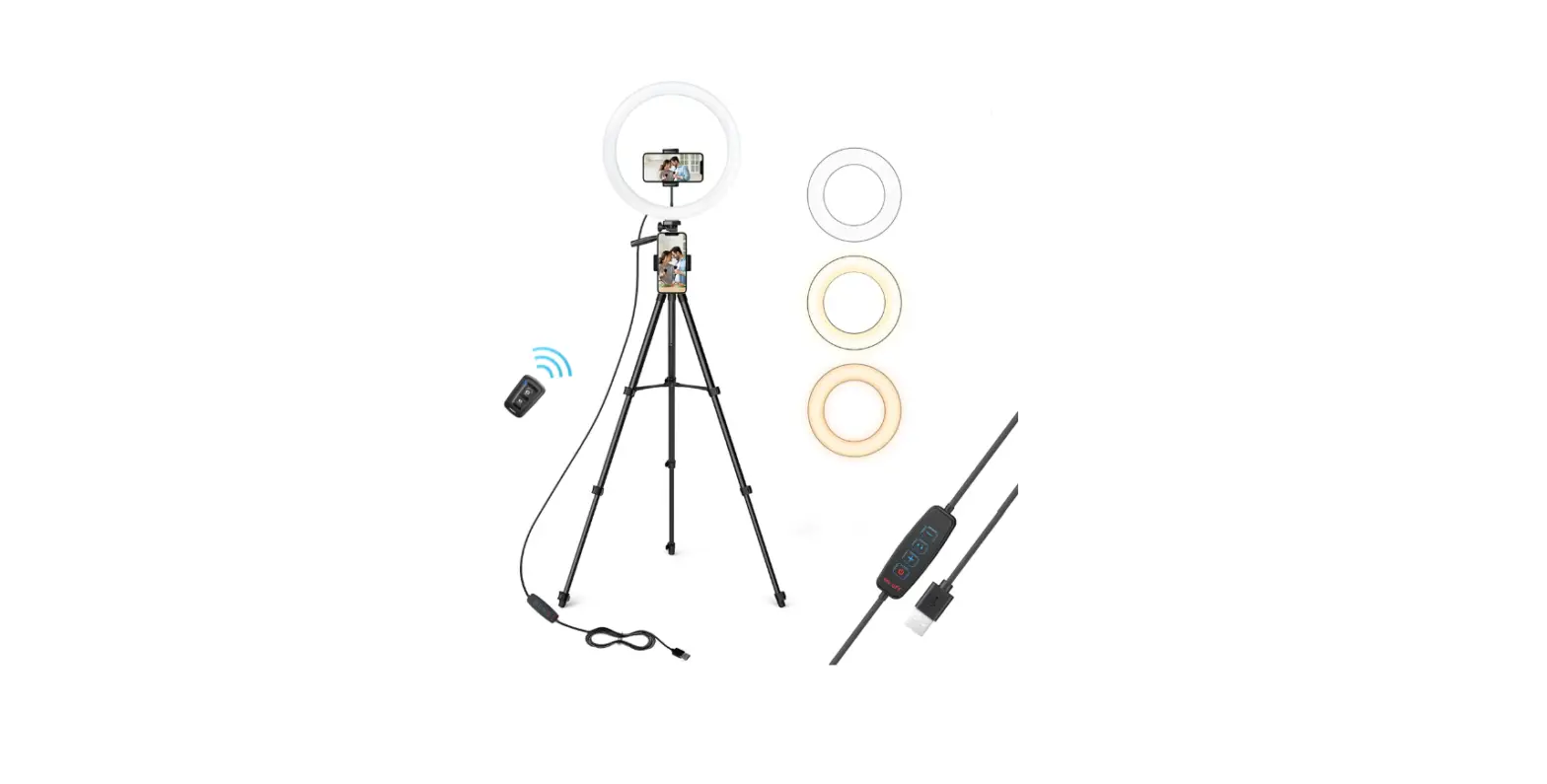
 TAOTRONICS TT-CL027 LED Stand Light
 TAOTRONICS TT-CL027 LED Stand Light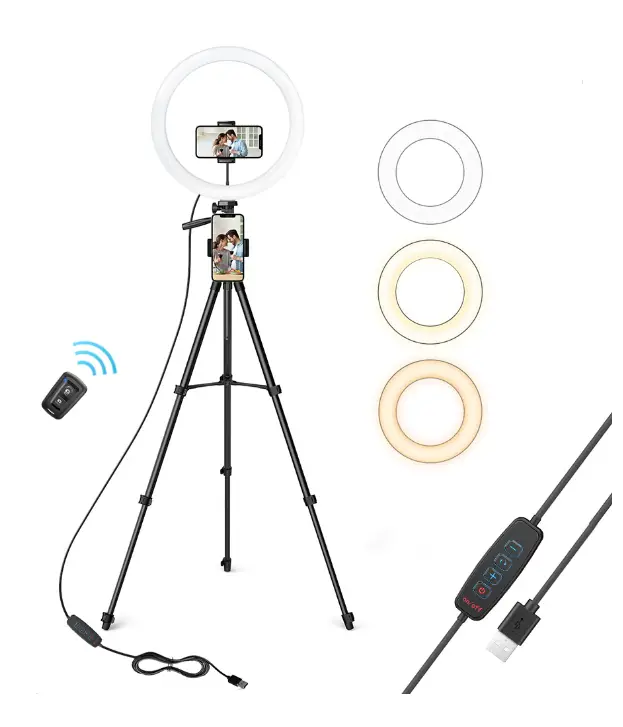
Thank you for choosing the TaoTronics LED Stand Light. Please read this User Guide thoroughly before use and retain it for future reference.
IMPORTANT SAFETY INSTRUCTIONS
READ AND FOLLOW ALL SAFETY INFORMATION AND INSTRUCTIONS. KEEP FOR FUTURE REFERENCE.
A CAUTION
- To ensure correct and safe usage and functioning of the product, always follow these instructions carefully and keep for future reference.
- Please keep the light away from water or any other liquid to avoid electrical shock.
- Do not look directly into the light to avoid any injuries.
- This appliance is not intended for use by persons (including children) with reduced physical, sensory or mental capabilities, or lack of experience and knowledge, unless they have been given supervision or instruction concerning the use of the appliance by person responsible for their safety.
- Do not allow to be used as a toy. Close attention is necessary when used by or near children. Children should be supervised to ensure that they do not play with the product or remote shutter.
- Do not operate any light with a damaged cord or after malfunction occurs, or damaged in any manner. Discard the light, or return it to an authorized service facility for examination or repair.
- Keep away from heat and avoid direct sunlight.
- Do not try to repair or dismantle the light by yourself.
- Keep the equipment out of reach of children or infants, avoid strangulation caused by the adapter cable.
- Switch off the device when it is not in use.
- Switch off the device before assembly and maintenance and disconnect from power supply by unplugging the USB power cord.
- Do not operate the device with wet hands.
- Follow local ordinances and recycling instructions regarding disposal or recycling of the device and device components.
- If you have any product problems or report an unexpected situation during use, please contact Customer Support at [email protected].
THIS IS AN ELECTRIC LAMP – NOT A TOY! TO AVOID RISK OF FIRE, BURNS,
PERSONAL INJURY AND ELECTRIC SHOCK IT SHOULD NOT BE PLAYED WITH OR PLACED WHERE SMALL CHILDREN CAN REACH IT
READ AND SAVE THESE INSTRUCTIONS
Features
Your new TaoTronics LED Stand Light is a perfect light source for portrait and beauty photography with many features and benefits:
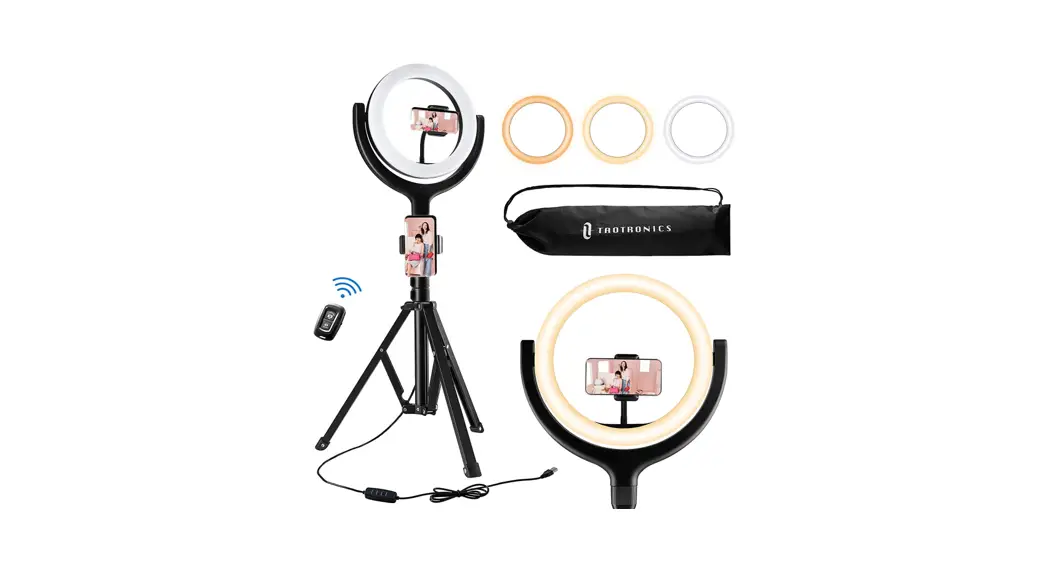
- 3 Color Lighting Modes: Cool White, Warm White and Warm Yellow
- Stepless adjustment of color temperature and brightness
- Upgraded tripod stand for increased stability
- Adjustable phone holder, compatible with almost every smart phone
- 3-way Pan Head with 360° rotation for any shooting angle without limitations
- Bluetooth Remote Shutter for easy shooting experience\
In The Box
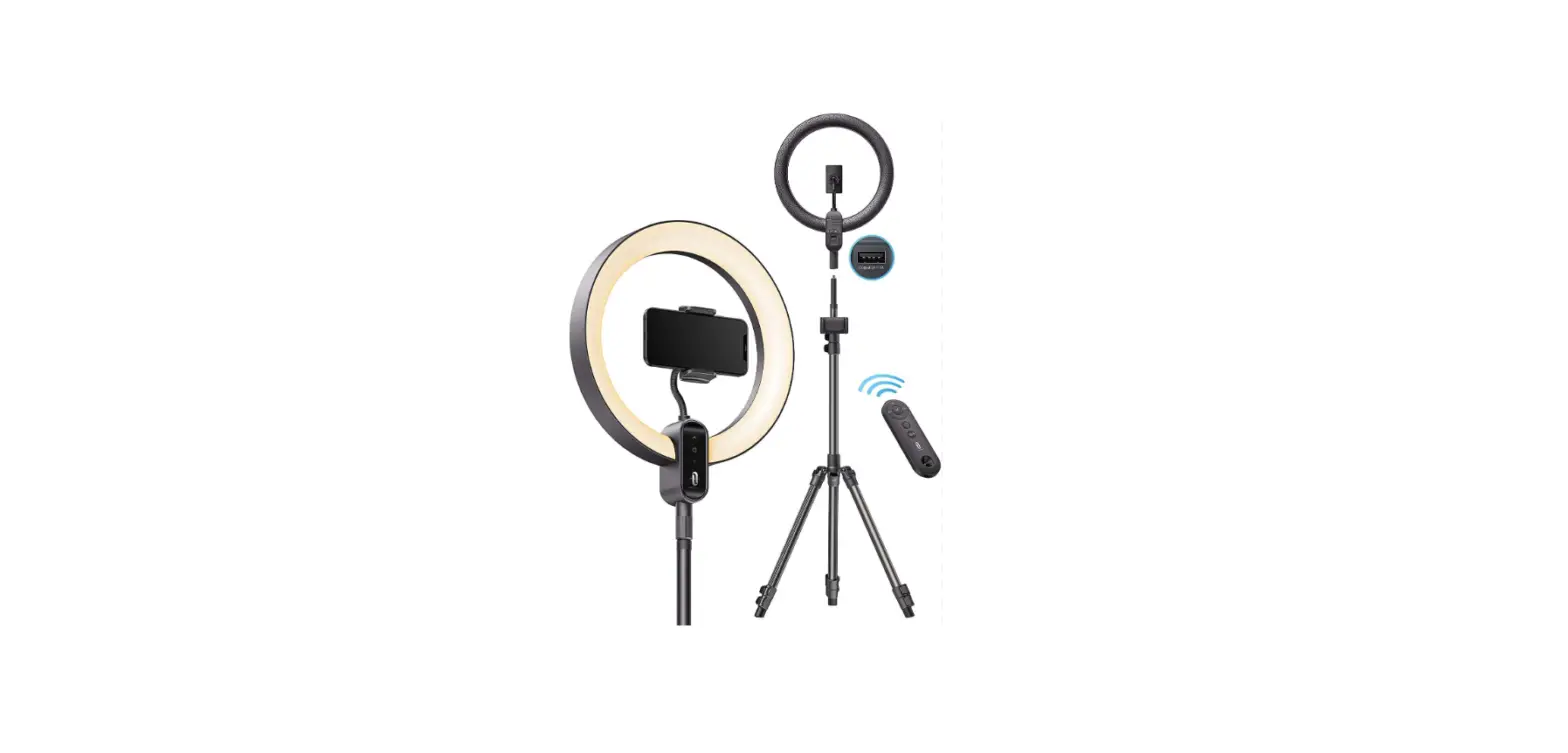
- 1 x 12″ LED Ring Light with USB Power Supply (TT-CL027)

- 1 x Adjustable Tripod Stand

- 1 x Tripod Mount Phone Holder

- 1 x Flexible Phone Holder

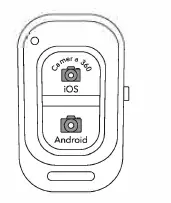
- 1 x Bluetooth Remote Shutter

- 1 x User Guide

- 1 thank you Card

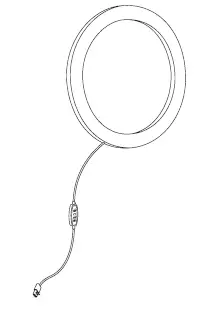
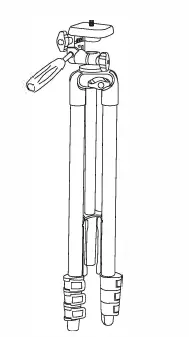
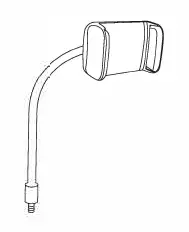
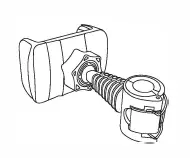
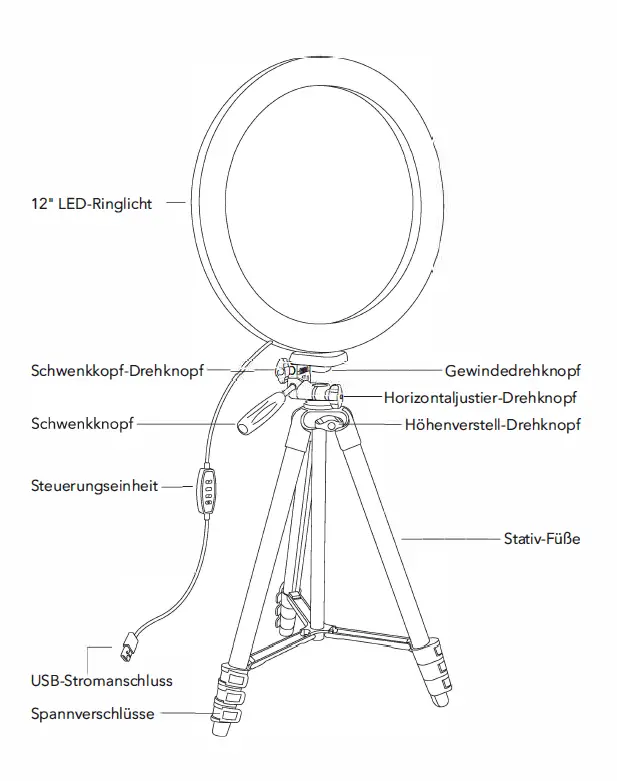
Knowing Your Stand Light 
Assembly Instruction (Tripod)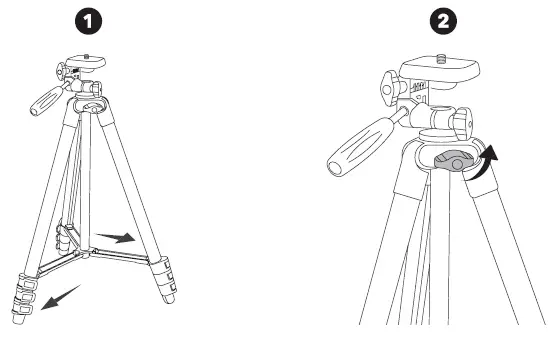
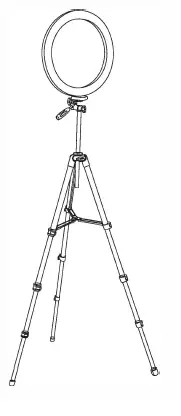
- Unfold the tripod legs to the maximum width.
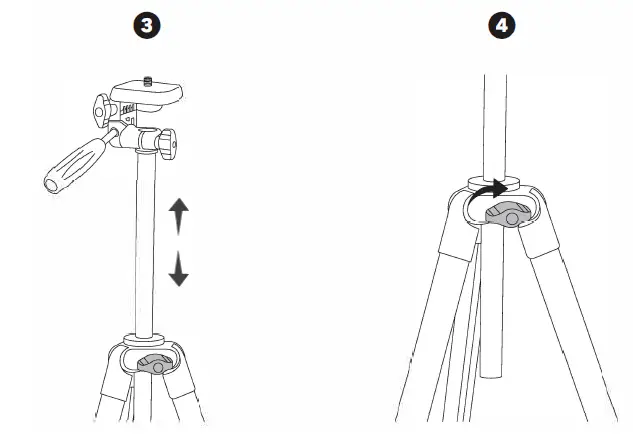
- Loosen the Height Adjustment Knob.

- Move the tripod pole up or down to your desired height
- Screw the knob tight.
Assembly Instruction (Ring Light)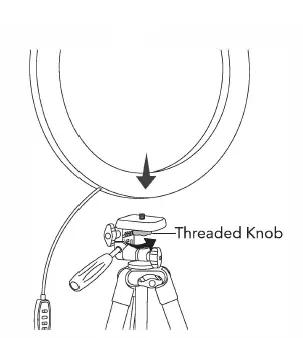
- Align the threaded hole with the Threaded Knob, and then screw the threaded knob tight.

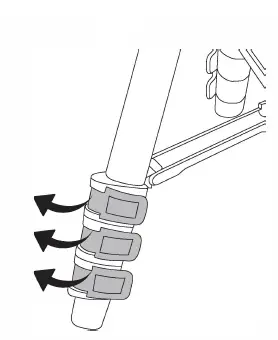
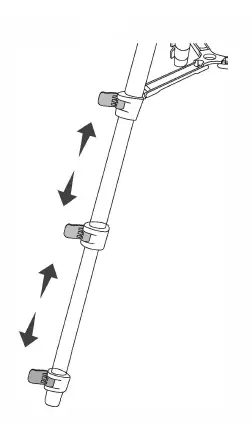
- Loosen the buckles.

- Adjust the tripod legs to your desired height.

- Lock to its place.
Assembly Instruction (Tripod Mount Phone Holder)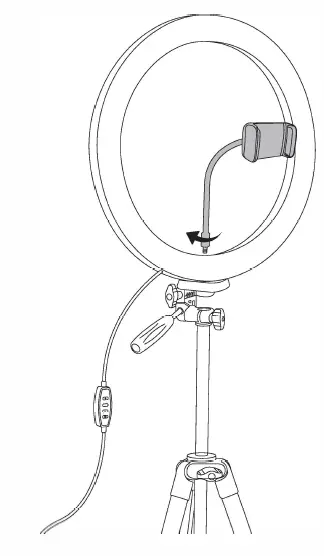
- Hold the ring light and screw the tripod mount phone holder onto it.

- Adjust to your desired angle (360 rotation).
Assembly Instruction (Flexible Phone Holder) – Optional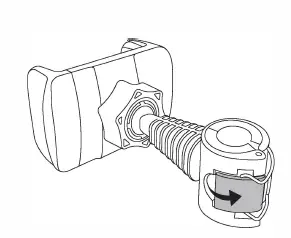
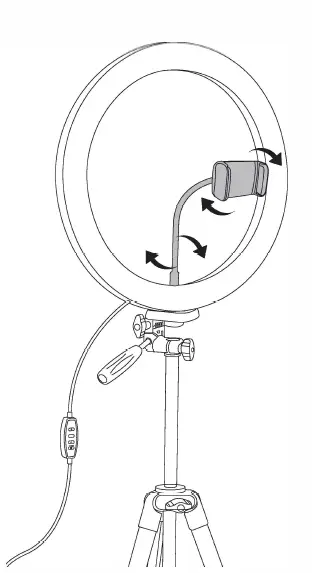
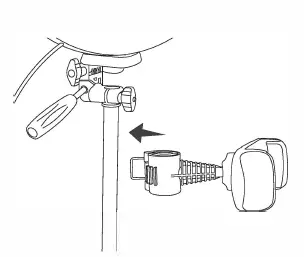
- Open the clip on the end of flexible phone holder.

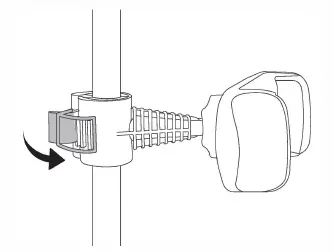
- Install it onto the desired position of the tripod pole.

- Lock to its place.

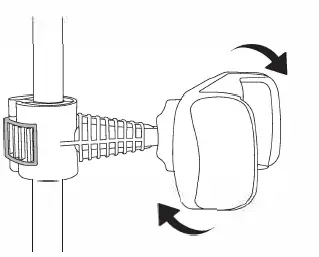
- Adjust to your desired angle (360 rotation).
Using Your Stand Light
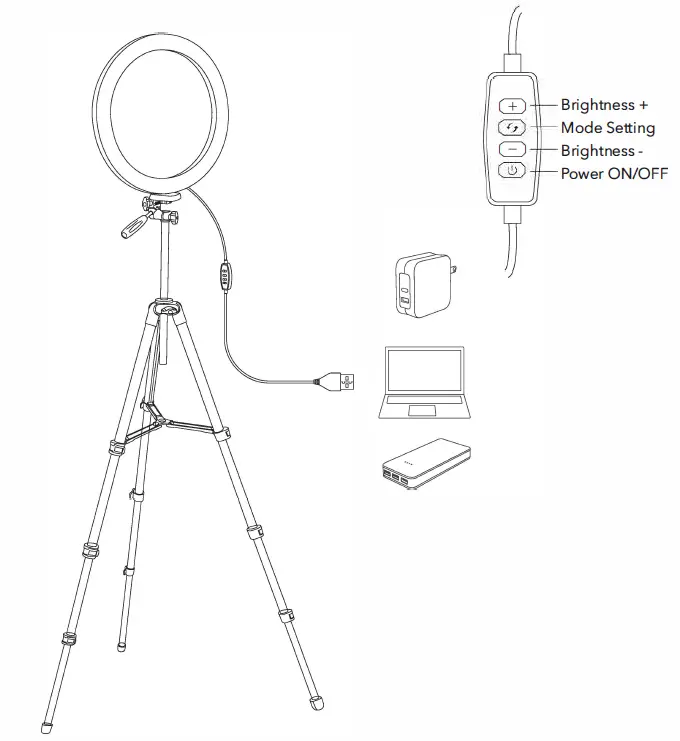
Getting Started
- Place the stand light on a flat and stable surface.
- Connect the USB power port (SV ::-: 2A) to any USB charging adapter, power bank or active computer USB port. The power indicator on the controller will light up blue.
Lighting Angle Adjustment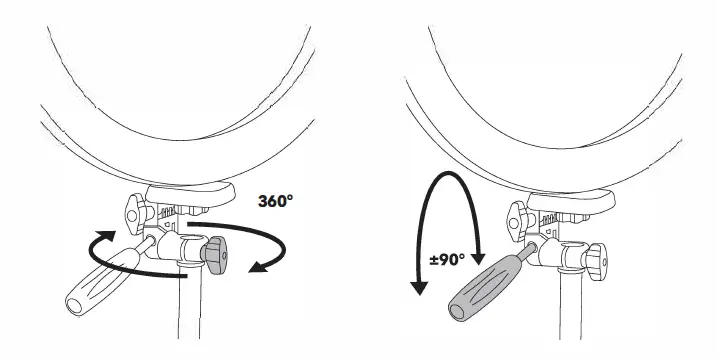
- 360° Horizontal: Loosen Horizontal Adjustment Knob to desired angle and screw tight.
- ±90° Left-to-right: Loosen Pan Head to desired angle and screw tight.

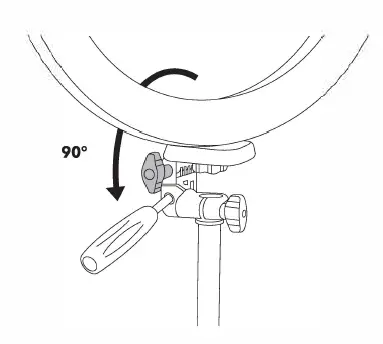
- 90° Front-to-rear: Loosen Pan Head Knob to desired angle and screw tight.
Power ON / OFF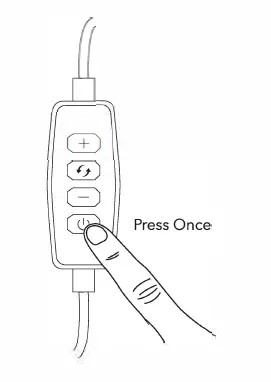
Brightness Adjustment
- When the stand light is on, repeatedly press + or – to adjust the brightness by step (10%-100%).
- Or press and hold + or – to steplessly adjust the brightness.
Lighting Mode Setting
- When the stand light is on, repeatedly press •J to cycle through Cool White-> Warm White-> Warm Yellow lighting modes.
Wireless Control
A Bluetooth remote shutter is provided for easy shooting experience with both iOS and Android phones (effective coverage of 1 0m/30 feet). You can easily control the phone to take selfies or record videos using one hand.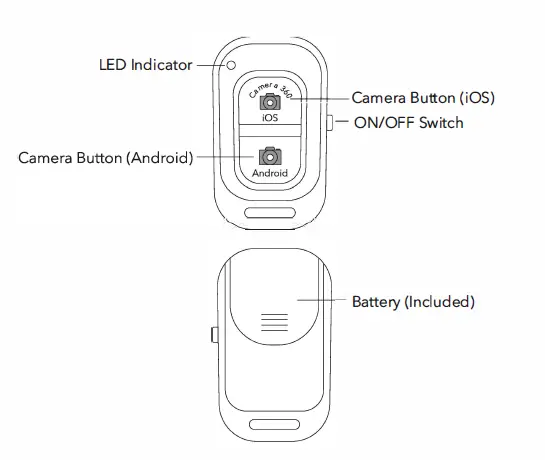
- Toggle the switch to ON, the remote shutter is turned on with the LED indicator flashing blue quickly.
- Turn on the Bluetooth function on your phone and search for “TaoTronics Selfie”, tap on the name to connect. Once connected, the LED indicator will turn off.
- Turn on Camera on your phone, and then press the corresponding Camera Button (iOS or Android) to take photos.
Note: If pairing failed or no operation is done in 10 minutes, the remote shutter will enter standby mode. Press the Camera Button once again to wake it up.
Cleaning and Maintenance
- Always unplug the USB power port before cleaning.
- To avoid the risk of electric shock, do not clean the stand light or the power cord with water and do not immerse them.
- Clean the stand light or tripod stand with a soft damp cloth on a regular basis.
- When not in use for a long period of time, it is recommended to detach the stand light, then store the stand light and tripod stand in a cool, dry location
Caution
- Do not disassemble the device without authorization.
- Do not store the product in a high temperature environment.
- For enough brightness, please ensure an input power of SVcc-: 2A by USB power supply.
- To avoid any damage to the tripod stand, do not place excessive force on it.
- When adjusting the tripod stand, make sure the knob is unscrewed and the buckles are unlocked. When using the tripod stand, make sure the knob is tightened and the buckles are locked.
Troubleshooting
The following troubleshooting guide addresses the most common problems. If problems persist, contact the Customer Support at [email protected]
| Problem | Possible Cause | Solution |
|
Not enough brightness |
Insufficient input power | For enough brightness, please ensure an input power of SV cc-: 2A by USB power supply. |
| The stand light does not light up | No power supply | Correctly connect to an active power port. |
| The stand light is not turned on | Refer to the Using Your Stand Light section. | |
| LED failure | LED component failed | Please contact the TaoTronics Support Team. |
| The tripod stand is not stable | Not correctly installed | Make sure the knob is tightened and the buckles are locked to its place. |
Specifications
| Model | TT-CL027 |
| Ring Light Size | 12 inch |
| Power | 10W |
| Input | USB 5Vcc-:2A |
| LED Qty | 160 |
| Lifespan | >20000 Hours |
| Tripod Stand Extendable Height | 410-1350mm/16-53inch |
| Color Temperature | Cool White: 5800K-6500K Warm White: 4100-4700K Warm Yellow: 2700-3300K |
| Remote Battery | CR2032, 3V |
Warranty
Tao Tronics products are covered by a 12 month limited warranty from the date of its original purchase. If any problems occur, please contact TaoTronics Customer Care Centre via the contact information listed in this User Guide.