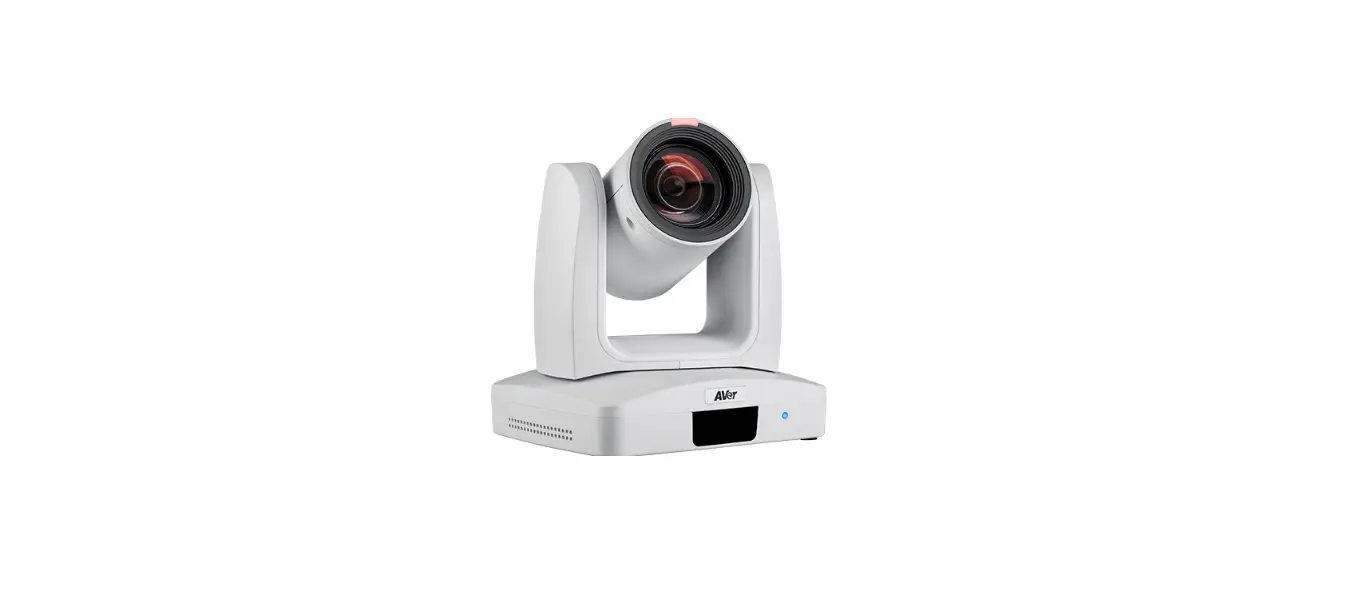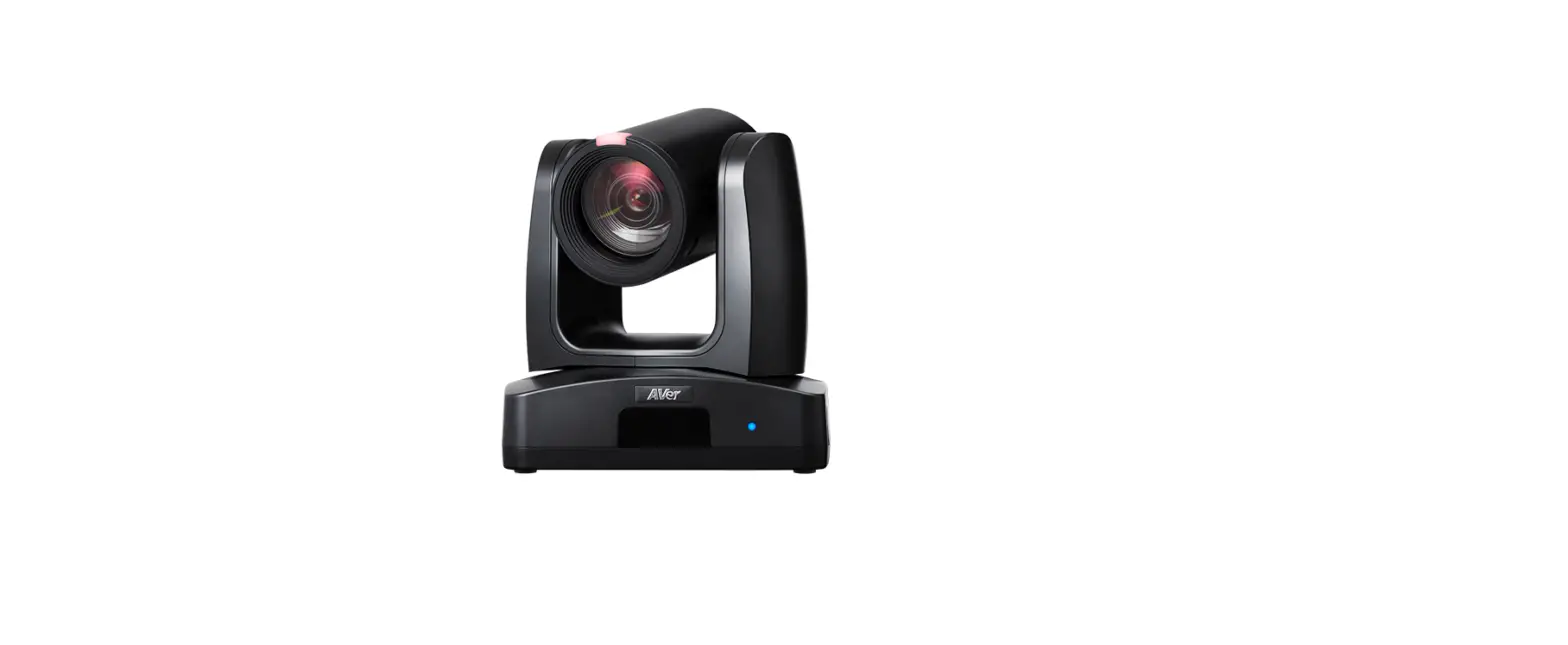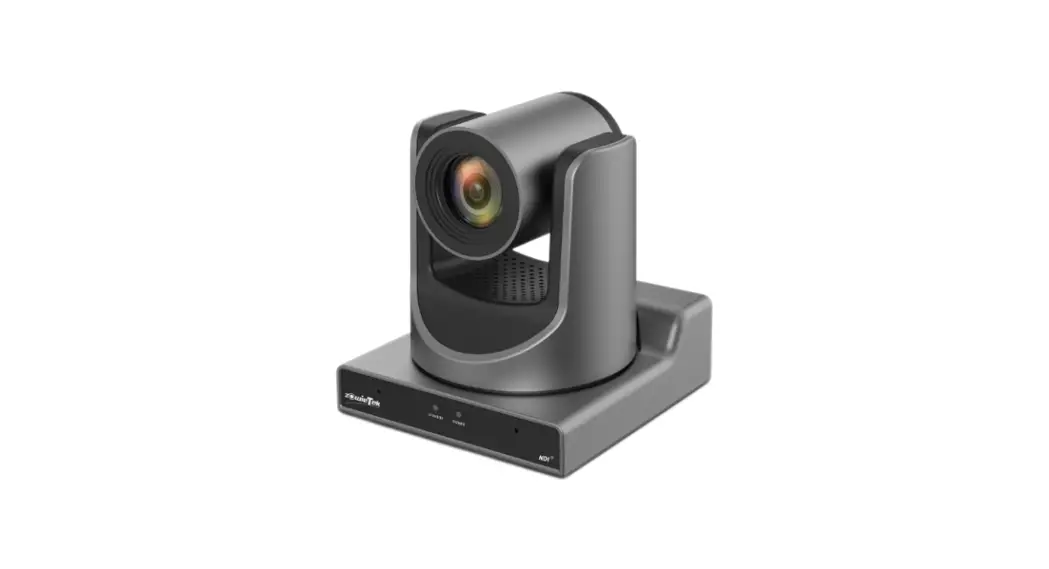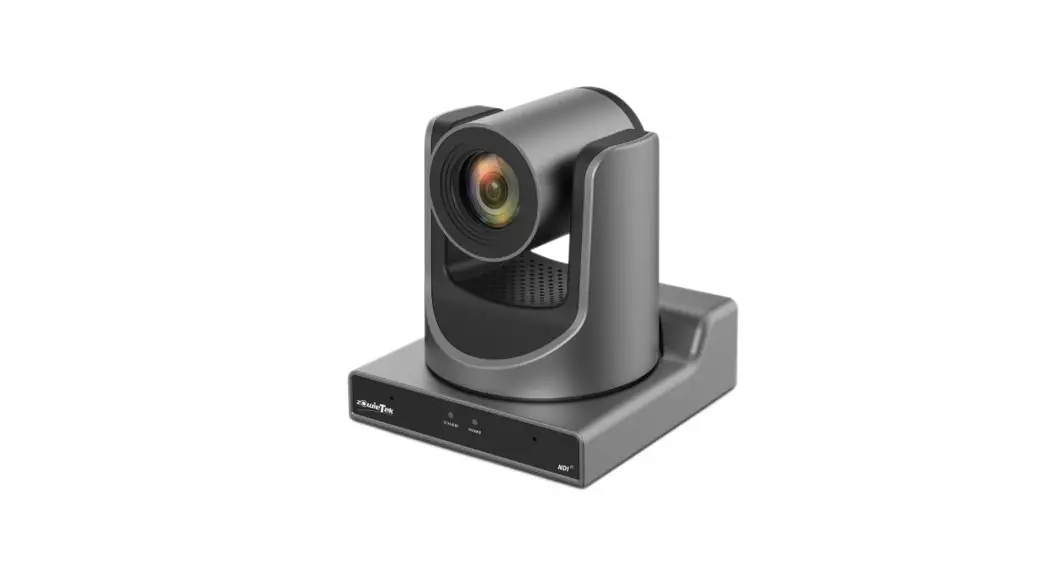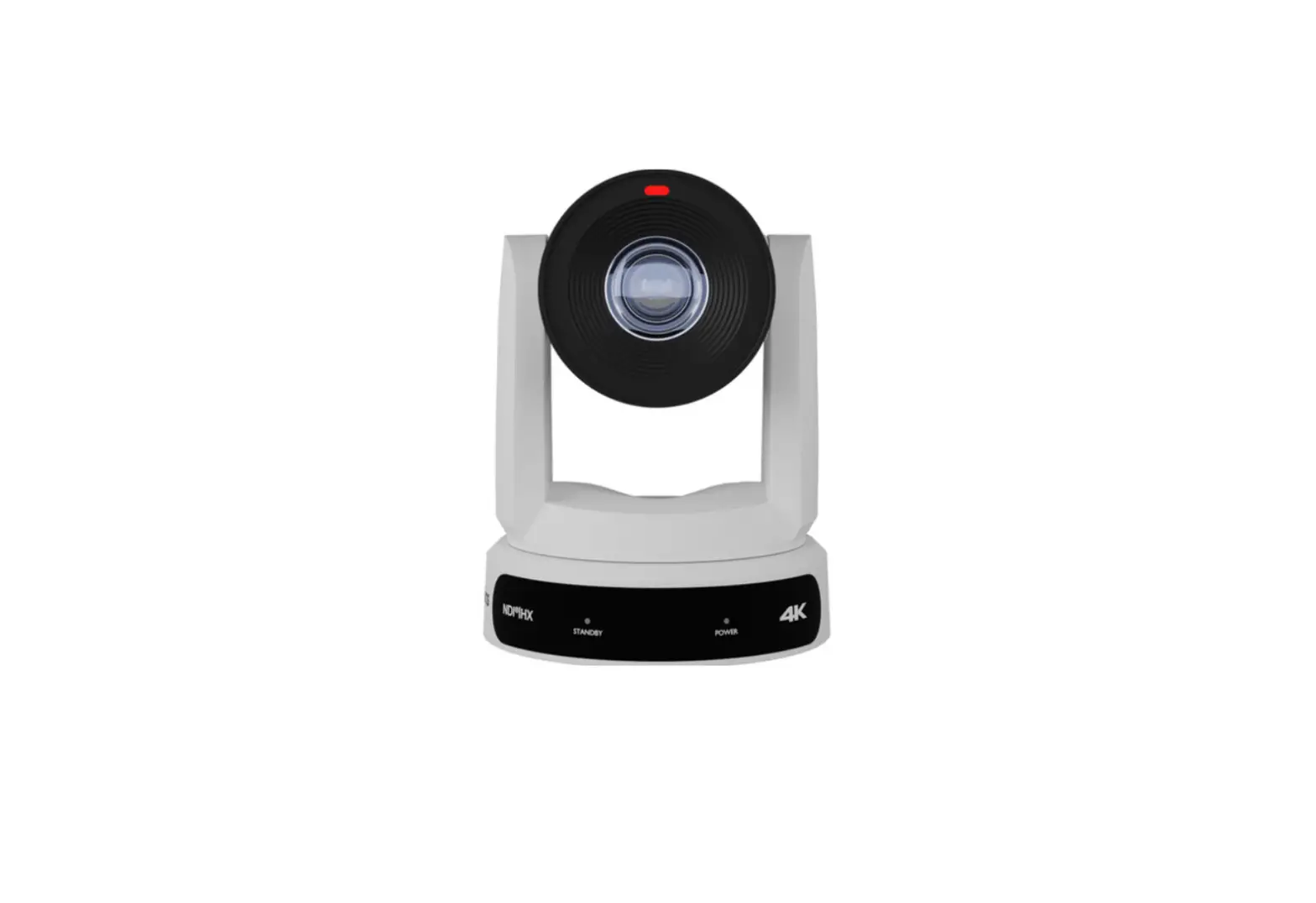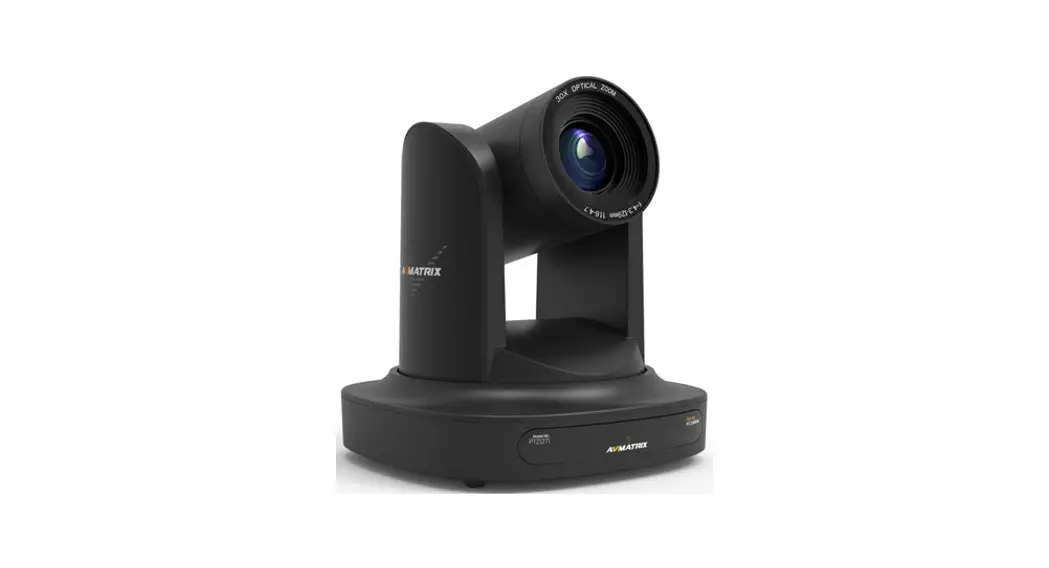

AVer PTC310 AI Auto Tracking PTZ Camera
Product Introduction
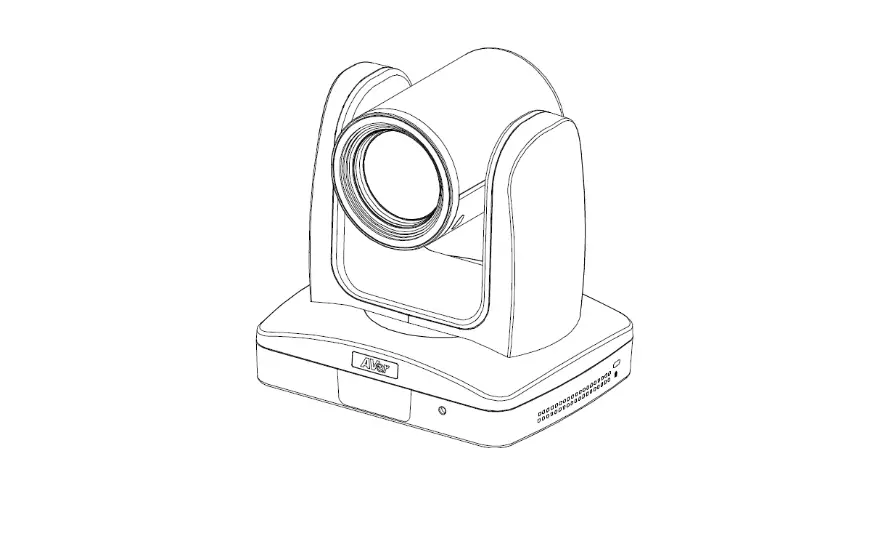
Overview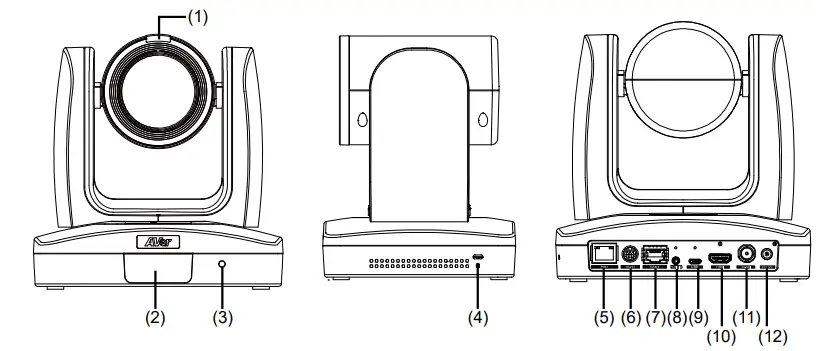
| (1) Tally Lamp (*1) | (5) PoE+ IEEE 802.3AT | (9) USB 3.0 Port (Type C) |
| (2) IR Sensor | (6) RS232 Port | (10) HDMI Port |
| (3) Power Indicator | (7) RS422 Port | (11) 3G-SDI Port (*2) |
| (4) Kensington Lock | (8) Audio In | (12) DC Power Jack |
- Line input level: 1Vrms (max.).
- Mic input level: 50mVrms (max.); Supplied voltage: 2.5V
- This feature (3G-SDI) is not supported on PTC310H
RS232 and RS422 Connection
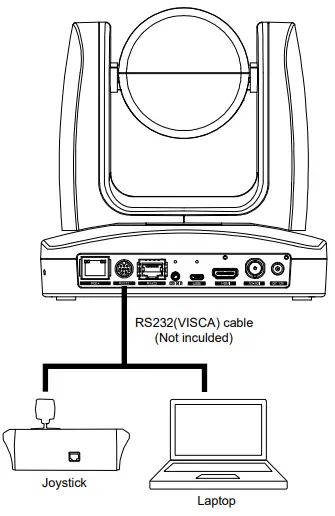
Connect through the RS232 or RS422 for camera control.
- RS232

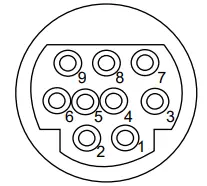
- RS232 Port Pin Definition

Function
Mini DIN9 PIN # I/O Type
Signal
Description
VISCA IN
1 Output DTR Data Terminal Ready 2 Input DSR Data Set Ready 3 Output TXD Transmit Data 6 Input RXD Receiver Data VISCA OUT
7 Output DTR Data Terminal Ready 4 Input DSR Data Set Ready 8 Output TXD Transmit Data 9 Input RXD Receiver Data 5 — — Not connect - RS232 mini DIN9 to mini DIN8 Cable Pin Definition

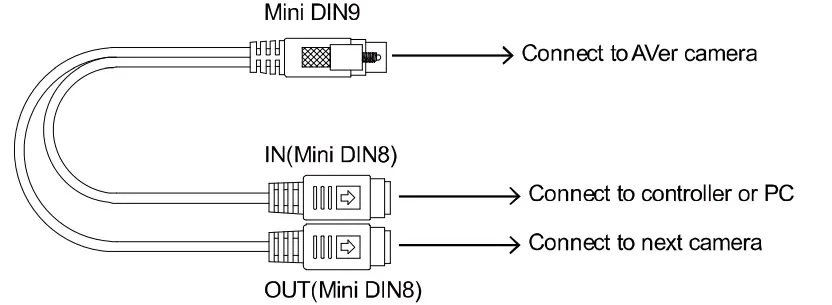
Mini DIN8 Cable Pin Definition 
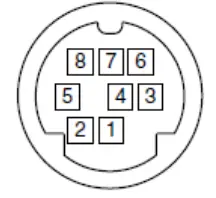
| No. | Signal |
| 1 | DTR |
| 2 | DSR |
| 3 | TXD |
| 4 | GND |
| 5 | RXD |
| 6 | GND |
| 7 | NC |
| 8 | NC |
Din8 to D-Sub9 Cable Pin Definition 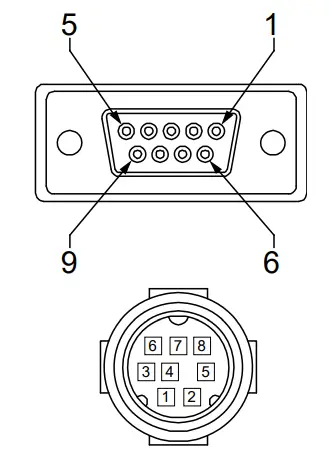 RS422
RS422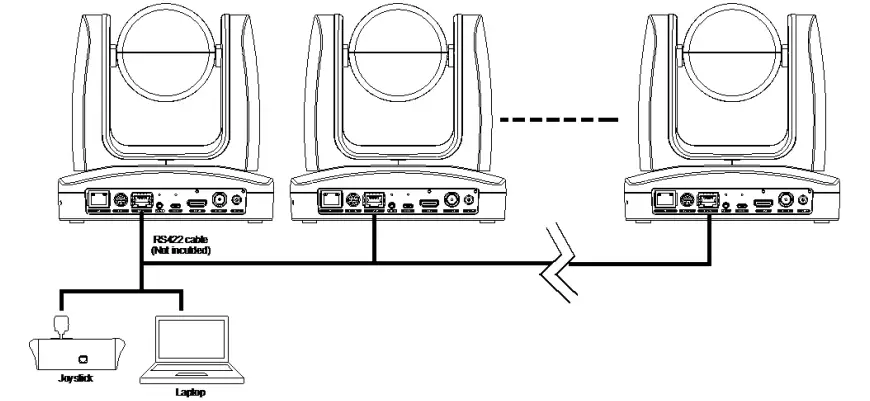
[Note] Use cat5e splitter for multi-camera connection.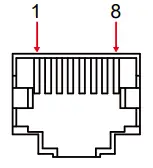
| RS422 Pin | |||
| No. | Pin | No. | Pin |
| 1 | TX- | 5 | TX+ |
| 2 | TX+ | 6 | RX+ |
| 3 | RX- | 7 | RX- |
| 4 | TX- | 8 | RX+ |
Cat5e splitter pin assignment: 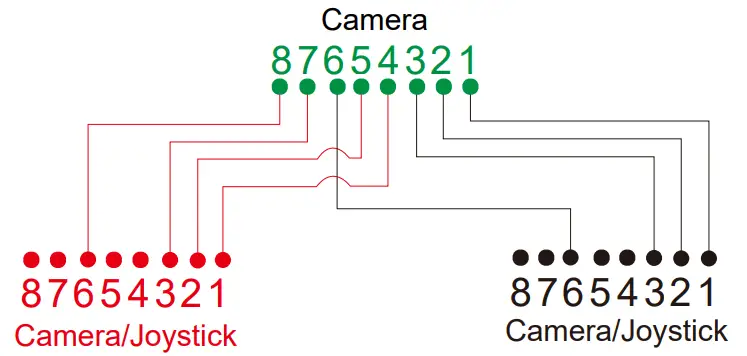
OSD Tree Camera
Go to Advanced Setting -> Control. Make sure the Camera Address, Baud Rate setting is correct.
Advanced Setting
| Advanced Setting | Audio | ||
| Input Type | Mic in/Line in | ||
| Auto Gain Control | OFF/ON | ||
| Noise Suppression | OFF/Low/Normal | ||
| Audio Volume | 0 ~ 10 | ||
| Control | |||
| Type | RS232/RS422 | ||
| Protocol | VISCA/Pelco-P/ Pelco-D | ||
| Camera Address | 1~7 | ||
| Baud Rate | 2400/4800/9600/38400 | ||
| Tracking | ON/OFF |
RS232/422 Visca Command Table
| Command Set | Command | Command Packet | Comments |
| CAM_Power | On | 8x 01 04 00 02 FF | Power ON/OFF |
| Off | 8x 01 04 00 03 FF | ||
| CAM_Zoom | Stop | 8x 01 04 07 00 FF | |
| Tele(Variable) | 8x 01 04 07 2p FF | p=0 (Low) to 7 (High) | |
| Wide(Variable) | 8x 01 04 07 3p FF | ||
|
CAM_Focus | Stop | 8x 01 04 08 00 FF | |
| Auto Focus | 8x 01 04 38 02 FF | ||
| Manual Focus | 8x 01 04 38 03 FF | ||
| One Push | 8x 01 04 18 01 FF | ||
| Direct | 8x 01 04 47 0p 0q 0r 0s FF | pqrs: Zoom Position | |
|
CAM_WB | Auto | 8x 01 04 35 00 FF | Normal Auto |
| ATW | 8x 01 04 35 04 FF | ||
| Indoor | 8x 01 04 35 01 FF | ||
| Outdoor | 8x 01 04 35 02 FF | ||
| One Push WB | 8x 01 04 35 03 FF | One Push WB mode | |
| Manual | 8x 01 04 35 05 FF | Manual Control mode | |
| One Push | 8x 01 04 10 05 FF | One Push WB Trigger | |
| CAM_RGain | Up | 8x 01 04 03 02 FF | Manual Control of R Gain |
| Down | 8x 01 04 03 03 FF | ||
| CAM_Bgain | Up | 8x 01 04 04 02 FF | Manual Control of B Gain |
| Down | 8x 01 04 04 03 FF | ||
|
CAM_AE | Full Auto | 8x 01 04 39 00 FF | Automatic Exposure mode |
| Manual | 8x 01 04 39 03 FF | Manual Control mode | |
| Shutter Priority | 8x 01 04 39 0A FF | Shutter Priority Automatic Exposure mode | |
| Iris Priority | 8x 01 04 39 0B FF | Iris Priority Automatic Exposure mode | |
| Bright | 8x 01 04 39 0D FF | Bright Mode (Manual control) | |
| CAM_Shutter | Up | 8x 01 04 0A 02 FF | Shutter Setting |
| Down | 8x 01 04 0A 03 FF | ||
| CAM_Iris | Up | 8x 01 04 0B 02 FF | Iris Setting |
| Down | 8x 01 04 0B 03 FF | ||
| CAM_Gain | Up | 8x 01 04 0C 02 FF | Gain Setting |
| Down | 8x 01 04 0C 03 FF | ||
| CAM_Bright | Up | 8x 01 04 0D 02 FF | Bright Setting |
| Down | 8x 01 04 0D 03 FF | ||
| Up | 8x 01 04 0E 02 FF | Exposure Compensation Amount Setting | |
| Down | 8x 01 04 0E 03 FF | ||
| CAM_Backlight | On | 8x 01 04 33 02 FF | Back Light Compensation ON/OFF |
| Off | 8x 01 04 33 03 FF | ||
| CAM_Preset | Reset | 8x 01 04 3F 00 pp FF | pp: Preset Number 0x00~0xFF |
| Set | 8x 01 04 3F 01 pp FF | ||
| Recall | 8x 01 04 3F 02 pp FF | ||
| CAM_Menu | On/Off | 8x 01 06 06 10 FF | Display ON/OFF |
|
Pan-tilt Drive | Up | 8x 01 06 01 VV WW 03 01 |
VV: Pan speed setting 0x01 (low speed) to 0x18 (high speed) WW: Tilt speed setting 0x01 (low speed) to 0x18 (high speed) |
| Down | 8x 01 06 01 VV WW 03 02 | ||
| Left | 8x 01 06 01 VV WW 01 03 | ||
| Right | 8x 01 06 01 VV WW 02 03 | ||
| UpLeft | 8x 01 06 01 VV WW 01 01 | ||
| UpRight | 8x 01 06 01 VV WW 02 01 | ||
| DownLeft | 8x 01 06 01 VV WW 01 02 | ||
| DownRight | 8x 01 06 01 VV WW 02 02 | ||
| Stop | 8x 01 06 01 VV WW 03 03 | ||
| Home | 8x 01 06 04 FF | ||
| Reset | 8x 01 06 05 FF | ||
| Absolute Position (v26 or above) |
8x 01 06 02 VV WW 0Y 0Y 0Y 0Y 0Z 0Z 0Z 0Z FF | VV: Pan speed setting 0x01 (low speed) to 0x18 (high speed) WW: Tilt speed setting 0x01 (low speed) to 0x18 (high speed) YYYY: Pan Position 8A14 to 762C (CENTER 0000) ZZZZ: Tilt Position 468B to E898 (Image Flip: OFF) (CENTER 0000) | |
| CAM_Wdr | On | 8x 01 04 3D 02 FF | Wdr ON/OFF |
| Off | 8x 01 04 3D 03 FF | ||
| CAM_MenuEnter | 8x 01 7E 01 02 00 01 FF | Enter Submenu | |
| Tally Lamp ON | 8x 01 7E 01 0A 00 02 FF | ||
| Tally Lamp OFF | 8x 01 7E 01 0A 00 03 FF | ||
| Freeze | Freeze On | 81 01 04 62 02 FF | Freeze On Immediately |
| Freeze Off | 81 01 04 62 03 FF | Freeze Off Immediately | |
| Preset Freeze On | 81 01 04 62 22 FF | Freeze On When Running Preset | |
| Preset Freeze Off | 81 01 04 62 23 FF | Freeze Off When Running Preset | |
| Auto Tracking | On | 8x 01 04 7D 02 FF | Auto tracking ON/OFF |
| Off | 8x 01 04 7D 03 FF | ||
|
CAM_Memory Special |
Set |
8x 01 04 3F 01 pp FF | pp: 0x00 To 0xFF normal preset pp: 0x5F => Trun on OSD menu pp: 0xA0 => Full Body pp: 0xA1 => Upper Body pp: 0xA2 => Tracking Point pp: 0xA3 => Switch pp: 0xA4 => Presenter mode (support with v25 or newer firmware) pp: 0xA5 => Zone mode (support with v25 or newer firmware) |
| Inquiry Command | Command Packet | Reply Packet | Comments |
| CAM_PowerInq | 8x 09 04 00 FF | y0 50 02 FF | On |
| y0 50 03 FF | Off | ||
|
CAM_WBModeInq |
8x 09 04 35 FF | y0 50 00 FF | Auto |
| y0 50 01 FF | In Door | ||
| y0 50 02 FF | Out Door | ||
| y0 50 03 FF | One Push WB | ||
| y0 50 04 FF | ATW | ||
| y0 50 05 FF | Manual | ||
| CAM_RGainInq | 8x 09 04 43 FF | y0 50 00 00 0p 0q FF | pq: R Gain |
| CAM_BGainInq | 8x 09 04 44 FF | y0 50 00 00 0p 0q FF | pq: B Gain |
| CAM_AEModeInq | 8x 09 04 39 FF | y0 50 00 FF | Full Auto |
| y0 50 03 FF | Manual | ||
| y0 50 0A FF | Shutter Priority | ||
| y0 50 0B FF | Iris Priority | ||
| y0 50 0D FF | Bright | ||
| CAM_ShutterPosInq | 8x 09 04 4A FF | y0 50 00 00 0p 0q FF | pq: Shutter Position |
| CAM_IrisPosInq | 8x 09 04 4B FF | y0 50 00 00 0p 0q FF | pq: Iris Position |
| CAM_GainPosInq | 8x 09 04 4C FF | y0 50 00 00 0p 0q FF | pq: Gain Position |
| CAM_BrightPosInq | 8x 09 04 4D FF | y0 50 00 00 0p 0q FF | pq: Bright Position |
| CAM_ExpCompPosInq | 8x 09 04 4E FF | y0 50 00 00 0p 0q FF | pq: ExpComp Position |
| CAM_FocusModeInq | 8x 09 04 38 FF | y0 50 02 FF | Auto Focus |
| y0 50 03 FF | Manual Focus | ||
| CAM_FocusPosInq | 8x 09 04 48 FF | y0 50 0p 0q 0r 0s FF | pqrs: Focus Position |
| CAM_ZoomPosInq | 8x 09 04 47 FF | y0 50 0p 0q 0r 0s FF | pqrs: Zoom Position |