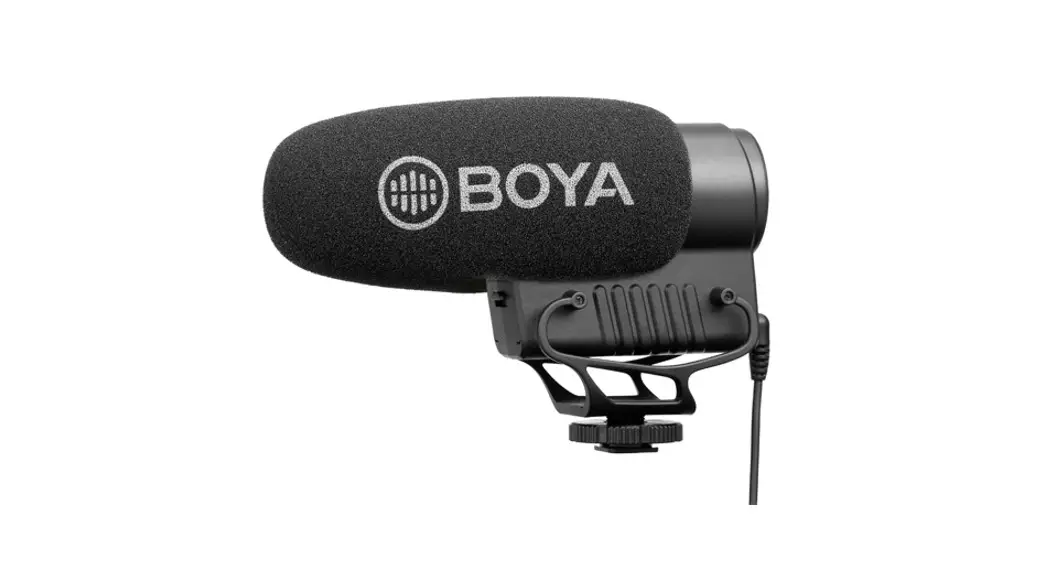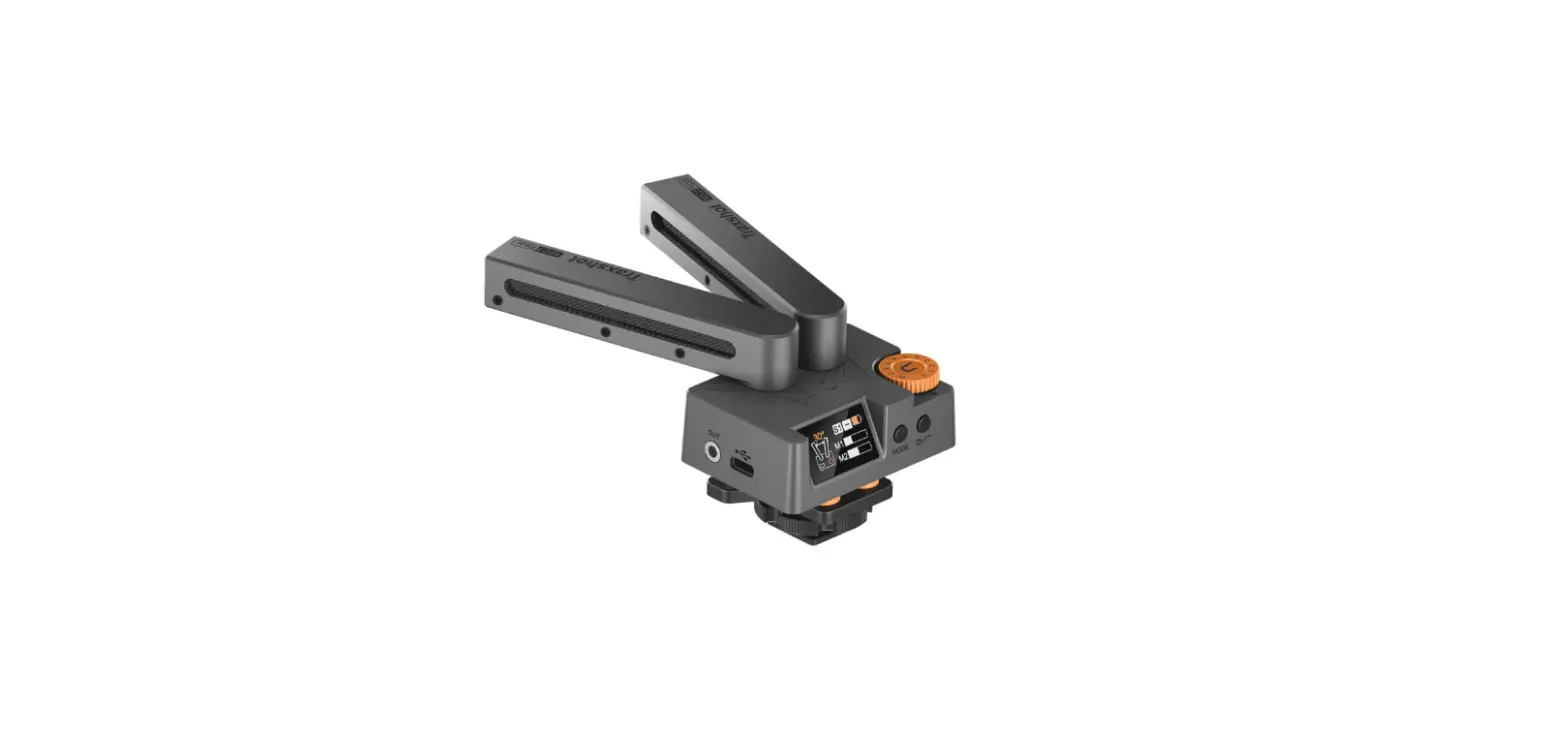

COMICA Traxshot Adjustable Shotgun Microphone
Foreword
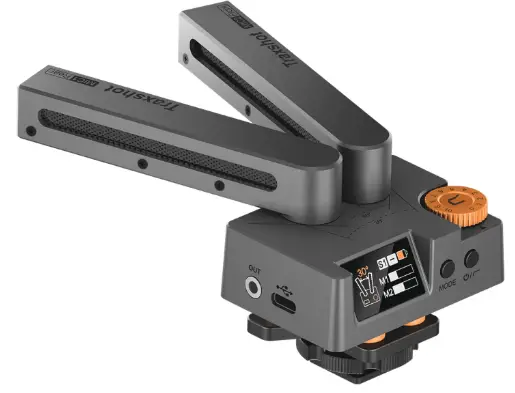
Thanks for Purchasing COMICA Traxshot All-in-One Shotgun Microphone.
Main Features
- Super Cardioid Transformable All-in-One Shotgun Mic
- Multi-Modes Switching
- Innovative and Effective Air-float Shock-absorption Design
- IPS Screen for Intuitive Power, Audio Dynamic , Working Modes
- Stepless Gain Control, Real-time Monitoring and LCF
- Built-in Rechargeable Lithium Battery
- Support USB-C Interface to Upgrade System
- Internal Windproof Design, Effectively Reduce Basic Wind Noise
- High-density Wind Muff, Effectively Filter the High-level Wind Noise
- Universal for Camera and Smartphone
Notice
- When using with USB mobile phone, please buy the related audio adapter cable
- When worked with smartphones and laptops in stereo mode, the stereo is automatically merged into mono
- In the bi-directional mode, Mic 1 should be used in the rear and Mic 2 in the front
- For the smart phones with Android system, this Mic works well in audio mode, it may not be compatible with partial smart phones in video mode (Then we suggest you to try the 3rd party APP, such as Filmic Pro, Proshot, ect.)
- For smart phones with iOS system, this Mic works well either in Audio or Video mode
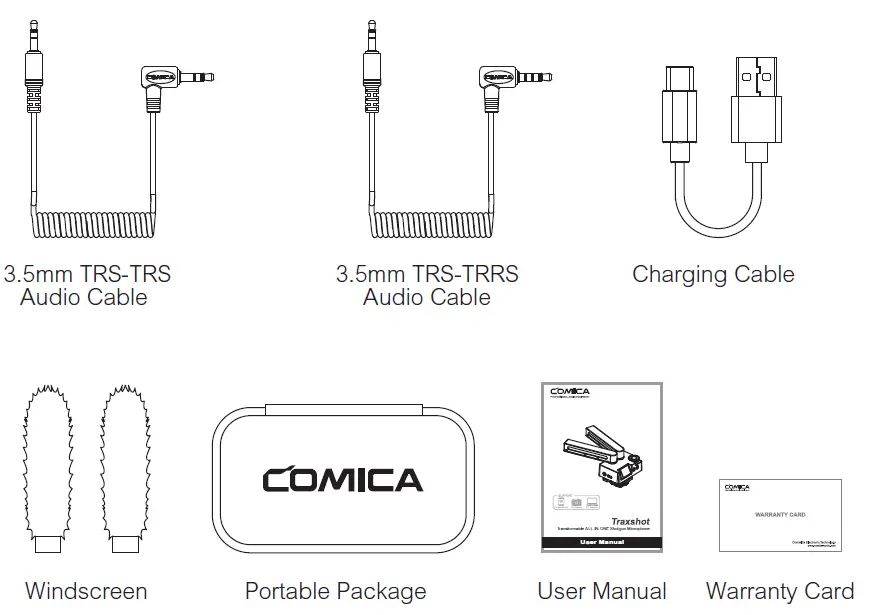
Packing List
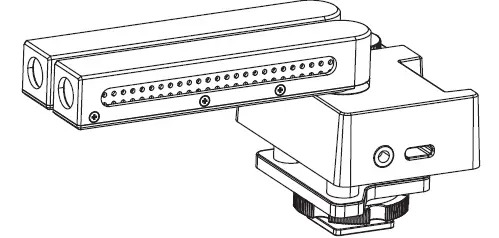
Main Parts:
Accessories:
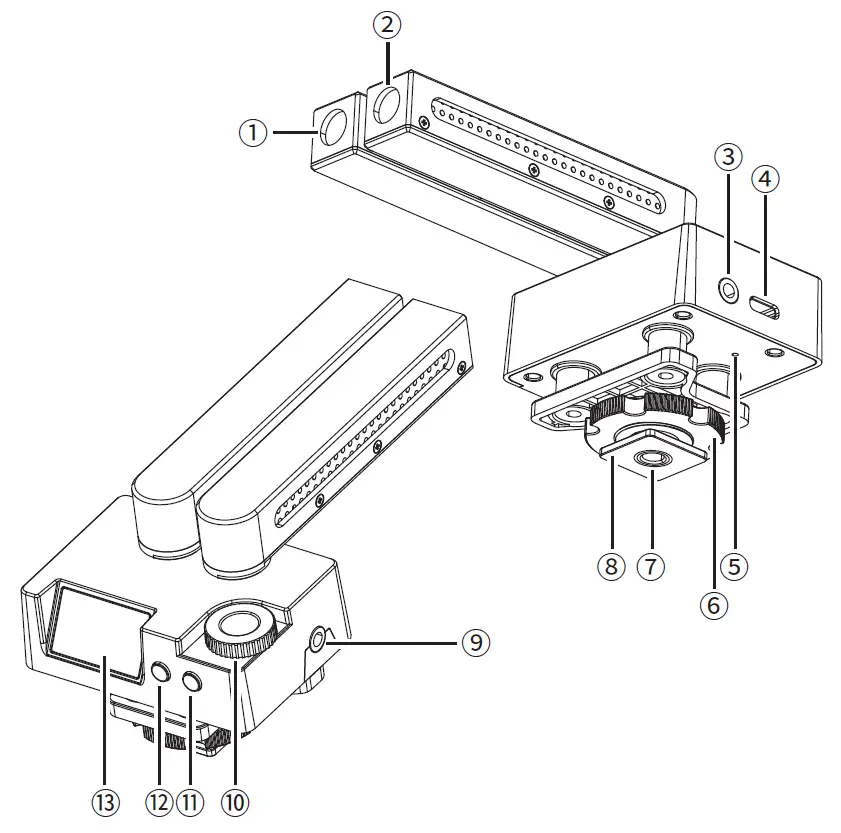
Components Introduction
- Mic 2 Capsule
- Mic 1 Capsule
- 3.5mm TRS Audio Output Jack
- USB-C Charging&Upgrading Jack
- Reset Hole
- Locking Screw
- 1/4 Thread Hole
- Cold Shoe
- 3.5mm TRS/TRRS Earphone Monitoring Jack
- Gain Adjustment Dial
- Power/LCF Switch
- Mode Switch Button
- IPS Display
Function and Usage
- Power/Low Cut Switch
Long press to turn on the Traxshot, short press for LCF switch
- Mode Switch Button
Short press to switch mode. When working in different modes, please set the Mic1 and Mic2 tube to corresponding angle
- Gain Adjustment Dial
The gain can be adjusted by rotating the dial
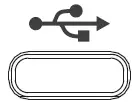
- USB-C Charging&Upgrading Jack
Plug in the USB-C cable for charging or upgrading The upgrade method is as follows:
- Long press the MODE button of Traxshot to enter upgrade screen;
- Connect the Traxshot to the computer via USB-C cable;
- Copy the new version file of Traxshot to the corresponding disk;
- Unplug the USB-C cable after the computer ejects the USB flash disk;
- Turn off Traxshot and Turn on Traxshot again to use new firmware.
- 3.5mm TRS Audio Output Jack
Insert the corresponding audio output cable to output the audio
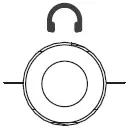
- 3.5mm TRS/TRRS Earphone Monitoring Jack
Plug in the 3.5mm TRS/TRRS headset to monitor
- Reset
Traxshot can be reset by inserting a pin



 The upgrade method is as follows:

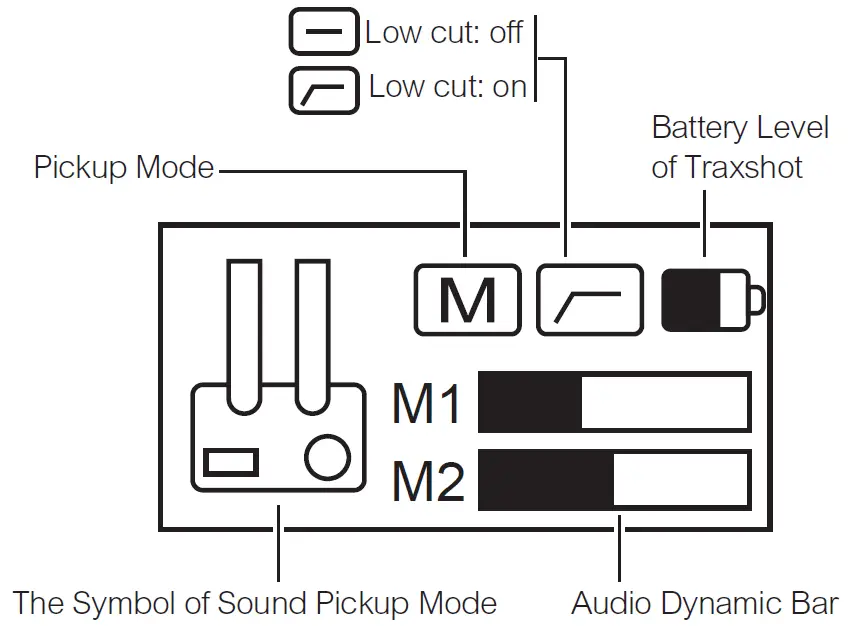
Screen Display Instruction
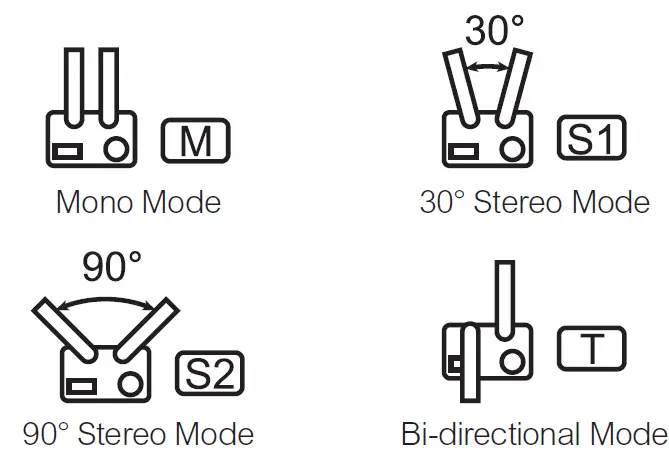
When worked with smartphones and laptops in stereo mode, the stereo is automatically merged into mono
Installation and Operation
Work with camera:
- Install the Traxshot on the camera hot shoe mount through the cold shoe

- Connect the Traxshot to the camera through the 3.5mm TRS-TRS audio cable

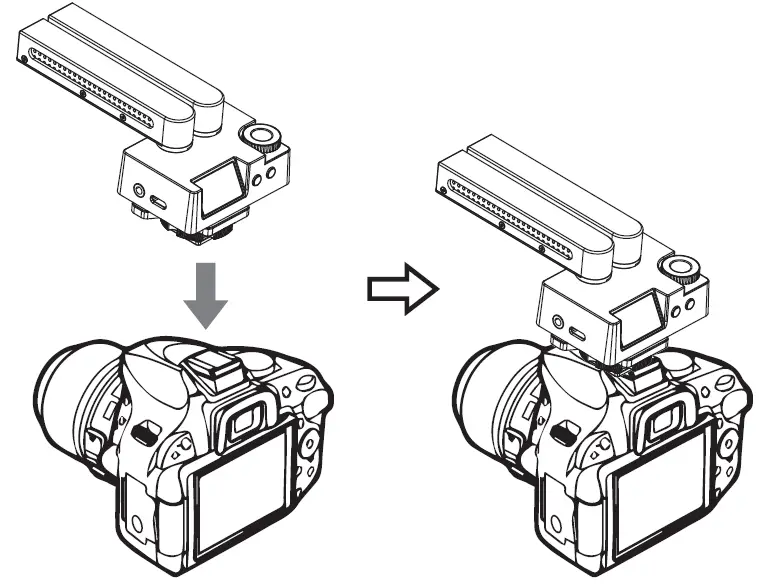
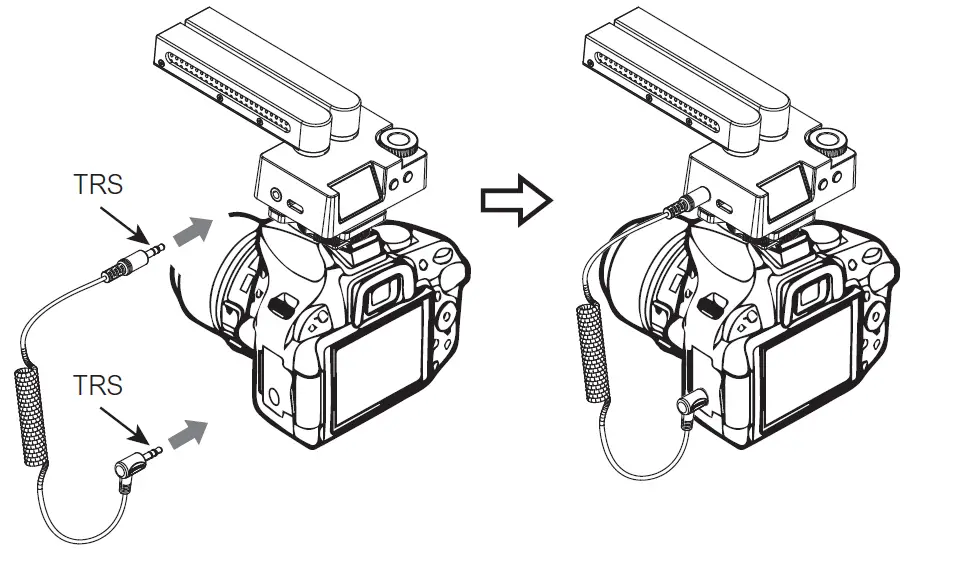
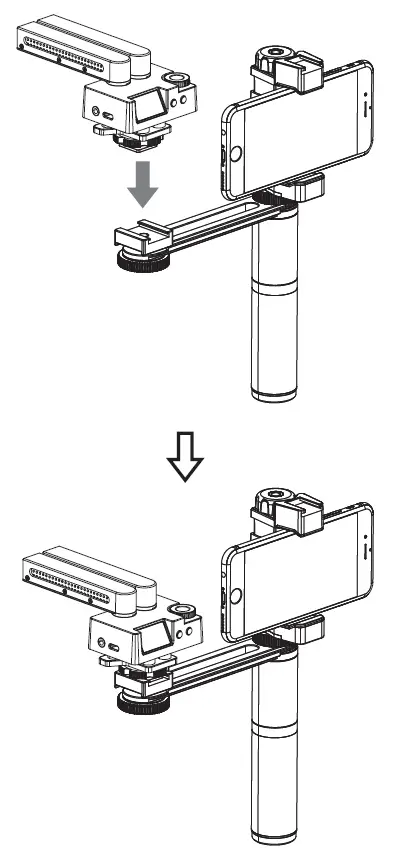
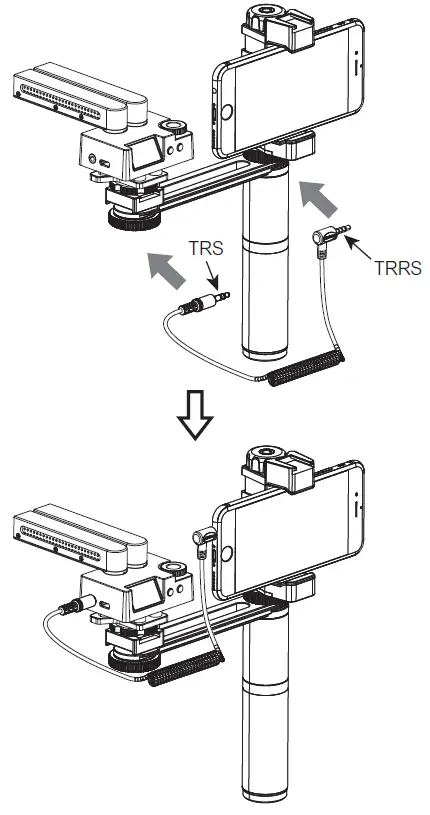
Work with mobile phone:
- Install the Traxshot on the cold shoe mount of the mobile phone rig through the cold shoe (please buy the mobile phone rig by yourself)

- Connect the Traxshot to the phone through the 3.5mm TRS-TRRS audiocable

Work with computer:
Install the Traxshot on the tripod and then connect the Traxshot to the computer through the 3.5mm TRS-TRRS audio cable (please buy the tripod by yourself)
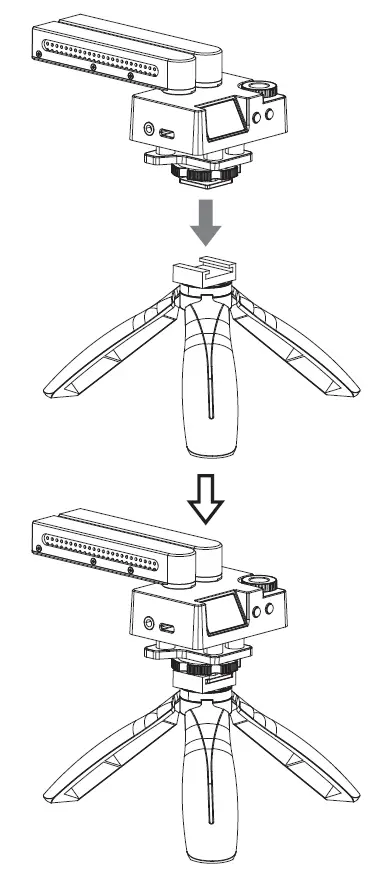
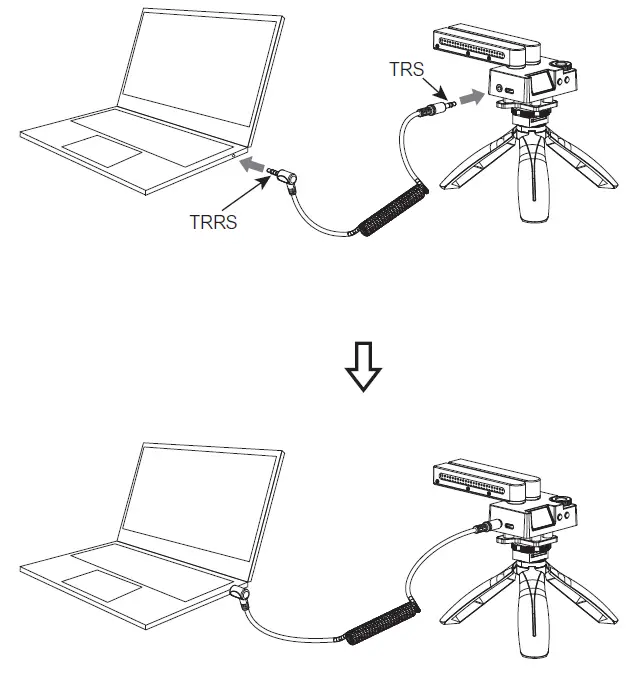
When worked with USB computers, please buy relevant audio adapter cable by yourself
Specifications
| Polar Pattern | Super Cardioid |
| Frequency Response | 20Hz ~ 20kHz |
| Sensitivity | -40dB ~ -20dB |
| Low Cut Filter | 150Hz |
| Output Impedance | 6000 |
| S/N | 75dB |
| Equivalent Noise | 19dBA |
| Maximum SPL | 110dB SPL |
| Dynamic Range | 91dB |
| Analog Output | 3.5mm TRS |
| Monitoring Port | 3.5mm TRS / TRRS |
| Battery | Built-in Li-ion Battery 330mAh 3.7V |
| Standby Time | 22 Hours |
| Net Weight | 130g |
| Dimension | 122 x 65 x 62mm |
| Working Temperature | 0℃ ~ 50℃ |
| Storage Temperature | -10℃ ~ 60℃ |
QR/CODE
- Website: comica-audio.com
- Facebook: Comica Audio Tecth Global
- Instagram: Comica Audio
- YouTube: Comica Audio
- Email: [email protected]
The COMICA LOGO is a trademark which is registered and owned by Commlite Technology Co.,Ltd