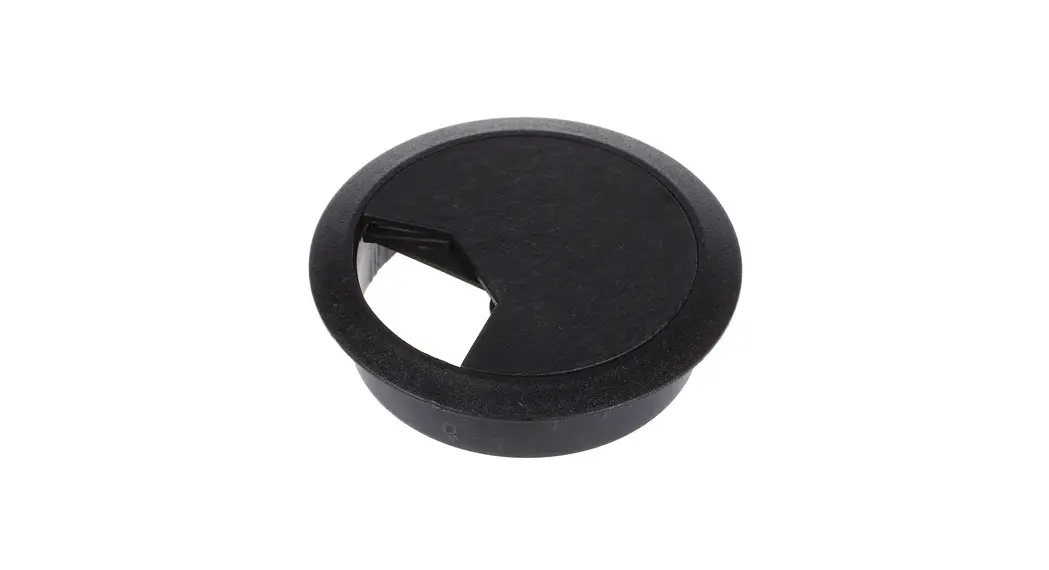
 Pair of Metal Cable Hole Desk Grommets
Instruction Manual
Cable Grommet Installation
We’ve developed the Cable Grommets as an additional and neat way to help you organise your cables. If your grommets are arriving uninstalled, this simple guide will help you with the simple process of installing them.
Enclosed in the Cable Grommet box loosely assembled are following contents:
- Ring insert
- Grommet centre plate
- Cable rubber insert

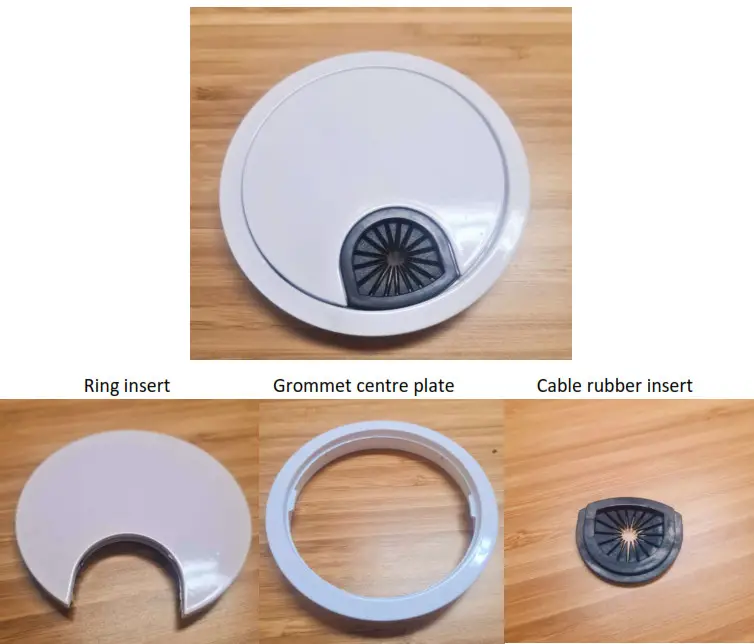
Step 1:
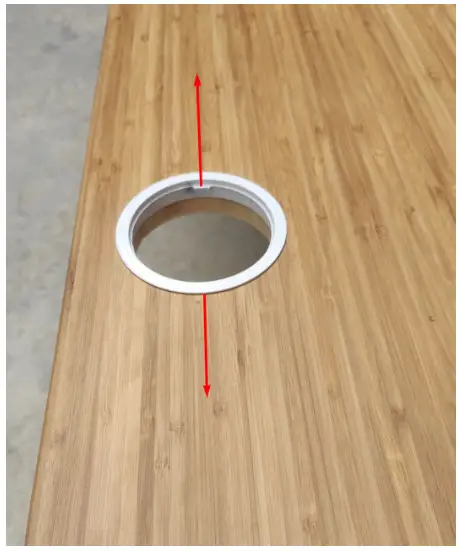
Start by determining what type of “fit” the Ring insert has within the hole drilled in your desktop. At UpDown Desk, we drill a hole using a 79mm hole saw. Sometimes, depending on the desktop material and relative humidity, this hole size can change very marginally either larger or smaller.
Place the Ring insert into the hole. If you feel some resistance, you should be able to either firmly push the insert in by hand or a light tap with a soft/heavy object (piece of timber or soft hammer) until it seats onto the surface of the desktop.
If the Ring insert drops straight in, you have two options, both are acceptable. You can either leave the ring loose in the hole or alternatively, place a couple of small dollops of silicon/metal compatible glue just under the lip of the insert. This will be sufficient to hold it in place, whilst still allowing you to remove it later if need be.
We recommend installing the insert with the internal tabs orientated in the same direction as the grain of the timber. This ensures that the Cable rubber insert will later face the front of the desk.
Step 2.
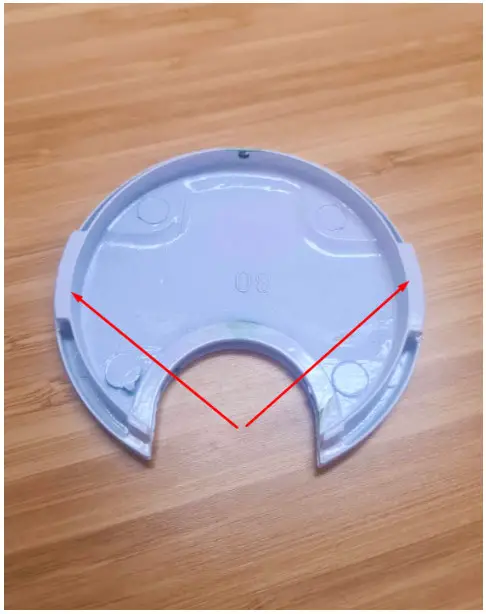
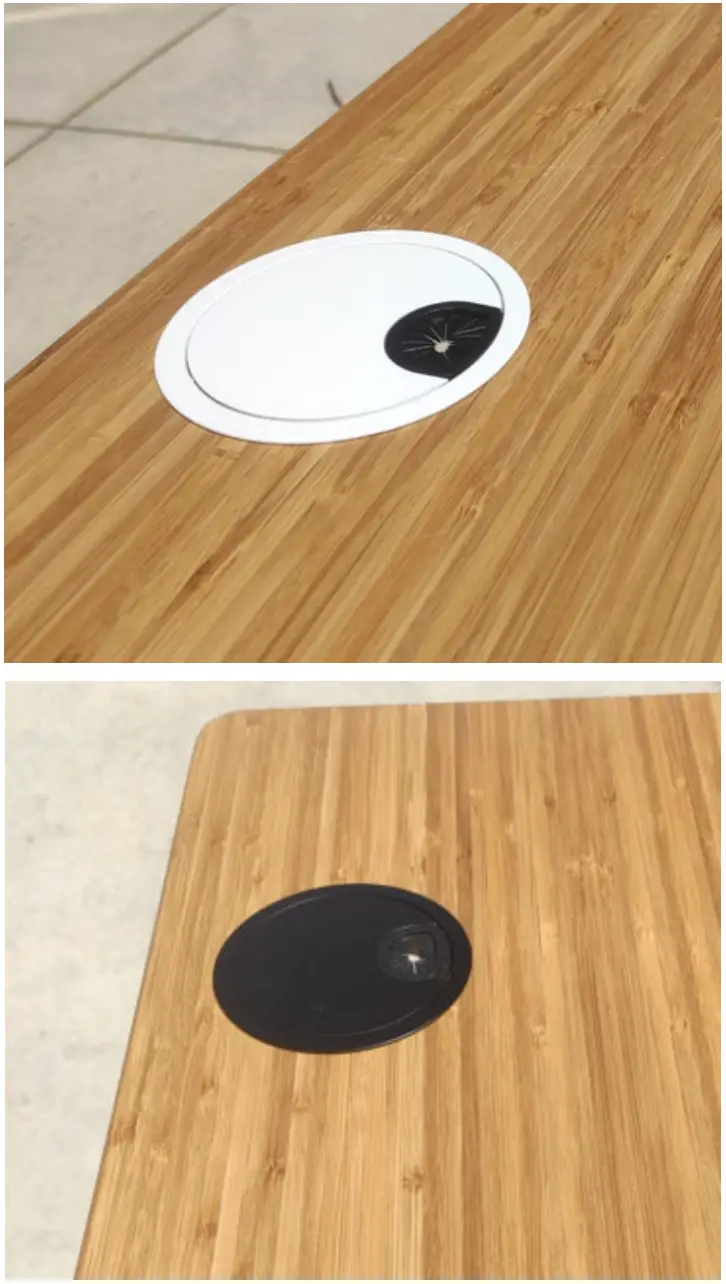
Usually, the Cable rubber insert stays located within the slot of the Grommet centre plate. Some people choose to remove it if they’re running a larger number of cables. Install the Grommet centre plate (with or without the Cable rubber) into the Ring insert, keeping the tabs (as indicated below) at 90 degrees to the tabs of the Ring insert. Once installed and sitting flush, rotate the Grommet centre plate 90 degrees; the tabs “lock” the Grommet centre plate into position.
In order to pass large plugs through the cable grommet, simple turn the Grommet centre plate 90 degrees to remove it. Pass large plugs through and reinstall the plate.
UpDown Desks Australia Pty Ltd
ABN: 16 620 407 317
P: 1300 650 773
E: [email protected]
© 2021 UpDown Desks Australia Pty Ltd All Rights Reserved