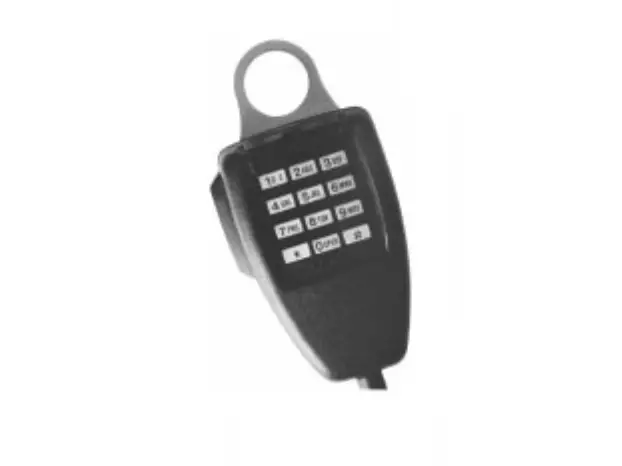
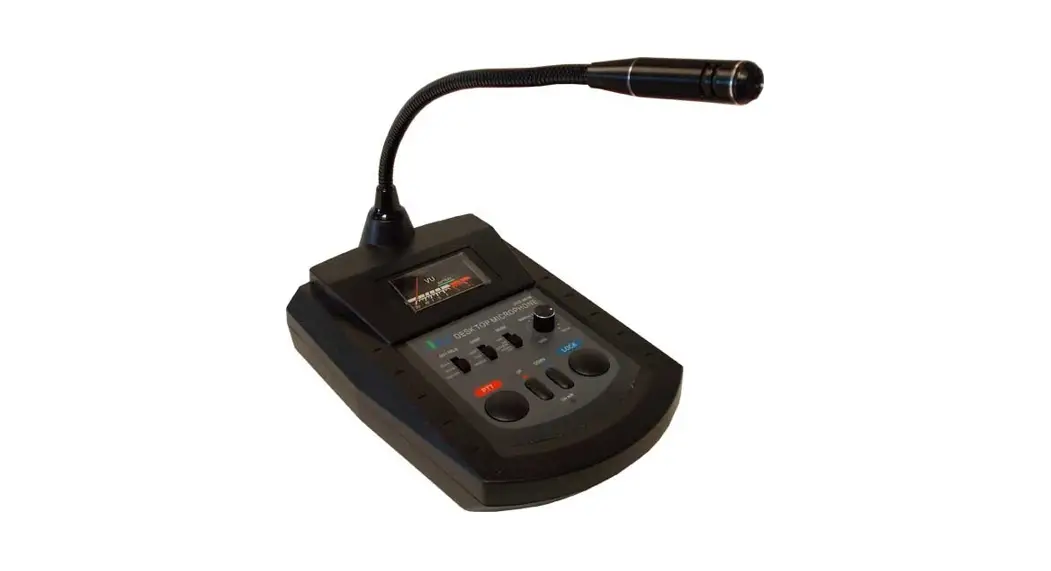
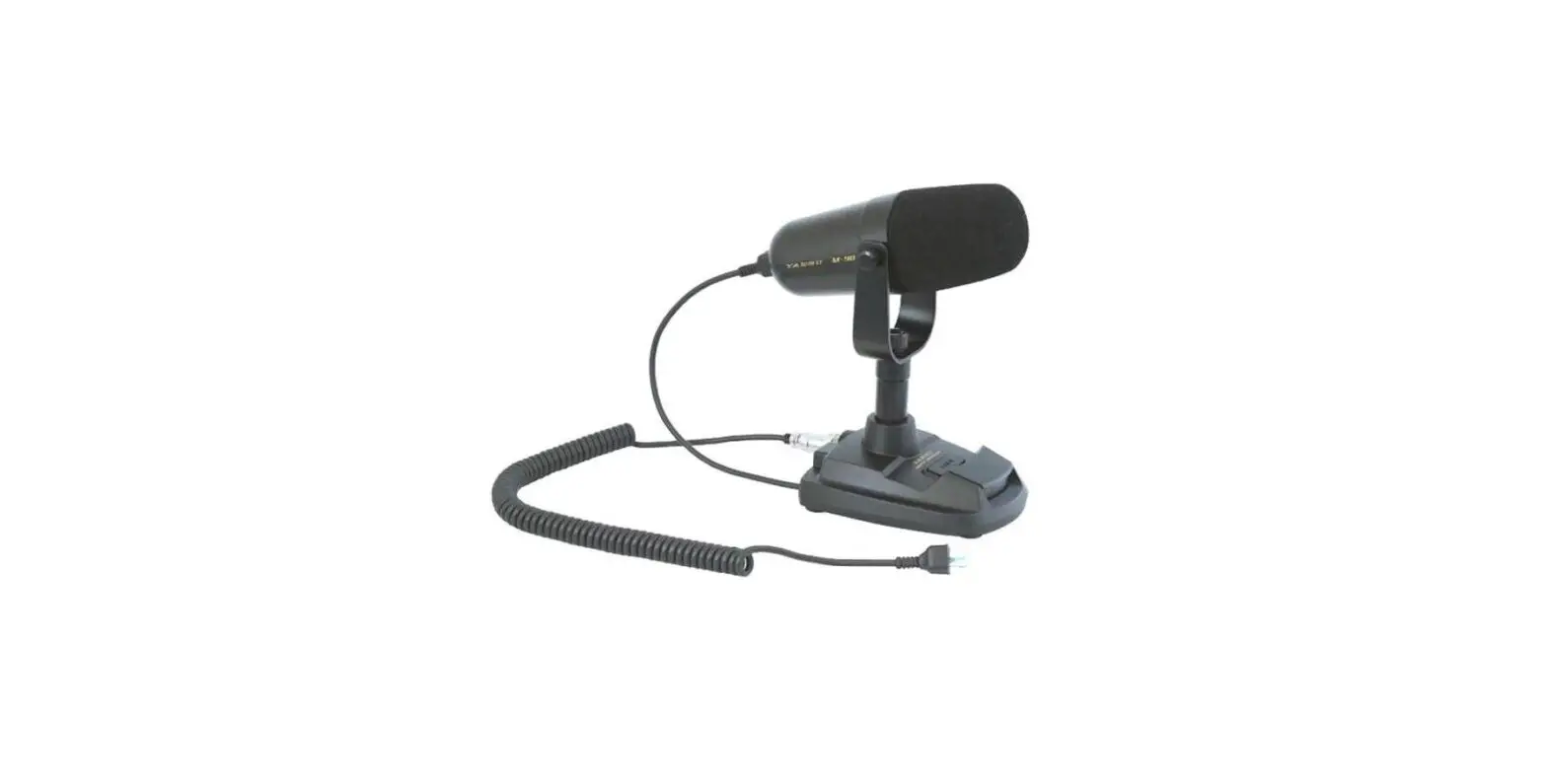
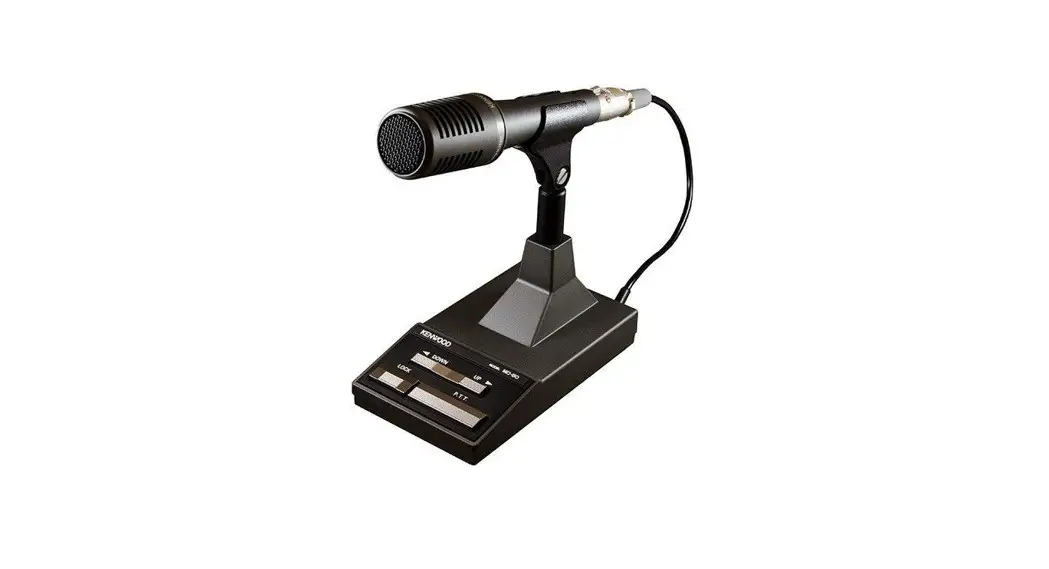
AV-908 Desktop Compressor Microphone
Product Information: AV-908 Desktop Compressor Microphone
The AV-908 Desktop Compressor Microphone is a high-quality
microphone designed for optimum audio quality control. It features
a high sensitivity ceramic microphone element, a high-quality
compressor amplifier with selectable high, medium, and low levels,
and a graphic equalizer with 4 elements and a range of 12dB. It
also has a non-modulation prevention circuit and a battery-check
circuit built-in.
Specifications:
- Microphone Element: High Sensitivity Ceramic Mic Element 1
pc. - Compressor Level: HIGH: 45 dB, MED: 30 dB, LOW: 10 dB
- S/N Ratio (Graphic Equalizer Part): 80dB
- Distortion Factor (Graphic Equalizer Part): 0.05% (at
flat) - Graphic Equalizer: 4 elements (270,540,1000,2000Hz)+12dB
range - Output Voltage: COMP: 0-30mV (RMS)
- Power Voltage: DC 6~9 V
- Current Consumption (at Equalizer Off): Receiving – 3.5mA,
Transmitting – 4.5mA - Current Consumption (at Equalizer On): Receiving – 10mA,
Transmitting – 11mA - Alarm Sound: Approx. 4.5KHz Intermittent Tone
- External Size: 227(W) * 130(D) * 320(H) mm
- Weight: Approx. 1000g.
- Microphone Connection Information: A – For ICOM, B – For
KENWOOD, C – For YAESU
Usage Instructions:
- Connect the microphone to your device using the microphone
connection information provided in the manual. - Turn on the power switch (1) to check the battery level. If the
pointer stops at the outside of the green-zone, replace the battery
with a new one. - To activate the equalizer function, set the power switch (1) to
EQUAL ON position. - Select the compressor level using the compressor level selector
switch (2). You can choose from high, medium, and low levels. - Use the graphic equalizer to control the audio quality. The
graphic equalizer has 4 elements with center frequencies of 270,
540, 1000, and 2000Hz and a range of 12dB. - After continuously transmitting for a few minutes, the
non-modulation prevention circuit will be activated with an alarm
sound for 30 seconds. Then, the condition returns to receiving mode
automatically.
AV-908
DESKTOP COMPRESSOR MICROPHONE
SPECIFICATIONS
Microphone. High Sensitivity Ceramic Mic. Element 1 pc.
Compressor Level ……………… … HIGH: 45 dB, MED: 30 dB, LOW: 10 dB
S/N Ratio (Graphic Equalizer Part) …………… ………………………… 80dB
Distortion Factor (Graphic Equalizer Part) ………… …………………0.05%(at flat)
Graphic Equalizer ………………….4 elements (270,540,1000,2000Hz)+12dB range
Output Voltage ………………………………………… COMP: 0- 30mV (RMS)
Matching Output Impedance ……………………………….500 ohms 100K ohms
Power Voltage …………………………………………………………… DC 6~9 V
Current Consumption (at Equalizer “Off”) Receiving: 3.5mA , Transmitting: 4.5mA
(at Equalizer “On”) Receiving: 10mA, Transmitting: 11mA
Alarm Sound…………………………
Approx. 4.5KHz Intermittent Tone
External Size ………………………………… 227(W) * 130(D) * 320(H) mm
Weight ……………………………………………………… Approx. 1000g.
MICROPHONE CONNECTION INFORMATION 8 7 6 5 4 3 2 1..8 7 6 5 4 3 2 1. .8 7 6 5 4 3 2 1
A
B
NO CONNECT
UP
PTT GROUND
+8V DC INPU T
MICHONE INPUT PTT GND
MIC GND
PTT
PTT
MIC GND
NO CONNECT
MIC INPUT
FRESQUENCE UP/DN NO CONNECT
+8V DC INPUT
DOWN
C NO CONNECT NO CONNECT PTT MIC INPUT GND +8 DC INPUT UP DOWN
A FOR ICOM
B FOR KENWOOD C FOR YAESU
DESKTOP MICROPHONE
MODEL AV-908
INSTRUCTIONS
Thank you very much for your purchase of “AVAIR” Desktop Microphone Model AV-908. To enjoy this unit satisfactorily, please read the instructions carefully and we hope you can enjoy this microphone for a long time.
FEATURES:
High Sensitivity Ceramic Microphone Elements equipped.
High Quality Compressor Amplifier (High, Med., Low Selectable) built-in. It sends out always constant and optimum Level without distortion regardless of audio input level.
Equipped with Graphic Equalizer for Optimum Audio Quality Control. The Audio Quality can be controlled by 4 Element Graphic Equalizer with Center Frequencies of 270, 540, 1000 And 2000Hz. It gives best Audio Quality for FM mode and Maximum efficiency for SSB mode DX.
Non-Modulation Prevention Circuit built-in. After continuous transmitting for a few minutes, the alarm circuit will be activated with alarm sound for 30 seconds. Then, the condition returns to the receiving mode automatically.
Battery-Check Circuit built-in. Press the power switch and the level meter indicates the battery condition with power voltage for a few seconds.
CONTROLS (Front Panel and Rear Side): (Fig.1)
9
3 78
GRAPHIC EQUALIZER
OUT ;EVEL COMP EQUAL PTT LOCK
10
4 21 5 6
12 11
1)”Power” and Graphic Equalizer ON/OFF Switch (also for Battery Check):
Set the Power Switch(1) to “ON” and the Level Meter(8) indicates the battery condition. A little while later, the level meter will return to its original function as level meter. To activate the Equalizer function,. Set the power switch (1) to “EQUAL ON” position. (How to Check the Battery) Turn the Power Switch (1) “ON”, then the pointer deflects and stops
For a few seconds. If the pointer stops at the outside of green-zone, Replace the battery to new one.
2)Compressor Level Selector Switch
HIGH (45dB): Select this position when you speak in a low voice or away from the Microphone in
a quiet place. (The microphone will pick up the noise around the microphone.)
MED (35dB) : This is optimum position for normal QSO. You can enjoy QSO with enough voice level at 10cm away from microphone.
LOW (10dB) : The compressor function will activate only when microphone had a big input level of audio. Select this position when you operate at noisy area.
3)”ON AIR” Indicator: Turn the power switch (1) “ON” and LED Indicator (3) will blink on and off to indicate the receiving condition. The LED (3) will light up continuously when transmitting.
4) Output Level Volume: Use it for control of output level. Adjust it to get an optimum level output. (It has no concern with compressor control and please adjusts the level with monitoring the meter pointer not to exceed “0dB”.)
5) PTT Switch: Use it for short time QSO. While pressing it, the TX LED Indicator lights up and the condition is transmitting. (When press it, it sounds `pip’. When releasing the LOCK condition also press this switch.)
6) LOCK Switch: Use it for long time QSO. Press it and it sounds `peep’. The LED TX indicator (3) will light up continuously. The condition is in transmitting until pressing the PTT switch (5).
7) UP/DOWN Switch: The same function as the UP/DOWN switch of transceiver. For details, please read the instructions of transceiver.
8) Level Meter: You can watch the output level of AM-7500 with this meter. Adjust the output level not to exceed “0dB”. Refer to (4) output Level Volume and (11) Graphic Equalizer Volume Control. It works also as a battery checker for a few seconds just after switching the power “ON”.
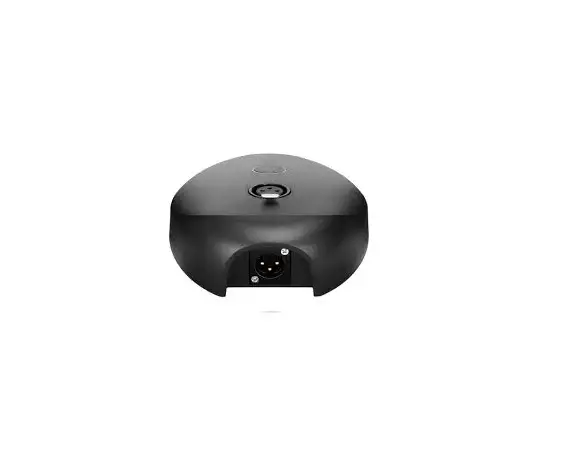
9) Mic. Output Connector: Connect with suitable conversion cable optionally available to transceiver. (8P AVAIR type) (The conversion cables are provided with a directional condition for connecting. Please connect with microphone correctly.) Terminals of Microphone output Connector (9) and “AVAIR” standard terminal layout (8P) (Fig. 2)
Linearly amplified COMP HIGH
V
Compressor Area
COMP LOW
10)Microphone
A
B
C
D
: This model is provided with Ceramic type microphone for easy understanding
sound quality.
11) Graphic Equalizer: The Graphic Equalizer consists of 4 elements with center frequencies 270, Adjustment Volume 540, 1000 and 2000Hz. The general characteristics including microphones are designed as shown on the Fig.3 and you can change the output character’s-Tics freely as shown on the Fig.3. If you speak in a low voice tone, turn Down the volume of 270 and 540Hz and clear sound quality can be sent to The transceiver. At DX operation, it is recommendable to slide up the higher tone range, 1000Hz and 2000Hz to get the plain sound quality. When you are in local QSO, turn down the volume of higher tone range and you can send the soft sound quality. The level change of each element is about 12dB and when you increase the all elements 12dB level, the output level of microphone should be increased by 12dB and you must turn down the output volume accordingly. (The above condition will cause the distortion.)
12) The Lead wire for canceling the Non-Modulation Prevention Circuit.
NON-MODULATION PREVENTION CIRCUIT:
When the transmitting condition continues for 2-3 minutes, the alarm circuits will be activated with sounding the alarm for 30 seconds. Then, the condition will return to the receiving condition automatically.
(Timer Reset Function) When using the microphone with “LOCK”(continuous transmitting), press the “LOCK” switch again and the timer for alarm will be reset and the timer again starts for counting. When sounding the alarm, the alarm will stop by pressing “LOCK” switch.
CANCELLING OF NON-MODULATION PLREVENTION CIRCUIT:
Remove the battery cover (13) and cut off the lead wire (12) yellow which is the wire for canceling the Non-Modulation Prevention Circuit. After cutting, please be sure to cover the wires (tip of wire) with insulation tape.
13) Battery Cover
: Remove the 2 set screws of bottom plate and set the batteries (4*UM3) correctly. The batteries are not provided with this microphone. (Optional Accessories: External Power Supply Adaptor model PS-6A will enable you to use with DC13.8V External Power Supply Unit.)
COMPRESSOR AMPLIFIER FUNCTION: Compressor Amplifier serves constant distortionless output level regardless of the audio input level conditions. In other words, depending on the audio input level, electrical volume control is automatically made. Please refer to the sketch below. The input levels from `a’ to `b’ are linearly amplified and from `b’ to `d’ are compressed. The compressor level means the voltage ratio of input levels at `b’ and `d’. For example, at compressor “HIGH”, compressor area includes from 1mV and it has 45dB compressor level minimum. So, you can send out the constant output level regardless voice, whispering, small or loud. By the constant output level, you can extend the communication distance by using rated output power of transceiver without any loss. So, now it becomes common to use compressor amplifier between transceiver and microphone.
CAUTIONS:
* Please be sure to use “TELECOM” conversion cables optionally available. Please refer to the table of Microphone Cables.
* Even when you use the “D” type microphone cables, you cannot supply the power from transceiver. Please use the batteries.
* Please be careful about high SWR of antenna and incomplete earthed, since it may cause the trouble of RF Feedback Noise depending on coaxial cable layout.
* Please be sure to turn the power switch “OFF” after QSO.
* It is recommendable to use the Alkaline batteries.
* Do not place the microphone near high temperature area or under direct sunlight.