
KENWOOD CORPORATION
DELUXE DESK-TOP MICROPHONE
MC-90
INSTRUCTIONS MANUAL
MC-90 Deluxe Desk-Top Microphone
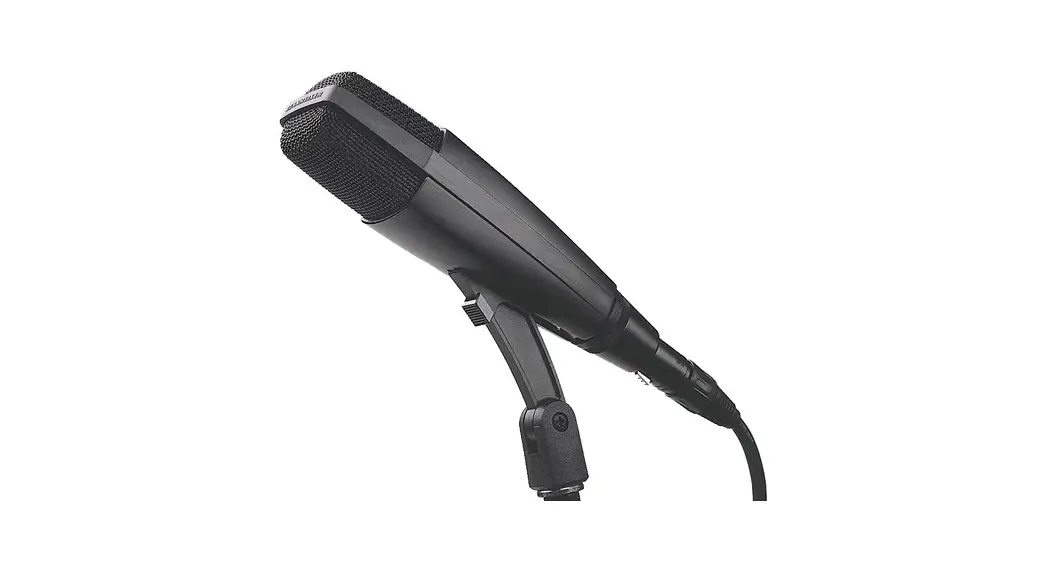
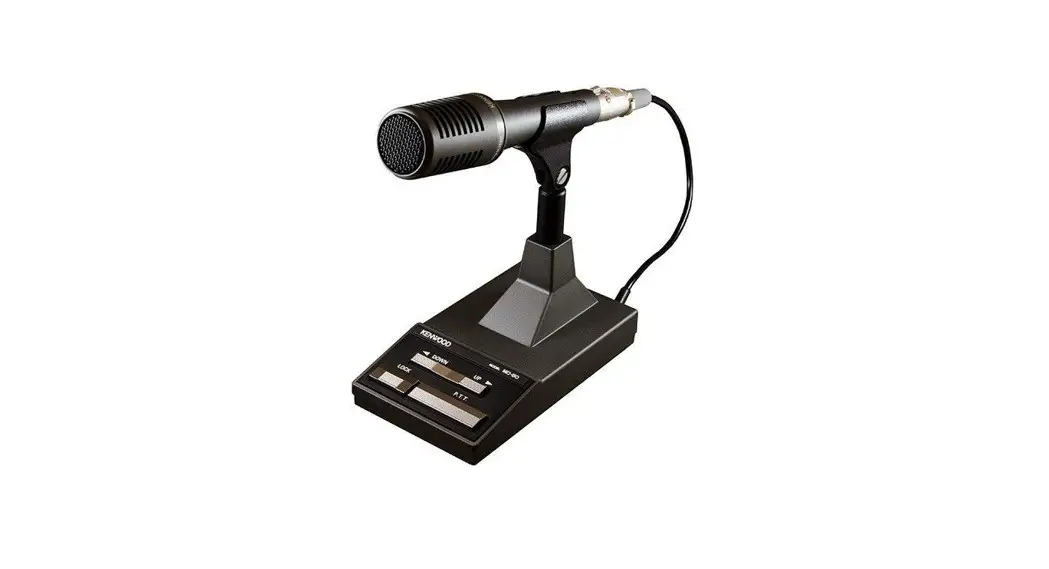
Thank you for Purchasing this microphone. (MC-90) The MC-90 is a high-grade microphone that contains a high-quality transducer element that was designed for use with high performance audio equipment. It gives unrivaled transmission sound quality when used with a transmitter equipped with DSP (digital signal processing)
IMPORTANT: Please read this Instruction Manual carefully before using the product.
Ratings
| Type | Dynamic microphone with PTT circuit |
| Microphone. element | Moving-coil, unidirectional type. |
| Impedance | 250Ω |
| Sensitivity (dB) | -78de (OdB =1V / μ BAR,1000Hz) |
| Dimensions (mm) | 90 X 205 X176 |
| Weight (k g) | 1.1k g |
Functions and names

① UP/DWN (Up/down) key
This key increments or decrements the transmit/receive frequency. If you hold the key down, the frequency changes continuously.
② PTT (Push-to-talk button) Hold this button down to transmit.
③ LOCK switch
Press this switch to lock the unit in the transmit mode. Press it again to return to receive mode.
④⑤ Replacement microphone head
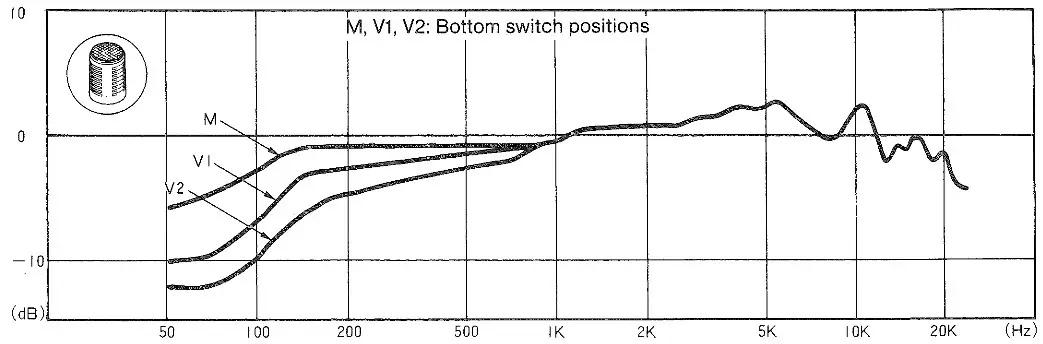
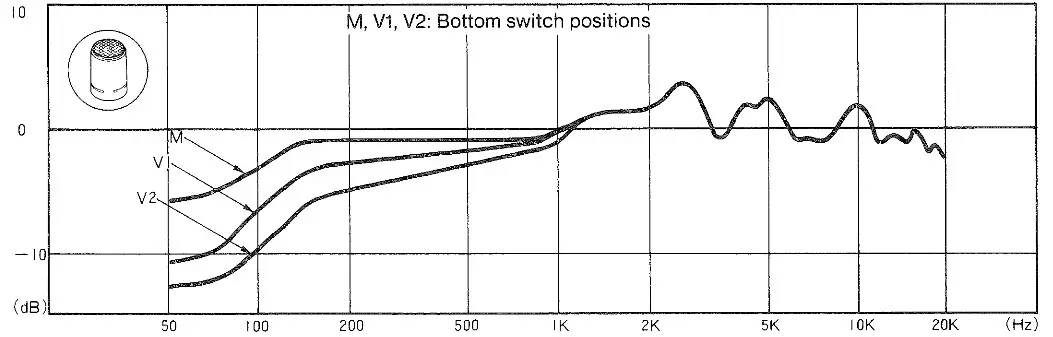
You can change the frequency response of the microphone by changing the microphone head. (Refer to the accompanying chart for the audio frequency response of each head).
⑥ Bottom switch
You can change the low-frequency range response by setting the switch to the M, V1, or V2 position.
(Refer to the accompanying chart for the audio frequency response in each position).
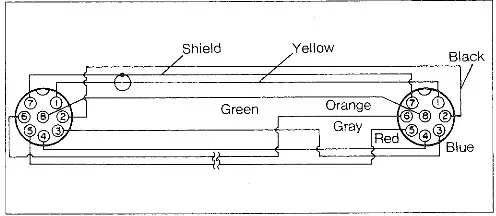
⑦ Microphone pins
• Pin numbers and names
| Pin No. | Pin name |
| 1 | MIC |
| 2 | PTT,LOCK |
| 3 | UP |
| 4 | DOWN |
| 5 | NC |
| 6 | NC |
| 7 | MIC-GND |
| 8 | GND |
• Connector pin layout as viewed from the front
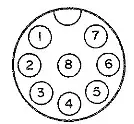
Note: Since the MC-90 uses a transducer with a wide frequency response, it is some what less sensitive than conventional transmitter microphones. When you use the MC-90, adjust the MIC control for an on-Scale ALC reading.
Frequency Response Carve
(Graph showing the output level versus the input audio frequency in the voice-frequency range centered around 1 kHz)
- When head ④ is used

- When head ⑤ is used

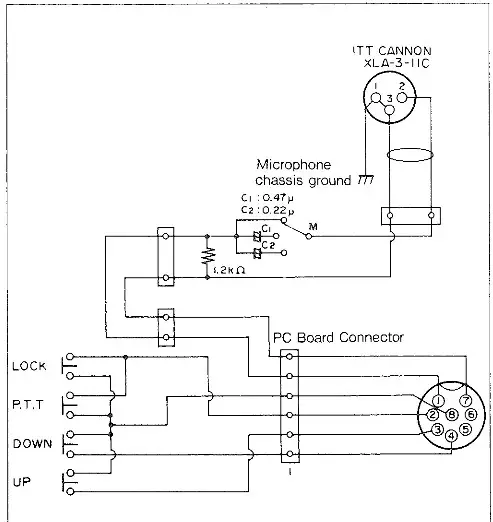
Circuit diagram
• Microphone stand connection diagram
• Audio connection diagram
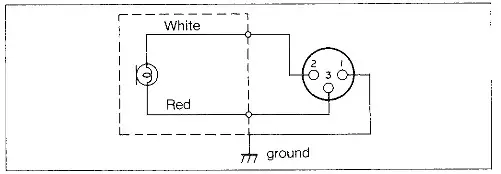
• Microphone cable connection diagram