 BK TECHNOLOGIES BKR0203 Radio Speaker Microphone
 PRODUCT OVERVIEW
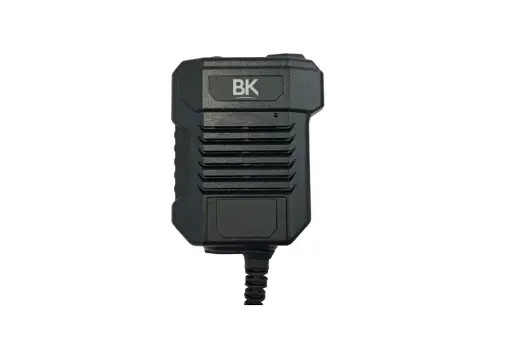
 BK TECHNOLOGIES BKR0203 Radio Speaker Microphone
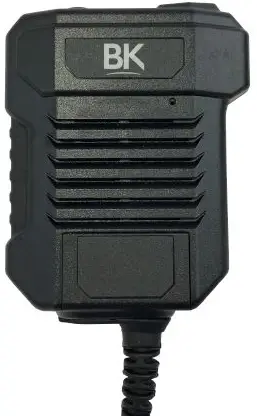 PRODUCT OVERVIEW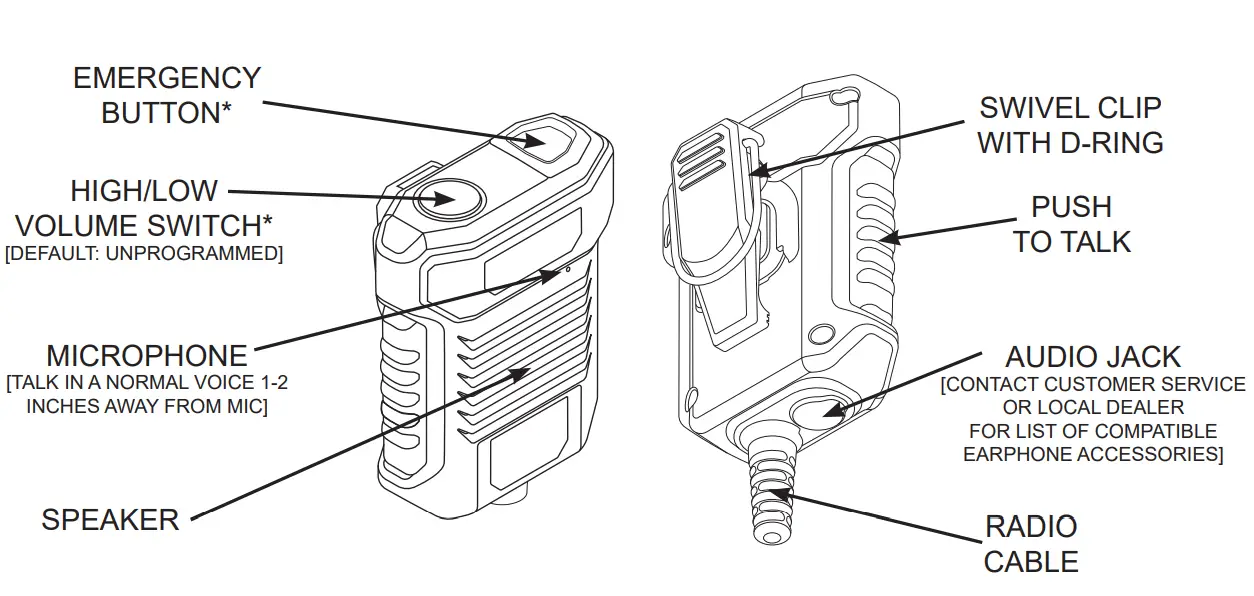
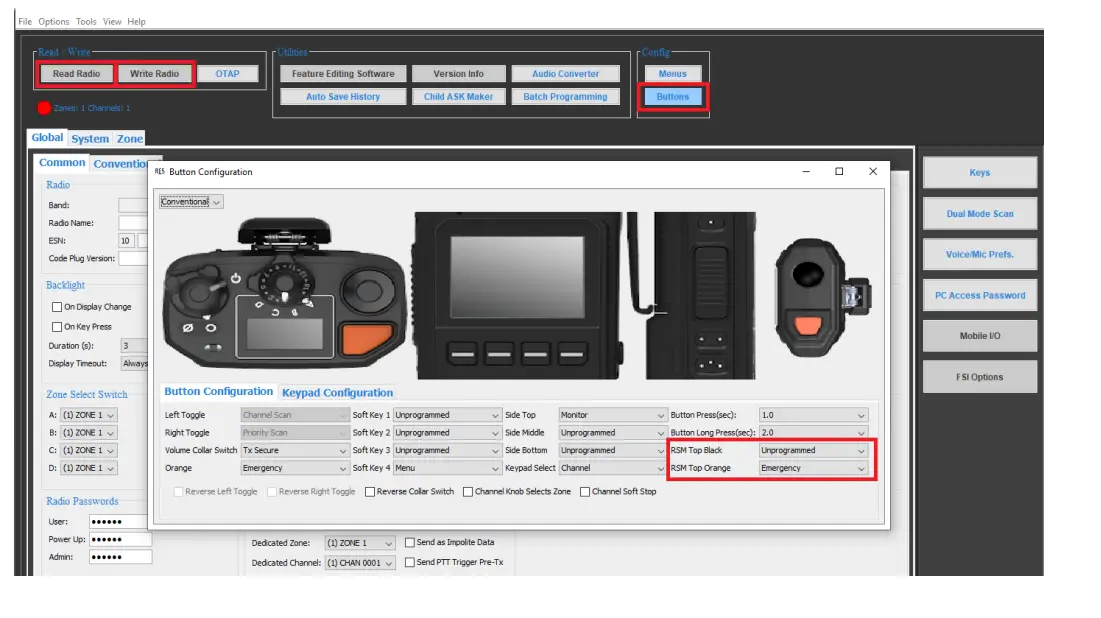
*Button functions can be customized in the Radio Editing Software (RES).
CONNECTING THE RSM TO THE RADIO
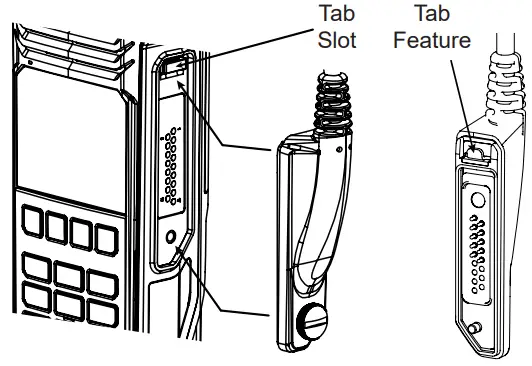
- Insert the ‘tab’ feature of the connector with the ‘tab’ slot on the radio. Connector should make tight, precise fit with the radio.

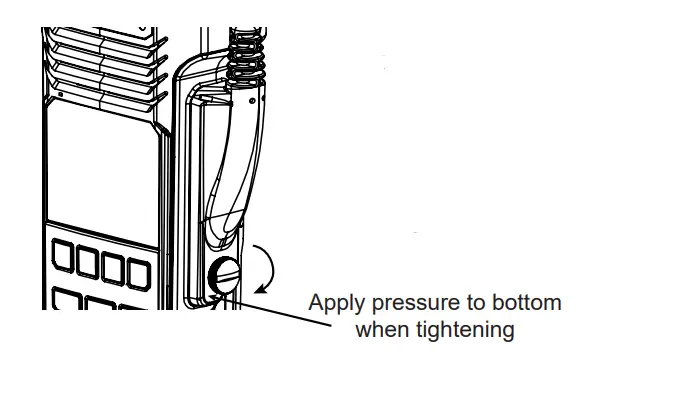
- While applying pressure to the bottom of the connector, the locking screw should align and easily tighten against the radio. For easier tightening, a coin or flat head screwdriver may be used.

- With the radio connected to the PC, open BKR0733 Radio Editing Software (RES).
- Select ‘Read Radio’ from the ‘Read / Write’ menu.
- Select ‘Buttons’ from the ‘Config’ menu.
- Locate the ‘RSM Top Black’ and ‘RSM Top Orange’ button selections.
- using the drop-down menus, select the intended function for each button.
- After the selections are final, select ‘Write Radio’ from the ‘Read /Write’ menu.