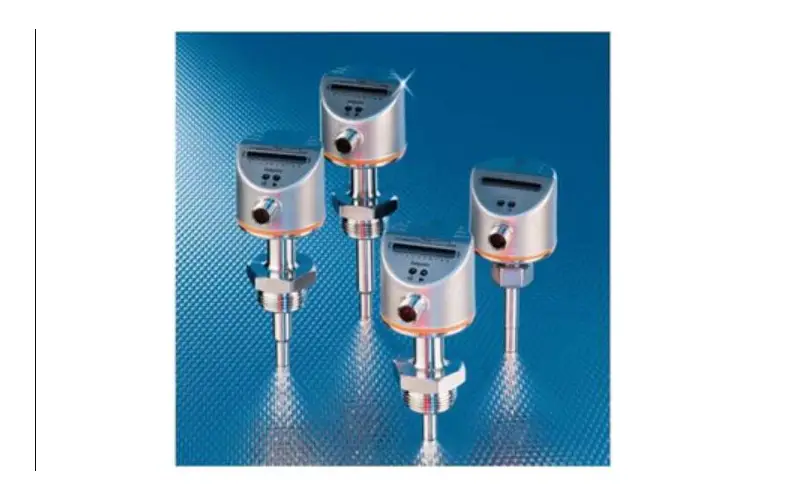
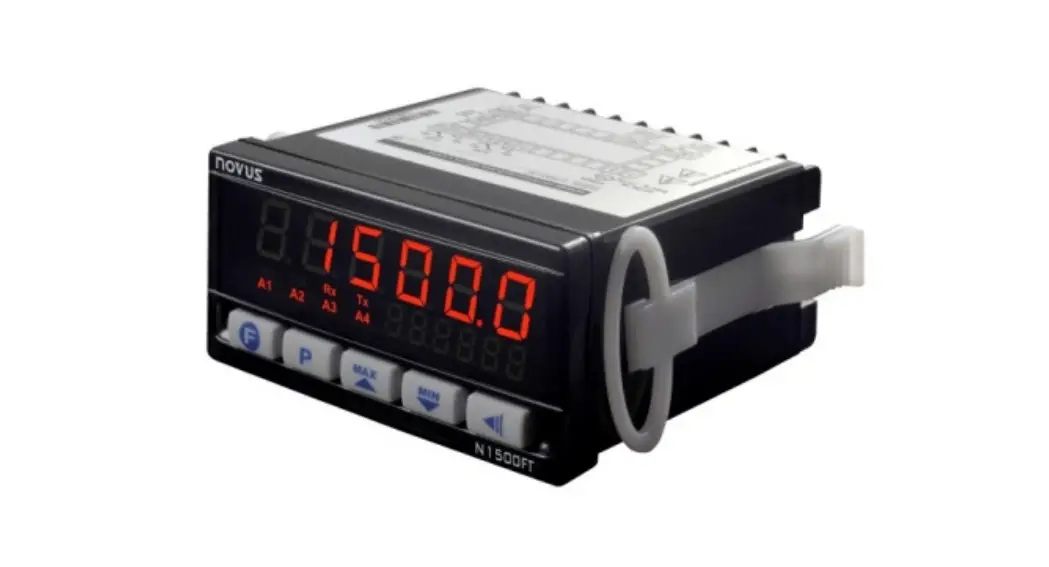
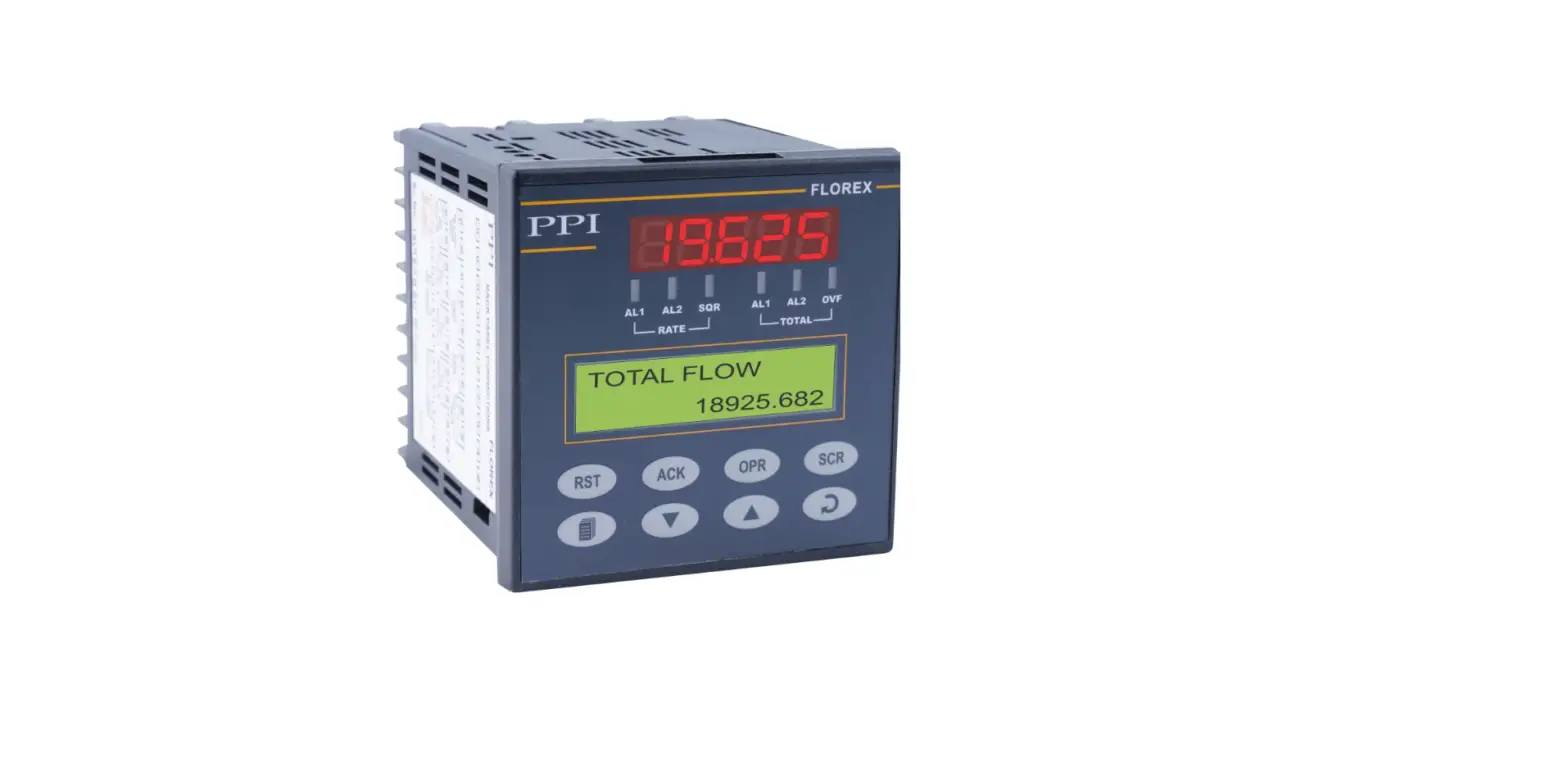
FT430W VDC Powered Flow Monitor Totalizer
Product Information
| Product Name | FT430/440/450 Rate/Total Indicator |
|---|---|
| Made In | USA |
| Certifications | ISO 9001 Certified Company |
Product Usage Instructions
Installation
- Choose a suitable location for installation.
- If wall mounting, use the wall-mount brackets provided.
- If panel mounting, follow appropriate panel mounting
instructions. - Ensure that the protective cover (optional) is closed.
Connection Diagrams
Refer to the user manual for detailed connection diagrams based
on your specific requirements.
Settings
- Power the FT430/440/450 using the appropriate power
source:
- FT430: External DC power source or optional internal AC power
supply* - FT440: 2-wire or loop powered device (4-20 mA loop
circuit) - FT450: Battery powered (replaceable Lithium C battery)
external device requirements.
desired.
Troubleshooting
If you encounter any issues with the FT430/440/450, refer to the
troubleshooting section in the user manual for solutions.
FT430/440/450
Rate/Total Indicator
Instructions
Optional Protective Cover Closed
PROUDLY MADE IN THE
USA
Ce
rtified Compa
ISO 9001
ny
TABLE OF CONTENTS
General Information
General Information …………………………………………………………………………………………………………………………………Page 3 Features ………………………………………………………………………………………………………………………………………………………Page 3 Specifications …………………………………………………………………………………………………………………………………………….Page 4 Pulse Output Functions……………………………………………………………………………………………………………………………Page 5
Installation
Wall Mount…………………………………………………………………………………………………………………………………………………Page 6 Meter Mount ……………………………………………………………………………………………………………………………………………..Page 7 Panel Mount ………………………………………………………………………………………………………………………………………………Page 7
Connection Diagrams
FT450 Standard………………………………………………………………………………………………………………………………………….Page 8 FT430/3-Wire Mechanical Meter……………………………………………………………………………………………………………Page 8 Connections for FT430-139 or FT440-139–115Vac Option …………………………………………………………….Page 9 FT440/3-wire Mechanical/Dual Scaled Pulse Output…………………………………………………………………………Page 9 FT440/EX Magmeter…………………………………………………………………………………………………………………………………Page 10 FT440-139/EX Magmeter ………………………………………………………………………………………………………………………..Page 10 FT4XX Sensus Tranceiver Mount…………………………………………………………………………………………………………….Page 11
Settings
K-Factor ………………………………………………………………………………………………………………………………………………………Page 12 Changing Flow Indicator Settings………………………………………………………………………………………………………….Page 12 Menu Navigation………………………………………………………………………………………………………………………………………Page 12 FT440 Secondary Menu Functions…………………………………………………………………………………………………………Page 14
Troubleshooting
Problems …………………………………………………………………………………………………………………………………………………….Page 15 Probable Causes………………………………………………………………………………………………………………………………………..Page 15 Things to Try ………………………………………………………………………………………………………………………………………………Page 15
GENERAL INFORMATION
FT430/440/450 INSTRUCTIONS
The FT430/440/450 flow computers are microcontrollerbased indicator/transmitters that interface with pulse output flow sensors to compute and display flow rate, flow total, and also generate output signals representing flow. The FT430 and FT450 have one scaled pulse output and one pulse pass through. The FT440 has two scaled pulse outputs.
The FT450 is battery powered while the FT430 may be powered by an external DC power source or an optional internal AC power supply*. The FT440 is a “two-wire” or “loop powered” device, meaning that it is powered by the 4-20 mA loop circuit itself. An optional internal AC power supply* is available for the FT440 with dual 24 and 12VDC outputs to power both the loop and sensors requiring more power than the loop can supply.
Pulse and 4-20mA analog outputs can be used to signal external devices, e.g. certain metering pumps and water treatment controls. Alternatively, one or more pulse outputs can be configured as alarm outputs. These flow computers can be password protected to prevent resetting the total or changing configuration settings.
The FT430/440/450 indicators are available in wall and meter mount configurations. The FT430 and FT440 models can also be panel mounted.
Order the FT440 only if a 4-20mA output signal is a requirement and the FT450 if internal battery power is needed. Otherwise the FT430 can be ordered.
*Internal power supply is available for the wall mount option only.
Features
Protective Cover (Optional)
Display Setup Keys** Electronics Module Lower Housing Data Logger (Optional) Sensus Smart Output (Optional) Strain Relief Cable Gland
Wall-Mount Brackets
**Includes password protection for tamper prevention when needed
Seametrics · 253.872.0284
Page 3
seametrics.com
GENERAL INFORMATION
FT430/440/450 INSTRUCTIONS
Specifications*
Power Display Rate
FT430 7-30Vdc, 4mA 5-digit autorange
FT440 9-30Vdc, 4mA (4-20 mA when loop-powered) 5-digit autorange
FT450 Lithium “C”, 3.6Vdc, replaceable. Life is ~5 years depending on usage.
5-digit autorange
Units
Total Rate Units
Total Units
Outputs Pulse Output 1
Pulse Output 2
Loop Power Output Sensus Smart Output Set P Range
Input
Input Range K-Factor Range Flow Alarm Output Range Operating Temperature Non-Operating Temperature Environmental Regulatory
8-digit
8-digit
8-digit
Gallons/Second/Minute/Hour/Day, Liter/Second/Minute/Hour/Day, Cubic Feet/Second/Minute/Hour/Day, Cubic Meters/Second/Minute/Hour/Day, Mega Liters/Day, Million Gallons/Day, Fluid Oz/Second/Minute/Hour/Day, Barrels/Second/Minute/Hour/Day
Gallon, Gallon x 1000, Liters, Mega Liter, Cubic Meter, Acre Feet, Cubic Feet, Cubic Feet x 1000, Million Gallon, Acre Inch, Fluid Ounce, Barrels
Scaled pulse output, high alarm output or low alarm output. Optoisolated on FT430 and FT440.1
Pulse pass through
Scaled pulse output, high alarm output or low alarm output.1
Pulse pass through
N/A
4-20mA Loop
N/A
Optional
0.1 – 99999.9 units/pulse
5V pulse or contact closure
0.752 – 2000Hz .001 – 999999.999 0.1 – 99999.9 -5° to 55° C (23° to 131° F) -40° to 75° C (-40° to 158° F) NEMA 4X, IP67
Mark
Optional
0.1 – 99999.9 units/pulse
5V pulse or contact closure
0.752 – 2000Hz .001 – 999999.999 0.1 – 99999.9 -5° to 55° C (23° to 131° F) -40° to 75° C (-40° to 158° F) NEMA 4X, IP67
Mark
Optional
0.1 – 99999.9 units/pulse Micropower GMR Sensor (square wave) 0.752 – 550Hz .001 – 999999.999 0.1 – 99999.9 -5° to 55° C (23° to 131° F) -40° to 75° C (-40° to 158° F) NEMA 4X, IP67
Mark
* Specifications subject to change · Please consult our website for current data (www.seametrics.com). * For Data Logger operation and set-up, see FlowInspector Instructions. 1 Scaled output pulses have a fixed width of 100ms. Maximum pulses per second is 6.5Hz 2 For pulse frequencies <1 Hz, increase setting in SET F menu to 3 or higher. 3 When calculating total resistive load for loop power (volts/.020 amps = ohms) be sure to subtract 400 from the total to account for basic operation
of the FT440
Seametrics · 253.872.0284
Page 4
seametrics.com
GENERAL INFORMATION
FT430/440/450 INSTRUCTIONS
Pulse Output Function Table
PULSE OUTPUT 1 (SCALED)
TYPE MAX. VOLTAGE MAX. CURRENT MAX. FREQUENCY PULSE WIDTH ISOLATION CONFIGURABLE AS ALARM
PULSE OUTPUT 2 (SCALED)
TYPE MAX. VOLTAGE MAX. CURRENT MAX. FREQUENCY PULSE WIDTH ISOLATION CONFIGURABLE AS ALARM
PULSE OUTPUT 2 (PASSTHROUGH)
TYPE MAX. VOLTAGE MAX. CURRENT MAX. FREQUENCY PULSE WIDTH ISOLATION CONFIGURABLE AS ALARM
FT430
Current sinking 36 Vdc 100 mA 6.5 Hz 100 ms 300 V YES (High or Low)
FT430
Not Available
FT430
Current sinking 36 Vdc 10 mA 2000 Hz NOTE 2 SAME AS SENSOR INPUT 300 V NO
FT440
Current sinking 36 Vdc 100 mA 6.5 Hz 100 ms 300 V YES (High or Low)
FT440 (Note 2)
Current sinking 36 Vdc 100 mA 6.5 Hz 100 ms 300 V YES (High or Low)
FT440
Not Available
NOTE 1: 150 V effective isolation when using Seametrics micropower sensors. · NOTE 2: With 2000 ohm or lower pull-up resistance.
FT450
Current sinking 36 Vdc 100 mA 6.5 Hz 100 ms
NOTE 1
YES (High or Low)
FT450
Not Available
FT450
Current sinking 36 Vdc 100 mA 550 Hz SAME AS SENSOR INPUT
NOTE 1
NO
#10 Screw
0.10 (2.5)
.10″
0.78
.78″
(19.8)
.500″.50 (12.7)
2.50 4.10 4.33 (63.5) (104.1) (110)
33.3.3774 (85.6)
4.10 (104.1) 4.35 (110.5) 4.77 (121.2)
Seametrics · 253.872.0284
#10 Screw
Dimensions are in Inches (Millimeters) Page 5
seametrics.com
INSTALLATION
FT430/440/450 INSTRUCTIONS
Wall Mount. To mount an FT430/440/450 indicator to the wall, hold the unit in the desired position, mark the holes in the mounting feet, drill and mount with screws. A meter-mounted indicator can be converted to a wall mount using an adapter mounting kit. Contact distributor for information.
Wall mount housings for FT units are supplied with 3 cord grips of different sizes. Be sure to use the appropriate sized cord grip for your cable or cables and to assure any unused cord grips are well sealed with a properly sized plug (these plugs will come in the cord grips that are supplied with the wall mount housing when shipped from the factory.) There will be a properly sized cord grip for any cable supplied by Seametrics.
Meter Mount. If the FT430/440/450 indicator was ordered as a meter mount model, the housing is already mounted directly to the flow sensor and needs no further installation.
An FT430/440 module can be converted from a wall-mount to an IP meter-mount unit using the mounting kit (contact distributor) that includes a lower housing and associated hardware and installs as follows:
1. Remove the strain relief through which the flow sensor cable runs.
2. Cut the cable to about 6″ in length. Carefully strip the cable jacket to expose the three colored wires (red, white, and black) inside.
3. Route the wires through the threaded connector pre-installed in the bottom of the housing.
4. Start the threaded connector into the female thread
on the top of the flow sensor. Be sure to match the oblong shape on the bottom of the housing to the
depression on the top of the flow sensor.
5. Using an ordinary screwdriver inserted in one side
of the slot (see drawing), tighten the screw as much as possible.
6. Strip the wire ends, make the connections to the indicator as shown in Connections Diagrams, and then use the cover screws to attach the indicator to
the top of the housing.
Meter Mount
Sensor Wires Sensor Wires
Seametrics · 253.872.0284
Page 6
seametrics.com
INSTALLATION
FT430/440/450 INSTRUCTIONS
3.56 (90.4)
Panel Cutout
sufficient and will cause atmospheric moisture to be sucked into the housing due to varying atmospheric pressure.
Cord Grips. Cord grips supplied by Seametrics are properly
sized for the openings and threads in our meters and housings
and are properly sized for cables offered by Seametrics. Cord
grips must be well sealed into their housings and must be
well sealed onto any cable that is installed through that cord
grip. The compression nut for every cord grip must be left
installed on the cord grip and must be snugly tightened on
3.56
the cable or on a plug that would take the place of the cable.
(90.4)
Plugs with flanges are to be installed from the outside of the
compression nut to assure that the tapered features inside the
nut can properly compress the cable gland when tightened
2.4 (61) TYP 3.5 (88.9) TYP (PANEL CUTOUT)
.218 (5.5)
Wall Mount Housings. Wall mount housings for FT units are supplied with 3 cord grips of different sizes. Be sure to use the appropriate sized cord grip for your cable or cables and to assure any unused cord grips are well sealed with a properly sized plug (these plugs will come in the cord grips that are supplied with the wall mount housing when shipped from the factory.) There will be a properly sized cord grip for any cable supplied by Seametrics.
Panel Mount. Using the “Panel Cutout” drawing as a guide, cut a hole in the panel. Place the FT430/440 indicator on the panel and mark the holes, drill, and mount with the supplied screws and washers.
Note: In addition to the panel cut out for the display, you will need a small cut out in the panel, close to the FT430/440, to mount the data logger connector. Install the data logger connector in the small cut out and then wire the connector to the back of the panel mounted FT430/440 inside of the panel.
Connections. To connect the flow computer to a flow sensor or an external device such as a chemical metering pump, follow the Standard Connections diagrams on the following pages.
Environmental protection. Anytime an FT unit, or other meter is opened or otherwise exposed to the surrounding environment it is the responsibility of the installer to assure the housing is left clean, dry, fully sealed and otherwise protected from the surroundings. Moisture and dirt will damage electronics and care must be taken to keep the electronics housings clean and dry.
When installing, or re-installing any FT, or other housing cover to any enclosure be certain the gasket is in good condition, is clean and has not been damaged in any way. Then be certain to snugly torque the fastener(s) so the gasket is well sealed.
Every threaded opening in any meter housing will either be filled with a plug or a cord grip when the unit leaves the factory. If a plug is removed to allow for a cable to be installed, be certain a cord grip with cable gland is installed in its place and that the thread is sealed with a thread sealant or proper O-ring. Bare plastic threads in a metal housing are not
Cables. We recommend the use of cables that are supplied by Seametrics. If other cables are used the outside of the cable must be round and smooth so the cord grip can properly seal the cable.
Keep in mind that most cables are not sealed on the inside and a cable that is well sealed to a housing but left open on the weather end is just a conduit for moisture and changes in atmospheric pressure will cause, over time, moisture to be drawn into the housing through any exposed cable end, causing failure of your electronics.
* EGND – Additional protection against voltage spikes. In most cases, an FT unit can simply be installed with power (or battery) and pulse input and it will easily run with no additional protection required. In the event the FT unit may be exposed to voltage spikes (nearby lightning or other power disruptions), the EGND terminal of the FT should be wired to a good earth ground. In wall mount units with optional power supplies installed, Seametrics recommends running a separate green or green/yellow wire from the EGND terminal of the FT to the G terminal of the AC input voltage plug while that plug is not installed and then reinstall the plug after wiring. In cases where the power supply is located remotely, connect one end of one conductor in the power/output cable to a good earth ground and the other end to the EGND terminal.
For FT units built with firmware revision CP-141xx_01.28 (found in the EXIT tab of the first menu screen,) all settings (K-factor, R UNIT, T UNIT, etc.) must be made with the EGND terminal disconnected. The EGND terminal can then be reconnected after programming.
Seametrics · 253.872.0284
Page 7
seametrics.com
CONNECTION DIAGRAMS FT450 Standard Connections
FT430/440/450 INSTRUCTIONS
Caution: Do not apply external power to the FT450.
FT450
Pulse Pass-thru
Connecting the ENDG terminal to earth ground is recommended for protection against voltage spikes
or lightning.
Also see ‘* EGND – Additional protection against voltage spikes’ on page 8
Lithium C,
POWER
_
3Vdc
+
GROUND
BLACK
_
_
Replaceable
Battery
__
++
WHITE
S
_
_
SENSOR
RED
++
++
PULSE OUT 1
PULSE OUT 2
Pulse Responsive Metering Pump
S ENGD
S ENGD
Micropower Flow Sensor
Connections for FT430/3-Wire Mechanical Meter
Connecting the ENDG terminal to earth ground is recommended for protection against voltage spikes
or lightning. Also see ‘* EGND – Additional protection against
voltage spikes’ on page 8
FT430
7-30Vdc
__
POWER
_ Supply +
++
GROUND
__
BLACK
_
_
++
SENSOR
WHITE
S
_
_
RED
++
++
PULSE OUT 1
PULSE OUT 2
Current Sinking Polarity-Sensitive
Pulse Pass-thru
Pulse Responsive Metering Pump
Flow Sensor Seametrics · 253.872.0284
Page 8
seametrics.com
CONNECTION DIAGRAMS Connections for FT430-139 or FT440-139–115Vac Option
+
4-20mA
_
Device
Dashed line shows (-) terminal connection if 4-20mA device is not used (e.g. FT430)
FT430/440/450 INSTRUCTIONS
12V Device
_+
POWER
_+
24Vdc
12Vdc
_ +
__
++
_
PULSE OUT 2
+
_
L
BLACK
PULSE OUT 1
_
N
WHITE
+
+
G
GREEN
SENSOR
S ENGD
S ENGD
FT430/FT440
Connecting the ENDG terminal to earth ground is recommended for protection against voltage spikes
or lightning. Also see ‘* EGND – Additional protection against
voltage spikes’ on page 8
FT430-139 FT440-139 (Dual Power Supply) Lower Housing
Connections for FT440/3-wire Mechanical/ Dual Scaled Pulse Out
_
4-20mA
+
Device
FT440
To 115/230Vac Power Source
9-30 Vdc
Connecting the ENDG terminal to earth ground is
Loop Power
_
Supply
+
POWER
__ ++
recommended for
GROUND
protection against voltage spikes or
lightning.
BLACK
_
_
WHITE
S
SENSOR
Also see ‘* EGND –
RED
++
Additional protection
against voltage
spikes’ on page 8
__
PULSE OUT 2
++
_
PULSE OUT 1
_
++
Electronic
Metering Pumps
Flow Sensor
Seametrics · 253.872.0284
Page 9
seametrics.com
CONNECTION DIAGRAMS
Connections for FT440/EX Magmeter
Red
Connecting the ENDG
terminal to earth ground is
recommended for protection
against voltage spikes or
lightning.
+ 4-20mA
Also see ‘* EGND – Additional protection against voltage spikes’ on page 8
Device
_ Black
_
9-30 Vdc Power Supply
Status LED
Zero Adj
3M0Vadx c6mA 12-24Vdc
34 – +
Forward Output
Option Only 12 – +
Reverse Output
_
+ _ Black + Red
+
__
POWER
Red
++
Ground
White
_
_
_
Green
S
S
SENSOR
+
5 6 – +
Power
_
12 Vdc Power Supply
+
PULSE OUT 1
PULSE OUT 2
FT430/440/450 INSTRUCTIONS
FT440
_ + _ +
S ENGD
S ENGD
Connections for FT440-139/EX Magmeter
Connecting the ENDG terminal to earth ground is recommended for protection
against voltage spikes or lightning.
Also see ‘* EGND – Additional protection against voltage spikes’ on page 8
+
4-20mA
_
Device
Dashed line shows (-) terminal connection if 4-20mA device is not used
_ + 24Vdc
Status LED
Zero Adj
3M0Vadx c6mA 12-24Vdc
34 – +
Forward Output
Option Only 12 – +
Reverse Output
__
POWER
++
Ground
_ White
_
_
SENSOR
+ Green
s
_ Black
+
+ Red
_
PULSE OUT 2
+
L
BLACK
PULSE OUT 1
_
N
WHITE
+
G
GREEN
12Vdc __
++
5 6 – +
Power
EX Magmeter
FT440
FT440-139 (Dual Power Supply)
Lower Housing
To 115/230Vac Power Source
Seametrics · 253.872.0284
Page 10
seametrics.com
CONNECTION DIAGRAMS FT4XX Sensus Tranceiver Connections
FT4XX Eqipped with Sensus Board (Side View)
FT430/440/450 INSTRUCTIONS
Red (Power/Clock) Black (Ground) Green (Data)
Sensus Tranceiver
NOTE: A Sensus 2m (6 ft) output cable is prewired to the Seametrics product at the factory. Longer cables are optional.
Red Black Green
Seametrics · 253.872.0284
Page 11
seametrics.com
SETTINGS
FT430/440/450 INSTRUCTIONS
K-Factor
Menu Navigation
At a minimum, every FT430/440/450 flow computer must be programmed with the “K-factor”. (This is the number of pulses that the meter produces per gallon of flow.) If you wish to read in units other than gallons, see below.
The K-factor on any Seametrics flow sensor fitting or inline meter can be found on the model-serial label. The line reading K = xxxx gives the desired number. For depthadjustable sensors (110, 210, 150, 250 models), use the calculator on our website.
(Refer to the appropriate instruction manuals for iMAG 4700, AG3000 or WMP pulse settings.)
Note: The K-factor on all FT430/440/450 flow computers is expressed in pulses per gallon of flow regardless of rate or total units.
The left/right keys are used to move through the menus and position the cursor during data entry. The up arrow is used to scroll through the available values that are to be entered. (examples: numerical values for K factor entry or selection of units from the available options) The enter key (represented on the keypad by the check mark) is used to save selected entries and in conjunction with the exit tab to move between menu screens. As one navigates the menus the current parameter setting is shown and instructions are displayed for how to change the selected parameter.
MAIN MENU
SET K R UNIT T UNIT SET D
Fixed Depth Meter
086238.235 PRESS TO SET NUMBER OF PULSES RECEIVED PER GALLON OF FLOW
SET P
RESET EXIT
All menu screens consist of two rows of tabs surrounding a dialog box that lets you view and change setup parameters.
K: 53.6 MF81T-P200
10031295
Find Your K-Factor Here
Changing Flow Indicator Settings
SET K
SET K R UNIT T UNIT SET D
086238.235 PRESS TO SET NUMBER OF PULSES RECEIVED PER GALLON OF FLOW
SET P
RESET EXIT
THE HOME SCREEN
0.00GPD
0 MID
View or change the K factor. The K factor is the number of pulses the flow sensor provides for every gallon of flow. (Note that the decimal is fixed at three places. If you only have two decimal places for your K-factor, enter a zero for the third digit. If unable to set K-factor, the unit is “locked” to prevent tampering. Please contact your distributor for assistance.)
R UNIT
The HOME Screen, shown above, is the normal screen which displays TOTAL flow volume and flow RATE. The Four buttons below the LCD display are used to access menu
screens for viewing and changing setup parameters.
SET K R UNIT T UNIT
FLOW RATE = GPD PRESS TO SET UNITS FOR DISPLAY
SET D
Seametrics · 253.872.0284
SET P
RESET EXIT
View or change the flow rate units Page 12
seametrics.com
SETTINGS
FT430/440/450 INSTRUCTIONS
T UNIT
SET K R UNIT T UNIT
TOTAL = GALLONS PRESS TO SET UNITS FOR DISPLAY
SET D
SET P
RESET EXIT
View or change the total volume units
SET D
SET K R UNIT T UNIT SET D
000 PRESS TO CHOOSE NUMBER OF DECIMAL PLACES IN TOTAL DISPLAY
SET P
RESET EXIT
View or change the number of decimals displayed in the total volume display
Rate/minute
Pulse Output in Hz
displayed on FT SETP = 0.1 SETP = 0.5 SETP = 1.0 SETP = 10.0
10
1.6 Hz
.33 Hz
.16 Hz
.016 Hz
60
2 Hz
1 Hz
.1 Hz
100
3.33 Hz
1.66 Hz
.16 Hz
600
1 Hz
1000
1.6 Hz
K-factor
10
2
1
0.1
Note: The blacked-out values are beyond the 6.8 Hz maximum
output frequency and will not properly output a scaled pulse. The
minimum Set P value can be calculated as follows:
Max Flow Rate (in units per second) / 6.8 Hz = Minimum Set P
SET 20 (FT440 ONLY)
SET K R UNIT T UNIT SET D
00000.0 GALLONS PRESS TO SET THE FLOW RATE AT WHICH 20 mA (MAX) OUTPUT IS DESIRED
SET P SET 20 RESET EXIT
SET P OR SET A
Input the flow rate at which 20 mA (max) output is desired
SET K R UNIT T UNIT SET D
00000.0 GALLONS PRESS TO SET NUMBER OF GALLONS TOTALIZED PER PULSE SENT OUT PULSE1
SET P
RESET EXIT
RESET
SET K R UNIT T UNIT SET D
PRESS TO RESET TOTAL
The factory setting will show Set P which allows one to view or change the volume of flow totalized per pulse sent to pulse out 1. The units for Set P follow the units selected for the rate display. (With EXIT highlighted, pressing the up arrow four times will access the secondary menu. The P/A
tab in the secondary menu will allow pulse out 1 to be an alarm. The alarm can be set to trigger on either a high or low flow condition as determined by the user.)
SET P
RESET EXIT
Reset the total flow volume to zero. This tab is not available when the -64 non resettable total option is ordered
EXIT
SET K R UNIT T UNIT SET D
SET P
Because the scaled pulse output is set by the user, be certain to choose a Set P value that provides reasonable resolution while not exceeding the maximum allowable input frequency of the receiving device or the 6.8 Hz maximum output frequency of the FT unit.
K-factor: Remember that Set P is expressed in units totaled per output pulse (G/P if using gallons) while K-factors are expressed in pulses per gallon (P/G). To determine K-factor from Set P, divide 1 by Set P (if Set P is expressed in gallons). Conversely, 1 divided by K-factor equals Set P.
PRESS TO EXIT MENU AND RETURN TO FLOW DISPLAY
SET P
RESET EXIT
Return to the home screen, enter a submenu, or accept a parameter change
The Exit menu also allows access to the secondary menu, as described on the next page.
Seametrics · 253.872.0284
Page 13
seametrics.com
SETTINGS
FT430/440/450 INSTRUCTIONS
Secondary Menu Functions
A secondary menu is available with further options. Enter INP
the secondary menu by pressing the up arrow four times
while EXIT is highlighted.
MAIN
OUTP
INP PCODE
MAIN OUTP INP PCODE
SCROLL TO SELECT A SUBMENU AND CHANGE F E AT U R E S
PRESS TO SET F, J, REED AND PULSE INDICATOR
EXIT
EXIT
OUTP
MAIN
OUTP
INP PCODE
PRESS TO SET ALARMS, PULSE OUT, AND 4-20 mA
View or change the filter (set F), jitter (set J), enable REED mode (50Hz maximum pulse input) and enable BURST mode. Use the filter setting if the display is jumping excessively due to flow conditions. Use the jitter setting to enter a time delay to handle start up conditions. Jitter units are seconds. Turn the BURST mode on if the input pulses
to the FT unit are not delivered steadily across time but
are delivered in groups or ‘bursts’ of pulses separated by
moments of inactivity.
EXIT
PCODE
MAIN OUTP INP PCODE
View or change the function of Out P tab on the main menu. PRESS TO SET PASSCODE
The FT440 has two available alarm outputs while the FT430 AND CHANGE PROTECTED
and FT450 only have one. The P/A tab changes the function FEATURES
of the scaled pulse outputs. Default is scaled pulse. Any
scaled pulse output can be changed to alarm high or alarm
EXIT
low. If alarm options are selected menu tabs for setting the alarms will be displayed on the main menu (alarm 1) or the Enter the pass code for access to protected features.
secondary menu (alarm 2) If the alarm options are selected a Set H (hysteresis) tab is available. The hysteresis entry is
Protected Features
a % value. The value defines the % change required for a To enter the protected features use the left/right arrow
change in alarm state to occur.
keys to navigate to the Pcode tab, found in the secondary
The factory setting will show Set P2 (FT440 only) which
allows one to view or change the volume of flow totalized per pulse sent to pulse out 2. The units for Set P2 follow
menu. Press the enter key and then enter the pass code.
The protected menu, shown below, will now be displayed. The tabs have the following functions:
the units selected for the rate display. If P2 is selected Set CD Enter a user created numerical pass code. as an alarm the menus will change to Set A2 and a Set
H (hysteresis) tab is available. The hysteresis entry is a Lock Lock menu functions to prevent unauthorized
% value. The value defines the % change required for a
changes.
change in alarm state to occur.
E/D R Disable or enable the total volume reset
Set 4 (FT440 only) input the flow rate at which 4 mA (min)
function.
output is desired.
PCNT Keeps a running tally of the number of times
ADJ L (FT440 only) allows the adjustment of the 4 mA and
the pass code has been used.
20 mA values so that one can tune performance of the
FT440 to match the installed system values. The adjustment units range from 0-32. Positive values adjust the setting incrementally larger and negative values adjust the setting incrementally lower.
To conserve battery life on battery powered units, the display screen goes to a blank screen after approximately 3 minutes of non-use. Push any button to reactivate display.
Seametrics · 253.872.0284
Page 14
seametrics.com
TROUBLESHOOTING
FT430/440/450 INSTRUCTIONS
Problem Display blank
Display jumps between 2 distinct values Display missing pixels Display reads flow rate when there is none
Display reads normally but flow rate incorrect
Display reads normally but flow rate is too high Display reads normally but incorrect pulse output Display reads normally but no (or incorrect) 4-20mA output (FT440 only)
Display reads OVERANGE
Display reads zero when there is flow
Probable Causes No power to the unit Short in sensor circuit Battery dead or loose (FT450 only) Display is in sleep mode
Display filter (Set F) is set too low in BURST mode Damaged display module Long flow sensor wire, running parallel to power wires Flow sensor malfunction Flow “jitter” (oscillating slosh) reads as flow
Wrong K-factor or time base entered K-factor was not entered in pulses per gallon
Input pulses are being delivered in groups or bursts followed by moments of inactivity Wrong pulse output setting Polarity reversed on pulse output terminals Wrong 4mA setting or wrong 20mA setting Inadequate loop power supply voltage
Polarity incorrect in 4-20mA loop circuit Display exceeds 5 digits Reed is enabled and pulse input exceeds 50Hz Flow sensor failed Break in flow sensor circuit Flow sensor not battery-compatible
Things to try… Check for minimum 12 Vdc at power terminals Disconnect sensor, see if display returns (zero flow rate) Wiggle battery, replace if over three years old Push any button to reactivate display. (Display goes to sleep after about 3 minutes of non-use) Increase Set F to a higher value
Contact distributor for return/replacement Reroute wire or change to shielded wire
See flow sensor manual to check Consult factory for “anti-jitter” setting
Enter correct K-factor from meter, fitting, or manual Change K-factor to pulses per gallon
Enable BURST mode.
Use “Set P” to correct pulse output setting Reverse leads
Use “Set 4” to correct target minimum flow rate Use “Set 20” to correct target top flow rate Check voltage (For 4-20mA applications, 24 Vdc is recommended) Compare to Connections diagram Adjust pulse input or rate unit to display fewer characters Disable REED
Consult flow sensor manual for how to test Check for continuity with multimeter Check flow sensor model for “micropower option”
Display showing meaningless characters
Pulse output values are incorrect
Unit’s microcontroller crashed
Battery nearly dead
External electrical noise disrupting output function
Totalizer does not always appear to display the total flow
Break in power to meter
Disconnect and reconnect power. If problem repeats, contact distributor for return/replacement Replace battery Tie commons together by adding a jumper between pulse out [-] and power [-] and/or EGND
The totalizer’s memory is only updated every 15 minutes. If power is lost, the totalizer will retain the value last written but will not be updated to reflect any flow between the last write and the time the power was lost
Seametrics · 253.872.0284
Page 15
seametrics.com
The limited warranty set forth below is given by Seametrics, with respect to Seametrics brand products purchased in the United States of America.
Seametrics warrants that products manufactured by Seametrics, when delivered to you in new condition in their original containers
and properly installed, shall be free from defects in material and workmanship. Seametrics products are warranted against defects
for a minimum period of two (2) years from date of installation, unless otherwise specified, with proof of install date. If no proof of install date can be provided, warranty period will be two (2) years from date of shipment from Seametrics, as defined on Seametrics’ invoice. Seametrics’ obligation under this warranty shall be limited to replacing or repairing the part or parts, or, at Seametrics’ option, the products, which prove defective in material or workmanship. The following are the terms of Seametrics’ limited
warranty:
a. Buyer must give Seametrics prompt notice of any defect or failure and satisfactory proof thereof.
b. Any defective part or parts must be returned to Seametrics’ factory or to an authorized service center for inspection.
c. Buyer will prepay all freight charges to return any products to Seametrics’ factory, or another repair facility. as designated by Seametrics.
d. Defective products, or parts thereof, which are returned to Seametrics and proved to be defective upon inspection, will be repaired to factory specifications.
e. Seametrics will deliver repaired products or replacements for defective products to the buyer (ground freight prepaid) to the destination provided in the original order.
f. Products returned to Seametrics for which Seametrics provides replacement under this warranty shall become the property of Seametrics.
g. This limited warranty covers all defects encountered in normal use of Seametrics products, and does not apply to the following cases:
i.
Loss of or damage to Seametrics product due to abuse, mishandling, or improper packaging by buyer
ii. Failure to follow operating, maintenance, or environmental instructions prescribed in Seametrics’ instruction manual
iii. Products not used for their intended purpose
iv. Alterations to the product, purposeful or accidental
v. Electrical current fluctuations
vi. Corrosion due to aggressive materials not approved for your specific product
vii. Mishandling, or misapplication of Seametrics products
viii. Products or parts that are typically consumed during normal operation
ix. Use of parts or supplies (other than those sold by Seametrics) which cause damage to the products, or cause abnormally frequent service calls or service problems
h. A new warranty period will be established for repaired products, or products replaced during the original warranty period.
i. In the event that equipment is altered or repaired by the buyer without prior written approval by Seametrics, all warranties are void. Damage caused by equipment or accessories not manufactured by Seametrics may void the product’s warranty.
j. SOFTWARE: The Seller grants the user a non-exclusive license to use Seametrics’ software, according to the following limitations and conditions:
i.
The user may install the software on one or more desktop or laptop computers.
ii. All title and intellectual rights to the software are owned by Seametrics.
iii. No copies may be made or distributed except as described above.
iv. The user may not modify or reverse-engineer the software.
THE FOREGOING WARRANTY IS IN LIEU OF ALL OTHER WARRANTIES, WHETHER ORAL, WRITTEN, EXPRESSED, IMPLIED OR STATUTORY. NO IMPLIED WARRANTY, INCLUDING ANY IMPLIED WARRANTY OF MERCHANTABILITY OR FITNESS FOR A PARTICULAR PURPOSE, APPLIED TO THE PRODUCTS AFTER THE APPLICABLE PERIOD OF THE EXPRESS LIMITED WARRANTY STATED ABOVE, AND NO OTHER EXPRESS WARRANTY OR GUARANTY, EXCEPT AS MENTIONED ABOVE, GIVEN BY ANY PERSON OR ENTITY WITH RESPECT TO THE PRODUCTS, SHALL BIND SEAMETRICS. SEAMETRICS SHALL NOT BE LIABLE FOR LOSS OF REVENUES, OR PROFITS, OR INCONVENIENCES, EXPENSE FOR SUBSTITUTE EQUIPMENT OR SERVICE, STORAGE CHARGES, LOSS OF DATA, OR ANY OTHER SPECIAL, INCIDENTAL, OR CONSEQUENTIAL DAMAGE CAUSED BY THE USE OR MISUSE OF, OR INABILITY TO USE THE PRODUCTS, REGARDLESS OF THE LEGAL THEORY ON WHICH THE CLAIM IS BASED, AND EVEN IF SEAMETRICS HAS BEEN ADVISED OF THE POSSIBILITY OF SUCH DAMAGES. IN NO EVENT SHALL RECOVERY OF ANY KIND AGAINST SEAMETRICS BE GREATER IN AMOUNT THAN THE PURCHASE PRICE OF THE PRODUCT SOLD BY SEAMETRICS AND CAUSING THE ALLEGED DAMAGE. WITHOUT LIMITING THE FOREGOING, YOU ASSUME ALL RISK OF LIABILITY FOR LOSS, DAMAGE, OR INJURY TO YOU AND YOUR PROPERTY AND TO OTHERS AND THEIR PROPERTY ARISING OUT OF USE OR MISUSE OF, OR INABILITY TO USE THE PRODUCTS NOT CAUSED DIRECTLY BY THE NEGLIGENCE OF SEAMETRICS.
SOME STATES DO NOT ALLOW LIMITATIONS ON THE DURATION OF AN IMPLIED WARRANTY, SO THE ABOVE LIMITATIONS MAY NOT APPLY TO YOU. SIMILARLY, SOME STATES DO NOT ALLOW THE EXCLUSION OR LIMITATIONS OF CONSEQUENTIAL DAMAGE, SO THE ABOVE LIMITATION OR EXCLUSION MAY NOT APPLY TO YOU. THIS LIMITED WARRANTY GIVES YOU SPECIFIC LEGAL RIGHTS; HOWEVER, YOU MAY ALSO HAVE OTHER RIGHTS WHICH MAY VARY FROM STATE TO STATE.
Seametrics · 19026 72nd Avenue South · Kent, Washington 98032 · USA (P) 253.872.0284 · (F) 253.872.0285 · 1.800.975.8153 · seametrics.com
LT-14235r3.9 20220420 4/20/2022
 Magnetic & Mechanical Flow Meters & Environmental Sensors | Seametrics
 Magnetic & Mechanical Flow Meters & Environmental Sensors | Seametrics