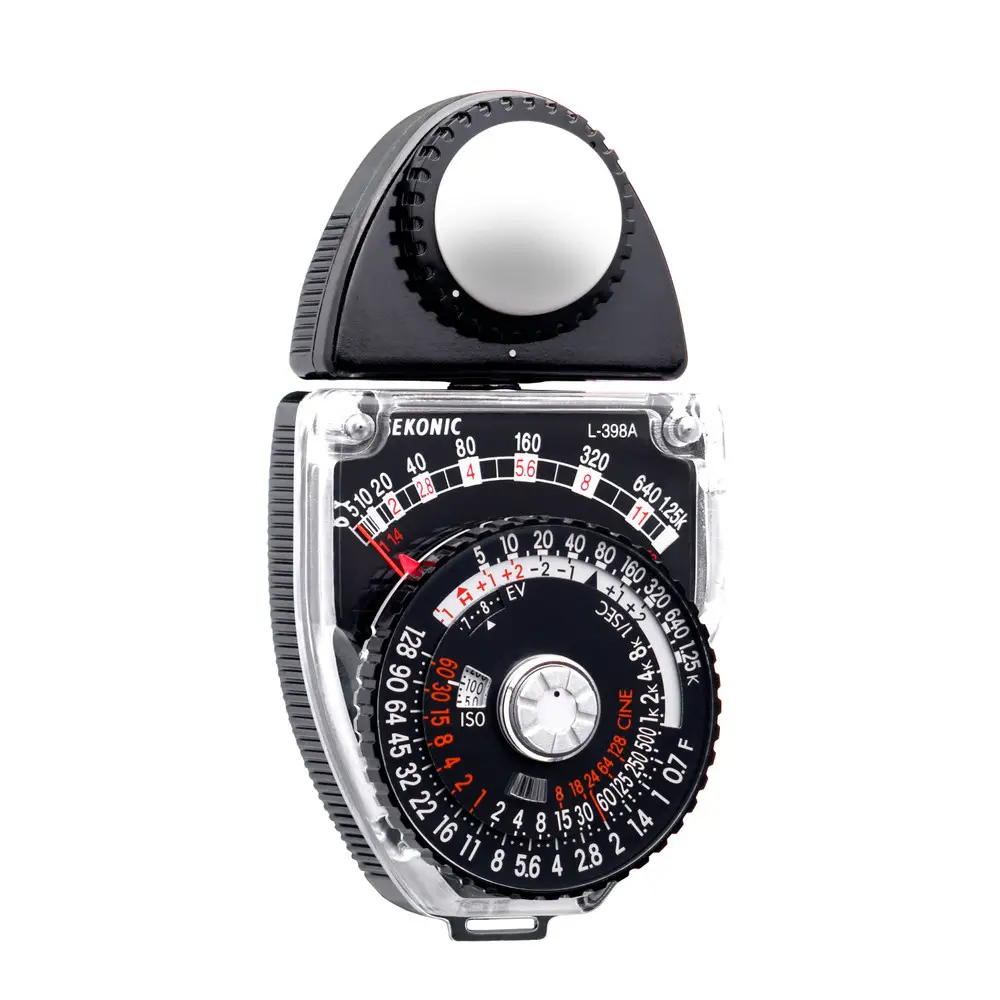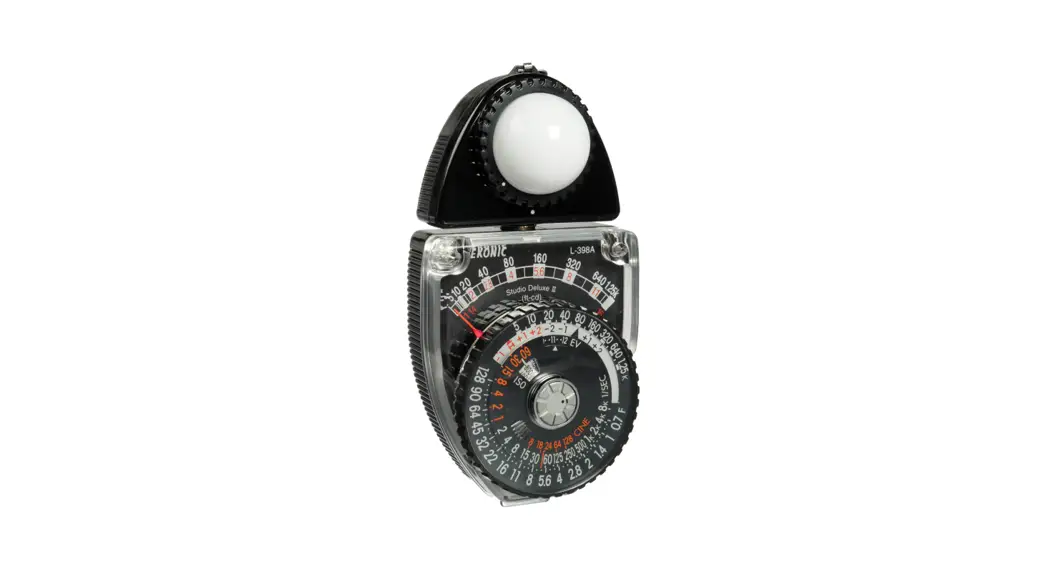

L-398A Studio Deluxe III Light Meter
Instruction Manual
STUDIO DELUXE L-398A
Operating Instructions
SAFETY PRECAUTION
This manual uses the following safety labels for WARNING and CAUTION that you must follow. WARNING
Indicates hazards or unsafe practices that can result in severe personal injury or death. CAUTION
Indicates hazards or unsafe practices that can result in personal injury or damage to your L-398A exposure meter. WARNING
- Keep Lumisphere, Lumidisc, Lumigrid, or Highslide out of reach of young children, as swallowing such objects can cause suffocation.
- Please place it in a location where an infant cannot reach and accidentally get the strap wrapped around his or her neck. There is a danger of strangulation.
CAUTION
- This L-398A has a powerful magnet. Do not place it close to the following materials, otherwise, the data stored may be damaged or the products may malfunction:
- Cash cards, floppy discs, other magnetic cards, TV sets, CRT displays or LCDs, and other apparatus sensitive to magnetic fields.
FEATURES
Nearly all photographic subjects combine complex variations of strongly reflecting surfaces (high reflectivity) and weakly reflecting surfaces (low reflectivity). These variations delicately influence exposure determination and to which portion the exposure is set becomes a vital factor that considerably affects the appearance of the finished photograph. Although the risk of failure can be minimized by taking maximum and minimum readings of all portions of the subject, then averaging the values, such an approach is both time-consuming and tedious. The Studio Deluxe is the answer to this problem.
- Optimum exposure meter for incident light measuring method (also applicable for reflected light method.)
- Freely rotatable light sensor section for very easily performed measurements.
- The meter stopper mechanism allows operation while the hand is released from the meter.
- The meter release mechanism is also included which allows the needle to deflect freely. This provides greater convenience when determining light balance.
- The memo pointer enables an easier light balance setting.
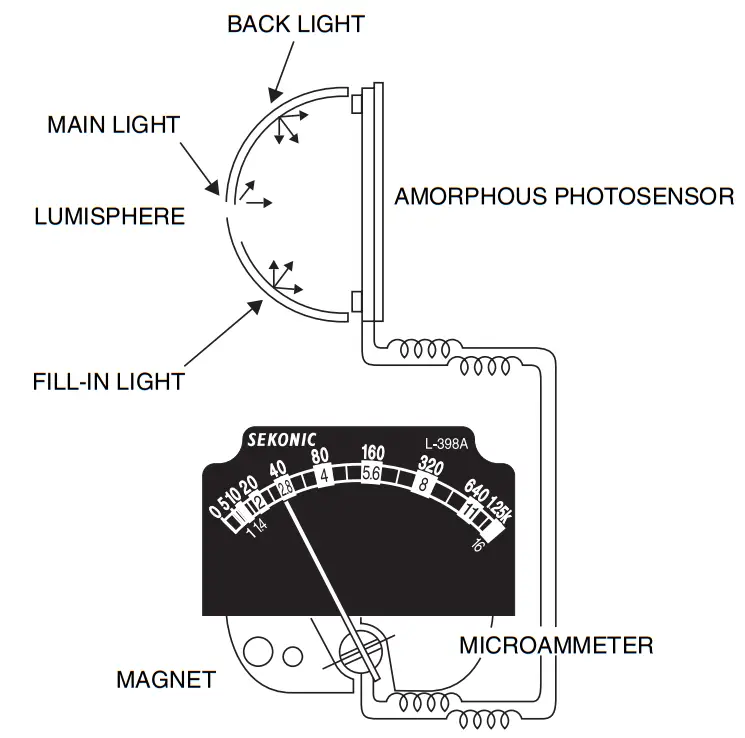
- Lumisphere detects the same light as strikes the subject. Since subjects are normally 3-dimensional, according to the lighting conditions, brighter surfaces (highlights) and darker surfaces (shadows) are produced (illumination contrast). The Studio Deluxe mechanism automatically takes into account the strength of light from all directions, causing the meter to indicate a value applicable to photography. It is thus most convenient for determining typical exposures.
- After combining film sensitivity and shutter speed, direct reading slides (optional) can be used to directly determine the aperture valve.
- AMORPHOUS PHOTOSENSOR is employed as a light-sensing element, eliminating the need for a battery.
- A wide selection of available accessories allows numerous photographic techniques to be enjoyed.
Caution:
- Your L-398A has a powerful magnet. Do not place your L-398A close to the following materials, otherwise, the data stored may be damaged or the product may malfunction: Cash cards and other magnetic cards, floppy disk, TV Set, CRT display, and other apparatus sensitive to magnetic fields.
SPECIFICATIONS
| Type | Analog exposure meter for ambient light |
| Light receiving method | Incident light and reflected light |
| Light receiving section | Incident light: Lumisphere and Lumidisc |
| Measuring range | Incident light: EV4 to 17 Reflected light: Lumigrid (30 deg. of light-receiving angle |
| (ISO 100) | Reflected light: EV9 to 17 |
| Film speed | ISO 6 to 12,000 (in 1/3 step) |
| Shutter speed | 60 sec. to 1/8000 sec. (in full step) |
| Aperture value | F0.7 to F128 (in 1/3 step) |
| Cine speed (f/s) | 8, 18, 24, 64, 128 |
| EV (Exposure Value) | EV1 to 20 (in 1/3 step) |
| Calibration Constant | Incident light: C=340 (Lumisphere), C=250 (Lumidisc) Reflected light: K=12.5 |
| Operating temperature range | 0℃ to 40℃ |
| Storage temperature range | -20℃ to 60℃ |
| Dimensions | 112(H) × 58(W) × 34(D) mm |
| Weight | Approx. 190g |
Note: Features and specifications are subject to change without notice.
PART DESIGNATIONS
Front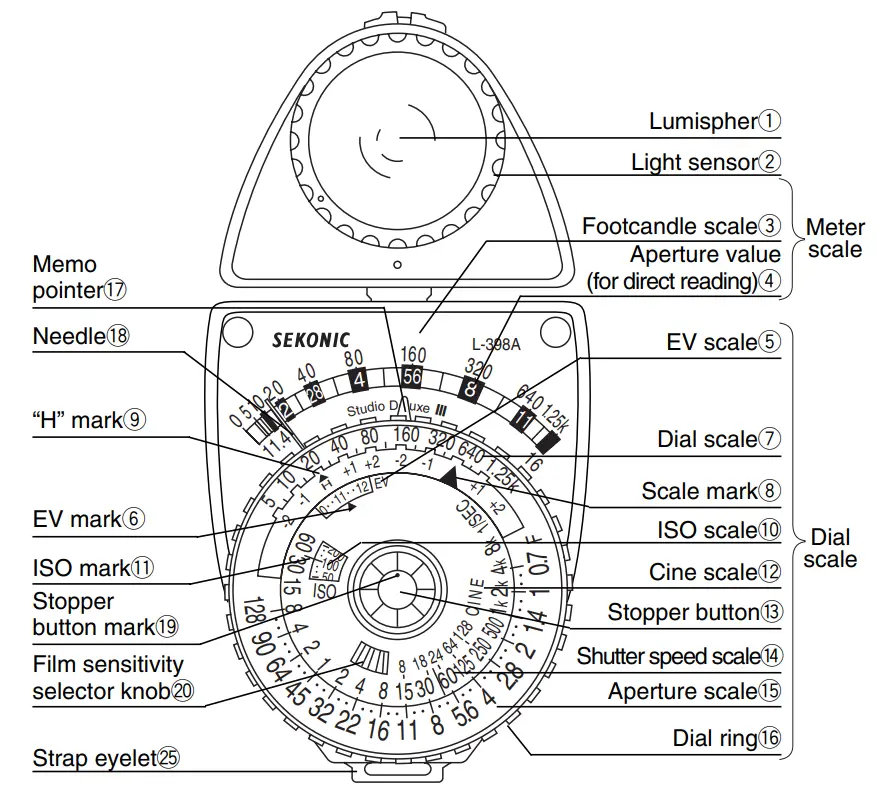
Rear
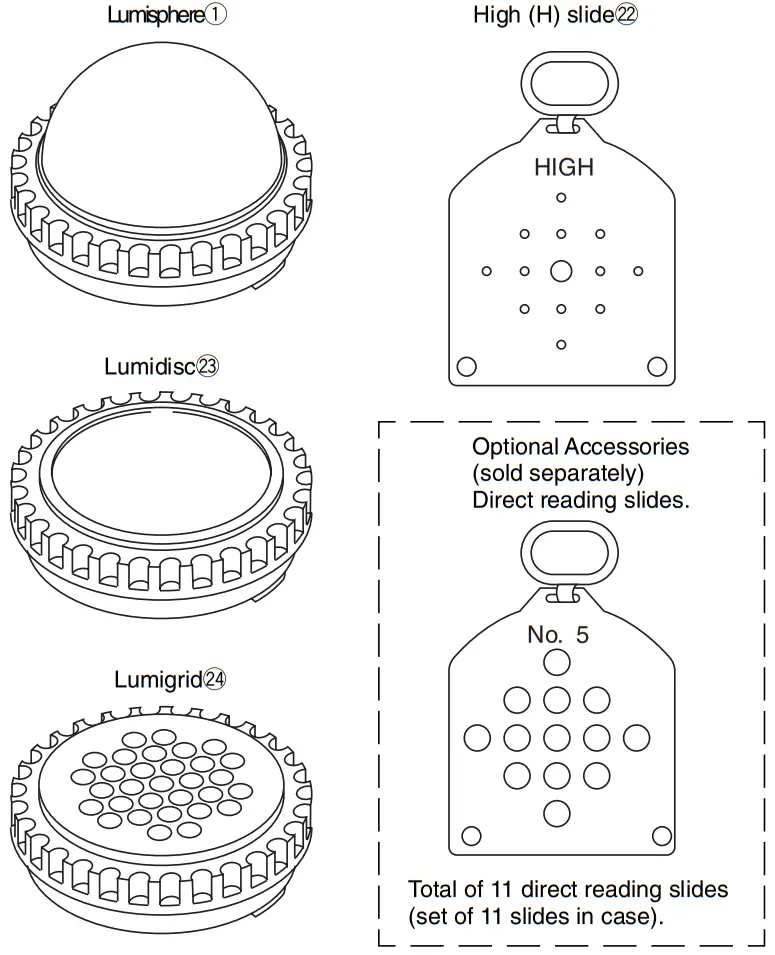
Accessories
Warning
Keep Lumisphere, Lumidisc, Lumigrid or High-slide out of reach of young children, as swallowing such objects can cause suffocation. 5
BASIC OPERATION OF METER UNIT
1. Stopper Button Operation
If the stopper button! 3 is pressed when the stopper button mark! 9 is set to, the meter needle ! 8 deflects according to brightness. Then when the button is released, the needle remains fixed at the indicated position.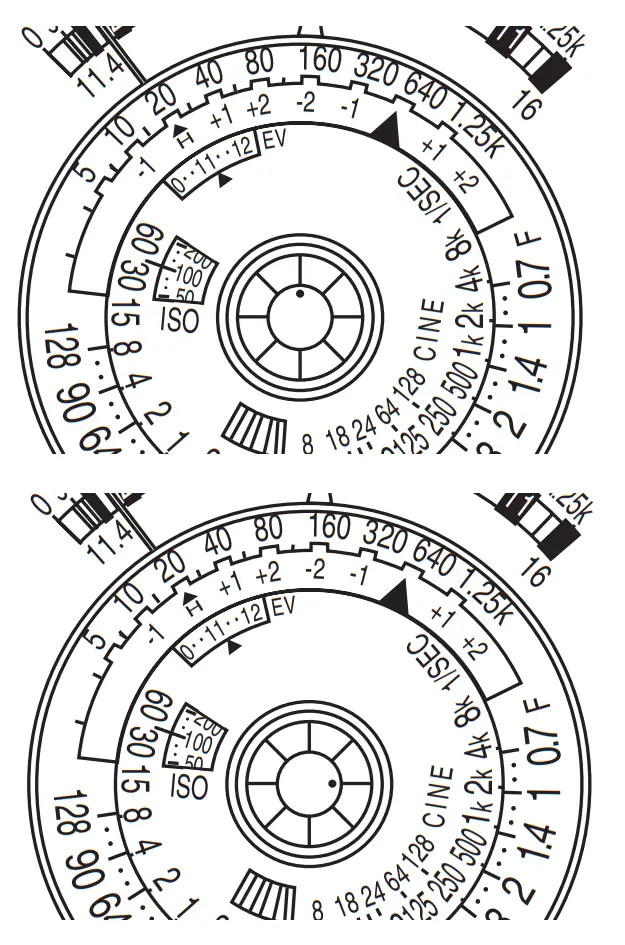
By holding the stopper button depressed and turning it clockwise so that the mark position becomes, the needle is released.
At this time, the meter will deflect freely even if the stopper button is released. To fix the needle, turn the stopper button counter-clockwise to where the mark is positioned .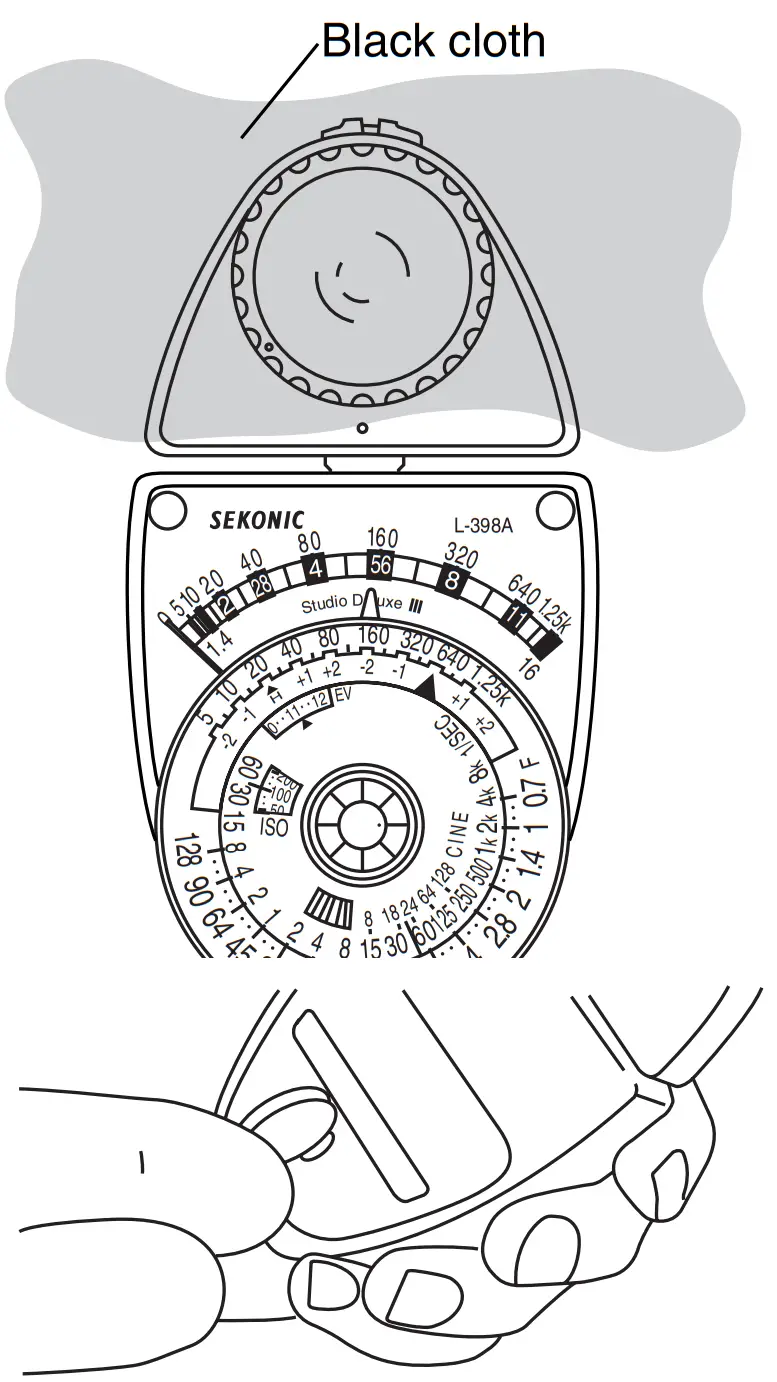
2. Zero Position Check and Adjustment
With the stopper button in the released position, cover the light sensor with a hand or black cloth to completely block the light. Check that meter needle 18 correctly indicates zero position. If the indication deviates from zero, while observing meter indication, use a coin or similar tool to turn the rear zero adjust screw 21, and adjust for zero indication.
BASIC OPERATION OF METER UNIT
3. Memo Pointer Operation
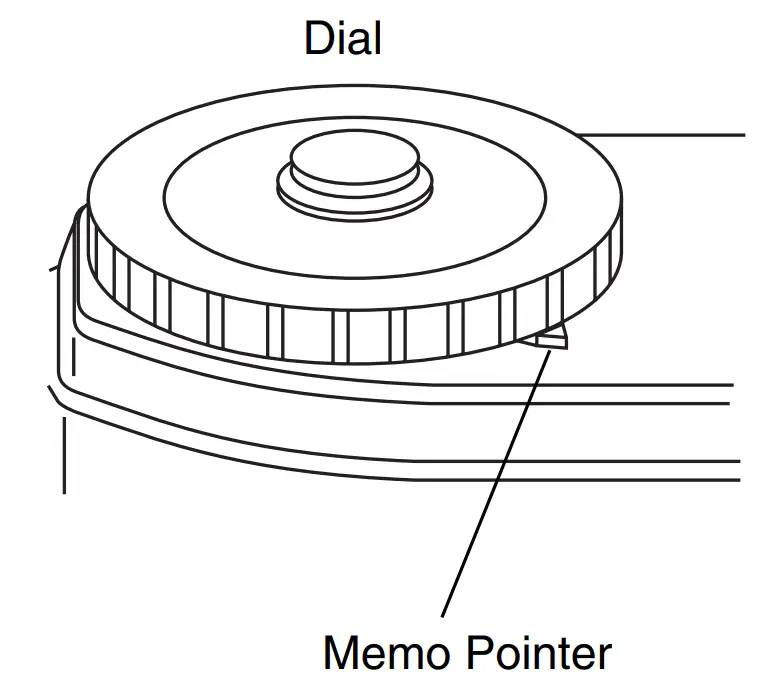
Rotate both Dial Ring 16 and dial Dial of Memo Pointer 17 to align with Needle !8 position or desirable setting position. See page 11 for actual use.
STANDARD ACCESSORY OPERATION
Incident Light Measurement
- Lumisphere
a. Mount Lumisphere to light sensor w. To mount, align white dots of Lumisphere frame and light sensor, then turn Lumisphere carefully clockwise (approx. 45 deg )to secure. b. Set film sensitivity knob 11 to the sensitivity value of the employed film. Set ISO value to right side ISO mark !.1 Photo shows the setting for ISO 100.
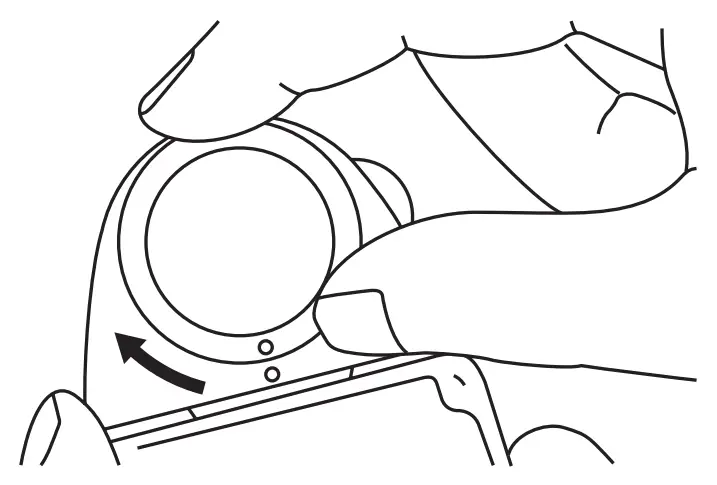 b. Set film sensitivity knob 11 to the sensitivity value of the employed film. Set ISO value to right side ISO mark !.1 Photo shows the setting for ISO 100.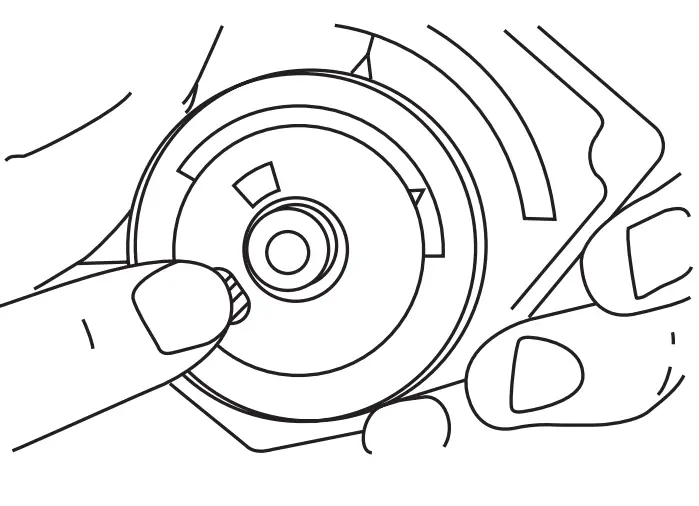
c. From a position where the subject is to be measured, point Lumisphere 1 in direction of the camera. (Light sensor 2 can be turned freely.)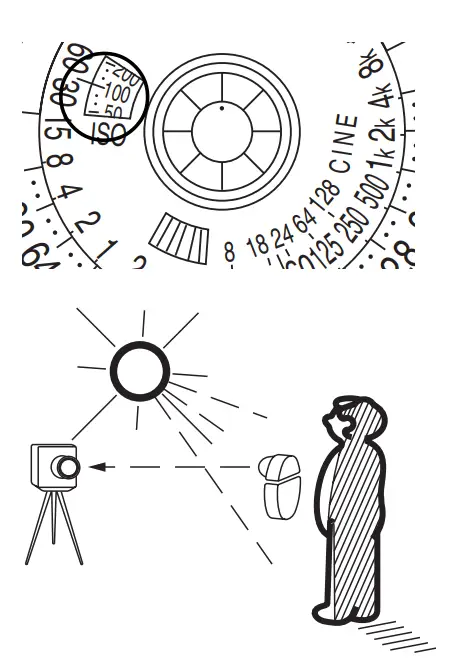 d. Hold meter erect and press stopper button 13. Meter needle !8 deflects according to brightness. When the stopper button is released, the meter needle becomes fixed at the deflected position. If the location is excessively bright and the meter needle deflects beyond scale, insert the High slide 22.
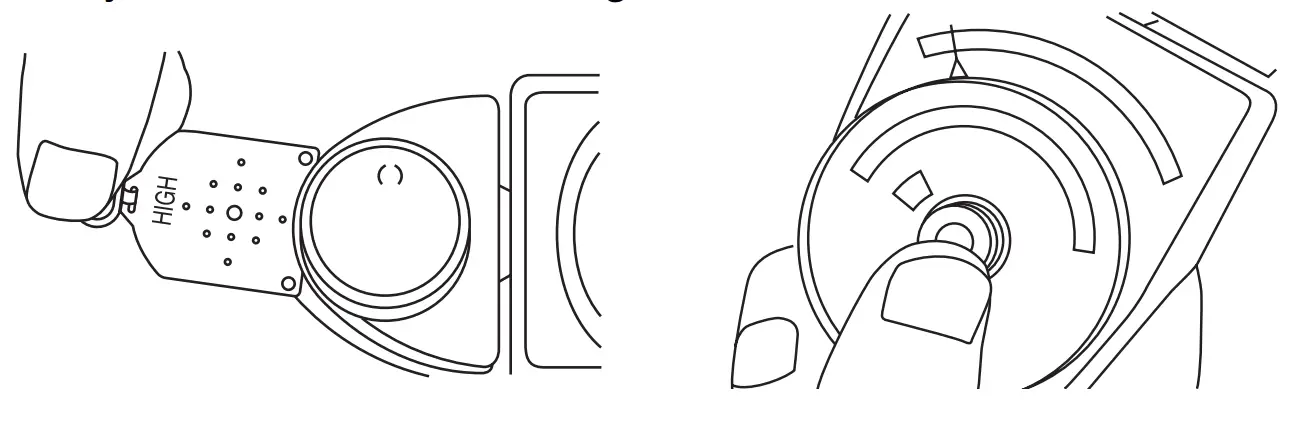 e. Read the footcandle scale of the meter needle.
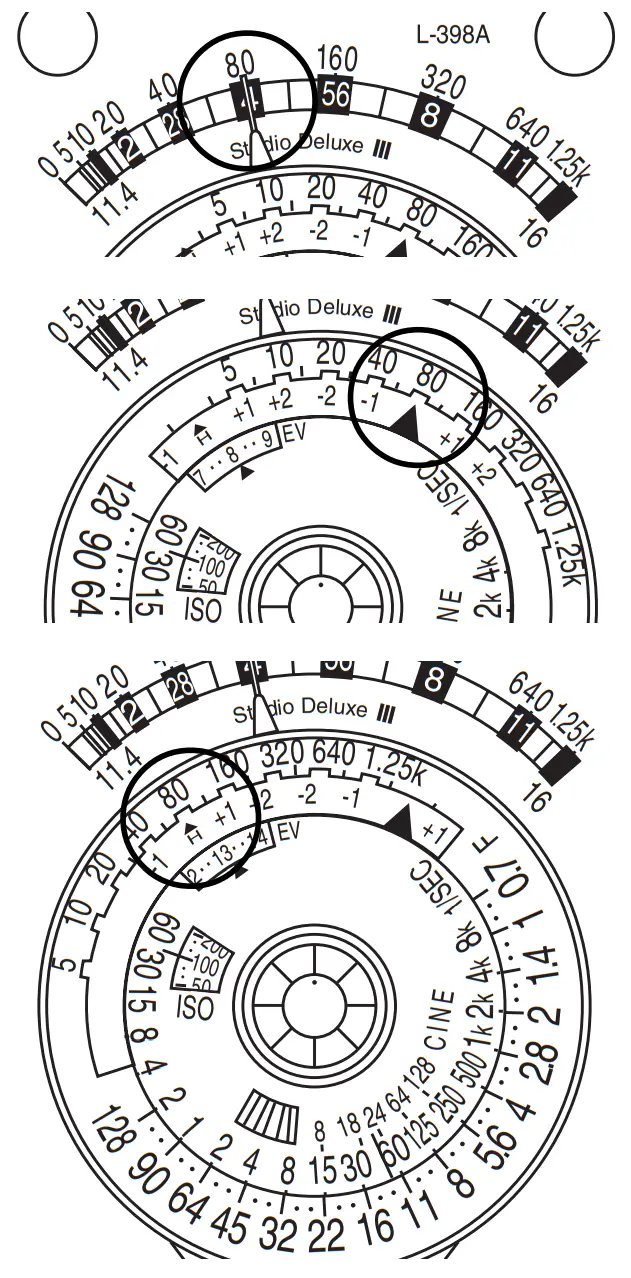 f. Transfer footcandle value to the dial scale u. Rotate the dial ring 16 and set the scale mark i. If the High slide 22 has been inserted, set the H mark 9.
g. At this time, the shutter speed scale14 and aperture scale 15 combinations become the correct exposure.
Example: With a High slide inserted, the meter indicates 80 footcandles. At ISO 100, the proper exposure becomes 1/250 sec at F/ 5.6, 1/30 sec at F/16 and 1 sec at F/90.
h. By changing the ISO setting, the set combination of shutter speed and aperture scale is automatically altered to the appropriate one corresponding to the changed ISO value.
Meter scale intermediate values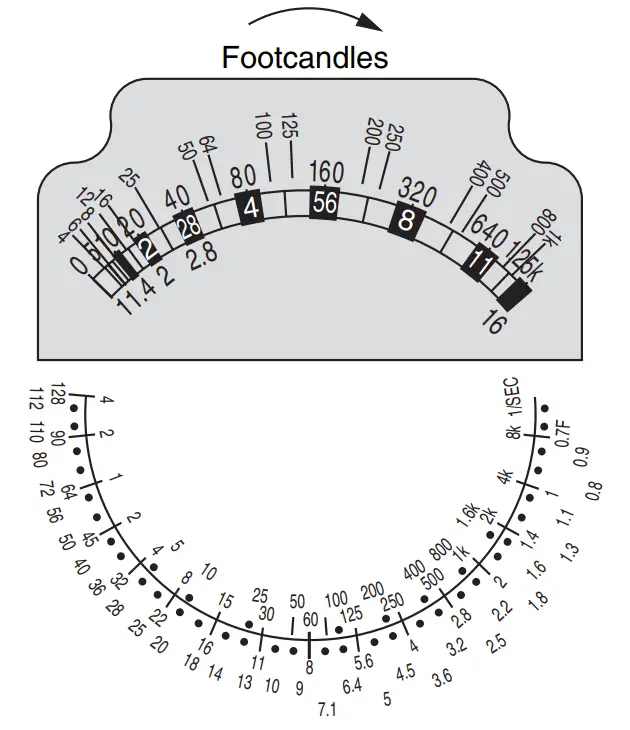
Intermediate values for Shutter speed and aperture scale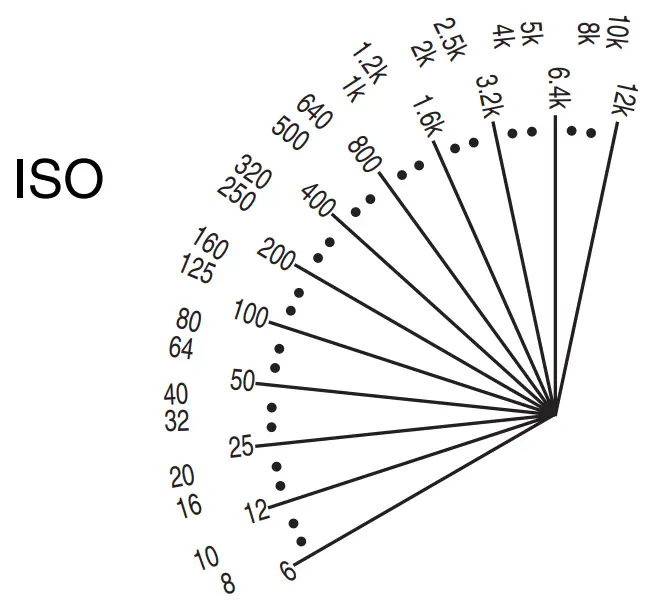
Film sensitivity intermediate values
6. STANDARD ACCESSORY OPERATION
2. Lumidisc Employ for illumination contrast adjustment and illuminance measurement.
· Contrast measurement
a. Mount Lumidisc 23 to light sensor w. Install in the same manner as Lumisphere. (See P. 8)
b. Hold the meter at the subject position and point Lumidisc 23 directly toward the center of the main light.
c. Press stopper button 13 and read meter scale footcandle indication 3.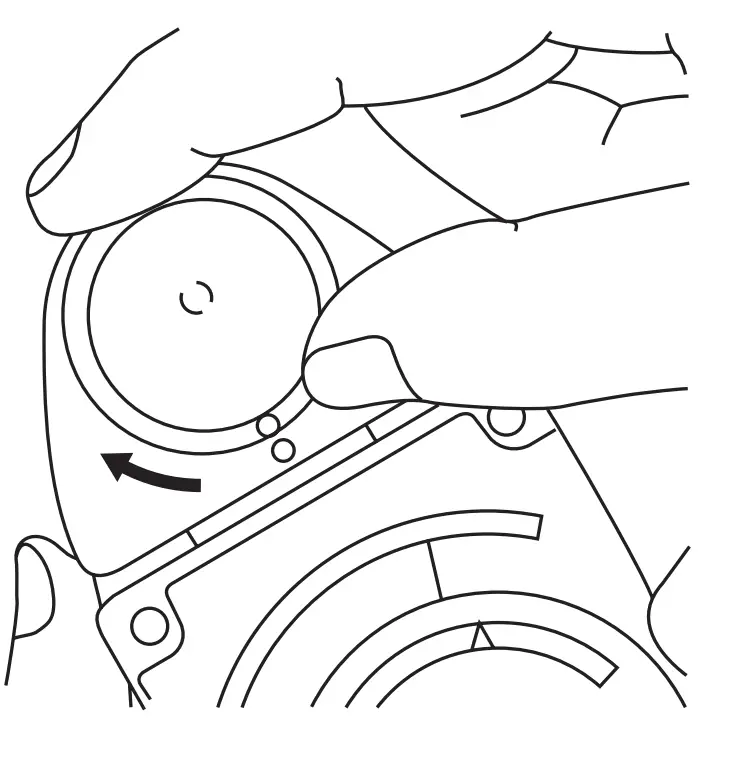 d. Turn the memo pointer dial and set the memo pointer 17 Main light at the footcandle value the needle points to.
e. In the same manner, measure the fill-in light. In this case, take care that light from the main source does not enter the sensor.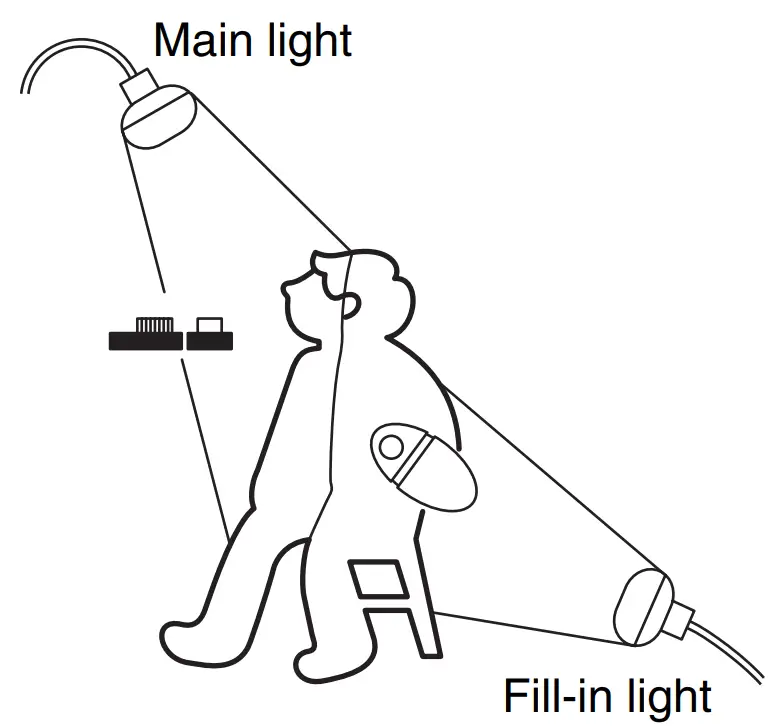 f. Read a difference between the footcandle value the memo pointer is set (see Fill-in light above d) and the one for fill-in light (= needle position).
The ratio between main and fill-in light footcandles becomes the contrast ratio.
Example: With the main light at 640 footcandles, the fill-in light reads 320 footcandles.
Illumination contrast ratio becomes;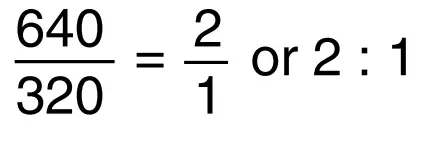
Illuminance (Lux) measurement
a. Mount Limidisc 23 to light sensor 2 in the same manner as Lumisphere.
b. Place Lumidisc 23 parallel with the light source.
c. Press stopper button 23 and read meter scale footcandle indication 3.
d. Multiply this value by 10.76 to obtain lux.
Example:80 x 10.76 = 860.8 lux
If the meter deflects beyond scale, insert High slide 22, then multiply the footcandle indication by 32. Example:80 x 32 = 2560 footcandles 2560 x 10.76 = 27545.6 lux
Reflected Light Measurement 1. Lumigrid
a. Mount Lumigrid 24 to light sensor 24 in the same manner as Lumisphere 1. (See P.8)
b. Set sensitivity value of the employed film. The setting is performed in the same manner as for incident light measurement. (See P.8)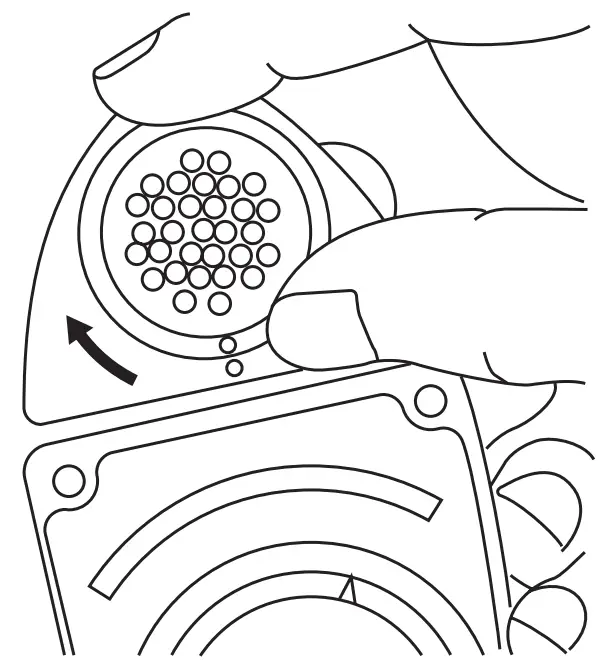 c. From camera position, point Lumigrid 24 directly toward the part of the subject to be measured.
d. In the case of measuring narrow areas, as close as possible to the subject, measure reflected light from the main point of the subject. Use adequate care at this time so that meter shadow etc. does not interfere.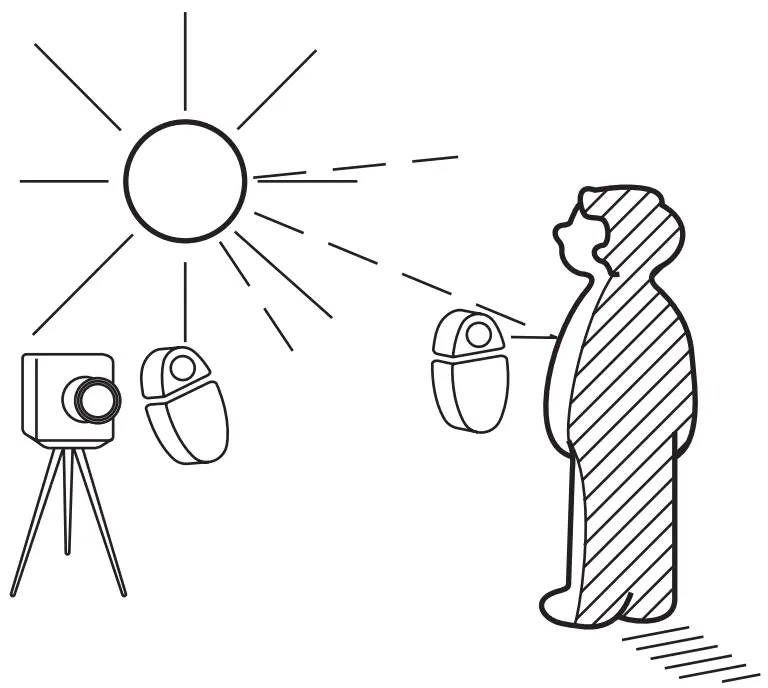 e. Press stopper button !,3 and read meter scale footcandle indication 3. However, since footcandles are units of incident light only, this value becomes simply a reference.
f. Transfer indicated value to dial scale 7. Rotate the dial ring 16 and set H mark 9.
g. At this time, shutter speed scale 14 and aperture scale 15 combination becomes the correct exposure.
Note: Do not employ slides for reflected light measurement. More accurate results can be obtained for reflected light measurement by using a Gray card (optional accessory).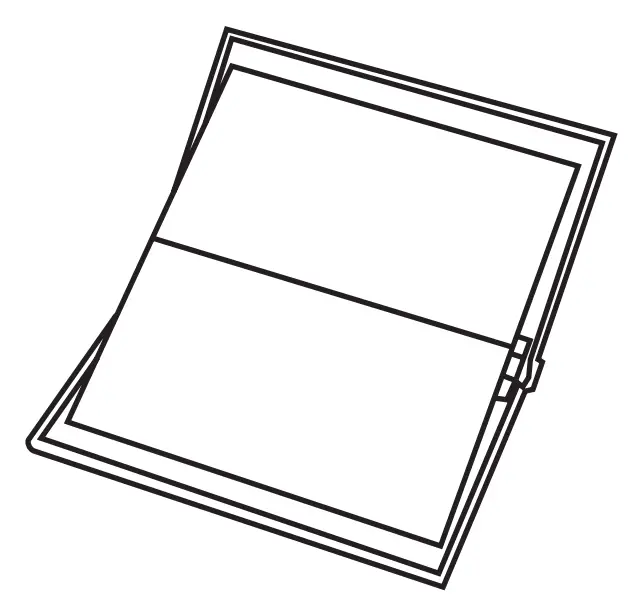 STANDARD ACCESSORY OPERATION
Other Operations
1. Exposure Value (EV number) Readout
Reading this exposure value to perform setting becomes convenient for cameras that employ a light value system of shutter and aperture combination.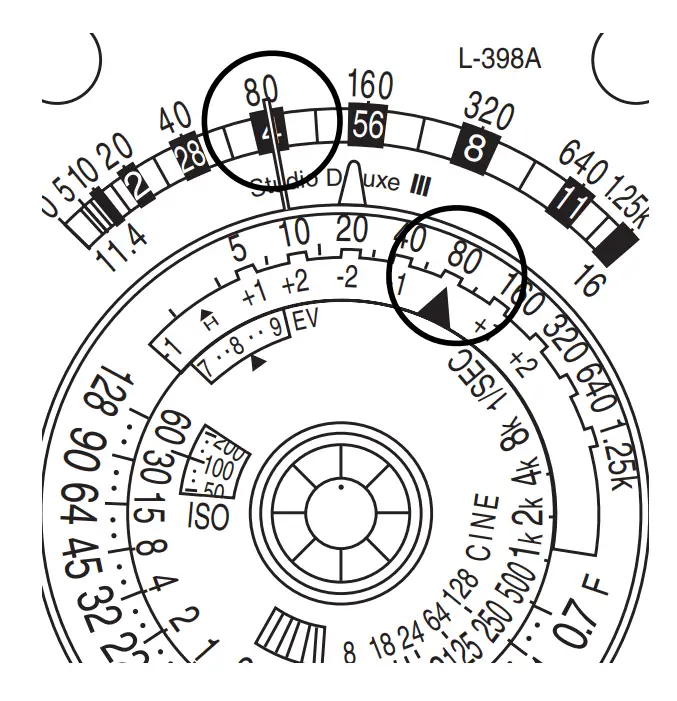
a. Read meter needle18 footcandle indication3
b. Transfer this number to the dial scale 7. Rotate dial ring 16 and set ▲ scale mark 8 If the High slide is inserted, set the mark 9.
c. EV value indicated by EV mark 6 becomes the correct exposure value.
2. Employing Cine Scale
Incident and reflected light measurements during cine photography are performed in the same manner as described previously. However, since the cine scale 12 numerals correspond to cine camera film speed, read the aperture scale 15 indication that pertains to the employed film speed.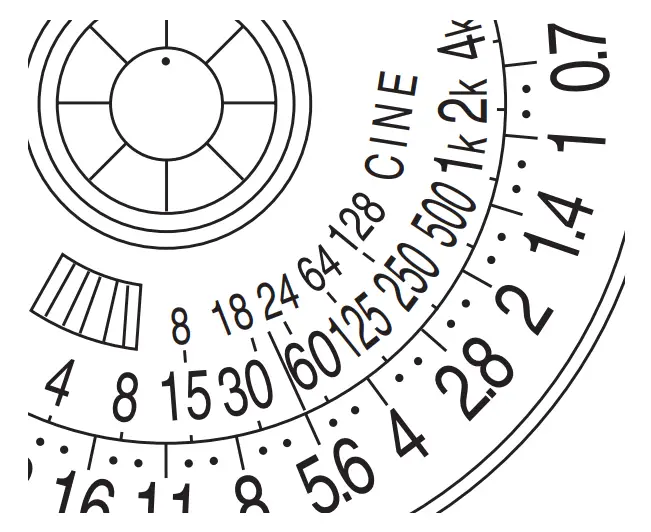
Note: Some cine cameras possess faster exposure times due to a narrower rotating shutter angle (angle of light-transmitting portion). It is important to know the accurate shutter angle value versus cine speed for your camera in order to determine proper exposure. Refer to the camera operating instructions, maker’s catalog, etc. for shutter angle information.
Shutter angle and exposure calculation:
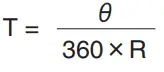 | R = Frames exposed in 1 second T = Exposure time θ= Shutter angle |
3. Using Exposure Multipliers (-2, -1, +1, +2)
Exposure multiplier indications are provided at both sides of the marks of the dial scale. Use the -1 or -2 mark when desiring to cut the exposure to 1/2 of 1/4 and the +1 or +2 mark to multiply the exposure by 2 or 4. Set the appropriate mark, instead of the mark, to the dial scale value.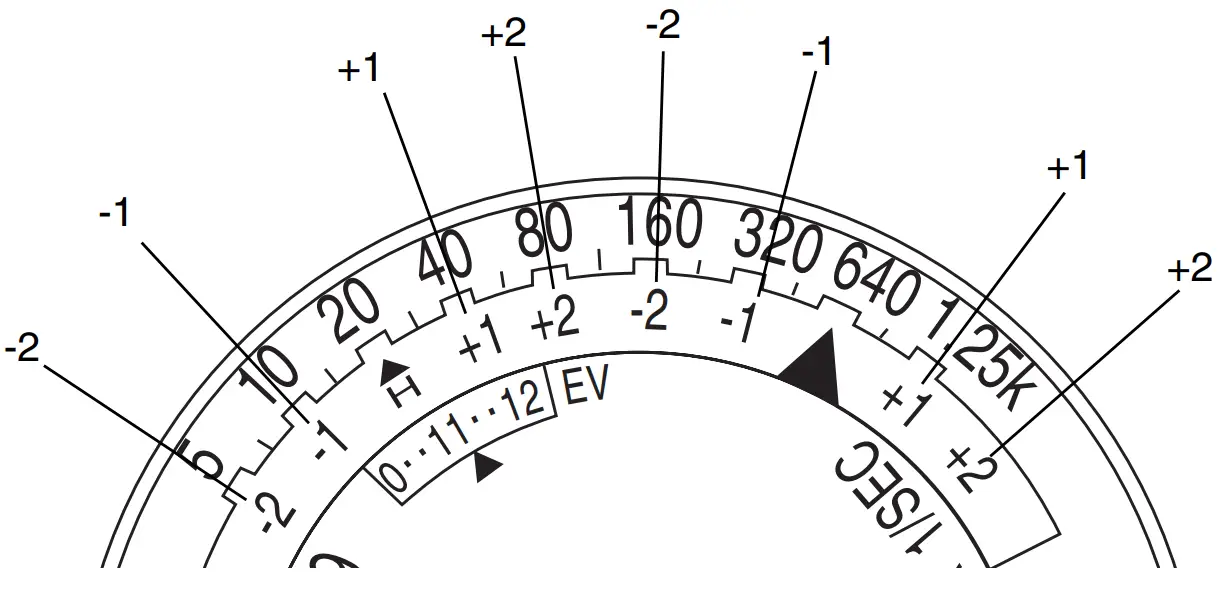
Optional Accessories Operation
1. Direct Reading Slides
A total of 11 slides are available, all of which may be used together with the Lumisphere and Lumidisc. (Note that they cannot be used with Limigrid.) The High slide, as mentioned previously, is employed for varying the measuring range in 2 steps (high and low illumination), however, it can also be used for direct reading.
| Shutter speed /Slide No. | 1/15 | 1/30 | 1/40 | 1/50 | 1/60 | 1/125 | 1/250 | 1/500 |
| 1 | ISO 64 | ISO 125 | ISO 160 | ISO 200 | ISO 250 | |||
| 2 | 50 | 100 | 125 | 160 | 200 | 400 | ||
| 3 | 40 | 80 | 100 | 125 | 160 | 320 | ||
| 4 | 32 | 64 | 80 | 100 | 125 | 250 | ||
| 5 | 25 | 50 | 64 | 80 | 100 | 200 | 400 | |
| 6 | 20 | 40 | 50 | 64 | 80 | 160 | 320 | |
| 7 | 16 | 32 | 40 | 50 | 64 | 125 | 250 | |
| 8 | 25 | 32 | 40 | 50 | 100 | 200 | 400 | |
| 9 | 20 | 25 | 32 | 40 | 80 | 160 | 320 | |
| 10 | 16 | 20 | 25 | 32 | 64 | 125 | 250 | |
| 11 | 12 | 16 | 20 | 40 | 80 | 160 | ||
| HIGH | 12 | 25 | 50 | 100 |
Note:
- The HIGH slide can be used as a part of a direct reading slide.
- One set of slides consists of slide numbers 1 to 11 in a case.
The HIGH slide is a standard accessory and not included in the slide set, though there is a space to store it in the case of the slide set.
2. Direct Reading Slide Application
When photographing, select slide from the above table according to film sensitivity and shutter speed. Insert slide and performance the measurement in the same manner as for incident light. Read directly the aperture valuer indicated by the meter needle 18.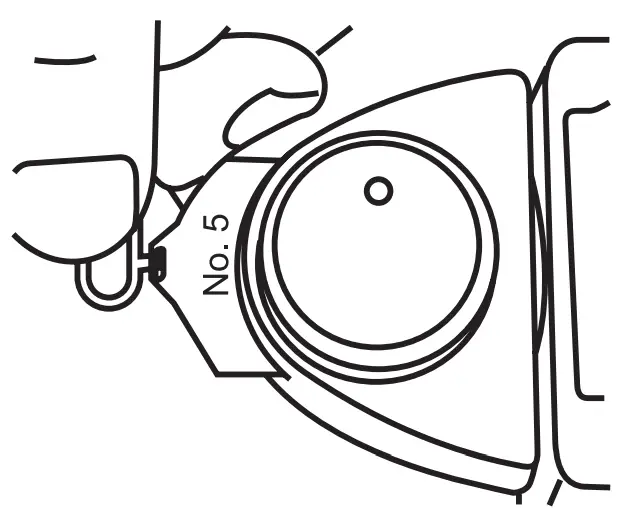 Since it is not necessary to rotate the dial when employing direct reading slides, the setting becomes extremely fast and convenient.
HANDLING CAUTIONS
Since the Studio Deluxe is a high-precision instrument, use ample care in regard to the following points.
- Avoid dropping or subjecting it to strong shock.
- Do not store in areas subject to magnetic fields or where insect repellants are located (metal cabinets, clothing dressers, etc.).
- Keep Lumisphere and Lumidisc clean and protect from dust and scratches.
- Wipe Lumisphere and Lumidisc with a dry soft cloth if it becomes dirty. Never use organic cleaners (like Thinner or benzene).
SEKONIC CORPORATION
7-24-14, OIZUMI-GAKUEN-CHO, NERIMA-KU, TOKYO 178-8686 JAPAN
TEL: +81(0)3-3978-2335
FAX:+81(0) 3-3978-5229
http://www.sekonic.co.jp/English
JG1297521
 Homepage | servix
 Home
Home