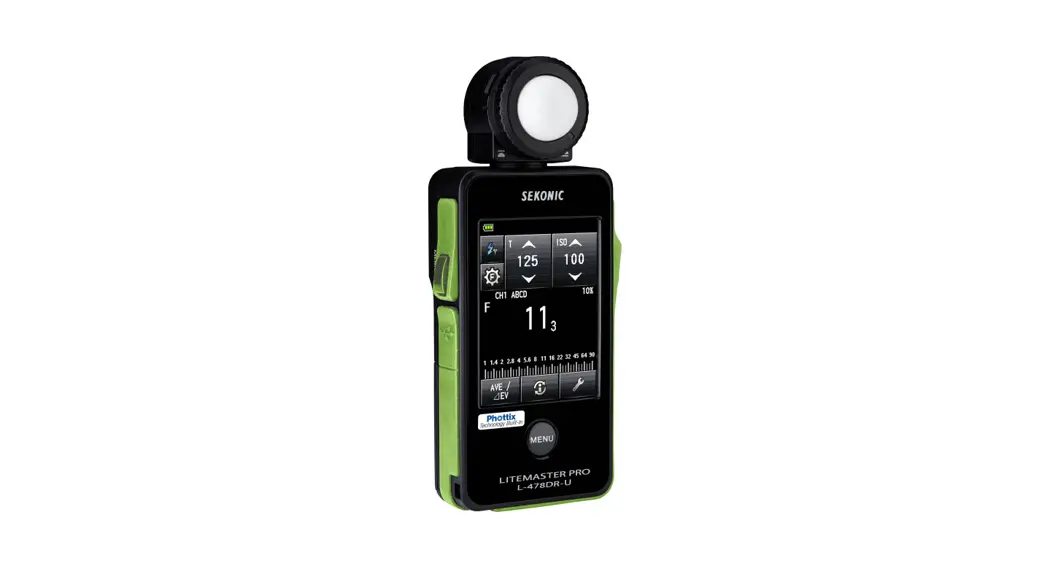
L-308X Flashmate Light Meter
Product Information: Light Meter L-308X Series
The Light Meter L-308X Series is a device that measures light
intensity to help photographers and filmmakers achieve accurate
exposure in their work. It comes with a Lumisphere Light Receptor,
a Synchro Terminal, and an ISO Button among other parts. The device
has a Liquid Crystal Display (LCD) that shows the measuring mode
icons, battery power indicator, ISO display, shutter speed frames
rate, shutter angle, illuminance, and aperture EV 0.1 step
display.
Safety Precautions
Before using the Light Meter L-308X Series, it is important to
read the Safety Precautions for proper operation. The WARNING
symbol indicates the possibility of death or serious injury if the
product is not used properly. The CAUTION symbol indicates the
possibility of minor to moderate personal injury or product damage
if the product is not used properly. The NOTICE symbol indicates
cautions or restrictions when using the product. Please read all
notes to avoid errors in operation.
Included Items
The following items are included with the meter in the
package:
- Meter
- Startup Guide
- Soft Case (this document)
- Strap
- Synchro Terminal Cap installed on the meter
Batteries are not included in the package. Please obtain these
separately.
Names of Parts
- POWER Button
- Lumisphere Light Receptor
- MODE Button
- MEASURING Button
- UP Button
- DOWN Button
- ISO Button
- Synchro Terminal
Explanation of the Liquid Crystal Display (LCD)
The Liquid Crystal Display (LCD) shows:
- Measuring Mode icons
- Battery Power Indicator
- ISO Display
- Shutter speed frames rate
- Shutter angle
- Illuminance
- Aperture EV 0.1 step display
Basic Operation
Switching the Light Receiving Method
To set for either incident or reflected light operation, slide
the Lumisphere mounting until it clicks.
Incident Light Measurement
Slide Lumisphere to the left over the meter cell (lens) and take
a measurement. When using the Lumidisc (optional), slide Lumisphere
to the right to expose meter cell to attach the Lumidisc, and take
a measurement.
Reflected Light Measurement
Slide Lumisphere to the right to expose meter cell, and take a
measurement. Measurements are made from the camera position or
within the same view as the camera lens.
Illuminance/Lighting Ratio Measurement
Attach the Lumidisc (optional) over the meter cell (lens). Point
the Lumidisc directly toward the light source and measure.
Setting ISO Sensitivity
Hold down the ISO Button and press either the UP Button or DOWN
Button to select ISO sensitivity being used.
Display Mode
Select PHOTO Mode, HD CINE mode or CINE mode by pressing the
MODE Button. Please see the Custom Setting Function below for how
to select.
Contact Information
For recycling information, please contact the official
collection point of your country. For technical support, please
contact:
- Phone: 1.888.610.7664
- Website: www.calcert.com
- Email: [email protected]
Light Meter
English
L-308X
L-308X-U
Startup Guide
Thank you for purchasing FLASHMATE L-308X Series. This Startup Guide introduces the basic operations of this light meter. For details about how to use this light meter, please see the Operating Manual.
1. Download
2. Check Included Items
The following items are included with the meter in the package.
Please be sure to check that all noted items are included.
If any items are missing, please contact the distributor or the reseller you purchased the meter from.
Batteries are not included in the package. Please obtain these separately.
Meter
Startup Guide Soft Case (this document)
L-308X
Strap
Synchro Terminal Cap Installed on
the meter
Safety Precaution
English Safety Precaution
For Proper Operation
Before using this product, please read this “Safety Precautions” for proper operation.
The WARNING symbol indicates the WARNING possibility of death or serious injury if the
product is not used properly.
The CAUTION symbol indicates the CAUTION possibility of minor to moderate personal
injury or product damage if the product is not used properly.
NOTICE
The NOTICE symbol indicates cautions or restrictions when using the product. Please read all notes to avoid errors in operation.
General Safety Information
· Read the Operating Manual before use.
· Keep the Operating Manual on hand for reference at any
time.
· Stop using this product when there are any abnormalities.
· The modification or disassembly of this product is prohibited. · Do not attempt to repair this product by yourself.
· This product is intended only for persons with expert
knowledge.
· Monitor children so that they do not touch this product.
· Use this product in a usage environment described in the
Operating Manual. · This product is not waterproof.
official collection point of your country for recycling.
1.888.610.7664
15
10
20
5
25
0
30
www.calcert.com
3. Names of Parts
POWER Button LumisphereLight Receptor
MODE Button
MEASURING Button
UP Button
DOWN Button
ISO Button
Synchro Terminal
4. Explanation of the Liquid Crystal Display (LCD)
Measuring Mode icons
Battery Power Indicator
ISO Display
Shutter speed frames rate shutter angle Illuminance
Aperture EV 0.1 step display
5. Basic Operation
Switch the Light Receiving Method
To set for either incident or reflected light operation, slide the Lumisphere mounting until it clicks.
Incident Light Measurement
Slide Lumisphere to the left over the meter cell (lens) and take a measurement. When using the Lumidisc (optional), slide Lumisphere to the right to expose meter cell to attach the Lumidisc, and take a measurement.
Reflected Light Measurement
Slide Lumisphere to the right to expose meter cell, and take a measurement. Measurements are made from the camera position or within the same view as the camera lens.
Illuminance/Lighting Ratio Measurement
Attach the Lumidisc (optional) over the meter cell (lens). Point the Lumidisc directly toward the light source and measure.
1.888.610.7664
15
10
20
5
25
0
30
www.calcert.com
Setting ISO sensitivity
Hold down the ISO Button and press either the UP Button or DOWN Button to select ISO sensitivity being used.
6. Display Mode
Select PHOTO Mode, HD CINE Mode or CINE Mode. Please see “8.Custom setting function” below for how to select.
7. Select Measuring Mode
Press the MODE Button to select the Measuring mode.
PHOTO Mode Shutter speed priority mode
Aperture Priority Mode
EV mode (Ambient mode)
Cord Flash mode (shutter speed priority)
HD_CINE Mode Shutter speed priority mode
Auto Reset Cordless Flash mode (shutter speed priority) Frame rate setting mode
Simplified illuminance mode(Selectable in Custom setting)
CINE Mode Frame rate priority mode
Shutter angle setting mode
Simplified illuminance mode (Selectable in Custom setting)
Hold ISO Button and press MODE Button to return to the previous Measuring Mode.
8. Custom Setting Function
1) To enter the Custom Setting Mode, hold the MODE Button and then
press the POWER Button to turn the meter ON.
`CS’ (custom setting) and setting number (1
Custom Setting item
to 3) will appear at the right of the display.
The current custom setting will appear at
the left side of the display.
2) Press the UP Button or DOWN Button to select the desired custom setting group number.
CS No./Group
1.888.610.7664
15
10
20
5
25
0
30
www.calcert.com
3) The Custom setting item will change each time the MODE Button is pressed. Use these settings to customize meter operations and displays to fit your camera and metering requirements.
CS number Custom setting group
Custom setting item
Display mode
Increments of aperture and shutter speed
Simplified illuminance display (2)
PHOTO mode HD_CINE mode
(1)
Full Step
1/2 Step
(1)
Foot-Candle
Lux
fc (1)
CINE mode 1/3 Step No Display
1 Default settings.
2 Simplified illuminance (Lux or Foot-Candle) is not displayed in PHOTO mode.
4) Press POWER Button to exit Custom setting mode.
9. Calibration Compensation Function
Compensation may be necessary to calibrate the meter to camera
specifications or to match the display to another exposure meter.
Calibration compensation can be made in precise 1/10 step
increments in a +/-1.0 EV range.
1) Set the camera Display mode (HD CINE, CINE or PHOTO) in advance.
2) To enter the calibration compensation mode, hold the ISO Button and
press the POWER Button to turn the meter ON.
3) Select the compensation amount by pressing the UP Button or
DOWN Button .
Plus compensation results in the increased exposure
(the image becomes
Calibration compensation mode
brighter), and minus
compensation results in the
decreased exposure (the
image becomes darker).
4) Press POWER Button to exit Calibration compensation mode.
Compensation
Selected
amount
Display mode
1.888.610.7664
15
10
20
5
25
0
30
www.calcert.com
 Calcert