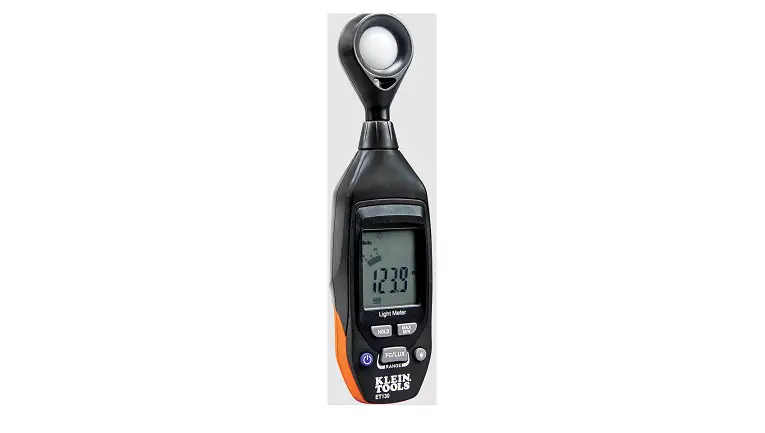

KLEIN TOOL ET130 Light Meter
GENERAL SPECIFICATIONS
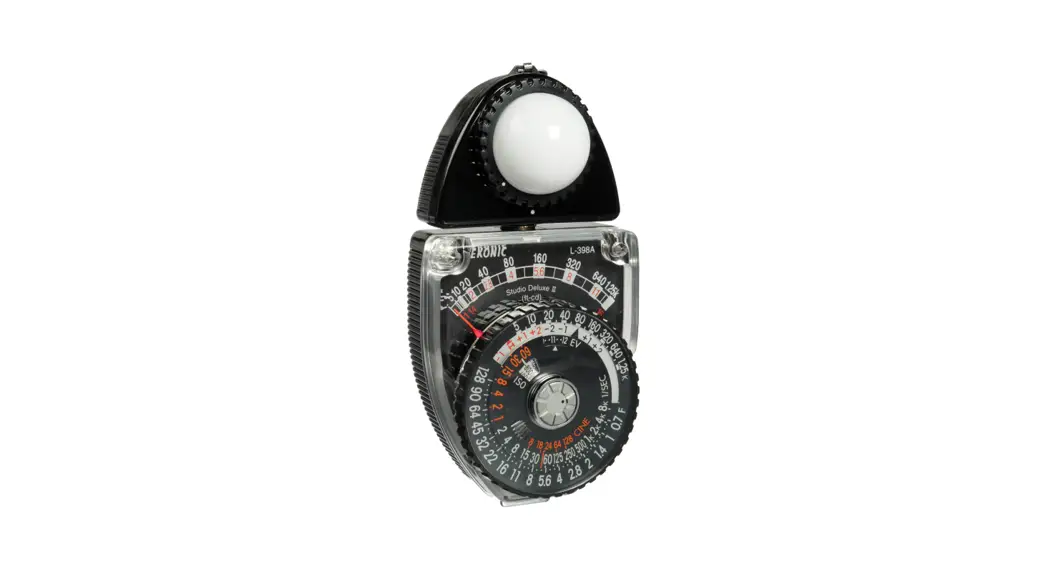
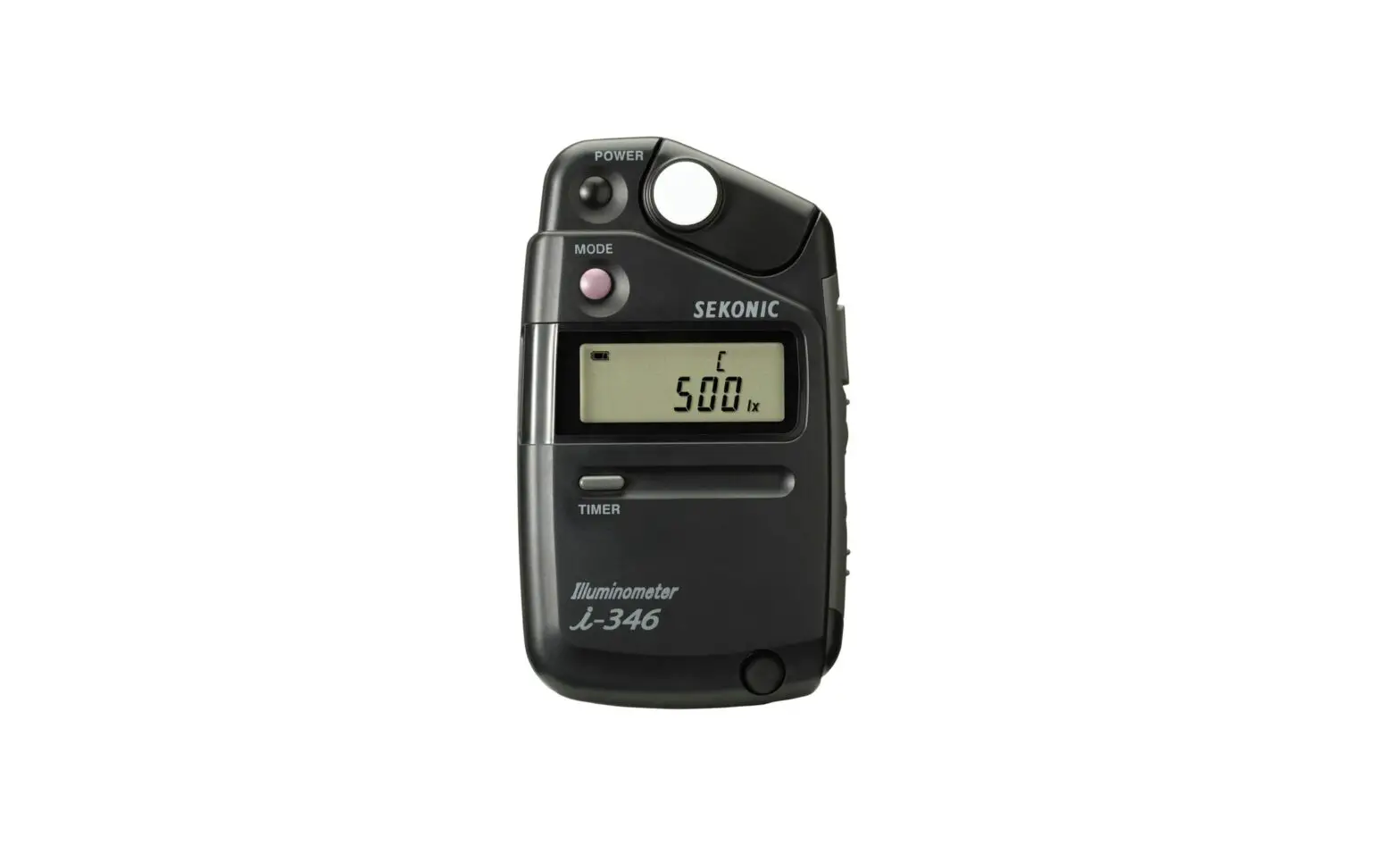
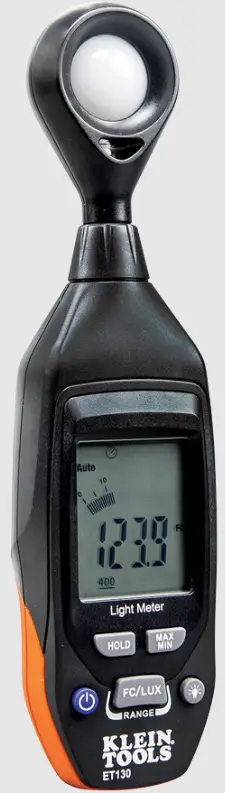
Klein Tools ET130 is an easy-to-use precision light meter that measures illuminance levels in both Foot Candles (FC) and Lux.
- Spectral Range: 400 to 760 nm; white light CIE standard
- Range: 0 to 4,000 FC; 0 to 40,000 Lux (1 FC = 10.76 Lux)
- Resolution: 0.01 FC / 0.1 Lux
- Repeatability: +/- 3%
- Accuracy: +/- 5% reading +/-10 digits @ <10,000 Lux +/- 10% reading +/-10 digits @ >10,000 Lux
- Sample Rate: 2 times per second
- Sensor: Silicon photodiode with spectral response filter
- Battery: 9V
- Operating Altitude: 6562 ft. (2000 m)
- Relative Humidity: <80% non-condensing
- Operating Temp: 32° to 104°F (0° to 40°C)
- Storage Temp: 14° to 140°F (-10° to 60°C)
- Dimensions: 8.1″ x 2.1″ x 1.4″ (206 x 54 x 36 mm)
- Weight: 5.5 oz. (156 g) including batteries
- Tripod Mount: 1/4-20 UNC
- Calibration: Accurate for one year
- Drop Protection: 3.3 ft. (1m)
Specifications subject to change.
WARNINGS
To ensure safe operation and service of the meter, follow these instructions. Failure to observe these warnings can result in severe injury or death.
- Read the instructions to ensure safe operation.
- Meter is NOT insulated. Avoid contact with areas where energized conductive elements may be present.
- Always wear approved eye protection.
FEATURE DETAILS
Front of Meter
 Back of Meter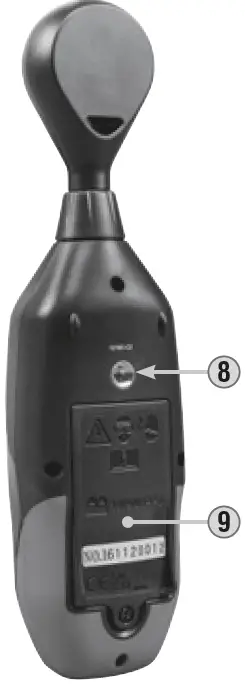
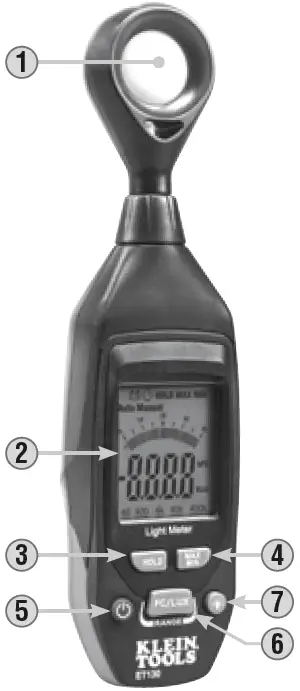
- Photodiode Sensor
- 3-3/4 Digit LCD Screen
- HOLD Button
- MAX/MIN Button
- Power Button
- RANGE/FC/LUX Button
- Backlight Button
- 1/4-20 UNC Tripod Mount
- Battery Cover

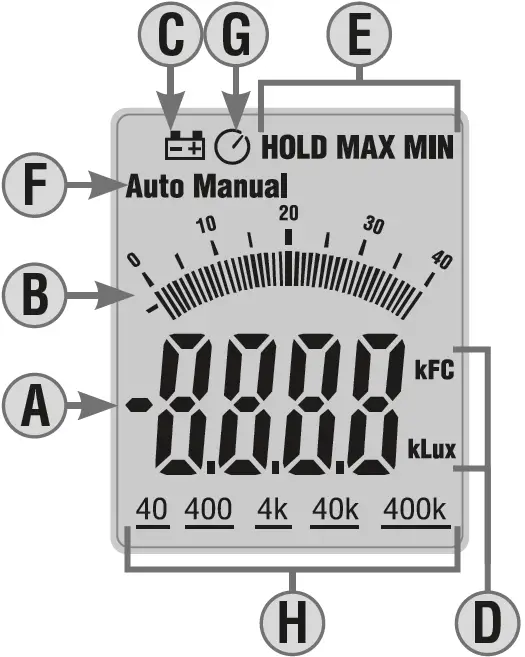
LCD Display Detail
- A. Measurement
- B. Bar Graph
- C. Low Battery Indicator
- D. Units (FC/Lux)
- E. Function (HOLD/MAX/MIN)
- F. Range (Auto/Manual)
- G. Auto Power-Off Icon
- H. Resolution (40/400/4K/40K)
NOTE: There are no user-serviceable parts inside meter.
SPECTRAL SENSITIVITY CHARACTERISTIC
The meter’s spectral response aligns with the C.I.E. (International Commission of Illumination) standard.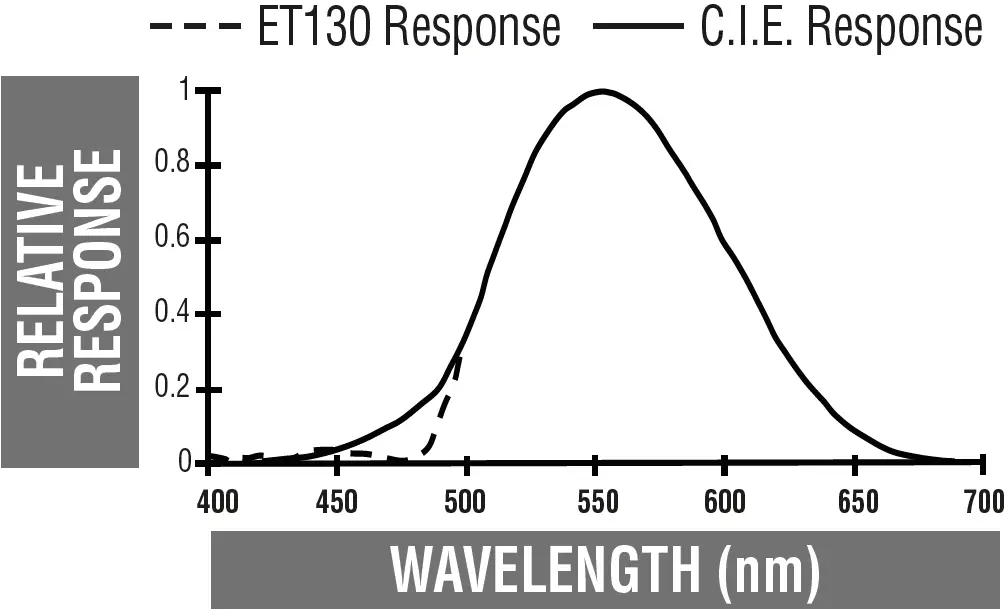
ON/OFF
A short press of the Power Button 5 will power on and off the meter.
AUTO POWER-OFF
Auto Power-Off will automatically turn off the meter after 10 minutes of inactivity. When powered on, Auto Power-Off is enabled by default. A long press of the Power On/Off Button 5 for more than three seconds will disable the Auto Power-Off function, and the Auto Power-Off icon G will disappear from the display. A second long press will re-enable Auto Power-Off, and the Auto Power-Off icon will reappear.
BACKLIGHT
When powered on, the backlight is off by default. Press the Backlight button 7 to turn the backlight on or off. Backlight will remain on until it or the meter itself is turned off.
RANGE/FC/LUX
When powered on, the meter defaults to measuring in Foot Candles (FC). To switch to Lux, long-press the RANGE/FC/LUX button 6 for more than three seconds. A second long-press will switch back to FC. Note the Units icon D on the display. Short presses of the RANGE/FC/LUX button will toggle the meter between Auto-ranging and Manual-ranging modes. Note the Range icon F on the display.
- When in Lux mode, short-pressing will toggle (in order) between Auto, Manual (400), Manual (4k) and Manual (40k).
- When in Foot Candle (FC) mode, short-pressing will toggle (in order) between Auto, Manual (40), Manual (400) and Manual (4k).
Note the measurement resolution icon(s) H on the display when toggling between Manual modes.
DATA HOLD
Press the HOLD button 3 to hold the current measurement on the display. Press again to return to live measuring mode.
MAX/MIN
Short presses of the MAX/MIN button 4 will toggle (in order) between Maximum Value (MAX), Minimum Value (MIN) and Measurement mode.
OPERATING INSTRUCTIONS
- Power on the meter, then use the RANGE/FC/LUX to select FC or Lux and to select Auto or Manual range, as described in FUNCTION BUTTONS section.
- If desired, press the backlight button to turn on the display backlight, as described in FUNCTION BUTTONS section.
- Face the photodiode sensor horizontal to the light source, and read LCD display.
- If desired, use the function buttons to select HOLD or MAX/MIN, as described in FUNCTION BUTTONS section.
- If desired, the meter can be mounted to any standard 1/4-20 tripod via the tripod mount 8 on the back of the unit.
LIGHTING TYPE CORRECTION FACTORS
The meter is calibrated under a standard tungsten light source of 2856°K. If the meter is to be used under a different type of light, the correction factors below should be applied for maximum accuracy:
| Incandescent | 1.00 | Daylight fluorescent | 0.99 |
| Daylight | 1.00 | Mercury Lamp | 1.14 |
| Metal Halide | 1.00 | Sodium Lamp | 1.22 |
| White fluorescent | 1.00 | ||
| IES RECOMMENDED ILLUMINATION* | |||
| Location | Lux | FC | |
| Office | Conference Room | 200-750 | 18-70 |
| Office area | 500-750 | 47-70 | |
| Lobbies, lounges | 100-200 | 9-18 | |
| School | Auditorium, Gymnasium | 100-300 | 9-28 |
| Class room | 200-750 | 18-70 | |
| Library, Drafting, Laboratory | 500-1500 | 47-140 | |
| Hospital | Rooms | 100-300 | 9-28 |
| Emergency Room | 500-1000 | 47-93 | |
| Operating Room | 1000-2000 | 93-186 | |
| Factory | Packing work | 150-300 | 14-28 |
| Parts assembly | 1500 -3000 | 140-280 | |
| Inspection work | 750-1500 | 70-140 | |
| Store | Stairs, Corridor | 150-200 | 14-18 |
| Stockroom | 100-300 | 9-28 | |
| Merchandising | 750-1500 | 70-140 | |
- The Lighting Handbook 10th Edition, Illuminating Engineering Society
NOTE: 1 Foot Candle (FC) = 10.76 Lux
MAINTENANCE
BATTERY REPLACEMENT
When the indicator is displayed on the LCD, the battery must be replaced.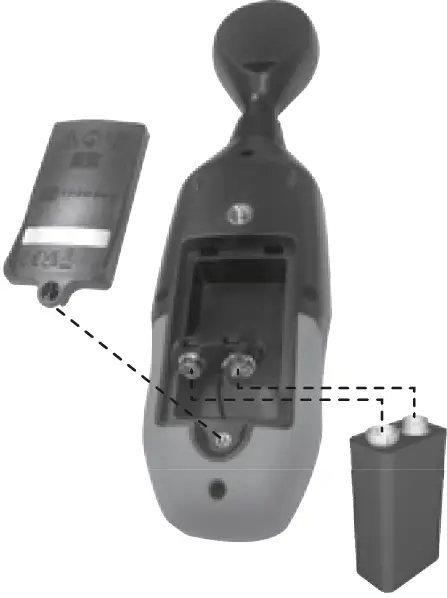
- Remove screw and remove battery door 9 .
- Remove and recycle spent 9V battery.
- Install new 9V battery.
- Replace battery door and fasten securely with screw.
CLEANING
Be sure meter is turned off and wipe with a clean, dry lint-free cloth. Do not use abrasive cleaners or solvents.
STORAGE
Remove the battery when the meter is not in use for a prolonged period of time. Do not expose to high temperatures or humidity. After a period of storage in extreme conditions exceeding the limits mentioned in the General Specifications section, allow the meter to return to normal operating conditions before using.
WARRANTY
DISPOSAL / RECYCLE
Do not place equipment and its accessories in the trash. Items must be properly disposed of in accordance with local regulations. Please see www.epa.gov/recycle for additional information.
CUSTOMER SERVICE
KLEIN TOOLS, INC.
450 Bond Street
Lincolnshire, IL 60069
1-800-553-4676
[email protected]
www.kleintools.com
 Reduce, Reuse, Recycle | US EPA