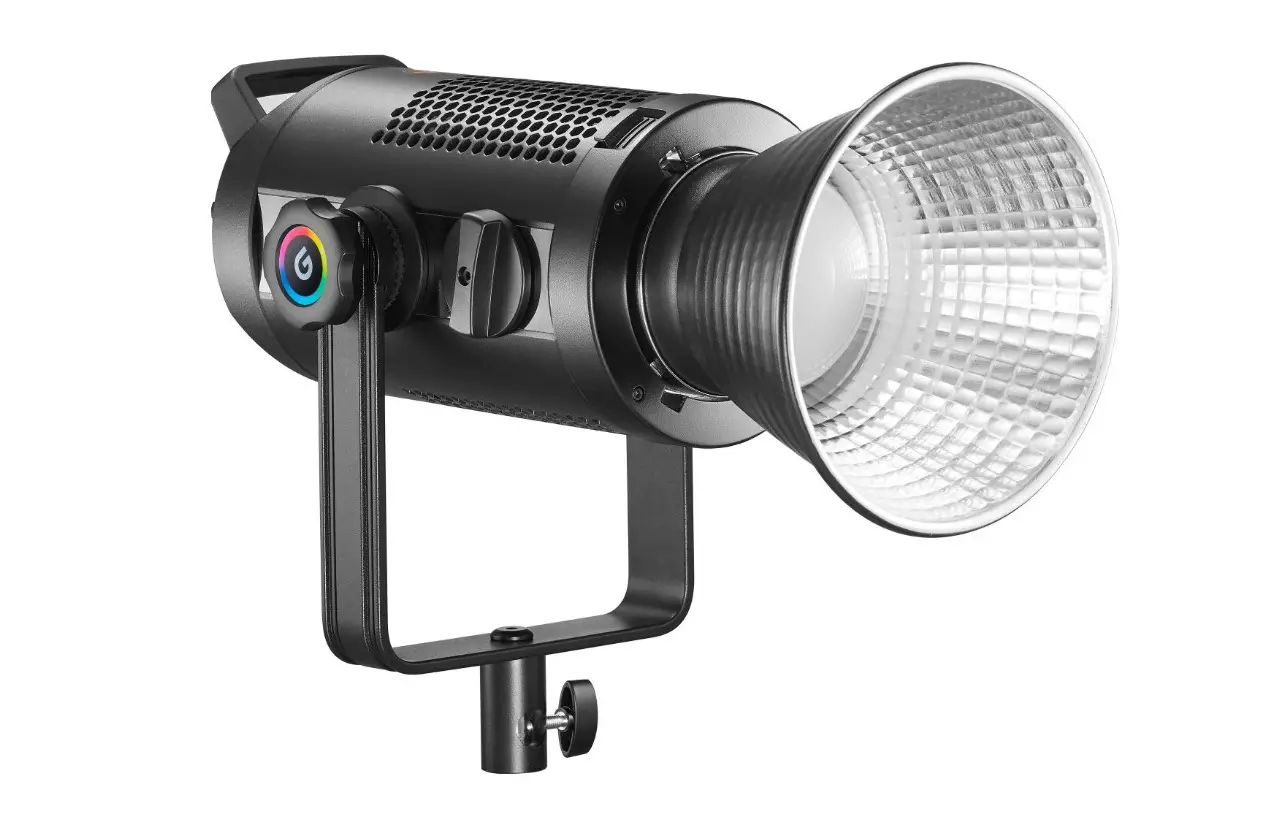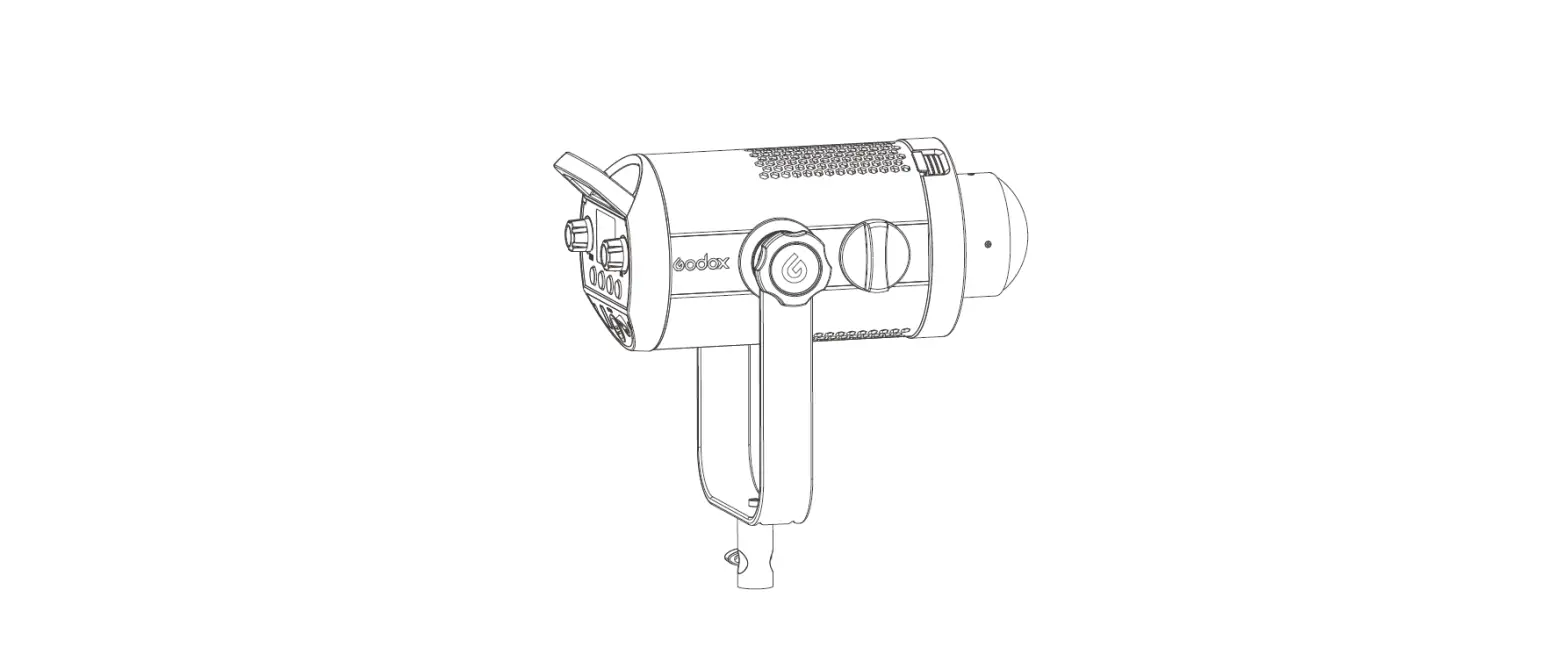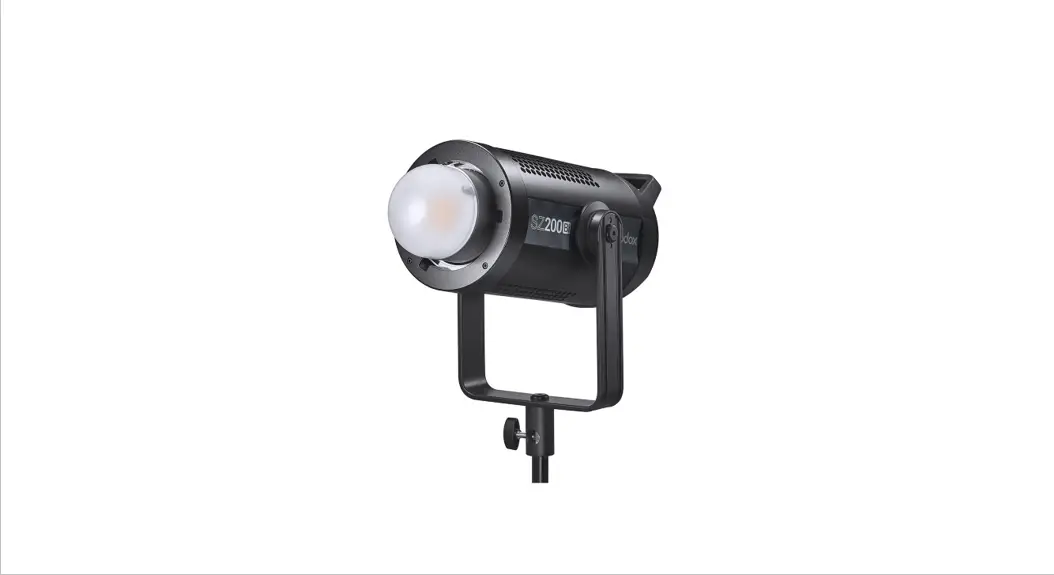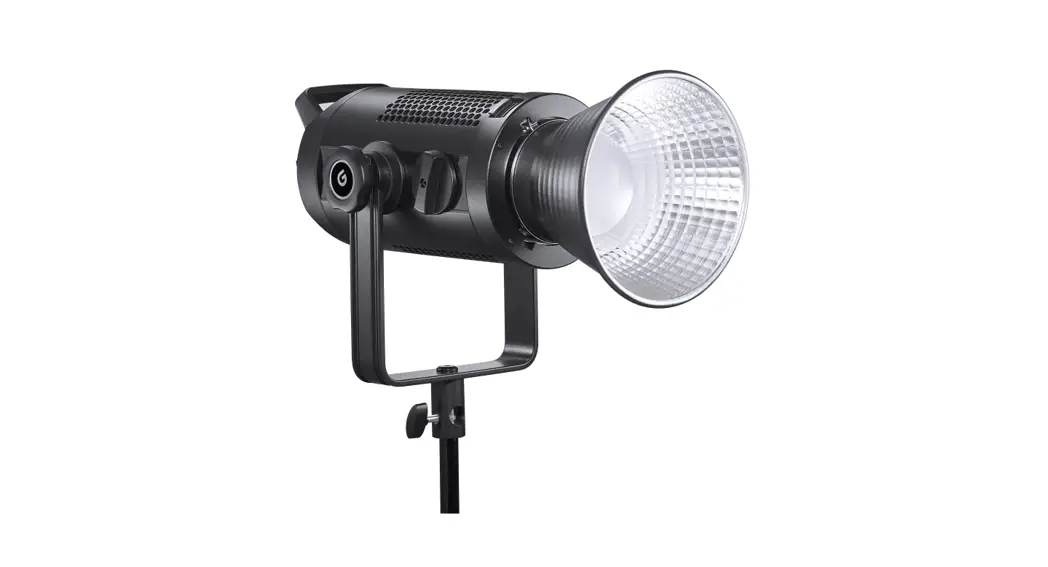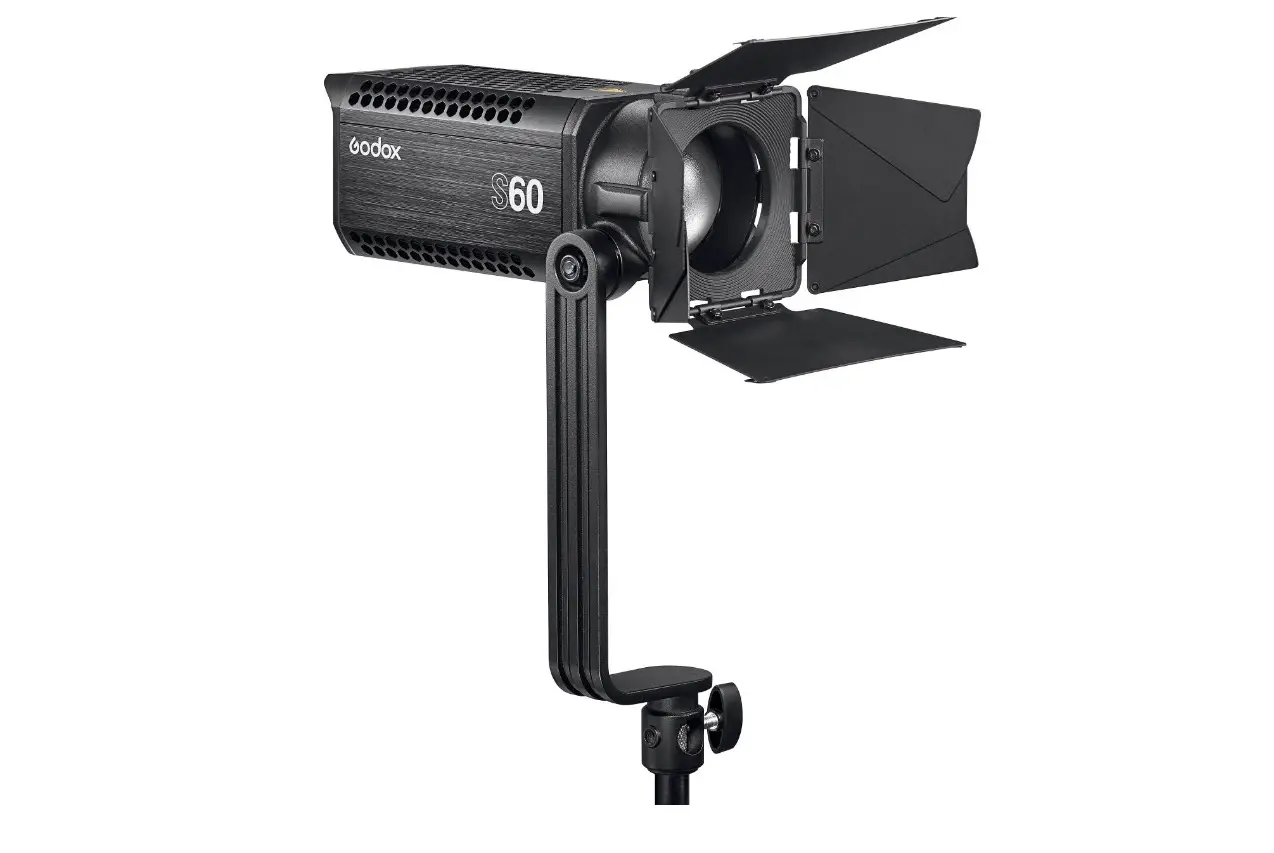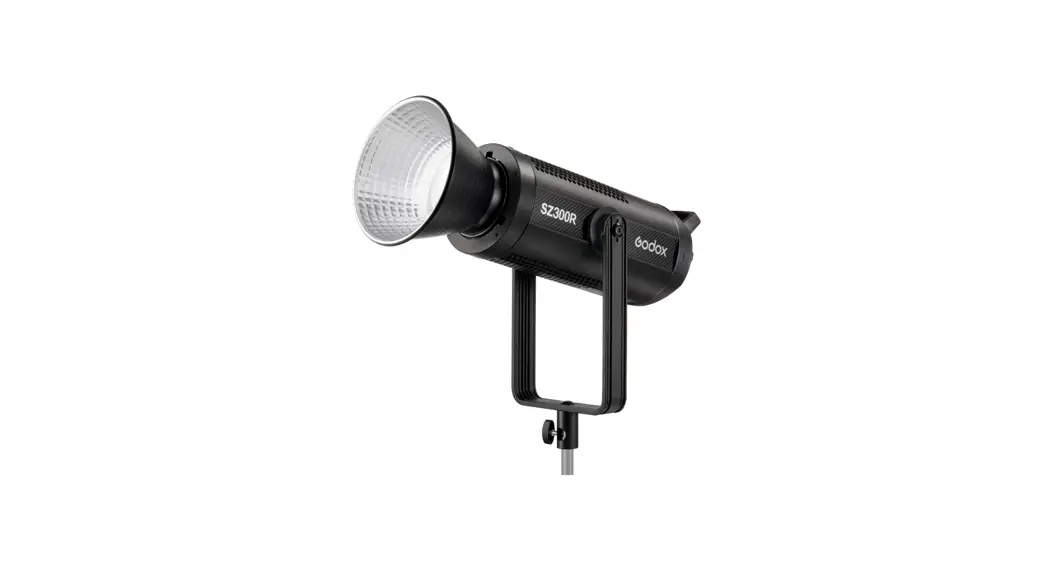
 SZ300R Zoom RGB LED Spotlight
User Manual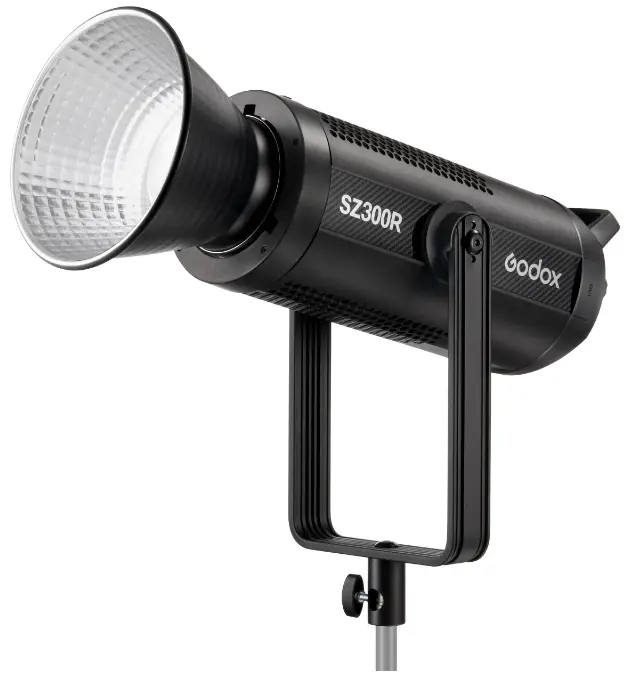
Safety Instructions and Attentions
First of all, as the most basic principle: This product is a professional lighting set equipment and should be used by professional lighting engineers or under the guidance of professionals. Basic safety attentions must always be followed during use, as follows:
- Before use, please read and understand these instructions and attentions.
- Professional lighting is prohibited for children. When children are near, parents or accompanying persons must supervise closely to prevent children from personal injury due to collision with lamps or private use of lamps.
- This lighting product is not ordinary lighting product and cannot be used for general lighting. Anyone who has suffered eye damage or has sensitive eyes should avoid using this product.
- When the lamp is on, it must be used with care. Do not touch high-temperature parts, such as LED lamp beads, to avoid burns.
- When the lamp is on, it is forbidden to look directly at the lamp beads under any circumstances. Strong light should be used under the guidance of professional lighting engineers. Avoid prolonged exposure to strong light under any circumstances. If eye discomfort, please turn off the lamp in time, suspend use, and see a doctor immediately.
- If the lamp bead is damaged or deformed by heat, stop using this equipment, and contact the manufacturer, service agent or qualified maintenance personnel to replace the lamp bead in time to avoid accidents.
- This product is only suitable for use in -10°C to 40°C operating environment and normal humidity environment.
- Do not use damaged equipment or accessories, and wait for professional maintenance personnel to check and repair to confirm being normal before use.
- During using, if the casing of this product is broken due to being dropped, squeezed or subjected to strong impact, please do not use it, so as to avoid electric shock injury due to contact with internal electronic components.
- If an extension cord is required, please use an extension cord with a current rating greater than or equal to that of the equipment. If an extension cord is rated less than the equipment, overheating may result.
- Some products have long power cords, please place the power cords properly and keep them in a safe place. Avoid contacting the power cord with overheating surfaces, avoid improper placement that could cause pulling damage, or trip on-site personnel. Please use the certified power cord from the original manufacturer. If the product is damaged by using a non-certified power cord. it will not be repaired by our factory.
- Be sure to unplug equipment from the power outlet before cleaning and repairing. When not in use, do not pull the power cord to unplug the equipment. For normal power-off, please hold both ends of the plug of the equipment with your hands and pull the plug out of power outlet. This equipment needs to be connected to a grounded outlet.
- This equipment is not waterproof, please keep it dry and do not immerse it in water or other liquids. The equipment should be installed in a dry and ventilated place, and avoid using it in rainy, humid, dusty or overheated environments. Do not place any objects on the lamp or let liquid flow into the lamp to avoid accidents.
- Do not disassemble the product without permission. If the product fails, it must be checked and repaired by authorized maintenance personnel.
- Before storing, make sure that the equipment has cooled down completely. For storage, unplug the power cord from the equipment. The equipment should be placed in the carrying case or in a ventilated dry place.
- Do not place equipment near flammable and volatile solvents such as alcohol and gasoline.
- Do not use accessories that are not recommended by our factory to avoid fire, electric shock or personal injury.
- When cleaning, do not wipe it with a damp cloth, please use a dry cloth or a soft cloth to wipe the dirt of the equipment.
- Please take off the protective cover before using.
- This product complies with ROHS, CE, and FCC certification, please refer to the relevant national standards for use and operation.
- The safety instructions are formulated according to the strict testing of the factory, and the design and specifications of the equipment are subject to change without prior notice. For latest product information, please check the GODOX website and view latest electronic instruction.
- Some products have built-in lithium batteries. Please use specified chargers, and use them within a proper range of the specified voltage and temperature according to the correct operating instructions.
- Some products are battery powered. Do not use any batteries, power sources or accessories not specified in the instructions for such products. Keep batteries and other accessories out of the reach of children and infants. In the instance that a child or infant swallows a battery or accessory, immediate emergency medical attention is required. If the battery leaks, becomes discolored, deformed, emits smoke, or emits an abnormal odor, remove it immediately. Be careful during removal to avoid burns. Continued use could result in fire, electric shock, or burns. Do not use any deformed or modified batteries. Do not disassemble or modify this product or battery. Do not heat or solder the battery. Keep the battery away from fire or water. Do not incorrectly insert the positive and negative ends of batteries, or mix old and new batteries or batteries of different types together.
- One-year warranty period, accessories such as consumable batteries, adapters, power cords, etc. are not covered by this warranty.
- If it is found that the equipment is repaired without authorization, the one-year warranty period will be cancelled and relevant fees will be charged for maintenance.
- Machine failures caused by non-standard operation are not covered by the warranty.
keep these instructions!
Foreword
Thank you for purchasing!
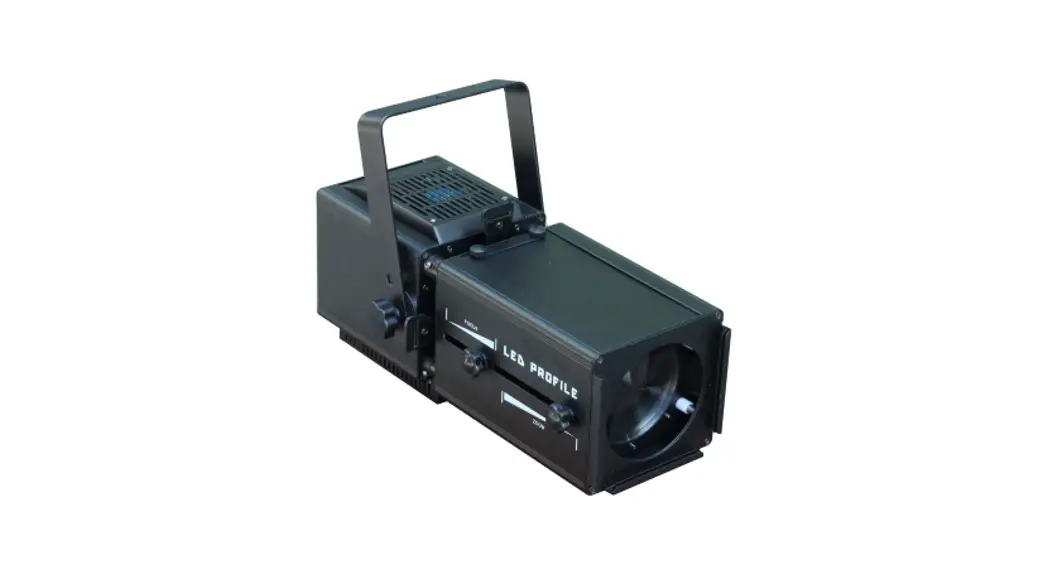
Zoom RGB LED video light SZ300R is equipped with high output power of 300W, convenient zooming knob, one-key adjustment of illumination angle from 20° to 65°, contractility via optional remote control or “Godox light’ app, adjustable CCT/HSI/RGB/GEL/FX modes, and mute mode (fan off) for interference-free shooting scenes. Furthermore, with the standard RJ45 interface, it can be controlled by a console via optional connect cable with 7 DMX modes. It is quite suitable for quite shooting scenes, personal interviews, stage and studio shooting scenes, and outdoor shooting scenes.
Main Features
- Wide CCT range freely adjustable from 2500K to 10000K.
- Three ways of controlling: Bluetooth app/2.4G wireless/light body control.
- HSI mode with 36000 colors and 360° color gamut.
- GEL mode with 60 popular color filters for choice.
- RGBW mode with mixed four colors.
- 14 FX modes: RGB cycle, laser, flash, lightning, cloudy, broken bulb, TV, candle, fire, firework, explosion, welding, police car and SOS.
- Mute mode (fan off) suitable for strictly quite shooting scenes.
- 360° rotatable U-type bracket offers flexibility.
Warning Always keep this product dry. Do not use in rain or in damp conditions. Do not disassemble. Should repairs become necessary, this product must be sent to an authorized maintenance center. Keep out of reach of children. Do not use the flash unit in the presence of flammable gas. In certain circumstance, please pay attention to the relevant warnings. Do not leave or store the product if the ambient temperature reads over 40°C. Do not use the product in the presence of flammable gas. In certain circumstance, please pay attention to the relevant warnings.
Name of Parts
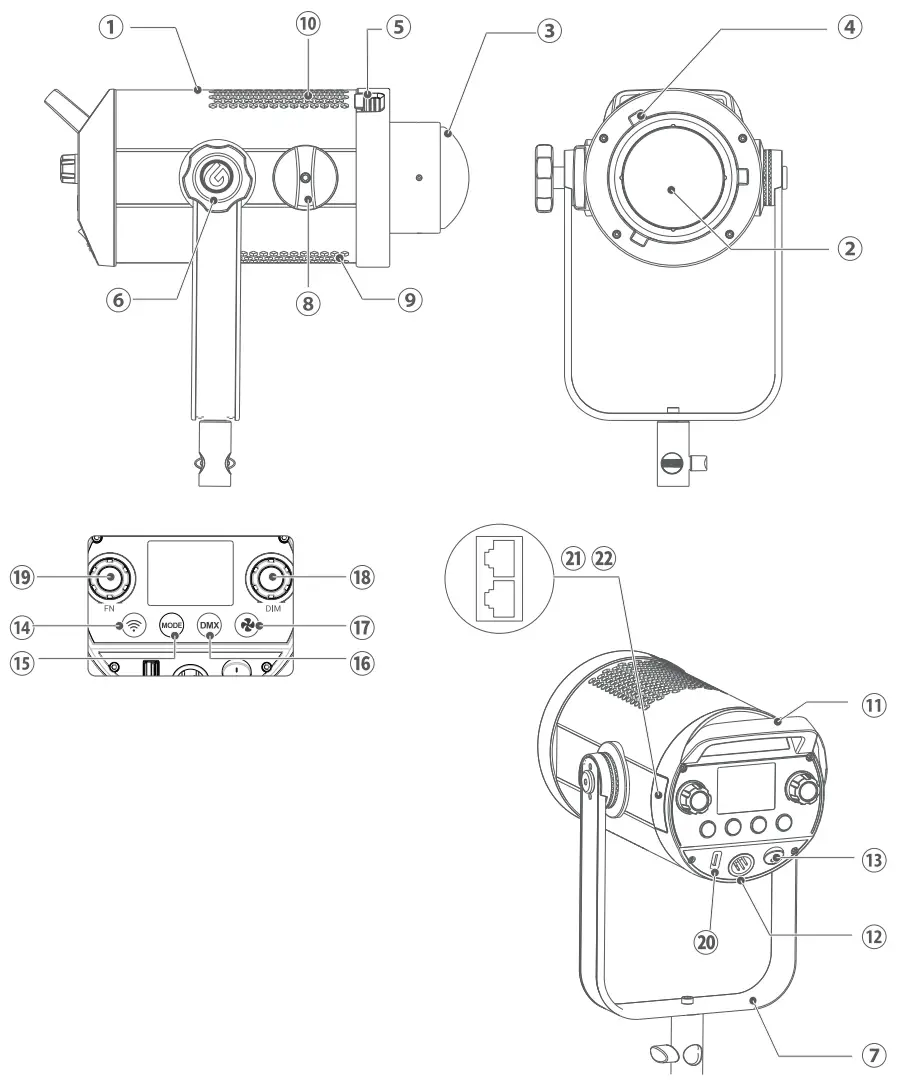
| 1. Light Body 2. LED Beads 3. Protection Cover 4. Bowens Mount 5. Accessory Locking Ring 6. Bracket Screw 7. U-type Bracket 8. Zooming Knob 9. Fan Inlet 10. Thermovent 11. Handle | 12. Input Port 13. Power Switch 14. Wireless Button 15. MODE Button 16, DMX Button 17. Fan Button 18. DIM Dial 19. FN Dial 20. USB Upgrade Port 21. RJ45 Interface 1 22. RJ45 Interface 2 |
What’s Inside
Note: Due to continuous updates and upgrades of the products, there may be differences between the actual products and the pictures. Therefore, the pictures are for reference only, products to prevail in kind.

Optional Accessories
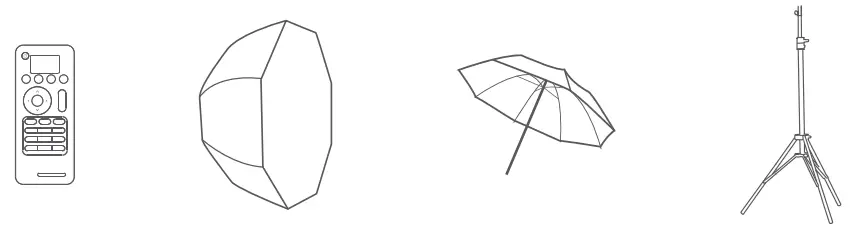
The product can be used in combination with the following optional accessories so as to achieve best photography effects: remote control RC-8911, soft box, umbrella, light stand.

Connect to DMX Controller
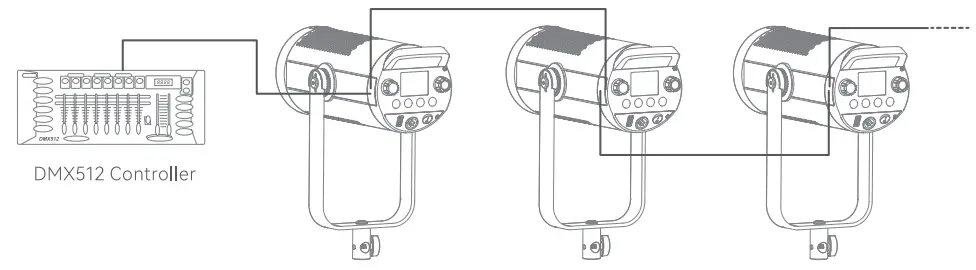
Note: R-145 connect cable is sold separately.
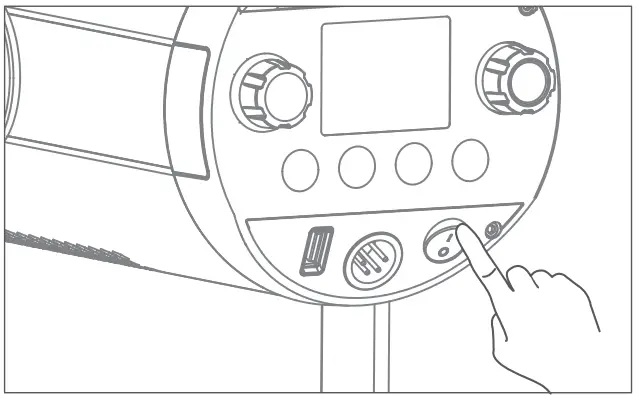
Power Switch
Toggle the power switch after connected to AC power supply with the adapter to turn on the device.
Brightness Adjustment
When the light is in CCT/HSI/RGB/GEL/FX mode, turn the DIM dial can adjust the brightness from 0% to 100%. Turn left to decrease the brightness by one unit while turn right to increase the brightness one unit, with quick adjustment available.
Mute Mode
Short press the fan button to turn on the fan, the  icon will not show on the display. Shortness it again to turn off the fan, then the
  icon will show on the display and the light is in mute mode. The brightness range of CCT/GEL/FX mode is from 0% to 30%.
The brightness range of HSI/RGBW mode is from 0% to 70%.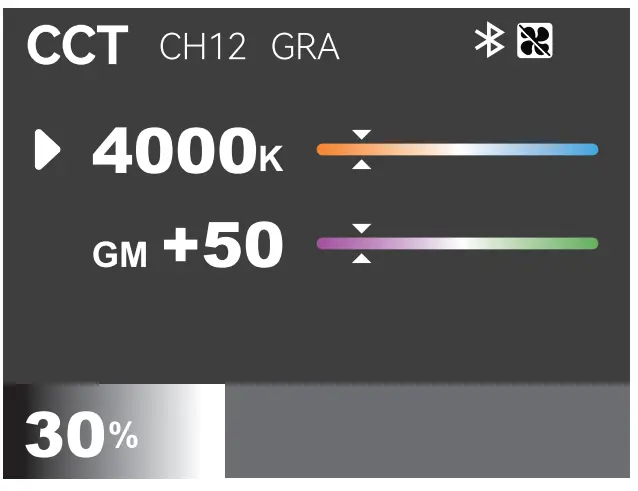
Zooming Setting
Rotate the zoom dial can adjust the illumination angle from 20° to 65°.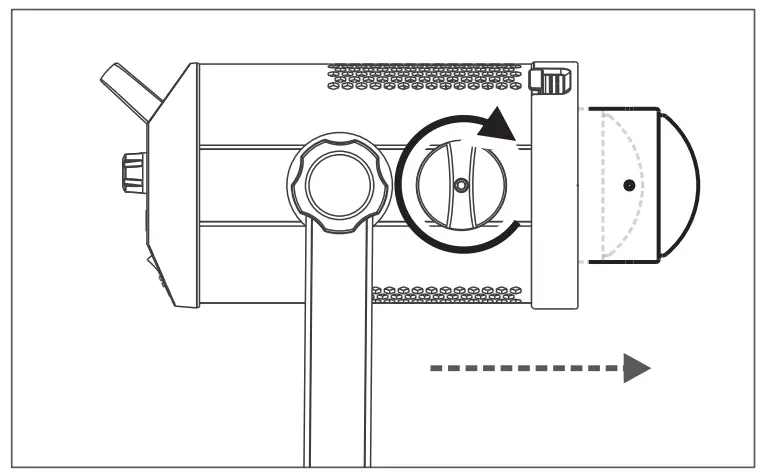
Mode Selection
Short press the MODE button to enter mode selection, turn the FN dial to select the desired mode, then short press the FN dial to enter mode settings.
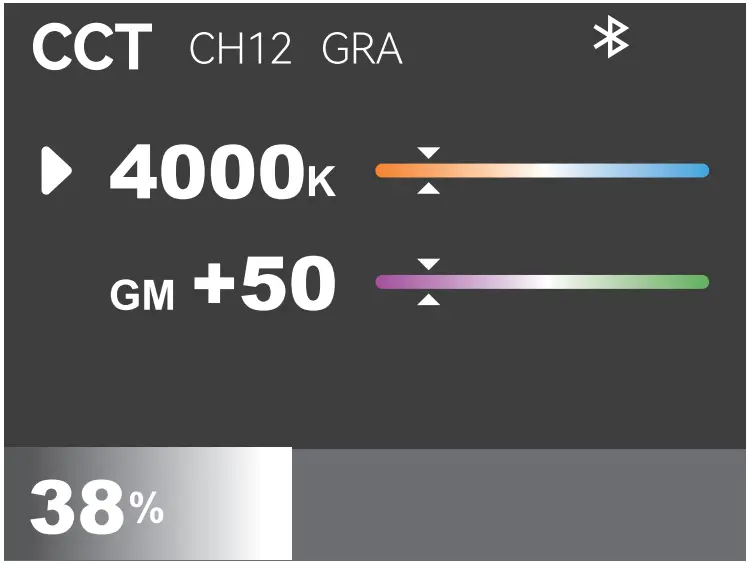
- CCT Mode
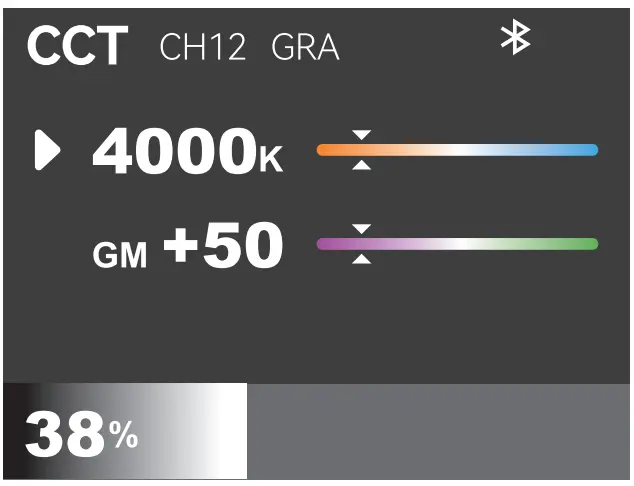
Short press the FN dial in CCT setting interface to select CCT adjustment (from 2500K to 10000K) or GM adjustment (from -50 to +50). Turn the FN dial left once can decrease the CCT value by 100K or the GM value by 1 unit, while turn right once can increase the CCT value by 100K or the GM value by 1 unit, with quick adjustment available.
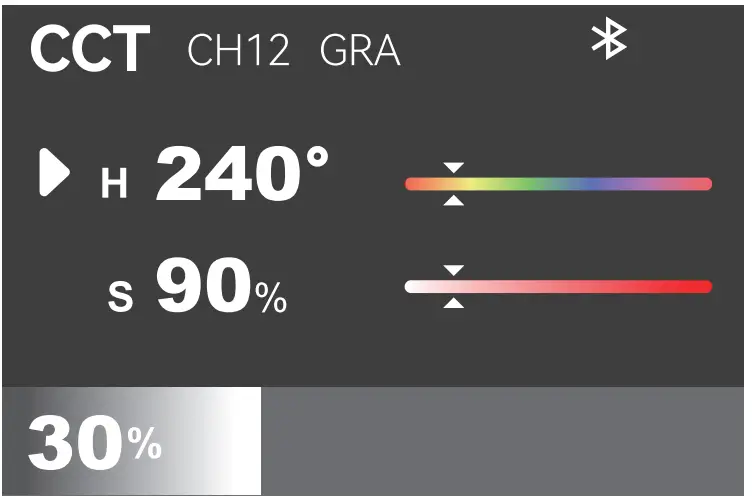
- HSI Mode
Short press the FN dial in HSI setting interface to select H (hue, adjustable from 0° to 360°) or S (saturation, adjustable from 0% to 100%). Turn the FN dial left once can decrease the hue value by 1 unit or the saturation value by 1 unit, while turn right once can increase the hue value by 1 unit or the saturation value by 1 unit, with quick adjustment available.
- RGB Mode
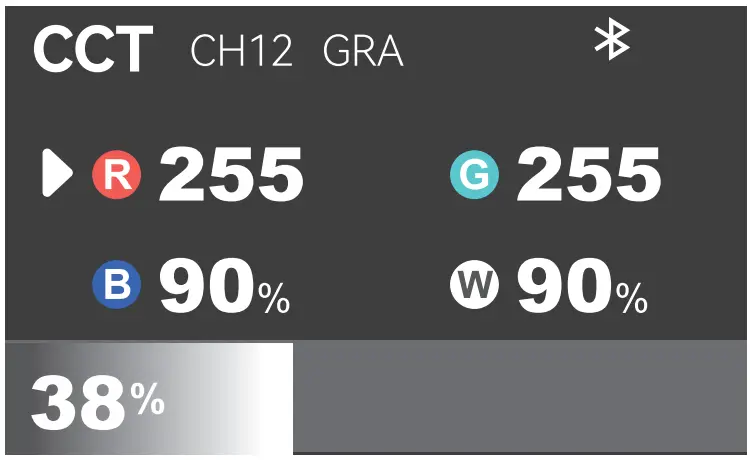
Short press the FN dial in RGB setting interface to select R (red)/G (green)/B (blue)/W (white) (adjustable from 0 to 255). Turn the FN dial left once can decrease the value by 1 unit, while turn right once can increase the value by 1 unit, with quick adjustment available.
- GEL Mode
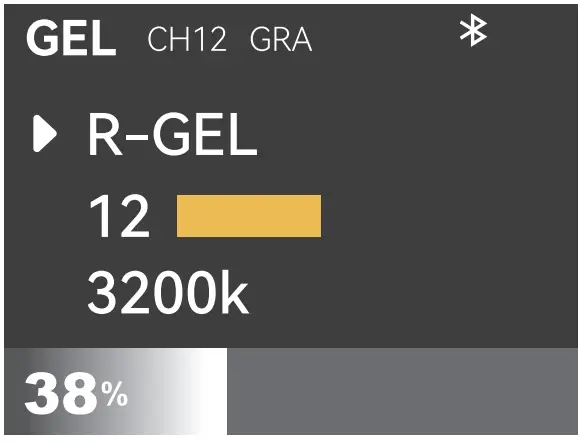
Short press the FN dial in GEL setting interface to select gel type/gel NO./CCT value, then turn to adjust settings.
There are 30 types of R-GEL: 02, 12, 16, 17, 21, 26, 33, 37, 44, 47, 51, 60, 62, 65, 80, 88, 89, 92, 93, 99, 378, 2001, 2006, 2007, 2008, 3304, 4415, 4630, 4660 and 4690.
There are 30 types of L-GEL: 002, 007, 008, 010, 013, 036, 048, 063, 075, 089, 108, 110, 115, 117, 124, 128, 131, 134, 148, 153, 156, 165, 169, 182, 196, 243, 244, 701, 723 and 724.
CCT value adjustable range: 3200K or 5600K. Note: More GEL types are available in “Godox light” APR
 - FX Mode
Short press the FN dial in FX setting interface to select effect type (14)/speed value. Turn the FN dial can adjust the settings.
NO. FX Icon FX Type Option Adjustable Range 1 
RGB CYCLE SPD 1-100 2 
PARTY SPD 1-100 3 
FLASH SPD 1-100 4 
LIGHTNING FLICKERS 1-10 FREQ RANDOM/2-20 5 
CLOUDY SPD 1-100 6 
BROKEN BULB SPD 1-100 7 
TV SPD 1-100 8 
CANDLE SPD 1-100 9 
FIRE SPD 1-100 10 
FIREWORKS SPD 1-100 11 
EXPLOSION SPD 1-100 12 
WELDING SPD 1-100 13 
POLICE CAR COLOR R+B, R, B, B +W, B +Y, Y, R + B +W, R+Y+B MODE 0-4 14 
SOS CCT 2500K-10000K
 Note: More GEL types are available in “Godox light” APR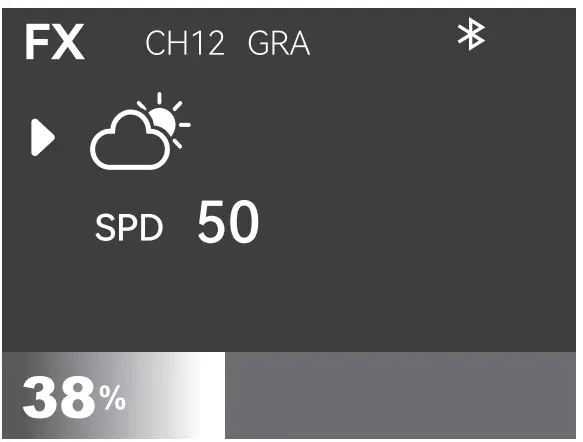


DMX Setting
Short press the DMX button to enter DMX setting interface, turn it to select DMX (address)/MODE (DMX mode)/LOST (DMX lost). Turn the FN dial can adjust the settings.
| Option | Adjustable Range | Description |
| DMX (DMX address) | OFF/1-512 | Initial address |
| MODE(DMX Mode) | CCT 8BIT | CCT 8BIT mode |
| HSI 8BIT | HSI 8BIT mode | |
| RGBW 8BIT | RGBW 8BIT mode | |
| CCT&HSI 8BIT | CCT&HSI 8BIT mode | |
| CCT&RGBW 8BIT | CCT&RGBW 8BIT mode | |
| FX 8BIT | FX 8BIT mode | |
| GEL 8BIT | GEL 8BIT mode | |
| LOST (DMX Lost) | KEEP ON | After the DMX control signal is lost, continue to use the last received DMX control signal until power down or a valid DMX control signal is received again. |
| BLACK OUT | The light is off immediately. | |
| BLACK OUT AFTER 2 MIN | After the DMX control signal is lost, continue to use the last received DMX control signal for 2 minutes then black out. Note: If a valid DMX control signal is received within 2 minutes, then use the new DMX control signal. |
Note: Please refer to the ” SZ300R DMX Practical Table’ to control the device by DMX. The electronic version can be downloaded from the official website hups://www.godox.com.
2.4G Wireless Setting
Short press the wireless button to enter 2.4G wireless setting, short press the FN dial to select CH/GR/ID/Bluetooth reset, then turn the DIM dial to adjust settings or reset.
CH: 32 channels (1-32).
GR: 16 groups (A-F/0-9).
ID: OFF/99 IDs (1-99).
Bluetooth reset: turn the DIM dial until “RESET” on the display means Bluetooth is resetting, it will display “DONE” and return to wireless setting interface automatically after successfully reset.
Bluetooth MAC code: below the Bluetooth reset, for the purpose of pairing.
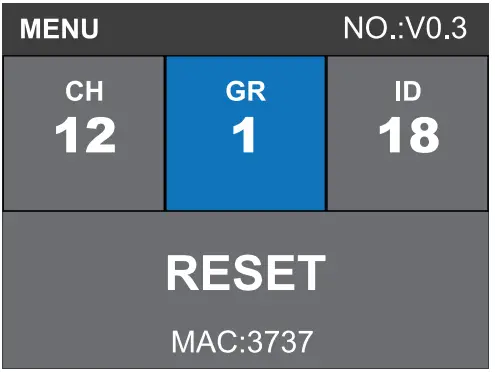 Note: The 2.4G wireless is on by default. When using remote control RC-8911, the CH, GR and ID of which should be the same with the light body,
“Godox light”APP
Scan the OR code to download “Godox Light” APP (both Android and iOS systems are available).
Note: The Bluetooth is on by default, The APP can be used directly on the firstly installed device (smartphone or tablet). When changing to other mobile device, the light shall be reset before the normal usage of APP, The APP should be V3.0 or above.
 http://www.guteleben.com/html/dl_app/c_ble/GodoxLight/index.html
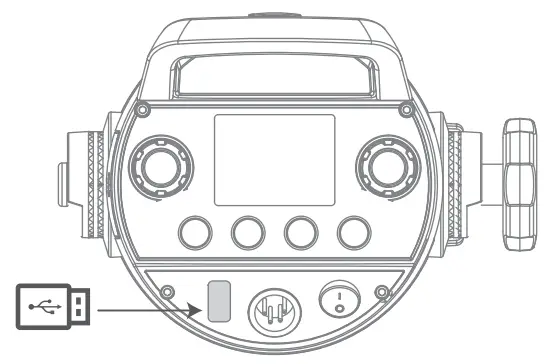
Firmware Upgrade
- Download the new firmware to the U disk from official website (https://www.godox.com/firmware-continuous-light).
- Turn off the device. Insert the U disk with new firmware into the USB upgrade port.
- Turn on the device, and it will automatically enter the upgrading interface. It will return to main interface after completion.
Notes:
- New firmware must be downloaded from the official website, and keep only one BIN file in the root directory of the USB disk.
- The USB port can only support firmware upgrade function.

Illuminate Data
| CCT | Testing Condition | Unit | 1m | 2m | 3m |
| 2800K | Bare light | lux | 3940 | 1080 | 539 |
| fc | 366 | 101 | 50. | ||
| With reflector | lux | 28700 | 6590 | 2890 | |
| fc | 2670 | 613 | 269 | ||
| 3200K | Bare light | lux | 4620 | 1270 | 638 |
| fc | 429 | 118 | 59. | ||
| With reflector | lux | 35200 | 7810 | 3440 | |
| fc | 3270 | 726 | 319 | ||
| 4300K | Bare light | lux | 6460 | 1760 | 887 |
| fc | 600 | 163 | 82. | ||
| With reflector | lux | 46300 | 10600 | 4700 | |
| fc | 4300 | 987 | 436 | ||
| 5600K | Bare light | lux | 6820 | 1850 | 930 |
| fc | 634 | 172 | 86. | ||
| With reflector | lux | 48100 | 11000 | 4870 | |
| fc | 4460 | 1020 | 453 | ||
| 6500K | Bare light | lux | 5900 | 1620 | 806 |
| fc | 548 | 150 | 75. | ||
| With reflector | lux | 41400 | 9510 | 4200 | |
| fc | 3850 | 883 | 390 | ||
| 8500K | Bare light | lux | 5520 | 1550 | 768 |
| fc | 513 | 144 | 71. | ||
| With reflector | lux | 38400 | 9130 | 3990 | |
| fc | 3570 | 849 | 371 | ||
| 10000K | Bare light | lux | 5420 | 1530 | 749 |
| fc | 504 | 142 | 70. | ||
| With reflector | lux | 37500 | 8910 | 3900 | |
| fc | 3480 | 828 | 362 |
Note: The above data are average values instead of absolute values. All the above tests are based on the condition of 100% brightness.
Illuminate Data
| Model | SZ300R |
| Adapter Output | 52V  5.7A 5.7A |
| Max. Input Power | 330W |
| CCT | 2500-10000K |
| Brightness Range | 0%-100% |
| FX Type | 14 |
| CRI | Average?96 |
| TLCI | Average?96 |
| CH | 32 (1-32) |
| GR | 16 (A-F, 0-9) |
| ID | 99 (1-99) |
| Mode | CCT mode/HSI mode /RGBW mode /GEL mode /FX mode |
| Controlling Method | 2.4G wireless control/DMX 512 control /light body control |
| 2.4G Controlling Distance | Max. 50m |
| Bluetooth Controlling Distance | Max. 30m |
| Zooming | Illumination angle 20°-65° |
| U-type Bracket Adjustable Angle | 360° |
| Working Environment Temperature | -10°C-40°C |
| Dimension (including U-type bracket) | 354 mm*201 mm*378 mm |
| Net Weight (including U-type bracket)z | 3.2kg |
Specifications and data may subject to changes without notice.
FCC Statement
This device complies with part 15 of the FCC Rules. Operation is subject to the following two conditions:
- This device may not cause harmful interference, and
- this device must accept any interference received, including interference that may cause undesired operation.
Any Changes or modifications not expressly approved by the party responsible for compliance could void the user’s authority to operate the equipment.
Note: This equipment has been tested and found to comply with the limits for a Class B digital device, pursuant to part 15 of the FCC Rules. These limits are designed to provide reasonable protection against harmful interference in a residential installation. This equipment generates uses and can radiate radio frequency energy and, if not installed and used in accordance with the instructions, may cause harmful interference to radio communications. However, there is no guarantee that interference will not occur in a particular installation. If this equipment does cause harmful interference to radio or television reception, which can be determined by turning the equipment off and on, the user is encouraged to try to correct the interference by one or more of the following measures:
- Reorient or relocate the receiving antenna.
- Increase the separation between the equipment and receiver.
- Connect the equipment into an outlet on a circuit different from that to which the receiver is connected.
- Consult the dealer or an experienced radio/TV technician for help.
The device has been evaluated to meet general RF exposure requirement.
The device can be used in portable exposure condition without restriction.
Warning
Operating frequency: 2412.99 MHz — 2464.49 MHz(2.4G only receive)/2402MHz — 2480MHz (BT)
Maximum EIRP Power: 5 dBm
Declaration of Conformity
GODOX Photo Equipment Co.,Ltd. hereby declares that this equipment are in compliance with the essential requirements and other relevant provisions of Directive 2014/53/EU. In accordance with Article 10(2) and Article 10(10), this product is allowed to be used in all EU member states. For more information of DoC, Please click this web link: https://www.godox.com/eu-declaration-of-conformity/
The device complies with RF specifications when the device used at 0mm from your body.
Warranty
Dear customers, as this warranty card is an important certificate to apply for our maintenance service, please fill in the following form in coordination with the seller and safe-keep it. Thank you!
| Product Information | Model | Product Code Number |
| Customer Information | Name | Contact Number |
| Address | ||
| Seller Information | Name | |
| Contact Number | ||
| Address | ||
| Date of Sale | ||
| Note | ||
Note: This form shall be sealed by the seller.
Applicable Products
The document applies to the products listed on the Product Maintenance Information (see below for further information). Other products or accessories (e.g. promotional items,giveaways and additional accessories attached.etc.) are not included in this warranty scope.
Warranty Period
The warranty period of products and accessories is implemented according to the relevant Product Maintenance Information. The warranty period is calculated from the day(purchase date) when the product is bought for the first time,And the purchase date is considered as the date registered onthe warranty card when buying the product.
How to Get the Maintenance Service
If maintenance service is needed, you can directly contact the product distributor or authorized service institutions. You can also contact the Godox after-sale service call and we will offer you service. When applying for maintenance service, you should provide valid warranty card. If you cannot provide valid warranty card, we may offer you maintenance service once confirmed that the product or accessory is involved in the maintenance scope, but that shall not be considered as our obligation.
Inapplicable Cases
The guarantee and service offered by this document are not applicable in the following cases:
- The product or accessory has expired its warranty period;
- Breakage or damage caused by inappropriate usage, maintenance or preservation, such as improper packing, improper usage, improper plugging in/out external equipment, falling off or squeezing by external force, contacting or exposing to the improper temperature, solvent, acid, base, flooding and damp environments, etc;
- Breakage or damage caused by non-authorized institution or staff in the process of installation, maintenance, alternation, addition and detachment;
- The original identifying information of product or accessory is modified, alternated, or removed;
- No valid warranty card;
- Breakage or damage caused by using illegally authorized, nonstandard or non-public released software;
- Breakage or damage caused by force majeure or accident;
- Breakage or damage that could not be attributed to the product itself. Once met these situations above, you should seek solutions from the related responsible parties and Godox assumes no responsibility. The damage caused by parts, accessories and software that beyond the warranty period or scope is not included in our maintenance scope. The normal discoloration, abrasion and consumption are not the breakage within the maintenance scope.
Maintenance and Service Support Information
The warranty period and service types of products are implemented according to the following Product Maintenance Information:
| Product Type | Name | Maintenance Period (month) | Warranty Service Type |
| Parts | Circuit Board | 12 | Customer sends the product to designated site |
| Battery | 3 | Customer sends the product to designated site | |
| Electrical parts e.g.battery charger, etc. | 12 | Customer sends the product to designated site | |
| Other Items | Flash tube, power cord, sync cable,modeling lamp,lamp body, lamp cover, locking device, package, etc. | No | Without warranty |
Godox After-sale Service Call +86-755-29609320(8062)
We chat Official Account
 http://weixin.qq.com/r/vEPI0F7ERgM5rRqz9xau
GODOX Photo Equipment Co.,Ltd.
Add.: Building 2, Yaochuan Industrial Zone, Tangwei Community, Fuhai Street, Bao’an District, Shenzhen 518103, China
Tel: +86-755-29609320(8062)
Fax: +86-755-25723423
E-mail: [email protected]
godox.com
Made in China
705-SZ300R-00