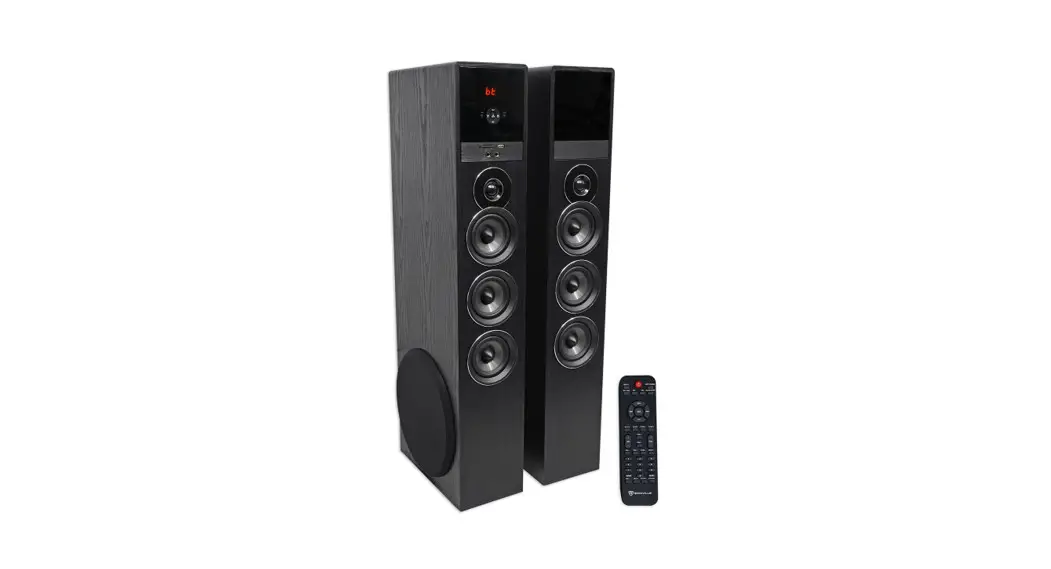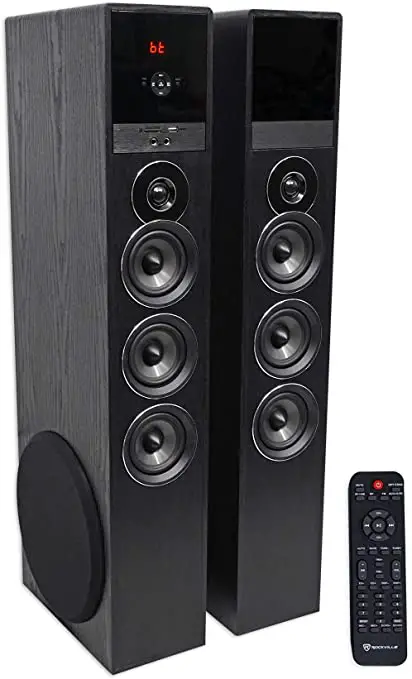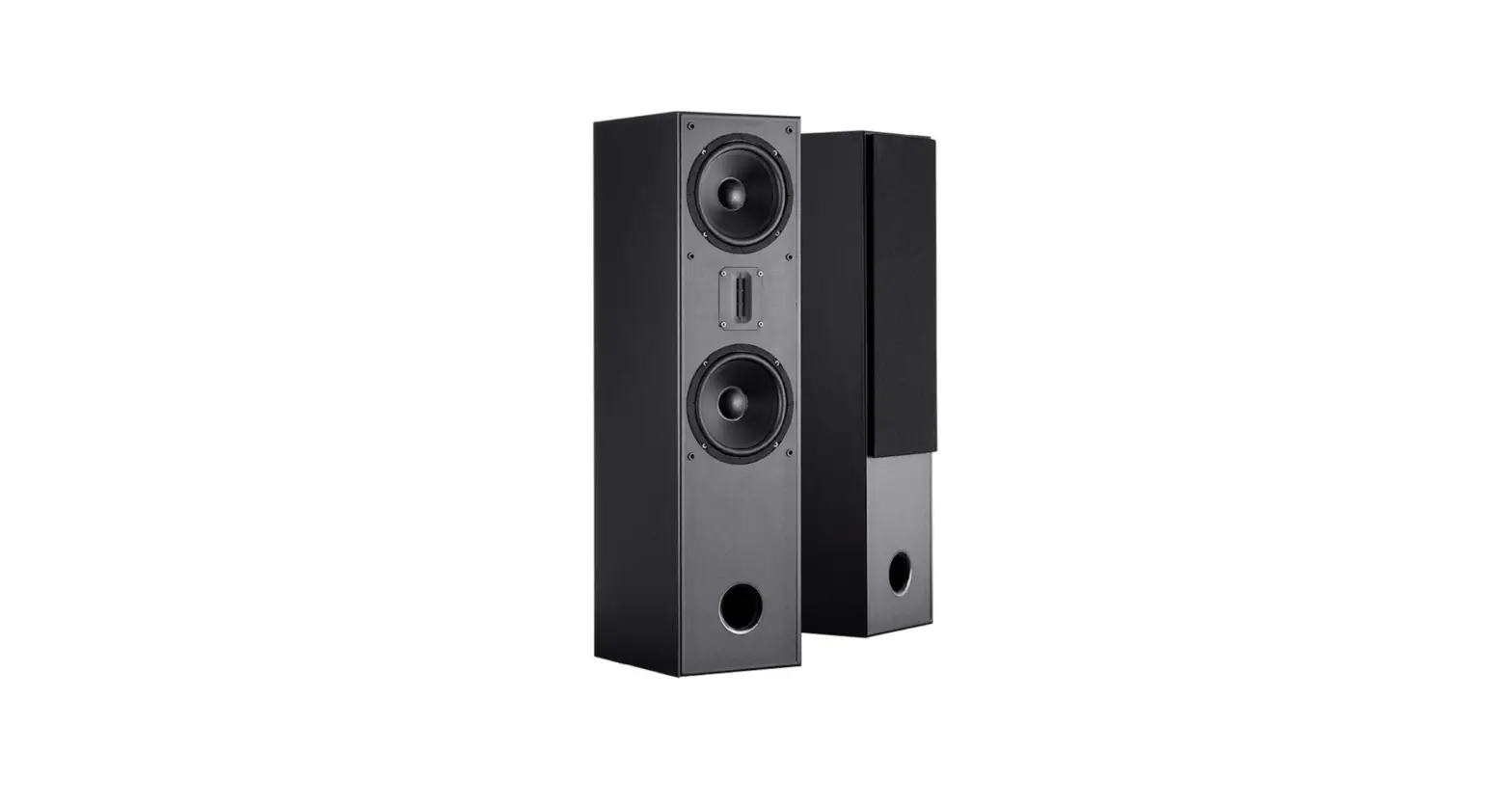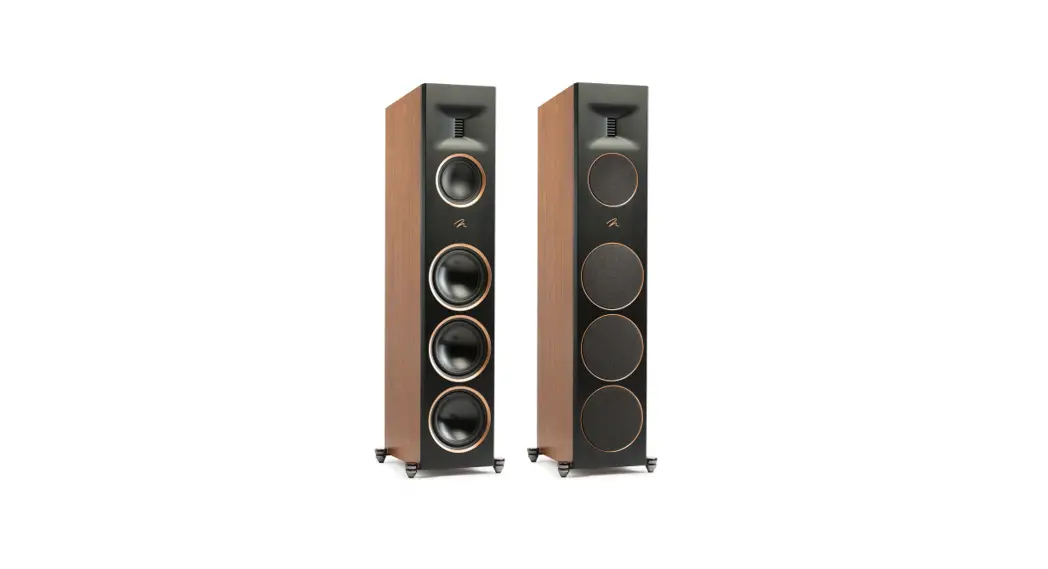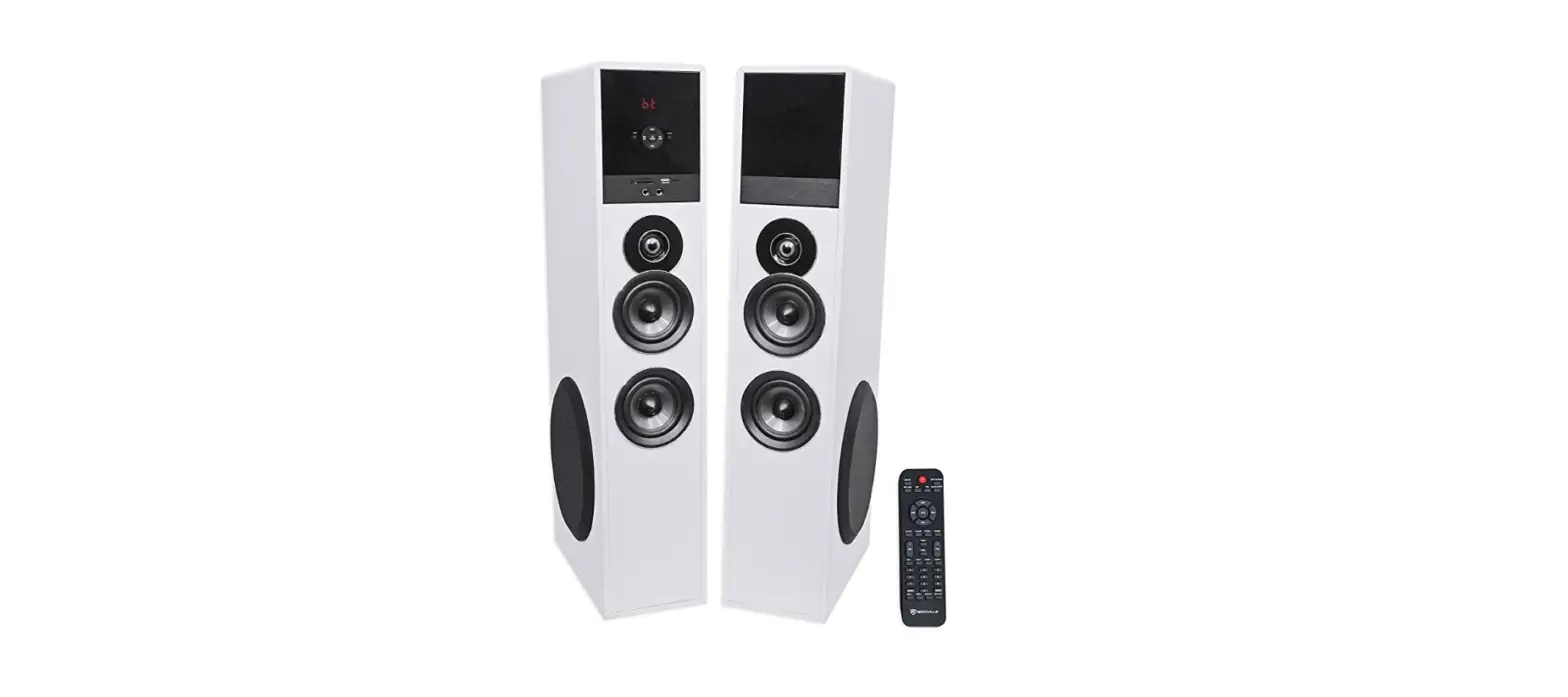
 Rockville TM80W White Powered Home-Theatre Tower Speakers
 Rockville TM80W White Powered Home-Theatre Tower Speakers
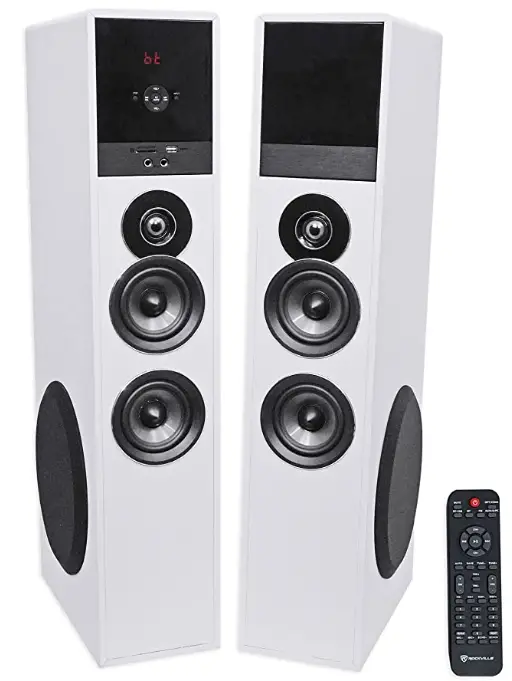
 Included
 Included
- (2) 1 O” speakers (master & slave)
- (1) Proprietary noise rejecting speaker interconnect cable
- (1) Antenna cable
- Wireless remote control
- Plastic/rubber feet
- Manual
- Warranty card
IMPORTANT SAFETY INSTRUCTIONS
TO REDUCE THE RISK OF ELECTRICAL SHOCK, DO NOT REMOVE AMPLFIER PLATE. NO USER-SERVICEABLE PARTS INSIDE. WE RECOMMEND TAKING THE UNIT TO A QUALIFIED SERVICE TECHNICIAN FOR ANY REPAIRS.
- Do not place these speakers on an unstable surface. The speaker may fall over, causing serious injury to a child or adult and serious damage to the unit.
- Do not use these speakers near water; for example, near a bathtub, sink, in a wet basement, or near a swimming pool.
- The speakers should be situated away from heat sources such as radiators, heat registers, stoves, or other devices that produce heat.
- These speakers should be connected to a power supply outlet of the same voltage as that which is specified on the amp plate of the unit. Protect the power cord from being walked on or pinched, particularly at plugs, convenience receptacles, and the point where it exits from the unit.
- Clean only with a soft damp cloth. Unplug this product from the wall outlet before cleaning.
- Upon completion of any servicing or repairs, request that service center/shop uses factory authorized replacement parts. Replacement with unauthorized parts may result in fire, electrical shock, or other hazards.
How to Avoid Irritating Feedback
The placement of your microphone is critical in avoiding feedback through your speaker. Never set up your microphone in front of the speaker. Always set up your microphone behind the speaker. When approaching the speaker to make any adjustments, we recommend approaching the speaker from the rear and not walking directly towards the front of the speaker.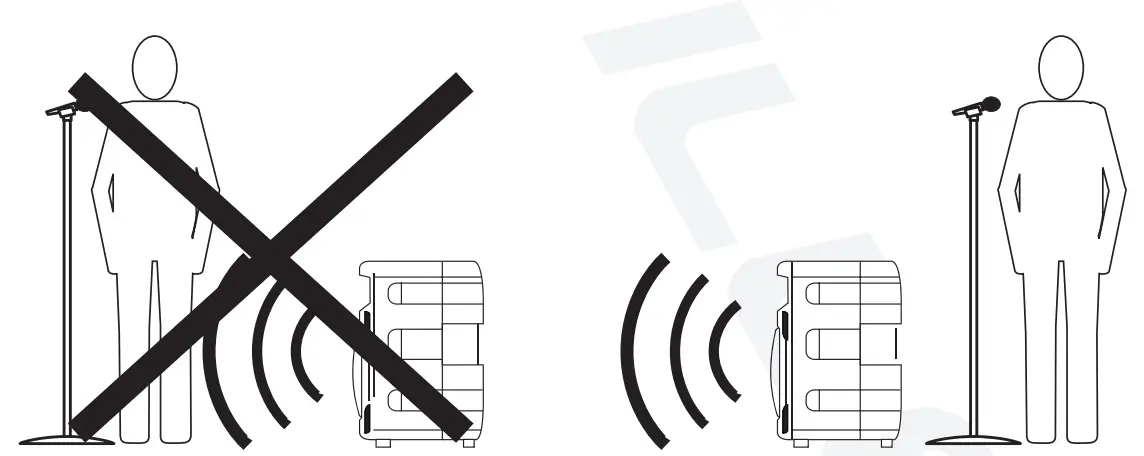
FRONT PANEL (MASTER UNIT)
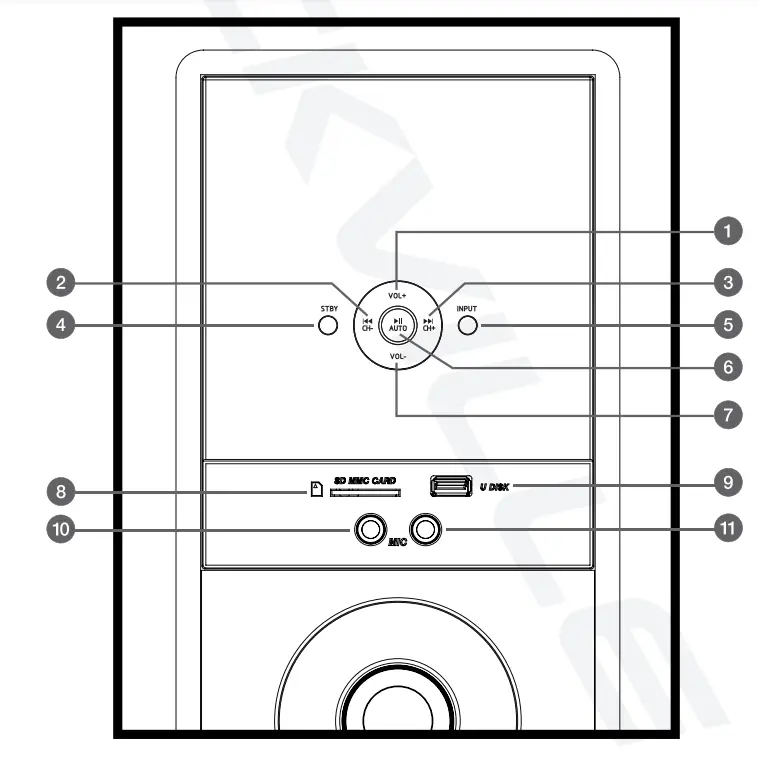
- Volume+
- Previous track/channel
- Next track/channel
- Power/standby
- Input select
- Play/pause/automatic station search {FM radio)
- Volume-
- SD card input
- USB input
- Mic 1 input
- Mic 2 input
REAR PANEL (MASTER UNIT) 
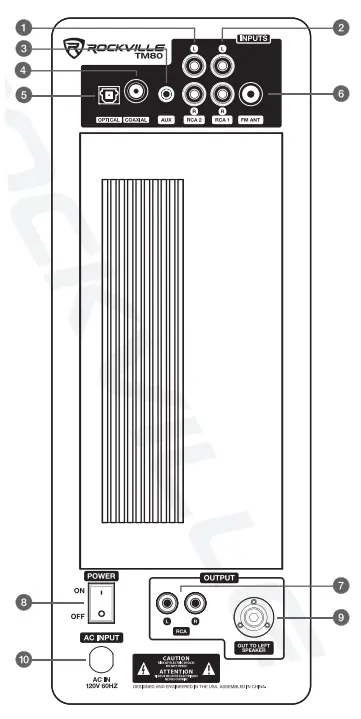
- L/R RCA input 2
- L/R RCA input 1
- 3.5mm AUX input
- Coaxial input
- Optical input
- FM antenna
- L/R RCA output
- Power switch
- Output to left speaker
- Power input
REMOTE CONTROL FUNCTIONS
 Power/Standby
- MUTE: Cancel unit sound
- OPT/COAX: Select optical or coaxial input
- SD/USB: Select SD or USB input
- BT: Enter Bluetooth mode
- FM: Enter FM radio mode
- AUX1/2/PC: Select RCA1, RCA2, or
- AUX input CH+/-: Use to navigate FM stations
- ◄ / ►:Previous track/next track
 Play/Pause in USB/SD/BT modes
- AUTO: Automatic station search
- SAVE: Save stations to unit memory
- TUNE+/-: Manually tune FM stations
- SW +/-: Subwoofer volume level
- TRE +/-: Adjust treble level
- VOL+/-: Master volume control
- EQ +/-: Select from preset EQ settings
- DISP +/-: Adjust display brightness
- 0 – 9: Number pad used to direct select tracks when in USB/SD mode
- REPEAT: Repeat one song/repeat all songs/shuffle
- MIC +/-: Adjust microphone volume
- ECHO +/-: Adjust reverb volume
 Power/Standby
 Play/Pause in USB/SD/BT modes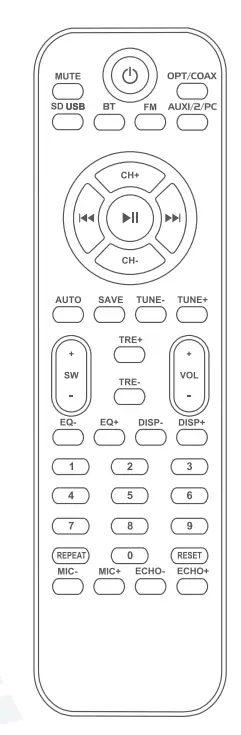
SETUP
Place speakers in desired position. Using the included proprietary noise rejecting cable, connect the master speaker to slave unit. Now plug the master unit into the nearest AC outlet. 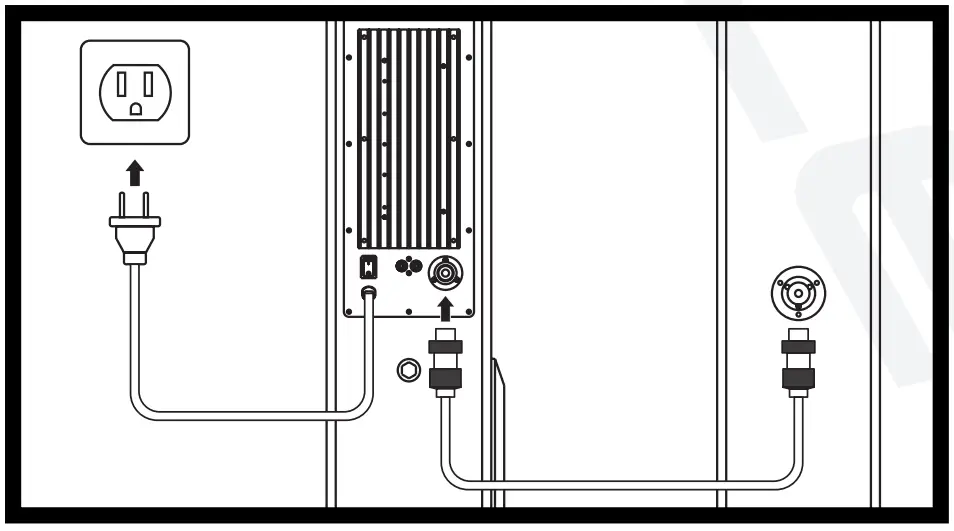
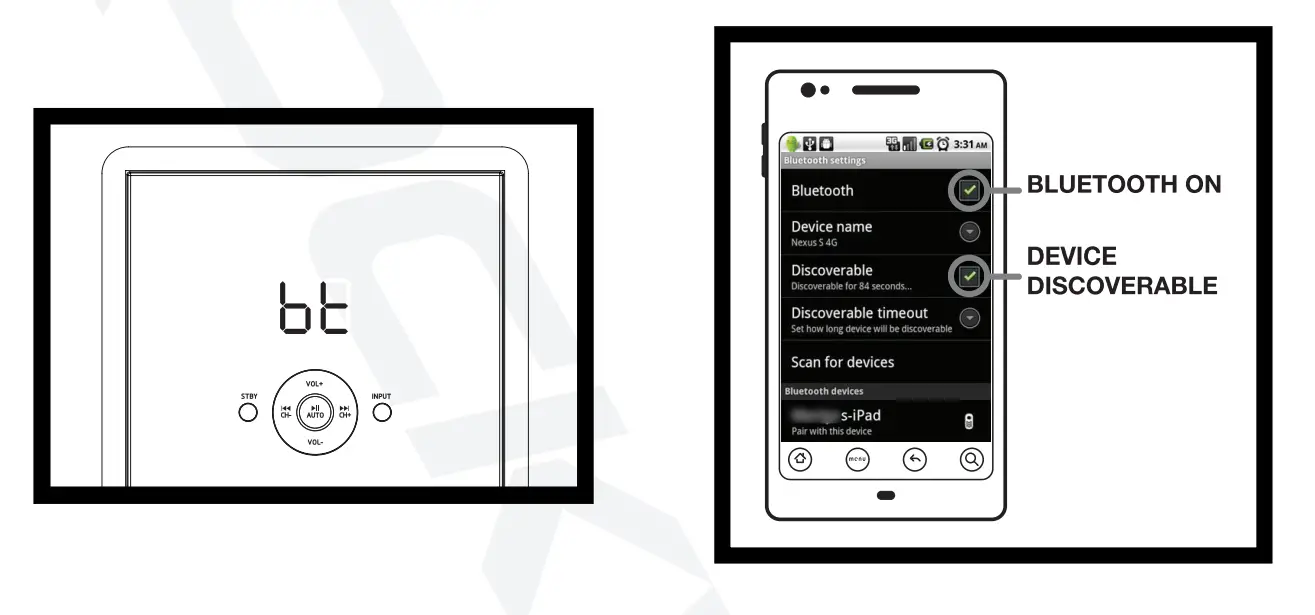
BLUETOOTH
To connect your iPod, iPhone, MP3 player, Android phone, or any other Bluetooth capable device, follow the steps listed below.
- Make sure the unit is plugged in and the power switch is in the ON position.
- Press the BT button on the remote control or push the INPUT button on the unit until the digital readout shows “BT” and the blue indicator LED is on.
- Turn on the Bluetooth feature on your device and ensure that it is in “discoverable” mode. Search for “RockvilleTMxx” on your list of available devices and select it.
- Listen for the voice prompt, “Bluetooth link” which indicates the devices are successfully paired.

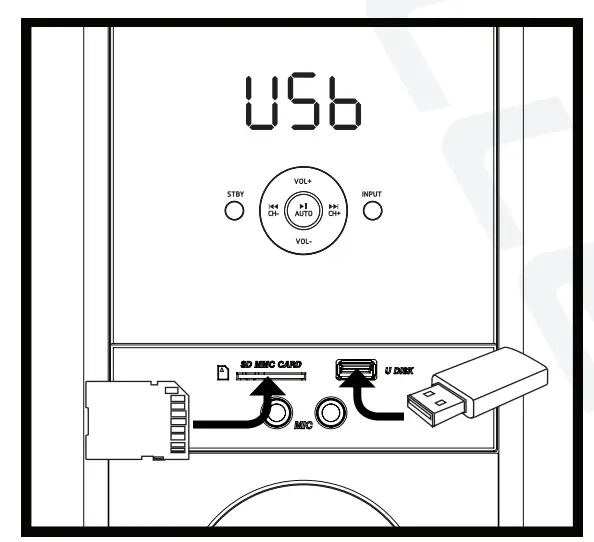
USB/5D
For USB/SD playback follow the steps listed below.
- Make sure the unit is plugged in and the power switch is in the ON position.
- Press the USB/SD button on the remote control or push the INPUT button on the unit until the digital readout shows “USB” or “SD”.
- Plug in your SD card or USB flash drive. The unit will automatically read the files and begin playing music.

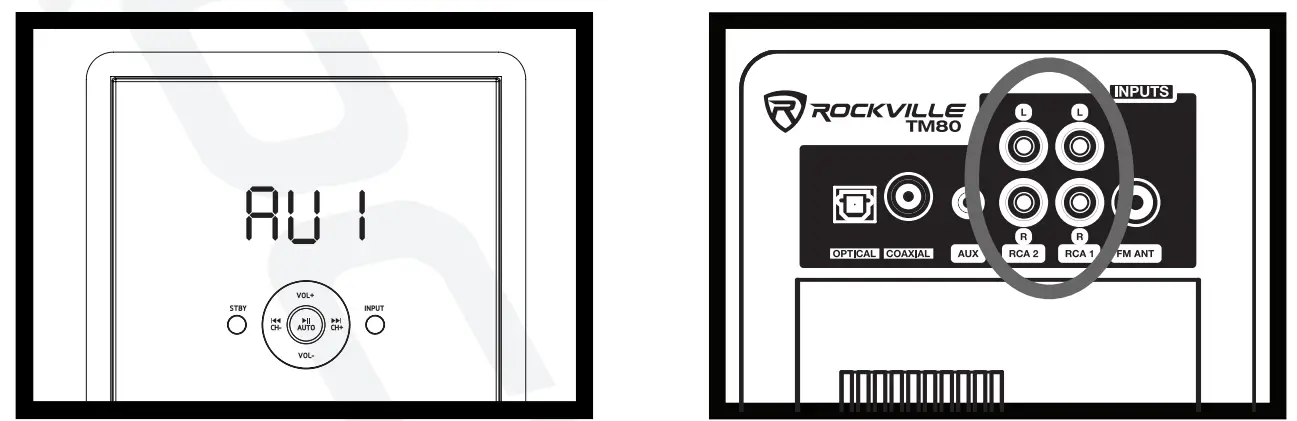
RCA
For playback via RCA inputs follow the steps listed below.
- Make sure the unit is plugged in and the power switch is in the ON position.
- Press the AUX1/2/PC button on the remote control or push the INPUT button on the unit until the digital readout shows “AU1” or “AU2”.
- If multiple sources are connected, use the remote button or INPUT button to switch between the sources.
These inputs, labeled RCA 1 and RCA 2, can be used to connect stereo signal sources such as TVs, Digital set-top boxes, game consoles, DVD players, CD players, etc.
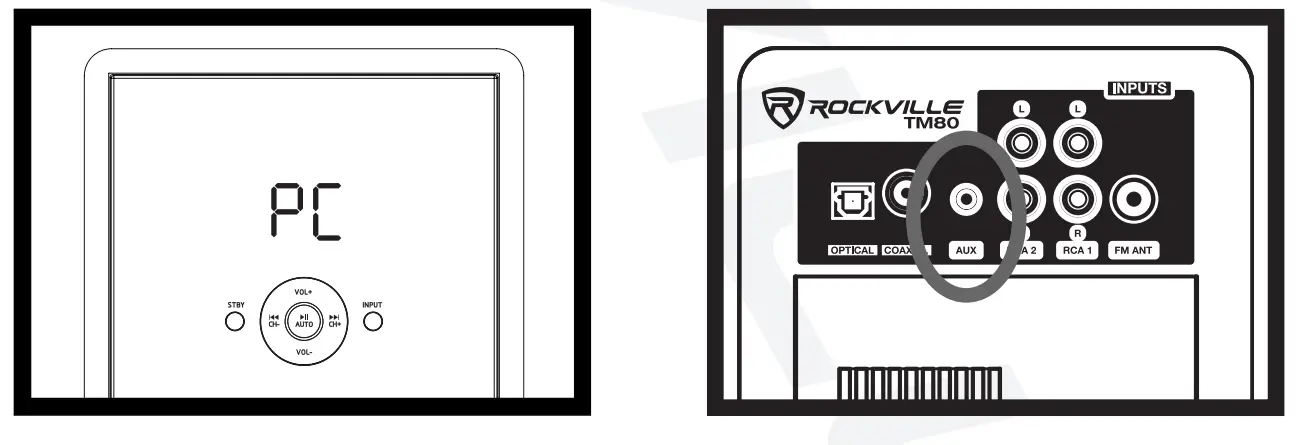
AUXILIARY
Use the 3.5mm Auxiliary jack to connect computers, cellphones, or any other external sound source with a 3.5mm output.
- Make sure the unit is plugged in and the power switch is in the ON position.
- Press the AUX1/2/PC button on the remote control or push the INPUT button on the unit until the digital readout shows “PC”.

OPTICAL/COAXIAL
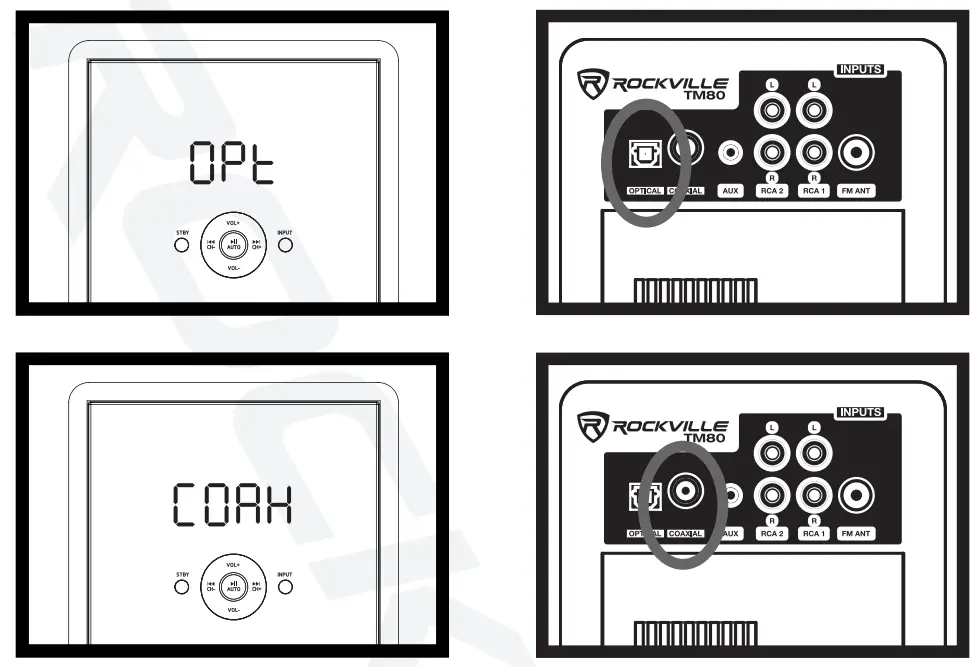
Many TVs, Digital set-top boxes, game consoles, and DVD players have optical (fiber optics) or coaxial outputs. To connect via Optical or Coaxial input, follow the steps listed below.
- Make sure the unit is plugged in and the power switch is in the ON position.
- Press the OPT/COAX button on the remote control or push the INPUT button on the unit until the digital readout shows “OPT” or “COAX”.
- Use a digital optical audio cable to connect the speakers to the source.
- Set your TV’s sound output to external speakers.
Please note: If you are having issues with sound output, go into your TV’s audio settings and make sure to deactivate Dolby Pro-Logic, Dolby ATMOS, etc. and select PCM format.
FM RADIO
For FM radio follow the steps listed below.
- Make sure the unit is plugged in and the power switch is in the ON position. Be sure to connect the included FM antenna.
- Press the FM button on the remote control or push the INPUT button on the unit until the digital readout shows numbers (see image below).
- While in FM mode, press the AUTO button to activate automatic station search. Use the CH+/- buttons to manually search through stations.
MIC INPUT
To use the system for karaoke, connect any microphone via either one of the 1 /4″ inputs located on the front of the unit.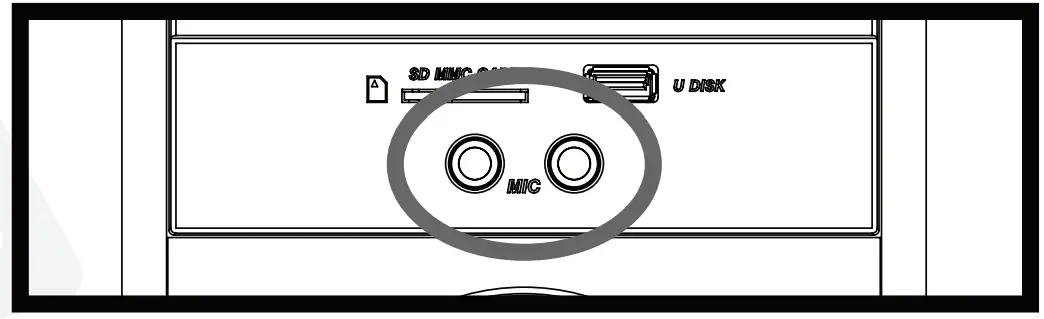
RCA OUTPUT
Use these RCA outputs to connect an additional subwoofer or a second set of speakers.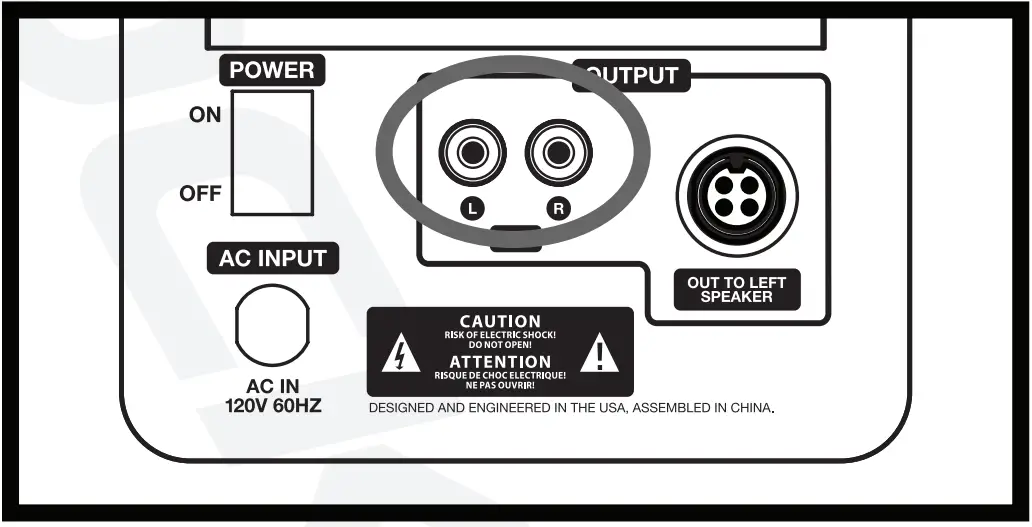
Troubleshooting
FEATURES TMSO
- Complete Powered Home Theater Tower Speaker System With Dual 8″ Subs
- Peak Power: 800 watts
- RMS Power: 200 watts
- (2) 8″ subwoofers
- (4) Full-range drivers: 4″ full-range drivers with polypropylene cones, rubber surrounds, and bullet dust cap
- (2) silk dome tweeters
- Class “A/B” amplifier circuitry with auto-switching power supply
- Built-in, 8 band equalizer with preset equalizer settings
- Adjustable bass and treble
- Computer optimized electronic crossover network supplies amazing sounding highs, lows, and mids
- Digital display on front panel with brightness control
- Built-in Bluetooth with 150-foot range and perfect interference-free sound quality
- Built-in USB playback (MP3, WMA, WAV, FLAC, APE, F1A, SBC, and MC)
- Built-in SD card playback (MP3, WMA, WAV, FLAC, APE, F1A, SBC, and MC)
- Built-in FM radio with crystal clear reception
- Full function remote included
- Front panel USB/SD inputs
- Easily connect to your television through RCA or through the optical connection
- Ferrofluid enhanced 1″ neodymium silk dome tweeter
- Tweeter has 1″ voice coil diameter
- Specially wound voice coils produce accurate response along entire frequency spectrum
- One complete pair with master/slave output connection
- Includes a noise-rejecting cable to connect the 2 speakers together
SPECIFICATIONS
- Amplifier: Class A/B
- Quad Amp Design: each driver features frequency-specific independent amplifiers Low Frequency: (2) 8″ paper cone with sponge surround
- Mid Frequency: (4) 4″ polypropylene cone with rubber surround
- High Frequency: (2) 1″ neodymium silk dome tweeter
- Frequency Response: 40Hz – 20kHz
- SPL Peak: 106dB@1w/1m
- S/N Ratio: >60dB
- Separation: >45dB
- Input Connectors: (2) unbalanced RCA, (2) balanced front panel 1/4″, (1) Optical, (1) 3.5mm, (1) USB 2.0, (1) SD
- Output Connectors: (1) unbalanced RCA
- AC Power Input: 120V (60Hz)
- Dimensions (H x W x D): 31.9″ (810mm) x 6.3″ (160.02mm) x 12.99″ (330mm) Weight (both speakers): 41.9Ibs (19kg)
FEATURES TM150
- Complete Powered Home Theater Tower Speaker System With Dual 10″ Subs
- Peak Power: 1000 watts
- RMS Power: 250 watts
- (2) 10″ subwoofers
- (6) Full-range drivers: 4″ full-range drivers with polypropylene cones, rubber surrounds, and bullet dust cap
- (2) silk dome tweeters
- Class “A/B” amplifier circuitry with auto-switching power supply
- Built-in, 8 band equalizer with preset equalizer settings
- Adjustable bass and treble
- Computer optimized electronic crossover network supplies amazing sounding highs, lows, and mids
- Digital display on front panel with brightness control
- Built-in Bluetooth with 150-foot range and perfect interference-free sound quality
- Built-in USB playback (MP3, WMA, WAV, FLAG, APE, F1A, SBC, and AAC)
- Built-in SD card playback (MP3, WMA, WAV, FLAG, APE, F1A, SBC, and AAC)
- Built-in FM radio with crystal clear reception
- Full function remote included
- Front panel USB/SD inputs
- Easily connect to your television through RCA or through the optical connection
- Ferro fluid enhanced 1″ neodymium silk dome tweeter
- Tweeter has 1″ voice coil diameter
- Specially wound voice coils produce accurate response along entire frequency spectrum
- One complete pair with master/slave output connection
- Includes a noise rejecting cable to connect the 2 speakers together
SPECIFICATIONS
- Amplifier: Class A/B
- Quad Amp Design: each driver features frequency specific independent amplifiers Low Frequency: (2) 10″ paper cone with sponge surround
- Mid Frequency: (6) 4″ polypropylene cone with rubber surround
- High Frequency: (2) 1″ neodymium silk dome tweeter
- Frequency Response: 40Hz – 20kHz
- SPL Peak: 110dB @1 w/1 m
- S/N Ratio: >60dB
- Separation: >45dB
- Input Connectors: (2) unbalanced RCA, (2) balanced front panel 1/4′”, (1) Optical, (1) 3.5mm, (1) USB 2.0, (1) SD
- Output Connectors: (1) unbalanced RCA
- AC Power Input: 120V (60Hz)
- Dimensions (H x W x D): 37.4″ (950mm) x 6.3″ (160.02mm) x 12.mr (330mm) Weight (both speakers): 57.4Ibs (26kg)
FEDERAL COMMUNICATIONS COMMISSION COMPLIANCE INFORMATION
Responsible party name: Rockville
Address: 600 Bayview Ave, Entrance A, Inwood, NY 11096
Hereby declares that the product Rockville TM SERIES complete powered home theater tower speaker system complies with FCC rules as mentioned in the following paragraph:
This device complies with Part 15 of the FCC rules. Operation is subject to the following two conditions: (1) this device may not cause harmful interference, and (2) this device must accept any interference received, including interference that may cause undesired operation.
Note: This equipment has been tested and found to comply with the limits for a Class B digital device, pursuant to Part 15 of the FCC rules. These limits are designed to provide reasonable protection against harmful interference in a residential installation. This equipment generates, uses, and can radiate radio frequency energy and, if not installed and used in accordance with the instructions, may cause harmful interference to radio communications. However, there is no guarantee that interference will not occur in a particular installation. If this equipment does cause harmful interference to radio or television reception, which can be determined by turning the equipment off and on, the user is encouraged to try to correct the interference by one or more of the following measures:
- Reorient or relocate the receiving antenna.
- Increase the separation between the equipment and receiver.
- Connect the equipment to an outlet on a circuit different from that to which the receiver is connected.
- Consult the dealer or an experienced radio/TV technician for help.
FAQS
They are connected by a single audio cord with easy connection ports
We were very disappointed in these speakers. We ended up going to Costco and getting the Yamaha sound bar for around $120. The Yamaha sound bar smoked these Rockville speakers, and the base on the Yamaha is quite good. I actually still have the Rockville speakers in my closet to re-sell. They are like new and I will make you a great deal if you want them.
no
Honestly I’ve had mine for a couple months now and I love mine. Quality is real nice and I would say no need to change
Yes you can order a longer cable. 25 or 50 feet
Yes
no
Somewhat. I would recommend turning the Bass all the way down, and the ‘Treble to ‘106’, no more than 108. Also, I would recommend Insulating the boxes, which soaks up all the “lagging” sound, and gives it a more solid and structured sound. Once you’ve done that, I’d say they’re good to go!
Mine connects to Bluetooth via my mobile phone. If your PC is Bluetooth compatible/ ready: I don’t see why it wouldn’t. A laptop would be more advisable methinks since most are Bluetooth ready.
Yes, on the remote
Limited by length of cord that connects the two together.
Not sure what you are asking. the speakers themselves are fully powered, have BlueTooth and its own D.A.C. with FM radio.
The system is poorly grounded along side the audio ground.