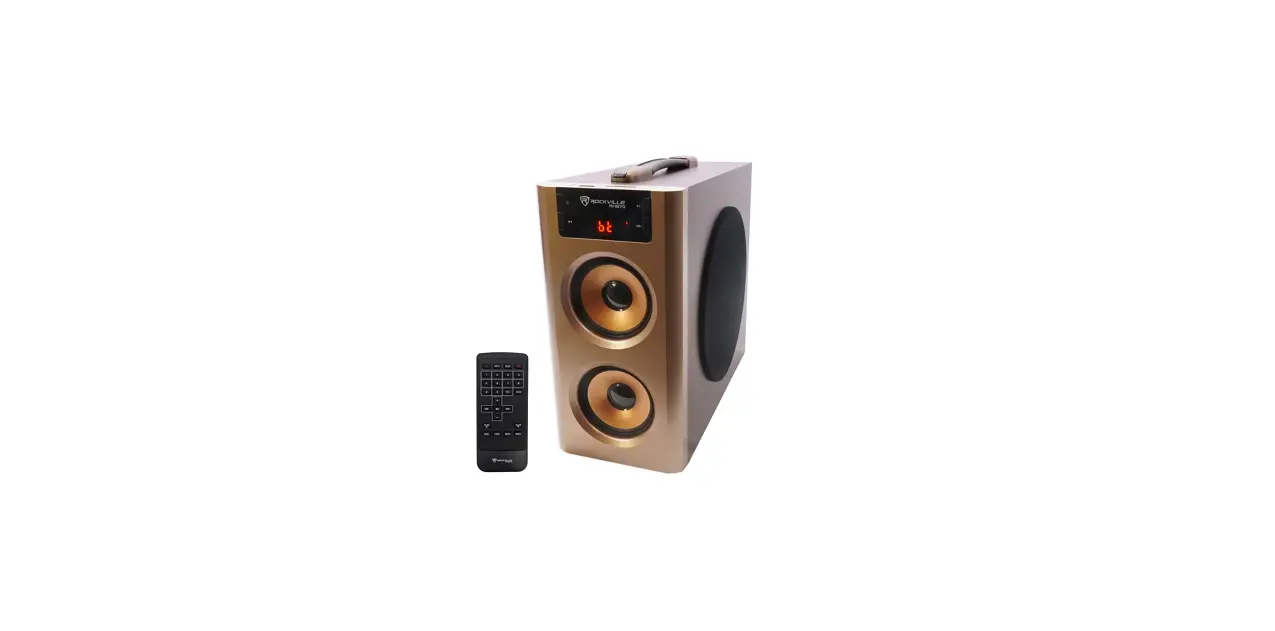
 Rockville RHB70 Home Theater Compact Powered Speaker
 Rockville RHB70 Home Theater Compact Powered Speaker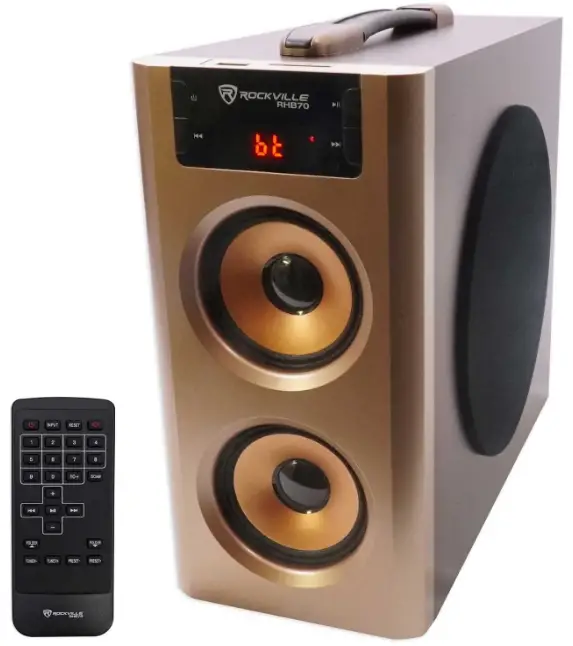
INTRODUCTION
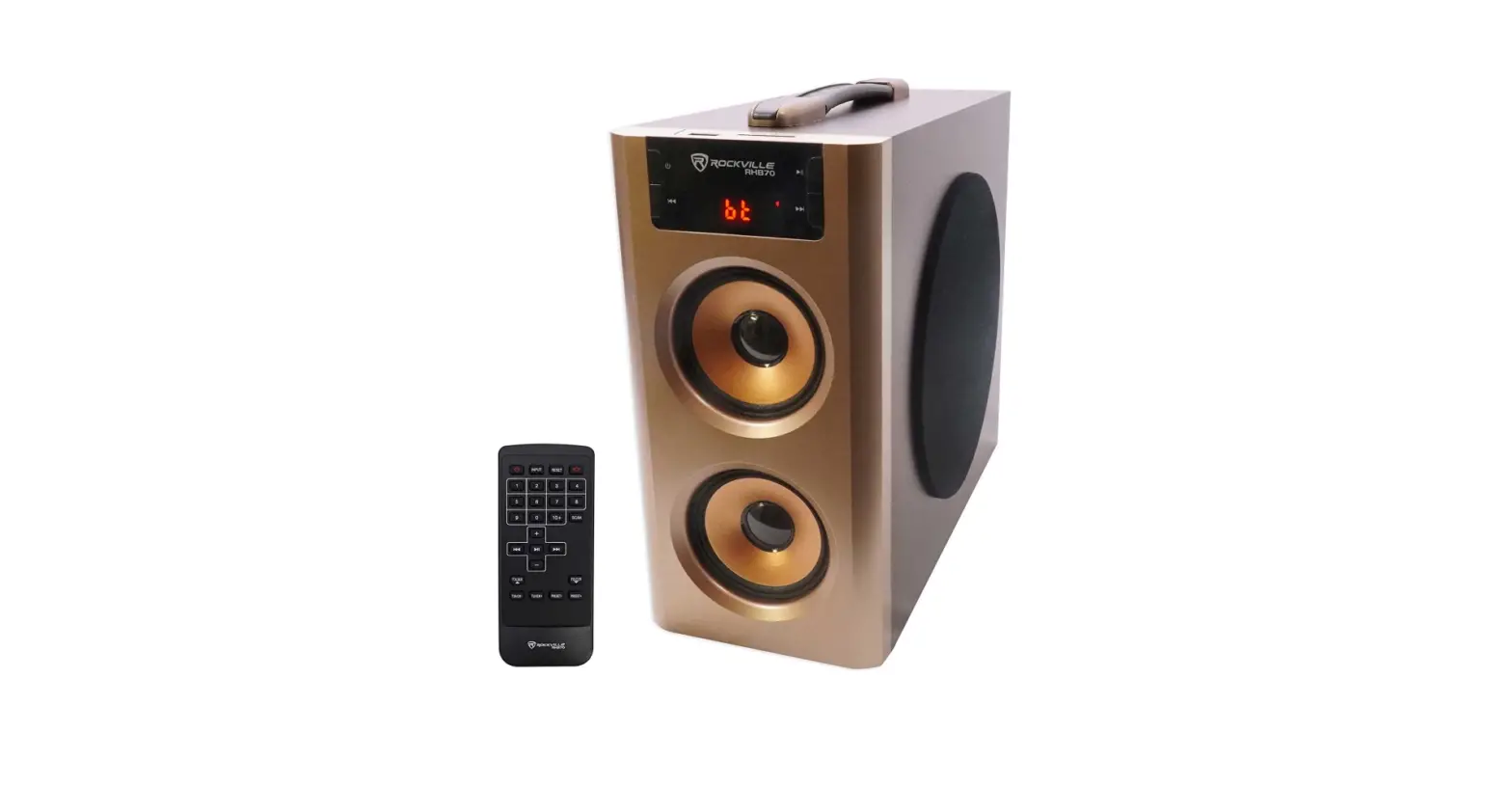
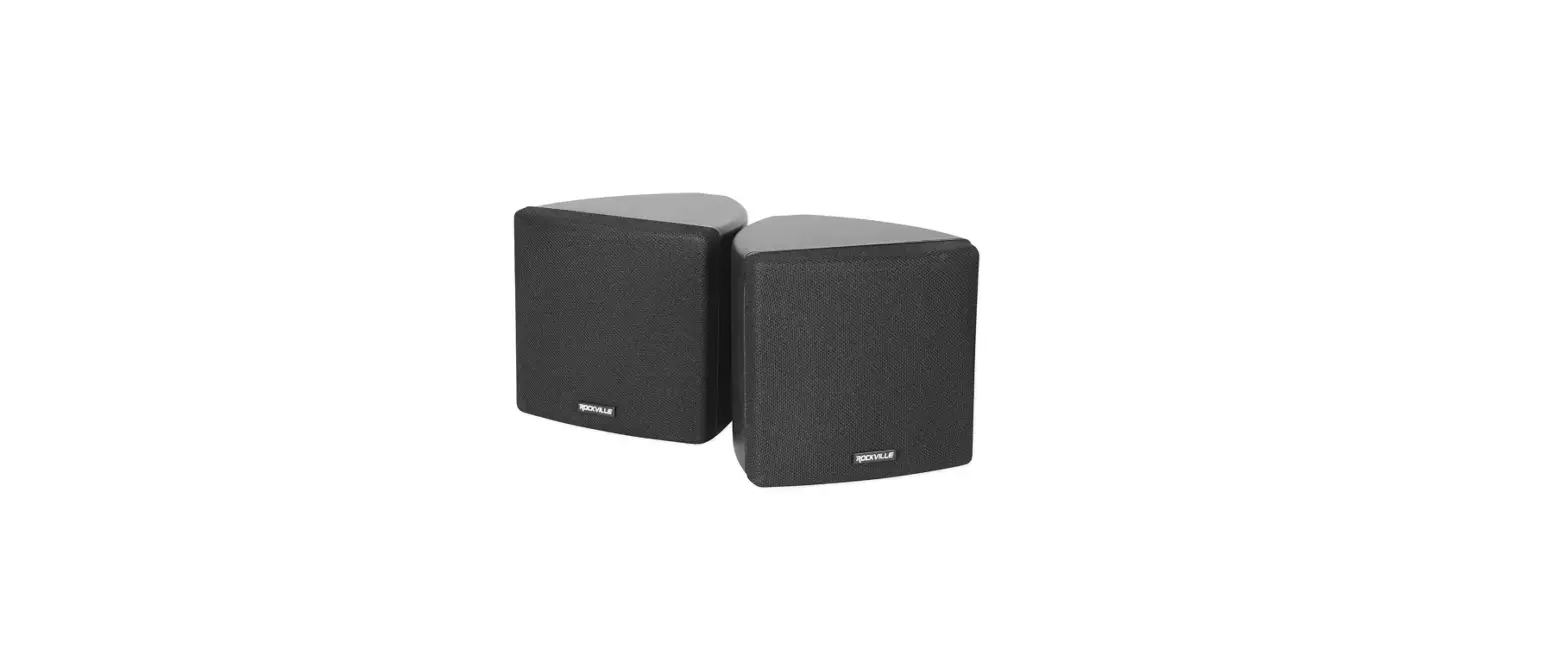
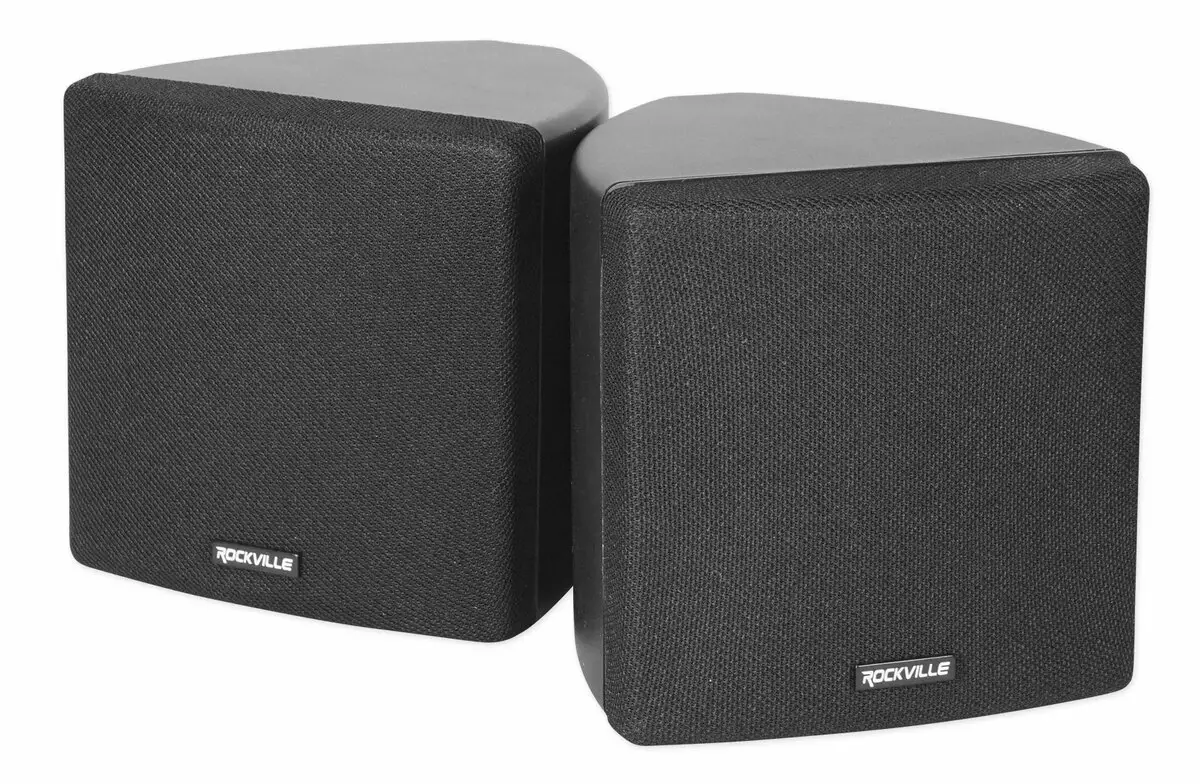
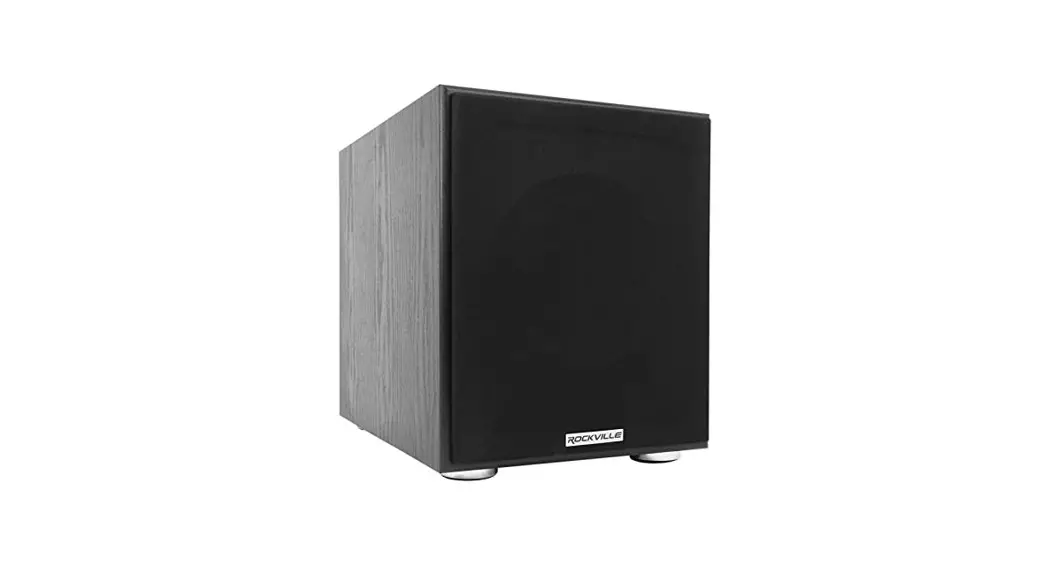
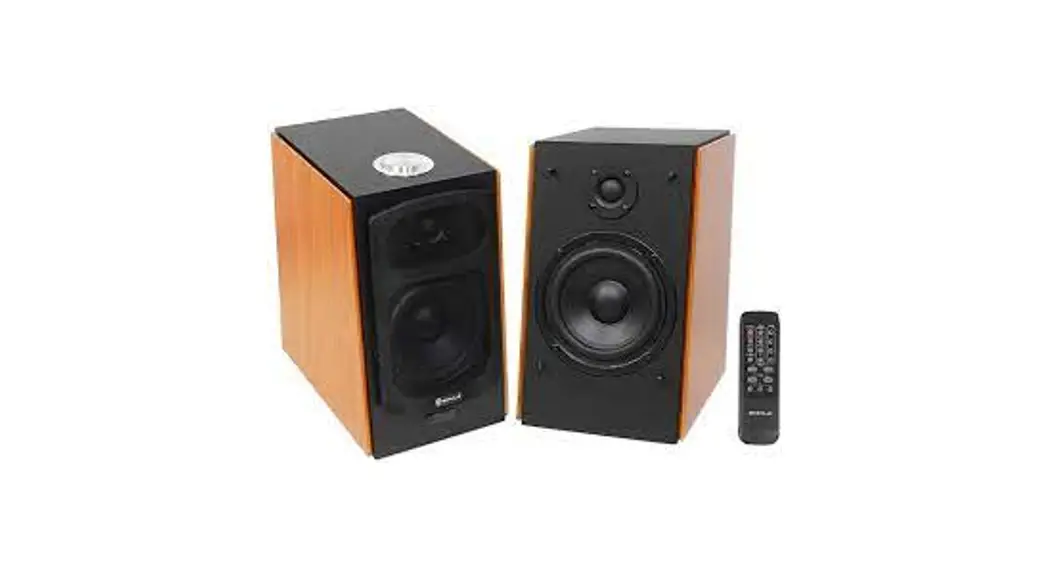
Thank you for purchasing this Rockville RHB70 Compact All-In-One Home Theater Speaker w/4″ Subwoofer and Two 3″ Speakers Built-In.
This powered all-in-one home theater speaker system creates a new performance level in home theater speakers. Our unique design eliminates high-frequency diffraction while providing full range accuracy and enhanced bass response.
In the old days a home theater system consisted of many speakers, a subwoofer, a receiver, an equalizer, wires all over the place, a separate radio module and lots of other devices. With the Rockville RHB70 compact all-in-one home theater system you can avoid that mess. This unit has 2 full range speakers and a subwoofer built in. You can connect it to any TV, PC, notebook, MP3 player, or DVD player easily through the RCA inputs. You can listen to all your music through your phone or MP3 player using Bluetooth. It also has USB and SD inputs as well as an FM radio receiver.
Please read this installation guide carefully for proper use of your Rockville RHB70 all-inone home theater speaker system. Should you need technical assistance please call our technical help line at 1-646-758-0144, Monday through Friday, 9am to 5pm EST.
IMPORTANT SAFETY INSTRUCTIONS
TO REDUCE THE RISK OF ELECTRICAL SHOCK, DO NOT REMOVE AMPLIFIER PLATE. NO USER-SERVICEABLE PARTS INSIDE. WE RECOMMEND TAKING THE UNIT TO A QUALIFIED SERVICE TECHNICIAN FOR ANY REPAIRS.
- Do not place this speaker on an unstable surface. The speaker may fall over, causing serious injury to a child or adult and serious damage to the unit.
- Do not use this speaker near water; for example, near a bathtub, sink, in a wet basement, or near a swimming pool.
- The speaker should be situated away from heat sources such as radiators, heat registers, stoves, or other devices that produce heat.
- This speaker should be connected to a power supply outlet of the same voltage as that which is specified on the amp plate of the unit. Protect the power cord from being walked on or pinched, particularly at plugs, convenience receptacles, and the point where it exits from the unit.
- Clean only with a soft damp cloth. Unplug this product from the wall outlet before cleaning.
- Upon completion of any servicing or repairs, request the service center/shop uses factory-authorized replacement parts. Replacement with unauthorized parts may result in fire, electrical shock, or other hazards.
FEATURES
- Peak Power: 100 Watts
- Program Power: 50 Watts
- RMS Power: 25 Watts
- Built-in high-powered amplifier with incredible sound quality
- 1 channel design with (2) 3″ speakers for highs and a 4″ subwoofer for mids and lows
- Built-in Bluetooth to stream music from any phone, tablet, or another Bluetooth device
- Uses top quality Bluetooth chip with enhanced data rate and 35 foot range
- Built-in USB input to play back songs stored on a thumb drive (up to 32GB)
- Built-in Micro SD memory card slot allows playback of audio stored on a memory card (up to 32GB)
- RCA Aux input allows easy connection of a laptop, computer, TV, phone, tablet, or any other audio device
- LED display to view volume, track details, FM channels, and other details
- Convenient digital controls on front panel
- Remote control with direct track selection
- Full wooden enclosure for pure sound
- Cherry wood enclosure finish
- Frequency response: 40Hz – 20KHz
- Channel separation: 50dB ( 1 KHz )
- Input Voltage required: 110V AC
- Unit dimensions (inches):73″ W x 9.65″ H x 10.64″ D
- Unit Weight:43 LBS
INCLUDES
- User Manual
- Speaker
- 5mm to dual RCA cable
- Remote Control (Battery included)
FRONT PANEL
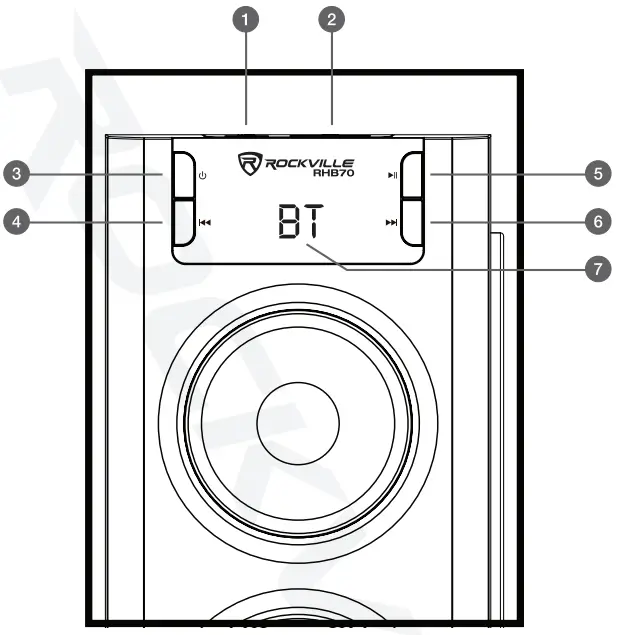
- USB port
- SD slot
- Stand-by/Mode
- Previous track/Volume –
- Play/Pause/Mute/Automatic station search (FM radio)
- Next track/Volume +
- Display screen
BACK PANEL
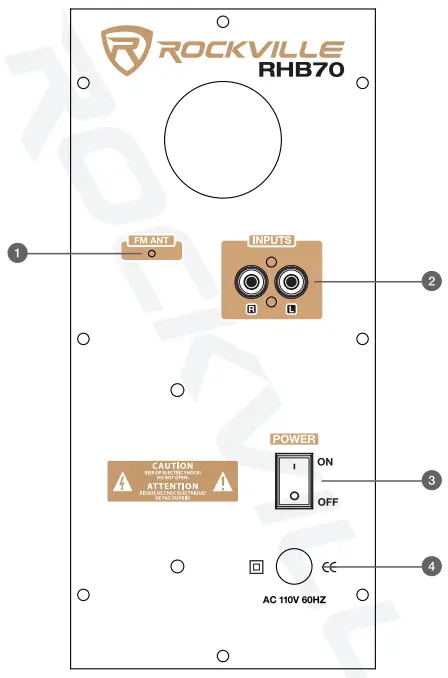
- FM antenna
- RCA inputs
- Power switch
- Power input
REMOTE CONTROL FUNCTIONS
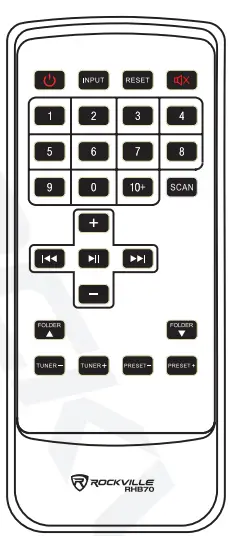
- STAND-BY: switch between stand by and power on mode INPUT: switch input modes
- RESET: resets volume level to default setting
- MUTE: mutes the speakers
- NUMBER PAD: number ad used to direct select tracks when in 5SB/SD mode. In radio mode it is used to change saved FM stations or FM frequency.
- 10+: in USB/SD mode used to skip tracks in intervals of 10 SCAN: auto scan FM channels
- +/-: Master volume control
 : Previous track/next track in USB/SD/Bluetooth mode. Press and hold to rewind or fast forward.
 : Play/Pause in USB/SD/BT modes
- FOLDER :
 navigate folders in USB/SD mode
 - TUNER +/-: Manually tune FM stations
- PRESET+/-: select previous/next saved FM station
 : Previous track/next track in USB/SD/Bluetooth mode. Press and hold to rewind or fast forward.
 : Play/Pause in USB/SD/BT modes
 navigate folders in USB/SD mode
USB/SD
- Make sure the unit is plugged in and the power switch is in the ON position.
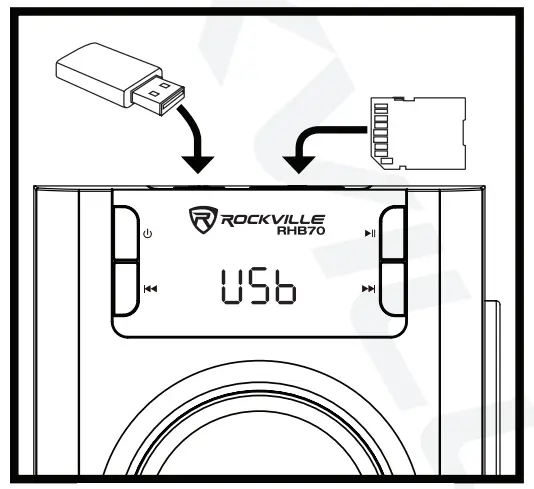
- Press the mode button (power button) on the front panel or push the INPUT button on on the remote control until the digital read out shows “USB” or “SD”.
- Plug in your SD card or USB flash drive. The unit will automatically read the files and begin playing music.
- Press the Play/Pause buttons to start and stop music playback.
- Press VOL-NOL+ on the remote control to decrease or increase the volume.
- Press the Previous/Next buttons to navigate through tracks. Press and hold to increase/decrease volume.
- Press and hold the Previous/Next buttons on the remote control to rewind or fast forward.
- Press the Folder buttons on the remote control to change folders in USB/SD mode.

BLUETOOTH
Pairing:
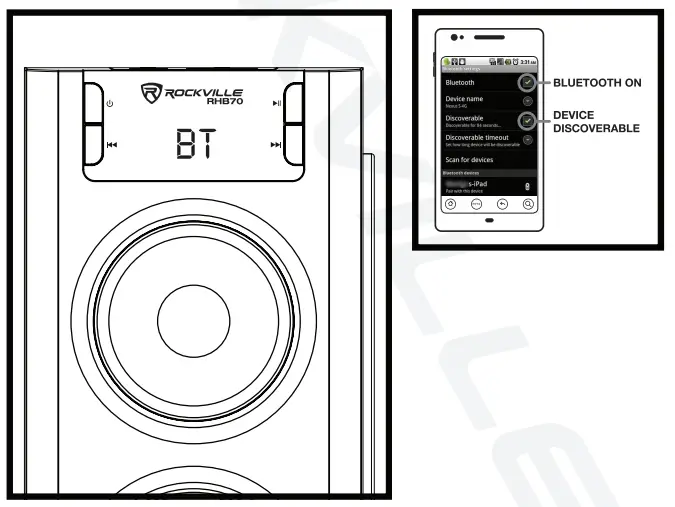
- Press the mode button (power button) on the front panel or push the INPUT button on on the remote control until the digital read out shows “BT”.
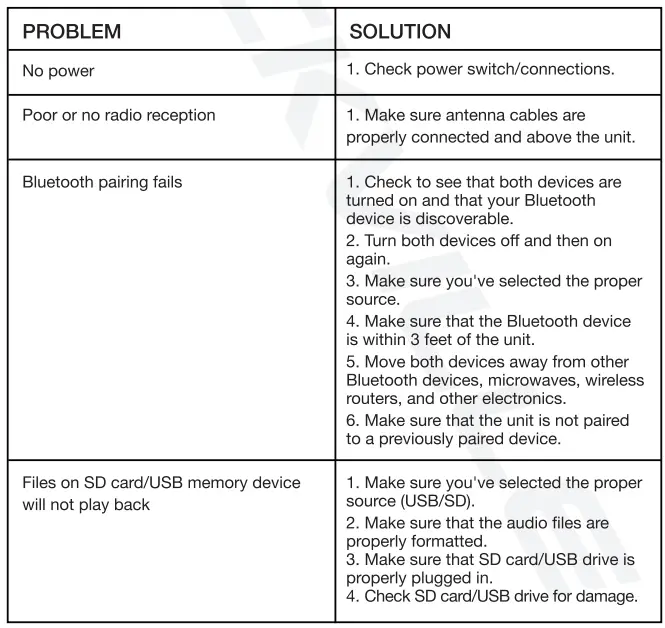
- Ensure your device is in Bluetooth mode, discoverable, and within three feet of the unit.
- Under list of available devices search for and select ROCKVILLE.
- Some mobile devices may ask for a pass code. Please use: 0000.
- Speaker will automatically connect with previously paired device.
Bluetooth Music:
- Press the Play/Pause buttons to start and stop music playback.
- Press VOL-NOL+ to decrease or increase the volume.
- Press the Previous/Next buttons to navigate through tracks. Press and hold to increase/decrease volume.

RCA
This input can be used to connect stereo signal sources such as TVs, Digital set-top boxes, game consoles, DVD players, CD, players, etc.
FM RADIO
- To scan through stations press the Scan button on the remote or press and hold the Play/Pause button.
- Press VOL-NOL+ on the remote control to decrease or increase the volume.
- Press the Previous/Next buttons to navigate through saved stations. Press and hold to increase/decrease volume.
- To manually navigate stations press Tune +/- on the remote control. To directly enter a frequency use the number pad.
- To improve reception rasie the FM cabel above the unit.

FEDERAL COMMUNICATIONS COMMISSION COMPLIANCE INFORMATION
Responsible party name: Rockville
Address: 600 Bayview Ave, Entrance A, Inwood, NY 11096
Hereby declares that the product Rockville RHB70 compact all-in-one home theater tower speaker system complies with FCC rules as mentioned in the following paragraph:
This device complies with Part 15 of the FCC rules. Operation is subject to the following two conditions:
- this device may not cause harmful interference, and
- this device must accept any interference received, including interference that may cause undesired operation.
Note: This equipment has been tested and found to comply with the limits for a Class B digital device, pursuant to Part 15 of the FCC rules. These limits are designed to provide reasonable protection against harmful interference in a residential installation. This equipment generates, uses and can radiate radio frequency energy and, if not installed and used in accordance with the instructions, may cause harmful interference to radio communications. However, there is no guarantee that interference will not occur in a particular installation. If this equipment does cause harmful interference to radio or television reception, which can be determined by turning the equipment off and on, the user is encouraged to try to correct the interference by one or more of the following measures:
- Reorient or relocate the receiving antenna.
- Increase the separation between the equipment and receiver.
- Connect the equipment into an outlet on a circuit different from that to which the receiver is connected.
- Consult the dealer or an experienced radio TV technician for help.
FAQs
How long do Rockville RHB70-powered speakers last?
High-quality speakers typically survive up to 40–50 years before displaying any indications of degradation, depending on the materials they are composed of and the climatic conditions where the equipment is utilised.
What is the most important speaker in a Rockville RHB70 home Theatre?
The most crucial speaker in a surround sound arrangement is the centre channel speaker because it handles the bulk of the work. The centre channel is the one that reproduces most of the dialogue and action in a movie because it is front and centre on your screen.
How are Rockville RHB70 wireless home theater speakers powered?
Yes, the majority of wireless speakers plug into standard power outlets or power strips using AC adaptors. To become “truly wireless,” some systems employ rechargeable batteries, although this feature necessitates repositioning and charging as routine tasks in order to use this type of surround sound system.
Can you leave Rockville RHB70 powered speakers on all the time?
Your powered speakers should be turned off after usage and should not be left on. There are a number of causes for this. Particularly, leaving your powered speakers on can degrade and harm its parts over time, perhaps posing a safety risk.
Do I need a receiver if I have Rockville RHB70 powered speakers?
The term “passive speakers” refers to this. Powered stereo speakers, on the other hand, don’t need a receiver because they are built with built-in amplification (also known as “powered monitors” or “active speakers”). Instead, you might directly connect powered speakers to a CD player or turntable as your music source.
When should I use Rockville RHB70 powered speakers?
Powered speakers are a good option if you have a limited amount of room, don’t want to carefully select your audio equipment, and prefer a straightforward setup. Passive speakers are what you need if you desire variety, don’t want bookshelf speakers, or eventually wish to go from stereo to surround sound.
Can you use Rockville RHB70 powered speakers as passive?
Technically speaking, a powered speaker is one that plugs into a nearby outlet and has its own amplifier built within the speaker. A powered speaker, however, is not always an active speaker because the crossover components may be passive.
What Are the Speakers Used in Rockville RHB70 Home Theater?
Six speakers are used in the 5.1 home theatre speaker layout, including a subwoofer and the centre, front left and right, surround left and right, and surround left and right. Other layouts, such as 3.1, 7.1, and 5.1.2, are available.
What Should You Look For in Rockville RHB70 Home Theater Speakers?
For an authentic surround sound experience, home theatre speakers should function well together. The dialogue should be audibly full and clear from both the front and centre speakers. The subwoofer should have a strong bottom end that blends well with the low-end frequencies supplied by the other speakers, and the surround speakers should effectively distribute the surround effects.
How do I choose Rockville RHB70 home theater speakers?
Select a speaker that blends in with both your space and the other speakers in your system. The other speakers in your setup should blend seamlessly with your centre channel. While floor-standing speakers require a large centre speaker to match their power output, compact speakers call for a smaller centre channel.
How many speakers should a Rockville RHB70 home theater have?
A minimum of three speakers are required for real home theatre audio (left, right, and center). Five speakers are required for genuine surround sound (left, right, center, and two rear.)
What voltage do Rockville RHB70 home theater speakers use?
They are most frequently referred to as 70-volt speakers in the US and Canada. The 100 V system is the most widely used in Europe, where equipment like amplifiers and speakers are simply marked with 100 V.
What is the use of Rockville RHB70 home theatre?
With a bit more excitement, watching TV and movies at home is now possible thanks to home theatre systems. Going to the neighborhood theatre is a thing of the past for many. You can view relatively recent movies and TV shows in comfort on streaming services.