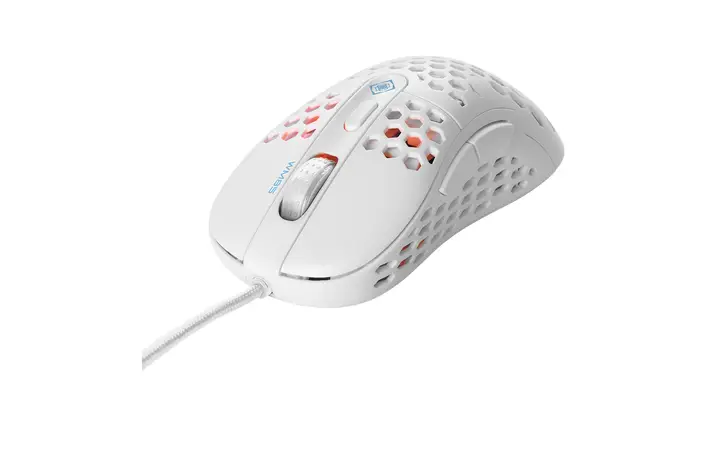
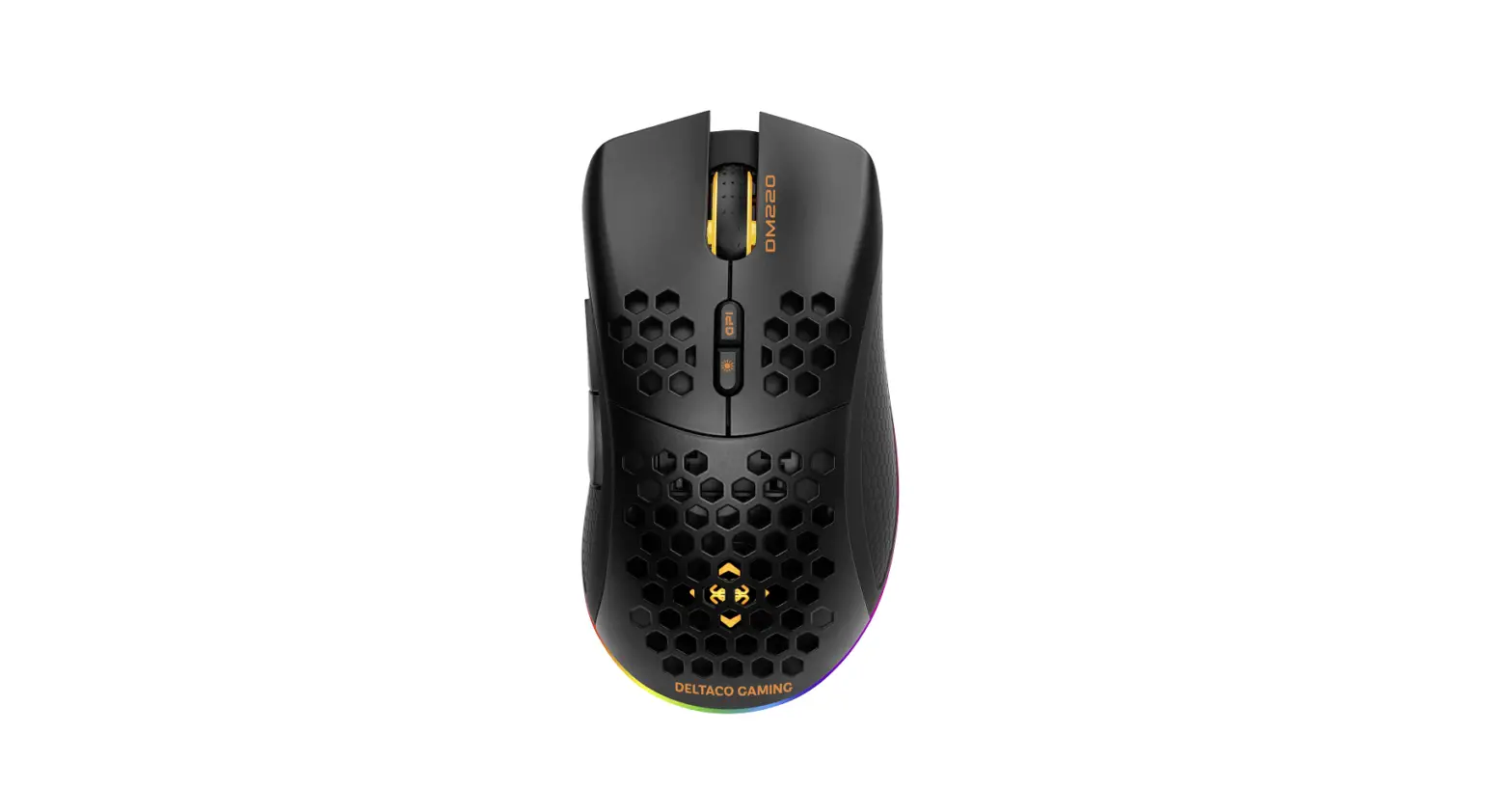
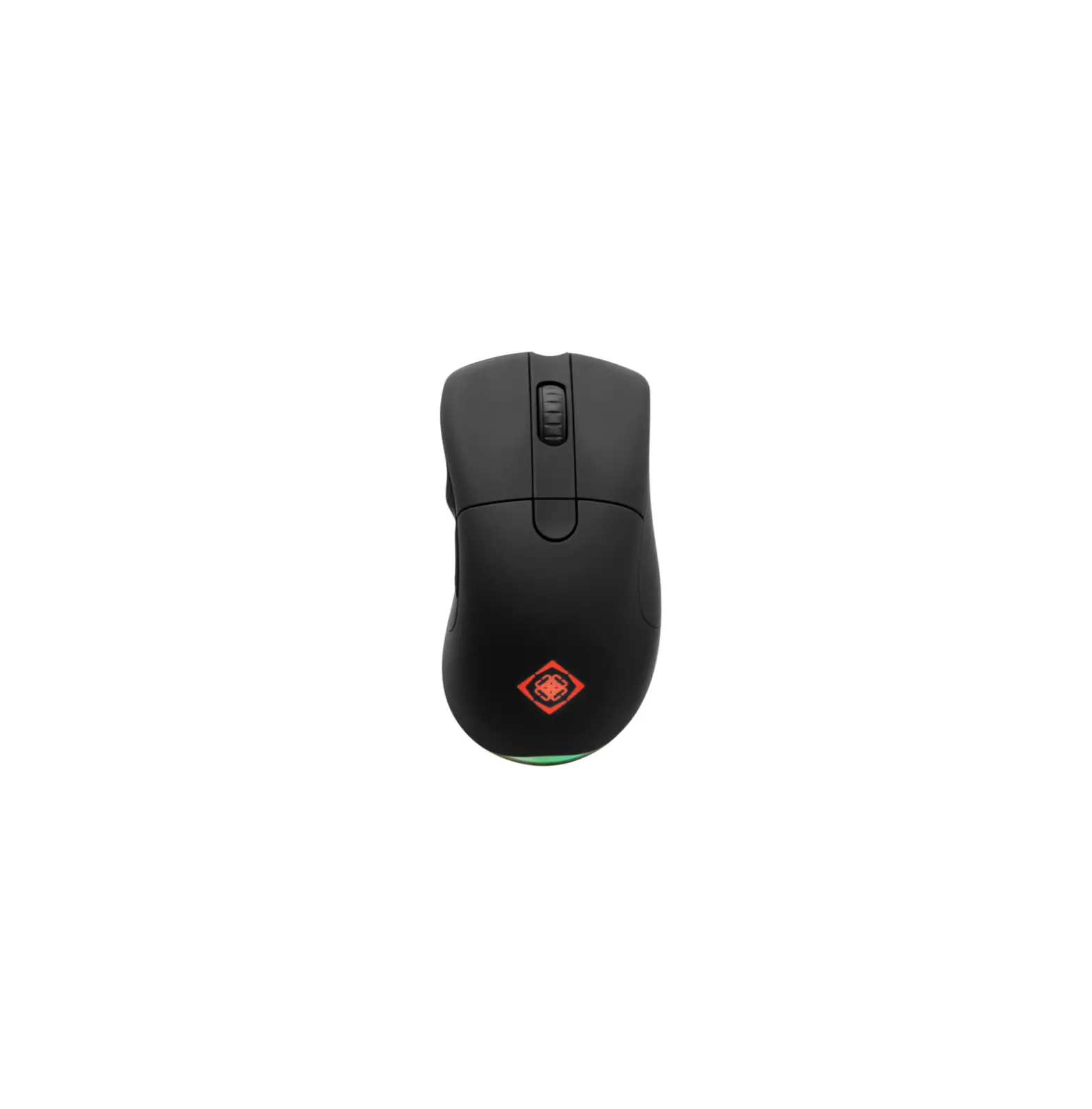
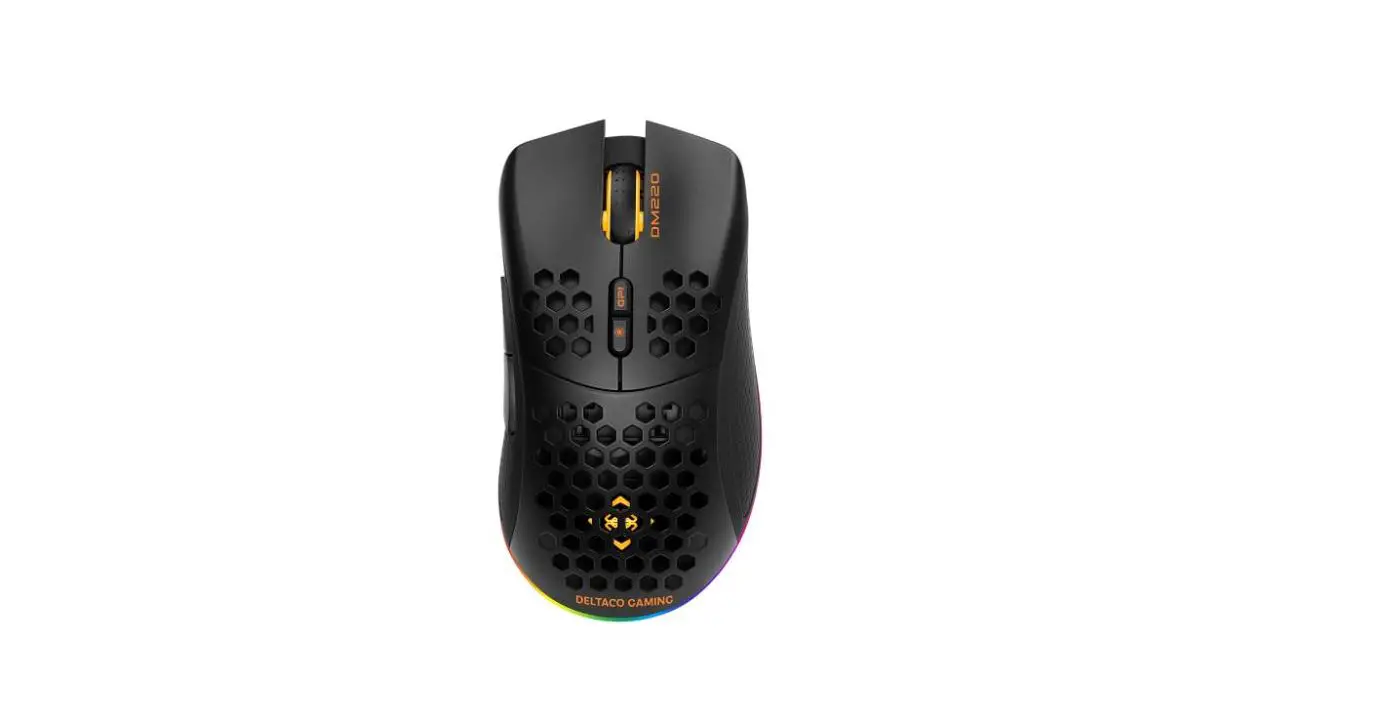
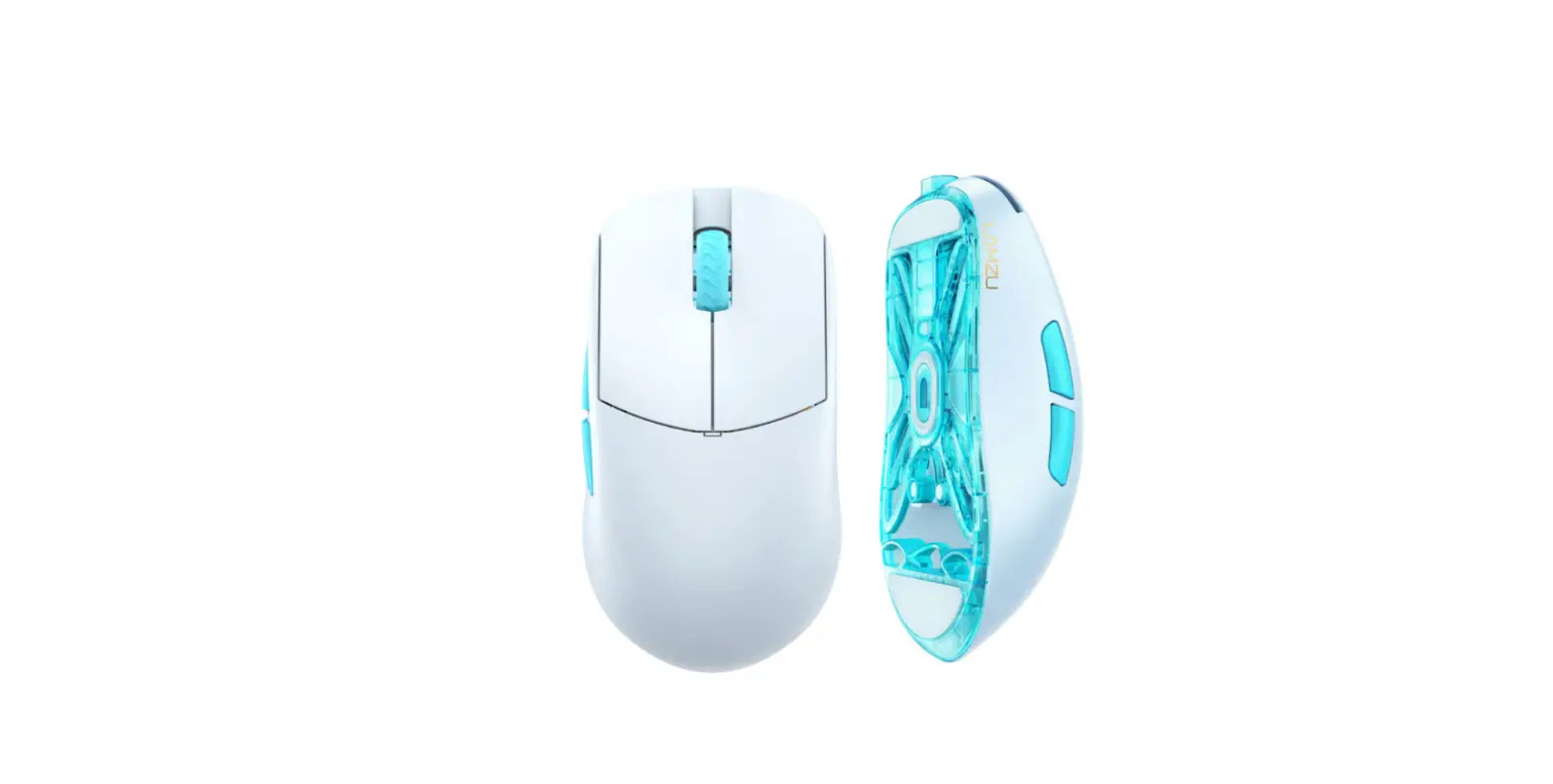
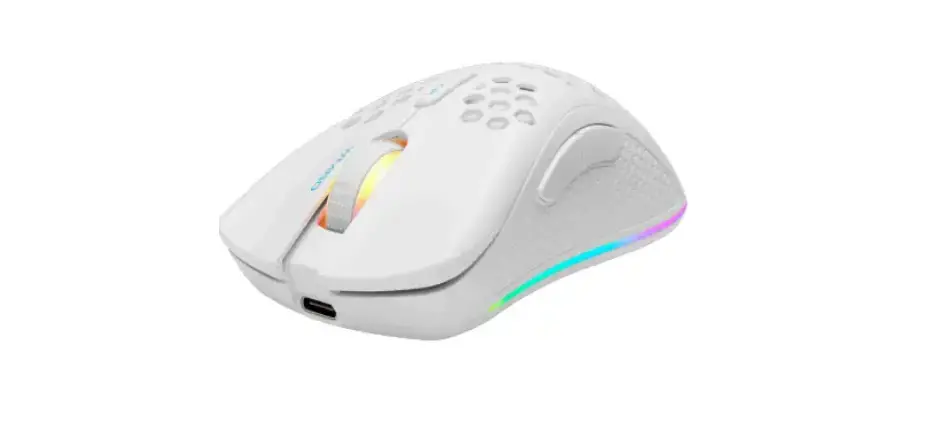
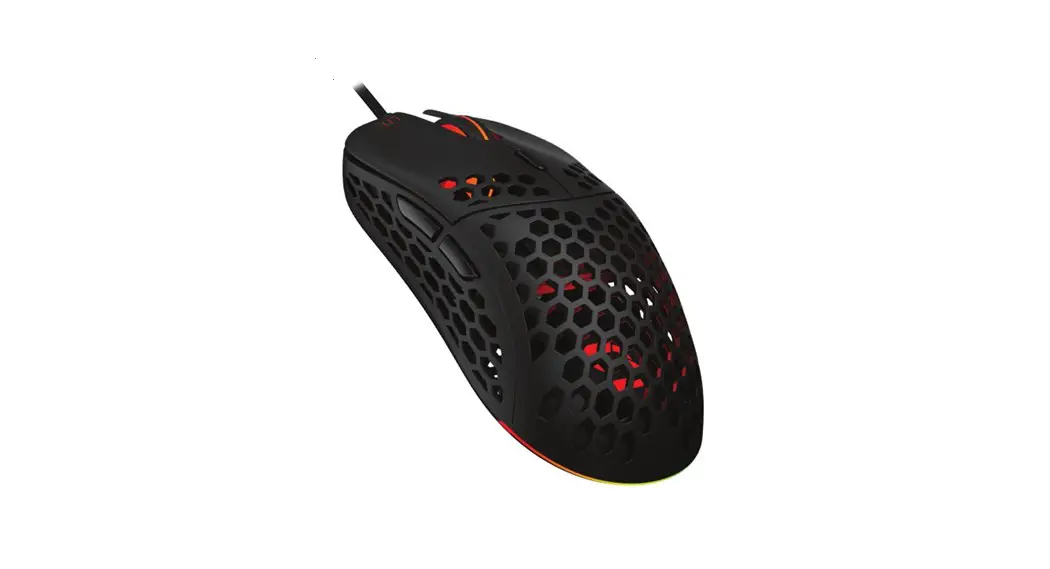
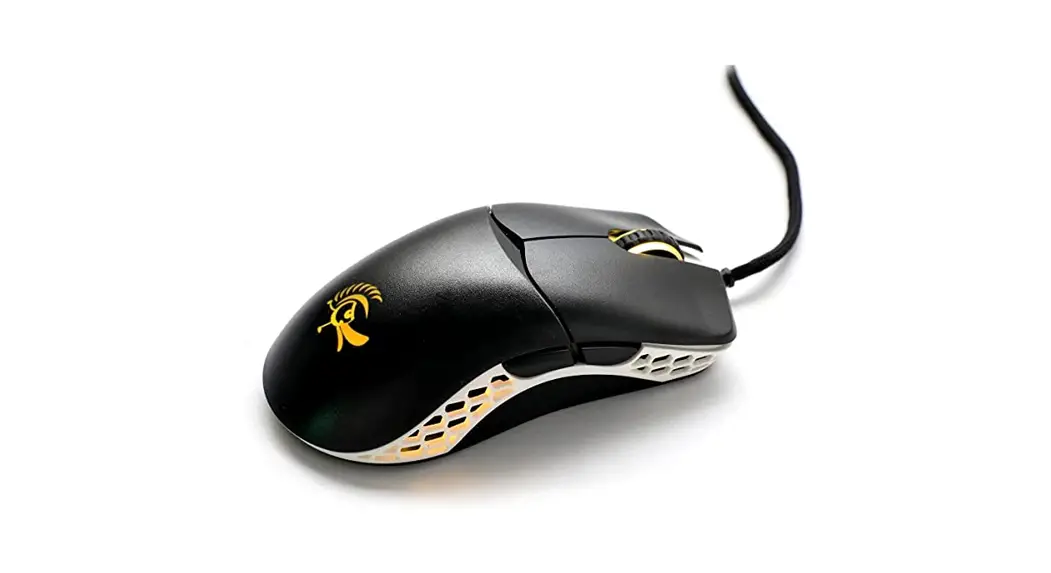
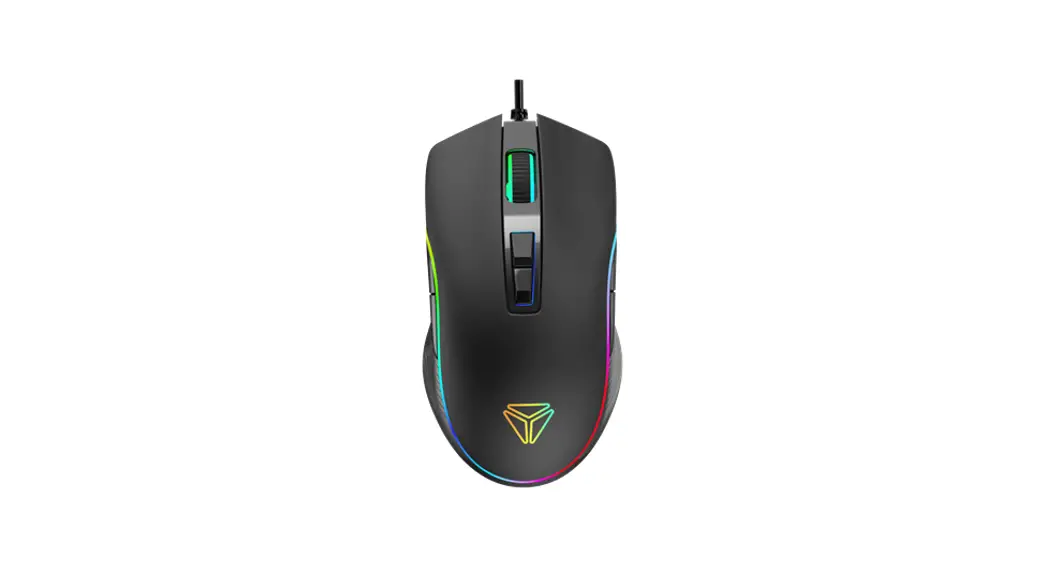
DM210 GAM-108 Ultralight Gaming Mouse
Product Information
The product is GAM-108, a gaming mouse that is compatible with
computers. The mouse has a LED light button that can switch between
different colors and a DPI button that can change the sensitivity
of the mouse. The default DPI settings are
400/800/1200/1600/3200/6400, but users can customize the DPI
settings using the software provided by the manufacturer. The
product comes with a warranty, and more information about the
warranty and product support can be found on the manufacturer’s
website.
Product Usage Instructions
- Download the software for the mouse at
www.deltacogaming.com - Do not drop or expose the mouse to shock damage
- Use the LED light button to switch between different
colors - Use the DPI button to change the sensitivity of the mouse.
Default DPI settings are 400/800/1200/1600/3200/6400 - Customize DPI settings using the software provided by the
manufacturer - Clean the mouse with a dry cloth
- Follow safety instructions: keep the mouse dry, protect it from
liquids, do not attempt to repair it yourself, keep it away from
children, and do not expose it to shock damage - Contact the manufacturer for warranty information and product
support at [email protected] (in English)
GAM-108
DAN Brugermanual DEU Benutzerhandbuch ENG User manual EST Kasutusjuhend FIN Käyttöopas FRA Manuel d’utilisation HUN Felhasználói kézikönyv
LAV Lietosanas pamcba LIT Naudojimo instrukcija NLD Gebruiksaanwijzing NOR Brukermanual POL Instrukcja obslugi SPA Manual del usuario SWE Användarmanual
DAN
Software Download softwaren på www.deltacogaming.com
Tak, fordi du valgte Deltaco! 1. Venstre knap 2. Højre knap 3. Hjulknap 4. Fremad-knap 5. Tilbage-knap 6. DPI-knap 7. LED-tilstandsknap LED-tilstandsknap Tryk på LED-tilstandsknappen for at gennemgå forskellige LED-tilstande. DPI Brug DPI-knappen til at ændre DPI. Standard DPI-indstillingerne er: 400/800/1200/1600/3200/6400. Tilpas DPI-indstillingerne ved brug af vores software. Lysdiodernes lys Når du skifter DPI, skifter tilsvarende lysdiode farve. Lysdiodens farve for hver DPI-indstilling kan ændres ved brug af vores software. Sluk lysdiodernes lys ved at trykke på den venstre museknap. Rensning Rens produktet ved brug af en tør klud.
Sikkerhedsvejledning 1. Hold produktet tørt. Hold det væk fra alle væsker. Dette produkt er ikke vandtæt. 2. Åbn ikke eller prøv at reparere produktet selv. 3. Opbevar produktet og emballagen utilgængeligt for børn for at forhindre ulykker og kvælning. 4. Må ikke kastes eller udsættes for stødskader. Garanti Se venligst www.deltaco.eu for oplysninger om garanti. Support Flere oplysninger om produktet kan findes på www.deltaco.eu. Kontakt os via e-mail: [email protected] (kun på engelsk).
DEU
Software Laden Sie die Software unter www.deltacogaming.com herunter
Vielen Dank, dass Sie sich für Deltaco entschieden haben! 1. Linke Taste 2. Rechte Taste 3. Radtaste 4. Forward-Taste 5. Rückwärtstaste 6. DPI-Taste 7. LED-Modustaste
2
LED-Modustaste Drücken Sie die LED-Modustaste, um durch verschiedene LED-Modi zu durchlaufen. DPI Verwenden Sie die DPI-Taste, um die DPI zu ändern. Die Standardeinstellungen für DPI sind: 400/800/1200/1600/3200/6400. Passen Sie die DPI-Einstellungen mithilfe unserer Software an. LED-Licht Wenn Sie die DPI ändern, gibt es eine entsprechende LED, die die Farbe ändert. Die LED-Farbe für jede DPI-Einstellung kann mithilfe unserer Software geändert werden. Schalten Sie die LED-Leuchte aus, indem Sie die linke Taste unter der Maus drücken. Reinigung Reinigen Sie das Produkt mit einem trockenen Tuch. Sicherheitshinweise 1. Halten Sie das Produkt trocken. Halten Sie es von allen Flüssigkeiten fern. Dieses Produkt ist nicht wasserdicht. 2. Öffnen oder versuchen Sie nicht, das Produkt selbst zu reparieren. 3. Bewahren Sie das Produkt und die Verpackung außerhalb der Reichweite von Kindern auf, um Unfälle und Erstickungsgefahren zu vermeiden. 4. Nicht fallen lassen oder Stoßschäden aussetzen. Garantie Informationen zur Garantie finden Sie unter www.deltaco.eu. Unterstützung Weitere Produktinformationen finden Sie unter www.deltaco.eu. Kontaktieren Sie uns per E-Mail: [email protected]. (Nur auf Englisch).
ENG
Software Download the software at www.deltacogaming.com
Thank you for choosing Deltaco! 1. Left button 2. Right button 3. Wheel button 4. Forward button 5. Backward button 6. DPI button 7. LED mode button LED mode button Press the LED mode button to cycle through different LED modes. DPI Use the DPI button to change the DPI. The default DPI settings are: 400/800/1200/1600/3200/6400. Customize the DPI settings by using our software. LED light When you change DPI, there is a corresponding LED that changes color. The LED color for each DPI setting can be changed, by using our software. Turn off the LEDs light by pressing the left button underneath the mouse. Cleaning Clean the product by using a dry cloth. Safety instructions 1. Keep the product dry. Keep it away from all liquids. This product is not waterproof. 2. Do not open up or try to repair the product by yourself. 3. Keep the product and packaging out of reach of children to prevent accidents and choke hazards.
3
4. Do not drop or expose to shock damage. Warranty Please, see www.deltaco.eu for warranty information. Support More product information can be found at www.deltaco.eu. Contact us by e-mail: [email protected]. (Only in English).
EST
Tarkvara Laadige tarkvara alla aadressilt www.deltacogaming.com
Täname teid Deltaco valimise eest! 1. Vasak nupp 2. Parem nupp 3. Rattanupp 4. Edasi nupp 5. Tagasi nupp 6. DPI nupp 7. Valgusdioodi reziimi nupp Valgusdioodi reziimi nupp Erinevate valgusdioodi reziimide vahel tsüklis lülitamiseks vajutage valgusdioodi reziimi nuppu. DPI Kasutage DPI nuppu DPI muutmiseks. Vaikimisi DPI seadistused on: 400/800/1200/1600/3200/6400. 4
Kohandage DPI seadistusi meie tarkvara kasutades. Dioodvalgusti DPI muutmisel vahetab vastav valgusdiood värvi. Iga DPI seadistuse valgusdioodi värvi saab muuta meie tarkvara kasutades. Valgusdioodi valguse välja lülitamiseks vajutage vasakpoolset nuppu hiire all. Puhastamine Puhastage toodet kuiva lapiga. Ohutusjuhised 1. Hoidke toode kuivana. Hoidke see eemal kõigist vedelikest. See toode ei ole veekindel. 2. Ärge avage toodet ega püüdke seda ise remontida. 3. Õnnetuste ja lämbumisohu ennetamiseks hoidke toodet ja pakendit väljaspool laste käeulatust. 4. Ärge laske sellel maha kukkuda ega saada löögikahjustusi. Garantii Garantiiteabe kohta vaadake palun www.deltaco.eu. Tugi Täiendavat tooteteavet leiate aadressil www.deltaco.eu. Võtke meiega ühendust e-posti teel: [email protected]. (Ainult inglise keeles).
FIN
Oheisohjelmisto Ohjelmiston voi ladata osoitteesta www.deltacogaming.com.
Kiitos, kun valitsit Deltaco-tuotteen! 1. Vasen painike 2. Oikea painike 3. Rulla 4. Eteenpäin-painike 5. Taaksepäin-painike 7. Valaistustilan valitsin Valaistustilan valitsin Painikkeella voi siirtyä valaistustilasta toiseen. DPI-asetus Paina valitsimesta, jos haluat vaihtaa DPIlukemaa. Hiiri sisältää oletusarvoisesti seuraavat vaihtoehdot: 400/800/1200/1600/3200/6400. Painikkeen toimintaa voi säätää oheisohjelmiston avulla. Merkkivalo Merkkivalon väri muuttuu, kun DPI-asetusta vaihdetaan. Oheisohjelmiston avulla voi säätää, mikä väri vastaa mitäkin vaihtoehtoa. Jos haluat kytkeä merkkivalon pois päältä, paina vasemmanpuoleista pohjassa sijaitsevaa painiketta. Puhdistus Tuotteen voi puhdistaa kuivalla liinalla.
Turvallisuusohjeet 1. Tuote ei ole vedenkestävä, joten se tulee pitää kuivana ja poissa nesteiden ääreltä. 2. Älä pura tuotetta osiin tai yritä korjata sitä itse. 3. Säilytä tuotetta ja sen pakkausta lasten ulottumattomissa. Nämä saattavat aiheuttaa tukehtumisen tai muun tapaturman vaaran. 4. Älä pudota tuotetta lattialle tai altista sitä kolhuille. Takuu Takuuehdot voi lukea osoitteesta www.deltaco.eu. Tuotetuki Tuotteesta on lisätietoja osoitteessa www.deltaco.eu. Tukipalvelun sähköpostiosoite on [email protected].
FRA
Logiciel Téléchargez le logiciel sur www.deltacogaming.com
Merci de choisir Deltaco ! 1. Bouton gauche 2. Bouton droit 3. Roulette 4. Bouton avant 5. Bouton arrière 6. Bouton DPI 7. Bouton mode LED
5
Bouton mode LED Appuyez sur le bouton mode LED pour parcourir les différents modes LED. DPI Utilisez le bouton DPI pour modifier les DPI. Les paramètres DPI par défaut sont : 400 / 800 / 1 200 / 1 600 / 3 200 / 6 400. Personnalisez les paramètres DPI en utilisant notre logiciel. Lumière LED Lorsque vous changez les DPI, une LED correspondante change de couleur. La couleur des LED pour chaque paramètre DPI peut être modifiée à l’aide de notre logiciel. Éteignez la lumière LED en appuyant sur le bouton gauche sous la souris. Nettoyage Nettoyez le produit avec un chiffon sec. Instructions de sécurité 1. Gardez le produit sec. Gardez-le loin de tout liquide. Ce produit n’est pas étanche. 2. N’ouvrez pas et n’essayez pas de réparer le produit vous-même. 3. Gardez le produit et l’emballage hors de portée des enfants pour éviter les accidents et les risques d’étouffement. 4. Ne laissez pas tomber ou exposer à des chocs. Garantie Veuillez consulter www.deltaco.eu pour les informations sur la garantie. Assistance Plus d’information sur le produit disponible sur www.deltaco.eu. Contactez-nous par e-mail : [email protected] (seulement en anglais).
HUN
Szoftver Töltse le a szoftvert a www.deltacogaming.com webhelyrl.
Köszönjük, hogy a Deltacót választotta! 1. Bal oldali gomb 2. Jobb oldali gomb 3. Görgetgomb 4. Elre gomb 5. Hátra gomb 6. DPI gomb 7. LED-üzemmód gomb LED-üzemmód gomb Nyomja meg a LED-üzemmód gombot a különféle LED-üzemmódok közötti váltáshoz. DPI A DPI gombbal tudja módosítani a DPI-t. Az alapértelmezett DPI-beállítások: 400/800/1200/1600/3200/6400. A DPI beállításokat személyre szabhatja a szoftverünk használatával. LED-es fényjelzés A DPI módosításakor egy hozzá kapcsolódó LED fényjelzést ad. A szoftverünkkel az összes DPIbeállítás LED-es színjelzése módosítható. A LED-es fényjelzést az egér alján a bal oldali gomb megnyomásával módosíthatja. Tisztítás A terméket száraz ruhával tisztítsa.
6
Biztonsági utasítások 1. Tartsa a terméket szárazon. Tartsa a terméket minden folyadéktól távol. A termék nem vízálló. 2. Ne nyissa fel vagy próbálja saját maga megjavítani a terméket. 3. A balesetek és a fulladásveszély elkerülése érdekében tartsa a terméket és a csomagolást gyermekektl távol. 4. Ne ejtse le a terméket, illetve ne tegye ki ütéskárnak. Garancia A garanciális információkat lásd a www.deltaco.eu webhelyen. Támogatás A www.deltaco.eu webhelyen további információkat talál a termékrl. A következ e-mail-címen keresztül léphet velünk kapcsolatba: [email protected]. (Csak angol nyelven).
LAV
Programmatra Lejupieldjiet programmatru no www.deltacogaming.com
7. LED rezma poga LED rezma poga Nospiediet LED rezma pogu, lai prslgtos starp dazdiem LED rezmiem.
DPI
Izmantojiet DPI pogu, lai maintu DPI. Noklusjuma DPI iestatjumi ir: 400/800/1200/1600/3200/6400.
Pielgojiet DPI iestatjumus, izmantojot msu programmatru. LED lampia Pc DPI mainsanas attiecg LED lampia maina krsu. LED lampias krsu katram DPI iestatjumam var maint, izmantojot msu programmatru. Izsldziet LED lampiu, piespiezot kreiso pogu zem peles.
Trsana Triet preci ar sausu drnu. Drosbas instrukcijas 1. Saglabjiet preci sausu. Sargjiet to no visiem sidrumiem. S prece nav densizturga. 2. Neminiet pats atvrt vai remontt preci. 3. Sargjiet preci un iepakojumu no brniem, lai novrstu negadjumus un aizrsans riskus. 4. Nenometiet un nepakaujiet preci triecienam.
Garantija
Ldzu, apmekljiet www.deltaco.eu, lai uzzintu par garantiju.
Atbalsts
Vairk informcijas par precm atrodama tmeka vietn www.deltaco.eu. Sazinieties ar mums, izmantojot e-pastu:
[email protected]. (Tikai angu valod).
Paldies, ka izvljties Deltaco! 1. Kreis poga 2. Lab poga 3. Ritensa poga 4. “Uz prieksu” poga
5. “Atpaka” poga 6. DPI poga
7
LIT
Programin ranga Parsisiskite programin rang is www.deltacogaming.com tinklalapio.
Aci, kad renkats ,,Deltaco”! 1. Kairysis mygtukas 2. Desinysis mygtukas 3. Ratuko mygtukas 4. Mygtukas ,,pirmyn” 5. Mygtukas ,,atgal” 6. Skiriamosios gebos (DPI) mygtukas 7. LED bsenos mygtukas LED bsenos mygtukas Spustelkite LED bsenos mygtuk, kad galtumte naviguoti tarp skirting LED bsen. Skiriamoji geba (DPI) Nordami pakeisti skiriamj geb (task skaici colyje arba ,,DPI”), naudokite DPI mygtuk. Numatytieji skiriamosios gebos (DPI) nustatymai yra tokie: 400/800/1200/1600/3200/6400. DPI nustatymus galite pakeisti naudodamiesi ms programine ranga. LED apsvietimas Kai keiciate DPI, LED apsvietimo spalva atitinkamai keiciasi. LED apsvietimo spalv kiekvienam DPI nustatymui galima pakeisti naudojantis ms programine ranga. Nordami isjungti LED apsvietim, spustelkite kairj mygtuk, esant pels apacioje.
8
Valymas Valykite produkt sausa sluoste. Saugos instrukcijos 1. Laikykite produkt sausoje vietoje. Laikykite produkt atokiai nuo bet koki skysci. Sis produktas nra atsparus vandeniui. 2. Neardykite ir nebandykite taisyti produkto patys. 3. Laikykite produkt ir jo pakuot vaikams nepasiekiamoje vietoje, kad isvengtumte nelaiming atsitikim ir pavojaus uzspringti. 4. Nemtykite produkto ir saugokite j nuo soko pavojaus. Garantija Nordami suzinoti informacijos apie produkto garantij, apsilankykite svetainje www.deltaco.eu. Pagalba Daugiau informacijos apie produkt galite rasti svetainje www.deltaco.eu. Susisiekite su mumis elektroniniu pastu: [email protected] (tik angl kalba).
NDL
Software Download de software van www.deltacogaming.com
Wij danken u voor het kiezen Deltaco! 1. Linkermuisknop 2. Rechtermuisknop 3. Muiswielknop
4. Vooruitknop 5. Achteruitknop 6. DPI-knop 7. LED-modus knop LED-modus knop Druk op LED-modus knop om tussen de verschillende LED-modi te schakelen. DPI Gebruik de DPI-knop om de DPI te wijzigen. De standaard DPI instellingen zijn als volgt: 400/800/1200/1600/3200/6400. Wijzig de DPI instellingen naar wens m.b.v. onze software. LED-licht Als u de DPI wijzigt, verandert de kleur van de betreffende LED. De LED-kleur kan voor elke DPI instelling veranderd worden m.b.v. onze software. Schakel de LED’s uit door het drukken op de linkermuisknop onder de muis. Reiniging Reinig het product met een droge doek. Veiligheidsinstructies 1. Houd het product droog. Houd het product buiten alle vloeistoffen. Dit product is niet waterdicht 2. Open het product niet en probeer het niet zelf te repareren. 3. Houd het product en de verpakking daarvan buiten het bereik van kinderen om de ongevallen en de verstikking te voorkomen. 4. Laat het product niet vallen en stel niet bloot aan schade door stoten. Garantie Voor de garantiebepalingen zie www.deltaco.eu. Ondersteuning Meer informatie over het product is te vinden op www.deltaco.eu. Neem contact met ons op: [email protected]. (Alleen in het Engels).
NOR
Support Mer produktinformasjon finnes på www.deltaco.eu. Kontakt oss via e-post: [email protected].
POL
Oprogramowanie Pobierz oprogramowanie ze strony www.deltacogaming.com
Dzikujemy, e wybrale Deltaco! 1. Lewy przycisk 2. Prawy przycisk 3. Przycisk przewijania 4. Przycisk wstecz 5. Przycisk dalej 6. Przycisk DPI 7. Przycisk trybu LED Przycisk trybu LED Nacinij przycisk trybu LED, aby przelcza midzy rónymi trybami LED. DPI Uyj przycisku DPI, by zmieni DPI. Domylne ustawienia DPI to: 400/800/1200/1600/3200/6400. Dostosuj ustawienia DPI za pomoc naszego oprogramowania. Owietlenie LED Gdy zmieniasz DPI, owietlenie LED odpowiednio zmienia kolor. Kolor LED dla kadego ustawienia DPI moe zosta zmieniony za pomoc oprogramowania. Aby wylczy owietlenie LED nacinij lewy przycisk pod spodem myszki. Czyszczenie Czy produkt za pomoc suchej ciereczki.
9
Instrukcje bezpieczestwa 1. Produkt powinien by suchy. Trzymaj go z dala od plynów. Ten produkt nie jest wodoodporny. 2. Nie próbuj samodzielnie otwiera ani naprawia produktu. 3. Trzymaj produkt i opakowanie poza zasigiem dzieci, aby unikn wypadków i niebezpieczestwa w postaci udlawienia. 4. Nie upuszcza ani nie naraa na wstrzsy. Gwarancja Zajrzyj na stron www.deltaco.eu w celu uzyskania informacji dotyczcych gwarancji. Pomoc Wicej informacji o produkcie mona znale na stronie www.deltaco.eu. Skontaktuj si z nami poprzez e-mail: [email protected]. (Wylcznie po angielsku).
SPA
Software Descargue el software desde la web www.deltacogaming.com
¡Gracias por elegir Deltaco! 1. Botón izquierdo 2. Botón derecho 3. Botón de la rueda 4. Botón de avance 5. Botón de retroceso 6. Botón DPI 7. Botón de modo LED
10
Botón de modo LED Para recorrer los diferentes modos de LED presione el botón de modo LED. DPI Para cambiar DPI utilice el botón DPI. La configuración predeterminada de DPI es: 400/800/1200/1600/3200/6400. Personalice la configuración de DPI utilizando nuestro software. Luz LED Cuando cambia la DPI, la LED correspondiente cambia de color. Puede cambiar el color del LED de cada configuración de DPI a través de nuestro software. Puede apagar la luz LED presionando el botón izquierdo debajo del ratón. Limpieza
Limpie el producto con un paño seco.
Instrucciones de seguridad 1. Mantenga el producto seco. Manténgalo alejado de cualquier tipo de líquidos. Este producto no es resistente al agua. 2. No abra ni intente reparar el dispositivo usted mismo. 3. Mantenga el producto y el embalaje fuera del alcance de los niños para evitar el riesgo de accidentes y asfixia. 4. Protéjalo de caídas y golpes. Garantía Más información sobre la garantía obtendrá en la página web www.deltaco.eu. Servicio técnico Más información sobre el producto puede encontrar en www.deltaco.eu. Contacte con nosotros a través de correo electrónico: [email protected]. (Solo en inglés)
SWE
Mjukvara Ladda ner mjukvaran på www.deltacogaming.com
Säkerhetsinstruktioner 1. Håll produkten torr. Håll den borta från alla vätskor. Denna produkt är inte vattentät. 2. Öppna inte upp eller försök att reparera produkten själv. 3. Förvara produkten och förpackningen utom räckhåll för barn för att förhindra olyckor och kvävningsrisk. 4. Tappa den inte och utsätt den inte för stötskador. Garanti Vänligen se www.deltaco.eu för garantiinformation. Support Mer produktinformation finns på www.deltaco.eu. Kontakta oss via e-post: [email protected].
Tack för att du väljer Deltaco! 1. Vänster knapp 2. Höger knapp 3. Mushjulsknapp 4. Framåtknapp 5. Bakåtknapp 6. DPI-knapp 7. Lysdiodslägesknapp Lysdiodslägesknappen Tryck på knappen för växla mellan de olika lysdiodlägena. DPI Använd DPI-knappen för att ändra DPI. Standardinställningarna för DPI är: 400/800/1200/1600/3200/6400. Anpassa DPI-inställningarna med mjukvaran. Lysdioden När du ändrar DPI:n så finns det en motsvarande lysdiod som ändrar färg. lysdiodsfärgen för varje DPI-inställning kan ändras med hjälp av vår mjukvara. Släck lysdioderna genom att trycka på vänster knapp under musen. Rengöring Rengör produkten med en torr trasa.
11
DistIT Services AB, Glasfibergatan 8, 125 45 Älvsjö, Sweden DistIT Services AB, Suite 89, 95 Mortimer Street, London, W1W 7GB, England
 DELTACO GAMING | Homepage