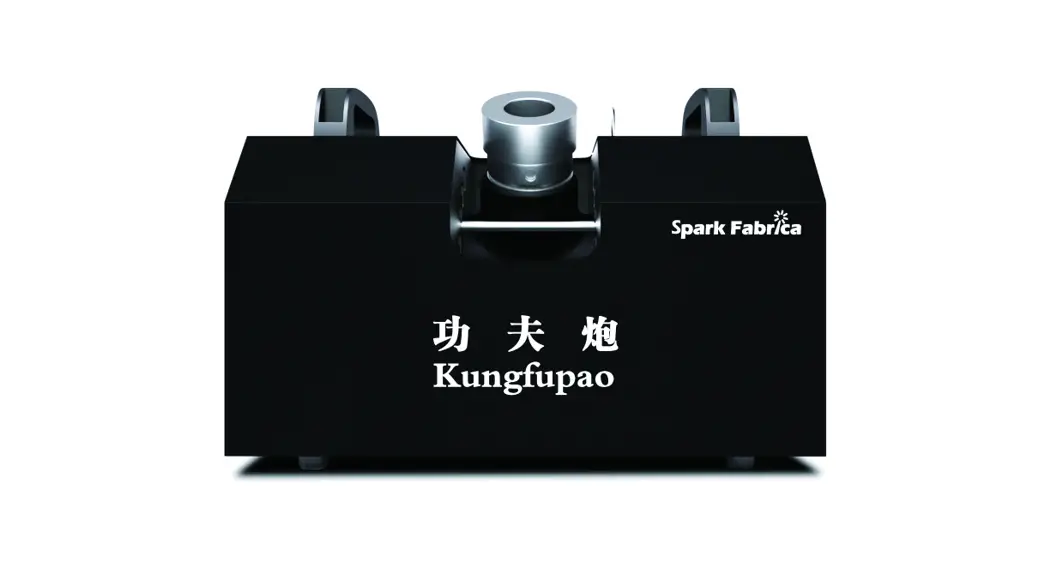
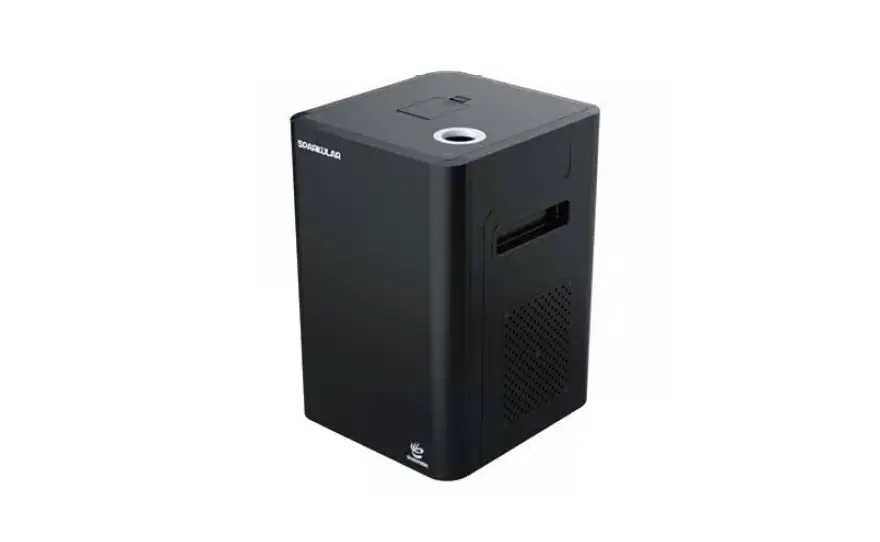
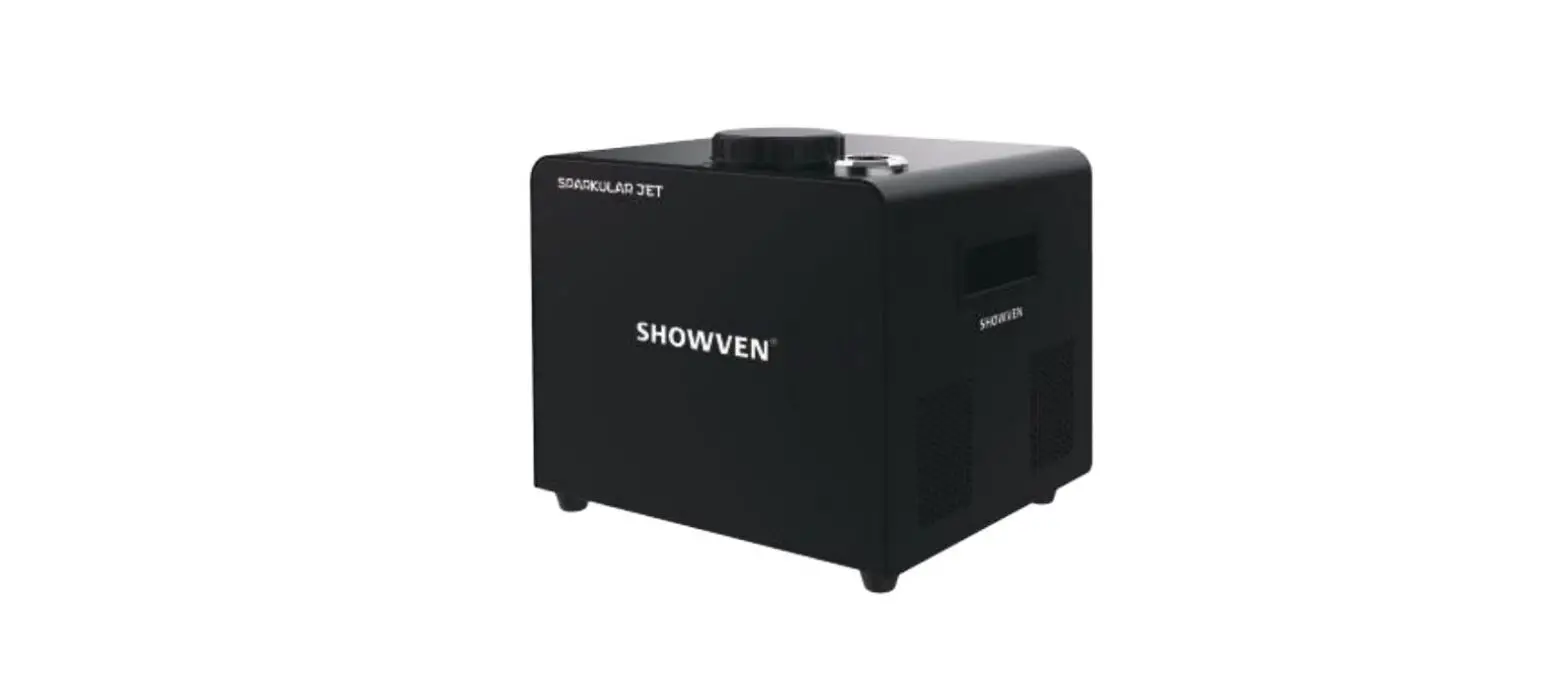
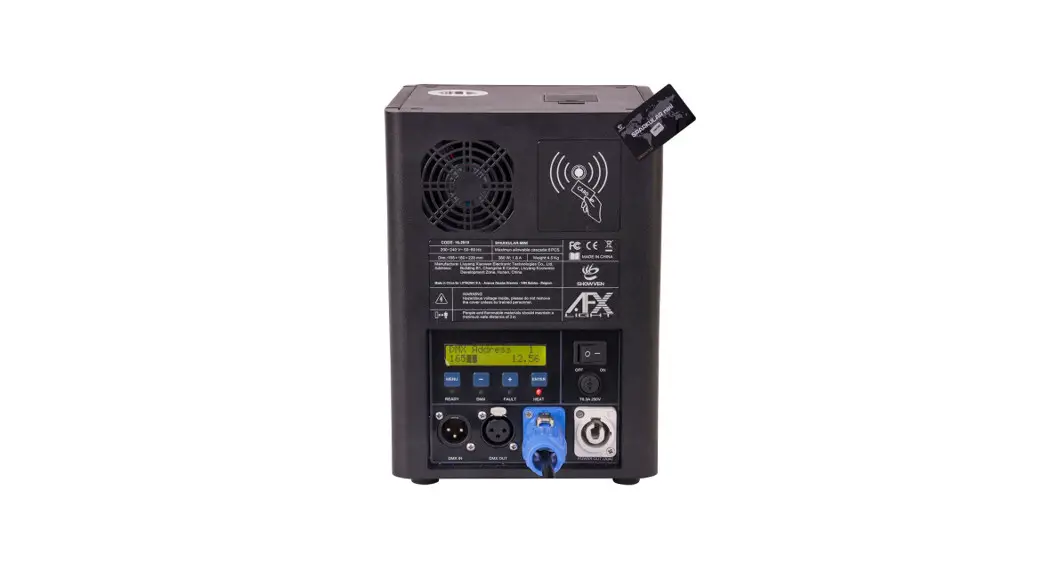
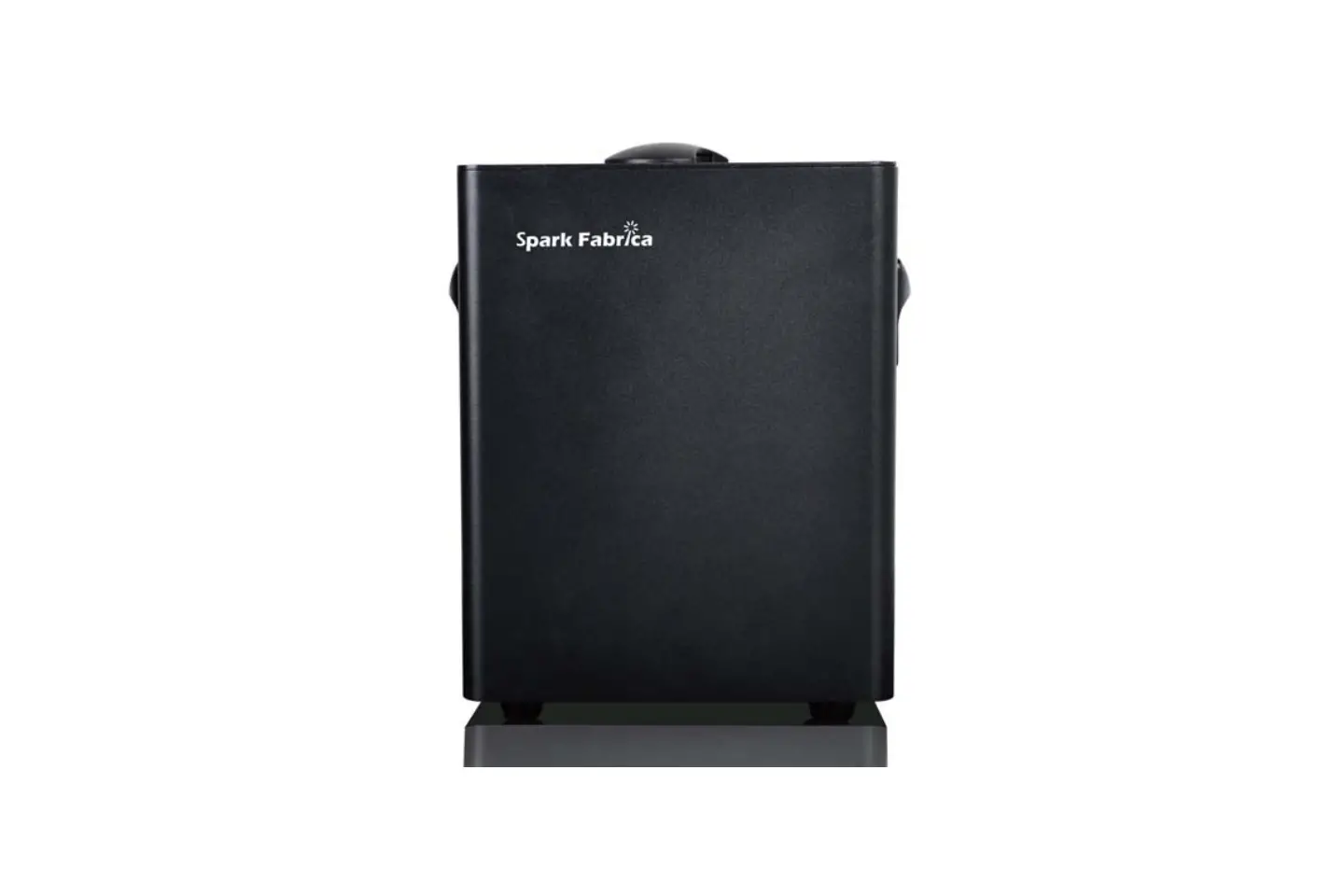
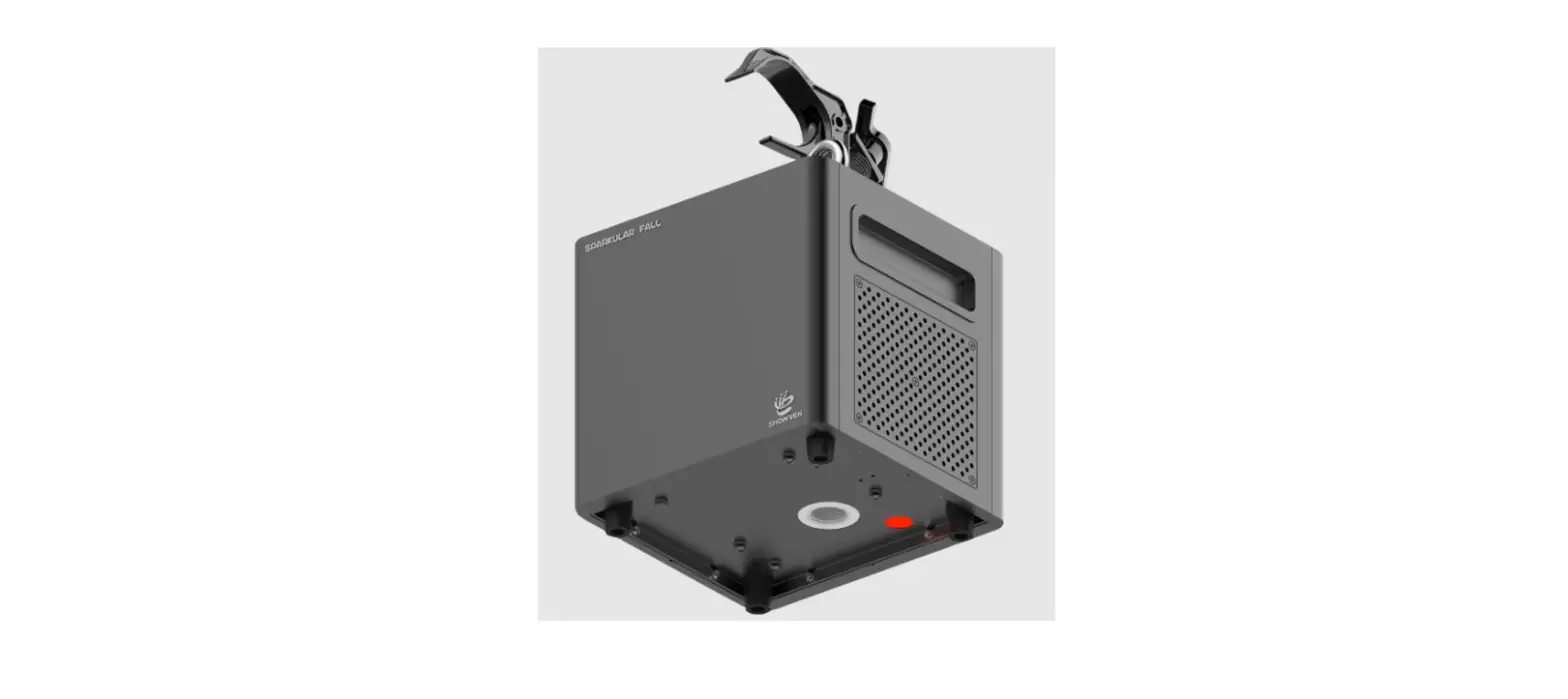
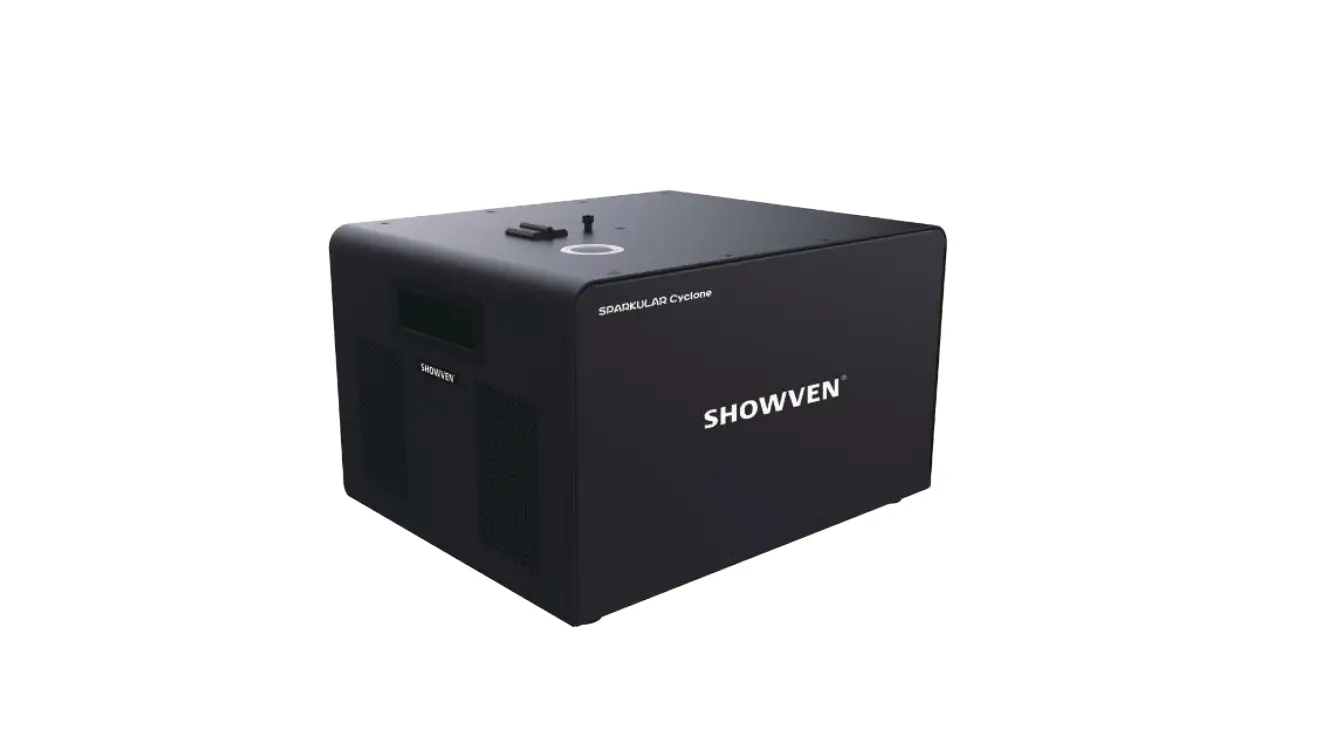
Moto Spark M3 Built-In Battery Spark Machine
Product Information:
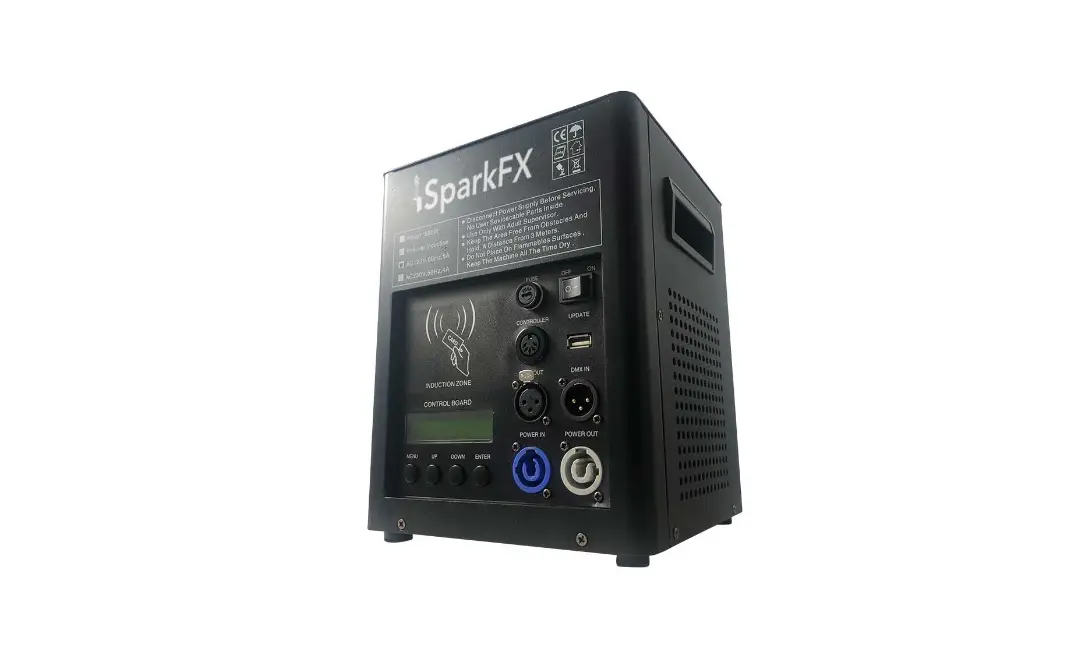
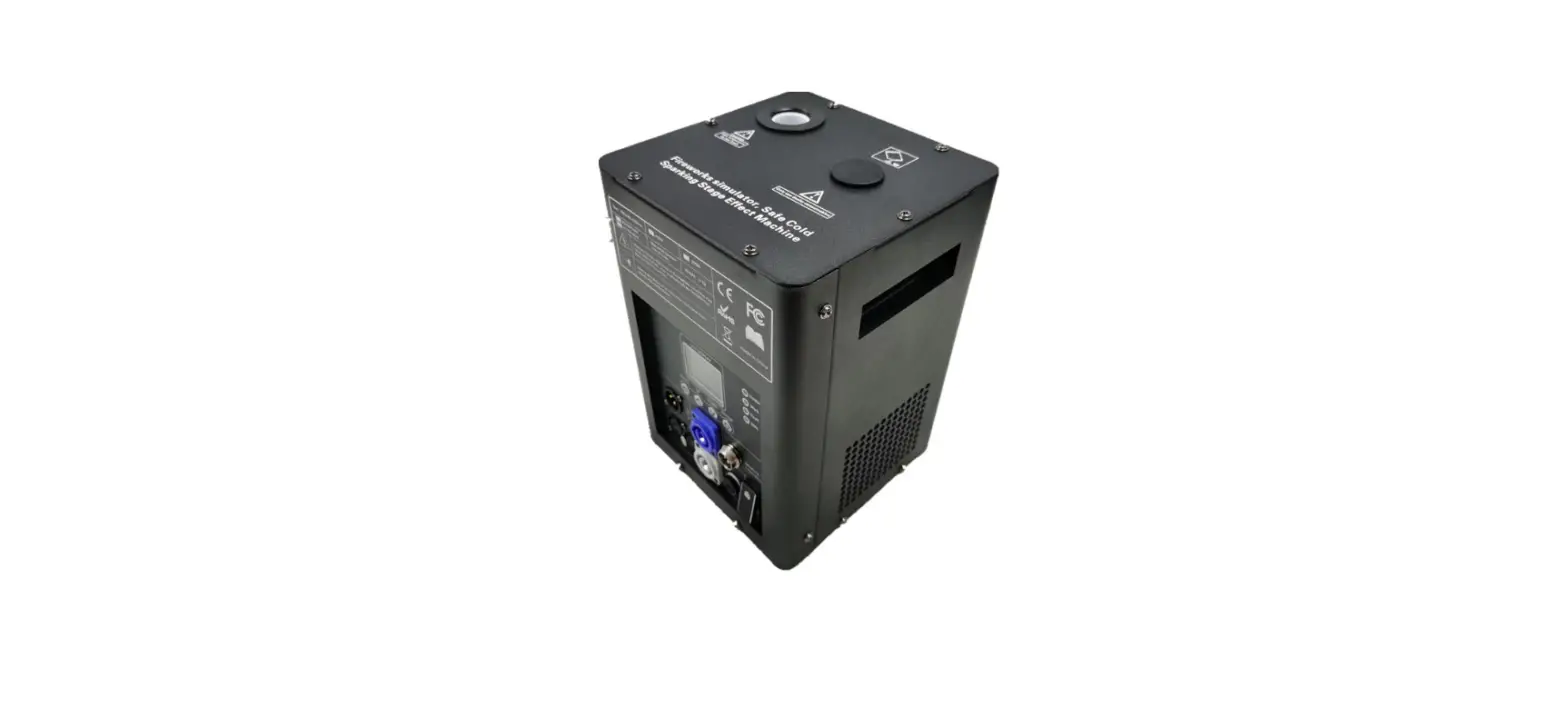
The Moto Spark M3 is a special effects equipment designed for
professional use. It is a cold fireworks simulation special effects
equipment that utilizes CST technology to heat special metal powder
and create a sparking silver spark fountain. This technology
ensures a safer experience compared to traditional cold fireworks.
The Moto Spark M3 offers three controllable variables – height,
density, and duration. It is widely used in weddings, concerts,
sports events, and other event meetings. This product aims to
stimulate interest and light up activities.
Product Overview:
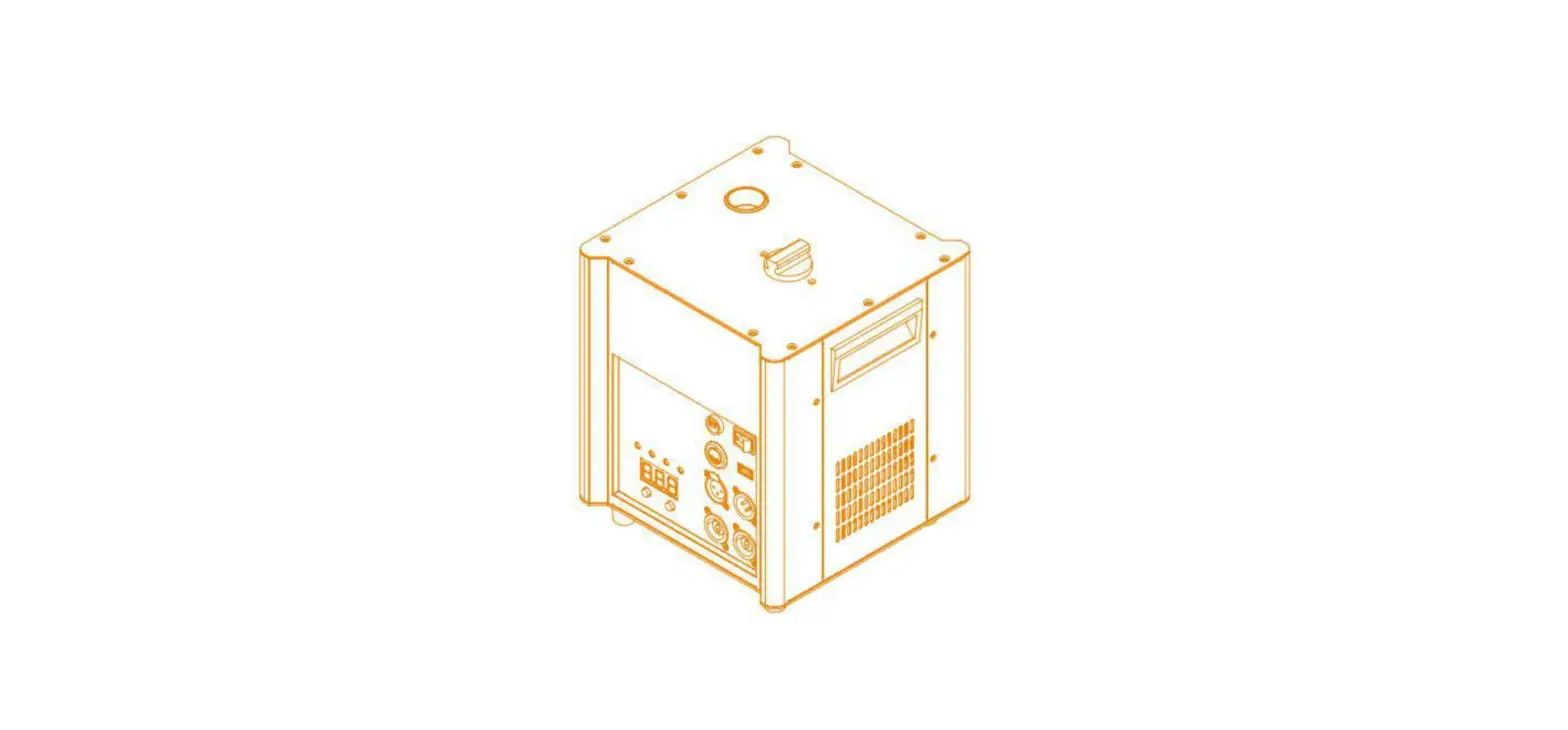
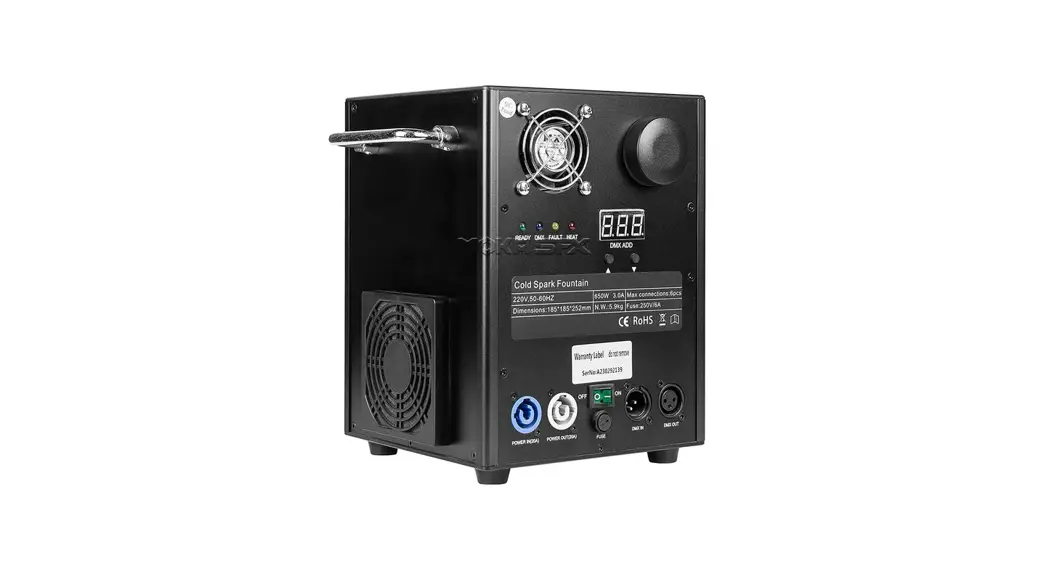
- Granule Filling Port
- LCD Screen
- Fuse
- Power Switch
- Power In
- Power Out
- DMX In
- DMX Out
- Output Nozzle
- Handle
- Air Inlet
Product Accessories:
- 1 Adapter
- User Manual
- Safety Ring
Spark Fabrica Granule:
The Spark Fabrica granule is a special metal powder with high
content and little residue. It is a special consumable that does
not produce smoke, odor, or any harmful gas when sparking. Only
consumables provided by Spark Fabrica should be used with the Moto
Spark M3. The company shall not be held liable for any damage to
machines, personnel, or property caused by the use of consumables
not provided by Spark Fabrica.
Product Usage Instructions:
Battery:
5.1 Type of battery: [Provide information about the type of
battery used in the product]
5.2 Installation of battery: [Provide step-by-step instructions
on how to install the battery]
5.3 How to charge battery: [Provide step-by-step instructions on
how to charge the battery]
5.4 Maintenance of battery: [Provide information on how to
maintain the battery]
5.5 Auto-switch between battery and AC: [Provide information on
how the product switches between battery and AC power]
Machine Operation:
6.1 Preparation:
- 6.1.1 Install Machine: [Provide step-by-step instructions on
how to install the machine] - 6.1.2 Fill in Spark Fabrica Granule: [Provide step-by-step
instructions on how to fill in the granule]
6.2 Connect Machine: [Provide information on how to connect the
machine]
6.3 Initial Setting:
- 6.3.1 Set Channel Mode: [Provide step-by-step instructions on
how to set the channel mode] - 6.3.2 Set DMX Address: [Provide step-by-step instructions on
how to set the DMX address]
6.4 Swipe RFID Time Card: [Provide information on how to swipe
the RFID time card]
6.5 Start to Spark:
- 6.5.1 Turn On Console’s Power: [Provide step-by-step
instructions on how to turn on the console’s power] - 6.5.2 Turn On Heating Function: [Provide step-by-step
instructions on how to turn on the heating function] - 6.5.3 Adjust Sparking Height: [Provide step-by-step
instructions on how to adjust the sparking height] - 6.5.4 How to Set the Remote Channel of Remote Controller:
[Provide step-by-step instructions on how to set the remote
channel] - 6.5.5 How to Use Remote Controller to Control the Moto Spark:
[Provide step-by-step instructions on how to use the remote
controller]
6.6 Clear Material: [Provide information on how to clear the
material]
6.7 Clean Machine: [Provide information on how to clean the
machine]
Machine Maintenance:
7 Machine Maintenance: [Provide information on how to maintain
the machine]
Failure Handling:
8 Failure Handling: [Provide information on how to handle
failures]
www.sparkfabrica.com
).’4-9.’96’81:+).4525-?+2+):854/)9)52:*
MOTO SPARK M3
USER MANUAL
MOTO SPARK USER MANUAL 3
CONTENTS
1PRODUCT INTRODUCTION A2
1.1PRODUCT OVERVIEW A2 1.2PRODUCT ACCESSORIES A3 1.3SPARK FABRICA GRANULE A3
2TECHNICAL PARAMETER A4
3 SCREEN OPERATION GUIDE A5
3.1 BACK PANEL INTRODUCTION A5 3.2 MENU SETTING A6 3.3 STATUS ICONS A7 3.4 DMX PARAMETER LIST A7
4 OPERATION NOTES A8
4.1 WORKING CONDITION REQUIRED A8 4.2 SAFETY TIPS A9
5 Battery A9
5.1 Type of battery A9
5.2 Installatin of battery A9
5.3 How to charge battery
A9
5.4 Maintenance of battery A9
5.5 Auto-switch between battery and ACA10
6 MACHINE OPERATION A10
6.1 PREPARATION A10 6.1.1 INSTALL MACHINE A10
6.1.2 FILL IN SPARK FABRICA GRANULE A11 6.2 CONNECT MACHINE A11 6.3 INITIAL SETTING A12 6.3.1 SET CHANNEL MODE A13 6.3.2 SET DMX ADDRESS A13 6.4 SWIPE RFID TIME CARD A13 6.5 START TO SPARK A13 6.5.1 TURN ON CONSOLE’S POWER A13 6.5.2 TURN ON HEATING FUNCTION A13 6.5.3 ADJUST SPARKING HEIGHT A14 6.5.4 HOW TO SET THE REMOTE CHANNEL OF REMOTECONTROLLERA15
6.5.5 HOW TO USE REMOTE CONTROLLERTOCONTROLTHEMOTOSPARKA15 6.6 CLEAR MATERIAL A16 6.7 CLEAN MACHINE A16
7 MACHINE MAINTENANCE A16
8 FAILURE HANDLING A17
).’4-9.’96’81:+).4525-?+2+):854/)9)52:*
www.sparkfabrica.com
DISCLAIMER
Please read the manual carefully before installing and using this product. Failure to read or comply with this manual may result in injury to products and personnel, and Spark Fabrica shall not be responsible for this. This product is a professional machine, we do not assume any responsibility for accidents or losses caused by the use or maintenance of this product by personnel without professional training and permission. If the information contained in the manual or the product specifications are changed, Spark Fabrica will not inform you further and responsible for any errors or omissions. Our company reserves the right to modify the user manual at any time
PREFACE
This manual includes warning, caution and notice concerning the safe operation of equipment. These warningcaution and notice come with the following icons. Please read them carefully!
This warning indicates a dangerous situation that may result in death or serious injury if not avoided.
CAUTION This alert indicates a dangerous situation that may result in mild or moderate injury if not avoided.
NOTICE
This means that you need to be careful.
MOTO SPARK USER MANUAL M3 b’
www.sparkfabrica.com
).’4-9.’96’81:+).4525-?+2+):854/)9)52:*
1. PRODUCT INTRODUCTION
This product belongs to special effects equipment, only for professional use.
This product belongs to the cold fireworks simulation special effects equipment, using CST technology, heating special metal powder, and sparking silver spark fountain which is safer than the traditional cold fireworks.It has three controllable variables: height, density and duration.
This product is widely used in weddings, concerts, sports events, event meetings and so on.Stimulate your interest and light up your activity.
1.1 PRODUCT OVERVIEW
GRANULE FILLING PORT
LCD SCREEN FUSE
POWER SWITCH POWER IN
POWER OUT DMX IN
DMX OUT
MOTO SPARK USER MANUAL M3 b’
OUTPUT NOZZLE HANDLE
AIR INLET
).’4-9.’96’81:+).4525-?+2+):854/)9)52:*
www.sparkfabrica.com
1.2 PRODUCT ACCESSORIES
1 Adapater User Manual Safefy ring
NOTICE
Open the package carefully and check to make sure the goods are in good condition.
1.3 SPARK FABRICA GRANULE
A special metal powder has the characteristics of high content, little residue, belonging to a special consumables with no smoke, odor and other harmful gas when sparking.
Only the consumables provided by Spark Fabrica are allowed to be used. Spark Fabrica shall not be liable for any damage to machines, personnel and property caused by the use of consumables not provided by the company.
MOTO SPARK USER MANUAL M3 b’
www.sparkfabrica.com
).’4-9.’96’81:+).4525-?+2+):854/)9)52:*
2 TECHNICAL PARAMETER
Identification
AC Power Heating Hopper
Technical Parameters
Control Accessory Certification Weight Dimensions Granule
Manufacturer Name Model
Input Voltage & Frequency
Current Limiter Specifications &RQVWDQW &XUUHQW Nominal Total Power Consumption
Heat Up Time
Powder Tank Capacity Removable Hopper Lineary Adjustable Density Adjustable Height Height Level Powder Consumption (100% Output) Maximum Single Continuous Duration &RQWURO 3URWRFRO RFID Proximity Card RDM Power Safety Ring
CE ROHS FC Net Weight Gross Weight Machine Dimensions – L*W*H Packing Dimensions – L*W*H Granule
SPARK FABRICA MOTO SPARK M3 100-120V50 / 60HZ 200-240V50 / 60HZ 6.3A,100-120V / 6.3A,200-240V 5.5A,100-120V / 2.7A,200-240V 500W
<10miutes under battery mode
150g N/A 30-100% 2-5m 1-10 Level 20-25g/Minute 30s DMX-512 Adapter
10Kg 11kg 250X240X280mm 290X290X380mm Spark Fabrica granule
MOTO SPARK USER MANUAL M3 b’
).’4-9.’96’81:+).4525-?+2+):854/)9)52:*
www.sparkfabrica.com
3 SCREEN OPERATION GUIDE 3.1 BACK PANEL INTRODUCTION
LCD SCREEN
READY
When the equipment is ready, flashing light means that the heating temperature has not reached the set holding temperature, and long light means that the temperature of the movement has reached the spray requirements.
DMX
DMX input mode indicates that the DMX signal has been received, and the indicator light will keep flashing in wireless host mode.
FAULT
Error message indication: when the device runs wrong, the indicator light will turn on and the LCD will display error message.
HEAT
Movement heating status indicator, long light that is heating.
108&3SWITCH 108&3065 %.9065
108&3*/ %.9*/
ENTER INCREASE Decrease MENU
MOTO SPARK USER MANUAL M3 b’
www.sparkfabrica.com
3.2 MENU SETTING
PT:30¥ ST:680¥
DMX:1 PW:24.7V
LeftTime:xx H xx S
TotaTime:xx H xx M
BY SPARK FABRICA
Machine Ready SOC:47%
SPARK FABRICA
Setting Advanced Machine Status Information
).’4-9.’96’81:+).4525-?+2+):854/)9)52:*
Temperature DMX Channel DMX Address ClrError Address
Charge Batty RFID Auto Heat Restore Defaults
FM-A:XXXX Ta:xxxx P1-V:xxxx B1-V:xxxx
DMX0:xxx DMX1:xxx DMX2:xxx DMX3:xxx
M3 Ver:2201 CN:XXXXXXXX RF VER:2202
Set Temperature ST680
DMX Chnnel 2
Set DMXAddr 1
RF Channel 1
Set SafetyAddr OFF
Set ClrErrorAddr OFF
Battery Charge OFF
RFID OFF
Auto Heat OFF
Tilt Sensor OFF
TFT BackLight OFF
Restore Defaults OFF
NOTICE NOTICE NOTICE
Press <OK> to enter the menu setting. The screen will automatically return to the main state interface with no modification.
Press · key or key to modify parameters. The parameters will be flash after the modification, and please press < 0K > key to save the change.
Press ! key will return to previous page.
MOTO SPARK USER MANUAL M3 b’
).’4-9.’96’81:+).4525-?+2+):854/)9)52:*
www.sparkfabrica.com
3.3 STATUS ICONS
NOTICE
When the icons are green means the machine is working normally, and yellow means abnormal.
Wireless Connection Shaft Motor Temp Sensor Unconnected Tip Over
PCB Too Hot
2-8 Channel mode
AC mode
Blower Motor Hopper Motor Temp Over Heat Lack Of Time Sub PCB Connected Battery mode
3.4 DMX PARAMETER LIST
First Channel
0~10 11~255
Second Channel
0~200 11~39 56~200 240~255
Function
Stop Fountain Height
Function
Pre-heat Off Emergency Stop Clear Material Pre-heat On
NOTICE
The DMX address of safety channel must above 200
4 OPERATION NOTES
Please read the following Operation Notes carefully before working with the machine.
MOTO SPARK USER MANUAL M3 b’
www.sparkfabrica.com
).’4-9.’96’81:+).4525-?+2+):854/)9)52:*
4.1 WORKING CONDITION REQUIRED
Do not mount the product on a flammable surface (linoleum
carpet, wood, paper, carton, plastic, etc). Make sure there are no inflammable or combustible materials in the using environment.
Ground water entering or covering the bottom of the machine will cause machine failure or electrical leakage risk. Make sure the bottom of the machine is at a safe distance from the surface water in rainy weather to avoid surface the machine from the bottom.
Do not use in a confined space. Always install the product in a location with adequate ventilation, at least 20 in (50 cm) from adjacent surfaces.
This product has no lightning arrester, please do not use this product in thunderstorm weather.
Keep people or flammable materials at least 10 feet (3 meters) away from the machine, and make sure that debris does not fall on flammable objects.
Do not use the machine at temperature above 122 ‘F (50¥).
4.2 SAFETY TIPS
Always connect the ground wire to avoid electric shock.The machine cannot be submerged in water while operating it.
Do Not touch the sparks.During heating up and operation, do not touch the housing.
Ensure nothing drop(s) into the nozzle of Spark Jet Pro unit. Do Not cover output nozzle port.
MOTO SPARK USER MANUAL M3 b’
).’4-9.’96’81:+).4525-?+2+):854/)9)52:*
www.sparkfabrica.com
The product is very hot during operation and it remains hot for a long time after operation has stopped. Do not touch or put finger in the output nozzle.
Make sure that children, unauthorized people and animals do not obtain access to the machine.
The noise level generated from the spark machine unit is estimated at 80dB depending on the point nearest to the machine(s) during operational discharge mode.
Wear eye protection to avoid eye injury while filling granules and testing spark machine(s).
The proper firefighting extinguishers are recommended as follows:Any type of sand or substance that can suffocate the active metals.Class “D” Fire Extinguishers for Metal Substance Fires.
5 Battery 5.1 Type of battery
This machine can take 21 pieces of 21700 Li-on cell battery. Which can support 2 hours firing time.
5.2 Installatin of battery
This machine must install 21 pieces of battery. Less battery will lead to malfunction of machine or result in battery explosion due to overloaded charging current. Please follow the instruction on the battery panel to install the battery. Do not install battery upside down .
5.3 How to charge battery
Connect the power plug to AC, turn on the machine, go to screen to choose BATTERY CHARGING MODE from the menu. Then it will start charging the battery. Connect the power plug to AC, turn on the machine, go to screen to choose BATTERY CHARGING MODE from the menu. Then it will start charging the battery.
5.4 Maintenance of battery
MOTO SPARK USER MANUAL M3 b’
www.sparkfabrica.com
).’4-9.’96’81:+).4525-?+2+):854/)9)52:*
5.5 Auto-switch between battery and AC
When you plug off the power cable, machine will automatically switch to battery mode. When you plug in the power cable, machine will automatically switch to AC mode.
6 MACHINE OPERATION 6.1 PERPARATION
Install the machine on a firm and level ground, and the maximum tilt angle shall not exceed 15 degrees.
= 0° 15°
6.1.1 INSTALL MACHINE
Install the product on truss by using the attached accessories.
15°
Keep people or flammable materials at least 10 feet (3 meters) away from the machine, and make sure that debris does not fall on flammable objects.
*Specific installation notes please refer to “4 OPERATION NOTES”.
MOTO SPARK USER MANUAL M3 b’
).’4-9.’96’81:+).4525-?+2+):854/)9)52:*
www.sparkfabrica.com
6.1.2 FILL IN SPARK FABRICA GRANULE
Spark Fabrica Granule is the consumable specially designed for spark machine, to simulate cold fountain fireworks effect for stage.
*Tear the vacuum package of granule, and fill in the Spark Fabrica Granule through the granule filling port on the top of the machine.
*Fill the consumable into the feed portNOT into the output nozzle.
*Close the lid securely after filling.
*The capacity of storage bin is 150g.
Open the lid
41″1″3,$,
Make sure to fill the Spark Fabrica Granule through the feed port on the top of the fixture when power supply is off.
Wear eye protection to avoid eye injury while filling granules and testing spark machine(s).
MOTO SPARK USER MANUAL M3 b’
www.sparkfabrica.com
).’4-9.’96’81:+).4525-?+2+):854/)9)52:*
Do not use damaged power plug and power cable.One power plug is recommended to connect 4 units in series at most for this product.
Please attach the configured 120 ohm terminal resistor to the outlet of the last machine to enhance the anti-interference of the machine.
Please calculate all products’ total current required according to the power supply and fuse parameters of the products.
The standard length of the power connection line and the signal connection line is 3 meters, and a longer length can be reached by connecting in series.
6.3 INITIAL SETTING
Setting Set Temperature DMX Address DMX Channel Mode Density Safety Addresss Tilt Sensor
Restore Defaults TFT BackLight Auto Heating
Range 680-700 1~512 2/8 30~100 0~512 ON/OFF YES/NO ON/OFF ON/OFF
Default 680 1 2 100 OFF(0) ON NO ON OFF
*Turn on power *Check the machine status icon(refer to icon introductions of 3.3)
When the icon shows yellow, it indicates that the machine is abnormal. Please use it after asking the professional to check and repair the machine.
*The sparking temperature of the machine is the factory default temperature. The product will heat up automatically when disconnected with DMX signal.Automatic heating function can be set to on or off, and the concrete operation please refer to “3.2 MENU SETTING”.
*When spark machines connect DMX signal, the heating function can be started only on the Sim Pyro Console.
MOTO SPARK USER MANUAL M3 b’
).’4-9.’96’81:+).4525-?+2+):854/)9)52:*
www.sparkfabrica.com
6.3.1 SET CHANNEL MODE
This machine has 2 channel mode and multiple channel mode, the specific setting please refer to “3.2 MENU SETTING”.
6.3.2 SET DMX ADDRESS
Please set DMX address according to channel mode: *In the 2 channel mode, please set spark machines’ DMX address to 1.3.5.7……
Please do not set address code repeatedly.
6.4 SWIPE RFID TIME CARD
In order to avoid machine failure or other safety accidents caused by bad-qualified consumables, this product can only be used with special RFID time card.
Each swipe of the card can be recharged for 12 minutes, and each machine can swipe up to 2 time cards for 24 minutes at most.The card can only be swiped again when the remaining time is less than 20 minutes.
If the customer breaks the card swiping function or cancels the card swiping function at the customer’s request, no quality guarantee and after-sales service will be provided by Spark Fabrica. Spark Fabrica shall not be liable for any accidents and losses about this.
6.5 START TO SPARK
The machine can be controlled by Pyro Sim Controller console or DMX512 console.
6.5.1 TURN ON THE CONSOLE’ POWER 6.5.2 TURN ON HEATING FUNCTION
The heating function of the second channel DMX value is 240~255, and it takes about 5 minutes to preheat after turning on.
When heating is turned on, the <HEAT> indicator light on the machine will turn to red, and the <READY> indicator light flashes green to indicate that the machine is heating.
Heating will complete after the <READY> indicator light turns green for a long time, and the spark machine will enter sparking status.
MOTO SPARK USER MANUAL M3 b’
www.sparkfabrica.com
).’4-9.’96’81:+).4525-?+2+):854/)9)52:*
When using the Pyro Sim Controller controller,the screen will display the real-time temperature of each machine. When the temperature value of the control board turns green, it means that the heating is completed and the machine enters the status of sparking.
6.5.3 ADJUST SPARKING HEIGHT
Adjust sparking height through the first channel, and the height adjustment values is DMX parameter values 11-255.
Do Not touch the sparks or put finger in the output nozzle.
During heating up and operation, do not touch the housing.
Keep a minimum distance of 10 ft (3 m) from the machine to the nearest human or flammable material. And make sure no falling residue fly to flammable material.
The maximum height of indoor and outdoor granule is different. The maximum height of indoor granule is 3.5 meters, while outdoor granule is 5 meters.
If spark machines are affected by wind, sparking height will be reduced, sparking direction will also be affected by the wind and inclined.
The proper firefighting extinguishers are recommended as follows:Any type of sand or substance that can suffocate the active metals.Class “D” Fire Extinguishers for Metal Substance Fires.
MOTO SPARK USER MANUAL M3 b’
).’4-9.’96’81:+).4525-?+2+):854/)9)52:*
www.sparkfabrica.com
9
9
9
25=
3/**2+
./-.
9:’4*?(? )5*+
)2+’4
.+’:54 .+’:5,, 5,,
]]]YVGXQLGHXOIGIUS
6.5.4 HOW TO SET THE REMOTE CHANNEL OF REMOTE CONTROLLER
The remote controller provides 12 remote channel options. Turn on the power of remote controller, Hold button 8 for 5 seconds until the led light flash, then please choose the 1-12 button on the remote controller, hold the selected button for 8 seconds.
6.5.5 How to use remote controller to control the moto spark
If the remote controller set the remote channel between 1-12, lets make 2 for example. Then we choose the RF channel on the machine screen to 2, then the remote controller can control the machine.
5S
LOW
15S
MIDDLE
STANDYBY
CODE
HEAT ON
HEAT OFF
30S HIGH CLEAN OFF
The remote controller can be used after coding when DMX signal is disconnected,or the function will be broken.
Sparking stops automatically after 30 seconds,and clearing material stops after 5 seconds.
MOTO SPARK USER MANUAL M3 b’
www.sparkfabrica.com
).’4-9.’96’81:+).4525-?+2+):854/)9)52:*
The remote controller has 4 height levels.
6.6 CLEAR MATERIAL
This product has the function of cleaning material, which can clean up the heated but not sparked consumables, so as to avoid nodulation in the heating chamber and causing stuck machine.
Use the cleaning function of the second channel for cleaning, DMX value is 56-200.
This function must be performed at the end of each show.
6.7 CLEAN MACHINE
After clearing meterial, please clean the machine to extend the service life of the machine. *Turn off the machine’s power. *Remove power connection and DMX signal cable. *Use a damp cloth to remove dust and debris from the surface of the machine. *Unused Spark Fabrica Granule should be stored in a cool, dry place, vacuum packed insealed foil bags, and prote-
cted from moisture, heat, hot surface, open fire and other ignition sources.
The product is very hot during operation and it remains hot for a long time after operation has stopped.
To eliminate unnecessary machine wear and improve its lifespan,unplug the power of the machine during the period of not-in-use.Never power off the product by pulling or tugging on the power cord.
7 MACHINE MAINTENANCE
Some steps are needed in order to clean and maintain the product for maximum usage. The recommended procedure is as follows:
After a period of using, check if there is any consumable accretion inside the nozzle. Do necessary cleaning up if there has some, or it may affect spark performance, even damage the machine.
MOTO SPARK USER MANUAL M3 b’
).’4-9.’96’81:+).4525-?+2+):854/)9)52:*
www.sparkfabrica.com
8 FAILURE HANDLING
Error Code Bat Voltage LOW E0
Description
Battery voltage UN-normal
Solution Replace main board
Motor Protect E1 M1
Motor Protect E1 M2
Motor Protect E1 M3
Temp Sensor E2 Unconnected
Blower motor protection/ disconnected
1.Restart machine to clear alerts,stop operating for 15 minutes until temperature return to normal.
2.Check wire connection of motor 3.Replace motor
4.Replace main board
Shaft motor protection/
1.Shaft motor clog (perform clean material function manually) 2.Check wire connection of motor
disconnected
3.Replace motor
4.Replace main board
1Hopper motor clog ( perform clean material function manually)
Hopper motor protection/ 2.Check wire connection of motor
disconnectd
3.Replace motor 4.Replace main board
Temperature sensor disconnected
1.Check wire connection of temperature sensor 2Replace Temperation sensor 3.Repalce Main board
PCB Too Hot E3 Time Remain E4
Main board too hot Insufficient time
Stop operating machine until main board temperature return to normal
Please scan new RFID card
Temp Over Heat E5
Heating protection due to over-temperature.
Heat Fail E6
Heating process fail
Tip Over E7
Tip over alert
Sub PCB Unconnected E8
Sub-PCB disconnected
Stop operating machine until temperature return to normal. Alert will clear off automatically.
1Inspect Wire connection of heating board.
2.Replace heating coil
3.Replace heating board Machine will activate tip over protection if the angle is more than 45 degrees. The alert will clear off automatically after put the machine back to normal position. 1.Check wire connection of Sub-PCB
2.Replace Sub-PCB
3.Replace Main Board
Illegal Card Machine Locked
Machine locked because Use illegal or copy RFID card will lock the machine. If so ,seller
of using illegal or copy will stop providing warranty and after sale service. To unlock
RFID card.
the machine,please contact seller.
MOTO SPARK USER MANUAL M3 b’
www.sparkfabrica.com
[email protected] +86 138 7585 1139
 Spark Fabrica, Inventor of Motor Sparkular, StageFX Device Manufacturer, To make event better-Changsha Spark Technology Electronics Co., Ltd.