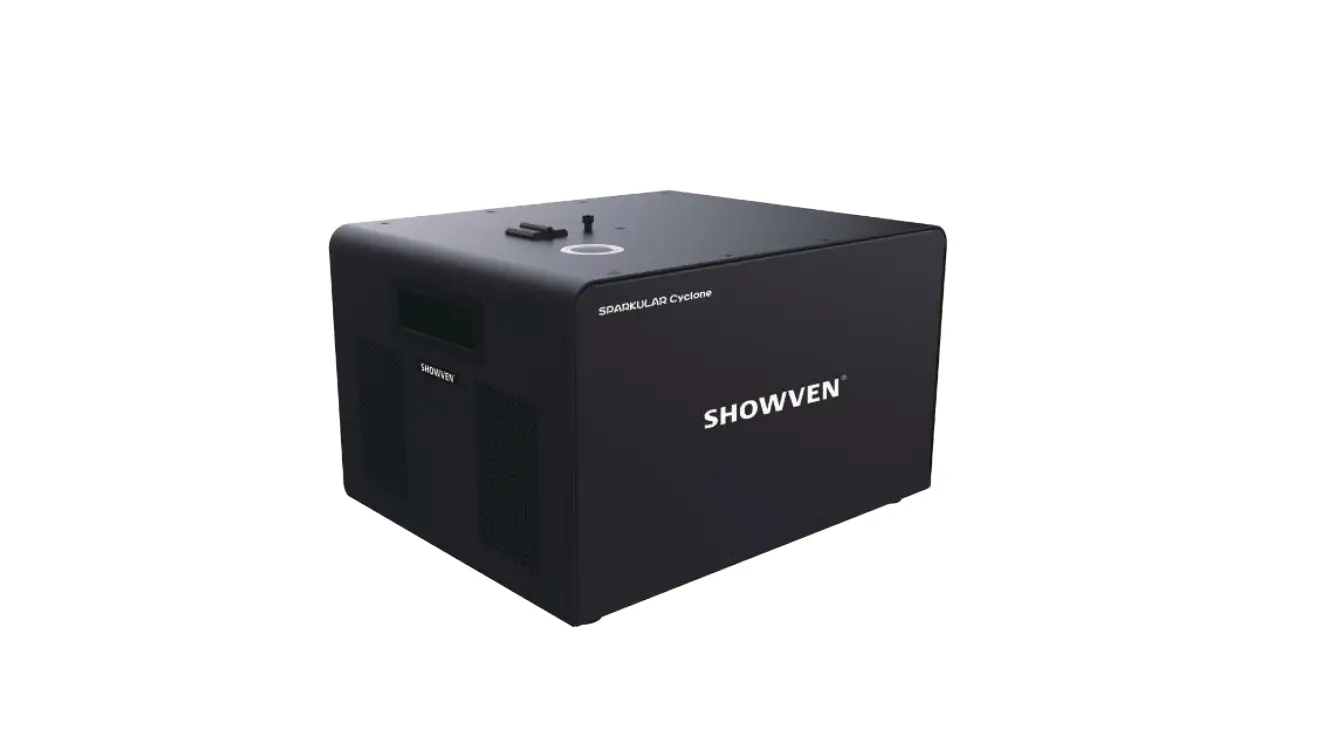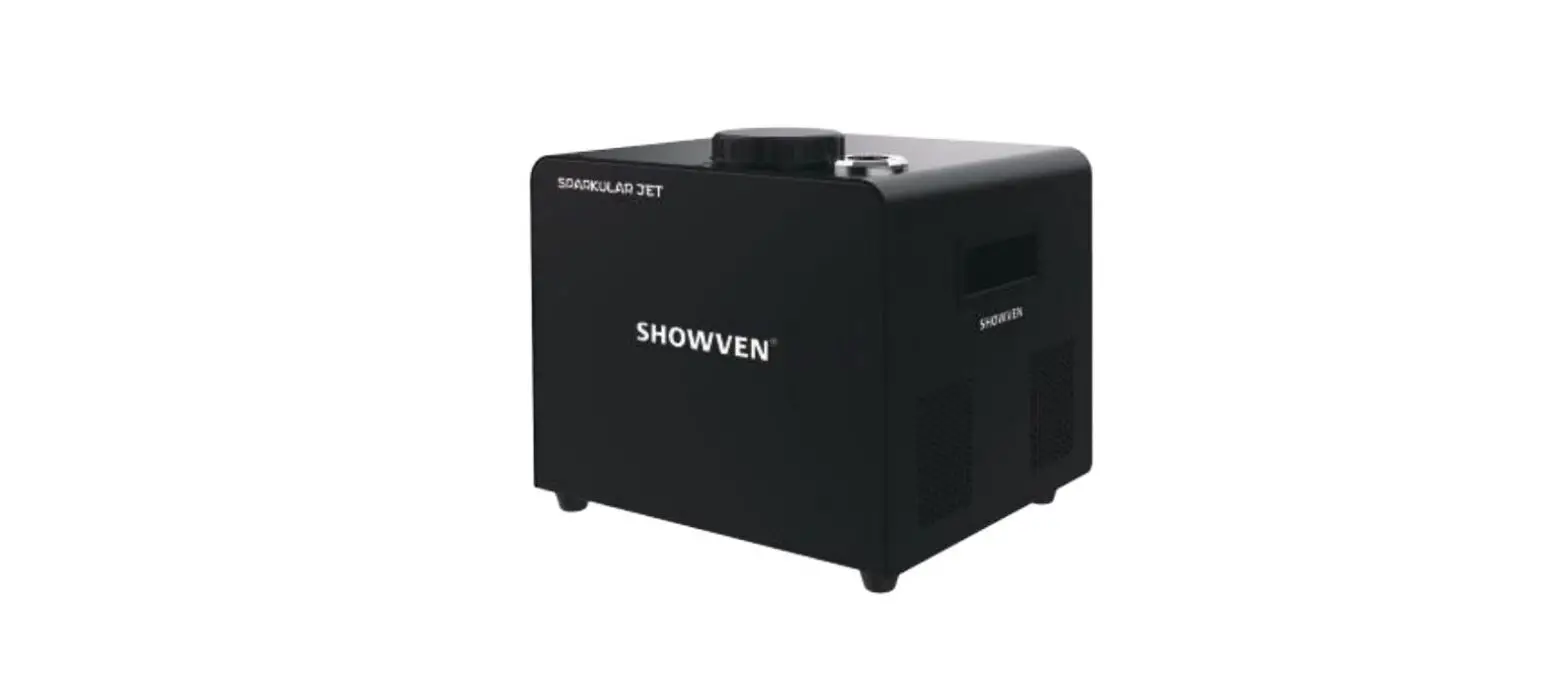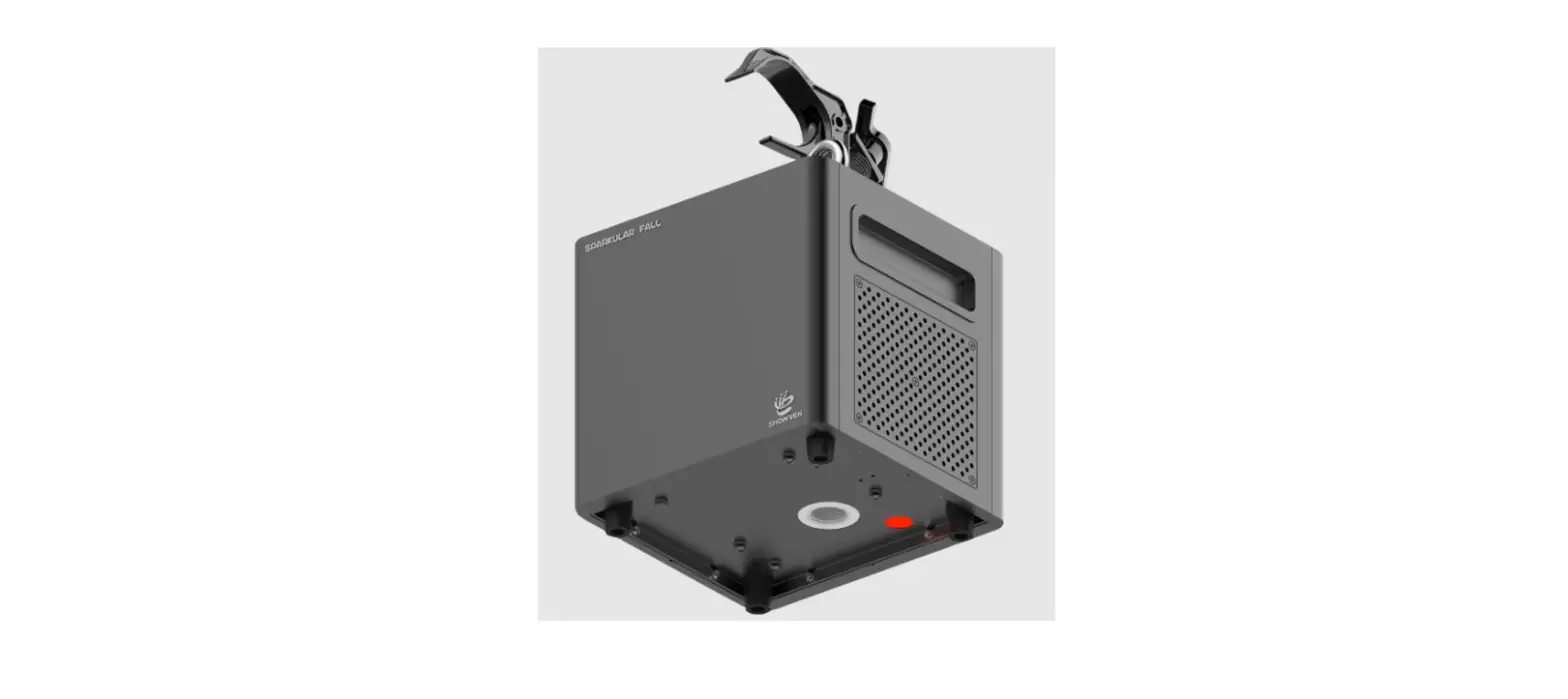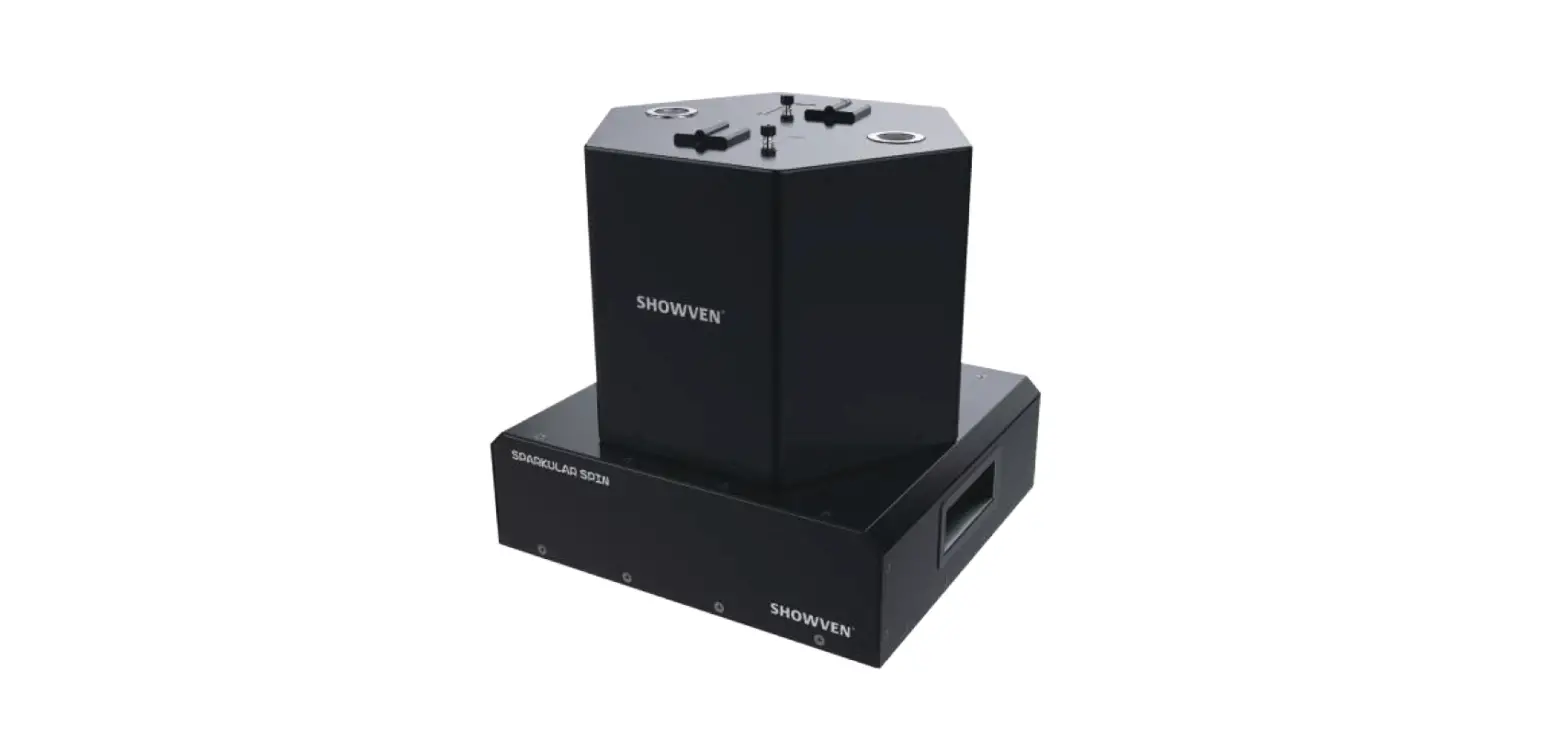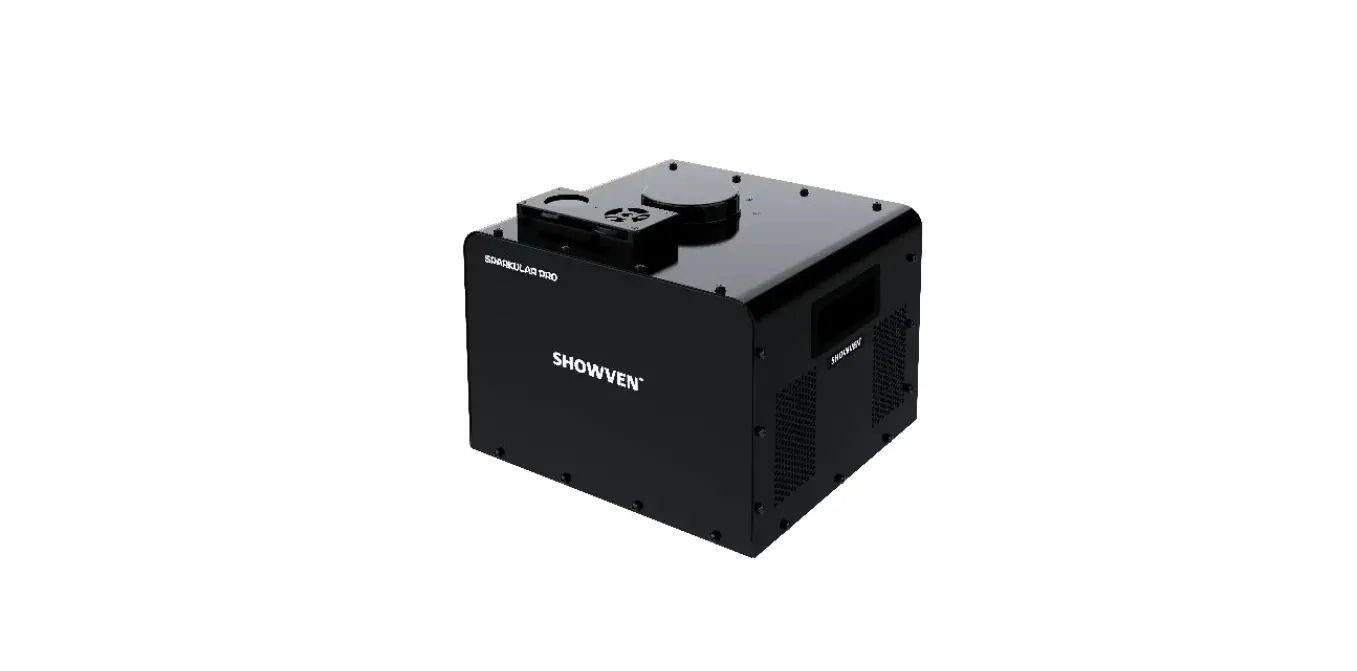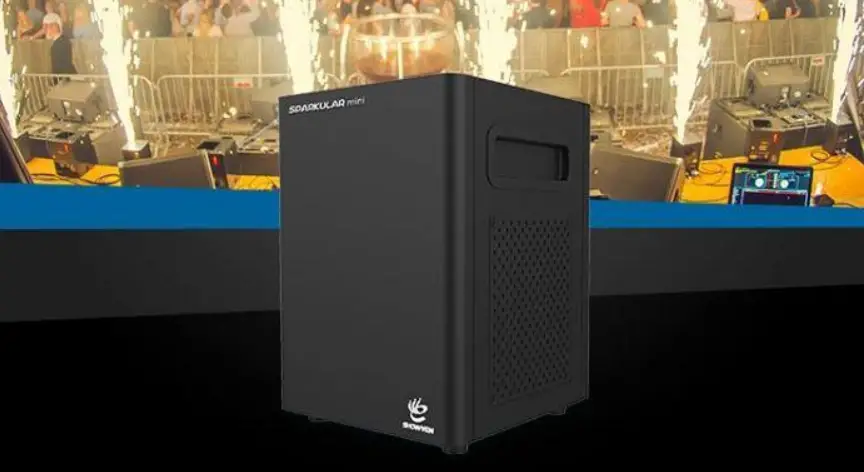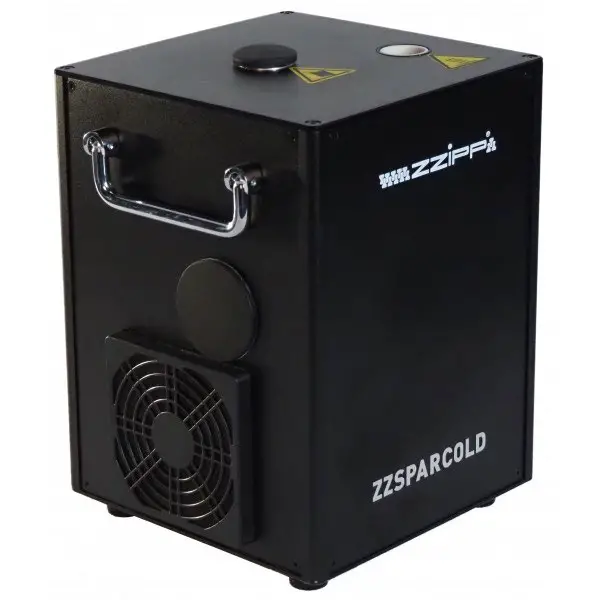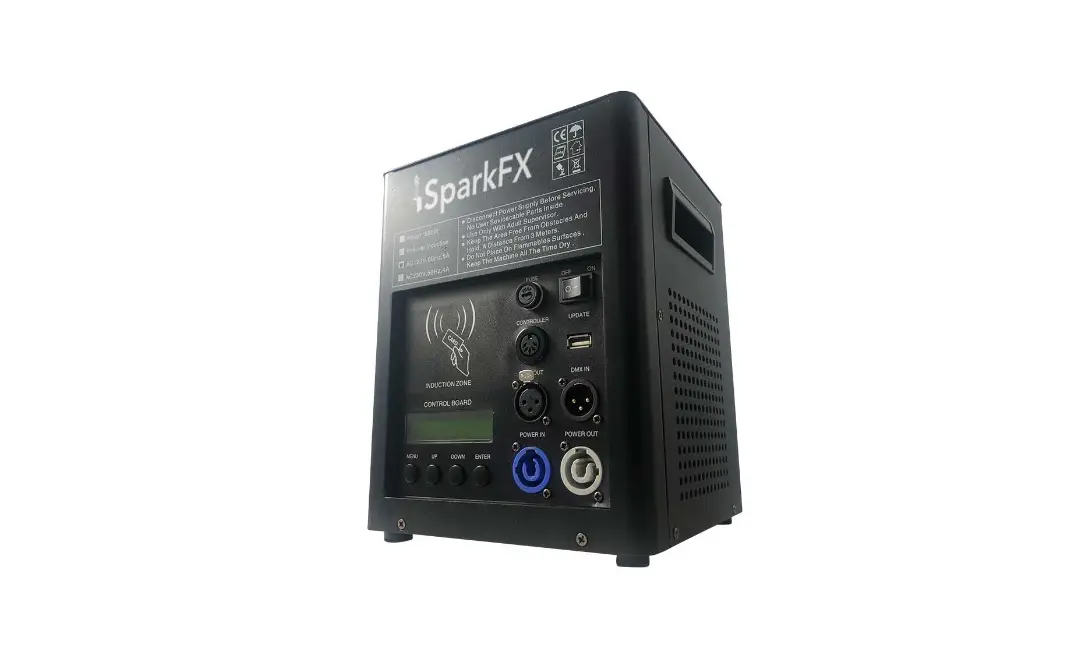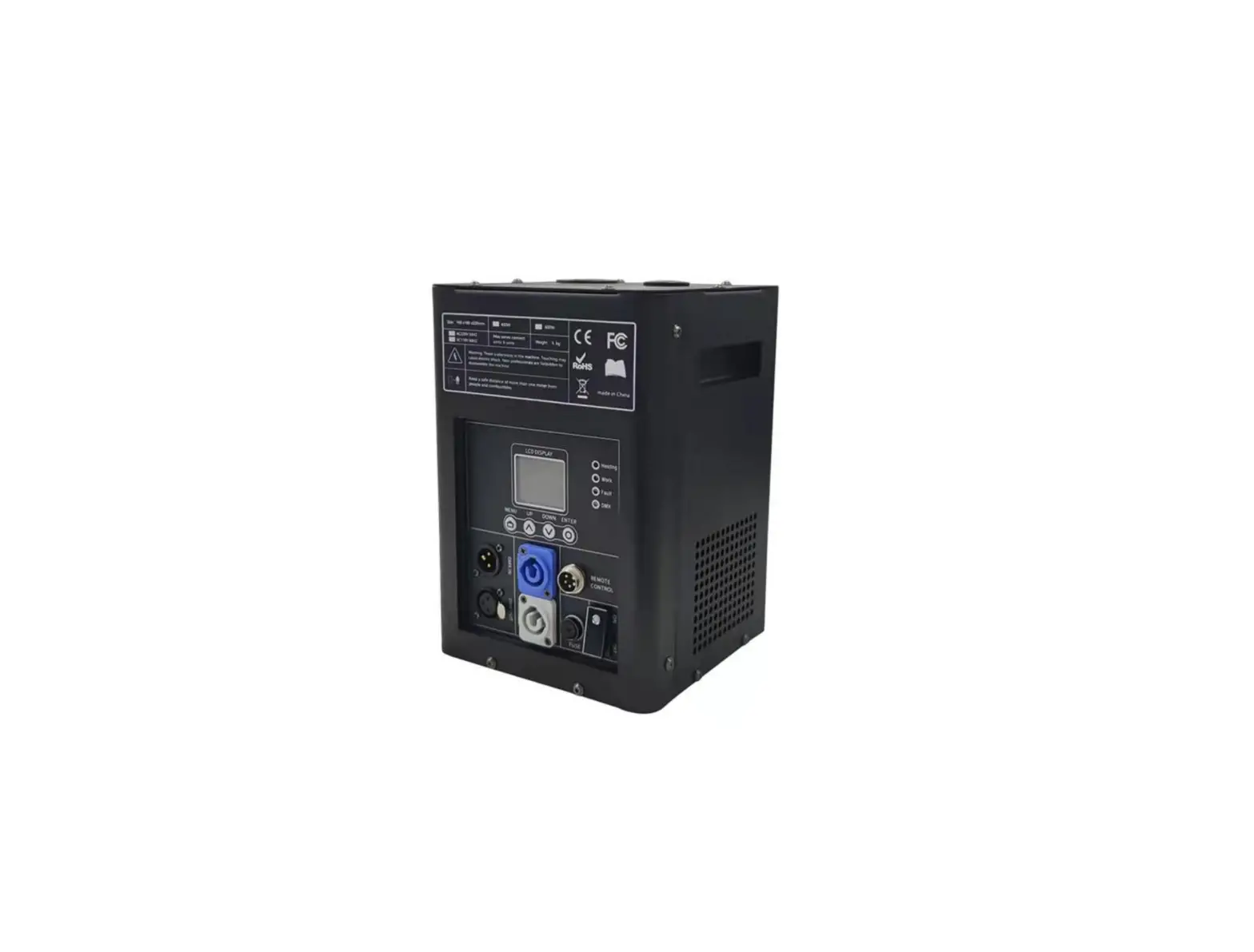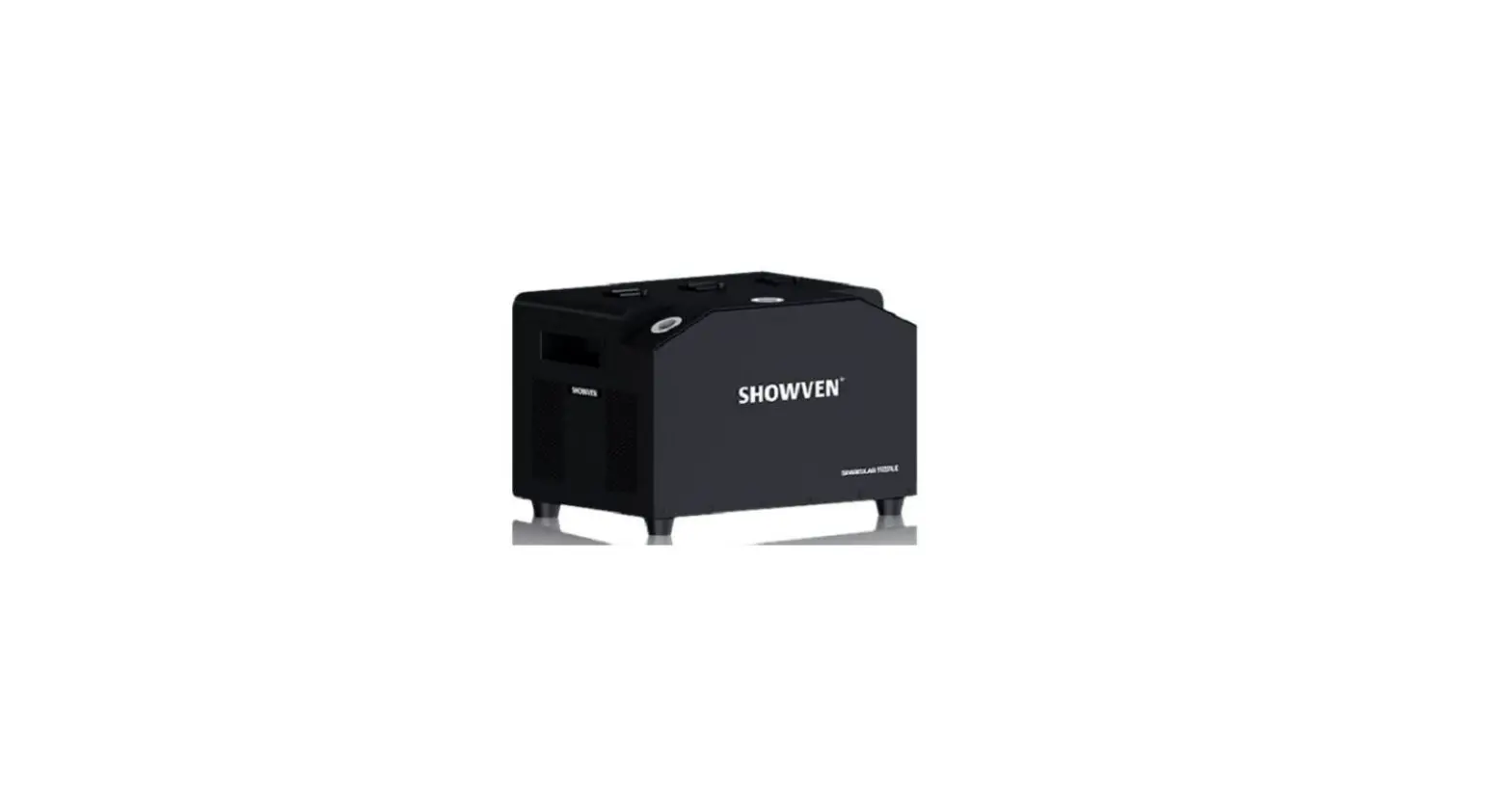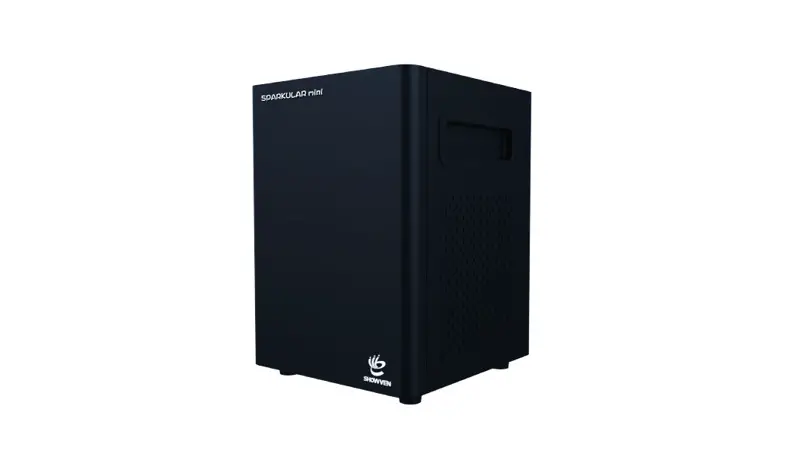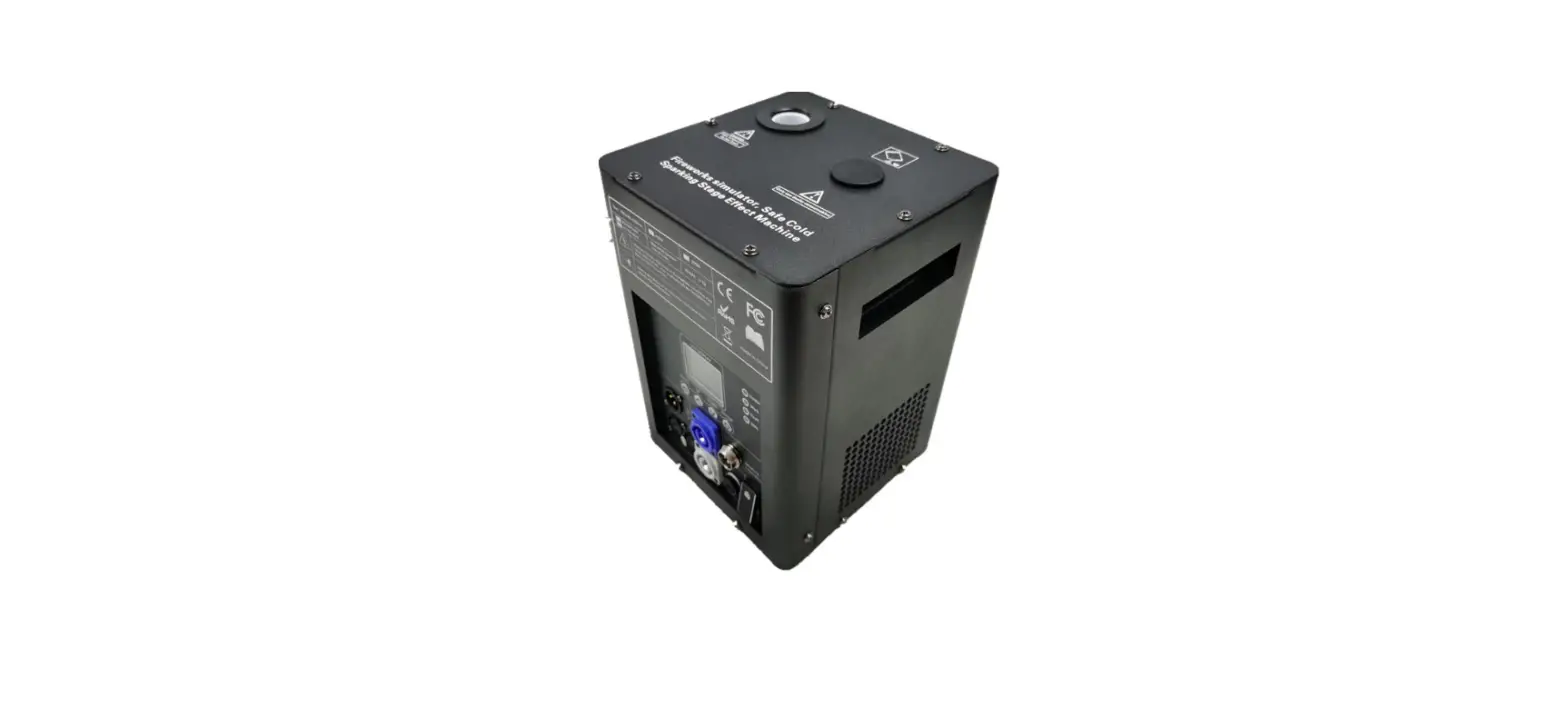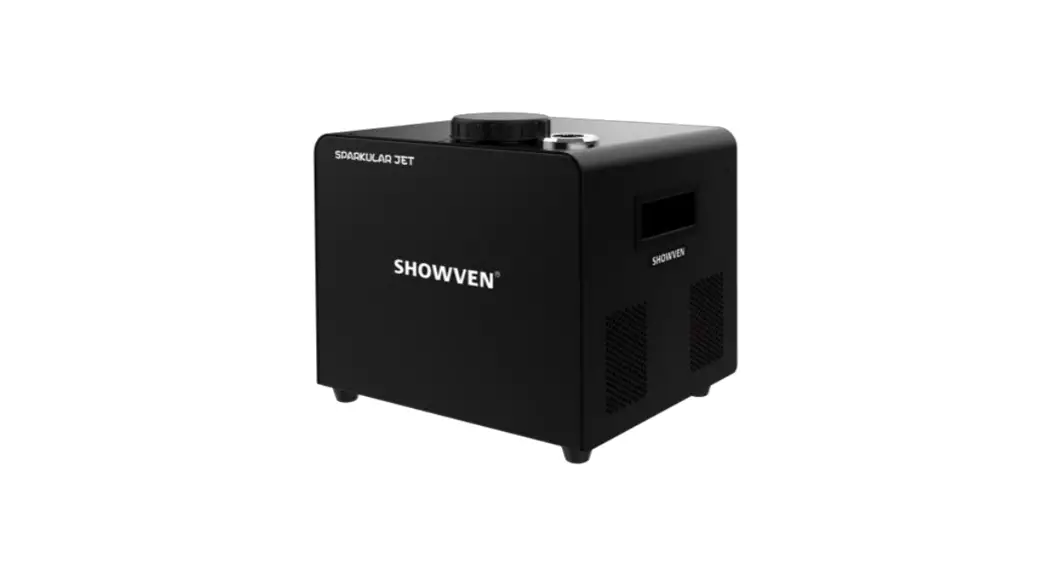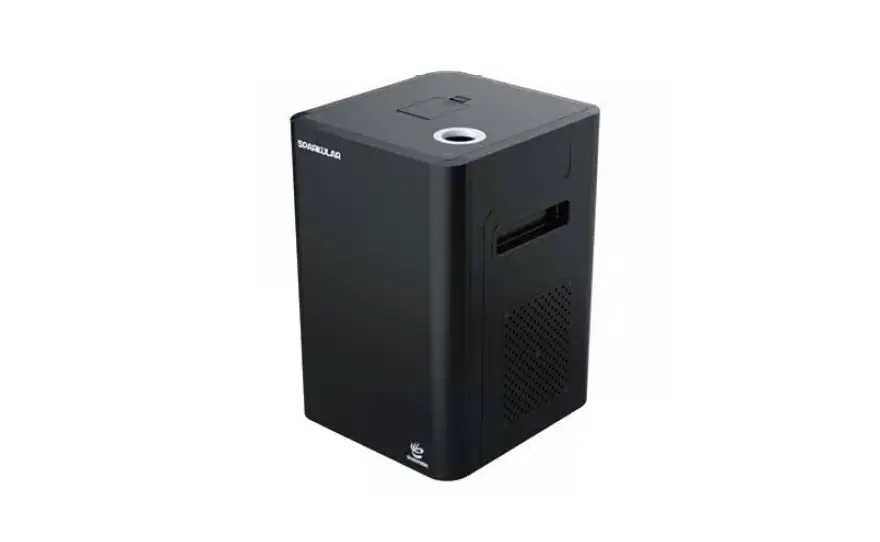

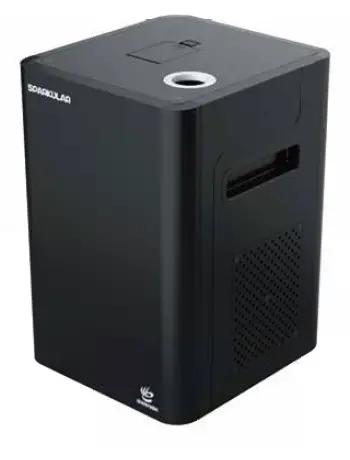
SHOWVEN Sparkular BT01 Cold Spark Fountain Machine
Safety
Warnings and Cautions
These are designed to alert your attention to hazards and important information that assists you in carrying out your activities on this machine safely and efficiently. Examples and descriptions of safety statements have been provided as follows:
WARNING:
WARNING ALERTS YOU TO HARMFUL OR POTENTIALLY LETHAL ACTIVITIES.
DESCRIPTION OF THE HAZARD IS GIVEN AND THE CONSEQUENCES OF IGNORING THEM.
Eye Protection
THE EYE PROTECTION WARNING ICON IS SHOWN TO INDICATE THAT YOU MUST BE PROTECT YOUR EYES WHEN CLOSE TO THE MACHINE DURING MACHINE OPERATION.
Injury Voltages
WARNING:
DANGEROUS VOLTAGES ARE PRESENT IN THIS MACHINE AND CONTROLLER WHEN ELECTRICAL POWER IS APPLIED. THERE IS A DANGER OF INJURY FROM ELECTRIC SHOCK.
UNDER NO CIRCUMSTANCES ARE YOU TO ATTEMPT TO OPEN THE MACHINE AND CONTROLLER OR ATTMPT TO REMOVE OR ADJUST ANY COMPONENTS FITTED WITHIN THE MACHINE AND CONTROLLER. ONLY FULL TRAINED SERVICE ENGINEERS ARE QUALIFIED TO OPEN THE MACHINE AND CONTROLLER.
Caution Against Liquids
WARNING:
USE CAUTION SO THAT ANY LIQUIDS DO NOT WET THE MACHINE. KEEP THE MACHINE AND CONTROLLER DRYAND NOT USE ON RAINY OR SNOWY DAYS UNLESS COVERED.
Warning
PLEASE PREVENT ANYTHING FROM ENTERING THE FOUNTAIN NOZZLE. IF THIS HAPPENS PLEASE CLEAR OBSTRUCTIONS BEFORE CONTINUING THE OPERATION.
PLEASE PREVENT THE MACHINE FROM DROPPING WHEN INSTALLING “DAMAGE CAN OCCUR”.
NEVER TOUCH THE NOZZLE OF SPARKULAR, DANGER OF GETTING BURNT.
NEVER TOUCH THE SPARKS WHICH SHOOT OUT FROM THE NOZZLE.
COVERING THE NOZZLE OF SPARKULAR IS PROHIBITED.
MAKE SURE THE LID OF THE FEEDING HOPPER IS CLOSED WHEN USING THE SPARKLER FOR BETTER HEAT DISSIPATION, BLOCKING THE AIR INTAKE AND OUTLET IS PROHIBITED.
Safe Distance
KEEP AUDIENCE AND FLAMMABLE MATERIALS AT A MINIMUM SAFETY DISTANCE OF 10 FEET. ENSURE THAT CHILDREN, ANIMALS, AND UNAUTHORIZED PERSONS CAN’T ACCESS TO SPARKLER. MAKE SURE SPARKS SHOOT OUT FROM SPARKULAR CAN NOT TOUCH ANY OBJECTS IN THE AIR.
In Case of Emergency
IF THE MACHINE NEEDS TO BE STOPPED QUICKLY DUE TO AN EMERGENCY, PRESS THE “PAUSE” / “STOP” KEY ON THE CONTROLLER TO STOP THE MACHINE AND SWITCH THE MACHINE POWER SWITCH ON THE PANEL OF THE MACHINE TO THE “OFF” POSITION.
IF NECESSARY CALL FOR MEDICAL ASSISTANCE AS REQUIRED.
Clear Material
PLEASE INSPECT THE FOUNTAIN NOZZLE OF SPARKLER MACHINE BEFORE USE AND CONFIRM WHETHER THERE ARE ACCUMULATED GRANULES. PLEASE CLEAN OUT EXCESS BY INVERTING THE UNIT TO CLEAN OUT THE PORT. EACH TIME BEFORE AND AFTER THE SHOW PLEASE RUN CLEAR MATERIAL ON THE HOST CONTROLLER OR DMX CONSOLE.
BEFORE DELIVERING THE MACHINE OR NOT USING THE MACHINE IN A LONG TIME, PLEASE POUR THE HC8200 OUT FROM HOPPER, AND STORE THE REMAINING HC8200 IN A DRY SEALED BOTTLE FOR NEXT TIME USE.
Power Supply Requirement
PLEASE SELECT A QUALIFIED POWER CONNECTOR ACCORDING TO THE REQUIREMENT OF SPARKULAR. IF NECESSARY PLEASE CONTACT SHOWVEN DIRECTLY FOR SUGGESTIONS.
PLEASE NOTE: ONE POWER SUPPLY CABLE CAN SUPPORT A MAXIMUM OF 6 SPARKLERS (BT01) / 3 SPARKU-LAR (BT02). EACH MACHINE CAN BE CONNECTED INDIVIDUALLY OR WITH THE POWER-CON SERIES CABLES SUPPLIED.
Difference
- PLEASE NOTE: THE VOLTAGE OF THE MODELS
- BT01 AND BT02 ARE DIFFERENT.
- BT01: AC 200V~240V
BT02: AC 100V~120V
Production Overview
Description
BT01 is a revolutionary special effect system. It uses a newly designed delivery control system for a fountain style sparks special effect, it can be controlled easily with DMX communication and is compatible with other stage effects equipment.
- Model BT01/BT02
- Dimension 200×218×305mm
- Weight 8.5kg
- Input AC 220V 50/60Hz (BT01)
- AC 110V 50/60Hz (BT02)
- Work Power 500W
- Work Temp. -10℃ ~ 50℃
- Casing Anti-flaming ABS
- Fountain Height 1.5m ~ 5m adjustable
- Lifetime >3 years
- Interface type DMX in/out, AC power in/out
Instructions
The Sparkular system has two main components: Sparkular BT01/BT02 and Host Controller ZK6200/ZK6300. BT01/BT02
with a series of built-in safety features that is readable on the Sparkular and host controller. Please note the read-out function
is not applicable for other DMX consoles.
The below descriptions will help to learn the operation and function of SPARKULAR systems.
Characteristics
- A)Safe, no gunpowder, no smoke, and pyro smell
- B) Up to 10-20min effects time after filling up
- C) Standard DMX 512 control
- D) Adjustable height from 1.5-5m.
- E) Easy setup and tear down
- F) Indoor / outdoor usage
- G) Flexible for rehearsal
- H) Environmental friendly
- I ) Patented and Originality technology
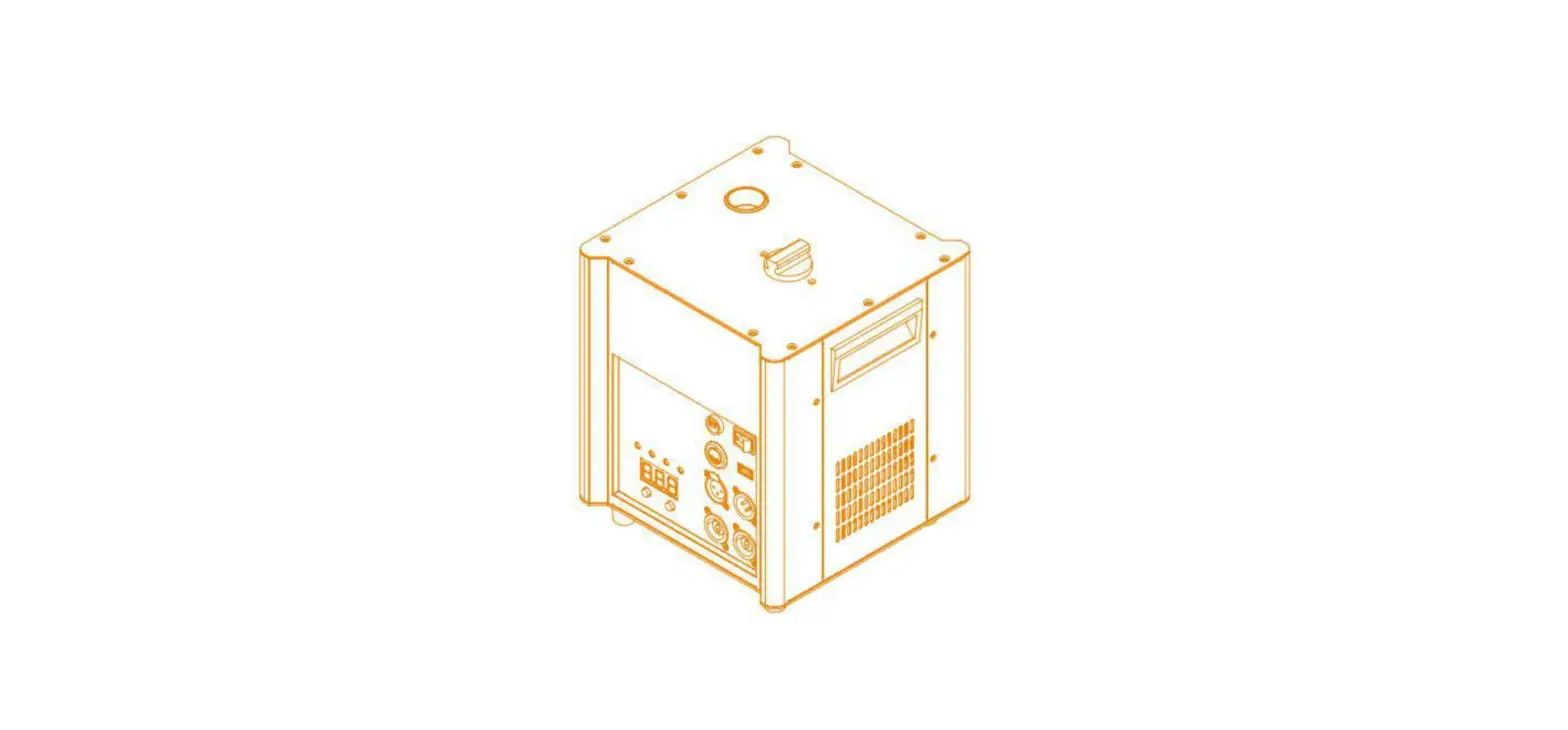
Operation Panel
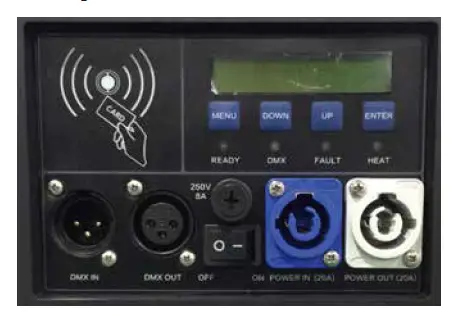
- A) LCD display:
Shows the operation menu and status of the machine. - b) LED Displaying Area:
READY: Flash means the machine is preparing, LED keeps on means ready to operate
DMX: Flash means DMX signal is connected, light OFF means there is no DMX signal
FAULT: Light ON when an error occurs
HEAT: Light ON when the system is heating up - c) Control Button Area:
MENU: switch through the setup menu
DOWN: parameter down
UP: parameter up
ENTER: confirm and save parameters - d) Interface and Plugging Area:
POWER IN: power in
POWER OUT: power out
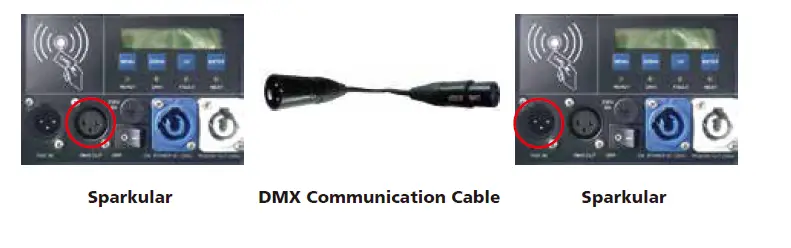
DMX IN: DMX Communication Signal Input
DMX OUT: DMX Communication Signal Output - e) Radio Frequency Identification Area:
RFID card comes together with HC8200, it is a safety design, that allow machines to identify the parameter and types of
consumable it adding to the hopper of the machine. It is obligatory to swipe the card before adding the consumable
HC8200 to the hopper of the machine.
Note:
Please note that the card enables the unit for 10-20 minutes of operation (which is the amount of time each bag of
HC8200 last). The RFID card is disposable and it is disabled after it has been swiped.
Interface
- a) Main Interface
- i) Displays DMX Address
- ii) Display the inner core temperature of the machine
- iii) Display error information when an error occurs
Error Information
| Error Information | Explanation |
| E0 System IC | Systematic error |
| E1 Motor Protect | Over current protection of the motor |
| E2 Temp. Sensor | Temperature sensor is not connected or damaged |
| E3 P Temp. Over | The equipment stops due to the over-temperature of the chassis |
| E4 Time Remain | Activated time for the machine is not enough, please swipe the RFID card |
| E5 K Temp. Over | The equipment stops due to over-temperature of the inner core |
| E6 Heating Failure | Heating fail, problem on heating PCB of the mainboard |
| E7 Tip Over | Tilt sensor activated when machine slant more than 45 degrees. |
Setting Menu
Press the “MENU” switch through the setup menu.
| Option | Range | Explanation |
| Set DMX Address | 1-512 | Set DMX Address. |
| Fountain Height | 1-10 | 10 gears of fountain height, manually adjust the height of sparks. |
|
Manual Heat |
On/Off | Auto preheat function switch after turn on the machine. If it is ON, the machine will heat up automatically after turn on. If it is OFF, the operator needs to start heating up on the HOST CONTROLLER or DMX console. |
| Manual Fountain | On/Off | Start firing manually, only for test. |
DMX address setup for SPARKULAR:
| Sparkular No. | 1 | 2 | 3 | 4 | 5 | 6 | 7 | 8 | 9 | 10 | 11 | 12 | 13 | 14 | 15 | 16 | 17 | 18 |
| DMX Address | 1 | 3 | 5 | 7 | 9 | 11 | 13 | 15 | 17 | 19 | 21 | 23 | 25 | 27 | 29 | 31 | 33 | 35 |
Note:
DMX address must be set according to the above rules.
If used together with HOST CONTROLLER ZK6200/6300, each unit of SPARKULAR must use a different DMX address, other- wise it may lead to signal interference.
Advanced Interface:
Press “MENU” for 3 seconds, the operator can enter the Advanced Interface. Press “MENU” switch to different options, and press “MENU” for 3 seconds, return to the main interface.
| Option | Range | Explanation |
| Set Temperature | Range | Setup SPARKULAR inner core temperature |
| Wireless Control | On/Off | Wireless On/Off, for wireless version only |
| LCD Backlight | On/Off | LCD Backlight On/Off |
| Density@ Height 1 | 30-50 | Adjusts the sparks density of Height gear 1* |
| Density@ Height 2 | 30-50 | Adjusts the sparks density of Height gear 2* |
| Density@ Height 3 | 30-50 | Adjusts the sparks density of Height gear 3* |
| Density@ Height 4 | 30-60 | Adjusts the sparks density of Height gear 4* |
| Density@ Height 5 | 30-70 | Adjusts the sparks density of Height gear 5* |
| Density@ Height 6 | 40-100 | Adjusts the sparks density of Height gear 6* |
| Density@ Height 7 | 40-100 | Adjusts the sparks density of Height gear 7* |
| Density@ Height 8 | 40-100 | Adjusts the sparks density of Height gear 8* |
| Density@ Height 9 | 40-100 | Adjusts the sparks density of Height gear 9* |
| Density@ Height 9 | 40-100 | Adjusts the sparks density of Height gear 10* |
| Mode Selection | Factory Mode User Mode | Factory mode is for engineer only. When in Factory mode machine can’t controlled by DMX console/host controller |
| Default Parameter | Press ENTER in this interface, all parameter of machine restore to default value. | |
| Motor Protect | On/Off | Motor protect function, default setting is Off |
| Power Selection | 220/110Vac | Select input power supply voltage. Default setting for BT01 is 220VAC. BT02 is 110VAC. |
DMX Channel Mode: The system occupies two
| First Channel | Function |
| 0-15 | Fountain Off |
| 16-39 | Fountain Height 1 |
| 40-63 | Fountain Height 2 |
| 64-87 | Fountain Height 3 |
| 88-111 | Fountain Height 4 |
| 112-135 | Fountain Height 5 |
| 136-159 | Fountain Height 6 |
| 160-183 | Fountain Height 7 |
| 184-207 | Fountain Height 8 |
| 208-231 | Fountain Height 9 |
| 232-255 | Fountain Height 10 |
| Second Channel | Function |
| 60-80 | Clear Material |
| 20-40 | EMERGENCY STOP |
| 0-10 | Pre-heat Off |
| 240-255 | Pre-heat On |
Host Controller
ZK6200/ZK6300 Host Controller is an intelligent system specially designed for the multi-effects and remote control of
Sparkular series machine, so as to create the simulation and demonstration of sparks effects. The audio trigger and timing
code trigger can be used to control the synchronous with music. LAN ports can be used to extend the communication
among multi-host controllers.
- Model ZK6200
- Dimension 390 x 300 x 110mm
- Weight 3.5kg
- Input AC 110V-240V, 50/60Hz
- Work Power 15W
- Work Temp. -10℃~50℃
- Ports 2 CAN communication ports,
- 1 USB port,
- 2 media ports(trigger by music),
- 2 MIDI ports(trigger by music),
- 2 DMX512 output ports, Ethernet.
- Support max. 200m communication cable
- Battery 3350mAH
- Lifetime >3 years
Host Controller Introduction – Standard or Pro Version
- a) Standard DMX512 signal output
- b) Support 18 units Sparkular at the same time (ZK6300 54 units).
- c) Five standard dynamic effect modes: Synchronization, Center to Ends, Ends to Center, Left to right, Right To Left,
Special Effects and one user-definable special effect mode (together with SPARKULAREdit 200 software from
SHOWN), supports 8 files and each file supports 36000 lines at maximum (special effects last for 30 minutes) - d) There are multiple optional trigger sources. Hand, Music or Midi Inputs.
- e) Support simulation function and LED display.
- f) Monitoring function: Host controller with RDMX function can feedback status information such as Temp., error
message etc. of each machine. - g) Emergency stop function: Pause or Stop Button.
Controller Operation Panel
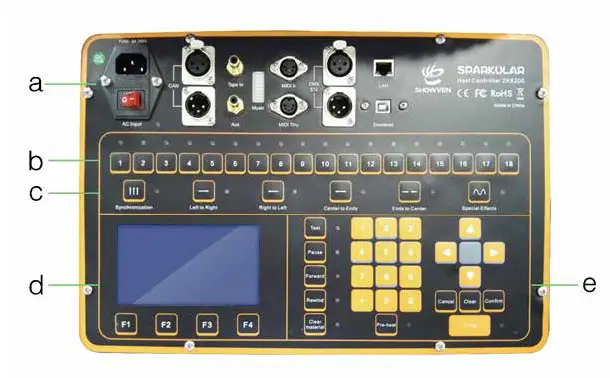
Cable Connection Area:
- AC Input: AC Power Input.
- CAN: CAN Communication Input/Output Ports.
- Tape In: Audio Signal Input Port of Main Channel
- Aux: Audio Signal Socket of Side Channel.
- Music: Displaying the Electrical Level of Audio Signal.
- MIDI In: Time Synchronous Signal Input of MIDI thru output.
- DMX 512: DMX Signal port
- LAN: Network’s Cascade Socket among Multi-Chassis, so as to link the remote control feature.
- Download: SparkularEdit200 software Port
Manual Operation Area

No.1 to No.18 is Sparkular number.
Firing / Stop of each unit of Sparkular by press related key of 1 to18.
The Sparkular can be operated after the Pre-Heat warm up for 5 minutes. The indicator light will switch from flash green
to always-on when heating up was ready. When firing is activated the indicator light will change to Red. Press “FIRING”
to shoot/stop the SPARKULAR machine.
Mode Selection Area 
There are five standard dynamic modes and one special effects mode which can be initiated by pressing the keys. These
activate a pre-programmed page of functions that are displayed on each selection.
LCD Area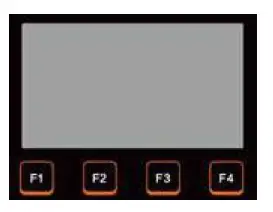
- F1: Main Menu
- F2: File Selection Menu
- F3: Configuration Menu
- F4: About the Menu
Edit/Control Area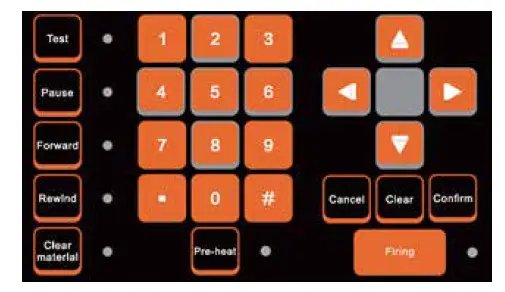
Parameters can be programmed through number keys or up/down keys.
Test: For test/demonstration of edit effects. When pressing the Test, the Sparkular file will be operated, and LED will display the
effect, but communication won’t be output. This is also for factory testing.
- Pause: The device can be forced to stop once any abnormality happens. Pre-heat also shuts off.
- Forward: Under the special effect mode, the operating time can be put forward.
- Rewind: Under the special effect mode, the operating time can be put backward.
- Clear Material: Clear material of SPARKULAR before and after each show, to clean the remaining consumable in the
heating chamber, and avoid blocking of the SPARKULAR. - Pre-heat: Press “Pre-heat” to heat up the SPARKULAR. It takes around 5min. For long time not use the machine,
suggest turning off the “Pre-heat” function and allowing SPARKULAR to return to normal temperature. - Firing: Activate/stop SPARKULAR programming.
Left and right keys can make the cursor move on the different parameters.
Parameters can be edited through up/down keys and number keys and it will be saved automatically. The confirm key
can also be initiated to save.
Interface
Main Menu
- MODE: Effect Mode
- GROUP: Total Quantity of Devices.
The battery logo shows battery capacity and when it decreases to one grid, please charge it.
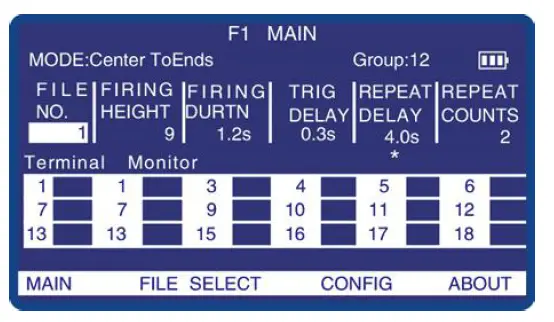
| Option | Scope | Illustration |
| FILE NO. | 1-8 | File number |
| FIRING HEIGHT | 1-10 | Fountain Height gear. “.” button can change height10 directly. |
| FIRING DURATION | 0.1-30.0s | Duration of the Fountain |
| TRIGER DELAY | 0.1-30.0s | Trigger delay between two machines |
| REPEAT PERIOD | 0.1-50.0s | Time to start of next sequence/period |
| REPEAT COUNTS | 1-5 | Repeated times |
Note: Only the “Pause or Stop, Forward”, and “Rewind” buttons are available when the “Firing” button lighting.
Please note the setting for “repeat counts” to avoid multi repeat effects.
Monitor: The working status of SPARKULAR will show on the LCD screen of host controller. Normal ly it shows the core temperature of SPARKULAR, when there are error information it will also show in this area.
Error Information
Please refer to the error information of the machine.
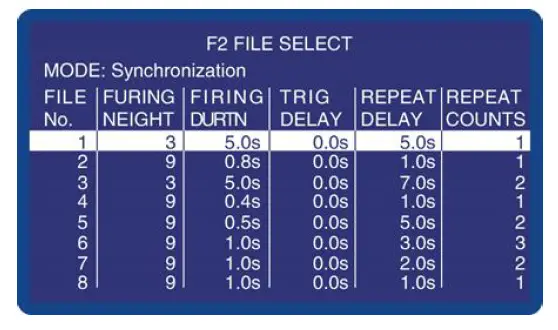
File Select: F2
F2 displays the parameters list of 8 preset files.
Configuration Menu: F3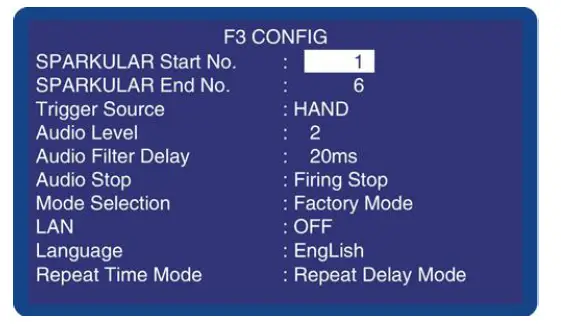
| Option | Range | Description |
| SPARKULAR Start No. | 1-18 | Select range |
| SPARKULAR End No. | 1-18 | Select range |
| Trigger Source | HAND,AUDIO,MIDI | Trigger Sources options under special effect mode |
| Audio Level | 1,2,3,4 | Voltage classes1-4 after choosing Audio Trigger Mode |
| Audio Filter Delay | 10-100ms | Time toThe filtering time of trigger signals after choosing Audio Trigger Mode start of next sequence/period |
| Mode Selection | User Mode Factory Mode | Factory Mode only used for the factory test |
| LANGUAGE | ENGLISH/CHINESE | Language switch |
| REPEAT TIME MODE | Repeat period Repeat Delay | Repeat period: Cycle timing start when first machines start to work. (chasing effects can realize with this mode) Repeat delay: Cycle timing start when the first firing cycle terminate |
| DMX IN | On/Off | On: DMX in activated, when there is DMX in signal, host controller will be locked, and DMX signal will transfer to SPARKULAR. OFF: DMX in disabled. |
| DMX Address | 1-512 | When use DMX IN function of Host controller, the DMX address of host controller. |
| LAN | Reserve for future use. Default value is OFF. |
The Use of the Special Effect Mode
Special effects are edited on SparkularEdit200 software with a computer, effects file can download to host controller with
USB cable. For more information please refer to the SparkularEdit200 manual.
Trigger Source
- HAND: When Trigger Source selects HAND, press Firing to activate programming.
- AUDIO: Audio Trigger interfered easily, and it can be triggered only one time, it is activated when an audio signal appears.
There is audio signal light on the Music window, and Audio Level 1-4 corresponds from bottom to top.
When Audio Level is 1 and Audio Filter Delay is 50ms, when the audio signal appears, first light of Music is on and lasts for
50ms and the file were activated.
In order to prevent the mistake trigger, before using the AUDIO trigger function, please set Trigger Source at HAND, connect
the audio signal to the normal audio signal source, and select AUDIO. According to the level of audio signal select the proper Audio
Level, Audio Filter Delay. - MIDI: When Trigger Source is set as MIDI, the operation of the device can be started and stopped synchronously by MIDI
Time Code (MTC).
No matter which mode the Trigger Source selected, the operation of the device can be started and stopped synchronously
by SparkularEdit200 connected computer.
System Configuration and Connection
- System Configuration

- System Connection
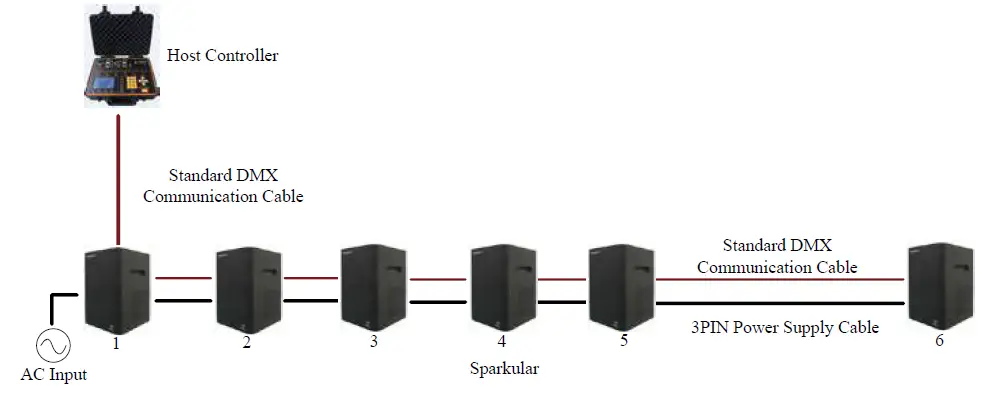
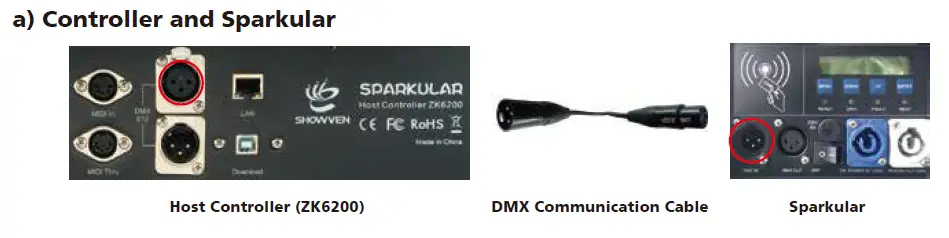 Sparkular Power Supply Cable
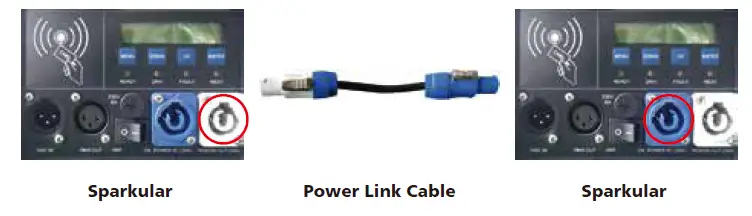
Maximum of 6 units (BT01) / 3 units (BT02) Sparkular in series with one main power supply cable.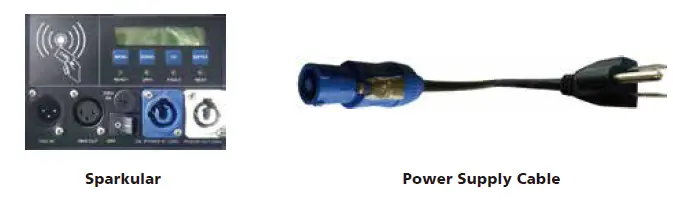 Power Link Cable Connection between Sparkular
Communication Cable Connection between Sparkular
System Prepare and Start
Fill the Sparkular consumable HC8200 to Sparkular
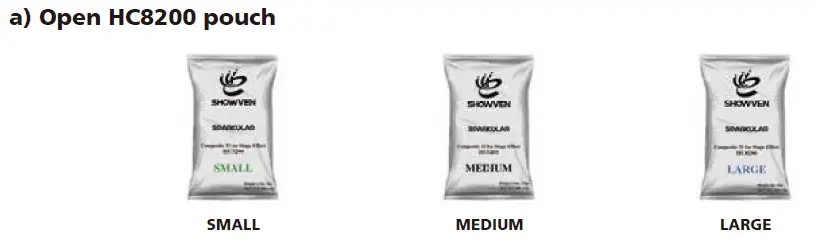
Please fill in Sparkular Granules HC8200 into the hopper. The maximum volume for the hopper is 200g. There are three types
of HC8200 for SPARKULAR.
| Model | HC8200 SMALL | HC8200 MEDIUM | HC8200 LARGE |
| Effect height | 1.5-3m | 1.5-3.5m | 2-5m |
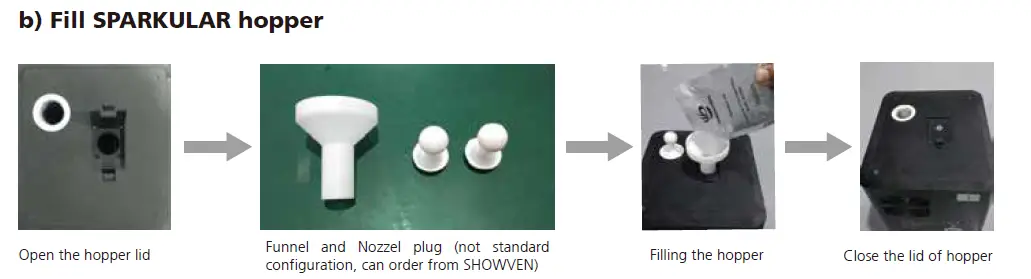
Warning: Please fill SPARKULAR by following above process. After adding the consumable, please do remember
to close the lid.
Turn On Host Controller
Switch on the host controller as below.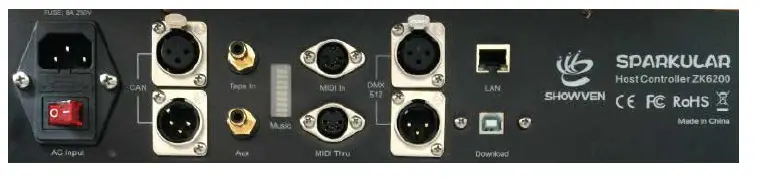
Turn On Sparkular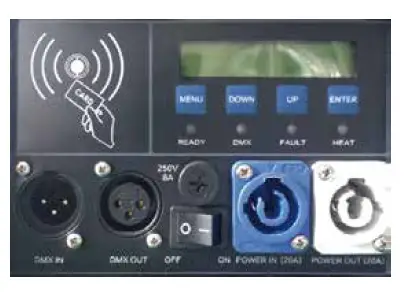 Parameters setup
Programming SPARKULAR effects according to this manual.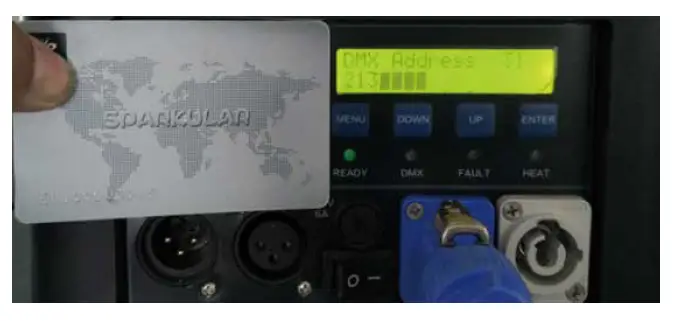
Activate Sparkular machine
Swipe an RFID card after filling each bag of HC8200. Read the card as shown below. SPARKLER shows time remains if read
successfully. SPARKLER reports E4 when the remaining time is less than 10 minutes.
Firing
Activate programming effects by pressing “FIRING” on the host controller.
Turn Off
After the show, please power off Sparkular and the host controller. Allow SPARKULAR to cool down before packing. Never
touch the nozzle of SPARKULAR. DANGER OF BURN!
Clear Material
Please run Clear Material both before and after each show. Before delivery or not using the machine in a long time, please
pouring the HC8200 out of the hopper, and storing the remaining HC8200 in a dry sealed bottle for next time use.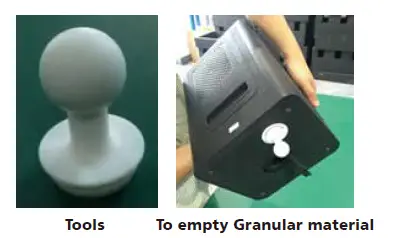
Warning: Please follow this process to clear material when necessary.
 Founder of Sparkular, Sparkular Machine Maker | Showven