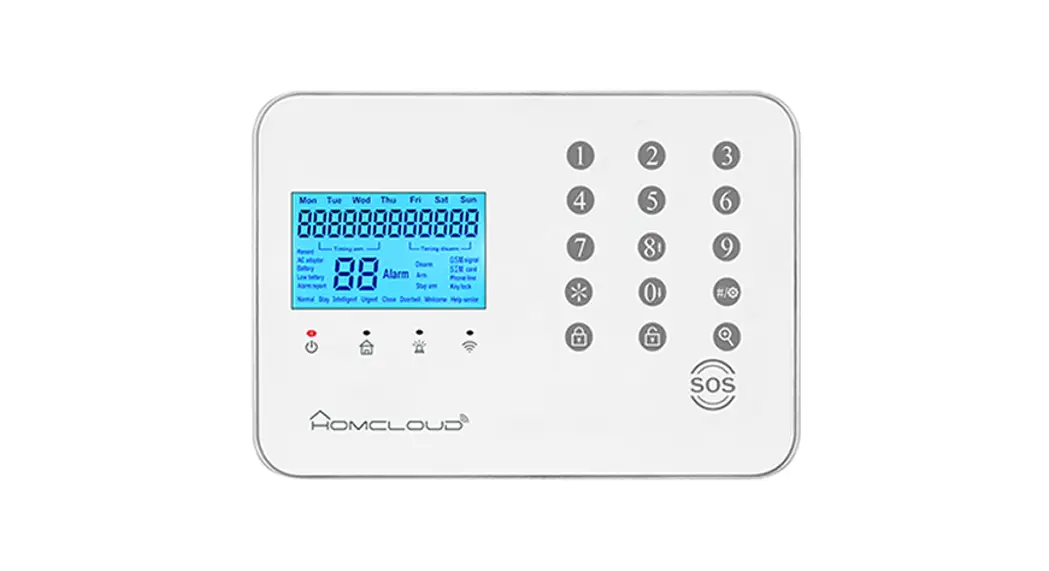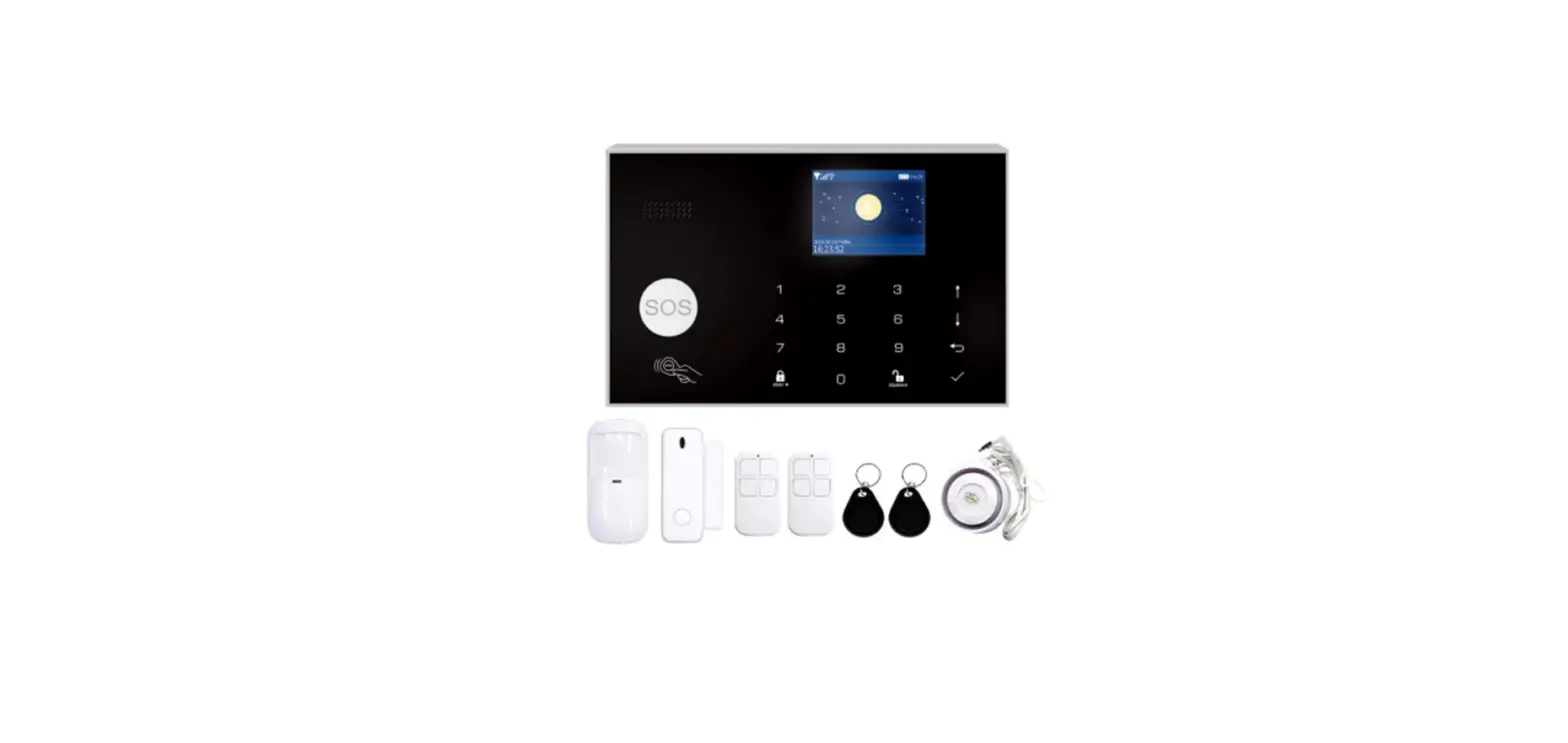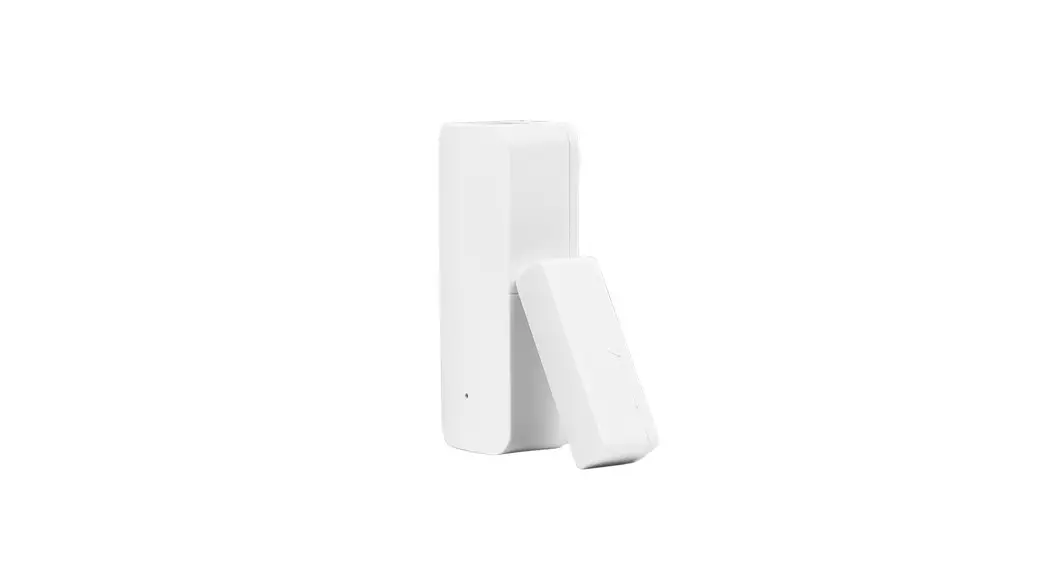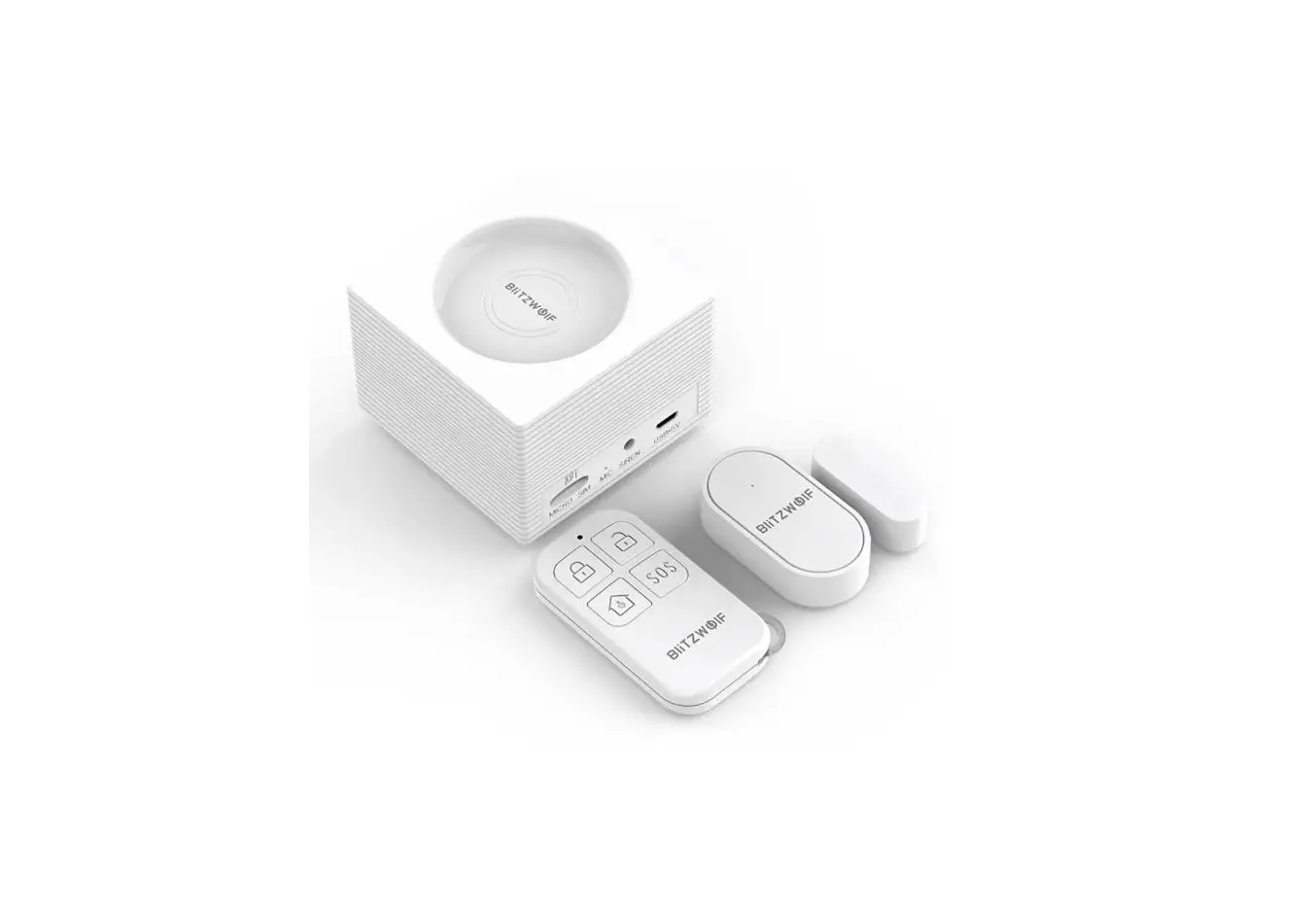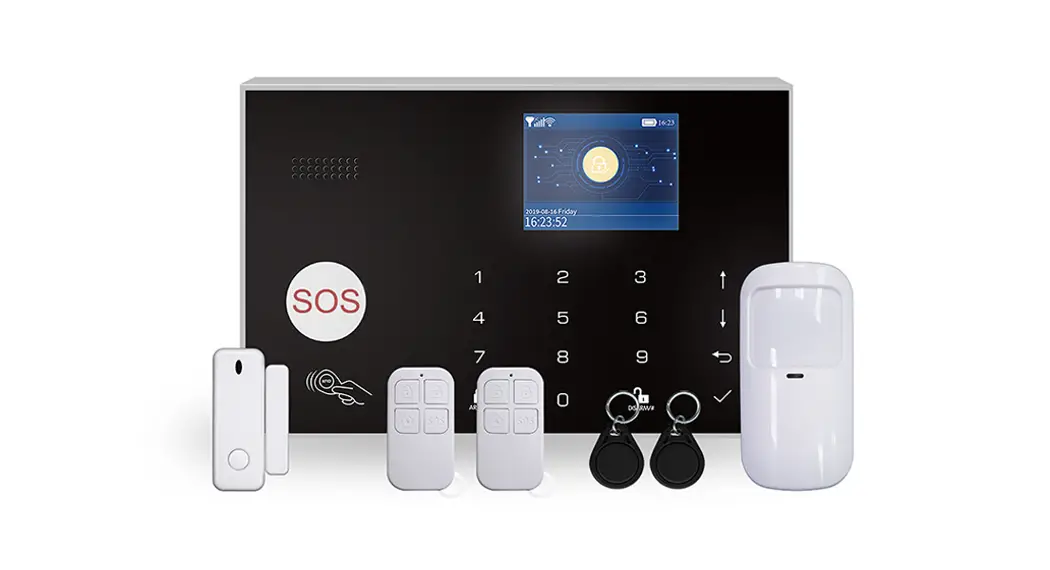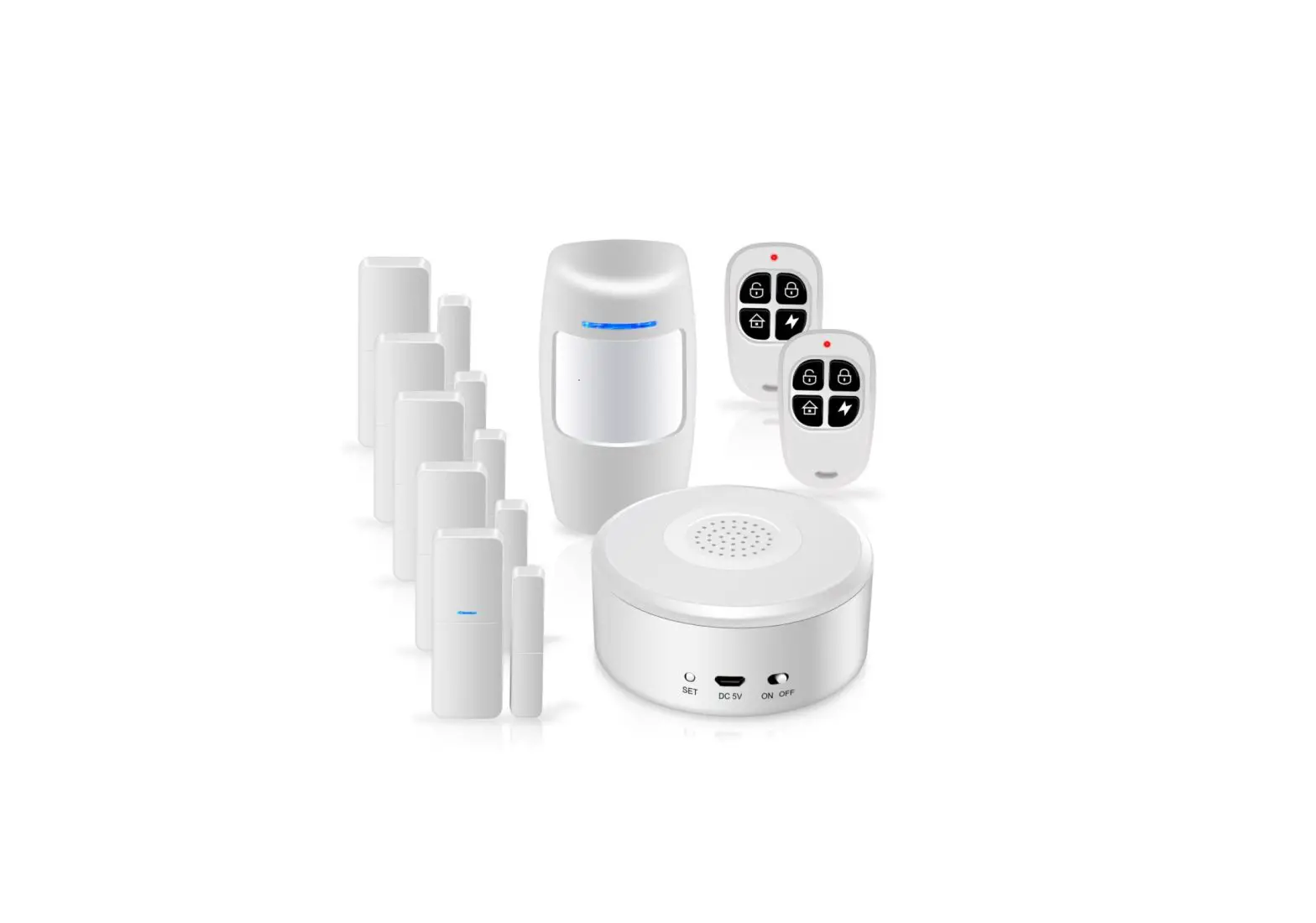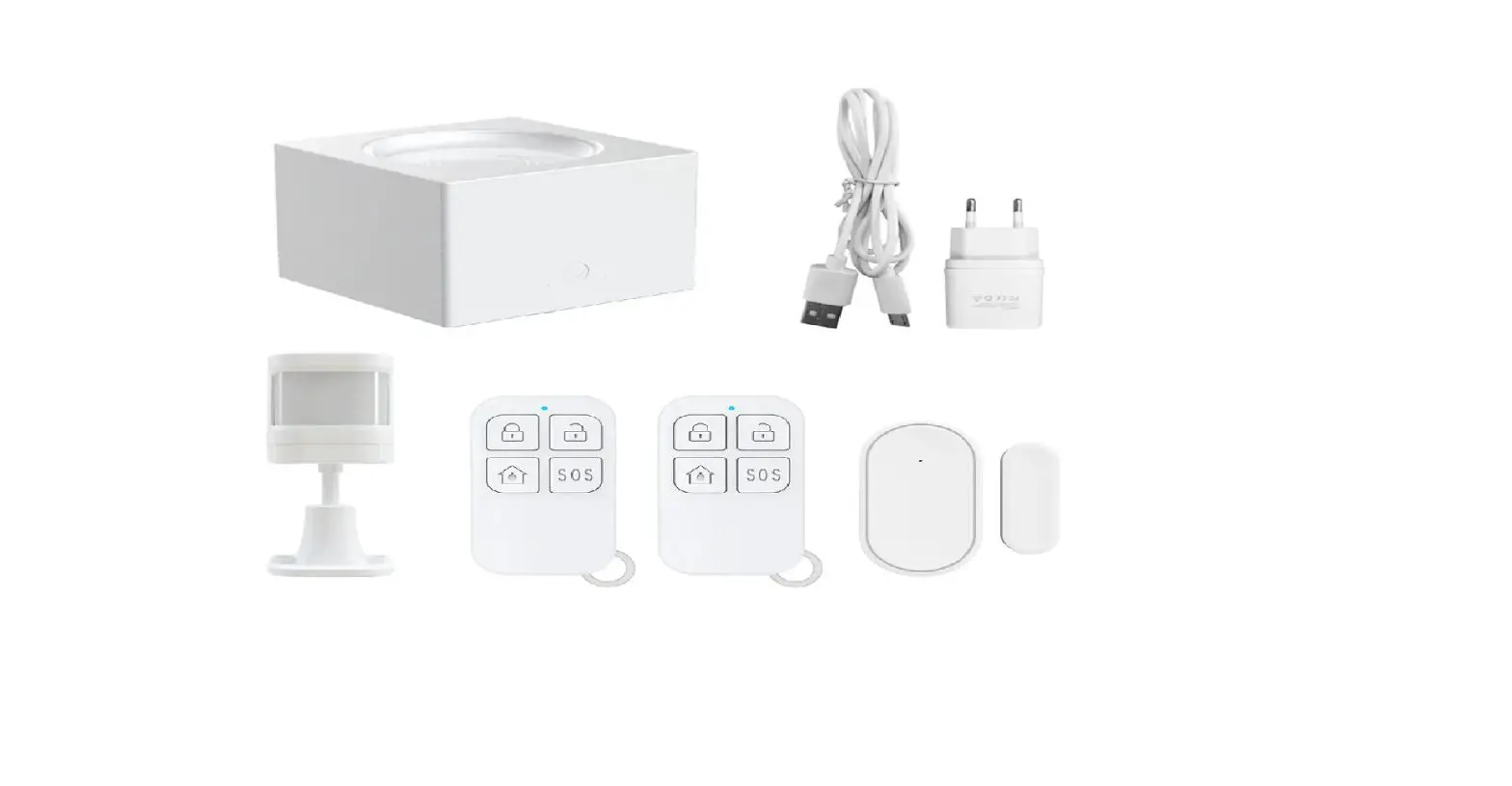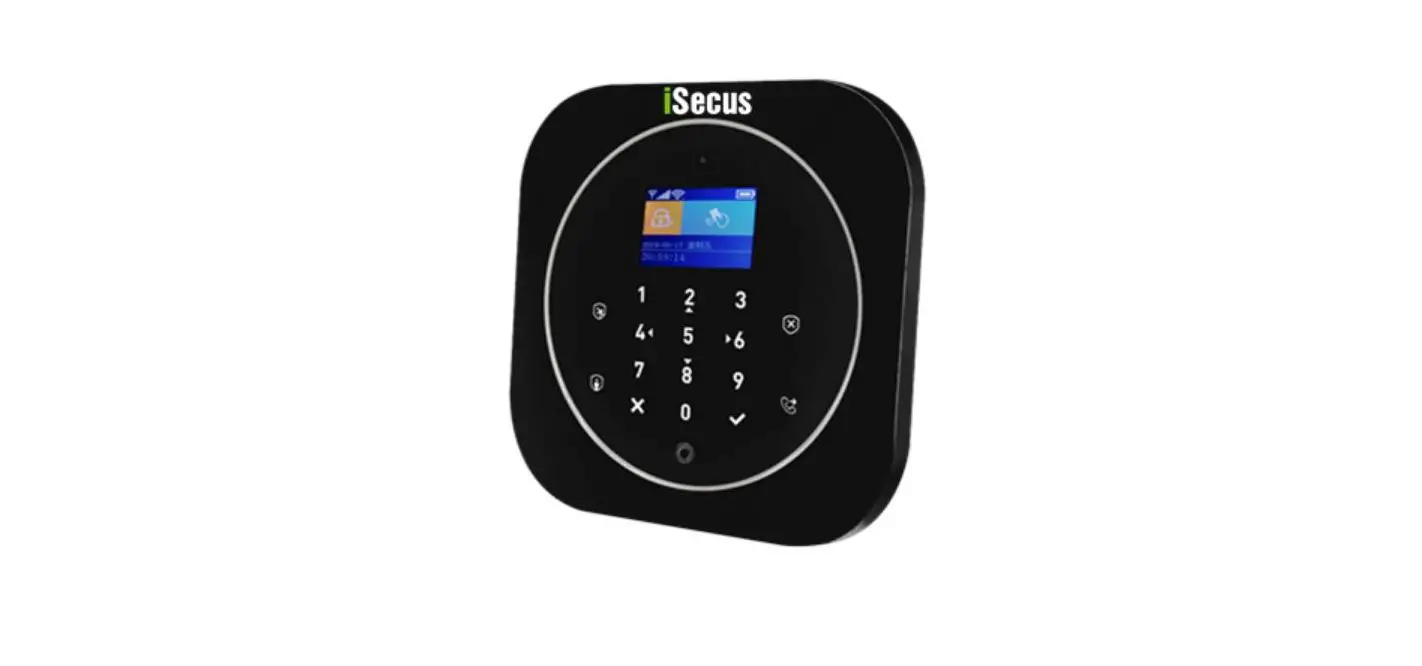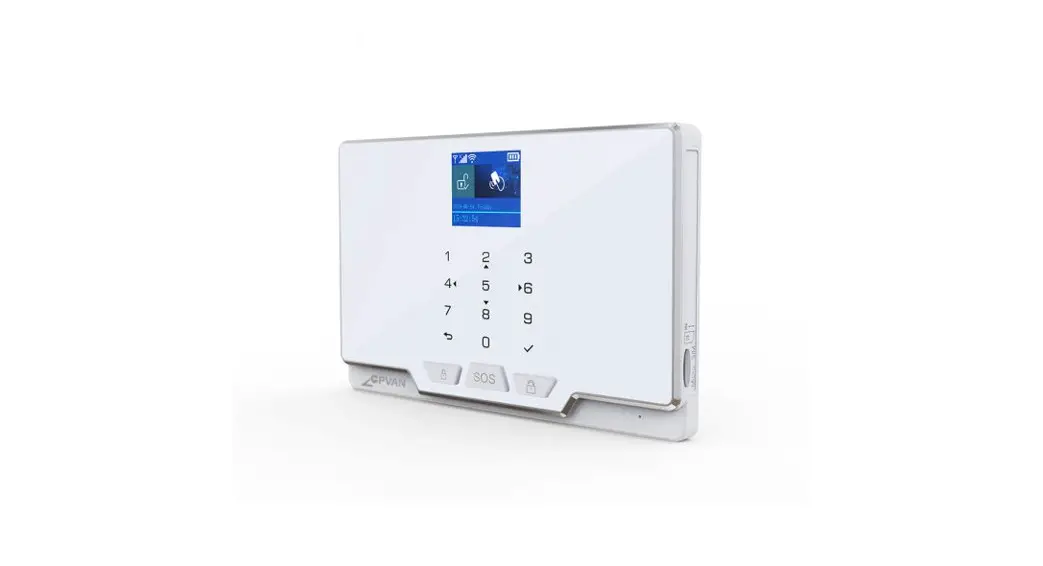
 WL-JT-GDT WiFi and GSM Home Alarm System
User Manual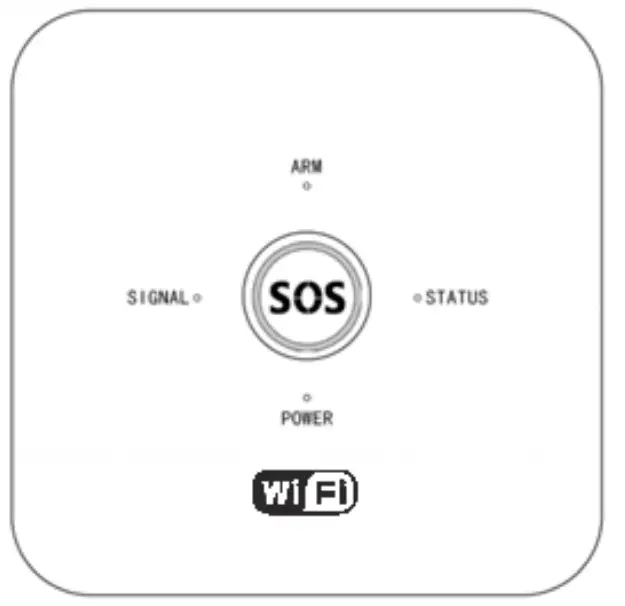 Alarm KIT 10G
Homcloud Wi-Fi + GSM
Homcloud code: WL-AK10GDT
Model n°: WL-JT-GDT
Preface
Thanks for using our wireless smart security home alarm system. This system will provide full protection in 24 hours all around the year for your house and property.
The wireless alarm system adopts the advanced digital security technology, it is of high reliability and low false alarm rate. Though the design is simple, function is very strong. It includes the functions of anti -fire, anti-burglar, antigas, anti-intrusion and SOS emergency, etc.
The wireless detectors which pair with the system have humanized functions of anti-interference, avoiding the false alarm, etc. This alarm system is widely used in family, factories, schools, shops, convenience stores, villas, residential areas where needs to be protected.
To ensure your safety and proper use the system, please read this user manual carefully before installation. Please contact your local distributor or authorized technology service center for consulting if you encounter problems during installation.You also can call the after-sale service phone numbers of our company, our engineer will help to solve the problems.
Main Feature
- 850/900/1800/1900Mhz GSM Frequency for global use
- Support 24 wireless zones
- Five zone types for choose: Normal / Stay / Smart /Emergency / Close Zone
- Can store three groups of time arm and disarm function, each group can be customized by week, avoid manual frequent arm and disarm, to realize intelligent automatic control
- Can set 4 groups of alarm phone numbers and 3 groups of SMS phone numbers
- Voice prompt for all the operations
- Low battery alert of the accessories
- Build-in rechargeable battery
- AC off SMS remind
- Built-in siren
- Support wireless siren(433Mhz frequency)
- Wireless learning code, fast and easy to add new accessories
- Can revise zone name
- Door Sensor two-way function
Technical Parameter
- Input Voltage: DC5V
- Static Current: < 25mA
- Alarm Current: <450mA
- GSM Frequency: Support GSM850/900/1800/1900MHz
- WIFI :2.4GHz
- Back-up battery: Lithium battery, DC3.7V
- Siren: 90dB
- AlarmHostRF receiving frequency: 433MHz (±75MHz), PT2262/1.5 4.7MΩ;EV1527/300K
- Alarm Host RF Transmitting frequency: 433MHz(±75MHz), PT2262/1.5 4.7MΩ;EV1527/300K
- Factory default password: 1234
- Working temperature: -10℃~+50℃
Panel Diagram Introduction
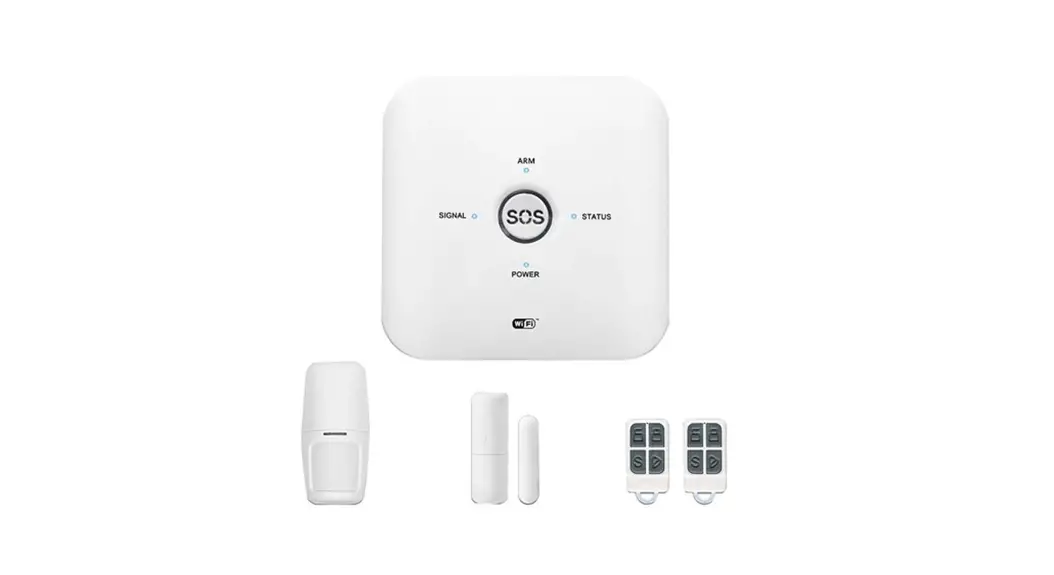
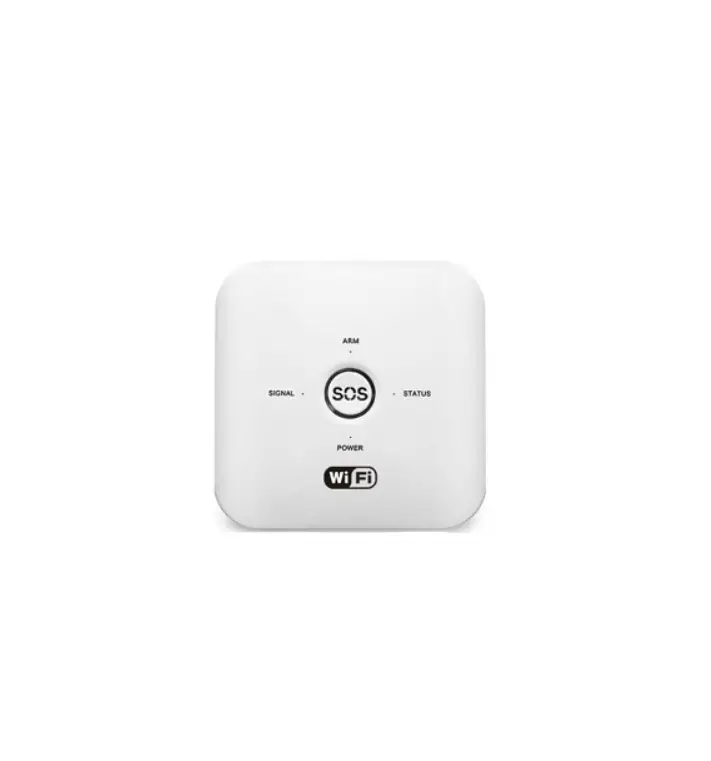
► Alarm Host Status:
ARM light ON means Arm.
ARM light OFF means Disarm.
ARM light flash means Stay Arm.
► STATUS:
STATUS light flash, means the system is under setting status.
STATUS light ON, means WIFI connected successful.
► SIGNAL:
SIGNAL light flash once per seconds means GSM is not initiated yet.
SIGNAL light flash every three seconds means GSM network is connected.
► POWER:
POWER light on means the system connected power.
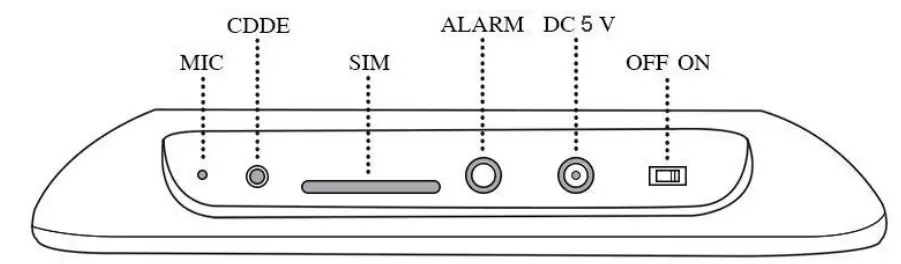
Press 【CDDE】one second, alarm system is under adding remote control status.
Press 【CDDE】again to enter zone 1 to add detectors.
Press 【CDDE】the third time to enter zone 2 to add detectors. Press continually till zone 24.
Choose the zone which you want to delete detectors, then press and hold【CDDE】three seconds.
Daily Operation
The simplest and most immediate method to activate / deactivate the alarm, change devices and positions, change emergency numbers etc is always through the Homcloud App or Smart Life with your smartphone.
Here are the other methods.
4.1 System Arm
It means to guard all around your house while everyone is going out, all detectors of the host are under working. When the detectors were triggered by detecting source (anti- theft, fire prevention, gas leak, etc.) The alarm host will sound alarm. There are three methods to arm: 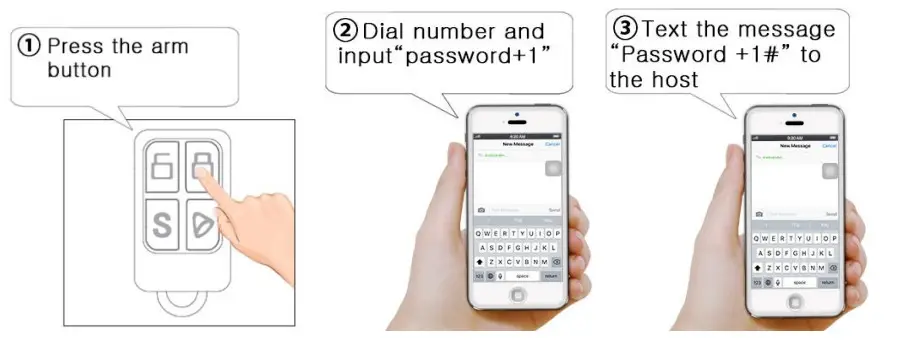
4.2 System Disarm
It means to stop the alarm when the host sounds or make the al arm system in the status of non-warning. After disarming, the host would not sound alarm even if you trigger the detectors. There are three methods to disarm. 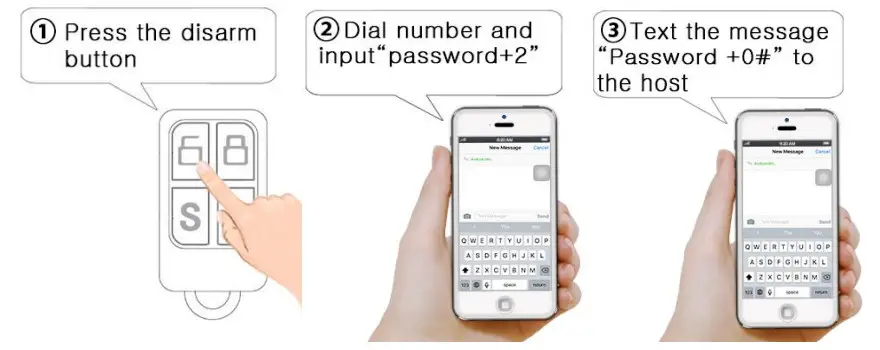
4.3 System Stay Arm
It means partial arming for the host when somebody is at home, and needs to enable peripheral: door, window, balcony and boundary detectors to prevent to trigger the indoor detectors which may cause improper alarm, then you shall select Stay Arm, just enable part of the detectors can be activated to make sound alarm and dis-activated the other part. There are two methods to stay arm.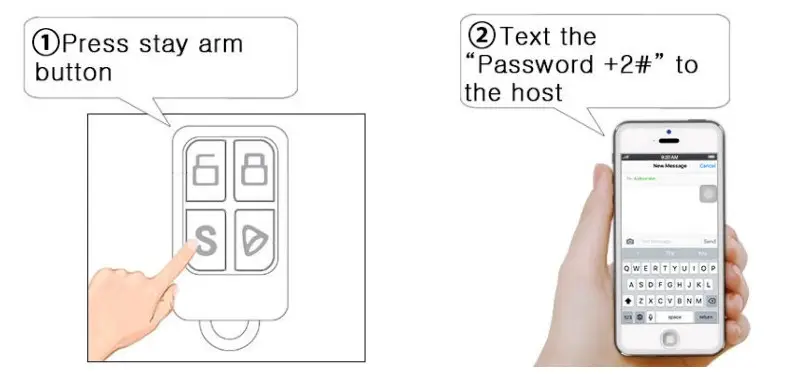
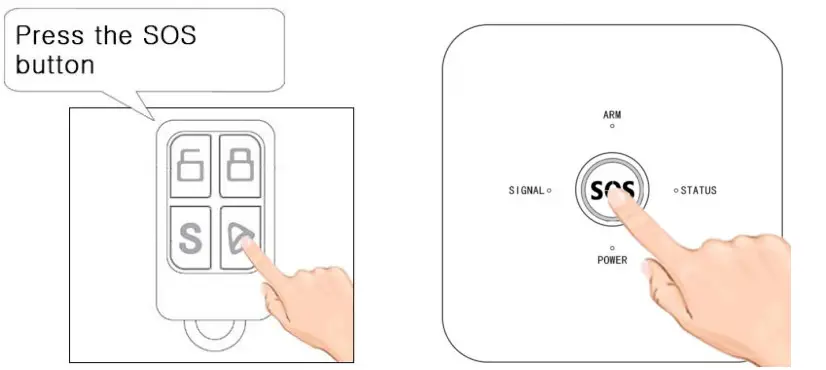
4.4 SOS
In emergency, press the SOS button on the remote control ler, the system host will start alarm and call the present phone numbers automatically for help.
There are two methods to start SOS emergency.
Initialization
First install SIM card and connect power adapter to the alarm host, then switch on the alarm host, after 3 seconds, the host will voice prompt “Welcome to use alarm system”. Then Initialization succeed. Then the alarm host starts to search GSM network, the signal light starts to flash once every second, this means the host is searching GSM network. When the signal light flash once for three seconds, this means GSM signal and SIM car d is normal.
Add Accessories Via Alarm Host (NOT RECCOMENDED) Go to 7.2/7.5 for App Method.
Enter adding remote control status:
Press 【CDDE】key on the panel 1 second, alarm panel will “beep” one time, “Status” Signal lights turn on and alarm host voice prompt ” Add remote control”. This means the alarm host under adding remote control status.
Add remote control:
While under adding remote control status, press any key of the remote control to send out a signal, the alarm host will voice prompt “successful”. If vo ice prompts “beep” one time, it means this remote control has been added, please change another remote control to add.
Press【CDDE】and hold on, the alarm host “ beep” “beep” two times, then exit adding remote control status. The alarm host can add maximum 5 0pcs remote controls.
Delete remote controls:
Press【CDDE】key three seconds under adding remote control status, the alarm host will “beep, beep” two times. Then means the remote control is deleted successfully.
Add detectors:
While under adding remote control status, press 【CDDE】key one second, the alarm host voice prompt “add one zone”, it means the host is under “add detectors status in zone 1”. Trigger the detector to send out a signal, voice prompts “add successful”, then means the de tector is added successfully. If voice prompts “beep”, it means this detector has been added, please change another detector to add.
Press【CDDE】key one second again, alarm host voice prompts “add two zone” , repeat above step.
Delete detectors:
Enter “add detectors status in zone 1” then press【CDDE】key three seconds, the alarm host will“beep beep” two times. It means detector is deleted success in zone 1.
Enter “add detectors status in zone 2” then press【CDDE】key three seconds, the alarm host will“beep beep” two times. It means detector is deleted success in zone 2.
Delete other zone detectors, please repeat the above step.
WIFI Setting
7.1 App Download and Register
 https://smartapp.tuya.com/homcloudsmart
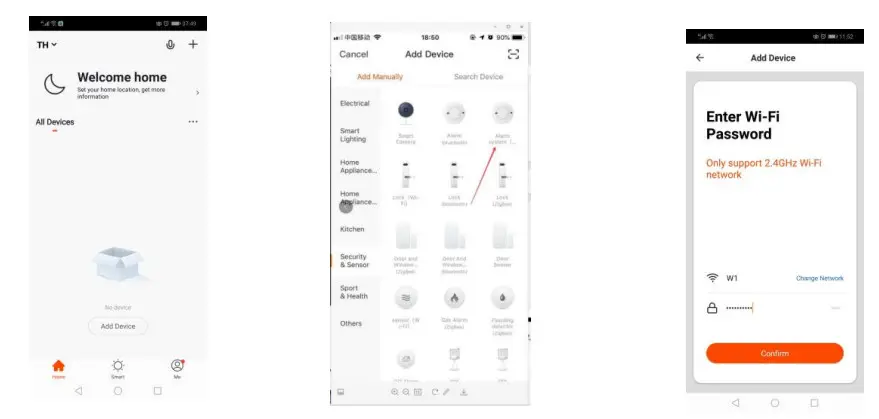
After download APP in smart phone, user need to register in APP, click “Register” button to go to register interface. User can choose phone number or email and enter password, then click“ Register” to save settings. Th en user can log-in the APP to do operation.
7.2 Connect WiFi for Alarm Panel
After registered and log in, then click “+” and add device. Then select “Security& Sensor, next select “Alarm system (WIFI)” and click it. At the same time, please press CDDE button of the panel and hold around 3 seconds, the alarm panel will beep 6 times, then release 【CDDE】key. Then press “Confirm indicator rapidly blink”, next select network, input password and press “OK”. Then app will come to connecting step. And it will come to device interface after connect successfully. One app support many alarm devices, you can bind different TUYA alarm panels at the same time.
7.3 Edit Device name/Device location/Share Device/Remove Device
Choose the Device that you want to edit and then click , then choose “Device name” to edit. If want to edit others, same operation like this.)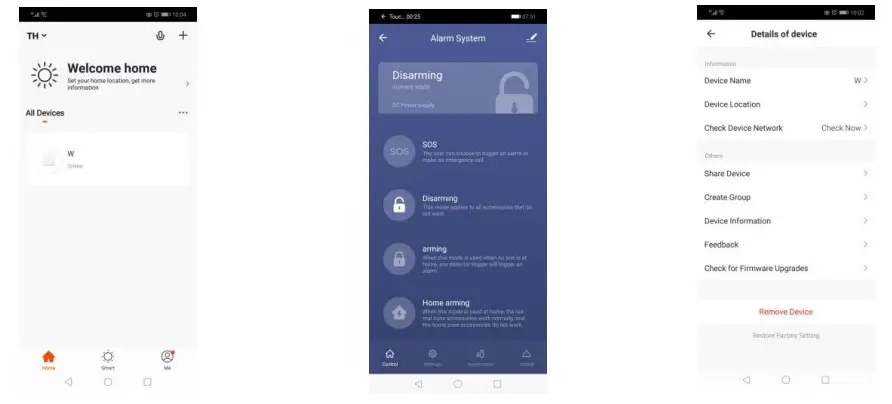
7.4 Device parameter setting
(Please select the device that you want to set. Then press “Settings”icon, then you can do related parameter setting.) If you need to learn more detectors and remotes, then press “Accessories”icon, then press “+Add” 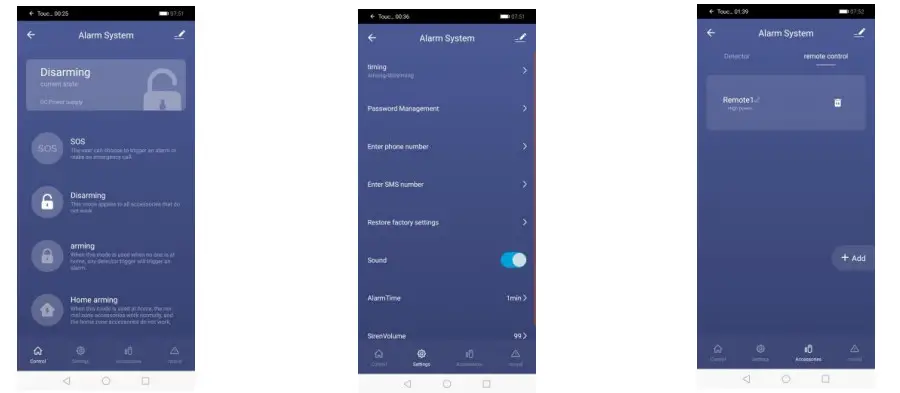
7.5 Add Accessories via App
Sensors / accessories / remote controls configuration:
Adding Sensors and Remote Controls to the Homcloud Control Unit is very simple.
Select the Homcloud Control Unit just configured and added to the Homcloud App, then select the “Accessories” icon at the bottom, and then “Add Sensor” or “Add Remote Control”. 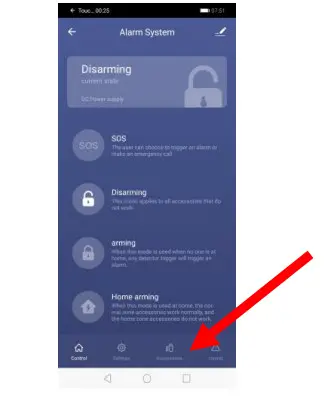
(ATTENTION: sensors and remote controls must be added in the respective field, they cannot be added at the same time)
Now, insert the batteries / batteries in the Homcloud RF sensors / remote controls if not already present and turn on the sensors usi ng the small switch on the back.
A colored LED will light up, at this point to recognize the sensor / remote control:
PIR: Pass your hand in front of the PIR sensors
Remote control: Press a button on the remote control
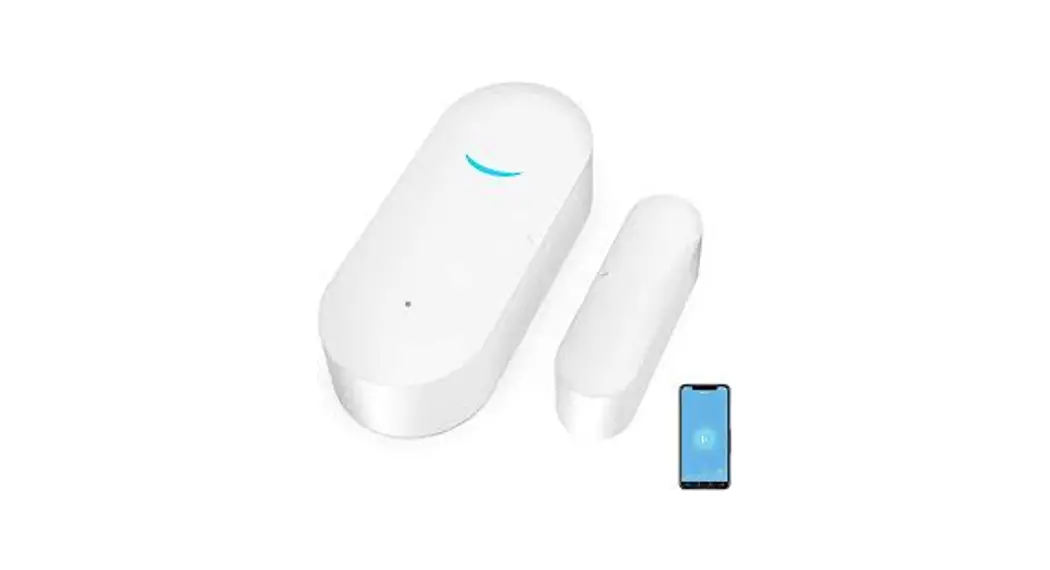
Door & Window Sensor: Move the two components closer and further away from each other
SOS button: Press the button
Garage/tilting sensor: Move the two compo nents towards and away from each other The sensor / remote control will appear in the list of sub devices added to the Control Unit.
Now follow the instructions from the App on how to divide the sensors by zones if necessary.
GSM Setting
8.1 Answer the Alarm Call
The Alarm host will call the preset phone numbers in sequence if alarm occurs. The record of the alarm information will be played automatically when the users receive the alarm phone call. At the same time, user can control the alarm host remotely by operating on the keypad of the mobile phone.
Press [1]: Arm the system again, the host will continue to call preset phone numbers in sequence.
Press [2]: to stop the alarming and disarm the system. The host will not make alarm phone call.
Press [7]: Siren ON
Press [8]: Siren OFF
Press [*]: Hang up, but the alarm host will continue to call preset phone numbers in sequence.
8.2 Remote Control by Phone Call
User can call the phone numbers of the alarm host, the voice will prompt “Enter Password”, (default password is “1234”. Please use the new password if user has changed it.). The panel will remind the passwo rd is correct after entered correct password (It will remind the user to enter password again if password is wrong, and the panel will automatically hang up after three times wrong enter), then user can press the below number keys on the phone to do operations:
Press [1]: to arm the system.
Press [2]: to disarm the system.
Press [7]: Siren ON
Press [8]: Siren OFF
Press [*]: Hang up.
Press [#]: Enter remote configuration mode, user can do status sett ings to the alarm host.
According to instruction table. If no operations in 20 seconds, it will hang up automatically.
8.3 System Setting by Phone Call and SMS
All the settings should be operated in any status such as Arm/Disarm/Stay Arm.
All the settings could be operated after input the correct password. Factor default password is 1234(Please use the new password if user has changed the password).
For example: set first group alarm phone call number as 13812345678, there are two setting methods:
Method One:
Phone call: Call the SIM card number of the alarm system, input [Command] to do setting.
Method Two:
SMS: Send [Password] + [Command] to the SIM card number of the alarm system.
Notes: As for user use extension telephone which need dial a number then can dial out (such as “9”), then need add “9*” before tele phone no. For example send message “1234319*13899998888#”
Command Table
| Set Alarm Phone | E.g.: set “13812345678” as the first group phone No. Method 1 : |
| Numbers | Remote calling the SIM card number, input [password]+[#] to enter setting status, then press “3113812345678#” |
| Method 2: | |
| Command: | Send SMS message 12343113812345678# to alarm host SIM |
| [3]+[1-6J+[Phone | card. After sending the message, the host will reply |
| No.]+[#] | “1:13812345678 2: 3: 4: ” It means setting successfully |
| Delete Alarm Phone | Use for delete 1 to 6 groups alarm phone number. |
| Numbers | E.g. Delete 1 groups alarm phone call number. |
| Method 1: | |
| Remote calling the SIM card number, input [password]+[#] to enter setting status, then press 31# | |
| Command: | |
| [3]+[1-6]+[#] | Method 2: |
| Send SMS message 123431# to SIM card number in the host, after sending the message, the host will reply “1: 2: 3: 4: “. It means the first group alarm phone call number is deleted. | |
| Set SMS Alarm | [3] is the command for setting SMS alarm number; |
| Numbers | [7-9] 7 is the first group SMS alarm number, 8 is second group, 9 is |
| Command: [3]+[7-9]+[Phone No.]+[#] | the third group. E.g. User wants to set 13812345678 as first groups SMS alarm phone number: Method 1: Remote calling the SIM card number, input [password]+[#] to enter setting status, input [3713812345678#] Method 2: Send SMS message [12343713812345678#]to SIM card number in the host, after sending the message, the host will reply “7:13812345678 8: 9:”. It means first group SMS alarm phone number 13812345678 is set successfully. Remark: When open the function “SMS indicate when AC power is off, the host will send SMS message to these 3 groups number to indicate AC power is off. |
| Delete SMS Alarm Phone No. Setting | Use for delete three groups SMS alarm No. E.g.: If user wants to delete the first group SMS alarm phone No. Method 1: Remote calling the SIM card number, input [password]+[#] to enter setting status, input [37#] Method 2: Send SMS message [123437#] to SIM card number in the host, the host will reply “7: 8: 9: “. First group SMS alarm number is deleted. |
| Command : [3]+[7-9]+[#] | |
| Set Voice Prompt ON/OFF | [0/1]: 1 means ON, 0 means OFF E.g. : User need turn on voice prompt when setting the system Method 1: Remote calling the SIM card number, input [password]+[#] to enter setting status, then press: “641W Method 2: Send SMS message “1234110W to alarm host SIM card. |
| Command : [11]+[0/1]+[#] | |
| Turn ON/OFF SMS Push | [0/1]: 0 means OFF, 1 means ON. System default is ON. E.g.:User need turn off SMS push function when alarm triggered. Method 1: Remote calling the SIM card number, input [password]+[#] to enter setting status, then press “120r. Method 2: Send SMS message “1234120#” to alarm host SIM card. |
| Command : [12]+[0/1]+[#] |
| WiFi Status SMS Sent ON/OFF | [0/1]: 0 means OFF, 1 means ON. Default :OFF E.g.: User need to turn off SMS send when wifi status changed 1.Remote calling the SIM card number, input [password]+[#] to enter setting status, then press [150#] 2.Send SMS message [1234150] |
| Command: [15]+[0/1]+[#] | |
| Modify Passwords | Used to modify the user’s operating password, the default password is 1234. E.g.: Set 1111 as a new user password: Method 1: Remote calling the SIM card number, input [password]+[#] to enter setting status, input [501111#] Method 2: send SMS message [1234501111#] to alarm host SIM card. |
| Command : [50]+[4 digits new passwords]+[#] | |
| Set Delay Arm Time | E.g. : User wants to set the delay arm time as 60 seconds. Method 1: Remote calling the SIM card number, input [password]+[#] to enter setting status, then input[5160#]. Method 2: Send SMS message [12345160#]to alarm host SIM card. |
| Command : [51]+[00-99 seconds]+[#] | |
| Set Delay Alarming Time | The alarm host will start to alarming after a certain time if detectors were triggered. Delay alarming time can be set 0-99 seconds, default is: 00 second. E.g. : the user wants to set the alarm delay time as 60 seconds. Method 1: Remote calling the SIM card number, input [password]+[#] to enter setting status, then input “5260# “. Method 2: Send SMS message “12345260# ” to alarm host SIM card. |
| Command : [52]+[00-99 seconds]+[#] | |
| Set Beep Duration Time of Siren | User can set the siren beep duration time from 0-20 minutes, factory default is one minute. E.g. : user wants to set beep duration time as five minutes. Method 1: Remote calling the SIM card number, input [password]+[#] to enter setting status, then press “5305W. Method 2: |
| Command : [53]+[00-20 minutes]+[#] |
| Send SMS message “12345305#” to alarm host SIM card. | |
| Siren Tone ON/OFF when Arm / Disarm | When arm/disarm by remote controller, user no need the siren make noise. [1] means turn on, [0] means turn off. Factory default is on. E.g. : user wants to turn off siren tone. Method 1: Remote calling the SIM card number, input [password]+[#] to enter setting status, then press “550#” Method 2: Send SMS message “1234550# ” to alarm host SIM card. |
| Command : [55]+[0/1]+[#] | |
| Set the System Time | User can set the correct time for daily use. E.g. : Set Oct 15i 2013, 09 : 00 : 00 as system time. Method 1: Remote calling the SIM card number, input [password]+[#] to enter setting status, then press “56131001090000r. Method 2: Send SMS message “123456131001090000#” to alarm host SIM card. |
| Command : [56]+[00-99 Year]+[01- 12 Month]+[01-31 Date]+[00-23 Hour]+[00-59 Minutes]+[00-59 Seconds]+[#] | |
| Set The First Group Timing Arm | E.g.: Set the first group timing arm at 22:00, timing disarm at 07:00, from Monday to Friday are effectively. Method 1: Remote calling the SIM card number, input [password]+[#] to enter setting status, then press “57012200070012345W. Method 2: Send SMS message “123457012200070012345#” to alarm host SIM card. |
| Command : [57]+01-03 [MM Timing arm time]+[BBBB Timing disarm time]+[Monday — Sunday]+[#] | |
| SMS Notification ON/OFF when battery is in Low Voltage | [0/1]: 0 means OFF,1 means ON E.g. : Set SMS notification ON when battery of detectors is in low voltage. Method 1: Remote calling the SIM card number, input [password]+[#] to enter setting status, then press “591#”. Method 2: Send SMS message “1234591#” to alarm host SIM card. |
| Command : [59]+[0/1]+[#] | |
| Set Defense Zone Type | The alarm host have 10 wireless zones and each zone can be used as five types defense zone: |
| triggered. | |
| Siren Volume Adjustment | Use for siren volume adjustment. 00 means lowest volume, default setting is 99. E.g. : Siren volume is 50dB Method 1: Remote calling the SIM card number, input [password]+[#] to enter setting status, then press “6250W. Method 2: Send SMS message “12346250#” to alarm host SIM card. |
| Command : [62]+[00-99]+[#] | |
| SMS Sent ON/OFF When AC Power Disconnect | When the system AC power failure, it will dial the present 6 groups alarm phone No. Three turns and voice prompt “0 Zone alarm” [0/1]: 1 means dial, 0 means not dial. E.g. : Turn on dial preset phone No. When AC power failure. Method 1: Remote calling the SIM card number, input [password]+[#] to enter setting status, then press “641#”. Method 2: Send SMS message “1234641#” to alarm host SIM card. |
| Command : (64]+(0/1]+(#] | |
| Set Door Sensor Two- way Alarm Function ON/OFF | [0/1]: 0 means OFF,1 means ON E.g. : Set door sensor two-way function ON Method 1: Remote calling the SIM card number, input [password]+[#1 to enter setting status, then press “651#”. Method 2: Send SMS message “1234651#” to alarm host SIM card. Note:After turn on this function, please close the door or window Where installed the door sensor before armed the system, or it will alarm once arm the system. |
| Command : [65]-F(0/1]+[#] | |
| SMS Sent ON/OFF When Remote Control Arm/Disarm | [0/1]: 0 means OFF,1 means ON E.g. : Sent SMS when remote control arm/disarm Method 1: Remote calling the SIM card number, input [password]+iff] to enter setting status, then press “681#”. Method 2: Send SMS message “1234681#” to alarm host SIM card. |
| Command : [68]+[0/1]+[#] | |
| Restore factory setting | This command the system will restore to factory settings (delete all preset settings such as telephone No., delete alarm/arm delay, turn off telephone line self-checking function, etc. Password turn to default 1234). This command can not delete remote control and detectors. |
| Command : [13]+[0000]+[#] | Method 1: Remote calling the SIM card number, input [password]+[#] to enter setting status, then press “130000W. Method 2: Send SMS message “1234130000#” to alarm host SIM card. |
| Totally Reset | If the system is not stable, or the user forgot its password or settings, we suggest totally reset the system. |
| Steps: | |
| Command : | 1.Disconnect AC power adapter, turn off the panel |
| Press CDDE key and | 2.Press and Hold CDDE key, at the same time, turn on the panel. |
| power on | 3.Alarm host will “beep, beep…” after five seconds, then release |
| CDDE key. | |
| After this operation, the host is totally reset, all settings, remote controls and detectors are deleted. Password turns to default 1234. |
8.4 SMS Inquiry Command
Below command is used for SMS remote control, setting and inquiry.
| Inquiry AC power ON/OFF | Send SMS messages “12346r to the alarm host SIM card. It will reply “AC power ON” or “AC power OFF” |
| 6# | |
| Inquiry the general settings of the alarm host | Send SMS “123420r to the alarm host to inquire general setting |
| 20+ (#1 | |
| Inquiry the Alarm Phone | Send SMS “123421#” to alarm host, then alarm host will reply as |
| and SMS Numbers | below: |
| 1:13812345678 | |
| 2:13788889999 | |
| 3:13788895584 | |
| 4: | |
| 5: | |
| 6: | |
| Command : | |
| 7:13656343322 | |
| 21+ (#1 | 8:8932 |
| 9: | |
| The numbers which after 1-6 are alarm phone number, the numbers which after 7-9 are SMS phone number. | |
| Notes: Alarm phone number can be the same as SMS phone number. |
| Inquiry system time and timing arm/disarm time | E.g.: Send SMS “123422r to alarm host, then alarm host will reply as below: 12-09-01 12:30 Arm: 1:22:00 Disarm 1:07:00 12345 Arm: 2:24:00 Disarm. 224.00 1234567 |
| 22+ (#1 | |
| It means the system current time is 1st Sept. 2012 12:30 | |
| The First group time arm/disarm time is 22:00 arm,07:00 disarm from Monday to Friday | |
| The Second group time arm/disarm time is 24:00 arm,24:00 disarm from Monday to Sunday; | |
| Set SMS content for 1- | User can self define 1-9 zones SMS content. ( This content is |
| 9 zones | used to send to preset SMS alarm phone numbers when alarm occurs, length is within 12 letters. ) |
| 8+[1-24]+[SMS content]+[ti] | 1. E.g. User wants to define zone 1 SMS content as “door open”, then send SMS ‘123481door open#” to the host. |
Notice: the default password in above table is 1234, if user has changed the password, then use the changed one.
The Installation of the Detectors
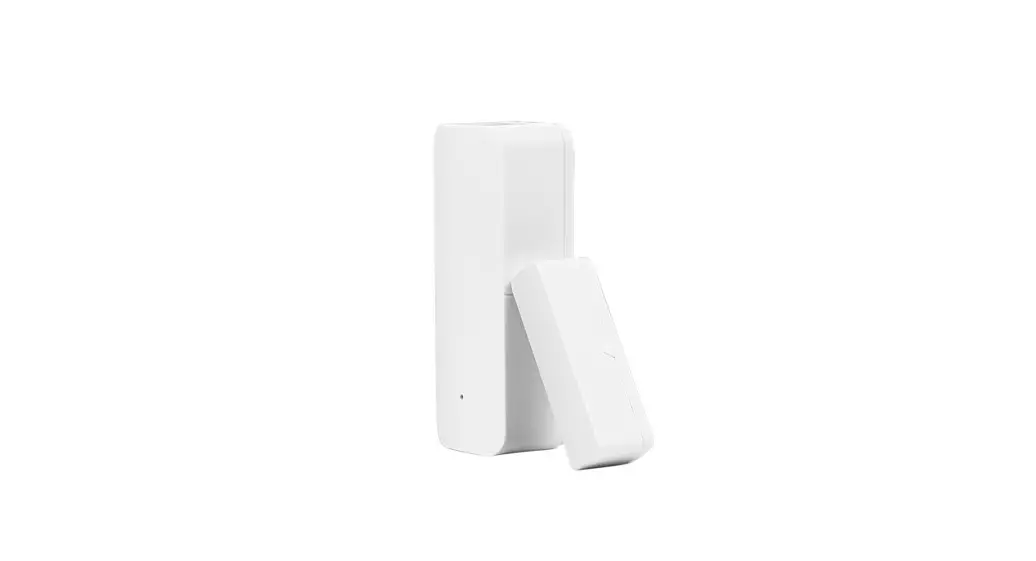
The Installation Diagram of Magnetic Door Detector: 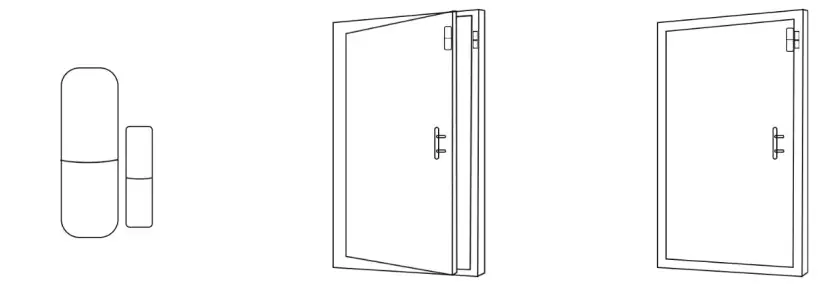
Caution:
A:The gap between the magnet and the sensor should be less than 10mm.
B:After the installation, if the indicate light of the detector is on when the door is open. It proves it is installed successfully.
C: If the indication light of the door detector flashes when it is triggered, it means the battery of the sensor is in low voltage, and you need to change the battery as soon as possible.
D:The transmit distance of the detectors is less than 100meters in the open area, please test the distance before installing. The obstacles will change the transmitting distance.
The Installation Diagram of PIR Motion Detector:
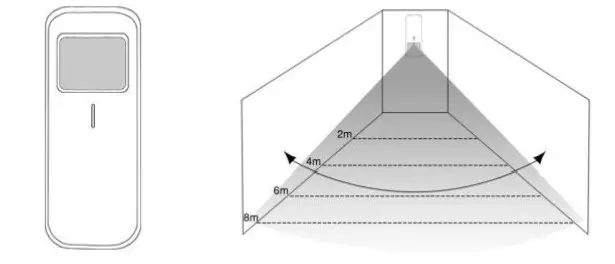
To avoid the false alarm, please pay attention to the following point in stalling the PIR motion detector;
A: Do not face the glass window.
B: Do not face the big object which is easy to swing.
C: Do not face the cold and heat air vent or cold and heat source.
D: The furniture, mini escape or any other isolation should be away from the detecting scope.
E:Do not install two or more detectors in the same area or it will cause the interference when alarm.
F:When the detector is triggered and the LED indicator flashes, it means the battery is in low voltage, please change it as soon as possible.
G:The detecting distance is less than 8 meters, the transmitting distance is less than 100 meters. Please test the distance after installing. The obstacles will influence the distance.
Maintenance
System Inspection:
The System need periodic inspection to ensure the stable and safe work. We suggest the users to inspect the system per three month and inspect the detectors per month.
Alarm Host Inspection:
A:Check whether the host can arm or disarm normally.
B:Check whether the host can call through the phone numbers when alarm occurs.
C:Check whether the host can receive the signal from detectors normally and back-up battery work normally or not.
Detector Inspection:
A:Trigger the detector by hand to check whether it can send the alarm signal successfully or not.
B: Check the battery of each detector to see whether it is short of voltage.
Cautions:
A: Do not dissemble, repair, transform the produc ts privately, or it will cause fault or accident.
B: Do not fall the product on the hard ground to avoid the fault or damage because of the strong crash.
C: Do not set “911” or any security department’s telephone numbers as the alarming phone numbers without any authorization.
For more info www.homcloud.com
Imported by: Life365 Italy S.p.A. – European General Agency
Viale Roma 49/a, 47122 Forlì, Italy – Made in China 
 Home - Homcloud