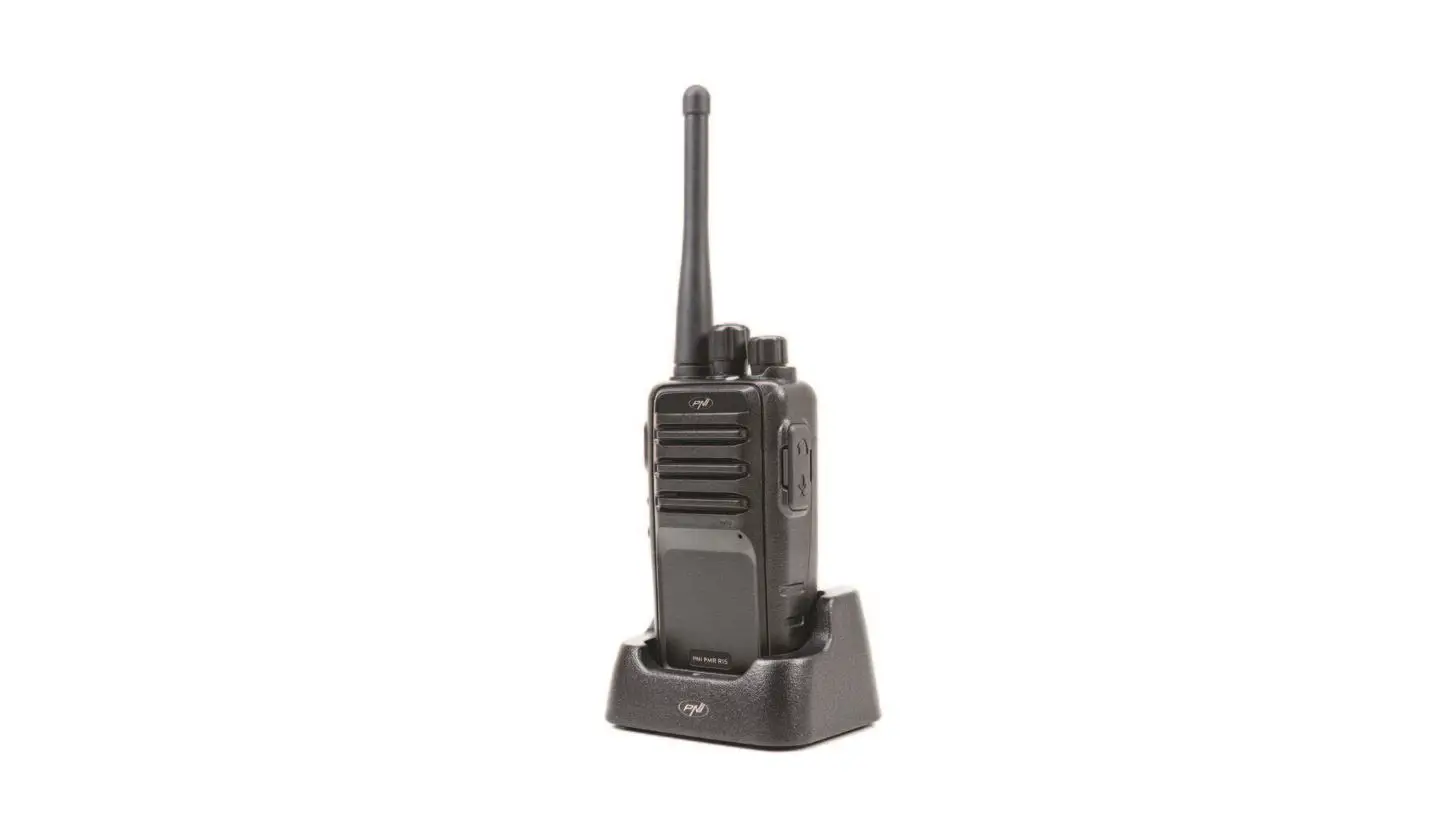
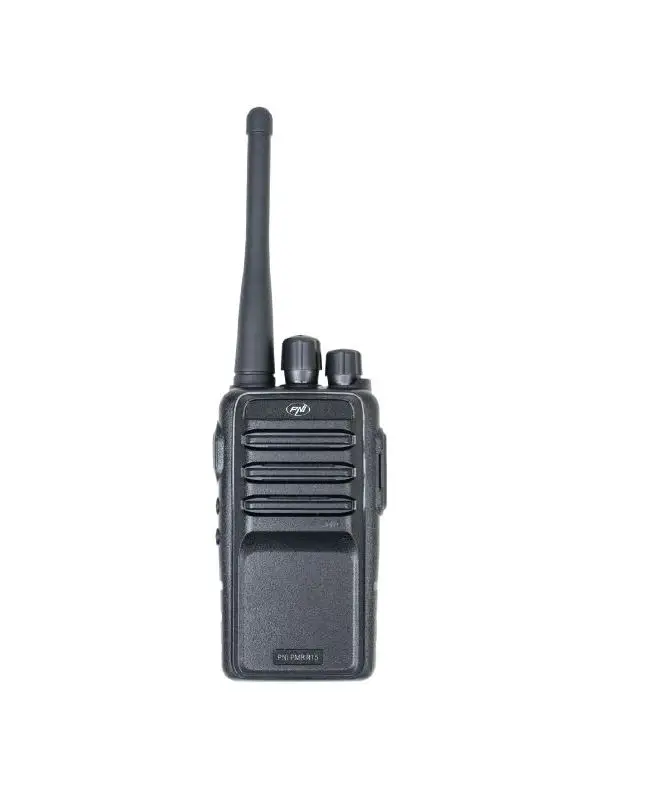
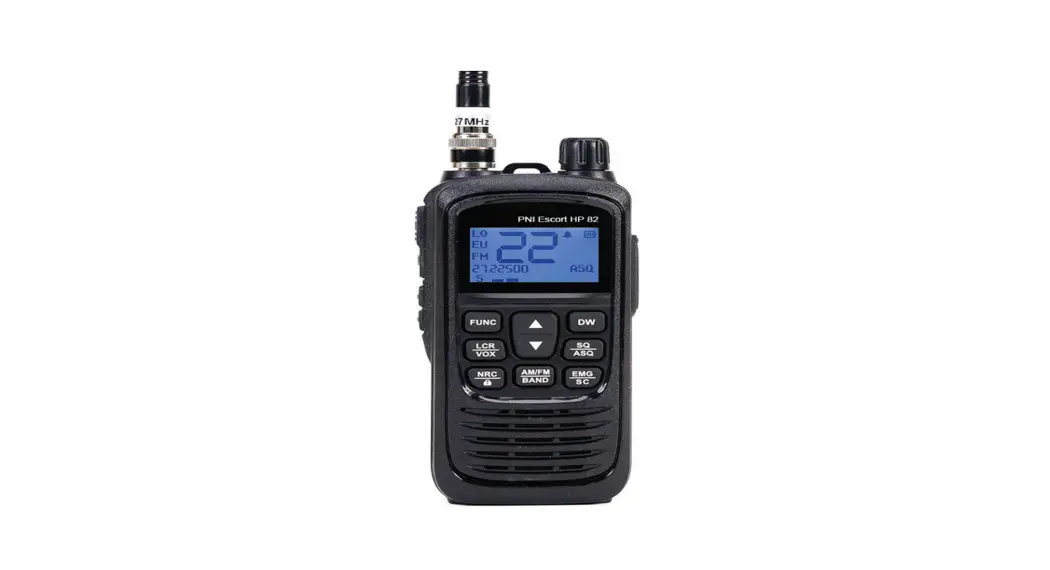
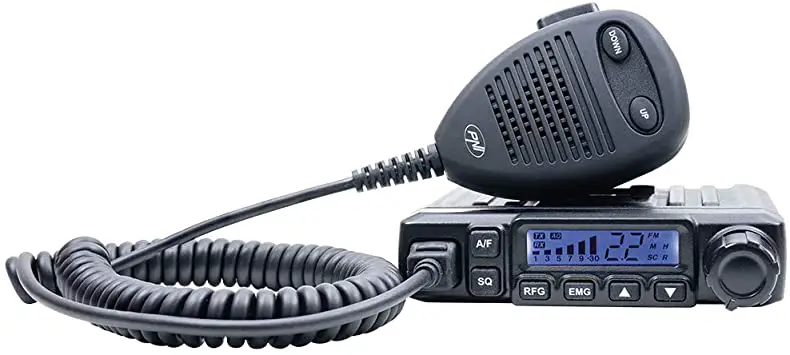
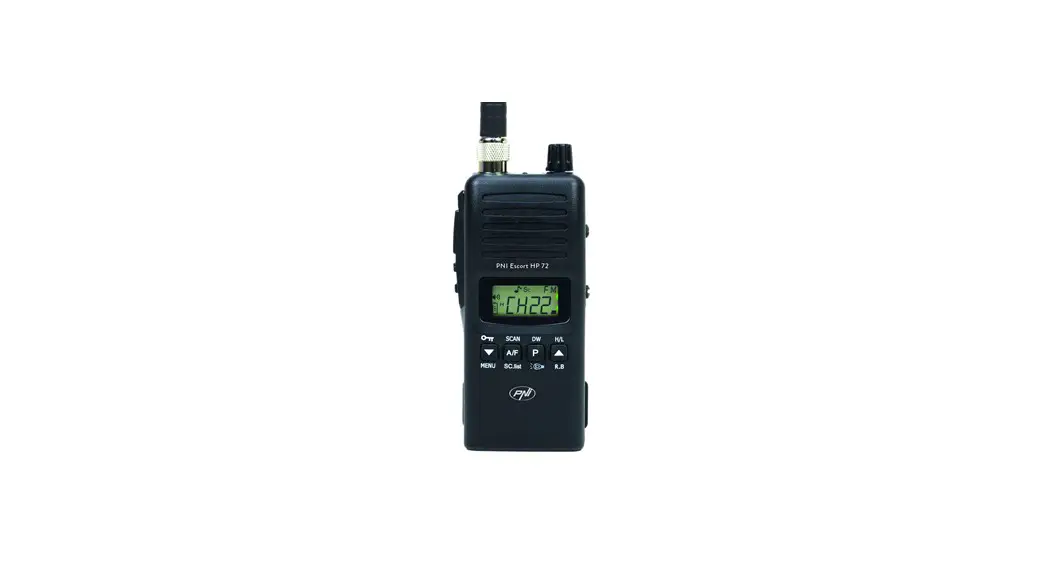
PMR R80 Pro Portable PMR Radio
Product Information:
The PNI PMR R80 PRO is a portable PMR radio that operates on 3
NiMh batteries (included). The radio is not charged from the
factory, so it is recommended to charge the batteries for at least
16 hours before the first use. The radio can be charged using the
dual desktop charger provided or by directly connecting the USB C
cable to a 5V-230V adapter and to the radio. The radio also
features a headphone connector, LCD screen, PTT key, menu and
On/Off button, channel buttons, S.O.S function, flashlight, volume
control, microphone, speaker, LED flashlight, CTCSS/DCS code
support, and various indicators for battery level, reception,
transmission, emergency call function, VOX function, locked keys,
and scanning channels.
Product Usage Instructions:
- Charging the Batteries:
- If the low battery indicator appears on the screen, it is
recommended to charge the batteries. - Use the dual desktop charger provided with the radio or
directly connect the USB C cable to a 5V-230V adapter and to the
radio.
- Connect the headphones to the 2.5 mm connector located on the
side of the radio. - Note: The radio is no longer water resistant if headphones are
connected. Remove the headphones and ensure the rubber cap is
closed properly before exposing the radio to water.
- Before the first use, charge the batteries for at least 16
hours using the dual desktop charger or by connecting the USB cable
to the radio’s USB C port. - Loosen the screws, remove the cover, and insert the 3 AA Ni-MH
batteries following the polarity marked on the housing. - Close the cover and tighten the screws.
- Note: Alkaline batteries can also be used, but they cannot be
charged.
- To turn on the radio, long press the On/Off button. To turn it
off, long press the On/Off button again.
- After turning on the radio, it automatically enters reception
mode (RX). The RX symbol appears on the screen when a signal is
received. - Adjust the volume using the Vol+ and Vol- keys. The screen
turns off after 10 seconds of inactivity to save battery. - To transmit, press the PTT key and speak into the radio’s
microphone. The TX symbol appears on the screen. - Release the PTT key to return to reception mode. The radio will
automatically stop transmitting after 1 minute to avoid continuous
transmission.
- To access the menu, press the MENU key. Press it again to
navigate through the menu. - Use the CH+ / CH- or Vol+ / Vol- keys to navigate through
submenu options. - Press the MENU key to save and move to the next submenu, or
press the PTT key to save and exit the menu.
- CTCSS/DCS codes are for private communications.
- A radio with activated CTCSS/DCS codes will only respond to
radios transmitting with the same active code. - Use CTCSS/DCS codes only if you are an experienced user.
Incorrect configuration of these codes can hinder communication
with other PMR frequency users.
PNI PMR R80 PRO
Portable PMR Radio / PMR / Tragbares PMR-Radio / Radio PMR Portatil / Radio portable PMR / Hordozható PMR rádió / Radio PMR portatile / Przenone radio PMR /
Statie radio PMR portabila
EN User manual ………………………………………………… 3 BG ……………………….. 12 DE Benutzerhandbuch ………………………………………. 22 ES Manual de usuario ……………………………………….. 31 FR Manuel utilisateur ……………………………………….. 40 HU Használati utasítás ………………………………………. 49 IT Manuale utente ………………………………………….. 58 NL Handleiding ……………………………………………….. 67 PL Instrukcja obslugi ……………………………………….. 76 RO Manual de utilizare ……………………………………… 85
Safety warnings
· DO NOT operate the radio without the antenna attached, as this may damage the radio and may also cause radio exposure limits to be exceeded. The antenna is supplied together with this radio and cannot be detached.
· DO NOT transmit more than 50% of the total time using the radio, more than 50% of the time may cause RF exposure compliance requirements to be exceeded.
· During transmissions, your radio generates RF energy that may cause interference with other devices or systems. To avoid such interference, turn off the radio in areas where signs indicating this are displayed.
· DO NOT use the radio in areas sensitive to electromagnetic radiation, such as hospitals, airplanes and places with a risk of explosion.
· Hold the radio in a vertical position at least 2.5 cm (one inch) from your head. Respecting this distance is important because RF exposure decreases with increasing distance from the antenna.
· DO NOT use a different type of battery than the one recommended by the manufacturer. When the life of the battery has expired, do not throw the battery anywhere, take it to a specialized collection center.
· Do not throw the battery into fire, risk of explosion.
Warnings regarding exposure to RF energy
· Do not use this device if the safety and operating requirements described in this manual are not met.
· This radio uses electromagnetic energy in the radio frequency (RF) spectrum to allow remote communications between two or more users. RF energy, when used improperly, can cause biological damage.
· All PNI radios are designed, manufactured and tested to ensure they meet RF exposure levels set by law.
· These instructions are important because they inform users about exposure to RF energy and provide simple procedures for controlling it. Please refer to the following website http://www.who.int/en/ for more information on exposure to RF energy.
· The user manual for this device includes information and operating instructions necessary to control RF exposure and meet compliance requirements.
3
User manual
· To comply with legal requirements, device repair should only be performed by or under the supervision of a certified person. Do not open the case of the device and do not repair it yourself in case of failure.
About the batteries
The PNI PMR R80 PRO radio is powered by 3 NiMh batteries (included). The batteries do not come charged from the factory. Please charge them for at least 16 hours before the first use of the radio.
Warnings about the batteries: · This radio can also be powered by alkaline batteries. Do not attempt to
charge alkaline batteries. · Do not short-circuit the battery terminals. · Do not throw batteries into fire, risk of explosion. · Remove the batteries from the radio if you do not use the radio for a long
time. · Charge the batteries in environmental conditions with a temperature
between 0°C – +40°C. Outside this temperature range, the batteries may charge incompletely. · Turn off the radio while charging the batteries. If you keep the radio on, it could affect the batteries correct charging. · Do not disconnect the radio during the charging process, as it could affect the correct charging of the batteries. · When the lifetime of the batteries has expired, replace them with similar ones. · Do not charge the batteries if they are not discharged. This could cause a reduction in battery life. · Do not charge the batteries if they or the radio are wet. · Do not use the radio with batteries with different charge levels.
Charging the batteries
If the low battery indicator appears on the screen, we recommend charging the batteries. To charge the batteries, use the dual desktop charger provided with the radio or directly connect the USB C cable to a 5V-230V adapter and to the radio.
User manual
4
Connecting audio accessories
Connect the headphones to the 2.5 mm connector located on the side of the radio. Note: The radio is no longer water resistant if it has headphones connected. Remove the headphones and make sure you close the rubber cap well before exposing the radio to water.
Keys and functions
1. Antenna 2. LCD screen 3. PTT key 4. Menu and On/Off 5. Channel + 6. Channel 7. S.O.S 8. Turn on/off the flashlight and
Lock the keyboard (long press). 9. Headphone connector 2.5 mm 10. USB-C port (for battery
charging) 11. Volume + 12. Volume 13. Microphone 14. Speaker 15. LED flashlight
5
User manual
Basic instructions
16. CTCSS / DCS code 17. Channel number 18. No sound (Mute) 19. Dual Watch function active 20. RX indicator (reception) 21. TX indicator (transmission) 22. The emergency call function is
active 23. VOX function active 24. Locked keys 25. Battery level indicator 26. Channels scanning in progress
Install the batteries
1. Before the first use, charge the batteries for at least 16 hours. To charge them, you can use the dual desktop charger or you can connect the USB cable to the radio’s USB C port.
2. Insert the charged batteries into the radio. Loosen the screws, remove the cover and insert the 3 AA Ni-MH batteries respecting the polarity marked on the housing.
3. Close the cover and tighten the screws.
Note: You can also use alkaline batteries to power the radio. Do not attempt to charge alkaline batteries.
Turn the radio on and off
To turn on the radio, long press the on/off button. To turn off the radio, long press the on/off button again.
TX and RX
After turning it on, the radio automatically enters reception mode (RX). When
User manual
6
the radio receives a signal, the RX symbol appears on the screen. Adjust the volume by pressing the Vol and Vol keys. After 10 seconds of inactivity, the screen turns off to save battery. To transmit, press the PTT key and speak into the radio’s microphone in a normal voice. The TX symbol appears on the screen. Release the PTT key to enter reception mode again. To avoid continuous transmission, the radio will automatically stop transmitting after 1 minute.
The menu
To access the menu, press the MENU key. Press the MENU key again to navigate through the menu. Press the CH / CH or Vol / Vol keys to navigate through the options of a submenu. Press the MENU key to save and move to the next submenu or press the PTT key to save and exit the menu.
01. CTCSS/DCS codes
CTCSS/DCS codes are for private communications. A radio with activated CTCSS/DCS codes will only be able to respond to radios transmitting with the same active code. We recommend the use of CTCSS/DCS codes only to experienced users. The wrong configuration of these codes can cause the impossibility to communicate with other users of the PMR frequency.
To configure the CTCSS/DCS codes, first select the channel using the CH and CH keys. Then press the MENU key. The screen shows the symbol “ct” for CTCSS and “dc” for DCS. Press the CH / CH or Vol / Vol keys to reach the desired code (38 for CTCSS and 83 for DCS).
02. Call tones
You can send a call tone to get the attention of other users. The call tone can be selected from a list of 20 tones available in the CA (Call Announcement) menu. Option “0” deactivates the Call function. To send a call tone, press and hold the Vol key. The tone is sent as long as you hold down this key.
7
User manual
03. VOX
This function allows you to transmit without pressing the PTT key. The radio automatically transmits when it detects the voice. Press the MENU key 3 times. The VOX icon will be displayed on the screen. 3 levels are available: · On level 3, the sensitivity is higher (the radio will also detect very weak
noises). · On level 1, the sensitivity is lower (you will need to speak louder for the
radio to transmit). · Option “0” disables the VOX function.
04. Dual Watch
This function allows you to monitor two channels simultaneously. The radio will receive on the two selected channels, but will only broadcast on the main channel. Press the MENU key 4 times. The icon will be displayed on the screen. Select the second channel by pressing the CH / CH or Vol / Vol keys. Press the PTT key to save and exit. The Dual Watch function is now active. To deactivate the function, select the Off option in the menu.
05. Monitor
This function allows you to disable the squelch and listen to all signals (including noise) on the current channel. The Monitor function is useful when you want to adjust the volume or want to hear weak signals that are blocked by the squelch.
Press the MENU key 5 times. The M icon will be displayed on the screen. Press the CH / CH or Vol / Vol keys to activate or deactivate the Monitor function.
Scan
To activate the Channel Scan function, press and hold the Vol key. The SCAN icon will appear on the screen. The radio will scan all channels and stop on the channel with signal. After the signal disappears, the scan will resume.
User manual
8
If you want to answer on the respective channel, press the PTT key within a maximum of 5 seconds. To deactivate the channel scan function, long press the Vol key again. If the scan found a channel you don’t want to listen to, press the CH or CH key to skip it. If you want to temporarily exclude a channel from scanning, hold down the CH or CH key for 3 seconds. You can thus exclude several channels from scanning. The exclusion remains valid until the next restart of the radio.
Keys lock
To avoid accidental touch, lock the keys by long pressing the key . Long press the same key again to unlock the keys.
Keys beep
To activate the key sound function, hold down the Vol key while restarting the radio. Do the same to deactivate the function.
Roger beep
The end of transmission tone is sent automatically each time you release the PTT key. It warns other users that you have finished transmitting. To enable/disable the Roger Beep function, hold down the Vol key while restarting the radio.
LED flashlight
Briefly press the key to turn the flashlight on. The flashlight can be lit even if the radio is off.
SOS
Press and hold the EMG button (the red button on the side of the radio) for 3 seconds to activate a flashing red light and a sound alarm. Deactivate the alarm function by briefly pressing the EMG button once more.
9
User manual
Protection grade IP67
This radio can be immersed in water for 30 minutes at a maximum depth of 1 meter. Make sure that both the cover on the battery compartment and the rubber cap on the headphone connector are firmly fixed.
Reset
Hold pressed simultaneously the CH key and the MENU key to return to the default settings.
Technical specifications
Frequency range Channels Transmission power Power supply Protection grade Operating temperature Dimensions Antenna length Weight
446.00625 – 446.09375 MHz 16 500 mW 3 x Ni-MH batteries, 1200mAh each IP67 -26°C ~ +80°C 60 x 40 x 200 mm 75 mm 185 gr (without the batteries)
Troubleshooting
Charge the batteries or change the
The radio does not turn on or it turns batteries.
off automatically
Check if you installed the batteries
correctly.
User manual
10
You cannot communicate with other PMR users You can hear other users but they cannot hear you The other users receive you intermittently
Check if you are using the same channel or if you are using the same CTCSS/DCS cone as the other users. Check if you are not outside the communication range of the radio. Check if you are using the same channel or if you are using the same CTCSS/DCS cone as the other users. The signal is too weak. Too big a distance between users. The radio’s microphone may be faulty. Call a service center.
11
User manual
· , . .
· 50% , , 50% .
· , . , , , .
· , , , .
· 2,5 ( ) . , .
· , . , , .
· , .
· , , , .
· (RF) , . RF , , .
· PNI , , ,
12
RF, . · ,
. , http://www.who.int/en/ . · , . · , . .
PNI PMR R80 PRO 3 NiMh (). . , 16 .
:
· .
.
· .
· , .
· ,
.
·
0°C – +40°C.
.
· , .
,
.
· ,
.
· , .
13
· , . .
· , . · .
, . , , , USB C 5V-230V .
2,5 mm , . : , . , , .
14
1. 2. LCD 3. 4. ./ 5. + 6. 7. S.O.S 8. /
( ). 9. 2.5 10. USB-C ( ) 11. + 12. 13. 14. 15. LED
16. CTCSS / DCS 17. 18. ( ) 19. Dual Watch
20. RX () 21. TX () 22.
23. VOX 24. 25.
26.
15
1. 16 . , USB USB C .
2. . , 3 AA Ni-MH , , .
3. .
: . .
, / . , /.
TX RX
(RX). , RX . , Vol Vol . 10 , . , . TX . , . , 1 .
16
MENU. MENU, . CH / CH Vol / Vol , . MENU, , .
01. CTCSS/DCS
CTCSS/DCS . CTCSS/DCS , . CTCSS/DCS . PMR .
CTCSS/DCS , CH CH . MENU. “ct” CTCSS “dc” DCS. CH / CH Vol / Vol , (38 CTCSS 83 DCS).
02.
, . 20 , CA (Call Announcement). “0” Call. , Vol . , .
03. VOX
,
17
. , . MENU 3 . VOX . 3 : 3 – ( ). 1 – ( , ). “0” VOX.
04. Dual Watch
. , . MENU 4 . . , CH / CH Vol / Vol . , . Dual Watch . , .
05.
( ) . Monitor , , .
MENU 5 . M . CH / CH Vol / Vol , .
, Vol. . .
18
, . , 5 . , Vol . , , CH CH , . , CH CH 3 . . .
, . , .
, Vol , . , .
Roger beep
, . , . / Roger Beep, Vol , .
LED
. .
19
SOS
EMG ( ) 3 , . , EMG.
IP67
30 1 . , , .
CH MENU. .
446.00625 – 446.09375 MHz 16 500 mW 3 x Ni-MH , 1200mAh IP67 -26°C ~ +80°C 60 x 40 x 200 mm 75 mm 185 ( )
20
. .
PMR
CTCSS/DCS . .
,
CTCSS/DCS .
.
.
.
.
21
Sicherheitswarnungen
· Betreiben Sie das Radio NICHT ohne angebrachte Antenne, da dies zu Schäden am Radio führen und außerdem zu einer Überschreitung der Grenzwerte für die Funkbelastung führen kann. Die Antenne wird zusammen mit diesem Radio geliefert und kann nicht abgenommen werden.
· Senden Sie NICHT mehr als 50 % der Gesamtzeit mit dem Funkgerät, da mehr als 50 % der Zeit dazu führen kann, dass die Anforderungen an die HF-Exposition überschritten werden.
· Während der Übertragung erzeugt Ihr Funkgerät HF-Energie, die zu Störungen bei anderen Geräten oder Systemen führen kann. Um solche Störungen zu vermeiden, schalten Sie das Radio in Bereichen aus, in denen entsprechende Schilder angebracht sind.
· Benutzen Sie das Radio NICHT in Bereichen, die empfindlich auf elektromagnetische Strahlung reagieren, wie z. B. Krankenhäuser, Flugzeuge und Orte mit Explosionsgefahr.
· Halten Sie das Radio in einer vertikalen Position, mindestens 2,5 cm (ein Zoll) von Ihrem Kopf entfernt. Die Einhaltung dieses Abstands ist wichtig, da die HF-Exposition mit zunehmendem Abstand von der Antenne abnimmt.
· Verwenden Sie KEINEN anderen Batterietyp als den vom Hersteller empfohlenen. Wenn die Lebensdauer der Batterie abgelaufen ist, werfen Sie die Batterie nicht weg, sondern bringen Sie sie zu einer spezialisierten Sammelstelle.
· Werfen Sie die Batterie nicht ins Feuer, es besteht Explosionsgefahr.
Warnungen bezüglich der Belastung durch HF-Energie
· Benutzen Sie dieses Gerät nicht, wenn die in diesem Handbuch beschriebenen Sicherheits- und Betriebsanforderungen nicht erfüllt sind.
· Dieses Funkgerät nutzt elektromagnetische Energie im Hochfrequenzspektrum (RF), um die Fernkommunikation zwischen zwei oder mehr Benutzern zu ermöglichen. Bei unsachgemäßer Anwendung kann HF-Energie biologische Schäden verursachen.
· Alle PNI-Funkgeräte werden entwickelt, hergestellt und getestet, um sicherzustellen, dass sie die gesetzlich festgelegten HF-Expositionswerte
Benutzerhandbuch
22
einhalten. · Diese Anweisungen sind wichtig, da sie Benutzer über die Exposition
gegenüber HF-Energie informieren und einfache Verfahren zu deren Kontrolle bereitstellen. Weitere Informationen zur Belastung durch HFEnergie finden Sie auf der folgenden Website: http://www.who.int/en/. · Das Benutzerhandbuch für dieses Gerät enthält Informationen und Bedienungsanleitungen, die zur Kontrolle der HF-Exposition und zur Einhaltung von Compliance-Anforderungen erforderlich sind. · Um den gesetzlichen Anforderungen zu entsprechen, sollten Gerätereparaturen nur von einer zertifizierten Person oder unter deren Aufsicht durchgeführt werden. Öffnen Sie das Gehäuse des Geräts nicht und führen Sie im Fehlerfall keine Eigenreparaturen durch.
Über die Batterien
Das PNI PMR R80 PRO-Radio wird mit 3 NiMh-Batterien (im Lieferumfang enthalten) betrieben. Die Batterien sind ab Werk nicht aufgeladen. Bitte laden Sie sie vor der ersten Nutzung des Radios mindestens 16 Stunden lang auf.
Warnhinweise zu den Batterien: · Dieses Radio kann auch mit Alkalibatterien betrieben werden. Versuchen
Sie nicht, Alkalibatterien aufzuladen. · Schließen Sie die Batteriepole nicht kurz. · Werfen Sie Batterien nicht ins Feuer, es besteht Explosionsgefahr. · Entfernen Sie die Batterien aus dem Radio, wenn Sie das Radio längere
Zeit nicht benutzen. · Laden Sie die Akkus unter Umgebungsbedingungen mit einer Temperatur
zwischen 0 °C und +40 °C auf. Außerhalb dieses Temperaturbereichs kann es sein, dass die Akkus unvollständig geladen werden. · Schalten Sie das Radio aus, während Sie die Akkus laden. Wenn Sie das Radio eingeschaltet lassen, kann dies die korrekte Ladung der Batterien beeinträchtigen. · Trennen Sie das Radio während des Ladevorgangs nicht vom Stromnetz, da dies die korrekte Ladung der Akkus beeinträchtigen könnte. · Wenn die Lebensdauer der Batterien abgelaufen ist, ersetzen Sie sie durch gleichartige. · Laden Sie die Akkus nicht auf, wenn sie nicht entladen sind. Dies könnte zu einer Verkürzung der Batterielebensdauer führen.
23
Benutzerhandbuch
· Laden Sie die Akkus oder das Radio nicht auf, wenn sie nass sind. · Benutzen Sie das Radio nicht mit Akkus mit unterschiedlichem
Ladezustand.
Laden der Akkus
Wenn die Anzeige für niedrigen Batteriestand auf dem Bildschirm erscheint, empfehlen wir, die Batterien aufzuladen. Um die Akkus aufzuladen, verwenden Sie das mit dem Radio gelieferte DualTischladegerät oder schließen Sie das USB-C-Kabel direkt an einen 5V-230VAdapter und an das Radio an.
Anschließen von Audiozubehör
Schließen Sie die Kopfhörer an den 2,5-mm-Anschluss an der Seite des Radios an. Hinweis: Das Radio ist nicht mehr wasserdicht, wenn Kopfhörer angeschlossen sind. Nehmen Sie die Kopfhörer ab und achten Sie darauf, die Gummikappe gut zu verschließen, bevor Sie das Radio Wasser aussetzen.
Keys and functions
Benutzerhandbuch
1. Antenne 2. LCD Bildschirm 3. PTT-Taste 4. Menü und Ein/Aus 5. Kanal + 6. Kanal 7. SOS 8. Schalten Sie die Taschenlampe ein/aus
und sperren Sie die Tastatur 9. Kopfhöreranschluss 2,5 mm 10. USB-C-Anschluss (zum Laden des
Akkus) 11. Lautstärke + 12. Lautstärke 13. Mikrofon 14. Lautsprecher 15. LED-Taschenlampe
24
16. CTCSS/DCS-Code 17. Kanal Nummer 18. Kein Ton (Stumm) 19. Dual-Watch-Funktion aktiv 20. RX-Anzeige (Empfang) 21. TX-Anzeige (Übertragung) 22. Die Notruffunktion ist aktiv 23. VOX-Funktion aktiv 24. Gesperrte Schlüssel 25. Batteriestandsanzeige 26. Kanalsuche läuft
Grundlegende Anweisungen
Legen Sie die Batterien ein
1. Laden Sie die Akkus vor dem ersten Gebrauch mindestens 16 Stunden lang auf. Zum Aufladen können Sie das Dual-Tischladegerät verwenden oder das USB-Kabel an den USB-C-Anschluss des Radios anschließen.
2. Legen Sie die geladenen Akkus in das Radio ein. Lösen Sie die Schrauben, entfernen Sie die Abdeckung und legen Sie die 3 AA-Ni-MH-Batterien ein. Beachten Sie dabei die auf dem Gehäuse angegebene Polarität.
3. Schließen Sie die Abdeckung und ziehen Sie die Schrauben fest.
Hinweis: Sie können das Radio auch mit Alkalibatterien betreiben. Versuchen Sie nicht, Alkalibatterien aufzuladen.
Schalten Sie das Radio ein und aus
Um das Radio einzuschalten, drücken Sie lange die Ein-/Aus-Taste. Um das Radio auszuschalten, drücken Sie erneut lange auf die Ein-/Aus-Taste.
TX und RX
Nach dem Einschalten wechselt das Radio automatisch in den Empfangsmodus (RX). Wenn das Radio ein Signal empfängt, erscheint das RX-Symbol auf dem
25
Benutzerhandbuch
Bildschirm. Stellen Sie die Lautstärke ein, indem Sie die Tasten Vol und Vol drücken. Nach 10 Sekunden Inaktivität schaltet sich der Bildschirm aus, um den Akku zu schonen. Drücken Sie zum Senden die PTT-Taste und sprechen Sie mit normaler Stimme in das Mikrofon des Funkgeräts. Das TX-Symbol erscheint auf dem Bildschirm. Lassen Sie die PTT-Taste los, um wieder in den Empfangsmodus zu gelangen. Um eine kontinuierliche Übertragung zu vermeiden, stoppt das Funkgerät die Übertragung automatisch nach 1 Minute.
Das Menü
Um auf das Menü zuzugreifen, drücken Sie die MENÜ-Taste. Drücken Sie die MENÜ-Taste erneut, um durch das Menü zu navigieren. Drücken Sie die Tasten CH / CH oder Vol / Vol , um durch die Optionen eines Untermenüs zu navigieren. Drücken Sie die MENÜ-Taste, um zu speichern und zum nächsten Untermenü zu wechseln, oder drücken Sie die PTT-Taste, um zu speichern und das Menü zu verlassen.
01. CTCSS/DCS-Codes
CTCSS/DCS-Codes dienen der privaten Kommunikation. Ein Funkgerät mit aktivierten CTCSS/DCS-Codes kann nur auf Funkgeräte reagieren, die mit demselben aktiven Code senden. Wir empfehlen die Verwendung von CTCSS/ DCS-Codes nur erfahrenen Benutzern. Die falsche Konfiguration dieser Codes kann dazu führen, dass die Kommunikation mit anderen Benutzern der PMR-Frequenz nicht möglich ist.
Um die CTCSS/DCS-Codes zu konfigurieren, wählen Sie zunächst den Kanal mit den Tasten CH und CH aus. Drücken Sie dann die MENÜ-Taste. Auf dem Bildschirm wird das Symbol ,,ct” für CTCSS und ,,dc” für DCS angezeigt. Drücken Sie die Tasten CH / CH oder Vol / Vol , um zum gewünschten Code zu gelangen (38 für CTCSS und 83 für DCS).
02. Ruftöne
Sie können einen Rufton senden, um die Aufmerksamkeit anderer Benutzer
Benutzerhandbuch
26
zu erregen. Der Rufton kann aus einer Liste von 20 Tönen ausgewählt werden, die im CA-Menü (Call Announcement) verfügbar sind. Option ,,0″ deaktiviert die Anruffunktion. Um einen Rufton zu senden, halten Sie die Taste Vol gedrückt. Der Ton wird gesendet, solange Sie diese Taste gedrückt halten.
03. VOX
Mit dieser Funktion können Sie senden, ohne die PTT-Taste zu drücken. Das Radio sendet automatisch, wenn es die Stimme erkennt. Drücken Sie dreimal die MENÜ-Taste. Das VOX-Symbol wird auf dem Bildschirm angezeigt. Es stehen 3 Ebenen zur Verfügung: · Auf Stufe 3 ist die Empfindlichkeit höher (das Radio erkennt auch sehr
schwache Geräusche). · Auf Stufe 1 ist die Empfindlichkeit geringer (Sie müssen lauter sprechen,
damit das Radio senden kann). · Option ,,0″ deaktiviert die VOX-Funktion.
04. Dual Watch
Mit derselben Funktion können Sie zwei Kanäle gleichzeitig überwachen. Das Radio empfängt auf den beiden ausgewählten Kanälen, sendet jedoch nur auf dem Hauptkanal. Drücken Sie viermal die MENÜ-Taste. Das Symbol wird auf dem Bildschirm angezeigt. Wählen Sie den zweiten Kanal durch Drücken der Tasten CH / CH oder Vol / Vol aus. Drücken Sie zum Speichern und Beenden die PTT-Taste. Die Dual Watch-Funktion ist jetzt aktiv. Um die Funktion zu deaktivieren, wählen Sie im Menü die Option Aus.
05. Kanalüberwachung
Mit dieser Funktion können Sie die Rauschsperre deaktivieren und alle Signale (einschließlich Rauschen) auf dem aktuellen Kanal abhören. Die MonitorFunktion ist nützlich, wenn Sie die Lautstärke anpassen oder schwache Signale hören möchten, die durch die Rauschsperre blockiert werden.
27
Benutzerhandbuch
Drücken Sie die MENÜ-Taste fünfmal. Das M-Symbol wird auf dem Bildschirm angezeigt. Drücken Sie die Tasten CH / CH oder Vol / Vol , um die Monitorfunktion zu aktivieren oder zu deaktivieren.
Kanalsuche
Um die Kanalsuchfunktion zu aktivieren, halten Sie die Vol-Taste gedrückt. Das SCAN-Symbol erscheint auf dem Bildschirm. Das Radio durchsucht alle Kanäle und stoppt auf dem Kanal mit Signal. Nachdem das Signal verschwindet, wird der Scan fortgesetzt. Wenn Sie auf dem jeweiligen Kanal antworten möchten, drücken Sie innerhalb von maximal 5 Sekunden die PTT-Taste. Um die Kanalsuchfunktion zu deaktivieren, drücken Sie erneut lange die Taste Vol . Wenn beim Suchlauf ein Kanal gefunden wurde, den Sie nicht hören möchten, drücken Sie die Taste CH oder CH , um ihn zu überspringen. Wenn Sie einen Kanal vorübergehend vom Suchlauf ausschließen möchten, halten Sie die Taste CH oder CH 3 Sekunden lang gedrückt. So können Sie mehrere Kanäle vom Scan ausschließen. Der Ausschluss bleibt bis zum nächsten Neustart des Radios gültig.
Tastensperre
Um versehentliches Berühren zu vermeiden, sperren Sie die Tasten, indem Sie lange auf die Taste drückeny . Drücken Sie dieselbe Taste erneut lange, um die Tasten zu entsperren.
Tastenton
Um die Tastentonfunktion zu aktivieren, halten Sie die Vol -Taste gedrückt, während Sie das Radio neu starten. Gehen Sie genauso vor, um die Funktion zu deaktivieren.
Roger beep
Der Sendeendeton wird jedes Mal automatisch gesendet, wenn Sie die PTTTaste loslassen. Es warnt andere Benutzer, dass Sie mit der Übertragung fertig
Benutzerhandbuch
28
sind. Um die Roger Beep-Funktion zu aktivieren/deaktivieren, halten Sie die Taste Vol gedrückt, während Sie das Radio neu starten.
LED-Taschenlampe
Drücken Sie kurz die Taste um die Taschenlampe einzuschalten. Die Taschenlampe kann auch dann leuchten, wenn das Radio ausgeschaltet ist.
SOS
Halten Sie die EMG-Taste (die rote Taste an der Seite des Radios) 3 Sekunden lang gedrückt, um ein blinkendes rotes Licht und einen akustischen Alarm zu aktivieren. Deaktivieren Sie die Alarmfunktion, indem Sie die EMG-Taste noch einmal kurz drücken.
Schutzart IP67
Dieses Radio kann 30 Minuten lang in Wasser mit einer maximalen Tiefe von 1 Meter eingetaucht werden. Stellen Sie sicher, dass sowohl die Abdeckung des Batteriefachs als auch die Gummikappe am Kopfhöreranschluss fest sitzen.
Zurücksetzen
Halten Sie gleichzeitig die CH -Taste und die MENU-Taste gedrückt. Alle Einstellungen werden auf die Werkseinstellungen zurückgesetzt.
Technische Spezifikationen
Frequenzbereich Kanäle Übertragungsleistung Stromversorgung Schutzgrad Betriebstemperatur
446.00625 – 446.09375 MHz 16 500 mW 3 x Ni-MH-Akkus, jeweils 1200 mAh IP67 -26°C ~ +80°C
29
Benutzerhandbuch
Maße Antennenlänge Gewicht
60 x 40 x 200 mm 75 mm 185 gr (ohne die Batterien)
Fehlerbehebung
Das Radio schaltet sich nicht ein oder schaltet sich automatisch aus Sie können nicht mit anderen PMRBenutzern kommunizieren Sie können andere Benutzer hören, aber diese können Sie nicht hören Die anderen Benutzer empfangen Sie zeitweise
Laden Sie die Batterien auf oder wechseln Sie die Batterien. Überprüfen Sie, ob Sie die Batterien richtig eingelegt haben. Check if you are using the same channel or if you are using the same CTCSS/DCS cone as the other users. Check if you are not outside the communication range of the radio. Überprüfen Sie, ob Sie denselben Kanal oder denselben CTCSS/DCSKegel wie die anderen Benutzer verwenden. Das Signal ist zu schwach. Zu großer Abstand zwischen den Benutzern. Möglicherweise ist das Mikrofon des Radios defekt. Rufen Sie ein Servicecenter an.
Benutzerhandbuch
30
Advertencias de seguridad
· NO opere la radio sin la antena conectada, ya que esto puede dañar la radio y también puede causar que se excedan los límites de exposición a la radio. La antena se suministra junto con esta radio y no se puede quitar.
· NO transmita más del 50% del tiempo total usando la radio, más del 50% del tiempo puede causar que se excedan los requisitos de cumplimiento de exposición RF.
· Durante las transmisiones, su radio genera energía RF que puede causar interferencia con otros dispositivos o sistemas. Para evitar tales interferencias, apague la radio en las áreas donde se muestren carteles que lo indiquen.
· NO utilice la radio en áreas sensibles a la radiación electromagnética, como hospitales, aviones y lugares con riesgo de explosión.
· Sostenga la radio en posición vertical a por lo menos 2,5 cm (una pulgada) de su cabeza. Respetar esta distancia es importante porque la exposición a RF disminuye al aumentar la distancia desde la antena.
· NO utilice un tipo de batería diferente al recomendado por el fabricante. Cuando la vida útil de la batería haya expirado, no tire la batería a ningún lado, llévela a un centro de recolección especializado.
· No arroje la batería al fuego, riesgo de explosión.
Advertencias sobre la exposición a la energía de radiofrecuencia
· No utilice este dispositivo si no se cumplen los requisitos de seguridad y funcionamiento descritos en este manual.
· Esta radio utiliza energía electromagnética en el espectro de radiofrecuencia (RF) para permitir comunicaciones remotas entre dos o más usuarios. La energía de radiofrecuencia, cuando se usa incorrectamente, puede causar daños biológicos.
· Todas las radios PNI están diseñadas, fabricadas y probadas para garantizar que cumplan con los niveles de exposición a RF establecidos por la ley.
· Estas instrucciones son importantes porque informan a los usuarios sobre la exposición a la energía de radiofrecuencia y brindan procedimientos simples para controlarla. Consulte el siguiente sitio web http://www.who. int/en/ para obtener más información sobre la exposición a la energía de
31
Manual de usuario
radiofrecuencia. · El manual del usuario de este dispositivo incluye la información y las
instrucciones de funcionamiento necesarias para controlar la exposición a RF y cumplir con los requisitos de cumplimiento. · Para cumplir con los requisitos legales, la reparación del dispositivo solo debe ser realizada por una persona certificada o bajo su supervisión. No abra la carcasa del dispositivo y no lo repare usted mismo en caso de falla.
Acerca de las baterías
La radio PNI PMR R80 PRO funciona con 3 baterías NiMh (incluidas). Las baterías no vienen cargadas de fábrica. Cárguelos durante al menos 16 horas antes del primer uso de la radio..
Advertencias sobre las pilas: · Esta radio también puede funcionar con pilas alcalinas. No intente cargar
baterías alcalinas. · No cortocircuite los terminales de la batería. · No arroje las pilas al fuego, riesgo de explosión. · Quite las pilas de la radio si no la usa durante mucho tiempo. · Cargue las baterías en condiciones ambientales con una temperatura entre
0°C – +40°C. Fuera de este rango de temperatura, las baterías pueden cargarse de forma incompleta. · Apague la radio mientras carga las baterías. Si mantiene la radio encendida, podría afectar la correcta carga de las baterías. · No desconecte la radio durante el proceso de carga, ya que podría afectar la correcta carga de las baterías. · Cuando la vida útil de las baterías haya expirado, reemplácelas por otras similares. · No cargue las baterías si no están descargadas. Esto podría causar una reducción en la duración de la batería. · No cargue las baterías si ellas o la radio están mojadas. · No utilice la radio con baterías con diferentes niveles de carga
Cargando las baterías
Si aparece el indicador de batería baja en la pantalla, recomendamos cargar las
Manual de usuario
32
baterías. Para cargar las baterías, use el cargador de escritorio dual provisto con la radio o conecte directamente el cable USB C a un adaptador de 5V-230V y a la radio.
Conexión de accesorios de audio
Conecte los auriculares al conector de 2,5 mm situado en el lateral de la radio. Nota: La radio ya no es resistente al agua si tiene auriculares conectados. Retire los auriculares y asegúrese de cerrar bien la tapa de goma antes de exponer la radio al agua.
Teclas y funciones
1. Antena 2. Pantalla LCD 3. Tecla PTT 4. Menú y encendido/apagado 5. Canal + 6. Canal 7. Llamada de socorro 8. Encender/apagar la linterna y
bloquear el teclado (pulsación larga). 9. Conector de auriculares 2,5 mm 10. Puerto USB-C (para cargar la batería) 11. Volumen + 12. Volumen 13. Micrófono 14. Altoparlante 15. Linterna LED
33
Manual de usuario
Instrucciones básicas
16. Código CTCSS/DCS 17. Numero de canal 18. Sin sonido (Silencio) 19. Función de Dual Watch activa 20. Indicador RX (recepción) 21. Indicador TX (transmisión) 22. La función de llamada de
emergencia está activa 23. Función VOX activa 24. Teclas bloqueadas 25. Indicador de nivel de batería 26. Búsqueda de canales en curso
Instale las baterías
1. Antes del primer uso, cargue las baterías durante al menos 16 horas. Para cargarlos, puede usar el cargador de escritorio dual o puede conectar el cable USB al puerto USB C de la radio.
2. Inserte las baterías cargadas en la radio. Afloje los tornillos, quite la tapa e inserte las 3 pilas AA Ni-MH respetando la polaridad marcada en la carcasa.
3. Cierre la cubierta y apriete los tornillos. Nota: También puede utilizar pilas alcalinas para alimentar la radio. No intente cargar pilas alcalinas.
Encender y apagar la radio
Para encender la radio, mantenga presionado el botón de encendido/apagado. Para apagar la radio, mantenga presionado el botón de encendido/apagado nuevamente.
Manual de usuario
34
TX e RX
Después de encenderlo, la radio entra automáticamente en modo de recepción (RX). Cuando la radio recibe una señal, el símbolo RX aparece en la pantalla. Ajuste el volumen presionando las teclas Vol y Vol . Después de 10 segundos de inactividad, la pantalla se apaga para ahorrar batería. Para transmitir, presione la tecla PTT y hable al micrófono de la radio con voz normal. El símbolo TX aparece en la pantalla. Suelte la tecla PTT para ingresar nuevamente al modo de recepción. Para evitar la transmisión continua, la radio dejará de transmitir automáticamente después de 1 minuto.
El menú
Para acceder al menú, presione la tecla MENÚ. Vuelva a pulsar la tecla MENÚ para navegar por el menú. Presione las teclas CH / CH o Vol / Vol para navegar por las opciones de un submenú. Presione la tecla MENÚ para guardar y pasar al siguiente submenú o presione la tecla PTT para guardar y salir del menú.
01. Códigos CTCSS/DCS
Los códigos CTCSS/DCS son para comunicaciones privadas. Una radio con códigos CTCSS/DCS activados solo podrá responder a radios que transmitan con el mismo código activo. Recomendamos el uso de códigos CTCSS/DCS solo a usuarios experimentados. La mala configuración de estos códigos puede provocar la imposibilidad de comunicarse con otros usuarios de la frecuencia PMR.
Para configurar los códigos CTCSS/DCS, primero seleccione el canal usando las teclas CH y CH . Luego presione la tecla MENÚ. La pantalla muestra el símbolo “ct” para CTCSS y “dc” para DCS. Presione las teclas CH / CH o Vol / Vol para llegar al código deseado (38 para CTCSS y 83 para DCS).
02. Tonos de llamada
Puede enviar un tono de llamada para llamar la atención de otros usuarios.
35
Manual de usuario
El tono de llamada se puede seleccionar de una lista de 20 tonos disponibles en el menú CA (Anuncio de llamada). La opción “0” desactiva la función de Llamada. Para enviar un tono de llamada, mantenga presionada la tecla Vol . El tono se envía mientras mantenga presionada esta tecla.
03. VOX
Esta función le permite transmitir sin presionar la tecla PTT. La radio transmite automáticamente cuando detecta la voz. Pulse la tecla MENÚ 3 veces. El icono VOX se mostrará en la pantalla. Hay 3 niveles disponibles: · En el nivel 3, la sensibilidad es mayor (la radio también detectará ruidos
muy débiles). · En el nivel 1, la sensibilidad es más baja (necesitará hablar más alto para que
la radio transmita). · La opción “0” deshabilita la función VOX.
04. Dual Watch
La misma función le permite monitorear dos canales simultáneamente. La radio recibirá en los dos canales seleccionados, pero solo transmitirá en el canal principal. Pulse la tecla MENÚ 4 veces. El icono se mostrará en la pantalla. Seleccione el segundo canal presionando las teclas CH / CH o Vol / Vol . Presione la tecla PTT para guardar y salir. La función Dual Watch ahora está activa. Para desactivar la función, seleccione la opción Off en el menú.
05. Supervisar
Esta función le permite desactivar el silenciamiento y escuchar todas las señales (incluido el ruido) en el canal actual. La función Monitor es útil cuando desea ajustar el volumen o desea escuchar señales débiles que están bloqueadas por el silenciador.
Pulse la tecla MENÚ 5 veces. El icono M se mostrará en la pantalla. Presione las teclas CH / CH o Vol / Vol para activar o desactivar la función
Manual de usuario
36
Monitor.
Escanear
Para activar la función de búsqueda de canales, mantenga presionada la tecla Vol . El icono ESCANEAR aparecerá en la pantalla. La radio buscará todos los canales y se detendrá en el canal con señal. Después de que desaparezca la señal, se reanudará el escaneo. Si desea contestar en el canal respectivo, presione la tecla PTT dentro de un máximo de 5 segundos. Para desactivar la función de búsqueda de canales, mantenga presionada la tecla Vol nuevamente. Si la búsqueda encontró un canal que no desea escuchar, presione la tecla CH o CH para omitirlo. Si desea excluir temporalmente un canal del escaneo, mantenga presionada la tecla CH o CH durante 3 segundos. Por lo tanto, puede excluir varios canales de la exploración. La exclusión sigue siendo válida hasta el próximo reinicio de la radio.
Bloqueo de teclas
Para evitar un toque accidental, bloquee las teclas presionando prolongadamente la tecla . Long press the same key again to unlock the keys.
Pitido de teclas
Para activar la función de sonido de teclas, mantenga presionada la tecla Vol mientras reinicia la radio. Haz lo mismo para desactivar la función.
Roger beep
El tono de fin de transmisión se envía automáticamente cada vez que suelta la tecla PTT. Avisa a otros usuarios que has terminado de transmitir. Para habilitar/deshabilitar la función Roger Beep, mantenga presionada la tecla Vol mientras reinicia la radio.
37
Manual de usuario
Linterna LED
Pulse brevemente la tecla para encender la linterna. La linterna se puede encender incluso si la radio está apagada.
SOS
Mantenga presionado el botón EMG (el botón rojo en el costado de la radio) durante 3 segundos para activar una luz roja intermitente y una alarma sonora. Desactive la función de alarma presionando brevemente el botón EMG una vez más.
Grado de protección IP67
Esta radio se puede sumergir en agua durante 30 minutos a una profundidad máxima de 1 metro. Asegúrese de que tanto la tapa del compartimento de la batería como la tapa de goma del conector de los auriculares estén firmemente fijadas.
Reinicializar
Mantenga presionadas simultáneamente la tecla CH y la tecla MENU. Todos los ajustes volverán a los valores predeterminados de fábrica.
Especificaciones técnicas
Rango de frecuencia Canales Poder de transmision Fuente de alimentación Grado de protección Temperatura de funcionamiento Dimensiones Longitud de la antena
Manual de usuario
446.00625 – 446.09375 MHz 16 500 mW 3 pilas Ni-MH de 1200 mAh cada una IP67 -26°C ~ +80°C
60 x 40 x 200 mm 75 mm
38
Peso
185 gr (sin las pilas)
Solución de problemas
La radio no enciende o se apaga automáticamente No puede comunicarse con otros usuarios de PMR Puedes escuchar a otros usuarios pero ellos no pueden escucharte Los demás usuarios te reciben de forma intermitente
Cargue las baterías o cambie las baterías. Comprueba si has instalado correctamente las pilas.. Compruebe si está utilizando el mismo canal o si está utilizando el mismo cono CTCSS/DCS que los demás usuarios. Compruebe si no está fuera del alcance de comunicación de la radio. Compruebe si está utilizando el mismo canal o si está utilizando el mismo cono CTCSS/DCS que los demás usuarios. La señal es demasiado débil. Una distancia demasiado grande entre los usuarios. El micrófono de la radio puede estar defectuoso. Llame a un centro de servicio.
39
Manual de usuario
Avertissements de sécurité
· N’UTILISEZ PAS la radio sans l’antenne attachée, car cela pourrait endommager la radio et entraîner le dépassement des limites d’exposition radio. L’antenne est fournie avec cette radio et ne peut pas être détachée.
· NE transmettez PAS plus de 50 % du temps total d’utilisation de la radio, plus de 50 % du temps peut entraîner le dépassement des exigences de conformité en matière d’exposition aux RF.
· Pendant les transmissions, votre radio génère de l’énergie RF qui peut causer des interférences avec d’autres appareils ou systèmes. Pour éviter de telles interférences, éteignez la radio dans les zones où des panneaux indiquant cela sont affichés.
· N’UTILISEZ PAS la radio dans des zones sensibles aux rayonnements électromagnétiques, telles que les hôpitaux, les avions et les lieux présentant un risque d’explosion.
· Tenez la radio en position verticale à au moins 2,5 cm (un pouce) de votre tête. Le respect de cette distance est important car l’exposition RF diminue avec l’augmentation de la distance par rapport à l’antenne.
· N’UTILISEZ PAS un type de pile différent de celui recommandé par le fabricant. Lorsque la durée de vie de la batterie a expiré, ne jetez pas la batterie n’importe où, apportez-la à un centre de collecte spécialisé.
· Ne pas jeter la batterie au feu, risque d’explosion.
Avertissements concernant l’exposition à l’énergie RF
· N’utilisez pas cet appareil si les exigences de sécurité et de fonctionnement décrites dans ce manuel ne sont pas respectées.
· Cette radio utilise l’énergie électromagnétique dans le spectre des radiofréquences (RF) pour permettre des communications à distance entre deux utilisateurs ou plus. L’énergie RF, lorsqu’elle est mal utilisée, peut causer des dommages biologiques.
· Toutes les radios PNI sont conçues, fabriquées et testées pour s’assurer qu’elles respectent les niveaux d’exposition RF fixés par la loi.
· Ces instructions sont importantes car elles informent les utilisateurs sur l’exposition à l’énergie RF et fournissent des procédures simples pour la contrôler. Veuillez consulter le site Web suivant http://www.who.int/en/ pour plus d’informations sur l’exposition à l’énergie RF.
Manuel utilisateur
40
· Le manuel d’utilisation de cet appareil comprend des informations et des instructions d’utilisation nécessaires pour contrôler l’exposition aux RF et répondre aux exigences de conformité.
· Pour se conformer aux exigences légales, la réparation de l’appareil ne doit être effectuée que par ou sous la supervision d’une personne certifiée. N’ouvrez pas le boîtier de l’appareil et ne le réparez pas vous-même en cas de panne.
A propos des batteries
La radio PNI PMR R80 PRO est alimentée par 3 piles NiMh (incluses). Les batteries ne sont pas chargées en usine. Veuillez les charger pendant au moins 16 heures avant la première utilisation de la radio. Avertissements sur les batteries: · Cette radio peut également être alimentée par des piles alcalines. N’essayez
pas de recharger des piles alcalines. · Ne court-circuitez pas les bornes de la batterie. · Ne pas jeter les piles au feu, risque d’explosion. · Retirez les piles de la radio si vous n’utilisez pas la radio pendant une longue
période. · Chargez les batteries dans des conditions environnementales avec une
température comprise entre 0°C et +40°C. En dehors de cette plage de température, les batteries peuvent ne pas se recharger complètement. · Éteignez la radio pendant le chargement des batteries. Si vous laissez la radio allumée, cela pourrait affecter la charge correcte des batteries. · Ne débranchez pas la radio pendant le processus de charge, car cela pourrait affecter la charge correcte des batteries. · Lorsque la durée de vie des piles a expiré, remplacez-les par des piles similaires. · Ne chargez pas les batteries si elles ne sont pas déchargées. Cela pourrait entraîner une réduction de la durée de vie de la batterie. · Ne chargez pas les batteries si elles ou la radio sont mouillées. · N’utilisez pas la radio avec des batteries avec des niveaux de charge différents.
41
Manuel utilisateur
Charger les batteries
Si l’indicateur de batterie faible apparaît à l’écran, nous vous recommandons de charger les batteries. Pour charger les batteries, utilisez le double chargeur de bureau fourni avec la radio ou connectez directement le câble USB C à un adaptateur 5V-230V et à la radio.
Connexion d’accessoires audio
Connectez le casque au connecteur 2,5 mm situé sur le côté de la radio. Remarque : La radio n’est plus étanche si des écouteurs sont connectés. Retirez les écouteurs et assurez-vous de bien fermer le capuchon en caoutchouc avant d’exposer la radio à l’eau.
Touches et fonctions
1. Antenne 2. Écran LCD 3. Touche PTT 4. Menu et Marche/Arrêt 5. Canal + 6. Canal 7. SOS 8. Allumer/éteindre la lampe de
poche et verrouiller le clavier (appui long). 9. Connecteur casque 2,5 mm 10. Port USB-C (pour le chargement de la batterie) 11. Volume + 12. Volume 13. Microphone 14. Haut-parleur 15. Lampe de poche à DEL
Manuel utilisateur
42
Instructions de base
16. Code CTCSS/DCS 17. Le numéro de canal 18. Pas de son (Muet) 19. Fonction Double Watch active 20. Indicateur RX (réception) 21. Indicateur TX (transmission) 22. La fonction d’appel d’urgence est
active 23. Fonction VOX active 24. Touches verrouillées 25. Indicateur de niveau de batterie 26. Balayage des canaux en cours
Installez les piles
1. Avant la première utilisation, chargez les batteries pendant au moins 16 heures. Pour les charger, vous pouvez utiliser le double chargeur de bureau ou vous pouvez connecter le câble USB au port USB C de la radio.
2. Insérez les piles chargées dans la radio. Desserrez les vis, retirez le couvercle et insérez les 3 piles AA Ni-MH en respectant la polarité indiquée sur le boîtier.
3. Fermez le couvercle et serrez les vis.
Remarque : Vous pouvez également utiliser des piles alcalines pour alimenter la radio. N’essayez pas de recharger des piles alcalines.
Allumer et éteindre la radio
Pour allumer la radio, appuyez longuement sur le bouton marche/arrêt. Pour éteindre la radio, appuyez à nouveau longuement sur le bouton marche/arrêt.
TX et RX
Après l’avoir allumée, la radio passe automatiquement en mode de réception
43
Manuel utilisateur
(RX). Lorsque la radio reçoit un signal, le symbole RX apparaît à l’écran. Réglez le volume en appuyant sur les touches Vol et Vol . Après 10 secondes d’inactivité, l’écran s’éteint pour économiser la batterie. Pour émettre, appuyez sur la touche PTT et parlez dans le microphone de la radio d’une voix normale. Le symbole TX apparaît à l’écran. Relâchez la touche PTT pour revenir en mode réception. Pour éviter une transmission continue, la radio arrêtera automatiquement de transmettre après 1 minute.
Le menu
Pour accéder au menu, appuyez sur la touche MENU. Appuyez à nouveau sur la touche MENU pour naviguer dans le menu. Appuyez sur les touches CH / CH ou Vol / Vol pour naviguer dans les options d’un sous-menu. Appuyez sur la touche MENU pour enregistrer et passer au sous-menu suivant ou appuyez sur la touche PTT pour enregistrer et quitter le menu.
01. Codes CTCSS/DCS
Les codes CTCSS/DCS sont destinés aux communications privées. Une radio avec des codes CTCSS/DCS activés ne pourra répondre qu’aux radios émettant avec le même code actif. Nous recommandons l’utilisation des codes CTCSS/DCS uniquement aux utilisateurs expérimentés. La mauvaise configuration de ces codes peut entraîner l’impossibilité de communiquer avec d’autres utilisateurs de la fréquence PMR.
Pour configurer les codes CTCSS/DCS, sélectionnez d’abord le canal à l’aide des touches CH et CH . Appuyez ensuite sur la touche MENU. L’écran affiche le symbole « ct » pour CTCSS et « dc » pour DCS. Appuyez sur les touches CH / CH ou Vol / Vol pour atteindre le code désiré (38 pour CTCSS et 83 pour DCS).
02. Tonalités d’appel
Vous pouvez envoyer une tonalité d’appel pour attirer l’attention des autres utilisateurs. La tonalité d’appel peut être sélectionnée parmi une liste de 20 tonalités disponibles dans le menu CA (annonce d’appel). L’option “0” désactive
Manuel utilisateur
44
la fonction d’appel. Pour envoyer une tonalité d’appel, maintenez enfoncée la touche Vol . La tonalité est envoyée tant que vous maintenez cette touche enfoncée.
03. VOX
Cette fonction vous permet d’émettre sans appuyer sur la touche PTT. La radio transmet automatiquement lorsqu’elle détecte la voix. Appuyez 3 fois sur la touche MENU. L’icône VOX s’affichera à l’écran. 3 niveaux sont disponibles: · Au niveau 3, la sensibilité est plus élevée (la radio détectera également les
bruits très faibles). · Au niveau 1, la sensibilité est plus faible (vous devrez parler plus fort pour
que la radio émette). · L’option “0” désactive la fonction VOX.
04. Dual Watch
La même fonction vous permet de surveiller deux canaux simultanément. La radio recevra sur les deux canaux sélectionnés, mais ne diffusera que sur le canal principal. Appuyez 4 fois sur la touche MENU. L’icône s’affichera à l’écran. Sélectionnez le deuxième canal en appuyant sur les touches CH / CH ou Vol / Vol . Appuyez sur la touche PTT pour enregistrer et quitter. La fonction Dual Watch est maintenant active. Pour désactiver la fonction, sélectionnez l’option Arrêt dans le menu.
05. Contrôle des canaux (Monitor)
Cette fonction vous permet de désactiver le squelch et d’écouter tous les signaux (y compris le bruit) sur le canal actuel. La fonction Monitor est utile lorsque vous souhaitez régler le volume ou entendre des signaux faibles bloqués par le squelch.
Appuyez 5 fois sur la touche MENU. L’icône M s’affichera à l’écran. Appuyez sur les touches CH / CH ou Vol / Vol pour activer ou désactiver la fonction Monitor.
45
Manuel utilisateur
Balayage des canaux (Scan)
Pour activer la fonction de balayage des chaînes, maintenez enfoncée la touche Vol . L’icône SCAN apparaîtra à l’écran. La radio balayera tous les canaux et s’arrêtera sur le canal avec le signal. Une fois le signal disparu, le balayage reprendra. Si vous souhaitez répondre sur le canal respectif, appuyez sur la touche PTT dans un délai maximum de 5 secondes. Pour désactiver la fonction de balayage des chaînes, appuyez à nouveau longuement sur la touche Vol . Si le balayage a trouvé une chaîne que vous ne voulez pas écouter, appuyez sur la touche CH ou CH pour la sauter. Si vous souhaitez exclure temporairement une chaîne du balayage, maintenez la touche CH ou CH enfoncée pendant 3 secondes. Vous pouvez ainsi exclure plusieurs chaînes du balayage. L’exclusion reste valable jusqu’au prochain redémarrage de la radio.
Verrouillage des touches
Pour éviter tout contact accidentel, verrouillez les touches en appuyant longuement sur la touche . Appuyez à nouveau longuement sur la même touche pour déverrouiller les touches.
Bip des touches
Pour activer la fonction sonore des touches, maintenez enfoncée la touche Vol tout en redémarrant la radio. Faites de même pour désactiver la fonction.
Roger beep
La tonalité de fin de transmission est envoyée automatiquement chaque fois que vous relâchez la touche PTT. Il avertit les autres utilisateurs que vous avez terminé la transmission. Pour activer/désactiver la fonction Roger Beep, maintenez enfoncée la touche Vol tout en redémarrant la radio.
Manuel utilisateur
46
Lampe de poche LED
Appuyez brièvement sur la touche pour allumer la lampe de poche. La lampe de poche peut être allumée même si la radio est éteinte.
SOS
Appuyez et maintenez enfoncé le bouton EMG (le bouton rouge sur le côté de la radio) pendant 3 secondes pour activer un voyant rouge clignotant et une alarme sonore. Désactivez la fonction d’alarme en appuyant à nouveau brièvement sur le bouton EMG.
Degré de protection IP67
Cette radio peut être immergée dans l’eau pendant 30 minutes à une profondeur maximale de 1 mètre. Assurez-vous que le couvercle du compartiment de la batterie et le capuchon en caoutchouc du connecteur du casque sont fermement fixés.
Réinitialisation
Maintenez enfoncées simultanément la touche CH et la touche MENU. Tous les paramètres reviendront aux paramètres d’usine par défaut.
Spécifications techniques
Gamme de fréquences Canaux Puissance d’émission Source de courant Degré de protection Température de fonctionnement Dimensions
446.00625 – 446.09375 MHz 16 500 mW 3 piles Ni-MH, 1200 mAh chacune IP67 -26°C ~ +80°C
60 x 40 x 200 mm
47
Manuel utilisateur
Longueur d’antenne Poids
75 mm 185 gr (sans les piles)
Dépannage
La radio ne s’allume pas ou s’éteint automatiquement
Chargez les piles ou changez les piles. Vérifiez si vous avez correctement installé les piles.
Vous ne pouvez pas communiquer avec d’autres utilisateurs PMR
Vérifiez si vous utilisez le même canal ou si vous utilisez le même cône CTCSS/DCS que les autres utilisateurs. Vérifiez si vous n’êtes pas en dehors de la portée de communication de la radio.
Vous pouvez entendre les autres utilisateurs mais ils ne peuvent pas vous entendre
Vérifiez si vous utilisez le même canal ou si vous utilisez le même cône CTCSS/DCS que les autres utilisateurs.
Le signal est trop faible. Trop grande
Les autres utilisateurs vous reçoivent par intermittence
distance entre les utilisateurs. Le microphone de la radio est peutêtre défectueux. Appeler un centre
de service.
Manuel utilisateur
48
Biztonsági figyelmeztetések
· NE használja a rádiót csatlakoztatott antenna nélkül, mert ez károsíthatja a rádiót, és a rádiósugárzási határértékek túllépését is okozhatja. Az antennát a rádióval együtt szállítjuk, és nem lehet leválasztani.
· NE adjon tovább a teljes rádióhasználati id 50%-ánál, az id több mint 50%-a a rádiófrekvenciás expozíciós követelmények túllépését okozhatja.
· Az átvitel során a rádió rádiófrekvenciás energiát generál, amely interferenciát okozhat más eszközökben vagy rendszerekben. Az ilyen interferenciák elkerülése érdekében kapcsolja ki a rádiót azokon a területeken, ahol ezt jelz táblák láthatók.
· NE használja a rádiót elektromágneses sugárzásra érzékeny területeken, például kórházakban, repülgépeken és robbanásveszélyes helyeken.
· Tartsa a rádiót függleges helyzetben, legalább 2,5 cm-re a fejétl. Ennek a távolságnak a betartása fontos, mert a rádiófrekvenciás kitettség az antennától való távolság növekedésével csökken.
· NE használjon a gyártó által javasolttól eltér típusú akkumulátort. Ha az akkumulátor élettartama lejárt, ne dobja sehova, vigye el egy speciális gyjthelyre.
· Ne dobja az akkumulátort tzbe, robbanásveszély.
Figyelmeztetések a rádiófrekvenciás energiának való kitettséggel kapcsolatban
· Ne használja ezt a készüléket, ha az ebben a kézikönyvben leírt biztonsági és üzemeltetési követelmények nem teljesülnek.
· Ez a rádió elektromágneses energiát használ a rádiófrekvenciás (RF) spektrumban, hogy lehetvé tegye két vagy több felhasználó közötti távoli kommunikációt. A rádiófrekvenciás energia, ha nem megfelelen használják, biológiai károsodást okozhat.
· Minden PNI-rádiót úgy terveztek, gyártanak és teszteltek, hogy biztosítsák, megfeleljenek a törvényben meghatározott rádiófrekvenciás expozíciós szinteknek.
· Ezek az utasítások azért fontosak, mert tájékoztatják a felhasználókat a rádiófrekvenciás energiának való kitettségrl, és egyszer eljárásokat biztosítanak annak szabályozására. Kérjük, látogasson el a következ webhelyre: http://www.who.int/en/ a rádiófrekvenciás energiának való
49
Használati utasítás
kitettséggel kapcsolatos további információkért. · Az eszköz használati útmutatója a rádiófrekvenciás kitettség szabályozásához
és a megfelelségi követelmények teljesítéséhez szükséges információkat és használati utasításokat tartalmazza. · A törvényi elírásoknak való megfelelés érdekében a készülék javítását csak minsített személy végezheti, vagy felügyelete alatt. Ne nyissa fel a készülék burkolatát, és ne javítsa meg saját kezleg, ha meghibásodik.
Az akkumulátorokról
A PNI PMR R80 PRO rádió 3db NiMh elemmel mködik (mellékelve). Az akkumulátorokat nem gyárilag töltik fel. Kérjük, a rádió els használata eltt töltse legalább 16 órán keresztül.
Figyelmeztetések az akkumulátorokkal kapcsolatban: · Ez a rádió alkáli elemekkel is mködtethet. Ne próbálja meg az alkáli
elemeket tölteni. · Ne zárja rövidre az akkumulátor érintkezit. · Ne dobja az elemeket tzbe, robbanásveszély. · Vegye ki az elemeket a rádióból, ha hosszabb ideig nem használja a rádiót. · Az akkumulátorokat 0°C és +40°C közötti hmérsékleten töltse. Ezen a
hmérsékleti tartományon kívül elfordulhat, hogy az akkumulátorok nem töltdnek fel teljesen. · Az akkumulátorok töltése közben kapcsolja ki a rádiót. Ha bekapcsolva tartja a rádiót, az befolyásolhatja az akkumulátorok megfelel töltését. · Ne húzza ki a rádiót töltés közben, mert ez befolyásolhatja az akkumulátorok megfelel töltését. · Ha az elemek élettartama lejárt, cserélje ki ket hasonlóra. · Ne töltse az akkumulátorokat, ha azok nem merültek le. Ez csökkentheti az akkumulátor élettartamát. · Ne töltse az akkumulátorokat, ha azok vagy a rádió nedves. · Ne használja a rádiót különböz töltési szint akkumulátorokkal.
Az akkumulátorok töltése
Ha az alacsony töltöttségi szint jelzése megjelenik a képernyn, javasoljuk, hogy töltse fel az akkumulátorokat.
Használati utasítás
50
Az akkumulátorok töltéséhez használja a rádióhoz mellékelt dupla asztali töltt, vagy csatlakoztassa közvetlenül az USB C kábelt egy 5V-230V-os adapterhez és a rádióhoz.
Audio tartozékok csatlakoztatása
Csatlakoztassa a fejhallgatót a rádió oldalán található 2,5 mm-es csatlakozóhoz. Megjegyzés: A rádió már nem vízálló, ha fejhallgató van csatlakoztatva. Távolítsa el a fejhallgatót, és gyzdjön meg róla, hogy jól zárja le a gumisapkát, mieltt víznek tenné ki a rádiót.
Gombok és funkciók
1. Antenna 2. LCD képerny 3. PTT gomb 4. Menü és Be/Ki 5. Csatorna + 6. Csatorna 7. SOS 8. Kapcsolja be/ki a zseblámpát, és
zárja le a billentyzetet (hosszan lenyomva). 9. Fejhallgató csatlakozó 2,5 mm 10. USB-C port (az akkumulátor töltéséhez) 11. Hanger + 12. Hanger 13. Mikrofon 14. Hangszóró 15. LED zseblámpa
51
Használati utasítás
Alapvet utasítások
16. CTCSS / DCS kód 17. Csatorna száma 18. Nincs hang (némítás) 19. A Dual Watch funkció aktív 20. RX jelz (vétel) 21. TX jelz (átvitel) 22. A segélyhívás funkció aktív 23. VOX funkció aktív 24. Lezárt kulcsok 25. Akkumulátor töltöttségi szint
jelz 26. Csatornakeresés folyamatban
Helyezze be az elemeket
1. Az els használat eltt töltse az akkumulátorokat legalább 16 órán keresztül. A töltéshez használhatja a ketts asztali töltt, vagy csatlakoztathatja az USB-kábelt a rádió USB C portjához.
2. Helyezze be a feltöltött akkumulátorokat a rádióba. Lazítsa meg a csavarokat, vegye le a fedelet, és helyezze be a 3 db AA Ni-MH elemet a házon jelzett polaritásnak megfelelen.
3. Zárja le a fedelet és húzza meg a csavarokat.
Megjegyzés: A rádió táplálására alkáli elemeket is használhat. Ne próbálja meg az alkáli elemeket tölteni.
Kapcsolja be és ki a rádiót
A rádió bekapcsolásához nyomja meg hosszan a be/ki gombot. A rádió kikapcsolásához nyomja meg ismét hosszan a be/ki gombot.
TX és RX
Bekapcsolás után a rádió automatikusan vételi módba (RX) lép. Amikor a rádió
Használati utasítás
52
jelet vesz, az RX szimbólum megjelenik a képernyn. Állítsa be a hangert a Vol és Vol gombok megnyomásával. 10 másodperc inaktivitás után a képerny az akkumulátor kímélése érdekében kikapcsol. Az átvitelhez nyomja meg a PTT gombot, és beszéljen a rádió mikrofonjába normál hangon. A TX szimbólum megjelenik a képernyn. Engedje fel a PTT gombot, hogy ismét vételi módba lépjen. A folyamatos adás elkerülése érdekében a rádió 1 perc elteltével automatikusan leállítja az adást.
A menü
A menü eléréséhez nyomja meg a MENU gombot. Nyomja meg ismét a MENU gombot a menüben való navigáláshoz. Nyomja meg a CH / CH vagy Vol / Vol gombokat az almenü opciói között való navigáláshoz. Nyomja meg a MENU gombot a mentéshez és a következ almenübe lépéshez, vagy nyomja meg a PTT gombot a mentéshez és a menübl való kilépéshez.
01. CTCSS/DCS kódok
A CTCSS/DCS kódok privát kommunikációra szolgálnak. Az aktivált CTCSS/DCS kódokkal rendelkez rádió csak az azonos aktív kóddal sugárzó rádiókra képes válaszolni. A CTCSS/DCS kódok használatát csak tapasztalt felhasználóknak ajánljuk. Ezeknek a kódoknak a rossz konfigurációja lehetetlenné teheti a kommunikációt a PMR frekvencia többi felhasználójával.
A CTCSS/DCS kódok konfigurálásához elször válassza ki a csatornát a CH és CH gombokkal. Ezután nyomja meg a MENU gombot. A képernyn megjelenik a ,,ct” a CTCSS és a ,,dc” szimbólum a DCS esetében. Nyomja meg a CH / CH vagy Vol / Vol gombokat a kívánt kód eléréséhez (38 CTCSS és 83 DCS esetén).
02. Híváshangok
Hívóhangot küldhet, hogy felhívja a többi felhasználó figyelmét. A hívási hang a CA (Call Announcement) menüben elérhet 20 hangot tartalmazó listából választható ki. A ,,0″ opció kikapcsolja a Hívás funkciót. Hívóhang küldéséhez nyomja meg és tartsa lenyomva a Vol gombot. A
53
Használati utasítás
hangot addig küldi, amíg lenyomva tartja ezt a gombot.
03. VOX
Ez a funkció lehetvé teszi, hogy a PTT gomb megnyomása nélkül továbbítson. A rádió automatikusan továbbít, ha hangot észlel. Nyomja meg háromszor a MENU gombot. A VOX ikon megjelenik a képernyn. 3 szint áll rendelkezésre: · A 3. szinten az érzékenység nagyobb (a rádió nagyon gyenge zajokat is
érzékel). · Az 1. szinten az érzékenység alacsonyabb (hangosabban kell beszélnie a
rádió adáshoz). · A ,,0″ opció letiltja a VOX funkciót.
04. Dual Watch
Ugyanez a funkció lehetvé teszi két csatorna egyidej monitorozását. A rádió a két kiválasztott csatornán fog venni, de csak a f csatornán fog sugározni. Nyomja meg a MENU gombot 4-szer. Az ikon jelenik meg a képernyn. Válassza ki a második csatornát a CH / CH vagy a Vol / Vol gombok megnyomásával. Nyomja meg a PTT gombot a mentéshez és a kilépéshez. A Dual Watch funkció most aktív. A funkció kikapcsolásához válassza a Ki opciót a menüben.
05. Csatornafigyelés (Monitor)
Ez a funkció lehetvé teszi a zajzár letiltását és az összes jel meghallgatását (beleértve a zajt is) az aktuális csatornán. A Monitor funkció akkor hasznos, ha be akarja állítani a hangert, vagy gyenge jeleket szeretne hallani, amelyeket a zajzár blokkol. Nyomja meg a MENU gombot 5-ször. Az M ikon megjelenik a képernyn. Nyomja meg a CH / CH vagy Vol / Vol gombokat a monitor funkció be- vagy kikapcsolásához.
Használati utasítás
54
Csatornakeresés
A csatornakeresés funkció aktiválásához nyomja meg és tartsa lenyomva a Vol gombot. A SCAN ikon megjelenik a képernyn. A rádió az összes csatornát végigpásztázza, és a jellel rendelkez csatornán megáll. A jel eltnése után a keresés folytatódik. Ha az adott csatornán kíván válaszolni, nyomja meg az AV gombot legfeljebb 5 másodpercen belül. A csatornakeresés funkció kikapcsolásához nyomja meg ismét hosszan a Vol gombot. Ha a keresés olyan csatornát talált, amelyet nem szeretne hallgatni, nyomja meg a CH vagy CH gombot a kihagyáshoz. Ha ideiglenesen ki szeretne zárni egy csatornát a keresésbl, tartsa lenyomva a CH vagy CH gombot 3 másodpercig. Így több csatornát is kizárhat a keresésbl. A kizárás a rádió következ újraindításáig érvényben marad.
Kulcsok zár
A véletlen érintés elkerülése érdekében zárja le a billentyket a gomb hosszú lenyomásával . Nyomja meg ismét hosszan ugyanazt a gombot a billentyk feloldásához.
A billentyk sípolnak
A billentyhang funkció aktiválásához tartsa lenyomva a Vol gombot, miközben újraindítja a rádiót. Ugyanezt tegye a funkció kikapcsolásához.
Roger beep
Az adás vége hangjelzést a rendszer automatikusan elküldi minden alkalommal, amikor elengedi az adó-vev gombot. Figyelmezteti a többi felhasználót, hogy befejezte az átvitelt. A Roger Beep funkció engedélyezéséhez/letiltásához tartsa lenyomva a Vol gombot, miközben újraindítja a rádiót.
55
Használati utasítás
LED zseblámpa
Röviden nyomja meg a gombot hogy felkapcsolja a zseblámpát. A zseblámpa akkor is világíthat, ha a rádió ki van kapcsolva.
SOS
Nyomja meg és tartsa lenyomva az EMG gombot (a piros gomb a rádió oldalán) 3 másodpercig a villogó piros fény és a hangjelzés aktiválásához. Az EMG gomb ismételt rövid megnyomásával kapcsolja ki az ébreszt funkciót.
Védettség IP67
Ez a rádió 30 percre vízbe meríthet, maximum 1 méter mélységben. Gyzdjön meg arról, hogy mind az elemtartó fedele, mind a fejhallgatócsatlakozó gumisapka szorosan rögzítve van.
Visszaállítás
Tartsa lenyomva egyszerre a CH és a MENU gombot. Minden beállítás visszaáll a gyári alapértékekre.
Mszaki adatok
Frekvenciatartomány Csatornák Átviteli teljesítmény Tápegység
Védelmi fokozat Üzemi hmérséklet Méretek Antenna hossza Súly
446.00625 – 446.09375 MHz 16 500 mW 3 db Ni-MH akkumulátor, egyenként 1200 mAh IP67 -26°C ~ +80°C 60 x 40 x 200 mm 75 mm 185 gr (akkumulátorok nélkül)
Használati utasítás
56
Hibaelhárítás
A rádió nem kapcsol be, vagy automatikusan kikapcsol Nem kommunikálhat más PMRfelhasználókkal Más felhasználókat hall, de k nem hallanak téged A többi felhasználó idszakosan fogadja Önt
Töltse fel vagy cserélje ki az elemeket. Ellenrizze, hogy megfelelen helyezte-e be az elemeket. Ellenrizze, hogy ugyanazt a csatornát, vagy ugyanazt a CTCSS/ DCS-kúpot használja-e, mint a többi felhasználó. Ellenrizze, hogy nincs-e a rádió kommunikációs tartományán kívül. Ellenrizze, hogy ugyanazt a csatornát, vagy ugyanazt a CTCSS/ DCS-kúpot használja-e, mint a többi felhasználó. A jel túl gyenge. Túl nagy a távolság a felhasználók között. Lehet, hogy a rádió mikrofonja hibás. Hívjon fel egy szervizt.
57
Használati utasítás
Avvertenze di sicurezza
· NON utilizzare la radio senza l’antenna collegata, in quanto ciò potrebbe danneggiare la radio e potrebbe anche causare il superamento dei limiti di esposizione radio. L’antenna è fornita insieme a questa radio e non può essere staccata.
· NON trasmettere più del 50% del tempo totale utilizzando la radio, più del 50% del tempo potrebbe causare il superamento dei requisiti di conformità all’esposizione RF.
· Durante le trasmissioni, la radio genera energia RF che può causare interferenze con altri dispositivi o sistemi. Per evitare tali interferenze, spegnere la radio nelle aree in cui sono esposti cartelli che lo indicano.
· NON utilizzare la radio in aree sensibili alle radiazioni elettromagnetiche, come ospedali, aeroplani e luoghi a rischio di esplosione.
· Tenere la radio in posizione verticale ad almeno 2,5 cm (un pollice) dalla testa. Il rispetto di questa distanza è importante perché l’esposizione RF diminuisce con l’aumentare della distanza dall’antenna.
· NON utilizzare un tipo di batteria diverso da quello consigliato dal produttore. Quando la durata della batteria è scaduta, non gettare la batteria da nessuna parte, portarla in un centro di raccolta specializzato.
· Non gettare la batteria nel fuoco, rischio di esplosione.
Avvertenze relative all’esposizione all’energia RF
· Non utilizzare questo dispositivo se i requisiti operativi e di sicurezza descritti nel presente manuale non sono soddisfatti.
· Questa radio utilizza l’energia elettromagnetica nello spettro delle radiofrequenze (RF) per consentire comunicazioni remote tra due o più utenti. L’energia RF, se utilizzata in modo improprio, può causare danni biologici.
· Tutte le radio PNI sono progettate, prodotte e testate per garantire che soddisfino i livelli di esposizione alle radiofrequenze stabiliti dalla legge.
· Queste istruzioni sono importanti perché informano gli utenti sull’esposizione all’energia RF e forniscono semplici procedure per controllarla. Fare riferimento al seguente sito web http://www.who.int/en/ per ulteriori informazioni sull’esposizione all’energia RF.
· Il manuale dell’utente di questo dispositivo include le informazioni e le
Manuale dell’utente
58
istruzioni operative necessarie per controllare l’esposizione RF e soddisfare i requisiti di conformità. · Per rispettare i requisiti legali, la riparazione del dispositivo deve essere eseguita solo da o sotto la supervisione di una persona certificata. Non aprire la custodia del dispositivo e non ripararlo da soli in caso di guasto.
Sulle batterie
La radio PNI PMR R80 PRO è alimentata da 3 batterie NiMh (incluse). Le batterie non vengono caricate dalla fabbrica. Si prega di caricarli per almeno 16 ore prima del primo utilizzo della radio. Avvertenze sulle batterie: · Questa radio può anche essere alimentata da batterie alcaline. Non tentare
di caricare batterie alcaline. · Non cortocircuitare i terminali della batteria. · Non gettare le batterie nel fuoco, rischio di esplosione. · Rimuovere le batterie dalla radio se non si utilizza la radio per lungo tempo. · Caricare le batterie in condizioni ambientali con una temperatura compresa
tra 0°C e +40°C. Al di fuori di questo intervallo di temperatura, le batterie potrebbero caricarsi in modo incompleto. · Spegnere la radio durante la ricarica delle batterie. Se si tiene accesa la radio, si potrebbe compromettere la corretta ricarica delle batterie. · Non scollegare la radio durante il processo di ricarica, in quanto potrebbe influire sulla corretta ricarica delle batterie. · Quando la durata delle batterie è scaduta, sostituirle con altre simili. · Non caricare le batterie se non sono scariche. Ciò potrebbe causare una riduzione della durata della batteria. · Non caricare le batterie se esse o la radio sono bagnate. · Non utilizzare la radio con batterie con diversi livelli di carica.
Ricarica delle batterie
Se sullo schermo viene visualizzato l’indicatore di batteria scarica, si consiglia di caricare le batterie. Per caricare le batterie, utilizzare il caricatore da tavolo doppio fornito con la radio o collegare direttamente il cavo USB C a un adattatore 5V-230V e alla radio.
59
Manuale dell’utente
Collegamento di accessori audio
Collegare le cuffie al connettore da 2,5 mm situato sul lato della radio. Nota: la radio non è più resistente all’acqua se ha le cuffie collegate. Rimuovere le cuffie e assicurarsi di chiudere bene il cappuccio di gomma prima di esporre la radio all’acqua.
Tasti e funzioni
1. Antenna 2. Schermo LCD 3. Tasto PTT 4. Menù e Acceso/Spento 5. Canale + 6. Canale 7. SOS 8. Accendi / spegni la torcia e
blocca la tastiera (pressione lunga). 9. Connettore per cuffie 2,5 mm 10. Porta USB-C (per la ricarica della batteria) 11. Volume+ 12. Volume 13. Microfono 14. Altoparlante 15. Torcia elettrica a LED
Manuale dell’utente
60
Istruzioni di base
16. Codice CTCSS/DCS 17. Numero del canale 18. Nessun suono (MUTE) 19. Funzione Dual Watch attiva 20. Indicatore RX (ricezione) 21. Indicatore TX (trasmissione) 22. La funzione di chiamata di
emergenza è attiva 23. Funzione VOX attiva 24. Tasti bloccate 25. Indicatore del livello della
batteria 26. Scansione canali in corso
Installa le batterie
1. Prima del primo utilizzo, caricare le batterie per almeno 16 ore. Per caricarli, puoi utilizzare il doppio caricatore da tavolo oppure puoi collegare il cavo USB alla porta USB C della radio.
2. Inserire le batterie cariche nella radio. Allentare le viti, rimuovere il coperchio e inserire le 3 batterie AA Ni-MH rispettando la polarità segnata sull’alloggiamento.
3. Chiudere il coperchio e serrare le viti. Nota: è anche possibile utilizzare batterie alcaline per alimentare la radio. Non tentare di caricare batterie alcaline.
Accendi e spegni la radio
Per accendere la radio, premere a lungo il pulsante di accensione/spegnimento. Per spegnere la radio, premere di nuovo a lungo il pulsante di accensione/ spegnimento.
61
Manuale dell’utente
TX e RX
Dopo l’accensione, la radio entra automaticamente in modalità di ricezione (RX). Quando la radio riceve un segnale, sullo schermo appare il simbolo RX. Regolare il volume premendo i tasti Vol e Vol . Dopo 10 secondi di inattività, lo schermo si spegne per risparmiare la batteria. Per trasmettere, premere il tasto PTT e parlare nel microfono della radio con voce normale. Il simbolo TX appare sullo schermo. Rilasciare il tasto PTT per accedere nuovamente alla modalità di ricezione. Per evitare la trasmissione continua, la radio interromperà automaticamente la trasmissione dopo 1 minuto.
Il menu
Per accedere al menu, premere il tasto MENU. Premere nuovamente il tasto MENU per navigare nel menu. Premere i tasti CH / CH o Vol / Vol per navigare tra le opzioni di un sottomenu. Premere il tasto MENU per salvare e passare al sottomenu successivo oppure premere il tasto PTT per salvare e uscire dal menu.
01. Codici CTCSS/DCS
I codici CTCSS/DCS sono per le comunicazioni private. Una radio con codici CTCSS/DCS attivati potrà rispondere solo alle radio che trasmettono con lo stesso codice attivo. Si consiglia l’uso dei codici CTCSS/DCS solo agli utenti esperti. L’errata configurazione di questi codici può causare l’impossibilità di comunicare con altri utenti della frequenza PMR.
Per configurare i codici CTCSS/DCS, selezionare prima il canale utilizzando i tasti CH e CH . Quindi premere il tasto MENU. Lo schermo mostra il simbolo “ct” per CTCSS e “dc” per DCS. Premere i tasti CH / CH o Vol / Vol per raggiungere il codice desiderato (38 per CTCSS e 83 per DCS).
02. Tono di chiamata
È possibile inviare un tono di chiamata per attirare l’attenzione di altri utenti. Il tono di chiamata può essere selezionato da un elenco di 20 toni disponibili
Manuale dell’utente
62
nel menu CA (Annuncio di chiamata). L’opzione “0” disattiva la funzione Chiamata. Per inviare un tono di chiamata, tenere premuto il tasto Vol . Il tono viene inviato finché si tiene premuto questo tasto.
03. VOX
Questa funzione consente di trasmettere senza premere il tasto PTT. La radio trasmette automaticamente quando rileva la voce. Premere il tasto MENU 3 volte. L’icona VOX verrà visualizzata sullo schermo. Sono disponibili 3 livelli: · Al livello 3, la sensibilità è maggiore (la radio rileverà anche rumori molto
deboli). · Al livello 1, la sensibilità è inferiore (dovrai parlare più forte affinché la radio
trasmetta). · L’opzione “0” disabilita la funzione VOX.
04. Dual Watch
La stessa funzione consente di monitorare due canali contemporaneamente. La radio riceverà sui due canali selezionati, ma trasmetterà solo sul canale principale. Premere il tasto MENU 4 volte. L’icona verrà visualizzato sullo schermo. Selezionare il secondo canale premendo i tasti CH / CH o Vol / Vol . Premere il tasto PTT per salvare e uscire. La funzione Dual Watch è ora attiva. Per disattivare la funzione, selezionare l’opzione Off nel menu.
05. Monitorare il canale
Questa funzione consente di disattivare lo squelch e ascoltare tutti i segnali (incluso il rumore) sul canale corrente. La funzione Monitor è utile quando si desidera regolare il volume o si desidera ascoltare segnali deboli bloccati dallo squelch.
Premere il tasto MENU 5 volte. L’icona M verrà visualizzata sullo schermo. Premere i tasti CH / CH o Vol / Vol per attivare o disattivare la funzione Monitor.
63
Manuale dell’utente
Scansione dei canali
Per attivare la funzione Channel Scan, tenere premuto il tasto Vol . L’icona SCAN apparirà sullo schermo. La radio eseguirà la scansione di tutti i canali e si fermerà sul canale con segnale. Dopo che il segnale scompare, la scansione riprenderà. Se si vuole rispondere sul rispettivo canale, premere il tasto PTT entro un massimo di 5 secondi. Per disattivare la funzione di scansione dei canali, premere nuovamente a lungo il tasto Vol . Se la scansione ha trovato un canale che non vuoi ascoltare, premi il tasto CH o CH per saltarlo. Se si desidera escludere temporaneamente un canale dalla scansione, tenere premuto il tasto CH o CH per 3 secondi. È così possibile escludere diversi canali dalla scansione. L’esclusione rimane valida fino al successivo riavvio della radio.
Blocco dei tasti
Per evitare tocchi accidentali, bloccare i tasti premendo a lungo il tasto . Premere a lungo lo stesso tasto di nuovo per sbloccare i tasti.
Suono tasti
Per attivare la funzione suono dei tasti, tenere premuto il tasto Vol durante il riavvio della radio. Fare lo stesso per disattivare la funzione.
Roger beep
Il tono di fine trasmissione viene inviato automaticamente ogni volta che si rilascia il tasto PTT. Avverte gli altri utenti che hai finito di trasmettere. Per abilitare/disabilitare la funzione Roger Beep tenere premuto il tasto Vol durante il riavvio della radio.
Torcia a LED
Premere brevemente il tasto per accendere la torcia. La torcia può essere accesa anche se la radio è spenta.
Manuale dell’utente
64
SOS
Tenere premuto il pulsante EMG (il pulsante rosso sul lato della radio) per 3 secondi per attivare una luce rossa lampeggiante e un allarme sonoro. Disattivare la funzione di allarme premendo ancora una volta brevemente il pulsante EMG.
Grado di protezione IP67
Questa radio può essere immersa in acqua per 30 minuti ad una profondità massima di 1 metro. Assicurarsi che sia il coperchio del vano batteria che il cappuccio di gomma sul connettore delle cuffie siano fissati saldamente.
Ripristino
Tenere premuti contemporaneamente il tasto CH e il tasto MENU. Tutte le impostazioni torneranno ai valori predefiniti di fabbrica.
Specifiche tecniche
Intervallo di frequenze Canali Potenza di trasmissione Alimentazione elettrica Grado di protezione Temperatura di esercizio Dimensioni Lunghezza dell’antenna Peso
446.00625 – 446.09375 MHz 16 500 mW 3 batterie Ni-MH da 1200 mAh ciascuna IP67 -26°C ~ +80°C 60 x 40 x 200 mm 75 mm 185 gr (senza le batterie)
65
Manuale dell’utente
Risoluzione dei problemi
La radio non si accende o si spegne automaticamente
Caricare o sostituire le batterie. Controlla se hai installato correttamente le batterie.
Controlla se stai usando lo stesso
canale o se stai usando lo stesso cono
Non puoi comunicare con altri utenti CTCSS/DCS degli altri utenti.
PMR
Controllare se non ci si trova al di
fuori del raggio di comunicazione
della radio.
Puoi sentire gli altri utenti ma loro non possono sentirti
Controlla se stai usando lo stesso canale o se stai usando lo stesso cono CTCSS/DCS degli altri utenti.
Gli altri utenti ti ricevono a intermittenza
Il segnale è troppo debole. Troppa distanza tra gli utenti. Il microfono della radio potrebbe essere difettoso. Chiama un centro assistenza.
Manuale dell’utente
66
Veiligheidswaarschuwingen
· Gebruik de radio NIET zonder dat de antenne is bevestigd, aangezien dit de radio kan beschadigen en er ook voor kan zorgen dat de limieten voor radioblootstelling worden overschreden. De antenne wordt bij deze radio geleverd en is niet los te koppelen.
· Zend NIET meer dan 50% van de totale tijd uit met behulp van de radio, meer dan 50% van de tijd kan ertoe leiden dat de nalevingsvereisten voor blootstelling aan RF worden overschreden.
· Tijdens uitzendingen genereert uw radio RF-energie die interferentie met andere apparaten of systemen kan veroorzaken. Om dergelijke interferentie te voorkomen, schakelt u de radio uit in gebieden waar dit wordt aangegeven met borden.
· Gebruik de radio NIET in gebieden die gevoelig zijn voor elektromagnetische straling, zoals ziekenhuizen, vliegtuigen en plaatsen met explosiegevaar.
· Houd de radio in een verticale positie op minimaal 2,5 cm (één inch) van uw hoofd. Het respecteren van deze afstand is belangrijk omdat de RFblootstelling afneemt naarmate de afstand tot de antenne groter wordt.
· Gebruik GEEN ander type batterij dan aanbevolen door de fabrikant. Als de levensduur van de batterij is verstreken, gooi de batterij dan nergens heen, maar breng deze naar een gespecialiseerd inzamelpunt.
· Gooi de batterij niet in het vuur, explosiegevaar.
Waarschuwingen met betrekking tot blootstelling aan RFenergie
· Gebruik dit apparaat niet als niet aan de in deze handleiding beschreven veiligheids- en bedieningsvereisten wordt voldaan.
· Deze radio gebruikt elektromagnetische energie in het radiofrequentie (RF) spectrum om communicatie op afstand tussen twee of meer gebruikers mogelijk te maken. RF-energie kan bij onjuist gebruik biologische schade veroorzaken.
· Alle PNI-radio’s zijn ontworpen, vervaardigd en getest om ervoor te zorgen dat ze voldoen aan de wettelijk vastgestelde RF-blootstellingsniveaus.
· Deze instructies zijn belangrijk omdat ze gebruikers informeren over blootstelling aan RF-energie en eenvoudige procedures bieden om deze te beheersen. Raadpleeg de volgende website http://www.who.int/en/ voor
67
Gebruikershandleiding
meer informatie over blootstelling aan RF-energie. · De gebruikershandleiding voor dit apparaat bevat informatie en
bedieningsinstructies die nodig zijn om RF-blootstelling te beheersen en te voldoen aan de nalevingsvereisten. · Om te voldoen aan de wettelijke vereisten, mag het apparaat alleen worden gerepareerd door of onder toezicht van een gecertificeerd persoon. Open de behuizing van het apparaat niet en repareer het niet zelf in geval van storing.
Over de batterijen
De PNI PMR R80 PRO-radio wordt gevoed door 3 NiMh-batterijen (meegeleverd). De batterijen komen niet opgeladen uit de fabriek. Laad ze minimaal 16 uur op voordat u de radio voor het eerst gebruikt. Waarschuwingen over de batterijen: · Deze radio werkt ook op alkaline batterijen. Probeer geen alkalinebatterijen
op te laden. · Sluit de accupolen niet kort. · Gooi batterijen niet in vuur, explosiegevaar. · Haal de batterijen uit de radio als u de radio langere tijd niet gebruikt. · Laad de batterijen op in omgevingsomstandigheden met een temperatuur
tussen 0°C – +40°C. Buiten dit temperatuurbereik kunnen de batterijen onvolledig worden opgeladen. · Zet de radio uit tijdens het opladen van de batterijen. Als u de radio aan laat staan, kan dit het correct opladen van de batterijen beïnvloeden. · Koppel de radio niet los tijdens het laadproces, aangezien dit het correct opladen van de batterijen kan beïnvloeden. · Wanneer de levensduur van de batterijen is verstreken, vervangt u ze door soortgelijke. · Laad de batterijen niet op als ze niet leeg zijn. Dit kan de levensduur van de batterij verkorten. · Laad de batterijen niet op als ze of de radio nat zijn. · Gebruik de radio niet met batterijen met verschillende laadniveaus.
Gebruikershandleiding
68
Opladen van de batterijen
Als de indicator voor een bijna lege batterij op het scherm verschijnt, raden we aan de batterijen op te laden. Om de batterijen op te laden, gebruikt u de dubbele bureaulader die bij de radio is geleverd of sluit u de USB C-kabel rechtstreeks aan op een 5V-230Vadapter en op de radio.
Audio-accessoires aansluiten
Sluit de koptelefoon aan op de 2,5 mm connector aan de zijkant van de radio. Let op: De radio is niet meer waterbestendig als er een koptelefoon op zit. Verwijder de koptelefoon en zorg ervoor dat u de rubberen dop goed sluit voordat u de radio blootstelt aan water.
Toetsen en functies
1. Antenne 2. LCD scherm 3. PTT-sleutel 4. Menu en Aan/Uit 5. Kanaal + 6. Kanaal 7. SOS 8. Zet de zaklamp aan/uit en vergrendel
het toetsenbord (lang indrukken). 9. Koptelefoonaansluiting 2,5 mm 10. USB-C-poort (voor het opladen van de
batterij) 11. Volume + 12. Volume 13. Microfoon 14. Luidspreker 15. LED zaklamp
69
Gebruikershandleiding
16. CTCSS / DCS-code 17. Kanaal nummer 18. Geen geluid (gedempt) 19. Dual Watch-functie actief 20. RX-indicator (ontvangst) 21. TX-indicator (verzending) 22. De noodoproepfunctie is actief 23. VOX-functie actief 24. Vergrendelde sleutels 25. Indicator batterijniveau 26. Kanalen worden gescand
Basisinstructies
Plaats de batterijen
1. Laad de batterijen voor het eerste gebruik minimaal 16 uur op. Om ze op te laden, kunt u de dubbele bureaulader gebruiken of u kunt de USB-kabel aansluiten op de USB C-poort van de radio.
2. Plaats de opgeladen batterijen in de radio. Draai de schroeven los, verwijder het deksel en plaats de 3 AA Ni-MH-batterijen met inachtneming van de polariteit die op de behuizing is aangegeven.
3. Sluit het deksel en draai de schroeven vast.
Opmerking: U kunt ook alkalinebatterijen gebruiken om de radio van stroom te voorzien. Probeer geen alkalinebatterijen op te laden.
Zet de radio aan en uit
Druk lang op de aan/uit-knop om de radio aan te zetten. Druk nogmaals lang op de aan/uit-knop om de radio uit te schakelen.
TX en RX
Na het inschakelen gaat de radio automatisch naar de ontvangstmodus (RX). Wanneer de radio een signaal ontvangt, verschijnt het RX-symbool op het
Gebruikershandleiding
70
scherm. Pas het volume aan door op de toetsen Vol en Vol te drukken. Na 10 seconden inactiviteit wordt het scherm uitgeschakeld om de batterij te sparen. Om te zenden, drukt u op de PTT-toets en spreekt u met een normale stem in de microfoon van de radio. Het TX-symbool verschijnt op het scherm. Laat de PTT-toets los om de ontvangstmodus weer in te schakelen. Om continue uitzending te voorkomen, stopt de radio automatisch met uitzenden na 1 minuut.
Het menu
Om toegang te krijgen tot het menu, drukt u op de MENU-toets. Druk nogmaals op de MENU-toets om door het menu te navigeren. Druk op de toetsen CH / CH of Vol / Vol om door de opties van een submenu te navigeren. Druk op de MENU-toets om op te slaan en naar het volgende submenu te gaan of druk op de PTT-toets om op te slaan en het menu te verlaten.
01. CTCSS/DCS-codes
CTCSS/DCS-codes zijn voor privécommunicatie. Een radio met geactiveerde CTCSS/DCS-codes kan alleen reageren op radio’s die uitzenden met dezelfde actieve code. We raden het gebruik van CTCSS/DCS-codes alleen aan voor ervaren gebruikers. De verkeerde configuratie van deze codes kan de onmogelijkheid veroorzaken om te communiceren met andere gebruikers van de PMR-frequentie.
Om de CTCSS/DCS-codes te configureren, selecteert u eerst het kanaal met de toetsen CH en CH . Druk vervolgens op de MENU-toets. Het scherm toont het symbool “ct” voor CTCSS en “dc” voor DCS. Druk op de toetsen CH / CH of Vol / Vol om bij de gewenste code te komen (38 voor CTCSS en 83 voor DCS).
02. Beltonen
U kunt een beltoon verzenden om de aandacht van andere gebruikers te trekken. De oproeptoon kan worden geselecteerd uit een lijst met 20 tonen die
71
Gebruikershandleiding
beschikbaar zijn in het menu CA (Call Announcement). Optie “0” deactiveert de oproepfunctie. Houd de toets Vol ingedrukt om een beltoon te verzenden. De toon wordt verzonden zolang u deze toets ingedrukt houdt.
03. VOX
Met deze functie kunt u zenden zonder op de PTT-toets te drukken. De radio zendt automatisch uit wanneer hij de stem detecteert. Druk 3 keer op de MENU-toets. Het VOX-pictogram wordt weergegeven op het scherm. Er zijn 3 niveaus beschikbaar: · Op niveau 3 is de gevoeligheid hoger (de radio detecteert ook zeer zwakke
geluiden). · Op niveau 1 is de gevoeligheid lager (u moet harder spreken om de radio te
laten zenden). · Optie “0” schakelt de VOX-functie uit.
04. Dual Watch
Met dezelfde functie kunt u tegelijkertijd twee kanalen monitoren. De radio ontvangt op de twee geselecteerde zenders, maar zendt alleen uit op de hoofdzender. Druk 4 keer op de MENU-toets. Het icoon wordt weergegeven op het scherm. Selecteer het tweede kanaal door op de toetsen CH / CH of Vol / Vol te drukken. Druk op de PTT-toets om op te slaan en af te sluiten. De Dual Watch-functie is nu actief. Selecteer de optie Uit in het menu om de functie uit te schakelen.
05. Monitoren
Met deze functie kunt u de squelch uitschakelen en naar alle signalen (inclusief ruis) op het huidige kanaal luisteren. De Monitor functie is handig wanneer je het volume wilt aanpassen of zwakke signalen wilt horen die door de squelch worden tegengehouden.
Gebruikershandleiding
72
Druk 5 keer op de MENU-toets. Het M-pictogram wordt weergegeven op het scherm. Druk op de toetsen CH / CH of Vol / Vol om de monitorfunctie in of uit te schakelen.
Scannen
Houd de toets Vol ingedrukt om de kanaalscanfunctie te activeren. Het SCAN-pictogram verschijnt op het scherm. De radio scant alle zenders en stopt op de zender met signaal. Nadat het signaal is verdwenen, wordt de scan hervat. Als u op het betreffende kanaal wilt antwoorden, drukt u binnen maximaal 5 seconden op de PTT-toets. Om de zenderzoekfunctie uit te schakelen, drukt u nogmaals lang op de toets Vol . Als de scan een kanaal heeft gevonden waarnaar u niet wilt luisteren, drukt u op de toets CH of CH om het over te slaan. Als u een zender tijdelijk wilt uitsluiten van scannen, houdt u de toets CH of CH 3 seconden ingedrukt. Zo kunt u meerdere zenders uitsluiten van het scannen. De uitsluiting blijft geldig tot de volgende herstart van de radio.
Sleutels vergrendelen
Om onbedoelde aanraking te voorkomen, vergrendelt u de toetsen door lang op de toets te drukken . Druk nogmaals lang op dezelfde toets om de toetsen te ontgrendelen.
Toetsen piepen
Om de toetsgeluidfunctie te activeren, houdt u de Vol -toets ingedrukt terwijl u de radio opnieuw start. Doe hetzelfde om de functie uit te schakelen.
Roger beep
Telkens wanneer u de PTT-toets loslaat, wordt automatisch de eindsignaaltoon verzonden. Het waarschuwt andere gebruikers dat u klaar bent met verzenden. Om de Roger Beep-functie in/uit te schakelen, houdt u de Vol -toets ingedrukt terwijl u de radio opnieuw start.
73
Gebruikershandleiding
LED zaklamp
Druk kort op de toets om de zaklamp aan te zetten. De zaklamp kan worden verlicht, zelfs als de radio is uitgeschakeld.
SOS
Houd de EMG-knop (de rode knop aan de zijkant van de radio) 3 seconden ingedrukt om een knipperend rood licht en een geluidsalarm te activeren. Schakel de alarmfunctie uit door nogmaals kort op de EMG-knop te drukken.
Beschermingsklasse IP67
Deze radio kan 30 minuten in water worden ondergedompeld tot een maximale diepte van 1 meter. Zorg ervoor dat zowel het deksel op het batterijcompartiment als de rubberen dop op de hoofdtelefoonaansluiting stevig vastzitten.
Resetten
Houd tegelijkertijd de CH toets en de MENU toets ingedrukt. Alle instellingen worden teruggezet naar de fabrieksinstellingen.
Technische specificaties
Frequentiebereik Kanalen Zendvermogen Stroomvoorziening Beschermingsgraad Bedrijfstemperatuur Dimensies Antenne lengte Gewicht
446.00625 – 446.09375 MHz 16 500 mW 3 x Ni-MH-batterijen, elk 1200 mAh IP67 -26°C ~ +80°C 60 x 40 x 200 mm 75 mm 185 gr (zonder de batterijen)
Gebruikershandleiding
74
Probleemoplossen
De radio gaat niet aan of gaat automatisch uit
U kunt niet communiceren met andere PMR-gebruikers U kunt andere gebruikers horen, maar zij kunnen u niet horen De andere gebruikers ontvangen u met tussenpozen
Laad de batterijen op of vervang de batterijen. Controleer of u de batterijen correct hebt geplaatst. Controleer of u hetzelfde kanaal of dezelfde CTCSS/DCS-conus gebruikt als de andere gebruikers. Controleer of u zich niet buiten het communicatiebereik van de radio bevindt. Controleer of u hetzelfde kanaal of dezelfde CTCSS/DCS-conus gebruikt als de andere gebruikers. Het signaal is te zwak. Te grote afstand tussen gebruikers. De microfoon van de radio is mogelijk defect. Bel een servicecentrum.
75
Gebruikershandleiding
Ostrzeenia dotyczce bezpieczestwa
· NIE UYWAJ radia bez podlczonej anteny, poniewa moe to spowodowa uszkodzenie radia, a take moe spowodowa przekroczenie limitów naraenia na promieniowanie. Antena jest dostarczana razem z tym radiem i nie mona jej odlczy.
· NIE NALEY nadawa przez wicej ni 50% calkowitego czasu za pomoc radia, wicej ni 50% czasu moe spowodowa przekroczenie wymaga dotyczcych zgodnoci z ekspozycj na fale radiowe.
· Podczas transmisji radiotelefon generuje energi o czstotliwoci radiowej, która moe powodowa zaklócenia w dzialaniu innych urzdze lub systemów. Aby unikn takich zaklóce, wylcz radio w miejscach, w których wywietlane s znaki informujce o tym.
· NIE uywaj radia w obszarach wraliwych na promieniowanie elektromagnetyczne, takich jak szpitale, samoloty i miejsca zagroone wybuchem.
· Trzymaj radio w pozycji pionowej, co najmniej 2,5 cm (jeden cal) od glowy. Zachowanie tej odlegloci jest wane, poniewa ekspozycja na fale radiowe zmniejsza si wraz ze wzrostem odlegloci od anteny.
· NIE UYWAJ baterii innego typu ni zalecany przez producenta. Kiedy ywotno baterii dobiegnie koca, nie wyrzucaj baterii nigdzie, zanie j do specjalistycznego punktu zbiórki.
· Nie wrzuca baterii do ognia, ryzyko wybuchu.
Ostrzeenia dotyczce naraenia na energi o czstotliwoci radiowej
· Nie uywaj tego urzdzenia, jeli wymagania dotyczce bezpieczestwa i obslugi opisane w tej instrukcji nie s spelnione.
· To radio wykorzystuje energi elektromagnetyczn w widmie czstotliwoci radiowych (RF), aby umoliwi zdaln komunikacj midzy dwoma lub wiksz liczb uytkowników. Energia o czstotliwoci radiowej uywana niewlaciwie moe spowodowa uszkodzenia biologiczne.
· Wszystkie radiotelefony PNI s projektowane, produkowane i testowane w celu zapewnienia, e spelniaj poziomy naraenia na dzialanie fal radiowych okrelone przez prawo.
· Instrukcje te s wane, poniewa informuj uytkowników o naraeniu
Instrukcja obslugi
76
na energi o czstotliwoci radiowej i zapewniaj proste procedury jej kontrolowania. Wicej informacji na temat naraenia na energi o czstotliwoci radiowej mona znale na nastpujcej stronie internetowej http://www.who.int/en/. · Instrukcja obslugi tego urzdzenia zawiera informacje i instrukcje obslugi niezbdne do kontrolowania ekspozycji na fale radiowe i spelnienia wymaga dotyczcych zgodnoci. · Aby spelni wymagania prawne, naprawa urzdzenia powinna by wykonywana wylcznie przez lub pod nadzorem osoby certyfikowanej. Nie otwieraj obudowy urzdzenia i nie naprawiaj go samodzielnie w przypadku awarii.
O bateriach
Radiotelefon PNI PMR R80 PRO zasilany jest 3 bateriami NiMh (w zestawie). Baterie nie s fabrycznie naladowane. Laduj je przez co najmniej 16 godzin przed pierwszym uyciem radia. Ostrzeenia dotyczce baterii: · To radio moe by równie zasilane bateriami alkalicznymi. Nie próbuj
ladowa baterii alkalicznych. · Nie zwiera zacisków akumulatora. · Nie wrzuca baterii do ognia, ryzyko wybuchu. · Wyjmij baterie z radia, jeli nie korzystasz z radia przez dluszy czas. · Akumulatory naley ladowa w warunkach rodowiskowych o temperaturze
od 0°C do +40°C. Poza tym zakresem temperatur akumulatory mog ladowa si niecalkowicie. · Wylcz radio podczas ladowania akumulatorów. Pozostawienie wlczonego radia moe mie wplyw na prawidlowe ladowanie akumulatorów. · Nie odlczaj radia podczas procesu ladowania, poniewa moe to wplyn na prawidlowe ladowanie akumulatorów. · Gdy ywotno baterii dobiegnie koca, wymie je na podobne. · Nie laduj akumulatorów, jeli nie s rozladowane. Moe to spowodowa skrócenie ywotnoci baterii. · Nie laduj akumulatorów, jeli one lub radiotelefon s mokre. · Nie uywaj radia z akumulatorami o rónych poziomach naladowania.
77
Instrukcja obslugi
Ladowanie akumulatorów
Jeli na ekranie pojawi si wskanik niskiego poziomu baterii, zalecamy naladowanie baterii. Aby naladowa akumulatory, uyj podwójnej ladowarki biurkowej dostarczonej z radiem lub bezporednio podlcz kabel USB C do zasilacza 5V-230V i do radia.
Podlczanie akcesoriów audio
Podlcz sluchawki do zlcza 2,5 mm znajdujcego si z boku radia. Uwaga: Radio nie jest ju wodoodporne, jeli ma podlczone sluchawki. Zdejmij sluchawki i dobrze zamknij gumow nasadk przed wystawieniem radia na dzialanie wody.
Klawisze i funkcje
1. Antena 2. Ekran LCD 3. Klawisz PTT 4. Menu i Wl./Wyl 5. Kanal + 6. Kanal 7. SOS 8. Wlcz/wylcz latark i zablokuj
klawiatur (dlugie nacinicie). 9. Zlcze sluchawkowe 2,5 mm 10. Port USB-C (do ladowania
baterii) 11. Glono + 12. Tom 13. Mikrofon 14. Glonik 15. Lampa blyskowa typu LED
Instrukcja obslugi
78
16. Kod CTCSS/DCS 17. Numer kanalu 18. Brak dwiku (Wycisz) 19. Aktywna funkcja Dual Watch 20. Wskanik RX (odbiór) 21. Wskanik TX (transmisja) 22. Funkcja polczenia alarmowego
jest aktywna 23. Funkcja VOX aktywna 24. Zablokowane klucze 25. Wskanik poziomu baterii 26. Trwa skanowanie kanalów
Podstawowe instrukcje
Zainstaluj baterie
1. Przed pierwszym uyciem laduj akumulatory przez co najmniej 16 godzin. Aby je naladowa, moesz uy podwójnej ladowarki biurkowej lub podlczy kabel USB do portu USB C radia.
2. Wló naladowane akumulatory do radia. Odkr ruby, zdejmij pokryw i wló 3 baterie AA Ni-MH przestrzegajc biegunowoci zaznaczonej na obudowie.
3. Zamknij pokryw i dokr ruby.
Uwaga: Do zasilania radia mona równie uywa baterii alkalicznych. Nie próbuj ladowa baterii alkalicznych.
Wlcz i wylcz radio
Aby wlczy radio, nacinij i przytrzymaj przycisk wlczania/wylczania. Aby wylczy radio, ponownie nacinij i przytrzymaj przycisk wlczania/wylczania.
TX i RX
Po wlczeniu radio automatycznie przechodzi w tryb odbioru (RX). Gdy
79
Instrukcja obslugi
radio odbiera sygnal, na ekranie pojawia si symbol RX. Wyreguluj glono, naciskajc przyciski Vol i Vol . Po 10 sekundach bezczynnoci ekran wylcza si, aby oszczdza bateri. Aby nadawa, nacinij przycisk PTT i mów do mikrofonu radiotelefonu normalnym glosem. Na ekranie pojawi si symbol TX. Zwolnij przycisk PTT, aby ponownie wej w tryb odbioru. Aby unikn ciglej transmisji, radio automatycznie przerwie nadawanie po 1 minucie.
Menu
Aby uzyska dostp do menu, nacinij przycisk MENU. Nacinij ponownie przycisk MENU, aby porusza si po menu. Nacinij przyciski CH / CH lub Vol / Vol , aby porusza si po opcjach podmenu. Nacinij przycisk MENU, aby zapisa i przej do nastpnego podmenu lub nacinij przycisk PTT, aby zapisa i wyj z menu.
01. Kody CTCSS/DCS
Kody CTCSS/DCS slu do komunikacji prywatnej. Radiotelefon z aktywowanymi kodami CTCSS/DCS bdzie mógl odpowiada tylko na radiotelefony nadajce z tym samym aktywnym kodem. Zalecamy uywanie kodów CTCSS/DCS tylko dowiadczonym uytkownikom. Bldna konfiguracja tych kodów moe spowodowa brak moliwoci komunikowania si z innymi uytkownikami czstotliwoci PMR.
Aby skonfigurowa kody CTCSS/DCS, najpierw wybierz kanal za pomoc przycisków CH i CH . Nastpnie nacinij klawisz MENU. Na ekranie pojawi si symbol ,,ct” dla CTCSS i ,,dc” dla DCS. Nacinij przyciski CH / CH lub Vol / Vol , aby uzyska dany kod (38 dla CTCSS i 83 dla DCS).
02. Dwiki wywolania
Moesz wysla dwik polczenia, aby zwróci uwag innych uytkowników. Ton wywolania mona wybra z listy 20 tonów dostpnych w menu CA (Call Announcement). Opcja ,,0″ dezaktywuje funkcj polczenia. Aby wysla dwik polczenia, nacinij i przytrzymaj klawisz Vol . Sygnal jest
Instrukcja obslugi
80
wysylany tak dlugo, jak dlugo trzymasz ten klawisz.
03. VOX
Ta funkcja umoliwia nadawanie bez naciskania przycisku PTT. Radio automatycznie nadaje, gdy wykryje glos. Nacinij przycisk MENU 3 razy. Na ekranie pojawi si ikona VOX. Dostpne s 3 poziomy: · Na poziomie 3 czulo jest wysza (radio wykryje równie bardzo slabe
dwiki). · Na poziomie 1 czulo jest nisza (musisz mówi gloniej, aby radio moglo
nadawa). · Opcja ,,0″ wylcza funkcj VOX.
04. Dual Watch
Ta sama funkcja umoliwia jednoczesne monitorowanie dwóch kanalów. Radio bdzie odbiera na dwóch wybranych kanalach, ale bdzie nadawa tylko na kanale glównym. Nacinij przycisk MENU 4 razy. Ikona zostanie wywietlona na ekranie. Wybierz drugi kanal, naciskajc przyciski CH / CH lub Vol / Vol . Nacinij klawisz PTT, aby zapisa i wyj. Funkcja Dual Watch jest teraz aktywna. Aby wylczy funkcj, wybierz w menu opcj Wyl.
05. Monitoruj
Ta funkcja umoliwia wylczenie blokady szumów i sluchanie wszystkich sygnalów (w tym szumów) na biecym kanale. Funkcja Monitor jest przydatna, gdy chcesz wyregulowa glono lub chcesz uslysze slabe sygnaly, które s blokowane przez blokad szumów. Nacinij przycisk MENU 5 razy. Na ekranie pojawi si ikona M. Nacinij przyciski CH / CH lub Vol / Vol , aby wlczy lub wylczy funkcj monitorowania.
81
Instrukcja obslugi
Skanowanie
Aby aktywowa funkcj wyszukiwania kanalów, nacinij i przytrzymaj przycisk Vol . Na ekranie pojawi si ikona SKANUJ. Radio przeskanuje wszystkie kanaly i zatrzyma si na kanale z sygnalem. Po znikniciu sygnalu skanowanie zostanie wznowione. Jeli chcesz odpowiedzie na odpowiednim kanale, nacinij przycisk PTT w cigu maksymalnie 5 sekund. Aby wylczy funkcj wyszukiwania kanalów, ponownie nacinij i przytrzymaj przycisk Vol . Jeli skanowanie znalazlo kanal, którego nie chcesz slucha, nacinij przycisk CH lub CH , aby go pomin. Jeli chcesz tymczasowo wykluczy kanal ze skanowania, przytrzymaj przycisk CH lub CH przez 3 sekundy. Moesz w ten sposób wykluczy kilka kanalów ze skanowania. Wykluczenie obowizuje do nastpnego restartu radia.
Blokada klawiszy
Aby unikn przypadkowego dotknicia, zablokuj klawisze przez dlugie nacinicie klawisza . Dlugo nacinij ponownie ten sam klawisz, aby odblokowa klawisze.
Dwik klawiszy
Aby wlczy funkcj dwiku klawiszy, przytrzymaj klawisz Vol podczas ponownego uruchamiania radia. Zrób to samo, aby wylczy t funkcj.
Roger beep
Ton zakoczenia transmisji jest wysylany automatycznie po kadym zwolnieniu przycisku PTT. Ostrzega innych uytkowników, e zakoczyle nadawanie. Aby wlczy/wylczy funkcj Roger Beep, przytrzymaj klawisz Vol podczas ponownego uruchamiania radia.
Lampa LED
Krótko nacinij klawisz, aby wlczy latark. Latarka moe wieci nawet wtedy,
Instrukcja obslugi
82
gdy radio jest wylczone.
SOS
Nacinij i przytrzymaj przycisk EMG (czerwony przycisk z boku radiotelefonu) przez 3 sekundy, aby wlczy migajce czerwone wiatlo i alarm dwikowy. Dezaktywuj funkcj alarmu, ponownie krótko naciskajc przycisk EMG.
Stopie ochrony IP67
To radio mona zanurzy w wodzie na 30 minut na maksymalnej glbokoci 1 metra. Upewnij si, e zarówno pokrywa komory baterii, jak i gumowa zalepka zlcza sluchawek s dobrze zamocowane.
Resetowanie
Przytrzymaj wcinite jednoczenie klawisz CH i klawisz MENU. Wszystkie ustawienia powróc do domylnych ustawie fabrycznych.
Specyfikacja techniczna
Zakres czstotliwoci Kanaly Moc transmisji Zasilacz
Stopie ochrony Temperatura robocza Wymiary Dlugo anteny Waga
446.00625 – 446.09375 MHz 16 500 mW 3 akumulatory Ni-MH, kady o pojemnoci 1200 mAh IP67 -26°C ~ +80°C 60 x 40 x 200 mm 75 mm 185 gr (bez baterii)
83
Instrukcja obslugi
Rozwizywanie problemów
Radio nie wlcza si lub wylcza si automatycznie Nie moesz komunikowa si z innymi uytkownikami PMR Moesz slysze innych uytkowników, ale oni nie slysz Ciebie Inni uytkownicy otrzymuj ci sporadycznie
Naladuj akumulatory lub wymie akumulatory. Sprawd, czy prawidlowo zainstalowale baterie. Sprawd, czy uywasz tego samego kanalu lub tego samego stoka CTCSS/DCS, co inni uytkownicy. Sprawd, czy nie jeste poza zasigiem komunikacji radia. Sprawd, czy uywasz tego samego kanalu lub tego samego stoka CTCSS/DCS, co inni uytkownicy. Sygnal jest zbyt slaby. Zbyt dua odleglo midzy uytkownikami.
Mikrofon radiotelefonu moe by uszkodzony. Zadzwo do centrum serwisowego.
Instrukcja obslugi
84
Atentionari de siguranta
· NU utilizati statia radio fara antena atasata, deoarece acest lucru poate deteriora statia radio si, de asemenea, poate determina depasirea limitelor de expunere la undele radio. Antena este furnizata impreuna cu aceasta statie radio si nu poate fi detasata.
· NU transmiteti mai mult de 50% din timpul total de utilizare a statiei radio, mai mult de 50% din timp poate determina depasirea cerintelor de conformitate cu expunerea la RF.
· In timpul transmisiilor, statia dvs. radio genereaza energie RF care poate cauza interferente cu alte dispozitive sau sisteme. Pentru a evita astfel de interferente, opriti statia radio in zonele in care sunt afisate semne care indica acest lucru.
· NU utilizati statia radio in zone sensibile la radiatiile electromagnetice, cum ar fi spitale, avioane si locuri cu risc de explozie.
· Tineti statia radio in pozitie verticala la o distanta de cel putin 2,5 cm (un inch) de cap. Respectarea acestei distante este importanta deoarece expunerea la RF scade odata cu cresterea distantei fata de antena.
· NU folositi un alt tip de acumulator decat cel recomandat de producator. Cand durata de viata a acumulatorului a expirat, nu aruncati acumulatorul oriunde, duceti-l la un centru de colectare specializat.
· Nu aruncati acumulatorul in foc, risc de explozie.
Atentionari privind expunerea la energia RF
· Nu utilizati acest dispozitiv daca nu sunt indeplinite cerintele de siguranta si de functionare descrise in acest manul.
· Acesta statie utilizeaza energia electromagnetica in spectrul de frecventa radio (RF) pentru a permite comunicatii la distanta intre doi sau mai multi utilizatori. Energia RF, atunci cand este utilizata necorespunzator, poate provoca daune biologice.
· Toate statiile PNI sunt proiectate, fabricate si testate pentru a se asigura ca indeplinesc nivelurile de expunere la RF stabilite de lege.
· Aceste instructiuni sunt importante deoarece informeaza utilizatorii cu privire la expunerea la energia RF si ofera proceduri simple pentru controlul acesteia. Va rugam sa consultati urmatorul site web http://www.who.int/en/ pentru mai multe informatii privind expunerea la energia RF.
85
Manual de utilizare
· Manualul de utilizare al acestui dispozitiv include informatii si instructiuni de operare necesare pentru a controla expunerea la RF si pentru a indeplini cerintele de conformitate.
· Pentru a respecta cerintele legale, repararea dispozitivului ar trebui sa fie efectuata numai de catre sau sub supravegherea unei persoane certificate. Nu desfaceti carcasa dispozitivului si nu-l reparati sungur in caz de defectiune.
Despre acumulatori
Statia radio PNI PMR R80 PRO se alimenteaza cu 3 acumulatori NiMh (inclusi). Acumulatorii nu vin incarcati din fabrica. Va rugam sa-i tineti la incarcat cel putin 16 ore inainte de prima utilizare a statiei.
Atentionari: · Statia poate fi alimentata si cu baterii alcaline. Nu incercati sa incarcati
bateriile alcaline. · Nu scurtcircuitati terminalele acumulatorilor. · Nu aruncati acumulatorii in foc, risc de explozie. · Scoateti acumulatorii din statie daca nu folositi statia timp indelungat. · Incarcati acumulatorii in conditii de mediu cu temperatura cuprinsa intre
0°C – +40°C. In afara acestui interval de temperatura, acumulatorii s-ar putea incarca incomplet. · Opriti statia pe durata incarcarii acumulatorilor. Daca tineti statia pornita ar putea afecta incarcarea corecta a acestora. · Nu deconectati statia in timpul procesului de incarcare, intrucat ar putea afecta incarcarea corecta a acumulatorilor. · Cand durata de viata a acumulatorilor a expirat, inlocuiti-i cu altii similari. · Nu incarcati acumulatorii daca nu sunt descarcati. Aceasta ar putea cauza reducerea duratei de viata a acumulatorilor. · Nu incarcati acumulatorii daca acestia sau statia radio este umeda. · Nu utilizati statia radio cu acumulatori cu diferite niveluri de incarcare.
Instructiuni de incarcare
Daca indicatorul de baterie descarcata apare pe ecran, va recomandam sa incarcati acumulatorii.
Manual de utilizare
86
Pentru incarcarea acumulatorilor, folositi baza de incarcare furnizata impreuna cu statia radio sau direct cablul USB C conectat la un adaptor 230V – 5V.
Conectare accesorii audio
Conectati castile in conectorul de 2.5 mm situat in lateralul statiei radio. Nota: Statia radio nu mai este rezistenta la apa daca are castile conectate. Scoateti castile si asigurati-va ca ati inchis bine capacelul de cauciuc inainte de a supune statia la contactul cu apa.
Descriere taste si functii
1. Antena 2. Ecran LCD 3. Tasta PTT 4. Meniu si Pornire/Oprire statie 5. Canal + 6. Canal7. SOS 8. Aprindere/Stingere lanterna si
Blocare taste (apasare lunga). 9. Conector casti 2.5 mm 10. Port USB-C (pentru incarcare
acumulator) 11. Volum + 12. Volum 13. Microfon 14. Difuzor 15. Lenterna LED
87
Manual de utilizare
Instructiuni de baza
16. Ton CTCSS / DCS 17. Numar canal 18. Fara sunet (Mute) 19. Functia Dual Watch activa 20. Indicator RX (receptie) 21. Indicator TX (emisie) 22. Functia apel urgenta activ 23. Functia VOX activa 24. Taste blocate 25. Indicator livel baterie 26. Scanare canale in curs
Alimentarea statiei
1. Inainte de prima utilizare, incarcati acumulatorii cel putin 16 ore. Pentru a-i incarca, puteti folosi incarcatorul dual sau puteti conectata cablul USB in portul USB C al statiei.
2. Introduceti acumulatorii incarcati in statie. Desfaceti suruburile, indepartati capacul si introduceti cei 3 acumulatori AA Ni-MH respectand polaritatea marcata pe carcasa statiei.
3. Inchideti capacul si strangeti suruburile la loc.
Nota: pentru alimentarea statiei, puteti folosi si baterii alcaline. Nu incercati sa incarcati bateriile alcaline.
Pornirea si oprirea
Pentru a porni statia, apasati lung butonul de pornire/oprire de pe statie. Pentru a opri statia, apasati din nou lung butonul de pornire/oprire
Emisia si receptia
Dupa pornire, statia intra automat in modul de receptie. Cand statia receptioneaza un semnal, pe ecran apare simbolul RX. Reglati volumul apasand
Manual de utilizare
88
tastele Vol si Vol de pe statie. Dupa 10 secunde de inactivitate, ecranul se stinge pentru a economisi baterie. Pentru a emite, apasati tasta PTT si vorbiti spre microfonul statiei cu un ton normal al vocii. Pe ecran apare simbolul TX. Eliberati tasta PTT pentru a intra din nou in modul de receptie. Pentru a evita emisia continua, statia va intrerupe automat emisia dupa 1 minut si va emite un sunet de avertizare.
Meniu
Pentru a accesa meniul, apasat tasta MENU. Apasati din nou tasta MENU pentru a naviga prin meniu. Apasati tastele CH / CH sau Vol / Vol pentru a naviga printre optiunile unui submeniu. Apasati tasta MENU pentru a salva si a trece la submeniul urmator sau apasati tasta PTT pentru a salva si a iesi din meniu.
01. Coduri CTCSS/DCS
Codurile CTCSS/DCS sunt pentru comunicatii private. O statie cu coduri CTCSS/DCS activate va putea raspunde doar statiilor care emit cu acelasi cod activ. Recomandam folosirea codurilor CTCSS/DCS doar utilizatorilor experimentati. Configurarea gresita a acestor coduri poate cauza imposibilitatea de a comunica cu ceilalti utilizatori ai frecventei PMR.
Pentru a configura codurile CTCSS/DCS, mai intai selectati canalul folosind tastele CH si CH . Apoi, apasati tasta MENU. Pe ecran apare simbolul “ct” pentru CTCSS si “dc” pentru DCS. Apasati tastele CH / CH sau Vol / Vol pentru a ajunge la codul dorit (38 coduri pentru CTCSS si 83 coduri pentru DCS).
02. Tonuri de apel (Call)
Puteti trimite tonuri de apel pentru a atrage atentia celorlalti utilizatori. Tonul de apel poate fi selectat dintr-o lista de 20 de tonuri disponibile in meniul CA (Call Announcement). Optiunea “0” dezactiveaza functia Call. Pentru a trimite un ton de apel, tineti apasata tasta Vol . Tonul este trimis cat timp tineti apasata aceasta tasta.
89
Manual de utilizare
03. Functia VOX
Aceasta functie va permite sa emiteti fara sa apasati tasta PTT. Statia intra automat in emisie cand detecteaza vocea sau un anumit nivel de zgomot. Apasati tasta MENU de 3 ori. Pe ecran va fi afisata pictograma VOX. Sunt disponibile 3 niveluri. · Pe nivelul 3 sensibilitatea este mai mare (statia va detecta si zgomotele
foarte slabe). · Pe nivelul 1 sensibilitatea este mai redusa (va fi nevoie sa vorbiti mai tare
pentru ca statia sa intre in emisie). · Optiunea “0” dezactiveaza functia VOX.
04. Functia Dual Watch
Aceasta functie va pemite sa monitorizati doua canale simultan. Statia va receptiona pe cele doua canale selectate, dar va emite doar pe canalul principal. Apasati tasta MENU de 4 ori. Pe ecran va fi afisata pictograma . Selectati cel de-al doilea canal apasand tastele CH / CH sau Vol / Vol . Apasati tasta PTT pentru a salva si a iesi. Functia Dual Watch este acum activa. Pentru a dezactiva functia, selectati in meniu optiunea Off.
05. Functia Monitor
Aceasta functie va pemite sa dezactivati squelch-ul si sa ascultati toate semnalele (inclusiv zgomotele) de pe canalul curent. Functia Monitor este utila cand doriti sa reglati volumul sau doriti sa auziti semnalele slabe care sunt blocate de squelch.
Apasati tasta MENU de 5 ori. Pe ecran va fi afisata pictograma M. Apasati tastele CH / CH sau Vol / Vol pentru a activa sau dezactiva functia Monitor.
Scanare canale
Pentru a activa functia Scanare canale, tineti apasata tasta Vol . Pe ecran va aparea pictograma SCAN. Statia va scana toate canalele si se va opri pe canalul cu semnal. Dupa ce semnalul dispare, scanarea se va relua. Daca doriti
Manual de utilizare
90
sa raspundeti pe canalul respectiv, apasati tasta PTT intr-un timp de maxim 5 secunde. Pentru a dezactiva functia scanare canale, apasati din nou lung tasta Vol . Daca scanarea a gasit un canal pe care nu doriti sa-l ascultati, apasati tasta CH sau CH pentru a-l sari. Daca doriti temporar sa excludeti un canal de la scanare, tineti apasata tasta CH sau CH timp de 3 secunde. Puteti exclude astfel mai multe canale de la scanare. Excluderea ramane valabila pana la urmatoarea repornire a statiei.
Blocare taste
Pentru a evita atingerea accidentala, blocati tastele apasand lung tasta . Apasati din nou lung aceeasi tasta pentru a debloca tastele.
Sunet taste
Pentru a activa functia sunet taste, tineti apasata tasta Vol in timp ce reporniti statia. Procedati la fel pentru a dezactiva functia.
Roger beep
Sunetul de final emisie se trimite automat de fiecare data cand eliberati tasta PTT. Acesta avertizeaza pe ceilalti utilizatori ca ati terminat emisia. Pentru a activa/dezactiva functia Roger Beep, tineti apasata tasta Vol in timp ce reporniti statia.
Lanterna LED
Apasati scurt tasta de pe statie pentru a aprinde lanterna. Lanterna poate fi aprinsa chiar daca statia este oprita.
Semnalizare SOS
Tineti apasat butonul EMG (butonul rosu din lateralul statiei) timp de 3 secunde pentru a activa un semnal luminos rosu intermitent si pentru a emite un sunet de alarma. Dezactivati functia alarma, apasand inca o data scurt butonul EMG.
91
Manual de utilizare
Rezistenta la apa IP67
Statia poate fi scufundata in apa timp de 30 de minute la o adancime de maxim 1 metru. Asigurati-va ca atat capacul de pe compartimentul cu acumulatori cat si capacelul de cauciuc de pe conectorul pentru casti sunt bine fixate. Daca nu respectati aceste conditii cand expuneti statia la contactul cu apa, statia s-ar putea defecta si ati putea pierde drepturile de garantie.
Reset
Tineti apasate simultan tastele CH si MENU. Toate setarile vor reveni la valorile din fabrica.
Specificatii tehnice
Interval frecventa Canale Puterea de emisie Alimentare Rezistenta la apa Temperatura de lucru Dimensiuni Lungime antena Greutate
446.00625 – 446.09375 MHz 16 500 mW 3 x acumulatori Ni-MH 1200mAh fiecare IP67 -26°C ~ +80°C 60 x 40 x 200 mm 75 mm 185 gr (fara acumulatori)
Probleme si solutii
Statia nu porneste sau se stinge automat
Incarcati bateriile sau schimbati bateriile. Verificati daca ati instalat corect bateriile.
Manual de utilizare
92
Nu puteti comunica cu alti utilizatori PMR
Verificati daca sunteti pe acelasi canal sau daca utilizati acelasi cod CTCSS/ DCS cu ceilalti utilizatori. Verificati daca nu sunteti in afara razei de comunicare a statiei.
Puteti auzi alti utilizatori dar ei nu va pot auzi
Verificati daca sunteti pe acelasi canal sau daca utilizati acelasi cod CTCSS/ DCS cu ceilalti utilizatoris.
Semnalul este prea slab. Distanta
Ceilalti utilizatori va receptioneaza cu intreruperi
prea mare intre utilizatori. Microfonul statiei ar putea fi defect. Apelati la un centru service pentru o
verficare
93
Manual de utilizare
PMR446 channels
Channel 1 2 3 4 5 6 7 8
Frequency (MHz) 446.00625 446.01875 446.03125 446.04375 446.05625 446.06875 446.08125 446.09375
Channel 9 10 11 12 13 14 15 16
Frequency (MHz) 446.10625 446.11875 446.13125 446.14375 446.15625 446.16875 446.18125 446.19375
EN: EU Simplified Declaration of Conformity SC ONLINESHOP SRL declares that Portable PMR Radio PNI PMR R80 PRO complies with the Directive EMC 2014/30/EU and RED 2014/53/UE. The full text of the EU declaration of conformity is available at the following Internet address: https://www.mypni.eu/products/9224/download/certifications
BG: SC ONLINESHOP SRL , PMR PNI PMR R80 PRO EMC 2014/30/EU RED 2014/53/UE. : https://www.mypni.eu/products/9224/download/certifications
DE: Vereinfachte EU- Konformitätserklärung SC ONLINESHOP SRL erklärt, dass das Tragbares PMR-Funkgerät PNI PMR R80 PRO der Richtlinie EMC 2014/30/EU und RED 2014/53/UE entspricht. Sie finden den ganzen Text der EU-Konformitätserklärung an der folgenden Internetadresse: https://www.mypni.eu/products/9224/download/certifications
ES: Declaración UE de conformidad simplificada SC ONLINESHOP SRL declara que el Radio portátil PMR PNI PMR R80 PRO cumple
con la Directiva EMC 2014/30/EU y la Directiva RED 2014/53/EU. El texto completo de la declaración de conformidad de la UE está disponible en la siguiente dirección de Internet: https://www.mypni.eu/products/9224/download/certifications
FR Déclaration de conformité simplifiée de l’UE SC ONLINESHOP SRL déclare que Radio PMR portable PNI PMR R80 PRO est conforme à la directive EMC 2014/30/EU et RED 2014/53/UE. Le texte complet de la déclaration de conformité UE est disponible à l’adresse Internet suivante: https://www.mypni.eu/products/9224/download/certifications
HU: Egyszersített EU Megfelelési Közlemény SC ONLINESHOP SRL kijelenti azt, hogy a Hordozható PMR rádió PNI PMR R80 PRO megfelel az EMC 2014/30/EU és RED 2014/53/UE irányelvnek. Az EU-megfelelségi nyilatkozat teljes szövege a következ internetes címen érhet el: https://www.mypni.eu/products/9224/download/certifications
IT: Dichiarazione UE di conformità semplificata SC ONLINESHOP SRL dichiara che il Radio PMR portatile PNI PMR R80 PRO è conforme alla direttiva EMC 2014/30/UE e alla direttiva RED 2014/53/UE. Il testo completo della dichiarazione di conformità europea è disponibile al seguente indirizzo Internet: https://www.mypni.eu/products/9224/download/certifications
NL: Vereenvoudigde EU-conformiteitsverklaring SC ONLINESHOP SRL verklaart dat Draagbare PMR-radio PNI PMR R80 PRO voldoet aan de richtlijn EMC 2014/30/EU en RED 2014/53/UE. De volledige tekst van de EUconformiteitsverklaring is beschikbaar op het volgende internetadres: https://www.mypni.eu/products/9224/download/certifications
PL: Uproszczona deklaracja zgodnoci UE SC ONLINESHOP SRL owiadcza, e Przenone radio PMR PNI PMR R80 PRO jest zgodny z dyrektyw EMC 2014/30/EU i RED 2014/53/UE. Pelny tekst deklaracji zgodnoci UE dostpny jest pod nastpujcym adresem internetowym: https://www.mypni.eu/products/9224/download/certifications
RO: Declaratie UE de conformitate simplificata SC ONLINESHOP SRL declara ca Statie radio portabila PNI PMR R80 PRO este in conformitate cu Directiva EMC 2014/30/EU si Directiva RED 2014/53/UE. Textul integral al declaratiei UE de conformitate este disponibil la urmatoarea adresa de internet: https://www.mypni.eu/products/9224/download/certifications
 World Health Organization (WHO)
 mypni.eu/products/9224/download/certifications