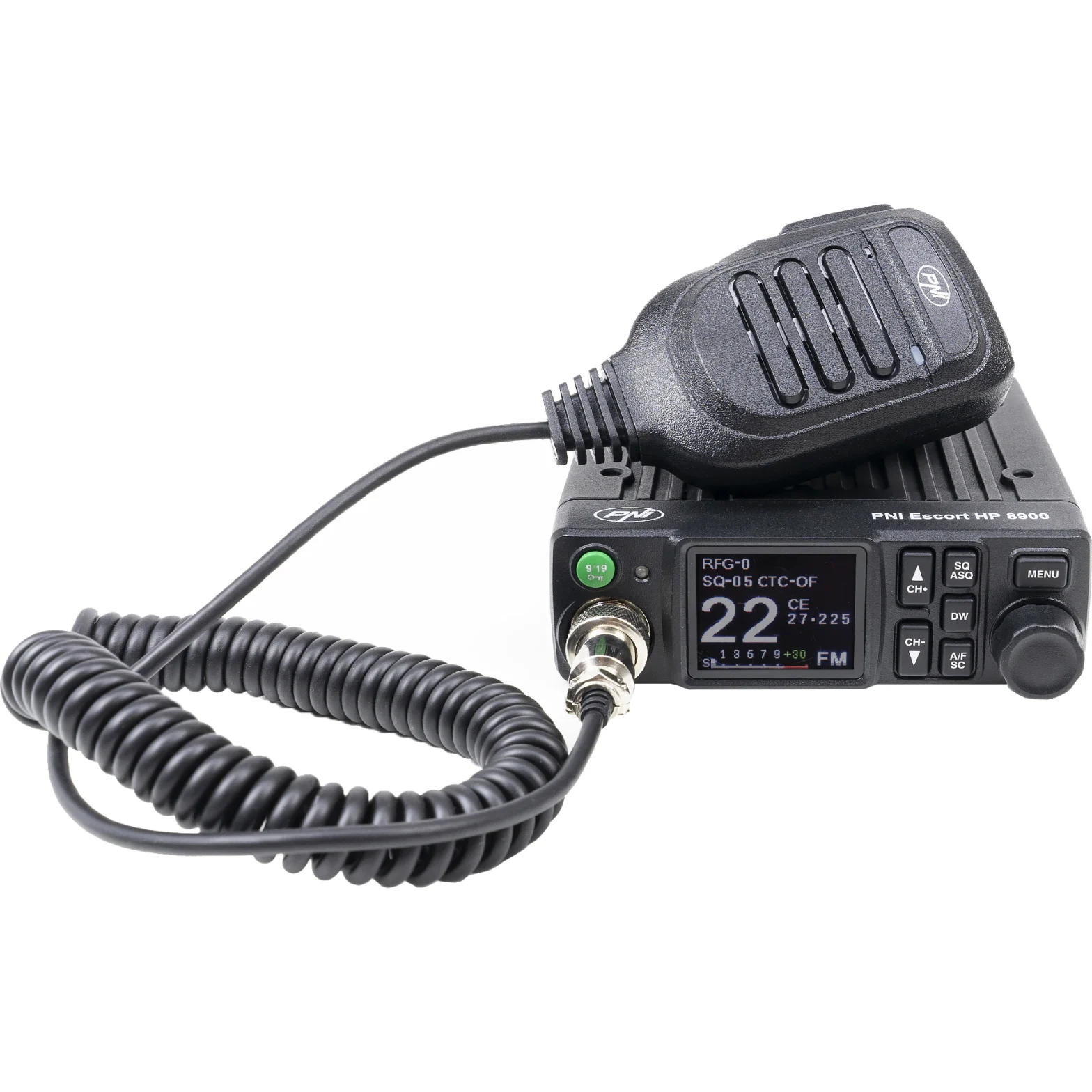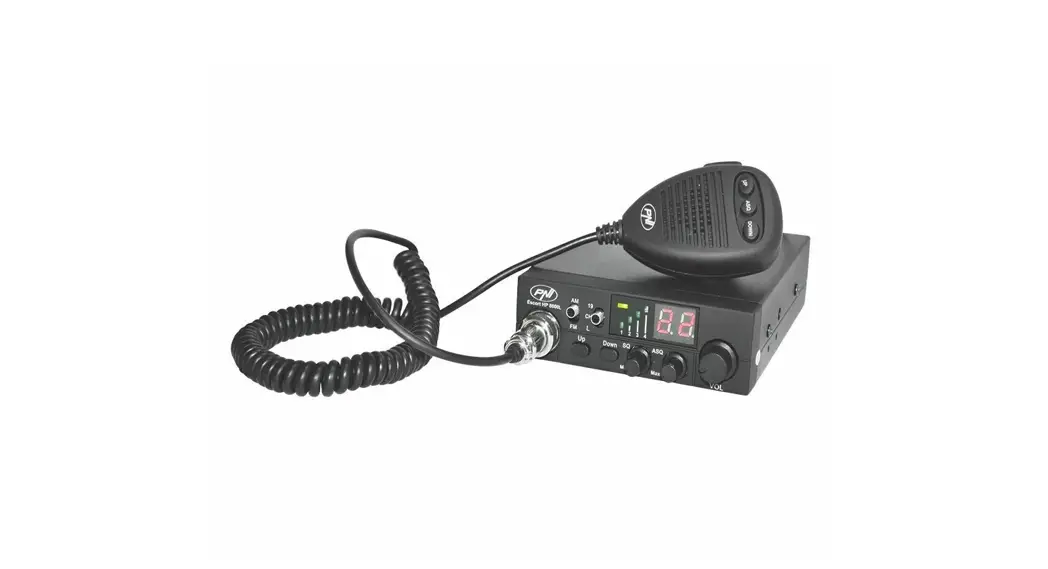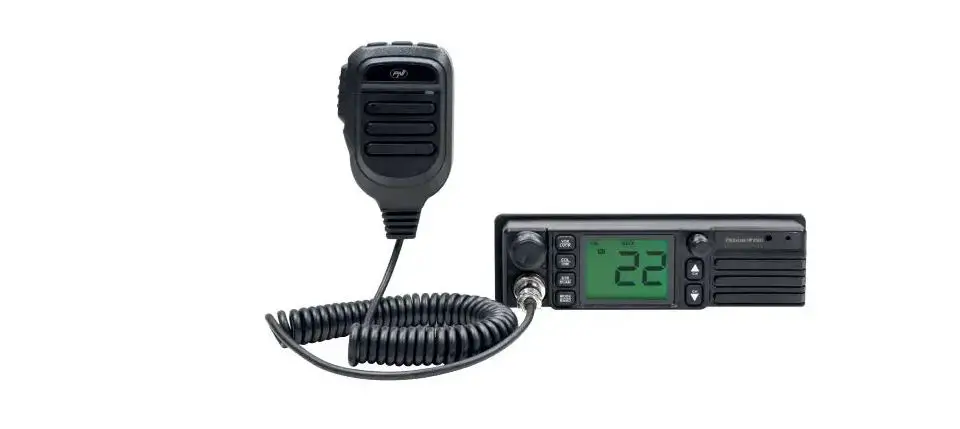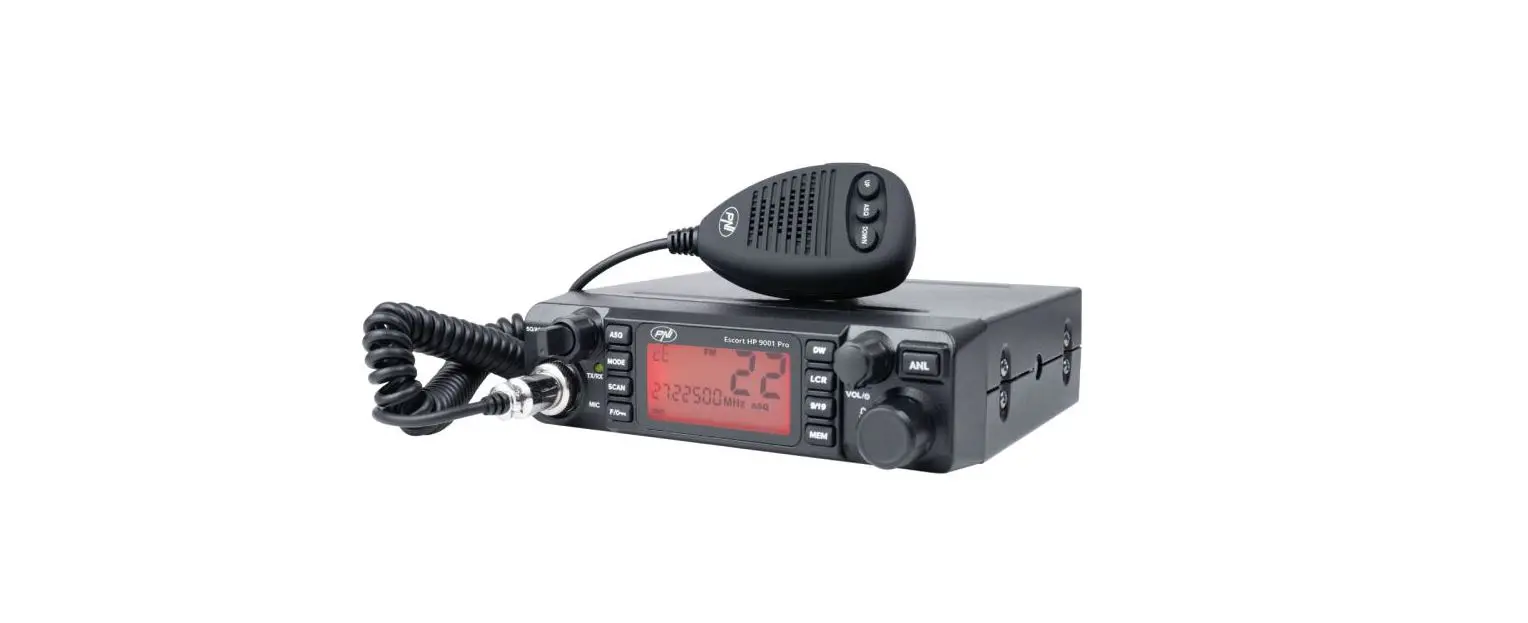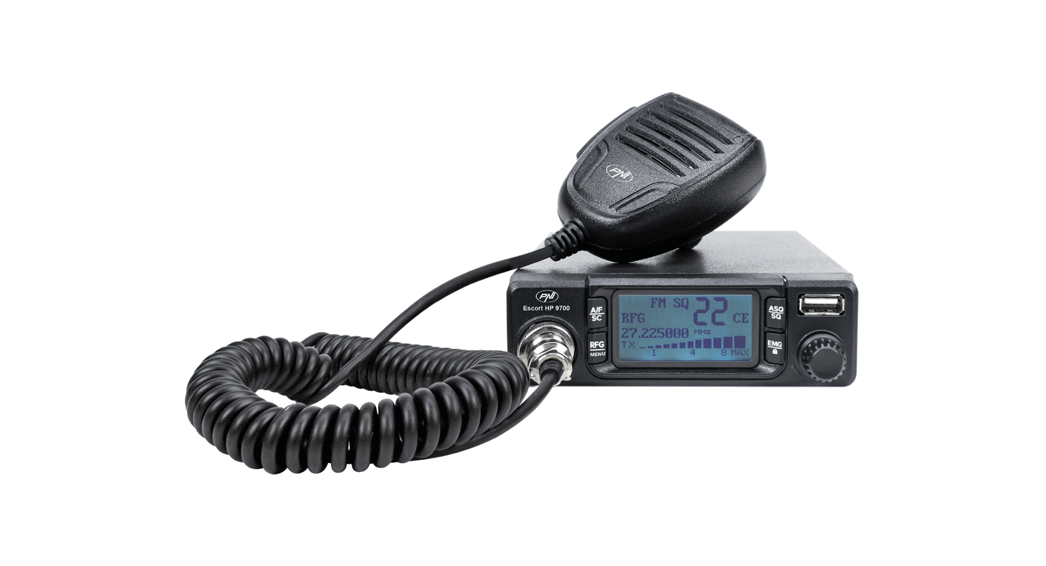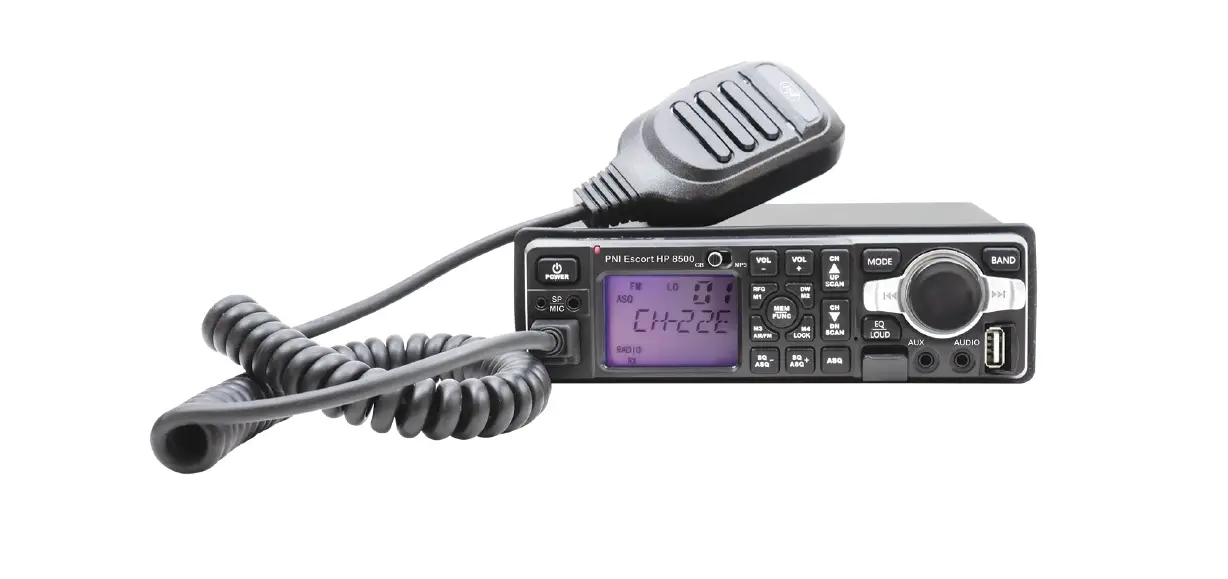

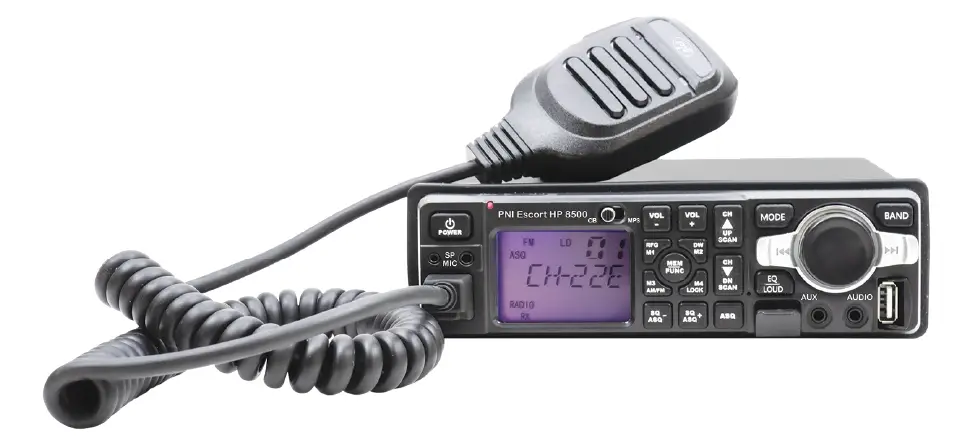
PNI Escort HP 8500 CB Radio and MP3 Player
Introduction
PNI Escort HP 8500 is a multifunctional device that incorporates the features of a CB radio and an MP3 player with FM function.
Special warnings
Read the warnings below to prevent fire, personal injury, radio or antenna damage.
Do not try to adjust the radio while driving. Doing so exposes you to the risk of accidents.
- This radio on is designed for 12V/24V DC power supply.
- Do not place the radio on an excessively dusty, damp or unstable surface. Do not connect the antenna during transmission, risk of burns or electric shock.
- Please keep away from interfering devices (such as TV, generator, etc.).
- Those who use pacemakers are advised to keep their distance from the antenna during transmission and especially not to touch it.
- Do not place metal objects near the internal electrical part of the radio; danger of electric shock.
- Avoid exposing the radio to temperatures below -26°C and above + 80°C. The temperature on board a vehicle can sometimes exceed + 80°C, which can cause irreparable damage to the radio in the event of prolonged exposure. Do not expose the radio to sunlight for a long time.
- Do not put anything on the radio, it will prevent it from cooling down. Check that the vehicle battery is sufficiently charged to avoid rapid discharge.
- It is important to turn off the radio before starting the engine to avoid damage caused by high starting voltage.
- When replacing the fuse, you must use a 2A 250V type F fuse. Do not use a higher value fuse.
- If an abnormal odor or smoke is detected coming out from the radio, close the radio immediately.
- Do not transmit for a long time, the radio may heat up and malfunction. Keep the radio away from children.
Other warnings
- Before connecting or using this product, please read the instructions for use carefully. Keep this manual for future reference.
- Connect the antenna before using the radio. Check the antenna SWR before transmitting. Too high SWR can lead to the destruction of radio terminals, internal components that are not covered by the warranty.
- There are no user-serviceable radio components. For repairs, contact an authorized service center.
- Use a suitable power supply to prevent the risk of fire.
Installation instructions
- The radio is designed for installation in the 1 DIN slot in the car.
- To install the radio, use the bracket and accessories in the package. The support bolts must be tightened to prevent the radio from vibrating while moving. The mounting bracket can be positioned above or below the radio, and it can be tilted depending on the installation method.
- ATTENTION: Make sure that the voltage at which the radio is supplied is the one indicated by the manufacturer (12V/24V).
Keys and functions
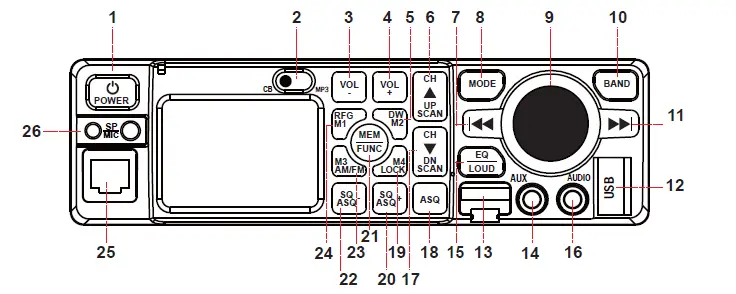
Press and hold to quickly scroll down 10 channelsASQSQ/ASQ mode changeMemory storageSQ/ASQ+Squelch + level adjustmentQuick Squelch level adjustment upMEM/FUNCActivate functions by combining with other keysAccess menuSQ/ASQ-Squelch level adjustment -Quick Squelch level adjustment downM3/AM/FMAM/FM modulation changeMemory storageRFG M1RF Gain ActivationMemory storageRJ45microphone jack
| Function | Short press | Long press | English | ||
| 1 | On/Off | Long press to turn the device on/off | |||
|
2 |
CB/MP3 | Move the switch to the left to activate the CB function. Move the switch to the right to activate the MP3 function. | |||
| 3 | VOL – | CB radio volume level reduction | Fast volume reduction | ||
| 4 | VOL + | CB radio volume level increase | Rapid increase in volume level | ||
| 5 | DW/M2 | Dual Watch activation | Memory storage | ||
| 6 | CH UP/SCAN | Increase channel number | Press and hold to quickly scroll up 10 channels | ||
| 7 | Back | Back to the previous song | Fast rewind | ||
| 8 | MODE | Change playback source AUX/USB/micro SD card | |||
| 9 | PLAY/PAUSE | Play/Pause | |||
| 10 | BAND | Manual search for radios | |||
| 11 | Forward | Forward to the next song | Fast forward | ||
| 12 | USB port | ||||
| 13 | Micro SD slot | ||||
| 14 | AUX input | ||||
| 15 | EQ/LOUD | Activate EQ mode (POP/LOUD) | |||
| 16 | AUDIO 3.5mm | ||||
| 17 | CH DN/SCAN | Decrease channel number | |||
| 18 | |||||
| 19 | M4/LOCK | Key lock | |||
| 20 | |||||
| 21 | |||||
| 22 | |||||
| 23 | |||||
| 24 | |||||
| 25 | |||||
| 26 | Connector for Headset with microphone | ||||
Using the device in CB mode
Turn the CB radio on/off
- Move the CB/MP3 button to the left to switch to CB mode.
- Press and hold the POWER key for about 2 seconds to turn on the device.
- The screen will light up and briefly display the current norm (EU, EC, etc.), after which it will remain on the standard display mode with the channel number and active functions.
Note: From the factory, the CB radio comes preset to EU standard.
- Press and hold the POWER key for about 2 seconds to turn off the device.
CB radio volume control
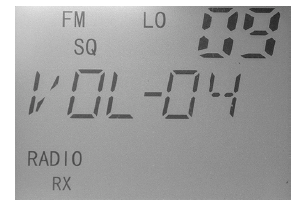
- Briefly press VOL- or VOL + to increase or decrease the volume level. 25 volume levels are available.
- Press and hold the VOL- or VOL + key to quickly increase or decrease the volume level.
- The current volume level will be displayed on the screen.
CB channel selection
- Briefly press the CH UP SCAN or CH DN SCAN key to change the CB channel.
- Long press CH UP SCAN or CH DN SCAN to quickly change the CB channel.
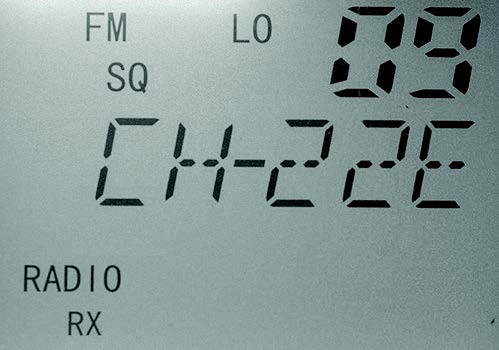
- The current channel will be displayed on the screen.
Adjust squelch level
- Briefly press the ASQ key to switch to SQ mode.
- The SQ icon will be displayed on the screen.
- Briefly press the SQ/ASQ- or SQ/ASQ + key to change the squelch level.
- The selected squelch level will be displayed in the upper right corner of the screen.
- 28 levels are available, from 00 to 28. On level 00 the squelch is fully open. As the number of levels increases, only the strongest signals will be received.
Tip: Adjust the squelch to the level where the background noise disappears.
Automatic squelch level adjustment
- Briefly press the ASQ key to switch to ASQ mode.
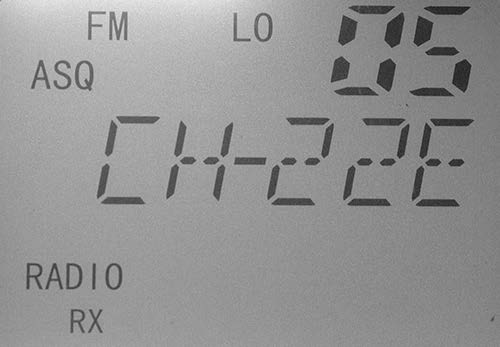
- The ASQ icon will be displayed on the screen.
- Briefly press the SQ/ASQ- or SQ/ASQ + key to change the squelch level.
- The selected squelch level will be displayed in the upper right corner of the screen.
- 5 levels are available, from 01 to 05. On level 00 the squelch is open to the maximum. As the number of levels increases, only the strongest signals will be received.
Tip: Adjust the squelch to the level where the background noise disappears.
Select AM/FM modulation
- Press the M3/AM/FM key to switch the modulation between AM and FM.
- The icon corresponding to the selected modulation will be displayed on the screen.
Note: If the rule selected in the radio does not support AM modulation, pressing the M3/AM/FM key will have no effect. If you want to switch to AM, change the rule first. Check the table of bands and frequencies at the end of the manual.
Key lock function
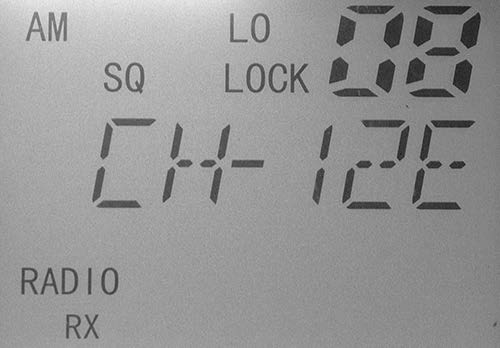
- Long press the M4/LOCK key to activate the key lock function.
- The LOCK icon will appear on the screen.
- Long press the M4/LOCK key again to deactivate the key lock function.
Dual Watch function (monitoring two channels simultaneously)
- Briefly press the DW/M2 key to activate the Dual Watch function.
- Long press the DW/M2 key to set the Dual Watch function
Channel scan function
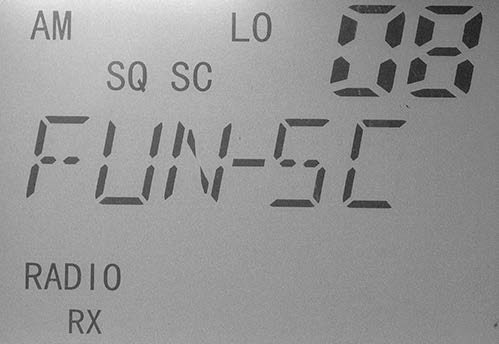
- Press the MEM/FUNC + CH UP SCAN or MEM/FUNC + CH DN SCAN key to activate the channel scan function.
- The SC icon will be displayed on the screen.
- The channels will start scrolling in the direction imposed by the selected key (CH UP SCAN or CH DN SCAN).
- Scanning will stop when the radio receives a signal or when you press the PTT key.
Channel storage function
- Set the radio and select the channel you want to save.
- Briefly press the MEM/FUNC key followed immediately by long pressing the RFG/M1 key (to save to the M1 memory).
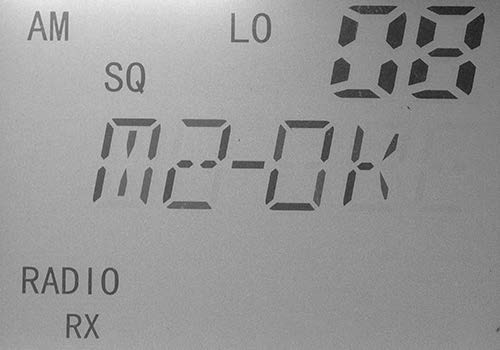
- The M1-OK icon will appear on the screen for one second.
- All channel settings (modulation, norm, channel number, frequency deviation, transmission power) will be saved in that memory.
- Repeat the procedure, changing the memory key (DW M2 for memory 2, M3 AM/FM for memory 3, and M4 LOCK for memory 4) to save other channels to those memories.
To call up a memory, proceed as follows:
- Briefly press the MEM/FUNC key immediately followed by briefly pressing the RFG/M1 key (to call the M1 memory) or DW M2 (to call the M2 memory) or M3 AM/FM (to call the M3 memory) or M4 LOCK (to call M4 memory).
To exit memory mode, briefly press the CH UP SCAN or CH UP SCAN key. Notes:
- When you are on a certain memory (M1, M2, M3 or M4) you can change the band, modulation or deviation (DW), but this information will not be saved.
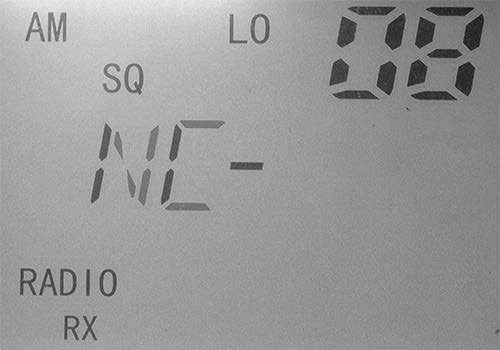
- If you call up a certain memory, but no information has been saved in that memory, the NC icon will be displayed on the screen.
- To delete a memory, enter that memory (by briefly pressing MEM/FUNC
+ RFG/M1, for example). Then briefly press the MEM/FUNC key again followed by briefly pressing the RFG/M1 key 3 times. The NC (empty memory) icon will appear briefly on the screen.
The menu
- Long press MEM/FUNC key to access the menu with additional settings: key tone, auto power off, RF Gain level setting, RF Gain automatic, screen light color change.
- Once in the menu, briefly press the MEM/FUNC key to navigate through the additional settings and press the CH UP SCAN or CH DN SCAN keys to navigate through the options of a setting.
Key tone (BP)
- Press and hold the MEM/FUNC key.
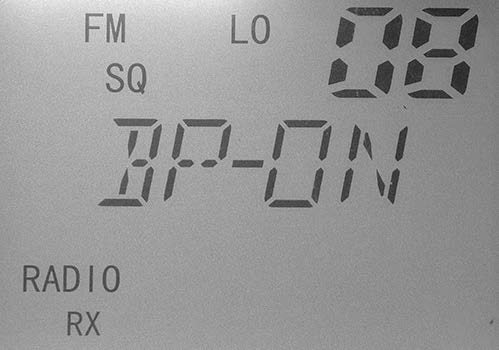
- The first menu displayed is BP (beep key).
- Press the CH UP SCAN or CH DN SCAN keys to switch between OFF (without beep keys) and ON (with beep keys).
- Short press MEM/FUNC to move to the next menu or long press MEM/FUNC or PTT button to save the settings and exit the menu.
Auto ON (AUT)
- Press and hold the MEM/FUNC key.
- Briefly press the MEM/FUNC key again to reach the AUT menu (AUTO ON).
- Press the CH UP SCAN or CH DN SCAN keys to switch between OFF (auto start off) and ON (auto start on).
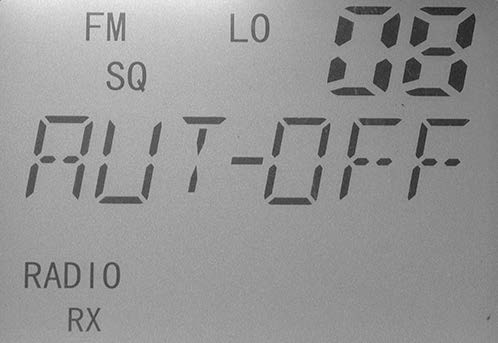
Note: If you set this function to ON, once the radio is powered on, it will turn on (if the red Contact + ACC wire in the ISO jack is connected to the contact). If you set this function to OFF, you will need to press the POWER button on the radio to turn on the radio.
- Short press MEM/FUNC to move to the next menu or long press MEM/FUNC or PTT button to save the settings and exit the menu.
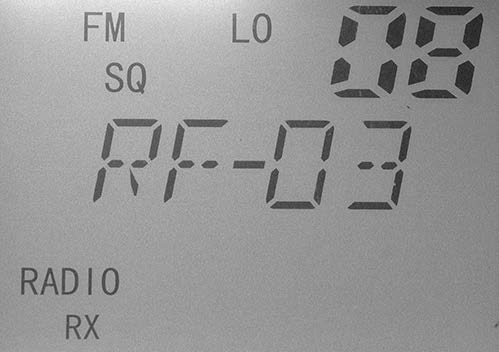
RF Gain (RF)
- Press and hold the MEM/FUNC key.
- Briefly press the MEM/FUNC key twice to reach the RF (RF Gain) menu.
- Press the CH UP SCAN or CH DN SCAN keys to deactivate the RF Gain function (select the OFF option) or to change the RF Gain level (6 levels are available, 01 to 06).
- Short press MEM/FUNC to move to the next menu or long press MEM/FUNC or PTT button to save the settings and exit the menu.
Note: You can quickly access the RF Gain menu by briefly pressing the RFG/M1 key.
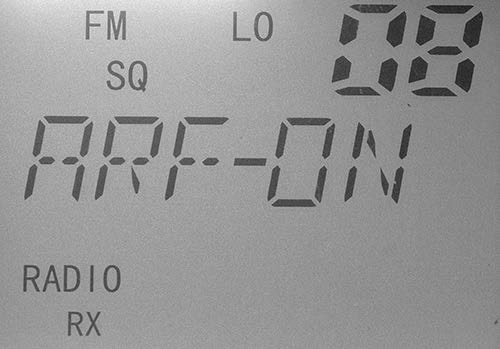
Automatic RF Gain (ARF)
- Press and hold the MEM/FUNC key.
- Press the MEM/FUNC key three times briefly to reach the ARF (Auto RF Gain) menu.
- Press the CH UP SCAN or CH DN SCAN keys to switch between OFF (Auto RF Gain active) and ON (Auto RF Gain active).
- Briefly press MEM/FUNC to move to the next menu or long press MEM/FUNC or PTT button to save the settings and exit the menu
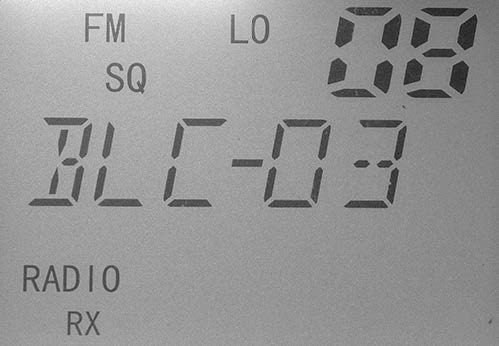
Screen backlight color (BLC)
- Press and hold the MEM/FUNC key.
- Briefly press the MEM/FUNC key four times to reach the BLC (backlight color) menu.
- Press the CH UP SCAN or CH DN SCAN keys to select the desired color. 7 colors are available (blue, red, purple, green, cyan, yellow, light blue), plus the OFF function (no backlight.)
- Short press MEM/FUNC to move to the next menu or long press MEM/FUNC or PTT button to save the settings and exit the menu.
How to change the standard
- Turn off the device.
- Press and hold the PTT and CH DN SCAN keys simultaneously while restarting the device (long press the POWER key).
- The set rule will be displayed on the screen.
Note: From the factory, the CB radio comes preset to EU standard. - Use the CH UP SCAN or CH DN SCAN keys to change the standard (band)
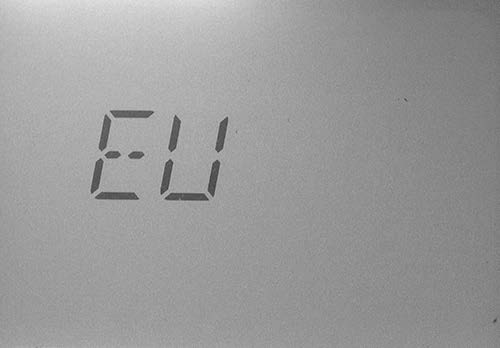
Note: Refer to the table of bands and frequencies at the end of the manual.
Reset
- Turn off the device.
- Press and hold the VOL + and CH UP SCAN keys simultaneously while restarting the device.
- The device returns to the factory defaults.
Using the device in MP3 player mode
Turn the MP3 player on/off
- Move the CB/MP3 switch to the right to switch to MP3 mode.
- Press and hold the POWER key for about 2 seconds to turn on the device.
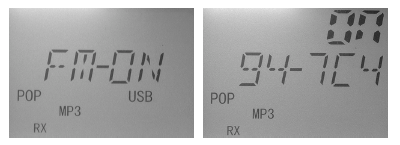
- The screen will light up and briefly display the FM ON icon and the radio frequency.
- Press and hold the POWER key for about 2 seconds to turn off the device.
MP3 player volume control
- Rotate the main button on the right side of the front panel to the left or right to adjust the volume to the desired level.
Choose the playback source
- Press the MODE key to switch between modes: BT (Bluetooth), USB, SD, FM (FM Radio).
Note: If you have not inserted a USB stick or micro SD card into the player, you will not be able to switch to these modes.
USB mode
- Insert a USB stick into the player.
- Press the MODE key to switch the player to USB mode.
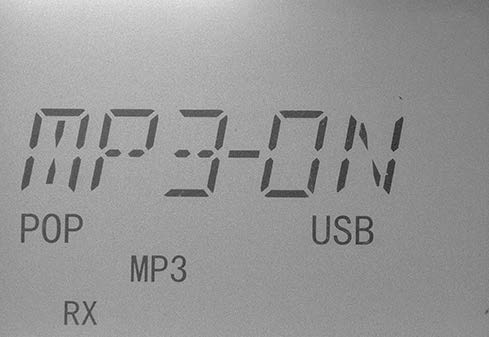
- MP3-ON and USB icons will be displayed on the screen.
- Press the keys ▌◄◄ or ►►▌ to navigate through songs.
- Press the volume control button to pause and resume playing a song.
Note: In any mode, by inserting a USB stick, the player will automatically switch to USB mode.
SD mode
- Insert a micro SD card (FAT32 format) into the player.
- Press the MODE key to switch the player to TF mode.
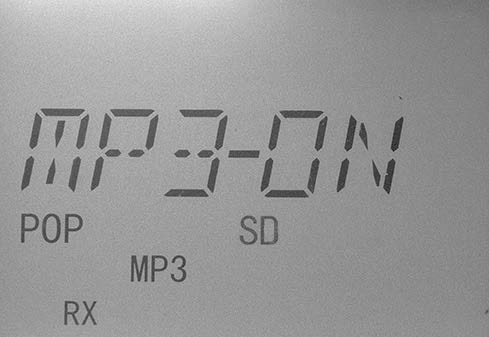
- MP3-ON and TF icons will be displayed on the screen.
- Press the keys ▌◄◄ or ►►▌ to navigate through songs.
- Press the volume control button to pause and resume playing a song.
Note: In any mode, by inserting a micro SD card, the player will automatically switch to SD mode.
FM mode
- Press the MODE key to switch the player to TF mode.
- The FM-ON icons and radio frequency will be displayed on the screen.
- Press the BAND key to manually search for another radio frequency.
Bluetooth mode
- Press the MODE key to switch the player to BT (Bluetooth) mode.
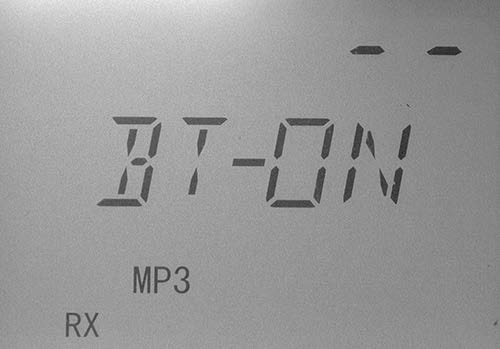
- The BT-ON icon will be displayed on the screen.
- Turn on Bluetooth on your mobile phone.
- Search for Bluetooth devices nearby.
- From the list of found devices, select “PNI-HP-8500” and log in.
- You can now play audio files from your phone on the car’s audio system.
Technical specifications
| CB radio | |
| Modulation | AM/FM |
| Frequency range | 26.965 – 27.405 |
| Frequent error | ±300 Hz |
| Supply voltage | 12 V/24 V |
| Dimensions | 180 x 160 x 52 mm |
| Frequency control | PLL synthesizer |
| Working temperature | -26°C ~ +80°C |
| Current | TX: 4W max. 2 A RX: SQ open max. 0.7 A |
| Antenna connector | UHF, SO-239 |
| Transmission | |
| Emission power | max. 4 W AM/FM |
| Background noise emissions | < 4W(-54 dBM) |
| Frequency response | 300-3000 Hz |
| Modulation signal distortion | <8% |
| Impedance | 50 Ohm |
| Reception | |
| Sensitivity | 0.25uv@12dB |
| Reject image | 70 dB |
| Reject adjacent channel | 60 dB |
| Squelch | < 1µV |
| Audio output | max. 40W |
| Frequency response | 300 – 3000 Hz |
| MP3 Player | |
| Micro SD card slot | max. 32Gb |
| Supported audio files | MP3,WMA,APE,FLAC, AAC,MP4,M4A,WAV,AIF |
| FM frequency | 87.5 – 108.0 |
| FM radio distortion | <5% |
| Bluetooth | Yes |
| Maximum Bluetooth communication distance | 10 meters |
Frequency band chart
| Symbol | Frequency () | Channels | Country | EMG (9/19) |
| EU | 26.965-27.405 | 40CH (4W) AM/FM | AT, BE, BG, CH, CY, DK, EE, ES, FI, FR, GR, HR, HU, IE, IS, IT, LT, LU, LV, NL, NO,, PT, RO, SE, SI | CH09: 27.065 AM/FM CH19: 27.185 AM/FM |
| FR | 26.965-27.405 | 40CH (4W) AM/FM | FR | CH09: 27.065 AM/FM CH19: 27.185 AM/FM |
| PL | 26.960-27.400 | DW 40CH (4W) AM/FM | PL | CH09: 27.060 AM/FM CH19: 27.180 AM/FM |
| UK | 27.60125-27.99125 | 40CH (4W) FM only | UK | CH09: 27.68125 FM CH19: 27.78125 FM |
| DE | 26.965-27.405 | 01CH-40CH (4W) AM/FM | DE | CH09: 27.065 AM/FM CH19: 27.185 AM/FM |
| 26.565-26.955 | 41CH-80CH (4W) FM only | |||
| CE | 26.965-27.405 | 40CH (4W) FM only | RO, MT | CH09: 27.065 FM CH19: 27.185 FM |
| IN | 26.965-27.275 | 27CH (4W) AM/ FM | IN | CH09: 27.065 AM/FM CH19: 27.185 AM/FM |
Frequency table for EU
| Channel | Frequency | Channel | Frequency | |
| 1 | 26.965 | 21 | 27.215 | FM/AM |
| 2 | 26.975 | 22 | 27.225 | FM/AM |
| 3 | 26.985 | 23 | 27.255 | FM/AM |
| 4 | 27.005 | 24 | 27.235 | FM/AM |
| 5 | 27.015 | 25 | 27.245 | FM/AM |
| 6 | 27.025 | 26 | 27.265 | FM/AM |
| 7 | 27.035 | 27 | 27.275 | FM/AM |
| 8 | 27.055 | 28 | 27.285 | FM/AM |
| 9 | 27.065 | 29 | 27.295 | FM/AM |
| 10 | 27.075 | 30 | 27.305 | FM/AM |
| 11 | 27.085 | 31 | 27.315 | FM/AM |
| 12 | 27.105 | 32 | 27.325 | FM/AM |
| 13 | 27.115 | 33 | 27.335 | FM/AM |
| 14 | 27.125 | 34 | 27.345 | FM/AM |
| 15 | 27.135 | 35 | 27.355 | FM/AM |
| 16 | 27.155 | 36 | 27.365 | FM/AM |
| 17 | 27.165 | 37 | 27.375 | FM/AM |
| 18 | 27.175 | 38 | 27.385 | FM/AM |
| 19 | 27.185 | 39 | 27.395 | FM/AM |
| 20 | 27.205 | 40 | 27.405 | FM/AM |
Frequency table for FR
| Channel | Frequency | Channel | Frequency | |
| 1 | 26.965 | 21 | 27.215 | FM/AM |
| 2 | 26.975 | 22 | 27.225 | FM/AM |
| 3 | 26.985 | 23 | 27.255 | FM/AM |
| 4 | 27.005 | 24 | 27.235 | FM/AM |
| 5 | 27.015 | 25 | 27.245 | FM/AM |
| 6 | 27.025 | 26 | 27.265 | FM/AM |
| 7 | 27.035 | 27 | 27.275 | FM/AM |
| 8 | 27.055 | 28 | 27.285 | FM/AM |
| 9 | 27.065 | 29 | 27.295 | FM/AM |
| 10 | 27.075 | 30 | 27.305 | FM/AM |
| 11 | 27.085 | 31 | 27.315 | FM/AM |
| 12 | 27.105 | 32 | 27.325 | FM/AM |
| 13 | 27.115 | 33 | 27.335 | FM/AM |
| 14 | 27.125 | 34 | 27.345 | FM/AM |
| 15 | 27.135 | 35 | 27.355 | FM/AM |
| 16 | 27.155 | 36 | 27.365 | FM/AM |
| 17 | 27.165 | 37 | 27.375 | FM/AM |
| 18 | 27.175 | 38 | 27.385 | FM/AM |
| 19 | 27.185 | 39 | 27.395 | FM/AM |
| 20 | 27.205 | 40 | 27.405 | FM/AM |
Frequency table for PL
| Channel | Frequency | Channel | Frequency | |
| 1 | 26.960 | 21 | 27.210 | FM/AM |
| 2 | 26.970 | 22 | 27.220 | FM/AM |
| 3 | 26.980 | 23 | 27.250 | FM/AM |
| 4 | 27.000 | 24 | 27.230 | FM/AM |
| 5 | 27.010 | 25 | 27.240 | FM/AM |
| 6 | 27.020 | 26 | 27.260 | FM/AM |
| 7 | 27.030 | 27 | 27.270 | FM/AM |
| 8 | 27.050 | 28 | 27.280 | FM/AM |
| 9 | 27.060 | 29 | 27.290 | FM/AM |
| 10 | 27.070 | 30 | 27.300 | FM/AM |
| 11 | 27.080 | 31 | 27.310 | FM/AM |
| 12 | 27.100 | 32 | 27.320 | FM/AM |
| 13 | 27.110 | 33 | 27.330 | FM/AM |
| 14 | 27.120 | 34 | 27.340 | FM/AM |
| 15 | 27.130 | 35 | 27.350 | FM/AM |
| 16 | 27.150 | 36 | 27.360 | FM/AM |
| 17 | 27.160 | 37 | 27.370 | FM/AM |
| 18 | 27.170 | 38 | 27.380 | FM/AM |
| 19 | 27.180 | 39 | 27.390 | FM/AM |
| 20 | 27.200 | 40 | 27.400 | FM/AM |
Frequency table for UK
| Channel | Frequency | Channel | Frequency | |
| 1 | 27.60125 | 21 | 27.80125 | FM |
| 2 | 27.61125 | 22 | 27.81125 | FM |
| 3 | 27.62125 | 23 | 27.82125 | FM |
| 4 | 27.63125 | 24 | 27.83125 | FM |
| 5 | 27.64125 | 25 | 27.84125 | FM |
| 6 | 27.65125 | 26 | 27.85125 | FM |
| 7 | 27.66125 | 27 | 27.86125 | FM |
| 8 | 27.67125 | 28 | 27.87125 | FM |
| 9 | 27.68125 | 29 | 27.88125 | FM |
| 10 | 27.69125 | 30 | 27.89125 | FM |
| 11 | 27.70125 | 31 | 27.90125 | FM |
| 12 | 27.71125 | 32 | 27.91125 | FM |
| 13 | 27.72125 | 33 | 27.92125 | FM |
| 14 | 27.73125 | 34 | 27.93125 | FM |
| 15 | 27.74125 | 35 | 27.94125 | FM |
| 16 | 27.75125 | 36 | 27.95125 | FM |
| 17 | 27.76125 | 37 | 27.96125 | FM |
| 18 | 27.77125 | 38 | 27.97125 | FM |
| 19 | 27.78125 | 39 | 27.98125 | FM |
| 20 | 27.79125 | 40 | 27.99125 | FM |
Frequency table for DE
| Channel | Frequency | Channel | Frequency | |
| 1 | 26.965 | 21 | 27.215 | FM/AM |
| 2 | 26.975 | 22 | 27.225 | FM/AM |
| 3 | 26.985 | 23 | 27.255 | FM/AM |
| 4 | 27.005 | 24 | 27.235 | FM/AM |
| 5 | 27.015 | 25 | 27.245 | FM/AM |
| 6 | 27.025 | 26 | 27.265 | FM/AM |
| 7 | 27.035 | 27 | 27.275 | FM/AM |
| 8 | 27.055 | 28 | 27.285 | FM/AM |
| 9 | 27.065 | 29 | 27.295 | FM/AM |
| 10 | 27.075 | 30 | 27.305 | FM/AM |
| 11 | 27.085 | 31 | 27.315 | FM/AM |
| 12 | 27.105 | 32 | 27.325 | FM/AM |
| 13 | 27.115 | 33 | 27.335 | FM/AM |
| 14 | 27.125 | 34 | 27.345 | FM/AM |
| 15 | 27.135 | 35 | 27.355 | FM/AM |
| 16 | 27.155 | 36 | 27.365 | FM/AM |
| 17 | 27.165 | 37 | 27.375 | FM/AM |
| 18 | 27.175 | 38 | 27.385 | FM/AM |
| 19 | 27.185 | 39 | 27.395 | FM/AM |
| 20 | 27.205 | 40 | 27.405 | FM/AM |
| Channel | Frequency | Channel | Frequency | |
| 41 | 26.565 | 61 | 26.765 | FM |
| 42 | 26.575 | 62 | 26.775 | FM |
| 43 | 26.585 | 63 | 26.785 | FM |
| 44 | 26.595 | 64 | 26.795 | FM |
| 45 | 26.605 | 65 | 26.805 | FM |
| 46 | 26.615 | 66 | 26.815 | FM |
| 47 | 26.625 | 67 | 26.825 | FM |
| 48 | 26.635 | 68 | 26.835 | FM |
| 49 | 26.645 | 69 | 26.845 | FM |
| 50 | 26.655 | 70 | 26.855 | FM |
| 51 | 26.665 | 71 | 26.865 | FM |
| 52 | 26.675 | 72 | 26.875 | FM |
| 53 | 26.685 | 73 | 26.885 | FM |
| 54 | 26.695 | 74 | 26.895 | FM |
| 55 | 26.705 | 75 | 26.905 | FM |
| 56 | 26.715 | 76 | 26.915 | FM |
| 57 | 26.725 | 77 | 26.925 | FM |
| 58 | 26.735 | 78 | 26.935 | FM |
| 59 | 26.745 | 79 | 26.945 | FM |
| 60 | 26.755 | 80 | 26.955 | FM |
Frequency table for CE
| Channel | Frequency | Channel | Frequency | |
| 1 | 26.965 | 21 | 27.215 | FM |
| 2 | 26.975 | 22 | 27.225 | FM |
| 3 | 26.985 | 23 | 27.255 | FM |
| 4 | 27.005 | 24 | 27.235 | FM |
| 5 | 27.015 | 25 | 27.245 | FM |
| 6 | 27.025 | 26 | 27.265 | FM |
| 7 | 27.035 | 27 | 27.275 | FM |
| 8 | 27.055 | 28 | 27.285 | FM |
| 9 | 27.065 | 29 | 27.295 | FM |
| 10 | 27.075 | 30 | 27.305 | FM |
| 11 | 27.085 | 31 | 27.315 | FM |
| 12 | 27.105 | 32 | 27.325 | FM |
| 13 | 27.115 | 33 | 27.335 | FM |
| 14 | 27.125 | 34 | 27.345 | FM |
| 15 | 27.135 | 35 | 27.355 | FM |
| 16 | 27.155 | 36 | 27.365 | FM |
| 17 | 27.165 | 37 | 27.375 | FM |
| 18 | 27.175 | 38 | 27.385 | FM |
| 19 | 27.185 | 39 | 27.395 | FM |
| 20 | 27.205 | 40 | 27.405 | FM |
Frequency table for IN
| Channel | Frequency | Channel | Frequency | |
| 1 | 26.965 | 15 | 27.135 | FM/AM |
| 2 | 26.975 | 16 | 27.155 | FM/AM |
| 3 | 26.985 | 17 | 27.165 | FM/AM |
| 4 | 27.005 | 18 | 27.175 | FM/AM |
| 5 | 27.015 | 19 | 27.185 | FM/AM |
| 6 | 27.025 | 20 | 27.205 | FM/AM |
| 7 | 27.035 | 21 | 27.215 | FM/AM |
| 8 | 27.055 | 22 | 27.225 | FM/AM |
| 9 | 27.065 | 23 | 27.255 | FM/AM |
| 10 | 27.075 | 24 | 27.235 | FM/AM |
| 11 | 27.085 | 25 | 27.245 | FM/AM |
| 12 | 27.105 | 26 | 27.265 | FM/AM |
| 13 | 27.115 | 27 | 27.275 | FM/AM |
| 14 | 27.125 | FM/AM |
Countries in which there are particular restrictions (Licence/Register)
| Licence | Registre | AM | BLU/SSB | |
| AT | ||||
| BE | ||||
| BG | ||||
| CH | ||||
| CY | ||||
| CZ | ||||
| DE | ||||
| DK | ||||
| EE | ||||
| ES | ||||
| FI | ||||
| FR | ||||
| GB | ||||
| GR | ||||
| HR | ||||
| HU | ||||
| IE | ||||
| IS | ||||
| IT | ||||
| LT | ||||
| LU | ||||
| LV | ||||
| MT | ||||
| NL | ||||
| NO | ||||
| PL | ||||
| PT | ||||
| RO | ||||
| SE | ||||
| SI | ||||
| SK |
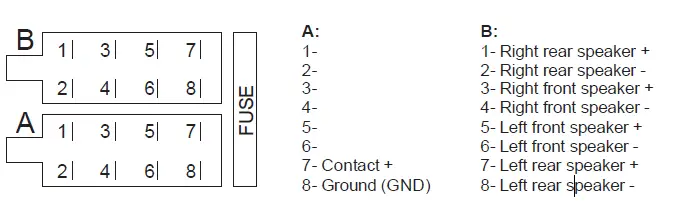
ISO connector diagram
EU Simplified Declaration of Conformity
SC ONLINESHOP SRL declares that CB Radio and MP3 Player PNI Escort HP 8500 complies with the Directive EMC 2014/30/EU and RED 2014/53/UE. The full text of the EU declaration of conformity is available at the following Internet address:
https://www.mypni.eu/products/4961/download/certifications
 mypni.eu/products/4961/download/certifications