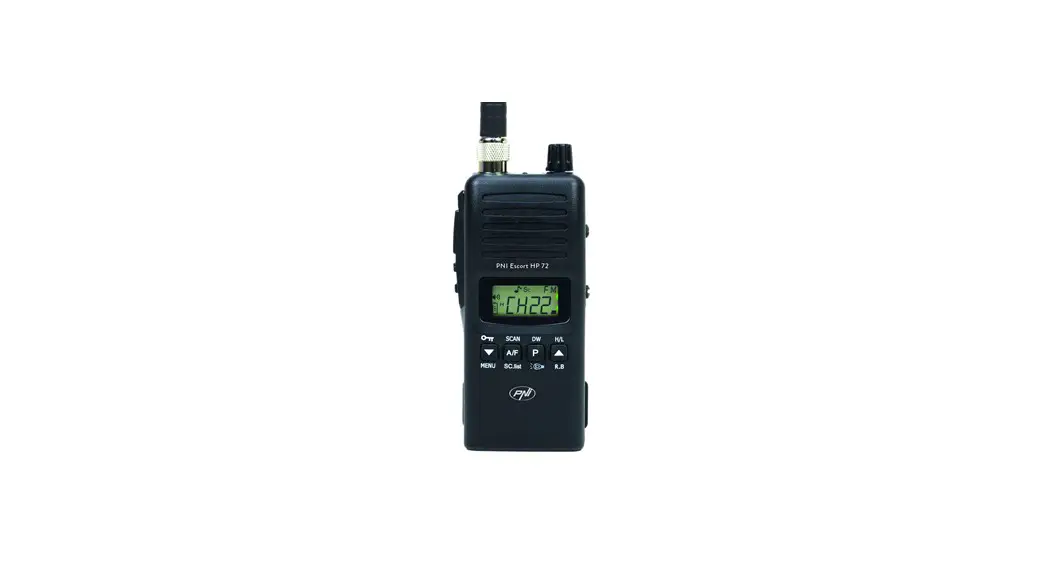
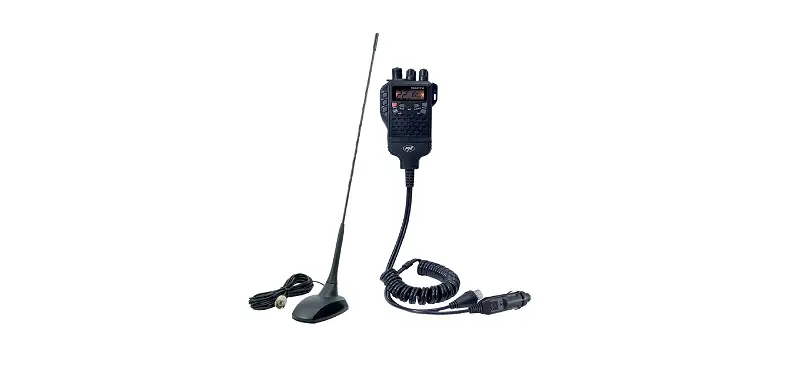
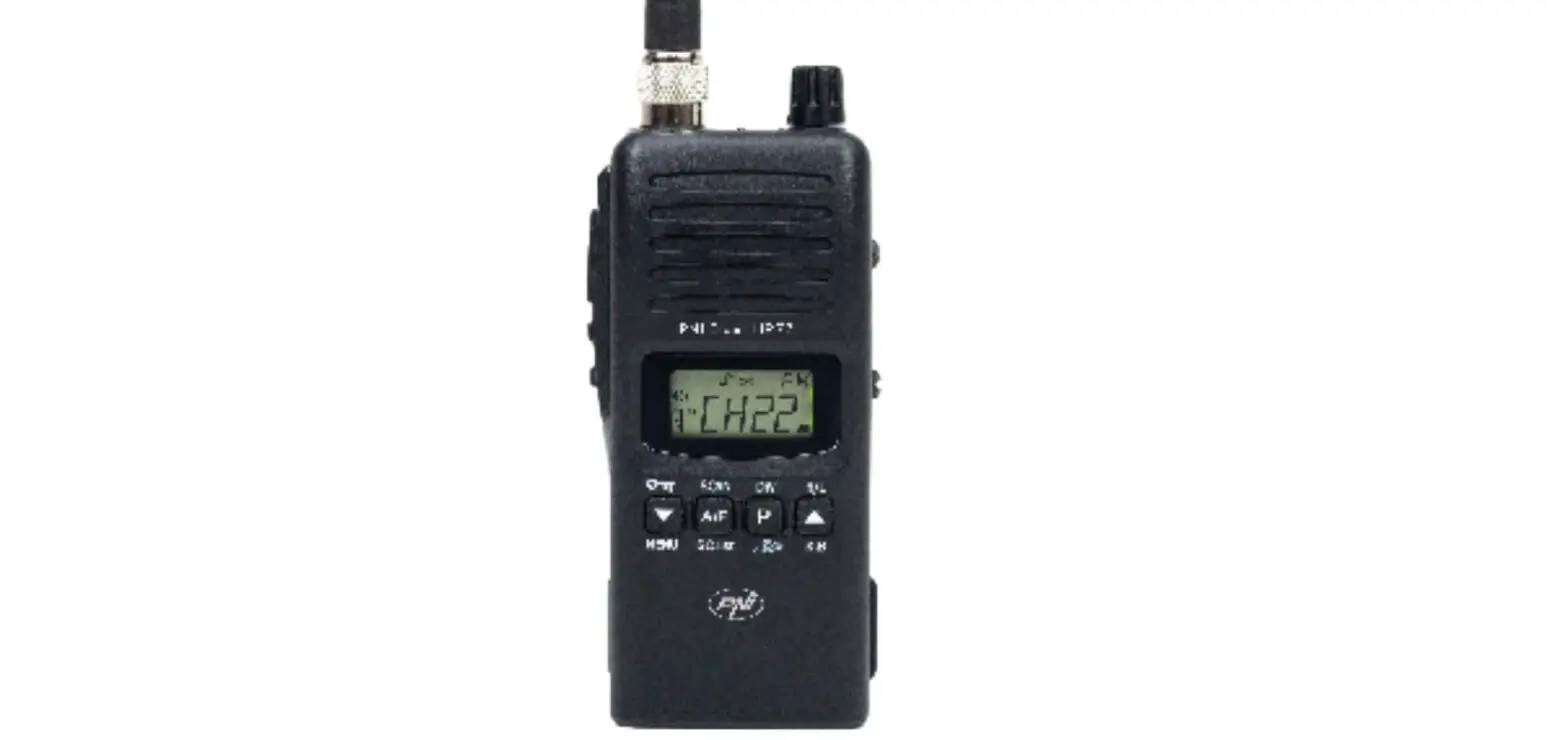
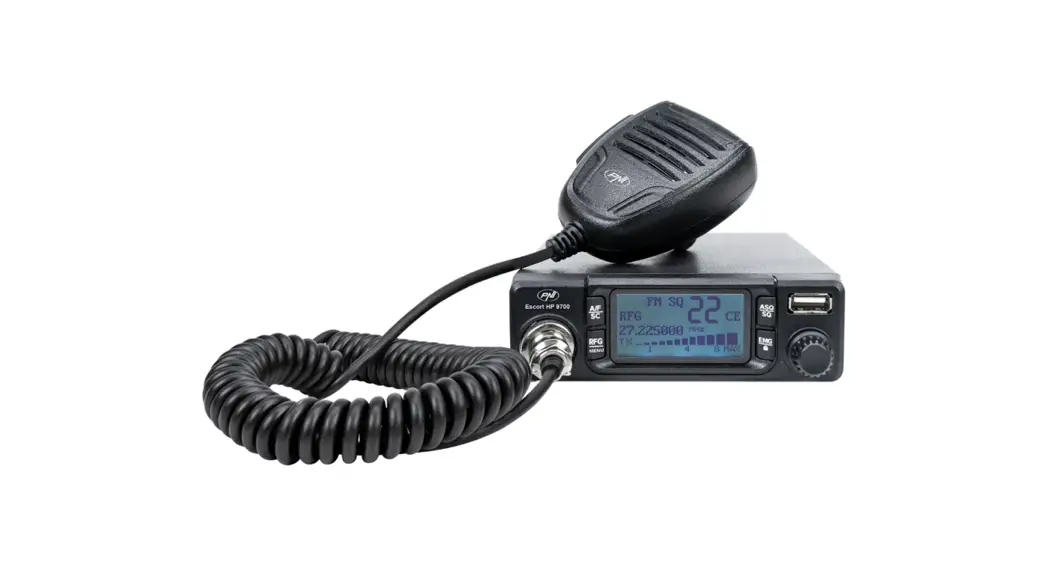
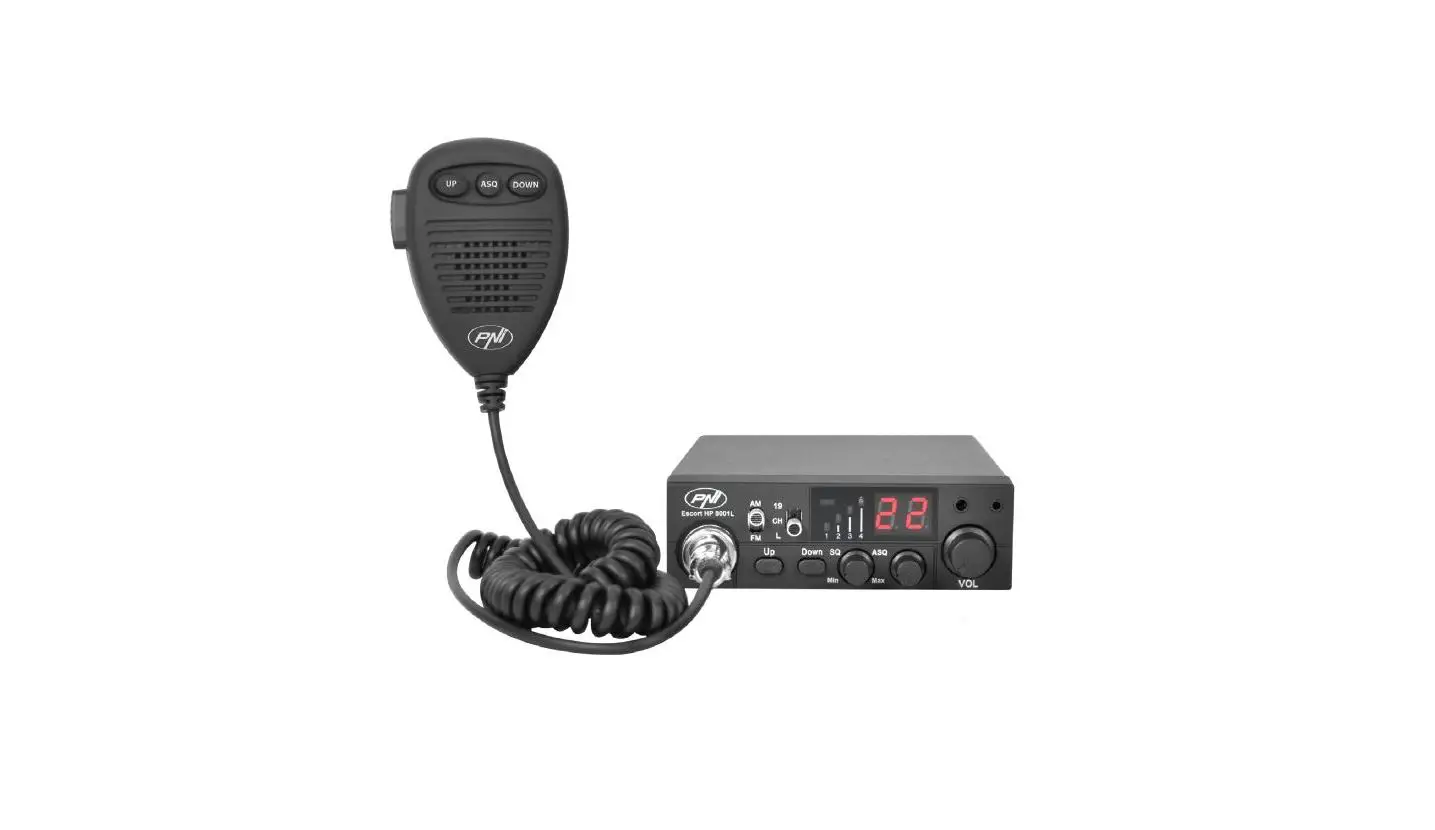
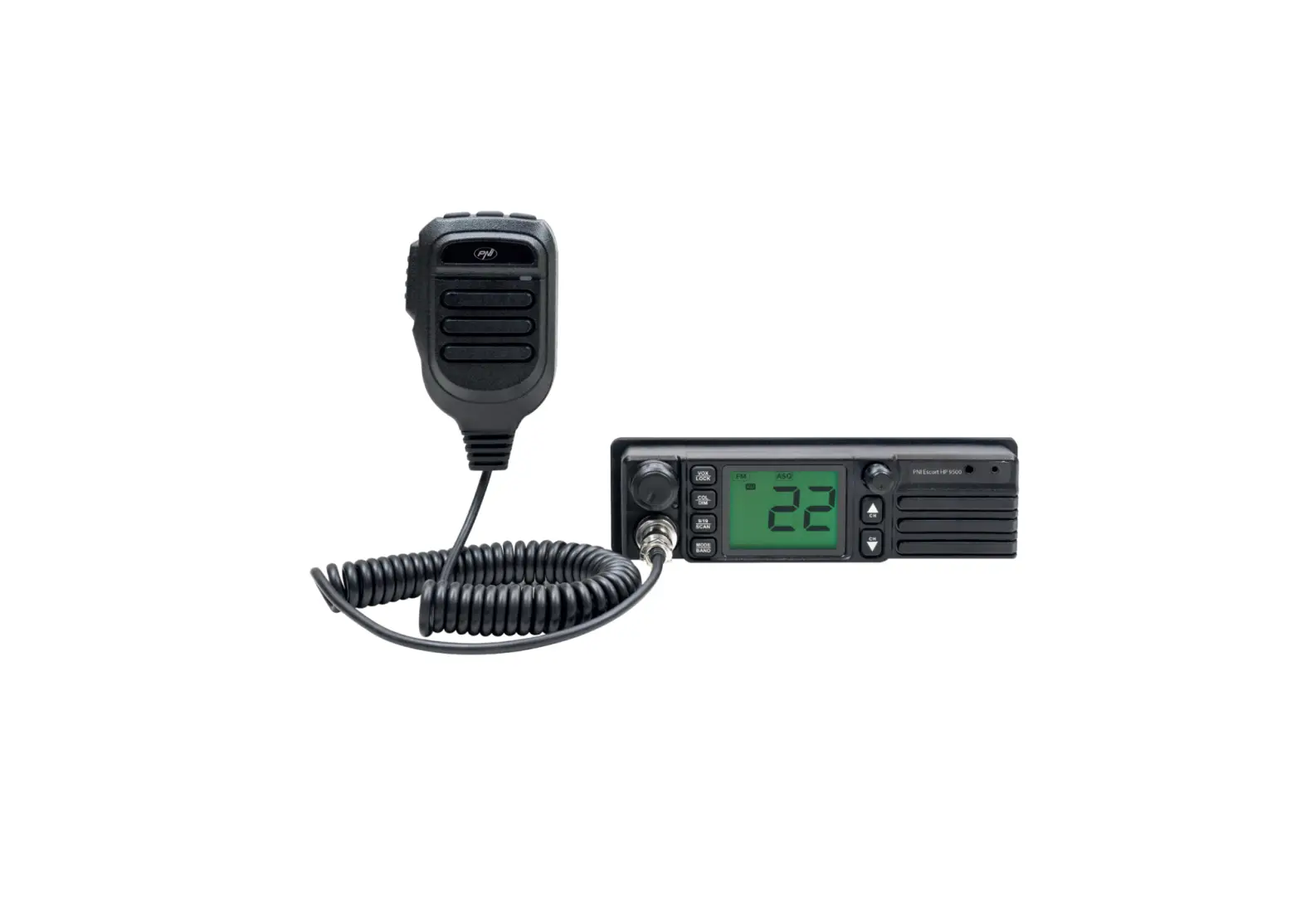
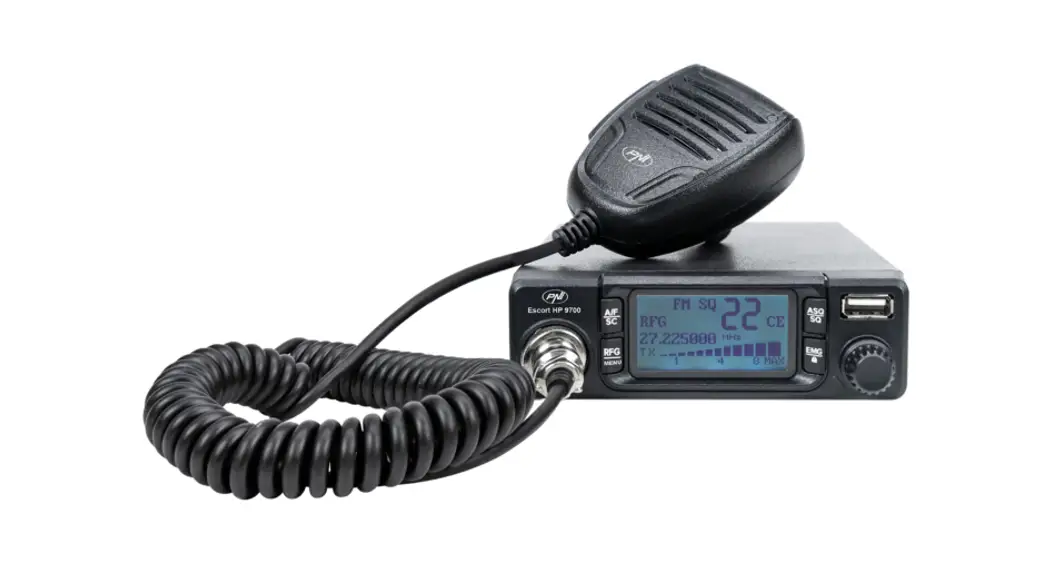
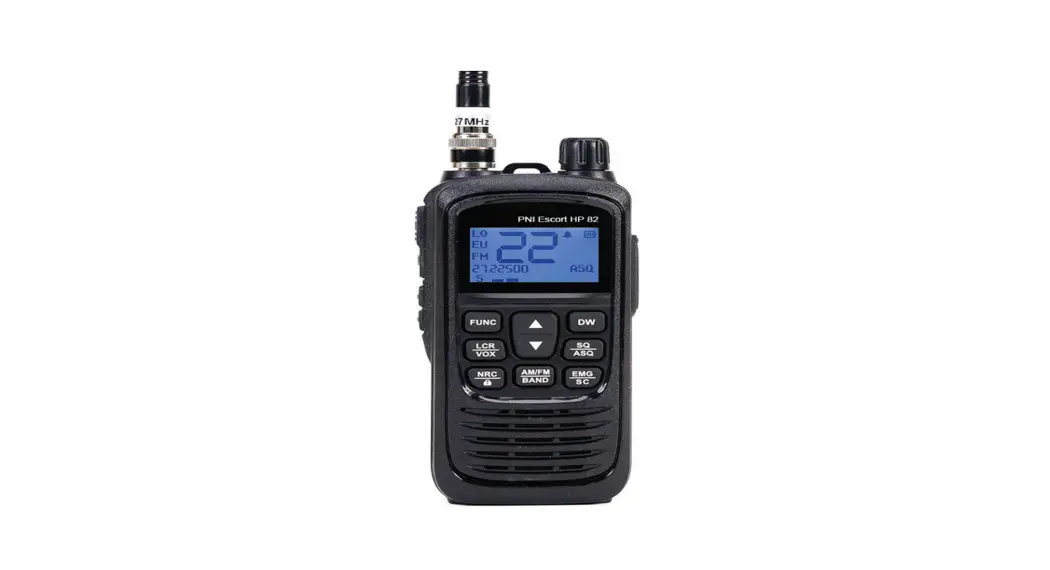
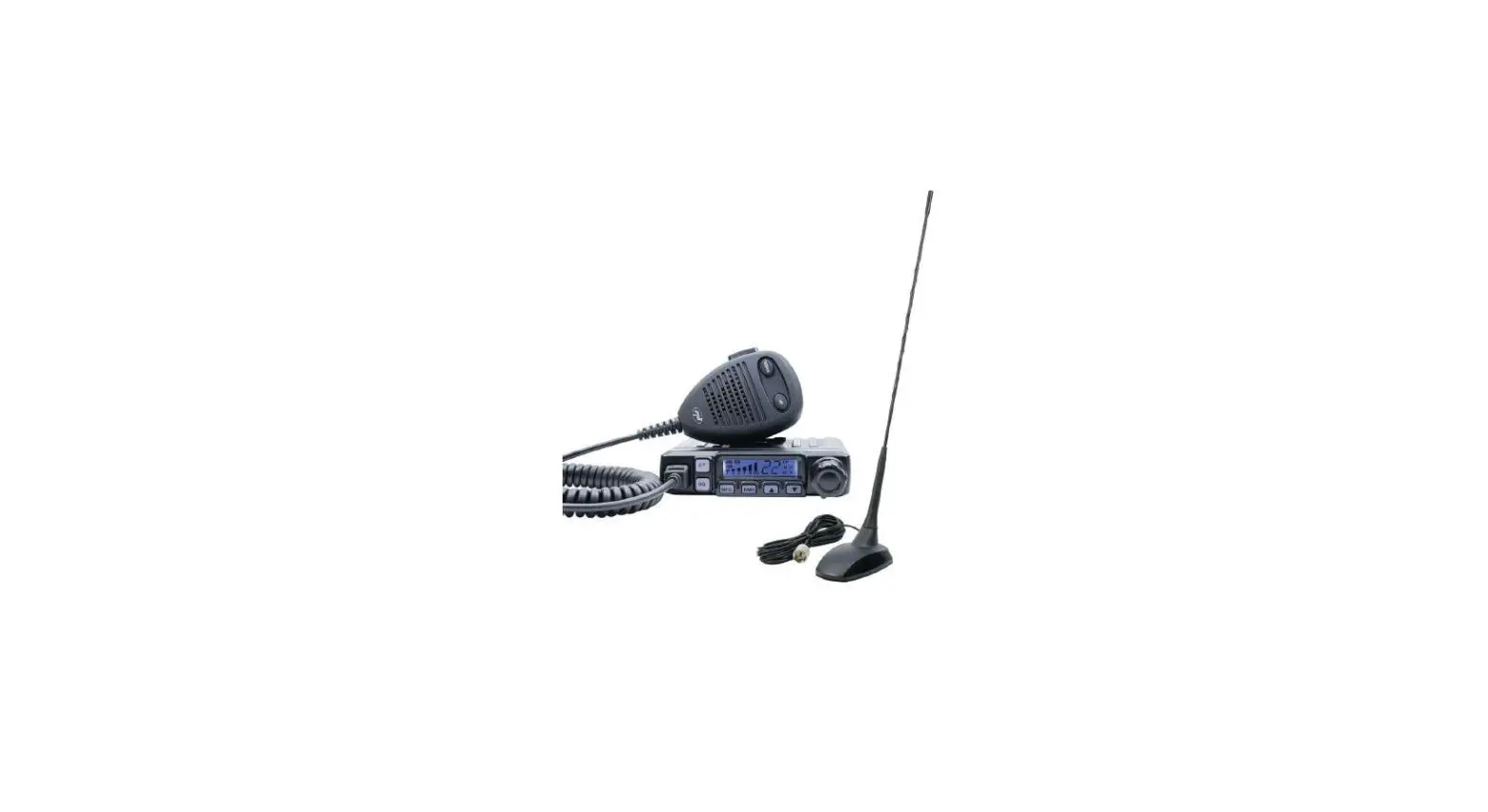
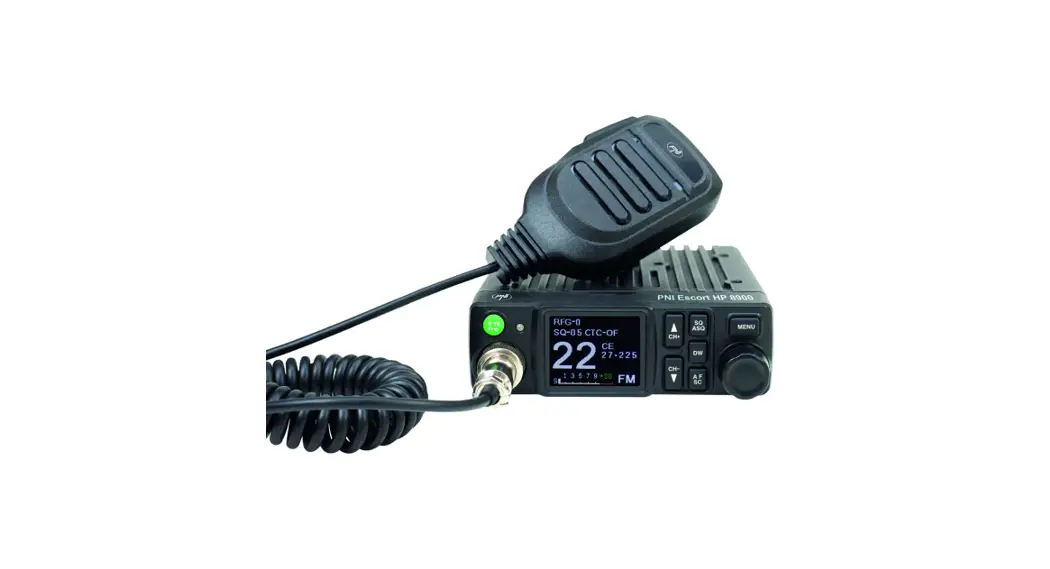
Escort HP82 Portable CB Radio
PNI Escort HP 82 – Portable CB Radio
Product Information
| Language | Manual |
|---|---|
| Bulgarian | CB |
| English | User manual |
| French | Manuel utilisateur |
| Italian | Manuale utente |
| Dutch | Handleiding |
| Polish | Instrukcja obslugi |
| Romanian | Manual de utilizare |
Keys and Functions
| Description | Key/Function |
|---|---|
| Antenna | 1 |
| On/Off Volume | 2 |
| Status LED | 3 |
| LCD screen | 4 |
| PTT | 5 |
| HI/LO | 6 |
| FUNC | 9 |
| DW | 11 |
| LCR/VOX | 12 |
| Decrease channel number | 13 |
| SQ/ASQ | 14 |
| NRC/LOCK | 15 |
| AM/FM/BAND | 16 |
| EMG/SC | 17 |
| MIC | 18 |
| Speaker | 19 |
| 2 pins PNI-K headset connector | 20 |
| USB-C port for battery charging | 21 |
| Belt clip | 22 |
Usage Instructions
Turn the radio on/off:
Turn the knob on the top of the CB radio ([2]) clockwise
to turn it on. The CB radio starts from the previous mode of use.
Turn the knob counterclockwise to turn it off.
Volume control:
After turning the CB radio on, continue to turn the knob
([2]) to adjust the volume to the desired level.
Channel selection:
Briefly press the + or – key to increase or
decrease the channel number until you reach the desired channel.
Long press the + or – key to quickly increase or
decrease the channel number.
Squelch (SQ) level selection:
Briefly press the SQ/ASQ [14] key. On the screen, the SQ
icon and the digits corresponding to the level flash. There are 25
levels of manual squelch available, from 00 (squelch off) to 25
(highest level). When the digits corresponding to the level are
flashing, press the + or – keys to select the desired
level. To confirm the selection, press the SQ/ASQ key or
wait 5 seconds.
Automatic squelch (ASQ) level selection:
Long press the SQ/ASQ [14] key to switch to ASQ mode. On
the screen, the SQ icon becomes ASQ. On the screen, the ASQ icon
and the digits corresponding to the level flash. There are 5 levels
of manual squelch available, from 01 (the lowest level) to 05 (the
highest level). When the digits corresponding to the level are
flashing, press the + or – keys to select the desired
level. To confirm the selection, press the SQ/ASQ key or
wait 5 seconds.
PNI Escort HP 82
EN Portable CB radio
BG CB
DE Tragbares CB-Funkgerät
ES Radio CB portátil
FR Radio CB portable
HU Hordozható CB rádió
IT
Radio CB portabile
NL Draagbare CB-radio
PL Przenone radio CB
RO Statie radio CB
EN User manual …………………………………………………
3
BG ………………………..
11
DE Benutzerhandbuch ……………………………………….
20
ES Manual de usuario ………………………………………..
28
FR Manuel utilisateur ………………………………………..
36
HU Használati utasítás ……………………………………….
44
IT Manuale utente …………………………………………..
52
NL Handleiding ………………………………………………..
60
PL Instrukcja obslugi ………………………………………..
68
RO Manual de utilizare ………………………………………
76
English
Safety warnings
Read the following warnings to prevent fire, personal injury, or damage to the CB radio or antenna.
Do not try to adjust the CB radio while driving, it is dangerous. Do not position the CB radio on an excessively dusty, wet or unstable surface. Do not connect the antenna during transmission, risk of burns or electric shock. Keep your distance from devices that create interference (such as: TV, generator, etc.) Those who use pacemakers are advised to keep their distance from the antenna during transmission and especially not to touch it. Do not bring metal objects close to the internal electrical part of the CB radio; danger of electric shock. Avoid exposing the CB radio to temperatures lower than -26°C and higher than +80°C. The temperature inside a vehicle can sometimes exceed 80°C, which can cause irreparable damage in case of prolonged exposure. Do not expose the CB radio to sunlight for a long time. Do not put anything on the CB radio, it will prevent it from cooling down. Check if you have a sufficiently charged car battery to avoid a rapid discharge. It is important to stop the CB radio before starting the engine, to avoid damage caused by the high voltage at start-up. When replacing the fuse, you must use a fuse of the same type as the original one. If an abnormal smell or smoke comes out of the CB radio, turn off the power immediately. Do not transmit for a long time, the CB radio may heat up and malfunction.
Important note! In some countries it may be necessary to present the license that will certify the right to use the CB band. Please check the local legislation and the table at the end of the manual.
3
English
Keys and functions
Description
1
Antenna
2
On/Off Volume
3
Status LED
4
LCD screen
5
PTT
6
HI/LO
7
8
9
FUNC
10
11
DW
Short press
Long press
Transmission High/low power selection
Monitor Menu Increase channel number Enable/Disable Dual Watch
Backlight On/Off
Continuous increase in channel number Dual Watch setting
4
English
12 LCR/VOX
Last channel recall
VOX control
13
Decrease channel number
Continuous decrease in channel number
14 SQ/ASQ
SQ/ASQ level selection
Switch between SQ/ ASQ
15 NRC/LOCK
Enable/Disable NRC (Noise Reduction Circuit)
Key lock
16 AM/FM/BAND Switch between AM/FM Band selection
17 EMG/SC
Emergency channel
Enable/Disable channel scanning
18 MIC
19 Speaker
20
2 pins PNI-K headset connector
21
USB-C port for battery charging
22 Belt clip
Usage instructions
Turn the radio on/off
Turn the knob on the top of the CB radio [2] clockwise to turn it on. The CB radio starts from the previous mode of use. Turn the knob on the top of the CB radio [2] counterclockwise to turn it off.
Volume control
After turning the CB radio on, continue to turn the knob [2] to adjust the volume to the desired level.
5
English
Channel selection
Briefly press the or key to increase or decrease the channel number, until you reach the desired channel. Long press the or key to quickly increase or decrease the channel number.
Squelch (SQ) level selection
Briefly press the SQ/ASQ [14] key. On the screen, the SQ icon and the digits corresponding to the level flash. 25 levels of manual squelch are available, from 00 (squelch off) to 25 (highest level). When the digits corresponding to the level are flashing, press the or keys to select the desired level. To confirm the selection, press the SQ/ASQ key or wait 5 seconds.
Automatic squelch (ASQ) level selection
Long press the SQ/ASQ [14] key to switch to ASQ mode. On the screen, the SQ icon becomes ASQ. On the screen, the ASQ icon and the digits corresponding to the level flash. There are 5 levels of manual squelch available, from 01 (the lowest level) to 05 (the highest level). When the digits corresponding to the level are flashing, press the or keys to select the desired level. To confirm the selection, press the SQ/ASQ key or wait 5 seconds.
AM/FM selection
Press the AM/FM/BAND [16] key to switch between AM and FM. The corresponding icon will appear on the screen.
Note: Not all standards support both types of modulation. If the band you are in does not support AM or FM, pressing the AM/FM/BAND key will not produce any change.
6
English
Emergency channels (9/19)
Press the EMG/SC [17] key to switch to channel 09. The EMG icon appears on the screen. Press the EMG/SC key again to switch to channel 19. Press the EMG/SC key again to exit Emergency mode. The EMG icon disappears from the screen.
Key lock
Long press the NRC/ key to activate the key lock function. The icon appears on the screen. When pressing any key you will hear a warning beep and the icon will blink. All radio’s keys are locked, except the PTT key. Long press again the NRC/ key to disable the key lock function. The icon will disappear from the screen.
Channel scan
Long press the EMG/SC [17] key. The SC icon blinks on the screen. The channel scanning starts immediately. During scanning, you can press the or key to change the scanning direction. Long press the EMG/SC key or the PTT key to stop scanning. The SC icon disappears from the screen.
High/Low power selection
Briefly press the HI/LO [6] key on the side of the CB radio to change between high (4W) and low (1.5W) transmission power. The HI or LO icon will appear on the screen.
Dual Watch
Long press the DW [11] key. The DW icon and the digits corresponding to the channel blink on the screen. Press the or key to choose the second channel you want to monitor. Press the DW key again to save and exit. To activate the Dual Watch mode, briefly press the DW key. The two channels set for
7
English simultaneous monitoring will be displayed successively on the screen. The DW icon is blinking. Short press the DW key to exit.
NCR (Noise Reduction Circuit)
Briefly press the NRC/ [15] key to activate the background noise reduction function. The NRC icon appears on the screen. Briefly press the NRC/ key again to disable the NRC function. The NRC icon disappears from the screen.
LCR (Last Channel Recall)
Briefly press the LCR/VOX [12] key to return to the last channel you stayed on for more than 5 seconds. Press LCR/VOX again to return to the original channel.
VOX
Long press the LCR/VOX [12] key to activate the VOX function. The VOX icon appears on the screen. By activating the VOX function, you can transmit without pressing the PTT key. The VOX sensitivity level can be set from the menu. Long press the LCR/VOX [12] key to disable the VOX function. The VOX icon disappears from the screen.
Menu
Key beep
Briefly press the FUNC key [9] to access the menu.
The icon and the current setting (On or Off) blink. Press or to change the setting: On – key beep enabled (the icon appears on the screen) Off – key beep disabled (the icon disappears from the screen)
8
English
VOX level
Press the FUNC [9] key twice to access the VOX menu. On the screen, the VOX icon and the digits corresponding to the level blink. Press the or key to change the VOX level. There are 5 levels available: 01 – low VOX sensitivity 05 – high VOX sensitivity
Roger Beep
Press the FUNC [9] key three times to access the Roger Beep menu. The icon and the current setting (On or Off) blink. Press or to change the setting: On – roger beep enabled (the icon appears on the screen) Off – roger beep disabled (the icon disappears from the screen)
TOT (Timeout timer)
Turn off the CB radio. Hold down the AM/FM/BAND key [16] while restarting the CB radio. “150 TIME OUT TIMER” appears on the screen. Use the or keys to set the maximum continuous transmission time.
Reset
With the CB radio turned off, hold down the SQ/ASQ [14] key while turning back on the radio. The message Rest Default and the firmware version will be displayed on the screen. After the reset, the CB radio returns to the factory settings.
Standard selection
Long press the AM/FM/BAND [16] key. The icon corresponding to the current standard blinks on the screen. Press the or key to change the standard. Short press AM/FM/BAND to save and exit or wait 5 seconds. Check the Bands and frequency table at the end of this manual.
9
English
Technical specifications
Frequency range Frequency tolerance
Power supply
Emission power Consumption Frequency response Distortion Impedance Reception sensitivity Interference rejection Audio power Operating temperature
26.965MHZ – 27.405MHZ ±300Hz 12V (by the car adapter) 7.4V±0.4V (by battery) 4W AM/FM < 1.3A 300-3000HZ < 8% 50 Ohm 0.25uv@12dB 60dB 1W -26°C ~ +80°C
10
, , CB .
CB , , . CB , . , . , (: , .) , , . CB ; . CB – -26°C – +80°C. 80°C, . CB . CB , . , . CB , , . , . CB , . , CB .
! , CB . , .
11
1
2
On/Off
3
4
LCD
5 PTT
6
HI/LO
/
On/Off
7
8
9
FUNC
12
10
11 DW
/
12 LCR/VOX
VOX
13
14 SQ/ASQ
SQ/ASQ SQ/ASQ
15 NRC/LOCK
/ NRC ( )
16 AM/FM/BAND
AM/FM
17 EMG/SC
/
18
19
20 2 PNI-K
21
USB-C 22
13
/
CB [2] , . CB . CB [2] , .
CB , [2], .
, , . , .
SQ
SQ/ASQ [14]. SQ , . 25 , 00 ( ) 25 (- ). , , , , . To confirm the selection, press the SQ/ASQ key or wait 5 seconds.
ASQ
SQ/ASQ [14], ASQ. SQ ASQ.
14
ASQ , . 5 , 01 (- ) 05 ( ). , , , , . , SQ/ASQ 5 .
AM/FM
AM/FM/BAND [16], AM FM. .
: . , , AM FM, AM/FM/BAND .
(9/19)
EMG/SC [17], 09. EMG . EMG/SC , 19. EMG/SC , . .
NRC/ , . . . , . NRC/ , . .
15
EMG/SC [17]. SC . . , . , EMG/SC . SC .
/
HI/LO [6] CB , (4W) (1,5W) . HI LO .
Dual Watch
DW [11]. DW , , . , , . DW , . , DW. , , . DW . DW .
NCR (Noise Reduction Circuit)
NRC/ [15], . NRC . NRC/ , NRC. NRC .
16
LCR (Last Channel Recall)
LCR/VOX [12], , 5 . LCR/VOX, .
VOX
LCR/VOX [12], VOX. VOX . VOX , . VOX . LCR/VOX [12], VOX. VOX .
Briefly press the FUNC key [9] to access the menu.
(. .) . , : – ( ) – ( )
VOX
FUNC [9] , VOX. VOX , . , VOX. 5 : 01 – VOX 05 – VOX
17
Roger Beep
FUNC [9] , Roger Beep. (. .) . , : On – roger beep ( ) Off – roger beep ( )
TOT (Timeout timer)
CB . AM/FM/BAND [16], CB . “150 TIME OUT TIMER”. , .
CB , SQ/ASQ [14], . Rest Default . CB .
AM/FM/BAND [16]. , , . , . AM/FM/BAND, 5 .
.
18
26.965MHZ – 27.405MHZ ±300Hz 12V ( ) 7.4V±0.4V ( ) 4W AM/FM < 1.3A 300-3000HZ < 8% 50 Ohm 0.25uv@12dB 60dB 1W -26°C ~ +80°C
19
Deutsch
Sicherheitswarnungen
Versuchen Sie nicht, das CB-Funkgerät während der Fahrt einzustellen, es ist gefährlich.
Stellen Sie das CB-Funkgerät nicht auf einer übermäßig staubigen, nassen oder instabilen Oberfläche auf.
Schließen Sie die Antenne nicht während des Sendens an, es besteht Verbrennungsoder Stromschlaggefahr.
Halten Sie Abstand zu Geräten, die Störungen verursachen (z. B.: Fernseher, Generator usw.)
Trägern von Herzschrittmachern wird empfohlen, während der Übertragung Abstand zur Antenne zu halten und diese insbesondere nicht zu berühren.
Bringen Sie keine Metallgegenstände in die Nähe des internen elektrischen Teils des CB-Funkgeräts; Gefahr eines Stromschlags.
Vermeiden Sie es, das CB-Funkgerät Temperaturen unter -26°C und über +80°C auszusetzen. Die Temperatur in einem Fahrzeug kann manchmal 80 °C überschreiten, was bei längerer Einwirkung irreparable Schäden verursachen kann. Setzen Sie das CBFunkgerät nicht längere Zeit dem Sonnenlicht aus.
Legen Sie nichts auf das CB-Funkgerät, es verhindert das Abkühlen. Überprüfen Sie, ob Ihre Autobatterie ausreichend geladen ist, um eine schnelle Entladung zu vermeiden. Es ist wichtig, das CB-Funkgerät vor dem Starten des Motors zu stoppen, um Schäden durch die Hochspannung beim Start zu vermeiden. Beim Austausch der Sicherung muss eine Sicherung desselben Typs wie die Originalsicherung verwendet werden. Wenn ein ungewöhnlicher Geruch oder Rauch aus dem CB-Funkgerät austritt, schalten Sie es sofort aus. Senden Sie längere Zeit nicht, das CB-Funkgerät kann sich erhitzen und Fehlfunktionen verursachen.
Wichtiger Hinweis! In einigen Ländern kann es erforderlich sein, die Lizenz vorzulegen, die das Recht zur Nutzung des CB-Bandes bescheinigt. Bitte überprüfen Sie die lokale Gesetzgebung und die Tabelle am Ende des Handbuchs.
20
Deutsch
Tasten und Funktionen
Beschreibung
Kurz drücken
Lange drücken
1
Antenne
2
On/Off Volumen
3
Status-LED
4
LCD Bildschirm
5
PTT
Übertragung
6
HI/LO
Auswahl hoher/niedriger Leistung
7
Hintergrundbeleuchtung ein/aus
8
Monitor
9
FUNC
Speisekarte
21
Deutsch
10
Kanalnummer erhöhen
Kontinuierliche Erhöhung der Kanalnummer
11
DW
Dual Watch aktivieren/ deaktivieren
Dual-Watch-Einstellung
12 LCR/VOX
Abruf des letzten Kanals VOX-Steuerung
13
Kanalnummer verringern
Kontinuierliche Abnahme der Kanalnummer
14 SQ/ASQ
Auswahl der SQ/ASQEbene
Wechseln Sie zwischen SQ/ASQ
15 NRC/LOCK
NRC (Noise Reduction Circuit)aktivieren/ deaktivieren
Tastensperre
16
AM/FM/BAND
Wechseln Sie zwischen AM/FM
Band Auswahl
17 EMG/SC
Notfallkanal
Kanalsuche aktivieren/ deaktivieren
18 MIC
19 Lautsprecher
2 Pins PNI-K 20 Headset-
Anschluss
USB-C-Anschluss 21 zum Aufladen des
Akkus
22 Gürtelschnalle
Gebrauchsanweisung Schalten Sie das Radio ein/aus
Drehen Sie den Knopf auf der Oberseite des CB-Funkgeräts [2] im Uhrzeigersinn, 22
Deutsch
um es einzuschalten. Das CB-Funkgerät startet von der vorherigen Verwendungsart. Drehen Sie den Knopf auf der Oberseite des CB-Funkgeräts [2] gegen den Uhrzeigersinn, um es auszuschalten.
Lautstärkeregelung
Drehen Sie nach dem Einschalten des CB-Funkgeräts den Knopf [2] weiter, um die Lautstärke auf den gewünschten Pegel einzustellen.
Kanalauswahl
Drücken Sie kurz die Taste oder , um die Kanalnummer zu erhöhen oder zu verringern, bis Sie den gewünschten Kanal erreichen. Drücken Sie lange die Taste oder , um die Kanalnummer schnell zu erhöhen oder zu verringern.
Squelch (SQ) ebenenauswahl
Drücken Sie kurz die Taste SQ/ASQ [14]. Auf dem Bildschirm blinken das Symbol SQ und die der Stufe entsprechenden Ziffern. 25 manuelle Squelch-Stufen sind verfügbar, von 00 (Squelch aus) bis 25 (höchste Stufe). Wenn die der Stufe entsprechenden Ziffern blinken, drücken Sie die Tasten oder , um die gewünschte Stufe auszuwählen. Um die Auswahl zu bestätigen, drücken Sie die SQ/ASQ-Taste oder warten Sie 5 Sekunden.
Automatic squelch (ASQ) ebenenauswahl
Drücken Sie lange die Taste SQ/ASQ [14], um in den ASQ-Modus zu wechseln. Auf dem Bildschirm wird das SQ-Symbol zu ASQ. Auf dem Bildschirm blinken das ASQ-Symbol und die dem Niveau entsprechenden Ziffern. Es stehen 5 Stufen der manuellen Rauschsperre zur Verfügung, von 01 (die niedrigste Stufe) bis 05 (die höchste Stufe). Wenn die der Stufe entsprechenden Ziffern blinken, drücken Sie die Tasten oder , um die gewünschte Stufe auszuwählen. Um die Auswahl zu bestätigen, drücken Sie die SQ/ASQ-Taste oder warten Sie 5 Sekunden.
23
Deutsch
AM/FM-Auswahl
Drücken Sie die Taste AM/FM/BAND [16], um zwischen AM und FM umzuschalten. Das entsprechende Symbol erscheint auf dem Bildschirm. Hinweis: Nicht alle Standards unterstützen beide Modulationsarten. Wenn das Band, in dem Sie sich befinden, AM oder FM nicht unterstützt, bewirkt das Drücken der AM/ FM/BAND-Taste keine Änderung.
Notfallkanäle (9/19)
Drücken Sie die Taste EMG/SC [17], um auf Kanal 09 umzuschalten. Das EMGSymbol erscheint auf dem Bildschirm. Drücken Sie die EMG/SC-Taste erneut, um auf Kanal 19 umzuschalten. Drücken Sie die EMG/SC-Taste erneut, um den Notfallmodus zu verlassen. Das EMG-Symbol verschwindet vom Bildschirm.
Tastensperre
Drücken Sie lange die NRC/ Taste, um die Tastensperre zu aktivieren. Das Symbol erscheint auf dem Bildschirm. Beim Drücken einer beliebigen Taste ertönt ein Warnton und das Symbol blinkt. Alle Tasten des Funkgeräts sind gesperrt, mit Ausnahme der PTT-Taste. Drücken Sie die Taste NRC/ erneut lange, um die Tastensperre zu deaktivieren. Das Symbol verschwindet vom Bildschirm.
Sendersuchlauf
Drücken Sie lange die Taste EMG/SC [17]. Das SC-Symbol blinkt auf dem Bildschirm. Der Sendersuchlauf startet sofort. Während des Scannens können Sie die Taste oder drücken, um die Scanrichtung zu ändern. Drücken Sie lange die EMG/SC-Taste oder die PTT-Taste, um den Scanvorgang zu stoppen. Das SC-Symbol verschwindet vom Bildschirm.
High/Low-Power-Auswahl
Drücken Sie kurz die HI/LO-Taste [6] an der Seite des CB-Funkgeräts, um zwischen
24
Deutsch
hoher (4 W) und niedriger (1,5 W) Sendeleistung zu wechseln. Das HI- oder LOSymbol erscheint auf dem Bildschirm.
Dual Watch
Drücken Sie lange die Taste DW [11]. Das DW-Symbol und die dem Kanal entsprechenden Ziffern blinken auf dem Bildschirm. Drücken Sie die Taste oder , um den zweiten Kanal auszuwählen, den Sie überwachen möchten. Drücken Sie die DW-Taste erneut, um zu speichern und zu beenden. Um den Dual-Watch-Modus zu aktivieren, drücken Sie kurz die DW-Taste. Die beiden für die gleichzeitige Überwachung eingestellten Kanäle werden nacheinander auf dem Bildschirm angezeigt. Das DW-Symbol blinkt. Drücken Sie zum Beenden kurz die DW-Taste.
NCR (Noise Reduction Circuit)
Drücken Sie kurz die Taste NRC/ [15], um die Funktion zur Reduzierung von Hintergrundgeräuschen zu aktivieren. Das NRC-Symbol erscheint auf dem Bildschirm. Drücken Sie erneut kurz die Taste NRC/ , um die NRC-Funktion zu deaktivieren. Das NRC-Symbol verschwindet vom Bildschirm.
LCR (Last Channel Recall)
Drücken Sie kurz die Taste LCR/VOX [12], um zum letzten Kanal zurückzukehren, auf dem Sie länger als 5 Sekunden verblieben sind. Drücken Sie erneut LCR/VOX, um zum ursprünglichen Kanal zurückzukehren.
VOX
Drücken Sie lange die Taste LCR/VOX [12], um die VOX-Funktion zu aktivieren. Das VOX-Symbol erscheint auf dem Bildschirm. Durch Aktivieren der VOX-Funktion können Sie senden, ohne die PTT-Taste zu drücken. Die VOX-Empfindlichkeitsstufe kann über das Menü eingestellt werden. Drücken Sie lange die Taste LCR/VOX [12], um die VOX-Funktion zu deaktivieren. Das VOX-Symbol verschwindet vom Bildschirm.
25
Deutsch
Menü
Tastentonfunktion
Drücken Sie kurz die FUNC-Taste [9], um in das Menü zu gelangen. Das Symbol und die aktuelle Einstellung (Ein oder Aus) blinken. Drücken Sie oder , um die Einstellung zu ändern: On Tastenton aktiviert (das Symbol erscheint auf dem Bildschirm) Off – Tastenton deaktiviert (das Symbol verschwindet vom Bildschirm)
VOX-Pegel
Drücken Sie zweimal die Taste FUNC [9], um das VOX-Menü aufzurufen. Auf dem Bildschirm blinken das VOX-Symbol und die dem Pegel entsprechenden Ziffern. Drücken Sie die Taste oder , um den VOX-Pegel zu ändern. Es stehen 5 Stufen zur Verfügung: 01 – niedrige VOX-Empfindlichkeit 05 – hohe VOX-Empfindlichkeit
Roger Beep
Drücken Sie dreimal die Taste FUNC [9], um das Roger Beep-Menü aufzurufen. Das Symbol und die aktuelle Einstellung (Ein oder Aus) blinken. Drücken Sie oder , um die Einstellung zu ändern: On Roger Beep aktiviert (das Symbol erscheint auf dem Bildschirm) Off – Roger Beep deaktiviert (das Symbol verschwindet vom Bildschirm)
TOT (Timeout timer)
Schalten Sie den CB-Funk aus. Halten Sie die AM/FM/BAND-Taste [16] gedrückt, während Sie das CB-Funkgerät neu starten. ,,150 TIME OUT TIMER” erscheint auf dem Bildschirm. Verwenden Sie die Tasten oder , um die maximale Dauerübertragungszeit einzustellen.
26
Deutsch
Zurücksetzen
Halten Sie bei ausgeschaltetem CB-Funkgerät die Taste SQ/ASQ [14] gedrückt, während Sie das Funkgerät wieder einschalten. Auf dem Bildschirm wird die Meldung Rest Default und die Firmware-Version angezeigt. Nach dem Zurücksetzen kehrt das CB-Funkgerät in die Werkseinstellungen zurück.
Standardauswahl
Drücken Sie lange die Taste AM/FM/BAND [16]. Das dem aktuellen Standard entsprechende Symbol blinkt auf dem Bildschirm. Drücken Sie die Taste oder , um den Standard zu ändern. Drücken Sie kurz AM/FM/BAND, um zu speichern und zu beenden, oder warten Sie 5 Sekunden.
Überprüfen Sie die Bänder und die Frequenztabelle am Ende dieser Anleitung.
Technische Spezifikationen
Frequenzbereich Frequenztoleranz
Netzteil
Emissionsleistung Verbrauch Frequenzgang Verzerrung Impedanz Empfangsempfindlichkeit Interferenzunterdrückung Audioleistung Betriebstemperatur
26.965MHZ – 27.405MHZ ±300Hz 12V (über den Autoadapter) 7,4 V ± 0,4 V (durch die Batterie 4W AM/FM < 1.3A 300-3000HZ < 8% 50 Ohm 0.25uv@12dB 60dB 1W -26°C ~ +80°C
27
Español
Advertencias de seguridad
No intente ajustar la radio CB mientras conduce, es peligroso. No coloque la radio CB sobre una superficie excesivamente polvorienta, mojada o inestable. No conecte la antena durante la transmisión, riesgo de quemaduras o descargas eléctricas. Manténgase alejado de los dispositivos que crean interferencias (como: TV, generador, etc.) Se recomienda a los usuarios de marcapasos que se mantengan alejados de la antena durante la transmisión y, especialmente, que no la toquen. No acerque objetos metálicos a la parte eléctrica interna de la radio CB; peligro de descarga eléctrica. Evite exponer la radio CB a temperaturas inferiores a -26°C y superiores a +80°C. En ocasiones, la temperatura en el interior de un vehículo puede superar los 80 °C, lo que puede causar daños irreparables en caso de exposición prolongada. No exponga la radio CB a la luz solar durante mucho tiempo. No coloque nada sobre la radio CB, evitará que se enfríe. Comprueba si tienes una batería de coche suficientemente cargada para evitar una descarga rápida. Es importante detener la radio CB antes de arrancar el motor, para evitar daños causados por el alto voltaje en el arranque. Cuando reemplace el fusible, debe usar un fusible del mismo tipo que el original. Si sale un olor anormal o humo de la radio CB, desconecte la alimentación inmediatamente. No transmita durante mucho tiempo, la radio CB puede calentarse y funcionar mal.
¡Nota IMPORTANTE! En algunos países puede ser necesario presentar la licencia que certificará el derecho de uso de la banda CB. Consulte la legislación local y la tabla al final del manual..
28
Español
Teclas y funciones
Descripción
1
Antena
2
On/Off Volumen
3
LED de estado
4
Pantalla LCD
5
PTT
6
HI/LO
7
8
9
FUNC
10
Prensa corta
Transmisión Selección de potencia alta/baja
Monitor Menú Aumentar número de canal
Pulsación larga
Luz de fondo encendida/ apagada Aumento continuo en el número de canales
29
Español
11
DW
12 LCR/VOX
13 14 SQ/ASQ
15 NRC/LOCK
16 AM/FM/BAND
17 EMG/SC
18 MIC 19 Altavoz
2 pines PNI-K 20 conector de
auriculares Puerto USB-C 21 para cargar la batería 22 Pinza de cinturón
Habilitar/deshabilitar Dual Watch
Recuperación del último canal (Last Channel Recall)
Disminuir número de canal
Selección de nivel SQ/ ASQ
Activar/Desactivar NRC (Circuito de Reducción de Ruido)
Cambiar entre AM/FM
Canal de emergencia
Configuración de Dual Watch
VOX
Disminución continua en el número de canales Cambiar entre SQ/ASQ
Bloqueo de teclas
Selección de banda Habilitar/deshabilitar la búsqueda de canales
Instrucciones de uso
Encender/apagar la radio
Gire la perilla en la parte superior de la radio CB [2] en el sentido de las agujas del reloj para encenderla. La radio CB parte del modo de uso anterior. Gire la perilla en la parte superior de la radio CB [2] en sentido antihorario para apagarla.
30
Español
Control del volumen
Después de encender la radio CB, continúe girando la perilla [2] para ajustar el volumen al nivel deseado.
Selección del canal
Presione brevemente la tecla o para aumentar o disminuir el número de canal, hasta llegar al canal deseado. Mantenga presionada la tecla o para aumentar o disminuir rápidamente el número de canal.
Selección de nivel de silenciamiento (SQ)
Pulse brevemente la tecla SQ/ASQ [14]. En la pantalla, el icono SQ y los dígitos correspondientes al nivel parpadean. Hay 25 niveles de silenciamiento manual disponibles, desde 00 (silenciamiento desactivado) hasta 25 (nivel más alto). Cuando los dígitos correspondientes al nivel estén parpadeando, presione las teclas o para seleccionar el nivel deseado. Para confirmar la selección, presione la tecla SQ/ASQ o espere 5 segundos.
Selección de nivel de silenciamiento automático (ASQ)
Mantenga presionada la tecla SQ/ASQ [14] para cambiar al modo ASQ. En la pantalla, el ícono SQ se convierte en ASQ. En la pantalla, el icono ASQ y los dígitos correspondientes al nivel parpadean. Hay 5 niveles de silenciamiento manual disponibles, desde 01 (el nivel más bajo) hasta 05 (el nivel más alto). Cuando los dígitos correspondientes al nivel estén parpadeando, presione las teclas o para seleccionar el nivel deseado. Para confirmar la selección, presione la tecla SQ/ASQ o espere 5 segundos.
Selección AM/FM
Presione la tecla AM/FM/BAND [16] para cambiar entre AM y FM. El icono
31
Español correspondiente aparecerá en la pantalla. Nota: No todos los estándares admiten ambos tipos de modulación. Si la banda en la que se encuentra no es compatible con AM o FM, al presionar la tecla AM/FM/BAND no se producirá ningún cambio.
Canales de emergencia (9/19)
Presione la tecla EMG/SC [17] para cambiar al canal 09. El ícono EMG aparece en la pantalla. Presione la tecla EMG/SC nuevamente para cambiar al canal 19. Presione la tecla EMG/SC nuevamente para salir del modo de emergencia. El icono EMG desaparece de la pantalla.
Bloqueo de teclas
Mantenga presionada la tecla NRC/ para activar la función de bloqueo de teclas. El icono aparece en la pantalla. Al pulsar cualquier tecla escuchará un pitido de aviso y el icono parpadeará. Todas las teclas de la radio están bloqueadas, excepto la tecla PTT. Mantenga presionada nuevamente la tecla NRC/ para desactivar la función de bloqueo de teclas. El icono desaparecerá de la pantalla.
Escaneo de canales
Mantenga presionada la tecla EMG/SC [17]. El icono SC parpadea en la pantalla. La búsqueda de canales comienza inmediatamente. Durante la exploración, puede presionar la tecla o para cambiar la dirección de exploración. Mantenga presionada la tecla EMG/SC o la tecla PTT para detener la exploración. El icono SC desaparece de la pantalla.
Selección de potencia alta/baja
Presione brevemente la tecla HI/LO [6] en el costado de la radio CB para cambiar entre potencia de transmisión alta (4W) y baja (1.5W). El icono HI o LO aparecerá en la pantalla.
32
Español
Dual Watch
Mantenga presionada la tecla DW [11]. El icono DW y los dígitos correspondientes al canal parpadean en la pantalla. Presione la tecla o para elegir el segundo canal que desea monitorear. Presione la tecla DW nuevamente para guardar y salir. Para activar el modo Dual Watch, presione brevemente la tecla DW. Los dos canales configurados para monitoreo simultáneo se mostrarán sucesivamente en la pantalla. El icono DW está parpadeando. Presione brevemente la tecla DW para salir.
NCR (Circuito de Reducción de Ruido)
Pulse brevemente la tecla NRC/ [15] para activar la función de reducción de ruido de fondo. El icono de NRC aparece en la pantalla. Pulse brevemente la tecla NRC/ de nuevo para desactivar la función NRC. El icono de NRC desaparece de la pantalla.
LCR (Last Channel Recall)
Pulse brevemente la tecla LCR/VOX [12] para volver al último canal en el que permaneció durante más de 5 segundos. Pulse LCR/VOX de nuevo para volver al canal original.
VOX
Mantenga presionada la tecla LCR/VOX [12] para activar la función VOX. El icono VOX aparece en la pantalla. Al activar la función VOX, puede transmitir sin presionar la tecla PTT. El nivel de sensibilidad VOX se puede configurar desde el menú. Mantenga presionada la tecla LCR/VOX [12] para desactivar la función VOX. El icono de VOX desaparece de la pantalla.
33
Español
Menú
Función de tono de tecla
Pulse brevemente la tecla FUNC [9] para acceder al menú.
El icono y el ajuste actual (On o Off) parpadean. Presione o para cambiar la configuración: On: tono de tecla activado (el icono aparece en la pantalla) Off – tono de tecla deshabilitado (the icon desaparece de la pantalla)
Nivel de VOX
Presione la tecla FUNC [9] dos veces para acceder al menú VOX. En la pantalla parpadean el icono VOX y los dígitos correspondientes al nivel. Presione la tecla o para cambiar el nivel de VOX. Hay 5 niveles disponibles: 01 – baja sensibilidad VOX 05 – alta sensibilidad VOX
Roger Beep
Pulse la tecla FUNC [9] tres veces para acceder al menú Roger Beep. El icono y el ajuste actual (Encendido o Apagado) parpadean. Presione o para cambiar la configuración: On – roger beep activado (el icono aparece en la pantalla) Off – roger beep deshabilitado (el icono desaparece de la pantalla)
TOT (Timeout timer)
Apague la radio CB. Mantenga presionada la tecla AM/FM/BAND [16] mientras reinicia la radio CB. “150 TIME OUT TIMER” aparece en la pantalla. Use las teclas o para configurar el tiempo máximo de transmisión continua.
34
Español
Reset
Con la radio CB apagada, mantenga presionada la tecla SQ/ASQ [14] mientras vuelve a encender la radio. El mensaje Restablecer predeterminado y la versión del firmware se mostrarán en la pantalla. Después del reinicio, la radio CB vuelve a la configuración de fábrica.
Selección estándar
Mantenga presionada la tecla AM/FM/BAND [16]. El icono correspondiente al estándar actual parpadea en la pantalla. Presione la tecla o para cambiar el estándar. Presione brevemente AM/FM/BAND para guardar y salir o espere 5 segundos.
Consulte la tabla de Bandas y frecuencias al final de este manual.
Especificaciones técnicas
Rango de frecuencia Tolerancia de frecuencia
Fuente de alimentación
Potencia de emisión Consumo Respuesta frecuente Distorsión Impedancia Sensibilidad de recepción Rechazo de interferencias Potencia de audio Temperatura de funcionamiento
26.965MHZ – 27.405MHZ ±300Hz 12V (por el adaptador de coche) 7.4V±0.4V (por la batería) 4W AM/FM < 1.3A 300-3000HZ < 8% 50 Ohm 0.25uv@12dB 60dB 1W -26°C ~ +80°C
35
Français
Avertissements de sécurité
Lisez les avertissements suivants pour éviter un incendie, des blessures corporelles ou des dommages à la radio CB ou à l’antenne.
N’essayez pas de régler la radio CB en conduisant, c’est dangereux. Ne placez pas la radio CB sur une surface excessivement poussiéreuse, humide ou instable. Ne branchez pas l’antenne pendant la transmission, risque de brûlures ou d’électrocution. Tenez-vous à distance des appareils qui créent des interférences (tels que : téléviseur, génératrice, etc.) Il est conseillé aux porteurs de stimulateurs cardiaques de se tenir à distance de l’antenne pendant l’émission et surtout de ne pas la toucher. Ne pas approcher d’objets métalliques de la partie électrique interne de la radio CB ; danger de choc électrique. Évitez d’exposer la radio CB à des températures inférieures à -26°C et supérieures à +80°C. La température à l’intérieur d’un véhicule peut parfois dépasser 80°C, ce qui peut causer des dommages irréparables en cas d’exposition prolongée. N’exposez pas la radio CB au soleil pendant une longue période. Ne posez rien sur la radio CB, cela l’empêchera de se refroidir. Vérifiez si vous avez une batterie de voiture suffisamment chargée pour éviter une décharge rapide. Il est important d’arrêter la radio CB avant de démarrer le moteur, pour éviter les dommages causés par la haute tension au démarrage. Lors du remplacement du fusible, vous devez utiliser un fusible du même type que celui d’origine. Si une odeur anormale ou de la fumée sort de la radio CB, éteignez-la immédiatement. Ne pas transmettre pendant une longue période, la radio CB peut chauffer et mal fonctionner. Note importante! Dans certains pays, il peut être nécessaire de présenter la licence qui certifiera le droit d’utiliser la bande CB. Veuillez vérifier la législation locale et le tableau à la fin du manuel.
36
Français
Touches et fonctions
Description
1
Antenne
2
On/Off Volume
3
Voyant d’état
4
Écran LCD
5
PTT
6
HI/LO
7
8
9
FUNC
10
Appui court
Appui long
Transmission Sélection haute/basse puissance
Moniteur Menu Augmenter le numéro de chaîne
Rétroéclairage activé/ désactivé
Augmentation continue du nombre de canaux
37
Français
11
DW
Activer/désactiver la Dual Watch
Paramètre de Dual Watch
12 LCR/VOX
Rappel de la dernière chaîne
Contrôle VOX
13
Diminuer le numéro de canal
Diminution continue du nombre de canaux
14 SQ/ASQ
Sélection du niveau SQ/ ASQ
Basculer entre SQ/ASQ
15 NRC/LOCK
Activer/désactiver le NRC (circuit de réduction du bruit)
Verrouillage des touches
16 AM/FM/BAND Basculer entre AM/FM Sélection de bande
17 EMG/SC
Canal d’urgence
Activer/désactiver le balayage des canaux
18 MIC
19 Haut-parleur
20
2 broches PNI-K connecteur casque
Port USB-C pour 21 le chargement de
la batterie
22 Boucle de ceinture
Instructions d’utilisation
Allumer/éteindre la radio
Tournez le bouton sur le dessus de la radio CB [2] dans le sens des aiguilles d’une montre pour l’allumer. La radio CB démarre à partir du mode d’utilisation précédent. Tournez le bouton sur le dessus de la radio CB [2] dans le sens antihoraire pour l’éteindre.
38
Français
Contrôle du volume
Après avoir allumé la radio CB, continuez à tourner le bouton [2] pour régler le volume au niveau souhaité.
Sélection du canal
Appuyez brièvement sur la touche ou pour augmenter ou diminuer le numéro de chaîne, jusqu’à ce que vous atteigniez la chaîne souhaitée. Appuyez longuement sur la touche ou pour augmenter ou diminuer rapidement le numéro de canal.
Sélection du niveau de squelch (SQ)
Appuyez brièvement sur la touche SQ/ASQ [14]. A l’écran, l’icône SQ et les digits correspondant au niveau clignotent. 25 niveaux de squelch manuel sont disponibles, de 00 (squelch désactivé) à 25 (niveau le plus élevé). Lorsque les chiffres correspondant au niveau clignotent, appuyez sur les touches ou pour sélectionner le niveau souhaité. Pour confirmer la sélection, appuyez sur la touche SQ/ASQ ou attendez 5 secondes.
Sélection automatique du niveau de squelch (ASQ)
Appuyez longuement sur la touche SQ/ASQ [14] pour passer en mode ASQ. A l’écran, l’icône SQ devient ASQ. A l’écran, l’icône ASQ et les digits correspondant au niveau clignotent. Il existe 5 niveaux de silencieux manuel disponibles, de 01 (le niveau le plus bas) à 05 (le niveau le plus élevé). Lorsque les chiffres correspondant au niveau clignotent, appuyez sur les touches ou pour sélectionner le niveau souhaité. Pour confirmer la sélection, appuyez sur la touche SQ/ASQ ou attendez 5 secondes.
Sélection AM/FM
Appuyez sur la touche AM/FM/BAND [16] pour basculer entre AM et FM. L’icône correspondante apparaîtra à l’écran.
39
Français
Remarque : toutes les normes ne prennent pas en charge les deux types de modulation. Si la bande dans laquelle vous vous trouvez ne prend pas en charge AM ou FM, appuyer sur la touche AM/FM/BAND ne produira aucun changement.
Canaux d’urgence (9/19)
Appuyez sur la touche EMG/SC [17] pour passer au canal 09. L’icône EMG apparaît à l’écran. Appuyez à nouveau sur la touche EMG/SC pour passer au canal 19. Appuyez à nouveau sur la touche EMG/SC pour quitter le mode d’urgence. L’icône EMG disparaît de l’écran.
Verrouillage des touches
Appuyez longuement sur la touche NRC/ pour activer la fonction de verrouillage des touches. L’icône apparaît à l’écran. Lorsque vous appuyez sur n’importe quelle touche, vous entendrez un bip d’avertissement et l’icône clignotera. Toutes les touches de la radio sont verrouillées, sauf la touche PTT. Appuyez à nouveau longuement sur la touche NRC/ pour désactiver la fonction de verrouillage des touches. L’icône disparaîtra de l’écran.
Balayage des canaux
Appuyez longuement sur la touche EMG/SC [17]. L’icône SC clignote à l’écran. Le balayage des canaux démarre immédiatement. Pendant la numérisation, vous pouvez appuyer sur la touche ou pour changer la direction de numérisation. Appuyez longuement sur la touche EMG/SC ou la touche PTT pour arrêter le balayage. L’icône SC disparaît de l’écran.
Sélection haute/basse puissance
Appuyez brièvement sur la touche HI/LO [6] sur le côté de la radio CB pour basculer entre la puissance d’émission élevée (4 W) et faible (1,5 W). L’icône HI ou LO apparaîtra à l’écran.
40
Français
Dual Watch
Appuyez longuement sur la touche DW [11]. L’icône DW et les chiffres correspondant au canal clignotent à l’écran. Appuyez sur la touche ou pour choisir le deuxième canal que vous souhaitez surveiller. Appuyez à nouveau sur la touche DW pour enregistrer et quitter. Pour activer le mode Dual Watch, appuyez brièvement sur la touche DW. Les deux canaux configurés pour la surveillance simultanée s’afficheront successivement à l’écran. L’icône DW clignote. Appuyez brièvement sur la touche DW pour quitter.
NCR (circuit de réduction de bruit)
Appuyez brièvement sur la touche NRC/ [15] pour activer la fonction de réduction du bruit de fond. L’icône NRC apparaît à l’écran. Appuyez à nouveau brièvement sur la touche NRC/ pour désactiver la fonction NRC. L’icône NRC disparaît de l’écran.
LCR (rappel du dernier canal)
Appuyez brièvement sur la touche LCR/VOX [12] pour revenir au dernier canal sur lequel vous êtes resté plus de 5 secondes. Appuyez à nouveau sur LCR/VOX pour revenir à la chaîne d’origine.
VOX
Appuyez longuement sur la touche LCR/VOX [12] pour activer la fonction VOX. L’icône VOX apparaît à l’écran. En activant la fonction VOX, vous pouvez émettre sans appuyer sur la touche PTT. Le niveau de sensibilité VOX peut être réglé à partir du menu. Appuyez longuement sur la touche LCR/VOX [12] pour désactiver la fonction VOX. L’icône VOX disparaît de l’écran.
41
Français
Menu
Bip des touches
Appuyez brièvement sur la touche FUNC [9] pour accéder au menu.
L’icône et le réglage actuel (Activé ou Désactivé) clignotent. Appuyez sur ou pour modifier le réglage: On – bip des touches activé (l’icône apparaît à l’écran) Off – bip des touches désactivé (l’icône disparaît de l’écran)
Niveau de VOX
Appuyez deux fois sur la touche FUNC [9] pour accéder au menu VOX. A l’écran, l’icône VOX et les digits correspondant au niveau clignotent. Appuyez sur la touche ou pour modifier le niveau VOX. 5 niveaux sont disponibles : 01 – faible sensibilité VOX 05 – haute sensibilité VOX
Roger Beep
Appuyez trois fois sur la touche FUNC [9] pour accéder au menu Roger Beep. L’icône et le réglage actuel (On ou Off) clignotent. Appuyez sur ou pour modifier le réglage: On – roger beep activé (l’icône apparaît à l’écran) Off – roger beep désactivé (l’icône disparaît de l’écran)
TOT (Timeout timer)
Éteignez la radio CB. Maintenez enfoncée la touche AM/FM/BAND [16] tout en redémarrant la radio CB. “150 TIME OUT TIMER” apparaît à l’écran. Utilisez les touches ou pour définir la durée maximale de transmission continue.
42
Français
Réinitialiser
Avec la radio CB éteinte, maintenez enfoncée la touche SQ/ASQ [14] tout en rallumant la radio. Le message Rest Default et la version du micrologiciel s’affichent à l’écran. Après la réinitialisation, la radio CB revient aux réglages d’usine.
Sélection standard
Appuyez longuement sur la touche AM/FM/BAND [16]. L’icône correspondant à la norme en cours clignote à l’écran. Appuyez sur la touche ou pour modifier la norme. Appuyez brièvement sur AM/FM/BAND pour enregistrer et quitter ou attendez 5 secondes.
Vérifiez le tableau des bandes et des fréquences à la fin de ce manuel.
Spécifications techniques
Gamme de fréquences Tolérance de fréquence
Source de courant
Puissance d’émission Consommation Fréquence de réponse Distorsion Impédance Sensibilité de réception Rejet des interférences Puissance audio Température de fonctionnement
26.965MHZ – 27.405MHZ ±300Hz 12V (par l’adaptateur de voiture) 7.4V±0.4V (par la batterie) 4W AM/FM < 1.3A 300-3000HZ < 8% 50 Ohm 0.25uv@12dB 60dB 1W -26°C ~ +80°C
43
Magyar
Biztonsági figyelmeztetések
Ne próbálja vezetés közben beállítani a CB rádiót, mert veszélyes. Ne helyezze a CB rádiót túlságosan poros, nedves vagy instabil felületre. Ne csatlakoztassa az antennát átvitel közben, égési sérülések vagy áramütés veszélye miatt. Tartson távolságot az interferenciát okozó eszközöktl (például: TV, generátor stb.) Azok, akik szívritmus-szabályozót használnak, azt tanácsolják, hogy adás közben tartsanak távolságot az antennától, és különösen ne érintsék meg. Ne vigyen fémtárgyakat a CB rádió bels elektromos részéhez; áramütés veszélye. Ne tegye ki a CB rádiót -26°C-nál alacsonyabb és +80°C-nál magasabb hmérsékletnek. A járm belsejében a hmérséklet néha meghaladhatja a 80°C-ot, ami hosszabb ideig tartó expozíció esetén helyrehozhatatlan károkat okozhat. Ne tegye ki a CB rádiót hosszú ideig napfény hatásának. Ne tegyen semmit a CB rádióra, ez megakadályozza, hogy kihljön. Ellenrizze, hogy van-e kellen feltöltött autóakkumulátora, hogy elkerülje a gyors lemerülést. Fontos, hogy a motor beindítása eltt állítsa le a CB rádiót, hogy elkerülje az indításkor fellép magas feszültség okozta károkat. A biztosíték cseréjekor az eredetivel megegyez típusú biztosítékot kell használni. Ha szokatlan szag vagy füst jön ki a CB rádióból, azonnal kapcsolja ki a készüléket. Ne továbbítson sokáig, mert a CB rádió felmelegedhet és meghibásodhat.
Fontos jegyzet! Egyes országokban szükséges lehet a CB sáv használati jogát igazoló licenc bemutatása. Kérjük, ellenrizze a helyi jogszabályokat és a kézikönyv végén található táblázatot
44
Magyar
Gombok és funkciók
Leírás
1
Antenna
2
On/Off Hanger
3
Állapot LED
4
LCD képerny
5
PTT
6
HI/LO
7
8
9
FUNC
10
Rövid megnyomás
Hosszan nyomja meg
Terjedés Nagy/alacsony teljesítmény kiválasztása
Monitor Menü Növelje a csatorna számát
Háttérvilágítás be/ki
A csatornaszám folyamatos növekedése
45
Magyar
11
DW
Dual Watch engedélyezése/letiltása
Dual Watch beállítás
12 LCR/VOX
Utolsó csatorna visszahívása
VOX vezérlés
13
Csökkentse a csatorna számát
A csatornaszám folyamatos csökkenése
14 SQ/ASQ
SQ/ASQ szint kiválasztása
Váltás az SQ/ASQ között
15 NRC/LOCK
Az NRC (zajcsökkent áramkör) engedélyezése/ letiltása
Billentyzár funkció
16
AM/FM/BAND Váltás AM/FM között
Zenekar választás
17 EMG/SC
Vészhelyzeti csatorna
Csatornakeresés engedélyezése/letiltása
18 MIC
19 Hangszóró
20
2 ts PNI-K headset csatlakozó
USB-C port 21 az akkumulátor
töltéséhez
22 Övcsipesz
Használati utasítások
Kapcsolja be/ki a rádiót
A bekapcsoláshoz forgassa el a CB rádió tetején lév gombot [2] az óramutató járásával megegyez irányba. A CB rádió az elz használati módtól indul. A kikapcsoláshoz forgassa el a CB rádió tetején lév gombot [2] az óramutató járásával ellentétes irányba.
46
Magyar
Hangerszabályozó
A CB rádió bekapcsolása után forgassa tovább a gombot [2], hogy a hangert a kívánt szintre állítsa.
Csatorna kiválasztása
Nyomja meg röviden a vagy gombot a csatorna számának növeléséhez vagy csökkentéséhez, amíg el nem éri a kívánt csatornát. Nyomja meg hosszan a vagy gombot a csatornaszám gyors növeléséhez vagy csökkentéséhez.
Squelch (SQ) szint kiválasztása
Nyomja meg röviden az SQ/ASQ [14] gombot. A képernyn az SQ ikon és a szintnek megfelel számjegyek villognak. A kézi zajzár 25 fokozata érhet el, 00-tól (kikapcsolt zajzár) 25-ig (legmagasabb szint). Amikor a szintnek megfelel számjegyek villognak, nyomja meg a vagy gombot a kívánt szint kiválasztásához. A kiválasztás megersítéséhez nyomja meg az SQ/ASQ gombot, vagy várjon 5 másodpercet.
Automatikus zajzár (ASQ) szint kiválasztása
Nyomja meg hosszan az SQ/ASQ [14] gombot, hogy ASQ módba váltson. A képernyn az SQ ikon ASQ lesz. A képernyn az ASQ ikon és a szintnek megfelel számjegyek villognak. A kézi zajzár 5 fokozata áll rendelkezésre, 01-tl (a legalacsonyabb szint) 05-ig (a legmagasabb szint). Amikor a szintnek megfelel számjegyek villognak, nyomja meg a vagy gombot a kívánt szint kiválasztásához. A kiválasztás megersítéséhez nyomja meg az SQ/ASQ gombot, vagy várjon 5 másodpercet.
47
Magyar
AM/FM választás
Nyomja meg az AM/FM/BAND [16] gombot az AM és FM közötti váltáshoz. A megfelel ikon megjelenik a képernyn.
Megjegyzés: Nem minden szabvány támogatja mindkét típusú modulációt. Ha az a sáv, amelyben tartózkodik, nem támogatja az AM vagy FM-et, az AM/FM/BAND gomb megnyomása nem okoz változást.
Sürgsségi csatornák (9/19)
Nyomja meg az EMG/SC [17] gombot a 09-es csatornára váltáshoz. Az EMG ikon megjelenik a képernyn. Nyomja meg ismét az EMG/SC gombot a 19-es csatornára váltáshoz. Nyomja meg ismét az EMG/SC gombot a Vészhelyzet módból való kilépéshez. Az EMG ikon eltnik a képernyrl.
Billentyzár funkció
Nyomja meg hosszan az NRC/ gombot a billentyzár funkció aktiválásához. Az ikon meg jelenik a képernyn. Bármelyik gomb megnyomásakor figyelmeztet hang jelzés
hallható, és az ikon villogni fog. Az adó-vev gomb kivételével az összes rádiógomb le van zárva. Nyomja meg ismét hosszan a gombot NRC/ a billentyzár funkció kikapcsolásához. Az ikon eltnik a képernyrl.
Csatornakeresés
Nyomja meg hosszan az EMG/SC [17] gombot. Az SC ikon villog a képernyn. A csatornakeresés azonnal elindul. Szkennelés közben a vagy gomb megnyomásával módosíthatja a szkennelés irányát. Nyomja meg hosszan az EMG/SC vagy a PTT gombot a keresés leállításához. Az SC ikon eltnik a képernyrl.
48
Magyar
Magas/alacsony teljesítmény kiválasztása
Nyomja meg röviden a HI/LO [6] gombot a CB rádió oldalán a magas (4W) és alacsony (1.5W) adási teljesítmény közötti váltáshoz. A HI vagy LO ikon meg jelenik a képernyn.
Dual Watch
Nyomja meg hosszan a DW [11] gombot. A DW ikon és a csatornának megfelel számjegyek villognak a képernyn. Nyomja meg a vagy gombot a második figyelni kívánt csatorna kiválasztásához. Nyomja meg ismét a DW gombot a mentéshez és a kilépéshez. A Dual Watch mód aktiválásához nyomja meg röviden a DW gombot. Az egyidej megfigyelésre beállított két csatorna egymás után meg jelenik a képernyn. A DW ikon villog. Nyomja meg röviden a DW gombot a kilépéshez.
NCR (Noise Reduction Circuit)
Nyomja meg röviden az NRC/ [15] gombot a háttérzajcsökkentés funkció aktiválásához. Az NRC ikon megjelenik a képernyn. Nyomja meg ismét röviden az NRC/ gombot az NRC funkció letiltásához. Az NRC ikon eltnik a képernyrl.
LCR (Last Channel Recall)
Nyomja meg röviden az LCR/VOX [12] gombot, hogy visszatérjen az utolsó csatornára, amelyen több mint 5 másodpercig volt bekapcsolva. Nyomja meg ismét az LCR/VOX gombot az eredeti csatornához való visszatéréshez.
VOX
Nyomja meg hosszan az LCR/VOX [12] gombot a VOX funkció aktiválásához. A VOX ikon megjelenik a képernyn. A VOX funkció aktiválásával a PTT gomb megnyomása nélkül is továbbíthat. A VOX érzékenységi szint a menübl állítható be. Nyomja meg hosszan az LCR/VOX [12] gombot a VOX funkció letiltásához. A VOX ikon eltnik a képernyrl.
49
Magyar
Menü
Billentyhang funkció
Nyomja meg röviden a FUNC gombot [9] a menü eléréséhez.
Az ikon és az aktuális beállítás (On vagy Off) villog. Nyomja meg a vagy gombot a beállítás módosításához: On – gomb hangjelzés engedélyezve (az ikon megjelenik a képernyn) Off – gomb csipogás letiltva (az ikon eltnik a képernyrl)
VOX szint
Nyomja meg kétszer a FUNC [9] gombot a VOX menü eléréséhez. A képernyn a VOX ikon és a szintnek megfelel számjegyek villognak. Nyomja meg a vagy gombot a VOX szint megváltoztatásához. 5 szint áll rendelkezésre: 01 – alacsony VOX érzékenység 05 – magas VOX érzékenység
Roger Beep
Nyomja meg háromszor a FUNC [9] gombot a Roger Beep menü eléréséhez. Az ikon és az aktuális beállítás (On vagy Off) villog. Nyomja meg a vagy gombot a beállítás módosításához: On – roger beep engedélyezve (az ikon megjelenik a képernyn) Off – roger beep letiltva (az ikon eltnik a képernyrl)
TOT (Timeout timer)
Kapcsolja ki a CB rádiót. A CB rádió újraindítása közben tartsa lenyomva az AM/FM/BAND gombot [16]. A ,,150 TIME OUT TIMER” megjelenik a képernyn. A vagy gombokkal állítsa be a maximális folyamatos átviteli idt.
50
Magyar
Visszaállítás
Kikapcsolt CB rádió mellett tartsa lenyomva az SQ/ASQ [14] gombot, miközben visszakapcsolja a rádiót. A képernyn megjelenik a Rest Default üzenet és a firmware verziója. A visszaállítás után a CB rádió visszaáll a gyári beállításokra.
Szabványos kiválasztás
Nyomja meg hosszan az AM/FM/BAND [16] gombot. Az aktuális szabványnak megfelel ikon villog a képernyn. Nyomja meg a vagy gombot a szabvány módosításához. Röviden nyomja meg az AM/FM/BAND gombot a mentéshez és a kilépéshez, vagy várjon 5 másodpercet.
Ellenrizze a sávok és frekvencia táblázatot a kézikönyv végén.
Mszaki adatok
Frekvenciatartomány Frekvencia tolerancia
Tápegység
Emissziós teljesítmény Fogyasztás Frekvenciaválasz Torzítás Impedancia Fogadási érzékenység Interferencia elutasítása Audio teljesítmény Üzemi hmérséklet
26.965MHZ – 27.405MHZ ±300Hz 12V (autós adapterrel) 7,4V±0,4V (akkumulátorral) 4W AM/FM < 1.3A 300-3000HZ < 8% 50 Ohm 0.25uv@12dB 60dB 1W -26°C ~ +80°C
51
Italiano
Avvertenze di sicurezza
Non tentare di regolare la radio CB durante la guida, è pericoloso. Non posizionare la radio CB su una superficie eccessivamente polverosa, bagnata o instabile. Non collegare l’antenna durante la trasmissione, rischio di ustioni o scosse elettriche. Mantieni la distanza da dispositivi che creano interferenze (come: TV, generatore, ecc.) Si consiglia ai portatori di pacemaker di mantenere la distanza dall’antenna durante la trasmissione e soprattutto di non toccarla. Non avvicinare oggetti metallici alla parte elettrica interna della radio CB; pericolo di scosse elettriche. Evitare di esporre la radio CB a temperature inferiori a -26°C e superiori a +80°C. La temperatura all’interno di un veicolo può talvolta superare gli 80°C, il che può causare danni irreparabili in caso di esposizione prolungata. Non esporre la radio CB alla luce solare per lungo tempo. Non mettere nulla sulla radio CB, ne impedirà il raffreddamento. Controlla se hai una batteria per auto sufficientemente carica per evitare che si scarichi rapidamente. È importante spegnere la radio CB prima di avviare il motore, per evitare danni causati dall’alta tensione all’avviamento. Quando si sostituisce il fusibile, è necessario utilizzare un fusibile dello stesso tipo di quello originale. Se dalla radio CB fuoriesce un odore anomalo o del fumo, spegnere immediatamente l’alimentazione. Non trasmettere per molto tempo, la radio CB potrebbe surriscaldarsi e non funzionare correttamente.
Nota importante! In alcuni paesi, potrebbe essere necessario presentare la licenza che certificherà il diritto all’utilizzo della banda CB. Si prega di controllare la legislazione locale e la tabella alla fine del manuale.
52
Italiano
Tasti e funzioni
Descrizione
1
Antenna
2
On/Off Volume
3
LED di stato
4
Schermo LCD
5
PTT
6
HI/LO
7
8
9
FUNC
10
Pressione corta
Pressione lunga
Trasmissione Selezione potenza alta/ bassa
Monitor Menu Aumentare il numero del canale
On/Off luce schermo
Aumento continuo del numero di canali
53
Italiano
11
DW
Abilita/Disabilita Dual Watch
Impostazione del Dual Watch
12 LCR/VOX
Richiamo dell’ultimo canale
Controllo VOX
13
Diminuire il numero del Diminuzione continua del
canale
numero di canali
14 SQ/ASQ
Selezione del livello SQ/ ASQ
Passa da SQ/ASQ
15 NRC/LOCK
Abilita/disabilita NRC (circuito di riduzione del rumore)
Blocco tasti
16 AM/FM/BAND Passa da AM/FM
Selezione della banda
17 EMG/SC
Canale di emergenza
Abilita/disabilita la scansione dei canali
18 MIC
19 Altoparlante
2 pin PNI-K 20 connettore della
cuffia
Porta USB-C per 21 la ricarica della
batteria
22 Clip da cintura
Istruzioni per l’uso
Accende/spegne la radio
Ruotare la manopola sulla parte superiore della radio CB [2] in senso orario per accenderla. La radio CB parte dalla modalità d’uso precedente. Ruotare la manopola sulla parte superiore della radio CB [2] in senso antiorario per spegnerla.
54
Italiano
Controllo del volume
Dopo aver acceso la radio CB, continuare a ruotare la manopola [2] per regolare il volume al livello desiderato.
Selezione del canale
Premere brevemente il tasto o per aumentare o diminuire il numero del canale, fino a raggiungere il canale desiderato. Premere a lungo il tasto o per aumentare o diminuire rapidamente il numero del canale.
Selezione del livello di squelch (SQ).
Premere brevemente il tasto SQ/ASQ [14]. Sullo schermo lampeggiano l’icona SQ e le cifre corrispondenti al livello. Sono disponibili 25 livelli di squelch manuale, da 00 (squelch disattivato) a 25 (livello massimo). Quando le cifre corrispondenti al livello lampeggiano, premere i tasti o per selezionare il livello desiderato. Per confermare la selezione, premere il tasto SQ/ASQ o attendere 5 secondi.
Selezione automatica del livello di squelch (ASQ).
Premere a lungo il tasto SQ/ASQ [14] per passare alla modalità ASQ. Sullo schermo, l’icona SQ diventa ASQ. Sullo schermo lampeggiano l’icona ASQ e le cifre corrispondenti al livello. Sono disponibili 5 livelli di squelch manuale, da 01 (il livello più basso) a 05 (il livello più alto). Quando le cifre corrispondenti al livello lampeggiano, premere i tasti o per selezionare il livello desiderato. Per confermare la selezione, premere il tasto SQ/ASQ o attendere 5 secondi.
Selezione AM/FM
Premere il tasto AM/FM/BAND [16] per alternare tra AM e FM. L’icona corrispondente apparirà sullo schermo.
55
Italiano
Nota: non tutti gli standard supportano entrambi i tipi di modulazione. Se la banda in cui ci si trova non supporta AM o FM, la pressione del tasto AM/FM/BAND non produrrà alcun cambiamento.
Canali di emergenza (9/19)
Premere il tasto EMG/SC [17] per passare al canale 09. L’icona EMG appare sullo schermo. Premere nuovamente il tasto EMG/SC per passare al canale 19. Premere nuovamente il tasto EMG/SC per uscire dalla modalità di emergenza. L’icona EMG scompare dallo schermo.
Blocco tasti
Premere a lungo il tasto NRC/ per attivare la funzione di blocco tasti. L’icona appare sullo schermo. Quando si preme un tasto qualsiasi, si sentirà un segnale acustico di avviso e l’icona lampeggerà. Tutti i tasti della radio sono bloccati, tranne il tasto PTT. Premere di nuovo a lungo il tasto NRC/ per disabilitare la funzione di blocco tasti. L’icona scomparirà dallo schermo.
Scansione canali
Premere a lungo il tasto EMG/SC [17]. L’icona SC lampeggia sullo schermo. La scansione dei canali inizia immediatamente. Durante la scansione, è possibile premere il tasto o per modificare la direzione della scansione. Premere a lungo il tasto EMG/SC o il tasto PTT per interrompere la scansione. L’icona SC scompare dallo schermo.
Selezione alta/bassa potenza
Premere brevemente il tasto HI/LO [6] sul lato della radio CB per passare dalla potenza di trasmissione alta (4W) a quella bassa (1,5W). L’icona HI o LO apparirà sullo schermo.
56
Italiano
Dual watch
Premere a lungo il tasto DW [11]. L’icona DW e le cifre corrispondenti al canale lampeggiano sullo schermo. Premere il tasto o per scegliere il secondo canale che si desidera monitorare. Premere nuovamente il tasto DW per salvare e uscire. Per attivare la modalità Dual Watch, premere brevemente il tasto DW. I due canali impostati per il monitoraggio simultaneo verranno visualizzati successivamente sullo schermo. L’icona DW lampeggia. Premere brevemente il tasto DW per uscire.
NCR (circuito di riduzione del rumore)
Premere brevemente il tasto NRC/ [15] per attivare la funzione di riduzione del rumore di fondo. L’icona NRC appare sullo schermo. Premere di nuovo brevemente il tasto NRC/ per disattivare la funzione NRC. L’icona NRC scompare dallo schermo.
LCR (Last Channel Recall)
Premere brevemente il tasto LCR/VOX [12] per tornare all’ultimo canale su cui si è rimasti per più di 5 secondi. Premere nuovamente LCR/VOX per tornare al canale originale.
VOX
Premere a lungo il tasto LCR/VOX [12] per attivare la funzione VOX. L’icona VOX appare sullo schermo. Attivando la funzione VOX è possibile trasmettere senza premere il tasto PTT. Il livello di sensibilità VOX può essere impostato dal menu. Premere a lungo il tasto LCR/VOX [12] per disabilitare la funzione VOX. L’icona VOX scompare dallo schermo.
57
Italiano
Menù
Beep tasti
Premere brevemente il tasto FUNC [9] per accedere al menu.
L’icona e l’impostazione corrente (On o Off) lampeggiano. Premere o per modificare l’impostazione: On – beep tasti attivo (l’icona appare sullo schermo) Off – beep tasti inattivo (l’icona scompare dallo schermo)
Livello VOX
Premere due volte il tasto FUNC [9] per accedere al menu VOX. Sullo schermo lampeggiano l’icona VOX e le cifre corrispondenti al livello. Premere il tasto o per modificare il livello VOX. Sono disponibili 5 livelli: 01 – bassa sensibilità VOX 05 – alta sensibilità VOX
Roger Beep
Premere tre volte il tasto FUNC [9] per accedere al menu Roger Beep. L’icona e l’impostazione corrente (On o Off) lampeggiano. Premere o per modificare l’impostazione: On – roger beep attivo (l’icona appare sullo schermo) Off – roger beep inattivo (l’icona scompare dallo schermo)
TOT (Timeout timer)
Spegni la radio CB. Tenere premuto il tasto AM/FM/BAND [16] durante il riavvio della radio CB. Sullo schermo appare “150 TIME OUT TIMER”. Utilizzare i tasti o per impostare il tempo massimo di trasmissione continua.
58
Italiano
Ripristino
Con la radio CB spenta, tieni premuto il tasto SQ/ASQ [14] mentre riaccendi la radio. Sullo schermo verranno visualizzati il messaggio Rest Default e la versione del firmware. Dopo il ripristino, la radio CB torna alle impostazioni di fabbrica.
Selezione standard
Premere a lungo il tasto AM/FM/BAND [16]. L’icona corrispondente allo standard corrente lampeggia sullo schermo. Premere il tasto o per modificare lo standard. Premere brevemente AM/FM/BAND per salvare e uscire o attendere 5 secondi. Controllare la tabella delle bande e delle frequenze alla fine di questo manuale.
Specifiche tecniche
Intervallo di frequenze Tolleranza di frequenza
Alimentazione elettrica
Potenza di emissione Consumo Risposta in frequenza Distorsione Impedenza Sensibilità di ricezione Rifiuto delle interferenze Potenza sonora Temperatura di esercizio
26.965MHZ – 27.405MHZ ±300Hz 12V (dall’adattatore per auto) 7,4 V ± 0,4 V (dalla batteria) 4W AM/FM < 1.3A 300-3000HZ < 8% 50 Ohm 0.25uv@12dB 60dB 1W -26°C ~ +80°C
59
Nederlands
Veiligheidswaarschuwingen
Probeer de CB-radio niet tijdens het rijden af te stellen, dit is gevaarlijk. Plaats de CB-radio niet op een extreem stoffige, natte of onstabiele ondergrond. Sluit de antenne niet aan tijdens het zenden, risico op brandwonden of elektrische schokken. Houd afstand van apparaten die interferentie veroorzaken (zoals: tv, generator, enz.) Dragers van pacemakers wordt geadviseerd om tijdens de uitzending afstand te houden van de antenne en deze vooral niet aan te raken. Breng geen metalen voorwerpen in de buurt van het interne elektrische gedeelte van de CB-radio; gevaar voor elektrische schokken. Stel de CB-radio niet bloot aan temperaturen lager dan -26°C en hoger dan +80°C. De temperatuur in een voertuig kan soms oplopen tot boven de 80°C, wat bij langdurige blootstelling onherstelbare schade kan aanrichten. Stel de CB-radio niet langdurig bloot aan zonlicht. Leg niets op de CB-radio, dit voorkomt dat deze afkoelt. Controleer of u een voldoende opgeladen auto-accu heeft om een snelle ontlading te voorkomen. Het is belangrijk om de CB-radio uit te schakelen voordat u de motor start, om schade door de hoge spanning bij het opstarten te voorkomen. Bij het vervangen van de zekering moet u een zekering gebruiken van hetzelfde type als de originele. Als er een abnormale geur of rook uit de CB-radio komt, schakel dan onmiddellijk de stroom uit. Zend lange tijd niet uit, de CB-radio kan oververhit raken en defect raken.
Belangrijke notitie! In sommige landen kan het nodig zijn om de licentie te overleggen die het recht om de CB-band te gebruiken zal certificeren. Controleer de lokale wetgeving en de tabel aan het einde van de handleiding.
60
Nederlands
Toetsen en functies
Beschrijving
1
Antenne
2
On/Off Volume
3
Status-LED
4
LCD scherm
5
PTT
6
HI/LO
7
8
9
FUNC
10
Kort indrukken
Overdragen Selectie hoog/laag vermogen
Toezicht houden op Menu Verhoog het kanaalnummer
61
Lang indrukken
Achtergrond verlichting aan/uit Voortdurende toename van het kanaalnummer
Nederlands
11
DW
Schakel Dual Watch in/uit
Dual Watch-instelling
12 LCR/VOX
Laatste kanaal oproepen VOX-controle
13
Kanaalnummer verlagen
Voortdurende afname van het kanaalnummer
14 SQ/ASQ
Selectie van SQ/ASQniveau
Schakel tussen SQ/ASQ
15 NRC/LOCK
NRC (Noise Reduction Toets Circuit) in-/uitschakelen vergrendelings
16 AM/FM/BAND Schakel tussen AM/FM Band selectie
17 EMG/SC
Nood kanaal
Kanalen scannen inschakelen/uitschakelen
18 MIC
19 Speaker
2 pinnen PNI-K 20 koptelefoon
aansluiting
USB-C-poort 21 voor het opladen
van de batterij
22 Riem clip
Gebruiksinstructies
Zet de radio aan/uit
Draai de knop bovenop de CB-radio [2] met de klok mee om hem aan te zetten. De CB-radio start vanuit de vorige gebruiksmodus. Draai de knop bovenop de CB-radio [2] tegen de klok in om hem uit te zetten.
62
Nederlands
Volumeregeling
Draai na het aanzetten van de CB-radio verder aan knop [2] om het volume op het gewenste niveau te zetten.
Kanaalkeuze
Druk kort op de toets of om het kanaalnummer te verhogen of te verlagen, totdat u bij het gewenste kanaal bent. Druk lang op de toets of om het kanaalnummer snel te verhogen of te verlagen.
Squelch (SQ) niveauselectie
Druk kort op de toets SQ/ASQ [14]. Op het scherm knipperen het SQ-pictogram en de cijfers die overeenkomen met het niveau. Er zijn 25 handmatige squelch-niveaus beschikbaar, van 00 (squelch uit) tot 25 (hoogste niveau). Wanneer de cijfers die overeenkomen met het niveau knipperen, drukt u op de toetsen of om het gewenste niveau te selecteren. Om de selectie te bevestigen, drukt u op de SQ/ASQ-toets of wacht u 5 seconden.
Automatische squelch (ASQ) niveauselectie
Druk lang op de toets SQ/ASQ [14] om over te schakelen naar de ASQ-modus. Op het scherm wordt het SQ-pictogram ASQ. Op het scherm knipperen het ASQ-pictogram en de cijfers die overeenkomen met het niveau. Er zijn 5 niveaus van handmatige squelch beschikbaar, van 01 (het laagste niveau) tot 05 (het hoogste niveau). Wanneer de cijfers die overeenkomen met het niveau knipperen, drukt u op de toetsen of om het gewenste niveau te selecteren. Om de selectie te bevestigen, drukt u op de SQ/ASQ-toets of wacht u 5 seconden.
AM/FM-selectie
Druk op de toets AM/FM/BAND [16] om te schakelen tussen AM en FM. Het bijbehorende pictogram verschijnt op het scherm.
63
Nederlands
Opmerking: niet alle standaarden ondersteunen beide soorten modulatie. Als de band waarop u zich bevindt geen AM of FM ondersteunt, zal het indrukken van de AM/FM/ BAND-toets geen verandering teweegbrengen.
Noodkanalen (9/19)
Druk op de toets EMG/SC [17] om over te schakelen naar kanaal 09. Het EMGpictogram verschijnt op het scherm. Druk nogmaals op de EMG/SC-toets om over te schakelen naar kanaal 19. Druk nogmaals op de EMG/SC-toets om de noodmodus te verlaten. Het EMGpictogram verdwijnt van het scherm.
Toetsvergrendelingsfunctie
Druk lang op de NRC/ -toets om de toetsvergrendelingsfunctie te activeren. Het pictogram verschijnt op het scherm. Als u op een willekeurige toets drukt, hoort u een waarschuwingspieptoon en knippert het pictogram. Alle toetsen van de radio zijn vergrendeld, behalve de PTT-toets. Druk nogmaals lang op de NRC/ -toets om de toetsvergrendelingsfunctie uit te schakelen. Het pictogram verdwijnt van het scherm.
Kanaal scannen
Druk lang op de toets EMG/SC [17]. Het SC-pictogram knippert op het scherm. Het zoeken naar zenders begint onmiddellijk. Tijdens het scannen kunt u op de toets of drukken om de scanrichting te wijzigen. Druk lang op de EMG/SC-toets of de PTT-toets om het scannen te stoppen. Het SCpictogram verdwijnt van het scherm.
Selectie hoog/laag vermogen
Druk kort op de toets HI/LO [6] aan de zijkant van de CB-radio om te schakelen tussen hoog (4W) en laag (1,5W) zendvermogen. Het HI- of LO-pictogram verschijnt op het scherm.
64
Nederlands
Dual Watch
Druk lang op de toets DW [11]. Het DW-pictogram en de cijfers die overeenkomen met het kanaal knipperen op het scherm. Druk op de toets of om het tweede kanaal te kiezen dat u wilt monitoren. Druk nogmaals op de DW-toets om op te slaan en af te sluiten. Om de Dual Watch-modus te activeren, drukt u kort op de DW-toets. De twee kanalen die zijn ingesteld voor gelijktijdige monitoring worden achtereenvolgens op het scherm weergegeven. Het DW-pictogram knippert. Druk kort op de DW-toets om af te sluiten.
NCR (Noise Reduction Circuit)
Druk kort op de toets NRC/ [15] om de achtergrondruisonderdrukkingsfunctie te activeren. Het NRC-pictogram verschijnt op het scherm. Druk nogmaals kort op de toets NRC/ om de NRC-functie uit te schakelen. Het NRC-icoon verdwijnt van het scherm.
LCR (Last Channel Recall)
Druk kort op de toets LCR/VOX [12] om terug te keren naar het laatste kanaal waar u langer dan 5 seconden op bleef. Druk nogmaals op LCR/VOX om terug te keren naar het oorspronkelijke kanaal.
VOX
Druk lang op de toets LCR/VOX [12] om de VOX-functie te activeren. Het VOXpictogram verschijnt op het scherm. Door de VOX-functie te activeren, kunt u zenden zonder op de PTT-toets te drukken. Het VOX-gevoeligheidsniveau kan worden ingesteld vanuit het menu. Druk lang op de toets LCR/VOX [12] om de VOX-functie uit te schakelen. Het VOXpictogram verdwijnt van het scherm.
65
Nederlands
Menu
Toetstoon-functie
Druk kort op de FUNC-toets [9] om in het menu te komen. Het icoon en de huidige instelling (On or Off) knipperen. Druk op of om de instelling te wijzigen: On – toetstoon ingeschakeld (het icoon verschijnt op het scherm) Off – toetstoon uitgeschakeld (het icoon verdwijnt van het schermm)
VOX-niveau
Druk tweemaal op de toets FUNC [9] om toegang te krijgen tot het VOX-menu. Op het scherm knipperen het VOX-pictogram en de cijfers die overeenkomen met het niveau. Druk op de toets of om het VOX-niveau te wijzigen. Er zijn 5 niveaus beschikbaar: 01 – lage VOX-gevoeligheid 05 – hoge VOX-gevoeligheid
Roger Beep
Druk driemaal op de toets FUNC [9] om toegang te krijgen tot het menu Roger Beep. Het icoon en de huidige instelling (On or Off) knipperen. Druk op of om de instelling te wijzigen: On – roger beep ingeschakeld (het icoon verschijnt op het scherm) Off – roger beep uitgeschakeld (het icoon verdwijnt van het schermm)
TOT (Timeout timer)
Zet de CB-radio uit. Houd de AM/FM/BAND-toets [16] ingedrukt tijdens het herstarten van de CB-radio. “150 TIME OUT TIMER” verschijnt op het scherm. Gebruik de toetsen of om de maximale continue verzendtijd in te stellen.
66
Nederlands
Resetten
Terwijl de CB-radio is uitgeschakeld, houdt u de toets SQ/ASQ [14] ingedrukt terwijl u de radio weer inschakelt. Het bericht Rest Default en de firmwareversie worden op het scherm weergegeven. Na de reset keert de CB-radio terug naar de fabrieksinstellingen.
Standaard selectie
Druk lang op de toets AM/FM/BAND [16]. Het icoon corresponderend met de huidige standaard knippert op het scherm. Druk op de toets of om de standaard te wijzigen. Druk kort op AM/FM/BAND om op te slaan en af te sluiten of wacht 5 seconden.
Raadpleeg de Banden- en frequentietabel aan het eind van deze handleiding.
Technische specificaties
Frequentiebereik Frequentie tolerantie
Stroomvoorziening
Emissie vermogen Consumptie Frequentierespons Vervorming Impedantie Ontvangst gevoeligheid Interferentie afwijzing Audiokracht Bedrijfstemperatuur
26.965MHZ – 27.405MHZ ±300Hz 12V (via de autoadapter) 7,4V ± 0,4V (door de batterij) 4W AM/FM < 1.3A 300-3000HZ < 8% 50 Ohm 0.25uv@12dB 60dB 1W -26°C ~ +80°C
67
Polski
Ostrzeenia dotyczce bezpieczestwa
Nie próbuj regulowa radia CB podczas jazdy, jest to niebezpieczne. Nie ustawiaj radia CB na nadmiernie zapylonym, mokrym lub niestabilnym podlou. Nie podlczaj anteny podczas nadawania, ryzyko poparzenia lub poraenia prdem. Zachowaj odleglo od urzdze powodujcych zaklócenia (takich jak: telewizor, generator itp.) Osobom korzystajcym z rozruszników serca zaleca si zachowanie odpowiedniej odlegloci od anteny podczas transmisji, a zwlaszcza jej nie dotykanie. Nie zbliaj metalowych przedmiotów do wewntrznej czci elektrycznej radia CB; niebezpieczestwo poraenia prdem. Unikaj wystawiania radia CB na dzialanie temperatur niszych ni -26°C i wyszych ni +80°C. Temperatura wewntrz pojazdu moe czasami przekracza 80°C, co w przypadku dlugotrwalego naraenia moe spowodowa nieodwracalne uszkodzenia. Nie wystawiaj radia CB na dlugotrwale dzialanie promieni slonecznych. Nie klad niczego na radiu CB, zapobiegnie to jego wychlodzeniu. Sprawd, czy masz wystarczajco naladowany akumulator samochodowy, aby unikn szybkiego rozladowania. Wane jest, aby zatrzyma radio CB przed uruchomieniem silnika, aby unikn uszkodze spowodowanych wysokim napiciem podczas uruchamiania. Podczas wymiany bezpiecznika naley uy bezpiecznika tego samego typu, co oryginalny. Jeli z radia CB wydobywa si nietypowy zapach lub dym, natychmiast wylcz zasilanie. Nie nadawaj przez dluszy czas, radio CB moe si nagrzewa i dziala nieprawidlowo. Wana uwaga! W niektórych krajach moe by konieczne przedstawienie licencji, która powiadczy prawo do korzystania z pasma CB. Sprawd lokalne przepisy i tabel na kocu instrukcji.
68
Polski
Klawisze i funkcje
Opis
1
Antena
2
On/Off Tom
3
Dioda stanu
4
Ekran LCD
5
PTT
6
HI/LO
7
8
9
FUNC
10
Krótkie nacinicie
Dlugie nacinicie
Przenoszenie Wybór wysokiej/niskiej mocy
Monitor Menu Zwiksz numer kanalu
Wlczanie/wylczanie podwietlenia
Cigly wzrost liczby kanalów
69
Polski
11
DW
12 LCR/VOX
13
14 SQ/ASQ
15 NRC/LOCK
16 AM/FM/BAND
17 EMG/SC
18 MIC
19 Glonika
2 piny PNI-K 20 zlcze zestawu
sluchawkowego
21
Port USB-C do ladowania baterii
22 Sprzczka
Wlcz/wylcz Dual Watch Przywolanie ostatniego kanalu
Zmniejsz numer kanalu
Wybór poziomu SQ/ ASQ Wlcz/wylcz NRC (obwód redukcji szumów) Przelczanie midzy AM/FM
Kanal alarmowy
Ustawienie Dual Watch
Sterowanie VOX
Cigly spadek liczby kanalów Przelczanie midzy SQ/ASQ
Blokady klawiszy
Wybór zespolu
Wlcz/wylcz skanowanie kanalów
Instrukcje uytkowania
Wlczanie/wylczanie radia
Obró pokrtlo na górze radia CB [2] zgodnie z ruchem wskazówek zegara, aby je wlczy. Radio CB uruchamia si z poprzedniego trybu uytkowania. Obró pokrtlo na górze radia CB [2] w kierunku przeciwnym do ruchu wskazówek zegara, aby je wylczy.
70
Polski
Kontrola glonoci
Po wlczeniu radia CB dalej kr pokrtlem [2], aby wyregulowa glono do danego poziomu.
Wybór programu
Nacinij krótko przycisk lub , aby zwikszy lub zmniejszy numer kanalu, a do osignicia danego kanalu. Nacinij i przytrzymaj klawisz lub , aby szybko zwikszy lub zmniejszy numer kanalu.
Wybór poziomu blokady szumów (SQ).
Krótko nacinij klawisz SQ/ASQ [14]. Na ekranie miga ikona SQ i cyfry odpowiadajce poziomowi. Dostpnych jest 25 poziomów rcznej blokady szumów, od 00 (wylczona blokada szumów) do 25 (najwyszy poziom). Kiedy cyfry odpowiadajce poziomowi migaj, nacinij klawisze lub , aby wybra dany poziom. Aby zatwierdzi wybór, nacinij klawisz SQ/ASQ lub odczekaj 5 sekund.
Automatyczny wybór poziomu blokady szumów (ASQ).
Nacinij i przytrzymaj klawisz SQ/ASQ [14], aby przej do trybu ASQ. Na ekranie ikona SQ zmieni si na ASQ. Na ekranie miga ikona ASQ i cyfry odpowiadajce poziomowi. Dostpnych jest 5 poziomów rcznej blokady szumów, od 01 (najniszy poziom) do 05 (najwyszy poziom). Kiedy cyfry odpowiadajce poziomowi migaj, nacinij klawisze lub , aby wybra dany poziom. Aby zatwierdzi wybór, nacinij klawisz SQ/ASQ lub odczekaj 5 sekund.
Wybór AM/FM
Nacinij przycisk AM/FM/BAND [16], aby przelcza pomidzy AM i FM. Na ekranie pojawi si odpowiednia ikona.
71
Polski
Uwaga: nie wszystkie standardy obsluguj oba rodzaje modulacji. Jeli pasmo, w którym si znajdujesz, nie obsluguje AM ani FM, nacinicie przycisku AM/FM/BAND nie spowoduje adnej zmiany.
Kanaly alarmowe (9/19)
Nacinij klawisz EMG/SC [17], aby przelczy na kanal 09. Na ekranie pojawi si ikona EMG. Nacinij ponownie przycisk EMG/SC, aby przelczy na kanal 19. Nacinij ponownie przycisk EMG/SC, aby wyj z trybu awaryjnego. Ikona EMG zniknie z ekranu.
Blokady klawiszy
Dlugie nacinicie klawisza NRC/ aktywuje funkcj blokady klawiszy. Ikona pojawi si na ekranie. Po naciniciu dowolnego klawisza uslyszysz dwik ostrzegawczy, a ikona zacznie miga. Wszystkie klawisze radiotelefonu s zablokowane, z wyjtkiem klawisza PTT. Dlugie nacinicie klawisza NRC/ powoduje wylczenie funkcji blokady klawiszy. Ikona zniknie z ekranu.
Skanowanie kanalów
Dlugo nacinij klawisz EMG/SC [17]. Ikona SC miga na ekranie. Skanowanie kanalów rozpocznie si natychmiast. Podczas skanowania moesz nacisn klawisz lub , aby zmieni kierunek skanowania. Nacinij i przytrzymaj klawisz EMG/SC lub klawisz PTT, aby zatrzyma skanowanie. Ikona SC zniknie z ekranu.
Wybór wysokiej/niskiej mocy
Krótko nacinij przycisk HI/LO [6] znajdujcy si z boku radia CB, aby przelcza pomidzy wysok (4W) a nisk (1,5W) moc nadawania. Na ekranie pojawi si ikona HI lub LO.
72
Polski
Dual Watch
Dlugo nacinij klawisz DW [11]. Ikona DW i cyfry odpowiadajce kanalowi migaj na ekranie. Nacinij klawisz lub , aby wybra drugi kanal, który chcesz monitorowa. Nacinij ponownie klawisz DW, aby zapisa i wyj. Aby aktywowa tryb Dual Watch, nacinij krótko klawisz DW. Dwa kanaly ustawione do jednoczesnego monitorowania bd kolejno wywietlane na ekranie. Miga ikona DW. Nacinij krótko klawisz DW, aby wyj.
NCR (obwód redukcji szumów)
Krótko nacinij klawisz NRC/ [15], aby aktywowa funkcj redukcji szumów tla. Na ekranie pojawi si ikona NRC. Ponownie nacinij krótko przycisk NRC/ , aby wylczy funkcj NRC. Ikona NRC zniknie z ekranu.
LCR (przywolanie ostatniego kanalu)
Krótko nacinij klawisz LCR/VOX [12], aby powróci do ostatniego kanalu, na którym przebywale dluej ni 5 sekund. Nacinij ponownie LCR/VOX, aby powróci do pierwotnego kanalu.
VOX
Dlugie nacinicie klawisza LCR/VOX [12] aktywuje funkcj VOX. Na ekranie pojawi si ikona VOX. Aktywujc funkcj VOX, moesz nadawa bez naciskania przycisku PTT. Poziom czuloci VOX mona ustawi w menu. Nacinij i przytrzymaj klawisz LCR/VOX [12], aby wylczy funkcj VOX. Ikona VOX zniknie z ekranu.
73
Polski
Menu
Funkcja sygnalu dwikowego klawiszy
Krótko nacinij klawisz FUNC [9], aby wej do menu.
Ikona a biece ustawienie (On lub Off) zacznie miga. Nacinij lub , aby zmieni ustawienie: On – dwik klawiszy wlczony (Ikona pojawia si na ekranie) Off – dwik klawiszy wylczony (Ikona znika z ekranu)
Poziom VOX
Nacinij dwukrotnie klawisz FUNC [9], aby wej do menu VOX. Na ekranie miga ikona VOX i cyfry odpowiadajce poziomowi. Nacinij klawisz lub , aby zmieni poziom VOX. Dostpnych jest 5 poziomów: 01 – niska czulo VOX 05 – wysoka czulo VOX
Roger Beep
Nacinij klawisz FUNC [9] trzy razy, aby wej do menu Roger Beep. Ikona a biece ustawienie (On lub Off) zacznie miga. Nacinij lub , aby zmieni ustawienie: On – roger beep wlczony (Ikona pojawia si na ekranie) Off – roger beep wylczony (Ikona znika z ekranu)
TOT (Timeout timer)
Wylcz radio CB. Przytrzymaj klawisz AM/FM/BAND [16] podczas ponownego uruchamiania radia CB. ,,150 TIME OUT TIMER” pojawia si na ekranie. Za pomoc klawiszy lub ustaw maksymalny czas ciglej transmisji.
74
Polski
Resetowanie
Przy wylczonym radiu CB przytrzymaj klawisz SQ/ASQ [14] i ponownie wlcz radio. Na ekranie zostanie wywietlony komunikat Rest Default oraz wersja oprogramowania ukladowego. Po resecie radio CB wraca do ustawie fabrycznych.
Wybór standardowy
Nacinij dlugo przycisk AM/FM/BAND [16]. Ikona odpowiadajca aktualnemu standardowi miga na ekranie. Nacinij klawisz lub , aby zmieni standard. Nacinij krótko AM/FM/BAND, aby zapisa i wyj lub odczekaj 5 sekund. Sprawd tabel Pasm i czstotliwoci na kocu tej instrukcji.
Specyfikacja techniczna
Zakres czstotliwoci Tolerancja czstotliwoci
Zasilacz
Moc emisji Konsumpcja Pasmo przenoszenia Znieksztalcenie Impedancja Czulo odbioru Odrzucenie zaklóce Moc dwiku Temperatura robocza
26.965MHZ – 27.405MHZ ±300Hz 12V (z zasilacza samochodowego) 7,4 V ± 0,4 V (z akumulatora) 4W AM/FM < 1.3A 300-3000HZ < 8% 50 Ohm 0.25uv@12dB 60dB 1W -26°C ~ +80°C
75
Romana
Atentionari de siguranta
Cititi urmatoarele atentionari pentru a preveni incendiile, ranirea personala, distrugerea statiei sau a antenei.
Nu incercati sa reglati statia in timp ce conduceti, este periculos. Nu pozitionati statia pe o suprafata prafuita excesiv, umeda sau instabila. Nu conectati antena in timpul transmisiei, risc de ardere sau soc electric. Pastrati distanta fata de dispozitive care creeaza interferente (cum ar fi: tv, generator etc.) Cei care utilizeaza stimulatoare cardiace sunt sfatuiti sa pastreze distanta fata de antena in timpul transmisiei si mai ales sa nu o atinga. Nu apropiati obiecte metalice de partea electrica interna a statiei; pericol de soc electric. Evitati expunerea statiei la temperaturi mai mici de -26°C si mai mari de +80°C. Temperatura de la bordul unui vehicul poate depasi uneori 80°C, fapt care poate produce pagube ireparabile in cazul expunerii indelungate. Nu expuneti statia indelung la razele solare. Nu puneti nimic pe statie, va impiedica racirea acesteia. Verificati daca aveti bateria masinii suficient incarcata, pentru a evita o descarcare rapida. Este important sa opriti statia inainte de pornirea motorului, pentru a evita daunele cauzate de tensiunea mare la pornire. Cand inlocuiti siguranta, trebuie sa folositi o siguranta de acelasi tip cu cea originala. Daca un miros anormal sau fum iese din statie, opriti alimentarea statiei imediat. Nu transmiteti timp indelungat, statia se poate incalzi si defecta.
Nota importanta!
In unele tari, ar putea fi necesar sa prezentati licenta care va atesta dreptul de utilizare a benzii CB. Va rugam sa verificati legislatia locala si tabelul de la sfarsitul manualului.
76
Romana
Taste si functii
Nr. Descriere
1
Antena
2
Pornire/Oprire Control volum
3
LED stare
4
Ecran LCD
5
PTT
6
HI/LO
7
8
9
FUNC
10
Apasare scurta
Emisie Selectie putere mare/ mica
Monitor Meniu Crestere numar canal
Apasare lunga
Aprindere/Stingere lumina de fundal Crestere continua numar canal
77
Romana
11
DW
12 LCR/VOX
13
14 SQ/ASQ
15 NRC/LOCK
16 AM/FM/BAND
17 EMG/SC
18 Microfon
19 Difuzor
20
Conector casti 2 pini PNI-K
Port USB-C 21 pentru incarcare
acumulator
22 Suport centura
Activare/Dezactivare Dual Watch Last channel recall
Scadere numar canal
Selectie nivel SQ/ASQ Activare/Dezactivare NRC (Noise Reduction Circuit) Comutare intre AM/FM
Canale urgenta
Setari Dual Watch
Control VOX Scadere continua numar canal Comutare intre SQ/ASQ
Blocare taste
Schimbare banda Activare/Dezactivare scanare
Instructiuni de utilizare
Pornirea/Oprirea
Rotiti butonul din partea superioara a statiei [2] in sensul acelor de ceasornic pentru a porni statia. Statia porneste de la modul anterior de folosire. Rotiti butonul din partea superioara a statiei [2] in sens invers acelor de ceasornic pentru a opri statia.
78
Romana
Control volum
Dupa pornirea statiei, continuati sa rotiti butonul [2] pentru a regla volumul la nivelul dorit.
Selectare canal
Apasati scurt tasta sau pentru a creste sau descreste numarul canalului, pana ajungeti la canalul dorit. Apasati lung tasta sau pentru a creste sau descreste rapid numarul canalului.
Reglare nivel squelch (SQ)
Apastati scurt tasta SQ/ASQ [14]. Pe ecran, pictograma SQ si cifrele corespunzatoare nivelului clipesc. Sunt disponibile 25 de niveluri de squelch manual, de la 00 (squelch dezactivat) pana la 25 (nivelul cel mai mare). Cand cifrele corespunzatoare nivelului clipesc, apasati tastele sau pentru a selecta nivelul dorit. Pentru a confirma selectia, apasati tasta SQ/ASQ sau asteptati 5 secunde.
Reglare nivel squelch automat (ASQ)
Apasati lung tasta SQ/ASQ [14] pentru a trece pe modul ASQ. Pe ecran, pictograma SQ devine ASQ. Pe ecran, pictograma ASQ si cifrele corespunzatoare nivelului clipesc. Sunt disponibile 5 de niveluri de squelch manual, de la 01 (nivelul cel mai mic) pana la 05 (nivelul cel mai mare). Cand cifrele corespunzatoare nivelului clipesc, apasati tastele sau pentru a selecta nivelul dorit. Pentru a confirma selectia, apasati tasta SQ/ASQ sau asteptati 5 secunde.
Selectare modulatie AM/FM
Apasati tasta AM/FM/BAND [16] pentru a schimba intre AM si FM. Pictograma corespunzatoare va aparea pe ecran.
79
Romana Nota: Nu toate normele suporta ambele tipuri de modulatie. Daca banda in care va aflati nu suporta AM sau FM, apasand tasta AM/FM/BAND nu se va produce nici o schimbare.
Selectare canale de urgenta (9/19)
Apasati tasta EMG/SC [17] pentru a trece pe canalul 09. Pe ecran apare pictograma EMG. Apasati din nou tasta EMG/SC pentru a trece pe canalul 19. Apasati inca o data tasta EMG/SC pentru a iesi din modul Urgenta. Pictograma EMG dispare de pe ecran.
Blocare taste
Apasati lung tasta NRC/ pentru a activa functia de blocare taste. Pe ecran apare pictograma . La apasarea oricarei taste veti auzi un beep de avertizare, iar pictograma
va clipi. Toate tastele statiei sunt blocate, mai putin tasta PTT. Apasati din nou lung tasta NRC/ pentru a dezactiva functia de blocare taste. Pictograma va disparea de pe ecran.
Scanare canale
Apasati lung tasta EMG/SC [17]. Pe ecran clipeste pictograma SC. Porneste imediat scanarea canalelor. In timpul scanarii, puteti apasa tasta sau pentru a schimba directia de scanare. Pentru a opri scanarea, apasati lung tasta EMG/SC sau tasta PTT. Pictograma SC dispare de pe ecran.
Selectare putere mare/mica
Apasati scurt tasta HI/LO [6] de pe lateralul statiei pentru a schimba intre putere de emisie mare (4W) si mica (1.5W). Pe ecran va aparea pictograma HI sau LO corespunzatoare selectiei.
80
Romana
Functia Dual Watch
Apasati lung tasta DW [11]. Pe ecran, pictograma DW si cifrele corespunzatoare canalului clipesc. Apasati tasta sau pentru a alege al doilea canal pe care doriti sa-l monitorizati. Apasati din nou tasta DW pentru a salva si iesi. Pentru a activa modul Dual Watch, apasati scurt tasta DW. Pe ecran vor fi afisate succesiv cele doua canale setate pentru monitorizare simultana. Pictograma DW clipeste. Apasati scurt tasta DW pentru a iesi.
Functia NCR (Noise Reduction Circuit)
Apasati scurt tasta NRC/ [15] pentru a activa functia de reducere a zgomotului de fundal. Pe ecran apare pictograma NRC. Apasati din nou scurt tasta NRC/ pentru a dezactiva functia NRC. Pictograma NRC dispare de pe ecran.
Functia LCR (Last Channel Recall)
Apasati scurt tasta LCR/VOX [12] pentru a reveni la ultimul canal pe care ati stat mai mult de 5 secunde. Apasati din nou LCR/VOX pentru a reveni la canalul initial.
Functia VOX
Apasati lung tasta LCR/VOX [12] pentru a activa functia VOX. Pe ecran apare pictograma VOX. Activand functia VOX puteti emite fara a mai apasa tasta PTT. Nivelul de sensibilitate VOX poate fi setat din meniu. Apasati lung tasta LCR/VOX [12] pentru a dezactiva functia VOX. Pictograma VOX dispare de pe ecran.
Meniu setari suplimentare
Sunet taste
Apasati scurt tasta FUNC [9] pentru a accesa meniul.
81
Romana
Pe ecran, pictograma si setarea curenta (On sau Off) clipesc. Apasati sau pentru a schimba setarea: On – sunet taste activ (pictograma apare pe ecran) Off – sunet taste inactiv (pictograma dispare de pe ecran)
Nivel VOX
Apasati de doua ori tasta FUNC [9] pentru a accesa meniul VOX. Pe ecran, pictograma VOX si cifrele corespunzatoare nivelului clipesc. Apasati tasta sau pentru a schimba nivelul de VOX. Sunt disponibile 5 niveluri: 01 – sensibilitatea VOX mica 05 – sensibilitate VOX mare
Roger Beep
Apasati de trei ori tasta FUNC [9] pentru a accesa meniul Roger Beep. Pe ecran, pictograma si setarea curenta (On sau Off) clipesc. Apasati sau pentru a schimba setarea: On – roger beep activ (pictograma apare pe ecran) Off – roger beep inactiv (pictograma dispare de pe ecran)
TOT (Timeout timer)
Opriti statia. Tineti apasata tasta AM/FM/BAND [16] in timp ce reporniti statia. Pe ecran apare “150 TIME OUT TIMER”. Folositi tastele sau pentru a seta timpul maxim de emisie continua.
Reset
Cu statia radio oprita, tineti apasata tasta SQ/ASQ [14] in timp ce reporniti statia. Pe ecran va fi afisat mesajul Rest Default si versiunea de firmware. Dupa resetare, statia revine la setarile din fabrica.
82
Romana
Schimbare norma
Apasati lung tasta AM/FM/BAND [16]. Pe ecran clipeste pictograma corespunzatoare normei curente. Apasati tasta sau pentru a schimba norma. Apasati scurt AM/FM/BAND pentru a salva si iesi sau asteptati 5 secunde. Gasiti mai jos tablul cu normele si frecventele.
Specificatii tehnice
Interval frecventa Toleranta frecventa
Alimentare
Putere de emisie Consum Raspuns frecventa Distorsiune Impedanta Sensibilitate receptie Respingere interferente Putere audio Temperatura de lucru
26.965MHZ – 27.405MHZ ±300Hz 12V (cu adaptorul auto) 7.4V±0.4V (cu acumulator) 4W AM/FM < 1.3A 300-3000HZ < 8% 50 Ohm 0.25uv@12dB 60dB 1W -26°C ~ +80°C
83
EN – Band and frequency chart
BG – DE – Band- und Frequenzdiagramm ES – Tabla de bandas y frecuencias FR – Tableau des bandes et des fréquences HU – Sáv és frekvencia diagram IT – Tabella delle bande e delle frequenze NL – Band- en frequentiekaart PL – Wykres pasma i czstotliwoci RO – Tabel norme si frecvente
Norm EU CE
Frequency MHz 26.965-27.405
26.965-27.405
Channel
40CH (4W) AM/FM
40CH (4W) FM
Country EMG (9/19)
AT, BE,
BG, CH,
CY, DK, EE, ES, FI, FR, GR, HR, HU, IE, IS, IT, LT, LU, LV, NL, NO,
CH09: 27.065MHz AM/FM CH19: 27.185MHz AM/FM
PT, RO,
SE, SI
CH09:
27.065MHz
RO, MT
AM/FM CH19:
27.185MHz
AM/FM
27.60125-
UK
27.99125
40CH (4W) FM
UK
-5KHZ
PL
26.960-27.400 40CH (4W) PL
AM/FM
I2
26.965-26.955
34CH (4W) AM/FM
IT
26.965-27.405
01CH-40CH (4W) AM/FM
DE
26.565-26.955
41CH-80CH DE (4W) FM
IN
26.965-27.275
27CH (4W) AM/FM
IN
CH09:
27.060MHz
AM/FM CH19:
27.180MHz
AM/FM CH09: 27.060MHz AM/FM CH19: 27.180MHz AM/FM CH09: 27.065MHz AM/FM CH19: 27.185MHz AM/FM CH09: 27.065MHz AM/FM CH19: 27.185MHz AM/FM
CH09: 27.065MHz AM/FM CH19: 27.185MHz AM/FM
EN – This equipment is intended for use in the following countries:
BG – : DE – Dieses Gerät ist für die Verwendung in den folgenden Ländern vorgesehen: ES – Este equipo está diseñado para su uso en los siguientes países: FR – Cet équipement est destiné à être utilisé dans les pays suivants : HU – Ezt a berendezést a következ országokban való használatra tervezték: IT – Questa apparecchiatura è destinata all’uso nei seguenti paesi: NL – Deze apparatuur is bedoeld voor gebruik in de volgende landen: PL – To urzdzenie jest przeznaczone do uytku w nastpujcych krajach: RO – Acest echipament este destinat utilizarii in urmatoarele tari:
AT
BE
BG
CH
CY
CZ
DE
DK
EE
ES
FI
FR
EL
HR
HU
IE
IN
IS
IT
LT
LU
LV
MT
NL
NO
PL
PT
RO
SE
SI
SK
UK
EN: EU Simplified Declaration of Conformity SC ONLINESHOP SRL declares that Portable CB radio PNI Escort HP 82 complies with the RED 2014/53/UE. The full text of the EU declaration of conformity is available at the following Internet address: https://www.mypni.eu/products/8952/download/certifications
BG: SC ONLINESHOP SRL , CB PNI Escort HP 82 RED 2014/53/UE. : https://www.mypni.eu/products/8952/download/certifications
DE: Vereinfachte EU- Konformitätserklärung SC ONLINESHOP SRL erklärt, dass das Tragbares CB-Funkgerät PNI Escort HP 82 der Richtlinie RED 2014/53/UE entspricht. Sie finden den ganzen Text der EU-Konformitätserklärung an der folgenden Internetadresse: https://www.mypni.eu/products/8952/download/certifications
ES: Declaración UE de conformidad simplificada SC ONLINESHOP SRL declara que el Radio portátil CB PNI Escort HP 82 cumple con la Directiva RED 2014/53/EU. El texto completo de la declaración de conformidad de la UE está disponible en la siguiente dirección de Internet: https://www.mypni.eu/products/8952/download/certifications
FR Déclaration de conformité simplifiée de l’UE SC ONLINESHOP SRL déclare que Radio CB portable PNI Escort HP 82 est conforme à la directive RED 2014/53/UE. Le texte complet de la déclaration de conformité UE est disponible à l’adresse Internet suivante: https://www.mypni.eu/products/8952/download/certifications
HU: Egyszersített EU Megfelelési Közlemény SC ONLINESHOP SRL kijelenti azt, hogy a Hordozható CB rádió PNI Escort HP 82 megfelel az RED 2014/53/UE irányelvnek. Az EUmegfelelségi nyilatkozat teljes szövege a következ internetes címen érhet el: https://www.mypni.eu/products/8952/download/certifications
IT: Dichiarazione UE di conformità semplificata SC ONLINESHOP SRL dichiara che il Radio CB portatile PNI Escort HP 82 è conforme alla direttiva RED 2014/53/UE. Il testo completo della dichiarazione di conformità europea è disponibile al seguente indirizzo Internet: https://www.mypni.eu/products/8952/download/certifications
NL: Vereenvoudigde EU-conformiteitsverklaring SC ONLINESHOP SRL verklaart dat Draagbare CB-radio PNI Escort HP 82 voldoet aan de richtlijn RED 2014/53/UE. De volledige tekst van de EU-conformiteitsverklaring is beschikbaar op het volgende internetadres: https://www.mypni.eu/products/8952/download/certifications
PL: Uproszczona deklaracja zgodnoci UE SC ONLINESHOP SRL owiadcza, e Przenone radio CB PNI Escort HP 82 jest zgodny z dyrektyw RED 2014/53/UE. Pelny tekst deklaracji zgodnoci UE dostpny jest pod nastpujcym adresem internetowym: https://www.mypni.eu/products/8952/download/certifications
RO: Declaratie UE de conformitate simplificata SC ONLINESHOP SRL declara ca Statie radio CB portabila PNI Escort HP 82 este in conformitate cu Directiva RED 2014/53/UE. Textul integral al declaratiei UE de conformitate este disponibil la urmatoarea adresa de internet: https://www.mypni.eu/products/8952/download/certifications