
HDMI Repeater
User Manual
Model: HS04
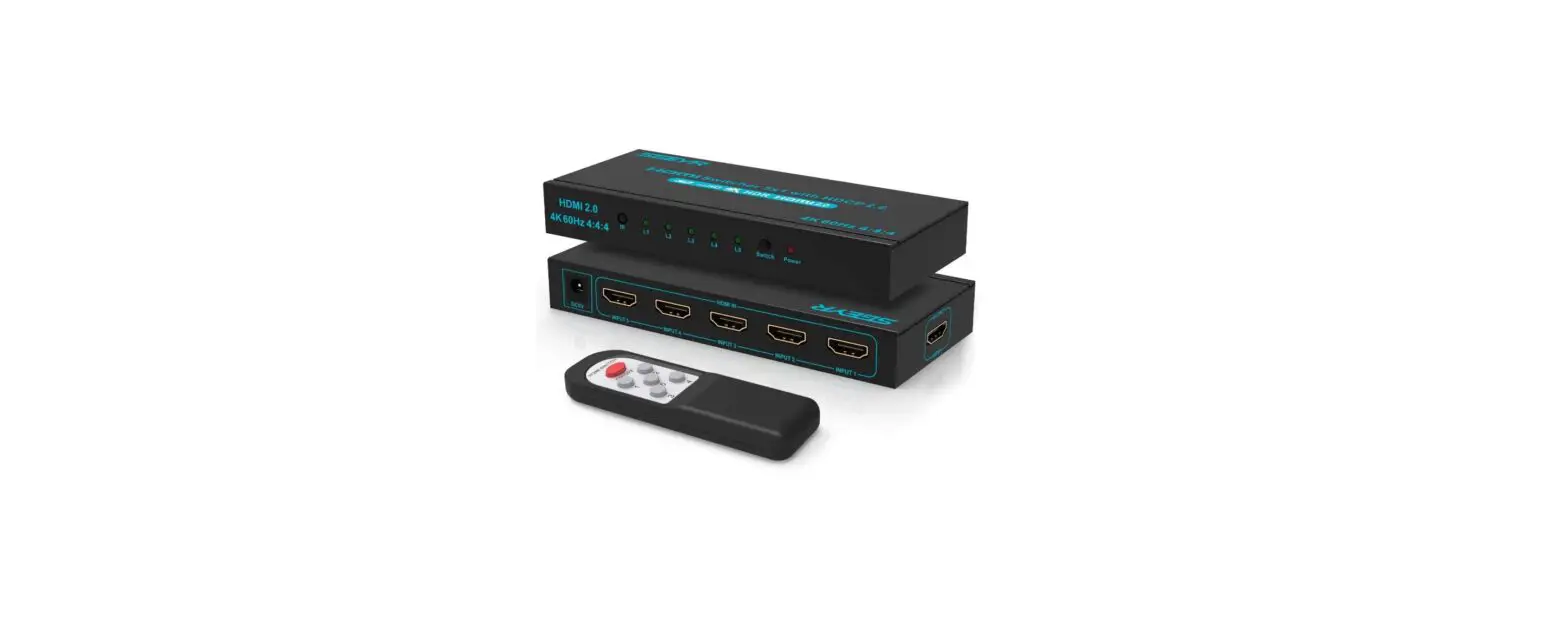
4 x 1 HDMI Switcher
Smart Cabling & Transmission Corp.
Introduction
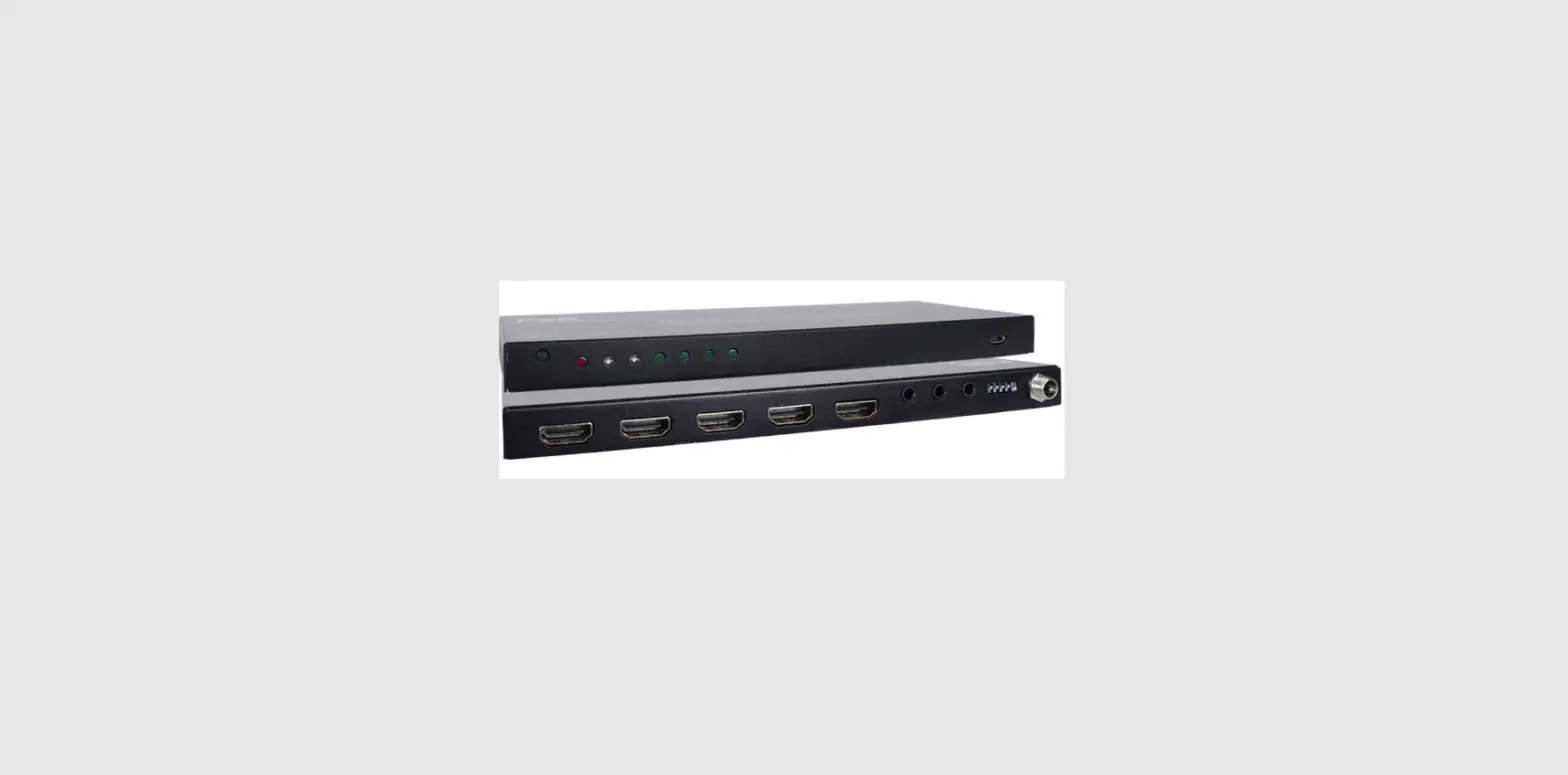
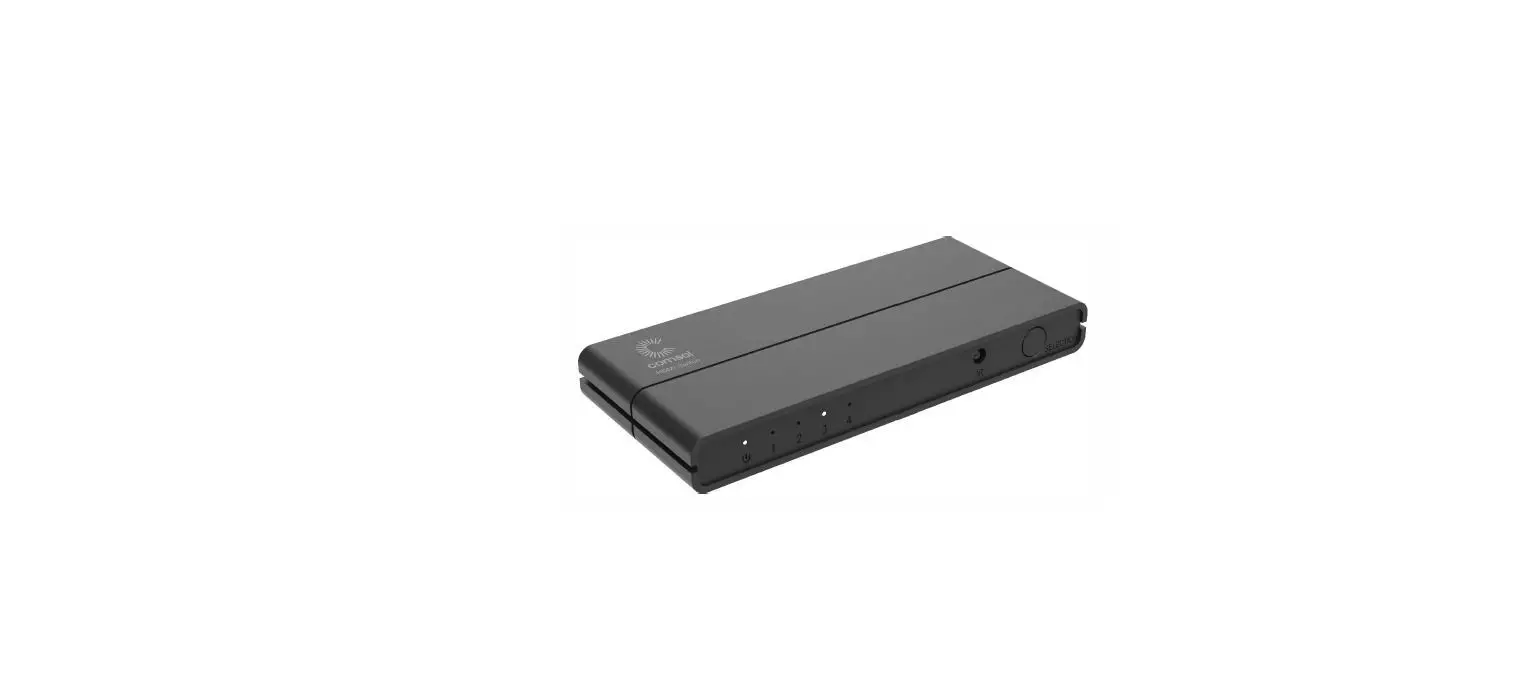
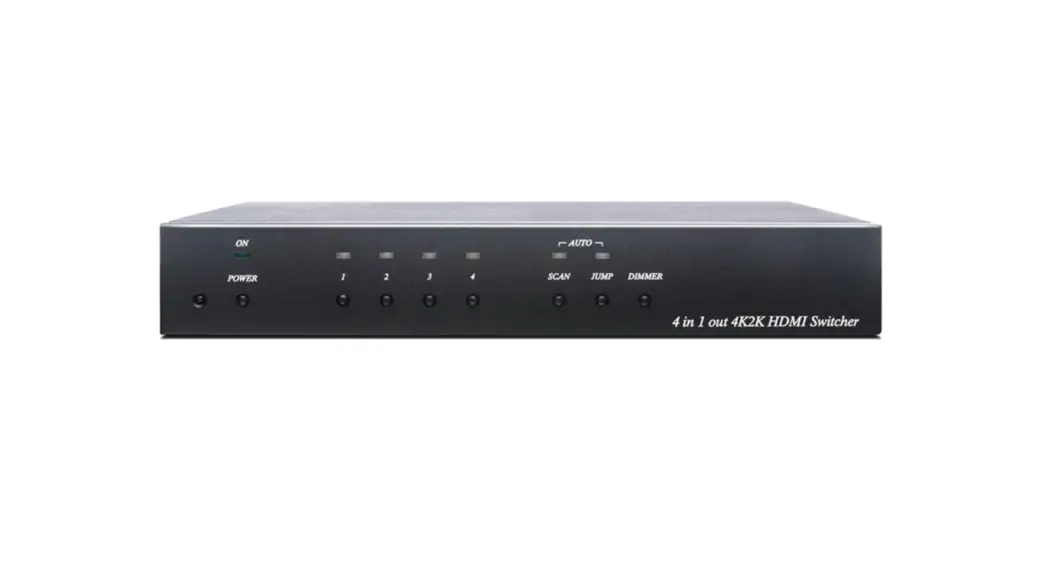
HS04 is a 4-input HDMI automatic switcher that supports resolutions up to 1080p. The auto-scan function allows the switcher to switch to an available or last connected HDMI source automatically. It is a perfect solution for home theaters, security rooms, and so on — no hassles plug-ins for different HDMI devices anymore.
Features
- Resolution up to 1080p@60Hz.
- Supports auto-scan function, automatically switch to the next available input when the selected one is unable to display.
- Supports auto switching function, automatically switch to the last connected input source.
- Managed via IR remote or front panel buttons.
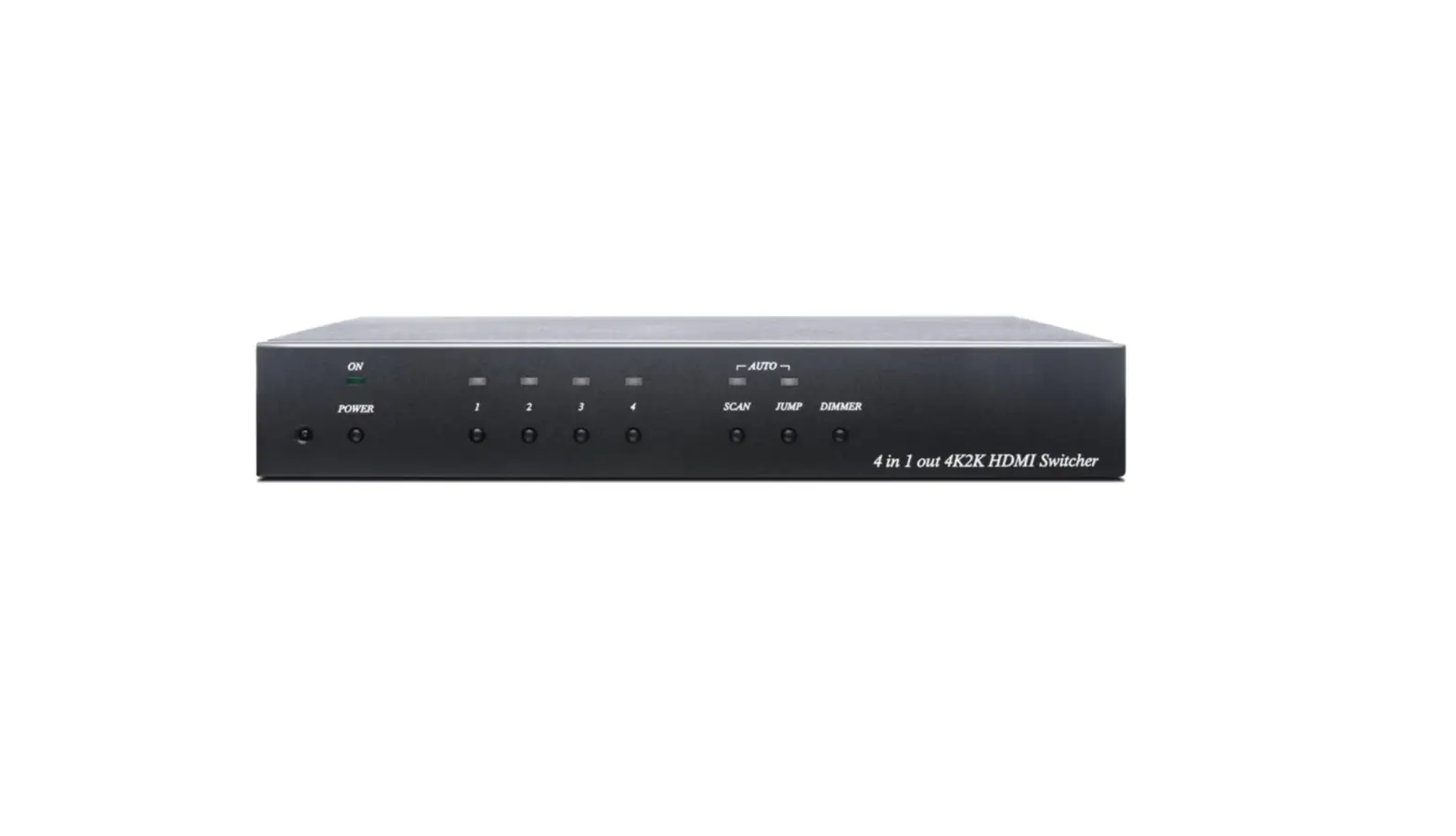
Panel View

IR Remote Control Setting
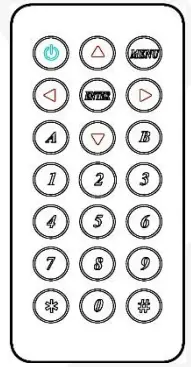
This device could use IR remote control for function setting and control, The ID number must be set up before using IR remote control or changing new batteries.
Setup IR remote ID number: Press and hold the “Power Symbol” button and press number 0.
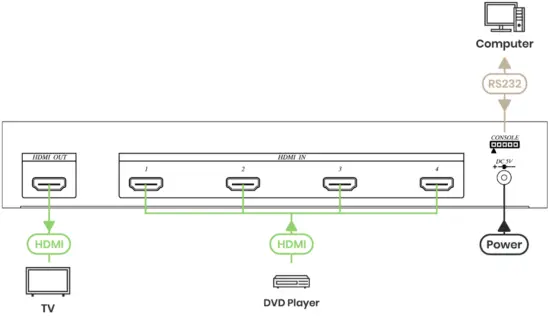
Installation View
| Power | ON/OFF | The system activates/ standby. |
| FLASH | Panel button or IR remote control disabled by remote PC. | |
| AUTO-SCAN | ON/OFF | Auto-scan function activated/disabled. |
| AUTO JUMP | ON/OFF | Auto jump function activated/disabled. |
| 1, 2, 3, 4 | ON | Currently selected input signal channel. |
| FLASH | No signal input. |
Panel Button Function
Power: System activate/ standby.
AUTO SCAN: Auto scan function activated/disabled.
AUTO JUMP: Auto jump function activated/disabled.
DIMMER: LED brightness adjustment.
1, 2, 3, 4: Currently select input signal channel and disable auto-scan function.
Remote Control Operating A, B Mode Switching
There are two remote control operating modes: When this device is powered on, you could switch A, and B modes by pressing the panel “power” button and remote control “ *” button together.
Mode A operating mode: It comes with auto scan & auto jump functions.
Mode B operating mode: When auto scan & auto jump functions do need to use, which only needs a single button for quick operation on the AV switch.
Factory default is set to (Mode A).
IR remote control Mode A Operating
| Power symbol | The system activates/standby. |
| ▲ | Select previously available input and activates the auto-scan function. |
| ▼ | Select the next available input and activates the auto-scan function. |
 | Select previous input and disable the auto-scan function. |
| Select the next input and disable the auto-scan function. |
| 1, 2, 3, 4 (5, 6, 7) | Currently, select input and disable the auto-scan function. |
| 0 | Auto jump function activated/disabled. |
| # | LED brightness adjustment. |
| MENU、ENTER, *, (5, 6, 7), 8, 9 | Reserved (no function). |
IR remote control Mode B Operating
| Power symbol | The system activates/standby. |
| ▲ | Select previous input and system activate. |
| ▼ | Select next input and system activate. |
| ◀ | Select previous input and system activate. |
| ▶ | Select next input and system activate. |
| 1, 2, 3, 4 (5, 6, 7) | Currently, select input and system activate. |
| # | LED brightness adjustment. |
| MENU, ENTER,*, (5, 6, 7), 8, 9, 0 | Reserved (no function). |
Auto Scan Function
Under auto-scan operation, if the selected input video signal disappears over 0.5 seconds, it would automatically select the previous or next input with the video signal.
Auto Jump Function
Under auto jump operation, if there is a new video signal input, it will automatically switch to a new video signal input.
LED brightness setting
LED brightness could be set up at the following 4 levels:
1 Minimum Brightness
2 Normal Brightness
3 Maximum Brightness
4 Brightness auto change
Factory default is set to level 3.
Under Brightness auto-change mode, press any button or IR remote control, or video signal changed (video signal disappears or shows up), LED status will show the maximum brightness for up to 5 seconds then back to the minimum brightness.
Computer Remote Control Function
This console could use optional USB、RS-232 and RS-485 terminal cables to connect with the computer, To use the terminal program for remote control operation, the communication format is 9600,8, N,1 (9600 Bps, 1 start bits, 8 data bits, 1 stop bit).
Under remote control operation, If it shows 「COMMAND」, then it is “under command mode”. It could easily be operated and set by entering the following commands in the chart.
Press「Enter」: if it shows 「OK!」 then the previous command is completed; showing 「ERROR!」 indicates the previous command is incorrect.
Command Mode Instruction
| [COMMAND] | [DESCRIPTION] |
| n | Currently, select input and disable auto scan. |
| PRE | Select previously available input and activates auto scan. |
| NEXT | Select the next available input and activates auto scan. |
| SCAN y | Auto-scan function activated/disabled. |
| JUMP y | Auto jump function activated/disabled. |
| ACTIVATE | System activates. |
| STANDBY | System standby. |
| MODE x | Select operation mode A/B. |
| IR y | IR remote button lock/unlock. |
| KEY y | Panel button lock/unlock. |
| LED n | LED brightness adjustment. |
| SAVE | Save setting. |
| LOAD | Load setting. |
| KEYPAD | Keypad mode operation. |
| SIGNAL | Display input signal status. |
| STATUS | Display setting. |
| VERSION | Display firmware version. |
| ? | Show all commands. |
| [SYMBOL] | [PARAMETER] |
| n | 1 | 2 | 3 | 4 |
| x | A | B |
| y | ON | OFF |
Space characters between the command and parameters can be ignored.
Virtual Remote Control Mode
- Showing 「KEYPAD:」 when it is under virtual remote control mode, you could enter the following commands at the terminal to simulate the IR remote control operation.
- Press「Enter」: if it shows 「OK!」 then the previous command is completed; showing 「ERROR!」 indicates the previous command is incorrect.
System Activate Virtual Remote Control Mode A/B Operate description
MODE A:
| [COMMAND] | [DESCRIPTION] |
| 1 2 3 4 | Currently, select input and disable auto scan. |
| – | Select previously available input and activates auto scan. |
| + | Select the next available input and activates auto scan. |
| L | Select previous input and disable auto scan. |
| R | Select next input and disable auto scan. |
| 0 | Auto jump function activated/disabled. |
| / | System activates/standby. |
| . | LED brightness adjustment. |
| Q | Command mode operation. |
| S | Display setting and input signal status. |
| ? | Show all commands. |
MODE B:
| [COMMAND] | [DESCRIPTION] |
| 1 2 3 4 | Currently select input. |
| – | Select previous input. |
| + | Select next input. |
| L | Select previous input. |
| R | Select next input. |
| / | System activate/standby. |
| . | LED brightness adjustment. |
| Q | Command mode operation. |
| S | Display setting and input signal status. |
| ? | Show all commands. |
Remark
There are some DVD equipment still have +5V signal output under power off status, it will cause auto jump and auto scan function abnormal, please disable auto jump and auto scan function to avoid any abnormal operation.
Specification
| ITEM NO. | HS04 |
| Support | l |
| Compliance | HDM 1.3a, HDCP |
| Max. HDMI Resolution | 1080p@60Hz 12bits |
| Video Bandwidth | 2.25 Gbps |
| RS232 Baud Rate | 9600 bps |
| IR Support | 38Khz , ±45°, 5M |
| Ports & Interfaces | l |
| Video Input | 4 x HDMI Type A |
| Video Output | 1 x HDMI Type A |
| RS232 Interface (Console) | 1 x DB9 Female |
| Power | v |
| Power Supply | DC 5V 1A |
| Power Consumption | 300mA |
| Ambient Temperature | x |
| Operation | 0 to 55℃ |
| Storage | -20 to 85℃ |
| Humidity | Up to 95% |
| Physical Characteristics | v |
| Dimensions | 253 x 138.5 x 40mm |
| Weight | 770g |
| Item NO. | RC01 |
| Ambient Temperature | n |
| Storage | -20 to 85℃ |
| Humidity | Up to 95% |
| Physical Characteristics | x |
| Dimensions | 57.5 × 33.5 × 16.8mm |