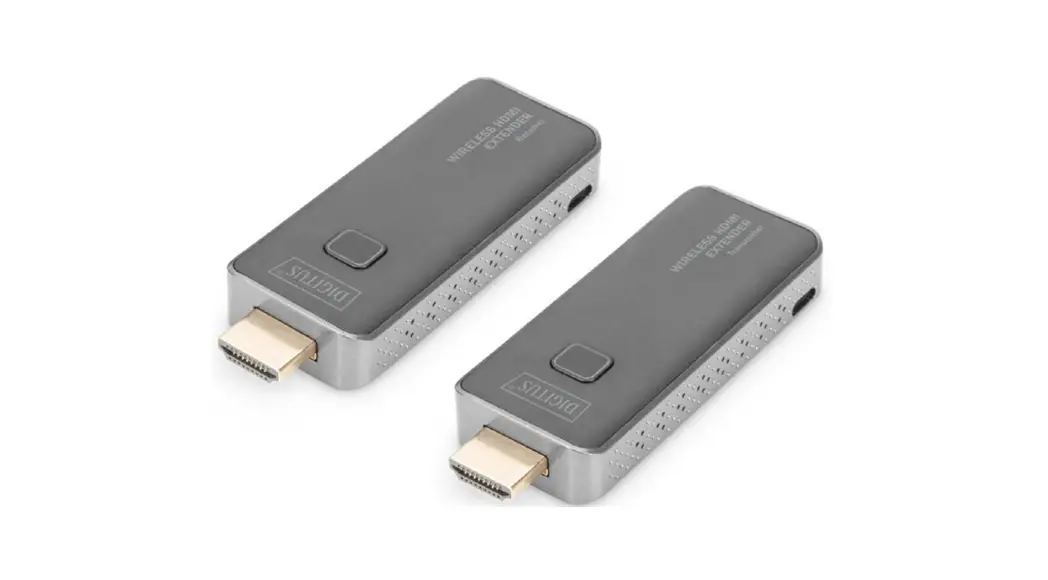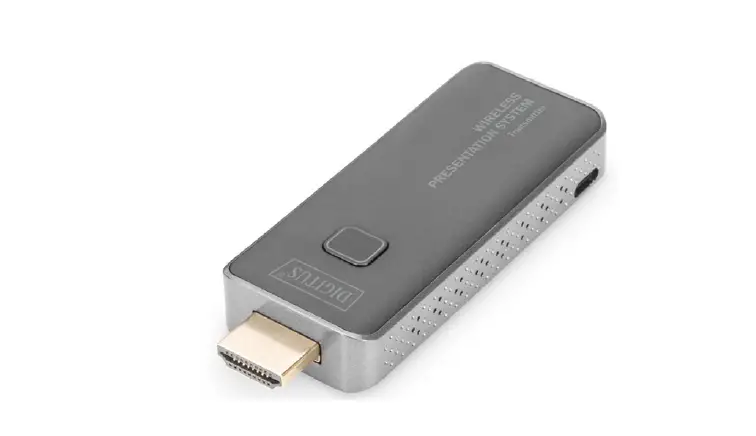
 DIGITUS DS-55320 Wireless HDMI Transmitter
 DIGITUS DS-55320 Wireless HDMI Transmitter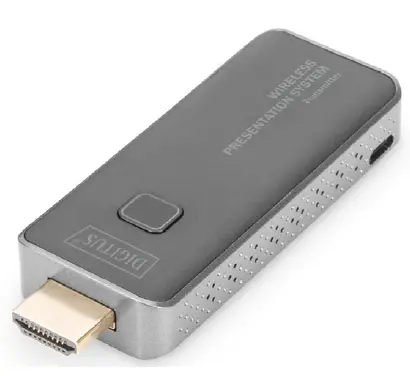
Introduction
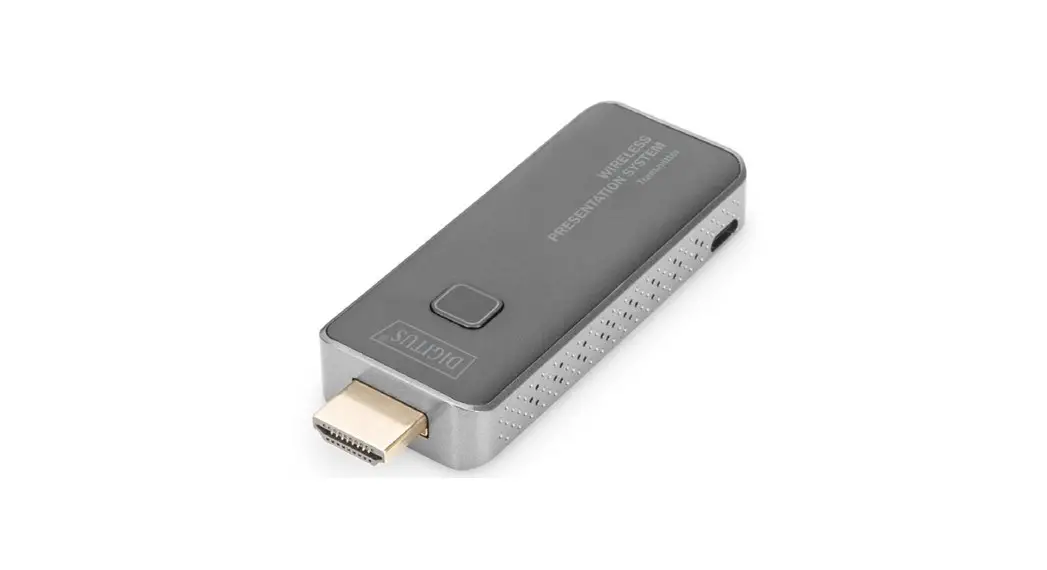
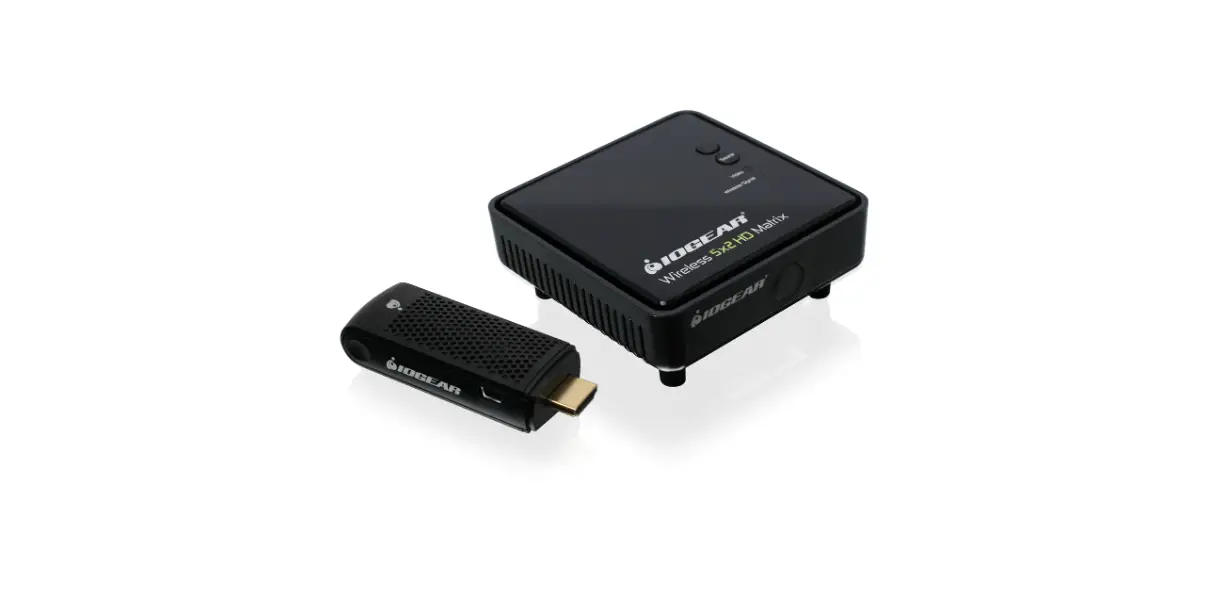
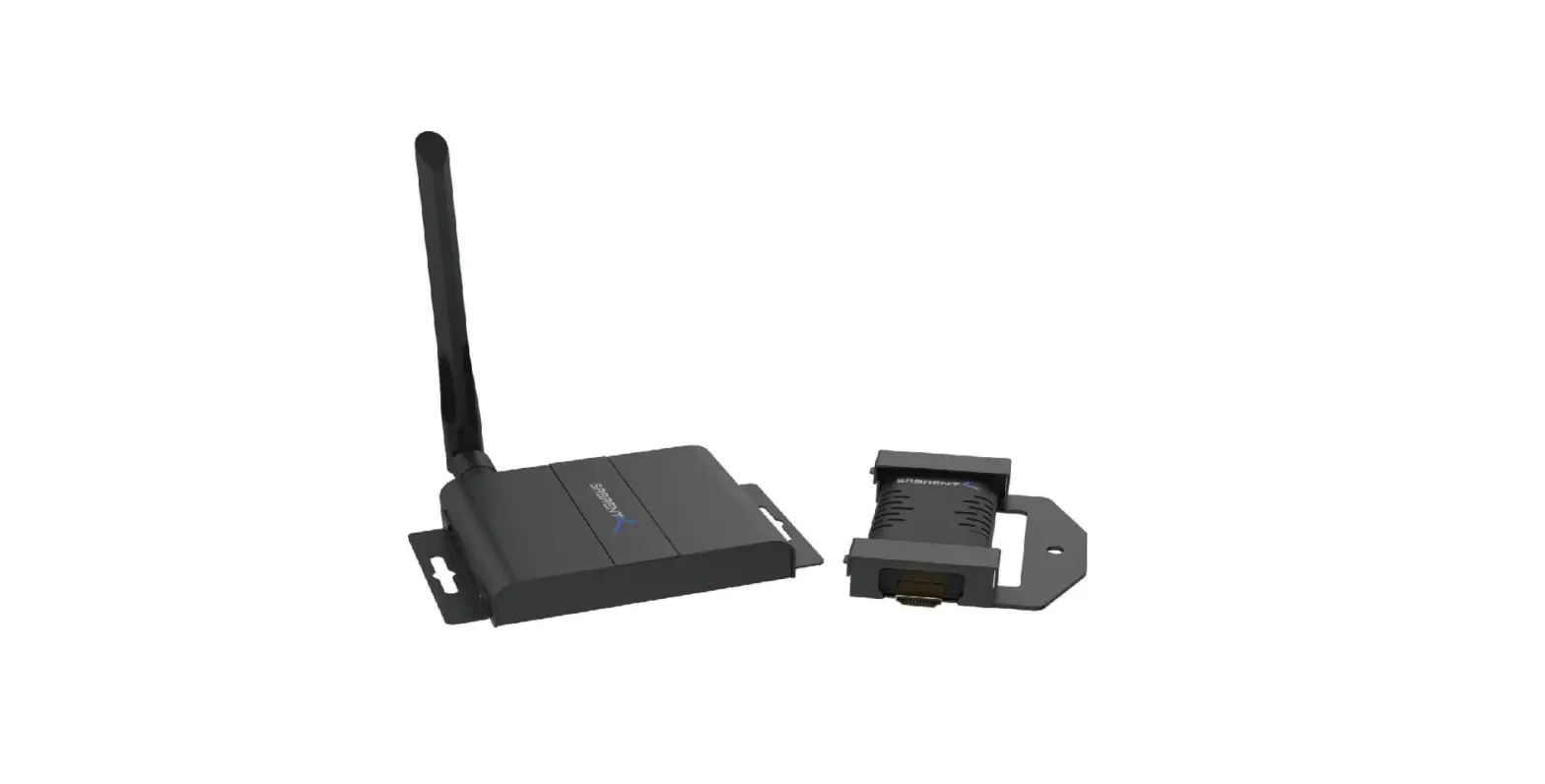
With the Wireless Presentation System, you can wirelessly transmit HDMI video and audio signals in Full HD over a distance of up to 50 m with an unobstructed view. Operation and installation are super simple. Real Plug & Play – Just plug in and get started. With additional transmitters (DS-55320), the set can be extended to up to 16 transmitter units (total). Switch to the desired transmitter quickly and easily at the press of a button in order to reproduce your content.
You can also share content directly from your mobile device (smartphone/table) using your device’s OS directly, no additional app required. The transmitter and receiver can be supplied with power via your device’s HDMI connection (0.5A required), or alternatively (additionally) with the enclosed Micro USB cable via the USB connection of your notebook, PC, etc. Thanks to the compact design of the transmitter and receiver, installation is easy, quick and can be customized – the perfect solution for meeting and conference rooms.
Main Features
- Wireless HDMI signal transmission up to 50 m (with unobstructed view)
- With this transmitter unit, extend the Wireless Presentation System (DS-55319) to up to 16 transmitters
- Switch to the desired transmitter quickly and easily at the press of a button in order to reproduce your content
- Supports resolutions up to Full HD (1080p / 60 Hz)
- Easy operation and handling thanks to Plug & Play – Just plug in and get started
- Transmitter and receiver can be supplied with power via your device’s HDMI connection (> 500 mAh required)
Package Content
- 1x Transmitter unit
- 1x Micro USB cable (80 cm)
- 1x HDMI extension cable (11 cm)
- 1x QIG
Product Features
| Features | Description |
| Plug and play | Simply connect the transmitter with the PC HDMI ports and connect the receiver with the screen, the transmitter and receiver will connect automatically |
| App Free | DS-55320 doesn’t need any software or app installation, no setup, no IT team |
| All in one | Supports also Blu-ray / DVD player, media player and any device with HDMI jack |
| Multi-user mode | Up to 16 user’s presentation at one time |
| Auto Channel Selection | The Wireless HDMI Transmitter will select the best Wi-Fi channel automatically after power on to ensure streaming smoothly |
| Fast Speed with 5G AC MIMO Technology | The Wireless HDMI Transmitter comes with the fast 802.11ac MIMO technology which increases Wi-Fi speeds by allowing a pair of wireless devices to simultaneously send or receive multiple data streams |
| 1080p60 High Video Quality | DS-55320 supports 1080p resolution, which means much more clear pictures, rich in details and texture compared with 720p. |
| High Security Protection | No worries about the data security, the SmartShare mini supports AES 128-bit security encryption and WPA2/WPA- PSK/WPA2-PSK authentication protocol to protect data. HDCP is supported to protect the content |
Product Specification
| Feature | |
| Video Input | 1920×1080 (1080p60/50/30/25/24, 1080i60/50) 1280×720 (720p60/50) 720×576 (576p50) 720×480 (480p60) |
| Video output | Up to Full HD, 1080p/60 Hz |
| Audio | Stereo, quality 16bits 48KHz |
| Wireless Channel | IEEE 802.11ac, 5GHz, 2T2R |
| Latency | Around 120ms latency |
| HDMI Version | HDMI 1.4 with HDCP1.3 |
| Authentication Protocol | WPA2 (WPAS-PSK / WPA2-Enterprise) |
| Security | AES 128 bit |
| Platform supported | Windows, macOS |
| Distance | About 50 meters in the clear line of sight |
| Transmitter | |
| Interface | HDMI in jack x 1, micro USB x 1, button x 1 |
| LED | Red and Blue |
| Switch Button | 1 x |
| Power Supply | DC5V/0.5A |
| Power Consumption | About 2,5 W |
| Dimension | 83 x 32 x 13mm |
| Weight | 27.1 g |
| Temperature Range | |
| Operating | 0°C to +40°C (+32°F to +104°F) |
| Storage | -10°C to +60°C (+14°F to +140°F) |
| Humidty | |
| Operating | 10% to 80% relative humidity |
| Storage | 5% to 90% relative humidity |
Overview
Transmitter Unit
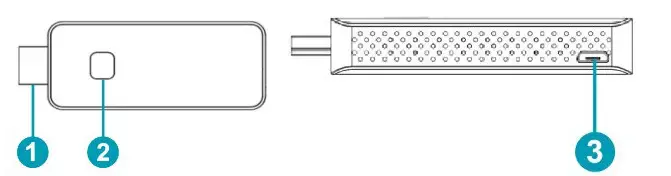
| 1. HDMI in | Connect source devices, like with a computer or other devices with HDMI, the HDMI in also supports 5V power if the source devices has HDMI with a 5V output |
| 2. Button | Short press: start to cast Long press: long press up to 10 seconds for factory reset |
| 2. LED | To display different statue |
| 3. Micro USB | For power supply |
Remark: if the source device has a HDMI with 5V/0,5A power output, then there is no need to connect an USB cable for power.
| LED indicator of the Transmitter Unit | Description |
| Static red | Transmitter Unit system is booting on |
| Flashing red | Transmitter is searching for Receiver |
| Flashing blue | Waiting for connection |
| Static blue | Connected and started to present |
| Purple | No HDMI in |
Streaming
Streaming from Transmitter
- Connect the Transmitter HDMI Unit to a PC HDMI port
Remark: if the source devices HDMI with 5V power output, then there is no need to connect a USB cable for power, if not, please connect the Transmitter Unit with PC by USB cable for power. To have a safe and stable operation, we recommend to use always the Micro USB cable for power supply of TX and RX - The LED indicator of the Transmitter will turn red when it’s booting up
- The LED indicator will become blue and flashing when it is ready to stream
- Click the button to start casting, the LED indicator will become constant blue
Pairing Transmitter and Receiver
The set DS-55319 includes one receiver and one transmitter, which are paired before shipment. Normally you don’t need to pair them again.
However, if you buy an additional transmitter (DS-55320) or need to re-pair, you need to follow the instruction below to pair the new transmitter with the receiver.
- Power on receiver and connect with display
- Power on the transmitter till the LED turn to flash red, then press the button up to 5 seconds till the LED become fast flashing red, this means the transmitter unit is in factory reset mode.
- Wait around 15 seconds, the button light of Transmitter Unit will turn to constant blue from the red light, and the pair successful message will be displayed on the Receiver Unit screen.
Frequency Range & Maximum Transmit Power
- WiFi Standard: 802.11b/g/n/ac 5G WiFi
- Channel: 36, 40
- Core Frequency: 5180,5200
- Range: 5170 ~ 5210MHz
- Bandwidth: 20/40MHz
- Transmitter power: 13 dBm max
- SW version: TX: 2.3.9
- HW version: S100TX-LC01-01
Important safety instructions
Please read the following safety instructions carefully before installation and operation:
- Observe all warnings and instructions concerning this device
- Do not expose the device to rain, moisture, vapors or liquids
- Do not insert any objects into the device
- Do not attempt to repair the unit yourself or open the cabinet. Risk of electric shock!
- Ensure adequate ventilation to prevent damage due to overheating
- Turn off the power supply and make sure the environment is safe before installation
- In the event of thunderstorms, there is a risk of lightning strike and damage to connected electrical equipment due to overvoltage
- Do not install this device during a thunderstorm
- Disconnect the device from the connected electrical appliances during a thunderstorm
- Use the device inside buildings only
- . Return the device to your dealer in case of repair
- Dust, moisture, vapors and strong cleaning agents or solvents can damage the device
- Disconnect the device from the power supply and the connected devices before cleaning
- Clean the device with a lint-free cloth
Disclaimer
The terms HDMI and HDMI High-Definition Multimedia interface, and the HDMI Logo are trademarks or registered trademarks of HDMI Licensing LLC in the United States and other countries.
Hereby ASSMANN Electronic GmbH declares that the Declaration of Conformity is part of the shipping content. If the Declaration of Conformity is missing, you can request it by post under the below mentioned manufacturer address.
Assmann Electronic GmbH Auf dem Schüffel 3
58513 Lüdenscheid, Germany
 ASSMANN Electronic GmbH | Germany