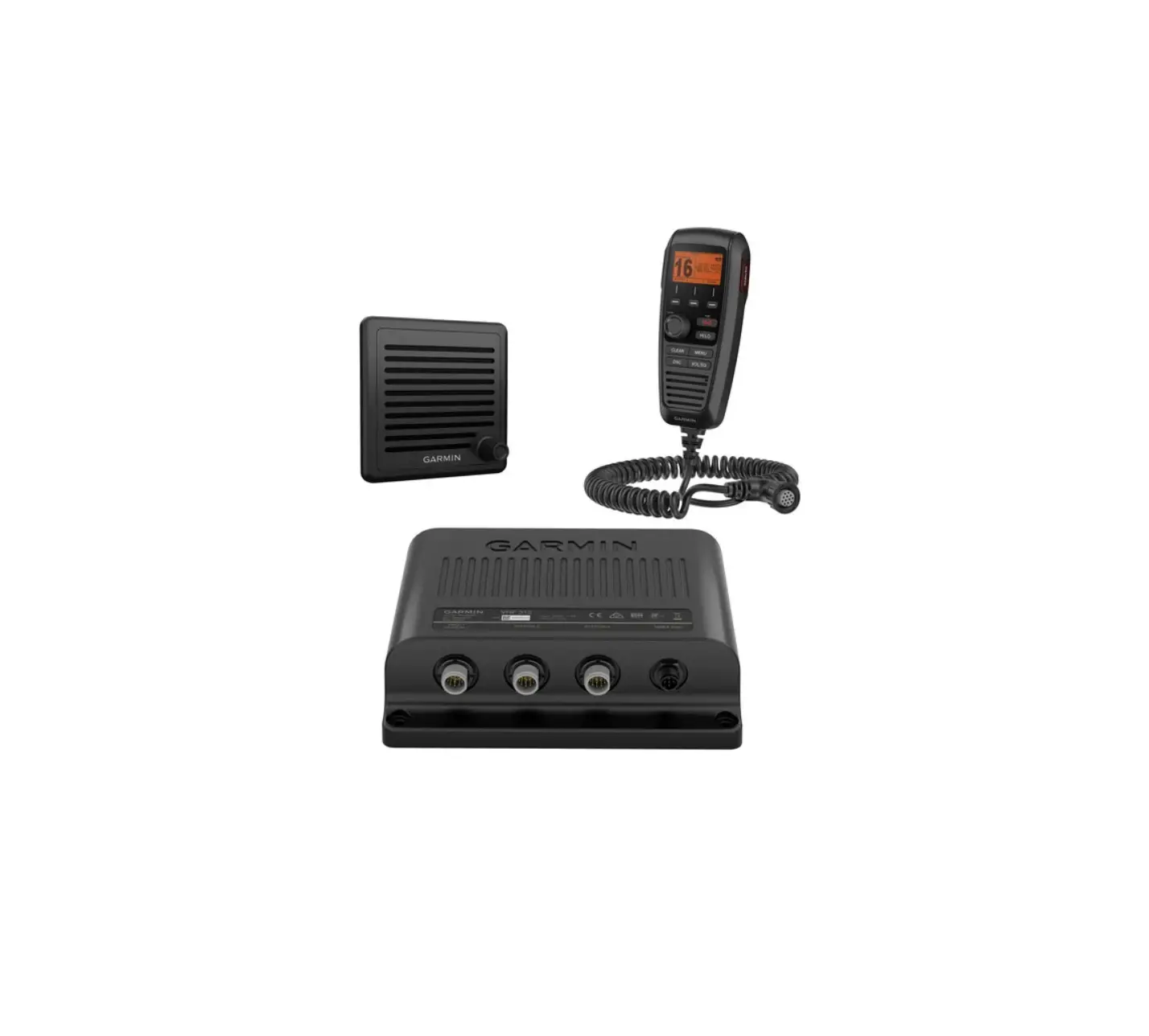
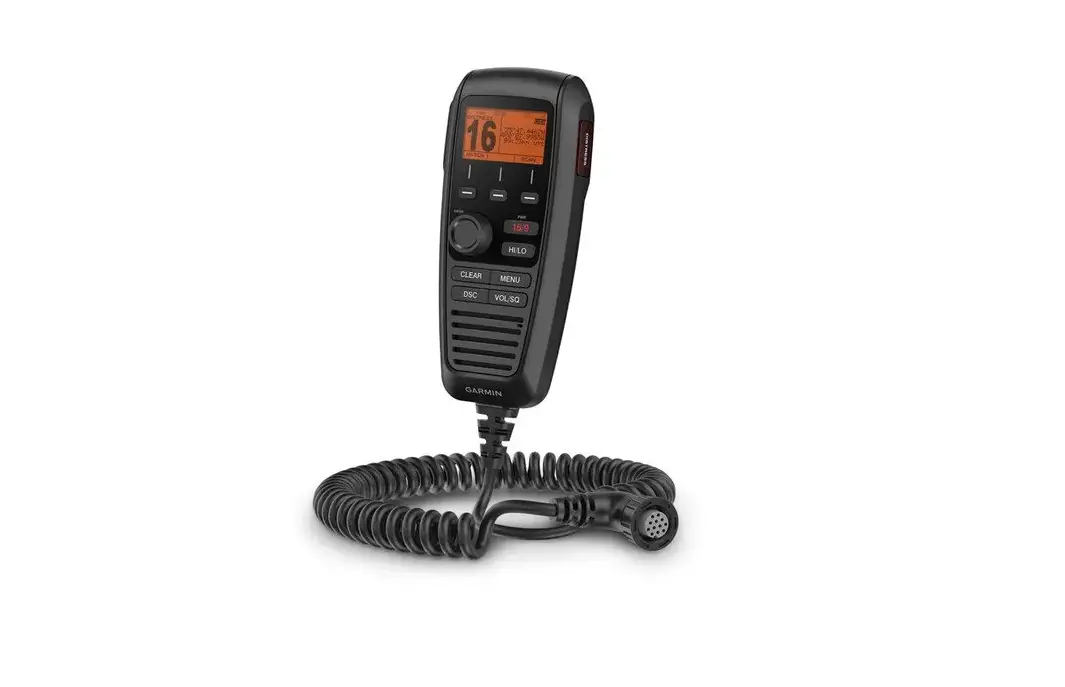
GHS 11 Wired VHF Handset
Product Information
The GHSTM 11 is a device designed for mounting and connecting an
extension cable and handset cradle to a VHF radio. It allows for
convenient relocation of the microphone and provides a secure place
to store the handset.
Important Safety Information
Before using the GHSTM 11, please refer to the Important Safety
and Product Information guide included in the product box for
important warnings and safety precautions.
To avoid personal injury, always wear safety goggles, ear
protection, and a dust mask when drilling, cutting, or sanding.
When drilling or cutting, make sure to check the opposite side
of the surface to avoid damaging the vessel.
Tools Needed
– 22 mm (7/8 in.) drill bit or hole saw
– 3 mm (1/8 in.) drill bit
– Marine sealant (optional)
– Included screws, weather cap, and nut
Product Usage Instructions
Installing the Extension Cable in the Mounting Surface
- Using the mounting plate as a template, trace the cable hole in
the center of the mounting plate and mark the screw locations. - Set the mounting plate aside. Do not drill through the mounting
plate. - Using a 22 mm (7/8 in.) drill bit or hole saw, drill the center
cable hole in the mounting surface. - Using a 3 mm (1/8 in.) drill bit, drill the pilot holes.
- Apply marine sealant between the mounting plate and the
mounting surface to help seal the holes (optional). - Attach the mounting plate to the mounting surface using the
included screws. - Connect one end of the extension cable to the microphone
relocation port or a STATION port on the VHF radio, and route the
other end of the extension cable to the mounting location. - Feed the extension cable connector through the back of the
mounting surface. - Apply marine sealant around the extension cable connector in
the mounting plate to help seal the hole (optional). - Secure the extension cable connector to the mounting plate
using the weather cap and the nut. - Connect the handset to the extension cable.
Installing the Handset Cradle
Note: Install the handset connector in the mounting surface
before installing the handset cradle.
- Select a mounting location for the handset cradle near the
handset connector. You can place the handset in the cradle, connect
it to the connector, and hold it against the mounting surface to
determine the best location. - Using the cradle as a template, mark the screw locations.
- Set the cradle aside. Do not drill through the cradle.
- Using a 3 mm (1/8 in.) drill bit, drill the pilot holes.
- Secure the cradle to the mounting surface using the included
M3.5 screws.
Specifications
– The GHSTM 11 can withstand incidental exposure to water up to
1 meter for up to 30 minutes. For more information, visit www.garmin.com/waterrating.
For additional support and information, please visit support.garmin.com.
GHSTM 11 INSTALLATION INSTRUCTIONS
Important Safety Information
WARNING See the Important Safety and Product Information guide in the product box for product warnings and other important information.
CAUTION To avoid possible personal injury, always wear safety goggles, ear protection, and a dust mask when drilling, cutting, or sanding.
NOTICE When drilling or cutting, always check what is on the opposite side of the surface to avoid damaging the vessel.
Tools Needed
· Pencil · Drill · 22 mm (7/8 in.) drill bit or hole saw · 3 mm (1/8 in.) drill bit · 4.76 mm (3/16 in.) wrench · Phillips screwdriver · Marine sealant (optional)
February 2022
GUID-12CE8CB8-5444-4BC0-B8B2-CE732B5A84CA v2
Mounting Considerations
NOTICE This device should be mounted in a location that is not exposed to extreme temperatures or conditions. The temperature range for this device is listed in the product specifications (Specifications, page 4). Extended exposure to temperatures exceeding the specified temperature range, in storage or operating conditions, may cause device failure. Extreme-temperature-induced damage and related consequences are not covered by the warranty. · To avoid interference with a magnetic compass, do not install the handset closer than 70 cm (27.5 in.) to a
compass. · You can use the included 10 m (32 ft.) extension cable to connect the handset to the VHF radio. You must
select a mounting location for the handset where you can connect the extension cable to the handset and to the VHF radio. If needed, up to two additional 10 m (32 ft.) extension cables can be connected in series with the first extension cable. The maximum allowable total extension cable length between any handset and the VHF radio is 30 m (96 ft.). Extension cables are available from your Garmin® dealer or website. · You can use the included screws to mount the handset connector and the handset cradle mount on your boat. If the included screws are not appropriate for the mounting surface, you must purchase suitable hardware.
2
Installing the Extension Cable in the Mounting Surface
Before drilling a hole to mount the extension cable, you must make sure that the extension cable is long enough to connect to the microphone relocation port or a STATION port on the VHF radio from the selected mounting location (Mounting Considerations, page 2). 1 Using the mounting plate as a template, trace the cable hole in the center of the mounting plate and mark
the screw locations.
2 Set the mounting plate aside. Do not drill through the mounting plate.
3 Using a 22 mm (7/8 in.) drill bit or hole saw, drill the center cable hole in the mounting surface. 4 Using a 3 mm (1/8 in.) drill bit, drill the pilot holes. 5 Apply marine sealant between the mounting plate and the mounting surface to help seal the holes (optional). 6 Using the included screws, attach the mounting plate to the mounting surface. 7 Connect one end of the extension cable to the microphone relocation port or a STATION port on the VHF
radio, and route the other end of the extension cable to the mounting location. 8 Feed the extension cable connector through the back of the mounting surface. 9 Apply marine sealant around the extension cable connector in the mounting plate to help seal the hole
(optional). 10 Secure the extension cable connector to the mounting plate using the weather cap and the nut . 11 Connect the handset to the extension cable.
Installing the Handset Cradle
You should install the handset connector in the mounting surface before installing the handset cradle (Installing the Extension Cable in the Mounting Surface, page 3). 1 Select a mounting location for the handset cradle near the handset connector.
TIP: To help determine the best location, you can place the handset in the cradle, connect the handset to the connector, and hold it against the mounting surface. 2 Using the cradle as a template, mark the screw locations. 3 Set the cradle aside. Do not drill through the cradle. 4 Using a 3 mm (1/8 in.) drill bit, drill the pilot holes. 5 Using the included M3.5 screws, secure the cradle to the mounting surface.
3
Specifications
Dimensions (H×W×D) Weight (including cable) Operating temperature range Storage temperature range Compass-safe distance Water rating Audio output power
15.4 × 6.9 × 4.0 cm (6.1 × 2.7 × 1.6 in.) 0.698 kg (1.54 lb.) From -15° to 55°C (from 5° to 131°F) From -20° to 70°C (from -4° to 158°F) 70 cm (27.5 in.) IEC 60529 IPX71 1W (with 4 ohms at 10% distortion)
© 2021 Garmin Ltd. or its subsidiaries Garmin® and the Garmin logo are trademarks of Garmin Ltd. or its subsidiaries, registered in the USA and other countries. GHSTM is a trademark of Garmin Ltd. or its
subsidiaries. These trademarks may not be used without the express permission of Garmin.
1
The device withstands incidental exposure to water of up to 1 m for up to 30 min. For more information, go to www.garmin.com/waterrating.
© 2021 Garmin Ltd. or its subsidiaries
support.garmin.com
 Garmin Customer Support
 Water Rating Definitions | Garmin