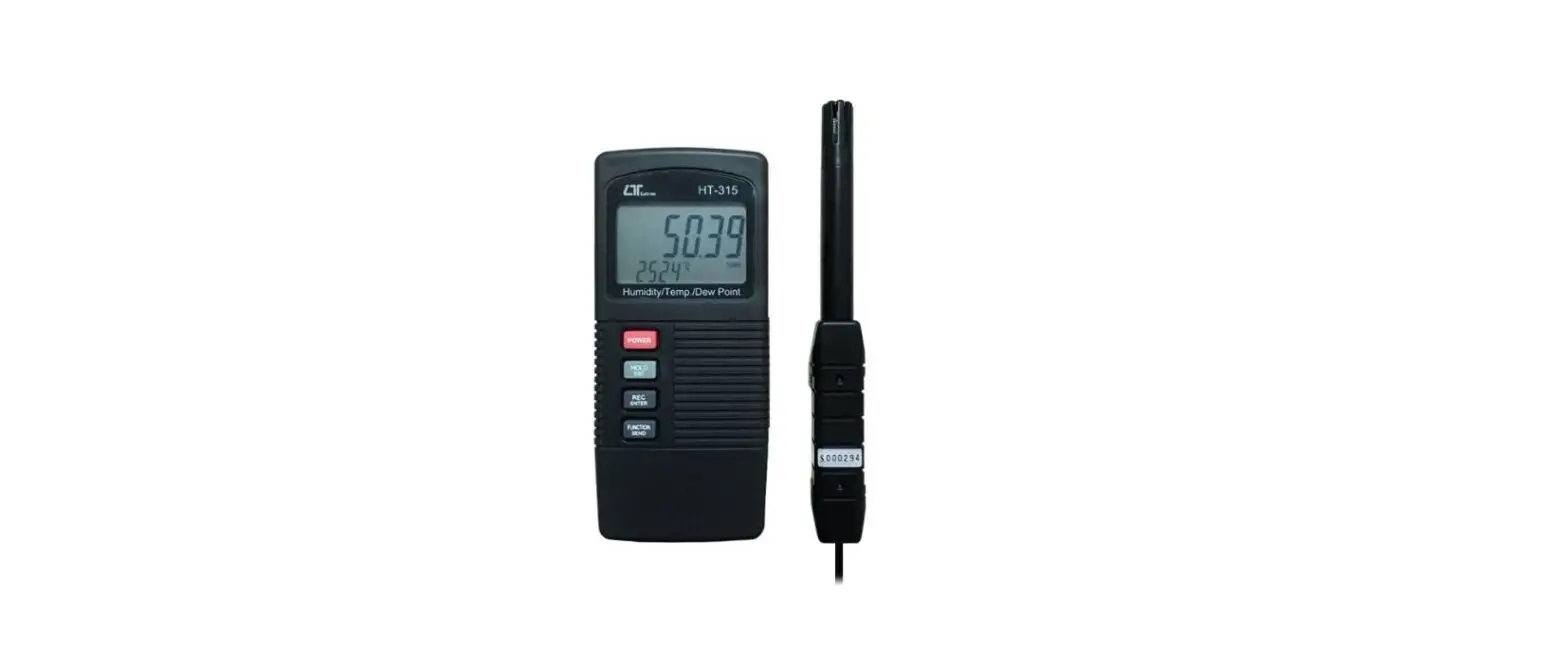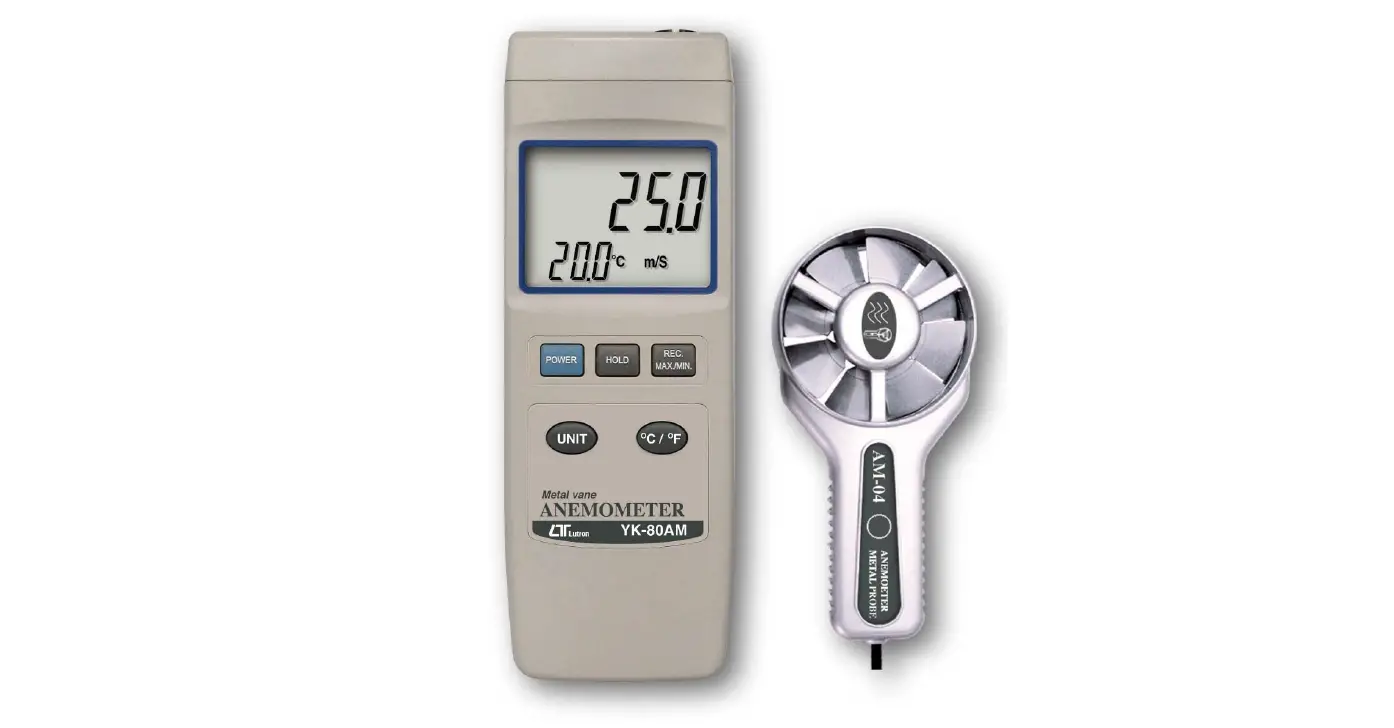

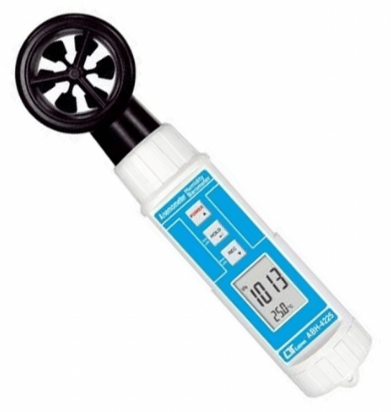
LUTRON ABH-4225 Vane Anemometer Barometer Humidity Temp
FEATURES
- Anemometer, Barometer, Humidity, Temperature meter, 4 in one, professional.
- Anemometer unit : m/ S, Km/ h, FPM, mph, Knot.
- Barometer unit : hPa, mmHg, inHg.
- Humidity with Dew point measurement
- Temperature measurement with , unit.
- Vane anemometer, available for wind speed measurement, high reliability.
- Fast response time for humidity measurement.
- Atmosphere measurement with high accuracy.
- Two display can select the six mode ( function ) :
Humidity/ Temp., Humidity/ Dew point, Anemometer/ Temp., Barometer/ Temp. Barometer/ Humidity, Barometer/ Anemometer, - Bright LCD display.
- Microprocessor circuit ensures high accuracy and provides special functions and features.
- Records Maximum and Minimum readings with recall.
- Auto power off saves battery life.
- Operates from DC 1.5V ( UM4/ AAA ) x 4 PCs batteries. * Low-friction ball vane wheels is accurate in both high and low velocities.
- Durable, long-lasting components, enclosed in strong, compact ABS-plastic housing.
SPECIFICATIONS
General Specifications
| Display | LCD size : 28 mm x 19 mm. | |
| Anemometer Unit | m/S (meters per second) Km/h ( kilometers per hour ) FPM ( feet per minute ) mph ( miles per hour ) Knot ( nautical miles per hour ) | |
| Temp. unit | ℃, ℉ | |
| Barometer unit | hPa, mmHg, inHg. | |
| Humidity unit | %RH | |
| Dew point | ℃, ℉ | |
| Circuit | Custom one-chip of microprocessor LSI circuit. | |
| Sensor Structure | Anemometer | Van probe with low friction ball bearing design. |
| Barometer | Semiconductor | |
| Humidity | Capacitance humidity sensor, semiconductor | |
| Temperature | Semiconductor | |
| Data Hold | Freeze the display reading. | |
| Memory Recall | Maximum & Minimum value. | |
| Sampling Time | Approx. 1 second. | |
| Power off | Auto shut off saves battery life or manual off ( REC function ). | |
| Operating Temperature | 0 to 50 ℃. | |
| Operating Humidity | Less than 80% R.H. | |
| Power Supply | DC 1.5 V battery ( UM4/AAA ) x 4 PCs, |
| Power Current | Approx. DC 5.2 mA |
| Weight | 182 g/ 0.4 LB. @ Battery is included. |
| Dimension | 205 x 48 x 40 mm (8.1″ x 1.9″ x 1.6″) |
| Accessories Included | Instruction manual………………….1 PC |
| Optional Accessory | Soft carrying case with sash ( 210 x 80 x 50 mm ), Model : CA-52A |
Electrical Specifications ( 23± 5 )
Anemometer ( Air velocity )
| Measurement | Range | Resolution | Accuracy |
| m/S | 0.4 to 30.0 m/s | 0.1 m/S | ≦ 20 m/s : ± 3% F.S. > 20 m/s : ± 4% F.S. |
| Km/h | 1.4 to 108.0 km/h | 0.1 Km/h | |
| FPM | 80 to 5910 ft/min | 1 Ft/min | |
| mph | 0.9 to 67.0 mile/h | 0.1 Mile/h | |
| Knot | 0.8 to 58.3 knots | 0.1 Knots | |
| Note : m/S (meters per second) mph ( miles per hour ) Km/h ( kilometers per hour ) Knot ( nautical miles per hour ) FPM ( feet per minute ) | |||
Temperature
| Measuring Range | 0 ℃ to 50 ℃/32 ℉ to 122 ℉ |
| Resolution | 0.1 ℃/0.1 ℉ |
| Accuracy | ± 0.8 ℃/1.5 ℉ |
Humidity / Dew point
Humidity
| Range | 10 % to 95 % R.H. |
| Resolution | 0.1 % R.H. |
| Accuracy | ≧70% RH ± (3% reading + 1% RH). < 70% RH – 3% RH. ± 3% RH. |
Dew point
| ℃ | Range | -25.3 ℃ to 48.9 ℃ |
| Resolution | 0.01 ℃ | |
| ℉ | Range | -13.5 ℉ to 120.1 ℉. |
| Resolution | 0.01 ℉. | |
Remark :
| ||
Barometer
| Measurement | Range | Resolution | Accuracy @ reading |
| hPa | 10.0 to 999.9 | 0.1 | ± 1.5 hPa |
| 1000 to 1100 | 1 | ± 2 hPa | |
| mmHg | 7.5 to 825.0 | 0.1 | ± 1.2 mmHg |
| inHg. | 0.29 to 32.48 | 0.01 | ± 0.05 inHg |
Above specification tests under the environment RF Field Strength less than 3 V/M & frequency less than 30 MHz only.
FRONT PANEL DESCRIPTION
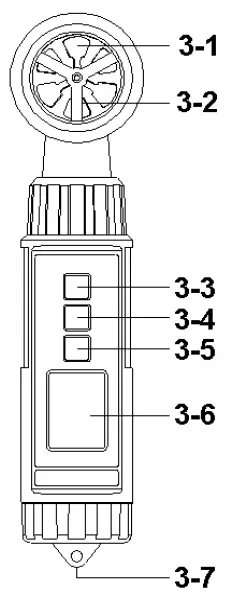
- Vane
- Humidity/Temp. Sensor
- Power ( ▲ ) Button
- Hold (
 ) Button, Unit Button
 - REC ( ▼ ) Button, Mode Button
- LCD Display
- Battery Compartment/Cover
MEASURI NG PROCEDURE
Mode ( Function ) selection
- Turn on the meter by pressing the ” Power Button ” ( 3-3, Fig. 1 ) momentarily.
Pressing the ” Power Button ” ( 3-3, Fig. 1 ) momentarily again will turn off the meter. - The meter can select 6 kind mode ( function ) as :
- a.Humidity/Temp.
- b.Humidity/Dew point
- c. Anemometer/Temp.
- d.Barometer/Temp.
- e.Barometer/Humidity
- f. Barometer/Anemometer
Pressing the ” Mode Button ” ( 3-5, Fig. 1 ) continuously at least 2 seconds, both upper and the lower display value will be flashed, use the ” ▲ Button ” ( 3-3, Fig. 1 ) or ” ▼ Button ” ( 3-5, Fig. 1 ) to select the one kind mode ( function ) of above a, b, c, d, e, f, then press “ Button ” ( 3-4, Fig. 1 ) to entry the selecting mode.
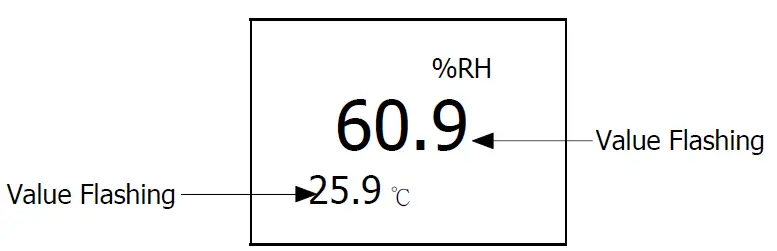
After the mode ( function ) is selected, it will be memorized into the memory circuit . I f power off and on again will present the existing selection mode ( function ).
Unit selection
- Turn on the meter by pressing the ” Power Button ” ( 3-3, Fig. 1 ) momentarily.
Pressing the ” Power Button ” ( 3-3, Fig. 1 ) momentarily again will turn off the meter. - Pressing the ” Unit Button ” ( 3-4, Fig. 1 ) continuously at least 2 seconds, both upper and the lower unit will be flashed, use the ” ▲ Button ” ( 3-3, Fig. 1 ) to select the upper display’s unit, use the ” ▼ Button ” ( 3-5, Fig. 1 ) to select the lower display’s unit, then press ” Button ” ( 3-4, Fig. 1 ) to entry the selecting unit.
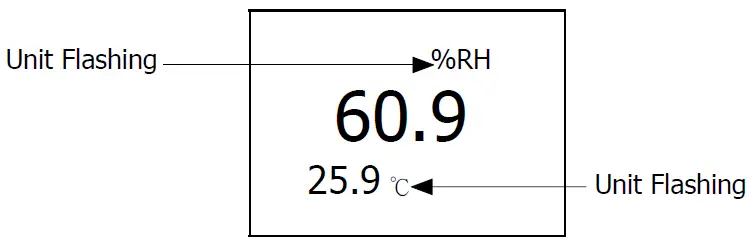
The measuring unit for different mode ( function ) are :
Anemometer unit
| Temp. unit | m/S, Km/h, FPM, mph, Knot |
| Barometer unit | ℃, ℉ |
| Humidity unit | hPa, mmHg, inHg. |
| Dew point | %RH |
| ℃, ℉ |
After the unit is selected, it will be memorized into the memory circuit. I f power off and on again will present the existing selection unit.
Anemometer measurement
- Turn on the meter by pressing the ” Power Button ” ( 3-3, Fig. 1 ) momentarily.
- For the above 4-1 mode ( function ) selection, please set to :
- c. Anemometer/Temp.
( Upper display show air velocity value, lower display show Temp. value ) - f. Barometer/Anemometer
( Upper display show atmosphere value , lower display show air velocity value )
- c. Anemometer/Temp.
Barometer measurement
- Turn on the meter by pressing the ” Power Button ” ( 3-3, Fig. 1 ) momentarily.
- For the above 4-1 mode ( function ) selection, please set to :
- d.Barometer/Temp.
( Upper display show atmosphere value , lower display show Temp. value ) - e.Barometer/Humidity
( Upper display show atmosphere value , lower display show humidity value ) - f. Barometer/Anemometer
( Upper display show atmosphere value , lower display show air velocity value )
- d.Barometer/Temp.
Humidity measurement
- Turn on the meter by pressing the ” Power Button ” ( 3-3, Fig. 1 ) momentarily.
- For the above 4-1 mode ( function ) selection, please set to :
- a.Humidity/Temp.
( Upper display show humidity value , lower display show Temp. value ) - e.Barometer/Humidity
( Upper display show atmosphere value , lower display show humidity value )
- a.Humidity/Temp.
Dew point measurement
- Turn on the meter by pressing the ” Power Button ” ( 3-3, Fig. 1 ) momentarily.
- For the above 4-1 mode ( function ) selection, please set to :
- b.Humidity/Dew point
( Upper display show humidity value , lower display show dew point value )
- b.Humidity/Dew point
Data Hold
- During the measurement, press the ” Hold Button ” ( 3-4, Fig. 1 ) momentarily to hold the measured value. The LCD will show a ” HOLD ” symbol.
- Press the” Hold Button ” once again to release the data hold function.
Data Record ( Max., Min. reading )
- The data record function records the maximum and minimum readings. Press the ” REC Button ” ( 3-5, Fig. 1 ) momentarily to start the Data Record function, shows ” REC ” on the display.
- With the ” REC ” symbol on the display.
- a) Press the ” REC Button ” ( 3-5, Fig. 1 ) momentarily, the ” REC MAX ” symbol along with the maximum value will appear on the display.
- b) Press the ” REC Button ” ( 3-5, Fig. 1 ) momentarily again, the ” REC MI N ” symbol along with the minimum value will appear on the display.
When display shows ” REC MAX ” or ” REC MI N “, press the ” Hold Button ” ( 3-4, Fig. 1 ) momentarily will delete the max. ( min. ) value, the display will show the ” REC. ” only and execute the memory function continuously. - c) To exit the memory record function, press the ” REC ” button for 2 seconds at least. The display will revert to the current reading, not show ” REC ” 10
Auto power off management
- The instrument has built-in “Auto Power Shut-off ” function in order to prolong battery life. The meter will switch off automatically if none of the buttons are pressed within 10 min.
- To de-activate this feature, Select the memory record function during measurement, by pressing the ” REC Button ” ( 3-5, Fig. 1 ).
BATTERY REPLACEMENT
Replace the batteries when the left corner of the LCD displays the low battery icon ” “, using 4 fresh 1.5 V ( UM4, AAA ) batteries.
- To change the batteries, open ( rotate clockwise direction ) the ” Battery Cover ” ( 3-7, Fig. 1 ).
- Make sure the ” Battery cover ” (3-7, Fig 1) is secured after changing the batteries.
OPTI ONAL CARRYI NG CASE
Soft carrying case with sash. Size : 210 x 80 x 50 mm Model : CA-52A