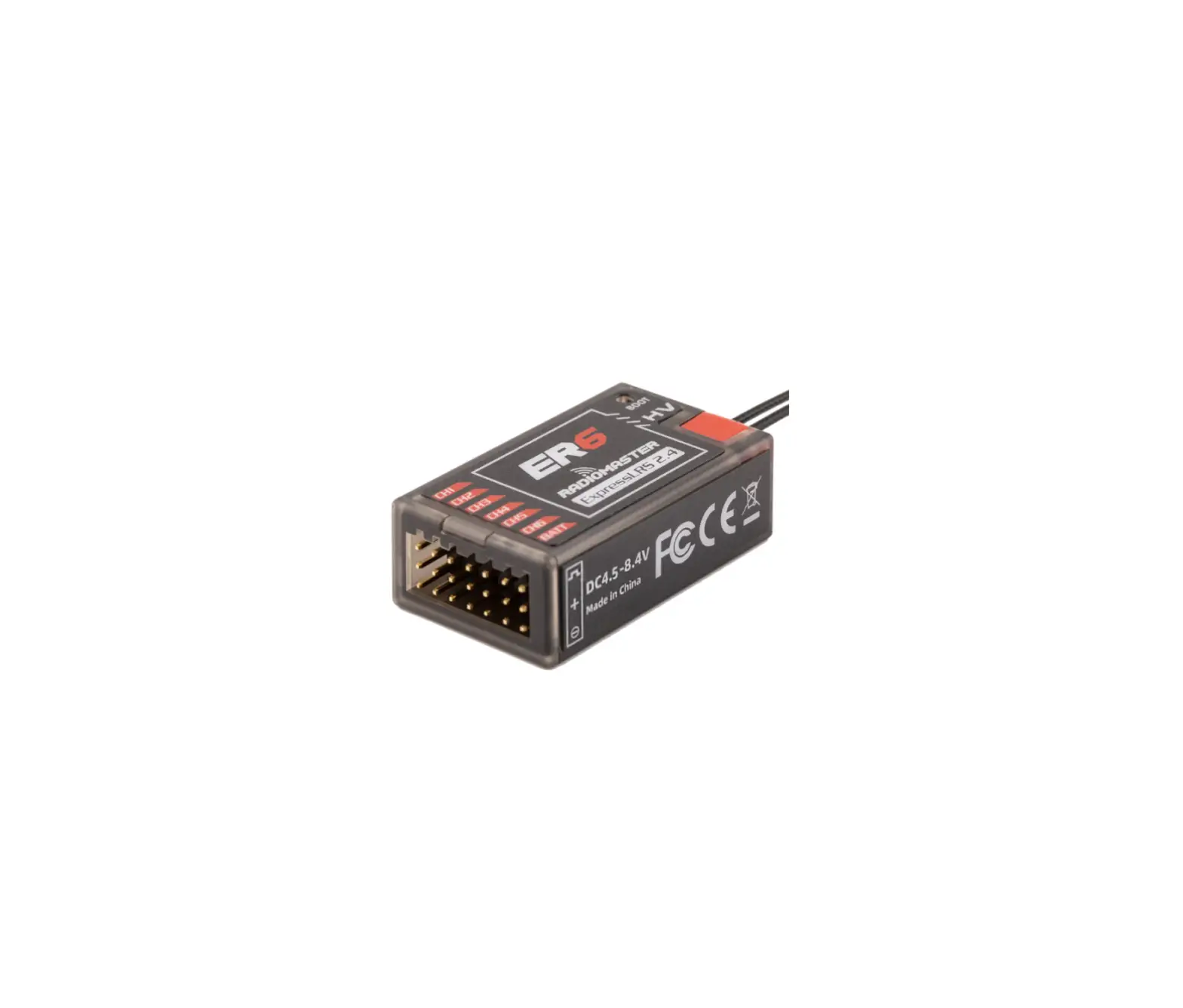
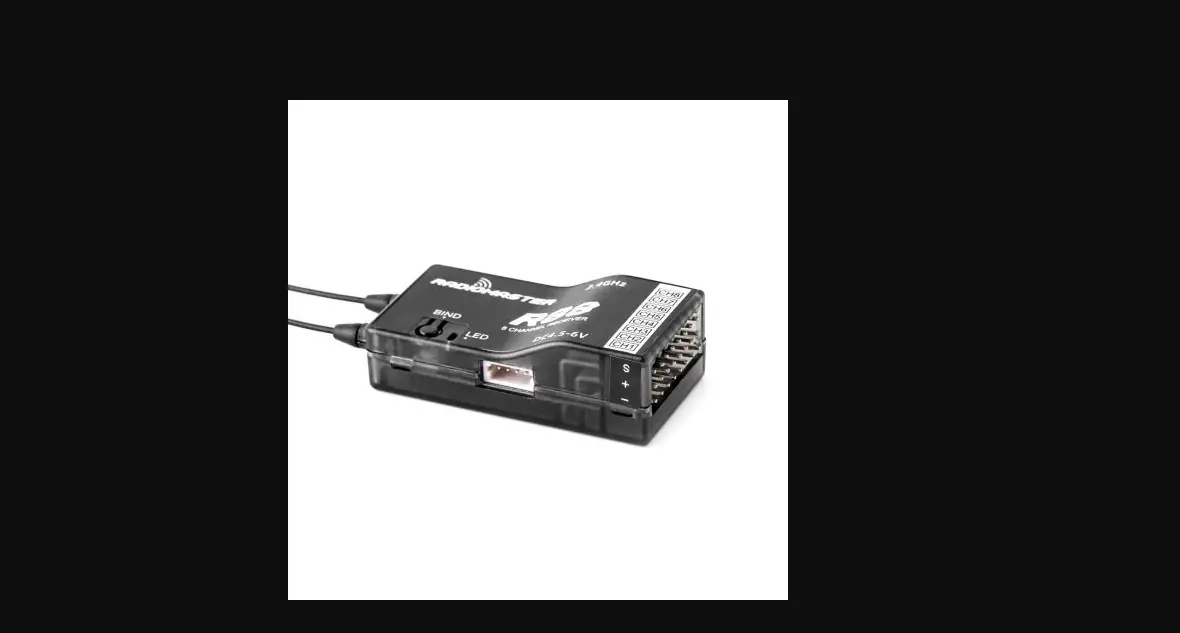
ER8 ELRS Receiver
Radiomaster ER8 ELRS Receiver Product Information
The Radiomaster ER8 ELRS receiver is designed for fixed-wing
users and is based on the revolutionary ExpressLRS system. It
offers high performance, high reliability, flexible configuration,
fast response speed, and ultra-long range.
- Can drive up to 8 servos
- Built-in receiver voltage telemetry and flight battery
telemetry - Automatically detects which voltage input to use
- 4-wire CRSF interface for later expansion of telemetry
sensors - Dual-antenna with telemetry power up to 100mw
- Receiver shell adopts one-piece molding process with high
structural strength
Product Usage Instructions
- Recommended ELRS LUA Settings:
- Standard servos:
- Packet Rate: 100Hz Full
- Telem Ratio: Std (1:32) default if unsure
- Switch Mode: 8ch
- Performance servos:
- Packet Rate: 333Hz Full
- Telem Ratio: Std (1:128)
- Switch Mode: 8ch
Reading:
- The maximum input voltage for the EXT-V telemetry reading is
35V. Do not exceed 35V or the receiver will be damaged. - The EXT-V of the ER8 is accessed via the EXT-V 2pin JST-GH
connector. The RED wire must be soldered to the positive of the
battery or ESC. - If no EXT-V power source is found, the ER8 will default to
reading the voltage on the receiver pins. Only one voltage input
can be used at any given time.
- Please ensure that the power supply current of the ESC BEC
matches the power consumption requirements of the servo used. - If using high-voltage and high-torque servos, it is recommended
to use a 2S 7.4V battery for direct power supply or a suitable
high-current UBEC.
- Calibration of the telemetry voltage will be required on your
radio. - Navigate to the telemetry page on your radio and locate the
RxBt sensor. - Edit the sensor settings and adjust the offset until the
displayed reading matches the actual voltage of the battery in the
model. - If there is a large difference, adjustment of the ratio may
also be required.
5:
- CH5 is required by ExpressLRS to set the Arm state of the RF
module in your radio. - It is recommended to assign CH5 to a switch such as your
throttle cut switch as this will provide benefits such as dynamic
power. - Using the ExpressLRS LUA or the Wifi WebUI, you can assign
different channels to the CH5 output of your receiver. - Visit https://www.expresslrs.org/ to learn more on the
importance of setting up arming.
ER8
Radiomaster ER8 ExpressLRS ER8 ExpressLRS
2.EXT-V 35V 35V
1.ELRS LUA –
100Hz Full
Std (1:32)
8ch
– 333Hz Full
Std (1:128)
8ch
3.ER8EXT-VEXT-V 2JST-GH EXT-V ER8
4.BEC2S 7.4V UBEC
5.RxBt Offset Ratio
6.ExpressLRS CH5 / CH5 ExpressLRS LUA Wifi WebUI CH5
https://www.expresslrs.org/
Radiomaster ER8 8 4 CRSF ER8 100mw
DC 4.5 – 8.4V 20cm ExpressLRS 3.2 6CH PWM 100mw (LUA) DC 4.0 – 35V CRSF 16.5 43*30*15mm
Radiomaster 2.4Ghz RadioMaster ER8 2400 PWM RX
CH1
CH2
CH3
CH4
Battery
4.5-8.4V
CH5
BOOT CH6
CH7 RX TX
1.LED 10 2.ExpressLRS LUA[BIND] 3.
3 LED 3 10
Binding phrase
1. ExpressLRS LUAWIFIWIFI ExpressLRSWIFITX WIFI WebUIExpressLRShttp://10.0.0.1/
2. 60LEDWIFI WIFITX WIFIWebUIExpressLRS http://10.0.0.1/
WIFI WIFIExprersLRS TX WIFIexpresslrs URLhttp://10.0.0.1/
WIFI WIFIExprersLRS RX WIFIexpresslrs URLhttp://10.0.0.1/
ER8
Thank you for purchasing the Radiomaster ER8 ELRS receiver. The ER8 receiver is based on the revolutionary ExpressLRS system. It offers high performance, high reliability, flexible configuration, fast response speed and ultra-long range bringing you brand new experience with your hobby.
Important:
1.The recommended ELRS LUA settings on the remote-control end are:
– Standard servos:
Packet Rate
100Hz Full
Telem Ratio
Std (1:32)default if unsure
Switch Mode 8ch
– Performance servos:
Packet Rate
333Hz Full
Telem Ratio
Std (1:128)
Switch Mode 8ch
2: The maximum input voltage for the EXT-V (external voltage input) telemetry reading is 35V. Do not exceed 35V or the receiver will be damaged. 3: The EXT-V (external voltage input) of the ER8 is accessed via the EXT-V 2pin JST-GH connector. The RED wire must be soldered to the positive of the battery or ESC. If no EXT-V power source is found, the ER8 will default to reading the voltage on the receiver pins, only one voltage input can be used at the any given time.
4: Please ensure that the power supply current of the ESC BEC matches the power consumption requirements of the servo used. If using high-voltage and high-torque servos, it is recommended to use a 2S 7.4V battery for direct power supply or a suitable high-current UBEC.
5: Calibration of the telemetry voltage will be required on your radio. Navigate to the telemetry page on your radio and locate the RxBt sensor. Edit the sensor settings and adjust the offset until the displayed reading matches the actual voltage of the battery in the model. If there is a large difference, adjustment of the ratio may also be required.
6: ExpressLRS Arming requirements and the use of Channel 5: CH5 is required by ExpressLRS to set the Arm state of the RF module in your radio. It is recommended to assign CH5 to a switch such as your throttle cut switch as this will provide benefits such as dynamic power. Using the ExpressLRS LUA or the Wifi WebUI, you can assign different channels to the CH5 output of your receiver. See example to the right:
Please visit https://www.expresslrs.org/ to learn more on the importance of setting up arming.
The Radiomaster ER8 receiver has been specially designed for fixed-wing users. It can drive up to 8 servos and has built-in receiver voltage telemetry and flight battery telemetry with the ability to automatically detect which voltage input to use. A 4-wire CRSF interface is provided to facilitate later expansion of telemetry sensors. The ER8 features a dual-antenna with telemetry power up to 100mw. The receiver shell adopts one-piece molding process with high structural strength.
Product Features: Power supply: DC 4.5 – 8.4V Antenna type: 20cm high sensitivity antenna Wireless protocol: ExpressLRS 3.2 pre-installed Output channel: 8CH PWM Telemetry power: maximum 100mw (LUA Adjustable) Battery voltage detection range: DC 4.0 – 35V Bus interface: CRSF Weight: 16.5 grams Size: 43*30*15mm
Firmware: Device Category: Radiomaster 2.4Ghz Device: RadioMaster ER8 2400 PWM RX
CH1
CH2
CH3
CH4
Battery
4.5-8.4V
CH5
CH6
BOOT
CH7 RX TX
Binding method (Traditional):
1. The first time you power on your receiver, the LED will double blink. This indicates that the receiver is in bind mode. If this is not the case, hold down the boot button for 10 seconds to reset the receiver. 2. Open the ExpressLRS LUA on your remote controller and select [BIND], then confirm. 3. A successful bind is indicated by the light being a steady on, indicating that frequency binding was successful.
Binding method (Passphrase).
1. Open the ExpressLRS LUA and navigate to the Wifi Connectivity page. Select the Enable Wifi option and connect to your radios wifi with a mobile phone, tablet or PC (See TX Wifi notes below). Open the WebUI (Express LRS web page on http://10.0.0.1/) and choose a unique bind phrase. Note Bind phrases are not secret and can be read. Save and Reboot.
2. Power up the receiver and wait 60 seconds for the LED to blink rapidly to indicate Wifi mode. Connect your phone, tablet or PC to the receivers Wifi (See TX Wifi notes below). Open the WebUI (Express LRS web page on http://10.0.0.1/) and enter the matching bind phrase previously entered on your radio. Note Bind phrases are not secret and can be read. Save and Reboot. Once a radio and a receiver have the same bind phrase set they will automatically bind.
Note: To bind the receiver a second time or to another radio, power cycle the receiver 3 times. On the third power cycle, the LED will double blink indicating bind mode. If you cannot successfully enter bind mode with the 3 power cycle method, you can hold down the boot button for 10 seconds to reset the receiver to bind mode or use the passphrase method below. WARNING: All previous settings in the receiver will be erased and need to be set again when using the reset button.
TX Wifi notes
RX Wifi notes:
WiFi default network name: ExpressLRS TX WiFi default network name: ExpressLRS RX
WiFi default password: expresslrs
WiFi default password: expresslrs
Default URL: http://10.0.0.1/ (Open in browser) Default URL: http://10.0.0.1/ (Open in browser)
 High-performance Open Source Radio Control Link - ExpressLRS